What's inside
- Key Takeaways
- Quick Picks
- How Did We Sort Six Cards Into an Honest Order?
- What Do U1, U3, A1 and A2 Actually Promise?
- Which Card Belongs in Which Device You Own?
- What Happens When a Card Starts to Fail?
- How Can You Test a New Card Without Laboratory Gear?
- Does the Reader You Use Change the Result?
- How Do the Six Cards Compare Side by Side?
- How Should You Set Up a New 64GB Card Properly?
- Which Mistakes Do 64GB Card Buyers Keep Making?
- How Much Recording and Storage Does 64GB Really Hold?
- Why Do Two Cards With Identical Ratings Feel Different?
- What File System and Formatting Choices Matter at 64GB?
- What Should You Know About Endurance Ratings and Warranties?
- Final Recommendation
- Frequently Asked Questions
- Related Guides
As an Amazon Associate I earn from qualifying purchases. This post may contain affiliate links at no extra cost to you.
gizmoverdict.com is reader-supported. When you buy through links on our site, we may earn an affiliate commission.
Where to buy: Four cards below carry links checked against this site’s verified product pool, and two further cards are discussed in prose only because no confirmed listing for them sits in that pool. Check price on Amazon from the linked picks before ordering, and read the adapter notes carefully, because one otherwise excellent card in this roundup ships without one.
Choosing among the best 64GB microSD cards sounds like a five-minute errand until the alphabet on the packaging starts arguing with itself. U1 sits beside U3, A1 beside A2, V30 beside a read speed printed in enormous type, and every card promises to be fast in a way that tells you almost nothing about the job you actually bought it for. A 64GB card destined for a Nintendo Switch lives a different life from one recording dashcam footage through a hot summer, and both differ again from a card asked to hold apps inside an Android phone.
This guide separates those lives honestly. Two of the linked cards here carry the U3 speed class with V30 video rating and A2 application performance, which makes them the natural choices for 4K video and app-heavy phones. Two others are U1 cards, one of them rated A1 and the other an older, plainer design, and they are not failures for that: they are sensible, usually gentler-priced cards for game libraries, photo storage, music collections and devices that never ask a card to sustain anything demanding. Pretending a U1 card matches a U3 card would be dishonest, and pretending a U1 card is useless would be just as wrong.
One more distinction runs through every verdict below, and it is worth naming before the picks begin. A card can be entirely genuine, correctly rated and still wrong for you, because the fit between a card and a device is a relationship rather than a ranking. The order in this guide therefore reflects versatility across common devices first, and specialisation second, and the individual verdicts keep repeating which relationship each card suits, so a reader with a single clear job can skip straight to the card built for it without reading the whole field.
Capacity deserves a word before speed does. Sixty-four gigabytes holds a respectable game library of smaller titles, thousands of phone photographs, hours of Full HD video or a few long 4K recordings, but it fills faster than buyers expect once a camera starts writing high-bitrate footage. If your device records 4K continuously, treat 64GB as a working card you offload often rather than an archive. If your device mostly stores downloads and stills, the same capacity can serve for years without complaint.
Key Takeaways
- U3 with V30 is the honest threshold for dependable 4K recording; U1 cards suit storage, games and Full HD work.
- A2 matters mainly inside phones running apps from the card, where small random reads dominate the experience.
- The Kingston pick reaches A2 performance yet arrives without an SD adapter in its single package.
- Headline read speeds describe best-case transfers of large files, not sustained recording behaviour.
- Both Samsung and SanDisk U1 options remain worthwhile when the workload stays light and sequential.
- Buy the card class your device can actually exploit; overspending on ratings a camera ignores buys nothing.
Quick Picks
| Pick | Badge | Why it earns its place |
|---|---|---|
| SanDisk Extreme 64GB microSDXC | Strongest all-rounder | U3, V30 and A2 together cover 4K clips, action cameras and app storage in one small card. |
| Kingston Canvas Go Plus 64GB | A2 pace, no adapter | A newer-generation A2 card with the highest quoted read figure here, sold in a package without an adapter. |
| Samsung EVO Select 64GB | Calm everyday storage | A U1 card with bundled adapter that handles libraries, downloads and ordinary photography without fuss. |
| SanDisk Ultra 64GB microSD | A1 phone-friendly value | An A1 rating lifts app behaviour a step beyond unrated storage while staying in the gentle U1 class. |
| Lexar PLAY 64GB microSDXC | Prose-only handheld pick | A games-and-media card discussed without a link because no confirmed pool listing covers it. |
| Samsung PRO Plus 64GB microSDXC | Prose-only endurance class | Samsung’s higher tier is worth knowing about even though this guide cannot link a verified listing. |
How Did We Sort Six Cards Into an Honest Order?
Every card was judged first on whether its printed ratings match the work its buyers describe. A card bought for a drone or action camera must sustain writes without dropping frames, so the UHS speed class and video rating outranked everything else for those roles. A card bought for a phone had its application class weighed more heavily, because launching an app involves thousands of tiny reads scattered across the card, a pattern sequential benchmarks barely touch. A card bought purely to enlarge a tablet’s download shelf needed neither, and was judged on steadiness and included accessories instead.
Quoted read speeds were treated as manufacturer ceiling figures throughout. The words “up to” precede them on every listing in the pool, and real transfers depend on the reader, the host device and the file mix being moved. A card quoting a higher ceiling is not automatically quicker at the small writes a dashcam produces all day. Where this guide compares cards, it compares their certified classes first and their headline numbers second, which is the order that predicts behaviour in an actual device.
Accessories were counted as part of the product rather than as trivia. A full-size SD adapter decides whether a card can slide straight into a laptop slot or an older camera, and one pick here omits it deliberately in a single-card package. Buyers who already own adapters will shrug; buyers setting up a trail camera in the field will not. The verdicts below name that difference wherever it appears instead of burying it in fine print.
What Do U1, U3, A1 and A2 Actually Promise?
The UHS speed class is a guaranteed minimum sustained write speed, and it is the least glamorous yet most useful number on the packet. U1 guarantees ten megabytes per second of sustained writing, enough for Full HD video and ordinary burst photography. U3 triples that floor to thirty megabytes per second, which is why U3 cards also carry the V30 video class: a camera recording 4K needs the card to keep swallowing data at that pace for minutes at a time, not merely to spike impressively for three seconds.
The application class, A1 or A2, measures something entirely different: how briskly a card handles small random operations of the kind an operating system performs constantly. A1 sets a modest floor for random read and write operations, while A2 raises that floor substantially and allows the host to use techniques such as command queuing. In a phone running apps from the card, an A2 card can feel noticeably less hesitant than an A1 card when switching between applications or loading game assets in fragments. In a camera, the same A2 badge contributes almost nothing, because cameras write long sequential streams.
Understanding that split prevents the commonest buying error in this category, which is paying for the wrong kind of fast. A photographer gains nothing from A2 and everything from U3. A phone owner gains little from V30 and a great deal from A2. The two SanDisk and Kingston cards carrying both sets of ratings are the flexible choices precisely because they refuse to choose, while the U1 cards ask you to be certain your workload really is the light one they were built for.
Bus type adds a final quiet distinction. All the linked cards here are UHS-I, the single-row interface found in nearly every phone, console and camera a reader is likely to own. Faster UHS-II cards exist in the full-size SD world, yet microSD devices with UHS-II contacts remain rare, so chasing that interface in this size usually buys unused potential. UHS-I with strong ratings is the practical summit for a 64GB microSD purchase today.

SanDisk Extreme 64GB microSDXC — Strongest all-rounder
SanDisk’s Extreme line has spent years as the card action-camera owners reach for first, and the 64GB version shows why the habit formed. Its listing pairs a read figure of up to 160MB/s with the trio of ratings that matter across devices: U3 for sustained writes, V30 for video, and A2 for application behaviour. Few cards at this capacity cover a drone, a phone and a handheld console with equal plausibility, and that breadth is the real product being sold here, more than any single benchmark number.
In a camera context, the V30 guarantee is the sentence that counts. Recording 4K footage produces an unbroken river of data, and a dropped write becomes a ruined clip rather than a brief pause. This card’s certified floor sits comfortably above the bitrates typical consumer 4K modes produce, which leaves headroom for higher-frame-rate modes and rapid stills bursts. Owners of action cameras who film long descents or full matches will appreciate that the rating is a floor the card must maintain, not a peak it might touch on a good day.
Inside a phone the A2 rating takes over the story. Apps stored on the Extreme load their scattered small files with less of the stutter that makes card-based storage feel cheap, and game asset streaming behaves closer to internal memory than an A1 card usually manages. It will never equal a modern handset’s built-in flash, and no honest guide should claim otherwise, yet among removable cards this class represents the ceiling of what the microSD standard currently offers ordinary buyers.
- Capacity: 64GB microSDXC
- Speed class: UHS-I, U3, V30
- Application class: A2
- Quoted read speed: up to 160MB/s
- Adapter: full-size SD adapter included
Strengths
- Certified for sustained 4K writing without drama
- A2 behaviour flatters phones and handheld consoles
- Included adapter eases laptop and camera transfers
Trade-offs
- Costs more effort to justify for pure storage duty
- Sixty-four gigabytes vanishes quickly under 4K habits
- Read ceiling needs a capable reader to approach
Best for: owners mixing action cameras, drones and phones who want one card specification that never embarrasses itself. Not suited for: buyers who only archive downloads and would never use the video or app ratings they paid for.

Kingston Canvas Go Plus 64GB — A2 pace, no adapter
Kingston’s Canvas Go Plus arrives from a newer generation of the company’s microSD range, and its pool listing quotes read speeds up to 200MB/s alongside U3, V30 and A2 ratings. On paper that makes it the quickest card in this particular roundup, although the honest reading of any “up to” figure is that a fast reader and large files are required before the ceiling comes into view. The certified classes underneath the headline are identical in kind to the SanDisk Extreme’s, which means the dependable promises match even where the marketing numbers differ.
The packaging fact deserves its own paragraph because it will genuinely inconvenience the wrong buyer. This listing is the single-package version, and it does not include a full-size SD adapter. Anyone whose laptop lacks a microSD slot, whose camera takes full-size cards through an adapter, or who simply likes keeping an adapter in the card wallet must source one separately. Kingston sells adapter bundles elsewhere in the range, but this specific verified listing is not one of them, and ordering it while assuming otherwise is an avoidable disappointment.
For phone and console owners who transfer files over USB or Wi-Fi anyway, the missing adapter may never register. What registers instead is the A2 rating working through app launches and game loading, plus a write floor that handles 4K recording from compatible cameras. Kingston also brings a long history in memory products to the table, and the Canvas Go Plus line is positioned as its performance tier for exactly this mixture of cameras and mobile devices, sitting above the company’s everyday Select cards.
- Capacity: 64GB microSDXC, generation 4 design
- Speed class: UHS-I, U3, V30
- Application class: A2
- Quoted read speed: up to 200MB/s
- Adapter: not included in this package
Strengths
- Highest quoted read ceiling among these picks
- Full U3, V30 and A2 rating combination
- Newer-generation controller behaviour for app loads
Trade-offs
- No SD adapter inside this single package
- Ceiling speed demands an equally fast reader
- Less ubiquitous on shelves than SanDisk rivals
Best for: phone and action-camera users who already own an adapter and want the freshest A2 design in the pool. Not suited for: anyone whose transfer routine depends on an included adapter arriving in the same envelope.
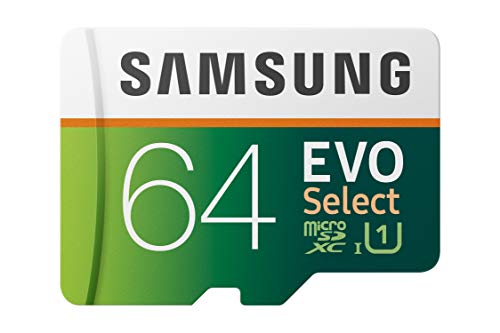
Samsung EVO Select 64GB — Calm everyday storage
Samsung’s EVO Select occupies the sensible middle of the microSD world, and its verified listing is refreshingly modest about what the card is: a UHS-I U1 card quoting up to 100MB/s reads, supplied with a full-size adapter. There is no A rating in its title and no video class beyond the U1 baseline, so this guide will not dress it up as an app-performance or 4K specialist. What it offers instead is a well-established name, a generous adapter-included package and entirely adequate behaviour for the storage jobs most cards actually perform.
Those jobs are worth describing because they dominate real usage. A tablet loaded with downloaded films for a flight, a phone holding a music library and camera-roll overflow, a handheld console carrying indie games, a dashboard camera writing Full HD rather than 4K: each of these asks for steady sequential transfers and reliable behaviour, not for certified 4K write floors. The EVO Select’s read figure keeps library browsing and file copying brisk, and its U1 floor covers Full HD recording bitrates with room to spare.
Where the card asks for honesty is at the edges. Sustained 4K recording sits beyond its guaranteed class, and while short clips may appear to work, a rating exists precisely to remove that gamble. Running demanding apps from it will also feel a step behind the A2 cards above, since no application class is claimed. Buyers who understand those boundaries get a dependable card; buyers who ignore them tend to blame the card for a mismatch they chose themselves.
- Capacity: 64GB microSDXC
- Speed class: UHS-I, U1
- Application class: none claimed in listing
- Quoted read speed: up to 100MB/s
- Adapter: full-size SD adapter included
Strengths
- Adapter bundled for painless computer transfers
- Proven line with broad device compatibility
- Entirely sufficient for Full HD and libraries
Trade-offs
- U1 floor excludes confident 4K recording
- No A rating for app-heavy phone use
- Read ceiling trails the performance picks clearly
Best for: households enlarging tablets, consoles and secondary phones where the workload is storage rather than capture. Not suited for: 4K camera owners or anyone planning to run demanding applications directly from the card.

SanDisk Ultra 64GB microSD — A1 phone-friendly value
The SanDisk Ultra is probably the most widely recognised microSD card on earth, and the 64GB version in the pool quotes up to 140MB/s reads with a U1 speed class and an A1 application rating. That combination defines its character precisely. Sequential transfers are brisk for its class, the A1 badge gives phone operating systems a modest but real improvement in random-access behaviour over unrated cards, and the U1 floor keeps it firmly out of serious 4K territory no matter how large the read number looks on the packet.
Phone owners with expandable storage form the natural audience. Photographs, messaging media, offline maps and music all live comfortably on an Ultra, and lighter apps behave acceptably thanks to the A1 floor for random reads and writes. The card also suits the secondary-device ecosystem of modern homes: the kitchen tablet, the child’s handheld, the security camera recording at modest resolution, the car stereo reading a music library. None of those roles punishes its limits, and its long production history means compatibility surprises are rare.
Its limits deserve the same clarity as the Extreme’s strengths. A1 is a floor, not a flourish, and heavy games stored on this card will load with visible patience compared with A2 alternatives. The U1 write guarantee similarly rules out relying on it for high-bitrate video, whatever a short test clip suggests. Judged as inexpensive, honest capacity from the category’s biggest name, though, the Ultra remains easy to recommend to the right buyer.
- Capacity: 64GB microSDXC
- Speed class: UHS-I, U1
- Application class: A1
- Quoted read speed: up to 140MB/s
- Adapter: full-size SD adapter included
Strengths
- A1 rating steadies everyday phone storage behaviour
- Strong quoted reads for library browsing
- Adapter included, compatibility rarely questioned
Trade-offs
- U1 class unsuitable for sustained 4K capture
- A1 trails A2 noticeably under app loads
- Popularity makes counterfeits a sourcing concern
Best for: phone and tablet owners adding uncomplicated capacity for media, photographs and lighter applications. Not suited for: videographers, drone pilots or gamers expecting A2-grade responsiveness from their card storage.
Lexar PLAY 64GB microSDXC — Prose-only handheld pick
Lexar’s PLAY series aims squarely at handheld gaming and media playback, and a 64GB member of that family would sit naturally in a guide like this one. It is discussed in prose only because the verified pool behind this article contains no confirmed listing for it, and the pool’s own notes record that searches for certain Lexar performance lines returned other Lexar families instead. Rather than attach a link to a different product wearing a similar name, this guide describes the class and leaves the purchase unlinked.
Cards in this gaming-leaning class typically emphasise read performance, because loading a game level is a reading exercise far more than a writing one. For a console library of modest-sized titles, that emphasis is well placed, and a 64GB card of this type can hold a rotating shelf of games while the console’s internal storage keeps the largest installations. Buyers comparing one against the linked picks should check its printed speed class carefully on the retail packaging, since gaming branding alone guarantees nothing about sustained writes.
The practical advice is simple: if you find this card from a reputable seller at a sensible position in the range, it serves handheld and tablet duty happily. If your device records video, though, let the certified video class on the packet, not the gaming artwork, decide whether it belongs in your camera bag.
- Capacity class: 64GB microSDXC
- Positioning: gaming and media playback
- Application behaviour: check retail pack for rating
- Availability here: discussed without a purchase link
- Adapter: varies by retail package
Strengths
- Read-leaning tuning suits game loading patterns
- Familiar brand with broad console compatibility
- Sensible size for a rotating handheld library
Trade-offs
- No verified listing to link from this guide
- Gaming branding says little about write floors
- Package contents differ between retail variants
Best for: handheld players who encounter it from a trusted seller and mainly need quick-loading game storage. Not suited for: shoppers who want the verified-link certainty the four linked picks in this roundup provide.
Samsung PRO Plus 64GB microSDXC — Prose-only endurance class
Samsung’s PRO-tier microSD cards sit above the EVO family in the company’s own hierarchy, aimed at buyers who record often and keep cards working hard for years. A 64GB PRO-class card is included here in prose because the pool verifies the EVO Select listing, not this higher tier, and conflating the two would misstate what a reader receives. The distinction matters: PRO cards historically carry stronger speed classes and longer-rated endurance than their EVO siblings, and they are priced accordingly.
The buyer for such a card usually owns a camera or drone first and a phone second. Sustained writing, temperature tolerance and behaviour across thousands of recording hours dominate the decision, while application ratings are a secondary comfort. In dashcam and security roles, where a card is overwritten continuously until it eventually wears out, stepping up a manufacturer’s range is one of the few genuinely effective reliability moves available, alongside replacing cards on a schedule rather than waiting for failure.
None of that elevates this mention into a link, and readers should compare the exact retail specification before buying, because Samsung has sold several generations under similar names. Treat this entry as a signpost toward a class of card worth shortlisting, then verify the speed and video classes printed on the specific package in front of you.
- Capacity class: 64GB microSDXC
- Positioning: manufacturer’s performance tier
- Typical duty: frequent recording, cameras, drones
- Availability here: prose discussion only
- Adapter: depends on the retail bundle chosen
Strengths
- Higher tier historically favours sustained writes
- Suits overwrite-heavy dashcam and security work
- Strong ecosystem of readers and devices
Trade-offs
- Cannot be linked from this guide’s pool
- Several generations share similar naming
- Premium tier pricing over EVO-class cards
Best for: recording-heavy owners willing to shop carefully by printed specification rather than by headline name. Not suited for: buyers who want a one-click verified choice, for whom the linked Extreme above is the cleaner answer.
Which Card Belongs in Which Device You Own?
Start with the games console, because its demands are widely misunderstood. A handheld console spends most of its card time reading: loading levels, streaming textures and pulling down patches in large sequential chunks. Sustained write ratings matter only during downloads, and even then the console’s own network or processor usually limits the pace. That is why a U1 card can feel perfectly brisk in a console while disappointing a camera owner, and why the A1 and A2 ratings, though designed for phones, still help a little when a game loads thousands of small assets at a level boundary. For a library of smaller titles, any linked pick in this guide serves; for a library built around a few enormous games, capacity will argue with you long before speed does.
The action camera makes the opposite demand, and it is the least forgiving device in the house. Its recording modes write continuously at bitrates chosen by the manufacturer, sometimes with two files being handled at once when a proxy or preview stream is enabled. A card that falls behind does not slow down gracefully; the camera stops the recording or corrupts the file. This is the environment the V30 rating exists for, and it is why the two A2 performance picks, which also carry U3 and V30, stand at the top of the order. Owners filming in the highest available frame rates should also remember that heat throttles real cameras before it throttles real cards, so a card with rating headroom removes one variable from a complicated afternoon.
Drones add vibration, cold and altitude to the same writing problem, plus a consequence no other device shares: the card may not come back. Pilots learn to treat footage as lost until it lands, which argues for cards from established lines whose behaviour at low temperatures and under constant vibration has been proven across millions of flights. The Extreme and the Canvas Go Plus both belong to that proven category. A drone also writes flight logs alongside video, a small random-write workload where a stronger controller quietly helps keep recordings and logs in step.
The dashboard camera and the home security camera share a crueller workload than any of these: endless overwriting. Every loop of the recording cycle erases and rewrites the oldest footage, day and night, in a hot windscreen or a cold porch enclosure. Standard cards survive this for a while, yet the wear accumulates in a way that photo storage never imposes. Buyers in this role should favour the performance tiers, consider the prose-only PRO-class card as a shopping signpost, and above all adopt a replacement rhythm, swapping the card yearly rather than discovering its death on the day footage was actually needed.
Phones divide into two camps that want different cards. A phone used as a media vault, holding photographs, downloads and messaging archives, asks almost nothing beyond capacity and honest sequential speed, and the Ultra or EVO Select will satisfy it for years. A phone expected to run its applications from the card is a different machine entirely, and there the A2 pair earn their premium every single day, in every app switch and game load. The tragedy of card buying is how often the second buyer purchases the first camp’s card, because the packaging of both looks nearly identical on a shop shelf.
What Happens When a Card Starts to Fail?
Flash memory rarely dies in a single dramatic moment. More often a card begins to hesitate: a video file that will not play past the same second, a photograph whose lower half renders as grey, a phone that reports the card was removed while it sits untouched in its tray. Each symptom describes cells that can no longer hold their charge reliably, and the controller’s attempts to work around them. By the time an operating system complains openly, the card has usually been compensating quietly for weeks.
The correct response is immediate and slightly ruthless. Copy everything readable to a computer at the first sign of trouble, because a weakening card seldom improves and each further write consumes some of what remains. Verify the copies open correctly, especially the largest video files, since a transfer can report success while delivering damaged data. Then retire the card from any duty that matters. A demoted card may live on holding music in a car stereo, where loss is an annoyance rather than a grief, but it should never again be the sole keeper of anything.
Prevention is mostly a matter of habits that cost nothing. Eject cards properly from computers instead of pulling them mid-write. Keep them in a case rather than loose in a pocket with keys and coins. Avoid filling any card to its absolute final megabyte, because controllers need working room to shuffle data as cells age. And buy from channels where the manufacturer’s warranty will actually be honoured, which loops back to the sourcing advice elsewhere in this guide: the cheapest listing for a famous card is very often not the card at all.
How Can You Test a New Card Without Laboratory Gear?
A practical home test needs only a computer, a decent reader and patience. First, fill the card completely with real files, large videos are ideal, and note roughly how long the bulk of the transfer takes. Genuine cards sustain a steady pace consistent with their class, while counterfeits built around a fraction of the claimed capacity slow catastrophically or begin reporting errors once their true, smaller memory is exhausted and the controller starts overwriting the beginning.
Second, read everything back and open samples from the start, middle and end of what you copied. The classic counterfeit trick is a card that reports 64GB, accepts writes politely, and quietly discards or corrupts data beyond its real capacity, so files written earliest are the ones that vanish. A card that returns every file intact after a full fill has passed the test that catches nearly all fakes and most factory defects, and it has done so inside the return window when the discovery still costs nothing.
Third, put the card to its actual job for a day before the old card is wiped or the receipt is filed away. Record the long video, play the large game, let the dashcam run a full shift. Synthetic neatness and real workloads differ in the small random operations scattered through them, and a day of genuine duty is the final examination. Only after all three steps should a card be promoted to trusted status in your kit, and the whole ritual takes less effort than recovering from the one failure it prevents.
Does the Reader You Use Change the Result?
More than most buyers realise. A card’s quoted read ceiling assumes a reader that speaks the same fast language, and the ageing USB reader bundled free with something years ago often speaks a much slower one. Owners who conclude a new performance card feels ordinary should test it in the device it was bought for before blaming it, because the device’s own interface is the one that matters, and a phone or camera with a modern slot may show a difference the old desktop reader hid completely.
Reader quality also affects the fill test described above. A reader that overheats during a long transfer can throttle speeds and even produce errors that belong to the reader, not the card. If a full-card write behaves strangely, repeating the test through a different reader or the target device itself separates the suspects cheaply. This is one reason the included adapters with three of the linked picks are worth having: an adapter in a laptop’s built-in slot removes one whole layer of questionable hardware from the chain.
For households that move large video files weekly, a modern USB reader rated for UHS-I at full speed is a modest purchase that makes every card in the drawer feel younger. It will not rescue a U1 card from its write floor, and it cannot give a camera a faster slot than it was built with, but it ensures the transfer stage of your workflow is never the bottleneck disguised as a card problem.
How Do the Six Cards Compare Side by Side?
| Card | Class highlights | Adapter | Natural home |
|---|---|---|---|
| SanDisk Extreme 64GB | U3, V30, A2 | Included | Cameras, drones, phones |
| Kingston Canvas Go Plus 64GB | U3, V30, A2 | Not included | Phones, action cameras |
| Samsung EVO Select 64GB | U1 | Included | Tablets, consoles, libraries |
| SanDisk Ultra 64GB | U1, A1 | Included | Phones, media storage |
| Lexar PLAY 64GB | Check retail specification | Varies | Handheld gaming |
| Samsung PRO Plus 64GB | Performance tier, verify pack | Varies | Recording-heavy duty |
How Should You Set Up a New 64GB Card Properly?
Begin by formatting the card inside the device that will use it, rather than on a computer. Cameras, consoles and phones each lay out their file systems with small preferences of their own, and a device-formatted card avoids the strange incompatibilities that occasionally appear when a card arrives formatted elsewhere. Only after that first format should you copy libraries across, and copying in one organised pass beats weeks of scattered additions when you later need to find anything.
Next, test the card with real work before trusting it with anything irreplaceable. Record a long video at your camera’s highest setting, install the largest game you own, or copy a full photo library and open files from the end of the transfer. Counterfeit and faulty cards most often reveal themselves by failing late in a fill or corrupting the earliest files written, so a complete fill-and-check cycle during the return window is cheap insurance that experienced buyers rarely skip.
Finally, decide the card’s retirement plan on day one. Cards used for continuous recording should be replaced on a calendar rhythm, because flash memory wears with every overwrite and fails without ceremony. Cards holding photographs should be treated as transport, not archive: copy the contents to proper storage, keep the card as a working buffer, and never let the only copy of a wedding or a holiday live on a thumbnail-sized piece of plastic riding in a warm camera.
Which Mistakes Do 64GB Card Buyers Keep Making?
The first is reading the giant speed number and stopping there. That figure describes reading under ideal conditions, while the failures buyers actually meet, stuttering video, slow app launches, corrupted long recordings, all live on the write and random-access side governed by the small class logos. Turning the packet over and finding U, V and A ratings takes ten seconds and predicts more than any headline.
The second is buying capacity by optimism. Sixty-four gigabytes feels generous in the shop and cramped in the third month of 4K filming, and the price ladder between capacities is usually gentler than the frustration of deleting footage in the field. This guide exists because the keyword asks about 64GB specifically, but readers whose cameras record daily should hear plainly that a larger card from the same rated families often serves them better.
The third mistake is sourcing carelessness. microSD cards are among the most counterfeited products in consumer electronics, precisely because a fake is cheap to print and hard to spot until it fails. Buying through the verified links in a guide like this one, or from the manufacturer’s own storefront, and then running the fill test described above, closes nearly all of that risk for almost no effort.
How Much Recording and Storage Does 64GB Really Hold?
Numbers in this category become clearer when translated into ordinary life. A 64GB card carries roughly sixteen thousand photographs from a typical phone camera, though computational photography keeps inflating file sizes, so treat that as a generous ceiling rather than a promise. In a music library it becomes hundreds of albums at streaming-quality compression, or a few dozen at lossless quality, which is why audiophiles and casual listeners experience the same card as entirely different products.
Video consumes capacity at a pace that surprises every new camera owner. Full HD recording at common bitrates uses on the order of ten to twenty gigabytes per hour, giving a 64GB card an afternoon of filming with room to spare. Step up to 4K and the appetite roughly triples or quadruples depending on the codec and frame rate, shrinking the same card to somewhere around one or two hours. Action cameras at their highest settings sit at the hungry end of that range, which is precisely why their owners learn to offload nightly on trips.
Games vary too widely for a single figure to mean much, yet the pattern is consistent: independent and older titles often occupy a few gigabytes each, letting a 64GB card hold a genuine library, while flagship releases can claim a third or half the card alone. Console owners therefore tend to use a card this size as a rotating shelf, moving finished games to an archive drive and keeping current favourites resident. Security cameras write smaller files but never stop, so for them capacity translates directly into how many days of history survive before the loop overwrites them, and 64GB typically means days rather than weeks at higher resolutions.
The lesson hidden in all these translations is that 64GB is a working size, not a warehouse. It suits owners who move files onward, to a computer, a drive or a cloud account, as part of their routine. Owners who never offload should read this entire guide as a description of card classes and then buy the same classes at a larger capacity, because no speed rating compensates for a card that is simply full.
Why Do Two Cards With Identical Ratings Feel Different?
Because the ratings are floors, and manufacturers build above them by different amounts. A U3 badge certifies that sustained writing never drops below thirty megabytes per second under test conditions; one card may hover just above that line while another cruises far above it for large transfers. Both are honestly labelled. The difference shows up in long copies and high-bitrate modes, and it is why experienced buyers read the class first for certainty and the maker’s quoted figures second for a hint about headroom.
Controllers differ as well. The small processor inside each card decides how to spread writes across its memory, how aggressively to tidy up partially filled blocks and how to behave when the card is nearly full. A well-tuned controller keeps performance steady at ninety percent capacity, while a lesser one becomes visibly hesitant in the same conditions. None of this appears on the packet, which is why brand reputation, the thing the prose-only PRO-class entry leans on, remains a legitimate buying signal in this category rather than mere marketing residue.
Temperature quietly joins the story for cards working in cars and outdoor cameras. A windscreen on a summer afternoon reaches temperatures that stress any electronics, and cards rated and tested for wider ranges earn their keep in that specific misery. The linked performance picks come from lines designed with such duty in mind, while the gentlest storage cards are happier in a tablet on a desk. Matching a card to its climate is unglamorous advice that prevents a disproportionate share of the failures blamed on bad luck.
Finally, age matters even on the shelf. These product families refresh their internal components over their production lives, sometimes improving and occasionally merely changing. Two packets with identical printing bought years apart may contain noticeably different memory. This is another argument for the fill-and-verify ritual with every new card rather than trusting that a model name guarantees a repeat performance.
What File System and Formatting Choices Matter at 64GB?
A card of this size normally arrives formatted as exFAT, the file system the SD association specifies for cards above 32GB, and that choice suits nearly every modern device. exFAT removes the old 4GB single-file ceiling that made FAT32 cards choke on long video recordings, and it is read happily by current phones, consoles, cameras and computers. When a device asks to format a new card itself, let it: the result may look identical in a computer, yet the device will have arranged the partition and cluster details to its own preference, and that preference occasionally decides whether features such as high-speed recording modes behave.
Cluster size sounds like trivia until a card fills with tiny files. Thousands of small game assets, thumbnails and log files each occupy at least one allocation unit, so an inappropriately large cluster size quietly wastes space across a card full of small things. Device formatting sidesteps this too, since a phone formats with its own file habits in mind while a camera formats expecting long video files. The practical rule is therefore boring and reliable: format in the device, use a computer only to rescue a card a device refuses to recognise, and never format a card as a first response to an error message, because formatting destroys the evidence and sometimes the data that a recovery tool might have saved.
Partitioning schemes only enter the picture for owners using cards in computers as semi-permanent drives, in single-board machines or in phones adopting storage as internal memory. Adopted storage, where an Android phone encrypts a card into its own system, deserves a warning of its own: the card becomes unreadable everywhere else, its performance becomes the phone’s performance ceiling for everything stored on it, and removing it carelessly can destabilise the handset. That arrangement argues for the fastest A2 card available and against ever adopting a U1 card, a thread the Android-focused guide in this series follows in more detail.
One last formatting habit protects recording devices specifically. Cameras that have written and deleted hundreds of clips leave a card’s free space fragmented in ways that can trouble sustained writing at the margins. A periodic in-camera format, after the footage is safely copied away, restores the card to a clean sequential layout and is the closest thing these devices have to a service interval. Owners who adopt that rhythm, offload, verify, format, rarely meet the mysterious mid-recording stoppages that haunt owners who treat a card like an everlasting filing cabinet.
What Should You Know About Endurance Ratings and Warranties?
Endurance language in this category needs translating, because a long warranty and a high endurance rating are related but different promises. A warranty says the manufacturer will replace a card that fails within a period under stated conditions. An endurance figure, where one is published, estimates how much data can be written, or how many recording hours survived, before wear is expected to win. Continuous-recording cards marketed for surveillance sometimes quote hours explicitly, while mainstream cards like most picks here rely on the warranty period and the maker’s tier positioning to signal durability.
The physics underneath is unforgiving and simple. Each memory cell tolerates a limited number of erase cycles, and the controller spreads work across all cells to postpone the day any one of them gives up. Larger cards therefore tend to outlast smaller ones under identical recording duty, simply because the wear has more room to spread across. That is a genuine argument for buying a larger card for a dashcam even when the loop only ever holds a day of footage: the extra capacity is not storage you use, it is lifespan you spend slowly.
Warranty claims in practice depend on proof of purchase and on buying through channels the manufacturer recognises, which returns once more to sourcing. Keep the order confirmation for any card assigned to recording duty, note its installation date somewhere you will find it, and treat the replacement rhythm suggested earlier as the real protection, with the warranty as a backstop rather than a plan. A card replaced on schedule never needs its warranty at the roadside, which is exactly where warranties are least convenient to invoke.
Final Recommendation
For most readers the SanDisk Extreme 64GB is the card to buy, because its U3, V30 and A2 ratings remove every class-based doubt at this capacity. The Kingston Canvas Go Plus matches that rating set with a fresher design and a higher quoted ceiling, and it becomes the pick the moment you confirm an adapter already lives in your kit. The EVO Select and the Ultra serve lighter lives honestly and should not be talked out of their roles by specification envy. When a 64GB card is chosen by the work in front of it rather than the number on its face, it tends to disappear into the device and simply be there, quietly holding everything you asked it to hold.
Frequently Asked Questions
Is 64GB enough for a dashcam?
For Full HD recording, comfortably, with the card cycling through older footage as it fills. At 4K the same capacity cycles far faster, which shortens the window in which an incident remains stored, so frequent drivers should weigh a larger card or a lower recording resolution.
Will an A2 card make my phone feel new again?
It will make card-stored apps load and switch more willingly than an A1 or unrated card manages, but it cannot match internal storage or cure a phone slowed by age elsewhere. Treat A2 as removing one bottleneck, not as a renovation.
Can I use these cards in a full-size SD slot?
Yes, through the adapters bundled with the SanDisk and Samsung linked picks. The Kingston single package omits the adapter, so owners of full-size slots should add one to the order or choose a different pick.
Why does my new card show less than 64GB?
Manufacturers count capacity in decimal gigabytes while operating systems report in binary units, so a correctly made 64GB card displays a smaller figure on screen. The difference is arithmetic convention, not missing memory.
Should I buy one 64GB card or two smaller ones?
One card of this size is simpler to manage and gives recording devices a single unbroken pool, while two smaller cards offer redundancy when a swap matters more than capacity, such as a trip where a spare in the bag rescues a failed card instantly. For most owners a single good 64GB card plus a disciplined offload habit beats a drawer of mediocre alternatives.
Do these cards work in older devices?
Any device supporting microSDXC handles 64GB cards, which covers the overwhelming majority of phones, cameras and consoles from the last decade. Older microSDHC-only hardware stops at 32GB, so check a very old device’s specification before assuming, particularly with legacy media players and early dashcams.
How long should a microSD card last?
Light storage duty can continue for many years, while continuous-overwrite recording wears a card far sooner. Replace recording cards on a schedule, keep backups of anything precious, and retire any card that begins producing errors immediately.
Related Guides
Readers weighing larger capacities and faster interfaces may also enjoy our roundup of high-capacity microSD cards for cameras, a plain-language explainer of SD card speed classes and our guide to storage cards for handheld consoles.


