What's inside
- Where to buy
- Key Takeaways
- Quick Picks
- How Did We Narrow a Shrinking Shelf Down to Six?
- Which Six Small Tablets Deserve a Closer Look?
- What Changes When All Six Sit in a Row?
- Why Has the Eight-Inch Tablet Nearly Disappeared?
- What Should You Check on a Small Tablet’s Screen?
- How Much Memory and Storage Does a Small Tablet Actually Need?
- How Do You Set Up a Small Tablet for Reading Comfort?
- How Long Will a Small Tablet’s Battery Really Last?
- Which Accessories Actually Earn Their Money at This Size?
- Should a Child Get a Dedicated Kids’ Tablet or One of These?
- What Happens When Support Ends on a Small Tablet?
- How Do You Choose Between iPadOS, Android and Fire OS at This Size?
- Why Do Frequent Travellers Keep a Small Tablet at All?
- What Should You Know Before Buying a Small Tablet Second-Hand?
- Can an Eight-Inch Tablet Handle Video Calls and Remote Classes Well?
- How Should You Store and Charge a Tablet You Only Use Weekly?
- What Does a Small Tablet Do Better Than a Large One, Honestly?
- Which Buying Mistakes Do Small-Tablet Shoppers Keep Making?
- Final Recommendation
- Frequently Asked Questions
- Related Guides
As an Amazon Associate I earn from qualifying purchases. This post may contain affiliate links at no extra cost to you.
**gizmoverdict.com is reader-supported. When you buy through links on our site, we may earn an affiliate commission.**
Where to buy
Six small tablets sit below, and the honest starting point is that almost none of them measures exactly 8.0 inches. The screens here run from 8.0 to 8.8 inches corner to corner, because panel makers settled on a handful of glass sizes and brands rounded the marketing around them. Each linked pick can be checked on Amazon from the Quick Picks table or from its detailed section; the two buying routes lead to the same listings, so use whichever moment suits you — while skimming the shortlist, or after reading the full reasoning underneath it.
The search for the best 8 inch tablets is really a search for the last genuinely one-handed tablets. Everything larger — the 10.9 and 11 inch machines that dominate shop shelves now — asks for two hands, a lap, or a table. A tablet in the eight-inch class still disappears into a jacket pocket or the side pouch of a small bag, still lets your thumb reach most of the screen while your fingers wrap the back, and still feels like a paperback rather than a tray. That physical difference, more than any processor, is why this size refuses to die even as manufacturers keep trying to upsell everyone into bigger glass.
This roundup mixes three operating systems and four distinct jobs. There is a premium Apple slate running iPadOS for readers who also sketch and edit photos, a rubber-armoured Samsung built for warehouse floors and delivery vans, a 2020 Amazon model whose age we will not disguise, a pair of compact Samsung and Lenovo everyday tablets at 8.7 inches, and an 8.8 inch Lenovo gaming machine with a flagship-grade chip. Calling them all ‘eight inch’ is the search term’s shorthand, not a measurement, so every section below states the true diagonal before discussing anything else.
One warning before the picks: small tablets are where specification corners get cut most quietly. Screens drop to HD resolution, memory shrinks, and update promises shorten. A cheap eight-inch tablet that stutters through a video call is worse value than a slightly larger model that stays smooth for four years. The sections that follow weigh smoothness and support alongside size, because a tablet you replace in eighteen months was never the bargain it looked like.
Key Takeaways
- True diagonals in this group run 8.0 to 8.8 inches; the label on the box rounds, the spec sheet does not.
- The iPad mini at 8.3 inches is the only premium option here — fastest chip, sharpest screen, longest support, and a price class of its own.
- Samsung’s Tab Active5 is a workplace tool first: 8.0 inches exactly, water resistance, a replaceable battery and a glove-friendly screen.
- Amazon’s Fire HD 8 listed here is the 2020 generation; treat it as a simple media player, not a modern all-rounder.
- Lenovo’s Legion Tab squeezes console-class performance into 8.8 inches and is the gaming pick by a wide margin.
- If reading and video are the whole job, the 8.7 inch Samsung A9 and Lenovo Tab One cover it without paying for power you will never open.
Quick Picks
| Pick | Badge | Why it earns a place |
|---|---|---|
| Apple iPad mini (A17 Pro) | Premium pick | The only small tablet here with flagship speed, a laminated anti-reflective screen and Pencil Pro support. |
| Samsung Galaxy Tab Active5 8″ | Rugged work pick | A true 8.0 inch tablet armoured for sites, vans and warehouses, with a replaceable battery and S Pen support. |
| Amazon Fire HD 8 (2020) | Budget media pick — 2020 model | A 2020-generation 8.0 inch media player for streaming and reading; cheap because it is old, and labelled that way here. |
| Samsung Galaxy Tab A9 8.7″ | Everyday value pick | An 8.7 inch Android all-rounder with a metal body and split-screen multitasking; listing is the international Wi-Fi version. |
| Lenovo Legion Tab Gen 3 8.8″ | Gaming pick | An 8.8 inch gaming tablet with a Snapdragon 8 Gen 3 chip and 12GB of memory — power nothing else this size matches. |
| Lenovo Tab One 8.7″ | Simple second-screen pick | An 8.7 inch HD tablet with modest memory for reading, video and calls — a household second screen, bought with clear eyes. |
How Did We Narrow a Shrinking Shelf Down to Six?
Availability came first. Several once-popular eight-inch tablets have quietly left production, and recommending a slate that can only be found through resellers at inflated prices helps nobody. Every linked pick below had a verifiable current listing when this guide was assembled, and the one older model — the 2020 Fire HD 8 — is labelled with its year everywhere it appears so nobody mistakes it for fresh hardware.
Second, each pick had to justify the small size rather than merely happen to be small. A compact tablet earns its place by being carried more, charged less often, or used in places a larger slate cannot go: a coat pocket on a train, a service van’s dashboard mount, a child’s two small hands. Models that were simply shrunken versions of better ten-inch tablets, with worse screens and no portability advantage in practice, were left out.
Third, we weighed software support as a real cost. A tablet’s useful life now ends when its updates end, not when its battery fades. Apple and Samsung publish the clearest support horizons in this class; Amazon and Lenovo are shorter, and the individual sections say so plainly rather than letting a low shelf price imply a long life. Performance claims throughout are kept qualitative — chip families and memory sizes are stated, invented benchmark scores are not.
Which Six Small Tablets Deserve a Closer Look?

Apple iPad mini (A17 Pro) — Premium pick
At 8.3 inches the iPad mini is the smallest screen in this guide and, paradoxically, the most capable device in it. Its A17 Pro chip belongs to a different performance world from the other five picks: photo edits that chug elsewhere finish instantly, games hold high settings without warming your palms, and the whole interface stays fluid in the way that makes a tablet feel current for years rather than months. It runs iPadOS — not Android — which matters for app selection: the mini has the deepest library of tablet-optimised reading, note and drawing apps in this size class.
The display explains much of the appeal for readers. It is fully laminated, so text sits right under the glass instead of floating behind it, and the anti-reflective coating keeps pages readable under café lighting and train windows. Wide colour support makes it the only pick here we would trust for judging photos. It also works with Apple Pencil Pro and the USB-C Pencil, both sold separately, turning the mini into a pocket notebook that happens to run a full app store.
The compromises are money and ecosystem. The mini costs several times what the Fire HD 8 costs, its accessories are priced accordingly, and anyone whose household runs on Google services will feel the friction of iPadOS file handling and default apps. Battery life is good rather than remarkable — the small body holds a small cell. Buy it as a long-term primary device and the arithmetic works; buy it as a disposable travel screen and you have overspent by a factor of three.
- Screen: 8.3 inches, laminated, wide colour
- System: iPadOS on Apple A17 Pro
- Storage listed: 128GB, Wi-Fi model
- Pen: Apple Pencil Pro / Pencil (USB-C), sold separately
- Port: USB-C
Strengths
- Flagship performance that will stay smooth for years
- Laminated, anti-reflective screen is the best here for reading
- Long software support horizon from Apple
Trade-offs
- Costs several times the budget picks in this guide
- Pencil and cases are extra, and not cheap
- iPadOS defaults frustrate Google-first households
Best for: readers and travellers who want one small tablet to keep for many years, sketch on, and never think about performance.
Not suited for: shoppers who only need a cheap video screen for a kitchen counter or a child’s backpack.

Samsung Galaxy Tab Active5 8″ — Rugged work pick
The Tab Active5 is the only genuine 8.0 inch screen in this roundup, and it was designed for a loading bay rather than a sofa. The casing is thick, rubber-edged and tested against drops and water ingress, the screen accepts input from gloved hands and wet fingers, and the battery can be swapped by the user — a feature that has nearly vanished from consumer tablets and matters enormously when a device works twelve-hour shifts away from a charger.
S Pen support is built in, and the pen itself needs no battery or pairing, which suits ticking off delivery checklists and marking up site photos in the rain. Be clear about the purchase, though: pen availability varies by bundle, so check the listing contents before assuming one is in the box. Performance is workmanlike rather than fast — this is a mid-range chip chosen for endurance — and the 128GB storage is aimed at forms, maps and documentation rather than a film library.
For home buyers the Active5 only makes sense in specific lives: boat owners, allotment gardeners who want a weatherproof recipe and reference screen, parents who are tired of cracked glass. Everyone else pays a ruggedness premium for armour they will never test and accepts a heavier, chunkier body than the slim consumer picks below. Judged on its actual brief — survive the job, finish the shift — nothing else in this guide comes close.
- Screen: 8.0 inches, glove and wet-touch capable
- Build: ruggedised, water and drop resistant
- Battery: user-replaceable
- Storage listed: 128GB, Wi-Fi model
- Pen: S Pen supported; check bundle contents
Strengths
- Replaceable battery suits long shifts and long ownership
- Survives drops, rain and site dust that would kill the others
- Physical programmable key and glove touch for real work
Trade-offs
- Heavy and thick beside the consumer picks
- Mid-range speed; not a gaming or editing machine
- You pay for armour a home user may never need
Best for: tradespeople, drivers, warehouse teams and anyone whose tablet works outdoors in all weather.
Not suited for: shoppers who want the slimmest, lightest reading tablet for the sofa.
Amazon Fire HD 8 (2020) — Budget media pick — 2020 model
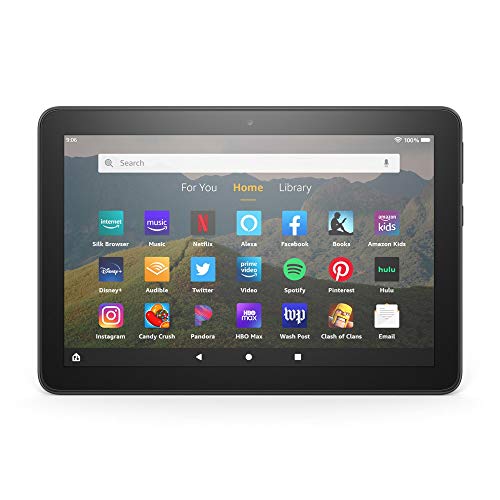
Honesty first: this Fire HD 8 is the 2020 generation, with 32GB of storage, and it appears in this guide because it remains a verifiable, inexpensive route to an eight-inch screen — not because it competes with the newer hardware around it. Amazon’s newer Fire HD 8 generations exist, but the clean listing verified for this guide was the 2020 model, so that is the one linked, with its year attached every time it is named.
What it still does well is narrow and real. Streaming apps for the major video services, Kindle reading, music, and simple web browsing all run acceptably, the 8.0 inch HD screen is fine for a drama episode on a train, and the body shrugs off the knocks of household life. Fire OS is Amazon’s fork of Android: there is no Google Play Store by default, the home screen promotes Amazon content, and app choice runs through Amazon’s own store, which is smaller.
Where age shows is speed and support. Apps open with a pause, multitasking is a bad idea, and a 2020 device sits near the end of its update runway, so buy it expecting the software it has rather than features it might gain. As a bedside streamer, a kitchen timer-and-video screen, or a first tablet a child can drop without tears, it remains rational. As anyone’s main tablet in 2026, it does not.
- Screen: 8.0 inches, HD resolution
- Generation: 2020 model — labelled deliberately
- Storage listed: 32GB, expandable by microSD
- System: Fire OS (Amazon’s Android fork, no Play Store by default)
- Charging: USB-C
Strengths
- Lowest-cost verified route to an 8 inch screen here
- Kindle and major streaming apps run acceptably
- microSD expansion softens the small internal storage
Trade-offs
- 2020 hardware: slow app launches, short remaining support
- Fire OS app store is smaller than Google Play
- HD screen looks soft beside the iPad mini
Best for: households wanting a simple, inexpensive streamer and reader they will not mourn if it breaks.
Not suited for: anyone buying a primary tablet to keep for the next four or five years.
Samsung Galaxy Tab A9 8.7″ — Everyday value pick
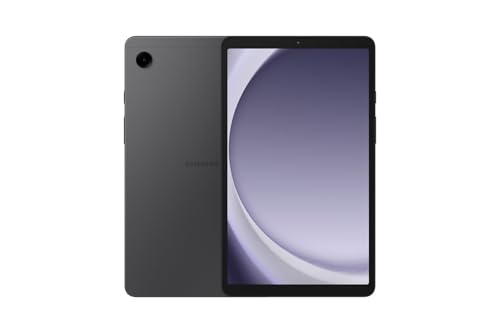
The Galaxy Tab A9 stretches the definition of this guide to 8.7 inches, and in exchange it offers the most conventional everyday tablet experience here for the money. The metal body feels a class above the plastic budget norm, the screen is bright enough for daytime rooms, and Samsung’s software adds genuinely useful touches for a small slate — split-screen pairing, for instance, so a recipe and a shopping list, or a lecture and notes, can share the display without constant switching.
Performance sits in the honest middle. Video, browsing, social apps, casual games and video calls all run smoothly; heavy 3D games ask for reduced settings. The listed model is the international Wi-Fi version with 64GB of storage, expandable by microSD, and that international labelling matters: check the listing details for your region’s warranty and charger arrangements before ordering, because they can differ from a domestic-market unit.
What the A9 does not do is handwriting. There is no active pen support — a cheap capacitive stylus will drag and tap, but palm rejection and pressure sensitivity are absent, so note-takers should look at the Active5 or the iPad mini instead. As a reading, streaming and browsing tablet that will be carried daily and supported longer than most budget rivals, though, the A9 is the pick most households in this guide will actually be happiest with.
- Screen: 8.7 inches
- System: Android with Samsung One UI
- Storage listed: 64GB Wi-Fi (international version — check listing), microSD expansion
- Body: metal back
- Pen: no active pen support
Strengths
- Metal build feels a step above budget plastic
- Split-screen multitasking is useful even at this size
- Samsung update support outlasts most cheap rivals
Trade-offs
- International listing — verify warranty and charger details
- No active stylus support for handwriting
- 64GB fills quickly without a microSD card
Best for: everyday readers, streamers and students who want a compact Android tablet from a supported brand.
Not suited for: handwriters, and buyers who need a domestic warranty without checking listing fine print.

Lenovo Legion Tab Gen 3 8.8″ — Gaming pick
At 8.8 inches the Legion Tab Gen 3 breaks this guide’s size label the furthest, and it does so in pursuit of something specific: it is a games console that happens to run Android. The Snapdragon 8 Gen 3 chip and 12GB of memory are flagship phone hardware, the cooling is designed for sustained play rather than short bursts, and the result is a small tablet that runs demanding titles at high settings while larger, cheaper slates throttle and stutter.
The size turns out to be a gaming advantage rather than a compromise. At 8.8 inches your thumbs reach on-screen controls without stretching, the device stays holdable through a long session in a way a 11 inch slate never is, and the high-refresh screen keeps fast games looking fluid. Paired with a Bluetooth controller it becomes a travel console; used alone it is also a sharp, quick everyday tablet, albeit one whose software polish and update commitments trail Samsung’s.
The costs are literal and practical. This is premium-priced hardware, the battery drains quickly at full gaming tilt, and Lenovo’s tablet update record is shorter than Apple’s or Samsung’s — a real consideration for a device this expensive. Readers and streamers gain nothing from its power. But if the question is which small tablet plays games best, the argument ends here: nothing else in the eight-inch class is built for the job.
- Screen: 8.8 inches, high refresh rate
- Chip: Snapdragon 8 Gen 3
- Memory listed: 12GB RAM
- System: Android
- Cooling: vapour chamber for sustained play
Strengths
- Flagship chip delivers console-class gaming this size
- High-refresh screen and holdable size suit long sessions
- 12GB of memory keeps games and apps resident
Trade-offs
- Premium price for power non-gamers will never use
- Battery falls fast at maximum settings
- Lenovo update support trails Apple and Samsung
Best for: mobile gamers who want flagship performance in a tablet their thumbs can actually span.
Not suited for: readers and streamers paying for silicon they will never wake up.

Lenovo Tab One 8.7″ — Simple second-screen pick
The Lenovo Tab One, at 8.7 inches with 4GB of memory and 64GB of storage, is the definition of a household second screen. It exists for the jobs that do not justify tying up a good tablet: a video call propped on the kitchen worktop, a child’s maths app at the table, a browser beside the sofa, a recipe display that can survive flour and splashes without anxiety.
Set expectations by the numbers. An HD screen at this size looks acceptable for video and large-print reading but will not flatter small text; 4GB of memory keeps one or two apps happy and reloads the third; the processor handles streaming and browsing and politely declines heavy games. Within those limits the Tab One is pleasant — Lenovo’s software is close to stock Android, the build is tidy, and there is no app-store weirdness of the Fire kind to explain to relatives.
The reason to choose it over the Fire HD 8 is Google Play and a more standard Android experience; the reason to choose the Samsung A9 over it is build, multitasking and longer support. The Tab One sits between those poles as the straightforward option: buy it for a defined, light job, and it will do that job without drama. Ask it to be a family’s only tablet and its limits will surface within a week.
- Screen: 8.7 inches, HD resolution
- Memory listed: 4GB RAM, 64GB storage
- System: Android with Google Play
- Use case: light apps, video, calls, reading
- Expansion: microSD on listed configuration — verify on listing
Strengths
- Standard Android with full Google Play access
- Light, simple and easy to hand to any family member
- Well matched to calls, streaming and reading
Trade-offs
- HD screen and 4GB memory set a low ceiling
- Not suited to demanding games or heavy multitasking
- Support horizon is modest
Best for: households wanting an uncomplicated second screen for calls, video and reading.
Not suited for: buyers shopping for their one and only tablet.
What Changes When All Six Sit in a Row?
Numbers first, because this category runs on rounded marketing: the six screens below measure 8.0, 8.0, 8.3, 8.7, 8.7 and 8.8 inches. Read the pen column carefully too — supported, sold separately and absent are three very different ownership experiences.
| Pick | Screen | System | Pen / notes | Watch out for |
|---|---|---|---|---|
| Apple iPad mini (A17 Pro) | 8.3 in | iPadOS | Pencil Pro supported, sold separately | Premium price class; accessories extra |
| Samsung Galaxy Tab Active5 8″ | 8.0 in | Android | S Pen supported; bundle varies | Rugged premium; mid-range speed |
| Amazon Fire HD 8 (2020) | 8.0 in | Fire OS | Capacitive touch only | 2020 generation; limited updates left |
| Samsung Galaxy Tab A9 8.7″ | 8.7 in | Android | No active pen | International version; check warranty |
| Lenovo Legion Tab Gen 3 8.8″ | 8.8 in | Android | No bundled active pen focus | Gaming price; shorter update runway |
| Lenovo Tab One 8.7″ | 8.7 in | Android | Capacitive touch only | Light-duty hardware; keep tasks simple |
Two patterns stand out from the table. The first is that price in this class buys support and speed, not size: the dearest pick is nearly the smallest, and the cheapest is a 2020 device whose low cost is its age showing. The second is that pen support is the sharpest dividing line — the iPad mini and the Active5 treat handwriting as a real feature, while the A9, Tab One and Fire HD 8 offer touch alone, whatever a marketplace bundle photo might imply.
If you are torn between the A9 and the Tab One, decide on software and support: Samsung’s multitasking and longer updates against Lenovo’s cleaner, simpler Android. If you are torn between the mini and everything else, decide on time horizon: the mini is the only pick here likely to feel fast in five years, and that longevity, not its badge, is what its price is buying.
Why Has the Eight-Inch Tablet Nearly Disappeared?
Phone screens ate this category from below. When phones carried 5 inch displays, an 8 inch tablet felt like a revelation; with mainstream phones now around 6.7 inches, the jump to a small tablet buys less extra room than it once did, and many households decided the phone was enough. Manufacturers followed the money toward 11 inch slates, where margins are fatter and keyboard accessories attach — literally — to the sale.
Panel economics finished the job. Display factories cut a small number of standard glass sizes efficiently, and 8.x inch panels are no longer among the highest-volume cuts, so fewer brands bother. The survivors in this guide persist because each serves a niche the big slates cannot: pocketable reading, rugged field work, gaming ergonomics, or a price low enough to be a household spare. Expect the class to stay niche — which makes choosing carefully more important, not less, because a discontinued line means accessories and updates vanish with it.
What Should You Check on a Small Tablet’s Screen?
Resolution matters more at this size than at eleven inches, because a small tablet is held closer to your face. An HD panel around 8 inches shows soft edges on text that the same resolution hides on a television across the room. If you read for an hour a day, prioritise the laminated, higher-resolution screen of the iPad mini or accept the A9’s panel as a video-first compromise; if the tablet lives on a kitchen stand playing video, HD is genuinely fine and paying for sharpness is waste.
Brightness and coating decide where the tablet can live. A dim, glossy screen is a mirror outdoors and under kitchen spotlights. The Active5’s outdoor-ready panel and the mini’s anti-reflective coating exist for exactly those rooms and journeys. Also check the aspect ratio against your habits: taller screens suit documents and web pages, wider ones suit film — at eight inches you cannot have both, so let your dominant use choose.
How Much Memory and Storage Does a Small Tablet Actually Need?
Memory decides how the tablet feels in year two. Four gigabytes, as in the Tab One, handles one app gracefully and shuffles between two; it is the floor, not a target. Six to eight gigabytes keeps browsing, video and a game resident together, and the Legion Tab’s 12GB exists for games that genuinely use it. When a listing hides the memory figure behind marketing words, treat that silence as your answer and look up the exact configuration before paying.
Storage fills differently on a small tablet because these are travel devices: downloaded films for a flight, offline maps, a music library, a season of podcasts. Sixty-four gigabytes with microSD expansion, as the A9 and Tab One offer, is workable for most people; 32GB on the 2020 Fire HD 8 demands discipline or a card from day one; the iPad mini’s fixed 128GB is generous but final — there is no slot, so buy the capacity you need at the start.
How Do You Set Up a Small Tablet for Reading Comfort?
Start with text size one notch larger than feels necessary on day one; small tablets are held closer and read longer than their owners expect, and eye strain arrives as a headache you blame on other things. Turn on the warm night mode for evening reading, set an automatic brightness you trust, and in your reading app choose a sepia or dark page for low light. Download a week of reading before travelling rather than relying on station Wi-Fi, and put the reader on the home screen’s first row — friction is what kills reading habits, not screen technology.
Then protect the habit physically. A folio case that props the tablet at a reading angle saves your wrists on trains; a matte screen protector, on models without anti-reflective coating, tames café lighting at the cost of a little sharpness. Finally, silence the tablet’s interruptions during reading hours with a focus mode — an eight-inch tablet is the last screen small enough to be calm, and it stays that way only if you defend it.
How Long Will a Small Tablet’s Battery Really Last?
A small body holds a small battery, so judge this class by efficiency rather than capacity headlines. Reading and streamed video are kind to every pick here; an evening of pages or a couple of episodes is a light ask. Games reverse the picture, and the Legion Tab at full settings can burn through its charge in a long afternoon, while the Active5 was engineered around the opposite problem — a shift that outlasts a charge — which is why its battery comes out with a latch instead of a prayer.
Charging habits matter more than charging speed at this size. These tablets mostly live on bedside tables and kitchen counters, charging overnight, and overnight charging forgives slow wattage entirely. Where speed does matter is travel: a thirty-minute airport top-up before boarding decides whether the tablet entertains the flight or sleeps through it. Carry one shared USB-C charger for phone and tablet, keep a short cable in the same pocket the tablet travels in, and the small-battery compromise mostly disappears from daily life.
Battery ageing is the quiet final chapter. A compact tablet bought for a child or a parent tends to be kept until it fails, and the failure is usually the cell. The Active5’s replaceable battery is the only design here that answers that directly. For the sealed models, avoiding constant heat — a sunny car dashboard is the worst storage place in this entire guide — and not leaving the device at full charge on a shelf for months will stretch its useful years noticeably.
Which Accessories Actually Earn Their Money at This Size?
A case is not optional for a tablet whose whole purpose is being carried. At eight inches the right case is a slim folio that adds grip and a reading angle without doubling the thickness; the wrong case is a bulky keyboard shell that turns a pocketable slate into a small, bad laptop. Buy the folio first, live with it for a month, and only then judge whether a keyboard would genuinely be used — for most small-tablet owners the honest answer is that typing happens on the phone or the real computer.
Screen protection divides by model. The iPad mini’s laminated display deserves a quality glass protector because a cracked premium screen is an expensive repair; the budget picks, whose replacement cost approaches their purchase price, are better served by the folio’s cover alone. A matte film helps readers on the glossier budget panels, trading a little clarity for far less café-window glare, and it is cheap enough to be an experiment rather than a commitment.
Storage accessories are the third sensible spend. The Android picks with microSD slots turn a modest card into a film library for flights, which is a better travel upgrade than any stand. A small USB-C hub, by contrast, is usually a drawer purchase at this size — the mini can drive an external display for a hotel-room film, but almost nobody packs the hub twice. Spend on what touches the tablet daily: case, screen, storage, in that order.
Should a Child Get a Dedicated Kids’ Tablet or One of These?
Parents often arrive at this size class shopping for a child, and the honest answer is that the tablets in this guide are adult devices that children can use, not children’s devices. The difference shows up in the software: a dedicated kids’ tablet wraps content in a managed library with time limits and age filters, while the A9 or Tab One hand a child the open internet with whatever controls you configure yourself. For a child under eight, that management layer is worth more than any specification in this article.
For older children the calculation flips. A nine or ten year old doing homework, reading and video calls is better served by a real tablet with real apps, and the Tab One or A9 at this size fits small hands and school bags without the babyish casing of a kids’ edition. Add a rugged case, set up the platform’s family controls properly on day one — not after the first incident — and keep the charger in the child’s room so the device lives there too.
The 2020 Fire HD 8 occupies a middle position worth naming: Amazon’s parental controls are strong and its kids’ content subscription is well stocked, but the hardware’s age means school apps and video calls will feel slow sooner. It suits a younger child’s streaming and stories. What no child needs is the Legion Tab or the iPad mini as a first device; their prices buy performance a child cannot use and a repair bill a parent will remember.
What Happens When Support Ends on a Small Tablet?
A tablet does not stop working when its updates stop, and understanding what actually changes helps you time a replacement sensibly. First the security patches end, which matters most for banking and email; then, gradually, apps raise their minimum system versions and quietly exclude the device; finally services like video apps may drop old clients altogether. The hardware on your shelf is identical throughout — it is the world that moves away from it.
This is why the support column quietly drives this guide’s value judgements. The iPad mini’s long horizon means its high price is spread across many years of full service. The A9’s Samsung support outruns most budget Android rivals. The 2020 Fire HD 8 should be bought as a device whose remaining runway is short and whose job — streaming through Amazon’s own apps — is the last thing to be switched off. The Active5’s enterprise audience means Samsung supports it with business users in mind, a point in its favour for long ownership.
Practical rule: when a tablet loses security support, retire it from accounts that matter. It can live on happily as a photo frame, a recipe screen or a child’s video player on a separate account, but email, banking and password managers should move to a supported device. Planned this way, an old small tablet gets a graceful second career instead of becoming a quiet risk in a kitchen drawer.
How Do You Choose Between iPadOS, Android and Fire OS at This Size?
The operating system decides your app library, your default services and how the tablet talks to your phone, and at eight inches there is no neutral choice. iPadOS offers the strongest tablet-specific apps — drawing, music, reading and note tools built for a stylus and a small canvas — and the longest support, at the price of Apple’s defaults and Apple’s accessory costs. If your phone is an iPhone, the mini slots into that life without friction.
Android, on the Samsung and Lenovo picks, offers choice: Google Play’s full library, microSD expansion, split-screen multitasking on the A9, and file handling that behaves like a computer’s. The trade is variability — update lengths and software polish differ by brand, which is why this guide names them per model instead of blessing Android as a whole. Samsung sits at the polished, supported end; Lenovo offers a cleaner, simpler interface with a shorter runway.
Fire OS is the narrowest bargain: Amazon’s store, Amazon’s home screen, Amazon’s services, in exchange for the lowest hardware prices. It is a good system for a device that streams Prime Video and reads Kindle books and does little else, and a frustrating one the first time a needed app is missing. Choose the system by listing the three apps the tablet must run, then checking each pick against that list — three apps will tell you more than thirty specifications.
Why Do Frequent Travellers Keep a Small Tablet at All?
A phone already travels everywhere, so a small tablet has to earn its seat, and frequent travellers keep one for three concrete reasons. The first is battery division: films and reading on the tablet leave the phone charged for the arrival, the map and the taxi. The second is the tray table, where an eight-inch screen is large enough to enjoy a film and small enough to survive the seat in front reclining without a negotiation. The third is theft arithmetic — a tablet left in a hotel room or lost in transit hurts less than a laptop, and for the budget picks here, barely more than a hardback book.
Setup decides whether the tablet is a travel asset or travel luggage. Download media on home Wi-Fi, sign into nothing on hotel networks you would not trust with banking, and keep a copy of bookings and documents stored locally rather than in a cloud account you cannot reach from a delayed connection. A VPN you already pay for belongs on the travel tablet before the entertainment apps do. And choose the pick by journey type: the mini for the traveller who also works from it, the A9 for the one who reads and watches, the Fire for the one who wants a screen they can lose without a ruined holiday.
What Should You Know Before Buying a Small Tablet Second-Hand?
The second-hand market is full of small tablets because the class has been sold for a decade, and it rewards knowledge. The traps are generational: model names repeat across years with different chips, screens and support status, so a familiar name at a low price is usually an old device wearing a current name. Always identify the exact generation and its release year before comparing prices — the 2020 Fire HD 8 in this guide is the standing example of how much the year changes the value.
Battery health is the second trap, and it cannot be judged from a listing photo. Ask for a full-charge runtime claim, buy through a channel with returns, and test the device on video playback for an hour on the first day. Check the charging port for looseness, the screen for touch dead zones along the edges, and the account status — a tablet still signed into a stranger’s account can be unusable. A clean, supported A9 or a recent mini holds value; an unsupported device of any brand is worth only its screen, priced accordingly.
Can an Eight-Inch Tablet Handle Video Calls and Remote Classes Well?
Camera placement is the small tablet’s quiet strength for calls: held or propped at reading distance, an eight-inch screen frames a face naturally and shows the other person’s face at a size that makes expressions readable, which a phone across a desk does not. The A9 and Tab One handle mainstream call apps comfortably, the mini’s camera and microphones are the best here, and the 2020 Fire HD 8 works for family calls while reminding everyone it is from 2020 whenever the light drops.
For remote classes the limits are multitasking and notes. A student watching a lecture and typing notes on the same eight-inch screen is working in a keyhole; the A9’s split-screen helps, a Bluetooth keyboard helps more, and the mini with a Pencil turns the arrangement into something genuinely workable for handwritten subjects. For a child joining a class while a parent supervises, though, the simplicity of the small screen is the point — one window, one task, nothing else to wander into. Match the tool to the student’s age, not to the catalogue’s promises.
How Should You Store and Charge a Tablet You Only Use Weekly?
Tablets that live as weekend or travel devices die a specific death: left flat for months, then charged in a panic, their batteries age faster than daily-used ones. Store a small tablet around half charge, in a cool drawer rather than a hot car, and wake it every month or two to run updates and top the battery back toward the middle. That small ritual is the difference between a spare screen that serves five years and one that refuses to wake before a holiday.
Charging gear deserves the same minimal care. One good USB-C cable and a charger you trust, kept with the tablet, beats a tangle of borrowed leads of unknown quality. If the tablet is a child’s or a parent’s, write the unlock code somewhere the household can find it — a small tablet forgotten for a season has a way of becoming a locked paperweight, and no pick in this guide can help an owner it no longer recognises.
What Does a Small Tablet Do Better Than a Large One, Honestly?
Strip away nostalgia and the advantages are physical and specific. A small tablet is read in bed without wrist fatigue, carried in a coat rather than a bag, used on a crowded train without elbowing a neighbour, and handed to a child without a two-handed ceremony. It is the screen most likely to be in the room where the reading actually happens, and devices get used in proportion to how present they are, not how powerful they are.
The honest counterweight is that everything visual is smaller: films impress less, split-screen crowds, and spreadsheets shrink from work into inspection. That is why this guide keeps returning to the same test — name the job first. Reading, streaming, calls, field work and travel gaming are small-tablet jobs with clear winners above. Production work, large documents and shared family viewing belong to bigger glass, and no amount of eight-inch enthusiasm should talk you out of the size your actual life needs.
Which Buying Mistakes Do Small-Tablet Shoppers Keep Making?
The commonest error is trusting the category label instead of the diagonal. Buyers order an ‘eight-inch class’ tablet imagining the unit they held in a shop in 2016, then meet an 8.8 inch gaming slate that fits neither the pocket nor the case they bought for it. Read the true diagonal in every section above and measure your bag’s pocket before ordering, not after.
Second is assuming a stylus in a product photo means pen support. Bundled capacitive sticks work on any touchscreen and deliver none of the pressure, palm rejection or precision of a true pen system. If handwriting matters, buy from the two picks here with genuine pen platforms, and confirm what is actually in the box.
Third is buying old stock unknowingly. The 2020 Fire HD 8 in this guide is labelled with its year because plenty of listings elsewhere are not. A very cheap big-brand tablet is usually an old tablet; check the generation, count the remaining support, and decide whether the discount honestly compensates. Fourth is forgetting the ecosystem question until setup day: Fire OS without Play Store, iPadOS without Android apps, international models with different warranty terms — all are fine choices made knowingly and miserable ones made by accident.
Final Recommendation
Match the tablet to the hand that will hold it. For most everyday readers and streamers, the Galaxy Tab A9 at 8.7 inches is the balanced buy: supported, metal-bodied, quick enough, and priced like a tool rather than a treasure. Households that simply need another screen should save the difference and take the Tab One, while anyone buying a small tablet as a long-term primary device should stretch to the iPad mini and stop shopping.
The specialists are unambiguous. Gamers get the Legion Tab Gen 3 and nothing else in this size plays like it; field workers get the Active5, whose replaceable battery and armour answer problems the others do not acknowledge; and the 2020 Fire HD 8 remains the honest ultra-budget streamer, bought knowingly for a narrow job. Six small tablets, six different hands — the right one is the one whose compromises land where you do not care.
Frequently Asked Questions
Is an 8 inch tablet big enough for reading books?
Yes — it is close to a paperback page, which is why this size survives. Text-heavy readers should favour the sharper screens: the iPad mini first, then the A9. HD panels like the Tab One’s are comfortable for large-print reading and video, less so for dense PDFs.
Why do the picks measure 8.3 to 8.8 inches if the guide says 8 inch?
Because that is what manufacturers actually sell now. Panel sizes standardised around a few diagonals, and brands market them under the nearest round class. Every pick states its true diagonal so you can judge pocket and case fit honestly.
Can a small tablet replace a laptop for work?
For email, documents, calls and web tools, the iPad mini and A9 cope well, especially with a Bluetooth keyboard. For heavy spreadsheets, multi-window research or specialist software, the small screen becomes the bottleneck long before the processor does.
Which of these tablets supports a proper pen?
The iPad mini, with Apple Pencil models sold separately, and the Galaxy Tab Active5, with S Pen support — check its bundle contents. The A9, Tab One and Fire HD 8 accept only basic capacitive styluses, which cannot do palm rejection or pressure-sensitive drawing.
How long will a budget small tablet stay usable?
Plan around support, not hardware. The 2020 Fire HD 8 is already near the end of its update life; the A9’s Samsung support runs considerably longer; the iPad mini has the longest horizon here. A cheap tablet replaced twice costs more than a supported one bought once.
Is the Legion Tab worth it if I only play casual games?
No. Puzzle and card games run happily on the A9 or Tab One. The Legion’s price buys flagship performance for demanding 3D titles and high-refresh play; if your games never stutter on a mid-range chip, its advantage never appears.
Should I wait for a newer small tablet instead of buying now?
Waiting only pays if a specific replacement is actually expected, and in this class launches are rare and unpredictable — the A9 and Tab One generations arrived years apart. If a current pick fits your job and its support horizon is healthy, buying it serves you better than a year of making do with a phone. The exception is the oldest hardware: with the 2020 Fire HD 8, you are not waiting for its successor so much as choosing its age deliberately, at a price that reflects it.
Do small tablets work well as smart-home controllers?
They are arguably the best form for it: wall-mounted or counter-docked, an A9 or Tab One runs lighting, music and camera apps on a screen big enough for a household to share and small enough not to dominate a room. Use a dedicated account, disable purchases, and let an older pick retire into this job when its personal-tablet years end.
Is 64GB enough storage on a tablet this size?
For streaming-first use, yes, especially with a microSD slot for downloads. It tightens quickly if you store games or a large offline film library, which is why the Legion Tab and iPad mini ship with more — judge storage by what you download, not by what you stream.
Related Guides
Keep browsing the neighbouring shelves before you decide: our guide to the best 10 inch tablets shows what the next size up buys, the best tablets with stylus support goes deeper on handwriting, and our roundup of the best budget tablets covers cheaper options in every size.



[…] who want this size class without the ecosystem detour can go straight to our comparison of small Android tablets from seven to nine inches, while those now curious about the rugged route should continue to our guide to tablets built for […]