What's inside
- Key Takeaways
- Quick Picks
- How We Chose These Picks
- Why Did 3:2 Survive When Every Other Ratio Went Wide?
- What Does a 3:2 Screen Actually Change Day to Day?
- How Does the Tall Shape Change Battery Expectations and Desk Setup?
- How Do the Six Picks Compare Side by Side?
- What Should You Check Before Buying a 3:2 Laptop?
- How Do You Set Up a Tall-Screen Laptop for Reading and Writing?
- Which Buying Mistakes Catch 3:2 Shoppers Most Often?
- Final Recommendation
- Frequently Asked Questions
- Related Guides
As an Amazon Associate I earn from qualifying purchases. This post may contain affiliate links at no extra cost to you.
gizmoverdict.com is reader-supported. When you buy through links on our site, we may earn an affiliate commission.
Where to buy: the three linked laptops in this guide are Microsoft Surface models sold on Amazon in the exact configurations named in the tables below. The other three picks are sold through the manufacturer’s own store, through channels where the current listings are refurbished units, or through regional retailers, so they appear here without purchase links and with the reason stated next to each one.
Shoppers hunting for the best 3 2 laptops usually start with a frustration they can feel in their shoulders. A standard widescreen laptop makes you scroll. Documents break across page turns every few paragraphs, spreadsheets hide their lower rows behind the taskbar, and a code editor shows you forty lines when your brain wants sixty. The 3:2 aspect ratio exists to fix exactly that ache. For the same diagonal size, a 3:2 panel is noticeably taller than the 16:9 screens that dominate cheap laptops and meaningfully taller than the 16:10 panels that have become the respectable default. You gain vertical room without gaining width, which means the machine still fits on a train tray table while showing you more of the page you are actually reading.
Here is the honest complication, and it shapes everything in this guide. In 2026 the 3:2 laptop is close to a one-brand category. Microsoft has kept the ratio on its Surface Laptop line for years, and the three purchase-linked picks below are all Surface machines, separated by processor family and by whether they are aimed at home buyers or business fleets. Around that core sit three machines we discuss without links: a modular laptop sold directly by its maker, an earlier Surface generation whose current marketplace listings are refurbished stock, and a flagship ultraportable whose American retail presence is too patchy to recommend as a straightforward purchase. Pretending this category is a wide-open field would be dishonest. It is a narrow shelf, and the real decision is which version of the tall-screen idea fits your work.
One definition needs nailing down before any model names appear, because marketing departments blur it constantly. A true 3:2 display resolves at 2256 by 1504 pixels or 2304 by 1536 pixels, or a clean multiple in that same proportion. A 16:10 screen at 1920 by 1200 or 2560 by 1600 is taller than 16:9, and it is a fine thing, but it is not 3:2, and the difference is visible the moment you place the two side by side with the same document open. Several listings borrow tall-screen language for 16:10 hardware. Every linked pick in this guide is a genuine 3:2 machine by the pixel count, and we flag the distinction again in the buying-guide section because it is the single easiest way to buy the wrong laptop in this category.
Who actually benefits from the extra height? Writers and editors living in long documents. Analysts whose spreadsheets run downward rather than across. Programmers reading stack traces and keeping an eye on the function above the one they are editing. Students reading journal PDFs, where a 3:2 panel can show a full page at a readable size instead of forcing the pinch-zoom dance. Who benefits least? Anyone whose screen time is mostly video, because films are shot wide and a 3:2 panel parks thicker black bars above and below the picture, and competitive gamers, for whom this category offers neither the refresh rates nor the graphics hardware they need. Keep that split in mind as you read the picks.
Key Takeaways
- True 3:2 means 2256×1504 or 2304×1536 pixels; anything described as 16:10 is a different, shorter shape wearing similar marketing.
- All three linked picks are Microsoft Surface Laptops, because Microsoft is effectively the last maker shipping 3:2 at scale — the choice is between Snapdragon and Intel versions, not between brands.
- The Snapdragon X Elite consumer model suits battery-first home and study use, provided your essential Windows software runs on ARM or through emulation.
- The Intel-based Surface Laptop 6 is the safer fleet and legacy-software machine, and its larger solid-state drive removes storage anxiety for years.
- The Framework Laptop 13 is the repairable, upgradeable 3:2 alternative, but it is sold directly by its maker rather than through the marketplace listings used for the linked picks.
- On a 13-inch-class 3:2 screen you typically see roughly a fifth more lines of a document than on a 16:9 panel of the same diagonal, which is the entire point of the category.
Quick Picks
| Pick | Badge | Why it earns its place |
|---|---|---|
| Microsoft Surface Laptop (2024) 13.8-inch, Snapdragon X Elite | Best for most people | The current consumer 3:2 machine, pairing the tall touchscreen with an efficient ARM processor and all-day battery manners. |
| Microsoft Surface Laptop 6, Intel Core Ultra 7 165H | Best for business and legacy apps | Intel silicon, a full terabyte of storage and business firmware make this the no-surprises option for work fleets. |
| Microsoft Surface Laptop for Business (2025), Snapdragon X Plus | Best managed Snapdragon | The business-channel Snapdragon build with Windows 11 Pro and double the storage of the entry consumer configuration. |
| Framework Laptop 13 | Most repairable | A genuine 2256×1504 3:2 panel in a machine whose screen, battery, ports and mainboard can all be replaced by the owner. |
| Microsoft Surface Laptop 5 | Value route, with care | The previous 3:2 generation still does the tall-screen job well, but current listings are refurbished units that need careful checking. |
| Huawei MateBook X Pro | Thinnest 3:2 flagship | A strikingly light 3:2 ultraportable whose limited United States retail channel is the reason it carries no purchase link here. |
How We Chose These Picks
Every candidate had to pass the pixel test first. We read the panel resolution rather than the marketing headline, and any machine whose display worked out to 16:10 or 16:9 was excluded no matter how the listing phrased it. That single filter removed most of the laptops that search results happily label as tall-screen machines. What survived was a short list, and we then sorted it by whether a buyer in the United States can actually purchase the machine new, from a listing whose specifications we could verify, today.
Processor honesty came next. The current Surface line splits between Qualcomm Snapdragon X chips and Intel Core Ultra chips, and those are genuinely different ownership experiences in 2026: different peripheral support, different behavior with older Windows software, different battery character. Rather than picking one camp, we included the strongest verified configuration from each, plus the business-channel Snapdragon variant, and we explain the trade in each review instead of hiding it. Memory and storage floors were the third filter. Sixteen gigabytes of memory is the sensible minimum for a machine bought to read, write and research for several years, and every linked pick meets it. Finally, we kept three prose-only places for machines that matter to this category’s story — repairability, second-hand value and an international flagship — because a guide that only lists what is linked would misrepresent the shelf.
A note on what we did not do: we did not rank these machines by benchmark scores, because the daily experience of a 3:2 laptop is dominated by the screen shape, the keyboard and the battery, none of which a synthetic score captures. Where a processor’s known behavior matters — ARM software compatibility is the obvious case — we say so in plain language in the relevant pick.
Why Did 3:2 Survive When Every Other Ratio Went Wide?
Some context helps explain why this category looks the way it does. Laptop screens went widescreen in the 2000s for reasons that had little to do with work: video was the entertainment industry’s shape, panel factories could cut widescreen sheets more economically from their glass, and a 16:9 laptop looked cinematic in a showroom. For a decade the entire industry marched wide, and the cost was paid quietly by everyone whose job was text. Microsoft’s Surface line was the notable holdout, keeping 3:2 from its earliest tablets onward on the argument that a computer used for documents should be shaped like the documents. That stubbornness is why, in 2026, one maker’s line effectively is this category: everyone else optimized for the showroom, and Surface optimized for the page.
The recent history has a second chapter worth knowing. As remote and hybrid work made the laptop the primary reading surface in professional life, 16:10 panels spread through business ranges as a compromise — taller than video screens, cheaper to source than true 3:2. That compromise is exactly why the definition discipline in this guide matters: a shopper in 2026 is surrounded by machines that are taller than they used to be, and it is easy to assume the job is done. It is not. The gap between 16:10 and 3:2 is roughly the gap between 16:9 and 16:10 again, and readers who spend their lives in text can feel both steps. Knowing the history protects you from paying a premium for the halfway shape while believing you bought the full one.
There is also a forward-looking point. Panel supply for 3:2 remains tied to a small number of product lines, which means the category’s future depends on those lines continuing. That is a mild argument for buying the current machines while the configuration choice is real, and a stronger argument for the Framework’s approach, where the panel is a replaceable part with an upgrade path rather than a hostage to one product cycle. None of this changes what you should buy this year; it simply explains why the shelf looks narrow, and why the narrowness is a market artifact rather than a verdict on the shape itself.
What Does a 3:2 Screen Actually Change Day to Day?
Hold a sheet of A4 or US Letter paper in portrait orientation and you are looking at roughly the proportions a 3:2 laptop imitates in landscape. Written work is tall. Web articles, contracts, lecture slides in reading view, email threads, chat logs and terminal output all extend downward far more than they extend sideways. A widescreen panel spends its extra width on margins, sidebars and whitespace, then charges you scrolling for the content in the middle. The 3:2 shape reclaims that bargain. On the 13.8-inch Surface panel, a word processor at a comfortable zoom shows several more lines per screen than the same document on a 13.3-inch 16:9 machine, and over an eight-hour writing day those recovered lines add up to hundreds of avoided scrolls.
The effect is strongest in split-screen work, which surprises people. Two windows side by side on a 3:2 display each become tall, narrow columns — close to the shape of a phone screen or a printed column — and that turns out to be the natural shape for reading a source while drafting notes beside it, or for keeping a chat thread open next to a document. On a short widescreen, side-by-side windows feel cramped vertically within minutes. On 3:2 they remain usable for hours. Programmers notice a related benefit: code is read vertically, diffs are reviewed vertically, and a taller editor pane means the top of a function stays visible while you edit its tail.
There are real costs, and a trustworthy guide should name them. Video is the big one. A film mastered at 16:9 or wider letterboxes on a 3:2 panel, so a 13.8-inch 3:2 screen shows a movie at roughly the size a smaller widescreen would. Spreadsheet work that runs horizontally — wide financial models with dozens of columns — gains less than vertical work, though it loses nothing. And the category’s narrowness is itself a cost: you cannot shop five brands against each other, haggle configurations across a wide market, or expect deep discounting of the kind that surrounds mainstream 16:10 machines. You are buying into essentially one maker’s interpretation of the idea, plus a modular outlier. The picks below are ordered to make that reality manageable rather than to disguise it.

Microsoft Surface Laptop (2024) 13.8-inch, Snapdragon X Elite — Best for most people
This is the machine most readers of this guide should buy, and the reasoning starts with the panel. The 13.8-inch touchscreen resolves at 2304 by 1536, a strict 3:2, with the glossy, color-rich character Surface panels are known for. Reading long PDFs on it feels closer to reading a printed journal page than any widescreen ultraportable manages, and the touch layer earns its keep in exactly the tall-screen scenarios this category is about: flicking through a contract, annotating a lecture deck, scrolling a research article with a thumb while the other hand holds coffee. In Sapphire, the finish also stands out in a sea of silver business machines, which matters more than reviewers admit for a laptop you look at all day.
The Snapdragon X Elite inside is the decision point, so let us be precise about what it means in 2026. Everyday Windows work — browsing with many tabs, Office documents, email, note-taking, video calls, light photo sorting — runs natively and quickly on ARM, and the machine stays cool and quiet while doing it, with battery behavior that Intel laptops of this size still struggle to match. The Copilot+ features Microsoft builds around this chip are genuinely present, though most buyers will use the machine for years without caring about most of them. The caution is legacy software: an old printer driver, a niche engineering utility, a beloved piece of abandonware or a corporate VPN client built only for Intel Windows may run through emulation, slowly, or in rare cases not at all. Check your two or three essential applications against ARM compatibility before ordering. The 256GB drive is the other honest limitation; it is fine for cloud-centric students and writers, tight for anyone storing large local media libraries.
- Panel: 13.8-inch touchscreen, 2304×1536 (true 3:2)
- Processor: Qualcomm Snapdragon X Elite, 12 cores
- Memory and storage: 16GB RAM, 256GB SSD
- Operating system: Windows 11 Home, Copilot+ PC
- Finish: Sapphire, per the verified listing
- Ownership note from the listing configuration: storage is the modest part of this spec, so plan on cloud or external room for big photo and video archives
Strengths
- The tall panel shows long documents with far less scrolling than any 13-inch widescreen rival.
- Snapdragon efficiency delivers the calm, fan-light, all-day character that suits libraries, lectures and long writing sessions.
- Build quality feels dense and precise, with a keyboard and trackpad that stand up to daily professional use.
Trade-offs
- ARM Windows still asks you to verify older or specialist software before committing.
- The 256GB drive fills quickly if you keep local copies of large media projects.
- Port selection is minimalist, so a small USB-C hub becomes a near-mandatory accessory.
Best for: students, writers, researchers and remote workers whose software lives in the browser, Office and mainstream apps, and who read more than they watch. Not suited for: anyone chained to Intel-only legacy software, or buyers who need a terabyte of local storage from day one.
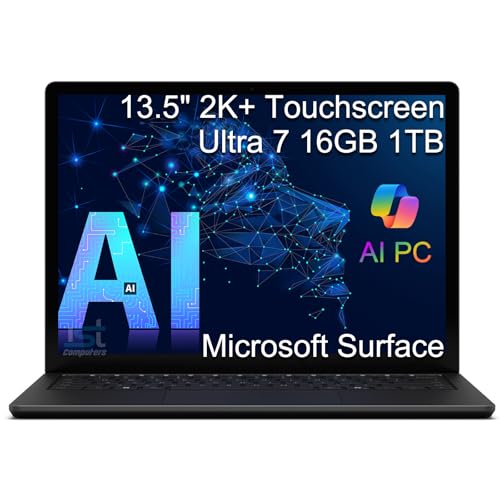
Microsoft Surface Laptop 6, Intel Core Ultra 7 165H — Best for business and legacy apps
If the Snapdragon machine is the future-facing pick, the Surface Laptop 6 is the one that asks nothing of you. Its Intel Core Ultra 7 165H runs the entire history of Windows software the ordinary way, which is why this model became the standard-issue 3:2 machine for companies: the accounting package from a decade ago works, the scanner driver works, the odd in-house tool compiled in another era works. For a buyer whose laptop is a tool of employment rather than an experiment, that boring reliability is the headline feature, and the tall screen is the bonus that makes eight hours of documents easier on the neck.
The configuration in the verified listing is the generous one. Sixteen gigabytes of DDR5 memory keeps a heavy browser-and-Office load smooth, and the 1TB solid-state drive is the quiet luxury here — four times the room of the entry consumer model, enough that most owners will never think about storage again. The 13.5-inch touchscreen resolves at 2256 by 1504, the original Surface 3:2 size, fractionally smaller than the 13.8-inch consumer panel but with the same reading character. The 1080p infrared webcam is a business-grade touch that makes face sign-in fast and video calls visibly cleaner, and Windows 11 Pro brings the management and encryption features employers require. Battery life trails the Snapdragon models; that is the honest exchange for Intel compatibility, and for desk-anchored work with travel between outlets it remains entirely workable.
- Panel: 13.5-inch touchscreen, 2256×1504 (true 3:2)
- Processor: Intel Core Ultra 7 165H
- Memory and storage: 16GB DDR5 RAM, 1TB SSD
- Camera: 1080p infrared webcam for face sign-in
- Operating system: Windows 11 Pro
- Finish: Black, per the verified listing
Strengths
- Total compatibility with the existing Windows software world, including older business tools and peripherals.
- The terabyte drive and Pro operating system make it a fit-and-forget fleet or freelancer machine.
- The infrared camera and business firmware suit managed workplaces and compliance-minded buyers.
Trade-offs
- Battery endurance is a step behind the Snapdragon Surface models in this guide.
- The design is conservative, and the black finish shows desk wear more readily than lighter colors.
- You pay business-channel money for a machine whose screen size is the smaller of the two Surface panels here.
Best for: professionals, freelancers and IT departments who need 3:2 reading comfort with zero software gambles. Not suited for: buyers chasing the longest possible battery life, or home users who would rather spend the difference on accessories.
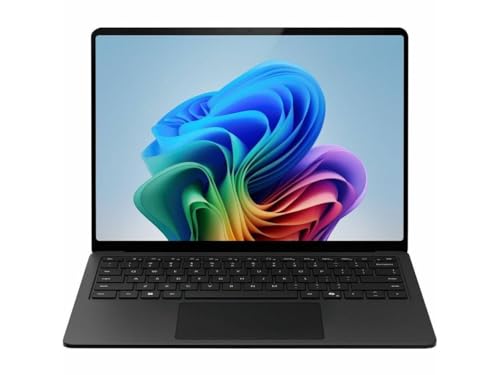
Microsoft Surface Laptop for Business (2025), Snapdragon X Plus — Best managed Snapdragon
The third linked pick exists because the consumer Snapdragon model and the needs of a managed workplace are not the same thing. This is the business-channel Surface Laptop built on the Snapdragon X Plus, sold with Windows 11 Pro and a 512GB drive, and it threads a needle the other two picks cannot: ARM efficiency and battery manners, in a configuration an IT department can image, encrypt and manage like any other fleet machine. For a small company standardizing on tall-screen laptops, or a solo professional who wants the Pro operating system’s BitLocker and remote-desktop hosting, this is the version to price first.
The X Plus chip sits a rung below the X Elite in raw capability, and in the work this laptop is for — documents, browsing, calls, cloud dashboards, note-taking — that rung is very hard to feel. What you do feel is the same cool, quiet, long-legged behavior, now with double the storage of the entry consumer build, which removes the most common complaint about that machine. The 13.8-inch 2304 by 1536 touchscreen matches the consumer model’s panel, so the reading experience that defines the category is fully intact. The cautions mirror the X Elite pick, because they are platform cautions rather than model cautions: verify any Intel-only legacy application before deploying, and expect peripheral drivers to be the occasional friction point in the first week. Within a modern, cloud-centered workflow, those caveats shrink to footnotes.
- Panel: 13.8-inch touchscreen, 2304×1536 (true 3:2)
- Processor: Qualcomm Snapdragon X Plus
- Memory and storage: 16GB RAM, 512GB SSD
- Operating system: Windows 11 Pro, Copilot+ PC
- Channel: business edition, per the verified listing
- Finish: Black, per the verified listing
Strengths
- Combines Snapdragon battery character with the Pro operating system businesses actually deploy.
- Double the storage of the entry consumer configuration at a sensible step in the range.
- Same full-size 3:2 touchscreen as the flagship consumer model, so document work loses nothing.
Trade-offs
- The X Plus gives up some peak performance against the X Elite for heavy local workloads.
- ARM compatibility checks remain part of due diligence for older software and drivers.
- Business-channel models rarely see the deep consumer discounts the retail line enjoys.
Best for: small businesses, managed deployments and Pro-feature buyers who want Snapdragon efficiency without the consumer configuration’s compromises. Not suited for: bargain hunters, or anyone whose essential software is confirmed Intel-only.
Framework Laptop 13 — Most repairable
Every other machine in this guide asks you to accept the laptop as a sealed artifact. The Framework Laptop 13 starts from the opposite premise: a computer you can open, repair and upgrade for a decade. Its display is a genuine 3:2 panel at 2256 by 1504, so it belongs in this category on merit, and around that screen sits the most owner-serviceable design in modern laptops — swappable port modules, a replaceable battery, memory and storage on standard slots, and a mainboard upgrade path that lets the machine’s brain be renewed without discarding its body. For readers whose objection to premium laptops is the landfill rather than the price, this is the tall-screen answer.
Why is there no purchase link? Framework sells directly through its own store, and there is no verified marketplace listing in our pool for it, so it appears here as a prose pick with the buying route stated plainly: order from the maker, choosing between a prebuilt machine or a DIY edition you assemble yourself. That direct channel is also the ownership bargain — parts, guides and replacement components come from the same source, years later. The trade-offs are those of a smaller maker: prices that do not enjoy Surface-scale discounting, a slightly more utilitarian fit and finish, and battery life that is good rather than class-leading. None of that dents the core appeal. If the idea of replacing a cracked screen with a screwdriver and a Saturday morning sounds better than a repair quote, this is your 3:2 laptop.
- Panel: 13.5-inch class display, 2256×1504 (true 3:2)
- Design: modular ports, replaceable battery, memory, storage and mainboard
- Buying route: sold directly by the maker, prebuilt or DIY edition
- Listing status in our pool: no verified marketplace listing, so no purchase link is attached
- Ownership character: built for repair and upgrade over a long service life
Strengths
- Unmatched repairability turns accidents and aging batteries into maintenance instead of replacement.
- The 3:2 panel is the real thing, not a 16:10 panel in tall clothing.
- Upgradeable internals let the machine grow with your needs instead of expiring on a schedule.
Trade-offs
- Direct-only sales mean no marketplace deals, points or one-click convenience.
- Finish and refinement sit a notch below the Surface machines in this guide.
- Battery life is respectable rather than a headline.
Best for: long-horizon owners, tinkerers and anyone who has ever resented a glued battery. Not suited for: buyers who want the deepest discount or a machine sourced through a corporate marketplace account.
Microsoft Surface Laptop 5 — Value route, with care
A generation ago, this was the default 3:2 recommendation: Intel processors, the 2256 by 1504 touchscreen in 13.5-inch form, and a design that still looks current on a desk today. For the core tall-screen work — reading, writing, browsing, documents — a Surface Laptop 5 remains a genuinely pleasant machine, and its presence in this guide is a reminder that aspect ratio does not age the way processors do. The screen shape that felt revelatory at launch feels exactly as good now, because documents have not changed.
The reason this pick carries no link is the state of its current listings: the marketplace offers for this model today are refurbished units, and refurbished buying is a discipline of its own. Battery health varies by unit, cosmetic grading varies by seller, and the warranty behind a renewed listing is only as good as the refurbisher standing behind it. Our standing rule is to attach links only to listings we have verified as the thing they claim to be, so the Laptop 5 is discussed here as a route rather than a product: if you take it, buy from a refurbisher with a stated battery-health floor, a real return window and at least a year of coverage, and confirm the exact processor and storage in writing before paying, because this generation shipped in several configurations that listings love to blur. Treated with that care, it is the cheapest honest way into 3:2. Treated casually, it is how people end up with a tired battery in a pretty shell.
- Panel: 13.5-inch touchscreen, 2256×1504 (true 3:2)
- Processor family: Intel Core i5 or i7 depending on configuration — confirm the exact unit before buying
- Current channel: refurbished listings are the norm for this generation
- Listing status in our pool: discussed without a link because current offers are renewed stock
- Ownership note: battery health and grading differ per unit, so the seller’s terms matter more than the model name
Strengths
- The full 3:2 reading experience at a fraction of a new machine’s cost.
- Intel hardware means the entire back catalogue of Windows software just runs.
- The design, keyboard and panel quality still hold up against newer midrange machines.
Trade-offs
- Refurbished stock means unit-to-unit variation in battery and cosmetic condition.
- An older processor platform gives up the efficiency and AI features of the current line.
- Shorter remaining software-support horizon than a machine bought new today.
Best for: patient bargain hunters who will vet a refurbisher properly and want 3:2 on a budget. Not suited for: anyone who needs a guaranteed-new machine, a long warranty, or a purchase they never have to think about again.
Huawei MateBook X Pro — Thinnest 3:2 flagship
The MateBook X Pro is what happens when a manufacturer treats 3:2 as a flagship statement rather than a productivity compromise. Its panel runs at a 3:2 proportion with very high resolution for its size, the chassis is strikingly thin and light, and the whole machine has the jewel-like finish of a device designed to be admired in a boardroom before it is opened. On paper and in the hand, it is arguably the most elegant expression of the tall-screen idea anyone has shipped, and reviewers outside the United States have praised it for years.
Geography is the problem, and this guide will not pretend otherwise. This model’s United States retail channel is limited: official availability has been inconsistent, and the listings that surface through American marketplaces are often third-party imports with unclear warranty standing. A laptop is a five-year relationship involving drivers, firmware, spare parts and support, and buying an imported flagship through a grey channel puts all of that on uncertain footing. That is why the MateBook X Pro closes this guide as a prose pick: admire it, and if you live in a market where it is sold and supported officially, shortlist it seriously. If you are buying in the United States with a need for dependable warranty service, the Surface machines above are the responsible route to the same screen shape.
- Panel: high-resolution display in a true 3:2 proportion
- Design: ultra-thin flagship chassis, among the lightest in this category
- Buying route: officially sold in selected international markets
- Listing status in our pool: no link, because United States retail availability is limited and inconsistent
- Ownership note: confirm local warranty and service coverage before importing any flagship laptop
Strengths
- Featherweight flagship build that makes the 3:2 shape feel luxurious rather than utilitarian.
- A sharp, bright tall panel suited to design-conscious professionals.
- Strong specifications in markets where the machine is sold through official channels.
Trade-offs
- United States buyers face grey-import listings and uncertain warranty support.
- Regional configurations and keyboard layouts vary, so specifications need careful checking.
- Service and spare-parts access depend heavily on where you live.
Best for: buyers in markets with official sales and support who prize design above all. Not suited for: United States buyers who need a straightforward purchase with a dependable local warranty.
How Does the Tall Shape Change Battery Expectations and Desk Setup?
A taller panel has slightly more area than a widescreen panel of the same diagonal, and more lit area generally means more power drawn by the display — yet in practice the processor choice in this guide matters far more than the panel’s shape. The two Snapdragon machines sip power in a way that makes the screen’s extra height irrelevant to the day’s endurance, routinely lasting through a full schedule of classes or meetings with charge to spare. The Intel Surface Laptop 6 asks for a mid-day top-up under heavy use, not because its screen is tall but because its chip platform is hungrier. Judge battery by platform first and panel second, and treat any single headline battery figure — including ones printed in listing titles — as a best-case laboratory number rather than a promise about your Tuesday.
The shape also changes the physical desk in small, pleasant ways. A 3:2 laptop is narrower left-to-right than a widescreen machine showing the same height of content, which leaves more room beside it for a notebook, a phone or a coffee on the small desks that dominate seminar rooms, coworking hot-desks and train tables. The deeper footprint front-to-back pushes the screen slightly farther from your eyes at the same seating position, a subtle ergonomic gain for reading. External monitors pair happily with all of these machines over USB-C, and a tall laptop panel beside a wide external display turns out to be a genuinely complementary arrangement: documents live on the tall screen in portrait-like comfort while timelines, canvases and wide tables take the big panel. Students in dorm rooms, where the desk is also the dining table, tend to appreciate the narrow footprint most of all.
One more practical consequence deserves a paragraph because almost nobody mentions it before purchase: resale and hand-me-down life. Tall-screen machines hold a peculiar advantage in the second-hand market precisely because the category is narrow — a used 3:2 laptop has few substitutes, so demand from writers and students stays steady. The refurbished Surface Laptop 5 discussed below is evidence of that demand. If you buy new today and expect to sell or pass the machine on in three or four years, the shape you chose for your documents may quietly protect its value better than a mainstream configuration would.
How Do the Six Picks Compare Side by Side?
| Model | Panel | Processor family | Memory / Storage | Channel |
|---|---|---|---|---|
| Surface Laptop (2024) 13.8″ | 2304×1536 touchscreen | Snapdragon X Elite | 16GB / 256GB | New, linked |
| Surface Laptop 6 | 2256×1504 touchscreen | Intel Core Ultra 7 165H | 16GB / 1TB | New, linked |
| Surface Laptop for Business (2025) | 2304×1536 touchscreen | Snapdragon X Plus | 16GB / 512GB | New, linked |
| Framework Laptop 13 | 2256×1504 | Buyer-configured, upgradeable | Configurable | Direct from maker |
| Surface Laptop 5 | 2256×1504 touchscreen | Intel, varies by unit | Varies by unit | Refurbished listings |
| MateBook X Pro | 3:2 high-resolution | Intel, varies by region | Varies by region | Limited US retail |
Read the table as a map of the category rather than a league ladder. The three linked machines are one idea expressed three ways: consumer ARM, business Intel and business ARM. The three unlinked machines answer different questions entirely — how repairable can a laptop be, how cheaply can the shape be bought second-hand, and how beautiful can it be when geography cooperates. Your real choice is which question you are asking.
What Should You Check Before Buying a 3:2 Laptop?
Start with the resolution, in writing. Find the pixel count in the specification table — not the headline, not the marketing banner — and divide. If the numbers reduce to 3:2, as 2256×1504 and 2304×1536 do, you are looking at the real thing. If they reduce to 16:10, the machine may still be excellent, but it is not what this category promises, and you should pay 16:10 money for it rather than tall-screen money. Sellers rarely lie outright; they simply let phrases like “tall display” and “productivity screen” do quiet work that the numbers then contradict. Thirty seconds with the specification table defeats the entire trick.
Next, audit your software against the processor. On the Snapdragon machines, list the applications you cannot work without and check each one for a native ARM version or confirmed emulation behavior. Browsers, Office suites, mainstream creative tools and communication apps are safe territory in 2026. The risk concentrates in old drivers, specialist instruments, legacy VPN clients and games with anti-cheat systems. If even one essential tool fails the check, the Intel Surface Laptop 6 in this guide is your pick and the decision is already made — that is a perfectly good outcome, and it is better discovered at a desk with a checklist than in your first week of ownership.
Then think about the screen as a reading surface. All three linked picks use glossy touchscreens, which look superb under controlled lighting and reflect like mirrors under a skylight or a bright office ceiling. If your work happens in sunlit rooms, budget for that reality or test the machine in your actual space during the return window. Touch itself is worth having in this category even if you doubt it: scrolling long documents by thumb, pinching into a chart and marking up a PDF with a pen are the interactions where a tall panel stops feeling like a specification and starts feeling like a tool. Finally, weigh the port situation honestly. These are thin machines with few sockets; a compact hub for your desk and a charger plan for your bag are part of the true purchase, and guides that omit them are understating the cost of ownership. Add the hub to the same order if you can, because the first evening with a new laptop is the wrong time to discover that your monitor, your backup drive and your mouse receiver are competing for two sockets while tomorrow’s presentation sits unfinished on the screen.
How Do You Set Up a Tall-Screen Laptop for Reading and Writing?
Begin with display scaling, because 3:2 panels ship at resolutions that make default text small. On the 13.5 and 13.8-inch Surface screens, a scaling setting in the 150 to 200 percent range gives document text the size of print while keeping the extra lines the shape provides. Resist the temptation to run at 100 percent for “more room” — you will trade the category’s benefit for eye strain within a day. Set scaling once, per the screen you actually have, and then arrange your two workhorse applications side by side to feel the column effect: source on the left, draft on the right, each tall enough to read without touching the scroll wheel.
Build one keyboard habit and one touch habit. The keyboard habit is full-screen reading mode in your document application — most word processors and PDF readers can hide their ribbons, and on a 3:2 panel the recovered vertical space turns a good screen into a page. The touch habit is the two-finger or thumb scroll through long material during review passes, reserving the keyboard for editing; separating review posture from editing posture is a small discipline that makes long documents feel shorter. If you bought the Snapdragon machine, spend the setup hour installing ARM-native versions of your browser and office suite rather than letting the store hand you emulated builds, and run the printer and any dock through their paces while the return window is still open. If you bought the Framework, do the opposite ritual: open it once, on a clean table, just to learn where everything lives, so that a future battery swap is a known task instead of a research project.
Which Buying Mistakes Catch 3:2 Shoppers Most Often?
Before the mistakes, one worked example of the decision done well. Consider a graduate student whose day is journal articles, a thesis draft and statistics output. Her software is a browser, a reference manager, a word processor and one mainstream statistics package — all confirmed happy on ARM. She buys the Snapdragon consumer model, sets scaling so article text matches print size, and her specific win is not speed but posture: full pages visible at once mean her neck stops flexing through hundreds of small scrolls a day, and the battery simply removes the charger from her bag. Contrast a freelance accountant whose practice depends on a decade-old tax package and a scanner with an Intel-only driver. For him the checklist kills the ARM option in five minutes, the Intel Laptop 6 becomes the obvious buy, and the terabyte drive absorbs client archives that would have choked the smaller configuration. Same category, same screen shape, opposite correct answers — decided entirely by software and storage, which is why this guide refuses to crown a single winner for everyone.
The classic error is paying for a ratio you did not receive — ordering a laptop described with tall-screen language and unboxing a 16:10 panel. It happens because 16:10 is genuinely taller than the 16:9 screens most people are upgrading from, so the machine feels like an improvement and the buyer never checks the arithmetic. The second error is assuming the category is broad. Shoppers burn weekends hunting for a 3:2 machine from their preferred brand, on sale, in their preferred color, when the honest answer is that the shelf holds essentially one current line plus a modular alternative; the time is better spent choosing between the Snapdragon and Intel versions of that line. A third mistake is buying the refurbished previous generation from the cheapest listing without asking about battery health, then discovering that a worn battery quietly cancels the portability that justified the purchase.
Two more deserve naming. Video-first buyers sometimes choose 3:2 for its premium panels and then resent the letterbox bars on every film; if your laptop is mainly a cinema, a widescreen OLED machine serves you better and this guide says so without hesitation. And accessory amnesia catches nearly everyone: the slim 3:2 machines in this guide assume a hub, a sleeve that fits their slightly deeper footprint, and in the Surface case a pen if you intend to annotate. A standard 13-inch widescreen sleeve can be a tight, awkward fit for a taller chassis, so check dimensions rather than trusting the inch label on the packaging.
Final Recommendation
For most people, the decision resolves cleanly. Buy the Snapdragon X Elite Surface Laptop if your software is modern and your days are long, because its panel, quietness and battery make it the purest expression of what this category is for. Buy the Intel Surface Laptop 6 if your work runs on older or employer-mandated software, and value its terabyte of storage as the end of a recurring annoyance. Choose the business Snapdragon model when you need Pro management features with ARM efficiency. Treat the Framework as the conscience pick, the refurbished Laptop 5 as the budget pick that demands homework, and the MateBook X Pro as the beautiful pick for buyers outside the American retail maze. What unites the right choices is that each begins from the same recognition: once your work lives in documents, a screen shaped like a page stops being a novelty within a week, and going back to a short, wide panel feels like reading through a letterbox — so pick the version of tall that fits your software, and let the shape quietly repay you every working day.
Frequently Asked Questions
Is 3:2 really that different from 16:10 in daily use?
Yes, though the difference is a matter of accumulation rather than drama. A 3:2 panel carries roughly another step of vertical room beyond 16:10 at the same diagonal, which translates into several more visible lines in documents and code. Across a full working day of reading and drafting, that difference compounds into noticeably less scrolling. If your use is mostly video or wide spreadsheets, the advantage shrinks toward zero, which is why this guide keeps asking what your screen time actually consists of.
Can I play games on these laptops?
Light and older games, yes; modern demanding titles, no — and that is a category statement, not a defect in any single pick. None of the machines in this guide carries a discrete gaming graphics processor, and the Snapdragon models add the complication that some games and their anti-cheat systems do not run on ARM Windows at all. Buy a 3:2 laptop for reading-shaped work and treat casual gaming as a bonus, not a reason.
Why are there no other brands among the linked picks?
Because the linked picks must be machines you can buy new, today, through verified listings, with a genuine 3:2 panel — and applying those filters honestly leaves the current Surface line standing nearly alone. Other makers have shipped 3:2 models in past years or in other regions, and two of those stories appear here as prose picks. A guide that invented breadth the market does not have would send you hunting for machines that are discontinued, imported or mislabeled.
Does the touchscreen matter, or is it a gimmick on a laptop?
On a tall panel it matters more than on a widescreen, because the natural interactions of this category — scrolling long documents, reviewing PDFs, marking up drafts — are touch-shaped tasks. You can ignore the touch layer entirely and still benefit from the screen’s proportions, but most owners find the thumb-scroll review pass becomes a habit within weeks. If you annotate documents, adding a compatible pen turns the machine into a genuine markup tool.
Should I buy the refurbished Surface Laptop 5 to save money?
Only with your eyes open. The model itself is sound and its screen is the real 3:2 article, but refurbished units vary in battery health and cosmetic condition, and the saving evaporates if you are replacing a tired battery within the year. Buy from a refurbisher who states a battery-health floor and a proper return window, confirm the exact configuration in writing, and the route is a smart one. Buy the cheapest listing blind and it is a lottery.
How long will a 3:2 laptop bought today stay useful?
Longer than its processor specification suggests, because the thing you bought it for — the shape of its screen — does not depreciate. Documents, articles and code will be tall in five years just as they are today. The linked picks all carry sixteen gigabytes of memory, which is the specification that most determines whether a laptop still feels adequate in its fourth and fifth years, and the Intel model’s terabyte drive removes the other common aging complaint. The Snapdragon machines add a different longevity question around ARM software support, which has strengthened steadily and shows no sign of reversing. Realistically, any of the three linked machines should serve a reader-writer workload for five years; the Framework extends that horizon by design, since its wear parts can simply be replaced.
Is a 3:2 screen good for spreadsheets, or only for text?
It depends which direction your spreadsheets grow. Most real-world sheets — budgets, grade books, inventories, project trackers — grow downward, adding rows far faster than columns, and those benefit from a tall panel exactly as documents do: more rows visible, less scrolling, totals and headers on screen together. The exception is the genuinely wide model, the financial projection with forty monthly columns, where horizontal room is the constraint and a 3:2 panel neither helps nor hurts. If your sheets are wide, pair any of these laptops with an inexpensive external widescreen monitor at your desk and keep the tall panel for everything else; the combination is better than either shape alone.
Will a 3:2 laptop fit my existing bag and sleeve?
Usually, but check the depth dimension rather than the headline inch size. A 3:2 laptop is deeper front-to-back than a widescreen machine of the same diagonal class, and a sleeve cut tightly for a 13-inch widescreen can be a struggle. Measure the laptop’s footprint from the specification sheet against your sleeve’s internal dimensions before assuming compatibility.
Related Guides
Tall screens solve one shape of problem; weight solves another, and if your reading happens between classrooms you may want to compare these picks with our guide to the best 3 lb laptops for school. Buyers whose documents come with enormous local libraries should also see the best 2tb laptops, and anyone whose tall-screen work happens far from an office will want the connectivity reality check in our guide to the best 5g laptops.
Related guides
- Best 1440p 165Hz Monitors: One Native 165Hz Pick, Three 180Hz Upgrades, an Overclock Headline and a 160Hz Ultrawide
- Best 13×19 Professional Printers
- Best 3rd Party MacBook Chargers: 96W-Class Alternatives, the 100W Cable Rule, and the Apple Benchmark
- Best Built PC: Six Prebuilt Gaming PCs Judged on Parts, Power and Upgrades



[…] who read and write more than they compute may also love the page-shaped screens in our guide to the best 3 2 laptops, while those whose coursework involves huge local media libraries should compare the storage-first […]