Our Top Picks
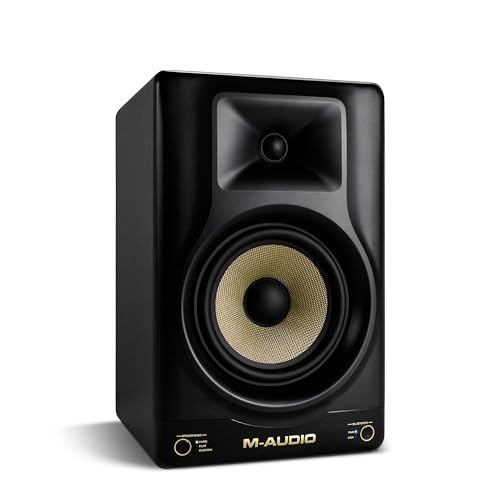 M-AUDIO Forty Sixty 6.5" Studio Monitor SpeakerForthy Sixty8.6 x 8.5 x 13.2 inches15.9 poundsCheck on Amazon
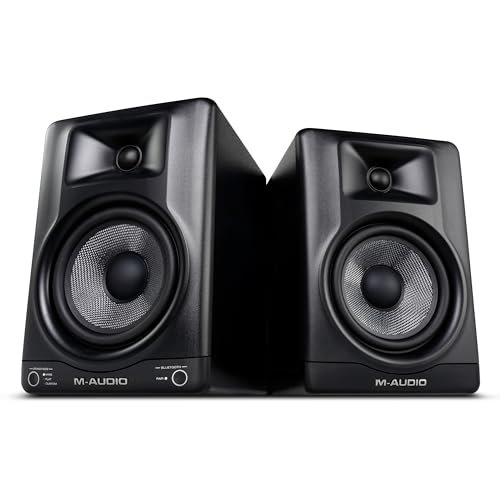
 M-AUDIO BX4BT 4.5" Bluetooth Studio Monitors PairBX4BT7.7 x 6.1 x 8.8 inches9.5 poundsCheck on Amazon
 M-AUDIO Forty Eighty 8" Studio Monitor SpeakerForty Eighty11.5 x 10 x 15 inches22 poundsCheck on Amazon

What's inside
- What the BX line is, and what it is not
- BX3 and BX4: the compact desktop models
- BX5: the five-inch sweet spot
- BX8: eight inches, more air, more room required
- Rear ports, walls, desks, and the physics of small rooms
- Inputs, gain staging, and hunting hum
- Stereo imaging: triangles, toe-in, and ear height
- Pairing the BX Subwoofer
- Choosing by desk, room, and listening distance
- Used-market notes and common failure modes
- Check prices on Amazon
- Frequently asked questions
As an Amazon Associate I earn from qualifying purchases. This post may contain affiliate links at no extra cost to you.
M-Audio occupies a particular corner of the studio monitor market, and understanding that corner matters before any model comparison makes sense. The company built its reputation on affordable audio interfaces, MIDI controllers, and compact powered speakers aimed at home recordists, podcasters, video editors, and bedroom producers who need a truthful playback reference without building a treated control room first. The BX family is the core of that speaker effort. It is not a lifestyle speaker line with studio styling pasted on, and it is not a high-end mastering line scaled down. It is a working nearfield line, designed to sit on or near a desk, connect directly to an interface or mixer, and reveal balance problems in a mix at moderate listening levels.
Some links in this guide are affiliate links, and if you follow one and then buy, this site may receive a small commission while the price you pay stays exactly the same.
That disclosure out of the way, the real question is narrower than most monitor roundups suggest. Within the BX line itself, the models differ by driver diameter, cabinet volume, amplifier headroom, port tuning, and control options, and those differences map directly onto desk size, room volume, and listening distance. A BX3 pair on a small desk in a spare bedroom is solving a different problem from a BX8 pair on stands in a larger project room, even though both carry the same family name and a similar visual identity. Choosing well inside one brand is often more useful than comparing logos across brands, because the voicing philosophy stays broadly consistent while the physical fit changes.
This guide stays inside the M-Audio monitor catalogue. It covers the current BX3, BX4, BX5, and BX8 models, the earlier D3 generation that still circulates widely on the used market, the older AV32 and AV42 entry models that many readers still own or encounter second-hand, and the BX Subwoofer as a pairing option for extending low-frequency coverage. Each model section anchors on published specifications, driver construction, amplifier figures, and connection layouts that any reader can verify against the manufacturer documentation for the exact generation in hand, because M-Audio has reused model names across revisions and the rear panel is the most reliable identity check.
What the BX line is, and what it is not
The BX design recipe has stayed recognisable across generations. The low-frequency driver uses a Kevlar cone in the BX models, a woven aramid fibre material chosen for stiffness at low weight and for a breakup behaviour that tends to be better controlled than plain paper or polypropylene at comparable cost. Kevlar does not make a small driver sound like a large one, and material alone does not guarantee accuracy, but it does help the cone stay pistonic through the midrange region where a two-way monitor asks its woofer to work hardest. In a two-way design the woofer must reproduce bass, lower midrange, and upper midrange up to the crossover point, often somewhere near two kilohertz, so cone behaviour in that upper range shapes vocal clarity as much as bass quality.
High frequencies come from a silk-dome tweeter in most BX variants, set into a waveguide that controls dispersion and helps blend the tweeter output with the woofer at the crossover. Silk domes are generally associated with a smoother top end than hard metal domes at this price tier, with less tendency toward a sharp resonant peak above the audible core range. The waveguide matters as much as the dome material. It narrows dispersion at the lower end of the tweeter range to match the woofer, which reduces the off-axis dip that many two-way speakers show around the crossover, and it makes the stereo image less fragile when the listener moves a few centimetres left or right at a desk.
Amplification in the classic BX generations is Class AB, built into the cabinet, with separate power allocated to the low and high drivers in a bi-amplified layout on most models. Class AB runs warmer and less efficiently than the Class D designs now common in compact speakers, but it is a mature, well-understood topology with predictable behaviour, and in a nearfield monitor the absolute efficiency penalty is modest because listening levels at one metre do not demand large sustained power. The per-model power split matters more than the headline total. A BX5-class specification in the region of seventy watts total, divided with the larger share feeding the woofer, tells you the designer expected the low driver to consume most of the energy, which is physically correct: moving air at low frequencies takes far more power than reproducing a cymbal shimmer at the same perceived loudness.
What the BX line is not is equally important. These are rear-ported or, in the smallest desktop variants, carefully vented cabinets tuned for nearfield use, not for filling a living room from a bookshelf three metres away. They have no wireless streaming role, no smart speaker features, and no room correction software suite of the kind bundled with some newer competitors. The controls on offer, where present, are analogue and broad: a volume control, sometimes an input selector or front-panel convenience features on the multimedia-oriented sizes, and on the D3 generation of the BX5 and BX8 an Acoustic Space switch that applies a shelf reduction for placement close to walls. That simplicity is a strength for reliability and a limitation for difficult rooms, and both sides of that trade deserve attention later in this guide.
Reading the frequency response claim correctly
Every BX model publishes a frequency response range, and those numbers are routinely misread. A claim that a five-inch monitor reaches down to the low fifties in hertz does not mean it reproduces a fifty-two hertz tone at the same level as a one kilohertz tone. Manufacturers typically quote the range within a tolerance, and the practical figure to look for is the minus three decibel point, the frequency at which output has fallen by three decibels relative to the midband average. Three decibels down is clearly audible as a thinning, and below that point output usually falls steeply, especially in a ported cabinet where the port contribution drops off and the driver unloads below tuning.
In a small room the picture complicates further. Room boundaries reinforce low frequencies, sometimes strongly, so a monitor that measures modestly in an anechoic chamber can sound fuller at a desk against a wall, though rarely in an even way. The reinforcement arrives with peaks and nulls tied to room dimensions, not as a smooth extension of the speaker response. That is why this guide treats published low-frequency limits as a guide to cabinet capability rather than a promise of in-room bass, and why the sections on placement and on the BX Subwoofer matter as much as the model specifications themselves. A reader who understands the minus three decibel convention will read every monitor specification, from any brand, with better judgement.
Generations and naming traps
M-Audio has sold BX5 and BX8 monitors through several distinct generations, including the original BX5a era, the BX D2 series, the BX D3 series, and later revisions that simplified the naming again. Driver trim, rear panel layout, control sets, and amplifier ratings differ between them, sometimes in ways that affect buying advice. The D3 generation is easy to recognise by its Acoustic Space control and its updated styling, while earlier generations may show different port shapes, different input arrangements, and in some cases foam rather than rubber surrounds on the oldest units. Anyone shopping used should photograph the rear panel, confirm the exact variant, and check specification documents for that variant rather than assuming that a familiar model badge guarantees a familiar specification.
The AV line sits apart from this history. The AV32 and AV42 were positioned as entry desktop monitors with a stronger multimedia lean, simpler amplification, and convenience features such as front-panel volume and auxiliary input, aimed at listeners who wanted better sound than typical computer speakers without adopting a full interface-based setup. They remain relevant to this guide for two reasons: many desks still run them, and their used prices make them tempting to new buyers who need to understand exactly what capability they would be giving up compared with a current BX model.
BX3 and BX4: the compact desktop models
The BX3 pairs a three and a half inch low-frequency driver with a one inch silk-dome tweeter in a cabinet small enough to sit beside a laptop without dominating the desk. Published power for the BX3 sits in the region of twenty-five watts per channel in its multimedia-oriented configuration, with the pair typically arranged as a powered primary speaker feeding a passive companion, a layout that keeps cost and cabling simple. Inputs lean toward the desktop world: RCA and quarter-inch connections at the rear, a front-panel volume control, and on the multimedia versions a front auxiliary input and headphone output that mute or feed the listening chain in a way that suits a single-person desk. Frequency coverage is quoted down to roughly the eighty hertz region, which is honest for the driver size and tells the attentive reader that kick drum weight and bass guitar fundamentals will be suggested more than fully reproduced.
None of that makes the BX3 a poor choice; it makes it a specific choice. For spoken word editing, podcast cutting, video dialogue work, online lesson production, and general desktop listening at close range, the midrange and treble region is where the information lives, and a small monitor that gets that region right at seventy to ninety centimetres can be more useful than a larger monitor placed badly. The BX3 also imposes a useful discipline: mixes checked on it will not hide behind bass energy, and anyone who later adds a subwoofer or checks work on a larger system will hear the low end as an addition rather than a correction. Readers comparing compact options will also want to weigh the wider category discussed in best 3 inch monitor speakers against the BX3 specifically, because driver diameter alone does not settle dispersion, port noise, or amplifier hiss at close range.
The BX4 steps the low driver to four and a half inches, keeps the one inch silk-dome tweeter concept, and adds cabinet volume that moves the useful low-frequency boundary downward, with published response extending to roughly the sixty-nine hertz region depending on the exact revision. Power rises accordingly, again commonly specified around twenty-five watts per channel for the pair configuration in recent desktop revisions, and the feature set expands on many versions to include both balanced and unbalanced rear inputs, a front volume control, auxiliary input, and headphone output. That combination makes the BX4 the more flexible of the two small models for a desk that alternates between an audio interface and a direct computer or phone connection.
The physical difference between three and a half and four and a half inches sounds small on paper and feels larger at the desk. Cone area grows with the square of diameter, so the BX4 woofer moves meaningfully more air per excursion, which translates into less strain at a given listening level, cleaner lower midrange, and a bit more headroom before the port and driver audibly complain on bass-heavy material. If the desk can accept the slightly larger footprint and the listening distance is around one metre, the BX4 is usually the more satisfying long-term buy of the two. If the desk is genuinely narrow, the speakers must flank a large monitor screen, or the work is almost entirely speech, the BX3 remains defensible and its smaller cabinet can actually image more precisely because the driver spacing is tighter and the baffle is narrower.
Front-panel convenience and its trade-offs
Front volume, headphone, and auxiliary features on the small BX models reflect their dual role as studio and desktop speakers. A front volume knob removes the need to reach behind a cabinet or manage level purely in software, which reduces the risk of a sudden full-volume surprise after an operating system update resets a digital level. A front headphone socket gives a fast check for edit points, clicks, and noise without swapping cables at an interface. The trade-off is signal path simplicity: every extra convenience circuit is another place where a very low level of hiss or crosstalk can enter, and at the very close listening distances these speakers invite, amplifier self-noise deserves a check in a quiet room before the return window closes. A faint hiss audible only with an ear within a few centimetres of the tweeter is normal for powered speakers in this class; hiss clearly audible at the normal seated position with no signal playing is not, and it points to gain staging, a noisy source, or a faulty unit, in that order of likelihood.
BX5: the five-inch sweet spot
The BX5 is the model most readers will end up seriously considering, and for structural reasons rather than marketing ones. Its five inch Kevlar low-frequency driver, in the current and D3 generations typically specified at five inches with a one inch silk-dome tweeter, sits in a cabinet large enough to produce useful output into the low fifties in hertz on published figures, while remaining small enough for a normal desk on isolation pads or short stands. Total amplifier power in the BX5 class is commonly around seventy watts, split with roughly forty watts to the low driver and thirty to the tweeter in the D3 specification, a bi-amplified arrangement that gives each driver its own amplifier channel and avoids a passive crossover dividing a single amplifier output after amplification.
Bi-amplification at this level is not magic, but it has real benefits. The amplifier feeding the tweeter never sees the heavy current demands of bass transients, intermodulation between bands is reduced, and the crossover can be implemented actively before the power stages with steeper, more predictable slopes than a budget passive network usually achieves. The practical result is a cleaner midrange under load and a top end that stays composed when a mix gets busy. Readers should still treat wattage as a secondary figure: sensitivity, cabinet tuning, and limiter behaviour decide how loud a monitor plays cleanly at the seat, and seventy honest watts into a five inch driver at one metre is more than a home studio needs for reference listening, which should live mostly in the seventy-five to eighty-five decibel range for sustained work.
The D3 generation of the BX5 added the Acoustic Space control, a rear-panel switch offering flat and two steps of low-frequency shelf reduction, intended to compensate for boundary reinforcement when the cabinet sits close to a wall or in a corner. That single control does more for real-world accuracy than many feature lists, because the most common placement error in home studios is pushing monitors hard against a wall and then mixing against the resulting bass lift. The BX5 D3 also provides both balanced XLR and balanced or unbalanced quarter-inch TRS inputs, a volume control at the rear, and a voltage selector on some regional variants, all of which mark it as a speaker designed to be fed from an interface and left at a calibrated level rather than adjusted casually day to day.
For a single all-purpose M-Audio monitor recommendation, the BX5 format is the answer this guide returns to most often. It covers the bass range of most popular music well enough to make arrangement and balance decisions, it reveals vocal sibilance and reverb tails without exaggerating them, and it fits rooms from roughly eight to sixteen square metres without either starving for low end or overwhelming the space. Its limits are honest ones: deep electronic bass below fifty hertz will be underrepresented, very loud playback in a larger room will run into excursion and port limits, and no five inch two-way design can fully separate a dense low midrange at high level. Within those limits, it is the centre of the line for good reason.
BX8: eight inches, more air, more room required
The BX8 scales the same recipe to an eight inch Kevlar low driver with a larger silk-dome tweeter, commonly one and a quarter inches in the D3 specification, a substantially bigger cabinet, and total power in the region of one hundred and thirty watts in that generation, split with the majority feeding the woofer. Published low-frequency extension reaches to roughly the high thirties in hertz, which changes the kind of decisions a producer can make. Bass guitar fundamentals, kick drum weight, synth sub content, and the lower registers of piano and organ become directly audible rather than inferred from harmonics, and that changes arrangement choices in genres where the bottom octave carries musical intent.
The cost of that extension is physical and acoustic. A BX8 cabinet needs stands or a very deep, sturdy desk, it needs distance from walls to keep its rear port and its greater low-frequency output from exciting every room mode in a small space, and it needs a listening distance of roughly one and a half to two metres to let the two drivers integrate, because at very close range a listener can hear the woofer and tweeter as separate sources, especially off the vertical axis. Put a BX8 pair in a nine square metre room on a shallow desk and the result is often worse, not better, than a BX5 in the same space: more bass energy into a room that cannot support it, stronger desk reflections, and a midrange that arrives from a cabinet too large for the geometry.
Where the room supports it, though, the BX8 brings a calmness that smaller monitors cannot imitate. At a matched loudness, the larger cone moves less for the same output, distortion in the low midrange falls, and long sessions at moderate level feel less fatiguing because neither driver nor amplifier is working near its limits. Film and game audio work, electronic production, and any catalogue where clients will listen on full-range systems all benefit. The BX8 D3 carries the same Acoustic Space concept as its smaller sibling, and on this model the control is even more valuable, because an eight inch monitor near a wall can generate enough boundary lift to bury vocal clarity under low midrange weight.
AV32 and AV42: the legacy entry line
The AV32, with a three inch polypropylene-coated woofer and a one inch ferrofluid-cooled silk-dome tweeter in published specifications, and the AV42, stepping up to a four inch woofer, represent the older entry tier. Amplification was modest, commonly quoted around twenty watts total for the AV42 pair configuration, connections centred on RCA with a front auxiliary input, and the AV42 offered a bass boost switch that lifts low frequencies for casual listening. Cabinet construction, driver materials, and control options all sit a step below the BX family, and the sound follows that positioning: adequate clarity for speech, video, and light music work, limited headroom, and a low end that depends partly on that boost feature for casual fullness.
Understanding the AV line prevents two common mistakes. The first is buying an AV42 expecting BX5 behaviour because both are sold as studio monitors; the gap in driver quality, amplifier headroom, and input flexibility is real and audible on demanding material. The second is dismissing a working AV pair that already sits on a desk doing speech editing perfectly well. For dialogue, the AV models remain serviceable, and money is often better spent on placement, pads, and a decent interface before replacing them. On the used market they should be priced as entry desktop speakers, and any listing asking near BX money for an AV model is asking the buyer to pay for a badge rather than capability.
Rear ports, walls, desks, and the physics of small rooms
Most BX cabinets vent through a rear port, and that single design fact drives much of the placement advice in this guide. A port is a tuned resonator: at the tuning frequency it contributes a large share of the total low-frequency output while the cone itself moves relatively little, which is efficient and extends response from a small box. Below tuning, that protection vanishes and cone excursion rises quickly, which is one reason small ported monitors dislike being fed loud sub-bass content they were never sized to reproduce. The port also needs air behind it. Placed almost touching a wall, the port output couples unpredictably with the boundary, airflow can be disturbed, and the intended tuning shifts.
Distance-to-wall math does not need to be complicated to be useful. As a starting framework, keep at least twenty centimetres between the rear of the cabinet and the wall behind it where the room allows, treat thirty to fifty centimetres as a healthier working range for the BX5 and BX8, and expect that moving a monitor from fifty centimetres out to hard against the wall will audibly lift the low end and blur the lower midrange. Boundary reinforcement can add several decibels in the bass region, with the strongest effect when a speaker sits near two boundaries at once, such as a wall and a desk surface, and the maximum tangle when a corner adds a third. The Acoustic Space switch on D3 models exists precisely to trim that lift with a broad shelf cut, and using its middle or strongest setting near a wall is not an admission of failure; it is the control doing its designed job.
Port chuffing is the other rear-port symptom worth recognising. At high playback levels on material with strong content near the tuning frequency, air velocity in the port rises until the flow becomes turbulent and produces a puffing, chuffing noise that is not part of the recording. Flared port openings reduce the effect, but the reliable cures are lower level, a high-pass filter where the production chain offers one, or moving low-frequency duty to a subwoofer. Chuffing at moderate level on ordinary music is a warning sign of a monitor being asked to fill too large a room, and it is one of the clearest signals that a buyer should step up a cabinet size or add the BX Subwoofer rather than simply turning the current pair louder.
The desk reflection and the 200 to 500 hertz bump
The desk itself is an acoustic surface, and for desktop monitors it is often a bigger problem than the wall. Sound leaving the woofer downward reflects off the desk and rejoins the direct sound at the ear after a short delay, producing comb filtering and a characteristic thickening or bump in the two hundred to five hundred hertz region, where vocal body, guitar warmth, and snare weight live. Mixes made on a desk-bloated system tend to come out thin elsewhere, because the engineer cuts low midrange that was never really in the recording. Raising the monitors so the tweeters sit at ear height and the woofer path clears the desk edge, tilting them correctly, and inserting isolation pads or stands between cabinet and desk all attack this problem from different angles.
Isolation pads, typically dense foam wedges, do two jobs: they reduce mechanical vibration transmitted into the desk, which can otherwise resonate and add its own sound, and their angled options let a listener aim the speakers upward or downward toward the ears without stacking books under cabinets. Stands do the same jobs better, at the cost of floor space and money, and for the BX8 they are close to mandatory. Neither pads nor stands are glamorous purchases, which is exactly why they are underbought relative to their effect. In a typical untreated spare room, correct height, sensible wall distance, and decoupling will improve a BX4 or BX5 system more than replacing the speakers with a nominally superior model placed in the same compromised position.
Inputs, gain staging, and hunting hum
The rear panels across the BX range offer a practical education in audio connection standards. Balanced connections, on XLR or quarter-inch TRS plugs, carry the signal as a differential pair: the receiving circuit responds to the difference between the two conductors and rejects noise picked up equally by both along the cable run, a property called common-mode rejection. Unbalanced connections, on RCA or TS plugs, carry signal against a shared ground and are far more open to hum and interference, especially over longer runs or near power supplies and computer equipment. Where an interface offers balanced outputs and the monitor accepts them, balanced cables are the correct default, not an audiophile refinement.
Gain staging ties the whole chain together. A sensible method is to set the interface or mixer output to a healthy working level, start with the monitor volume controls low, play familiar programme material, and raise the monitor controls to the loudest level the room will realistically use, then leave those controls alone and manage day-to-day level from the interface or a monitor controller. Setting monitor amplifiers near maximum and then feeding them a tiny digital signal wastes resolution, raises the audibility of hiss, and makes accidents loud. Setting them too low and driving the source into clipping does the opposite damage. Many experienced users mark the chosen rear-panel volume position with a small piece of tape so an accidental knock can be spotted and corrected before it quietly unbalances a stereo pair, since separate left and right volume controls are also a balance control whether the owner treats them as one or not.
Readers building a broader desktop system around powered speakers, including non-studio uses, may find the format comparison in best 2 0 powered speakers useful for understanding where a dedicated nearfield pair differs from general powered stereo speakers in input layout and voicing goals.
A methodical hum diagnosis
Hum and buzz in a monitor system almost always have a findable cause, and a calm sequence finds it faster than random cable swapping. First, disconnect all inputs from the monitors and turn them on alone. If the hum remains, the issue is inside the speaker, its power connection, or very strong local interference. If the system is quiet with no input, connect one source at a time, one channel at a time, and note exactly which connection brings the noise back. A low hum at mains frequency usually points to a ground loop, where interconnected equipment offers multiple ground paths; a harsh buzz with harmonics often points to a faulty or unbalanced cable, a dimmer circuit, or a computer power supply polluting a shared connection.
Practical remedies follow from that sequence. Feed all interconnected audio gear from the same power strip or outlet group so ground potentials stay close. Prefer balanced cables for the monitor runs. Keep audio cables away from wall-wart power supplies and cross power cables at right angles where they must meet. Avoid lifting safety grounds with cheater plugs, which trades a noise problem for a genuine safety hazard. USB-powered interfaces can carry computer noise into a system, and in stubborn cases a different USB port, a powered hub, or an interface with its own supply changes the result. The point is that hum is diagnostic information, not a personality trait of a monitor model, and reviews that blame a speaker for a ground loop in the reviewer room mislead everyone.
Stereo imaging: triangles, toe-in, and ear height
A pair of BX monitors earns its keep through stereo imaging, the ability to place a vocal dead centre, spread a synth pad wide, and keep both positions stable as programme material changes. The classic starting geometry is an equilateral triangle: the two speakers and the listener head form three corners of a triangle with roughly equal sides, commonly one to one and a half metres per side for BX4 and BX5 systems, longer for the BX8. Tweeters should sit at ear height when seated, because vertical dispersion around the crossover is the narrowest window in a two-way design and listening well above or below the tweeter axis dulls or thins the sound in ways that no tone control repairs cleanly.
Toe-in, the angle at which each cabinet turns inward toward the listener, balances image focus against spaciousness. Aiming both tweeters directly at the ears gives the sharpest centre image and the most detail, but can narrow the perceived stage and exaggerate treble if the design was voiced for a slightly off-axis position. Reducing toe-in so the speakers aim at a point somewhat behind the head widens the stage and softens the top, at some cost to centre precision. There is no single correct angle, only a correct method: pick a recording with a centred vocal and a clear sense of space, adjust in small steps, and listen for the point where the vocal locks into a stable position without the whole picture collapsing when the head moves a few centimetres. Symmetry matters more than the exact angle. If one speaker is closer to a side wall than the other, or one sits on a desk while the other sits on a stand, the image will pull and smear no matter how carefully the angles are set.
Center-image stability is also a diagnostic tool. Play a mono signal, a podcast voice is perfect, and it should appear as a compact phantom source midway between the speakers, not as sound coming from two boxes. If mono material sounds diffuse, check in order: both volume controls matched, both Acoustic Space or tone settings matched, cables correctly assigned left and right, distances to the listening position matched, and one driver not damaged or disconnected internally. A surprising share of imaging complaints trace back to a single mismatched rear-panel switch.
Pairing the BX Subwoofer
The BX Subwoofer exists to solve the one problem no compact two-way cabinet can solve for itself: reproducing the lowest octave and a half with control. In its published specification the unit uses a ten inch composite glass-fibre cone, a high-power internal amplifier in the region of two hundred and forty watts, adjustable crossover and phase controls, and input and output arrangements that let it sit between a source and the main monitors, filtering the signal handed upward to the satellites. Used well, it does not make a system sound bass-heavy; it makes the main monitors cleaner, because they stop spending excursion and amplifier headroom on frequencies they reproduce poorly.
Crossover setting is the first decision and the most consequential. The crossover should sit near the point where the main monitors naturally roll off, which for a BX5 pair usually means somewhere in the fifty to eighty hertz region, and for BX4 or BX3 pairs somewhat higher. Set it far too low and a gap opens between subwoofer and satellites; set it too high and the subwoofer starts reproducing directional content, male vocal weight localises to the floor, and room modes get driven harder across a wider band. The reliable method is slow: play programme with steady bass content, adjust in small steps, and listen at the normal seat for the setting where bass sounds like it comes from the main speakers and simply extends lower, rather than announcing a separate box in the room.
Phase is the second decision, and it interacts with crossover and placement. At the crossover frequency the subwoofer and main speakers both contribute, and if their outputs arrive out of phase they partly cancel, hollowing out exactly the region the subwoofer was bought to support. The phase control, whether a switch or a continuous knob depending on revision, should be set to whichever position gives the fullest, most even bass at the listening seat on a steady low-frequency signal or a familiar bass line, checked from the seat and not from beside the subwoofer. Moving the subwoofer even half a metre changes the correct phase relationship, so any relocation restarts this small ritual.
Room modes and honest subwoofer expectations
Rooms impose their own bass structure. Standing waves, or room modes, form between parallel surfaces, creating seats where certain bass notes boom and others vanish, and no subwoofer purchase removes that geometry. A single subwoofer placed in a corner gains output from boundary reinforcement and excites modes strongly; the same unit pulled into the room along a wall often sounds more even at lower maximum output. The well-known placement exercise of putting the subwoofer at the listening position, playing bass material, and crawling the room perimeter to find where bass sounds most even, then placing the subwoofer at that spot, is undignified and genuinely effective, because acoustics are reciprocal. Readers weighing a combined desktop system with a subwoofer against larger satellites may also benefit from the layout discussion in best 2 1 computer stereo speakers, though a studio subwoofer pairing differs in aiming for flat extension rather than entertainment emphasis.
Expectation setting matters. In a small untreated room, a subwoofer can easily make measurements and impressions worse before it makes them better, because it finally energises the lowest modes the room owns. Modest level is the secret: the subwoofer should be hard to notice as a separate presence on most material and obvious mainly when it is switched off and the bottom falls out of recordings that truly contain low content. If every track sounds bass-forward, the subwoofer level or crossover is too high, whatever the initial excitement suggests. For many BX5 owners in small rooms, placement work and an Acoustic Space adjustment will deliver more accuracy per unit of money than a subwoofer bought early, and the subwoofer becomes the right step only when the catalogue being produced genuinely contains content below the reach of the mains.
Choosing by desk, room, and listening distance
A decision framework grounded in physical fit prevents most monitor regrets. Start with listening distance, because it is the least flexible variable. Under eighty centimetres, the BX3 and BX4 integrate best and their lower bass output matters least, since the listener sits in the near field where direct sound dominates reflections. Between ninety centimetres and one and a half metres, the BX5 is the natural centre of gravity, with enough low extension for full music production and enough headroom for honest dynamics. Beyond one and a half metres, or in rooms above roughly eighteen square metres where the speakers must fill more air, the BX8 or a BX5 plus subwoofer combination becomes the more credible answer, and compact models will sound strained no matter how favourable their specifications look in isolation.
Desk size refines the answer. A desk under one hundred and twenty centimetres wide, shared with a large display, keyboard, and interface, leaves little honest room for anything larger than the BX4 once correct spacing and toe-in are respected; cramming a BX5 pair into the corners of a small desk, hard against a wall and flanking a screen that blocks part of the woofer, wastes the better speaker. A wide, deep desk or dedicated stands open the BX5 and BX8 options properly. Room treatment, even in modest form such as heavy curtains, a rug, and soft furnishings, shifts the balance too: a treated small room can support a BX5 at its best, while a bare, reflective larger room can make a BX8 sound confused despite its superior hardware.
Genre and task complete the framework. Speech editors, podcast producers, and video editors cutting dialogue should weight midrange clarity and low self-noise at close range, which favours the BX4 and BX5. Electronic producers working with sub-bass should plan from the start for either the BX8 in a suitable room or a subwoofer pairing, and should not expect a BX3 to reveal content it physically cannot reproduce. Singer-songwriters and rock producers often find the BX5 covers guitar, vocal, and rhythm section decisions completely, with occasional headphone or secondary system checks for the lowest bass. Anyone whose main reference for comparison is sheer low-frequency power for a desk system will find the separate discussion in best 100 watt studio monitors a useful contrast, because total wattage by itself says little about how a monitor behaves at a one metre seat.
A compact decision summary
- Small desk, speech and video work, distance under one metre: BX3 for the tightest spaces, BX4 if the footprint allows it.
- General music production on a normal desk, room up to about sixteen square metres: BX5, with pads or short stands and wall distance respected.
- Larger room, longer listening distance, bass-critical genres: BX8 on stands, or BX5 plus the BX Subwoofer where placement flexibility matters more.
- Existing AV32 or AV42 in good order for dialogue work: keep, improve placement and source first, upgrade to a BX model when music production demands it.
- Used D3 generation BX5 or BX8 at a fair price with verified drivers and quiet amplifiers: often the strongest value route into the line.
Used-market notes and common failure modes
The long production history of the BX line means the used market is deep, and so are its traps. Foam surrounds on the oldest generations age, stiffen, crack, and eventually crumble, and a woofer with deteriorating foam may still play at low level while distorting or tearing further under real use. Inspect surrounds in good light, look for cracks at the outer roll, flaking, or repairs with visible glue, and treat a freshly re-foamed driver by a competent technician differently from a cosmetic patch. Rubber surrounds on later models age more gracefully but can still harden or separate from the cone or basket. Tweeters deserve a check for pushed-in domes, which on silk domes sometimes recover and sometimes leave a permanent crease and a measurable response change.
Amplifier behaviour is the second used-market checkpoint. Powered monitors carry their electronics in a warm cabinet for years, and electrolytic capacitors age with heat and time, showing up as hum that was not there when the unit was new, intermittent crackle, one channel lower than the other, or a speaker that needs time to wake up after being switched on. Idle hiss deserves the nuanced reading given earlier: a very faint hiss at the tweeter is normal in this class, but hiss or hum clearly audible at the listening position with inputs disconnected suggests an amplifier that needs service, and the price should reflect that. Test both speakers at matched settings with a mono source, swap left and right inputs to see whether a fault follows the cable or stays with the cabinet, and listen to each driver at low level with an ear moving across the baffle to confirm both woofer and tweeter are working.
Other failure modes are mundane and therefore common. Volume controls on well-used units can become scratchy at one point in their travel. Rear-panel switches, including the Acoustic Space control, can oxidise and produce intermittent changes when touched. Port tubes can loosen and buzz sympathetically on particular bass notes, a fault that sounds alarming and is often mechanically simple. Cabinets that have lived in smoking rooms or damp garages carry smells and corrosion that photographs hide. None of this argues against buying used; the BX line is exactly the sort of mature, widely sold product where used buying makes sense. It argues for buying verified condition rather than a model badge, and for keeping part of the saving aside for pads, cables, and possibly a service visit.
Check prices on Amazon
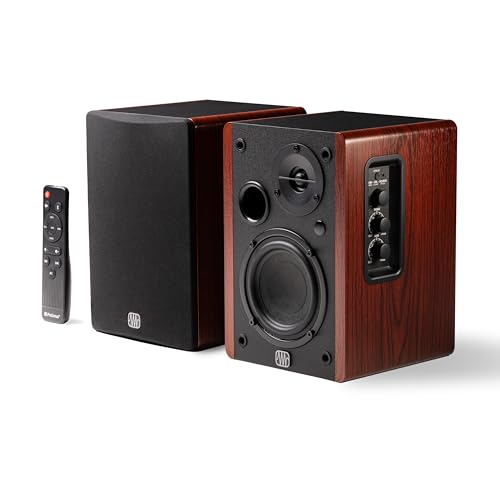
Live listings for the shortlist in this guide are pulled from Amazon below, so prices and availability are always current at the moment you look.




Frequently asked questions
What is the real difference between the BX4 and the BX5?
The difference is architecture as much as size. The BX4 is a compact desktop pair configuration with front-panel convenience features, a four and a half inch low driver, and low-frequency reach into roughly the high sixties in hertz on published figures, aimed at a single desk fed by mixed sources. The BX5 is an individually powered studio monitor format with a five inch Kevlar driver, bi-amplified power around seventy watts per cabinet in its D3 form, balanced studio inputs, and extension into the low fifties. At the same desk the BX5 offers more headroom, cleaner low midrange under load, and a more complete picture of bass balance, while the BX4 offers convenience and a smaller footprint. A buyer who records and mixes music as the main task should favour the BX5; a buyer whose desk work is speech, video, and casual production can choose the BX4 without apology.
Can one M-Audio monitor be used alone?
A single BX5 or BX8 can be used alone without any electrical problem, since each cabinet is a complete powered speaker, and a single unit is genuinely useful for checking mono compatibility, editing dialogue, or working in a temporary space. The multimedia BX3 and BX4 pairs are different: the companion speaker depends on the primary unit for power and signal, so the pair functions as one system and a lone companion cabinet will not work by itself. Anyone planning a mono setup should feed the single monitor a summed mono signal from the source rather than just the left channel, otherwise half the stereo information silently disappears from every judgement made at that desk. Stereo work, imaging checks, and reverb balance decisions all require the pair, so a single monitor is a tool for specific jobs, not a substitute for a stereo system.
What does the Acoustic Space switch actually compensate for?
It compensates for boundary reinforcement, the bass lift that occurs when a speaker operates close to a wall, a corner, or another large surface. Nearby boundaries reflect low-frequency energy back into the room in phase with the direct output, raising the bass level and thickening the low midrange, and the switch applies a matching broad reduction, in steps on the D3 models, so the net response at the listener returns closer to flat. It does not correct room mode peaks at specific frequencies, it does not fix desk reflections, and it is not a general tone control for personal taste, though nothing stops an owner from preferring a non-flat setting. The correct use is experimental and simple: set placement first, then try each switch position with familiar material and choose the one where bass notes sound even in weight rather than boomy or thin.
Do BX monitors need an audio interface?
They need a source with a controlled line-level output, and an audio interface is the most natural partner because it provides balanced outputs, a proper volume control, headphone monitoring, and microphone inputs in one device. A computer headphone output can drive the unbalanced inputs on the smaller models and will work, but it often brings higher noise, channel imbalance at low volume settings, and operating system level surprises. A mixer, a monitor controller, or a good digital-to-analogue converter serves the same role as an interface for playback-only work. What matters is balanced connection where available, sensible gain staging, and one clear place where the listening level is controlled.
Are the AV42 speakers still worth using?
Yes, within their role. A working AV42 pair handles speech editing, video work, lessons, and light music listening at a desk competently, and its front controls and bass boost suit casual use. It is not worth buying at a price close to a BX4 or used BX5, and it will not support serious bass judgement or high-level mixing. Owners should enjoy what it does well, improve its placement, and upgrade when the work, rather than the marketing cycle, demands more.
For the listener who sets a BX pair at the right height, gives its ports room to breathe, feeds it a balanced signal at a sane level, and resists turning a small room into a contest, the reward is a plain, durable kind of honesty that keeps pointing back at the music itself, long after the boxes have faded into the furniture of the working day.


