Our Top Picks
 LEGO Technic NASA Mars Rover Perseverance 42158Medium15 x 10.3 x 4.6 inches3.55 poundsCheck on Amazon
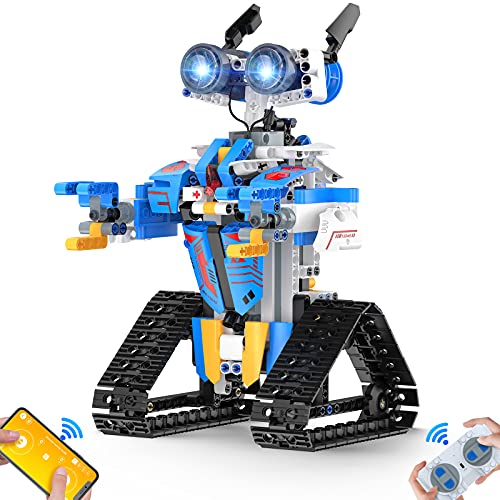 Henoda Robot Toys for 8-16 Year Old Boys7.87 x 8.26 inch8.2 x 8 x 3.5 inches1.6 poundsCheck on Amazon
 UNCLE BRICK Technical Robotic Hand Building Blocks Kit18 inches6.77 x 8.5 x 17.6 inchesCheck on Amazon


What's inside
- The current lines and how they relate to each other
- Inside the hubs: ports, processors, and batteries
- Motors and sensors, specification by specification
- The programming ladder, from icons to Python
- Compatibility physics: connectors, pins, and the secondhand trap
- Classroom life versus home life
- Buying checks that protect the purchase
- What the guided builds actually teach, model by model
- Check prices on Amazon
- Longevity, wear points, and what breaks first
As an Amazon Associate I earn from qualifying purchases. This post may contain affiliate links at no extra cost to you.
Robotic LEGO sets look similar on a shelf. Every box shows a wheeled vehicle, a walking creature, or a sorting arm, every box promises coding, and every box contains a pile of Technic beams that could, in principle, become almost anything else. Underneath that shared appearance, however, sit five quite different systems, built in different decades, around different hubs, different connectors, and different ideas about who should be doing the programming. Choosing well is therefore less about picking the most appealing model on the packaging and more about understanding which ecosystem a set belongs to, how long its app will remain usable, what its motors can actually measure, and whether its parts will work with anything else a household or a classroom already owns.
This guide stays inside the LEGO ecosystem only. That boundary matters, because LEGO robotics is a closed, internally consistent world with its own connector standard, its own programming ladder, and its own secondhand traps. A SPIKE Prime hub does not accept an EV3 motor. A Boost move hub does not run the SPIKE app. A Robot Inventor kit, despite sharing a hub shape with SPIKE Prime, was sold through a different channel with a different software promise. Treating these kits as interchangeable, simply because they all carry the same logo, is the single most common buying mistake in the category, and it is an expensive one, because the hub and its battery account for most of the value in every one of these sets.
The sections that follow work through the current and recent lines in the order a buyer actually encounters them: what each line is, what is inside its hub, what its motors and sensors report, how its programming environment grows with a builder, where the physical compatibility lines are drawn, how the kits behave in classrooms compared with living rooms, and what to check, piece by piece and port by port, before paying for a used example. Specifications quoted throughout come from published set inventories, hub documentation, and app descriptions, so the comparisons rest on figures any buyer can verify against a spec sheet before committing.
The current lines and how they relate to each other
SPIKE Prime, set 45678, is the reference point for modern LEGO robotics. The published inventory lists 528 pieces, a figure that includes the large hub, two sizes of angular motor, three sensor types, a selection of Technic beams and frames, wheels, gears, and the distinctive bright colour palette that separates SPIKE elements from the greyer Technic range. The set is aimed at upper primary and middle school learners, roughly the ten to fourteen band in classroom terms, although the building difficulty of its guided models sits comfortably within reach of a patient nine-year-old and its Python layer gives older students genuine headroom. Prime is sold primarily as an education set, which affects packaging, storage, and price structure, but nothing in the hardware restricts it to schools.
SPIKE Essential, set 45345, is the younger sibling, and the relationship is deliberate. Its inventory lists 449 pieces, its hub is smaller with fewer ports, its motors are fewer and simpler, and its building elements lean toward the standard brick system rather than heavy Technic construction. Essential targets the six to ten band, and its lessons pair robotics with storytelling prompts, so a model might be a fairground ride or an animal that reacts when a colour appears, rather than a vehicle optimised for speed. Households sometimes assume Essential is simply a cheaper Prime. It is better understood as a different entry point on the same ladder: the app structure, the block language, and the connector family are shared, so skills and many parts transfer upward, but the hub itself is a step down in capability that cannot be upgraded by adding motors alone.
Robot Inventor, set 51515, occupies the strangest position in the range. Its inventory lists 949 pieces, the largest count in this guide, and its hub is closely related to the SPIKE Prime large hub, with the same port count and the same basic architecture. It was sold as a consumer Mindstorms set, with five hero models including a wheeled trickster vehicle, a gobbling creature, a sports-playing figure, a guitar, and a cat-like companion build. The critical fact for buyers now is its retirement status. The set was withdrawn from sale relatively early in its life, and its dedicated app has been folded into a legacy position, with support windows that are shorter and less certain than those for the education SPIKE line. The hardware remains excellent. The software promise around it is the weak point, and any purchase should be made with that asymmetry in mind.
Boost, set 17101, lists 843 pieces and takes yet another approach. Instead of a programmable brick with a screen or light matrix at the centre of a Technic build, Boost centres on a move hub with two encoded motors built directly into its body, supplemented by an external motor and a combined colour and distance sensor. The set builds Vernie the robot as its headline model, along with a guitar, a cat, a rover-style vehicle, and an auto-builder machine. Boost was designed for builders around seven and up who were graduating from ordinary bricks, so most of its construction uses standard elements rather than Technic frames. Its app leans heavily on guided, game-like activities. That makes Boost friendly at first contact and limited later: there is no Python layer, the block environment is its own, and the move hub belongs to the wider Powered Up family rather than to the SPIKE family, a distinction the compatibility section below explains in detail.
Mindstorms EV3, set 31313, is the legacy platform, and legacy is not a dismissal. The retail set, sold for years alongside the separate education version 45544, built its reputation in competitions, clubs, and bedrooms across a full decade. Its intelligent brick, its four-port motor architecture, and its large library of community designs remain genuinely capable. EV3 sets still circulate widely on the secondhand market, often at prices that look like bargains beside a new SPIKE Prime. Some of them are bargains. Others are missing the rechargeable battery pack, carry motors with worn gearboxes, or depend on software that a modern laptop no longer installs cleanly. The platform rewards informed buying more than any other line in this guide, precisely because its age means condition and completeness vary so widely between one listing and the next.
Seen together, the five lines form two families and one bridge. SPIKE Prime, SPIKE Essential, and Robot Inventor share the modern SPIKE software world and the LPF2 connector in its six-wire form. Boost shares the LPF2 connector in a simpler form through Powered Up, but lives in its own app. EV3 stands apart with an older connector, an older brick, and an older programming tradition that has been partially carried forward through the EV3 Classroom app. A buyer who understands that map can predict almost everything else in this guide: which motors swap, which apps install, and which secondhand listings deserve a second look.
Inside the hubs: ports, processors, and batteries
The SPIKE Prime large hub is the most capable hub LEGO has shipped in an education set. Published specifications list six ports, each of which can accept either a motor or a sensor, a flexibility that older systems did not offer. Earlier platforms forced a builder to reserve certain ports for motors and others for sensors; the SPIKE design treats the ports as interchangeable, so a build with four motors and two sensors is as valid as a build with two motors and four sensors. Inside the hub sit a six-axis gyroscope, combining a three-axis accelerometer with a three-axis gyro, an internal speaker, and a five-by-five light matrix that serves as a tiny display for numbers, arrows, faces, and status patterns. The matrix is more useful than it first sounds. It lets a program report its own state without a connected screen, which matters in a classroom where the tablet may be across the room when a robot misbehaves.
Power for the Prime hub comes from a removable rechargeable battery pack rated at around 2,100 milliamp hours in published documentation. Removable is the operative word. A pack can be swapped for a charged spare in seconds, it can be replaced when its capacity fades, and it can be removed entirely for storage, which protects both the pack and the hub. Charging runs through a micro USB connection on the hub in the original design, and a full charge is a matter of hours rather than minutes, so classroom routines usually involve charging racks overnight. The hub also carries Bluetooth connectivity for wireless connection to the programming device, plus a USB port for wired connection and firmware work. Its processor and memory comfortably run MicroPython programs stored on the hub itself, with multiple program slots available, so a robot can carry several behaviours and switch between them from the hub buttons without reconnecting to a tablet.
The SPIKE Essential small hub reduces almost every figure. It offers two ports instead of six, a smaller light matrix capability through a three-by-three arrangement in its documentation, a colour light function, and a simpler internal sensor set, with a gyroscope function that is more limited than the Prime unit. Its battery is likewise smaller and rechargeable. None of this is a defect within its intended role. A two-port hub driving one motor and reading one sensor covers the Essential curriculum completely, and the smaller hub is lighter in small builds, easier for small hands to integrate, and less intimidating as a first programmable object. The limitation only bites when a family expects Essential to grow into Prime through expansion. Two ports cannot become six, and a build that needs a second motor and two sensors at once is simply beyond the small hub, no matter how many extra elements are bought.
Robot Inventor uses a hub that is, in hardware terms, a close relative of the Prime large hub: six ports, light matrix, speaker, gyroscope, and a rechargeable pack of similar capacity. The differences are in finish, firmware history, and software entitlement rather than in raw capability. The Inventor hub was tuned for its consumer app, with its five hero builds and its own activity structure, and while cross-compatibility with the SPIKE app environment has been a moving picture across app versions, buyers should not assume that every SPIKE Prime feature, lesson, or firmware path applies identically to an Inventor hub. The safe summary is that the Inventor hub is powerful hardware attached to a shorter software runway, which is why used Inventor kits should be priced by the buyer as hardware purchases, not as long-term platform purchases.
The EV3 intelligent brick belongs to an earlier architectural generation, and its specifications show it. Published documentation describes an ARM9 processor running at 300 megahertz, with 16 megabytes of flash memory and 64 megabytes of RAM, a monochrome display of 178 by 128 pixels, and a small speaker. By modern standards those figures are tiny, yet the brick runs its programs directly, stores multiple projects, and presents a usable on-brick programming interface for simple sequences. Its port layout is fixed: four output ports, conventionally labelled A through D, for motors, and four input ports, numbered 1 through 4, for sensors. That fixed split, unremarkable at launch, now reads as the clearest marker of its era, because it prevents the flexible motor-heavy or sensor-heavy configurations that SPIKE hubs accept without comment.
EV3 power options also reflect its generation. The retail brick runs on six AA batteries unless the separate rechargeable battery pack, rated at around 2,050 milliamp hours in its documentation, is fitted. Many used sets arrive with an AA holder only, and the rechargeable pack, which sits in the same bay and charges through a dedicated transformer, is a separate purchase that materially changes running costs. A classroom running a fleet of EV3 bricks on disposable cells spends real money across a term, which is one reason schools migrated toward SPIKE even before software support entered the discussion. Connectivity on EV3 includes USB, Bluetooth, and Wi-Fi through an approved dongle, and a microSD slot expands storage, a feature the SPIKE hubs dropped in favour of simpler internal storage.
Boost’s move hub deserves separate treatment because its motors are part of the hub itself. The hub contains two encoded motors whose axles emerge from its body, so the hub is the chassis core of most Boost builds rather than a brick attached to a chassis. It runs on six AAA batteries in its original form, which is the weakest power arrangement in this guide: AAA cells fade quickly under motor load, and the absence of a standard rechargeable pack in the box means running costs accumulate. Its ports, two of them, accept the external motor and the combined sensor. A tilt sensor inside the hub adds a simple orientation input. For its target age, the integration is a strength, since a first build works with very few connections, but the same integration means a failed internal motor effectively retires the whole hub.
Motors and sensors, specification by specification
The SPIKE motor range is built around angular motors in large and medium sizes, and the word angular carries the important information. These motors report their own position. Published specifications describe absolute positioning, meaning the motor knows where its axle sits within a rotation, not merely how far it has turned since the program started, along with speed reporting and stall detection behaviour exposed to the programming environment. In practical terms, a robotic arm built with angular motors can return to a defined zero position after being moved by hand, a sorting mechanism can hold a repeatable angle, and a program can detect that a wheel has stopped because the robot is pressed against a wall rather than because the motor was told to stop. Prime includes both sizes: the large motor for drive and heavy lifting tasks, the medium motor for mechanisms where compactness matters more than torque.
EV3 motors, by contrast, are large and medium servo motors with relative encoders reporting rotation in degrees or rotations from a starting point. They are strong, well understood, and supported by a decade of building instructions, but they do not offer the same absolute position behaviour, so a mechanism that is knocked or back-driven loses its reference and must be homed again by design, usually by driving it against a stop or a touch sensor. This difference rarely matters for a wheeled vehicle, which is why EV3 drive robots remain satisfying, and it matters a great deal for arms, grippers, and instruments, which is where SPIKE builds feel noticeably more precise without any extra skill from the builder.
The SPIKE sensor set in Prime covers three jobs. The force sensor measures pressure, distinguishing a light touch from a firm press in its reported values, and doubles as a simple button with a stud-compatible face that integrates into builds more neatly than a separate touch sensor on a cable. The colour sensor reports reflected light, ambient light, and colour classification, and it can also read the colour markers used in some lesson materials. Its reflected-light mode is the workhorse for line following, because a dark line on a pale surface produces a strong, repeatable signal. The distance sensor is an ultrasonic unit with a published range extending to about two metres, with closer, more precise reporting at short range, and it carries small light eyes that programs can illuminate, a cosmetic feature that also serves as a status indicator. Together, the three sensors cover contact, surface, and space, which is a complete basic vocabulary for robot behaviour.
Essential trims that vocabulary. Its set centres on a colour sensor and a colour light matrix element alongside its motor, which suits its curriculum of reactive, story-led models. Families comparing boxes should note that Essential does not include a distance sensor or a force sensor, so obstacle-avoidance builds of the classic drive-until-wall, turn, continue pattern are not part of its out-of-box experience. That is a genuine functional boundary, not a marketing tier, and it is one of the clearest reasons to choose Prime for a child whose interest is already clearly in vehicles and autonomous behaviour rather than in interactive scenes.
The EV3 sensor set did the same jobs with older tools. Its touch sensor is a straightforward pressed-or-released switch, reliable and unambiguous, but without the graded force reporting of the SPIKE unit. Its colour sensor handles colour, reflected light, and ambient light modes, and remains a competent line-following device. In place of an ultrasonic distance sensor in the retail box, EV3 retail included an infrared sensor paired with a small infrared beacon, a pairing that allowed beacon tracking and a simple remote-control mode alongside proximity estimation. The education version took the other path, including an ultrasonic sensor and a gyro sensor as separate units, while the retail gyro capability was an additional purchase. This split between retail and education EV3 inventories still confuses used listings today, where a seller may describe an education sensor as standard or omit that a retail set never contained a gyro. Checking a listing against the correct inventory for 31313, rather than against EV3 in general, prevents most disappointments.
Boost’s combined colour and distance sensor merges two functions into one housing, reporting colour, reflected light, and proximity in a single unit, which keeps connections simple for young builders. Its distance reporting is shorter in range and coarser in resolution than the SPIKE ultrasonic unit, adequate for a cat that reacts when a hand approaches, inadequate for a robot that must measure a room. Across all five lines, the pattern is consistent: newer sensors report more, in finer steps, with less calibration burden on the builder, while older sensors remain usable for the classic behaviours they were designed around.
The programming ladder, from icons to Python
LEGO’s modern programming ladder has three rungs, and SPIKE was designed so a learner climbs them inside one app. The first rung is icon blocks, a word-free system in which symbols represent actions and sequences are assembled by dragging them into order. Icon blocks suit Essential’s age band and pre-readers or early readers generally, because the barrier is logic, not literacy. A child who can order a story can order a program: move, wait, light, sound, repeat. The second rung is word blocks, built on the Scratch block language, in which labelled blocks snap together into stacks that control motors, read sensors, branch on conditions, loop, and hold values in variables. Word blocks are where genuine robotics begins, because sensor-driven behaviour, the defining idea of the whole category, needs conditions and loops to exist at all.
The third rung is text coding in Python. SPIKE Prime and Robot Inventor hubs run a MicroPython environment, and the app exposes Python programming alongside blocks, so a learner who has outgrown dragging stacks can write the same behaviours as text, with functions, data structures, and the error messages that teach debugging discipline. The PyBricks project, a community-supported firmware and library effort documented independently of LEGO, extends Python control further, with its own programming environment and a reputation among competition teams and hobbyists for responsive motor control. PyBricks support turns a SPIKE or Inventor hub into a longer-lived device, because it reduces dependence on the manufacturer’s app roadmap, and its existence should factor into a used purchase: a hub that PyBricks supports has a second software life available if the official path narrows.
Device requirements track the generations. The SPIKE app runs on tablets, Chromebooks, and Windows and Mac computers, with Bluetooth as the usual connection and USB as the fallback, so most households and nearly all schools already own a suitable host device. That breadth matters when comparing total cost: a family budgeting for a robot that also needs a dedicated tablet is solving a different problem from a family whose child already uses a school Chromebook at home, and readers planning the wider setup will find the coding-machine context in best affordable laptops for coding and programming useful alongside this guide, since a modest laptop that handles block coding and Python comfortably serves both schoolwork and robotics without strain. For learners moving toward data-heavy projects later, best laptops for machine learning and coding marks the far end of that same path, well beyond anything a SPIKE program requires.
EV3 programming has its own history. The original environment, EV3-G, was a graphical language derived from LabVIEW, with data wires carrying values between blocks laid out on a canvas. Generations of learners used it successfully, and its programs still exist in vast numbers in shared archives, but the software aged out of modern operating system support, and LEGO replaced it for education with the EV3 Classroom app, a Scratch-based block environment that brought EV3 into visual alignment with SPIKE word blocks. Python on EV3 is possible through the ev3dev operating system image, which boots the brick from a microSD card and opens it to Python and other languages, a route beloved by enthusiasts and entirely unsupported in the official sense. A buyer of a used EV3 should therefore decide in advance which software path the household will actually use, install it, and confirm it connects to the brick before the return window closes, because EV3 value now lives as much in a working software chain as in the plastic.
Boost programming stays on the first rung by design. Its app presents activities rather than a free programming canvas at first, unlocking blocks as the builder progresses through the guided models, and its block set covers motion, sound, light, and sensor reactions without variables or text coding. For a seven-year-old, that ceiling is rarely felt in the first year. For a ten-year-old with Scratch experience from school, it can be felt within a month. Boost is therefore best bought young, enjoyed fully, and treated as a bridge into the brick system generally, rather than as a robotics platform expected to stretch across several years of growing skill.
Compatibility physics: connectors, pins, and the secondhand trap
Two separate compatibility questions run through every LEGO robotics purchase, and they have different answers. The first is mechanical: will the pieces physically build together? The answer, across all five lines, is essentially yes. Technic pin geometry, the hole spacing in beams, the axle standard, and the brick stud grid are shared across decades of product. An EV3-era beam pins to a SPIKE frame without complaint. Boost’s standard bricks stud onto the same baseplates as any other set. Gears mesh across generations because the module of the teeth has been kept consistent. A household with a deep parts collection therefore gains real value from any of these kits mechanically, and a competition team can raid an old EV3 box for beams and wheels to use on a SPIKE robot without a second thought.
The second question is electrical, and here the answer splits sharply. SPIKE, Robot Inventor, and Boost electronics use the Powered Up family connector, known as LPF2, a six-wire plug that carries power and data on a shared bus and lets a hub identify what has been plugged into it. EV3 electronics use a completely different connector, an RJ12-style plug, the same physical family as an old telephone handset cord, wired for the EV3 brick’s fixed input and output ports. The plugs do not fit each other’s sockets, the signalling differs, and no official adapter bridges them. An EV3 motor cannot be driven by a SPIKE hub. A SPIKE motor cannot be read by an EV3 brick. This is not a limitation that a cable from a marketplace listing solves, and any listing implying easy cross-use between EV3 electronics and SPIKE hubs should be read as a warning sign about the seller’s knowledge or honesty.
Within the LPF2 world, compatibility is broader but not unlimited. Powered Up motors and lights from train and Technic sets generally identify themselves to SPIKE hubs, and the SPIKE app can drive simple motors even when it cannot offer the full angular control of the dedicated SPIKE motors. The reverse direction is narrower: a SPIKE angular motor plugged into a simple Powered Up battery box or a Boost move hub may do nothing at all, because those hosts lack the software to address it. The practical rule is that intelligence lives in the hub and its app, not in the connector, so a motor is only as capable as the least capable hub in the chain. Buyers assembling a mixed collection should plan around the most capable hub they own and treat simpler hosts as endpoints for simple motors.
Cable length and connector condition deserve attention on used kits. SPIKE motor and sensor cables are fixed to their units, so a damaged cable means a damaged component, not a cheap replacement lead. EV3 cables are separate and replaceable, which is a genuine maintenance advantage of the older system: a frayed EV3 cable costs little to substitute, while a frayed SPIKE sensor cable effectively retires the sensor. Inspect cable roots, where the wire enters the housing, on any used SPIKE component, because that flex point is where damage concentrates, and a sensor that disconnects intermittently under motion will produce behaviour that looks like a programming error and consumes hours of misdirected debugging.
Storage media and documentation form a quieter compatibility layer. Robot programs, building instructions, and lesson materials for current lines live in apps and downloads rather than in the box, so a used set without its paperwork loses nothing provided the app still offers that model’s instructions. For retired lines, instruction availability depends on archived PDFs and community repositories, which are generally thorough for EV3 and thinner for Boost’s app-locked activities. Families who enjoy photographing or filming builds for school portfolios sometimes borrow ideas from aerial projects, and the media-handling notes in best dji drone sd cards are a reasonable companion read for anyone organising project files, just as best affordable drones with cameras shows how a completely different programmable machine category handles sensors and autonomy at a similar household budget level.
Classroom life versus home life
SPIKE Prime was shaped by classroom requirements, and those requirements explain several of its design choices. Lessons in the education ecosystem are structured in short units, commonly around forty-five minutes, with a build phase, a programming phase, and a discussion prompt, and the set’s storage box, with its sorting tray, is sized for a shelf of identical kits and a trolley ride between rooms. The tray is not packaging garnish. Sorting 528 pieces into a known layout is what makes a ten-minute tidy-up possible, and it is what makes a missing part visible at a glance. At home, the same tray competes with the reality that LEGO collections merge. Once SPIKE elements are tipped into a general LEGO bin, the robotics set effectively ceases to exist as a set, because no child will excavate a specific frame element from three thousand mixed pieces to start a build. Keeping the robotics kit physically separate from the general collection is the single highest-value habit a household can adopt, worth more than any accessory purchase.
Competition use concentrates these pressures. FIRST LEGO League, the largest school robotics competition of its kind, runs on the SPIKE platform in its current seasons, with teams building an autonomous robot to solve table missions within a timed run, alongside a research project. The competition context explains the aftermarket of SPIKE-compatible wheels, the community interest in PyBricks for consistent motor behaviour, and the premium that complete, working Prime sets hold at the start of a school year. A family buying Prime for a child joining such a team should confirm with the team organiser which hub generation the team standardises on, because a team sharing code and spare motors across one platform gains nothing from a single member arriving with the other generation, however capable it is in isolation.
Battery discipline is the unglamorous skill that separates fleets that work from fleets that frustrate. A shared hub that is put away discharged, left for a holiday period, and then needed for a lesson will spend its first hour on a charger instead of in a build. Published guidance for lithium packs of this class favours storing them partly charged, charging on a routine rather than on demand, and labelling packs so rotation is even across a fleet. At home, the equivalent routine is simpler: charge the hub after a session rather than before the next one, keep the charging cable with the set rather than in a general cable drawer, and, for EV3 households using AA cells, remove them during long storage to protect the brick’s contacts from leakage. Boost households face the sharpest version of this problem, since six AAA cells under motor load decline gradually, and a robot that slows and behaves erratically is often reporting tired batteries rather than a coding mistake, a diagnostic trap that catches many first-time owners.
Noise, space, and floor surface complete the household picture. Technic drive robots run best on hard floors or short-pile surfaces, and a robot tuned on a kitchen floor will underperform on carpet because wheel slip changes the relationship between motor rotations and distance travelled, which is itself a useful programming lesson about why sensors exist. Ultrasonic distance readings behave differently in a narrow hallway than in an open room, colour sensors need recalibration thinking when a build moves from a white table to a dark floor, and the five-by-five matrix and speaker that delight in a classroom can be muted or dimmed in the app for evening home use. None of these are flaws. They are the physical context that turns a kit from a one-afternoon novelty into a recurring activity, and planning for them in advance is what the classroom ecosystem does institutionally and a household must do deliberately.
Buying checks that protect the purchase
Start with the hub, because the hub is most of the value. For any used SPIKE Prime, Robot Inventor, or EV3 set, ask the seller to show the hub powered on, connected to its app or brick interface, and driving a motor. A hub that lights its matrix but will not pair over Bluetooth, a brick whose display works but whose ports are untested, or a seller who will only photograph the box, all leave the most expensive component unverified. Confirm the battery explicitly. Listings routinely photograph a hub without its pack, and a replacement pack, where available, is a significant additional cost that can erase the saving over a new or more complete used set. For EV3, confirm whether the battery solution is the rechargeable pack or the AA holder, and whether the charging transformer for the pack is included, since the pack without its transformer is a short-lived asset.
Count against the inventory, not against the headline. Every set in this guide has a published piece inventory, and the pieces that matter are not the hundreds of small connectors but the short list of high-value components: hub, battery, each motor by size, each sensor by type, the wheels and tyres, and any large frames. A set missing forty pins is an inconvenience. A set missing its distance sensor is a different, lesser product than the one described. Sellers who describe a set as complete should be able to account for that short list specifically, and buyers should weight a slightly scuffed but electrically complete set far above a pristine-looking set with a silent omission in its electronics.
Check the software runway before paying for a retired line. Robot Inventor and EV3 both remain usable, but their app situations differ by operating system and change over time, so the check must be done on the actual device the child will use, on the day of purchase, not assumed from a review written in a different year. Install the relevant app, confirm it opens, confirm it lists the set, and, for a used hub, confirm the pairing completes. The same discipline applies to Boost, whose app-driven activities are the product as much as the bricks are. A retired set bought with a verified working app on the family’s own tablet is a sound purchase. The identical set bought on the assumption that an app will probably still work is a gamble dressed as a bargain.
Finally, match the line to the builder in front of you, not to the builder you hope to have in three years. Essential bought for a six-year-old will be used now, heavily, and its ceiling will only be reached after real skills have formed, at which point Prime is a natural, partly compatible next step. Prime bought for that same six-year-old will spend two years as an intimidating box. EV3 bought cheaply for a technically confident teenager with a laptop and patience for legacy software can be the best value in this entire guide. Boost bought for a seven-year-old who loves characters and storytelling will outperform, in hours of actual use, a more powerful set that feels like homework. The specifications in this guide exist to serve that matching decision, not to crown a single winner, because the best robotic LEGO set is the one whose hub, motors, and programming ladder meet a particular builder at the point where challenge feels like play.
What the guided builds actually teach, model by model
The guided builds in each set are not interchangeable decorations. They are the curriculum, arranged so that each model introduces one mechanical idea and one programming idea at the same time. In SPIKE Prime, the early builds concentrate on a basic drive base, because almost every later behaviour, from line following to obstacle avoidance, assumes a two-motor vehicle whose wheels can be driven independently. Once that base exists, lessons attach one sensor at a time: first the distance sensor for stopping and turning, then the colour sensor pointed at the floor for line work, then the force sensor as a bumper with graded response. The sequence is pedagogically conservative, and deliberately so. A learner who meets one new variable per lesson can tell which change caused which behaviour, which is the beginning of debugging as a habit rather than as a panic response.
Prime’s more advanced guided projects move away from vehicles altogether. Grabbers, sorting mechanisms, and simple instruments appear, and with them come gear ratios, linkage geometry, and the angular motors’ absolute positioning, used to hold a repeatable angle rather than merely spin. A build that lifts an object teaches torque in the most direct way possible: choose the wrong gear pairing and the motor stalls, and the program’s stall behaviour becomes visible evidence rather than an abstract warning. The published lesson materials pair these builds with prediction prompts, asking learners to estimate how far a robot will travel for a given number of rotations before running the program. That small ritual, predict then measure, is where wheel diameter, rotation counts, and elementary mathematics meet, and it is one of the strongest arguments for Prime in a school setting.
Essential’s guided builds teach a different first lesson: that a program is a sequence that produces an effect in a scene. Its models are smaller, quicker to assemble, and often built around a single motor driving a moving feature, a spinning ride, a waving figure, a boat that rocks, while the colour sensor or the light matrix supplies the reaction. Build time matters enormously at six or seven years old. A model finished in fifteen minutes leaves energy for experimentation, while a model that consumes an entire session in construction leaves none, however impressive it looks. Essential’s designers clearly understood that trade, because its piece selection favours larger, fewer elements and its instructions keep sub-assemblies short. Parents evaluating Essential against a standard brick set with a motor should weigh that pacing as a real feature, not as simplicity for its own sake.
Robot Inventor’s five hero models teach breadth rather than sequence. Each model is a substantial build displaying a different mechanism: a vehicle performing tricks with precise motor timing, a creature whose mouth and movement respond to sensors, a sporting figure repeating a trained motion, a playable guitar using the distance sensor as an input, and a small companion whose behaviour is mostly light, sound, and personality. The programming activities follow the same pattern, demonstrating that one hub and one sensor set can serve many genres of machine. The weakness of breadth is depth. A builder who works through all five models has sampled many ideas without being led, step by step, into variables, data logging, or structured problem solving of the kind Prime’s lessons scaffold. Inventor rewards self-directed builders who invent their own next step, and it can leave lesson-dependent learners without a path once the hero builds are done.
EV3’s classic builds carry a decade of accumulated teaching material behind them. The retail set’s robot educator sequence and its hero models, a humanoid, a snake, a scorpion-like creature, a puppy, and a vehicle, are supported by books, videos, and community instructions in quantities no newer line matches. A learner stuck on a gearing problem in EV3 can find five independent explanations of the same mechanism, each with photographs. That depth of shared knowledge is a genuine specification of the platform in practical terms, even though it appears on no spec sheet. Its cost is coherence: community material spans multiple software generations, so a tutorial written for EV3-G will not match the Classroom app screen in front of a learner today, and an adult helper may spend as long translating instructions between environments as the child spends building.
Boost’s models teach persistence through play. Its headline robot talks, moves, and responds, and the app parcels out abilities as rewards for completing activities, so the programming concepts arrive disguised as unlocks. Sequencing appears first, then sensor reactions, then simple combinations. For its age band the disguise works, because the learner’s goal is to see what the robot does next rather than to master a named concept. The concepts are nonetheless present, and teachers who use Boost with younger classes report the same transfer effect seen in Essential: children who have ordered Boost actions argue far less about what a sequence means when they later meet Scratch in a classroom.
Check prices on Amazon
Live listings for the shortlist in this guide are pulled from Amazon below, so prices and availability are always current at the moment you look.


Longevity, wear points, and what breaks first
Longevity in these kits is rarely about the bricks. Technic beams and standard elements from any of these sets will outlast the children they were bought for, and colour fading or tooth marks are cosmetic rather than functional. Longevity is about three wearing systems: batteries, cables, and software. Batteries age by cycle count and by calendar, so a used hub from a heavily used classroom fleet may hold noticeably less charge than a same-age hub from a home set used on weekends, even though both pass a simple power-on check. The practical check is a timed run: charge fully, run a drive motor program continuously, and compare the result with the seller’s description, or, for a new purchase, record the first full-charge runtime so later decline has a baseline. A pack that delivers a small fraction of its expected run is telling the truth about its remaining life.
Cables and connectors wear by flexing. SPIKE components, with their fixed cables, should be coiled loosely rather than wrapped tightly around the unit, a habit worth teaching explicitly because children naturally wind cables tight for tidiness. EV3 cables, being replaceable, forgive that habit, but EV3 ports themselves can loosen after years of insertions, producing the classic intermittent sensor that works on a desk and fails on a moving robot. Boost’s vulnerability is different again: its internal motors cannot be replaced as units, so a move hub with a grinding or dead internal motor is a hub at the end of its life, and a used Boost purchase should always include a demonstration of both internal motors running under load, not merely spinning freely, because a weakened gearbox often sounds acceptable unloaded and fails when the robot’s weight is on it.
Software longevity follows support policy rather than hardware condition. Education lines historically receive longer, more predictable support than consumer lines, because institutions buy on multi-year cycles and manufacturers protect those relationships. That pattern is visible in the contrast between SPIKE Prime’s continuing education presence and Robot Inventor’s shorter consumer runway, and it is the strongest predictive tool a buyer has: a platform still being sold to schools today is a platform whose app is very likely to open, pair, and update for years yet. EV3 sits in a third position, formally retired but carried by an unusually large installed base, a Classroom app bridge, and community systems such as ev3dev, which together give it a long, unofficial tail. Buyers comfortable with community support can rely on that tail. Buyers who need a helpline and a warranty should not.
Spare parts follow the same pattern. Current SPIKE motors, sensors, and battery packs are obtainable through education channels and resellers, at prices that reflect their status as the working core of the set. EV3 spares are plentiful secondhand precisely because so many sets were sold, and individual motors and sensors circulate widely, which keeps a damaged EV3 fleet repairable at modest cost. Boost spares are the scarcest, because the set sold in smaller numbers and its key components were never offered as broadly. A household choosing between a discounted Boost with a questionable sensor and a complete one at a higher price should take the complete one every time, because the missing part may not be findable at any sensible price later.
Resale value, finally, tracks completeness and platform currency in that order. A complete Prime set with a healthy battery holds its value because schools and teams are standing buyers. A complete EV3 set holds a stable, lower value supported by hobbyist demand. Inventor sets are the most variable, priced by hardware condition when the buyer is informed and by box art when the buyer is not, which is exactly the gap an informed reader of the specifications above can use well. In every case, keeping the storage tray sorted, the battery charged on a routine, and the original high-value components together is what preserves both the usefulness and the value of the set, and those habits cost nothing except consistency.
Disclosure: This guide is based on published specifications, set inventories, and manufacturer documentation for the lines discussed, and it draws its comparisons from those published figures rather than from any in-person evaluation programme. The site may earn a commission from qualifying purchases made through links on this page, at no additional cost to the reader, and that relationship does not change the specifications reported or the order in which considerations are presented.
For a builder standing at the start of this ladder, the most encouraging fact in the whole comparison is that the first program, the one that simply makes a motor turn and a light respond, is genuinely within reach on every platform in this guide, and everything after that first small success is just the same idea taken one honest step further.