Our Top Picks
 Samsung Galaxy A16 4G LTE 128GB+4GB SM-A165F/DS Factory3.07 x 0.31 x 6.47 inches0.4 poundsCheck on Amazon


What's inside
- What Android 9 Pie actually changed
- The honest truth about updates and security
- Battery ageing, explained without panic
- How to inspect a used Pie era phone
- Samsung Galaxy S10
- Samsung Galaxy S10 Plus
- Google Pixel 3 XL
- OnePlus 6T
- Huawei P30 Pro
- Nokia 8.1
- Xiaomi Mi 9
- LG G8 ThinQ
- Which Pie phone suits which second life
- Setting up a Pie phone properly in its first week
- Accessories, cases and keeping an old flagship alive
- Check prices on Amazon
- Final verdict on buying Android 9 today
As an Amazon Associate I earn from qualifying purchases. This post may contain affiliate links at no extra cost to you.
There is a particular kind of buyer who finds this guide useful, and it is not the person chasing the newest release on launch morning. It is the person holding a cracked, slowing handset and wondering whether a well kept flagship from the Android 9 generation can still do an honest job for everyday life. It is the parent looking for a capable spare for a teenager, the traveller who wants a second device that will not cause tears if it is lost, and the careful spender who would rather buy yesterday’s best engineering than today’s most compromised budget model. For all of them, the phones that launched with or grew into Android 9 Pie remain a genuinely interesting hunting ground, provided expectations are set with clear eyes.
Android 9, released under the dessert name Pie, was the last Android version to carry a pudding in public and one of the more consequential updates of its decade. It did not merely rearrange icons. It changed how people moved through the system, how the system rationed its own battery, and how it tried, sometimes clumsily, to make its users aware of their own habits. A phone that runs Pie well today still feels recognisably modern in its gestures and notifications, even if the software world around it has moved on in ways that matter and that this guide will not gloss over.
Honesty is the organising principle here. Every candidate below is a used purchase now. Batteries have aged, update promises have expired, and some once proud features have been quietly abandoned by their makers. None of that makes these phones worthless, but it does change what a sensible buyer checks, what a sensible buyer pays attention to instead of headline specifications, and which compromises are worth accepting. Read the guidance on condition and software support as carefully as the product profiles, because with this generation the individual example in front of you matters more than the model name on the box.
The eight phones gathered here span the full Pie landscape. There are full flagships from Samsung, Google, OnePlus, Huawei, Xiaomi and LG, and there is a well judged Nokia that reminded everyone how much a clean midrange phone could offer. Each earned its place for a different reason, and each suits a different kind of second life. By the end you should know not only which names to search for, but how to inspect the actual handset that turns up, how to judge its battery without laboratory equipment, and how to decide whether its remaining software life matches the job you have in mind for it.
What Android 9 Pie actually changed
Gesture navigation was the headline act. Pie replaced the familiar trio of back, home and recent apps buttons with a single pill shaped home indicator and a vocabulary of swipes. Swipe up once and the recent apps carousel appeared, laid out horizontally with full height previews. Swipe up further, or long swipe from the bottom, and the app drawer followed. A quick flick sideways on the pill scrubbed through recent apps one by one, a trick many owners never discovered and some still mourn. The back button survived, appearing contextually on the left when an app needed it, which kept the learning curve gentler than a complete break with the past would have been.
Not every maker adopted the gestures in the same way. Google shipped them as the default on its Pixel line, Samsung offered its own interpretation through One UI with the option of discreet navigation hints instead of a visible bar, and several brands simply kept the three button layout as the default while hiding gestures in settings. When you buy a Pie era phone today, spend the first evening exploring which navigation styles it offers. A phone that lets you choose is a phone that can be adapted to an older relative, a child, or your own muscle memory, and that flexibility is worth more than it first appears.
Adaptive Battery was the quieter revolution, and arguably the more useful one. Pie watched which apps you actually used and sorted everything into buckets, from active apps that could run freely to rarely touched apps that were heavily restricted in the background. The system learned routines over days rather than minutes, so a messaging app opened every morning kept its privileges while a holiday booking app from three months ago was put firmly to sleep. The practical effect on a healthy battery was fewer mysterious overnight drains and a phone that saved its energy for the software its owner cared about.
Adaptive Brightness applied the same learning idea to the screen. Instead of reacting only to ambient light, Pie remembered the manual corrections you made, gradually building a personal model of how bright you liked the display in a dim kitchen, an office, or direct sunlight. On the better phones in this guide that learning still works, and it is one of the reasons a Pie handset can feel surprisingly polished once it has been set up and used for a week rather than judged in its first hour.
Digital Wellbeing arrived as the conscience of the system. It introduced a dashboard showing how long each app had held your attention, timers that could gently lock an app after a daily allowance, a wind down mode that drained colour from the screen near bedtime, and a flip to silence gesture on Pixel hardware. At launch it was a Pixel exclusive that spread slowly to other brands, so its presence and depth vary across the candidates here. If screen time tools matter for a child’s handset, check the specific phone rather than assuming Pie guarantees the full suite.
Smaller changes added up. Notifications gained smarter reply suggestions and better grouping. The volume keys began controlling media volume by default, ending years of accidentally adjusting a ringtone in a quiet room. Text selection grew a magnifier, screenshots gained basic markup, and the system began restricting how freely apps could snoop on sensors and network activity in the background. None of these features sells a phone on its own, yet together they explain why Pie handsets do not feel ancient in the hand the way their predecessors sometimes do.
The honest truth about updates and security
No phone in this guide receives regular security patches from its maker today, and pretending otherwise would be a disservice. The flagships of the Pie generation were promised roughly two to three years of major updates and a similar or slightly longer run of security fixes, and those clocks ran out long ago. Most of these handsets finished their official lives on Android 10, 11 or 12 depending on brand, which means the Android 9 software they are famous for is not necessarily what a given example runs now. Always ask which version is actually installed, because a phone updated beyond Pie behaves a little differently and may feel a touch heavier on ageing hardware.
What does an unsupported phone mean in practice? For calls, messages, photography, music, navigation with mainstream apps and light browsing, it means very little on a day to day basis. The risk grows at the edges. Banking and payment apps increasingly check for recent security patches and may refuse to run, warn repeatedly, or limit features on older software. Workplace sign in systems can be stricter still. If the phone’s main job will involve money or employer accounts, test those exact apps during the return window, or choose a newer device for that role and keep the Pie phone for everything else.
There are sensible mitigations that cost nothing. Install apps only from recognised stores, keep the browser and messaging apps updated through the store even when the system itself no longer updates, remove sideloaded software you do not recognise, and turn on the built in protection scanning that Android provides. Avoid public network sign ins for sensitive accounts on any old phone, just as you would on an old laptop. Enthusiasts sometimes install community built software to extend these phones, and some models here have lively communities, but that path demands technical confidence, can break banking apps and camera features, and is never something to rely on for a phone bought for someone else.
App support is the slower moving problem. Most mainstream apps still run on the Android versions these phones reached, but minimum version requirements creep upward every year. A phone bought today for a specific purpose should be tested against that purpose immediately. A handset bought as a dedicated music player, camera, e reader or navigation unit can serve happily for years after general purpose app support fades, which is why defining the job before shopping is the single most useful step in this entire guide.
Battery ageing, explained without panic
Lithium batteries wear out through time, heat and charge cycles, and every Pie era phone has now lived through plenty of all three. A handset that once lasted a long day may now reach the evening only with careful use, and a heavily used example may need a midday top up. This is chemistry, not a defect in a particular unit, and it is the main reason two phones of the same model can feel completely different in daily life. Sellers rarely know their battery health precisely, and Android of this era did not expose a simple health percentage the way some newer systems do, so judge by behaviour instead.
Run a simple field test before committing. Charge the phone fully, use it for a morning of your normal mix of browsing, messaging, photography and video, and watch how steadily the percentage falls. Sudden drops, a phone that dies at fifteen percent, or a back panel that feels warm during light tasks are warning signs. Check whether the battery has swollen by laying the phone face down on a flat surface and seeing whether it rocks or spins too easily, and inspect the seam between screen and frame for lifting. A swollen battery is a stop sign: do not buy that unit, and if you already own one, have the battery replaced or the phone retired safely.
Replacement batteries exist for most models here, fitted by independent repair shops or, for the confident, at home with the right tools and patience. Factor that possibility into your thinking rather than assuming it. Some of these phones are glued together tightly and resist amateur opening, and a cheap unbranded cell can disappoint or worse. A reputable shop quote obtained before purchase tells you whether a tired but otherwise lovely flagship is a bargain or a false economy. Also confirm the charging port still grips a cable firmly, because a worn port on an old phone mimics battery failure and is often the cheaper fault to fix.
Once the phone is yours, gentle habits help whatever life remains. Avoid leaving it on a hot dashboard, do not treat overnight charging on a fast charger as a nightly ritual if a slower charger is handy, and let Adaptive Battery do its work for a week before judging endurance. Pie’s learning systems genuinely need time. A phone assessed on day one, while it is still indexing photos and restoring accounts, will always look worse than the same phone on day seven.
How to inspect a used Pie era phone
Start with the screen, because it is the part you will look at for every minute of ownership. Display a plain white image and a plain dark image at full brightness and look for burn in, the ghostly outlines of keyboards and status bars that plagued some older OLED panels, especially on phones used for navigation or rideshare work. Test touch across the whole surface by dragging an icon slowly into every corner. Then drop the brightness in a dim room, because some ageing panels flicker or tint oddly at low levels where you will use them in bed.
Work through the physical checklist methodically. Press every button and feel for a clean click. Make a test call and listen to both the earpiece and the loudspeaker, then record a short video to check the microphones and both cameras at once. Test the fingerprint reader with a freshly registered finger, try the charging port with your own cable, and confirm that the headphone socket, where one exists, plays cleanly without crackling when the plug is gently turned. If the phone claims water resistance, remember that seals age and repairs break them, so treat that claim as history rather than protection.
Software checks take five minutes and reveal a great deal. Confirm the phone has been factory reset and removed from the previous owner’s accounts, because an activation lock can turn a bargain into a paperweight. Check the storage figure against what the model should have, look at the IMEI in settings and make sure it matches any paperwork, and verify that the phone is not still tied to a carrier you do not use. Readers comparing generations will also find our guide to the best 2 year old android phones useful for understanding how quickly flagship features age once a phone leaves the spotlight.
Finally, judge the seller as carefully as the phone. A seller who can describe how the handset was used, why it is being sold, and whether it has been repaired is a better bet than one recycling vague assurances. Original accessories are a nice sign of careful ownership but not essential. What matters is a return window, however short, during which you can run the tests above in your own home with your own SIM and your own apps.
Samsung Galaxy S10
The Galaxy S10 is the easiest phone in this guide to recommend to someone who simply wants a Pie era flagship that still feels complete. Samsung’s tenth anniversary Galaxy was designed to leave nothing obvious out, and that completeness is exactly what a used buyer wants. It has a bright, sharp OLED screen that still embarrasses many newer budget phones, wireless charging, proper water resistance when new, a headphone socket, expandable storage, and a camera system flexible enough for travel, family life and casual video. Few phones of any age tick this many everyday boxes at once.
In the hand it remains a pleasure. The S10 is slim, light and narrow enough for genuine one handed use, with curved screen edges that some owners love and others find slippery, so budget for a case if the phone will live an active life. The ultrasonic fingerprint reader under the screen was novel at launch and is slower and fussier than modern optical readers, particularly with thick screen protectors. Register the same finger twice and it behaves better. Face recognition of this era is a convenience feature rather than a serious lock, so treat the fingerprint or a good PIN as your real security.
Performance has aged gracefully for ordinary work. The S10 handles messaging, browsing, photography, streaming and light games without complaint, and its software, which most examples carried beyond Pie into later One UI versions, offers Samsung’s take on gestures alongside the classic button layout. Heavy modern games will ask for reduced settings, and the phone can warm up under sustained load, but nothing in normal use feels like a struggle. Buyers who prefer a smaller handset should also look at our roundup of the best 5 5 inch android phones, since the S10 sits close to that compact ideal while offering flagship extras smaller phones often skip.
The cameras remain the S10’s party trick. A main camera with a variable aperture, an ultrawide for landscapes and interiors, and a modest telephoto give a creative range that single camera rivals here cannot match. In good light the results are still lovely, with Samsung’s vivid colour science flattering holidays and food. In low light it trails modern computational photography, and the front camera’s beauty processing needs toning down in settings, but as a used camera phone it punches well above its age. Video is smooth and the microphones are decent, making it a sensible pick for a young content creator on a budget.
Watch for three things when buying. First, screen burn in on ex display or rideshare units. Second, battery wear, because the S10’s cell was never the largest and age shows sooner here than in its bigger sibling. Third, regional variants differ in processor and in how they were updated, so confirm the exact model code and that it suits your network. A clean, lightly used S10 with a healthy battery is still, all things considered, the default answer to the question this guide asks.
Samsung Galaxy S10 Plus
The Galaxy S10 Plus takes everything the standard model does well and gives it more room to breathe. A larger screen, a bigger battery and a second front camera in its distinctive pill shaped cutout make it the choice for people who watch, read and browse on their phone for hours at a time. If the S10 is the balanced all rounder, the Plus is the media machine of the Pie generation, and for many used buyers that extra endurance and screen space will matter more than any other distinction in this entire list.
That larger battery is the headline for second life use. Even after years of wear, a Plus that started life with generous capacity often retains enough to finish a moderate day, where a tired standard S10 may not. This is the model to hunt if battery anxiety is your main concern, and it is also the one where a professional battery replacement, if ever needed, restores the most useful life. The trade off is size. This is a wide, tall phone that demands two hands and deep pockets, and its ceramic backed special editions, where found, add weight as well as toughness.
On screen, the Plus is superb for video, split screen multitasking and reading. Pie’s gesture navigation combined with Samsung’s one handed mode makes the big display more manageable than the raw dimensions suggest, and the panel’s brightness and colour still hold up beautifully outdoors. The dual front cameras add a depth effect for portraits that is fun rather than essential, and the in display fingerprint reader shares the standard model’s quirks, including its dislike of some protectors. Set up fingerprints carefully, with dry hands and several angles, and it becomes a reliable daily unlock.
Everything said about the S10’s cameras applies here, with the same versatile triple arrangement on the back delivering strong results across daylight, interiors and scenery. The Plus was also a favourite of power users, which cuts both ways on the used market: many were bought with generous storage and well specced, but some have lived hard lives in cars, on dashboards and in delivery work. Inspect the screen and battery with particular care, and favour the commuter owned example over the one that spent years as a navigation unit. Storage expansion means even a modest capacity example can swallow a large music or photo library without complaint.
Choose the Plus over the standard phone if your hands are large, your days are long, or your phone doubles as your main screen for entertainment. Choose the standard model if you value pocketability. Between them, Samsung’s pair covers more kinds of buyer than any other brand in this guide, and the depth of the used market means patient shoppers can afford to be fussy about condition, colour, storage and service history rather than grabbing the first example that appears.
Google Pixel 3 XL
The Pixel 3 XL is the purest expression of what Google thought Android 9 should be. It launched with Pie, carried the full Digital Wellbeing suite first, and demonstrated gesture navigation exactly as its designers intended. Buying one today is partly a practical decision and partly an encounter with a small piece of Android history, because this phone’s camera in particular rewrote expectations for what computational photography could do with a single rear lens.
That camera remains astonishing in still photography. Night Sight, which arrived as an update in the Pie era, coaxed detailed, bright images out of scenes where rival phones produced murk, and the processing still flatters portraits, pets and city streets after dark. The single lens means no ultrawide drama and only digital zoom, which softens quickly, but for point and shoot confidence the Pixel is still the phone here most likely to make an ordinary moment look considered. Its dual front cameras include a wide angle option that remains the best group selfie arrangement of its generation.
The famous notch is the first thing you will notice. It is deep, unapologetic and impossible to unsee for the first day, after which most owners genuinely stop caring, especially with the option to soften it in settings. The screen beneath it is a good OLED, the squeezable sides can summon the assistant or silence calls, and the rear fingerprint reader is fast, accurate and placed exactly where an index finger lands. In an age of in display readers, that simple rear sensor feels refreshingly honest and remains the quickest unlock in this guide.
Now the cautions, which are real. Memory management on this generation of Pixel was notoriously tight, and heavy multitaskers will see apps reload more often than on rivals here. Battery life was merely adequate when new and is the weakest point of an aged example, so a Pixel 3 XL suits lighter users, home based users, or anyone happy to keep a charger nearby. Google’s update run for this phone ended earlier than Samsung’s for the S10 line, so software longevity is the shortest here. Buy it for the camera and the clean Pie experience, at a condition and price that reflect those limits, and it can still delight.
Check any example for screen tint at low brightness, speaker crackle at high volume, and a charging port that has survived years of nightly use. The two tone glass back scratches and chips in ways that a case hides well. As a first smartphone camera for a teenager, a travel backup, or a dedicated device for photography walks, the Pixel 3 XL has a charm that spec sheets cannot capture.
OnePlus 6T
The OnePlus 6T was the enthusiast’s Pie phone, built around a simple promise: flagship speed, clean software and none of the bloat that slowed rivals down. It arrived late in the Pie launch window with an in display fingerprint reader that felt like the future, a small teardrop notch, and OxygenOS, a version of Android that stayed close to Google’s vision while adding genuinely useful gestures and customisation. For buyers who value responsiveness above camera versatility, it remains a compelling used find.
Speed is still its signature. The interface moves with an eagerness that flatters the hardware, animations are quick, and the phone rarely feels its age during browsing, social apps and everyday multitasking. OnePlus also offered a distinctive set of off screen gestures, drawing letters on the sleeping display to open the camera or toggle the torch, which owners tend to use daily once learned. Storage was generous for the era on many variants, though there is no expansion slot, so check capacity carefully against your library before buying.
Compromises were made to hit its position, and they are visible now. There is no headphone socket, no wireless charging and no official water resistance rating of the kind rivals advertised, and the loudspeaker is a single unit that sounds thin beside Samsung’s stereo setups. The camera system is competent rather than inspiring: a capable main sensor supported by a depth helper rather than a true ultrawide or telephoto, with processing that can smooth fine detail. In daylight the results are perfectly shareable. In difficult light the Pixel and Huawei in this guide pull clearly ahead.
The 6T also marked OnePlus’s push into carrier shops in some markets, which means used examples come in carrier and unlocked flavours with different update histories. Confirm that any phone you consider is unlocked for your network and check which software build it finished on. Owners who kept theirs in a case often preserved them beautifully, because the glass back, in both matte and glossy finishes, marks easily. The alert slider on the side, a OnePlus trademark for silencing the phone without waking it, is a small joy that newer phones have largely abandoned.
Pick the 6T if you want the Pie generation’s slickest everyday pace, clean software and a big, bright screen for reading and video, and if photography is a secondary concern. Readers weighing memory in particular should browse our guide to the best 3gb ram android phones to understand how RAM shapes multitasking on older hardware, because the generous memory fitted to most 6T variants is a large part of why it still feels quick today.
Huawei P30 Pro
The Huawei P30 Pro was the camera phone that made the rest of the industry nervous. Its periscope telephoto brought distant subjects startlingly close, its main camera gathered low light in a way that felt like a magic trick at launch events, and its battery endurance set the standard for flagships of the period. As a used purchase it is the most specialised instrument in this guide, bought above all for photography and stamina, and it rewards buyers who understand exactly what they are getting.
Zoom is the headline that still holds up. School sports from the back of a hall, wildlife at a respectful distance, architectural details across a street: the P30 Pro reaches subjects that every other phone here can only crop towards. The ultrawide doubles as a capable macro camera, and the main sensor’s low light work remains genuinely impressive, producing bright night scenes with a distinctive look. Video is good rather than class leading, and Huawei’s colour tuning can push skin tones in a direction some people dislike, so look at sample images from the exact unit if portraits are your priority.
Endurance was the second superpower. A large battery, efficient hardware and aggressive background management meant two light days were realistic when new, and even an aged example often outlasts rivals in this list. The same aggressive management can delay notifications from apps the system decides to sleep, so owners should whitelist their messaging and mail apps in settings during the first week. Fast wired charging by the standards of its day also means short top ups restore a useful amount of charge, helpful when an older battery needs occasional support.
The caveat that defines this phone is software context. The P30 Pro was the last Huawei flagship launched with Google services fully onboard before trade restrictions changed the company’s path, so it retains the familiar app ecosystem that later Huawei phones lack. That makes it uniquely desirable among Huawei devices, but its own update story still ended years ago, and buyers should confirm that the specific example runs the expected software with services intact, has not been imported from a region with different bands, and works fully on their carrier before money changes hands.
Design deserves a mention, because the gradient finishes, particularly the shifting pearlescent and amber tones, remain some of the prettiest phone colours ever sold. The curved screen edges and in display reader mirror the Samsung experience, with the same advice about protectors and fingerprint setup. For a photographer who wants reach, endurance and drama in a single used handset, nothing else in this guide does quite what the P30 Pro does.
Nokia 8.1
The Nokia 8.1 is the conscience of this list, a midrange phone that proved Pie could be at its best without flagship hardware or flagship pricing when new. Sold under the Android One programme, it offered clean software, a promise of updates that was honoured respectably for its class, and a build quality that felt a segment above its station. Today it is the thinking person’s budget entry into this generation, ideal where reliability and simplicity matter more than camera fireworks.
Its software story is the cleanest here outside the Pixel. There is no duplicate app drawer of manufacturer clones, no heavy skin to learn, and Pie’s gestures and Digital Wellbeing ideas appear much as Google designed them. That purity has an unexpected second life benefit: the interface stays light on modest hardware, so an 8.1 can feel smoother in menus and everyday apps than a more powerful but heavily skinned rival of the same age. For a phone destined for a parent or grandparent, that predictability, combined with clear settings and sensible defaults, is a real virtue.
The hardware is honest midrange fare. A bright LCD rather than OLED, which means no burn in worries on used examples and good outdoor legibility, though blacks are greyer and the always on display tricks of OLED rivals are absent. The rear fingerprint reader is quick, the headphone socket survived here, and the glass and metal construction feels properly put together. Performance covers communication, browsing, maps, music and casual photography without fuss, while demanding games were never its territory and should not be expected now.
Its cameras, tuned with Zeiss branding, are pleasant daylight performers that produce natural colour and dependable holiday snaps. Low light work is modest, video stabilisation is basic, and there is no ultrawide or telephoto to play with. Judge it as a camera for moments rather than a creative tool and it will not disappoint. Battery life was a strength when new thanks to the efficient hardware and sensible screen, and many examples still manage a full day for the lighter users this phone suits best.
On the used market the 8.1’s great advantage is that it was rarely bought as a status object or worked to exhaustion as a driver’s navigation unit. Examples tend to have lived gentler lives in drawers and as family hand me downs. Check the charging port, confirm the Android One software is unmodified, and you have perhaps the lowest risk purchase in this entire guide for someone who simply needs a trustworthy Pie phone for the essentials.
Xiaomi Mi 9
The Xiaomi Mi 9 brought flagship hardware to a price that embarrassed the establishment, and on the used market that value instinct survives. It pairs a fast processor and a vivid OLED screen with a triple camera and wireless charging, a combination that was startling for its segment and still reads well today. For buyers comfortable with Xiaomi’s software personality, it is one of the most hardware rich ways into the Pie generation.
Performance is not a concern. The Mi 9 remains brisk in everyday use, handles games at sensible settings, and its screen, protected by tough glass and showing rich colour, is a fine canvas for video and photography. The in display fingerprint reader of this generation is a touch slower than the best here, and face unlock is again best treated as convenience. Build quality is slim and elegant, though the camera bump wobbles on a table and the glass back demands a case for grip as much as protection.
Software is where opinions divide. Xiaomi’s MIUI, layered over Pie and updated further on many examples, is feature dense, customisable to a fault and fond of its own ways of doing things, including notification handling that needs taming so messaging apps are not put to sleep. Spend an hour in settings on day one, grant your important apps permission to run freely, disable the suggestions and promotions that appear in some system apps depending on region and build, and the experience settles into something fast and personal. Buyers who prefer untouched Android should look to the Nokia or Pixel instead.
The cameras offer real versatility, with a high resolution main sensor, an ultrawide and a telephoto covering the focal lengths most people actually use. Pixel binning means the headline resolution is best understood as a low light technique rather than a promise of enormous everyday files, and processing can be enthusiastic with sharpening. In daylight the Mi 9 produces detailed, lively images that stand comparison with anything here, while night work is good rather than magical. Battery capacity was the deliberate compromise in the design, so endurance was average when new and used examples need the full battery health checks described earlier in this guide.
Regional variants and imported units are common with this model, so verify network bands, software language options and that the phone carries the global software if that is what you expect. A well kept Mi 9 with a healthy battery is a lot of phone for a used buyer who enjoys tinkering and wants flagship pace without flagship nostalgia pricing.
LG G8 ThinQ
The LG G8 ThinQ is the connoisseur’s oddball, a flagship that tried ideas nobody else dared, some of which were genuinely useful and some of which were doomed novelties. It deserves its place here because beneath the gimmicks sits a well made, fast, water resistant flagship with an excellent screen, a superb headphone output and a used market presence so overlooked that clean examples often change hands for less than their hardware deserves.
Start with the audio, because it is the G8’s lasting claim to fame. LG fitted its phones with a dedicated high quality digital to analogue converter that drives demanding wired headphones with an authority no rival in this guide can approach. If you own good wired headphones and a library of music you care about, this phone can justify itself as a dedicated player alone, with expandable storage for large collections. Its Boombox speaker uses the body as a resonance chamber, sounding fuller than expected when the phone lies on a wooden table, a trick that still raises a smile.
The experiments are the famous part. Hand ID reads the veins in a raised palm to unlock the phone, and Air Motion interprets hovering hand gestures to control calls and media. Both work best as party pieces, being slower than the fast rear fingerprint reader and the capable face unlock. More useful is the Crystal Sound technology that turns the screen itself into the earpiece, keeping calls clear and private. None of this should decide a purchase either way, but it makes the G8 the most characterful phone in this list, and character has value in a device you will handle every day.
As a conventional flagship it holds up well. The OLED screen is sharp and bright, performance from its flagship hardware remains smooth for everyday work and moderate gaming, and the dual rear cameras pair a good main lens with an ultrawide that LG had championed for years. Battery life was middling when new and examples vary widely now, so apply the full inspection routine. LG’s software is clean enough, though the company has since left the phone business entirely, which means no updates, a shrinking repair network and accessories that grow scarcer each year.
Buy the G8 with open eyes and it is a delight: an audiophile’s bargain, a tinker’s conversation piece and a perfectly capable daily phone for lighter duties. Readers who rely on mobile data above all else may also enjoy our companion guide to the best 4g lte smartphones, since every phone in this list predates the current generation of mobile networks and a strong connection still defines much of the daily experience.
Which Pie phone suits which second life
Matching the phone to the job matters more than ranking the phones against each other. For a main handset that must do a bit of everything for a careful adult, the Galaxy S10 and S10 Plus are the safest pair of answers, the choice between them settled by hand size and battery priorities. For photography on a budget, decide what kind of photography: the Pixel 3 XL for effortless stills and night scenes, the P30 Pro for reach and endurance, knowing each carries its own software and battery caveats. For sheer pace and clean software, the OnePlus 6T still feels young. For a simple, trustworthy family phone, the Nokia 8.1 asks the least of its owner. For value hardware and tinkering, the Mi 9 rewards the confident, and for music lovers with wired headphones, the G8 stands alone.
Think about the dedicated roles too, because they are where this generation quietly excels. A Pie phone makes a fine in car companion for maps and music on a known commute, a bedside device for audiobooks and gentle browsing, a child’s first camera and messaging handset under family controls, or a travel phone carrying local maps and translation while your main device stays in the hotel safe. In those roles the absence of current security patches matters far less, the battery demands are predictable, and the low replacement cost removes the anxiety that follows an expensive new phone everywhere.
What these phones should no longer be asked to do is equally clear. They are poor choices as the sole guardian of a business, as the primary device for someone who banks and invests entirely by phone and cannot test app compatibility first, or as a three year commitment for a heavy gamer chasing the newest titles. Bought for the right job at the right condition, they are bargains. Bought as a like for like replacement for a modern flagship, they will eventually disappoint, and the disappointment will be about software time rather than hardware quality.
Setting up a Pie phone properly in its first week
Begin with a factory reset performed in your presence or by you, then set the phone up as new rather than cloning an old device wholesale, because a clean start lets Pie’s adaptive systems learn your habits rather than inheriting someone else’s clutter. Update every app through the store, remove or disable the preinstalled extras you will never open, and spend ten minutes in the battery settings identifying which apps genuinely need unrestricted background access. Your messaging, mail and any health or safety apps belong on that short list, and almost nothing else does.
Choose your navigation style deliberately during that first week, not by default. Try the gesture system for at least three full days, because the first afternoon feels clumsy for everyone and the second day is when the swipes begin to feel natural. If the phone will belong to someone less confident, set the classic three buttons without apology, since a phone that its owner understands beats a phone that follows fashion. Explore Digital Wellbeing next, setting a wind down schedule and honest app timers for the two or three apps that eat your evenings, and notice how much easier those tools are to keep when they are configured before habits form.
Sort security in plain, practical layers. Set a strong PIN, register fingerprints carefully, turn on device finding services, and store a note of the phone’s IMEI somewhere separate. Install your banking or payment apps early and test them fully during the return window, including signing in, approving a small action and signing out. Add a simple case and a fresh screen protector, because original accessories for these models are disappearing from shelves and a cracked screen on an old flagship can cost more to repair than the phone is now worth.
Finally, give Adaptive Battery and Adaptive Brightness the week they ask for. Resist the urge to micromanage brightness, charge the phone in a regular rhythm, and let the system sort your apps into their buckets. Owners who do this consistently report that a Pie phone feels noticeably more settled by the end of its first week than on the day it arrived, and that settling in is the difference between judging a phone and actually knowing it.
Accessories, cases and keeping an old flagship alive
A practical word about ownership costs will save money later. Cases and screen protectors for these models are still made by smaller accessory brands, but the range shrinks every season, so buying a spare case and two protectors while they are easy to find is cheap insurance rather than hoarding. Original chargers matter less than quality: any reputable charger matched to the phone’s supported standard will serve, and a worn cable is the most common cause of slow charging complaints on old handsets. Replace cables before blaming batteries.
Storage housekeeping also keeps these phones feeling quick. Leave a comfortable margin of free space rather than filling the device to its limit, move large video files to a computer or card where the phone allows it, and clear the cached data of streaming apps every few months. Cloud photo backup, set to run on home wireless networks only, protects memories if the phone is lost and quietly frees local space at the same time. For phones with expandable storage, a good quality card from a recognised maker is worth the small premium over anonymous cards that fail without warning.
Small repairs deserve a decision rule. A battery replacement or a charging port repair on an otherwise sound flagship is usually sensible, because those parts restore the whole experience. A cracked OLED screen on the Samsung, Pixel or LG models can approach the value of another used example, so compare the repair quote with the price of a cleaner handset before committing. Keep receipts and note the date of any battery change, because honest documentation helps the next owner and raises confidence if you pass the phone on within the family.
Check prices on Amazon
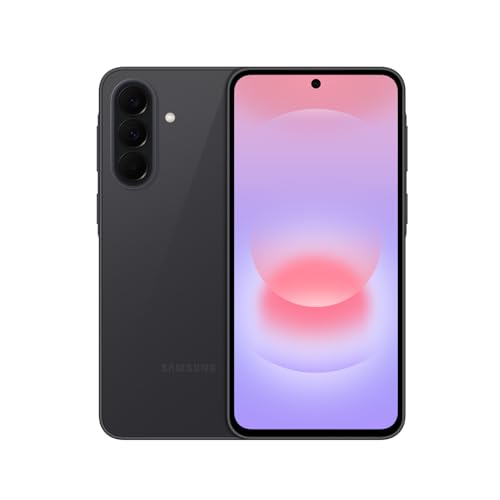
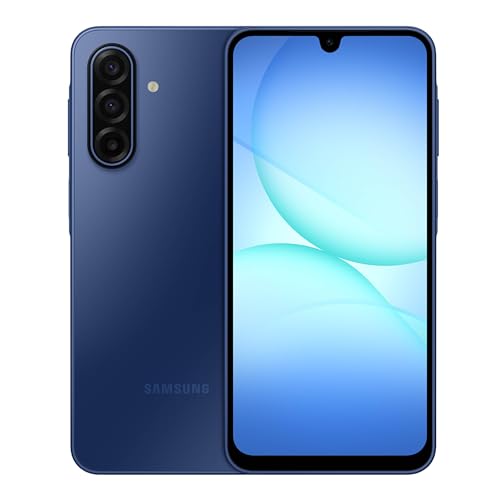
Live listings for the shortlist in this guide are pulled from Amazon below, so prices and availability are always current at the moment you look.


Final verdict on buying Android 9 today
The Android 9 generation deserves its reputation as a turning point. Pie brought gesture navigation into the mainstream, taught phones to ration their own batteries intelligently, and started a conversation about digital wellbeing that every modern platform now continues. The best phones of that era were built to a standard that still shows in their screens, cameras and construction, and in the right roles, with the right example chosen carefully, they remain satisfying tools rather than museum pieces.
Buy with your eyes open and the formula is simple. Define the job first. Inspect the individual handset harder than the model name. Treat battery health as the central question, test your essential apps immediately, and accept that software support has ended in exchange for hardware that was once the best in the world. Do those things and a Pie phone is not a compromise at all, but a deliberate, intelligent purchase. Ignore them and even the finest flagship here can become a frustration, so let patience, rather than nostalgia, drive the search.
Somewhere in a drawer or a listings page there is a Galaxy with a bright, unmarked screen, a Pixel whose camera still startles, or a Nokia that simply wants to be useful again, and finding that particular phone, checking it properly and giving it a second working life may be the most satisfying upgrade of all, precisely because it is not really an upgrade but a rescue performed with good judgement.


