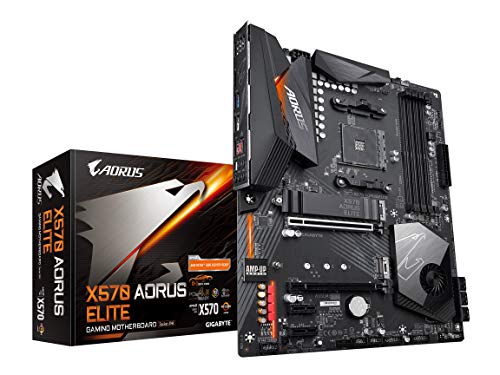
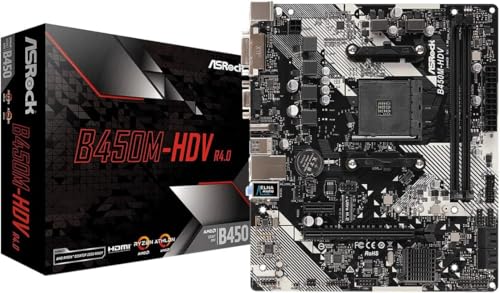
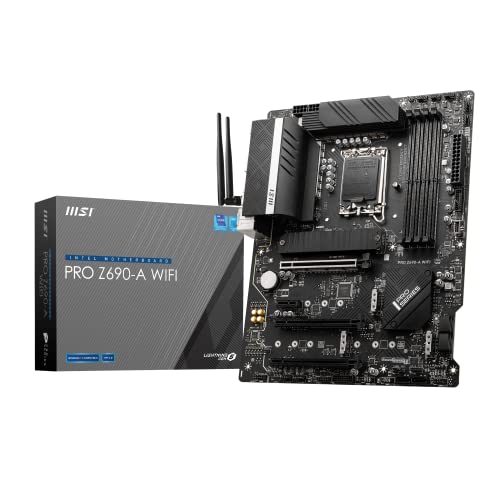
Our Top Picks
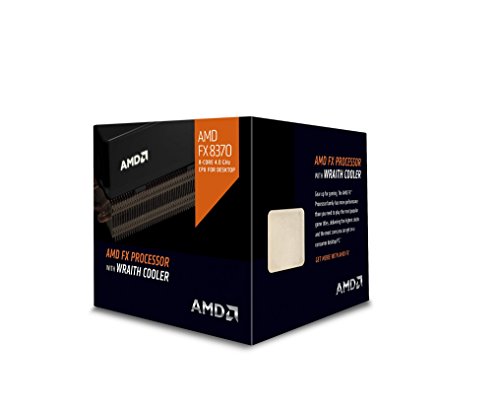
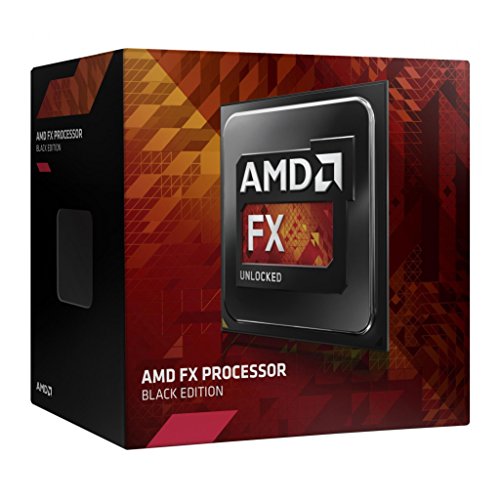 AMD FX-8370 Black Edition 8 Core CPU ProcessorCPU Only23.35 x 16.14 x 5.91 inches0.95 poundsCheck on Amazon



What's inside
- What the FX-8370 asks of a motherboard
- The shortlist at a glance
- 990FX versus 970: the chipset decision
- VRM design: the section that decides everything
- Board-by-board profiles
- The 220-watt warning: FX-9000 chips are a different conversation
- DDR3 memory: what the controller actually wants
- BIOS versions and the CPU support list ritual
- Cooling the regulator, not just the processor
- Buying used in 2026: an inspection routine
- Power supply sizing in context
- When the AM4 platform swap is the honest answer
- Storage, boot drives, and living without native NVMe
- Check prices on Amazon
- Putting the decision together
As an Amazon Associate I earn from qualifying purchases. This post may contain affiliate links at no extra cost to you.
The AMD FX-8370 occupies a particular corner of PC history. Released as part of the Vishera family built on the Piledriver core, it is an eight-core processor for socket AM3+ with a 125-watt thermal design power, a 4.0 GHz base clock, and a turbo ceiling of 4.3 GHz. Those headline numbers look modest on a modern spec sheet, yet anyone keeping an FX system running in 2026 learns quickly that the motherboard matters more for this chip than raw clock figures suggest. A board that was merely adequate for a quad-core FX-4300 can become the limiting factor for an FX-8370 under a long compile, a sustained render, or an extended gaming session, because eight Piledriver cores drawing through an ageing voltage regulator will expose weak power delivery in a way that short benchmarks never do.
Some links on this page are affiliate links. If you buy through one of them, the site may earn a commission at no extra cost to you, and that support helps keep these platform guides researched and updated. The shortlist below is ordered by documented specifications, manufacturer CPU support lists, and board design, not by commission rates.
This guide is written for three kinds of reader. The first has a working FX-8370 and a failing board, and needs a like-for-like AM3+ replacement that will not throttle the chip. The second is rebuilding a retired system for a home server, a workshop machine, or a retro gaming rig and wants to choose between the 990FX flagship tier and the cheaper 970 boards still circulating on the used market. The third is honestly undecided, and needs a clear account of when spending anything at all on AM3+ stops making sense and a platform move becomes the smarter use of the same money. All three readers need the same foundation first: what the FX-8370 actually asks of a board, electrically and in firmware.
What the FX-8370 asks of a motherboard
Socket AM3+ is a 942-pin revision of AM3, introduced so that Bulldozer and later Piledriver processors could be supported with revised power delivery and communication between the socket and the board. An FX-8370 will physically fit some older AM3 boards, and a handful of those boards received beta BIOS support, but physical fit is a poor guide. The processor expects a board whose regulator can sustain its current draw at low voltage, whose BIOS contains the correct microcode for Vishera silicon, and whose chipset and HyperTransport link run at the speeds the platform was designed around. Choosing on socket name alone is how buyers end up with a system that posts, boots, and then quietly drops clocks the moment real work begins.
The 125-watt TDP figure deserves careful reading. TDP describes a thermal envelope for cooler sizing, not a hard ceiling on electrical draw, and an FX-8370 under an all-core workload with turbo behaviour active can pull noticeably more than a casual reading of the box would suggest, particularly if a previous owner has raised voltages in the BIOS. Piledriver cores are built on a 32-nanometre process, and their power behaviour is very different from a modern 5-nanometre part: leakage is higher, voltage requirements are higher, and the gap between idle draw and full-load draw is wide. A board for this chip therefore needs headroom, not just nominal compliance with a support list entry.
Cache and memory figures complete the picture. The FX-8370 carries 8 MB of L3 cache shared across its four modules, plus 384 KB of L1 and 8 MB of L2 in total, and its integrated memory controller speaks DDR3 only. There is no DDR4 path, no PCIe lanes on the processor itself in the modern style, and no integrated graphics. Every expansion lane comes from the chipset, which is why the 990FX versus 970 decision later in this guide has real consequences for graphics cards, capture hardware, and storage adapters, and why a discrete graphics card is mandatory for any display output at all.
Base, turbo, and why sustained clocks tell the truth
An FX-8370 that holds 4.0 GHz on all cores indefinitely and boosts opportunistically toward 4.3 GHz is behaving correctly. One that oscillates between 4.0 GHz and much lower states under load, while core temperatures reported by the processor remain acceptable, is usually telling you about the board rather than the silicon. Motherboard firmware protects the regulator by signalling the processor to reduce its operating state when regulator temperatures or current limits are exceeded. Owners often chase this symptom with bigger CPU coolers, when the actual constraint sits a few centimetres away in the MOSFET array beside the socket. That single diagnostic insight shapes the whole shortlist: boards are ranked here first by the quality and cooling of their power stage, and only then by feature lists.
The shortlist at a glance
| Board | Chipset | Power design note | Best suited to |
|---|---|---|---|
| ASUS Crosshair V Formula-Z | 990FX | 8+2 phase digital design, large heatsinks | Flagship replacement, overclocking headroom |
| ASUS Sabertooth 990FX R2.0 | 990FX | 8+2 phase, ceramic-coated heatsinks | Long-service workstation rebuilds |
| Gigabyte GA-990FXA-UD5 | 990FX | 8+2 phase, dual heatsink assembly | Multi-GPU and expansion-heavy builds |
| ASRock 990FX Extreme9 | 990FX | 12+2 phase, gold capacitors | Buyers prioritising regulator headroom |
| MSI 990FXA Gaming | 990FX | 6+2 phase, mid-size heatsinks | Gaming rebuilds at a lower used price |
| ASUS M5A99FX Pro R2.0 | 990FX | 6+2 phase digital design | Balanced feature set without flagship cost |
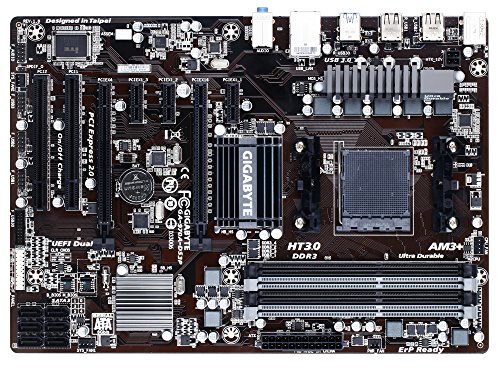
| Gigabyte GA-970A-UD3P | 970 | 8+2 phase, heatsinked regulator | The strongest of the 970 options |
| ASUS M5A97 R2.0 | 970 | 4+2 phase, partial heatsink coverage | Stock-clock use with good case airflow |
Read the table as a hierarchy of confidence rather than a set of equals. The top four boards were designed when the FX-9590 era had forced every vendor to think hard about regulator thermals, and their heatsink mass shows it. The middle tier trades some of that margin for price. The 970 entries are included because they are plentiful and inexpensive used, but they come with conditions about airflow and clock settings that the flagship boards do not impose. Every board named here appears on its manufacturer’s support documentation for Vishera processors, though the exact BIOS revision required differs and must be checked per board, as the firmware section below explains.
If you are already weighing a platform change alongside a board swap, our overview of best am4 gaming motherboards shows what the successor socket brought to gaming systems, and it is worth reading before money changes hands on older hardware.
990FX versus 970: the chipset decision
The 990FX is the full-fat AM3+ chipset. Paired with the SB950 southbridge, it provides up to 38 PCI Express lanes in total, enough to run two graphics cards at x16 each, or a wider spread of devices across its slots, and it officially supports both CrossFire and SLI multi-GPU configurations. It offers six SATA 6 Gbps ports from the southbridge, RAID 0, 1, 5 and 10 modes, and up to fourteen USB 2.0 ports, with USB 3.0 supplied by third-party controllers on most boards because the chipset predates native integration. For a single-GPU machine none of this sounds essential, yet the lane budget also decides whether an NVMe adapter card, a fast network card, and a capture card can coexist without compromises.
The 970 chipset, usually paired with the SB950 or the older SB710 southbridge depending on board revision, trims the lane count to a single x16 graphics slot configuration as its intended use, with additional slots wired at lower widths. Multi-GPU support on 970 boards, where it exists at all, runs the second card at x4 through the southbridge on many designs, a configuration whose bandwidth and latency characteristics make it a poor substitute for a true 990FX layout. SATA provision on SB950-based 970 boards matches the flagship at six 6 Gbps ports, while SB710-based designs drop to SATA 3 Gbps, a difference that matters for anyone planning to keep fast solid-state drives on the system.
HyperTransport is common ground: both chipsets support the 3.0 specification at up to 5.2 GT/s with the FX processors, so the processor-to-chipset link is not a differentiator. Neither is memory support, since the controller lives in the processor. The real dividing lines are expansion, the quality tier of boards each chipset attracted, and regulator design. Because 990FX boards were flagship products, they received the engineering budget: more PCB layers on many models, better audio sections, Intel network controllers on several designs, and the substantial regulator arrays this guide keeps returning to. The 970 boards were built to a price, and some of them cut exactly the corners an FX-8370 punishes.
How to read a chipset spec sheet honestly
Marketing pages for boards of this era list total lane counts that include southbridge lanes of narrower width and slower generation. When comparing two boards, count the lanes attached to the primary slots and note their generation, rather than comparing headline totals. A board advertising generous expansion may wire its second long slot at x4 from the southbridge, which is fine for a sound card or a SATA adapter and limiting for a graphics card or a fast storage adapter. Slot layout matters physically too: a dual-slot graphics card in the primary position can cover the neighbouring slot entirely, so the usable expansion of a board is always less than its slot count suggests. Photographs of the bare board, with slot wiring described in the manual, answer these questions more reliably than the box copy.
VRM design: the section that decides everything
The voltage regulator module converts the 12-volt supply from the power supply into the low voltage, high current feed the processor consumes. Its phases are parallel power stages that share the load in rotation: more phases generally means each stage carries less current, runs cooler, and delivers a smoother output, though component quality and heatsinking matter as much as the raw count. Vendor phase counts for this era also need decoding, because an 8+2 figure means eight phases for the core voltage and two for the memory controller and related rails, and some designs use doublers or parallel components that make headline counts optimistic. Even with that caution, the ordering in the shortlist table reflects genuine differences in sustained-load behaviour documented across years of owner experience with these specific boards.
Heatsinks are the second half of the story. A strong phase count under a decorative sliver of aluminium can still overheat, while a modest count under a large, well-mounted finned heatsink with real airflow can run an FX-8370 at stock clocks for years. Look for heatsinks that are screwed down rather than held only by plastic push-pins, for fin density rather than flat styling plates, and for a layout that places the regulator where case airflow actually travels. Several flagship AM3+ boards added heatpipe links between the regulator heatsink and the chipset heatsink, spreading heat across a larger area; that detail ages well and is worth paying a small premium for on the used market.
Temperature protection behaviour explains the most common FX complaint on the internet. When regulator components approach their limits, firmware intervenes and the processor drops to a low-power state, sometimes near 1.4 GHz, in regular pulses. To an owner this looks like a dying processor or a faulty cooler. It is neither: it is the board defending itself. Boards with weak regulators and no heatsinks at all, including some early 970 and most 760G designs, can exhibit this behaviour with a 125-watt FX chip even at stock settings in a warm room. This is why this guide excludes 760G boards outright and treats unheatsinked 970 designs as unsuitable for the FX-8370 regardless of what a support list claims.
Reading phase counts across the shortlist
The ASRock 990FX Extreme9 sits at one extreme with a 12+2 arrangement and premium capacitors, a design brief clearly aimed at the power-hungry end of the FX line. The ASUS Crosshair V Formula-Z and Sabertooth 990FX use 8+2 digital designs whose controllers allow detailed load-line and switching adjustments, useful for stabilising a chip at stock voltage as much as for overclocking. Gigabyte’s UD5 and UD7 models pair 8+2 layouts with some of the heaviest heatsink assemblies fitted to any AM3+ board. The MSI 990FXA Gaming and ASUS M5A99FX Pro step down to 6+2, which remains entirely respectable for an FX-8370 at stock or mildly raised clocks provided airflow is honest. Below that line, the 4+2 designs found on budget 970 boards are where caution begins, and the Gigabyte GA-970A-UD3P earns its place as the exception that proves the rule: an 8+2 design on a 970 board, with a proper heatsink, priced when new below many lesser boards.
Board-by-board profiles
ASUS Crosshair V Formula-Z
The Formula-Z was the halo AM3+ product, and its design priorities show in places other boards economised. Its 8+2 phase digital regulator is covered by substantial heatsinks joined to the chipset cooling, its four DDR3 slots accept up to 32 GB, and its slot layout gives two graphics cards full x16 wiring with room for additional cards at lower widths. The SupremeFX audio section and Intel gigabit networking were flagship touches when new, and both remain genuinely pleasant in a rebuild today. For an FX-8370 owner whose original board has failed and who wants the replacement question settled in one purchase, this is the board that asks the fewest follow-up questions about cooling or expansion.
Its drawbacks are the predictable ones of age and popularity. Used examples in clean condition attract collectors of the platform, and prices reflect that. The board is full ATX with an aggressive layout that assumes a spacious case, and its BIOS, while rich, presents overclocking controls prominently enough that a careless previous owner could have run the board hard for years. Inspect the regulator area for heat discolouration on any example, and confirm the I/O shield is included, because replacements are awkward to source. None of this displaces it from the top of the list; it simply means the inspection steps later in this guide matter most exactly where the money is largest.
ASUS Sabertooth 990FX R2.0
The Sabertooth trades the Formula-Z’s gaming presentation for a durability brief: components rated for extended service, ceramic-coated heatsinks intended to shed heat across a wider surface, and a layout designed for workstations that stay assembled for years. Its 8+2 phase regulator handles the FX-8370 with the same composure as its sibling, and its eight SATA 6 Gbps ports, counting the additional controller, suit storage-heavy rebuilds such as home servers repurposed from gaming systems. Owners running a machine in a dusty workshop or a warm office often favour this board precisely because its cooling design tolerates neglect better than most.
Check which revision a listing describes, because the original Sabertooth 990FX and the R2.0 differ in controller details and BIOS lineage. Also confirm the board’s accessory set: the Sabertooth line shipped with thermal monitoring extras that sellers sometimes separate. As a used purchase for a machine expected to run daily rather than impress visitors, it is arguably the most rational flagship choice on this list, frequently priced below the Formula-Z while giving up nothing that affects an FX-8370 at realistic clocks.
Gigabyte GA-990FXA-UD5 and UD7
Gigabyte’s Ultra Durable approach doubled the copper in the PCB and produced boards that feel physically substantial in the hand. The UD5 pairs an 8+2 phase regulator with a heatsink assembly that covers the power stage generously, three long PCIe slots with flexible multi-GPU wiring, and dual BIOS chips, a feature whose value grows as these boards age: a corrupted primary BIOS from a failed update is recoverable rather than fatal. The UD7 extends the same formula with still more expansion and was the board Gigabyte aimed at the extreme end of the FX market.
Revision numbers are the trap with Gigabyte AM3+ boards. The company revised several models substantially under similar names, and regulator design, controller selection, and even slot wiring can differ between a revision 1.x board and a later one. The revision is printed on the board itself, near a corner, and any serious listing should state it or show it in a photograph. Cross-check that exact revision against the CPU support page before paying, because Vishera support and the required BIOS version are revision-specific facts, not model-name facts.
ASRock 990FX Extreme9
ASRock’s flagship leaned into the regulator story harder than anyone: a 12+2 phase design, premium gold capacitors, and a front-panel USB 3.0 accessory in the box when new. On paper it is the board least likely to trouble an FX-8370 electrically, and its support documentation covers the full Vishera range. Its slot arrangement and storage provision match the other flagships, and its BIOS offers the granular voltage control that a high phase count invites.
Availability is its weakness in 2026. Fewer were sold than the ASUS and Gigabyte flagships, so clean examples appear less often, and a thin market makes pricing erratic. Buyers should also verify the small cooling fan fitted to some examples of this class of board: fans of that size age noisily, and a seized one quietly removes part of the cooling design. Where a good example surfaces at a fair price, though, the Extreme9 is a legitimate alternative to the Formula-Z rather than a curiosity.
MSI 990FXA Gaming
MSI’s entry brought the gaming-board formula of its Intel lines to AM3+: a 6+2 phase regulator with heatsinks styled for the Gaming series, a Killer networking controller, and an audio section with isolated circuitry. For an FX-8370 at stock clocks, or with the modest all-core settings many owners settle on, its regulator is sufficient in a case with a working exhaust path, and its used prices tend to sit a step below the ASUS flagships, which makes it a sensible target for a gaming rebuild being done on a budget that still respects the chip’s demands.
The honest caveat is margin. This is not the board for sustained overclocking experiments or for a sealed case in a hot room, and its heatsinks, while real, are smaller than those on the UD5 or Sabertooth. Treat it as a board that respects the FX-8370’s stock specification comfortably and asks the owner to respect its own limits in return. Confirm the exact model name when shopping, since MSI sold several similarly named 970 and 990FX boards with meaningfully different power stages.
ASUS M5A99FX Pro R2.0
The M5A99FX Pro occupies the sensible middle of the 990FX range: a 6+2 phase digital regulator, four long PCIe slots with dual x16 capability, and the same core BIOS quality as the flagship ASUS boards without their audio and networking extras. It was a popular board, which helps the used buyer twice over: supply is comparatively plentiful, and the accumulated owner knowledge about its behaviour with Vishera chips is deep. For many rebuilds this is the price-to-confidence sweet spot.
Distinguish it carefully from the M5A99X EVO, a 990X board with a different slot arrangement, and from the M5A97 line, which belongs to the 970 tier. Model-name confusion is the single most common buying error in this market segment, because the names differ by one character and the photographs look similar at thumbnail size. The full name is silkscreened between the slots on the board; ask for a photograph that shows it whenever a listing is ambiguous.
Gigabyte GA-970A-UD3P
Every guide to this platform needs an answer for the buyer whose budget will not stretch to a flagship, and the UD3P is the strongest version of that answer. Unusually for a 970 board, it carries an 8+2 phase regulator with a proper heatsink, which is why it developed a following among FX-8320 and FX-8350 owners who could not justify 990FX prices. It accepts the FX-8370 on its support list, runs it at stock clocks without the pulsing throttle behaviour that plagues weaker 970 designs, and its six SATA 6 Gbps ports keep storage options modern enough for a solid-state boot drive and bulk disks.
Its compromises live in expansion and features rather than power: a single graphics card is the realistic configuration, board-level extras are minimal, and the audio and networking are ordinary. It also shares the Gigabyte revision caveat, with later revisions being the ones to seek. Chosen knowingly, with airflow arranged to wash over the regulator heatsink, it is a legitimate home for an FX-8370. Chosen blindly as a generic cheap 970 board equivalent, it teaches the wrong lesson, because its cheaper siblings from every vendor are not its equals.
ASUS M5A97 R2.0 and the cautious tier
The M5A97 R2.0 represents the tier where this guide’s advice turns conditional. Its 4+2 phase regulator carries partial heatsink coverage, and its support documentation includes the FX-8370, yet the margin for warm rooms, dusty heatsinks, or raised voltages is thin. In a well-ventilated case, at stock settings, with the BIOS power limits left alone, it can run the chip. That sentence contains three conditions, and a buyer who cannot guarantee all three should save toward the UD3P or a 990FX board instead.
Boards below even this tier should be declined for this processor. Unheatsinked 4+1 designs, 760G boards with FX support added by BIOS update, and the flood of no-name AM3+ boards sold through general marketplaces share a pattern: support on paper, throttling in practice, and in the worst cases regulator failure that can take the processor with it. The price gap between those boards and a UD3P is small in 2026. The risk gap is not.
Readers comparing chipset generations more broadly will find the historical context in our guide to best 400 series motherboards, which covers the boards that began the AM4 transition and shows how quickly the platform picture changed after AM3+ ended.
The 220-watt warning: FX-9000 chips are a different conversation
Any discussion of AM3+ power delivery eventually meets the FX-9370 and FX-9590, the 220-watt members of the Vishera family. They are mentioned here only to keep them separate. A board that runs an FX-8370 beautifully is not automatically a board for an FX-9590, and several boards on this shortlist carry explicit manufacturer notes restricting or conditioning 9000-series support. The current draw of those chips under load stresses regulator designs, socket contacts, and even the 8-pin CPU power cabling in ways the 125-watt parts never approach, and AMD itself originally positioned them for liquid cooling and selected flagship boards.
The practical risk runs in the other direction as well. Sellers sometimes market an ordinary 990FX board by listing every FX processor in its description, including the 220-watt models, without the conditions the manufacturer attached. A buyer shopping for an FX-8370 board who later decides to try a bargain FX-9590 in the same board is stepping outside the envelope this guide endorses. Keep the two conversations apart: this shortlist is validated, in documentation and design terms, for the 125-watt FX-8370 and its 95-watt and 125-watt siblings. Anyone determined to run a 9000-series chip should start from the very short list of boards whose makers support it unconditionally, and budget for cooling accordingly.
DDR3 memory: what the controller actually wants
The FX-8370’s memory controller officially supports DDR3 at 1866 MHz, with two DIMMs per channel configurations and the usual dependence on module count and rank arrangement. Four populated slots at high speed ask more of the controller than two, which is why many long-term FX systems settle on two 8 GB modules rather than four 4 GB ones for a 16 GB total: fewer modules, an easier time holding rated speed, and a spare upgrade path that, realistically, will never be used but costs nothing. Boards on this shortlist provide four slots and a 32 GB ceiling, which is the platform maximum in practical terms.
Realistic expectations matter more than headline overclocking figures. Board marketing from the era advertised DDR3 speeds well beyond 2000 MHz, achievable with the right modules and patience, but the performance difference for an FX-8370 between a stable 1866 MHz configuration with tight timings and a fragile 2133 MHz one is small in everyday workloads, while the stability difference is not small at all. For a rebuild intended to serve quietly for years, rated speed with the manufacturer’s tested timings, set through the memory profile in the BIOS and then verified with an overnight memory check, is the configuration this guide recommends. Pursuing memory records belongs to a different kind of project, on hardware bought for that purpose.
Mixing modules and other quiet traps
Used builds attract mixed memory: two modules from one kit, two from another, matched in capacity and speed on the label. The FX memory controller tolerates this unevenly. Differences in chip organisation between kits that share a headline specification can produce a system that boots, passes a short check, and corrupts data under a specific load pattern weeks later. Wherever possible, populate the board with a single matched kit. Where mixing is unavoidable, run the combined set at the slower kit’s timings, increase checking from a quick pass to an overnight run, and treat any error, even one, as a failed configuration rather than a quirk to be lived with.
BIOS versions and the CPU support list ritual
Vishera support was delivered to many AM3+ boards by BIOS update, which creates the platform’s most avoidable failure: a board whose installed BIOS predates FX-8370 support will not boot with the chip fitted, presenting as a dead system with fans spinning and no display. The processor is fine, the board is fine, and the pairing is fine on paper; only the firmware is too old. Every purchase should therefore begin at the manufacturer’s CPU support page for the exact board and revision, where each processor model is listed beside the minimum BIOS version that supports it.
Reading that page properly takes a minute and saves a week. Find the FX-8370 entry, note the BIOS version in its row, and then ask the seller which version the board currently runs, or whether they can update it before shipping using an older supported processor. If the seller cannot answer, price the board as if an update will be needed and confirm you have a path: a borrowed older AM3 processor, a local shop willing to flash it, or, on boards with a USB BIOS recovery feature that works without a processor fitted, a prepared memory stick. ASUS boards of this era with USB BIOS Flashback are prized partly for exactly this reason, since the feature removes the chicken-and-egg problem entirely.
Updating safely on old hardware
When an update is needed, follow the discipline that applied when these boards were new, because the failure modes have not changed. Download the BIOS only from the board maker’s support page for the exact model and revision. Update from within the BIOS utility using a freshly formatted USB stick rather than from a desktop utility. Ensure the machine is on a reliable power source, never interrupt the process, and after the update, load optimised defaults before re-entering any custom settings, since old settings carried across versions are a recurring source of phantom instability. Record the previous version number before starting; if the new version misbehaves, knowing where you came from is the beginning of recovery.
Microcode is the quiet half of this story. Beyond simply booting, later BIOS versions for these boards refined memory compatibility, device behaviour, and in some cases the power management quirks that produced odd clock behaviour under specific loads. A board already running the final BIOS for its revision is worth a small premium over an identical board on an early version, not because updating is hard, but because a seller who kept firmware current usually kept the rest of the machine’s maintenance current too. It is a soft signal, and experienced used buyers learn to read soft signals.
Our coverage of the boards that followed this era, including best 550 motherboards, is useful background here, because the AM4 support-list ritual will feel familiar to anyone who learns it on AM3+ first.
Cooling the regulator, not just the processor
Case airflow planning for an FX system differs from a modern build in one crucial respect: the components most at risk sit beside the socket, and the cooler style decides whether they receive any air. The large tower coolers that dominate modern builds draw air across their fin stacks and exhaust it toward the rear fan, but they leave the regulator heatsinks in still air beneath them. The downdraft coolers common when the FX line was current blew air outward across the socket area as a side effect, quietly cooling the power stage. Neither style is wrong, but a tower cooler on an FX-8370 board should be paired with deliberate airflow: a rear exhaust close to the regulator area, a top exhaust where the case provides one, and intake that keeps the whole socket region in the airstream rather than in a pocket.
Small spot fans are the enthusiast answer and remain effective: a low-speed 40 mm or 50 mm fan directed at the regulator heatsink transforms its temperature under sustained load. Owners of flagship boards rarely need this at stock clocks, while owners of mid-tier 970 boards running an FX-8370 through long workloads often find it the difference between stable clocks and pulsing throttling. Whichever approach is chosen, verify it the empirical way: run the machine’s real workload for half an hour, then check clock behaviour in a monitoring tool. A processor that holds its clocks through that window, in the warmest room the machine will live in, has passed the only airflow examination that counts.
Thermal paste, pads, and heatsinks that have moved
On a used board, inspect how the regulator heatsinks sit. Heatsinks held by spring pins can tilt if a pin has weakened, leaving one end lifted and the thermal pad beneath barely touching the MOSFETs it serves. A gentle check for rocking movement, done with the board out of the case and power disconnected, reveals this in seconds. Thermal pads of this age also dry out; a board being rebuilt for years of service justifies replacing the pads under the regulator heatsink with fresh ones of the same thickness, a cheap intervention that restores the contact the design assumed. Note the original thickness before removing anything, because a pad that is too thick holds the heatsink off the components it must touch, and one that is too thin leaves a gap.
Buying used in 2026: an inspection routine
Almost every board in this guide will be bought used, and the inspection routine matters as much as the model choice. Begin with capacitors. The flagship boards here use solid polymer capacitors around the socket, which do not bulge in the classic electrolytic style, but cheaper boards and the secondary circuits of good boards still carry electrolytics. A capacitor with a domed or split top, or residue at its base, is a board declining gracefully toward failure; one failed capacitor in a regulator-adjacent circuit is a reason to walk away rather than negotiate. Photographs in listings are often too compressed to show this, so ask for a close photograph of the socket area specifically. A seller who refuses close photographs is providing information, just not the kind they intended.
Socket inspection comes next. AM3+ is a pin-grid array design where the pins live on the processor rather than in the socket, which changes the failure mode: instead of bent socket pins, look for damaged or widened socket holes, debris lodged in the array, and a retention lever that moves stiffly or fails to lock with a positive feel. Check the processor you already own with equal care, since its pins are the fragile half of the interface: a single bent pin, straightened carefully with a mechanical pencil barrel or a card edge under good light, is recoverable, while a missing pin in a power or ground position may work and a missing pin in a signal position may not. Knowing which situation you are in before the board arrives prevents a misdiagnosed pairing.
The I/O area tells a board’s storage history. Corrosion on the rear ports, green or white deposits around the USB and network connectors, suggests a machine that lived in humidity, near the sea, or in a smoking environment, and corrosion rarely confines itself to the parts you can see. Smell is diagnostic too, and unglamorous: a board that carries a strong stale-smoke odour will distribute it through your case for months. Check the board edges for cracks near the mounting holes, the back of the board for scratches deep enough to cut traces, and the PCIe slot latches, which snap off under careless graphics card removal and make a heavy card’s retention a matter of screw tension alone.
Questions that separate good listings from bad ones
- Which exact revision is the board, and can you photograph the revision marking and the socket area?
- Which BIOS version is installed, and which processor was last run in the board?
- Is the I/O shield included, and are any accessories, such as SATA cables or SLI bridges, in the box?
- Has the board ever run a 220-watt FX processor, or been used for extended overclocking?
- Are all memory slots and PCIe slots known working, and when was the board last powered on?
- Is the CMOS battery fresh, or at least recent enough that settings survive a power cut?
None of these questions is exotic, and a seller who has genuinely used and maintained the board answers them easily. Vague answers about a board described as untested should be priced as a faulty board, because in this market untested usually means tested and disappointing. Boards sold as part of a bundle with a processor and memory carry one advantage: the seller can demonstrate the combination posting. A short video of the bundle reaching its BIOS screen, showing the recognised processor name and memory total, is worth more than any paragraph of assurances.
First power-on protocol for a used board
Assemble the board outside the case first, on its box or another non-conductive surface, with the processor, one memory module in the slot the manual specifies for single-module use, a graphics card, and a known-good power supply. This minimal bench build isolates faults: if the combination will not post on the bench, the case, its standoffs, and its front-panel wiring are already eliminated from suspicion. Fit a fresh CMOS battery before judging any odd behaviour, because a decade-old battery at the edge of its voltage produces symptoms that imitate deeper faults, from lost settings to refusal to start after power interruptions.
Once the bench build posts, enter the BIOS and simply look. Confirm the processor is recognised by its full name, check that temperatures settle rather than climb at idle, verify every fan header you intend to use responds, and then add components one at a time: remaining memory, storage, additional cards. An hour spent this way is the cheapest insurance in the entire rebuild, and it produces a known-good baseline against which any later problem can be compared. Only then does the board go into the case, with standoffs checked against the board’s mounting holes before a single screw turns.
Power supply sizing in context
An FX-8370 system with a mid-range graphics card draws far less than folklore suggests, and far more than a bargain power supply should be trusted with. The processor under full load, a graphics card in the class these systems usually pair with, several drives, and fans will typically sit in a band that a quality 550-watt unit covers with room to spare, while a system with a flagship graphics card of the same era wants 650 watts or more. What matters more than the headline number is the quality of the unit and the integrity of its 12-volt delivery, because the processor’s regulator draws through the 8-pin EPS connector and a weak unit shows its weakness as instability under combined processor and graphics load rather than as a clean shutdown.
Age applies to power supplies as much as to boards. A decade-old unit of unknown history, however impressive its original rating, is a poor foundation for a rebuild expected to last years; capacitor ageing inside a power supply is invisible without opening a housing that should not be opened. Budget for a new, reputable unit as part of the rebuild and treat the old one as a bench spare for first power-on work. Confirm the unit provides the 8-pin CPU connector these boards expect rather than only a 4-pin, and route that cable so it does not cross the regulator heatsinks and obstruct the airflow the previous sections worked to arrange.
When the AM4 platform swap is the honest answer
There is a point in every AM3+ rebuild calculation where honesty intrudes. A used flagship board in clean condition, a new power supply, and perhaps fresh memory can together approach the cost of an entry AM4 combination built around a far newer processor, and the AM4 machine will be faster in every workload, dramatically more efficient, and supported by a living upgrade path. The FX-8370’s eight threads, respectable in their day, are matched or passed by modest modern six-core parts that draw a fraction of the power and run on boards with native NVMe support, modern USB, and current security updates in firmware.
The case for staying is real but specific. Staying makes sense when the processor, memory, and cooler are already owned and only the board has failed, when the machine’s duties are light or deliberately retro, when a particular piece of older hardware or software needs a period-correct platform, or when the rebuild is itself the hobby. It stops making sense when the shopping list grows to include a processor and memory as well, because at that point the buyer is acquiring an entire obsolete platform at near-modern money. Price the full basket both ways before committing; the comparison takes ten minutes and is the most valuable step in this entire guide for the undecided reader.
Display outputs illustrate the generational gap neatly: AM3+ boards offer none for this processor, while later platforms normalised multiple display connections, a shift traced in our roundup of best 2 hdmi motherboards for readers planning a modern multi-monitor desk.
Storage, boot drives, and living without native NVMe
Storage planning on AM3+ begins with an absence: no board in this guide offers an M.2 slot wired for NVMe booting as a native, supported feature. The six SATA 6 Gbps ports from the SB950 southbridge are the intended foundation, and a good SATA solid-state drive on one of them still transforms an FX system compared with the spinning disks most of them shipped with. Boot times, application launches, and the general responsiveness of the machine all improve out of proportion to the modest cost of a modern SATA drive, and for the duties these systems now perform, that improvement captures most of what storage upgrades can offer.
Adapter cards change the picture only partly. A PCIe card carrying an NVMe drive will usually work as a data drive once the operating system is running, because the operating system brings its own driver for the device. Booting from that same drive is the difficult part, since the board’s firmware must know how to start from it, and stock AM3+ firmware predates the NVMe boot convention. Modified firmware and bootloader workarounds exist in enthusiast communities, and they can succeed, but they convert a storage upgrade into a firmware project with a bricked board as the failure mode. For a machine being rebuilt for dependable service, this guide’s position is plain: boot from SATA, and if a fast NVMe data drive is genuinely needed, add it on an adapter as a secondary volume with the boot path left simple.
RAID deserves a similarly sober paragraph. The SB950 offers RAID 0, 1, 5 and 10 modes through its firmware, and for a home server rebuild the mirrored option can keep a system running through a single drive failure. Firmware RAID of this era, however, ties the array to this chipset family: if the board dies, recovering the array generally means finding another board with a compatible southbridge, which is one more argument for keeping a same-family spare in mind when an FX system becomes a server. Independent backups matter more than the array mode, because a mirror faithfully reproduces accidental deletions and corruption as efficiently as it survives a dead drive.
Troubleshooting the three failures everyone meets
The first classic failure is the no-boot with a newly fitted FX-8370, already covered by the BIOS discussion: fans turn, nothing displays, and the cause is firmware older than the processor. The second is the system that boots and works, yet drops to low clocks under load, which the regulator sections address: check heatsink contact, airflow direction, and whether a previous owner’s settings raised voltages beyond what the board’s cooling assumed. The third is subtler: a machine that is stable in short sessions and fails only after hours, which points toward heat-soaked components, a marginal power supply, or memory that passes quick checks and fails long ones. Each failure has a different signature and a different remedy, and the habit of writing down when a fault occurs, under what load, and at what room temperature turns guesswork into diagnosis remarkably quickly.
One more diagnostic habit is worth adopting before any part is condemned: reduce the machine to the bench configuration described earlier and rebuild it one component at a time. Intermittent faults on decade-old platforms are as often connector faults as component faults, and reseating memory, cards, and power connectors during a methodical rebuild cures a surprising share of them. A can of contact cleaner, used sparingly on slot contacts with power long disconnected, belongs in the FX owner’s toolkit for the same reason.
Check prices on Amazon
Live listings for the shortlist in this guide are pulled from Amazon below, so prices and availability are always current at the moment you look.


Putting the decision together
For the owner replacing a failed board under a healthy FX-8370, the Sabertooth 990FX R2.0 and the GA-990FXA-UD5 are the calm choices: strong regulators, generous cooling, deep used supply, and documentation that makes the BIOS check straightforward. For the builder who wants the platform’s best and accepts collector pricing, the Crosshair V Formula-Z remains the definitive AM3+ board. For the strict budget, the GA-970A-UD3P is the only inexpensive board this guide recommends without a page of conditions, and even it asks for honest airflow. Everything else is a variation on those three answers, adjusted for what a given week’s listings happen to contain.
Whichever board is chosen, the sequence is the same: verify the exact revision against the support list, confirm the BIOS situation before the board ships, inspect the socket area and capacitors on arrival, bench-build before case installation, arrange airflow for the regulator as deliberately as for the processor, and judge success by clocks held through a long real workload rather than by a successful first boot. An FX-8370 treated this way still delivers honest service in 2026, in the roles it remains suited to. The platform rewards owners who respect its electrical realities and quietly punishes those who shop by socket name alone.
Start with the support list, end with a machine that holds its clocks through a summer afternoon, and let every purchase in between be justified by the regulator outward.