Our Top Picks



What's inside
- What 16GB actually holds in practice
- Full-size SD or microSD with an adapter
- Speed classes decoded without the fog
- UHS-I, UHS-II, and the bus behind the card
- Where a 16GB card fits beautifully
- Where 16GB runs out too fast
- Endurance, temperature, and honest longevity
- Formatting, file systems, and device quirks
- Reading a product listing like an editor
- Handling habits that keep data alive
- Comparing against the bigger siblings
- Troubleshooting a card that misbehaves
- Matching card tiers to common devices
- Random performance and application classes
- How controllers, caches, and cell types shape behaviour
- Speed in the real world: offloading and everyday copies
- Disclosure and sourcing for this guide
- Buying for specific hosts: a short field manual
- Environmental care and storage over years
- Worked examples: sizing three real jobs
- What to do on the day a new card arrives
- Second-hand cards and hand-me-downs
- Check prices on Amazon
- Closing judgement on the small card
As an Amazon Associate I earn from qualifying purchases. This post may contain affiliate links at no extra cost to you.
Sixteen gigabytes sounds modest in an era of terabyte phones, yet this capacity refuses to disappear from drawers, camera bags, and parts bins. It persists because plenty of devices ask for exactly this much room and no more: a trail camera that stores a season of still photographs, a dashcam that overwrites its oldest footage every few hours, an embedded controller that boots from a card it barely touches, a small computer that needs a system image and a little working space. Buying a 16GB card well means ignoring the headline capacity and reading the speed markings, the card family, and the endurance design instead. This guide walks through what those markings promise, where a card of this size genuinely fits, where it runs out too quickly, and how formatting and handling decide whether the card serves for years or fails during its first busy month.
Capacity context matters from the start. A 16GB card belongs to the SDHC family, which covers cards above 2GB and up to 32GB, and that family membership decides the factory file system and the oldest devices that can read it. Larger relatives follow different rules, and readers weighing a step up can compare the landscape in the overview at best 128 gb sd cards, where the SDXC family and its exFAT formatting take over. Staying at 16GB keeps compatibility with a long tail of older cameras, printers, sewing machines, industrial panels, and audio recorders that never learned to read the bigger family at all.
What 16GB actually holds in practice
Formatted capacity always lands below the printed number. Card makers count a gigabyte as a billion bytes, while operating systems often report in binary units, so a card sold as 16GB appears as roughly 14.8 GiB once a computer reads it, and the file system reserves a little more for its own tables. Photographers should plan around that smaller figure. A camera writing 24-megapixel JPEG files of about 8 MB each stores roughly 1,800 frames on the usable space, while the same camera writing raw files near 30 MB each fits closer to 480 frames. Mixed shooting lands between those poles, and burst-heavy sports work eats the raw figure quickly.
Video arithmetic differs because bitrate, not file count, rules the day. A camera recording at 25 Mbps consumes about 11 GB per hour, so a 16GB card holds a little under an hour and a half after formatting losses. At 50 Mbps the same card manages roughly forty minutes, and at 100 Mbps it drops near twenty minutes, which suits short clips and interviews in segments but frustrates anyone recording a full school concert in one take. Dashcams write far leaner streams, commonly between 8 Mbps and 20 Mbps per channel, stretching the same space across several hours before the loop overwrites the beginning.
Audio and data jobs stretch the capacity furthest. A field recorder capturing stereo WAV at 44.1 kHz and 16 bits uses about 10 MB per minute, giving more than a full day of continuous recording on one card, while compressed MP3 recording at typical spoken-word settings extends that to weeks of meetings or lectures. A small computer system image often occupies between 2 GB and 8 GB once installed, leaving the rest for documents, logs, and updates. Judging the card against the real appetite of the device, rather than against capacities advertised for phones, is the habit that prevents both overspending and mid-job shortages.
Full-size SD or microSD with an adapter
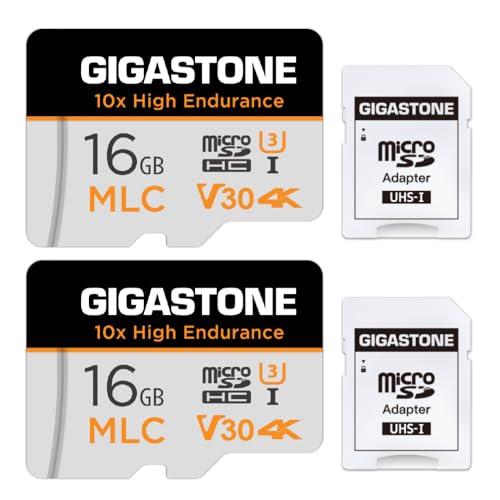
The 16GB capacity exists in both physical shapes. Full-size SD cards slide directly into cameras, laptops, and printers with matching slots. MicroSD cards serve phones, action cameras, drones, and single-board computers, and they reach full-size slots through a passive adapter that simply reroutes the contacts. That adapter adds a failure point worth respecting: a worn adapter can cause intermittent contact that looks exactly like a dying card. When a microSD card misbehaves inside an adapter, trying a fresh adapter costs little and often ends the mystery before any data recovery adventure begins.
Contact condition matters more as cards age. The gold fingers on a card pick up pocket lint, skin oil, and fine dust, and a device that reads three cards but not a fourth is often reporting dirty contacts rather than electronic death. A dry, lint-free cloth restores most cases. Bent adapter shells and cracked microSD edges, by contrast, retire a card from trustworthy service even when it still mounts, because vibration in a vehicle or a drone will find that weakness at the worst moment. Cards destined for rough environments deserve a rigid storage case rather than a loose life in a glovebox.
Speed classes decoded without the fog
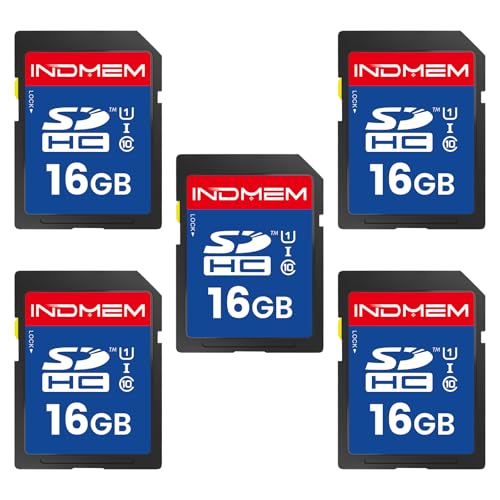
The oldest marking, the plain speed class, promises a minimum sustained write speed in megabytes per second: class 2 guarantees 2 MB/s, class 4 doubles that, class 6 reaches 6 MB/s, and class 10 guarantees 10 MB/s. That guarantee concerns sequential writing under standardised conditions, which maps closely to video recording and continuous photo bursts. Nearly every reputable 16GB card sold today carries class 10, so the marking alone no longer separates good cards from mediocre ones. It remains useful as a floor: anything below class 10 belongs to an earlier era and should stay out of cameras entirely.
The UHS speed class refines the same promise for newer cards. A U1 marking guarantees a minimum sustained write of 10 MB/s, matching class 10, while U3 raises the floor to 30 MB/s. That higher floor matters for 4K video, for high-bitrate 1080p modes, and for cameras that write large raw bursts to the card while the photographer keeps shooting. A card can carry both a class 10 logo and a U3 logo, since the systems overlap; the U number is the one to trust when both appear. Readers who want the deeper taxonomy of application-focused markings can continue into best a2 sd cards, which explains how random performance ratings build on these sequential foundations.
Video speed class markings, printed as a V followed by a number, state the same sustained write floor in a newer notation: V10 means 10 MB/s, V30 means 30 MB/s, and the scale climbs through V60 and V90 for cinema work. At the 16GB size, V10 and V30 dominate, and either serves the devices this capacity suits. A V30 card gives a camera generous headroom for its most demanding 1080p modes and for moderate 4K bitrates, while a V10 card still covers dashcams, trail cameras, and recorders comfortably. Paying for V60 or V90 at this capacity rarely makes sense, because a device hungry enough to need those speeds also tends to need far more room than 16GB provides.
UHS-I, UHS-II, and the bus behind the card
The Roman numerals after UHS describe the bus, the electrical pathway between card and device. UHS-I cards use a single row of contacts and top out at a theoretical 104 MB/s in their fastest signalling mode, with many cards and readers running at half that rate. UHS-II adds a second row of contacts and lifts the ceiling to 312 MB/s, while UHS-III doubles that figure again on paper but barely exists in shops. At 16GB, UHS-I rules the market almost completely, and sensibly so: the devices that accept small cards seldom include UHS-II slots, and a UHS-II card in a UHS-I device simply runs at UHS-I pace.
Read speed and write speed deserve separate attention because cards balance them differently. A card might read at 95 MB/s yet write at 40 MB/s, which feels quick when emptying photographs to a laptop and merely adequate when a camera clears a long burst. Product listings often headline the read figure in the largest type, so the write figure needs a deliberate hunt through the specification table. For a dashcam or a data logger, sustained write behaviour across the whole card matters more than either peak, because the device writes continuously and a card that slows after its cache fills will drop footage or samples without complaint.
Bus speed also interacts with card readers during offload. A UHS-I card in an older USB 2.0 reader crawls at a fraction of its ability, and blaming the card for a slow evening transfer misdiagnoses the bottleneck. A decent USB 3.x reader with a UHS-I slot lets the card show its real pace and shortens the copy-verify cycle that careful photographers run after every shoot. Readers built into laptops vary enormously; some connect through fast internal pathways, others through hardware that caps transfers near USB 2.0 rates regardless of the card inserted.
Where a 16GB card fits beautifully
Trail cameras and remote stills
A trail camera watching a garden gate or a forest path wakes, fires a short burst of stills or a brief clip, and sleeps again. Even a busy site rarely generates more than a few hundred images a week, so 16GB can hold a whole season of visits from foxes, hedgehogs, and the neighbour cat. The card speed demands stay gentle, because the camera writes a handful of JPEG files at a time and then rests. Endurance against cold nights, damp air, and months of unattended service matters far more than any speed logo, which is why a card rated for outdoor temperature ranges earns its place here.
Dashcams and loop recording
Loop recording turns capacity into time rather than storage. A single-channel dashcam writing at 12 Mbps keeps roughly three hours of driving on a 16GB card before the oldest segment disappears, and a dual-channel unit halves that window. Drivers who want a full week of commuting preserved should look larger, but drivers who mainly need the last journey protected after an incident find this size adequate. The real buying criterion is endurance: loop recording rewrites the card constantly, and a card built for surveillance-style workloads survives that punishment far longer than a bargain card designed for occasional holiday photographs.
Single-board computers and embedded boards
A small computer booting from microSD treats the card as its system disk. The operating system, a desktop or server stack, and a working set of files sit comfortably inside 16GB for many builds, especially headless ones that log data or run a home service. Write patterns here differ sharply from camera work: the system writes many small files, updates package databases, and appends logs at random offsets. Random write stamina and honest behaviour during a power cut matter more than sequential peaks. Makers of these boards publish card guidance for a reason, and a card that corrupts its file system after every outage usually suffers from weak random performance or from counterfeit capacity rather than from the board itself.
Audio recorders, printers, and legacy gear
Voice recorders, multitrack audio desks, embroidery machines, older satnav units, and photo printers often accept SDHC cards and nothing newer. For these devices a 16GB card is not a compromise but the ceiling of what the slot understands, or close to it. Speed requirements stay minimal, while correct formatting becomes the whole game: many such devices insist on formatting the card internally, and a card prepared that way then works flawlessly for years. Keeping one known-good card reserved for each legacy device, labelled and stored with it, prevents the classic muddle where a reformatted card returns to a machine that no longer recognises it.
Where 16GB runs out too fast
Modern mirrorless cameras expose the limit quickly. A wedding photographer writing raw files through a long ceremony can pass 16GB before the speeches begin, and a card swap at the wrong moment costs photographs that cannot be restaged. Video-first creators hit the wall sooner still, since a single 4K project afternoon can consume several cards of this size. High-frame-rate modes multiply the problem because the camera writes the same seconds of action into far more data. For these workloads the small card survives only as an emergency spare in the bag, a role it fills honourably but should not be promoted beyond.
Action cameras and drones sit in a similar position. Their bitrates stay high, their sessions run long, and their owners review footage in batches rather than continuously. A 16GB card in a drone also raises a practical worry: a card that fills mid-flight ends the recording, and the most interesting minute of a landscape flight has a habit of arriving near the end. Owners of such devices generally standardise on larger capacities and treat any small card found in a drawer as a bench card for firmware updates and quick experiments. Readers outfitting a phone with removable storage will find sizing advice tuned to that job in best android micro sd cards.
Endurance, temperature, and honest longevity
Flash memory wears out by erasure cycles. Each cell tolerates a limited number of program-and-erase rounds before it can no longer hold charge reliably, and the controller inside the card spreads writes across cells to even the wear. Cards built for continuous recording use memory and controllers chosen for that grind, and their makers state endurance in hours of video written rather than in vague durability language. A standard card pressed into dashcam duty may work for months and then begin dropping segments, corrupting its directory, or locking itself read-only as a final defensive act.
Temperature ratings separate fair-weather cards from serious ones. Many cards specify operation from minus 25 degrees Celsius to plus 85, a range that covers a frozen trail camera and a sun-baked dashboard alike, while cheaper cards quietly assume indoor conditions. Storage temperature runs wider still, but a card left on a dashboard through a summer of heatwaves ages faster than its calendar suggests. Water resistance, shock tolerance, and X-ray resilience appear in maker literature with varying rigour; the airport scanner claim is broadly safe across brands, while waterproof claims deserve a check of whether the rating survives a cracked casing.
Counterfeit cards remain the ugliest hazard in this market. A fake often reports 16GB, or far more, while holding a fraction of that in real cells, wrapping addresses so early files appear safe until new writes silently overwrite them. The defence is boring and effective: buy from authorised sellers, be suspicious of prices far below the going rate, and verify a new card with a full write-and-read check before trusting it with anything that matters. A verification pass writes every sector and reads it back, exposing wrapped capacity in under an hour for a card this size. Skipping that check to save an hour risks losing a whole trip of photographs later.
Formatting, file systems, and device quirks
SDHC cards leave the factory formatted as FAT32, a file system with one famous limit: no single file may exceed 4GB. Cameras work around that ceiling by splitting long recordings into chained segments, which is why a continuous dashcam journey appears as a folder of short clips rather than one long file. Computers happily copy files onto a FAT32 card until a single large video export refuses to fit despite acres of free space, a moment that confuses many owners each year. Reformatting a 16GB card to exFAT removes the file size limit but can render the card invisible to older devices that expect FAT32, so the change belongs only to cards dedicated to modern hosts.
The golden rule of formatting is simple: format in the device that will use the card. A camera writes its preferred cluster size, folder structure, and database files during its own format routine, and it then records without hesitation. A computer format may look identical yet choose parameters the camera dislikes, producing the classic card error message on the morning of an important shoot. The official formatter utility published by the SD Association restores a card to standard parameters when a card has been through many hosts and file systems, making it the right reset button before a device-side format.
Write-protect switches on full-size cards cause a particular flavour of panic. The small sliding tab can drift toward the locked position as a card enters a slot, and the device then reports a protected card that refuses all writes. Checking that tab belongs near the top of any troubleshooting list, alongside reseating the card and trying a second reader. MicroSD cards carry no switch, but their adapters do, and a locked adapter blocks the card inside it just as firmly. These mechanical details sound trivial until one of them cancels a recording session.
Reading a product listing like an editor
A trustworthy listing separates its claims. It states the capacity, the card family, the bus, and the speed classes in a specification table, then gives read and write figures as distinct numbers with test conditions nearby. A listing that shouts a single speed in the title while hiding the write figure in a footnote image deserves suspicion. Photographs of the card itself help, because the printed markings on a genuine card match its specification: a card photographed with a U3 logo but specified as U1 in the table signals a listing assembled carelessly, or worse, assembled from another product entirely.
Packaging carries information too. Sealed retail packaging with a serial number, a stated warranty term, and a regional support address points toward a supply chain the maker acknowledges. Loose cards in unmarked sleeves, sold in bundles at implausible prices, sit at the opposite pole. Warranty length at this capacity often runs from five years to lifetime coverage with registration, and the claim process usually asks for the card itself plus proof of purchase. Keeping the receipt in an email folder takes seconds and turns a failed card from a total loss into a replacement errand.
Brand behaviour after a failure matters as much as the failure rate. Makers with clear support pages publish firmware notes for their readers, explain their endurance lines in plain language, and distinguish their surveillance, industrial, and consumer families honestly. Industrial ranges deserve a mention here: they cost more per gigabyte, publish operating ranges and endurance figures prominently, and suit embedded builders who need a card that behaves identically across a production run. A hobbyist may never need that tier, yet its existence signals which makers engineer for documented duty rather than for shelf appeal.
Handling habits that keep data alive
Most card corruption begins with an interrupted write. Removing a card while a camera still flushes its buffer, or cutting power to a small computer without shutting it down, leaves a file system mid-sentence. Waiting for the activity light to settle, using the device shutdown command, and ejecting the card properly from a computer all protect the directory structure that every later read depends on. A card that mounts read-only after such an event is often protecting what remains; copy everything off it first, then decide whether a format and a verification pass return it to trustworthy service.
Labelling sounds humble and saves real grief. A fine marker or a small label noting the device a card belongs to, plus the month it entered service, turns a drawer of identical black rectangles into a managed rotation. Photographers who number their cards and use them in order spread wear evenly and can trace a faulty card from the files it touched. Storing cards in a closed case, rather than loose in a bag pocket with keys and coins, protects contacts and casings alike. Heat, again, is the quiet enemy: a case left in a parked car through summer afternoons ages every card inside it.
Backup discipline completes the picture. A card is a transport medium and a working medium, never an archive. Copying its contents to a computer and then to a second location, ideally following the pattern of three copies on two kinds of storage with one copy elsewhere, keeps a single failure from becoming a loss. Only after that verification should the card return to the device and accept a format. Owners who format in the field to free space are gambling that the only copy of the morning photographs survives until evening, and the odds eventually collect their fee.
Comparing against the bigger siblings
Stepping up changes more than the number on the front. Cards above 32GB join the SDXC family, ship formatted as exFAT, and demand host support that older gear may lack. Within that family, capacities climb through 64GB and 128GB to sizes that swallow a week of 4K recording, and the survey at best 512 gb sd cards shows how the top of that range serves cinema and multi-day event work. The per-gigabyte price usually falls as capacity rises, which tempts buyers upward, yet compatibility pulls the other way for the legacy devices covered earlier. The correct capacity is the one the device can read, filled to a comfortable margin, not the largest number a listing can offer.
There is also a risk-spreading argument for smaller cards that photographers have made for decades. Several modest cards divide a trip across multiple pieces of plastic, so one failure costs a morning rather than the whole journey. That logic weakens for video, where a single take may outgrow a small card, and it weakens for unattended devices that nobody visits to swap cards. Still, for stills photographers working with older bodies, a wallet of 16GB cards remains a rational, even elegant, arrangement. The cards are cheap enough to retire at the first sign of odd behaviour, which is exactly the discipline that keeps a rotation healthy.
Troubleshooting a card that misbehaves
Begin with the cheap suspects. Try a second reader or slot, clean the contacts, check the adapter, and confirm that the device reads a different card correctly. Those four steps separate card faults from host faults in minutes. If the card alone misbehaves, copy whatever remains readable before attempting any repair, because repair utilities write to the card and can finish what corruption started. A full verification pass after the rescue attempt then answers the only question that matters: does every sector accept data and return it intact?
Error patterns carry meaning. A card that fills to the same point and then fails suggests wrapped counterfeit capacity. A card that works in a computer but not in its camera suggests formatting parameters or a file system the camera rejects. A card that slows dramatically after the first gigabyte suggests a small fast cache in front of slower memory, a design that serves benchmarks better than recordings. A card that vanishes from a dashcam after hot afternoons suggests temperature or a tired power supply in the camera mount. Matching the pattern to the cause beats replacing parts at random.
Retirement is a legitimate outcome of troubleshooting. A card that fails verification, corrupts twice, or shows physical damage has announced its reliability, and believing it is the professional response. Because this capacity costs little, the threshold for retirement should sit low: one unexplained failure during an unimportant job earns a card a place in the spares tin for firmware updates and experiments, and a second failure earns it destruction so it cannot wander back into service. Data left on a retired card should be wiped or the card physically destroyed, since old photographs and logs linger in cells that a simple format never touches.
Matching card tiers to common devices
Cameras shooting JPEG stills
A family camera or an older DSLR writing JPEG files asks for class 10 or U1 pace and nothing exotic. Burst depth depends on the camera buffer more than the card at this level, and a U1 card clears ordinary bursts without drama. Owners gain more from buying two cards and rotating them than from chasing a higher speed tier that the camera slot cannot exploit. Checking the camera manual for its fastest supported bus prevents paying for UHS-II hardware that an older body will never address beyond UHS-I rates.
Cameras recording 1080p and moderate 4K
Video raises the floor to U3 or V30, because the guarantee behind those marks matches the sustained writing that recording actually performs. A 1080p mode at 28 Mbps needs less than 4 MB/s in theory, yet cameras write in patterns that reward headroom, and a card running near its limit warms up and slows sooner. Moderate 4K at 60 Mbps or 100 Mbps sits comfortably inside a healthy V30 card, provided the whole card sustains the pace rather than only its first minutes. Recording a full card-length clip at home, on a day when nothing matters, proves the pairing before a paid or family occasion depends on it.
Continuous recorders and loggers
Dashcams, security recorders, and environmental loggers share one trait: they never stop writing for long. Endurance-rated cards exist precisely for them, with controllers and memory selected for constant rewriting and with health behaviour that favours graceful degradation. Pairing such a card with a device that formats it on a schedule, or that reports card errors audibly, builds a system that warns its owner instead of failing silently. Checking the card monthly, by playing back a recent segment and confirming timestamps advance correctly, takes two minutes and catches slow decline early.
Boot cards for small computers
A boot card lives a double life, serving quick reads at startup and scattered small writes all day. Application performance classes were created to describe exactly this random workload, and a card carrying such a rating usually feels snappier in a small computer than a card with a higher sequential figure and no random rating at all. Builders should also consider how the system uses swap space and logs, since a chatty configuration can wear a consumer card faster than its owner expects. Moving logs to memory, reducing write frequency, or choosing an endurance line are all cheaper than replacing corrupted cards quarterly.
Random performance and application classes
Sequential figures dominate card marketing because they are large and easy to print, yet many real workloads live or die by random performance instead. A small computer reading hundreds of tiny configuration files, a camera building a thumbnail index, or a satnav unit pulling map tiles all issue scattered requests measured in operations per second rather than megabytes per second. Application performance classes describe that world: the earlier class guarantees at least 1,500 random read operations and 500 random write operations each second, alongside 10 MB/s of sustained sequential writing, while the faster class raises those floors to 4,000 reads and 2,000 writes. A 16GB card carrying either marking behaves noticeably better as a boot disk than a card whose only credential is a large sequential read number.
Random behaviour also explains a familiar frustration. A card that copies a film quickly may still make a small computer feel sticky, because the desktop pauses on dozens of small reads and writes that the card handles slowly. Benchmarks run on a fresh, empty card flatter every design, since controllers write fastest into untouched cells; a card half full of photographs and logs performs closer to its honest level. When comparing candidates for a boot role, look for figures measured with the card partly filled, and treat any maker who publishes random numbers at all as more serious than one who hides behind a single peak. The class logos exist so buyers need not run a laboratory, but understanding what sits behind them prevents mismatched purchases.
How controllers, caches, and cell types shape behaviour
Inside every card, a controller chip directs traffic between the connector and the memory cells, translating addresses, spreading wear, and retiring blocks that begin to fail. Better controllers sustain write speeds across the whole capacity, while weaker ones lean on a small fast cache that fills within the first portion of a long recording, after which throughput falls to the pace of the underlying memory. That cliff explains cards that record ten minutes flawlessly and then drop frames: the specification was honest about the peak and silent about the duration. Longer personal recordings, such as a full card-length clip recorded deliberately at home, reveal the cliff before an important event does.
Cell architecture drives both endurance and that sustained pace. Cells storing one bit each endure the most erasures and write fastest, cells storing two bits balance density against durability, and cells storing three or four bits trade lifespan for capacity economics. Consumer cards rarely disclose their cell type directly, so endurance ratings and product family positioning become the practical signals: surveillance and industrial lines exist because their makers selected memory and controllers for rewriting duty. A buyer choosing a dashcam card should read those family labels as engineering statements, not as decoration, and should expect a standard photography card in the same slot to age in fast-forward.
Firmware inside the controller also decides how a card behaves when power vanishes mid-write. Robust designs keep mapping tables in a way that survives interruption, sacrificing at most the file being written, while fragile ones can lose the whole directory. No logo on the front certifies that behaviour, which is why brand track record and warranty support carry weight in this category beyond their usual importance. Reading maker documentation for phrases about power-loss protection separates designs intended for embedded duty from designs intended for holiday cameras, and embedded builders ignore that distinction at the cost of field failures months later.
Speed in the real world: offloading and everyday copies
The journey home matters to working photographers. Emptying a full 16GB card at a genuine 90 MB/s takes about three minutes, while a card and reader combination managing only 25 MB/s stretches the same job past ten, and a tired USB 2.0 reader can drag it toward half an hour. Those minutes multiply across a multi-card shoot and across the verification copy that careful practice demands. A sensible routine pairs the card with a reader that matches its bus, copies to the computer, confirms file counts and sizes, and only then returns the card to service. Skipping the confirmation step to save a minute converts a recoverable copy error into a permanent loss when the card is formatted.
Copy behaviour inside devices differs from reader behaviour. A camera previewing images reads many small thumbnails, a television browsing a card reads directory entries and a few large files, and a printer rendering a photograph reads one file completely. A card can feel quick in one host and sluggish in another without anything being broken, simply because the access patterns differ. Judging a card by a single device impression therefore misleads; the specification classes, which measure defined patterns under defined conditions, give the steadier comparison. That is also why this guide keeps returning to markings and families rather than to anecdotes about one card in one camera.
Disclosure and sourcing for this guide
A word about how this page supports itself: the site earns affiliate commissions through some outbound links, so a purchase made after following one may return a small payment to the publisher without changing the price a reader pays. That income does not buy placement here, and no card maker reviewed this text before publication. The figures quoted throughout, covering class guarantees, bus ceilings, file system limits, and capacity arithmetic, come from SD Association publications, maker specification sheets, and device manuals consulted during our research. Because individual models change across production runs, readers should confirm the markings on the exact card in front of them against the table in its listing.
That sourcing approach shapes the advice deliberately. This guide recommends tiers and markings rather than pretending that a single production batch defines a model forever, and it treats endurance and formatting as first-class criteria beside speed. Our research notes for this piece record where each standard figure came from, so a reader who writes in with a correction can be answered from the same documents. When standards bodies revise a class definition or a maker quietly changes a controller, the honest response is an updated paragraph, and returning readers deserve exactly that.
Buying for specific hosts: a short field manual
Older DSLR and compact cameras
Bodies from the SDHC era often cap their expectations at UHS-I and sometimes at slower signalling modes still, so a modern class 10 card already exceeds what the slot can request. The deciding factors become reliability, honest capacity, and a maker who still ships this size with fresh stock rather than warehouse remnants. Check the body manual for any stated maximum card size, because a handful of very old models accept 16GB while rejecting 32GB despite both belonging to SDHC. Firmware updates for elderly bodies occasionally widened card support, and a body running its final firmware gives a small card its best chance of trouble-free service.
Car recorders and parking modes
Parking surveillance changes the endurance equation again, because a parked car recorder may write through the night whenever its motion sensor stirs. Owners who enable that mode should treat the card as a consumable with a service interval, checking it monthly and replacing it on a schedule rather than waiting for corruption to announce itself. Heat compounds the wear, since a cabin in summer sun pushes a card toward the top of its rated range for hours daily. A card rated for wide temperature operation and continuous recording is not an indulgence in that slot; it is the difference between footage existing after an incident and a folder of damaged segments.
Music gear, mixers, and recorders
Audio equipment forgives slow cards and punishes fussy formatting. Many mixers and portable recorders write standard WAV files at rates a class 4 card could sustain, yet they can be particular about cluster sizes and about cards formatted outside the machine. The safe routine mirrors the camera advice: format in the recorder, keep that card with that recorder, and resist borrowing it for a laptop transfer duty that might reformat it. Musicians who record live sets should also weigh capacity against set length honestly, because a stereo WAV stream near 10 MB per minute turns a three-hour evening into roughly 1.8 GB per hour of headroom arithmetic that 16GB covers comfortably, while multitrack desks recording eight channels multiply that appetite eightfold.
Industrial and educational single-board fleets
Schools and workshops running fleets of small computers care about repeatability above raw pace. Imaging thirty identical cards from one master, labelling them by machine, and holding two spares per room converts card failures from lesson-ending events into two-minute swaps. Fleet managers should standardise on one card family from one maker, because controllers differ and a system image tuned on one card can behave subtly differently on another with slower random writes. Logging write volumes per term reveals which classroom activities chew through endurance, and adjusting those activities, or stepping those machines up to endurance cards, costs less than perpetual replacements.
Environmental care and storage over years
Cards stored as archives deserve the same scepticism as cards in service. Flash cells leak charge slowly over years, faster in heat, so a card holding the only copy of anything is a decaying vessel rather than a vault. Refreshing stored data by copying it to fresh media every few years, and keeping working archives on drives with active error checking, reflects how the physics actually behaves. For transport, a hard case with individual slots prevents the micro-fractures that come from cards rattling against each other, and it keeps moisture and pocket debris away from contacts during field work.
Disposal closes the lifecycle. A card that held personal photographs, documents, or system images retains recoverable traces after ordinary deletion and even after a quick format, because those operations rewrite pointers rather than cells. A full overwrite pass, a dedicated erase routine, or physical destruction matches the sensitivity of whatever the card carried. Bending a card until the casing cracks and the board snaps is crude and effective for home purposes. Treating retirement deliberately, rather than tossing readable media into general waste, is the final handling habit that separates careful owners from hopeful ones.
Worked examples: sizing three real jobs
A weekend of family photography
Consider a grandparent with a compact camera at a family gathering, shooting JPEG stills and a few short clips of a birthday song. Across two days the camera might produce 600 photographs averaging 6 MB and ten minutes of 1080p video near 25 Mbps. The stills consume about 3.6 GB and the clips roughly another 1.9 GB, leaving the card barely a third full with generous room for retakes and an unplanned trip to the park. For this pattern a single 16GB card is not merely sufficient; it is the size that keeps the camera bag simple and the evening offload short. Speed class 10 covers the clips, and the photographer’s attention can stay on people rather than on storage arithmetic.
A commuter dashcam on a monthly check cycle
Now place the same capacity in a car driven ninety minutes each weekday. A front camera at 14 Mbps writes close to 6.3 GB per hour, so the card holds a little over two hours before the loop begins replacing the oldest segments, roughly one full day of commuting plus a margin. An owner who checks the card on the first weekend of each month, plays a recent segment, and confirms the clock and picture quality will catch wear early. When the card eventually begins hesitating, replacement costs little and the old card can retire to a low-stakes role. The sizing works because the protection goal is the most recent journeys, not an archive of every mile driven since spring.
A headless sensor node in a greenhouse
Finally, picture a small computer logging temperature, humidity, and watering events in a greenhouse, writing a few kilobytes of structured records each minute and syncing them weekly. Its system image occupies perhaps 5 GB, logs add a gigabyte across a season, and the remaining space absorbs software updates without drama. Here the card’s sequential speed is nearly irrelevant, while its random write behaviour and its manners during a power cut decide whether the season dataset survives intact. An endurance-oriented card, a read-only system partition where the design allows one, and a shutdown battery for graceful stops turn this modest setup into a reliable instrument. Capacity, once again, was the least interesting variable in the whole design.
What to do on the day a new card arrives
A short ritual protects every later use. Inspect the packaging and the card printing for consistency, insert the card into a reader, and confirm that the reported capacity matches expectations within the usual binary reporting difference. Run a full write-and-read verification across the entire surface before any real data lands on it, because that single pass exposes counterfeit wrapping and early cell failures alike. Then format the card inside the device that will own it, record a brief sample of the real workload, play that sample back, and only then declare the card in service. Note the purchase date on the label or in a simple log, since age plus workload, not age alone, predicts remaining life.
Keep the receipt and the packaging until the card has survived its first month, because early failures cluster at the start of a card’s life and warranty claims move faster with paperwork in hand. Registering a warranty where the maker offers registration takes a few minutes and occasionally extends coverage. None of this ritual is glamorous, and all of it together takes less time than recovering from one avoidable loss. Owners who build the habit once find that it transfers naturally to every later card, whatever its capacity, which is why this small size makes such a good teacher.
Second-hand cards and hand-me-downs
Small cards change hands constantly: a card arrives free inside a used camera, a colleague passes one over with a board, a drawer yields an unlabelled example of unknown history. Such cards deserve a probationary period before any trust is granted. Run the full verification pass, check the card for physical wear around the contacts and edges, and assign it first to jobs whose loss would merely annoy, such as a spare for firmware updates or a day of casual snapshots that are copied the same evening. A card that completes a month of that duty without a single oddity has earned promotion; a card that stumbles once has revealed its character cheaply, before anything irreplaceable depended on it.
History matters because wear is invisible. A card that spent three years inside a security recorder may have consumed most of its erasure budget while looking brand new, and no visual inspection can read that ledger. Some recorders and computers can report health information for certain card families, but support is patchy and absence of a report proves nothing either way. The practical response is humility about unknown cards: use them, enjoy them, and keep them away from weddings, work deliverables, and the only copy of anything. Known cards bought new from proper channels, verified on arrival, and logged by purchase date remain the foundation for jobs that matter, and at this capacity their modest cost makes that discipline easy to afford.
There is one more quiet benefit to standardising on a small fleet of identical new cards rather than a miscellany of hand-me-downs. Identical cards behave identically, so a device quirk can be isolated to the device instead of dissolving into arguments about which card was inside it. Spares interchange without formatting surprises when they share a family and a preparation routine, and a label system stays readable when every label describes the same kind of object. Order, in storage media as elsewhere, is a form of insurance that pays out on the worst day rather than the average one. A dated label, a known purchase channel, and a verification record together take under five minutes to create for each card, yet they answer almost every question that arises months later when a device begins misbehaving and someone needs to know whether the card, the slot, or the file system deserves the blame for a lost afternoon of recordings.
Check prices on Amazon
Live listings for the shortlist in this guide are pulled from Amazon below, so prices and availability are always current at the moment you look.


Closing judgement on the small card
A 16GB card succeeds when its job is honest: a bounded amount of data, written at a pace its classes guarantee, inside a device whose slot understands the SDHC family. It fails when asked to impersonate a cinema card or a week-long video vault. Read the U number before the capacity, favour endurance where the writing never stops, format inside the host device, verify any new card before trusting it, and retire cards at the first repeated misbehaviour. Those habits cost almost nothing and they protect the photographs, footage, and system images that the card exists to carry.
There is a quiet satisfaction in equipment sized exactly to its task, neither straining nor idling, and a good 16GB card in the right device delivers that feeling every time its files arrive home intact.