What's inside
- Key Takeaways
- Quick Picks
- How Did We Choose the Best SD Cards for HD 4K Video Cam Recorder Work?
- Why Is Sustained Write the Only Speed a Camcorder Really Feels?
- How Much Card Does an Hour of HD or 4K Actually Eat?
- Does Your Camcorder Even Have a UHS-II Slot?
- What Do HD and 4K Modes Ask of a Card Differently?
- What Happens to a Card During a Long, Hot Take?
- How Do the Six Cards Compare Side by Side?
- How Should You Format and Handle Cards for Recording Work?
- How Should You Test a New Card Before a One-Time Event?
- What Mistakes Stop Recordings and Ruin Footage?
- Final Recommendation
- Frequently Asked Questions
- Related Guides
As an Amazon Associate I earn from qualifying purchases. This post may contain affiliate links at no extra cost to you.
gizmoverdict.com is reader-supported. When you buy through links on our site, we may earn an affiliate commission.
Where to buy: The six cards below each link to a verified Amazon listing, and the only specifications quoted are the ones printed in those listings’ titles, which you can read at the top of each listing page. Camcorder card claims are a swamp of peak numbers, so this guide separates what a title guarantees from what it merely advertises, and flags every gap instead of papering over it.
Choosing the best sd cards for hd 4k video cam recorder work starts with a difference that stills photography never teaches: a camcorder writes continuously. A stills camera writes in bursts with rests between them; a camcorder recording a school play, a wedding ceremony or a match writes an unbroken river of data for tens of minutes at a time, and the card either sustains the required rate for the whole river or the recording stops, sometimes silently, sometimes mid-sentence. That is why this guide is organised around sustained write guarantees rather than the read speeds printed largest on the packets.
The language for that guarantee is the V rating. V30 promises a minimum sustained write of 30MB/s, V60 doubles it, and the titles in this set use that language unevenly: two picks state V30 or better as their floor for 4K work, two state V60, and two SanDisk picks state no V figure at all, which this guide reports honestly rather than repairing. All six are full-size SD cards, because the camcorder world — dedicated video cameras, not phones and not action cameras — still runs on the full-size slot, and a microSD in an adapter is a workaround this guide does not recommend for paid or precious recording.
Capacity planning differs here too. HD recording is comparatively gentle on space; 4K multiplies consumption several times over, and a card that felt enormous on an HD camcorder can shrink to a single ceremony at 4K. The set below spans 128GB and 256GB in both buses, so the right answer depends on the bitrate your camcorder actually writes and the longest unbroken take your kind of filming demands.
Key Takeaways
- Camcorders write continuously, so the sustained write floor matters more than any peak read figure on the packet.
- V30 is the working floor for 4K in the language of these listings’ titles; V60 buys headroom for higher-bitrate modes.
- Two picks state no V rating in their titles at all, and this guide leaves that gap visible rather than guessing.
- All six picks are full-size SD cards, the format camcorder slots are built around.
- The two 256GB picks suit long unbroken ceremonies and matches; 128GB cards suit shorter takes and multi-card rotation.
- A UHS-II card only pays off if the camcorder’s slot carries the second contact row; many camcorders are UHS-I machines.
Quick Picks
| Pick | Badge | Why it earns its place |
|---|---|---|
| SanDisk 128GB Extreme | Everyday HD and 4K starter | A 230MB/s stated read ceiling on UHS-I at the capacity most single-event filming consumes. |
| SanDisk 256GB Extreme | Long-take SanDisk | The same Extreme line doubled, for ceremonies and matches that cannot pause for a swap. |
| Lexar 128GB SILVER | Stated V30 for 4K | The clearest 4K promise in the set at UHS-I level: V30 and U3 printed right in the title. |
| Lexar 1800X 256GB | Big Lexar canvas | 256GB from Lexar’s 1800x line for long-form recording days. |
| Lexar 128GB SILVER PRO | V60 step-up | A stated V60 class and 280MB/s read on UHS-II for higher-bitrate camcorder modes. |
| ProGrade Digital 128GB Gold V60 | Pro video pedigree | A V60 UHS-II card from a maker whose whole catalogue serves working video teams. |
How Did We Choose the Best SD Cards for HD 4K Video Cam Recorder Work?
The first test was format discipline: full-size SD only. Camcorder slots are built for the full-size card, the adapter route adds a failure point and a contact layer that continuous writing does not forgive, and every pick here had to be a native SD card whose title said so. That single rule removed the entire microSD shelf from consideration before speed was even discussed, which is exactly the order a camcorder owner should apply it.
The second test was honesty of specification. Titles were read literally: a V class counted only when printed, a read ceiling counted as a read ceiling and never as evidence about writing, and a bare line name counted as pedigree rather than performance. Two makers dominate the final set because their titles speak the language camcorders need, and the gaps in those titles are flagged in each spec box as items to confirm in the maker’s documentation. A guide that invents the missing numbers would be easier to write and dangerous to follow at a one-time event.
The third test was the shape of real filming days. A parent recording a recital, a videographer shooting a wedding, a coach filming a season of matches and a church streaming volunteer recording services all write continuously, but at different bitrates and for different unbroken lengths. The six picks therefore pair two capacities with three levels of stated guarantee, so the match between card and camcorder can be made on the two numbers that matter: the bitrate the camera writes and the minutes the longest take runs.
Underneath all three tests sat a reliability preference for makers with long flash-memory track records and documentation a buyer can actually reach. A camcorder card is a single point of failure for material that cannot be restaged; the ceremony will not be repeated because a card misbehaved. Pedigree is not a guarantee, but across a season of weekly recording it is the closest thing to one the market offers.
Price was deliberately kept out of the selection logic, beyond excluding the anonymous bargain tier. Card prices move weekly, and a guide organised around a snapshot of them would rot in place; the relationships that matter — floor against bitrate, capacity against take length, bus against slot — stay true regardless of what any given card costs this month. Judge the six on those relationships and let the checkout total fall where it falls.
Why Is Sustained Write the Only Speed a Camcorder Really Feels?
Picture the data flow. A camcorder’s sensor and processor produce a stream at a fixed rate set by the recording mode — modest for HD, several times heavier for 4K, heavier still for the high-bitrate modes manufacturers add each generation. The card’s job is to absorb that stream without pause for the entire take. A card can post a spectacular read figure, and even a spectacular peak write figure, and still fail this job if its write pace sags after the first minutes as its internal housekeeping catches up. The recording does not degrade gracefully; the camera stops, or drops the take, and the moment is gone.
The V rating exists precisely to certify the floor rather than the peak. When a title prints V30, the maker is guaranteeing that the card will not write slower than 30MB/s under sustained load; V60 raises the floor to 60MB/s. That is why this guide treats the V line in a title as the most important words on it for camcorder use, and why the two SanDisk picks, whose titles print no V figure, are recommended with an explicit instruction to confirm the rating in SanDisk’s documentation before trusting them to a high-bitrate mode.
Bitrate arithmetic makes the matching concrete. Divide the camcorder’s recording bitrate by eight to get megabytes per second, then compare that figure with the card’s guaranteed floor, keeping comfortable headroom because real cards age and real temperatures rise. A mode writing at 100 megabits per second needs roughly 12.5MB/s sustained — well inside V30. A mode at 400 megabits needs about 50MB/s, which is V60 territory. The camcorder’s manual lists its modes’ bitrates; the card’s title or documentation lists its floor; the purchase should be the simple act of making the second number comfortably larger than the first.
Read speed is not useless, merely secondary. It governs how quickly a finished card empties into the editing machine, which matters to a videographer turning a wedding around in days. The stated ceilings here — 225 to 280MB/s among the picks that print one — are all healthy. But read speed should break ties between cards whose write floors already fit the camcorder, never substitute for the floor itself.
There is one more subtlety in the sustained story: a card’s floor is guaranteed for the card, but the camcorder experiences the whole chain, including its own slot contacts and firmware. A card that tests perfectly in a reader can still meet a fussy camera, which is why the rehearsal recording recommended later in this guide happens in the actual camcorder rather than on a bench. The pairing is the product; test the pairing.
How Much Card Does an Hour of HD or 4K Actually Eat?
Consumption follows bitrate with no surprises: an hour at 25 megabits per second is roughly eleven gigabytes; an hour at 100 megabits is roughly forty-five; an hour at the highest modes camcorders offer can pass a hundred. A 128GB card therefore holds anything from a very long HD day to barely a single long 4K ceremony, and a 256GB card doubles whichever figure your mode produces. The honest way to size a purchase is to film one representative hour on your own camcorder, read the file size, and scale.
Unbroken length matters separately from total length. A card can be large enough for the day and still be the wrong tool if the day’s decisive take — the vows, the final movement, the deciding set — must be swapped in the middle because the first card filled. Professionals plan capacity per take first and per day second: the longest single recording you will ever make dictates the minimum card, and the day’s total dictates how many of them ride in the case.
There is a counterweight, and it is risk. Footage that exists on one card exists in one place, and the longer a card records before being offloaded, the more material shares that single fate. The working compromise is rotation at natural breaks: cards swapped between ceremony and reception, between halves, between sets, then copied and verified the same evening. Capacity should serve that rhythm, which is why this set includes pairs at both sizes rather than one enormous answer.
Dual-slot camcorders change the equation in the owner’s favour. Machines that can mirror a recording to two cards simultaneously convert the capacity question into a pure planning exercise, because the backup already exists from the moment the take ends. Owners of such machines should still size cards for the longest take, but they can relax the rotation urgency that single-slot filming imposes, and they should choose matched pairs so neither slot becomes the weak half of the mirror.
Audio deserves a footnote in the capacity conversation, because it is effectively free: even high-quality camcorder audio adds a sliver beside the video stream. The footage budget can therefore be planned from the video bitrate alone, which keeps the arithmetic in this section honest for every mode a camcorder offers.
Does Your Camcorder Even Have a UHS-II Slot?
Before paying for the faster bus, look at the slot. A UHS-II camcorder shows two rows of contacts inside the card bay; a UHS-I machine shows one, and no firmware update will ever change that hardware fact. The camcorder’s specification page settles it in one line, and the answer divides this guide cleanly in two: single-row owners should spend on capacity and documented V30-class media, while second-row owners can actually use the V60 UHS-II pair at the top of the range.
The installed base tilts heavily toward UHS-I. Most camcorders sold over the past decade, including many excellent machines still in weekly service, write through the single-row bus, and their recording modes were designed around what that bus sustains. That is why the V30 guarantee matters so much at UHS-I level: the bus ceiling is not the binding constraint for most modes, the card’s sustained floor is. A well-chosen UHS-I card in a well-kept camcorder is not a compromise; it is the configuration the majority of good footage in the world is shot on.
Where the second row exists, it usually signals a camcorder whose top modes were built to need it — higher frame rates, richer codecs, simultaneous recording features. Owners of such machines should read their purchase backwards: the camera was the expensive decision, and feeding it media that caps its best modes would quietly refund none of that expense. The V60 picks exist for exactly those slots, and their premium is small next to the machine they serve.
What Do HD and 4K Modes Ask of a Card Differently?
HD recording is the workload SD cards grew up with, and it shows: even a modest modern card sustains HD bitrates without strain, which is why older cards retire gracefully into HD-only camcorders and serve for years. The jump to 4K is not merely more of the same. Four times the pixels arrive with richer colour sampling and, on many camcorders, higher frame rates layered on top, so the sustained write requirement can multiply by six or more between the two modes on the same machine. A card chosen during the HD era deserves a fresh audit before the 4K era begins, not an assumption.
The audit is quick because the numbers are public. The camcorder’s manual lists each mode’s bitrate; dividing by eight converts it to the megabytes per second the card must sustain. Compare that against the card’s V floor where one is stated, and the answer is arithmetic rather than opinion. Where the floor is not stated — two picks in this guide carry that gap — the maker’s documentation holds the figure, and five minutes there is cheaper than a stopped recording at a christening.
Frame rate deserves its own line in the audit. A camcorder’s 4K mode at standard frame rates and its high-frame-rate mode for slow motion are different workloads wearing similar names, and the slower-motion setting is usually the thirstier one. Size the card for the thirstiest mode you will actually use at the event, not the mode you use for test clips in the garden, and the card will never be the reason a moment is missing.
What Happens to a Card During a Long, Hot Take?
Sustained writing generates heat, and a camcorder recording outdoors in summer or under venue lighting asks a card to sustain its floor while warm. Flash memory tolerates heat better than it tolerates the cold truth of cheap construction, but marginal cards reveal themselves on long takes in warm rooms: the write pace sags as the card’s controller manages temperature and housekeeping, and the take that survives a five-minute test dies at minute forty. This is the practical reason test recordings should run at full event length, in the mode the event will use, before a card is trusted.
Ventilation and handling help more than superstition. A card swapped out of a hot camera deserves a minute in the open air rather than immediate sealing into a pocket or a foam case, and cards resting between takes are happier in shade than on a sunlit dashboard. None of this requires equipment; it requires the same respect for working conditions that every other part of the recording chain already receives.
Age compounds the thermal story. A card in its fourth season of weekly events has written and erased its cells many thousands of times, and its margin for hot, sustained work is thinner than a fresh card’s. Rotation across several cards spreads that wear, and the numbering habit recommended throughout this guide turns retirement from a guess into a schedule. When a veteran card starts needing a second attempt to mount, or a take ends with an error the camera cannot explain, believe the card and retire it before the next unrepeatable hour.
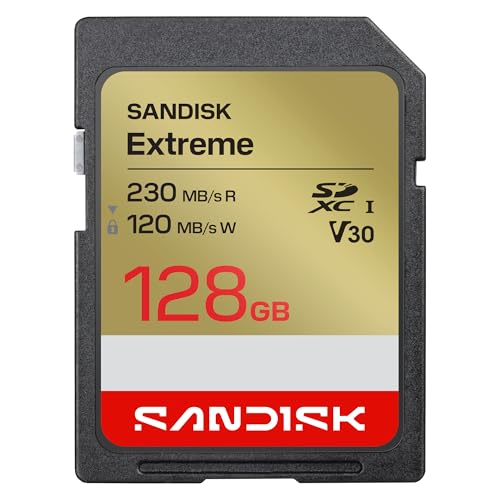
SANDISK 128GB Extreme SD Memory Card, UHS-I — Everyday HD and 4K starter
The Extreme line is SanDisk’s workhorse tier, and this 128GB UHS-I card is the natural starting point for camcorder owners whose machines carry the common single-row slot. Its title states a read ceiling of up to 230MB/s, which makes short work of offloading an evening’s footage, and the Extreme name carries a long record in cameras that write far less politely than a spec sheet suggests. For HD recording and moderate 4K modes, this is the card most camcorder households will standardise on without ever feeling its limits.
What recommends it beyond the badge is fit. Most camcorders in service today are UHS-I devices, and a card matched to the slot’s actual bus wastes no money on headroom the camera cannot reach. The 128GB capacity maps neatly onto the common filming pattern of one event per card: record the recital, the match or the service, offload it the same night, format in the camera and start clean next time. Habits form around a card like this, and good habits protect footage better than exotic specifications do.
The gap in the title must be faced squarely: no V rating is printed, so the sustained write floor is not stated on the listing. For HD and gentler 4K modes the Extreme pedigree makes the card a reasonable trust, but a camcorder offering high-bitrate modes deserves a documented floor, and SanDisk’s own documentation is where that figure lives. Check it against your camera’s thirstiest mode before a one-time event, and this pick’s one uncertainty disappears.
Think of it, too, as the card that teaches good rotation habits to a household graduating from phone video to a real camcorder. One card, one event, one same-night copy: the rhythm is simple enough to survive busy lives, and this card’s capacity and pace fit the rhythm exactly. Families who adopt it stop losing footage to forgotten cards in forgotten drawers, which is a larger victory than any specification on its packet.
As a second card it is arguably even better than as a first. Pairs of identical cards simplify everything — same behaviour in the slot, same offload pace, same capacity planning — and a two-card rotation of these covers the great majority of family and semi-professional filming calendars without a single anxious glance at the remaining-space indicator.
- Capacity: 128GB
- Bus: UHS-I, per the listing title
- Read speed: Up to 230MB/s, per the listing title
- Video speed class: Not stated in the listing title — verify with SanDisk documentation
- Format: Full-size SD card
Strengths
- Strong stated read ceiling for fast nightly offloads
- Extreme line behaviour is well proven in camcorders
- Capacity matches the one-event-per-card rhythm
Trade-offs
- No V rating printed in the title
- UHS-I ceiling in a guide that also offers UHS-II
- 128GB is short for the thirstiest 4K modes
Best for: HD and moderate 4K camcorder filming organised one event per card
Not suited for: a high-bitrate 4K mode whose sustained floor must be guaranteed on paper
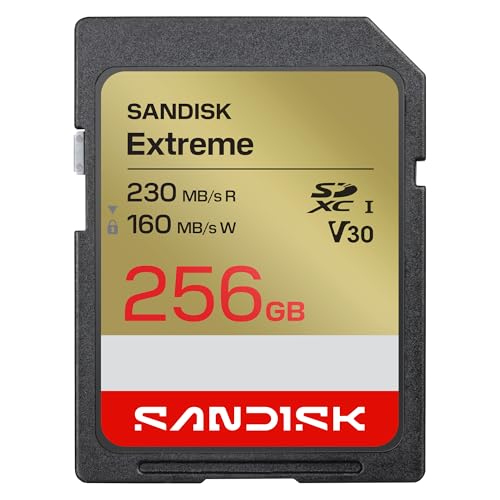
SANDISK 256GB Extreme SD Memory Card, UHS-I — Long-take SanDisk
Everything said about its 128GB sibling applies here at double the room, and the doubling is the argument. Some filming cannot be interrupted: a wedding ceremony runs its course, a concert movement ends when it ends, a match does not pause because a card filled. At 256GB, this Extreme gives a UHS-I camcorder the space to hold those unbroken spans at 4K with room to spare, while keeping the same read ceiling of up to 230MB/s for the long import afterwards.
The card suits a particular kind of owner: the one-camera videographer. With no second angle to cut away to and no assistant to swap media, the card is the safety margin, and its size is chosen so that media management never competes with framing, focus and sound for attention during the event. Tournament days, graduation marathons and all-day conferences belong to the same pattern — long, unrepeatable and unforgiving of a full-card warning at the wrong minute.
Its cautions mirror its sibling’s, enlarged. The title again prints no V rating, so the sustained floor needs confirming in SanDisk’s documentation for demanding modes. And 256GB of unwatched footage is a larger single basket: the discipline of copying and verifying the same evening matters more, not less, when one card holds a whole day. Owners who offload religiously will find this the most relaxing card in the set; owners who let cards accumulate should buy its smaller sibling in pairs instead.
Event videographers who shoot for clients will also recognise the client-facing benefit: a card that never forces a mid-ceremony swap keeps the camera crew invisible. Guests remember the videographer who fumbled at the altar rail; they never notice the one whose media simply lasted. Capacity, in service work, is partly a courtesy.
There is also a longevity argument for the larger size. A card filled to a smaller fraction of its capacity on each outing spreads its writes across more memory cells, and a card that is never run to the last gigabyte avoids the slowest, fullest state in which cards do their least graceful writing. Bought once and treated gently, a 256GB card can serve a camcorder for years of weekly events.
- Capacity: 256GB
- Bus: UHS-I, as the title prints it
- Read speed: Up to 230MB/s, as the title prints it
- Video speed class: Absent from the listing title — confirm through SanDisk documentation
- Format: Full-size SD card
Strengths
- Room for unbroken 4K ceremonies and matches
- Same trusted Extreme behaviour as the 128GB pick
- Gentler wear profile when used below full capacity
Trade-offs
- Sustained write floor not printed in the title
- A whole day on one card raises the cost of losing it
- Long imports if the reader is an old one
Best for: one-camera videographers filming long unbroken events at 4K
Not suited for: an owner leaving cards piled up unoffloaded for weeks

Lexar 128GB SILVER SD Memory Card — Stated V30 for 4K
This pick puts the 4K promise in writing at the UHS-I level, stated outright in the title. Lexar’s title states the essentials without decoration: 225MB/s read, 4K named, and a V30 video class with U3 on the UHS-I bus. That V30 is the working floor this guide keeps returning to — a guaranteed sustained write of at least 30MB/s, which covers the 4K modes of the great majority of camcorders, whose bitrates sit comfortably beneath it. No documentation hunt is required to know where this card stands; the title does its duty.
The SILVER line sits in Lexar’s range as the serious-amateur tier, and for camcorder work that positioning is a virtue: the card is built and priced for owners who record regularly and care about the guarantee, rather than for cinema crews or for the bargain shelf. In a family camcorder that films every recital, holiday and match, a pair of these creates a calm rotation — one in the camera, one in the case, both documented to the same floor.
Headroom is the honest limit. V30 covers mainstream 4K, but camcorders with high-bitrate modes that push toward or beyond the low hundreds of megabits per second deserve the V60 picks further down this page. The 128GB capacity likewise suits event-length recording rather than all-day festivals. Within its stated envelope, though, this is the most self-explanatory card in the set: what the title promises is exactly what the camcorder needs to know.
Schools, clubs and places of worship running volunteer camera rotas are its natural home as well. A card whose guarantee is printed on its face can be specified in a one-line instruction — buy this one, format it in the camera, record — and every volunteer ends up holding identical media. Standardisation is what keeps volunteer-run recording reliable across a season of different hands.
It also makes an excellent known-quantity spare. When an unfamiliar card misbehaves on location, the troubleshooting question is always whether the fault sits in the camera or the media; a documented V30 card in the case answers that question in one swap. Videographers who lend kit to volunteers or family members will appreciate a card whose guarantee can be explained in one sentence and verified on its face.
- Capacity: 128GB
- Bus: UHS-I, per title
- Read speed: 225MB/s, per title
- Video speed class: V30 with U3, per title
- Video headline: 4K named in the title
Strengths
- V30 floor for 4K printed in the title itself
- No documentation hunt needed before trusting it
- Ideal documented spare for troubleshooting
Trade-offs
- V30 leaves thin headroom for high-bitrate modes
- 128GB suits events, not all-day recording
- Read ceiling slightly below the SanDisk picks
Best for: mainstream 4K camcorders with owners seeking the guarantee printed on the card
Not suited for: a camcorder mode writing near the top of the bitrate range
Lexar 1800X 256GB SDXC Memory Card — Big Lexar canvas
The 1800x is Lexar’s performance line name, and this 256GB SDXC card brings that line’s capacity to long-form camcorder work. Its role in this set is the Lexar counterpart to the big SanDisk: a large card for owners whose filming days run long and whose camcorder days are measured in hours rather than takes — conferences, tournaments, stage productions and travel days where the camera serves as the trip’s memory.
Capacity at this level changes behaviour in a useful way. The record button stops being a budget decision. A parent can film the whole tournament instead of rationing the final; a documentary shooter can let an interview breathe instead of watching the counter; a school can record the full production from house seats without an intermission scramble. Cards are cheap compared with the moments they hold, and 256GB is the size at which most camcorder owners stop thinking about space altogether.
The title, however, is the briefest in this guide: beyond the line name and the capacity it states neither a bus, a read ceiling nor a video class, and this guide will not fill those blanks from the line’s reputation. The 1800x name implies performance intent, but a camcorder purchase should rest on figures, so confirm the bus and the V rating in Lexar’s documentation and match them to your camera before this card carries anything unrepeatable. With that homework done, its case rests on capacity and maker pedigree, which are considerable.
Travel filming is its other strong suit. A week away with a camcorder produces footage in long, unrepeatable ribbons — markets, journeys, festivals — and hotel-room offloads to a laptop happen when they happen. A 256GB anchor card absorbs several days of that rhythm without forcing nightly triage, provided the verified ratings match the camera and the eventual backup discipline stays honest.
Treat it, once verified, as the anchor card of a two-card system: this one lives in the camcorder for the long haul, while a smaller documented card handles short outings and serves as the diagnostic spare. That division keeps the big card’s contents coherent — one trip, one production, one season — which makes archiving simpler when the footage finally comes off.
- Capacity: 256GB
- Line: Lexar 1800x, stated in the title
- Bus: Not stated in the listing title — verify with Lexar documentation
- Video speed class: Not stated in the listing title — verify with Lexar documentation
- Read speed: Not stated in the listing title — verify with Lexar documentation
Strengths
- 256GB ends space rationing on long filming days
- Performance-line pedigree from an established maker
- Works as the anchor card of a two-card system
Trade-offs
- Title states almost nothing beyond capacity
- Bus and V class must be confirmed before purchase
- Large single basket demands same-night offloading
Best for: long-form recording days once its documented ratings match the camcorder
Not suited for: a purchase requiring every figure to be guaranteed by the packet alone

Lexar 128GB SILVER PRO SD Memory Card — V60 step-up
When a camcorder’s best modes outgrow V30, this is the step up. The SILVER PRO title states a 280MB/s read ceiling, 4K, U3 and a V60 video class on the UHS-II bus — the most complete specification in this set. The V60 floor, a guaranteed 60MB/s sustained, covers the high-bitrate 4K modes that make V30 cards sweat, and the UHS-II bus lifts both the write ceiling and the offload pace for camcorders whose slots carry the second contact row.
The buyer for this card owns a serious camcorder and knows it: the kind of machine bought for its top recording modes, then too often fed cards chosen for its gentlest ones. Matching media to the machine’s real ceiling is the entire point. With this card in the slot, the top mode becomes usable for full takes rather than short experiments, and the footage rate the manufacturer advertised becomes the footage rate the owner actually gets.
Two checks precede purchase. First, the slot: in a UHS-I camcorder this card runs at UHS-I pace, and while its V60 engineering still speaks well of it, much of the premium buys speed the camera cannot reach. Second, the reader: offloading at UHS-II pace needs a UHS-II reader, a small companion purchase that completes the chain. Neither check is a criticism; they are the difference between buying a specification and buying an outcome.
Sports filming at high frame rates belongs in its diary too. Slow-motion modes multiply the data rate just as surely as resolution does, and a card chosen only for the camera’s standard mode can be ambushed by its 120-frame settings. The V60 floor is the insurance that lets the operator reach for those modes during a match without a mental calculation first.
For hybrid creators the card also travels well between machines. The same V60 floor that serves a camcorder serves high-rate stills bursts and mirrorless video on the days the camcorder stays home, so a small kit can share one premium card standard instead of maintaining separate media for separate bodies. Shared standards mean fewer surprises, and fewer surprises is the whole game in recording work.
- Capacity: 128GB
- Bus: UHS-II — the title states it
- Read speed: 280MB/s — the title states it
- Video speed class: V60 with U3 — the title states them
- Video headline: 4K named in the title
Strengths
- V60 floor covers high-bitrate 4K modes
- Highest stated read ceiling in this set
- Complete, honest specification in the title
Trade-offs
- Premium wasted in a UHS-I-only camcorder
- Needs a UHS-II reader to offload at full pace
- 128GB fills fast at the bitrates it enables
Best for: a UHS-II camcorder whose top 4K modes need a guaranteed V60 floor
Not suited for: an older UHS-I camcorder that cannot reach the faster bus

ProGrade Digital SDXC UHS-II V60 Gold Memory Card (128GB) — Pro video pedigree
ProGrade’s Gold card closes the set with the same V60 guarantee as the Lexar SILVER PRO, delivered by a maker whose catalogue exists solely to serve professional image-makers. The title states the essentials — SDXC, UHS-II, V60, 128GB — and leaves the peak figures to documentation, a terseness that suits its intended buyer: production teams and working videographers who spec media from datasheets and buy in matched multiples.
The professional argument is consistency across a fleet. A videography business running several camcorders wants every card in every case to behave identically under load, because a card that behaves differently is a variable nobody has time to manage on a wedding day. ProGrade’s Gold line is built for that standardisation, and its maker’s support culture is oriented toward people whose deadlines are measured in days after the event, not weeks.
Against the Lexar V60 pick, the choice is about ecosystem and information style rather than class: both promise the same floor. Lexar prints more on the packet; ProGrade expects the buyer to read the datasheet. Solo shooters may prefer the printed figures; teams already standardised on ProGrade readers and cards will take the fleet consistency. Either way, the camcorder cannot tell the difference, which is precisely the point of a guaranteed class.
Multi-camera shoots make its case from another direction. When three camcorders cover a stage production, matched V60 cards in all three mean the editor inherits uniform media with uniform behaviour, and any one card can be swapped into any machine during the show without a compatibility thought. That interchangeability is a production value no single camera ever sees on its own specification sheet.
One practical note: at 128GB with a V60 appetite, this card is built for rotation, not hoarding. High-bitrate footage consumes it in a few long takes, so buy it in pairs or threes, number them, and let the rotation carry the day. Its price per card rewards that pattern less painfully than larger capacities would, and the discipline it encourages — offload, verify, format, repeat — is the discipline that keeps client footage safe.
- Capacity: 128GB
- Bus: UHS-II, per the title
- Video speed class: V60, per the title
- Read speed: Not printed in the title — check ProGrade Digital documentation
- Line: Gold series
Strengths
- Stated V60 floor for high-bitrate recording
- Fleet consistency for multi-camera teams
- Maker focused entirely on professional media
Trade-offs
- Peak figures require a documentation check
- 128GB turns over quickly at high bitrates
- Less common on local shelves than the big brands
Best for: working videographers standardising several camcorders on one V60 card
Not suited for: casual recording setups built around every number printed on the packet
How Do the Six Cards Compare Side by Side?
| Card | Capacity | Bus | Stated read | Stated video class |
|---|---|---|---|---|
| SanDisk Extreme 128GB | 128GB | UHS-I | Up to 230MB/s | Not in title |
| SanDisk Extreme 256GB | 256GB | UHS-I | Up to 230MB/s | Not in title |
| Lexar SILVER | 128GB | UHS-I | 225MB/s | V30 |
| Lexar 1800x | 256GB | Not in title | Not in title | Not in title |
| Lexar SILVER PRO | 128GB | UHS-II | 280MB/s | V60 |
| ProGrade Gold | 128GB | UHS-II | Not in title | V60 |
The table’s lesson is that the video class column, not the read column, sorts these cards for camcorder duty. The blank cells belong to titles that chose brevity; treat each blank as homework assigned before an unrepeatable event, and the table becomes a checklist rather than a ranking.
How Should You Format and Handle Cards for Recording Work?
Format in the camcorder, every time, after the previous material is safely copied and verified. Camcorders build their own directory structure and clip numbering on the card, and a card formatted by the camera that will write it starts every event with a clean, native layout. Deleting clips one by one on a computer between events leaves that structure ragged and invites the strange errors that only ever appear during the vows.
Handle the recording itself conservatively. Let the camera finish writing before powering down — the access light is a contract, not a decoration — and never pull a card while a file is closing. Keep a charged battery discipline as part of media discipline, because a camcorder dying mid-write is a card problem wearing a power costume. After the event, copy the entire card structure rather than cherry-picking clips, verify the copy opens, and only then return the card to the blank rotation.
Label cards by number and keep full and blank media physically apart: full cards contacts-up in a closed case, blanks in the camera bag, or any system you will actually follow at midnight in a venue car park. Systems beat intentions at exactly the moments footage is most valuable and attention is most spent.
Keep the camcorder’s own firmware in the maintenance loop as well. Manufacturers occasionally improve media handling and widen card compatibility through updates, and a camera running years-old firmware can be fussier about modern cards than its hardware requires. Checking for an update when a new card arrives costs minutes and removes one whole suspect from any future troubleshooting session.
How Should You Test a New Card Before a One-Time Event?
Record a rehearsal at full length. Put the new card in the camcorder, set the exact mode the event will use, and record for as long as the longest real take will run — an hour or more for a ceremony. Then play the file back from the card, scrub through its beginning, middle and end, and copy it to the computer and open the copy. Cards that will fail under sustained load usually confess during exactly this exercise, at home, where confession is cheap.
Repeat the test after formatting in the camera, because the formatted state is the state the event will start from. If the card hesitates, the camera reports a media error, or the file shows corruption anywhere along its length, the card goes back to the seller with the story told plainly. Do not promote a doubtful card to second-string duty for important work; doubt is data, and the correct response to data is replacement, not hope.
Finally, write the card’s number and first-use date on its label or in your log, and file the purchase record where the camera’s paperwork lives. When a card behaves oddly a year later, that small archive turns a mystery into a timeline, and timelines are what warranty claims and retirement decisions are built from.
What Mistakes Stop Recordings and Ruin Footage?
The most common failure is also the most avoidable: trusting a card whose sustained floor was never checked against the camcorder’s hungriest mode, because the packet’s read number looked enormous. Read speed has never recorded a single frame. The second failure is the adapter habit — a microSD card in a passive adapter adds contacts and play to a slot that continuous writing stresses for hours, and intermittent contact writes intermittent files. Camcorders deserve native full-size cards, which is why every pick in this guide is one.
Capacity complacency follows close behind. Recording the whole day onto one card because it fits, then carrying that card home in a pocket, concentrates an entire event into the most losable object on the premises. Rotation and same-night copying cost minutes; reconstruction is impossible at any price. A related error is mixing cards between a camcorder and a stills camera without reformatting, leaving two directory systems negotiating over one file table.
One more quiet saboteur is the nearly-full card carried as a spare. A card with a few gigabytes free invites the operator to squeeze one more take onto it, and that take is always the one that runs long. Spares should travel empty and formatted, so that a swap is a clean beginning rather than a negotiation with leftover space conducted while the event continues without you.
Finally, beware the unbranded bargain card for anything that matters.
Continuous high-rate writing is the most punishing workload a card ever faces, and it finds the truth about cheap flash quickly — usually during the longest, most important take of the day. The six cards above exist at different prices and guarantees, but they share the only trait that counts at a one-time event: a maker whose name is on the line when the floor is promised.
Final Recommendation
Match the floor to the mode and the size to the longest take, in that order. Mainstream 4K camcorders on UHS-I slots are honestly served by the Lexar SILVER with its printed V30, or by either SanDisk Extreme once its rating is confirmed in SanDisk’s documentation — the 128GB for event-by-event filming, the 256GB for unbroken ceremonies. Long-form shooters should verify the Lexar 1800x’s figures and then enjoy its room. Camcorders with UHS-II slots and high-bitrate modes deserve the V60 pair: the Lexar SILVER PRO for its complete printed specification, the ProGrade Gold for fleet consistency across several machines.
If the purchase must happen in stages, stage it by risk: first the card whose stated floor covers your camcorder’s main mode, then its twin, then capacity or bus upgrades for the modes you use less often. That order means the very next event you film is already protected, and each later purchase widens the safety rather than creating it. Keep the receipts with the camera paperwork, log the first-use dates, and the media drawer becomes the least mysterious part of the whole recording kit.
Whichever card you settle on, buy its twin, format both in the camera, and let the rotation carry the season.
A camcorder recording is a promise made to people who trusted you with a moment that happens once; the right card, handled with dull consistency, is how that promise survives contact with a full day, a hot room and a dying battery — and the footage, not the specification sheet, is what everyone will still be watching in twenty years.
Frequently Asked Questions
Is V30 really enough for 4K recording?
For most camcorders, yes. Mainstream 4K modes typically write at bitrates needing well under 30MB/s sustained. Camcorders offering high-bitrate modes can exceed that comfort zone, which is when the V60 picks in this guide become the right answer. Check your own camera’s hungriest mode in its manual; that single figure settles the question for your machine definitively.
Can I use a microSD card in an adapter in my camcorder?
It will usually fit and often work, but the adapter adds a failure layer to the most demanding writing workload a card faces. For anything unrepeatable, a native full-size SD card like every pick here is the safer instrument. Adapters also wear, loosen and get lost with a talent that purpose-built media never displays at the decisive moment.
Why do two picks show no video class in their spec boxes?
Because their listing titles do not print one. The class exists in the maker’s documentation; this guide reports the title faithfully and points you to the documentation rather than inventing a figure.
How many cards should a wedding videographer carry?
Enough for the day’s footage twice over, organised as a rotation rather than a single large card. Pairs at the ceremony, swapped at natural breaks and copied the same night, protect the material far better than one card holding everything. Add one extra card beyond the arithmetic as the permanent spare, because the day a card misbehaves is the day the spare stops being optional.
Does a faster card improve my camcorder’s picture quality?
No. The card stores the stream the camcorder produces; it cannot add detail or colour. Its job is reliability at the required rate. Picture quality lives in the camera, the lens and the light. What a better card can do is let the camera use its highest-quality modes without stopping, which is an indirect but very real contribution to the footage you bring home.
My camcorder says a card is too slow for a mode. What changed?
Usually the mode did. Switching to a higher bitrate or frame rate raises the sustained rate the camera demands, and a card that served gentler modes happily can fall below the new floor. The cure is a card with a stated class above that demand, which is the V30-to-V60 step this guide is built around.
Should I format a new card before its first recording?
Yes, in the camcorder itself. A first in-camera format builds the native file structure cleanly and gives you a full-card test recording opportunity before the card is trusted with anything that matters. Make the test recording at the mode you will actually use at the event, run it long, and play it back before the card joins the working case.
Related Guides
Complete the recording kit with these companions: best camcorders for family events, best tripods for video work and best external hard drives for video archives.