What's inside
- Where to buy
- Key Takeaways
- Quick Picks
- How We Chose
- What is a vertical monitor actually for?
- How do you confirm a monitor truly pivots before buying?
- What size and resolution suit portrait orientation?
- How do you arrange a desk around a vertical second screen?
- Which work changes most when a screen goes portrait?
- How do you set up a vertical monitor on the first day?
- What about vertical video, phones and the portrait creator?
- How does a portable vertical screen change travel work?
- What are the small practical truths of living with a portrait screen?
- The six vertical monitors, reviewed one by one
- Side-by-side comparison
- Common Mistakes
- Final Recommendation
- FAQ
- Related Guides
As an Amazon Associate I earn from qualifying purchases. This post may contain affiliate links at no extra cost to you.
gizmoverdict.com is reader-supported. When you buy through links on our site, we may earn an affiliate commission.
Where to buy
The case for the best monitors for vertical position begins with a simple observation about the shape of modern work: most of what we read is taller than it is wide. Documents, code files, chat threads, social feeds, manuscripts, spreadsheets with endless rows, web pages that scroll for a mile — the portrait rectangle is the native shape of text, and the landscape monitor is a inheritance from television that desks have been politely tolerating for decades. A monitor that pivots into portrait turns that politeness into a choice: the long document unrolls, the code file shows its whole function, the chat column stands at attention beside the main screen. This guide examines six listings that claim a place in that vertical world, and it examines them with unusual strictness, because this category above all others invites a particular misunderstanding.
The misunderstanding is this: height adjustment is not pivot. A stand that lifts a screen up and down has not promised to rotate it, and a title that says “height adjustable” in one breath must say “pivot” in another before a buyer may count on portrait orientation from the bundled stand. So this guide applies its evidence rule at maximum strictness. Pivot is credited only where the full title states it — and happily, most of these titles do: the AG Neovo, the MNNM, the LG and the CRUA all print the word, and the SOTSU portable prints “Pivot Rotate” outright. The Thinlerain calls itself a vertical gaming monitor in its title without describing a pivot mechanism, and its review treats that precisely: the intent is declared, the mechanism is a listing question. Anything less strict would sell readers a rotation that exists only in their imagination.
The six split by station. Four are desktop panels — two compact 24-inch office screens from AG Neovo and MNNM, LG’s 32-inch 4K UltraFine, and CRUA’s 27-inch 360Hz gaming panel that treats portrait as one of its party tricks. The Thinlerain is a 27-inch 4K screen with a pop-up webcam aimed at the hybrid home-office desk. The SOTSU FlipAction Elite is the traveller: a 16-inch portable 4K panel whose pivot rotation serves hotel desks and second-screen life on the road. Most buyers in this category are building a two-screen desk where the vertical panel is the second citizen — the reading column beside a landscape main screen — and the reviews keep that arrangement in view throughout.
It is worth pausing on why this category stayed niche for so long, because the reason has expired. Early portrait setups fought their software: operating systems that treated rotation as an afterthought, applications that assumed width, stands sold as exotic accessories. The titles in this guide are evidence that the friction has moved — pivot printed as a headline feature on office panels, a gaming monitor advertising its vertical stand, a portable rotating as a selling point. The remaining friction is mostly in the buyer’s information, which is precisely the gap a strict reading of titles exists to close.
One alternative deserves naming before the picks, because honest guides mention the road not taken: any monitor with a VESA mount can go vertical on a pivoting arm, whatever its bundled stand does. Several titles here state VESA compatibility, and for a desk that already owns a good arm, that line can matter more than the stand’s own vocabulary. The reviews note it where the titles state it.
Key Takeaways
- Pivot must be printed to be promised: four desktop titles here state it outright, and the SOTSU portable states Pivot Rotate.
- The AG Neovo MH2404 pairs pivot with 144Hz and Adaptive Sync — a vertical screen that also plays.
- The MNNM 24-inch is the complete ergonomic set at FHD: height, tilt, pivot and swivel all in the title.
- LG’s 32-inch 4K UltraFine brings pivot to a large, high-resolution reading canvas.
- CRUA’s 27-inch QHD panel runs 360Hz in landscape and lists height/pivot/swivel/tilt for portrait.
- The Thinlerain declares itself a vertical gaming monitor with a pop-up webcam; its pivot mechanism is not described in the title — verify on the listing.
- The SOTSU FlipAction Elite is the portable option: 16-inch, 3840×2400, Pivot Rotate, full metal build.
Quick Picks
| Pick | Panel as titled | Headline strengths | Watch out for |
|---|---|---|---|
| AG Neovo MH2404 24″ (Pivot) | 24-inch, 144Hz | Pivot, swivel, tilt, Adaptive Sync, VESA, speakers | Resolution not stated in the title |
| MNNM 24″ (Height/Tilt/Pivot/Swivel) | 24-inch FHD 1080p VA, 100Hz | Full stand movement, 100% sRGB, eye care, dual speakers | VA panel at FHD is the office specification, not a gaming one |
| LG UltraFine 32UR550K 32″ 4K (Pivot) | 32-inch 4K UHD, 60Hz | Pivot on a large 4K canvas, HDR10, HDMI and DP | A big panel in portrait is a serious desk commitment |
| CRUA 27″ QHD 360Hz | 27-inch QHD IPS, 360Hz | Height/pivot/swivel/tilt stand, FreeSync, wall mount | 360Hz is a landscape gaming figure; portrait is for work |
| Thinlerain 27″ 4K Vertical | 27-inch 4K IPS, 160Hz | Pop-up 3MP webcam, speakers and mic, USB-C, VESA | Pivot mechanism not described in the title |
| SOTSU FlipAction Elite 16″ Portable (Pivot) | 16-inch portable, 3840×2400 | Pivot Rotate, DCI P3, 450 nits, full metal CNC | Portable scale; a companion screen, not a main one |
How We Chose
The pool was built from verified Amazon US listings, and the admission test was the strictest in this site’s monitor coverage: a pick had to give the buyer a stated path to portrait. For five picks that path is printed in the title as pivot or pivot rotate. For the sixth, the Thinlerain, the title declares the product a vertical monitor, and it is admitted on that declaration with its mechanism flagged for verification — a distinction the review refuses to blur. Beyond admission, picks were judged on the evidence around the rotation: the other stand movements a title enumerates, the resolution and refresh that decide what portrait is like to use, the panel size that decides whether portrait is a column or a tower, and the extras — speakers, webcams, VESA patterns — that furnish a second-screen life.
One more selection habit is worth recording: the pool was checked for the accessory trap. This category attracts peripherals that dress as solutions — desk arms, rotation adapters, webcam arms — and none of them appears as a pick, however useful some may be as companions. The six names in this guide are monitors, each capable of anchoring a vertical setup on its stated merits, and the arm conversation is kept where it belongs: as an insurance note inside the reviews, not as a product wearing a monitor’s clothes.
The spread across sizes and prices is the market’s own. Vertical monitors are rarely bought as a category; they are bought as the second screen in a system, and systems differ — the coder’s 24-inch column, the editor’s 32-inch manuscript tower, the streamer’s chat pillar, the traveller’s portable. A guide that listed six identical 24-inch office panels would serve one of those desks and abandon the rest. The six here were chosen so each common vertical job has a named candidate, judged on its title’s evidence and nothing else.
Renewed listings were excluded. A pivot stand is a mechanical part with a clutch and a rotation stop, and a second screen’s stand works harder than a main screen’s; factory-sealed, with a full return window, is the only sensible way to buy one.
What is a vertical monitor actually for?
Reading, first of all — the long, scrolling, vertical substance of the working day. A portrait screen shows a document the way paper holds it: whole pages at a legible size, two pages of a manuscript in sequence, a contract without the scroll-wheel calisthenics. Code is the second classic case: functions, files and logs are tall, and a vertical editor window shows the shape of a program the way its author wrote it, with the terminal or the preview living on the landscape screen beside it. Chat and communication form the third: the team channel, the community feed, the stream chat, standing in a narrow column that matches their shape instead of sprawling across a wide screen’s edge.
There is an ergonomic dividend hiding in the category that deserves its own paragraph. Reading on a landscape screen means the eye travels long horizontal lines and loses its place at the return sweep — the small, constant tax that wide screens levy on text. A portrait column shortens the line to something closer to a book’s measure, and long reading sessions report themselves differently at the end of the day: less hunting, less re-reading, a steadier sense of where in the document you are. It is not a medical claim and this guide makes none; it is the accumulated testimony of writers and programmers who turned a screen and did not turn it back.
Then come the specialists. Video editors cutting vertical formats for phones grade their output in its native shape. Traders and analysts stack watchlists in tall columns. Writers draft in portrait because the page is portrait. And the second-screen arrangement generalises all of it: the main landscape panel holds the stage — the document being written, the game, the edit — while the vertical panel holds the wings, reference and communication, in the orientation those things prefer. The buyer who can name which of these jobs is theirs has effectively chosen their size class already: columns for chat and code at 24 inches, towers for pages and manuscripts at 27 and 32.
How do you confirm a monitor truly pivots before buying?
Read the title for the word, as this guide does — pivot, or pivot rotate on the portable — and treat every adjacent word as a different promise. Height adjustment raises the panel; tilt angles it; swivel turns it like a lazy Susan, still landscape. Only pivot rotates the rectangle itself into portrait. Where the word is present, as in five titles here, the stand’s rotation is the maker’s stated design. Where the word is absent but the product calls itself vertical, as the Thinlerain does, the mechanism may live in a stand the title did not describe or in a design the listing explains — and the listing’s specification and imagery become the court of appeal. Look for the portrait photograph in the listing’s images: makers who build a pivot almost always show it turned.
A word about rotation direction and handedness, because listings rarely mention it and desks feel it. Panels pivot ninety degrees in one direction or, on better mechanisms, either; the direction decides whether the panel’s ports and buttons end up on your preferred side and whether the screen’s narrower bezel edge sits where you want it. In a two-screen setup, rotating the column so its controls face outward — away from the main screen — keeps them reachable. None of the titles here specifies a direction, so treat it as a listing detail to glance at in the imagery, and as another reason the first rotation should happen on a clear desk with the return window wide open.
The VESA route is the buyer’s insurance policy. A title that states VESA compatibility or a wall mount — the AG Neovo, MNNM, CRUA and Thinlerain all do — guarantees that a pivoting arm can supply the rotation even if the bundled stand disappoints, and many vertical desks end up arm-mounted anyway, because an arm lets the portrait column float at the exact height and distance the main screen demands. Budget the arm as part of the vertical project when the stand’s vocabulary is incomplete, and the rotation question stops being a gamble in either direction.
What size and resolution suit portrait orientation?
Portrait multiplies height and divides width, so the arithmetic of comfort changes. A 24-inch panel in portrait is a column roughly the width of a hardback book’s spread and the height of a broadsheet page — ideal for code, chat and documents at ordinary desk distances, which is why both 24-inch picks here are office-shaped. A 27-inch panel in portrait is a tower: magnificent for manuscripts and timelines, tall enough that its top edge asks the neck’s permission, best on a height-adjustable stand or arm that lets it sit lower than a landscape screen would. A 32-inch panel in portrait, the LG’s proposition, is architecture — a reading wall for long-form work, demanding in desk geometry and unforgettable in use.
Viewing angle deserves a portrait-specific note as well. Rotating a panel turns its horizontal viewing characteristics vertical, and technologies differ in how gracefully they accept the promotion: IPS panels, like the CRUA and Thinlerain here, hold their colour and contrast across the wide angles a tall screen presents to a seated reader, while VA panels — the MNNM’s technology — trade some of that off-axis evenness for their deeper blacks, a trade most single-reader desks accept without noticing. A column shared by two chairs, though, should weight the angle question as seriously as the pivot word itself.
Resolution follows the text. Portrait is a reading orientation, and reading rewards density: the LG’s 4K grid and the Thinlerain’s 4K and the SOTSU’s 3840×2400 all render type finely in the tall shape. The MNNM’s FHD at 24 inches is the honest office standard — perfectly legible, less fine — and the AG Neovo’s title leaves its resolution unstated, which the buyer of a reading screen should resolve on the listing before anything else, since density is half the product in this orientation. Refresh rate, by contrast, mostly stays in landscape life: the CRUA’s 360Hz and the Thinlerain’s 160Hz serve their gaming in the wide shape, while portrait inherits whatever smoothness remains as a pleasant bonus for scrolling.
How do you arrange a desk around a vertical second screen?
Begin with the main screen’s sovereignty: the landscape panel keeps the centre, at eye level, at the distance your chair already knows. The vertical column takes the side your reading hand prefers — most right-handed readers park it on the right, where the eye lands after finishing a line of the main work — close enough that its text is legible without leaning, angled a few degrees toward the chair like a book opened on a stand. Height is the adjustment that decides the arrangement’s success: the column’s centre should sit near the main screen’s centre, which for a tall panel means its stand drops lower than a landscape screen’s would, and this is where the height adjustment printed in most of these titles stops being a clause and becomes the furniture itself.
Cables and light finish the arrangement. A portrait panel’s ports sit along what is now its side, and cables dressed carelessly will pull against the rotation the next time the panel turns; leave slack, and route down the stand or arm rather than across the desk. Light matters because a tall screen catches more of the room’s vertical reflections — a window’s full height, a ceiling lamp — so the column often wants a slightly different angle than its landscape neighbour to keep its blacks clean. Spend the first evening arranging rather than using, and the second screen will feel inevitable by the end of the week; skip the evening, and it will feel like furniture in the way for a month.
Which work changes most when a screen goes portrait?
Writing changes first and most quietly. A portrait drafting window shows the page as the reader will meet it, and the writer’s sense of pace — how far apart the paragraphs breathe, where the chapter’s weight sits — becomes visual instead of remembered. Editing inherits the same gift at manuscript scale, which is why the 32-inch LG exists in this guide: the long document stops being a rumour conveyed by a scrollbar and becomes an object on the desk. Legal and academic reading follow closely, since both professions live inside tall documents with footnotes and margins that landscape screens crop into inconvenience.
Programming changes in structure rather than comfort. A tall editor reveals a file’s architecture — the imports, the class skeleton, the long function that landscape forces into fragments — and code review, the reading of other people’s programs, becomes a different and calmer activity when the whole unit fits the screen. Communication changes in volume: the chat column that stands all day in portrait holds hours of thread in a single glance, and the community manager, the support engineer and the streamer all discover that the feed was always portrait-shaped and merely waiting for a screen that agreed. Even the humble spreadsheet confesses its shape eventually — the thousand-row ledger is a tall document wearing a wide disguise.
How do you set up a vertical monitor on the first day?
Physically first: assemble the stand, attach the panel in landscape, connect it, and only then perform the rotation, with the desk clear and both hands free — a rotating panel near a coffee cup is a story told at parties. Check the rotation direction against the stand’s design and the cable slack you left, and confirm nothing binds at the extremes. Then the software: open the display settings, select the portrait panel specifically — in a multi-screen setup it is easy to rotate the wrong display and spend a baffled minute reading a sideways main screen — set its orientation to portrait, and arrange the screen map to match the physical desk so the pointer crosses the seam naturally.
Finish with the applications. Drag the document, the editor and the chat client into their new tall homes and resize them once, deliberately; most software remembers window geometry per configuration, so the arrangement you teach it on day one becomes the arrangement it offers every morning after. Test a call if the panel carries the camera or speakers — the Thinlerain’s pop-up webcam and the speakers in several titles want a rehearsal before a meeting does it live. And photograph the final desk. A two-screen arrangement tuned by hand is a small piece of personal infrastructure, and the photograph is its only blueprint when a cable is next disturbed.
What about vertical video, phones and the portrait creator?
A growing profession now produces in portrait natively: the short-form video creator, whose canvas is a phone screen and whose editing timeline, preview and deliverable are all tall. For that desk, a vertical monitor is not a reading luxury but the output device itself — the shape in which the audience will judge the work. The 4K picks here serve that judgement best, since vertical video at full phone resolution deserves a panel that can show it without scaling compromises, and the Thinlerain’s communication kit speaks the same creator language of cameras and microphones built in. Even creators who edit in landscape increasingly park a portrait column beside the timeline for the script, the captions file and the comment feed that constitutes their research.
Photographers meet the same shape from the other side: the portrait-orientation photograph, edited tall, reviewed tall, printed tall. A vertical screen in the studio lets the portrait image fill the panel as the landscape image does on the main screen, instead of shrinking between black bars. None of the titles here claims the colour credentials of this site’s grading guide, and a colour-critical studio should hold them to that standard separately — but for composition, culling and client review, the tall panel’s gift is geometry, and geometry is half of photography.
How does a portable vertical screen change travel work?
The SOTSU in this guide represents a habit that hotel desks have quietly adopted: the laptop opens, the portable stands beside it in portrait, and the traveller’s documents, briefs and feeds stand tall in a room that was never designed for work. The value is disproportionate to the size, because travel work is disproportionately reading — contracts before the meeting, briefs on the train, the itinerary and the inbox — and reading is portrait’s home ground. A 16-inch panel at 3840×2400 renders that reading at a fineness the laptop’s own screen would envy, and the metal body survives the bag that a plastic traveller’s screen eventually does not.
The same panel moonlights at home as the pack-away second screen for desks that cannot permanently house one — the kitchen-table office, the shared study — where a portrait column that appears for the workday and vanishes into a drawer at night solves a furniture problem no desktop monitor addresses. Portability, in other words, is not only about airports; it is about rooms that change their minds, and the pivot in the SOTSU’s title serves both lives in the same written promise.
What are the small practical truths of living with a portrait screen?
They collect quickly once the panel is up, and a buyer is better meeting them here than at the desk. Cables first: portrait needs no special lead or adapter, because orientation is a setting rather than a signal — the same HDMI, DisplayPort or USB-C connection serves both shapes — but the rotating panel pulls its cables through an arc, so slack is the one mechanical provision worth making on day one. Stand priorities second: after pivot itself, height adjustment matters most, because a portrait panel’s centre must sit lower than a landscape panel’s to keep its top edge kind to the neck — and it is printed in most titles here, the AG Neovo, MNNM, LG and CRUA all naming it, with an arm as the remedy where a stand cannot manage it.
Coding deserves its collected answer too, since programmers adopted this orientation first for a structural reason: source files are tall, and a portrait editor shows a file’s architecture — imports, skeleton, the long function entire — without scrolling, while the landscape screen beside it runs the application. As for whether the column can be the only monitor: for a reading-and-writing practice it genuinely can, and the LG tower in this guide is built for that devotion, though most desks keep a landscape main screen for video and wide applications and let portrait specialise. The portable question inverts the same logic — the SOTSU’s density makes it a real substitute on the road and at pack-away desks, while a permanent workstation still prefers a desktop column’s size and presence. Different addresses, different answers, one orientation serving them all.
The six vertical monitors, reviewed one by one
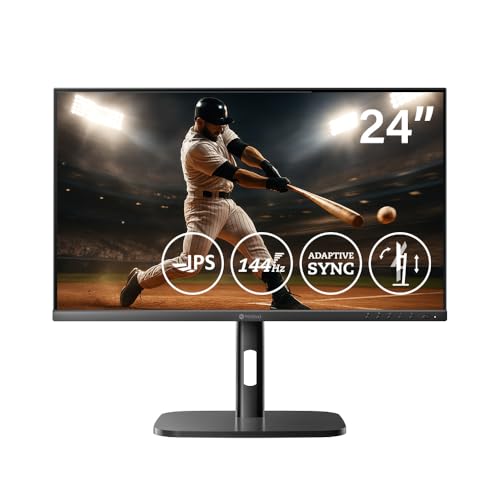
AG Neovo MH2404 24″ (Pivot)
AG Neovo’s MH2404 states its vertical credentials in a single efficient line: a 24-inch height adjustable monitor at 144Hz with Adaptive Sync, Pivot, Swivel and Tilt, HDMI and DisplayPort inputs, VESA compatibility and speakers. The stand vocabulary is complete — the panel lifts, turns and rotates as titled — and the 144Hz refresh with adaptive sync gives this little office-shaped screen a second life that its category rarely offers: rotated, it is the reading column; turned back to landscape, it is a genuinely quick gaming panel for the desk that plays after hours. That duality is the pick’s personality, and it suits the one-screen-plus-laptop household as happily as the two-screen battlestation.
The title’s one significant silence is resolution, and in a category where portrait means reading, that silence is the buyer’s first errand: confirm the grid on the listing before judging the panel as a text column. Everything else a second screen needs is present in writing — the VESA pattern for an arm, the speakers for calls and casual audio, the two modern inputs for a PC and a console or laptop to share. AG Neovo’s background in display hardware for demanding environments lends the proposition a professional steadiness that the specification supports. As the vertical starter pick — the screen that introduces a desk to portrait without demanding a new furniture plan — the MH2404 is the most completely stated option in this guide.
- Size: 24-inch
- Refresh rate: 144Hz
- Sync: Adaptive Sync
- Stand: Height Adjustable, Pivot, Swivel, Tilt
- Inputs: HDMI & DP Ports
- Mount: VESA Compatible
- Audio: Speakers
- Resolution: Not stated in the listing title — verify with the maker’s documentation
- Model: MH2404
Strengths
- The complete stand vocabulary — pivot included — is printed in one line.
- 144Hz with Adaptive Sync gives the column a landscape gaming life.
- VESA compatibility keeps the arm-mounted route open from day one.
Trade-offs
- Resolution is unstated, and portrait reading lives or dies by density.
- At 24 inches the portrait column suits text, not sprawling timelines.
- Colour claims are absent from the title for design-adjacent work.
Best for: a first vertical screen for a desk that reads all day and games at night.
Not suited for: a buyer who needs the resolution settled without opening the listing.
Portrait newcomers can check the MH2404’s price on Amazon after confirming its resolution there.

MNNM 24″ (Height/Tilt/Pivot/Swivel)
The MNNM is the office purist’s vertical monitor: a 24-inch FHD 1080p VA LED screen at 100Hz with dual speakers, adjustable height, tilt, pivot and swivel, a VESA mount, TÜV eye care certification, 100% sRGB and HDMI plus VGA ports, sold as a desktop PC monitor for the home office. Where the AG Neovo spends its title on speed, the MNNM spends its on the working day — eye care for the long read, full sRGB for honest document and web colour, a stand that moves in every direction the category recognises, and even a VGA port for the older machine that still earns its keep in the corner.
The VA panel and FHD resolution define the honest limits: this is a text-and-office instrument, with VA’s characteristically deep blacks flattering documents and video calls, at a density that is comfortable rather than fine. The 100Hz refresh is a quiet quality-of-life figure — scrolling through the long documents this screen exists for is visibly smoother than at the old office standard. For the home-office buyer whose vertical need is a dependable reading and communication column, whose budget is finite and whose desk has no gaming ambitions, the MNNM’s title is the most complete sentence in its class: every movement named, every office feature present, nothing promised that the working day cannot cash.
- Size and resolution: 24-inch, FHD 1080p
- Panel: VA LED Screen
- Refresh rate: 100Hz
- Stand: Adjustable Height/Tilt/Pivot/Swivel
- Mount: VESA Mount
- Eye care: TÜV Eye Care
- Colour: 100% sRGB
- Audio: Dual Speakers
- Inputs: HDMI, VGA Port
Strengths
- Every stand movement is named — the fullest ergonomic statement at 24 inches.
- TÜV eye care and 100Hz make long reading sessions genuinely easier.
- HDMI plus VGA welcomes both the new PC and the legacy machine.
Trade-offs
- FHD density is the office standard, not a fine-text luxury.
- VA viewing angles narrow in portrait for off-axis glances.
- No gaming ambitions are stated, and none should be assumed.
Best for: a home-office reading and communication column on a sensible budget.
Not suited for: fine-print professionals who need 4K density in their portrait screen.
Home offices can see the MNNM’s Amazon listing for its current price and dimensions.
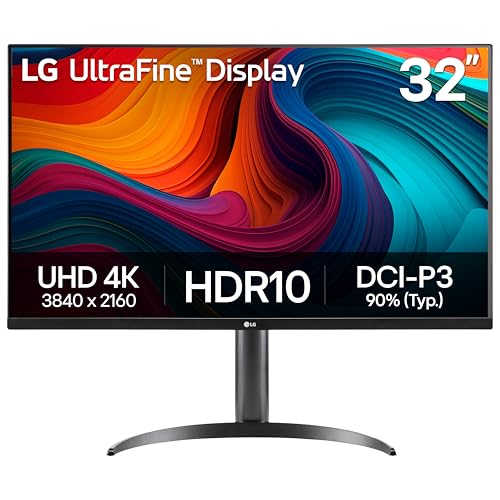
LG UltraFine 32UR550K 32″ 4K (Pivot)
LG’s 32UR550K is the vertical idea at full scale: a 32-inch UltraFine 4K UHD 3840×2160 monitor with HDR10, a 60Hz refresh, HDMI and DisplayPort, and a tilt/height/pivot adjustable stand, in black. In portrait, those numbers become a reading tower over half a metre tall with 4K density — a manuscript page rendered at a size and fineness that no 24-inch column can approach, a code file whose whole architecture is visible at a glance, a long-form document that finally stops scrolling. For the editor, the researcher and the writer whose material is genuinely long, this is the pick that treats portrait not as a second-screen compromise but as the main event.
The scale cuts both ways and the review should say so. A 32-inch portrait panel dominates a desk’s sightlines, its top edge sits high even on a lowered stand, and rotating a panel this size is a deliberate, two-handed act rather than a whim — owners tend to choose its orientation seasonally, not daily. The stand’s stated movements include the height adjustment that makes the tower ergonomic, and HDR10 plus the UltraFine pedigree give its landscape life full credibility as a main screen when the work turns wide. Buy it as a commitment to long-form reading at the highest density this guide offers on a desktop, and it will repay the commitment every working day.
- Size and resolution: 32-inch, 4K UHD (3840 x 2160)
- HDR: HDR10
- Refresh rate: 60Hz
- Inputs: HDMI, DisplayPort
- Stand: Tilt/Height/Pivot Adjustable Stand
- Finish: Black
- Model: 32UR550K-B
- Colour gamut: Not stated in the listing title — verify with the maker’s documentation
Strengths
- 4K density across a 32-inch portrait tower is unmatched for long documents.
- Pivot is stated outright, with height adjustment to seat the tower properly.
- UltraFine lineage gives its landscape life main-screen credibility.
Trade-offs
- Rotating a 32-inch panel is a deliberate act, not a daily whim.
- The portrait top edge sits high; desk and chair geometry must agree.
- 60Hz keeps its motion manners ordinary.
Best for: editors and researchers whose long documents deserve a tower of their own.
Not suited for: a compact desk, or a stand that must spin between orientations daily.
Long-form readers should check the 32UR550K on Amazon and measure their desk against its dimensions.

CRUA 27″ QHD 360Hz
CRUA’s 27-inch panel is the extrovert of the vertical world: a gaming monitor at 360Hz with a QHD 1440p IPS panel claiming 120% sRGB, a built-in speaker, FreeSync, DisplayPort and HDMI, wall-mount support — and, in the middle of its title, the phrase that earns its place here: a height/pivot/swivel/tilt adjustable stand, with the product described outright as a vertical monitor. The design logic is the streamer’s and the competitive player’s desk: landscape for the game at a ferocious refresh rate, portrait for the chat column, the build guide, the second document — one panel auditioning for both jobs with the stand to perform them.
The honest partition of its talents matters. The 360Hz figure is a landscape gaming specification, demanding a powerful PC and a DisplayPort chain to approach; portrait inherits the panel’s QHD clarity and IPS viewing angles, which are the properties a reading and chat column actually uses, and IPS earns its keep in portrait because its off-axis honesty survives the rotation better than narrower-angle technologies. The wall-mount support gives the two-screen desk a floating option when the stand’s footprint competes with a racing wheel or a microphone arm. For a gaming desk that wants its second orientation built into its main weapon rather than bought as an apology, the CRUA’s title makes the most flamboyant case in this guide.
- Size and resolution: 27-inch, QHD 1440P
- Panel: IPS
- Refresh rate: 360Hz
- Colour: 120% sRGB
- Stand: Height/Pivot/Swivel/Tilt Adjustable
- Sync: FreeSync support
- Inputs: DP & HDMI
- Audio: Built-in Speaker
- Mount: Wall Mount
- Finish: Black
Strengths
- Pivot is printed in the title of a genuine high-refresh gaming panel.
- IPS angles survive portrait rotation better than narrower technologies.
- The full stand plus wall mount covers every desk geometry.
Trade-offs
- 360Hz demands flagship PC hardware to approach in real games.
- A single built-in speaker is a convenience, not an audio system.
- QHD in portrait is clear, though the 4K picks render finer text.
Best for: a gaming and streaming desk that wants chat and guides in portrait.
Not suited for: a quiet office where the gaming specification would never be used.
Streamers and players can review the CRUA’s Amazon listing for its price and cable details.

Thinlerain 27″ 4K Vertical
The Thinlerain is the hybrid worker’s candidate: a 27-inch 4K monitor with a pop-up 3MP webcam, a 160Hz UHD 3840×2160 IPS panel described in its title as a vertical gaming monitor, speakers and a microphone, HDMI, DisplayPort and USB-C inputs, and VESA mounting, aimed at gaming, design and home office. The pop-up webcam is the signature — a camera that rises for the call and vanishes for privacy, flanked by the microphone and speakers that make the monitor the desk’s whole communication station. In a portrait arrangement, that station becomes the call-and-chat column beside the main screen, which is a genuinely modern piece of desk design.
Now the discipline this guide promised. The title declares the product a vertical gaming monitor, and that declaration is credited — the maker plainly intends portrait use. But the title nowhere describes a pivot mechanism, a rotating stand or any stand at all, so how the panel achieves its vertical life — its own stand, or the VESA mount the title does state — is a question the listing must answer, through its specification and its portrait photography, before purchase. The VESA line guarantees an arm can deliver the orientation regardless, which softens the unknown into a budgeting question. Judged on what is stated, the panel’s 4K density, 160Hz landscape pace and communication kit make it the most home-office-complete pick here; judged on the vertical mechanism alone, it is the one pick that asks for homework.
- Size and resolution: 27-inch, 4K UHD 3840×2160
- Panel: IPS
- Refresh rate: 160Hz
- Positioning: Vertical Gaming Monitor (as titled)
- Camera: Pop-Up 3MP Webcam
- Audio: Speakers & Microphone
- Inputs: HDMI/DP/USB-C
- Mount: VESA
- Pivot mechanism: Not stated in the listing title — verify with the maker’s documentation
Strengths
- A pop-up webcam with microphone makes it a complete call station.
- 4K density suits the portrait reading the product is named for.
- USB-C among the inputs welcomes a laptop-led desk.
Trade-offs
- The pivot mechanism is undescribed — the listing must explain the rotation.
- A VESA arm may be a necessary companion purchase.
- Stand movements of any kind go unmentioned in the title.
Best for: a hybrid home-office desk that wants its call station in the portrait column.
Not suited for: a buyer who needs the rotation mechanism guaranteed by the title alone.
Hybrid workers should open the Thinlerain listing on Amazon, find its portrait explanation, then weigh its price.
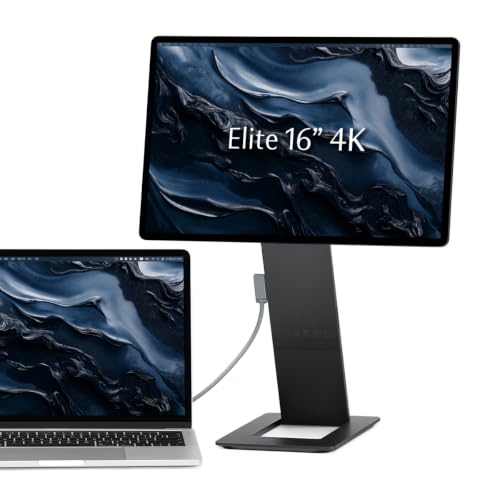
SOTSU FlipAction Elite 16″ Portable (Pivot)
The SOTSU FlipAction Elite takes the vertical idea travelling: a 16-inch portable monitor at 4K with a super-compact form, Pivot Rotate in the title’s own words, a 3840×2400 DCI P3 panel at 60Hz with 450 nits of brightness, a full metal CNC body in space black, positioned as a perfect match for Mac and Windows. A portable portrait screen is a different instrument from a desktop column — it is the second screen for the hotel desk, the train table, the client’s office, the home desk that must pack away at night — and its rotation serves the documents and feeds that follow the traveller. The 3840×2400 resolution is a 16:10-class canvas, denser in effect than its size suggests, and the DCI P3 claim gives the little panel colour ambitions its desktop rivals would respect.
The full-metal construction matters in a product whose life is bags and baggage compartments; portability is a durability specification before it is a size one. At 450 nits the panel holds its own in bright cafés and daylit rooms where lesser portables wash out. The honest framing is companionship: sixteen inches will not replace a desktop main screen, and it is not asked to — it extends a laptop, in either orientation, wherever the laptop goes. For the traveller whose work is documents and whose second screen must earn its place in a carry-on, the SOTSU’s title states the most premium portable case in this guide, pivot included in writing.
- Size and resolution: 16-inch, 3840×2400
- Form: Portable Monitor, Super Compact
- Rotation: Pivot Rotate
- Colour: DCI P3
- Refresh rate: 60Hz
- Brightness: 450 Nits
- Build: Full Metal CNC
- Compatibility: Mac and Windows
- Finish: Space Black
Strengths
- Pivot Rotate is stated outright — rare honesty in portable monitors.
- A 3840×2400 DCI P3 panel is remarkably dense and wide for its size.
- Full-metal construction suits a life spent in bags.
Trade-offs
- Sixteen inches is a companion’s canvas, not a main screen’s.
- 60Hz keeps it a documents-and-media instrument.
- Its premium build addresses travellers, not static desks.
Best for: travelling professionals who read and review documents on the road.
Not suited for: a fixed desk seeking its primary display.
Travellers can check the FlipAction Elite on Amazon for its price and case options.
Side-by-side comparison
| Monitor | Size / resolution as titled | Pivot as titled | Other stand movement as titled | Refresh as titled |
|---|---|---|---|---|
| AG Neovo MH2404 | 24-inch; resolution not stated in the listing title | Pivot | Height Adjustable, Swivel, Tilt | 144Hz |
| MNNM 24″ | 24-inch FHD 1080p | Pivot | Height/Tilt/Swivel | 100Hz |
| LG 32UR550K | 32-inch 4K UHD | Pivot | Tilt/Height | 60Hz |
| CRUA 27″ QHD | 27-inch QHD 1440p | Pivot | Height/Swivel/Tilt | 360Hz |
| Thinlerain 27″ 4K | 27-inch 4K UHD | Not stated in the listing title | Not stated in the listing title | 160Hz |
| SOTSU FlipAction Elite | 16-inch, 3840×2400 | Pivot Rotate | Portable form; stand details on listing | 60Hz |
Common Mistakes
The founding mistake of this category is the one this guide opened with: reading “height adjustable” as “rotates”. Height, tilt and swivel are three different kindnesses, and none of them turns a screen portrait. The word is pivot; buy the word, or buy a VESA arm that supplies it, and let no other stand vocabulary substitute. The Thinlerain’s entry in this guide stands as the permanent worked example — a product that declares its vertical intent while leaving its mechanism to the listing, which is exactly where such questions belong.
Second, owners forget the software half of the rotation. The operating system must be told the display is portrait — a display-settings change, per monitor, in a multi-screen setup — and some older applications handle tall windows gracelessly. Set the orientation in the system the day the panel arrives, arrange the displays to match their physical positions, and the pointer will cross between screens where the hand expects.
Third, portrait height is ergonomics, not decoration. A tall panel’s top edge can sit far above eye level, and a vertical screen read for hours should be seated lower than a landscape one, its centre near eye height. Height adjustment — present in most titles here — is therefore not a luxury clause in this category; it is the difference between a reading column and a neck complaint.
A further mistake is rotating the panel and never rotating it back during the first month, out of a sense that the purchase must be justified. The healthiest vertical desks are bilingual: the column turns portrait for the document season and landscape for the video call, the spreadsheet week or the second player. Several stands here make the turn a ten-second gesture, and the owner who uses both orientations owns two monitors; the owner who forbids one owns a monument. Buy the pivot for freedom, then exercise the freedom in both directions.
And check the panel itself on arrival, as with every display in this site’s coverage: uniformity on a grey field, dead pixels on white, backlight behaviour on black in a dim room. A second screen is easy to accept uncritically because it is not the main event — until the eye starts catching the flaw in the corner of every document. The return window is the same length for the supporting actor as for the star.
Finally, do not judge a vertical panel by landscape habits. Its virtues are textual: lines per screen, pages per glance, the calm of a document that fits. A buyer who evaluates the portrait column by gaming benchmarks will underrate exactly what it was bought to do.
Final Recommendation
Let the job choose the tower. For the classic second-screen column — code, documents, chat — the MNNM is the complete office answer with every movement named, and the AG Neovo its faster, gaming-capable alternative once its resolution is confirmed. For long-form reading as a main event, LG’s 32-inch 4K tower stands alone in this guide. The gaming desk that wants portrait built into its primary weapon takes the CRUA; the hybrid home office that wants its calls in the column takes the Thinlerain, after its listing explains the rotation; and the road takes the SOTSU, the only pick here that fits in a carry-on. Whichever name you choose, hold the category’s one rule sacred: pivot is a word in a title, not a hope in a heart — buy where it is written.
There is a small, unglamorous pleasure waiting at the end of this purchase that deserves the last word: the first long document read standing tall, entire, on a screen that finally agrees with the shape of the page. No specification in this guide quite prices that moment, yet it is what every pivot, every tower and every travelling column is actually for. Choose the panel whose written promises match the reading your days are made of, turn it tall, and let the scroll wheel rest — the page, at last, fits the screen it was always meant for.
FAQ
What is the difference between pivot and swivel?
Pivot rotates the panel itself from landscape to portrait — the rectangle turns tall. Swivel turns the whole screen left or right on its stand while it stays landscape, like turning to face a colleague. A vertical setup needs pivot; swivel is a courtesy. Titles in this guide list them separately because they are separate mechanisms.
Can any monitor go vertical on an arm?
Any monitor with a VESA mount can, on a pivoting arm — which is why VESA compatibility in a title is valuable insurance. The AG Neovo, MNNM, CRUA and Thinlerain all state a VESA or wall-mount path, so an arm can supply or supplement their rotation regardless of the bundled stand.
Is a vertical monitor good for gaming?
For the games themselves, landscape remains the native shape, and the CRUA’s 360Hz is a landscape figure. Portrait serves the gaming desk around the game — chat, guides, streams, builds — and a few genres with tall playfields. Buy vertical for the desk’s ecosystem, and let the game stay wide.
Which size is best as a second screen?
Twenty-four inches is the classic column: tall enough for documents and code, modest enough to sit beside a main screen without dominating it. Twenty-seven inches suits a primary portrait role or a spacious desk; thirty-two inches is a commitment to long-form reading as the desk’s centrepiece.
Does Windows and macOS handle portrait orientation well?
Both offer per-display orientation settings, and in a multi-monitor setup each screen keeps its own arrangement. Set the portrait panel’s orientation in the system settings when it arrives, position the displays to match the physical desk, and text applications will treat the tall screen as home.
Why does the Thinlerain review keep asking about its mechanism?
Because its title declares it a vertical gaming monitor without describing how it rotates. The intent is credited; the mechanism must be confirmed on the listing — its specification or portrait imagery — and its stated VESA mount guarantees an arm-based route regardless.
How do I stop text looking soft once a screen has been rotated into portrait?
Begin by confirming that the operating system’s rotation setting matches the physical panel exactly, because a screen rotated in software but not on its stand, or the other way round, produces the stretched, fuzzy desktop that gives portrait working a bad name. Next, check that the display is running at its native resolution rather than a scaled fallback the system may have chosen during the rotation; the titles in this guide state resolutions plainly, from the MNNM’s FHD panel to the LG’s 3840 by 2160, and portrait text only stays crisp when every pixel is being used as designed. Give the system a minute after rotating, then open the document you read most and judge it at your normal zoom before changing anything else. If edges still look uneven, adjust the text scaling one step at a time and restart the application between changes, since many programs only redraw their interface cleanly on launch. Cables deserve a final check: a connection that was adequate in landscape can be strained by the extra reach a rotated panel demands, and reseating it costs nothing.
Related Guides
- Best monitors for MacBook Pro with USB-C docking
- Best monitors for PS5 at a desk
- Best 49-inch 1440p gaming monitors
Portrait orientation is where colour work gets proofed, and our guide to the best monitors for color grading video holds the calibration standard for it.


