Our Top Picks
 OBD2 Scanner Bluetooth Wireless Car Diagnostic Tool for2.95 x 1.77 x 0.78 inches0.1 poundsCheck on Amazon


What's inside
- What an OBD2 scanner adds to an Android phone
- OBD2 compatibility: which vehicles actually qualify
- How this guide evaluates diagnostic adapters
- Bluetooth, Wi-Fi and wired adapters compared
- The ELM327 question: genuine chips, licensed clones and fakes
- Representative adapter families for Android
- Android applications: where the diagnosis really happens
- Reading codes properly: numbers, context and freeze frames
- Clearing codes: what it does and what it hides
- A careful first session, step by step
- Used car inspections with a phone scanner
- Intermittent faults, logging and long term monitoring
- Safety, legality and warranty boundaries
- Troubleshooting connections and implausible data
- Standalone readers versus phone adapters
- Frequently asked questions
- Diesel specific data: particulate filters, glow plugs and AdBlue systems
- Hybrid and electric models: reading what is available honestly
- Keeping records that a workshop will respect
- Phone mounting and session ergonomics in the car
- Check prices on Amazon
- Choosing an adapter for your actual car
As an Amazon Associate I earn from qualifying purchases. This post may contain affiliate links at no extra cost to you.
A note on how this site is funded: certain outbound links here carry a referral code, and a qualifying purchase through one may pay the site a small commission. That income supports continued publishing at no extra cost to you, while the assessments below draw only on manufacturer specifications, published technical material and reports from vehicle owners.
What an OBD2 scanner adds to an Android phone
Vehicle diagnostics for an Android phone usually means a small adapter that plugs into the car, reads data from its onboard diagnostic system and passes that data to an application on the handset. The adapter is a bridge, not a mechanic. On one side sits the OBD2 port, a standardised sixteen pin connector that gives access to emissions related fault codes, freeze frame records and a set of live sensor values defined by regulation. On the other side sits a Bluetooth or Wi-Fi radio that pairs with the phone, where the application displays codes in plain language, graphs coolant temperature or oxygen sensor behaviour, logs a journey and clears a stored code after a repair.
The appeal is easy to understand. A dashboard warning light tells a driver that something crossed a threshold, but not which system reported it, whether the fault is current or historical, or what the engine was doing when the code was set. A phone based scanner answers those narrower questions at the kerb, in a driveway or before a used car purchase, using a handset the owner already carries. It can distinguish a loose fuel cap triggering an evaporative emissions code from a misfire counter climbing on one cylinder, and that distinction decides whether the next step is a tightened cap, a booked workshop visit or an immediate stop.
Equally important is what the combination cannot do. A generic OBD2 application reads the regulated powertrain layer shared across brands; it does not automatically unlock every manufacturer specific system for airbags, anti lock brakes, body electronics, battery management or transmission adaptation. Some adapters and paid applications do reach deeper into particular brands, but that coverage is model and year specific and must be checked against the exact vehicle. Treating a cheap adapter as a universal diagnostic computer leads to false confidence, especially on modern cars where a warning may originate outside the emissions layer entirely.
Android is a particularly suitable host for this work. The operating system has long supported Bluetooth serial profiles used by diagnostic adapters, its application stores carry a mature selection of OBD software, and a handset with a large display makes live graphs readable in a way a tiny standalone reader cannot match. Owners who keep an older Android phone in the glovebox often dedicate it to garage duty, paired once and left offline. Anyone choosing a handset partly for workshop and travel use may also browse best 5g android phones for models whose radios and battery life suit long connected drives.
OBD2 compatibility: which vehicles actually qualify
Petrol, diesel and regional introduction dates
Compatibility turns on regulation dates that differ by market and fuel. In the United States, light vehicles sold from the 1996 model year carry OBD2 under federal rules. In the European Union, the equivalent EOBD requirement reached petrol cars in 2001 and diesel cars in 2004, with light commercial vehicles following on their own timetable. Japan, Australia, Brazil, India and other markets adopted comparable systems across the following decade, sometimes under local names and with different connector enforcement. A car built shortly before its market deadline may have a similar looking sixteen pin socket wired for an earlier manufacturer protocol, so the presence of a port alone does not guarantee that a generic adapter will communicate.
That borderline era deserves care in used car work. A late nineteen nineties European petrol model might answer an adapter through a manufacturer specific protocol while ignoring standard requests, and a grey import can carry the rules of its original market rather than the country where it now lives. Checking the emissions label under the bonnet, the vehicle handbook and the compliance plate gives a firmer answer than the socket shape. Adapters that support several hardware protocols, including the older pulse and variable pulse systems alongside controller area network, widen the chance of a connection on transitional vehicles.
Protocols under the socket
Five signalling protocols were permitted under the original OBD2 framework. SAE J1850 appears in pulse width and variable pulse width forms associated mainly with North American makers, ISO 9141-2 and its keyword successor ISO 14230 served many European and Asian models, and ISO 15765, the controller area network form, became dominant and is mandatory on United States vehicles from 2008. A modern adapter handles all of them in principle, switching automatically as it probes the pins. Clone adapters sometimes implement the network protocol reliably while struggling with a keyword protocol that an older family car requires, which is one reason two adapters with identical marketing can behave differently across a household fleet.
Electric vehicles complicate the picture. Battery electric models expose a diagnostic socket and will answer some standard requests, yet many regulated data items relate to combustion engines and simply do not exist on those cars. State of charge, cell balance, inverter temperature and charging faults usually live in manufacturer specific areas that a generic application cannot interpret. Hybrids sit between the two worlds: their petrol engine data is often readable, while the high voltage system remains behind brand specific access. No phone adapter should ever be treated as a tool for probing high voltage components physically; its role is reading reported data, nothing more.
Heavy vehicles, motorcycles and exceptions
Trucks above the light duty threshold, many motorcycles, agricultural machines and some commercial vans use different diagnostic standards, such as SAE J1939 on heavy vehicles, with different connectors and message structures. Adapter cables that reshape a plug do not convert a protocol. Owners of mixed fleets should confirm the standard named in the service manual before assuming a car adapter will help with a motorhome based on a heavier chassis or a delivery vehicle classed above passenger car limits. Boats, generators and classic cars without electronic engine management fall outside this guide entirely.
How this guide evaluates diagnostic adapters
The comparison method uses published adapter specifications, chipset documentation, application developer compatibility lists, vehicle regulation timelines and recurring patterns in owner feedback about pairing failures, dropped connections and unsupported vehicles. Connection radio type, protocol list, stated application support, firmware update policy, power draw while plugged in and housing design can all be verified from documents a maker supplies. Where owners of several different car brands report the same behaviour, such as an adapter that sleeps correctly and never flattens a battery, that consistency carries more weight than a single enthusiastic account tied to one model.
Numeric scoring is avoided for the same reason fault codes need context: a single figure cannot express the difference between an adapter that excels on a modern network protocol car and one that patiently handles an elderly keyword protocol hatchback. Instead, the guide separates adapters by job. A quick code check before buying a used car, a season of monitoring an intermittent fault, support for a particular brand’s deeper systems and reliable logging on long drives are different jobs that reward different hardware. Readers should identify their job first and then weigh the relevant section, rather than chasing a headline ranking.
No prices or star figures appear below. Adapter pricing is volatile, bundles differ by cable and application licence, and a rating cannot warn a buyer that a bargain unit carries a counterfeit interface chip with a narrowed protocol set. The sections on genuine and imitation ELM327 devices give the reader a more durable skill: reading a listing for chipset honesty, firmware version claims and application compatibility statements that can be checked against developer documentation before money changes hands.
Bluetooth, Wi-Fi and wired adapters compared
Bluetooth classic adapters
Traditional Bluetooth adapters use a serial port profile that Android applications have supported for many years. Pairing usually involves selecting the adapter from the Bluetooth menu, entering a short code printed in its leaflet and then choosing that adapter inside the diagnostic application. Once paired, the link is local, needs no network and reconnects quickly on later drives. Throughput is modest, but OBD data is also modest: a handful of sensor values refreshed several times per second fits comfortably inside the channel, although very fast logging of many parameters on an older car can expose the limits of both the adapter and the vehicle’s own response rate.
Bluetooth Low Energy adapters
Low Energy designs arrived later and suit phones and applications built around that radio. They often pair from inside the application rather than through the system menu, draw less current while waiting and wake quickly when the ignition returns. Compatibility is narrower in one respect: an application written only for classic serial adapters will not necessarily speak to a Low Energy unit, and vice versa. Premium adapters from brands such as OBDLink and Vgate publish explicit application compatibility lists for this reason, and a buyer should match the exact adapter variant to the exact application version instead of assuming that any Bluetooth label guarantees a conversation.
Wi-Fi adapters and their trade offs
Wi-Fi adapters create a small local network that the phone joins. Historically they were the route for handsets whose operating systems restricted Bluetooth serial access, and they remain useful for cross platform households. On Android they carry an annoyance: while the phone is attached to the adapter’s network, it may lose its usual internet route, so cloud lookup of a code description, map loading or a backup upload can pause until the phone is set to use mobile data alongside a local connection without internet. Wi-Fi units also tend to draw more standby current. For a dedicated garage phone the trade may be acceptable; for a daily driver handset it usually makes Bluetooth the calmer choice.
Wired USB adapters
A wired adapter removes pairing from the equation and can deliver a stable, fast link for logging on a bench or during a long diagnostic session. Android support depends on the handset exposing a host capable USB port, the adapter’s serial chipset and the application recognising that chipset. Cable routing across a footwell needs care, and a phone tethered to the dashboard port is less convenient for a passenger to hold during a road session. Wired designs therefore serve enthusiasts and small workshops more than casual owners, but their determinism is real: no radio interference, no pairing code and no sleep negotiation.
The ELM327 question: genuine chips, licensed clones and fakes
ELM327 is the name of a microcontroller family from ELM Electronics that translates OBD protocols into a simple serial command language, and for years it defined the budget adapter market. Genuine and properly licensed implementations support the full command set and the documented protocol behaviour that applications expect. When ELM Electronics wound down operations, existing stock and licensed derivatives continued, but the marketplace had already filled with imitation chips that borrow the name while implementing only part of the command set. These imitations often report a famous firmware version number regardless of their actual code, because applications once used that number as a quality signal and sellers learned to spoof it.
A counterfeit leaning adapter typically works on an easy vehicle and fails on a harder one. It may read generic codes on a modern network protocol car yet stumble on an older keyword protocol model, refuse certain mode requests, report implausible sensor values under rapid polling or drop its connection when several parameters are requested together. The failure looks like vehicle incompatibility, which sends owners blaming the car or the application. Developer documentation for established Android applications names this pattern directly and recommends adapters from identifiable makers, because support teams have spent years separating vehicle faults from adapter faults.
Clues in a listing are imperfect but useful. A seller that names the actual interface chip, states which applications are supported, publishes a firmware update route and maintains a brand website with vehicle coverage documents is making checkable claims. A seller that lists every application ever written, promises professional level diagnosis for the price of a coffee and shows a translucent blue housing copied from a decade of generic units is making uncheckable ones. The translucent housing itself proves nothing either way, since it has been copied in both directions, but it should prompt closer reading rather than instant trust.
Some respected adapters do not use an ELM327 at all. OBDLink devices are built around the STN family of interface chips, which extend the familiar command language with faster throughput, additional protocols and manufacturer specific expansion. Others, such as the Vgate iCar Pro range and the devices bundled with brand focused applications like BimmerLink or Carista, use their own firmware tuned to a stated application list. Judging an adapter by whether it claims ELM327 heritage is therefore outdated; judge it by documented protocol support, application endorsement and update policy.
Representative adapter families for Android
OBDLink MX+ and LX
The OBDLink line from OBD Solutions is the reference point for owners who want fast polling and broad application support on Android. Published material emphasises a maximum parameter rate well beyond generic adapters, automatic sleep with very low standby draw, firmware that the owner can update and access to selected manufacturer enhanced data through the bundled application for supported brands. The MX+ variant uses Low Energy Bluetooth and cross platform support, while the LX targets Android and Windows with classic Bluetooth. Their documentation is unusually explicit about protocol coverage and electrical protection, which makes them easy to recommend on paper for a household with several cars.
Vgate iCar Pro and vLinker ranges
Vgate occupies the middle ground between premium units and anonymous generics. The iCar Pro comes in Bluetooth classic, Low Energy and Wi-Fi variants that share a compact low profile housing, and the maker publishes pairing guidance per application, including Torque and several brand specific tools. The vLinker line adds models aimed at particular ecosystems, including variants endorsed for use with FORScan on Ford group vehicles and with certain European brand applications. Owner feedback patterns highlight the importance of choosing the correct radio variant, since the three versions look alike in photographs while behaving differently during pairing.
BlueDriver and brand bundled systems
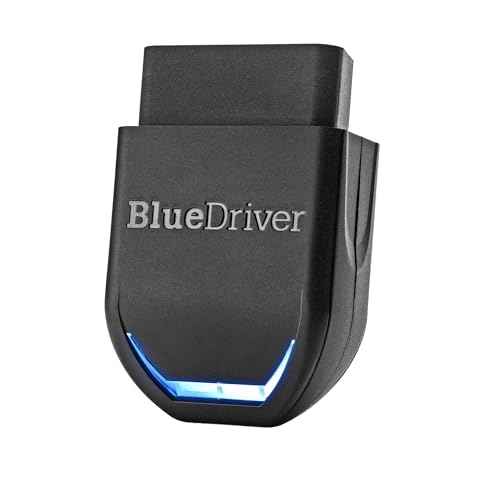
BlueDriver pairs a proprietary adapter with its own application and a database that links codes to commonly reported fixes drawn from a large repair network. Its published appeal is guidance rather than raw data: a code arrives with context about severity and frequently successful repairs for the specific vehicle. That model suits owners who want direction more than graphs, though it ties the hardware to one application. Carista follows a related path for several European and Japanese brands, combining an adapter with deeper brand functions such as service resets and customisation menus on supported models, under a subscription for advanced features. Both illustrate why checking the application business model matters as much as checking the plug.
Budget generic adapters
Unbranded mini adapters remain the entry point for a single code check on a common vehicle, and many owners complete that job successfully. Their limitations appear with protocol breadth, sleep behaviour and longevity rather than with the first connection. A generic unit left permanently in the port may keep polling networks awake on some cars and slowly drain the battery, a pattern reported often enough that removing a budget adapter after each session is prudent advice. For an occasional check on a mainstream petrol car, a generic adapter plus a reputable application can be proportionate; for permanent installation or a difficult older vehicle, it is the false economy in this market.
Android applications: where the diagnosis really happens
Torque Pro and the plugin ecosystem
Torque, in its Lite and Pro forms from developer Ian Hawkins, is the application most owners meet first. It reads and clears powertrain codes, builds custom dashboards from live parameters, logs journeys with GPS position, supports plugins that add manufacturer specific parameter sets and themes, and exports logs for later review. Its longevity means vehicle specific advice for it fills forums for almost every common model, which helps a new user interpret a parameter name. Torque expects a classic Bluetooth serial adapter in most configurations, so pairing it with a Low Energy only unit without checking current developer guidance is a common avoidable error.
Car Scanner ELM OBD2
Car Scanner has built a following for its clear dashboards, its per model profiles and its generous free tier. Published feature lists include dashboards configured for particular vehicles, fuel consumption statistics, additional sensors beyond the regulated set on supported cars and a layout that suits a phone mounted on a vent. Owners of diesels use its particulate filter related displays where the vehicle exposes them. Its profile system illustrates a wider principle: an application that knows the exact model can label and scale parameters correctly, while a generic profile may show a plausible number with the wrong unit or range.
Manufacturer focused and generalist alternatives
FORScan Lite serves Ford, Mazda and related vehicles with access beyond the generic layer on supported models. BimmerLink and BimmerCode address BMW group cars, Carista covers several mainstream brands with customisation and service functions, and OBDeleven targets Volkswagen group vehicles with its own adapter and credit based operations. Generalists such as DashCommand, OBD Fusion and inCarDoc cover broad fleets with polished displays and cloud features. Each application publishes its own adapter requirements, and some advanced operations carry safety implications, such as coding a module or forcing a regeneration, that place them beyond a casual code reading session. Reading the developer’s warnings is part of using the tool responsibly.
Application permissions deserve a glance during installation. A diagnostic application legitimately needs Bluetooth access and, on current Android versions, the nearby devices permission that governs it. Location permission may be requested because Bluetooth scanning and journey logging intersect with system rules, and a reputable developer explains that relationship in its privacy material. An obscure application demanding contacts, messaging or broad file access for a code reader job is a poor match for a device that will sit connected to a car, and the established names above set a reasonable baseline for what to expect.
Power during a long session is its own small system. Live logging, a bright dashboard and GPS can drain a handset across an afternoon of garage work, and keeping the phone charged from the car is sensible provided the cable and charger suit the vehicle. Our guide to best 18w car chargers covers the modest charging speeds that older vehicles and phones pair well with, which is usually all a diagnostic session needs.
Reading codes properly: numbers, context and freeze frames
Anatomy of a diagnostic trouble code
A standard code has five characters. The first letter names the system family: P for powertrain, B for body, C for chassis and U for network communication. Generic OBD applications concentrate on P codes, with the second character distinguishing a standardised code, where it is zero, from a manufacturer defined one. The remaining digits narrow the subsystem and the specific condition, such as a circuit range problem, a low input or an intermittent signal. Two codes that share a prefix can still demand opposite responses, so copying the full string, including any pending or permanent status the application reports, matters more than remembering a rough translation.
Pending, confirmed and permanent codes describe stages rather than duplicates. A pending code records a fault that has appeared but not yet met the conditions to illuminate the warning light. A confirmed code has recurred or persisted enough to be stored as an active fault. Permanent codes, on newer vehicles, remain in memory until the vehicle’s own monitors verify the repair through normal driving, and a basic clear command will not erase them immediately. An owner who clears everything on first sight destroys that staging information and may return a car to a seller or a workshop with the evidence wiped and the fault still present.
Freeze frame data
When a code is set, the vehicle stores a snapshot of key values at that moment: engine speed, load, coolant temperature, fuel trim, vehicle speed and related items, depending on the model. That freeze frame is often the most valuable screen in the application. A misfire recorded at cold idle points toward different causes than one recorded at motorway load, and an oxygen sensor code accompanied by extreme fuel trim suggests a mixture problem upstream of the sensor itself. Save or screenshot the freeze frame before clearing anything, and note the odometer reading and fuel level alongside it, because patterns across two occurrences are far more diagnostic than a single snapshot.
Live data and fuel trim literacy
Live data rewards patience and a small vocabulary. Short term and long term fuel trim show how far the engine management has moved fuelling away from its base map; large positive values suggest the system is adding fuel to compensate for a lean condition, while negative values suggest the opposite. Coolant temperature should climb smoothly and settle near the thermostat regulation point. Oxygen or air fuel sensors should respond rather than sit frozen at one voltage or ratio. None of these observations names a failed part by itself, but together they let an owner describe symptoms to a technician in language that shortens workshop time, and they let a used car buyer notice a seller’s story that the numbers contradict.
Readiness monitors complete the picture. These are self checks the vehicle runs for systems such as the catalyst, evaporative emissions, oxygen sensors and exhaust gas recirculation, each needing particular drive conditions to complete. A car presented for sale with several monitors incomplete and no stored codes may simply have had its codes cleared shortly beforehand, because clearing resets the monitors. That single observation, available in most applications, is one of the strongest reasons to carry an adapter to a viewing. Laws in many regions also require completed monitors for an emissions inspection, so a recently cleared car can fail a test even with its warning light dark.
Clearing codes: what it does and what it hides
Clearing a code commands the vehicle to erase stored fault information and turn off the warning light if the fault does not immediately return. It is appropriate after a repair, after an accidental trigger such as running the engine with a sensor unplugged during other work, or as a deliberate diagnostic step where the owner wants to see which codes return and in what order. It is not a repair. A code that returns within one drive cycle is reporting a present condition, and repeatedly clearing it to keep a dashboard dark risks worsening damage, particularly with misfires that can overheat a catalytic converter.
There are also transactional reasons to leave codes alone. A car under warranty should go to the dealer with its evidence intact. A car being assessed for a return, a claim or a dispute should be documented before anything is erased. A leased vehicle may carry terms about warning lights and maintenance records. In each case the phone’s best use is recording: export the code list, save the freeze frame, photograph the dashboard mileage and keep the application’s log file. That record protects the owner more than a clear dashboard does.
A careful first session, step by step
Park on level ground with the handbrake applied and the engine off. Locate the diagnostic port, usually beneath the dashboard on the driver’s side, near the steering column, inside a small fuse compartment or occasionally behind an ashtray or trim panel in older designs; the handbook diagram settles any doubt. Insert the adapter squarely without forcing it, noting that its lights should respond when the ignition is switched to the accessory or run position. Keep feet and cables clear of the pedals, and never route a phone lead across the steering column.
Pair the adapter following its own leaflet, because the sequence differs between classic Bluetooth, Low Energy and Wi-Fi models. Open the chosen application, select the adapter type and address in its settings, choose the vehicle profile if one exists and start the connection with the ignition on. Many vehicles need the engine running for full live data, while code reading can often be done with the ignition on and the engine stationary, which is the quieter and safer arrangement for a first exploration in a driveway.
Read and save everything before clearing anything. Record codes with their status, freeze frame values, readiness monitor states and the odometer reading. Only then decide whether a clear is justified. If live data is the goal, build a modest dashboard first: coolant temperature, engine speed, fuel trim and intake temperature teach more than a screen crowded with twenty gauges updating at different rates. On a road session, a passenger should operate the phone. A driver dividing attention between traffic and a scrolling graph is a hazard that no diagnostic insight justifies, and several jurisdictions treat handheld phone use at the wheel as an offence regardless of the application involved.
Finish by closing the application, switching off, removing the adapter unless it is a low draw model intended to stay installed, and checking that the car locks and sleeps normally. Note anything unusual, such as a fan running on or a dashboard that stays lit, because an adapter that keeps vehicle networks awake announces itself in exactly that way. Store the adapter out of direct sun; a black dashboard in summer reaches temperatures that age electronics and lithium free designs alike, and a glovebox is kinder than a windscreen ledge.
Used car inspections with a phone scanner
A pre purchase scan follows a stricter etiquette. Ask the seller’s permission before plugging anything into the car, explain that the adapter only reads, and be ready to accept a refusal without argument. Begin with the ignition on and the engine off: check that the warning light illuminates as a bulb test, because a light that never appears may have been disabled. Start the engine and confirm the light goes out. Then read codes, readiness monitors and freeze frames, and look for the combination of incomplete monitors with a suspiciously clean code list discussed earlier.
During a test drive, with a passenger watching the phone, coolant temperature behaviour, charging voltage, misfire counters where exposed and transmission temperature on supported models all add texture to how the car feels. A vehicle that runs cool under load may have a thermostat stuck open; one that creeps upward in traffic may have a fan or coolant issue the seller’s short demonstration route never revealed. Compare the odometer in the application, where a model exposes it, with the dashboard figure, and treat any mismatch as a question for documents rather than an accusation on the spot.
Budget buyers carry the heaviest inspection burden, because an older car can hide a repair bill larger than its discount. Pairing this diagnostic routine with the wider checks in best affordable android phones is not the point here; rather, the phone in the buyer’s pocket becomes the inspection instrument, provided its battery lasts the viewing. Charge it beforehand, download the vehicle profile while still on home Wi-Fi and carry a small power bank if several cars are scheduled in one day.
Intermittent faults, logging and long term monitoring
Intermittent problems are where phone logging earns its keep. A fault that appears only on cold mornings, only after a fuel stop or only during a long climb will rarely perform for a workshop. An application set to log selected parameters whenever it connects builds a dated record across weeks, and the session where the symptom occurred can be compared with normal sessions. Keep the parameter list short so the polling rate stays high, include the values present in the freeze frame from the first occurrence, and add a short note after each drive describing weather, fuel level and journey type while memory is fresh.
Permanently installed adapters make that logging automatic, which raises the battery question again. Published sleep current separates serious designs from generic ones: a well designed unit drops to a few milliamps or less and wakes on voltage change or movement, while a careless one draws enough to matter across a fortnight parked at an airport. Cars with small batteries, stop start systems or known parasitic drain sensitivity deserve the cautious pattern of removing the adapter between sessions, whatever the marketing promises. A flat battery erases any diagnostic convenience in a single morning.
Data also needs interpretation discipline over time. A single high reading in a log is an event; the same reading at the same point in every cold start is a pattern. Applications graph trends well, but the owner supplies the context that turns a trend into a hypothesis: a recent part change, a different fuel station, a season turning. Writing those notes in the application’s trip comments, or in a simple document kept with service receipts, preserves the value of the log when a technician reviews it months later.
Safety, legality and warranty boundaries
The diagnostic port is an electrical interface inside a vehicle that contains fuel vapour, hot surfaces, rotating belts and, in hybrids and electric models, high voltage systems separated from the cabin by design. Reading data from the driver’s seat with the engine running in a ventilated space is routine; reaching around a running engine to chase a connector is not part of this activity. Work outdoors or with a garage door open, because exhaust gas in an enclosed space is lethal, and keep the session short when the engine must run stationary.
Emissions law draws a line that owners should respect. Clearing a code to pass an inspection without repairing the underlying fault misrepresents the vehicle, and readiness monitors are designed to expose exactly that manoeuvre. Some regions also regulate the removal or alteration of emissions equipment, and no application feature changes those rules. Used honestly, a scanner supports compliance: it warns of a failing sensor before a test date, confirms that monitors complete after a repair and documents that the vehicle was genuinely ready when presented.
Warranty and coding functions need a final distinction. Reading codes and live data does not alter the vehicle and is broadly accepted as owner information. Writing changes, activating hidden features, forcing component routines or resetting service systems can affect warranty arguments and, if interrupted mid operation, can leave a module in a bad state. Brand focused applications publish warnings around those operations for a reason. Owners who value a warranty should confine the phone to reading until the coverage period ends, and owners who proceed with coding should ensure a charged phone, a stable connection and a battery support unit on the car, as workshop practice dictates.
Travel adds one more practical layer. An adapter and a charged phone are easy to pack, and a code read in another country can decide whether a hire car goes back or a personal car continues to the next town. Keep the phone’s charging kit as organised abroad as at home; guidance in best chargers for international travel is relevant when a diagnostic session, navigation and a hotel room all compete for one socket at the end of a driving day.
Troubleshooting connections and implausible data
Adapter will not pair or will not stay connected
Connection failures usually sit in one of four places. The adapter may not be receiving power, which its indicator light and a check of the relevant fuse will reveal, since the diagnostic port’s supply often shares a fuse with a cabin accessory socket. The phone may be paired to the car’s hands free system and the application may be pointed at the wrong Bluetooth address, a confusion that grows when several similar adapters appear in the device list. The application may expect a different radio type than the adapter provides. Or another application may already hold the connection, because only one program can own the serial link at a time. Working through those four in order resolves most sessions without replacing any hardware.
Interference and distance rarely trouble a link measured in centimetres, but a phone in a metal lined centre console or a handset juggling several Bluetooth accessories can drop a marginal adapter. Move the phone to the dashboard, close competing applications, forget and re pair the adapter if its entry has become corrupted, and confirm that battery optimisation settings on the phone are not putting the diagnostic application to sleep mid drive. Android vendors apply power management with different enthusiasm, and an application that records perfectly on one brand may need an exemption on another.
Connected but no data, or data that cannot be right
An adapter that connects yet returns no vehicle data may be speaking to the wrong protocol, facing a vehicle from the borderline compatibility era or meeting a gateway that requires a manufacturer specific wake up the generic application cannot supply. Trying a second application separates adapter faults from application faults, and checking the same adapter on a known compatible car separates vehicle questions from both. Implausible values, such as a coolant temperature that never moves or a road speed that doubles the dashboard figure, usually trace to a wrong vehicle profile, a unit conversion or an imitation interface chip misreporting a parameter. Trust the dashboard over the phone when they conflict, and treat the conflict itself as information about the adapter.
Standalone readers versus phone adapters
A dedicated handheld reader still has a place. It boots instantly, survives glovebox heat and drops, carries no pairing step and can be lent to a neighbour without handing over a phone. Workshops keep them for quick code checks on cars they will then examine with professional equipment. What a handheld gives up is display space, logging depth, update ease and the code context that a connected application can fetch. For an owner with one car and a simple need, a reader is respectable; for anyone who wants graphs, logs, brand profiles and a growing application, the phone adapter is the more capable and more updateable route, at the cost of managing radios and permissions.
Frequently asked questions
Will a scanner find why an airbag or anti lock brake light is on?
Usually not through the generic layer. Those systems sit outside the regulated powertrain data that a basic adapter reads, and accessing them needs an adapter and application with explicit coverage for the vehicle’s brand, model and year. Check the developer’s coverage list by exact model rather than by brand alone, and treat any safety system fault as workshop territory even when a code can be read, because the repair involves components whose correct function matters in a collision or an emergency stop.
Can a phone scanner damage a car?
Reading is a passive request and response exchange that the diagnostic system was designed to serve, and reputable adapters include electrical protection for the port. Risk enters through poor hardware with no protection, through coding or forced routines interrupted mid operation, through an adapter that keeps networks awake and drains a battery, and through driver distraction. Confining a budget adapter to reading, removing it after use and letting a passenger operate the phone keeps the realistic risks close to zero.
Does the engine need to run during a scan?
Code reading, freeze frames and readiness states are available with the ignition on and the engine off on most vehicles, which is the preferred arrangement for a stationary inspection. Live values such as fuel trim, sensor switching and misfire counters only become meaningful with the engine running and warmed to operating temperature. Follow the application’s prompts for specific routines, and never leave a running vehicle unattended in an enclosed space.
Why does an application ask for a subscription after the adapter was bought?
Hardware and software are separate products in much of this market. An adapter maker may bundle a basic application while advanced brand functions, service resets or fix databases sit behind a subscription maintained by the software developer. Read the application’s pricing page before choosing hardware that only works with one program, and add the first year’s software cost to the comparison, because a cheap adapter locked to an expensive application can cost more than a premium adapter that serves several free programs.
What should be checked before relying on a scan abroad?
Confirm that the destination vehicle follows a compatible standard, download its profile and any code database while a good connection is available, and carry the adapter’s pairing code in writing rather than relying on memory. Vehicles built for markets with later adoption dates can surprise a traveller, and a hire fleet may include models whose deeper systems the application does not cover even when generic codes read normally.
Diesel specific data: particulate filters, glow plugs and AdBlue systems
Diesel owners ask more of a phone scanner than petrol owners, because modern diesel aftertreatment generates warnings that arrive with little context on the dashboard. Many vehicles expose particulate filter soot loading, distance since the last regeneration, regeneration status and exhaust temperature sensors through manufacturer flavoured data that some generalist applications have learned to present for popular models. Watching a regeneration complete on a motorway run, rather than interrupting it with a short stop, is one of the most practical habits a scanner can teach, since repeated interrupted regenerations are a known path to a blocked filter and a workshop bill.
Glow plug faults illustrate the value of a specific code over a generic warning. A diesel that starts reluctantly on cold mornings may store a code naming one cylinder’s plug circuit, turning a vague winter complaint into a focused repair. AdBlue and selective catalytic reduction systems similarly report tank level, dosing faults and countdown warnings that restrict starting after a distance if ignored; an application that surfaces the underlying code helps an owner distinguish a low fluid warning that a refill solves from a sensor or injector fault that needs parts. Forcing a regeneration or a service routine from a phone, however, belongs in the caution category discussed earlier: exhaust temperatures climb very high, the vehicle must sit in a suitable place and the routine should follow the maker’s conditions exactly.
Hybrid and electric models: reading what is available honestly
Hybrid owners can usually read the petrol engine side of their car in the normal way, and that alone covers many warning lights, because the engine and its emissions equipment remain regulated hardware. Battery and motor data vary by brand far more than engine data does. Some applications and brand tools expose hybrid battery block voltages or state of charge history on particular Toyota, Hyundai, Kia, Ford and Honda models, and enthusiasts use those figures to assess a used hybrid’s battery health. Coverage changes with model years and application updates, so a buyer travelling to view a specific hybrid should verify that exact model and year against current developer documentation rather than relying on a fellow owner’s report about a different generation.
For battery electric cars, a phone adapter’s honest role is narrower: reading generic fault information where the maker exposes it, checking the twelve volt auxiliary battery’s charging voltage, which remains a common cause of strange behaviour, and using brand specific applications where they exist. Anyone expecting a full battery health verdict from a generic application will be disappointed, because cell level data sits behind manufacturer access for sound engineering and warranty reasons. A seller’s battery claims for an electric car should rest on the maker’s own health report and charging behaviour, with the phone scanner playing a supporting role at most.
Keeping records that a workshop will respect
A scan becomes more valuable when it is filed like a service record. Save the application’s export with a filename that carries the date and mileage, keep screenshots of freeze frames beside it, and note what work followed and whether the code returned. A folder organised by year, shared with a workshop before an appointment, lets a technician start from evidence rather than from a verbal summary, and it protects the owner if a fault recurs inside a parts warranty period. Patterns that look anecdotal in conversation, such as a code that appears every third cold start, become visible at a glance in a dated sequence of exports.
Records also discipline the owner’s own decisions. A code that was cleared and never returned across a full season can be treated as history, while the same code returning after each long journey deserves planned attention even if the car feels normal. Writing down fuel station changes, battery replacements and software updates in the same folder costs little and frequently explains a step change in the data that would otherwise look like a new fault developing.
Phone mounting and session ergonomics in the car
A diagnostic session goes better when the phone has a stable place to live. A vent or dashboard mount keeps the display visible to a passenger, prevents the handset sliding into a footwell when the car moves and keeps charging cables short and tidy. Avoid mounts that place the phone over an airbag deployment zone or high in the driver’s line of sight, and remove the handset from the mount before leaving the car in hot weather. For stationary work, a phone propped on the centre console with its screen timeout extended is sufficient, provided the cable cannot fall across the pedals or the gear selector.
Check prices on Amazon
Live listings for the shortlist in this guide are pulled from Amazon below, so prices and availability are always current at the moment you look.

Veepeak OBDCheck BLE Bluetooth OBD II Scanner for iOS & Android, Car Wireless Check Engine Light Code Reader Diagnostic Tool


Choosing an adapter for your actual car
Start with the vehicle, not the gadget shelf. Confirm its market, fuel, model year and diagnostic standard, then pick the application that covers the job, then select an adapter that the application’s developer explicitly supports in the correct radio variant. Favour identifiable makers with update routes and published sleep behaviour, treat anonymous claims about chipset versions as decoration, and decide in advance whether the adapter will live in the port or travel in a pouch. That order of decisions prevents the commonest purchase error in this category, which is buying a well reviewed adapter that the preferred application cannot speak to.
For a single mainstream petrol car and an occasional warning light, a mid range branded adapter and a respected generalist application cover the need with room to spare. For an older or protocol sensitive car, a mixed household fleet or a season of intermittent fault logging, the faster premium adapters justify themselves through protocol breadth and connection stability. For brand specific systems, the bundled ecosystems earn their subscriptions only when the exact model appears on their coverage lists.
Whichever route you choose, keep the first session methodical: save codes before clearing, read the freeze frame, note the mileage and let the numbers describe the car before anyone names a part.


