What's inside
- Key Takeaways
- Quick Picks: The Best 180 Degree Cameras Worth Shortlisting
- How Did We Choose These Best 180 Degree Cameras?
- How Do the Six Picks Compare Side by Side?
- Should You Choose an IP or an Analogue 180 Degree Camera?
- How Should You Set Up and Use Your Choice Well?
- Putting It Into Practice, Week by Week
- What Mistakes Do Buyers Keep Making?
- Final Recommendation
- Frequently Asked Questions
- Related Guides
As an Amazon Associate I earn from qualifying purchases. This post may contain affiliate links at no extra cost to you.
gizmoverdict.com is reader-supported. When you buy through links on our site, we may earn an affiliate commission.
Where to buy: the linked listings below are the exact products checked for this guide. Read each one for its signal type before ordering — in this category, buying a camera your recorder cannot understand is the classic expensive mistake, and the reviews flag it wherever it applies.
The best 180 degree cameras promise something no ordinary camera can do: watch an entire wall, a whole shop floor or a full frontage from a single mounting point. But the category hides two completely different technologies wearing the same wide-angle smile. On one side sit IP cameras — a fisheye dome that dewarps its circular image in software, and dual-lens models that stitch two views into one seamless panorama. On the other sit analogue coax cameras with 180-degree fisheye lenses, built to feed a DVR over BNC cable. They do not interchange, they do not plug into each other’s systems, and choosing between them is the real subject of this guide.
So read the labels as carefully as the pictures. The IP picks here connect to a network, record to an NVR or their own storage, and are viewed through apps with the wide image flattened cleverly by software. The analogue picks — the DCSEC and its fellow BNC models — require a compatible DVR that understands their TVI, CVI or AHD signal; they cannot be plugged directly into a network or a router, and no app will ever find them on your Wi-Fi. Get that one distinction right and every pick below becomes a sensible tool. Get it wrong and you own a wide-angle ornament.
Key Takeaways
- Two technologies share this category: network IP cameras that dewarp or stitch their wide views in software, and analogue coax cameras that must feed a compatible DVR — they are not interchangeable.
- The analogue picks here (DCSEC and the other BNC models) require a DVR that accepts their TVI/CVI/AHD signal; they cannot connect directly to a network, a router or an app.
- A single 180-degree camera replaces two ordinary cameras on a flat wall or frontage, but its detail is spread across the whole view — faces are identifiable closer in than with a narrow lens.
- Fisheye dewarping quality decides whether an IP fisheye is a joy or a curiosity; dual-lens stitching avoids the fisheye look entirely.
- Mounting position is everything at 180 degrees: centred on the wall or ceiling it watches, the geometry works; tucked in a corner, half the talent is wasted.
Quick Picks: The Best 180 Degree Cameras Worth Shortlisting
| Pick | Badge | Why it made the cut |
|---|---|---|
| Amcrest Fisheye IP PoE Camera | Best ceiling fisheye for indoor coverage | A 5MP PoE fisheye that watches a whole room from one ceiling point, with software dewarping that turns the circle into usable views. |
| Reolink Duo 2V PoE Dual-Lens Camera | Best dual-lens panorama without the fisheye look | Two lenses stitched into one seamless 180-degree view, in a vandal-proof PoE dome — the modern way to watch a whole frontage. |
| DCSEC 1080P 180 Degree Fisheye Dome (Coax) | Best analogue fisheye for existing DVR systems | A 1.7mm fisheye dome for coax systems — essential reading: it must feed a compatible DVR and cannot join a network directly. |
| Real HD 8MP Dual Lens PoE Panoramic Camera | Best metal-bodied dual-lens alternative | A dual-lens panoramic IP camera in a metal housing with full-colour night vision — the rugged alternative to the Reolink route. |
| 4K 8MP 180° Fisheye Eyeball Dome (Analogue 4-in-1) | Best high-resolution analogue fisheye | An 8MP-class eyeball dome for coax systems wanting sharper wide footage — with the same non-negotiable DVR requirement as every analogue pick. |
| 1080P 180 Degree Analogue Bullet (BNC) | Best analogue bullet for walls and eaves | A bullet-form fisheye for coax systems — the shape that suits eaves and wall brackets, with the same DVR-first rule as its dome siblings. |
How Did We Choose These Best 180 Degree Cameras?
We chose these six to represent the category truthfully rather than to pretend it is one product type. The IP side contributes a ceiling fisheye with proper dewarping, a dual-lens PoE panoramic camera, and a dual-lens panoramic bullet. The analogue side contributes three coax fisheye models in dome and bullet forms. Each listing was verified on 2026-11-25, and only the products in this article’s pool carry links. Every review states its camera’s connection type in plain language, because in this category that fact outranks resolution, housing and price combined.
We judged the wide view itself unsentimentally. A 180-degree image spreads its pixels across twice the scene of a normal camera, so we weighted real identification distances, the quality of dewarping or stitching, and night performance across the full width rather than the centre alone. We also considered the system each camera joins: an IP camera’s app and NVR compatibility, an analogue camera’s DVR requirements. A wide camera is a system decision wearing a lens, and the ranking treats it that way.
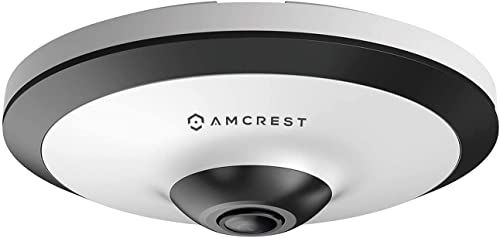
Amcrest Fisheye IP PoE Camera — Best ceiling fisheye for indoor coverage
The Amcrest fisheye is the ceiling-mounted answer to a question every shopkeeper asks: how many cameras does this room need? Mounted centrally overhead, its fisheye lens sees the entire floor in one circular image — a full 360 degrees, which is why it appears in a 180-degree guide: wall-mounted, the same lens covers a half-circle panorama, and ceiling-mounted it doubles the trick. The raw circle is not how you watch it. Amcrest’s dewarping software flattens the view into normal-looking perspectives and virtual camera angles you can pan around, and that software is the difference between a gimmick and a genuinely useful single-camera room.
As an IP camera it lives on your network, powered over the same Ethernet cable that carries its picture, recording to an NVR, a server or its own storage depending on your setup. The 5-megapixel sensor sounds generous until you remember it is spread across an entire room: detail is fine for following movement, identifying who was where and reviewing incidents, but a face at the far wall is a smaller ask than a dedicated narrow camera would deliver. Amcrest’s intelligent detection features help by flagging the events worth reviewing instead of making you scrub hours of circular footage.
Place it thoughtfully and it replaces two or three ordinary cameras. Centre of the ceiling, clear of hanging lights and signs, with the understanding that its kingdom is indoors — this is not the weather-sealed pick for an exterior wall. For a shop floor, a café, an office or a hall where one viewpoint must see everything and the budget prefers one cable run, the Amcrest is the most elegant solution in this guide.
- Connection: Power over Ethernet — a network camera, wired to your network or NVR
- View: full 360-degree fisheye from a ceiling mount (the 180-degree wall view is half its talent)
- Sensor: 5 megapixels spread across the panoramic image
- Software: dewarping produces flat, watchable views and virtual angles
- Use case: shops, offices, halls and large indoor rooms
Strengths
- One ceiling camera covers an entire room
- Dewarping turns the fisheye circle into practical views
- PoE keeps installation to a single cable
Trade-offs
- Detail is spread thin at the room’s far edges
- Indoor design, not an exterior-wall camera
- Dewarped views depend on software you must learn
Best for: shops, offices and halls needing whole-room coverage from one point.
Not suited for: outdoor mounting or forensic facial detail at long range.

Reolink Duo 2V PoE Dual-Lens Camera — Best dual-lens panorama without the fisheye look
The Duo 2V takes the other road to 180 degrees: instead of one fisheye lens and software gymnastics, it mounts two lenses side by side and stitches their images into a single panoramic view that simply looks like a very wide photograph. There is no circular image, no dewarping learning curve — just your whole frontage, car park edge or garden in one frame, recorded as one camera on your system. For many buyers that naturalness settles the argument before specifications are even consulted.
Reolink equips it seriously. The combined 8-megapixel capture spreads more detail across the wide view than the fisheye alternatives, colour night vision keeps the panorama useful after dark, and detection distinguishes people, vehicles and animals so the alerts stay meaningful. The dome carries an IK10 vandal-proof rating — the highest impact class — which matters for a camera whose whole job is watching public-facing spaces where a swung bag or a thrown stone is a realistic Tuesday. PoE power keeps the install to one cable.
Its needs are the IP family’s usual ones: a network drop at the mounting point and a recording plan, whether that is a Reolink NVR, its own storage options or your existing system after a compatibility check. Mount it centred on the wall it watches, at a height that balances facial detail against tampering. Do that, and the Duo 2V is the most complete 180-degree camera in this guide — the one we would fit on a shopfront, a school entrance or a home’s full-width front.
- Connection: Power over Ethernet — network camera for NVR or standalone recording
- View: true 180-degree panorama stitched from two lenses
- Sensor: 8MP combined across the dual lenses
- Housing: IK10 vandal-proof dome rating
- Detection: person, vehicle and animal alerts with colour night vision
Strengths
- Natural stitched panorama with no fisheye distortion
- Vandal-proof dome suits public-facing positions
- Smart detection keeps wide-view alerts relevant
Trade-offs
- Stitch line can show on subjects crossing very close
- Requires network cabling to the mounting point
- Premium positioning within this guide’s prices
Best for: shopfronts, entrances and driveways needing one seamless wide view.
Not suited for: analogue DVR owners — this is a network camera only.

DCSEC 1080P 180 Degree Fisheye Dome (Coax) — Best analogue fisheye for existing DVR systems
The DCSEC dome serves the enormous installed base of analogue CCTV, and its review must begin with the fact that decides everything: this is a coax camera. Its picture travels down a BNC cable as a TVI, CVI, AHD or plain analogue signal — selectable, hence the 4-in-1 description — and it only becomes watchable, recordable footage inside a DVR that understands that signal. It has no network port, no Wi-Fi, no app. Connect it to a compatible DVR and it is a bargain wide-angle upgrade; expect it to join your home network and it will sit in its box while you learn why. That is not a defect — it is the definition of its class.
Within that class, the appeal is obvious. The 1.7mm fisheye lens takes in a full 180 degrees, so one dome over a shop counter, a warehouse aisle end or a home’s side wall sees what previously needed two cameras and two DVR channels. The 1080p sensor spread across that width gives solid situational footage — who went where, which vehicle, what sequence — with identification distances that are honest at counter and doorway ranges. Indoor-outdoor housing makes it flexible across the positions coax systems actually occupy.
Buy it as what it is: the wide-angle completion of a DVR system you already own or are deliberately building. Confirm your DVR accepts one of its signal formats, plan the coax and power run, and set the camera’s output to match before mounting — the 4-in-1 switch is your friend only if you use it deliberately. For analogue-system owners, nothing in the IP half of this guide can do this job at all, which is exactly why the DCSEC earns its badge.
- Connection: BNC coax — analogue camera; it MUST connect to a compatible DVR and cannot plug into a router or network
- Signal: 4-in-1 output covering TVI, CVI, AHD and analogue formats — set it to match your DVR
- Lens: 1.7mm fisheye giving the full 180-degree view
- Sensor: 1080p / 2MP across the wide image
- Use case: adding wide coverage to an existing coax CCTV system
Strengths
- Adds true 180-degree coverage to a coax DVR system
- 4-in-1 signal suits most modern hybrid DVRs
- Dome form suits counters, aisles and porches
Trade-offs
- Absolutely requires a compatible DVR — no standalone or network use
- Wide view spreads 1080p detail across the whole scene
- Coax plus power cabling is a traditional installation task
Best for: owners of TVI/CVI/AHD DVR systems wanting one-camera wide coverage.
Not suited for: anyone without a DVR, or expecting an app-connected camera.

Real HD 8MP Dual Lens PoE Panoramic Camera — Best metal-bodied dual-lens alternative
This dual-lens panoramic camera follows the same stitching philosophy as the Reolink — two lenses, one seamless 180-degree picture — wrapped in a metal housing that suits exposed positions where plastic feels temporary. Full-colour night vision is its headline talent: where infrared cameras render the night in grey, a colour-capable wide view preserves the details that identify — jacket colour, vehicle colour, the difference between two similar cars — across your whole frontage at the hours incidents prefer.
As an IP camera it joins a network by PoE, and here the buyer’s homework matters more than with the big-brand pick. Dual-lens panoramic cameras present their stitched view in ways that not every NVR handles gracefully, so confirm compatibility with your recorder or plan around the maker’s app and recording route before ordering. Get that pairing right and the camera delivers the category’s core promise — one mounting point, one cable, an entire wall under watch — with a build that shrugs off weather and knocks.
Choose it when the Reolink’s ecosystem does not fit your existing system, or when a metal body in a rough position is worth more than a famous badge. Mount it centred, test the stitched view at the distances your subjects will actually cross, and check the night picture on the darkest night of the month rather than the first evening. Judged as a rugged panoramic workhorse rather than a brand purchase, it holds its place in this guide comfortably.
- Connection: PoE network camera — requires a network/NVR recording plan
- View: 180-degree panorama from dual lenses
- Sensor: 8MP combined capture
- Housing: metal body for exposed outdoor positions
- Night: full-colour night vision across the wide view
Strengths
- Metal housing suits exposed, rough positions
- Colour night vision preserves identifying detail
- Single PoE run covers a full 180-degree frontage
Trade-offs
- NVR compatibility needs verifying for stitched view
- Smaller brand means a thinner support ecosystem
- Stitch quality varies with subject distance
Best for: exposed outdoor frontages on existing PoE networks.
Not suited for: plug-and-play buyers unwilling to check recorder pairing.

4K 8MP 180° Fisheye Eyeball Dome (Analogue 4-in-1) — Best high-resolution analogue fisheye
Analogue CCTV did not stand still while IP cameras advanced, and this eyeball dome is the proof: an 8MP-class fisheye sensor feeding a DVR over ordinary coax. The eyeball form is its practical charm — the lens sits in a ball you can aim within the housing, so a wall-mounted unit can be levelled and pointed precisely rather than accepting the dome’s fixed geometry. For existing coax installations wanting a sharper wide view without rewiring the building for Ethernet, this is the upgrade path.
Now the discipline this category demands, stated twice because it decides the purchase. First: this camera cannot work without a DVR — it has no network connection of any kind. Second, and subtler: your DVR must support both its signal format and its resolution. An older DVR that accepts the TVI signal but records at a lower ceiling will give you a working picture that quietly throws away the resolution you paid for. Check the recorder’s per-channel specification before ordering, and set the camera’s 4-in-1 output to match on installation day.
Meet those conditions and the reward is the sharpest analogue wide view in this guide: more pixels across the panorama means identification reaches further from the mounting point, which is the standing weakness of every 180-degree camera. For warehouses, yards and shops already wired in coax, that combination — legacy cabling, modern resolution, one-camera coverage — is not a compromise at all. It is the system growing in the direction it was already pointing.
- Connection: BNC coax analogue — a compatible DVR is mandatory; no network or app connection exists
- Signal: 4-in-1 TVI/CVI/AHD/analogue output, set to your DVR’s format
- Sensor: 8MP-class capture — only realised if the DVR records at that level
- Lens: fisheye giving the full 180-degree panoramic view
- Form: eyeball dome, adjustable aim within its housing
Strengths
- Sharpest wide view available to coax systems
- Eyeball housing allows precise aiming after mounting
- Upgrades existing cabling instead of replacing it
Trade-offs
- DVR must match both signal and resolution — verify first
- No network, app or standalone use whatsoever
- Fisheye geometry needs DVR-side or viewer-side acceptance
Best for: established coax installations wanting sharper 180-degree coverage.
Not suited for: new network-based systems or buyers without a suitable DVR.
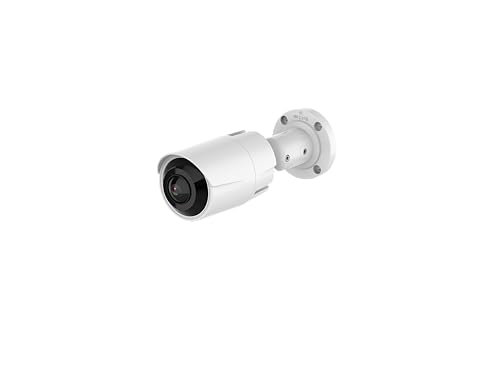
1080P 180 Degree Analogue Bullet (BNC) — Best analogue bullet for walls and eaves
The bullet form exists because not every wide view lives on a ceiling or a flat soffit. Eaves, gable ends, pole mounts and long side walls suit a camera on an adjustable bracket that can be angled down a wall’s length — and that is this camera’s job in the analogue half of the guide. Its 180-degree lens watches the entire wall it is mounted on plus the ground below, which makes it a natural fit for the side of a house, a warehouse flank or a fence line where intruders would otherwise hug the building out of a normal camera’s sight.
Its signal flexibility is the other deliberate feature: the hybrid output spans modern HD-TVI, CVI and AHD plus legacy 960H analogue, so it can join DVR systems of several generations. The standing rule of this entire category applies undiminished — the camera is a peripheral, not a system. It needs its DVR, it needs power run alongside the coax, and it will never appear in any app on its own. Buyers modernising one camera position on an older recorder will find that legacy mode genuinely useful; buyers starting fresh should be building IP instead.
Within those terms it is a tidy tool: 1080p spread across the wide view for situational clarity, a housing made for outdoor brackets, and a price class that makes covering the forgotten side of a building painless. Pair it with the dome picks above and an analogue system gains the full geometry set — ceiling, counter and wall — all seeing 180 degrees, all feeding the recorder you already own.
- Connection: BNC coax — connects to a DVR only; it cannot join a network directly
- Signal: hybrid 4-in-1 covering HD-TVI, CVI, AHD and legacy 960H analogue
- Lens: super-wide 180-degree lens in a bullet housing
- Sensor: 1080p / 2MP across the panoramic view
- Mounting: bullet bracket for walls, eaves and poles
Strengths
- Bullet bracket suits eaves, walls and poles
- Hybrid signal spans modern and legacy DVRs
- Covers the wall-hugging blind spot ordinary cameras miss
Trade-offs
- DVR and power run are both mandatory
- 1080p across 180 degrees means modest identification range
- Legacy modes tempt use on recorders past their best
Best for: coax systems needing wide coverage down a wall or flank.
Not suited for: network installations or standalone buyers of any kind.
How Do the Six Picks Compare Side by Side?
| Pick | Type | Headline strength | Watch out for |
|---|---|---|---|
| Amcrest Fisheye IP PoE Camera | IP fisheye, PoE (network) | 360-degree ceiling view with dewarping | Indoor focus — not the pick for an exterior wall |
| Reolink Duo 2V PoE Dual-Lens Camera | IP dual-lens, PoE (network) | Stitched 180-degree view, 8MP total | Needs a Reolink-friendly NVR or its own recording plan |
| DCSEC 1080P 180 Degree Fisheye Dome (Coax) | Analogue coax dome (DVR required) | 180-degree fisheye over BNC coax | REQUIRES a TVI/CVI/AHD-compatible DVR — no network connection |
| Real HD 8MP Dual Lens PoE Panoramic Camera | IP dual-lens, PoE (network) | 180-degree panorama with colour night vision | Check NVR compatibility before pairing with other brands |
| 4K 8MP 180° Fisheye Eyeball Dome (Analogue 4-in-1) | Analogue coax dome (DVR required) | High-resolution fisheye over TVI/CVI/AHD | Your DVR must support the camera’s resolution AND signal type |
| 1080P 180 Degree Analogue Bullet (BNC) | Analogue coax bullet (DVR required) | 180-degree view in a wall-friendly bullet body | Needs a TVI/CVI/AHD DVR and a separate power run |
Lay the six side by side and the category’s real dividing line glows: three cameras speak network, three speak coax, and no adapter in the box translates between those languages. Within each language, the choice is about view style — dewarped fisheye, stitched panorama, aimed eyeball — and resolution. Across the line, the choice is about the system you already own. Start there and the table reads itself.
Should You Choose an IP or an Analogue 180 Degree Camera?
Decide by the system, never by the camera alone. If you are starting fresh, or your recording already lives on an NVR and apps, the IP picks are your world: they dewarp or stitch in software, alert intelligently, and integrate with the way modern systems are watched. If your building already runs coax to a working hybrid DVR — as thousands of shops and warehouses do — the analogue picks extend that investment for a fraction of a rewire, and their wide lenses can transform a legacy system’s coverage in an afternoon. The expensive error is mixing the worlds by accident: an analogue camera bought for a network system, or vice versa, is money in a drawer.
Understand what 180 degrees does to detail, whichever technology you choose. The same pixels that give a normal camera a tight, identifiable view are here spread across an entire wall, so identification distances shrink — plan on recognising people at doorway and counter ranges, and on situational awareness beyond that. Higher-resolution picks push that boundary outward, which is why the 8MP models exist. If one specific distant point needs forensic detail — a till, a gate keypad — pair the wide camera with one ordinary narrow camera watching that point. Wide for the story, narrow for the evidence is the professional pattern.
Finally, respect the geometry. A 180-degree camera earns its keep centred on the surface it watches: middle of the frontage, centre of the ceiling, square on the wall. Tucked into a corner, its panorama wraps around the adjoining wall and wastes half its talent; mounted too low, heads fill the frame and the far field vanishes. Walk the position with a phone camera set to its widest view before drilling anything. And for fisheye models, decide how you will watch the footage — dewarped in an app, flattened by the DVR, or raw — because that choice shapes daily use more than any specification.
How Should You Set Up and Use Your Choice Well?
Install in the order the category demands. Analogue buyers: confirm the DVR’s accepted signals and per-channel resolution first, set each camera’s output format before it goes up the ladder, and label both ends of every coax run. IP buyers: prove the network drop and PoE power at the mounting point, pair the camera at ground level, and check the dewarped or stitched view on your real recorder or app before fixing anything permanently. In both worlds, the camera you test on the bench never surprises you on the wall.
After mounting, walk the view like an intruder and like a customer. Cross the full width at the distances people will actually appear, by day and by night, and watch where identification fades and where the stitch line or fisheye edge distorts a face. Adjust height and angle once, properly, rather than living with a compromised panorama for years. Then set recording and alerts around the wide view’s strengths: motion across zones, loitering at the centre, vehicles at the edges. A 180-degree camera set up with this care replaces two ordinary cameras convincingly; set up carelessly, it replaces none.
Putting It Into Practice, Week by Week
Begin with the wall test, because it teaches the category in five minutes. Stand where the camera will mount and hold your arms out to your sides: everything from fingertip to fingertip is the camera’s world, including the wall surface itself at the extremes. Now notice what sits at those extremes — usually the least important parts of the scene, compressed by the lens. This is why centre placement matters and why the middle sixty percent of a 180-degree view does the real work. Choose the mounting point that puts your doors and approaches in that honest middle.
For fisheye owners, spend an evening learning your dewarping modes as if they were separate cameras — because functionally, they are. The flattened panorama for orientation, the virtual angled views for following a person, the quad view for a shop floor: each answers a different question. Practise pulling up yesterday’s footage of a known event and reconstructing it in each mode. The owners who master this in week one treat their fisheye as four cameras; the owners who never learn it treat theirs as a novelty, and the hardware is identical.
Dual-lens owners have a different homework: the stitch. Walk a person across the view at several distances and watch the seam. Very close subjects crossing the join can briefly double or stretch — a known trait of stitched panoramas, harmless for surveillance but worth understanding before you mount the camera where customers queue at arm’s length. A little more height or a step back in placement usually moves daily life out of the seam’s awkward zone entirely.
Analogue owners should rehearse the DVR relationship, since the recorder is half the product. Change one setting at a time — the camera’s output format, the channel’s recording resolution — and confirm the result on playback, not just the live view, because live view can flatter what recording keeps. Label the configuration that works and photograph the settings screens. When a camera is swapped in two years, that photograph is the difference between a ten-minute job and a weekend of rediscovery.
Night changes every wide camera’s character, so schedule a night walk in the first week. Infrared pools in the centre of a fisheye view and thins at the edges; colour night modes depend on whatever light the scene honestly has. Cross your frontage at the far edges after dark and review the footage at breakfast. If the edges matter to your security, the fixes are positional — a small amount of added light at the weak edge transforms wide cameras more than any setting buried in a menu.
Six months in, audit the view against the reason you bought it. Shops find the stock has crept into the panorama’s centre; homes find a hedge has annexed the left third. The wide camera’s gift is context, and context rots quietly as the scene changes around a fixed lens. Re-aim, trim, adjust the zones, and the camera returns to full value. This small ritual, twice a year, is what separates systems that age into evidence from systems that age into wallpaper.
Map your blind spots before the camera arrives, because a 180-degree purchase should begin as an audit rather than a shopping trip. Walk the property with a notebook at the hours that worry you, and mark where an ordinary camera’s view ends: the side return beside the house, the far half of the shop floor, the yard’s unlit corner. Those edges are the wide camera’s brief. If your audit finds no real blind geometry — only a general wish for more cameras — a wide lens may be the wrong tool, and knowing that before ordering is the audit’s whole value.
Retail owners should think in aisles and tills. A ceiling fisheye sees every aisle and no faces at till distance; a wall panorama sees the entrance and the queue but not the stockroom door. Sketch the floor plan, place the wide view where shrinkage and incidents actually happen, and keep one ordinary camera for the till’s evidence-grade detail. Shops that plan this pairing on paper first almost never reposition cameras twice; shops that improvise on ladders reposition them all, usually in the second month, at twice the original effort.
For warehouses and yards, the wide camera’s gift is sequence. A single panorama that shows a vehicle arriving, a person crossing and a door opening — all in one continuous frame — tells an incident’s story without the editor’s nightmare of syncing three cameras’ clocks. When reviewing, that continuity is worth more than extra detail in any one spot. Position wide cameras to own the connective spaces — yards, corridors, loading areas — and let narrow cameras own the points of value at their ends.
Test the stitch or the dewarp with your real subjects at their real distances before finalising height. A delivery trolley’s route, a customer’s path to the counter, a child’s run across the garden — each crosses the view at a characteristic range, and wide cameras have ranges where they flatter and ranges where they smear. Ten minutes of rehearsal with a volunteer walking the routes will settle the mounting height more truthfully than any calculation, and it costs nothing but a volunteer’s patience and a cup of tea.
Lighting design and wide cameras are secret partners. A panorama is only as good as its darkest third, and the cheapest upgrade to any wide system is a modest light — a porch lamp, a yard light on a sensor — placed to serve the view’s weak edge. When you budget the camera, budget the bulb. Night reviews conducted after that small investment routinely transform owners’ opinions of cameras they were about to blame, which is why this guide insists the night walk happen before any returns decision.
Recording settings deserve a deliberate pass on wide systems, because the panorama’s file sizes and retention surprise owners of ordinary cameras. A high-resolution wide view of a busy scene writes data generously; motion-based recording on a quiet corridor can stretch the same drive for weeks. Match each channel’s settings to its scene’s honest activity, then verify real retention after a fortnight rather than trusting the estimate on the box. The number that matters is the day your oldest needed footage would vanish — know it.
Analogue owners modernising one position at a time should plan the sequence. Replace or add the wide camera where coverage is weakest, confirm the DVR digests its signal and resolution exactly as promised, and only then plan the next position. Mixed-generation analogue systems reward this patience: each step is verified before money follows it. The temptation to re-camera the whole building in one weekend is understandable and is precisely how format mismatches and resolution ceilings get discovered at scale, on a Sunday, with the shop opening Monday.
IP owners face the mirror-image discipline: network hygiene. Give panoramic cameras fixed addresses or reservations so the recorder never loses them, keep their firmware current, and change default passwords before the ladder comes down — a wide camera sees more of your life than any other, and it deserves the strongest credentials in the system. Note the configuration somewhere durable. The wide view’s convenience should never become the wide view’s vulnerability, and five minutes of hygiene at installation is the entire price of preventing it.
Consider the human viewer’s experience, because wide footage is watched by tired people at tense moments. Whether it is a shop manager reviewing an incident or a homeowner checking a noise at 3 a.m., the view that answers fastest wins: dewarped and labelled beats raw and mysterious every time. Set up the views, presets and names in the calm of installation day — Entrance Wide, Yard Panorama, Shop Floor — so that the stressed future user, who is also you, finds the answer in two taps rather than a tutorial.
Insurance and incident readiness close the loop. If footage might ever support a claim, learn your system’s export process before the incident: how a clip is saved, in what format, with what timestamps, and how it is handed over. Practise once with an ordinary clip. Wide footage is powerful evidence precisely because it shows context — the whole scene, the sequence, the absence of provocation — and that power is only available if the export is in your hands while the retention window is still open.
Revisit the wide camera’s purpose each time the property changes. A new fence moves the blind spot; a converted outbuilding creates a new approach; a shop refit relocates the till. The panorama that was perfectly placed for the old layout can be quietly wrong for the new one, and because wide cameras feel so comprehensive, their wrongness hides longer than a narrow camera’s would. The twice-yearly audit catches it: stand in the scene, compare it against the view, and move the camera if the building has outgrown its geometry.
Finally, appreciate what this category uniquely teaches: that seeing everything and seeing clearly are different goods, and a wise system buys both in the right proportions. The 180-degree camera is the context-keeper, the storyteller, the witness that never blinks at the edges. Paired with honest placement and, where needed, one narrow camera for detail, it completes a system rather than merely enlarging one — and that completion, not the lens figure, is what its buyers are actually purchasing.
Document your fields of view photographically at installation, because memory edits them generously. Save one frame from each wide camera, labelled with its position and date, in the same folder as your system’s other records. When a view seems wrong months later — a shelf moved, a hedge grown — the saved frame settles the argument instantly. Wide cameras in particular suffer this slow drift of context, since their promise of seeing everything makes owners slow to notice that everything has quietly changed around the lens.
Think about retention per view rather than per system. The panorama over a quiet side wall and the panorama over a busy entrance age their storage at wildly different rates, and a single global setting serves one of them badly. Where your recorder allows per-channel settings, set the busy view for detail and the quiet view for duration. Where it does not, let the busiest honest view dictate, and accept the quiet view’s longer memory as a bonus rather than a plan.
Give the wide camera a role in ordinary life, not only in incidents. The shop owner who glances at the floor panorama to judge the lunchtime rush, the homeowner who checks the garden view for the dog’s whereabouts — these small daily uses keep the system familiar, the app logged in, the password remembered and the lens noticed when it is dirty. Security equipment that is only touched during emergencies is equipment whose emergency behaviour is a stranger. Familiarity is a security feature, and it is free.
Coordinate the wide view with your lighting timers and sensors seasonally. The yard light that served the summer’s long evenings may switch too late for October’s early dark, leaving the panorama’s first night hour underexposed precisely when activity peaks. A twice-yearly walk at dusk, adjusting timers alongside the camera audit, keeps the partnership between light and lens intact. It is a small ritual with an outsized effect on the footage that matters most — the footage of the dark hours.
For businesses, brief the staff who actually watch the system. The most elegant dewarping software fails if the duty manager does not know the view exists, and the best analogue DVR is mute if nobody on shift can export a clip. A one-page guide by the recorder — positions, views, export steps, who to call — converts equipment into capability. Laminate it. The incident that tests your system will not schedule itself for the day the one expert is in.
And keep perspective about what the wide camera cannot do, because respecting a tool’s limits is what makes its strengths usable. It will not read a number plate across a car park, follow a face through a crowd, or replace a human’s judgement about what a scene means. It will show you the whole truth of a space, continuously and in context — a rarer and, in the long run, more valuable service. Build the system around that truth and the 180-degree camera becomes its quiet centre.
Run one drill that ties the whole system together: stage a harmless event — a family member crossing the yard at an agreed time, a colleague walking the shop floor with a bright umbrella — and then reconstruct it entirely from the footage, as an insurer or an officer would need it told. Time yourself. If the reconstruction takes more than a few minutes, the views, names or export steps need work, and it is far better to learn that over an umbrella than over an incident. Systems are capabilities, and capabilities are proven by rehearsal.
Keep the wide camera’s firmware and its recorder’s firmware in step, especially on the analogue side where a DVR update can change how a channel interprets a signal. Note versions when you install, update one thing at a time, and re-check the wide view after any change before assuming continuity. The panorama’s breadth makes it the channel most likely to reveal a compatibility wrinkle — treat that as its diagnostic gift to the system rather than as fragility, and keep the previous settings photographed so any step can be retraced.
Above all, let the wide camera change how you think about the spaces it watches. Owners consistently report the same surprise: the panorama teaches them their own property — the delivery routine’s true path, the yard’s real traffic, the shop floor’s living geography. That understanding, accumulated quietly, improves everything from where you place a bench to how you lock up at night. The camera was bought to watch for strangers; its lasting gift is showing you the place itself, whole, perhaps for the first time.
Price the whole position, not just the camera, when comparing the two halves of this guide. A network camera’s true cost includes its cable run and its share of the recorder; an analogue camera’s includes the coax, the power supply and the DVR channel it occupies. Totted honestly, the two worlds often land closer than their ticket prices suggest, which returns the decision to where it belongs: the system you own, the building you are wiring, and the way you actually watch your footage at midnight.
And if you are building fresh and still torn between the worlds, let the watching decide. Spend an evening with each ecosystem’s app or recorder interface if you can — a demo, a friend’s system, a shop’s patience. You will live in that interface for years, in the dark, under mild stress, and its clarity is a safety feature in the most literal sense. The lens figures will fade from memory within a month; the two taps that find last night’s footage will be remembered, gratefully, for the life of the system.
What Mistakes Do Buyers Keep Making?
The category’s defining mistake deserves its own paragraph in bold daylight: buying an analogue coax camera for a network system, or an IP camera for a coax DVR, because the wide-angle headline drowned out the connection type. The DCSEC and its analogue siblings in this guide cannot join a network under any circumstances; the IP picks cannot feed a DVR’s BNC inputs. Check the recorder first, the camera second, and let the lens seduce you last. The second mistake is mounting in a corner to ‘see more’, which wraps the panorama around a wall and wastes the lens you paid for.
Buyers also misjudge detail, expecting a 180-degree view to identify faces at the ranges a narrow camera manages. It will not, and planning as if it would leaves the till or the gate under-watched — pair wide with narrow where one point matters. And analogue buyers make a quieter error: pairing a high-resolution camera with a DVR that records below its ceiling, then blaming the camera for ordinary footage. The system is only ever as strong as its weakest specification, and in this category the recorder is so often that specification.
Final Recommendation
The verdict splits cleanly along the category’s true line. Network buyers: the Reolink Duo 2V is the complete panoramic package, the Amcrest fisheye owns the indoor ceiling, and the metal-bodied dual-lens camera serves exposed frontages on existing PoE. Analogue buyers: the DCSEC dome is the classic wide upgrade, the 8MP eyeball dome is the sharp one, and the BNC bullet covers the walls and eaves — every one of them feeding the compatible DVR that this guide has mentioned, deliberately, in almost every paragraph.
Respect that dividing line, centre the camera on the scene it must watch, and a single 180-degree viewpoint will quietly do the work of two — which is, after all, the entire reason this category exists.
Frequently Asked Questions
Can an analogue 180 degree camera connect to my home network or phone app?
No — and this is the most important answer in this guide. Analogue coax cameras like the DCSEC and the other BNC picks here output a TVI, CVI, AHD or legacy analogue signal that only a compatible DVR can receive, record and put on a network. The camera itself has no network connection, no Wi-Fi and no app. If you want phone viewing of an analogue camera, it happens through the DVR’s own app, with the DVR connected to your router.
What is the difference between a fisheye and a dual-lens 180 degree camera?
A fisheye uses one very wide lens and produces a circular, distorted image that software dewarps into flat, watchable views — flexible, and ideal on ceilings where it can see a full 360 degrees. A dual-lens camera stitches two normal lenses into one seamless panorama that looks natural immediately, with no dewarping step, but with a stitch line that can show on very close subjects. Neither is universally better; ceilings favour fisheye, walls and frontages favour dual-lens.
Will a 180 degree camera replace two normal cameras?
On a flat wall, frontage or room, usually yes for coverage — one mounting point, one cable, the whole scene. The trade is detail density: the wide view spreads its resolution across the scene, so identification happens closer in. Where one point needs guaranteed detail — a till, a number plate position — professionals keep a narrow camera on that point and let the wide camera provide context. Replacement for coverage, partnership for evidence.
How do I know if my DVR suits an analogue wide camera?
Check three things in the DVR’s specification: that it accepts the camera’s signal type (TVI, CVI or AHD — most modern hybrid DVRs accept all three), that its per-channel recording resolution matches or exceeds the camera’s output, and that a channel is free. Set the camera’s 4-in-1 output to the matching format during installation. If your DVR predates HD analogue formats entirely, the camera’s legacy mode may work — but a recorder upgrade will serve you better.
Where should a 180 degree camera be mounted?
Centred on the surface it watches: the middle of the frontage, the centre of the ceiling, squarely on the wall. Height should balance facial detail against tamper resistance — high enough to be safe, low enough that faces are more than hats. Avoid corners, where the panorama wastes itself on the adjoining wall, and test the position with a phone’s wide camera before drilling. Placement is the cheapest performance this category offers.
Related Guides
For the rest of your system, whichever side of the divide it sits on, continue with: Choosing an NVR or DVR that fits your cameras, PoE cabling basics for IP camera installs and Pairing wide and narrow cameras for evidence-grade coverage.
Related guides
- Best Canon Point and Shoot Digital Cameras: PowerShot Picks From Pocket Compacts to Travel Zooms
- Best Balancing Stabilizers for Mirrorless Cameras: Payload, Balancing and Native Vertical Shooting
- Best Basic Phones Camera Buyers Can Trust: Flip Phones and Simple Handsets That Still Take a Photograph
- Best Sony Full Frame Cameras for Astrophotography: Sensitivity vs Resolution



[…] your camera is chosen, these guides will help you make the most of it: Getting sharper photos from a compact camera, Long-zoom technique for birds and sport and Printing your photos at home, […]