What's inside
- Where to Buy an Xbox Monitor That Uses Everything the Console Sends
- Key Takeaways
- Quick Picks
- How Did We Judge the Best Gaming Monitors for Xbox X Strictly as Console Screens?
- Putting the Six Xbox Panels Next to Each Other
- What Does the Xbox Series X Actually Send to a Monitor?
- How Do You Set Up a Monitor for Xbox Series X Play?
- Which Size Suits a Console Desk — 27, 32 or 43 Inches?
- How Should a Console Monitor Share a Desk With the Working Day?
- What About Sound, Streaming and the Hours Nobody Games?
- What Do Xbox Players Get Wrong When Buying a Monitor?
- How Long Will a Console Monitor Stay Current?
- Final Recommendation
- Frequently Asked Questions
- Related Guides
As an Amazon Associate I earn from qualifying purchases. This post may contain affiliate links at no extra cost to you.
gizmoverdict.com is reader-supported. When you buy through links on our site, we may earn an affiliate commission.
Where to Buy an Xbox Monitor That Uses Everything the Console Sends
The search for the best gaming monitors for xbox x starts with a number the console itself sets: 120. The Xbox Series X renders its fastest games at up to 4K resolution and 120 frames per second, delivered over HDMI 2.1, with variable refresh rate and auto low latency mode riding along. A monitor earns a place in this guide only if it can receive that full signal — 4K at 120Hz over HDMI — and turn it into a picture worthy of the machine. Everything below that bar is a television compromise wearing a monitor’s clothes, and everything above it, the 240Hz and 320Hz panels included here, is judged on the panel quality it brings to console play rather than on speed the Xbox cannot use.
Six screens passed that test, and each carries a verified purchase link so its price can be checked on Amazon as you read. They divide into three families. The fast IPS pair — Samsung’s 32-inch Odyssey G7 and Sony’s 27-inch INZONE M9 — are the natural console panels, quick and bright with full-array or edge-lit HDR behaviour suited to a desk. The QD-OLED trio — ASUS’s ROG PG32UCDM and MSI’s MPG 321URXW and MAG 321UPD — bring perfect blacks and near-instant pixel response to 32-inch 4K. And Gigabyte’s 43-inch AORUS FV43U stands alone as the big-screen answer, a monitor in name that plays like a small television. Roles run from the G7’s best-overall balance to the FV43U’s couch-adjacent scale.
A note on honesty before the reviews: this guide is written for console play. Several of these panels are also excellent PC gaming monitors, and their listings say so, but a PC is not the judge here. Where a feature serves only the PC side — a 320Hz ceiling, a DisplayPort specification — the review names it as headroom rather than pretending the Xbox spends it. What the Xbox does spend, it spends fully: resolution, the 120Hz signal, VRR, HDR and response. Those five currencies decide the rankings below.
Desk geometry matters to the console buyer in a way it does not to the PC buyer, because console desks are often shared desks — the same surface holds work by day and play by night, sometimes in the same room as a television that lost the argument. The size sections later in this guide take that seriously. First, the picks themselves, ordered by the logic of a console desk rather than by raw specification.
One promise about the links: prices in this category move with promotions and stock, so this guide prints none. Each pick’s listing can be checked at the moment of reading, which is the only moment a price is true. What does not move is the reasoning — the signal requirements, the panel families and the room logic below will still be correct when the next sale rearranges the numbers, and they are the part of the purchase that cannot be refunded if gotten wrong.
Key Takeaways
- Samsung Odyssey G7 32in is the console all-rounder: 4K IPS at 144Hz with smart features and an adjustable stand, matched to the Series X signal with headroom to spare.
- ASUS ROG PG32UCDM brings QD-OLED contrast to the desk, a 240Hz 4K panel whose perfect blacks transform dark games even at the console’s 120Hz ceiling.
- MSI MPG 321URXW matches the ASUS on paper and adds its own polish, with HDMI 2.1 stated outright, a KVM and 98W USB-C for desks that also host a laptop.
- MSI MAG 321UPD is the refresh-rate maximalist, a dual-mode 4K panel running to 320Hz — headroom the Xbox ignores but PC-sharing desks will not.
- Sony INZONE M9 is the two-console desk’s panel, 27 inches, 4K, 144Hz, full-array local dimming and HDMI 2.1, designed in PlayStation’s own stable for shared duty.
- Gigabyte AORUS FV43U scales the experience up, 43 inches of 4K at 144Hz with twin HDMI 2.1 ports for players who sit further back.
Quick Picks
| Pick | Badge | Why it is here |
|---|---|---|
| Samsung Odyssey G7 32in | Best Overall | 4K IPS speed, smart-platform extras and stand ergonomics in the most complete console package. |
| ASUS ROG PG32UCDM 32in | Best QD-OLED | Perfect-black OLED contrast and 0.03ms response for cinematic single-player desks. |
| MSI MPG 321URXW 32in | Best 4K Alternative | QD-OLED quality with KVM and strong USB-C for the desk that works as well as plays. |
| MSI MAG 321UPD 32in | Best High-Refresh 4K | Dual-mode speed up to 320Hz for players who split time between console and PC. |
| Sony INZONE M9 27in | Best for PS5-and-Xbox Desks | Full-array dimming and console-first design at the classic 27-inch desk size. |
| Gigabyte AORUS FV43U 43in | Best Big-Screen | A television-scale 4K panel with monitor response and two HDMI 2.1 inputs. |
How Did We Judge the Best Gaming Monitors for Xbox X Strictly as Console Screens?
The first gate was the signal. A pick had to accept 4K at 120Hz from the console, which in practice means HDMI 2.1 with the bandwidth to carry it, plus the variable refresh support that smooths the many Series X games whose frame rates wander below their targets. Every pick here clears that gate; several clear it twice over with a second full-bandwidth port, which matters the day a second console, a capture device or a PC joins the desk. Panels that topped out at HDMI 2.0 — fine screens, wrong guide — were excluded no matter how flattering their other numbers looked.
The second judgement was picture behaviour in the two conditions console games actually present: the bright, saturated worlds of racers and sports titles, and the near-black interiors of horror and stealth games. IPS panels answer the first condition with brightness and colour that hold up in a lit room; QD-OLED answers the second with per-pixel light control that no backlit panel can imitate. This guide refuses to pretend one technology wins both rooms, which is why the rankings split by badge rather than forcing a single hierarchy onto different kinds of play.
Third came the desk itself: stand adjustment, port placement, and the small features — black equalizers, crosshair tools, built-in speakers or their absence — that shape nightly use. Response figures were read in the console’s terms: at 120Hz, any of these panels answers fast enough that input lag differences between them are smaller than the differences between a wired and a wireless controller. The honest console question is never which panel is fastest on a test bench; it is which panel’s whole behaviour suits the room, the games and the chair it will face.

Samsung Odyssey G7 32in — Best Overall
The Odyssey G7 in its G70D form is the monitor this guide hands to the Series X owner who wants one screen, bought once, that does everything well. Its listing describes a 32-inch 4K UHD IPS panel at 144Hz with 1ms GtG response, G-Sync compatibility and FreeSync Premium, an adjustable stand, a Black Equalizer for lifting detail out of dark scenes, and Samsung’s smart monitor platform built in. Read that list as a console owner: the panel is fast IPS with brightness to spare for a lit room, the refresh ceiling clears the Xbox’s 120Hz with room left over, and the smart features mean the same screen streams video and handles casual browsing on the nights the console stays off.
The 32-inch size is doing quiet work in this recommendation. At a desk it is large enough that 4K reads as a genuine step beyond the 27-inch class — user interfaces stay readable without scaling, split attention between game and guide is comfortable — yet it still behaves like a monitor rather than furniture. IPS viewing angles suit the console reality that the player is not always dead centre: a chair pulled sideways, a second person watching from the bed’s edge, a standing stretch between matches. The picture holds its colour and contrast through all of that in a way narrower-angle panels do not.
Black Equalizer deserves its sentence because competitive console players actually use it: the feature brightens the darkest parts of the image so opponents in shadowed corners become visible sooner, at the honest cost of flattening the scene’s intended mood. Single-player purists will leave it off; multiplayer regulars will map it to the game that needs it. A monitor that offers the choice, inside a package this complete, is what best overall means in a category where the buyers’ games disagree with each other.
The family-console hybrid is this Samsung’s defining household. By day the G7 is the desk’s work screen; by evening the Series X wakes into 4K at 120Hz; after the session, the smart platform runs the streaming apps without waking any other box. Households that consolidate screens rather than collecting them will find this the easiest purchase in the guide to justify — and the hardest to outgrow, because its specification has no obvious missing line.
One competitive note belongs to the G7 as well. Its 1ms GtG response and 144Hz ceiling place it comfortably inside the envelope where fighting games and shooters feel immediate on console, and FreeSync Premium behaviour smooths the variable frame rates of the Series X’s performance modes. Nothing about its all-round brief required it to be this quick; Samsung simply declined to make the family screen the slow one, and multiplayer regulars in mixed households benefit nightly.
- Panel: 32 inch 4K UHD IPS, 3840×2160
- Refresh and response: 144Hz, 1ms GtG per the listing
- Sync: G-Sync Compatible and FreeSync Premium per the listing
- Platform: Samsung smart gaming monitor features built in
- Tools: Black Equalizer, adjustable stand
Strengths
- The most complete single-screen answer: speed, brightness, smarts and stand.
- IPS angles forgive the off-centre seating console play involves.
- Smart features give the screen a life on non-gaming nights.
Trade-offs
- IPS blacks cannot match the QD-OLED picks in a dark room.
- Its 144Hz ceiling is the group’s most modest, though the Xbox needs only 120.
- Smart-platform menus add a layer some purists will never open.
Best for: one-screen households wanting console, work and streaming in a single panel.
Not suited for: dark-room players who judge a screen by its blacks alone.

ASUS ROG PG32UCDM 32in — Best QD-OLED
The PG32UCDM is the panel for the player who has seen an OLED television at a friend’s house and come home unable to unsee it. ASUS’s listing specifies a 32-inch 4K QD-OLED at 240Hz with 0.03ms response, a custom heatsink, G-Sync compatibility, USB-C at 90W, true 10-bit colour, a graphene film layer and 99% DCI-P3 coverage, and it names the PS5 and Xbox in its own title. The console-relevant core of that specification is the QD-OLED panel itself: every pixel makes its own light, so a starfield is genuinely black between stars, a cave is dark rather than grey, and HDR highlights — a muzzle flash, a neon sign, headlights on wet tarmac — punch with a local intensity no backlit panel can stage.
The 240Hz figure needs the honest console framing this guide promised. The Series X will send this panel 120Hz, and at that signal the ASUS behaves exactly as well as it needs to: the OLED’s pixel response is so fast that motion clarity at 120Hz is effectively perfect, with none of the smearing that slower technologies show in fast pans. The remaining speed is headroom that only a PC can spend. Buy this monitor for its contrast and its response at console rates, and treat the extra hertz as a gift to a future PC rather than a reason to choose it today.
Ownership details separate this pick from cheaper OLED routes. The custom heatsink exists because OLED panels manage heat as part of managing their lifespan, and ASUS’s thermal design is the engineering answer to the burn-in anxiety that follows the technology. The graphene film serves the same thermal story. None of that makes the panel immortal, and the care habits in this guide’s setup section still apply — vary content, let the panel run its maintenance — but the hardware intent is serious, and it is the correct thing to pay for in an OLED you plan to keep.
The cinematic single-player is this monitor’s natural owner: the horror game played at midnight, the story epic whose cutscenes deserve a cinema, the racer whose night stages turn into light shows. In a darkened room the PG32UCDM does not merely outperform the IPS picks in this guide; it changes what the games look like, which is the strongest claim any monitor in this roundup can make.
- Panel: 32 inch 4K QD-OLED, 3840×2160
- Refresh and response: 240Hz, 0.03ms per the listing
- Colour: true 10-bit, 99% DCI-P3 per the listing
- Thermal design: custom heatsink and graphene film per the listing
- Connections: USB-C 90W, G-Sync Compatible
Strengths
- Per-pixel blacks give HDR games a depth no backlit rival reaches.
- Response at console rates is effectively instantaneous, with clean motion.
- Serious thermal engineering addresses OLED longevity head-on.
Trade-offs
- Half its refresh ceiling is unusable by the console it serves.
- OLED care habits — varied content, maintenance cycles — are part of ownership.
- Bright-room glare handling is good, not class-leading, beside the IPS picks.
Best for: dark-room, story-first players who want television-grade contrast at a desk.
Not suited for: bright rooms where the screen fights sunlight all afternoon.

MSI MPG 321URXW QD-OLED — Best 4K Alternative
MSI’s MPG 321URXW stands as the QD-OLED alternative, and its listing makes the console case in writing: a 31.5-inch 4K QD-OLED at 240Hz with 0.03ms response, 99% DCI-P3 with Delta E of 2 or better, DisplayHDR True Black 400, a KVM switch, DisplayPort 1.4a, HDMI 2.1 named outright, and USB-C delivering 98W. The HDMI 2.1 line matters more than it might appear. Some monitors in this class carry ports whose bandwidth must be investigated; MSI states the standard the Series X wants in the title itself, and the console buyer can stop investigating and start playing.
Against the ASUS above, the differences are of emphasis rather than kind. Both are 32-inch-class 4K QD-OLED panels at 240Hz with the same essential picture character: perfect blacks, instant response, wide colour. The MSI leans harder into the shared desk — its KVM and its stronger 98W USB-C make it the OLED for the player whose monitor also runs a work laptop by day, switching the screen and peripherals between machines without a cable ritual. The ASUS leans harder into thermal engineering and its ROG gaming furniture. A buyer choosing between them is choosing which daytime identity they want their night-time OLED to have.
The white finish flagged by the W in its name is a smaller point with real desk consequences: in a light, modern room setup — the kind consoles increasingly live in — a white monitor disappears into the furniture where a black one asserts itself. Aesthetics are not performance, but a screen this size is also a piece of the room, and MSI is the only pick here that offers the choice.
Picture the player whose desk is genuinely two desks: laptop docked for work hours, Series X for the evening, one screen presiding over both. The 321URXW is built for exactly that double life, and its console performance gives nothing away to its ASUS rival while its working hours are better organised. That combination — not a specification victory, but a life fit — is what earns it the alternative badge rather than a footnote.
- Panel: 31.5 inch 4K QD-OLED, 3840×2160
- Refresh and response: 240Hz, 0.03ms per the listing
- Colour: 99% DCI-P3, Delta E ≤2, DisplayHDR True Black 400
- Ports: HDMI 2.1 stated, DisplayPort 1.4a, USB-C 98W
- Desk tools: KVM switch built in
Strengths
- HDMI 2.1 is named in the listing — no bandwidth detective work needed.
- KVM and 98W USB-C make it the strongest shared work-and-play OLED.
- The white finish suits light room schemes the black rivals ignore.
Trade-offs
- Its thermal story is less emphasised than the ASUS heatsink design.
- As with all QD-OLED here, the console spends only half the refresh ceiling.
- True Black 400 is an entry HDR tier; the blacks, not the peaks, are the show.
Best for: players whose OLED must also run a laptop desk by day.
Not suited for: single-purpose console corners with no second machine to switch.
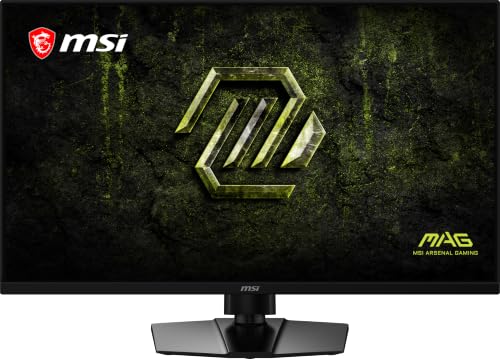
MSI MAG 321UPD E14 32in — Best High-Refresh 4K
The MAG 321UPD is the speed maximalist of the group, and its review must begin by saying plainly what that means for an Xbox owner: the console will use 120 of its frames and no more. MSI’s listing describes a 32-inch 4K panel running to 320Hz with 0.05ms response, FreeSync Premium, a dual-mode feature, HDMI and DisplayPort, an adjustable stand and speakers. The dual mode is the interesting engineering — panels of this type can trade resolution for still higher refresh, a bargain aimed squarely at competitive PC play. On the Series X, none of that machinery engages. What engages is a very fast, very modern 4K panel with excellent motion behaviour at the console’s own rates.
So why is it here, and why might a console buyer choose it? Because desks are shared and futures are uncertain. The player who owns a Series X today and a gaming PC tomorrow — or whose household already splits play between the two — gets a monitor that serves the console completely now and the PC exceptionally later. Judged purely as an Xbox screen it matches the group’s standard; judged as a two-platform investment it has the highest ceiling in this guide. That is a legitimate reason to buy, provided the buyer names it honestly as future-proofing rather than imagining the Xbox will somehow unlock the extra speed.
Within console play itself, the panel’s virtues are the modern fundamentals done well: 4K clarity, response fast enough that motion at 120Hz is clean, FreeSync Premium behaviour for the variable-refresh smoothing the Xbox supports, and integrated speakers that serve casual sessions and system sounds without a soundbar negotiation. The stand adjusts for height and tilt, which matters at a desk that also holds a keyboard by day.
The competitive-leaning household is this MSI’s constituency: a teenager’s esports ambitions on the PC, the family Series X beneath the same screen, one purchase covering both ambitions without compromise to either. Buy it with eyes open about which machine spends its speed, and it is the most future-facing panel in the roundup.
- Panel: 32 inch 4K UHD, 3840×2160
- Refresh and response: up to 320Hz, 0.05ms per the listing
- Modes: dual-mode operation per the listing
- Sync: AMD FreeSync Premium per the listing
- Stand and audio: tilt and height adjustment, built-in speakers
Strengths
- The highest performance ceiling here for desks that add a PC.
- Motion behaviour at the console’s 120Hz is beyond reproach.
- Speakers and an adjustable stand complete the shared-desk brief.
Trade-offs
- The Xbox alone cannot justify its speed premium; a PC must be in the picture.
- Dual-mode resolution trading is a PC feature the console never touches.
- Pure console buyers get better value from the G7 or the INZONE M9.
Best for: households splitting play between a Series X and a gaming PC.
Not suited for: console-only desks paying for speed no console can spend.

Sony INZONE M9 27in — Best for PS5-and-Xbox Desks
The INZONE M9 is the monitor a console company designed, and its specification shows a console company’s priorities. Sony’s listing states a 27-inch 4K HDR panel at 144Hz with HDMI 2.1, full-array local dimming and Nvidia G-Sync compatibility. The full-array dimming is the headline for picture quality: where ordinary edge-lit IPS panels light the whole screen’s backlight and call the darkest result black, the M9’s backlight is divided into zones that dim independently, so a bright moon over a dark valley in a night scene reads far closer to the OLED experience than any other backlit panel in this guide manages.
It does not reach OLED — zones are not pixels, and a small bright object can wear a faint halo where the zone around it stays partly lit. But the M9 narrows the gap more than any rival here while keeping the IPS virtues the OLEDs surrender: high brightness for lit rooms, no burn-in considerations at all, and a panel that can hold a static dashboard or a paused HUD for an evening without a care habit attached. For the two-console desk its badge names, those are not small things. The PlayStation and the Xbox so often share one screen that a monitor designed from inside the console world, fluent in both machines’ signals, has a natural claim on that desk.
The 27-inch size completes the argument. Shared desks are rarely cavernous, and 27 inches at 4K is the classic monitor geometry: dense, sharp, happy at arm’s length, small enough to leave room for the consoles themselves and whatever else the surface holds. Players graduating from a 27-inch PC monitor will find the M9’s scale immediately familiar, with the console signal finally using the whole of it.
Imagine the household with both current consoles and one good desk. The M9 is the screen that treats both machines as first-class citizens, switches between them without favour, and delivers the most television-like HDR any backlit panel here can offer. It is the diplomat of the guide — and for the dual-console home, diplomacy is the whole requirement.
Sony’s design intent shows in smaller ways once the M9 is on the desk. The INZONE line was built to sit naturally beside a PlayStation’s industrial design while remaining a citizen of any desk, and its console fluency extends to the practical matter of waking and switching with the machines it serves. None of that appears in a specification table, but two-console owners feel it weekly: the screen behaves like part of the console ecosystem rather than like a PC peripheral tolerating guests.
- Panel: 27 inch 4K, 3840×2160
- Refresh: 144Hz with HDMI 2.1 per the listing
- Backlight: full-array local dimming per the listing
- Sync: Nvidia G-Sync compatibility per the listing
- Design origin: Sony’s INZONE console-and-PC gaming line
Strengths
- Full-array dimming gives the best HDR of any backlit pick here.
- Console-first design treats Xbox and PlayStation as equals.
- No OLED care habits; static screens can stay up all evening.
Trade-offs
- Local dimming zones can halo small bright objects on dark scenes.
- Twenty-seven inches is the group’s smallest stage for cinematic play.
- Blacks still trail the QD-OLED pair in a fully dark room.
Best for: two-console households wanting one diplomatic, dimming-capable screen.
Not suited for: players set on a 32-inch or larger stage for their games.

Gigabyte AORUS FV43U 43in — Best Big-Screen
The FV43U answers a different question from every other pick: not how a monitor should behave at a desk, but how large a monitor can become before it should simply be judged as a small television — and whether it can keep a monitor’s reflexes at that size. Gigabyte’s listing describes a 43-inch 4K panel at 144Hz with 1ms response, G-Sync compatibility, HDR, 96% DCI-P3 colour, built-in active noise cancellation for its audio path, one DisplayPort 1.4, two HDMI 2.1 ports and USB-C. The twin HDMI 2.1 inputs are the console headline: two current consoles at full 4K and 120Hz, no cable swapping, no switch box.
At 43 inches the viewing geometry changes the experience. This is a panel for a player who sits back — a deep desk, a wall mount behind a desk, a dedicated gaming corner with a chair at television distance. At that range its size delivers the immersion that 27 and 32 inches promise and cannot quite stage: racing games fill peripheral vision, open worlds acquire weather, sports titles read like broadcasts. Up close at a normal desk it would be too much screen, and the review says so plainly; the FV43U is a commitment to a room arrangement, not just a purchase.
The monitor reflexes are what keep it in this guide rather than in a television roundup. Response and refresh are gaming-grade, the sync support matches the console’s variable refresh, and the built-in ANC in its listing addresses the headset-microphone clarity that party chat depends on — a feature no television bothers with, and a tell that Gigabyte designed this panel for players rather than viewers. The 96% DCI-P3 colour coverage keeps its big picture vivid rather than merely large.
The gaming-corner household is its owner: a spare room, a media wall, a player who hosts friends for fighting games and football titles where a shared big picture is the point of the evening. For that room, the FV43U is not an oversized monitor; it is the correct-sized centre of it, with two full-bandwidth doors for the consoles that will visit.
Wall mounting is the arrangement this panel quietly prefers, and buyers should plan for it: at 43 inches, a mount frees the surface beneath for the consoles themselves, centres the picture at a proper seated eye line, and removes the last temptation to treat the FV43U as a desk monitor that happens to be large. Check the mount’s weight limit and the wall’s substance with the same seriousness as the panel’s specification — at this size, the installation is part of the product.
- Panel: 43 inch 4K, 3840×2160
- Refresh and response: 144Hz, 1ms per the listing
- Ports: two HDMI 2.1, DisplayPort 1.4, USB-C per the listing
- Colour: 96% DCI-P3 per the listing
- Audio tool: built-in ANC per the listing
Strengths
- Television scale with genuine gaming response and refresh.
- Two HDMI 2.1 ports host both current consoles at full signal.
- Immersion at seating distance no desk-sized rival can stage.
Trade-offs
- Demands television seating distance; overwhelms an ordinary desk.
- Its size makes it furniture — measure the room before the wallet.
- Backlit blacks sit behind the OLED and full-array picks in the dark.
Best for: gaming corners and media walls where players sit well back.
Not suited for: standard desks, where its scale becomes a neck exercise.
Putting the Six Xbox Panels Next to Each Other
| Monitor | Size and panel | Refresh ceiling | Console-relevant strength | Watch out for |
|---|---|---|---|---|
| Samsung Odyssey G7 | 32in 4K IPS | 144Hz | Smart features and bright-room IPS polish | Greyish blacks in the dark |
| ASUS ROG PG32UCDM | 32in 4K QD-OLED | 240Hz | Perfect blacks, heatsink-cooled OLED | Care habits come with OLED |
| MSI MPG 321URXW | 31.5in 4K QD-OLED | 240Hz | HDMI 2.1 stated, KVM for shared desks | Peaks are entry-tier HDR |
| MSI MAG 321UPD | 32in 4K | 320Hz dual mode | Future PC headroom beyond the console | Xbox spends only 120Hz of it |
| Sony INZONE M9 | 27in 4K IPS | 144Hz | Full-array dimming, two-console fluency | Smallest stage in the guide |
| Gigabyte AORUS FV43U | 43in 4K | 144Hz | Two HDMI 2.1 ports at television scale | Needs television seating distance |
The table’s most instructive column is the third. Three different ceilings — 144, 240 and 320 — all deliver the identical console experience in refresh terms, because the Series X speaks at 120. What separates the rows is therefore everything else: black depth, backlight behaviour, port count, size and the daytime identity of the desk. Buyers who internalise that single fact stop paying for hertz and start paying for picture, which is the correct trade in this category.
What Does the Xbox Series X Actually Send to a Monitor?
Understanding the console’s output prevents the two classic buying errors: paying for capability the machine cannot use, and missing capability it can. The Series X targets 4K resolution, and its performance modes trade some of that resolution for frame rates up to 120 per second. Both arrive over HDMI 2.1. A monitor with only HDMI 2.0 will typically accept the 4K picture but cap the frame rate at 60, quietly halving the smoothness of every performance-mode game — which is why this guide’s first gate was the port standard, and why the MSI MPG’s decision to print HDMI 2.1 in its title deserves the praise it got.
Variable refresh rate is the second signal, and the least understood. Games rarely hold a perfectly steady frame rate; when the console’s output dips, a fixed-refresh screen tears or stutters, while a VRR screen adjusts its refresh to match the game’s actual output, smoothing the dip into near-invisibility. The Xbox supports VRR over HDMI with compatible displays, and every pick in this guide supports the variable-refresh conversation on the monitor side. Auto low latency mode completes the trio: the console tells the display a game is playing, and the display drops its picture processing into its fastest mode without the user hunting through menus.
A word belongs to the games themselves, because the signal is only half the conversation. Series X titles typically offer a quality mode that privileges resolution and effects and a performance mode that privileges frame rate, and the monitor experiences those modes differently. Quality modes reward the panels with the finest light control — the OLED pair and the dimming Sony — because their extra detail lives in shadow and highlight. Performance modes reward response and VRR smoothness, where the whole field is strong and the fast IPS pair feels especially immediate. A player who knows which mode they choose in game after game knows, without any further advice, which half of this guide to shop in.
HDR is the fourth element, delivered by the console in HDR10. The quality of what you see depends entirely on the panel’s ability to stage bright highlights against dark surroundings — the exact ability that separates this guide’s three families. OLED stages it per pixel, the INZONE M9 stages it by backlight zone, and conventional IPS stages it across the whole screen at once. The console sends the same signal to all three; the panels’ answers differ, and those differences are the real product being bought.
How Do You Set Up a Monitor for Xbox Series X Play?
Begin in the console’s own settings, because the Series X does not assume a capable display — it must be told. In the TV and display options, confirm the resolution is set to 4K, the refresh rate to 120Hz, and that the video modes for variable refresh and auto low latency are allowed. Run the console’s HDR calibration app with the room in its usual gaming light; the calibration sets the HDR range to your specific panel, and guesses made in a bright afternoon will mislead every evening session that follows.
On the monitor side, choose the input the console actually occupies and check that the port is configured for its full bandwidth — some displays ship HDMI ports in a compatibility mode that must be switched to enhanced operation before 4K at 120Hz will negotiate. Select the panel’s game mode if it has one, decide the black-equalizer question per game rather than globally, and if the panel is an OLED, enable its pixel-maintenance features and let them run on their schedule. Ten minutes of this on day one prevents the commonest disappointment in the category: a capable monitor running at half its signal because a default somewhere said no.
Sound deserves a final setup minute. Several picks carry speakers adequate for casual play and system sounds; serious sessions deserve a headset or a soundbar, and the FV43U’s built-in noise cancellation exists precisely for the party-chat microphone path. Whatever the route, test voice chat before the first scheduled session with friends — audio is the setup step everyone skips and everyone regrets at match time.
Which Size Suits a Console Desk — 27, 32 or 43 Inches?
Size in this guide is a seating question wearing a specification’s clothes. At a standard desk, where the player’s eyes sit roughly an arm’s length from the panel, 27 inches is the geometry the hobby grew up with: the whole picture sits inside a comfortable glance, competitive players keep every corner in view, and the INZONE M9’s dense 4K at that size is critically sharp. Players who sit slightly further back, or who play the cinematic genres that reward scale, find 32 inches the modern sweet spot — large enough to feel like an event, small enough to remain a desk object, and the size at which this guide’s OLED pair lives.
Two players sharing one screen — couch co-op, a parent watching a child’s session, fighting games on a single stage — push the size decision upward within each class, because a second viewer sits off-axis and further away. IPS and the FV43U’s wide picture hold up best for that audience; OLED’s angles are also strong, which is one more reason the 32-inch OLED pair suits the social desk. Solo competitive play pushes the other way, toward the size whose corners never leave the player’s glance.
The 43-inch FV43U belongs to a different furniture decision. It wants the seating distance of a television — a chair pulled back, a couch, a gaming corner — and at that distance it delivers what the smaller panels cannot. The mistake is to buy it for a standard desk on the theory that bigger is better; at arm’s length its corners leave the comfortable field of view and its size becomes work. Measure the distance from your eyes to the screen’s future position, and let that single measurement, not ambition, choose between the three size classes represented here.
How Should a Console Monitor Share a Desk With the Working Day?
Most of these screens will spend more hours showing work than games, whether their buyers admit it at purchase time or not, and the dual-life desk deserves a deliberate arrangement. The connection discipline that works is simple: the console takes the full-bandwidth HDMI input it needs, the work computer takes DisplayPort or USB-C, and the monitor’s input switching becomes the desk’s single daily gesture. The MSI MPG 321URXW formalises this with its KVM, handing keyboard and mouse between machines along with the picture; the others achieve the same end with the work machine’s own dock or a small USB switch, at the cost of one extra box.
Picture settings should be separated by input, not shared. The work input wants a calmer brightness, a neutral colour temperature and text-friendly sharpness; the console input wants the game mode, the HDR behaviour and whatever black-lift the player’s competitive titles demand. Every panel here remembers settings per input, so the separation costs nothing after the first evening’s configuration — yet it is the step dual-life buyers most often skip, leaving work text rendered through a game mode or games dulled by an office profile. Set both profiles once, label them if the menu allows, and the desk stops arguing with itself.
There is also a social geometry to the shared desk. A monitor that serves an evening of play in a room where others are working, reading or sleeping needs its brightness and its sound under quick control — another quiet argument for the panels with reachable on-screen controls and for the headset habit the setup section recommends. The best console monitor in a shared home is the one whose pleasures are private on demand.
What About Sound, Streaming and the Hours Nobody Games?
A console monitor’s off-duty life is longer than its gaming life, and the picks differ in how gracefully they live it. Samsung’s G7 carries the strongest answer: its smart platform turns the panel into a self-sufficient streaming screen, so films, sport and video apps run without the console or a computer waking at all. For a bedroom desk or a student room where this screen is also the television, that feature is not a garnish; it is half the product, and it is the main reason the G7’s overall badge survives contact with rivals whose panels are more exotic.
Sound divides the field more bluntly. The MSI MAG 321UPD and the FV43U acknowledge audio in their listings — speakers on the MSI, and Gigabyte’s noise-cancelling attention to the voice path — while the OLED pair and the Sony leave audio largely to the player’s own equipment. The honest hierarchy for console play remains headset first, soundbar second, built-in speakers third, but third place is not worthless: system sounds, casual video, a podcast while the desk is tidied. Buyers who know their screen will double as the room’s casual speaker should weight the picks that bothered to include one.
The thread connecting both sections is that a console monitor is a household appliance as much as a gaming peripheral. It will show homework, video calls, streamed finals and firmware updates far more often than it shows a leaderboard. The six picks were chosen as gaming screens first — that is the guide’s promise — but each was also read for its behaviour across the whole week, and the rankings quietly reflect it.
What Do Xbox Players Get Wrong When Buying a Monitor?
The expensive mistake is buying refresh the console cannot spend: a panel chosen for a 240Hz or 320Hz ceiling, bought by a console-only player who will never own the PC that unlocks it. The hertz are not worthless — the panels carrying them here are excellent — but they must be bought for their picture, not their speed. The second mistake is the mirror image: a beautiful 4K panel with HDMI 2.0 ports that caps every performance-mode game at 60 frames, bought because the port standard was never checked. Between those two errors lies most of the disappointment in this category.
A related error is assuming the television in the living room already does all this, so the desk monitor can be anything. Televisions commonly add processing latency their game modes only partly remove, rarely sit at desk distance gracefully, and are usually spoken for by the rest of the household at exactly gaming hour. The monitor’s case was never only specification; it is availability, distance and reflexes together — which is why a category of console monitors exists at all, and why choosing within it deserves the care this guide applies.
The third mistake is judging HDR by its badge. HDR is a signal, not a result; the result depends on the panel’s light control, which is why this guide ranks OLED and full-array dimming as HDR features and treats the badge alone as a starting point. The fourth is neglecting the room: an OLED in a sunlit room and an IPS in a blacked-out cinema corner are both good panels in the wrong light. Match the technology to the room’s actual lighting at gaming hours, and the monitor will look like the reviews promised.
How Long Will a Console Monitor Stay Current?
Console generations are long, and a monitor bought for the Series X should be expected to serve the whole of it and into whatever follows. The encouraging fact is that the signal this guide is built around — 4K, 120Hz, variable refresh, HDR10 — is not a moving target the way PC specifications are. It is the console’s fixed language for its lifetime, and every pick here is fluent in all of it on day one. A monitor cannot be outrun by a console that has already declared its output, which makes this category one of the safest long-term purchases in gaming hardware.
The parts that do age are the panel’s own: an OLED’s peak brightness settles gradually over years of use, a backlight dims almost imperceptibly, and connection fashions drift at the edges — a future device may prefer a port arrangement today’s desk finds odd. None of these arrives as a cliff. The practical planning is simpler: buy the panel whose picture you love now, at the size your room actually fits, with one more full-bandwidth port than you currently need. That spare port is the cheapest future-proofing in the guide, and it is why the dual-HDMI picks earn quiet credit in their reviews.
Warranty and support deserve a glance for the same reason. A screen expected to serve seven years should come from a maker whose support operation will still recognise it in year five, and the six names in this guide are the industry’s established display houses rather than white-label gambles. Longevity is partly engineering and partly the existence of someone to call — both halves favour the field as chosen.
Final Recommendation
For most Series X owners, the Samsung Odyssey G7 is the buy: a bright, fast, smart 32-inch panel that flatters every genre, forgives every seating position and asks no care habits in return. Choose the ASUS ROG PG32UCDM when the games are cinematic and the room can go dark, because its QD-OLED contrast is the single largest picture upgrade in this guide; choose the MSI MPG 321URXW for the same OLED character in a desk that also works for a living. The MAG 321UPD is the future-proofing pick for a PC that has not arrived yet, the Sony INZONE M9 the diplomat for two-console homes, and the Gigabyte FV43U the centre of a gaming corner rather than a desk. The console sends one superb signal to all six — pick the panel whose room, size and light match the way you actually play, and the Series X will finally look like the machine it is, every night you sit down to it.
Frequently Asked Questions
Does the Xbox Series X need HDMI 2.1 to reach 120Hz at 4K?
Yes. The console’s 4K at 120Hz signal requires the bandwidth of HDMI 2.1; an HDMI 2.0 input will generally cap the same games at 60Hz. Every pick in this guide accepts the full signal, and the MSI MPG 321URXW states the standard in its listing title itself. Before buying any monitor outside this guide, find the port specification in writing — it is the single most consequential line in the listing. The cable matters too: use the high-speed cable supplied with the console or a certified equivalent, because an old HDMI lead from a drawer can silently negotiate the connection down to the slower standard even between two capable devices.
Is a 240Hz monitor wasted on a console that outputs 120Hz?
The extra refresh is unused by the console, but the monitor is not therefore wasted. The 240Hz panels here are QD-OLEDs whose value to a console player is contrast and pixel response at 120Hz, both of which are fully spent. Buy them for the picture and treat the surplus speed as future PC headroom; do not buy any panel for console use on refresh rate alone.
Which is better for Xbox play, OLED or IPS?
It depends on the room. OLED wins in dark rooms and cinematic games, where its per-pixel blacks transform HDR. IPS wins in bright rooms, with static dashboards and in households unwilling to adopt OLED care habits, and the Sony INZONE M9’s full-array dimming narrows the contrast gap for the backlit side. There is no universal winner — there is a winner per room, which is why this guide carries both.
What size monitor suits a desk used only for console gaming?
At normal desk distance, 27 to 32 inches covers the great majority of players: 27 for competitive focus and maximum sharpness, 32 for cinematic scale without leaving the desk. The 43-inch class in this guide is for seating at television distance. Let your measured eye-to-screen distance decide, and remember that a console desk also holds the console, which needs its own air and space.
Do these monitors work with the PlayStation 5 as well?
Yes — the PS5 speaks the same HDMI 2.1 language of 4K at up to 120Hz with variable refresh, and every pick here accepts it. The Sony INZONE M9 was designed with both consoles in mind, the ASUS listing names both machines, and the Gigabyte FV43U’s twin HDMI 2.1 ports exist precisely so both consoles can stay connected at full signal. A two-console home is well served by any row of the comparison table.
Should I worry about burn-in with the QD-OLED picks?
Treat it as a care habit rather than a fear. Modern QD-OLED gaming panels include maintenance routines and, in the ASUS’s case, deliberate thermal engineering through its custom heatsink. Varied content, letting the panel run its maintenance cycles and avoiding static images left on for days keep the risk low for normal gaming use. Players whose screen shows one static dashboard for most of every day should take the IPS route instead — the INZONE M9 exists for them.
Related Guides
Console desks grow, so readers may also want our guides to the best gaming monitors with full HDMI 2.1 support, the best monitors for design and photography and the best OLED monitors for mixed work and play.



[…] Desks evolve, so readers may also want our guides to the best computer monitors for CAD work, the best monitors that serve as a second screen for a laptop and the best vertical monitors for document-heavy work. […]