What's inside
- Key Takeaways
- Quick Picks
- How Did We Choose These Picks?
- Why Did 15.6-Inch 4K Laptops Disappear?
- How Do the Surviving Picks Compare Side by Side?
- How Can You Tell a True 4K Panel From a Listing Borrowing the Word?
- Where Did the Class Go? The 16-Inch 4K OLED Successors
- What Mistakes Do Buyers Make in This Retired Class?
- What Is It Actually Like to Work on a Survivor for a Year?
- How Should You Verify a Specific Listing Before Money Moves?
- Who Should Skip This Class Entirely?
- How Do the Survivors Handle Modern Software, Honestly?
- What Accessories Make a Survivor Feel Complete?
- A Note on Prices, Stock, and Timing in a Retired Market
- How Should Photographers, Editors, and Designers Each Read This Shortlist?
- How Should You Photograph and Document a Survivor for Resale or Insurance?
- One More Survivor Skill: Reading Panel Descriptions Like a Technician
- One Sentence to Carry Into Every Listing You Ever Open
- Final Recommendation
- Frequently Asked Questions
- Related Guides
As an Amazon Associate I earn from qualifying purchases. This post may contain affiliate links at no extra cost to you.
gizmoverdict.com is reader-supported. When you buy through links on our site, we may earn an affiliate commission.
Where to buy: The linked machines below are previous-generation flagships still sold through their current Amazon listings. Read the condition, seller, and exact configuration lines on each page with unusual care, because discontinued models circulate in several states and the same nameplate also appears in renewed form.
Here is the truth this entire guide is built around, stated before any product name: there is no current-generation 15.6-inch 4K laptop. The class of the best 4k 15 inch laptops is a class the industry has retired. Between roughly 2019 and 2021, Dell, MSI, and Gigabyte sold magnificent 15.6-inch machines with genuine UHD panels, and then the market moved: creators’ laptops grew to 16 inches, gaming laptops settled at QHD, and the 15.6-inch 4K panel quietly left production. Every linked pick below is one of those surviving flagships from 2019 to 2021, still listed, still genuinely 4K, and honestly labelled with its generation throughout this article. Anyone who tells you otherwise, in any guide, is selling you a screen that is not what its headline claims.
Why does this guide exist, then? Because the demand never retired with the supply. Photographers, video editors, and designers who loved the format, a true 3840 by 2160 panel in a bag-friendly 15.6-inch body, keep searching for it, and the remaining stock of the great models is a legitimate answer for buyers who understand what they are purchasing: yesterday’s flagship silicon behind a screen that modern lineups no longer offer at this size. The panels have not aged the way processors have. A UHD OLED from 2020 still shows colour and contrast that embarrass most current laptops; it is the chips behind it that belong to another era.
The second half of this guide’s honesty concerns imitation. Because “4K” sells, listings borrow the word for machines that do not have it: FHD+ panels at 1920 by 1200, QHD+ panels at 2560 by 1600, and marketing phrases like “4K-ready” attached to laptops that merely output 4K to an external monitor. A later section teaches the exact checks that separate a true UHD AMOLED from these borrowers. Read it before you buy anything in this category from anywhere, including here.
Finally, the escape route deserves naming at the start. The living descendant of this class is the 16-inch 4K OLED laptop, covered in our video-editing guide and discussed below as a prose-only alternative. It is a little larger, entirely current, and where the industry’s 4K energy actually went. Buyers who need modern performance should go there without regret. Buyers who specifically want 15.6 inches and true 4K should read on, with clear eyes about the generations involved.
Key Takeaways
- No manufacturer currently sells a new 15.6-inch 4K laptop; all five linked picks are flagships from 2019 to 2021 that remain listed, with 9th, 10th, and 11th-generation Intel processors.
- The panels are the enduring value: UHD OLED and AMOLED screens with full DCI-P3 coverage still outclass most modern laptop displays for colour work.
- True 4K means 3840 by 2160 pixels in the panel itself; FHD+, QHD+, and “4K-ready output” claims describe different, lesser screens borrowing the word.
- The same XPS 15 7590 nameplate also circulates as renewed stock, so the condition line of any listing matters as much as its specification.
- Buyers who need current performance should step up to the modern 16-inch 4K OLED class instead; buyers set on 15.6 inches should buy a surviving flagship knowingly.
Quick Picks
| Pick | Badge | Why it earns its place |
|---|---|---|
| MSI Creator 15 | Newest of the survivors, 2021 | An 11th-generation i7-11800H, an RTX 3060, and a UHD OLED panel with full DCI-P3 coverage make it the freshest true-4K 15.6-inch machine still listed. |
| Gigabyte AERO 15S OLED XB (2020) | Strongest graphics of the class | An RTX 2070 Super Max-Q behind a 4K UHD OLED with full DCI-P3 suits editors who still cut on the machine itself. |
| Dell XPS 15 7590 with Core i9 | Most memory and storage, 2019 | The i9-9980HK configuration with 32 gigabytes of memory and a terabyte of storage was the era’s flagship specification. |
| Dell XPS 15 7590 with Core i7 | The classic 4K XPS, 2019 | The i7-9750H build with a 4K UHD InfinityEdge touch panel is the machine that defined this class for most buyers. |
| Gigabyte AERO 15 OLED | Big-battery AMOLED original, 2019 | A UHD AMOLED panel and an unusually large 94Wh battery made this the traveller’s 4K machine of its generation. |
| Dell XPS 15 7590 (Renewed listings) | Prose-only: buy the condition, not just the name | The same nameplate circulates renewed; it can be sensible value, but only with the condition checks this guide teaches. |
How Did We Choose These Picks?
The first filter was the panel, verified at the resolution line rather than the headline: a pick had to carry a genuine 3840 by 2160 display in a 15.6-inch body. That single rule eliminated most of what a search for this keyword returns, including several attractive modern machines whose screens are excellent and entirely not 4K. The second filter was flagship intent. The survivors worth buying are the models their makers built as flagships, with OLED or AMOLED panels, dedicated graphics, and build quality that has carried them through the years since production ended. forgotten budget models from the same era, with dim early UHD panels, were excluded even where listings persist.
The third filter was listing reality. Each pick below corresponds to a verified current listing whose title states the configuration plainly, because discontinued hardware attracts vague listings the way bright lights attract moths. Where a model also circulates in renewed form, we say so, and the renewed route is treated as a prose-only discussion with its own checks rather than as a silent substitute.
Generational labelling was applied as a rule of the house: every pick’s processor generation appears in its badge, its review, and the comparison table. A reader who finishes this guide will know that the newest machine here carries an 11th-generation Intel chip from 2021 and that the XPS pair carries 9th-generation silicon from 2019. If that knowledge changes a reader’s mind toward the modern 16-inch class, the guide has done its job just as surely as if it had sold a survivor.
Why Did 15.6-Inch 4K Laptops Disappear?
The short answer is that the industry’s centre of gravity moved one inch upward and several hundred pixels sideways. Display makers consolidated production around 16-inch panels in 16:10 shapes, which give creators more vertical room and give manufacturers one panel size to serve both productivity and creator lines. At the same time, QHD resolutions proved to be the sweet spot for gaming and general performance, sharp enough at laptop sizes while far kinder to graphics hardware and battery than full UHD. A 15.6-inch 4K panel fell between those two stools: too demanding for the mainstream, too small for the creator class that standardised on 16 inches.
Power economics sealed the verdict. Driving eight million pixels costs battery and graphics effort every minute the screen is lit, and at 15.6 inches the visual reward over a good QHD+ panel is subtle for most tasks. The buyers who genuinely benefit from UHD at this size, pixel-peeping photographers, editors working in native 4K timelines, designers checking fine detail, were always a connoisseur minority. Manufacturers serve minorities only while the panel supply is cheap and shared, and when the supply consolidated, the connoisseurs were left to the remaining stock and to the 16-inch successors.
Understanding this history protects your money. It explains why no amount of searching will surface a 2026 model in this class, why listings that appear to offer one deserve forensic reading, and why the surviving flagships command a particular kind of respect: they are the last of a format, built when the format was a flagship priority rather than a clearance category.
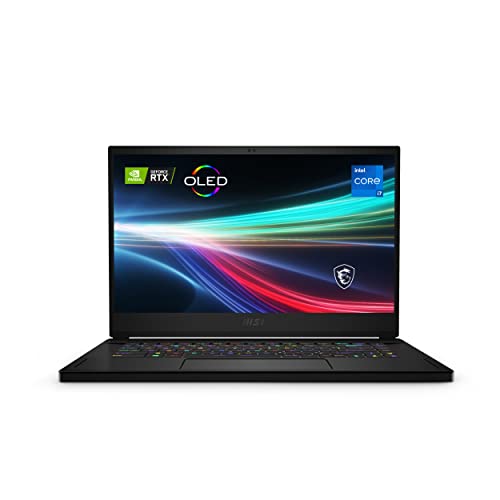
MSI Creator 15 — Newest of the survivors, 2021
If you accept this guide’s premise and want the freshest survivor available, the Creator 15 is where the search ends. Its Intel Core i7-11800H is an 11th-generation chip from 2021, the youngest processor in this roundup by two full generations, and its GeForce RTX 3060 remains a genuinely capable graphics card for photo work, video editing at 4K, and moderate creative loads. Those internals sit behind the panel that justifies the entire category: a 15.6-inch UHD OLED with full DCI-P3 coverage, the colour-complete, contrast-rich canvas that made creators fall for this format in the first place.
Sixteen gigabytes of memory and a 512-gigabyte drive are the configuration’s period-correct figures, adequate for photo libraries and editing projects of sensible size, tight for sprawling video archives. Thunderbolt 4 connectivity, a modern grace the 2019 machines lack, lets the Creator 15 dock to current storage and displays without adapter archaeology. The machine shipped with Windows 10 in this listing, and buyers should plan the operating-system conversation with that in mind, checking upgrade eligibility and their own software needs before the purchase rather than after.
Judged against its own era, the Creator 15 was MSI’s direct answer to the XPS 15, and time has kept the rivalry interesting: the Dell is the prettier object, the MSI the more practical creator tool with the newer silicon. Judged against the present, it is a 2021 flagship whose screen outclasses its processor’s vintage. Buyers who can accept that bargain explicitly are buying the best version of a retired idea.
- Display: 15.6-inch UHD OLED 4K, DCI-P3 100%
- Processor: Intel Core i7-11800H, 11th generation
- Graphics: NVIDIA GeForce RTX 3060
- Memory: 16GB
- Storage: 512GB NVMe SSD, Thunderbolt 4, Windows 10
Strengths
- The youngest platform here, with an RTX 3060 that still handles 4K editing and photo work credibly.
- A true UHD OLED panel with full DCI-P3 coverage delivers the colour this category exists for.
- Thunderbolt 4 keeps docking and storage options current despite the model’s age.
Trade-offs
- It remains a 2021 machine; current software will outgrow its platform before it outgrows a modern laptop.
- The 512-gigabyte drive is modest for video-centric libraries.
- Windows 10 in this listing requires an upgrade conversation at setup.
Best for: buyers committed to 15.6-inch true 4K who want the newest surviving flagship specification. Not suited for: anyone needing a long software runway or current-generation performance.

Dell XPS 15 7590 with Core i9 — Most memory and storage, 2019
The XPS 15 7590 in its Core i9 configuration was the maximal XPS of 2019, and its specification still reads like a flagship’s: an i9-9980HK, the eight-core peak of Intel’s 9th generation for laptops, 32 gigabytes of memory, a terabyte of storage, and a GTX 1650 handling graphics duties. Behind the era’s celebrated InfinityEdge design sat the 15.6-inch 4K panel that made the model famous, the screen around which a generation of photographers and editors organised their mobile work. This listing preserves that maximal configuration, and for a buyer who wants the strongest version of the classic, it is the one to study.
Historical honesty requires the counterweight in the same breath. Ninth-generation silicon is now many cycles behind, the GTX 1650 belongs to an earlier graphics era, and the machine’s charms are those of a beautifully built period flagship rather than a modern workstation. Its memory and storage figures have aged more gracefully than its processor has, and a photo editor running stable tools will appreciate the generous RAM every day while meeting the chip’s vintage mainly when exports run long.
The XPS design language of this era, aluminium, carbon-fibre palm rest, minimal bezels, also explains the model’s long tail of demand: it remains a handsome, well-made object that owners enjoy using. Buy it as you would buy a classic car with a full service history: for the experience and the panel, with maintenance expectations set by its year, and it will reward the purchase. Buy it expecting a 2026 machine in a familiar shell and no guide can save the transaction.
- Display: 15.6-inch 4K
- Processor: Intel Core i9-9980HK, 9th generation
- Graphics: NVIDIA GeForce GTX 1650
- Memory: 32GB
- Storage: 1TB SSD, Silver
Strengths
- Thirty-two gigabytes of memory and a terabyte of storage remain genuinely useful figures today.
- The flagship XPS build and 4K InfinityEdge presentation defined this class at its peak.
- The strongest processor configuration the 7590 line offered in its day.
Trade-offs
- Ninth-generation silicon and GTX graphics are several eras behind current creative workloads.
- Age implies battery wear and support horizons that buyers must weigh individually.
- Its value is experiential and panel-led, not performance-led.
Best for: devotees of the classic XPS who want its fullest original specification and understand its vintage. Not suited for: buyers needing modern performance, current graphics, or a long support runway.

Dell XPS 15 7590 with Core i7 — The classic 4K XPS, 2019
This is the configuration most people mean when they remember the 4K XPS 15: a 9th-generation Core i7-9750H, 16 gigabytes of memory, a terabyte of storage, a GTX 1650 with 4 gigabytes of graphics memory, and the 4K UHD InfinityEdge touch panel. In 2019 this was close to the perfect creator laptop formula, powerful enough for photo and video work, beautiful enough for client meetings, and sized for a bag rather than a desk. Its listing persists because the formula’s appeal persists, and because the touch-capable UHD screen remains the centrepiece that modern 15-inch lineups simply do not offer.
Compared with its i9 sibling above, this build trades processor peak and memory for the same panel and the same design at the configuration most buyers originally chose. For photo editing, writing, design review, and moderate video work within period-appropriate software expectations, the balance still functions. The touch layer, absent from many creator machines then and now, suits annotation, client review sessions, and the kind of direct manipulation that presentation-heavy freelancers use daily.
The cautions are generational and identical in kind to its sibling’s: 2019 silicon, 2019 graphics, and a support horizon set by age rather than by specification. There is also a naming caution specific to this model, developed in the prose-only section that follows: the 7590 nameplate circulates in renewed channels as well, and buyers comparing listings must keep new-old-stock and renewed machines in separate mental columns. As a linked listing with a stated configuration, this i7 build is the class’s classic, purchased knowingly or not at all.
- Display: 15.6-inch 4K UHD InfinityEdge touch
- Processor: Intel Core i7-9750H, 9th generation
- Graphics: NVIDIA GeForce GTX 1650, 4GB GDDR5
- Memory: 16GB
- Storage: 1TB SSD
Strengths
- The definitive configuration of the class’s most loved model, touch panel included.
- A terabyte of storage suits photo libraries and project archives without immediate help.
- The InfinityEdge design remains a pleasure to carry and to present from.
Trade-offs
- Processor and graphics belong firmly to 2019, with performance expectations to match.
- Sixteen gigabytes of memory is a period figure that heavy modern projects will test.
- The same nameplate’s renewed circulation demands careful listing comparison.
Best for: buyers who want the classic 4K XPS experience in its most representative form. Not suited for: modern high-throughput editing, gaming, or buyers uncomfortable with discontinued hardware.
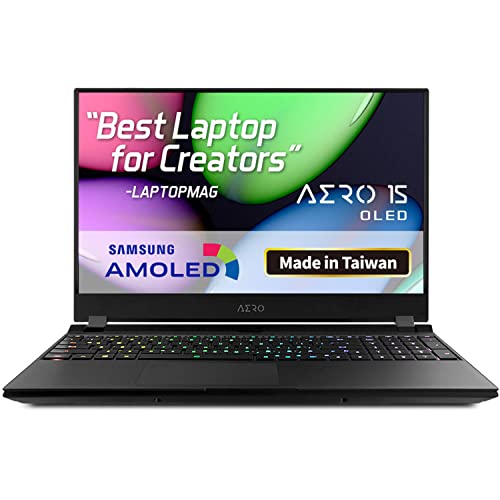
Gigabyte AERO 15 OLED — Big-battery AMOLED original, 2019
Gigabyte’s AERO line taught the industry that a creator laptop could be thin, colour-serious, and still carry a real battery, and this 2019 original states the case with its specification: a 15.6-inch UHD AMOLED panel with hairline bezels, a 9th-generation Core i7-9750H, a GTX 1660 Ti for graphics, 16 gigabytes of memory, a 512-gigabyte drive, and a 94Wh battery that dwarfed what rivals offered. That battery figure deserves emphasis because 4K panels drink power; Gigabyte’s answer was simply to fit the largest tank the class allowed, and travelling editors of the era noticed.
The AMOLED panel is the other half of the legend. Samsung’s laptop AMOLEDs of this period delivered the deep blacks and saturated, accurate colour that made the AERO the photographer’s alternative to the XPS, and the panel’s quality has aged far better than the silicon behind it. For a buyer whose work is stills-led, photo editing, design, illustration review, the screen remains the experience, and the experience remains excellent.
Age applies here as everywhere in this guide. The GTX 1660 Ti was a strong midrange card in 2019 and is a modest one now; the processor is 9th-generation; the operating system is Windows 10. The AERO’s proposition is a traveller’s colour canvas with a big battery from the format’s golden years, and within that proposition it has few peers. Outside it, modern machines win on every performance chart ever drawn.
- Display: 15.6-inch UHD AMOLED, thin bezel
- Processor: Intel Core i7-9750H, 9th generation
- Graphics: NVIDIA GeForce GTX 1660 Ti
- Memory: 16GB
- Storage: 512GB M.2 PCIe SSD, 94Wh battery, Windows 10
Strengths
- The UHD AMOLED panel remains a superb colour surface for photo and design work.
- A 94Wh battery was the class’s endurance answer and still distinguishes this model.
- Thin, light creator design that travelled as well as it displayed.
Trade-offs
- Graphics and processor are 2019 midrange-to-flagship fare, well behind current demands.
- Battery age on surviving stock is a real variable buyers cannot inspect from a listing.
- Storage at 512 gigabytes is tight for video-led work.
Best for: travelling photographers and designers who prize the AMOLED canvas and battery size. Not suited for: performance-led buyers, gamers, or anyone needing current software longevity.

Gigabyte AERO 15S OLED XB (2020) — Strongest graphics of the class
The 2020 AERO 15S OLED XB is what happened when Gigabyte pushed the formula toward performance: a 10th-generation Core i7-10875H, an RTX 2070 Super Max-Q, 16 gigabytes of DDR4 memory, and the line’s signature 15.6-inch 4K UHD OLED with full DCI-P3 coverage. That graphics card is the strongest fitted to any pick in this guide, and it changes the machine’s working character: where the 2019 models are photo-first instruments, the XB can still cut 4K video and handle GPU-assisted creative work with a measure of modern credibility.
The Max-Q suffix deserves a translation for buyers meeting it in listings. It denotes the efficiency-tuned variant of the RTX 2070 Super, designed for thin chassis, trading some peak output for heat and noise control. In a creator laptop that trade was and remains sensible, because sustained editing sessions reward composure over sprint figures. The panel needs no translation: full DCI-P3 UHD OLED, the class’s defining luxury, present here in its performance trim.
As a 2020 design, the XB sits between the 2019 originals and the 2021 Creator 15 in age, and its review should be read in that position. It is the pick for the buyer who wants the retired format with the most working muscle still attached, perhaps an editor whose projects are current but whose love for the 15.6-inch 4K shape is non-negotiable. It will not outlast a modern 16-inch creator laptop across a five-year horizon, and it was never going to; within its format, it is the strongest survivor standing.
- Display: 15.6-inch 4K UHD OLED, DCI-P3 100%
- Processor: Intel Core i7-10875H, 10th generation
- Graphics: NVIDIA GeForce RTX 2070 Super Max-Q
- Memory: 16GB DDR4
- Storage: SSD as listed; confirm capacity on the listing page
Strengths
- The strongest graphics card in this retired class, still credible for 4K editing work.
- Full DCI-P3 UHD OLED maintains the format’s colour promise in its performance trim.
- A 10th-generation platform sits a year closer to the present than the 2019 picks.
Trade-offs
- Max-Q tuning trades peak graphics output for thin-chassis composure.
- It is still a 2020 machine with a finite software and support horizon.
- Memory at 16 gigabytes is a period figure for demanding timelines.
Best for: editors and creators who want the retired 15.6-inch 4K format with maximum surviving performance. Not suited for: buyers planning a five-year primary workstation, or those who prefer current platforms.
Dell XPS 15 7590 (Renewed listings) — Prose-only: buy the condition, not just the name
This entry carries no link, deliberately, because what is being discussed is not a configuration but a condition. The XPS 15 7590 also circulates through renewed channels, where the same celebrated nameplate and 4K panel are sold after refurbishment, and the quality of that experience depends entirely on factors a headline cannot convey: battery health, panel uniformity, the refurbisher’s standards, and the return terms standing behind the sale. A renewed 7590 from a careful refurbisher can be a genuinely satisfying way into this retired format. A careless one is a lottery ticket with a nice keyboard.
The checks are teachable, so here they are. Read the condition description word by word and note what it promises about the battery and the screen specifically, since those are the components age touches first and the panel is the entire reason for buying this format. Confirm the exact processor, memory, and storage, because renewed listings compress configurations. Identify the seller and the returns window before the price impresses you, and on arrival, test the panel for uniformity and the battery for realistic endurance during the first days, while returning is still a decision rather than an argument.
We include this entry because pretending the renewed channel does not exist would make the guide less honest, not more. Many readers will meet the 7590 first in renewed form. Meet it with the checks above, compare it against the linked configurations with a clear head, and let condition evidence, not nostalgia, arbitrate the price you are willing to pay.
- Format: 15.6-inch 4K XPS 15 7590 sold through renewed channels
- Panel: the model’s UHD display; verify uniformity on arrival
- Battery: health varies by unit; treat endurance claims cautiously
- Configuration: varies by listing; confirm processor, memory, and storage individually
- Protection: seller identity and returns window are part of the product
Strengths
- A route into the retired format for buyers comfortable evaluating refurbished hardware.
- The underlying machine, panel, design, build, remains the class classic.
- Careful refurbishers can deliver a genuinely satisfying example.
Trade-offs
- Unit-to-unit variation is the defining risk; no two renewed examples are the same purchase.
- Battery and panel condition cannot be verified from a listing alone.
- Support and warranty terms are thinner than the linked configurations’ channels.
Best for: experienced buyers who can evaluate a refurbished unit quickly inside its returns window. Not suited for: first-time buyers, gift purchases, or anyone who needs guaranteed condition.
How Do the Surviving Picks Compare Side by Side?
| Model | Generation | Graphics | Memory and storage |
|---|---|---|---|
| MSI Creator 15 | 2021, i7-11800H | RTX 3060 | 16GB, 512GB |
| Gigabyte AERO 15S OLED XB | 2020, i7-10875H | RTX 2070 Super Max-Q | 16GB, as listed |
| Dell XPS 15 7590 i9 | 2019, i9-9980HK | GTX 1650 | 32GB, 1TB |
| Dell XPS 15 7590 i7 | 2019, i7-9750H | GTX 1650 | 16GB, 1TB |
| Gigabyte AERO 15 OLED | 2019, i7-9750H | GTX 1660 Ti | 16GB, 512GB |
| XPS 15 7590 (Renewed) | 2019 nameplate, refurbished | GTX 1650 class | Varies by unit |
The table’s story is generational. Read the second column first and calibrate every other figure by it: the Creator 15’s modest specification is attached to the youngest platform, while the XPS i9’s grand memory and storage belong to 2019. All five linked machines share the one figure that defines the class, a true 3840 by 2160 panel at 15.6 inches, and that shared panel, not any processor, is what a buyer in this category is actually purchasing.
How Can You Tell a True 4K Panel From a Listing Borrowing the Word?
Start with the only number that settles the question: the panel’s native resolution, stated as pixels. True 4K UHD is 3840 by 2160. Anything else is something else, whatever the headline says. A screen listed at 1920 by 1200 is FHD+, a fine panel with roughly a quarter of the pixels. A screen at 2560 by 1600 is QHD+ or WQXGA, sharp and lovely and still not 4K. A screen at 2880 by 1800 is a 3K-class panel, closer, and not equal. Sellers borrow “4K” for all of these, and the resolution line, usually buried mid-listing, is where the borrowing is exposed.
Learn the euphemisms next. “4K-ready” and “supports 4K output” describe the HDMI port, not the panel; nearly every laptop made in a decade can drive an external 4K monitor, and the phrase tells you nothing about the screen in front of you. “4K quality” and “4K experience” are weather reports, not specifications. Even panel technology words can mislead when detached from resolution: an “OLED” badge on a 1920 by 1200 screen describes a beautiful FHD+ display, not a 4K one. The genuine listings in this category, including every linked pick above, state UHD resolution and, for the OLED models, DCI-P3 coverage in plain figures.
Apply three checks to any listing anywhere. Find the native resolution in the specifications and require 3840 by 2160. Confirm the panel size matches the class you want, since 4K now lives mainly at 16 inches. Then cross-check the model number against the manufacturer’s archived specifications, which survive online long after production ends. A listing that resists all three checks is telling you what it is; believe it the first time.
Where Did the Class Go? The 16-Inch 4K OLED Successors
The honest sequel to this guide is one inch larger. The creator market’s 4K energy consolidated into 16-inch OLED laptops, machines like the current ProArt, XPS-class, and Precision models covered in our video-editing guide, where 3840 by 2160 OLED panels pair with current processors, modern graphics, and full support horizons. For most buyers who arrived here wanting “a 4K laptop for serious work,” those machines are the correct purchase, and the extra inch of body is a smaller compromise than a five-year-old platform.
The 15.6-inch survivors retain two genuine advantages. They are the exact size some bags, desks, and habits were built around, and their panels deliver the format’s colour experience without buying into a new ecosystem of docks and cases. There is also a connoisseur pleasure in using the last of a format at its best, which this guide respects rather than mocks. But respect should be informed: the successors are better computers by every performance measure, and the survivors are better only at being precisely 15.6 inches with true 4K, which is either everything or nothing depending on the buyer.
Our practical advice is a fork. If your work is current, growing, and deadline-driven, follow the class to 16 inches and do not look back. If your work is stable, your software expectations are period-appropriate, and the format itself is the requirement, choose among the survivors above with the generational labels in front of you, and enjoy a class of machine the industry will not build again.
What Mistakes Do Buyers Make in This Retired Class?
The first mistake is believing a headline that promises a new 15.6-inch 4K laptop; as this guide opened by stating, no such current product exists, and listings implying otherwise resolve, on inspection, into FHD+ panels, external-output claims, or the very survivors collected here wearing fresher adjectives. The second mistake is buying a survivor as though it were a modern workstation, then blaming the machine for a misunderstanding the listing’s processor line would have prevented. Generations are printed on every pick in this guide for a reason.
The third mistake is neglecting the battery question on discontinued stock. Batteries age on shelves as well as in service, and a survivor’s endurance may disappoint even when everything else delights; plan for desk power and treat strong battery performance as a bonus. The fourth mistake is skipping the renewed checks when shopping the 7590 nameplate, treating a condition-dependent purchase as a specification-dependent one. Each mistake is a failure of the same skill: reading what is actually being sold, which this retired class demands more than any living category.
What Is It Actually Like to Work on a Survivor for a Year?
Imagine the purchase made and the honeymoon over, because the daily texture of owning a discontinued flagship is what this guide ultimately sells or warns against. The mornings are lovely: the panel lights with the colour that justified everything, photo work looks the way photo work should, and the machine’s flagship build, its keyboard, hinges, and case, still feels like the premium object it was. The frictions arrive at the platform’s edges. A new accessory assumes a newer port behaviour. A software update weighs the old processor’s patience. A colleague’s current machine exports the same project during a coffee while yours takes the meeting. None of these moments is a betrayal; all of them were printed in this guide’s generational labels, and the owner who read them experiences the year as a bargain kept rather than a promise broken.
Battery reality writes its own chapter across that year. Surviving stock arrives with batteries of varying history, and the wise owner measures theirs early, during the returns window, against realistic work rather than against the brochure figure from launch year. A survivor that delivers a solid half-day of photo work away from the desk is performing honourably; one that fades in ninety minutes is a warranty or returns conversation to have immediately, while the having is good. Desk-anchored owners will care less, and this class rewards desk anchoring more than most, since its panels are at their best in controlled light anyway.
Resale and succession planning close the year strangely well. A retired flagship bought knowingly at clearance-era positioning has little value left to lose, which liberates its owner from the depreciation anxiety that attends new flagships. When the 16-inch successor eventually calls, the survivor retires to the honourable second careers of its kind: the dedicated scanning and printing station, the household’s best screen, the loaner that makes its owner look generous and discerning at once. Planned obsolescence is a complaint about machines that die young; these machines instead graduate, panel first, into roles their screens still win.
How Should You Verify a Specific Listing Before Money Moves?
Treat the listing as a witness to be cross-examined, kindly and completely. First, the identity questions: exact model number, processor model, graphics model, memory, storage, and the panel’s native resolution, each found in the listing’s own specification lines rather than its headline poetry. Second, the provenance questions: who is selling, what condition category is claimed, what warranty or returns structure stands behind the sale, and how long the returns window runs. Third, the consistency questions: do the photographs show this model, do the specification lines agree with each other, and does the manufacturer’s archived specification for that model number match what the listing describes?
Any single inconsistency is information; a pattern of them is a verdict. Discontinued flagships attract careless listings because the models are famous and the stock is scattered, and carelessness in a listing predicts carelessness in fulfilment with depressing reliability. The linked picks in this guide were chosen partly for the plainness of their stated configurations, and a reader applying the same standard elsewhere inherits the guide’s protection beyond its own links. Screenshot the listing you buy from, keep it with the receipt, and let the returns window open with a testing checklist rather than with unboxing joy alone.
On arrival, the checklist is short and non-negotiable. Verify the configuration in the system settings against the listing. Run the panel through dark, bright, and saturated test images, looking for the uniformity flaws that age and storage can introduce. Use the battery for one realistic working session and note the result. Exercise every port, the webcam, the speakers, and the keyboard’s full travel, because a discontinued machine’s surprises prefer to announce themselves after the returns window closes, and the only defence is to go looking for them while return shipping is still free.
Who Should Skip This Class Entirely?
Honesty guides owe their readers an exit list, and this class has a clear one. Skip the survivors if your income depends on current software support horizons, because a platform from 2019 or 2021 will meet its operating-system and application ceilings inside your ownership, and no panel quality compensates a professional for a tool that stops updating mid-contract. Skip them if you game seriously, since their graphics belong to their years and modern titles will negotiate rudely with them. Skip them if the purchase is a gift, because condition-dependent buying requires an inspector, and a gift should arrive as a certainty rather than as a project.
Skip them, finally, if the 15.6-inch dimension is a preference rather than a requirement. Preferences should yield to the living class: the 16-inch 4K OLED machines in our editing guide are better computers in every measurable way, and a buyer merely fond of the smaller size will be happier there within a month. The survivors earn their keep only where the format is the point, the panel is the priority, and the generations are understood. Readers who recognise themselves in that sentence are this guide’s true audience, and there are enough of them, judging by the search traffic that keeps this keyword alive, to justify every word of its caution.
How Do the Survivors Handle Modern Software, Honestly?
A fair question deserves a layered answer, because “modern software” is several different demands wearing one coat. The creative staples these machines were bought for, photo editors, illustration tools, office suites, media players, and the period versions of video editors, run with the composure their flagship specifications promise, and for many owners that layer is the whole working day. The strain appears at the moving edges: the newest application versions that assume current instruction sets and graphics features, the heaviest contemporary games, and the AI-branded tools whose requirements were written last quarter. A survivor owner who pins their creative tools at versions the platform handles gracefully will feel almost none of this; an owner who updates everything on release day will feel all of it, and will blame the machine for a policy decision made at their own desk.
Operating-system horizons deserve the same plain treatment. The listings here span Windows 10 machines and platforms whose upgrade paths vary by exact configuration, and a buyer should establish their chosen machine’s position before purchase rather than discover it during setup. For a great many uses, a stable, well-understood system at a known version is a feature in professional clothing, since studios themselves pin versions for stability. For a buyer whose employer or school mandates the newest platform, it is a disqualification, and the 16-inch successors exist for them. The guide’s position is not that age is virtuous; it is that age, priced and understood, can be a bargain, while age discovered late is merely a cost.
Security follows the operating-system conversation and should not be skipped for thrift. A machine that can no longer receive current security updates should not hold a business’s sensitive work, whatever its panel can do. Home creators face a gentler calculus, and even they should keep browsers and critical tools current for as long as the platform allows. These are the grown-up terms of the retired class, and a guide that concealed them to move units would not deserve the readers it attracted.
What Accessories Make a Survivor Feel Complete?
A discontinued flagship pairs best with accessories chosen for its generation rather than against it. A dock or hub matched to its ports turns the desk into a one-cable ritual; the Creator 15’s Thunderbolt 4 makes that pairing modern, while the 2019 machines reward a hub chosen with their exact connectors in mind. An external drive sized for the owner’s library closes the storage gap that period configurations leave, and a good laptop stand with an external keyboard returns the ergonomics that a flagship desk setup deserves. A colour calibration tool, for owners who grade or print seriously, extracts the last measure of trust from panels that were built to be trusted.
Carry gear deserves a sentence of its own, because these machines travel in bags designed for a size the industry has half-abandoned. A sleeve or case that fits 15.6 inches properly, rather than stretching a smaller one or swimming inside a larger, protects the purchase’s most irreplaceable component, its screen, every time the bag is set down harder than intended. Survivors cannot be reordered when a panel dies; the case is not an accessory but an insurance policy with a zip.
A Note on Prices, Stock, and Timing in a Retired Market
Retired classes do not behave like living ones at the till, and a buyer should understand the weather they are shopping in. Remaining stock is finite and unevenly distributed, so the same configuration can appear, vanish, and reappear through different sellers across a season, with condition language shifting as the channel changes. Patience is a genuine strategy here in a way it never is with current models: the reader who knows their target configuration, has their checks prepared, and can wait for a clean listing will usually be rewarded over the reader who buys the first famous nameplate that surfaces. Urgency, by contrast, should redirect a buyer toward the living 16-inch class, where stock is deep and every day is a fine day to purchase.
Seasonal patterns exist but deserve no mystique. Clearance moments follow successor launches and retail calendar events, and a retired flagship’s channel sometimes loosens then. What should never loosen is the verification discipline, because the same moments that release good stock also release the market’s least careful listings. Buy the machine in front of you, in the condition stated, from the seller named, at the moment the evidence satisfies the checklist, and let the calendar be a servant rather than a strategy.
How Should Photographers, Editors, and Designers Each Read This Shortlist?
Photographers should read for the panel and forgive almost everything else, because their files are patient and their eyes are not: the AERO pair and the Creator 15 serve them in descending order of platform youth, and the XPS machines serve the ones who also present to clients from the same screen. Video editors should read for graphics and accept the shortest horizons knowingly, favouring the AERO 15S XB’s stronger card and treating every pick as a bridge toward the 16-inch class rather than as a destination. Designers fall between, weighting colour and portability together, and they are the readers for whom the format’s original formula, flagship screen, travel-friendly body, honest midrange power, still balances almost exactly as its makers intended in the years when this class was the industry’s idea of perfection.
How Should You Photograph and Document a Survivor for Resale or Insurance?
A small, practical ritual protects owners of discontinued machines in ways that have nothing to do with performance. On the day the laptop passes its arrival checks, photograph it from every side, capture the panel displaying a uniform grey and a uniform white, and save the configuration screens alongside the receipt and the original listing. File the set where your other machine records live. If the laptop is ever damaged, disputed, or prepared for resale, that folder converts arguments into evidence, and in a market where the same nameplate circulates in every condition imaginable, evidence is the difference between your machine’s story being believed and being merely told.
The same folder serves the happier transaction at the end of ownership. A survivor sold with its purchase record, its panel photographs, and its battery history documented will find its next owner faster and more fairly than an identical machine sold on adjectives, because the second-hand market for retired flagships runs on exactly the verification habits this guide has been teaching from the buyer’s side. Today’s careful buyer becomes tomorrow’s credible seller by keeping one folder, and the format’s last generation deserves to circulate on evidence rather than on nostalgia. It is a fitting final discipline for a class of machine that rewarded careful readers at every stage of its long life.
One More Survivor Skill: Reading Panel Descriptions Like a Technician
Because the panel is the purchase, its vocabulary deserves a closing glossary in plain language. UHD and 4K, used precisely, both mean the 3840 by 2160 grid this class is defined by. OLED and AMOLED describe emissive panels whose pixels make their own light, the technology behind the contrast and colour this guide keeps praising, with AMOLED being the active-matrix form used in these laptops. DCI-P3 names a colour gamut, the range of colours the panel can show, and full coverage of it is the figure that separates creator panels from ordinary ones. InfinityEdge is Dell’s name for the minimal-bezel design around the XPS screens, a frame description rather than a panel technology. A listing that deploys these words accurately, attached to figures that agree with the manufacturer’s archived specification, is speaking the language of a seller who knows the machine. A listing that stirs them into soup is telling you, in its own way, everything you need to know.
One Sentence to Carry Into Every Listing You Ever Open
If this long guide must shrink to a pocket rule, let it be this: the resolution line is the truth, the generation line is the context, and everything else in a listing is commentary. A reader who checks those two lines first will never buy a borrowed 4K, never mistake a 2019 flagship for a current machine, and never need a guide’s protection twice for the same trick. The survivors above were chosen to reward exactly that reader, and the class they close out, the great 15.6-inch 4K flagships of 2019 to 2021, deserves no less careful a farewell.
Final Recommendation
Buy this class with your eyes open and it can still make you happy. The Creator 15 is the freshest survivor and the default choice; the AERO 15S XB is the performance pick; the XPS 7590 pair serve the design’s devotees in flagship and classic trims; the original AERO 15 OLED remains the traveller’s colour canvas. Treat renewed examples as individual units to be inspected, not as configurations to be ordered. And if anything in this guide’s generational honesty gave you pause, take the hint the industry already took: the living 4K class is 16 inches now, and it is excellent. The last of the 15.6-inch flagships deserve buyers who choose them on purpose.
Frequently Asked Questions
Can I buy a new 15.6-inch 4K laptop in 2026?
No current-generation model exists in this class. The linked picks are the surviving flagships from 2019 to 2021 that remain listed, and the modern continuation of the format is the 16-inch 4K OLED class. Any listing presenting itself as a brand-new current 15.6-inch 4K machine deserves the resolution checks taught in this guide.
Are the panels on these older machines still good?
Yes; panels age more gracefully than processors. The UHD OLED and AMOLED displays here, with full DCI-P3 coverage on the OLED models, still surpass most current laptop screens for colour and contrast. What has aged is the silicon behind them, which is why this guide labels generations so insistently.
What does 4K-ready mean in a laptop listing?
Almost always that the laptop can output a 4K signal to an external monitor, which nearly every modern laptop can do. It says nothing about the built-in panel. The only figure that certifies a 4K screen is a native resolution of 3840 by 2160 in the panel specifications.
Is a renewed XPS 15 7590 a sensible buy?
It can be, from a careful refurbisher, with the condition checks in our prose-only section applied rigorously: battery and panel condition, exact configuration, seller identity, and a returns window you actually use for testing. It is a purchase for experienced buyers comfortable judging a unit on arrival.
Which survivor is best for video editing?
The AERO 15S OLED XB, whose RTX 2070 Super Max-Q is the strongest graphics card here, followed by the Creator 15 with its RTX 3060 and younger platform. Editors with current, growing workloads should also read our 16-inch video-editing guide before committing to a retired platform.
Why did manufacturers stop making these?
Panel production consolidated around 16-inch 16:10 displays, QHD captured the performance mainstream, and driving eight million pixels at 15.6 inches served a connoisseur minority. When the shared panel supply ended, the class ended with it, leaving the survivors and the 16-inch successors described above.
Related Guides
The living continuation of this class is covered in best 4k laptops for video editing, while best 4k laptops under 800 tackles the same honesty questions at a strict budget, and best 2000 dollar laptops surveys the current flagship tier. The tall-screen alternative to these wide panels is ranked in the best 3 2 laptops.
Related guides
- Best Direct Thermal Printers: Shipping-Label Machines and Professional Label Systems
- Best 4K UHD HDR HDMI Extenders: 4K60, Long-Run and 4K120 Kits Compared
- Best 25–35 Inch Monitors With Lowest Display Lag: An Honest Ranking Without Invented Numbers
- Best Enterprise SATA SSDs: Endurance Classes, Power-Loss Protection and Fleet Sense


