What's inside
- Where to buy
- Key Takeaways
- Quick Picks
- How did we judge a capacity with two shapes?
- The picks in detail: best 6tb external hard drives reviewed
- Comparison table
- Desktop or portable: how do you choose at six terabytes?
- How do you set up a 6TB drive for the long term?
- What are the standard 6TB mistakes?
- The media household: six terabytes as the living-room library
- Permanent residence: power, warmth and quiet
- When a drive this size retires
- Six terabytes in the small office
- The rotation, choreographed
- Final Recommendation
- Frequently Asked Questions
- Related Guides
As an Amazon Associate I earn from qualifying purchases. This post may contain affiliate links at no extra cost to you.
gizmoverdict.com is reader-supported. When you buy through links on our site, we may earn an affiliate commission.
Where to buy
All five linked models are available through Amazon in the US, and we checked every one of those listings while preparing this guide. The sixth pick is a discontinued favourite discussed in prose, because the honest advice about it concerns the second-hand listings where it now mostly lives.
Six terabytes used to be a settled size with a settled shape: a desktop box, a power brick, a permanent place on the shelf. The best 6tb external hard drives now tell a more interesting story, because this is the capacity where the portable format — long capped at five — has newly arrived. Alongside the three desktop drives that define the traditional shelf, WD now fields a 6TB Elements Portable and a 6TB My Passport: thick-profile 2.5-inch drives that hold a desktop’s worth of library while still running entirely from a USB port. That arrival turns the 6TB question from “which box?” into “which life?” — a drive that stays, plugged into the wall and the household’s routine, or a drive that goes, carrying the same six terabytes into bags, offices and other people’s houses. This guide is organised around that fork, because at this capacity the fork matters more than any badge: the desktop and portable versions of the same maker’s line differ in power, in portability, in price and in the disasters each is built to survive.
The desktop branch fields the establishment: WD’s Elements Desktop for the plain archive, WD’s My Book for the household that wants the drive itself to run backups and keep a password, and Seagate’s Expansion for the drag-and-drop traditionalist, this generation carrying Rescue recovery cover. The portable branch fields the newcomers at their full size. And in prose, an honourable ghost: Seagate’s Backup Plus Hub, the desktop drive with front USB ports that a generation of desks was organised around, discontinued now and surviving in leftover listings — included because readers still search for it, and because what to do about a discontinued favourite is genuine buying advice.
Key Takeaways
- 6TB now comes in two shapes: wall-powered desktop drives that stay put, and new thick-profile portables that carry the same capacity from a USB port alone.
- The WD Elements Desktop 6TB is the plain archive box — the settled shelf volume for households with their own backup routine.
- WD’s My Book 6TB adds scheduled backup software and password protection for the household whose drive must guard and maintain itself.
- Seagate’s Expansion 6TB is the simple desktop alternative, with Rescue data recovery services included on this listing.
- The Elements Portable and My Passport at 6TB bring desktop capacity to the bag — the Passport adding the encryption a travelling archive needs.
- Seagate’s Backup Plus Hub, in prose, is discontinued: buy its remaining stock knowingly, at a knowing price, or let the current shelf — plus a small separate hub — answer its idea with new hardware.
Quick Picks
| Pick | Badge | Why it is here |
|---|---|---|
| WD 6TB Elements Desktop | Best Settled Archive | The plain, upright desktop volume that has defined this size for years. |
| WD 6TB My Book | Best Self-Running Backup | Auto backup software and password protection in the classic book-spine enclosure. |
| Seagate Expansion 6TB | Best Simple Desktop | Drag-and-drop desktop storage with Rescue recovery services riding along. |
| WD 6TB Elements Portable | Best Portable Capacity | Six terabytes, bus-powered, no brick — the library that finally travels whole. |
| WD 6TB My Passport | Best Guarded Portable | The travelling 6TB with hardware encryption and backup software standing guard. |
| Seagate Backup Plus Hub 6TB | The Discontinued Favourite — Prose | Front USB hub ports made it a desk institution; now a knowing purchase only. |
How did we judge a capacity with two shapes?
By judging each shape against its own life, then judging the fork itself. The desktop drives were weighed as furniture: how they behave across years of permanent residence, how their software serves a household that never unplugs them, how their power supplies and vents suit a shelf. The portables were weighed as luggage: shell rigidity around a thick, heavy mechanism, protection for contents that will be carried through the world, and the honesty of calling a drive this size “portable” when its hand feel is a hardback book. Across both, the standing disciplines applied — no invented performance claims for mechanical drives, no price-per-terabyte theatre, and a constant preference for the arrangement over the object: at six terabytes, what protects you is never the drive but the system it belongs to.
The fork itself got a section of the judging because it is where buyers at this capacity actually go wrong. The desktop drive bought for a travelling life becomes a resentment with a power brick; the portable bought for a permanent shelf pays the portability premium for a thinner, dearer mechanism than the desktop branch offers at the same capacity. Neither error is a bad drive — both are good drives assigned the wrong biography — and the picks below are written to make each drive’s intended biography unmistakable.
The picks in detail: best 6tb external hard drives reviewed

WD 6TB Elements Desktop — Best Settled Archive
The Elements Desktop at 6TB is the traditional answer in its traditional form: an upright, slim enclosure housing a full-size mechanism, a wall adapter in the box, and absolutely no software between you and the volume. Its natural habitat is the shelf beside the household computer, where it receives the backups, holds the media library and ages quietly across years of service. Six terabytes in this role is the size at which a household stops rationing — the photo archive, the video library, the backups of every machine in the house, all resident at once with headroom to spare — and the Elements’ plainness suits that residency, because a drive that will be mounted by three generations of computers should ask nothing of any of them.
Ownership is a study in low drama. The drive wants a stable, ventilated spot, a surge protector between it and the wall, and a label on its power brick so the brick survives the next drawer purge. Its copies are long — filling six terabytes is a day-scale event the first time — and its manners across those marathons are the line’s established ones: steady, warm, unhurried. What it will not do is protect itself. There is no password and no backup suite, so the Elements belongs to households whose routine lives in their operating system or their habits, and whose second copy lives somewhere else. In that household, it is not the basic option; it is the correct one, and its price leaves the budget for the twin that completes the system.
- Capacity: 6TB desktop drive, 3.5-inch mechanism
- Connection: USB 3.0, cable included
- Power: external adapter, required — a stay-in-place drive
- Software: none — works with your OS backup tools
- Form: upright slim enclosure for desk or shelf
Strengths
- Nothing to install or expire — the archive outlives every software fashion.
- The upright footprint fits the crowded shelves where archives actually live.
- Its price funds the second copy that a six-terabyte household needs.
Trade-offs
- No encryption; the room’s physical security is the archive’s security.
- The power brick ties it to its shelf — travelling with it is a project, not a habit.
- Backup discipline must come from you or your operating system.
Best for: settled households building a permanent archive with their own routine. Not suited for: anyone whose storage must travel, or who needs the drive to run backups unaided.
WD 6TB My Book — Best Self-Running Backup
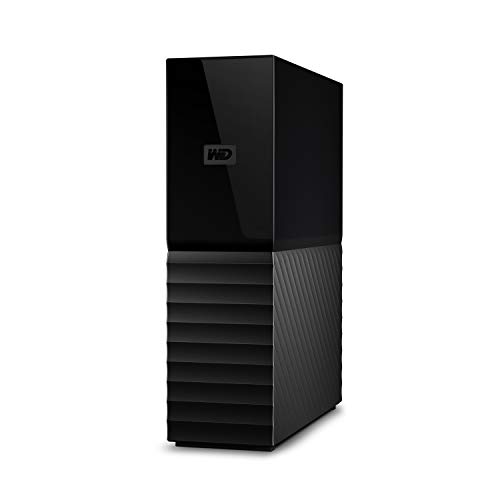
The My Book is the desktop branch’s responsible adult, and 6TB is where its responsibilities peak. The formula is the line’s established one: automatic backup software that keeps scheduled copies of the household’s machines without being asked, and password protection standing over the whole volume for the day the drive itself is the thing that gets taken. In a six-terabyte household the archive has usually become the family’s memory — every photo, every document, the children’s whole recorded childhood — and the My Book is engineered for the owner who knows that good intentions about manual backups decay by February. Set the schedule, set the password, file the password properly, and the drive takes the household’s memory as its personal charge.
The book-spine enclosure has made this line the most desk-visible of drives, which quietly helps: a backup drive that lives in sight gets its cables checked and its status noticed, while one exiled to a cupboard fails in private. The cautions are the family’s usual ones, worth restating at this scale. The password is absolute and unrecoverable, so it belongs in the household’s important records, not in one person’s memory. And the My Book’s automation protects against neglect, not against physics — it remains one mechanism in one enclosure, and the household that can afford six terabytes of memory can afford the smaller second drive that keeps a copy of the irreplaceable parts somewhere else in the world.
- Capacity: 6TB desktop drive, 3.5-inch mechanism
- Connection: USB 3.0, cable included
- Power: external adapter, required
- Software: automatic backup suite; password protection for the volume
- Form: book-style enclosure designed to live visibly on a desk
Strengths
- Scheduled automatic backups convert household intentions into an actual, current history.
- Password protection guards the consolidated archive if the drive is stolen.
- Its visible, furniture-like design keeps it plugged in, noticed and working.
Trade-offs
- A forgotten password seals six terabytes permanently — file it like a deed.
- Full value requires installing and maintaining the software layer.
- It is entirely desk-bound; the travelling archive is the Passport’s department.
Best for: families whose archive must maintain itself without relying on anyone’s memory. Not suited for: minimalists with an existing routine, or any life that involves carrying the archive.

Seagate Expansion 6TB — Best Simple Desktop
Seagate’s Expansion is the desktop branch written in the plain style: an enclosure, a power adapter, a USB cable, and a volume that appears when you plug it in, ready for drag-and-drop or your operating system’s backup tools. Its 6TB generation carries a feature that elevates the plain style’s one weakness — the bad day. Rescue data recovery services are included with this listing, meaning a failed drive goes to specialists whose attempt to read its platters is part of the purchase rather than a separate emergency invoice. For a plain drive holding a household’s consolidated library, that cover is the difference between a failure being a story and being a loss, and it is the reason this pick stands level with the WD pair rather than behind them.
The rest of the portrait is the Expansion character owners know: no encryption, no mandatory software, manners equally suited to the backup shelf and the living-room media role, where its always-plugged availability feeds a television or streamer. The discipline it asks is the plain drive’s discipline everywhere in this guide — your own backup routine for the data it backs up, and a second home for the data it is. Buyers choosing between this and the Elements Desktop are choosing between near-identical philosophies; the Rescue cover and the day’s price are the honest grounds for the decision, and either choice, twinned and maintained, serves a household for years.
- Capacity: 6TB desktop drive, 3.5-inch mechanism
- Connection: USB 3.0, cable included
- Power: external adapter, required
- Software: none required — drag and drop, OS backup tools
- Cover: Rescue data recovery services included on this listing
Strengths
- Rescue cover softens the plain drive’s worst day at no extra errand.
- Zero-configuration ownership — the volume is itself the whole product.
- Equally at home as backup target or living-room media library.
Trade-offs
- No password protection; a stolen drive’s contents are readable.
- Desk-bound by its power supply, like every drive on this branch.
- Its simplicity offers nothing to grow into if your needs become managed.
Best for: plain-style households who value the recovery safety net. Not suited for: travellers, or owners who want the drive to run and guard itself.

WD 6TB Elements Portable — Best Portable Capacity
This is the pick that rewrites the capacity map. Six terabytes — a size that meant a powered desktop box for the format’s entire history — in a portable enclosure that runs from the laptop’s own USB port, with no brick, no outlet hunt, no desk required. The mechanism is the thickest of the portable line, and the enclosure wears that thickness honestly: this is a hardback book of a drive, meant for the bag’s main compartment and two-handed respect, and in exchange it carries what used to be a household’s entire archive in a form that can board a plane, ride to a relative’s house for the off-site rotation, or sit in a hotel safe while its owner works from the laptop’s internal drive. For the rotation pattern this site recommends at every capacity — copies in two places, one of them elsewhere — the 6TB portable is not a convenience; it is the enabling object.
Its character is the Elements character, unaltered by scale: no software, no encryption, a bare volume that mounts identically on any machine and asks only for your own system around it. That plainness focuses the buying question beautifully. As a travelling library or a rotation member, it has no peer on this shelf. As a travelling archive of sensitive material, it has the wrong temperament — readable by whoever holds it — and its own sibling below exists for that life. And as a permanent shelf drive it is out of its element in the other direction, dearer and thinner than the desktop Elements that does the same job with a full-size mechanism. Match it to the mobile life it was built for, and it is the most consequential drive in this guide.
- Capacity: 6TB, thick-profile 2.5-inch mechanism, bus-powered
- Connection: USB 3.2 Gen 1 / USB 3.0, cable included
- Software: none — a bare portable volume
- Form: the thickest Elements portable; hardback-book hand feel
- Compatibility: Windows and Mac ready per listing
Strengths
- Desktop capacity with portable power — the whole library finally travels.
- The rotation’s ideal member: capacious, plain and machine-agnostic.
- No software surface to age across the years it will serve.
Trade-offs
- No encryption on a drive holding six terabytes of a life — custody is everything.
- Its heft is real; this is committed carry, not pocket carry.
- As a stay-at-home drive it is outclassed by its cheaper desktop sibling.
Best for: rotation-builders, travelling libraries and households moving archives between places. Not suited for: sensitive archives in transit, or permanent shelf duty.
WD 6TB My Passport — Best Guarded Portable
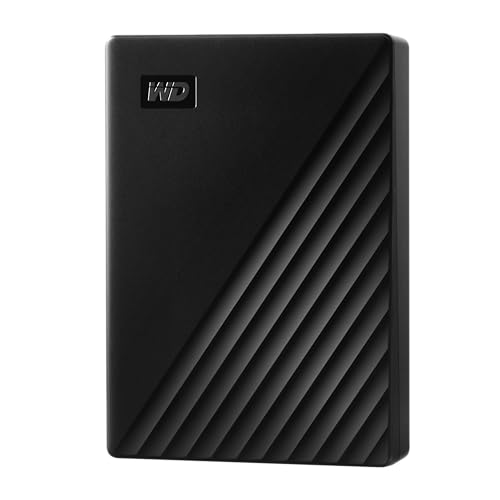
If the Elements Portable is the capacity breakthrough, the My Passport at 6TB is the breakthrough made safe to use. It takes the same thick-profile, bus-powered six terabytes and wraps them in the Passport’s twin protections: password protection on hardware encryption, so the consolidated archive that now travels is sealed against whoever finds it, and backup software that keeps the copies current without its owner’s supervision. Consider what this drive makes possible that no earlier portable did: the entire household archive — not a subset, not the essentials, the whole six terabytes — carried in one guarded object, backed up on schedule, readable only by its owner. For the professional whose practice is the archive, the family relocating overseas, the researcher whose fieldwork lives on one drive, this is the pick the category has been approaching for a decade.
The ownership terms are the Passport’s terms, with the stakes scaled to the capacity. The password ceremony happens on the first evening, is recorded in a password manager, and is rehearsed on the second machine the drive will meet. The first full backup is an overnight run the software supervises. And the standing warning applies with more force here than anywhere else in this guide: guarded is not backed up. A single object holding six terabytes, however encrypted, remains a single object — droppable, losable, mortal — and the Passport’s finest deployment is as the travelling half of a system whose other half stays home. Buy it as that half, and it is the most capable portable drive in this roundup; buy it as the whole system, and you have built a vault with no second keyholder.
- Capacity: 6TB, thick-profile 2.5-inch mechanism, bus-powered
- Connection: USB 3.1 / USB 3.0 compatible, cable included
- Security: password protection with hardware encryption
- Software: WD backup suite with protective features
- Compatibility: Windows ready; Mac use after reformat
Strengths
- The whole archive, travelling, encrypted — a combination no smaller class offers.
- Scheduled backups keep a six-terabyte copy current without owner effort.
- Bus power keeps the kit to a drive and a cable at maximum capacity.
Trade-offs
- The password is final; its loss seals the largest portable archive in this guide.
- Premium pricing over the plain portable buys protection that must be configured.
- Hardback heft — the bag feels every one of the six terabytes.
Best for: professionals and families whose entire archive genuinely travels. Not suited for: drawer duty, or as any household’s only copy of anything.
Seagate Backup Plus Hub 6TB — The Discontinued Favourite (Prose Only)
An affectionate entry for a drive many desks were built around. The Backup Plus Hub took the desktop formula and added the feature its owners still describe wistfully: two USB ports on the front of the enclosure, turning the always-plugged drive into the desk’s charging and connection point — phones topped up there, card readers lived there, the camera’s cable had a home. Stripped of that feature, it was an ordinary big Seagate desktop drive of its day, with the maker’s backup tools on offer; as furniture it was quietly brilliant, and its discontinuation left a small, specific hole in the market that no current model fills exactly. Readers arrive at this guide still searching its name, which is why it is here.
The buying advice is a study in knowing purchases. Remaining stock and second-hand units circulate, priced by nostalgia as much as by merit, and a buyer who wants the hub feature can still be served by one — provided they buy with open eyes: the unit’s age is real even when its seal is intact, its warranty clock and the maker’s support horizon are not what they were, and its drive has spent years somewhere. Check the seller, the condition and the returns terms as you would for any discontinued appliance, and weigh the whole against the current shelf — the Expansion above offers the modern desktop with recovery cover, and a separate small USB hub beside it recreates most of the Hub’s desk magic with new hardware. Buy the Hub for its idea if the idea still charms you; buy it knowingly, or not at all.
- Capacity: 6TB desktop drive, 3.5-inch mechanism
- Connection: USB 3.0 to the computer; two front USB ports as a hub
- Power: external adapter, required — also powers the hub ports
- Software: Seagate backup tools of its generation
- Status in this guide: prose-only — line discontinued, stock is leftover
Strengths
- The front hub ports remain a genuinely useful desk idea nobody else ships.
- A proven desktop drive beneath the feature, with years of owner history.
- For a tidy desk, one box still replaces a drive plus a hub plus a charger.
Trade-offs
- Discontinued: age, warranty and support are all diminished quantities.
- Leftover and used listings demand appliance-level scrutiny before purchase.
- Nostalgia pricing can exceed the value of a current, covered alternative.
Best for: devotees of the hub design who find verified new-old stock at a sane price. Not suited for: buyers who need full warranty life and current support behind a six-terabyte archive.
Comparison table
| Drive | Shape | Power | Encryption | Backup software | Choose it when |
|---|---|---|---|---|---|
| WD Elements Desktop 6TB | Desktop | Wall adapter | None | No | A settled shelf archive with your own routine |
| WD My Book 6TB | Desktop | Wall adapter | Password protection | Yes, automatic | The drive must run and guard the household backup |
| Seagate Expansion 6TB | Desktop | Wall adapter | None | No | Plain desktop storage with recovery cover |
| WD Elements Portable 6TB | Portable | USB bus | None | No | The whole library must travel or rotate off-site |
| WD My Passport 6TB | Portable | USB bus | Hardware encryption | Yes | The travelling archive is sensitive and self-maintaining |
| Seagate Backup Plus Hub 6TB | Desktop (discontinued) | Wall adapter | — | Of its generation | You find verified stock and love the hub idea |
Desktop or portable: how do you choose at six terabytes?
Where will the drive spend ninety percent of its life?
That single statistic decides the fork more reliably than any feature list. A drive whose life is one shelf, serving one household’s machines, belongs on the desktop branch, where the money buys a full-size mechanism, a simpler power story across a decade, and — in the My Book — software designed for permanent residence. A drive whose life is genuinely divided between places, or whose purpose is to be the copy that lives elsewhere, belongs on the portable branch, where the premium buys freedom from the wall. The error to avoid is choosing by fantasy: the portable bought for travels that happen twice a year will spend fifty weeks as an overpriced shelf drive, and the desktop bought for an archive that must visit a relative’s house monthly will spend its life being unplugged, boxed and resented. Audit the calendar, not the brochure.
What about noise, if the drive will live in a bedroom or studio?
Permanent drives are heard as much as used, and the branches differ. A desktop mechanism in a quiet room is a presence — a low hum, a soft chatter during copies — that most owners stop noticing within a week and a few never do; bedrooms and recording corners are its least happy homes, and a shelf behind a door or in the next room, on a longer cable run, is the traditional peace treaty. The portables, spinning only when connected, are silent citizens by comparison, which occasionally tips a noise-sensitive buyer toward the portable branch even for mostly stationary duty — a legitimate choice, made knowingly, with the premium understood as the price of the quiet. Either way, learn the healthy soundscape in the first week; a drive’s voice is its earliest diagnostic, and owners who know the normal can hear the abnormal the day it begins.
What does the portable’s freedom actually cost?
Three things, all worth naming. Money: at equal capacity the portable carries a premium over its desktop sibling, because miniaturised mechanisms cost more to build than full-size ones. Physics: the portable’s thicker stack of smaller platters is a more delicate object than the desktop’s mechanism, and it will live the riskier life besides — bags, travel, handling — so its expected knocks per year are higher by design. And ceremony: a portable archive must be connected and disconnected, carried and stored, where a desktop drive simply persists. None of these argues against the portable; they argue for buying it when the mobility is real, because mobility is what the premium purchases. When it is not real, the desktop branch gives the same six terabytes a calmer, cheaper life.
Why does every desktop drive here need wall power?
Because the 3.5-inch mechanism’s motor draws more current at spin-up than a USB port is specified to give, and the makers chose reliability over convenience: a dedicated adapter guarantees the drive its power in every machine and every hub configuration. Treat the adapter as part of the drive — label it, keep it with the drive when the drive moves rooms, and put a surge protector between it and the wall, because a permanently powered archive deserves protection from the grid’s bad moments. The portable branch’s bus power is the mirror virtue: no adapter exists to lose, and the drive works from any laptop anywhere on earth. Each branch’s power story is its philosophy in miniature — permanence with infrastructure, or freedom with limits.
Can one of each be the right answer?
It is, in this guide’s judgement, the best answer at this capacity, and the pairing writes itself: a desktop drive as the home archive — the My Book if the household wants it self-running, the Elements or Expansion if it does not — and a 6TB portable as the off-site member, visiting weekly or monthly to be brought current, then returning to its other home. The portable’s capacity finally matches the desktop’s, which is what makes the pattern new: for the first time, the travelling copy can be the whole archive rather than a curated subset. Households that adopt the pair stop having backup anxiety as a category; each drive’s weakness is covered by the other’s nature, and the total cost is less than many single “premium” arrangements that protect against fewer disasters.
How do you set up a 6TB drive for the long term?
Give the desktop branch a proper home. Shelf or desk surface, vents clear, surge protector in line, adapter labelled, volume renamed for its role before the first copy lands. A desktop archive’s environment is set once and pays out for a decade; the twenty minutes of placement care is the highest-return time in the drive’s whole life.
Give the portable branch a proper kit. A padded pouch sized for the thick shell, the drive’s own cable plus a spare, a label with its role and its owner’s name, and — on the Passport — the password set and filed before the first journey. The kit is small because the format’s promise is smallness; keep it complete and the promise holds.
Run the first copy as an overnight ceremony, whichever branch you chose. Six terabytes through any mechanical drive is measured in many hours. Start it in the evening, on the backup software rather than a file manager, with sleep disabled and the machine left alone, and verify in the morning by opening material from the archive’s oldest, newest and middle reaches. A verified first copy is the foundation every later increment stands on.
Schedule the first audit before the drive feels old. A month after setup — not a year — open the backup’s history, confirm the schedule ran on the days it claims, check the free space against your expectation, and run the maker’s quick diagnostic while the drive is young and its healthy report can be filed as the reference for every later one. Problems found in the first month are returns; problems found in the thirteenth are projects. The audit is five minutes, and it converts the drive from a purchase into a known quantity at exactly the moment when conversion is cheapest.
Write the arrangement down. Which drive holds what, where the twin lives, when the rotation day is, where the password is filed. Six terabytes is household infrastructure, and infrastructure that exists only in one person’s head is a single point of failure wearing a backup’s clothes. The note takes five minutes and outlives every drive in this guide.
What are the standard 6TB mistakes?
Buying the shape for the life you wish you led. The travelling writer fantasy sells portables to shelf households every week, and the serious-archive fantasy sells desktop boxes to people whose storage must move. The calendar audit in this guide’s buying section exists to catch the fantasy before the checkout does.
Letting one six-terabyte object become the whole plan. Capacity this large feels like safety and is only storage. Theft, fire, flood and failure each take the whole six terabytes in a single event when the archive has no second home — which is why the pairing pattern appears in this guide more than any single pick.
Judging the portable by the desktop’s ruler, or the reverse. The portable will always look delicate beside the desktop box, and the desktop will always look stranded beside the travelling drive, because each is being measured against the other’s life. Measure each against the calendar it will actually live — where it sits, how often it moves, whose hands it passes through — and both shapes stop looking like compromises and start looking like answers.
Skipping the surge protector on a permanent drive. A desktop archive sits connected to the grid through every storm of its decade. The protector costs less than the cable on some listings and guards the one disaster class that arrives without any warning at all.
Treating the discontinued favourite like a current product. The Backup Plus Hub’s remaining stock carries diminished warranty and support by definition. Buying it knowingly, at a knowing price, is a legitimate choice; buying it as though it were this year’s model is how archives end up orphaned.
Assuming the portable’s arrival makes the desktop obsolete. The new 6TB portables are genuinely exciting and genuinely narrower than their desktop siblings in the ways that matter for permanent duty — mechanism size, price, the calm of a drive that never moves. Households that replace a healthy desktop archive with a portable out of novelty have paid more for a more delicate object to do a stationary job. Let each branch keep its own work.
Leaving the new drive’s first week unexamined. Drives that are going to fail early tend to announce it early — odd noises, flaky connections, a backup that will not complete — and the owner who verifies the first copy and checks in during the first weeks catches the announcement while returns are still easy. The honeymoon audit is the cheapest warranty you will ever hold.
Filling any of these drives to the brim. Backup software needs working room, filesystems need slack, and owners need the calm of headroom. Ninety percent is full; the succession conversation starts there, while it is still a conversation.
The media household: six terabytes as the living-room library
A large share of these drives will spend their lives in one particular job, and it deserves direct treatment: the household media library, feeding a television, a streamer or a small home server. The desktop branch owns this role by nature — permanently powered, permanently connected, indifferent to being asked for a film at midnight — and the plain picks serve it best, since a media library needs a readable volume, not a software suite. Six terabytes holds a film and music collection of genuine depth, the family’s recorded television, and the photo library besides, in one box that every device in the house can treat as the shelf. Set the filesystem to the one your player reads natively before the library moves in, because reformatting a filled six-terabyte drive is a weekend nobody volunteers for twice.
Two disciplines keep the living-room library healthy across years. The first is the backup of the library itself: media collections feel replaceable title by title and are anything but, once the years of ripping, recording and organising are priced in, so the library earns at least a periodic copy of its irreplaceable parts — the home videos above all, which exist nowhere else on earth. The second is headroom honesty: media libraries grow by accretion, a season here and a box set there, and the household that checks the free space twice a year migrates calmly at ninety percent, while the household that discovers fullness during a recording discovers it as a small domestic crisis. The drive is furniture; treat its capacity like a cupboard’s, and it will serve the same decade.
Permanent residence: power, warmth and quiet
A desktop drive’s decade is spent in one microclimate, and choosing that microclimate is the owner’s one great act of drive care. Warmth first: these enclosures cool passively, so the shelf should allow air to reach the vents the design provides, away from radiators, sunny windowsills and the exhaust of other equipment — and never inside a closed cabinet during long backups, when the drive is working hardest and the cabinet becomes an oven with a door. A drive that runs its marathons in moving air will simply outlast one that runs them in its own exhaust. Noise second: a healthy desktop mechanism hums faintly and chatters softly during copies, sounds that belong in a study more than a bedroom; place accordingly, on a surface that does not amplify vibration, and learn the healthy voice early so that a changed voice in year three is information rather than ambience.
Power completes the trio, and it is the one owners most often improvise badly. The adapter wants a surge protector, the protector wants a wall socket rather than a daisy-chain of extensions, and the whole arrangement wants to be boring enough to forget. Households that later add a small battery backup unit for the computer usually extend it to the archive drive as well, and rightly: the moment a drive most needs clean power is the middle of a long write, and the middle of a long write is exactly when storms choose to interrupt. None of this is expensive. Together, these small arrangements decide whether the years pass over the drive gently or grind it down ahead of its time.
When a drive this size retires
Every drive in this guide will one day be replaced, and planning the retirement while the drive is healthy is a mark of the households that never lose data. The succession pattern is simple: the new drive arrives, is set up and verified while empty, receives the archive in a copy — never a move — and serves alongside its predecessor for a month of parallel running, during which the old drive is the backup. Only when the new arrangement has survived its first audits does the predecessor’s fate get decided. A healthy retired drive has honourable second careers: the off-site rotation member, the media vault, the relative’s backup. A drive retired for symptoms has one correct destination, and it is not a drawer of maybes — it is a proper wipe or physical destruction, because a six-terabyte archive’s ghost should not linger in an object whose reliability is already in question.
The paperwork of retirement matters as much as the mechanics. Note, in the household’s records, what the new drive holds, when the old one was wiped or reassigned, and where the passwords live. Archives outlive the memories of the people who built them, and the six-terabyte scale means a single drive may be the thing a family hands to its next generation of custodians. A labelled drive with a written note is an inheritance; an anonymous black box is a riddle. The drives in this guide are all capable of the first fate. Only their owners can arrange it.
Six terabytes in the small office
The capacity has a working life beyond households, and the small office — a studio, a practice, a trades firm with a decade of job files — reads this shelf with different eyes. There, the desktop branch’s software stops being a household convenience and becomes a compliance habit: the My Book’s scheduled backups are the difference between an archive that exists and an archive that was intended, in a setting where nobody’s job description includes remembering. The password protection answers a question clients and insurers both ask, about where records live and who could read them if the box walked out. And the Expansion’s recovery cover reads, to an office, as the cheapest clause in its whole risk picture. Offices should also hear the guide’s standing warning at full volume: one drive, however managed, is one fire or one theft away from being the firm’s whole history, and the off-site member — the 6TB portable, riding home with the owner on rotation day — is not an extravagance in a business setting but the beginning of professionalism.
The office adds one requirement households can dodge: the written note becomes a written procedure. Who rotates the drives, on which day, where the off-site member sleeps, where the password is filed, who besides the owner knows all of it. Six terabytes of a firm’s memory deserves the same dull documentation as its insurance policy, and the firms that treat it so are the ones whose drive failures remain anecdotes told at conferences rather than stories told to liquidators.
The rotation, choreographed
Since this guide keeps prescribing a two-place system, it owes the reader the choreography in full. Choose a fixed day — the first Friday of the month suits most households and offices — and make it the rotation day, as unremarkable as a meter reading. On that day the off-site portable comes home, is connected, and is brought current by the backup software, which by now means an incremental run measured in minutes rather than the maiden overnight. The verification is three files opened: one old, one new, one precious. Then the portable goes back to its other home — the relative’s shelf, the office drawer, the safe — and the desktop archive resumes its month of solitary duty. The entire ritual, once founded, costs less time than the coffee made during it.
Two refinements separate durable rotations from abandoned ones. The drives are labelled by role and the roles never swap casually, because a rotation’s integrity lives in knowing which copy is which at a glance, in the dark, under stress. And the ritual survives the founder: the written note from this guide’s setup section names the day and the places, so a partner, a colleague or a grown child can perform the rotation when its inventor is travelling, ill or simply done with being the household’s memory-keeper. Systems that depend on one person’s memory are not systems; they are habits with a single point of failure, and six terabytes deserves better engineering than that.
Final Recommendation
Decide the fork first and the badge will follow. Settled households should take the WD Elements Desktop 6TB for a plain, permanent archive, or the My Book if the truthful answer is that backups must run themselves and the archive deserves a password — with Seagate’s Expansion as the plain alternative whose recovery cover may tip a close decision. Mobile households, and every household building the two-place system this guide recommends, should look at the portable branch with genuine excitement: the Elements Portable for the travelling library and the rotation, the My Passport for the archive that must guard itself in transit. Between the branches, the pair — one of each, in two places — remains the strongest arrangement six terabytes can buy. And let the Hub’s ghost have the last word on the whole category: drives become furniture, furniture becomes infrastructure, and the right purchase is the one whose next decade you have actually pictured, power brick, pouch, password and all. Buy the shape your calendar proves, set it up on the first evening rather than the first free weekend, verify the first copy before you trust the second week, and write the arrangement down for the people who will inherit it — at six terabytes, those four dull acts are worth more than every specification in this guide combined.
Frequently Asked Questions
Is a 6TB portable drive really practical to carry?
Practical, yes; pocketable, no. The 6TB portables are thick-profile drives with a hardback book’s heft — an easy bag carry and a trivial car carry, but not a jacket-pocket object. What makes them practical is the power story: no adapter, no outlet, full capacity from any laptop’s port. If your travel is bag-based, they are entirely workable; if your carry is genuinely minimal, the smaller capacities or an SSD match your life better.
Can a 6TB external drive back up several computers?
Yes, and at this capacity it is one of the size’s natural employments. Backup software can maintain separate, current copies for each machine in the house on a single volume, with room for history besides. Keep the drive’s role exclusive — a backup target that also serves as a media library invites someone to borrow space from the backups — and remember that one drive backing up three computers concentrates three computers’ safety in one enclosure, which is the standing argument for the off-site twin.
How long does a first backup onto 6TB take?
Plan in terms of a day rather than an evening for a truly full first population, and an overnight run for a typical household’s few terabytes of actual data. The figure that matters is not the drive’s size but your data’s, moved at mechanical pace. Every backup after the first moves only the changes and completes quickly. Stage the maiden copy over a weekend, verify it, and the drive’s working life is calm thereafter.
Do the desktop drives work with a television or console?
Generally yes for media playback and console storage, with the standing caveats: the device must recognise the drive’s filesystem, the console will want to format it for its own library, and the power brick makes the arrangement a permanent living-room installation rather than a portable one. For a media vault that never moves, that permanence is a virtue. For a drive that must visit other rooms and houses, the portable branch exists.
Why does my 6TB drive report only about 5.4TB?
The industry’s two rulers again: the maker counts six trillion bytes, your computer reckons in the larger binary unit, so the identical bytes arrive on screen as about five and a half of its terabytes. Nothing is missing, every brand in this guide reports identically, and the figure to budget against is the displayed one. The surprise is universal among first-time big-drive owners and permanent among none of them.
Should I replace a working Backup Plus Hub with a current drive?
Not for its age alone. A Hub that is healthy, verified and part of a system with a second copy can serve until its symptoms say otherwise. Replace it when any of three things happen: its health checks turn, its capacity stops fitting the household, or it has quietly become the only copy of material — at which point the replacement is really the founding of the system it should always have belonged to. When you do replace it, the current desktop shelf in this guide is its natural succession, hub ports or not.
Can I use a 6TB desktop drive with a laptop as my main setup?
Yes, provided the drive’s home is the desk the laptop returns to. The arrangement suits scheduled evening backups well — the laptop docks, the backup runs, the archive stays current — and the drive’s permanence is a feature for that rhythm. What it cannot do is accompany the laptop anywhere, so owners who also need storage on the road end up, correctly, with a smaller portable for the road and the 6TB for the desk. Trying to make the desktop drive travel, brick and all, is the one arrangement this guide advises against in both directions.
Is 6TB enough, or should a growing archive skip to a larger desktop size?
Measure the archive and its growth, then compare honestly against the roughly five and a half terabytes the computer will display. A household adding a few hundred gigabytes a year gets a decade from six terabytes and should buy it without anxiety. A household adding a terabyte a year is buying a five-year answer and should weigh the larger desktop sizes in our neighbouring guides, where the cost per terabyte improves with scale. The mistake is not choosing six; it is choosing any size by the feeling that it sounds large, a feeling that expires faster than the drive does.
Related Guides
Exploring the neighbouring sizes? See the best 5 terabyte hard drives for the portable ceiling below this one, the best 10tb external hard drives for the desktop archive at full scale, and the best 4tb portable hard drives for the bag-friendly tier.


