Our Top Picks
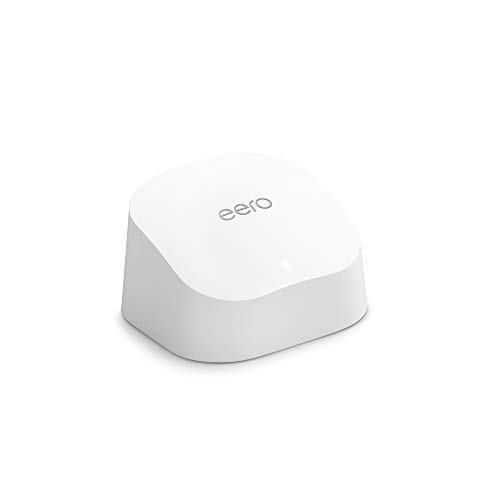
 TP-Link Deco XE75 AXE5400 Tri-Band WiFi 6E System3 Pack4.13 x 4.13 x 6.65 inches3.5 poundsCheck on Amazon


What's inside
- What single-band actually means, and why the band matters more than the box
- The 802.11n speed classes: N150, N300 and N600 decoded
- Why 2.4 GHz reaches farther: propagation, walls and honest range claims
- Channels 1, 6 and 11: surviving congestion in flats and apartment buildings
- Antennas, gain in dBi and the placement decisions that actually decide coverage
- The strongest case: a dedicated network for smart-home devices
- Guest access, small flats and the long link to the barn or garage
- Security on older hardware: WPA2, WPA3 and the firmware question
- The limitations, stated plainly: no steering, a crowded band and everyday interference
- How to judge range and speed claims without being misled
- Setup checklist: getting a single-band network right on the first evening
- Power, heat and reliability: the unglamorous details that decide whether it lasts
- When to walk away: signs a single-band router is the wrong purchase
- Check prices on Amazon
- A short note on expectations for streaming and calls
As an Amazon Associate I earn from qualifying purchases. This post may contain affiliate links at no extra cost to you.
This guide is reader-supported, which means purchases made through the affiliate links on this page may earn us a commission at no extra cost to you, and that support helps keep detailed buying guidance like this freely available. A single-band router is one of the easiest products in home networking to misunderstand, because it looks like a relic and yet keeps solving problems that newer dual-band hardware sometimes handles awkwardly. A single-band model transmits only on the 2.4 GHz band, the older and slower of the two Wi-Fi frequencies found in most homes, and it gives up the faster 5 GHz band entirely. That trade sounds like a pure loss until you consider what 2.4 GHz does well: it travels farther, bends around obstacles more forgivingly, and connects the long tail of inexpensive smart plugs, cameras, thermostats and sensors that were built with only a 2.4 GHz radio inside them.
Plenty of households do not need a single-band router as their main router at all, and this guide will be blunt about that. If your home streams several 4K televisions, moves large work files, or runs competitive games in the evening, a 2.4 GHz-only device as the center of the network will feel cramped within a week. The honest case for these routers is narrower and more specific: a dedicated network for smart-home gear, a guest network that stays separate from your main system, a long link out to a garage, barn or workshop, a small flat where one room does almost everything, or a low-cost backup that keeps basic connectivity alive when the primary router fails. Judged against those jobs, with realistic expectations about speed, a good single-band router can be a sensible, even elegant, purchase.
What single-band actually means, and why the band matters more than the box
Wi-Fi bands are slices of radio spectrum, and the physics of each slice shapes everything the router can and cannot do. The 2.4 GHz band offers longer wavelengths than 5 GHz, and longer wavelengths lose less energy passing through drywall, wood framing, brick and concrete, which is why a 2.4 GHz signal from a router in a hallway can still be usable two rooms away where a 5 GHz signal from the same spot has faded to a trickle. The same physics explains range outdoors, where a 2.4 GHz link across a yard to a detached building often holds together at distances where 5 GHz simply gives up. None of this makes 2.4 GHz faster; it makes it more persistent, and persistence is exactly what a doorbell camera or a soil sensor at the edge of a property needs.
The cost of that persistence is capacity. The 2.4 GHz band is narrow, offering only a handful of usable channels, and it is shared with Bluetooth devices, baby monitors, cordless phones, wireless cameras and the microwave oven in your kitchen, all competing for the same airtime. Throughput on a healthy 2.4 GHz connection is modest by modern standards, fine for browsing, messaging, music, smart-home traffic and standard-definition or modest high-definition video, but easily overwhelmed when several people try to push large downloads through it at once. A single-band router therefore asks you to match the tool to the workload with unusual honesty: light, distributed, range-sensitive traffic suits it beautifully, while concentrated high-bandwidth traffic exposes every one of its limits.
There is also a compatibility argument that rarely gets the attention it deserves. A remarkable share of smart-home hardware ships with a 2.4 GHz-only radio because that radio is cheap, sips power and reaches far, and some of these devices behave erratically on combined networks where both bands share one network name and the router steers clients between them. Giving that hardware its own single-band network, with its own name and password, removes an entire category of pairing failures and mysterious drop-offs. The router stops being a compromise and becomes a piece of deliberate network design, which is a very different thing from buying old technology by accident.
The 802.11n speed classes: N150, N300 and N600 decoded
Most single-band routers belong to the 802.11n generation, marketed as Wireless N, and their boxes carry speed class labels that need translating before they mean anything. An N150 rating describes a single spatial stream running over a 40 MHz channel, producing a theoretical link rate of 150 megabits per second under laboratory conditions that no home reproduces. N300 doubles that figure with two spatial streams, a technique called MIMO in which the router uses multiple antennas to send and receive parallel streams, and it remains the most common configuration in this category because it balances cost, range and throughput sensibly. These numbers are link rates, not speeds you will measure on a file transfer, and real-world throughput typically lands at a third to a half of the printed figure once distance, walls and neighboring networks take their share.
N600 confuses shoppers because the label usually belongs to dual-band models that add a 300 megabit 2.4 GHz radio to a 300 megabit 5 GHz radio and sum the two, even though no single device can use both at once. A genuinely single-band product advertised with an unusually high number deserves a careful read of its specification sheet, since the arithmetic behind marketing totals is generous by design. What matters for a buyer is the per-band figure, the number of spatial streams, and whether the antennas are external and adjustable, because those details predict everyday behavior far better than the largest number on the carton. Treat every speed class as a ceiling set in a quiet room with no walls, then plan around the fraction of it your building will actually allow.
Channel width hides inside these ratings as well. The higher figures assume a 40 MHz channel, which in the crowded 2.4 GHz band means occupying two of the three clean channels at once, a selfish setting that often performs worse in apartment buildings than the narrower 20 MHz mode. A router that lets you fix the channel width manually, rather than leaving it on an automatic setting that defaults to wide, gives you a real tool for congested environments. When you read a specification sheet, look for explicit mention of selectable 20 and 40 MHz operation, support for the guard interval settings that produce the headline rates, and the wireless standard revisions the firmware actually implements, because two routers with identical class labels can behave very differently once those details diverge.
It is also worth understanding that link rate adapts constantly. A laptop close to the router may negotiate the full rate of its class, while the same laptop behind two walls falls back through a ladder of lower rates that trade speed for error resistance. This rate adaptation is normal and healthy, and it explains why a single-band network feels snappy near the router and merely adequate at the far end of a house. Devices that report their current link rate in a status page make this visible and help you place equipment sensibly, so a router whose interface exposes per-client signal strength and negotiated rate earns points for diagnosability that spec sheets never mention.
Why 2.4 GHz reaches farther: propagation, walls and honest range claims
Radio waves at 2.4 GHz have a wavelength of roughly twelve and a half centimeters, while 5 GHz waves measure about six centimeters, and that difference changes how signals interact with a building. Longer waves diffract more readily around edges and lose less energy penetrating common materials, so a signal that starts in a central hallway arrives in a back bedroom weakened but coherent. Free-space path loss also grows with frequency, meaning that even with no obstacles at all, a 5 GHz signal fades faster over the same distance outdoors. These are properties of physics rather than of any particular brand, which is why every manufacturer faces the same trade and why range claims should always be read as band claims first and product claims second.
Wall material matters enormously and marketing photographs never show it. A single sheet of drywall costs a 2.4 GHz signal only a few decibels, wooden doors and stud walls are similarly gentle, but brick, stone, concrete and especially metal lath, foil-backed insulation and large mirrors can strip far more. A router that covers a timber-framed house comfortably may struggle across one reinforced concrete floor in an apartment block, and no change of brand within this category fixes that geometry. Before blaming a router for a dead corner, consider what the signal crosses on its way there, because repositioning the router to shorten the path through heavy material usually achieves more than any specification upgrade available at this price level.
Honest range figures are therefore always conditional, and the conditions are what you should hunt for in product literature. Claims measured in square feet of coverage assume an open floor plan that few homes have, and claims measured in meters usually describe an unobstructed outdoor line. A more useful way to judge a router is to look at its transmit power where regulators publish it, its antenna configuration, and whether independent documentation describes performance through walls rather than across a field. If a listing promises whole-home coverage for a large multi-story house from a single 2.4 GHz-only box placed anywhere, treat that as advertising language rather than engineering, and plan on placement doing most of the real work.
Outdoor links are where the band earns its reputation most clearly. A router or access point mounted high in a window, aimed toward a barn or garage with a mostly clear path, can hold a workable connection across distances that surprise people used to indoor Wi-Fi behavior. Fresnel zone clearance, the elliptical volume around the direct line between two radios that should stay mostly free of obstruction, explains why raising both ends even a little often improves a marginal link dramatically. Vegetation, rain and metal roofing all eat into the margin, so a link that works in dry spring weather deserves a skeptical second look before you depend on it through a wet autumn, and building in headroom at installation time is cheaper than revisiting the job later.
Channels 1, 6 and 11: surviving congestion in flats and apartment buildings
The 2.4 GHz band in most regions offers thirteen or fourteen numbered channels, but those channels overlap heavily, and only three of them — 1, 6 and 11 — sit far enough apart to avoid interfering with each other when using standard 20 MHz widths. Every network you can see from your sofa is sharing those three clean slots with you, which is why a scan in a dense apartment building can show dozens of networks stacked on the same channel. Networks on the same channel at least take turns politely through Wi-Fi’s listen-before-talking rules, while networks on overlapping channels such as 3 or 8 corrupt each other’s transmissions without coordinating, producing the worst outcome of all. Choosing one of the three clean channels, and choosing the least occupied of them, is the single highest-value setting change available on any single-band router.
Channel width decides how much of that scarce spectrum you claim. A 40 MHz channel in this band spans two of the three clean channels, leaving effectively one wide lane for the entire neighborhood, and in a busy building your router will spend much of its time deferring to neighbors or colliding with them. Setting the width to 20 MHz halves your theoretical peak rate but frequently raises the throughput you actually get, because the narrower channel is cleaner, more robust at distance and less likely to be trampled. In a detached house with distant neighbors the wide setting may be harmless, but in flats and terraces the disciplined choice is narrow, fixed and deliberate, and a good router makes that choice easy to set and keeps it after a reboot.
Automatic channel selection deserves a measured verdict. Some routers scan at startup and pick the quietest channel, which helps if the router reboots often, but many pick once and never reconsider, leaving you stranded on a channel that a neighbor’s new router adopted last month. A model that shows you a channel utilization graph, or at least lists neighboring networks with their channels and strengths, lets you make the decision yourself with evidence. Readers comparing wider home coverage options will find that the same channel discipline applies when they step up to a dual-band system, and our guide to the best 2 band wifi routers walks through how the second band relieves exactly this pressure. For a single-band purchase, though, assume you will manage channels manually and value an interface that makes that painless.
Timing patterns matter too, because congestion follows the building’s daily rhythm. An evening scan tells you more than a midday one, since streaming and gaming traffic peaks after dinner, and a channel that looks empty at noon may be the worst seat in the house at eight in the evening. If your router supports scheduled reboots, a weekly restart in the small hours clears stale client associations and gives automatic channel logic a fresh look at the neighborhood. None of these habits costs anything, and together they explain why two identical routers in the same building can deliver noticeably different experiences: one was configured with the spectrum in mind, and the other was left on whatever the factory chose.
Antennas, gain in dBi and the placement decisions that actually decide coverage
Antenna gain, expressed in dBi, describes how strongly an antenna concentrates radio energy compared with a theoretical perfectly even radiator, and higher numbers mean a flatter, more focused pattern rather than more total power. A typical detachable antenna on a router in this class might be rated around 5 dBi, which shapes coverage into a broad horizontal disc that suits a single floor well. Higher-gain antennas flatten that disc further, reaching farther along the horizontal plane while thinning coverage directly above and below the router, which can help a bungalow and hurt a three-story house. Gain is a trade of shape, not a free upgrade, and listings that present a big dBi figure as pure superiority are leaving out the half of the story that determines whether it suits your building.
Antenna orientation follows from that disc shape. The signal radiates most strongly perpendicular to the antenna’s axis, so a vertical antenna serves the floor it sits on, while tilting one antenna of a pair toward horizontal can improve coverage on the floor above or below. On routers with two or three external antennas, spreading them at slightly different angles gives different clients a better chance of a clean path, and keeping antennas away from large metal objects, mirrors and the back of a television prevents the pattern from being warped by reflections. Detachable antennas with standard connectors add a further option, since a faulty or damaged antenna can be replaced without discarding the router, a small longevity advantage that sealed internal designs cannot match.
Placement of the router itself outweighs every antenna decision. Height helps, because a router on a shelf clears furniture and people that absorb signal at desk level, and centrality helps more, because every meter of unnecessary distance is paid for in link rate at the far end. Kitchens and utility rooms make poor homes for a router thanks to metal appliances and plumbing, and a corner of the building forces the signal to cross the whole structure diagonally to reach the opposite corner. For the classic single-band jobs — feeding a garden office, a garage camera or a row of smart bulbs — placing the router near the window or wall that faces the target area often matters more than the model you bought, and a few evenings of experimenting with position will teach you more about your building than any coverage map printed on a box.
Do not overlook the humble Ethernet cable in a conversation about wireless range. Many single-band routers can run as an access point or in a bridge mode, fed by a cable from the main router, which converts an impossible wireless leap into two easy ones. A cable run along a skirting board to a far room, ending in an inexpensive single-band access point dedicated to smart devices, is one of the most reliable architectures in home networking, and it sidesteps congestion near the main router entirely. When you evaluate a model, check its mode list carefully — router, access point, repeater and bridge modes are not interchangeable, repeater mode in particular halves available throughput because the radio must receive and retransmit on the same channel, and a clear statement of supported modes on the spec sheet is a sign of a manufacturer that expects informed buyers.
The strongest case: a dedicated network for smart-home devices
Smart-home hardware is the application that has quietly extended the life of the single-band router by a decade. Bulbs, plugs, switches, robot vacuums, leak sensors, garage controllers and most cameras generate tiny amounts of traffic, care nothing for headline speed, and care a great deal about staying connected at the far corners of a property where they are installed. A dedicated 2.4 GHz network for these devices, run from its own router or access point, isolates their chatter from your laptops and televisions, simplifies troubleshooting because every client on that network is a gadget rather than a person, and lets you apply stricter rules to hardware whose security practices you cannot fully inspect. When a camera misbehaves at midnight, you will be glad its network can be restarted without disturbing anyone’s film.
Segregation also has a security logic that goes beyond convenience. Inexpensive connected devices are rarely updated promptly, some are never updated at all, and placing them on a network separated from the computers holding your documents and banking sessions limits the damage if one of them is compromised. A single-band router acting as the gatekeeper for that segment, with its own password and client isolation switched on where available, turns a vague worry into a concrete architecture. Client isolation, which prevents devices on the same wireless network from talking to each other, suits gadget networks particularly well because a bulb has no legitimate reason to converse with a vacuum, and every unnecessary path you close is one an intruder cannot use.
Setup discipline makes or breaks this arrangement. Give the gadget network a distinct name that you will recognize in a list, use a strong unique password rather than recycling the main network’s, and document which devices live there so that future-you is not puzzled by a thermostat that refuses to join the new router. Some smart devices still demand a phone on the same network during pairing, which is painless when the dedicated network is planned rather than improvised. Readers building a larger layered setup sometimes pair this approach with a tri-band main system for the heavy lifting, and the reasoning in our look at best 3 band wireless routers explains when that extra band genuinely helps rather than merely adding cost. The principle is the same at every scale: separate the traffic types, and each network becomes easier to run.
Capacity on a gadget network is about client count rather than bandwidth, and here older hardware deserves scrutiny. A router may advertise support for dozens of wireless clients while its processor and memory strain well before that figure once every bulb and plug is chatting through the night. Homes with forty or fifty connected devices should favor models whose documentation states a comfortable client ceiling and whose firmware remains responsive with a long client list loaded. Splitting gadgets across two inexpensive access points on different clean channels, one per floor, is a perfectly respectable design that avoids pushing any single radio to its limit, and it costs less than one premium router while delivering better coverage into the bargain.
Guest access, small flats and the long link to the barn or garage
A guest network is the second classic assignment, and a standalone single-band router performs it with a clarity that a guest toggle on a main router sometimes lacks. Visitors get internet access and nothing else: no path to your file shares, printer or smart locks, and no need to hand out the password that guards your own devices. Because the hardware is separate, you can switch the whole guest network off at the wall when the house is empty, set it up in a rental property or annex, or lend it for a garden party without touching your primary system at all. Bandwidth demands from guests are usually light — phones, messages, maps and music — which sits comfortably inside what 2.4 GHz delivers, and the band’s reach covers a garden better than a faster short-range alternative would.
Small flats make a different argument, based on sufficiency rather than separation. In a studio or one-bedroom home where the farthest seat is perhaps eight meters from the router and the construction is light, a single-band model can cover every corner without strain, and the money saved against a larger system is real. The caveat is the building around you: a small flat inside a dense block inherits the congestion of fifty neighboring networks, so channel choice and 20 MHz discipline matter more there than raw coverage does. If your internet plan itself is modest, as many basic tiers are, the router’s ceiling may never be the bottleneck at all, and paying for wireless capacity far beyond the speed of the line entering your home buys nothing you can use.
The outbuilding link is the third assignment and the most romantic, covering barns, workshops, stables, pool houses and detached garages where a camera, a smart lock or a laptop for machinery manuals needs a connection across open ground. Here the plan is placement and patience: mount the router high on the wall facing the outbuilding, keep the path as clear of metal cladding and dense foliage as the site allows, and expect weather and seasons to move the margins. Where a single router cannot quite close the link, a matched pair with one unit in bridge mode at the far end turns a marginal signal into a local network inside the outbuilding, complete with wired ports for a camera recorder. This is patient, empirical work, and it rewards people who adjust one variable at a time and write down what changed.
Temporary and backup roles round out the honest use cases. A single-band router in a drawer is cheap insurance for the evening a main router dies before an important workday, providing email, documents and video calls at reduced speed rather than none. The same hardware serves a holiday let between tenants, a market stall taking card payments, a caravan that moves between pitches, or a student house where the landlord’s equipment is beyond reach. In each case the virtues are the same trio — inexpensive, simple, far-reaching — and the limitation is equally consistent, which is that nobody should mistake the arrangement for a high-performance network. Clarity about which job you are hiring the router for is the difference between a satisfying purchase and a disappointing one.
Security on older hardware: WPA2, WPA3 and the firmware question
Encryption is where age shows most plainly on routers in this category, and it deserves a careful read before price seduces you. WPA2 with AES encryption remains an acceptable baseline for a home network when paired with a long, unique password, because its known weaknesses mostly concern weak passwords and specific attacks that strong credentials blunt. WPA3 improves the handshake so that captured traffic cannot be attacked offline as readily, and newer single-band models that include WPA3, or a mixed WPA2 and WPA3 mode for older clients, offer a genuine advantage worth paying a little more for. What you should avoid entirely is any model whose security story ends at WEP or the original WPA, both of which are broken in practice, and any router that still encourages the old WPS push-button pairing without letting you disable it, since that convenience feature has a long history of abuse.
Firmware support is the deeper question, because a router is a small computer exposed to the internet and its software needs maintenance long after the box is opened. Before buying an older or heavily discounted model, check the manufacturer’s support page for the date of its most recent firmware release and whether security fixes still arrive; a product abandoned years ago may work perfectly as a radio while quietly accumulating known vulnerabilities. Automatic updates, where offered, suit most households better than a manual process that depends on someone remembering, and a clear update mechanism inside the administration interface is a feature worth weighing alongside antennas and speed classes. For a gadget-segment router the stakes are lower but not zero, since that device still guards a path into your home, and the same diligence applies in miniature.
Everyday hygiene multiplies the value of whatever hardware you choose. Change the administration password from its factory default, because default credentials for popular models are public knowledge, and disable remote administration from the internet unless you have a specific reason to keep it. Turn off services you do not use, such as an exposed file-sharing port or an unused remote access feature, since each open service is another door to keep patched. Readers whose main network runs faster wired backbones will recognize the same hygiene from our discussion of best 1 gb routers, where gigabit ports raise the stakes for keeping the controlling software current. None of these steps requires expertise beyond following a checklist once, carefully, on the day the router is installed, and together they matter more than the difference between two reputable models.
Passwords deserve their own paragraph because they fail more networks than cryptography does. A wireless password should be long, unique to that network and unrelated to an address, a pet or a sports team, and the era of short numeric codes ended when attackers gained cheap computing power for guessing. If your household struggles with a long password, a memorable sequence of unrelated words is easier to type into a television than a short string of symbols, and it can be stronger. Keep the guest and gadget passwords different from the main one so that sharing access never means sharing the keys to everything, and change them when a device leaves the household or a lodger moves on, a small ritual that keeps the circle of trust the size you think it is.
The limitations, stated plainly: no steering, a crowded band and everyday interference
Band steering is the first absence to understand. On a dual-band router, steering nudges capable devices toward the faster 5 GHz band and reserves 2.4 GHz for those that need its range, balancing load without the user thinking about it. A single-band router has nowhere to steer anything, so every phone, laptop and television that joins competes for the same narrow spectrum, and one large download can make a video call stutter for everyone else. There is no quality-of-service setting clever enough to repeal that arithmetic, although a decent QoS implementation can prioritize calls and games so the pain lands on background traffic first. Buyers should therefore count the simultaneously busy devices in their home honestly, because that number, more than floor area, decides whether a single-band main router is viable.
Interference from non-Wi-Fi sources is the second limitation, and it explains many mysterious slowdowns. Microwave ovens leak energy around 2.4 GHz and can savage a connection in the kitchen for the length of a reheated lunch, Bluetooth devices hop across the same band many times per second, and older cordless phones, baby monitors and wireless video senders occupy it without any of Wi-Fi’s politeness. The symptoms are distinctive: dropouts tied to a place or an appliance rather than to distance, and evenings that degrade when a neighbor’s equipment wakes up. Moving the router a few meters from the kitchen, choosing a channel at the opposite end of the band from a known interferer, and wiring the devices that sit still are practical remedies, but a household surrounded by such sources on every side may simply be a household that needs the escape route of a second band.
Saturation in dense housing is the third limitation and the hardest to fix from inside one flat. When thirty neighboring networks share three clean channels, airtime becomes a commons that no setting fully protects, and throughput at peak hours can fall to a fraction of the quiet-morning figure. Techniques that help include fixing the channel to the least used of the three, insisting on 20 MHz width, lowering transmit power slightly so your router shouts less into the commons and hears its own clients more clearly, and scheduling heavy downloads for off-peak hours. Readers in that environment who are weighing a move to the faster short-range standards will find the trade-offs mapped in our guide to best 802 11 ac routers, which covers what the 5 GHz band gives back in exactly these buildings. A single-band router in a tower block is a budget decision with known costs, and it should be made with eyes open rather than discovered with frustration.
There is also a ceiling on wired performance to check before assuming the wireless side is the only limit. Some inexpensive models pair their radios with 100 megabit Ethernet ports, which cap any wired device and, more importantly, cap the internet connection itself if your plan exceeds that speed. A router with gigabit ports costs a little more and removes the ceiling entirely, which matters for a backup router that might one day serve a faster line, and for access-point duty feeding several wired cameras. Storage and printer sharing through a USB port, where present, runs slowly on the modest processors in this class and should be treated as a bonus rather than a reason to buy. Reading the port specification takes thirty seconds and prevents the most avoidable disappointment in this whole category.
How to judge range and speed claims without being misled
Start by separating three numbers that listings deliberately blur: the link rate of the wireless class, the throughput you can expect through your walls, and the speed of the internet plan entering the house. The slowest of the three governs your experience, and for most single-band installations that will be the wireless throughput at the distance you actually sit. A sensible planning figure is to expect strong performance in the same room, comfortable performance one room away, and basic connectivity — messaging, music, smart devices, modest video — at the far end of a typical home. If a product page implies the first of those experiences will be available everywhere, it is describing a different building from yours, quite possibly an empty warehouse with the router in the middle.
Look for the evidence a manufacturer is willing to show. A published specification sheet with transmit power, antenna gain, receiver sensitivity and supported modes tells you the company expects scrutiny, while a page built entirely from lifestyle photographs and coverage superlatives tells you the opposite. Receiver sensitivity is the unsung figure in that list, because hearing a weak phone at the far end of a garden matters as much as transmitting loudly toward it; the conversation is two-way, and the client’s small radio is usually the weaker half. Retail listings rarely surface sensitivity, which is precisely why the manufacturer’s own documentation is worth the extra few minutes before a purchase rather than after a return.
Reviews and community reports help most when they describe conditions rather than verdicts. A report that a router held a camera link across forty meters of yard with one wooden wall in the path gives you something transferable to your own situation, whereas a bare statement that range was excellent gives you nothing to reason with. Pay attention to complaints that repeat across many owners, such as a model that runs hot, drops clients under load or loses its settings after power cuts, because patterns like those survive the noise of individual setups. A single glowing account proves little either way, and a single angry one may describe a faulty unit, so weight belongs to the recurring themes and to how the manufacturer responds when problems are raised in public.
Finally, plan the exit before you buy. A single-band router chosen for a defined job — the gadget network, the guest annex, the barn link — keeps its value even when your main network upgrades, because the job remains. A single-band router bought as a hopeful whole-home solution for a busy family is the purchase most likely to be replaced within the year, and its low price stops looking clever once it is paid twice. Write down, even informally, the job, the rooms or buildings involved, the devices that will join and the speed of your internet line, then buy the simplest reputable model that fits that note and supports current security with maintained firmware. That small act of definition is the whole method, and it works because this category rewards clarity far more than it rewards spending.
Setup checklist: getting a single-band network right on the first evening
Begin before the router leaves its box by choosing its home. Walk the building with the job in mind, pick a central, elevated, unobstructed spot near the area the network serves most, and keep it clear of large metal objects, aquariums and the back of entertainment equipment. Connect it, let it finish starting, and update its firmware before changing anything else, so the settings you are about to make are stored by the newest software the manufacturer offers. Change the administration password immediately, then set the wireless name and a long unique password, and only then begin joining devices, starting with the ones nearest the router so any early problem is easy to isolate.
Set the channel deliberately rather than accepting the default. Use a phone application or the router’s own scan to see which of channels 1, 6 and 11 carries the least neighboring traffic at the hour your home is busiest, fix the router to that channel, and set the width to 20 MHz if you live among close neighbors or 40 MHz only if the surroundings are quiet. Enable the strongest security mode your oldest device tolerates, ideally WPA3 or its mixed mode, falling back to WPA2 with AES where a legacy gadget demands it, and disable WPS if you will not use it. Switch on client isolation for a gadget or guest network, confirm remote administration from the internet is off, and save a copy of the configuration if the interface offers an export.
Then walk the building again, this time with a phone in hand, checking the places that matter: the camera position, the far bedroom, the desk in the outbuilding, the sofa where guests will sit. Note where the signal indicator falls and where a video or a call actually stumbles, because the indicator alone flatters many weak connections. Adjust the router’s position or antenna angles in response to what you find, one change at a time, and resist the urge to raise transmit power to maximum as a first resort, since a louder router cannot make a quiet phone easier to hear. When the weak spots are acceptable for the job you defined, label the router with its network name and the date it was installed, a kindness to anyone who maintains the network after you.
Maintenance after that first evening is light but not zero. Glance at the client list every few months and remove devices you no longer own, check for firmware updates on the same rhythm, and reboot the router if its behavior degrades slowly over weeks, as modest hardware with limited memory sometimes does. If a new neighbor or a new appliance changes the congestion picture, revisit the channel choice with the same evening scan you used at installation. Keep the old router from the drawer as a configured spare if space allows, since a backup that already knows your settings is worth far more at a stressful moment than one still in its wrapping. A single-band network run with this modest discipline will quietly do its narrow job for years, asking little and surprising nobody, which is exactly the temperament this category promises at its best.
Power, heat and reliability: the unglamorous details that decide whether it lasts
Routers in this class draw very little power, often only a handful of watts, which makes them cheap to run continuously and well suited to solar-backed or battery-backed installations in outbuildings where every watt is budgeted. That modest appetite has a second benefit: a small uninterruptible power supply can keep a single-band router and a modem alive through a long outage, preserving camera coverage and smart-lock reporting when the rest of the house is dark. Check the power supply rating printed on the adapter before planning around it, because a replacement adapter with the wrong voltage or polarity can damage the router, and keep the original adapter labeled with the device it belongs to. In a drawer full of identical black bricks, that label prevents the most avoidable hardware failure of all.
Heat is the quiet enemy of inexpensive networking gear. A compact router sealed in a media cabinet with a games console and an amplifier will run far hotter than the same unit on an open shelf, and sustained heat shortens the life of the components inside while provoking the random reboots owners often blame on firmware. Leave the ventilation slots unobstructed, keep the unit out of direct sun on a windowsill — a tempting spot for a window-facing link that ages plastic and electronics alike — and give it a few centimeters of air on every side. If a router feels uncomfortably hot to the touch in normal service, improve its airflow before anything else; a surprising share of intermittent faults in this category are thermal, and they vanish when the box can breathe.
Reliability also depends on how the router handles the small insults of domestic life: power flickers, a cleaner unplugging the wrong socket, a firmware update interrupted halfway. Models that recover gracefully, returning with their settings intact and their radios on the configured channel, save real frustration over years of ownership, and this behavior is worth searching for in owner reports because it never appears on a specification sheet. A watchdog or scheduled-reboot feature, where offered, suits remote installations in lofts and outbuildings that nobody wants to climb to on a wet evening. Judge these traits as part of the purchase, since a router bought for a distant barn will be visited rarely and must largely look after itself between visits.
When to walk away: signs a single-band router is the wrong purchase
Some situations should end the deliberation quickly, and naming them saves readers a wasted order. If your internet plan is fast and several people in the home regularly use it at once for video, calls and downloads, a 2.4 GHz-only main router will be the bottleneck from the first evening, and no placement skill changes that verdict. If your work depends on low-latency calls or competitive games played over wireless, the crowded band’s variable delays will irritate you daily, and a wired connection or a modern dual-band system belongs at the top of the list instead. If the building is a dense tower block where an evening scan shows every clean channel saturated, the honest advice is to treat single-band as a gadget-network accessory only, never as the main event.
There are also individual products to walk away from, whatever the job. Avoid any model whose newest firmware is many years old, whose security options stop at obsolete standards, whose documentation cannot be found on the manufacturer’s own site, or whose listing leans on coverage claims with no specification sheet behind them. Avoid units with a single fixed internal antenna for outbuilding work, where antenna flexibility is half the point, and be wary of prices so low that the power supply and cabling included are visibly poor, since those accessories cause a disproportionate share of early failures. A reputable modest router costs a little more than the anonymous floor of the market, and the difference buys documentation, updates and a company that answers when something goes wrong.
The balanced conclusion is that this category survives because it is genuinely good at a small set of jobs, not because it is secretly good at everything. Range, simplicity, compatibility with the long tail of smart devices and a price that permits dedicated hardware for dedicated purposes — those are real virtues, and households that need them will get years of quiet service from a well-chosen unit. Households that need speed, capacity and calm spectrum should buy those things instead, in hardware designed to provide them, and keep a single-band router in the supporting role where it shines. Matching the tool to the job is the entire discipline of home networking, and nowhere is that discipline rewarded more clearly than here.
Check prices on Amazon
Live listings for the shortlist in this guide are pulled from Amazon below, so prices and availability are always current at the moment you look.


A short note on expectations for streaming and calls
Because many buyers quietly hope a single-band router will handle more than its stated job, it is worth setting expectations for the two activities people ask about most. A single high-definition stream is well within reach on a clean channel at moderate distance, and music, podcasts and voice calls ask for far less than that, so a guest or a grandparent staying in the far bedroom will rarely notice any limitation at all. The strain appears when several streams start at once in different rooms while a cloud backup runs in the background, at which point the shared band divides its modest capacity among everyone and the farthest viewer buffers first. Planning around that pattern — letting the gadget network carry the small traffic and keeping simultaneous heavy streams off a single-band main router — turns a theoretical weakness into a non-issue for the households this category actually serves, and it costs nothing beyond a few minutes of thought about which devices join which network on installation day.
One last practical habit separates satisfied owners from frustrated ones: keep a short written record of the network you built. Note the router’s position, the channel and width you settled on, the security mode in use, the date of the last firmware update and which devices belong to the gadget or guest list, and keep that note with the router’s manual rather than in your memory. When a camera is replaced in two years’ time, or a relative asks why the annex network has a different password, the note answers in seconds what would otherwise take an evening of rediscovery. Small networks deserve the same respect as large ones, and a single page of honest documentation is the cheapest reliability upgrade in this entire guide.
For the household that gives a single-band router a clearly bounded job, keeps its firmware current and places it with a little thought, the reward is a network that simply stays out of the way — and the last word belongs to the garage camera that has not dropped its connection since spring.