What's inside
- Key Takeaways
- Quick Picks
- How We Chose These Picks
- What Does a Phantom 4 Actually Ask of a Card in the Air?
- How Should Capacity Be Planned Across a Flying Day?
- What Does Each Card Offer a Phantom 4 Pilot, One Card at a Time?
- How Do the Six Cards Divide the Flying Week?
- How Should a New Card Be Rehearsed Before Its First Real Flight?
- Which Card Mistakes Cost Phantom 4 Pilots Their Footage?
- How Does the Recording Menu Change What the Card Must Survive?
- What Happens to a Drone Card Across a Season of Flying?
- Why Does Where a Card Is Bought Matter as Much as Which Card Is Bought?
- Final Recommendation
- Frequently Asked Questions
- Related Guides
As an Amazon Associate I earn from qualifying purchases. This post may contain affiliate links at no extra cost to you.
gizmoverdict.com is reader-supported. When you buy through links on our site, we may earn an affiliate commission.
Where to buy: Follow any pick from the Quick Picks table, or tap its name at the top of its full review, and you land on the same Amazon listing. Every pick is a microSD card, because the Phantom 4 has a microSD slot and nothing else; any bundle extras, such as the SD adapters several of these listings include, are described as exactly that — extras for your computer bag, not parts the aircraft can use.
The best sd cards for phantom 4 start from a constraint that no marketing can soften: the aircraft records 4K video to a thumbnail-sized microSD card while hanging in moving air, and the footage from a flight that went wrong on the card side cannot be re-flown in identical light, identical wind and identical luck. DJI built the Phantom 4 around microSD from the first model, and the slot accepts no full-size SD card at any speed, so this guide contains six microSD cards and zero apologies for the narrowness. Within that format, the contest is about sustained writing for 4K video, about capacity measured against battery swaps, and about how honestly each listing states what it actually guarantees.
The Phantom 4’s top 4K recording runs at bitrates up to 60 megabits per second, which sounds modest until it is translated into what a card must do: write continuously, without pauses, for the length of a flight, in a vibrating airframe that may be warm from the sun or cold from altitude. A card that benchmarks beautifully for three seconds and then throttles is a card that drops frames at minute nine of a twelve-minute orbit. That is why this guide reads the six titles below the way an engineer reads a datasheet — crediting only the speeds and classes actually printed, and sending every unstated figure to the maker’s documentation rather than guessing on your behalf.
One capacity note belongs up front, because it shapes the whole list. DJI’s published specification for the original Phantom 4 lists microSD support up to 64GB with a Class 10 or UHS-1 rating required, while later members of the Phantom 4 family accept larger cards. Four of the six picks here are 128GB cards. They are included because they are what the market sells for this aircraft and because many owners fly them without incident, but the honest position is printed rather than buried: if your aircraft is an early Phantom 4 on early firmware, the 64GB picks are the specification-exact choice, and a 128GB card deserves a ground rehearsal before it is trusted with a flight that matters.
Key Takeaways
- The Phantom 4 takes microSD only. A full-size SD card cannot enter the aircraft, and the adapters bundled with several picks exist for card readers, not for the drone.
- Sustained writing is the real qualification for 4K flight footage; headline read speeds describe the trip back to your computer, not the recording itself.
- SanDisk’s three Extreme picks state read ceilings of 245MB/s, 190MB/s and 170MB/s in their titles; none of the six titles prints a video speed class, so every class here is routed to documentation.
- The DJI-branded bundle pairs two 64GB microSDHC cards with an SD adapter — the only pick sold as a two-card set, and the capacity DJI’s original specification names.
- The Gigastone 128GB card trades on a five-year free data recovery offer printed in its title, a different kind of insurance from speed.
- One card per flight session, formatted in the aircraft, copied before the next launch: that routine protects more footage than any single specification.
Quick Picks
| Pick | Badge | Why it earns its place |
|---|---|---|
| DJI Phantom 4 Memory Card 2 x 64GB microSDHC with SD Adapter | The aircraft’s own bundle | Two 64GB cards sold under DJI’s name for this exact drone, so one flies while the other waits as a formatted spare. |
| SANDISK 128GB Extreme microSD Card + Adapter, Up to 245MB/s Read Speeds | Fastest stated offload | The highest read figure printed anywhere in this set, aimed at pilots facing an evening copy-session bottleneck. |
| SANDISK 128GB Extreme microSD Card + Adapter, Up to 190MB/s Read Speeds | The established Extreme | The widely stocked 128GB Extreme generation, with a stated read ceiling a step below its newer sibling. |
| SANDISK 64GB Extreme microSD Card + Adapter, Up to 170MB/s Read Speeds | Specification-exact capacity | 64GB is the size DJI’s original Phantom 4 documentation names, in the Extreme line, with 170MB/s reads stated. |
| GIGASTONE 128GB Micro SD Card, 4K Video Recording, 5-Year Free Data Recovery | Recovery cover included | A 128GB card whose title leads with a data recovery promise, for pilots fearing a corrupted card rather than a slow one. |
| SanDisk 128GB Micro SDXC Extreme Memory Card for DJI Drones | Drone-named Extreme | An Extreme card whose listing speaks directly to DJI aircraft, naming the Mini 3 generation as its reference drones. |
How We Chose These Picks
The first filter was the slot itself. Only microSD cards were eligible, and that single rule removed the entire full-size SD shelf from consideration before speed was ever discussed. It also shaped how bundles were read: the DJI bundle’s SD adapter and the adapters in the SanDisk packets were treated as reader accessories, useful at the desk and irrelevant in the air, and no pick earned credit for an adapter as though the aircraft could use it.
The second filter was evidence discipline. These six titles are unusually quiet about the figure that matters most: not one of them prints a video speed class such as V30, and only the three SanDisk Extreme listings print a speed of any kind — a read ceiling. Rather than importing class claims from other listings or other capacities of the same line, the reviews below credit each card with exactly what its own title states and mark the rest for documentation checks. A pilot reading this guide will know precisely which facts came printed on the box and which require five minutes with a specification page.
A note on what was deliberately left out of the judging: brand loyalty to any single maker. The list that resulted contains three SanDisk listings at three different read ceilings, a fourth SanDisk card positioned for DJI aircraft, the aircraft maker’s own bundle and one Gigastone card whose appeal is a recovery service rather than a speed figure. That spread was not arranged for variety’s sake; it is what an honest reading of the current market for this aircraft produces, and each card is graded against the flying job rather than against its shelf-mates’ reputations.
The third filter was the shape of a flying day. Phantom 4 batteries deliver roughly half an hour of flight each, and a working session usually means two to four batteries, so capacity was judged in batteries rather than in abstract gigabytes. At the aircraft’s top 4K bitrate, an hour of footage occupies roughly twenty-seven gigabytes; a 64GB card therefore covers a full multi-battery session with margin, and a 128GB card covers a day. Both sizes earn their place, for different flying rhythms, and the reviews say which rhythm each suits.
What Does a Phantom 4 Actually Ask of a Card in the Air?
The recording demand is a sustained write, and it helps to see the arithmetic plainly. Sixty megabits per second is seven and a half megabytes per second, arriving continuously, in a stream that cannot pause while the card tidies its internal housekeeping. Modern microSD cards handle that stream easily when they are healthy and honestly rated, which is why DJI’s requirement sits at Class 10 or UHS-1 rather than at some exotic tier. The danger is rarely a card that is too slow on paper; it is a card whose rating was assumed rather than verified, a counterfeit wearing a familiar label, or a tired card kept in service past its first strange behaviour.
Vibration and temperature form the second demand, and no title in this set prints an environmental rating, so this guide claims none. What can be said from practice is that the card sits millimetres from motors and a battery that warms through every flight, and that the physical routine around the card — a hard case, handling by the edges, no loose cards in a flight bag pocket with keys and coins — does more for reliability than any printed tolerance. Drone media fails at the handling layer more often than at the silicon layer.
The third demand arrives after landing: the offload. A pilot shooting commercially may land with three or four cards and an evening deadline, and there the stated read ceilings finally matter. The 245MB/s figure on the newest SanDisk pick describes how fast a full card can empty into a fast reader on a fast port; the 170MB/s and 190MB/s figures on its siblings describe the same errand at a slightly calmer pace. Read speed buys back evenings. It buys nothing at all at altitude, and this guide never lets the two errands blur.
How Should Capacity Be Planned Across a Flying Day?
Think in batteries, because batteries are what actually end flights. One Phantom 4 battery at the top 4K setting generates roughly thirteen to fourteen gigabytes of footage if the camera records for most of the flight. A two-battery recreational session therefore fits comfortably on a 64GB card with room for stills, while a four-battery working day lands near the top of that same card and sits easily on a 128GB card. Pilots who shoot stills seriously should add a margin, since a burst habit consumes space in a way video arithmetic does not predict.
There are two schools on distribution, and both are represented in this list. The consolidation school flies one large card per day, keeping the archive simple and the card count low; the 128GB picks serve that school. The rotation school swaps cards with batteries, so that no single card ever holds more than one flight’s footage and a failure costs a flight rather than a day; the DJI bundle, with its matched pair of 64GB cards, is practically built for that discipline. Neither school is wrong. The expensive mistake is drifting between them — flying a nearly full large card for a week and calling it a system.
Whatever the school, one rule binds both: a card is copied before it is formatted, and it is formatted in the aircraft, not on the computer. Formatting in the Phantom 4 gives the card the exact file structure the aircraft expects, and it takes seconds at the start of a session. The copy-before-format rule sounds too obvious to print, yet the classic drone-media loss is not a card failure at all — it is a card formatted at a launch site by a pilot believing the copy had already happened. The routine in the how-to section below is built to make that mistake structurally impossible.
What Does Each Card Offer a Phantom 4 Pilot, One Card at a Time?

DJI Phantom 4 Memory Card 2 x 64GB microSDHC with SD Adapter — The bundle the aircraft’s maker sells
There is a particular comfort in buying media from the company that built the aircraft, and this bundle is that comfort in physical form: two 64GB microSDHC cards and an SD adapter, sold under DJI’s name for the Phantom 4 by name. The pairing is the point. Two matched cards invite the rotation discipline described above — one card in the aircraft, one card formatted and waiting — and 64GB is precisely the capacity DJI’s original specification for this drone describes, so the bundle is the specification-exact purchase in this entire list.
The title’s silence deserves the same honest reading applied to every pick here: no speed figure and no class is printed on this listing. DJI’s own requirement for the aircraft is Class 10 or UHS-1, and a bundle sold by DJI for this drone can reasonably be expected to meet the maker’s own requirement — but expectation is not print, and this guide’s spec box records the gap rather than papering over it. The practical reading is that this pick asks the least verification effort of any card here, because the seller and the aircraft’s maker are the same company, and it still asks for a rehearsal flight before a paid job.
The adapter, finally, should be understood correctly. It lets either microSD card sit in a full-size SD reader at your desk. It plays no role in the aircraft, and it should live in the computer bag rather than the flight case, where loose adapters have a talent for being mistaken for media in poor light.
- Capacity: 2 x 64GB (two cards)
- Format: microSDHC, with SD adapter included
- Speed class: Not stated in the listing title — verify with DJI documentation
- Read speed: Not stated in the listing title — verify with DJI documentation
- Sold for: Phantom 4 by name in the listing title
Strengths
- Two matched cards make the one-card-per-session rotation effortless to adopt from the first flight.
- 64GB matches the capacity in DJI’s original Phantom 4 specification exactly.
- The seller is the aircraft’s maker, which simplifies any compatibility question to a single source.
Trade-offs
- No speed or class figure is printed in the title, so the paper trail is thinner than the SanDisk listings’.
- Total capacity across both cards is 128GB, but it can never be one continuous 128GB volume in the aircraft.
- Per-card capacity suits sessions, not multi-day expeditions without evening offloads.
Best for: a pilot seeking the maker’s own media in a matched pair, sized exactly to the original specification. Not suited for: a pilot consolidating a full expedition day onto a single card.

SANDISK 128GB Extreme microSD Card + Adapter, Up to 245MB/s Read Speeds — The fastest stated offload in the set
This is the newest-generation Extreme in the list, and its title makes exactly one numerical promise: reads up to 245MB/s. Read that promise for what it is. It describes a card emptying into a fast reader at the end of the day at a pace no other pick here matches on paper, and for a pilot facing evenings spent on a queue of full cards and client deadlines, that pace is a genuine working advantage rather than a vanity figure.
What the title does not print matters just as much. No video class and no write figure appear, so the qualification for the Phantom 4’s 4K recording rests on documentation rather than on this listing — the same position as every pick in this guide, stated plainly. The Extreme line’s long history in action cameras and drones is context, not evidence, and the review’s advice is the standing one: verify the class for this exact capacity in SanDisk’s documentation, fly a rehearsal, then trust it fully.
At 128GB, the card holds a full four-battery day of top-bitrate 4K with room to spare, which suits the consolidation school of flying. Paired with the fastest stated offload in the set, its character is coherent: one card, whole day, quick emptying. Pilots who prefer footage spread across several cards will find that character working against their system rather than for it, and should look at the DJI pair or the 64GB Extreme instead.
- Capacity: 128GB
- Format: microSD with adapter included
- Read speed: Up to 245MB/s, as stated in the listing title
- Video speed class: Not stated in the listing title — verify with SanDisk documentation
- Write speed: Not stated in the listing title — verify with SanDisk documentation
Strengths
- The highest stated read ceiling in this list, shortening the evening offload of a full day’s flying.
- 128GB covers a four-battery day at the top 4K bitrate without a mid-day swap.
- The Extreme line’s distribution makes an identical replacement easy to source almost anywhere.
Trade-offs
- The one stated figure is a read ceiling; the recording qualification still needs a documentation check.
- A single large card concentrates a whole day’s footage in one failure point.
- On an early Phantom 4, 128GB sits above the capacity in DJI’s original published specification.
Best for: a pilot seeking the quickest stated card-to-computer transfer after full flying days. Not suited for: a rotation-discipline pilot capping every flight’s footage on its own small card.

SANDISK 128GB Extreme microSD Card + Adapter, Up to 190MB/s Read Speeds — The established 128GB Extreme
If the 245MB/s card above is the newest word from the Extreme line, this 190MB/s listing is the dialect most flight cases already speak. It has been the default 128GB drone card for long enough that its behaviour is a known quantity in a way no specification sheet captures: it is the card other pilots at the launch site are also carrying, the card whose quirks are documented in every forum thread, and the card a replacement can be matched to in almost any electronics shop on earth.
Its stated figure is a read ceiling of 190MB/s, which in practice empties a full card briskly through a decent reader. As with its sibling, the title prints no video class and no write speed, and this guide does not borrow the class from neighbouring listings of the same line — capacities within a line can and do differ in their ratings, which is precisely why the documentation check is specified per capacity in the spec box below.
The choice between this card and the faster-reading sibling above is mostly a question of which evening you want. Both hold the same day of flying. This one returns its footage a little more slowly and costs its owner the calm of buying the generation whose track record is longest. For a pilot equipping a second aircraft to match an existing kit, matching the cards already in service is worth more than a read-speed increment, because matched media behaves identically under pressure.
- Capacity: 128GB
- Format: microSD with adapter included
- Read speed: Up to 190MB/s, as stated in the listing title
- Video speed class: Not stated in the listing title — verify with SanDisk documentation
- Write speed: Not stated in the listing title — verify with SanDisk documentation
Strengths
- The most widely carried 128GB drone card of its generation, with a long public track record.
- A stated 190MB/s read ceiling keeps full-card offloads to a few minutes on a fast reader.
- Identical replacements are stocked virtually everywhere camera media is sold.
Trade-offs
- Its stated read ceiling trails the newer Extreme listing in this guide by a clear margin.
- The recording class is, again, a documentation errand rather than a printed fact.
- 128GB exceeds the original Phantom 4 specification’s stated capacity ceiling.
Best for: a pilot seeking the proven 128GB Extreme generation, especially to match cards already in the flight case. Not suited for: a pilot treating the fastest stated read figure as the deciding factor.

SANDISK 64GB Extreme microSD Card + Adapter, Up to 170MB/s Read Speeds — Specification-exact, session-sized
This pick is the quiet answer to the capacity note in the introduction. At 64GB it sits exactly on the ceiling DJI’s original Phantom 4 specification publishes, which removes the one asterisk attached to every 128GB pick in this guide. A pilot flying an early aircraft, or simply a pilot preferring every component inside the maker’s printed envelope, can buy this card without a rehearsal devoted to capacity questions and get on with the rehearsal that matters — confirming recording behaviour.
The stated read ceiling is 170MB/s, the lowest of the three SanDisk listings here, and at 64GB the practical difference nearly vanishes: a smaller card with a slower ceiling empties in about the same sitting as a larger card with a faster one. The title, following the family pattern, prints no video class and no write figure, so the documentation errand remains — shorter than it looks, since it is the same SanDisk specification page its siblings point to.
Session-sized capacity is this card’s real personality. Sixty-four gigabytes is a two-to-three-battery day of top-bitrate 4K, which matches how most Phantom 4 owners actually fly: an outing, not an expedition. Bought in multiples, these cards also serve the rotation school at a gentler commitment than the DJI bundle, letting each flight carry its own card while the archive sorts itself by date almost automatically.
- Capacity: 64GB
- Format: microSD with adapter included
- Read speed: Up to 170MB/s, as stated in the listing title
- Video speed class: Not stated in the listing title — verify with SanDisk documentation
- Write speed: Not stated in the listing title — verify with SanDisk documentation
Strengths
- Capacity matches DJI’s original published ceiling for the aircraft, with no asterisk attached.
- Session-sized volume fits the way most Phantom 4 outings actually unfold, battery by battery.
- Works naturally in multiples for one-card-per-flight rotation.
Trade-offs
- The stated read ceiling is the lowest of the three SanDisk picks in this list.
- A four-battery day at the top bitrate will fill it, so heavy days need a second card ready.
- The class verification errand is identical to its larger siblings’; nothing is saved there.
Best for: a pilot seeking an Extreme card sized exactly to the aircraft’s original specification. Not suited for: a pilot filming long multi-battery days and refusing mid-day card swaps on principle.
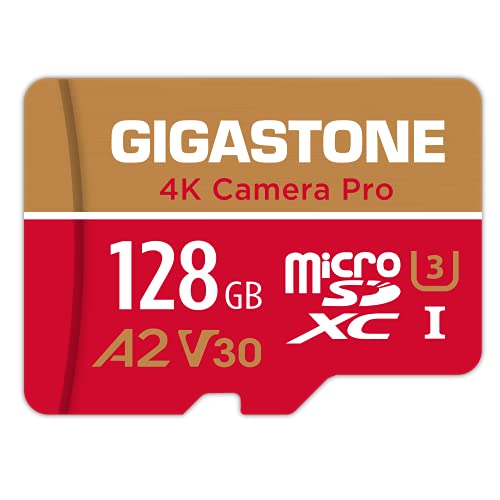
GIGASTONE 128GB Micro SD Card, 4K Video Recording, 5-Year Free Data Recovery — Insurance of a different kind
Every other pick in this guide sells speed, capacity or pedigree. This Gigastone card leads its title with something else entirely: five years of free data recovery, printed ahead of its 4K video recording positioning. That ordering tells you what fear the card is built to answer. Cards rarely fail by becoming slow; they fail by becoming unreadable, usually at the worst possible moment, and a recovery service is a promise about that specific disaster — an attempt, by specialists, to pull files from a card that has stopped cooperating.
The honest reading cuts both ways. A recovery promise is not a reliability rating, and the title prints no read figure and no video class, so on paper this is the least specified card in the set. The 4K video positioning in the title states the intended workload plainly, and the capacity is a full-day 128GB. But a pilot choosing this card is choosing a safety net over a specification sheet, and should do so with eyes open: verify the class in Gigastone’s documentation before flight, exactly as with the SanDisk picks, and treat the recovery offer as the second line of defence it is, behind the copy-before-format routine that prevents most losses outright.
Where this pick genuinely earns its place is in a mixed fleet. A working pilot might fly SanDisk Extremes as primaries and keep this card as the spare that rides in the case for the day a primary misbehaves — a role where its recovery cover is worth more than a read-speed increment, because a spare’s footage, by definition, was shot on a day when something already went wrong once.
- Capacity: 128GB
- Format: microSD
- Positioning stated in title: 4K video recording
- Data recovery: 5 years free, as stated in the listing title
- Read speed: Not stated in the listing title — verify with Gigastone documentation
- Video speed class: Not stated in the listing title — verify with Gigastone documentation
Strengths
- The only pick offering a printed data recovery term — a real answer to the corruption failure mode.
- 128GB capacity matches the full-day tier of the SanDisk picks.
- Its title states 4K video recording as the intended workload without ambiguity.
Trade-offs
- No speed figure of any kind is printed in the title; every performance fact needs documentation.
- A recovery service attempts retrieval; it cannot promise a corrupted card’s footage back.
- The brand’s drone track record is thinner than the Extreme line’s long public history.
Best for: a pilot seeking a full-day card whose printed promise addresses corruption rather than transfer speed. Not suited for: a pilot seeking every performance figure visible on the listing before buying.

SanDisk 128GB Micro SDXC Extreme Memory Card for DJI Drones — The Extreme that names its aircraft family
This Extreme listing is the only one in the set whose title talks about drones directly, presenting the card as memory for DJI aircraft and naming the Mini 3 generation as its reference points. The Phantom 4 is an older and heavier aircraft than those Minis, and its recording demand — 4K at up to 60 megabits per second — sits in the same territory as the newer machines this card was packaged for, so the positioning transfers honestly. What the title does not do is print a single number: no read ceiling, no class, no write figure.
That makes this the most reputation-dependent pick in the guide, and the review treats it accordingly. The Extreme name carries a long record in drone service, the capacity is the full-day 128GB tier, and the listing’s own framing is drone-specific rather than generic. Against that, a buyer gets nothing measurable from the title itself. The documentation errand is therefore not a formality for this card; it is the entire basis on which it should be flown, and it takes minutes on SanDisk’s site for this exact capacity.
Its natural buyer is a pilot already running this card in a newer DJI aircraft and seeking one media standard across the fleet. Standardised cards simplify everything downstream — one reader routine, one labelling convention, one known behaviour — and a Phantom 4 flown alongside a Mini is a common pairing in working kits. Bought as a first card for a Phantom-only kit, it asks more faith than its 190MB/s sibling, which prints at least one figure; bought as a fleet card, its sameness is the feature.
- Capacity: 128GB
- Format: microSDXC
- Positioning stated in title: Extreme card for DJI drones
- Read speed: Not stated in the listing title — verify with SanDisk documentation
- Video speed class: Not stated in the listing title — verify with SanDisk documentation
- Write speed: Not stated in the listing title — verify with SanDisk documentation
Strengths
- Drone-specific positioning in the title, aimed at DJI aircraft rather than at phones or consoles.
- 128GB full-day capacity in the Extreme line.
- Suits fleets standardising on one card across several DJI models.
Trade-offs
- The title prints no measurable figure at all; verification carries the whole case.
- Its named reference drones are newer, lighter aircraft than the Phantom 4.
- As a first Phantom card, it offers less printed evidence than the 190MB/s Extreme listing.
Best for: a pilot seeking one Extreme card standard across a Phantom 4 and newer DJI aircraft. Not suited for: a first-time buyer seeking stated figures to compare before spending anything.
How Do the Six Cards Divide the Flying Week?
Read as a fleet rather than as rivals, the six picks sort into three honest roles. The DJI bundle and the 64GB SanDisk Extreme are the rotation cards — specification-exact in capacity, sized to sessions, happiest when swapped often and copied nightly. The two 128GB SanDisk Extremes with stated read ceilings are the consolidation cards, one newer and faster to empty, one older and more widely proven, both built for the pilot flying a full day onto one card and processing it in one sitting. The Gigastone and the drone-named SanDisk are the specialists: one insures against corruption, the other standardises a multi-aircraft fleet.
| Pick | Capacity | Stated read ceiling | Class in title | Defining trait |
|---|---|---|---|---|
| DJI Phantom 4 bundle | 2 x 64GB | Not stated | Not stated | Maker’s own matched pair |
| SanDisk Extreme 245MB/s | 128GB | 245MB/s | Not stated | Fastest stated offload |
| SanDisk Extreme 190MB/s | 128GB | 190MB/s | Not stated | Longest track record at 128GB |
| SanDisk Extreme 64GB | 64GB | 170MB/s | Not stated | Specification-exact capacity |
| Gigastone 128GB | 128GB | Not stated | Not stated | Five-year recovery offer |
| SanDisk Extreme for DJI Drones | 128GB | Not stated | Not stated | Drone-named positioning |
The column that should draw the eye is the empty one. Six drone cards, zero printed video classes — a fair summary of how this market sells media, and the reason this guide keeps returning to a five-minute documentation check. That check is not a flaw in any single pick; it is the admission price of the whole category, and the pilot paying it once per card owns media whose qualifications are known rather than hoped.
How Should a New Card Be Rehearsed Before Its First Real Flight?
Step one happens at the desk. Verify the card’s class in the maker’s documentation for the exact capacity in hand, and confirm the card itself is genuine — buy from reputable sellers, check the packaging, and be suspicious of any Extreme priced far below its siblings, because counterfeit media is the single largest cause of mysterious drone card failures.
Step two is the format. Insert the card, power the aircraft on the ground, and format the card in the Phantom 4 itself through the DJI app. This gives the card the file structure the aircraft expects and confirms the aircraft sees the full capacity it should. A card that reports a strangely small capacity at this point is telling you something important while there is still time to return it.
Step three is the rehearsal flight. Fly one full battery near home, recording at the highest 4K setting you actually use, with a few stills bursts mixed in. Land, play the footage back from the card, and scrub through the longest clip looking for stutters, freezes or corrupted segments. Then copy the card to the computer and confirm the files open there too.
Step four is the label. Write the card’s number and purchase date on it or on its case, and start a simple fleet log: card, capacity, verified class, rehearsal date. Cards that pass join the rotation; the log makes sure a card that once misbehaved is never quietly promoted back into service for an important flight. The whole rehearsal costs one battery and twenty minutes, and it converts every later flight on that card from a hope into a record.
Which Card Mistakes Cost Phantom 4 Pilots Their Footage?
The full-size card mistake is the simplest: arriving at a location with SD cards that cannot enter the aircraft. It happens to pilots who also shoot with mirrorless cameras and grab from the wrong case. The fix is a dedicated drone media case that holds microSD only, so the wrong format can never be packed by accident.
The assumed-class mistake is subtler. A card is bought on the strength of a line’s reputation, flown unverified, and discovered inadequate only when a long 4K clip is reviewed at home. Every pick in this guide, from the maker’s own bundle down, is subject to the same five-minute documentation check, because the titles themselves decline to print the figure that matters.
The single-card-week mistake concentrates risk: one large card flown for days, copied eventually, formatted never, until the day it fails holding a week’s irreplaceable flying. Rotation and nightly copying are boring disciplines, and they are also the entire difference between a card failure being an anecdote and being a catastrophe.
The launch-site format is the cruellest mistake, because the card was fine and the footage existed until the moment it was erased to make room. Room is made the night before, by copying and by carrying enough verified media for the plan. A pilot reduced to formatting at a location has already made the real mistake at home.
The bargain-counterfeit mistake underlies several of the others. A card bought far below the market rate from an unfamiliar seller may pass a casual test and still be a relabelled fraction of its claimed capacity, which is why the fill-and-read-back check in the sourcing section belongs in every new card’s first evening. Pilots sometimes skip it because the card came in convincing packaging; convincing packaging is, unfortunately, the one thing counterfeiters manufacture to a genuinely high standard.
The unlabelled-case mistake is the smallest and the most common. Six identical black microSD cards in an unmarked case are, within a month, six mysteries: nobody remembers which was rehearsed, which glitched in June, or which holds yesterday’s flight because the copy was interrupted. A fine marker, a numbering habit and the fleet log turn the case back into a system, and the five minutes that costs is repaid the first time a pilot can reach, unhesitating, for the card whose record is known.
How Does the Recording Menu Change What the Card Must Survive?
Not every Phantom 4 flight makes the same demand, and understanding the menu explains why a card can seem fine for a month and then fail on the one flight that mattered. The aircraft’s headline mode, 4K at up to 60 megabits per second, is the ceiling workload: a continuous stream at the top rate, sustained for the whole flight. A card verified at that ceiling is verified for everything below it, which is why this guide’s rehearsal instructions insist on rehearsing at the highest setting actually used rather than at a gentle default.
Below the ceiling, the menu relaxes in instructive ways. The 1080p modes run at lower bitrates, and even the high-frame-rate slow-motion setting trades resolution for frame count in a way that keeps the data stream moderate. A pilot working mostly in HD can fly cards that would be marginal at 4K — but marginal is a trap disguised as a saving, because the day that pilot switches to 4K for a client or a competition entry is the day the untested workload arrives. Cards should be bought and rehearsed for the ceiling, then enjoyed everywhere.
Stills change the pattern rather than the volume. A burst of raw-plus-JPEG stills arrives as a sudden cluster of large files, a spike instead of a stream, and a card handles spikes through its burst behaviour rather than its sustained rating. Panorama work multiplies this: an automated panorama is dozens of frames written in quick succession while the aircraft holds position and burns battery. Pilots who shoot panoramas seriously should include a panorama in the rehearsal flight, because it is the stills workload most likely to expose a card that writes in stutters.
There is also a quieter setting with card consequences: the video cache and the app-side recordings are not the card’s business at all. The footage that counts lives only on the microSD in the aircraft, and the low-resolution copy on a phone is a preview, not a backup. More than one pilot has taken comfort from a phone full of cached video while the card — the sole holder of the full-quality original — was already failing. The card is the archive until the evening copy is verified, and every routine in this guide flows from that fact.
What Happens to a Drone Card Across a Season of Flying?
Flash memory wears by writing, and a drone card’s life is a steady accumulation of full-card writes — the most demanding pattern there is, because a card that flies daily may be filled and emptied hundreds of times in a season. Healthy cards absorb this for a long while, but the wear is real and it announces itself in a characteristic order: first an occasional slow format, then a clip with a glitch that might be the player’s fault, then a recording that stops early. Pilots who retire cards at the second sign lose nothing but a card; pilots who wait for certainty lose footage.
Heat writes its own chapter. A card that spends its summers in a black flight case on hot tarmac, or its winters cycling between a freezing car and a warm aircraft, ages faster than its write count suggests. The case discipline matters here too: cards stored in their individual slots in a hard case, kept with the flight kit at room temperature between outings, live measurably calmer lives than cards loose in a bag that lives in a vehicle.
Retirement should be a promotion in disguise. A card retired from flight duty is not rubbish; it is a card demoted to ground work — firmware updates, a spare for a card reader, media for a device whose footage can be re-shot. Marking retired cards clearly, in the fleet log and on the case, is what prevents the one unforgivable error: a demoted card drifting back into the aircraft for an important flight because it was the one that came to hand.
Finally, a season’s discipline includes one purchase habit: buy replacements before they are needed, from sellers with properly turning-over stock, and rehearse each new card on arrival rather than on the morning of a job. A fleet maintained this way never faces a launch day with an untested card as the only option — which is, in the end, the situation every section of this guide has been quietly working to prevent.
Why Does Where a Card Is Bought Matter as Much as Which Card Is Bought?
Memory cards are among the most counterfeited products in all of electronics, and drone cards sit at the centre of the problem because the genuine articles are small, valuable and sold in enormous volumes. A counterfeit Extreme typically reports a capacity it does not have, records happily until the real silicon fills, and then silently overwrites or corrupts everything after that point — a failure mode that looks, from the pilot’s seat, exactly like a card that worked during rehearsal and betrayed a paying flight. No specification check protects against a fake, because the fake’s documentation is copied from the genuine card’s.
The defences are unglamorous and effective. Buy from the maker’s own storefront or from established retailers with short supply chains. Treat any price dramatically below the going rate as information rather than luck. On arrival, run the rehearsal in this guide and add one desk check: fill the card completely on the computer with real files and read them back, because a counterfeit that claims 128GB and holds 16GB will confess during that single pass, on the ground, where confessions are cheap.
This sourcing discipline also explains a pattern in the picks themselves. Every card in this list comes from a maker with an established storefront presence and a documentation site where classes can be verified — DJI, SanDisk and Gigastone all publish specification material a buyer can actually consult. In a category where the difference between a genuine card and a fake one is invisible until the worst moment, the ability to check a claim against the maker’s own pages is not a courtesy. It is part of the product.
Final Recommendation
Start with the role, not the brand. A pilot building a rotation system should take the DJI two-card bundle for its specification-exact 64GB cards, or build the same system from the 64GB SanDisk Extreme where a stated read figure is wanted on the box. A pilot consolidating full days onto single cards should choose between the two stated-ceiling Extremes — the 245MB/s card for the fastest stated offload, the 190MB/s card for the longest public record — and a pilot standardising media across a newer DJI fleet, or insuring specifically against corruption, has the drone-named Extreme and the Gigastone respectively.
Budget, finally, should be allocated across the fleet rather than concentrated on a hero card. Two verified 64GB cards protect a flying day better than one premium 128GB card flown alone, because redundancy answers the failure that actually happens — a card misbehaving on the day — while a single card, however excellent its stated figures, remains a single point of failure with wings. Pilots building a kit from nothing should buy the pair first and add the large consolidation card later, when the evening-offload rhythm is established enough to know whether its speed will ever be felt.
Whichever card is chosen, the purchase is only half the job. The documentation check, the in-aircraft format and the one-battery rehearsal are what turn a bought card into trusted media, and they cost less time than a single flight. The Phantom 4 rewards pilots who treat its memory card as part of the aircraft rather than as an accessory, because in every way that matters — the footage exists or it does not — that is exactly what the card is.
Buy the card whose role matches your flying, verify what its title leaves unstated, rehearse it once near home, and then go and make the flight — the survey, the wedding, the golden-hour orbit — that the whole routine, from first format to final copy, exists to protect.
Frequently Asked Questions
Can a Phantom 4 use a full-size SD card with an adapter?
No. The aircraft’s slot is microSD, and adapters work in the opposite direction — they let a microSD card sit in a full-size reader. A full-size SD card cannot be adapted down to fit the Phantom 4, which is why every pick in this guide is a microSD card.
What capacity does the Phantom 4 officially support?
DJI’s published specification for the original Phantom 4 lists microSD support up to 64GB, with Class 10 or UHS-1 required. Later Phantom 4 family members accept larger cards, and many owners fly 128GB cards in the original; the specification-exact choices in this guide are the two 64GB picks.
Why does no pick here state a video speed class?
Because none of the six listing titles prints one. Rather than borrowing class figures from other listings, this guide marks the class for verification in each maker’s documentation — a five-minute check that should precede any card’s first working flight.
How much 4K footage fits on a 64GB card?
At the Phantom 4’s top 4K bitrate of up to 60 megabits per second, an hour of video occupies roughly twenty-seven gigabytes, so a 64GB card holds a little over two hours — about four batteries of recording if the camera runs for most of each flight, and comfortably a two-to-three-battery session with stills included.
Should cards be formatted in the drone or on a computer?
In the drone. Formatting in the Phantom 4 gives the card exactly the file structure the aircraft expects, and it confirms the aircraft recognises the card’s full capacity. Format only after the previous session’s footage has been copied and checked on the computer.
Does a faster read speed improve recording quality?
No. Read ceilings such as the 245MB/s and 190MB/s figures in two titles here describe how quickly a full card empties into a fast reader after landing. Recording depends on sustained writing, which is governed by the card’s class — the figure these titles leave to documentation.
How can a counterfeit card be spotted before it costs a flight?
Fill it completely on a computer with real files, then read the files back and open several from the end of the card. A counterfeit reporting false capacity corrupts or loses data past its true size, and this single ground test exposes it before the card ever flies. Buying from established storefronts remains the first defence; the fill test is the second.
When should a drone card be retired?
At the second strange behaviour — a slow format followed by a glitched clip, or any recording that stops early. Retired cards should be marked, logged and demoted to ground duties such as updates and reader spares, never quietly returned to flight service for an important job.
Related Guides
Drone media sits inside a wider kit, and neighbouring guides on this site cover the rest of it. Pilots equipping a newer aircraft should compare the best microSD cards for DJI Mini models, those building out a ground station can work through our guide to drone accessories and field kit, and anyone standardising cards across cameras as well as aircraft will find the framework in our roundup of memory cards for 4K video.


