What's inside
- Key Takeaways
- Quick Picks
- How Did We Choose These Cards for an Ageing Flagship?
- What Does a Note 8 Actually Ask of a Card?
- How Can You Tell a Genuine Card From a Counterfeit One?
- What Happens to a Card After Years Inside a Phone?
- How Do the Six Cards Compare Side by Side?
- How Should You Set Up a New Card in a Note 8?
- What Mistakes Do Note 8 Owners Make With Cards?
- Should You Buy One Large Card or Two Smaller Ones?
- Final Recommendation
- Frequently Asked Questions
- Related Guides
As an Amazon Associate I earn from qualifying purchases. This post may contain affiliate links at no extra cost to you.
gizmoverdict.com is reader-supported. When you buy through links on our site, we may earn an affiliate commission.
Where to buy: All six cards below come from this site’s verified product pool, and each one links to its own Amazon listing. Every pick is a microSDXC card, because that is the only card format the Note 8’s tray accepts; full-size SD cards cannot be cut down, trimmed or adapted to fit, so ignore any buying guide that suggests otherwise.
The best sd cards for galaxy note 8 verizon handsets are, strictly speaking, microSD cards, and clearing that up at the start saves the most common ordering mistake this phone still generates. The Note 8 — including the Verizon carrier variant, whose storage hardware is identical to every other Note 8 — hides its card slot in the SIM tray at the top edge. It reads microSDXC media, it treats that media as portable storage for photos, video, music and documents, and it was Samsung’s flagship at a moment when 64GB of internal storage filled up faster than owners expected. A good card turns that tray into the phone’s overflow archive. A badly chosen one turns it into a source of corrupted holiday photos.
Verizon’s branding changes nothing about the slot, the file system or the card classes that matter, so everything in this guide applies to the Verizon model exactly as it applies to the unlocked one. What does matter is the ceiling Samsung published for this handset: the Note 8’s specification lists microSD support up to 256GB. Five of the six picks sit at that 256GB line. The sixth, a 512GB card, is included deliberately and labelled honestly, because owners do run larger cards in this phone — but they do so beyond the published specification, and this guide will not pretend a spec sheet says something it does not.
The second thing that matters is speed class, and here the news is reassuring. The Note 8 records 4K video and shoots raw stills, both of which write in bursts rather than in the relentless sustained stream a cinema camera produces. A U3 card carries a guaranteed minimum write floor suited to that 4K recording; a U1 or unclassed budget card may keep up on a good day and stumble on a warm one. Every pick below is U3 or carries the equivalent V30 guarantee except where its listing title states a different class, and the one card whose title leans on read speed alone is flagged for exactly that.
Key Takeaways
- The Note 8 takes microSDXC only; the Verizon variant’s tray and slot are the same hardware as every other Note 8.
- Samsung’s published ceiling for this phone is 256GB, so the 512GB pick in this list runs beyond the printed specification.
- U3 or V30 is the write floor worth paying for, because the phone’s 4K video mode writes in heavy bursts.
- Headline read speeds describe card-reader transfers to a computer, not how the card feels inside the phone.
- Format a new card inside the Note 8 before first use, and keep the internal storage as the home for apps.
Quick Picks
| Pick | Badge | Why it earns its place |
|---|---|---|
| Samsung 256GB EVO Plus microSDXC U3 with Adapter | Closest to the phone’s own spec | Samsung’s own card, at the exact 256GB ceiling Samsung published, with the adapter included for computer transfers. |
| Samsung EVO Select 256GB MicroSDXC U3 | Stated 100MB/s generation | The EVO Select line’s listing names its read figure outright and aims the card squarely at Full HD and 4K UHD capture. |
| SanDisk 256GB Extreme microSD UHS-I | Built for 4K on phones | SanDisk’s Extreme family is the listing that names smartphones first, and its title promises 4K video duty on exactly this class of device. |
| SanDisk 256GB Ultra microSD + Adapter | Read-speed value line | Up to 150MB/s reads for fast offloading, traded against a listing title that stays silent about its write class. |
| PNY 256GB PRO Elite microSDXC | Only A2 rating in the list | The single pick whose title carries the A2 app-performance mark alongside C10, U3 and V30. |
| Lexar 512GB Silver Plus Micro SD Card | Beyond-spec capacity experiment | Double the published ceiling with a 205MB/s read figure, for owners who accept the compatibility gamble knowingly. |
How Did We Choose These Cards for an Ageing Flagship?
The Note 8 is no longer sold new, which changes the buying logic completely. Nobody needs a card that will out-research the phone; they need a card that respects three fixed facts: the tray takes microSDXC, the published ceiling is 256GB, and the phone’s camera writes 4K video in bursts that punish cards with weak minimum write speeds. Picks were screened against those three facts first, and only then compared on the figures their listing titles actually state.
That screening produced a deliberate shape. Four cards sit at 256GB with U3 or V30 write credentials stated in the title. One card, the SanDisk Ultra, trades write-class silence for a strong stated read figure, and it is recommended only for owners whose card mostly holds media they consume rather than footage they capture. One card doubles the capacity past the spec sheet, included because the demand for it is real and because a guide that hides it would leave owners to gamble without any framing at all.
One more screen deserves naming, because it excluded more listings than any other: capacity honesty. The pool search surfaced plenty of cards advertising enormous capacities at prices that defy the cost of flash memory, and every one of them was left out regardless of the classes printed beside them. A card whose capacity claim cannot be true cannot be trusted on its class claims either, and a guide for an eight-year-old phone — whose owners are disproportionately likely to be shopping carefully on a budget — has a duty to keep that merchandise out of the shortlist entirely rather than review it with caveats.
Brand spread was the final filter. Samsung, SanDisk, PNY and Lexar all appear, because card failures correlate with counterfeit supply chains more than with any of these makers, and because a reader who distrusts one brand’s listings should still find a complete shortlist here. Every speed quoted in the detailed reviews comes from the listing title itself; where a title is silent, the spec box says so instead of borrowing a number from a sibling product.
What Does a Note 8 Actually Ask of a Card?
Less than a modern mirrorless camera, but in a trickier pattern. Still photos land one at a time and forgive almost anything. The 4K video mode is the demanding tenant: it writes a continuous stream for as long as the recording runs, and a card whose write speed sags mid-stream can end the clip or corrupt the file. That is why the U3 and V30 marks matter more than the big read number on the front of the packet — U3 guarantees a minimum sustained write of thirty megabytes per second, and V30 guarantees the same floor under the video speed class system. Two names, one promise, and it is the promise the camera leans on.
App behaviour is the second demand, and it is widely misunderstood on this phone. Samsung’s software of this era treats the card as portable storage: media, downloads and documents can live there, and some apps offer a move-to-card option, but the card is not merged into internal storage the way stock Android’s adoptable storage allowed. The practical consequence is that app launch performance still comes from the internal flash, and the A2 application performance mark — carried by exactly one pick here — matters less on a Note 8 than it would on a phone that runs apps from the card. Buy A2 here as a small bonus, not as the deciding argument.
The third demand is endurance in a warm, sealed device. A phone in a car mount on a summer dashboard, recording navigation and dashcam-style footage at once, cooks its card in a way a camera on a tripod never does. No listing title in this pool states an endurance rating, so this guide will not invent one; the honest advice is procedural instead. Back the card up when you charge the phone, replace cards that start throwing read errors rather than reformatting them repeatedly, and treat any card that has survived two summers of dashboard duty as a consumable nearing its end.

Samsung 256GB EVO Plus Class 10 UHS-I microSDXC U3 with Adapter (MB-MC256GA) — Closest to the phone’s own spec
There is a plain logic to putting Samsung’s own card in a Samsung phone, and it is not superstition. The EVO Plus sits at 256GB, the exact capacity ceiling printed in the Note 8’s specification, so there is no compatibility asterisk attached to it at all. Its title states Class 10, UHS-I and U3, which together promise the write floor the phone’s 4K mode wants, and the card ships with a full-size SD adapter in the packet — a small inclusion that matters every time you want to move a month of photos to a laptop that has an SD slot and no microSD reader.
In daily use this is the card that disappears into the phone and stays forgotten, which is the highest compliment portable storage can earn. Photos accumulate, offline map regions download, the gallery stays responsive, and the 4K clips that would have triggered a storage warning in the phone’s second year simply record. Owners upgrading from a 64GB or 128GB card will feel the change most at the level of behaviour: you stop curating, stop deleting, stop checking the storage screen before a trip.
The honest limits are generational rather than faults. The title states no read speed figure, so this guide quotes none; newer EVO generations print faster numbers, and if your transfers to a computer are long and frequent, a card with a stated read figure further down this list will serve that chore better. The UHS-I bus also caps what any reader can pull from it. Neither limit touches life inside the phone, where the Note 8’s own hardware is the bottleneck long before the card is.
One practical note on the adapter, because it shapes how this card fits a household: the adapter turns the microSD into a full-size SD card for the minutes it spends in a laptop or a card reader, and then the card comes back out and returns to the phone. Owners who shoot on a compact camera as well sometimes leave the card in the adapter between transfers and wonder why the phone reports no storage — the card is only ever in one host at a time, and building the pull-transfer-return rhythm into a Sunday-evening habit is what makes a single-card setup work. Buy this card as the phone’s permanent resident, and let the adapter be a tool rather than a second home.
- Capacity: 256GB, per the title
- Format: microSDXC, UHS-I
- Speed classes on the title: Class 10, U3
- Adapter: full-size SD adapter included, per the title
- Read speed: not stated in the listing title — verify with Samsung documentation
- Model code: MB-MC256GA, as printed in the title
Strengths
- Capacity matches the Note 8’s published 256GB ceiling exactly, with no beyond-spec gamble.
- U3 write class stated outright, covering the phone’s 4K video bursts.
- Adapter in the box removes the separate reader purchase for laptop transfers.
Trade-offs
- No read speed figure in the title, so transfer performance is unquoted here.
- UHS-I interface only; no faster bus is available to this phone anyway.
- An older EVO generation, so listings may mix regional packaging variants.
Best for: a Note 8 kept as a main phone whose owner wants the card decision finished in one purchase, at the capacity Samsung itself printed. Not suited for: an owner who offloads footage to a computer daily and wants a stated read figure to plan those transfers around.
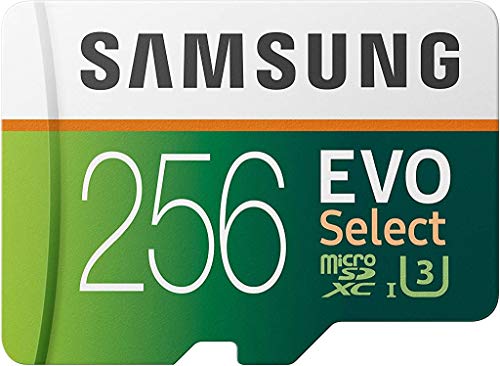
Samsung EVO Select 256GB MicroSDXC UHS-I U3 100MB/s — Stated 100MB/s generation
The EVO Select is the sibling card whose listing is more talkative. Its title states 256GB, UHS-I, U3 and a 100MB/s figure, and it names its intended work directly: Full HD and 4K UHD memory duties. For a Note 8 owner, that sentence describes the phone’s camera app almost exactly. The Select line has historically been Samsung’s channel-specific twin of the EVO Plus family, and this listing’s stated numbers put it in the same performance neighbourhood while giving the buyer a printed read figure to hold onto.
That printed figure is worth interpreting correctly. One hundred megabytes per second is a read ceiling, reached in a good reader under kind conditions; inside the phone, gallery browsing and video playback never approach it, because the phone was never the bottleneck a headline number addresses. Where the figure does earn its keep is at the desk: a card pulled from the tray and seated in a USB reader will hand over a holiday’s 4K clips noticeably faster than the unclassed cards many Note 8s are still running from 2018.
Nothing about this card asks the phone to do anything unusual. It formats in the tray, it sits at the published capacity ceiling, and its U3 class covers the camera. If there is a caution, it is about listings rather than silicon: the EVO Select name has been carried across several hardware revisions over the years, so the card that arrives may be a newer revision than the packet art suggests. Judge the delivered card by the class marks printed on its face, not by the vintage of the artwork.
There is also a quieter reason this card suits the Note 8’s remaining audience. The phone’s owners have largely stopped upgrading on a cycle and started maintaining: a battery replaced here, a case there, a card bought to end the storage warnings for good. A purchase like that is judged over years, not unboxings, and the EVO Select’s appeal is that nothing about it is experimental — a mainstream capacity, a mainstream class, a maker whose card tools and warranty channels are easy to find if the card ever does misbehave. It is maintenance-grade buying, and for a maintained phone that is exactly the right register.
- Capacity: 256GB, per the title
- Format: MicroSDXC, UHS-I
- Classes stated: U3
- Read speed: 100MB/s, the figure its title prints
- Stated purpose in title: Full HD and 4K UHD capture
- Adapter: not stated in the listing title — verify with Samsung documentation
Strengths
- Read figure printed in the title rather than left to guesswork.
- U3 class matches the write floor the Note 8’s 4K mode needs.
- Capacity lands exactly on the phone’s published 256GB ceiling.
Trade-offs
- Adapter inclusion is not stated in the title, so a reader may be a separate purchase.
- Multiple hardware revisions share this product name across years of listings.
- Read ceiling describes reader transfers, not in-phone responsiveness.
Best for: an owner who wants Samsung silicon plus a printed transfer figure for desk offloads, without leaving the published capacity ceiling. Not suited for: a purchase that must include a guaranteed adapter, since this title does not promise one.

SanDisk 256GB Extreme microSD UHS-I Card — Built for 4K on phones
SanDisk’s Extreme line is the card family this listing aims at three devices at once — smartphones, action cameras and drones — and the title says so in plain words: a microSD UHS-I card for 4K video on exactly those machines. The Note 8 is the least extreme of the three hosts, which is precisely the point. A card built to survive an action camera’s sustained 4K writing treats a phone’s bursty 4K clips as light work, and that headroom is the real product being sold here.
The title, however, is disciplined about numbers: it states the 256GB capacity, the UHS-I bus and the 4K purpose, and prints no speed figure and no class letters in the portion of the title this pool records. This guide therefore quotes none. Extreme-family cards are understood to sit above the Ultra line in SanDisk’s own ordering, but a buying decision should rest on the class marks printed on the delivered card’s face — check for the U3 or V30 stamp when it arrives, and if the delivered card lacks them, that is a listing problem to raise with the seller, not a detail to shrug at.
For the Note 8 specifically, the Extreme’s appeal is insurance. The phone is old enough that its owners skew toward keeping it: as a backup handset, a media player, a child’s first phone, a dedicated navigation unit. In those second-life roles the card gets written hard by dashcam apps and offline video downloads, and a card family designed for cameras absorbs that treatment with less drama than a value-line card. It is the pick for owners who intend to keep this phone working for years more.
Consider the dashcam role more closely, because it is where this card’s positioning stops being theoretical. A dashcam app writes continuously whenever the car moves, loops over its oldest footage, and does so in a phone that is also charging, navigating and sitting in direct sun. Loop recording is the harshest common workload a phone card ever sees — far harsher than a camera’s discrete clips — and it is the workload value cards die from first, usually announced by the app reporting a storage error at the least convenient moment. A card family sold for action cameras is built with that punishment in mind, and fitting one is the cheapest reliability upgrade a second-life Note 8 can get.
- Capacity: 256GB, as stated in the listing title
- Format: microSD, UHS-I
- Stated purpose in title: 4K video on smartphones, action cams and drones
- Speed class: not stated in the listing title — verify with SanDisk documentation
- Read/write figures: not stated in the listing title
- Adapter: not stated in the listing title — verify with SanDisk documentation
Strengths
- Listing names smartphone 4K video as the card’s intended work.
- Extreme family positioning gives write headroom beyond the phone’s demands.
- 256GB capacity matches the Note 8’s published ceiling.
Trade-offs
- No class letters or speed figures in the recorded title to verify before buying.
- Capability aimed at action cameras is partly surplus in a phone tray.
- Delivered card’s face marks must be checked against the listing on arrival.
Best for: a Note 8 entering its second life as a dashcam, navigation or media handset, where write headroom matters more than quoted numbers. Not suited for: a purchase that requires every class and speed figure confirmed in writing beforehand, since this title confirms none of them.

SanDisk 256GB Ultra microSD Card + Adapter — Read-speed value line
The Ultra is SanDisk’s value line, and this listing is honest about what the value consists of: up to 150MB/s read speeds, an adapter in the packet, and a 256GB capacity. Reads are what this card is for. A Note 8 loaded with a decade of photos, a music library and downloaded video spends most of its card time reading — scrolling, playing, casting — and the Ultra’s stated read figure is the highest printed by any pick in this list except the Lexar. For the consumption-heavy owner, that is not a consolation prize; it is the actual workload.
The trade sits on the write side, and it must be stated plainly: this listing’s title names no U3 or V30 class. SanDisk’s Ultra family has historically carried lighter write credentials than the Extreme family, and a title that advertises reads while staying silent on write class is telling you where the engineering budget went. A Note 8 recording the occasional 4K clip will usually manage; an owner who shoots long 4K sessions at every family event is asking the card to work outside the pitch its own listing makes.
Positioned correctly, though, the Ultra is the easiest card here to recommend to the largest number of Note 8 owners, because most of them are archivists rather than videographers. The phone has become the family photo vault, the offline Netflix cache, the podcast store. Those jobs read constantly and write gently, the adapter covers the laptop transfer, and the capacity sits on the published ceiling. Buy it for the workload you actually have, not the one the camera app advertises.
A word about how the Ultra behaves at the moment of purchase confusion, because its packet makes a promise its class silence contradicts in some buyers’ minds. The big number on an Ultra packet is a read number, and reads are genuinely what the card does best; nothing about that is deceptive once it is understood. The misunderstanding to avoid is treating that number as a camera credential. When a grandparent’s birthday video matters, the card you want in the tray is one whose write floor is printed somewhere — and this guide’s other picks print theirs. The Ultra earns its place for the other three hundred days of the year, when the phone is a library, not a camera.
- Capacity: 256GB, as stated in the listing title
- Format: microSD, UHS-I implied by family; bus not stated in the title
- Read speed: up to 150MB/s, as stated in the title
- Adapter: included, per the title
- Write class: not stated in the listing title — verify with SanDisk documentation
- Series position: Ultra, SanDisk’s value line
Strengths
- Strongest stated read figure among the 256GB picks in this pool.
- Adapter included for reader-free laptop transfers.
- Capacity matches the phone’s published ceiling with no asterisk.
Trade-offs
- No write class named in the title, so 4K recording headroom is unconfirmed.
- Value-line positioning means sustained writes are not its pitch.
- Read figure is an up-to ceiling reached in a capable reader.
Best for: the Note 8 archivist whose card holds photos, music and downloads that are read daily and written rarely. Not suited for: long, frequent 4K recording sessions, where an unstated write class is the wrong foundation to build on.

PNY 256GB PRO Elite C10 U3 V30 A2 microSDXC — Only A2 rating in the list
PNY’s PRO Elite carries the most complete set of class letters in this pool, and its title reads like a checklist: C10, U3, V30 and A2, wrapped around a 256GB microSDXC card pitched at 4K UHD. Each mark certifies a different floor. C10 and U3 and V30 are three dialects of the same promise — sustained writing fast enough for the Note 8’s camera — while A2 is the odd one out, certifying random-access performance of the kind apps generate when they read and write in small scattered blocks.
On this particular phone, A2 deserves an honest footnote rather than a headline. As the guide above explains, the Note 8 keeps apps on internal storage and treats the card as portable media space, so the random-access workload A2 certifies barely occurs. Where A2 quietly helps is in the gallery: thumbnail databases, photo indexing and media scanning all make small scattered reads, and a card certified for them keeps a 40,000-photo library feeling less sluggish when the phone re-indexes after a software update or a card reinsertion.
The PRO Elite’s real argument is simpler — it is the pick with nothing left unstated. Capacity on the ceiling, write classes in triplicate, the app mark as a bonus, and a maker outside the Samsung-SanDisk duopoly for readers carrying a bad listing experience with either. PNY’s card business is long-established, and for a phone whose owners have often been burned by counterfeit cards of the big two brands, a genuine PRO Elite from a careful listing can be the safer practical choice.
The counterfeit point deserves one more sentence of weight, because it decides real purchases. The two biggest card brands are also the two most counterfeited products in the category, and a fake Samsung or SanDisk card is a worse object than a genuine PNY in every measurable way — false capacity, fragile memory, no warranty that survives contact with the maker. Choosing a reputable listing for a less-counterfeited brand is not settling; it is optimising for the card that actually arrives. The PRO Elite’s specification sheet gives up nothing in that exchange, which is why it sits in this list as a first-class pick rather than a footnote.
- Capacity: 256GB, as stated in the listing title
- Format: microSDXC
- Classes stated: C10, U3, V30, A2
- Stated purpose in title: 4K UHD
- Read/write figures: not stated in the listing title — verify with PNY documentation
- Adapter: not stated in the listing title — verify with PNY documentation
Strengths
- Fullest class certification in the pool: write floors plus the A2 app mark.
- V30 video class stated outright, matching the 4K pitch in its title.
- A credible third brand for buyers avoiding the two biggest names’ counterfeit traffic.
Trade-offs
- A2’s benefit is muted on a phone that keeps apps on internal storage.
- No speed figures printed in the title despite the full class list.
- Adapter inclusion unstated, so reader arrangements are the buyer’s problem.
Best for: an owner with a huge photo library who wants every write class certified in the title and values smooth gallery indexing. Not suited for: a buyer expecting A2 to make apps run from the card, which this phone’s software does not do regardless of the card fitted.

Lexar 512GB Silver Plus Micro SD Card — Beyond-spec capacity experiment
This is the pick the guide includes with its eyes open. The Lexar Silver Plus offers 512GB — double the ceiling Samsung printed for the Note 8 — with a stated 205MB/s read figure, 4K positioning and a V30 class in its title. The card itself is thoroughly modern and thoroughly certified. The question is not the card; it is the phone. A specification ceiling is a manufacturer’s tested promise, and stepping past it moves the owner from promised territory into usually-works territory.
Usually-works deserves a fair description. The microSDXC standard the Note 8 implements is, in principle, comfortable with capacities far beyond 512GB, and the 256GB figure in Samsung’s literature reflects what the company tested and warranted at launch rather than a hard electrical wall. Many owners do run 512GB cards in this phone without incident. But some hit the failure modes that live past a spec line: a card recognised after one reboot and not the next, a format the phone asks to repeat, a gallery that loses the card until the tray is reseated. None of these is the card’s fault, and none of them is returnable as a defect with a straight face.
So the recommendation is conditional and specific. If your Note 8 is a media vault first — a phone whose card holds an entire music collection, a film library and years of photos, where losing the card’s contents to a backup-less failure would genuinely hurt — the published ceiling exists to protect you, and the 256GB picks above are the responsible end of this list. If instead the phone is a hobbyist’s second device, its contents backed up or disposable, and the experiment itself is half the fun, the Silver Plus is a fast, well-classed card to run it with. Just format it in the phone, fill it gradually, and keep the backup habit the experiment demands.
If you do run the experiment, run it like an experiment rather than a hope. Format the card in the phone, then load it in stages — a quarter full, a week of use, half full, another week — copying a set of large video files and playing them back from the far end of the card, where a marginal setup fails first. Keep the phone’s own backups switched on throughout. An afternoon of staged testing converts an unknown gamble into a known quantity for your specific handset, and if the card misbehaves during the test, it goes back within its return window having cost you nothing but time.
- Capacity: 512GB, as stated in the listing title — beyond the Note 8’s published 256GB ceiling
- Format: Micro SD (microSDXC), UHS-I
- Classes stated: V30
- Read speed: 205MB/s, per its title
- Stated purpose in title: 4K
- Adapter: not stated in the listing title — verify with Lexar documentation
Strengths
- Double the capacity of every other pick, for genuinely large media libraries.
- Highest stated read figure in this list, at 205MB/s.
- V30 write class stated, so the card’s own credentials are not the weak point.
Trade-offs
- Runs beyond the phone maker’s published capacity ceiling; recognition quirks are the owner’s risk.
- A failure past the spec line is not a defect claim against the card.
- Twice the library on one card doubles what a single card failure can take.
Best for: a backed-up hobbyist running a second-life Note 8 as a media vault, who accepts the beyond-spec gamble with open eyes. Not suited for: the sole copy of irreplaceable family photos, where the phone’s published 256GB ceiling should be treated as a boundary, not a suggestion.
How Can You Tell a Genuine Card From a Counterfeit One?
No section of this guide will save more photographs than this one. Counterfeit microSD cards are manufactured to lie: the card’s controller reports the capacity printed on its face — 256GB, say — while the memory underneath holds a small fraction of that, and the card quietly overwrites older files once the real space runs out. The phone cannot tell the difference, the gallery cannot tell the difference, and the owner discovers the truth months later, when the oldest photos turn out to be the corrupted ones. Every symptom gets blamed on the phone. Almost none of it is the phone.
The defences are unglamorous and they work. Buy from listings with a long, specific sales history rather than the cheapest result on the page. When the card arrives, compare the printing on its face with the class marks the listing promised; a card sold as U3 that arrives wearing no class marks at all is a return, not a disappointment to live with. Then test before trusting: copy files onto the card from a computer until it is more than half full, copy them back, and open several from the end of the batch. A genuine 256GB card survives this in an afternoon. A falsified one begins failing early, while the return window is still open and nothing irreplaceable is at stake.
Finally, keep perspective on where the risk concentrates. It concentrates at prices that undercut every legitimate listing by a wide margin, and in marketplace corners where the seller’s name changes monthly. The six cards in this guide were chosen from a verified pool precisely so that the listings behind them are stable enough to hold accountable. A card is the cheapest component in the phone and the only one holding things that cannot be rebought; it is the worst possible place to hunt for a bargain below the market floor.
What Happens to a Card After Years Inside a Phone?
Flash memory wears by writing, and a phone card’s life is a long accumulation of small writes: photos, cache files, downloads, app data shuffling on and off. The wear is slow — a lightly used card can serve for the phone’s whole life — but it is not evenly distributed across owners. The card in a phone that records daily dashcam loops may write its entire capacity every fortnight. The card in a phone used as a photo archive writes almost nothing after the initial load. Same card, same phone, service lives that differ by years, which is why no honest guide can print a lifespan figure and why the listing titles in this pool wisely print none.
Age announces itself through behaviour rather than dates. Files that take two attempts to open. A gallery that occasionally shows a grey box where a photo should be. The phone asking, once, to format a card it read happily yesterday — and then, after a reseat, reading it again. Each of these is the card beginning to fail its error correction, and the correct response is a sequence, not a panic: copy everything readable off the card that day, replace the card, and retire the old one to a drawer rather than reformatting it back into service. A card that has warned you once has given you the only warning it owes you.
Heat is the accelerant worth managing, because it is the one factor owners control. A Note 8 left recording on a windscreen through a summer afternoon bakes its card at temperatures no camera bag produces. If the phone serves as a dashcam, shade it where you can, let it cool before long transfers, and shorten your replacement interval accordingly. The picks in this list are all consumer cards without stated endurance figures in their titles, so the honest protocol is behavioural: backups current, warnings heeded, replacements ungrudged.
How Do the Six Cards Compare Side by Side?
| Card | Capacity | Classes stated in title | Read figure stated | Adapter |
|---|---|---|---|---|
| Samsung EVO Plus | 256GB | Class 10, U3 | Not stated | Included |
| Samsung EVO Select | 256GB | U3 | 100MB/s | Not stated |
| SanDisk Extreme | 256GB | Not stated | Not stated | Not stated |
| SanDisk Ultra | 256GB | Not stated | Up to 150MB/s | Included |
| PNY PRO Elite | 256GB | C10, U3, V30, A2 | Not stated | Not stated |
| Lexar Silver Plus | 512GB | V30 | 205MB/s | Not stated |
Read the table as a map of what each maker chose to print, not as a league table of hidden performance. The PNY states classes and no speeds; the Ultra states a speed and no class; the EVO Plus states classes and bundles the adapter. Inside the phone, all five 256GB cards will feel near-identical in the gallery and the camera. The differences that survive contact with real life are the ones in the last two columns: how fast a month of photos leaves the card at your desk, and whether an adapter is in the packet when you need one.
How Should You Set Up a New Card in a Note 8?
Begin with the tray. Power the phone down — the Note 8’s tray will come out hot, but a powered-down swap is the habit that prevents the one corruption story every card forum tells. Eject the tray with the pin, seat the microSD in its half of the tray with contacts down, and slide it home without forcing the last millimetre. On boot, the phone should announce the card; if it offers a notification about storage, follow it into the storage settings rather than dismissing it.
Format the card in the phone before trusting it, even if it arrives preformatted and even if you plan to load it from a computer later. Formatting in Settings, under device care and storage, writes the file system exactly as the phone prefers and surfaces a genuinely defective card immediately, while it is still easy to return. Then set the camera’s storage location to the card, move the big media folders, and leave internal storage to the system and apps, which is the division of labour this phone was designed around.
While the phone is in its first week with the new card, pay attention to two settings that decide how gracefully the storage ages. The camera app should be saving to the card, which the setup above handles, but the big messaging and social apps deserve a look as well: several of them cache received video and images to internal storage by default and grow quietly for years. Where an app offers a storage location or a cache limit, point it at the card or set the limit; where it offers neither, a quarterly clear of its cache reclaims the internal space the card cannot reach. The goal is a division where internal storage holds the system and the apps themselves, and everything bulky and replaceable-by-download lives on the card.
Also decide, in that first week, what the card is not for. It is not the place for the only copy of a document you cannot recreate, not the archive of record for a business, and not a backup of the phone itself — a card that lives inside the phone shares the phone’s fate in every loss, theft and drowning scenario. Naming those exclusions early is what turns the monthly backup from a vague intention into a defined job: the card holds the working library, something else holds the safety copy, and the two never swap roles by accident.
Finish with the habit that makes all of this durable: a backup rhythm. The card in a phone lives a harder life than the card in a camera — heat, vibration, abrupt power loss — and it usually holds the only copy of what it carries. A monthly copy to a computer or cloud album, done while the phone charges overnight, converts every failure story in this guide from a loss into an inconvenience.
What Mistakes Do Note 8 Owners Make With Cards?
The first is buying a full-size SD card, or a microSD card bundled in a listing whose headline photo shows the adapter, and discovering at the tray that only the small card was ever going to fit. The second is buying capacity by the bargain bin: counterfeit cards that report 256GB and hold a fraction of it are the single largest cause of “my Note 8 eats photos” complaints, and they concentrate in listings priced far below every pick in this guide. Buy from the pool, check the delivered card’s face marks, and test a new card by filling it past half before trusting it with a trip.
The third mistake is subtler: formatting the card in a computer with whatever utility is nearest, then blaming the phone when the card misbehaves. Format in the phone. The fourth is pulling the tray mid-write — while the camera is saving, while a download is landing — because the tray feels hot-swappable. It is mechanically removable; it is not safe to remove during a write. The fifth is treating the card as an app drive and then judging the phone slow, when the phone’s software never intended apps to live there in the first place.
Should You Buy One Large Card or Two Smaller Ones?
The pool answers this question by its shape — every pick except the Lexar is a single 256GB card — but the question deserves a hearing, because camera culture swears by rotation and phone culture has never heard of it. The camera argument runs like this: two cards halve the loss when one fails, and swapping cards at intervals keeps any single day’s work from living on a single piece of flash. It is a sound argument for a wedding photographer. It mostly dissolves in a phone, for a practical reason: the Note 8’s card lives behind a tray that also holds the SIM, and every swap is a powered-down, pin-and-tray operation that owners simply will not perform weekly. A rotation discipline nobody follows protects nothing.
What transfers from the camera world is the underlying instinct — do not let one object be the only home of things you value — and the phone-native way to honour it is the backup, not the second card. One 256GB card in the tray, copied monthly to somewhere else, beats two cards rotated in theory and neglected in practice. The exception is the traveller: a spare card in the luggage costs little, weighs nothing, and converts a card failure three thousand miles from home from a storage emergency into a five-minute tray swap. Buy the spare for the trip, not for a rotation ritual.
There is one more scenario where the second card earns its place, and it belongs to this phone’s age. A Note 8 being prepared for handover — to a parent, a teenager, an employee — should start that second life with a fresh card rather than the incumbent’s worn one. The old card retires with the old owner’s photos on it, the new card starts unworn, and the handover stops being a data-wiping exercise. Several households keep a Note 8 in exactly this circulation, and for them the two-card answer is not rotation at all; it is succession.
Final Recommendation
For most Note 8 owners still on Verizon or anywhere else, the Samsung EVO Plus at 256GB is the card this guide would buy first: the phone maker’s own media, at the phone maker’s own published ceiling, with the write class the camera needs and the adapter the desk wants. The PNY PRO Elite is the alternative when every class must be printed on the tin, and the SanDisk Ultra serves the read-heavy archivist honestly. The Lexar 512GB is a fine card pointed at a gamble; take it only with backups already running.
Whichever pick you land on, buy it once and buy it properly: a genuine card, formatted in the phone, tested past half-full in its first week, and folded into a backup rhythm by its first month. That sequence, more than any difference between the six cards above, is what separates the owners who keep their photos from the owners who tell stories about losing them.
Eight years on, the Note 8 does not need the fastest card in the shop — it needs the right card, honestly specced, bought from a listing that will still be there if the card is not.
Frequently Asked Questions
Does the Verizon version of the Note 8 take a different card?
No. The Verizon variant differs in carrier software and network configuration, not in storage hardware. Its tray accepts the same microSDXC cards, under the same published 256GB ceiling, as every other Note 8 variant.
Will a 512GB card work in a Note 8?
Often, yes — the underlying microSDXC standard supports it, and many owners run one without trouble. But Samsung’s published specification for this phone stops at 256GB, so a 512GB card operates outside the tested promise. Intermittent recognition or repeated format requests are the known quirks, and they are the owner’s risk to accept.
Should the card be formatted before first use?
Yes, and in the phone rather than a computer. Formatting through the Note 8’s storage settings writes the file system the phone prefers and exposes a defective card immediately, while returning it is still simple. Do this before loading the card with anything you care about.
Can apps be moved to the card to free internal storage?
Only partly, and expectations should stay low. This phone’s software treats the card as portable storage for media and files; some apps offer a move option, many do not, and app performance comes from internal storage regardless. Free internal space by moving photos, video and downloads — that is the card’s real job here.
What class matters most for the Note 8’s camera?
The write class. U3 or V30 guarantees a minimum sustained write suited to the phone’s 4K video mode. Read figures printed in large type describe transfers to a computer through a reader and have little to do with how the camera behaves while recording.
Does a faster card make the phone itself feel faster?
Barely, and it is worth understanding why before paying for speed you cannot feel. Menus, apps and the system all run from internal storage, which the card never touches. The card’s speed shows up in three narrow places: how quickly the gallery renders a large library after indexing, how smoothly 4K clips play back from the card, and how fast files leave the card through a reader at your desk. A U3 card covers the first two completely; the third is a desk convenience, priced accordingly in the picks above.
Why did a nearly new card start asking to be formatted?
The usual causes are an interrupted write — the tray pulled or the battery dying mid-recording — a counterfeit card reaching the end of its real capacity, or simple wear. Copy off whatever the phone can still read, format once in the phone, and if the request returns, replace the card rather than reformatting it repeatedly.
Related Guides
Keep exploring storage and phone accessories in our companion coverage: best microSD cards for Android phones, best 256GB microSD cards and best SD cards for 4K video.


