What's inside
- Key Takeaways
- Quick Picks
- How Did We Choose These Picks?
- What Actually Separates Samsung’s Three Tablet Families?
- How Well Does the S Pen Actually Write Across the Range?
- Can a Galaxy Tablet Really Stand In for a Laptop?
- What Should You Know About Battery Life and Charging Habits?
- How Do the Six Samsung Tablets Compare Side by Side?
- How Long Will Each Tier Stay Fast and Supported?
- What About Cases, Keyboards and the Accessory Trap?
- Which Buying Mistakes Do Samsung Shoppers Make Most?
- How Do Samsung Tablets Handle Multi-User Households and Kids?
- What Does Galaxy AI Actually Do on a Tablet Day to Day?
- How Should You Set Up a New Galaxy Tablet in the First Hour?
- Which Samsung Tablet Fits Which Reader? A Quick Match-Making Pass
- Final Recommendation
- How Do You Keep a Galaxy Tablet Fast After Two Years?
- Frequently Asked Questions
- Related Guides
As an Amazon Associate I earn from qualifying purchases. This post may contain affiliate links at no extra cost to you.
gizmoverdict.com is reader-supported. When you buy through links on our site, we may earn an affiliate commission.
Where to buy: Every pick below links to its US Version Amazon listing, and that detail matters more than it sounds. Samsung’s tablet range attracts a crowd of international-version imports whose warranties and update paths do not match the US models, so confirm the words US Version on the listing page before you pay.
Shopping for the best samsung tablets means choosing inside one brand’s unusually wide ladder, and the ladder is the whole story. At the top sit the Galaxy Tab S flagships with AMOLED screens, desktop-style multitasking and pens in the box. In the middle, the FE line keeps the screen size and the pen while trimming the processor and panel technology. At the bottom, the Tab A family trades glamour for endurance and prices that forgive a cracked screen. Six models span that ladder here, and none of them is a bad tablet — the real work is matching the rung to the job, because paying flagship money for a sofa streamer wastes cash, while asking a budget A-series slate to run a design workflow wastes patience.
Three questions sort most buyers quickly. Do you draw, annotate or take handwritten notes? Then the S Pen matters, and it ships with the S and FE lines but not with Tab A. Do you want the tablet to behave like a small laptop on a desk? Then Samsung DeX, the windowed desktop mode, is the differentiator, and it lives on the S line. And do you mostly stream, read and browse? Then screen size and battery matter more than any processor, and the cheaper rungs climb in value fast. The rest of this guide walks the ladder rung by rung, explains where Samsung’s naming hides real differences, and ends with the setup steps that make any of these tablets feel like yours within an hour of unboxing.
Key Takeaways
- The S Pen comes in the box with Galaxy Tab S and Tab S FE models; Tab A tablets do not include one, so budget for a stylus separately if handwriting matters.
- Samsung DeX, the desktop-style windowed mode, is the S line’s signature advantage and the main reason to pay flagship prices.
- Dynamic AMOLED 2X panels separate the S flagships from everything below them; the FE and Lite models use LCD screens that are good but visibly flatter in dark rooms.
- IP68 water and dust resistance appears on the S11, S10 FE and other recent higher models — unusual in tablets and genuinely useful around kitchens and pools.
- MicroSD expansion survives across the range, so buying the smaller storage tier and adding a card is a legitimate money-saving move on every pick here.
- Only choose from US Version listings; international imports can complicate warranty service and cellular or software support.
Quick Picks
| Pick | Badge | Why it earns its place |
|---|---|---|
| Samsung Galaxy Tab S11 | Flagship pick | The current top of the range: AMOLED, IP68 sealing, Galaxy AI and a 3nm processor in the slimmest S-series frame. |
| Samsung Galaxy Tab S10+ | Big-screen pick | A 12.4-inch AMOLED canvas with 256GB of storage for split-screen work and media that deserves the extra inches. |
| Samsung Galaxy Tab S10 FE | Value flagship feel | Keeps the pen, the IP68 rating and the large display while stepping down to an Exynos chip and an LCD panel. |
| Samsung Galaxy Tab S10 Lite | Note-taker’s bargain | S Pen included, a 10.9-inch screen and expandable storage at the friendliest price of any pen model here. |
| Samsung Galaxy Tab A11+ | Family workhorse | A large Dolby Atmos screen and long battery for streaming households that do not need a stylus. |
| Samsung Galaxy Tab A7 Lite | Compact budget pick | An 8.7-inch metal-framed slate small enough for one hand, a coat pocket and a child’s backpack. |
How Did We Choose These Picks?
We limited the field to Samsung’s current US Version tablet listings, then spread the six slots across the three families so the guide reads as a ladder rather than six near-duplicates. Two S-series flagships anchor the top because screen size is a genuine fork there — the standard S11 and the larger S10+ suit different desks and bags. The S10 FE and S10 Lite take the middle because they are the two honest ways to get an S Pen without flagship money, and they differ enough in panel and processor to deserve separate verdicts. The A11+ and A7 Lite close the list at the two sizes family buyers actually shop: a big shared streaming screen and a small personal one.
Within each family we weighted the traits owners feel daily: display quality in a dark room, pen latency and palm rejection for note-takers, speaker tuning for video, and how gracefully each model handles split-screen apps. We also checked the unglamorous details listings bury — whether storage expands by microSD, whether the pen is bundled or an accessory, and whether the model carries an IP rating. Where a spec could not be confirmed from the listing itself, this guide describes it qualitatively rather than printing a number we could not stand behind.
We deliberately excluded the grey-market edges of the range: international-version listings of the Tab A11 that undercut the US model, older S8 and S9 flagships still circulating through third-party sellers, and renewed units whose condition varies by seller. Each of those can be a fine purchase for an informed buyer, but a guide that links them owes readers a condition lottery we cannot verify. The six models above are the range as Samsung currently sells it in the US — clean listings, current software and support paths that begin in the same country as the buyer.
What Actually Separates Samsung’s Three Tablet Families?
The S, FE and A badges are marketing, but they map onto real hardware tiers. Galaxy Tab S models get Dynamic AMOLED 2X displays, the fastest processors Samsung fits in a tablet, DeX desktop mode, quad speakers and the full Galaxy AI feature set. They are built to replace a laptop for stretches of the day. The FE line — Fan Edition — keeps the large screen, the S Pen and much of the software, then swaps AMOLED for LCD and the flagship chip for a mid-range Exynos. The experience stays recognisably premium; the price drops a tier. Tab A models aim at media and family duty: LCD screens, sensible processors, big batteries and prices that make a second or third household tablet painless.
Software support follows the same ladder. Flagships receive the longest update commitments and the newest features first, FE models trail slightly, and A models get the essentials for a shorter window. None of that makes an A-series tablet a mistake — a streaming slate does not need seven years of features — but a buyer planning to keep a tablet for half a decade of work should price that support gap into the decision. The picks below call out, for each model, exactly which compromises its tier makes and which it refuses to make.

Samsung Galaxy Tab S11 — Flagship pick
The Tab S11 is Samsung’s current statement tablet, and its spec sheet reads like a checklist of everything the company knows how to do: a Dynamic AMOLED 2X display, a 3nm MediaTek processor, Galaxy AI tools, IP68 sealing against water and dust, and the S Pen in the box. The AMOLED panel is the reason to be here. Blacks are truly black, so films shot in shadow keep their detail instead of washing into grey, and text sits on the page with a crispness LCD panels approximate but never quite match. In daylight the panel’s brightness keeps maps, documents and web pages readable on a train window seat or a bright kitchen counter.
Performance headroom is the second argument. The 3nm chip chews through split-screen work — a document beside a browser beside a video call — without the hesitation that creeps into older tablets, and DeX mode turns that power into a windowed desktop when you add a keyboard case. Galaxy AI features such as note summarising and Circle to Search are woven through the software rather than bolted on. The IP68 rating deserves emphasis because so few tablets offer it: a splash at the pool or flour-and-water chaos in a kitchen is an inconvenience here, not a funeral. For buyers who keep a tablet four or five years and use it for both work and play, this is the model that asks the fewest apologies over that lifespan.
- Display: Dynamic AMOLED 2X
- Processor: 3nm MediaTek
- Storage: 128GB, expandable
- Pen: S Pen included
- Rating: IP68 water and dust resistance
- Extras: Galaxy AI, Samsung DeX
Strengths
- The AMOLED screen outclasses every LCD in this guide for film, photos and night reading.
- IP68 sealing is rare in tablets and removes a whole category of accident anxiety.
- DeX plus the fast chip make it the only pick that credibly covers laptop-shaped workdays.
Trade-offs
- It is the most expensive route in this guide by a wide margin.
- The 128GB base storage leans on microSD expansion for big media libraries.
- Its power is wasted on buyers whose tablet life is purely streaming and browsing.
Ownership details round out the flagship case. The in-box pen needs no charging for writing, so it is ready in a meeting without a battery ritual, and the tablet’s speakers — tuned for landscape video — fill a hotel room in a way smaller slates cannot. Samsung’s update commitment at this tier is the longest in the range, which matters to a buyer amortising the price over four or five years: the S11 will still be receiving meaningful software long after cheaper tablets have frozen in time. Treat the purchase as a half-decade appliance and the flagship maths improves considerably.
Best for: professionals and long-term owners who want one tablet for work, notes and premium media. Not suited for: casual streamers, who will never touch the headroom they paid for.

Samsung Galaxy Tab S10+ — Big-screen pick
Size is the S10+’s argument, stated in its name: a 12.4-inch AMOLED 2X display that changes what split-screen feels like. Two apps side by side stop being a squeeze and start being a workspace — a spreadsheet next to the email that explains it, a lecture video beside the notes you are taking on it. The panel carries the same AMOLED virtues as the flagship above, deep contrast and rich colour, and the larger canvas suits readers of sheet music, comics and PDFs who find standard tablets cramped. With 256GB of storage fitted, it also holds a serious offline library of films and files without reaching for a memory card on day one.
Galaxy AI tools, including Circle to Search, run here as they do on the newest models, and the long battery life Samsung quotes reflects the bigger chassis having room for a bigger cell. The honest cost of the inches is portability: this is a two-hand, bag-carried tablet, less happy in one hand on a sofa and more at home on a desk, a kitchen counter or a lap with a case stand. Keyboard accessories turn it into the closest thing to a laptop in this guide, and DeX on a screen this size stops feeling like a party trick. Buyers torn between this and the S11 are really choosing between the newest chip in a standard size and a larger canvas with more storage — both defensible, decided by where the tablet will spend its days.
- Display: 12.4-inch AMOLED 2X
- Storage: 256GB
- Pen: S Pen included
- Extras: Galaxy AI, Circle to Search, Samsung DeX
- Colour: Moonstone Gray
Strengths
- The biggest AMOLED canvas in this guide makes split-screen genuinely comfortable.
- Generous 256GB storage delays any need for a memory card.
- Full flagship software, including DeX and Galaxy AI, on a screen that shows it off.
Trade-offs
- Too large for one-handed reading or cramped travel trays.
- Previous-generation flagship pricing still sits firmly in premium territory.
- Keyboard and case accessories add meaningful extra cost to the laptop-style setup.
There is also a creative case for the big Plus that spec summaries miss. A 12.4-inch AMOLED is a legitimate sketchbook and photo-review screen: colour work, comic pages and marked-up proofs all breathe at this size, and the S Pen’s low latency on the flagship panel makes drawing feel direct rather than mediated. Musicians reading scores and teachers marking stacks of PDFs report the same thing — the extra inches are not luxury, they are the difference between zooming constantly and simply reading. If your tablet life involves pages, this is your pick.
Best for: split-screen workers, media lovers and PDF readers who want maximum canvas. Not suited for: commuters who read one-handed or anyone packing light.

Samsung Galaxy Tab S10 FE — Value flagship feel
The S10 FE exists for buyers who looked at the flagship, nodded at the pen and the big screen, and balked at the price. Samsung’s Fan Edition recipe keeps the large display, bundles the S Pen and — unusually for the tier — keeps an IP68 rating, then economises where many owners will not notice: an Exynos 1580 processor instead of a flagship chip, and an LCD panel instead of AMOLED. For notes, documents, browsing, video calls and streaming, that recipe loses very little. Apps open promptly, handwriting tracks the pen tip without a distracting lag, and the screen is bright and sharp for text work.
Where the savings show is in a dark room and in heavy games. LCD blacks glow faintly where AMOLED blacks vanish, so a night-time film looks a touch flatter, and the most demanding 3D titles will want their settings trimmed. Everything else about the FE feels like the flagship’s household: the same software, the same pen experience, the same water resistance that shrugs off a spilled drink. Students are the natural audience — lecture notes by day, streaming by night, and a price that leaves room in the budget for a case and a keyboard — but anyone whose tablet work is words, web and video rather than rendering will find the FE the sweet spot of this entire guide.
- Display: Large LCD
- Processor: Exynos 1580
- Storage: 128GB, expandable
- Pen: S Pen included
- Rating: IP68 water resistance
- Version: US Version listing
Strengths
- S Pen and IP68 at a mid-tier price is a combination rivals rarely offer.
- Performance covers study and office work without hesitation.
- Shares the flagship software experience, so nothing about it feels cut down day to day.
Trade-offs
- LCD contrast cannot match the AMOLED picks for dark-room video.
- Heavy 3D gaming exposes the mid-range processor.
- No DeX emphasis at this tier — windowed desktop work is not its party piece.
One more FE virtue deserves naming: because it shares the S Pen and much of the flagship software, accessories and habits transfer if you upgrade later — your notes, your workflows and even some cases in the family carry forward. And its IP68 rating, shared with the flagship rather than the budget tier, means the FE is the cheapest Samsung tablet you can hand to a teenager or take to a poolside without a background hum of worry. In a range built on ladders, the FE is the rung where the safety features stop being premium.
Best for: students and note-takers who want the pen experience without flagship pricing. Not suited for: AMOLED purists and demanding mobile gamers.
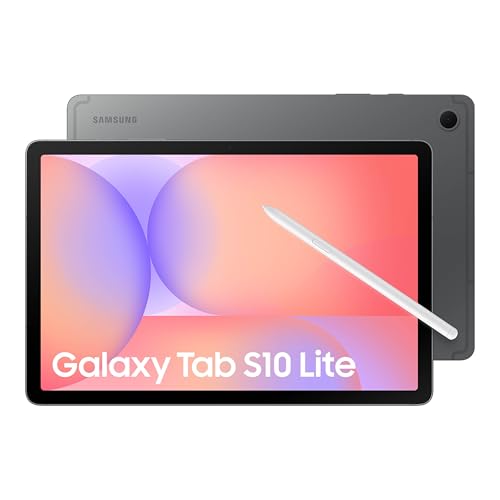
Samsung Galaxy Tab S10 Lite — Note-taker’s bargain
The S10 Lite answers a narrower question: what is the least you can pay for a Samsung tablet that still writes like one? The answer keeps the essentials surprisingly intact — an S Pen in the box, a 10.9-inch LCD, 6GB of RAM, 128GB of storage with expansion up to 2TB by card, and an Exynos 1380 running the show. Circle to Search and AI touches survive the price cut, which makes homework help and quick lookups part of the package rather than flagship exclusives. The 10.9-inch size is arguably the friendliest in the range for handwriting: large enough for a full page of notes, light enough to hold through a long meeting.
Expectations should be set by the word Lite. The LCD is a step down in contrast from the FE’s panel ambitions, the processor is tuned for notes, documents and video rather than game marathons, and the build aims for sturdy practicality over thin-and-light drama. None of that undermines the core job. As a digital notebook that also streams, browses and handles video calls, the Lite is coherent and honest — and because the pen is included rather than sold separately, the price you see is the price of the full writing setup. For a student furnishing a first study desk, or a professional who wants a dedicated notes tablet that is not the expensive flagship, this is the rung where Samsung’s ladder gets genuinely affordable without going bare-bones.
- Display: 10.9-inch LCD
- Processor: Exynos 1380
- Memory: 6GB RAM, 128GB storage
- Expansion: microSD up to 2TB
- Pen: S Pen included
- Extras: Circle to Search, AI features
Strengths
- Cheapest route to an included S Pen in Samsung’s current range.
- 10.9-inch size balances note space against one-bag portability.
- Huge microSD ceiling makes the base storage easy to live with.
Trade-offs
- LCD panel and mid-range chip cap its gaming and video ambitions.
- No IP68 rating, so it wants more care around water than the FE.
- Speakers and screen serve work better than they serve cinema.
Think of the Lite as the range’s gateway to Samsung’s software ecosystem, too. Galaxy continuity features — picking up a call or a copied snippet from your Galaxy phone, syncing notes across devices — work here, so a Samsung phone owner gets network effects that a no-name cheap tablet cannot offer at any price. For households already inside Samsung’s world, that quiet interoperability is worth more than a spec-sheet win elsewhere, and it is the reason the Lite, rather than a random budget rival, anchors the pen ladder’s bottom rung.
Best for: students, journal-keepers and meeting note-takers on a budget. Not suited for: gamers or buyers wanting a premium media screen.

Samsung Galaxy Tab A11+ — Family workhorse
The Tab A11+ is the household tablet, bought to be shared, borrowed and left on the coffee table without ceremony. Its recipe is a large display, 6GB of RAM with 128GB of expandable storage, Dolby Atmos speakers and a battery built for long streaming days. Atmos matters more than spec sheets suggest in this role: dialogue in films and shows gains clarity at modest volumes, which is exactly how a family tablet gets used in a kitchen or a bedroom. Performance is pitched at the streaming-and-browsing mainstream, and at that level it feels unhurried rather than slow — apps open, feeds scroll, video plays.
What the A11+ does not do is write. There is no S Pen in the box and the A line is not built around Samsung’s pen experience, so handwriting households should step up to the Lite or FE. There is no DeX desktop either. What you get instead is simplicity and stamina at a family-friendly price, with Samsung’s software polish and update support behind it — a meaningful edge over no-name budget tablets whose listings promise everything and update nothing. As a second screen for recipes, a kids’ homework machine with a parent’s profile beside it, or the tablet that lives in a guest room, the A11+ is the sensible default of this guide’s lower half.
- Display: Large screen
- Memory: 6GB RAM, 128GB storage
- Expansion: microSD supported
- Audio: Dolby Atmos speakers
- Pen: Not included (A line)
- Battery: Long-lasting cell for streaming days
Strengths
- Atmos speakers make it the best shared streaming screen in the guide’s lower half.
- Expandable storage and a big battery suit family media libraries.
- Samsung software support outlasts the no-name budget competition.
Trade-offs
- No bundled pen and no pen-first design — note-takers should look up the ladder.
- Performance is mainstream; heavy multitasking is not its brief.
- LCD panel is pleasant rather than cinematic.
Parents should note how well the A11+ fits Samsung’s family tooling: child accounts with content limits, a kids mode that fences the open internet away, and per-profile home screens so a parent’s email is not one tap from a seven-year-old’s game. Shared tablets fail when they are one person’s device borrowed by others; the A11+ is specced and priced to be nobody’s precious object, which is precisely the quality a household slate needs. Add a rugged case and it becomes the rare gadget a family can stop thinking about entirely.
Best for: families, streamers and households wanting one shared big screen. Not suited for: handwriting, drawing or desktop-style work.
Samsung Galaxy Tab A7 Lite — Compact budget pick
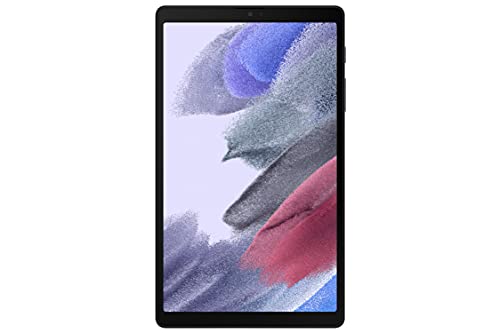
Small tablets nearly vanished from big brands’ catalogues, which is why the A7 Lite still earns a slot years into its run. Its 8.7-inch screen and slim metal frame make it the one pick here that genuinely works one-handed: reading in bed, following a podcast app in the kitchen, or handing a child a device sized for their grip rather than yours. The metal frame is not a luxury detail at this price — it is the difference between a budget tablet that survives backpack duty and one that flexes itself to death. Storage is a modest 32GB, so this is a streaming-first device; a microSD card is close to mandatory if you download films for flights.
Age is the honest caveat. The A7 Lite’s hardware is a generation or more behind everything else in this guide, and it shows in slower app launches and a screen that is fine rather than fine-looking. Buyers should treat it as a cheap, durable reader-and-streamer, not a shrunken flagship. Judged on those terms it remains oddly lovable: the size class is nearly extinct, Samsung’s software is familiar, and the price forgives the accidents small tablets meet in small hands. For a travel spare, a child’s first tablet or a bedside reader, it fills a niche nothing else in this guide touches.
- Display: 8.7-inch
- Storage: 32GB, expandable
- Build: Slim metal frame
- Pen: Not included (A line)
- Version: US Version listing
- Battery: Long-lasting for its size
Strengths
- True one-hand size that the rest of the range has abandoned.
- Metal frame gives budget hardware unusual durability.
- Prices low enough to buy as a travel or child’s tablet without anxiety.
Trade-offs
- 32GB fills fast; a memory card is effectively required.
- Older hardware means slower launches and a shorter remaining update runway.
- Screen and speakers are serviceable, not enjoyable, for long films.
Its travel case deserves one specific scenario: the A7 Lite is the tablet you preload with a child’s shows, a partner’s novel and a flight’s worth of podcasts, then toss into a carry-on without the low-grade dread that accompanies a flagship in an overhead bin. If it is lost, sat on or left in a seat pocket, the trip survives. That disposability-by-price is a feature no premium tablet can copy, and it keeps this ageing little slate in the guide on merit rather than nostalgia.
Best for: readers, travellers and children who need a genuinely small tablet. Not suited for: anyone wanting modern speed or generous built-in storage.
How Well Does the S Pen Actually Write Across the Range?
Pen feel is where Samsung’s tiers quietly diverge, and it deserves plain language because listings rarely explain it. On the flagship S models the pen tracks with the lowest latency in the range: the digital ink lands under the tip with almost no visible trail, which is what makes fast handwriting and sketching feel like paper rather than like dragging a cursor. Pressure sensitivity and tilt support let artists shade and vary line weight naturally. The FE keeps the same pen hardware philosophy and, for note-taking at lecture speed, most writers will not feel a meaningful gap; the difference appears in rapid sketching and in the smoothness of long strokes. The Lite writes perfectly well for notes, annotations and signatures — the jobs its buyers actually have — while asking artists to accept a little more trail behind a fast stroke.
Palm rejection across all four pen models is reliable enough that you can rest your hand on the glass the way you would on a notebook, and Samsung Notes has matured into a genuinely capable app: handwriting search, audio-synced recordings for lectures, straightened handwriting conversion and PDF annotation are all built in rather than sold. The practical advice is simple. If your writing is words — notes, forms, mark-ups — any pen model here serves you. If your writing is drawing, the flagship panels and their lower latency earn their premium every single session, and that is a difference you feel in the wrist within a week.
Can a Galaxy Tablet Really Stand In for a Laptop?
For a defined slice of laptop work, yes, and DeX is the reason the claim is not marketing fog. Connect an S-series tablet to a keyboard and mouse — or a monitor — and DeX rearranges Android into windows you can resize, snap and stack, with a taskbar and right-click behaviour that will feel familiar to anyone raised on a desktop. Word processing, spreadsheets, email triage, web research, slide editing and video calls all work comfortably. Samsung’s own apps and Microsoft’s mobile Office suite are built for the mode, and a browser with desktop-site toggles covers most web tools. The S10+, with its 12.4-inch screen, makes the strongest case because the canvas stops punishing split-screen work.
The honest limits are equally clear. Specialist desktop software — full video-editing suites, engineering tools, some accounting packages — has no Android equivalent of the same depth, and file management, while far better than it was, still occasionally fights you when a workflow spans five apps. The FE and Lite are not DeX-centred machines, and the A line does not pretend to be. So the laptop question sorts buyers cleanly: if your workday lives in documents, browsers and calls, an S-series tablet with a keyboard case can be your second computer and sometimes your first. If your workday lives in one irreplaceable desktop program, the tablet is a companion, and you should buy it as one — which usually means the FE, not the flagship.
What Should You Know About Battery Life and Charging Habits?
Samsung’s tablets are endurance-first devices: the larger models carry big cells tuned for long streaming and note-taking days, and even the compact A7 Lite sips power through its smaller screen. Real-world life depends on the usual levers — AMOLED panels sip power on dark content and drink it on bright white documents, while high refresh rates and 5G-style multitasking all take their cut. For most owners the pattern is charging every second or third day rather than nightly, which changes the ownership feel more than any benchmark: the tablet is simply there, awake and ready, like a book rather than a phone with its daily anxiety.
Two habits extend both daily endurance and long-term battery health. Use the battery-protection setting that caps charging if the tablet lives plugged in on a desk, since cells age fastest when held full and warm. And match the charger to the tablet’s supported fast-charging rather than the weakest brick in a drawer; a slow charger on a large tablet turns a coffee break top-up into an overnight event. None of the picks here is fragile about power, but the buyers who think about it once, at setup, are the ones still happy with the battery in year three.
How Do the Six Samsung Tablets Compare Side by Side?
| Pick | Screen | Pen | Storage | Character |
|---|---|---|---|---|
| Samsung Galaxy Tab S11 | AMOLED 2X | Included | 128GB + card | Flagship all-rounder with IP68 |
| Samsung Galaxy Tab S10+ | 12.4-inch AMOLED 2X | Included | 256GB | Largest canvas for split-screen |
| Samsung Galaxy Tab S10 FE | Large LCD | Included | 128GB + card | Pen and IP68 at mid price |
| Samsung Galaxy Tab S10 Lite | 10.9-inch LCD | Included | 128GB + card | Cheapest pen model |
| Samsung Galaxy Tab A11+ | Large LCD | Not included | 128GB + card | Family streaming with Atmos |
| Samsung Galaxy Tab A7 Lite | 8.7-inch LCD | Not included | 32GB + card | Compact metal-framed budget |
Read the table as a set of forks rather than a ranking. Pen or no pen splits the range in half instantly. AMOLED or LCD decides the media experience. Size decides where the tablet lives — desk, sofa or coat pocket. A buyer who answers those three forks honestly lands on one row of this table almost automatically, which is exactly how a one-brand range should be shopped.
How Long Will Each Tier Stay Fast and Supported?
Tablets age differently from phones: the hardware loafing through email and video today will still loaf through them in five years, so the real ageing clock is software. Samsung’s flagship tablets sit at the top of its support policy, with the longest runs of Android upgrades and security patches in the range, and that support is part of what the S11’s price buys. FE models follow closely, close enough that a student buying one for a degree should expect it to finish the degree still patched. The Lite and A models receive a shorter, essentials-focused runway — entirely fair at their prices, but worth knowing if you are buying a tablet as a five-year fixture for a parent or a business counter.
Storage ageing matters too. Apps grow, photo libraries grow, and a 32GB or 64GB device fills in ways that slow everything down. This is where Samsung’s loyalty to the microSD slot pays its owners: every pick here can swallow a card and move media off internal storage, postponing the cramped-storage slowdown by years. The practical rule is to buy the tier whose processor and support window match your intended lifespan, then let a memory card handle the library. Buyers who reverse that — flagship storage, budget lifespan expectations — consistently overspend.
What About Cases, Keyboards and the Accessory Trap?
Every tablet in this guide becomes a different product with the right two accessories, and a worse bargain with the wrong five. The essentials are short. A case with a stand transforms media and recipe use and protects the one component — the screen — that costs real money to replace; for the pen models, choose a case that retains the S Pen securely, because a loose pen in a bag is a lost pen by Friday. A keyboard case matters only if you will actually write on the tablet; buyers who type two emails a month are renting an idea, not a tool, and a slim folio serves them better. S-series owners eyeing DeX should try a borrowed Bluetooth keyboard for a week before buying Samsung’s book-cover keyboard — the trial tells you whether your work truly migrates.
The trap is the long tail: screen protectors in packs of three, novelty stylus tips, car mounts, stands for rooms the tablet never enters. Samsung’s ecosystem is deep enough to sell you an accessory for every mood. Resist by buying in order — protection first, your proven workflow second, everything else never. The money saved across a tablet’s life routinely equals the price step between tiers, which is the most Samsung sentence in this guide: the accessory drawer is where the FE quietly becomes an S11’s budget.
Which Buying Mistakes Do Samsung Shoppers Make Most?
The classic error is buying an international-version listing because it undercuts the US model, then discovering the warranty and support path runs through another country. Every pick in this guide is a US Version listing for that reason. A second mistake is assuming every Samsung tablet includes the S Pen; the A line does not, and discovering that after delivery turns a bargain into an accessory purchase. Third, buyers fixate on storage tiers and overpay for built-in capacity when a microSD card adds room for a fraction of the step-up cost — media files live happily on a card, even if apps prefer internal space.
Fourth, shoppers buy the flagship for a streaming-only life. The S11 is a superb machine, but a household that only watches video is paying for DeX, AI silicon and pen engineering it will never open. Finally, there is the case mistake: big AMOLED tablets are thin, beautiful and slippery, and the first drop onto a kitchen floor costs more than every case you declined to buy. Budget the case and, for pen models, a way to keep the pen attached — the best tablet is the one still intact next year.
How Do Samsung Tablets Handle Multi-User Households and Kids?
A tablet that lives on a shared counter has different requirements from a personal device, and Samsung’s software handles the shared case better than most Android rivals. Separate user profiles keep a parent’s work apps and a teenager’s games in different worlds on the same hardware, each with its own home screen and storage space. Samsung Kids builds a fenced environment with curated apps, time limits and a parent dashboard, and it runs across the range — including the A11+, which is why that model anchors the family end of this guide. Restricted profiles on the cheaper models are less granular, so households with several children at different ages should weigh the A11+’s profile tooling as a real feature, not a bullet point.
The other shared-household trait is durability of the arrangement rather than the device. A family tablet accumulates everyone’s streaming logins, a photo frame app, the doorbell app and the school portal, and it becomes infrastructure. Samsung’s update support keeps that infrastructure patched, and the microSD slot keeps its storage from choking on three people’s downloads. Buy the family tablet for the software discipline as much as the screen, and the A-series premium over a no-name slate explains itself within the first school term.
What Does Galaxy AI Actually Do on a Tablet Day to Day?
Galaxy AI is easy to dismiss as a launch-event buzzword, so it is worth grounding in tablet-shaped tasks. Note Assist tidies handwritten and typed notes, summarises long ones and formats rambling lecture captures into something revisable — genuinely useful on the pen models where notes accumulate. Circle to Search turns a long-press and a scribble into a lookup without leaving the app you are in, which on a tablet often means identifying a product in a video or a landmark in a photo mid-browse. Transcription tools convert recorded meetings and lectures into searchable text on the higher tiers. None of this replaces judgement, and some features want an internet connection and a Samsung account, but the cumulative effect is a tablet that files, summarises and fetches with less manual shuffling.
The tier reality: the fullest AI set lives on the S flagships, the FE and Lite carry a meaningful subset including Circle to Search, and the A line focuses on the basics. Buyers choosing between the FE and the S11 should count how much of their tablet life is notes and research — heavy note lives benefit from the flagship’s fuller toolkit, while streaming-first lives will never open the features they would be paying for. AI, like the pen, is a ladder feature: delightful when your work touches it daily, invisible when it does not.
How Should You Set Up a New Galaxy Tablet in the First Hour?
Start with updates: connect to Wi-Fi, run every system and app update before installing your life onto the device, because Samsung’s first-boot updates often include camera, pen and battery fixes. Sign in with the same Samsung and Google accounts as your phone so photos, notes and passwords flow across. Pen owners should open Samsung Notes, set their preferred pen style and paper template, and turn on handwriting-to-text if their notes need to become documents later. DeX-curious buyers on the S line should try the desktop mode once on the first day, with a Bluetooth keyboard if one is in the house, just to learn whether it fits their work — many owners discover their laptop stays closed more often than expected.
Do not skip the accessibility and comfort pass, whatever tier you bought. Raise text size one notch if you read at arm’s length, schedule the eye-comfort filter for the evening, and set up fingerprint or face unlock so the tablet opens like a book rather than demanding a password at the sofa. Owners who make these five-minute adjustments in hour one report a disproportionate share of the “this tablet just feels right” effect that spec sheets never capture.
Then tame the tablet for its actual job. Create separate profiles for children on shared A-series models, pin the streaming apps the household uses to the home screen, and move everything else into the drawer. Set the display timeout and eye-comfort schedule, enable Find My Device, and fit the case before the tablet leaves the room. A memory card, if you bought one, should be formatted in the tablet itself and set as the download location for your video apps while you are thinking about it — not three months later, mid-flight, with the internal storage full.
Which Samsung Tablet Fits Which Reader? A Quick Match-Making Pass
Abstract tiers become clearer with faces attached. The consultant who annotates contracts on trains and presents from the same device belongs on the S11: pen, DeX, water resistance and a screen that flatters client work. The graduate student splitting a 12-inch screen between papers and notes belongs on the S10+, where the canvas is the productivity feature. The undergraduate with a loan-shaped budget belongs on the S10 FE, which protects the pen and the IP rating while cutting the panel and chip. The diarist, the meeting-goer and the language student belong on the S10 Lite, the cheapest honest handwriting machine Samsung sells.
The household that wants one screen for recipes, doorbells, homework and Sunday films belongs on the A11+, whose Atmos speakers and profile tooling are family features disguised as specs. And the traveller, the child and the bedside reader belong on the A7 Lite, sized for one hand and priced for real life. Notice what the matching exercise proves: there is no best Samsung tablet in the abstract, only a best match between a ladder rung and a life. If your life spans two portraits — consultant by day, streamer by night — buy for the portrait that earns or relaxes you most, and let the other make do. It always does.
Final Recommendation
One last filter before you order: picture the tablet’s most common Tuesday — the ordinary day, not the holiday or the deadline. Buy for that day and the ladder chooses itself.
Match the rung to the job and Samsung’s ladder stops being confusing. The Tab S11 is the complete package for buyers who will keep it for years and use the pen, DeX and that AMOLED screen daily. The S10+ trades a generation for the biggest canvas and the most storage. The S10 FE is the value summit — pen, water resistance and a big screen where it counts — while the S10 Lite is the honest minimum for handwriting. The A11+ serves shared streaming households, and the A7 Lite keeps the small-tablet flame alive. Pick the S10 FE if one model must be named for the most people: it is the tablet this range’s typical buyer actually dreams about, priced like the one they can justify.
How Do You Keep a Galaxy Tablet Fast After Two Years?
Tablets rarely slow down because their chips age; they slow down because storage fills, apps accumulate and launch-era habits never get revisited. The two-year tune-up is an afternoon’s light work. Audit storage first: move films, downloads and photo archives to the microSD card every model here accepts, and keep a healthy slice of internal space free, because full storage is the single most common cause of mysterious lag. Uninstall the apps you trialled in month one — the average tablet carries a dozen — and clear the caches of the streaming services, which quietly hoard gigabytes of stale thumbnails and partial downloads.
Then look at what runs without being asked. Widgets that poll constantly, social apps syncing in the background and a home screen crowded with live panels all tax older hardware more than any single app does. Trim auto-start permissions, switch heavy widgets for static shortcuts, and let the tablet’s own device-care tools run their storage and memory checks. Finally, a factory reset — after a proper backup — remains the nuclear option that returns even a well-used A-series tablet to something close to its first-month responsiveness. Do the light version of this routine twice a year and the support-window question answers itself: a maintained mid-range Samsung stays pleasant long after an unmaintained flagship starts to feel its age.
Frequently Asked Questions
Do these tablets work with Samsung phones and earbuds?
Yes, and the pairing is more than marketing: Galaxy Buds switch between phone and tablet automatically, calls and texts can surface on the tablet, and copied text or images on one device paste on the other. None of it is essential, but owners inside Samsung’s ecosystem feel the friction difference daily, which is why this guide weighs ecosystem fit alongside raw specifications.
Does every Samsung tablet come with the S Pen?
No. The S Pen is bundled with Galaxy Tab S and Tab S FE models, including the Lite. The Tab A line does not include one, and pen support there is not the same experience, so handwriting buyers should shop the S and FE rows of this guide.
What is Samsung DeX and which picks have it?
DeX is Samsung’s desktop-style mode: windows, a taskbar and mouse-friendly layouts when you connect a keyboard or monitor. It is a flagship S-line feature, so the S11 and S10+ are the picks built around it.
Can I expand the storage on these tablets?
Yes — microSD expansion runs across this range, and the S10 Lite accepts cards up to 2TB. Cards suit media libraries and documents; keep demanding apps on internal storage where possible.
Are any of these tablets water resistant?
The Tab S11 and Tab S10 FE carry IP68 ratings, which is rare among tablets. That means resistance to dust and immersion in fresh water under test conditions — not a licence to swim with them, and salt water still demands a rinse and care.
Samsung tablet or an iPad — how should I think about it?
Choose Samsung if you value microSD expansion, the S Pen in the box, DeX desktop flexibility and freedom in file handling and app sources. Choose Apple’s route if your household already lives in its ecosystem and its app exclusives matter to you. Within an all-Samsung shortlist, the ecosystem argument cuts the other way: a Galaxy phone owner’s tablet inherits accounts, notes and continuity features for free.
How much storage do I actually need?
For streaming, browsing and notes, 128GB plus a microSD card is comfortable for years. Download-heavy travellers and people who keep large game or video libraries offline should start at 256GB where offered, as on the S10+, or budget for a big card from day one.
Why does the listing version matter so much?
US Version models carry US warranty coverage and the expected update and support path. International versions can be cheaper but may route service abroad, so this guide only links US Version listings.
Related Guides
Keep exploring the tablet shelf with the best lte tablets, the best fire tablets, the best tablets for recipes, the best android tablets for boating and the best android tablets with hdmi.
Related guides
- Best 3D Art Tablets
- Best Canon Point and Shoot Digital Cameras: PowerShot Picks From Pocket Compacts to Travel Zooms
- Best Balancing Stabilizers for Mirrorless Cameras: Payload, Balancing and Native Vertical Shooting
- Best Basic Phones Camera Buyers Can Trust: Flip Phones and Simple Handsets That Still Take a Photograph


