Our Top Picks


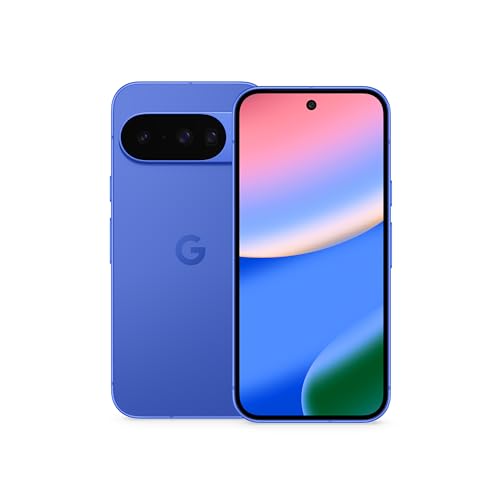

What's inside
- What rootable really means on a modern Android phone
- Bootloader unlock policies, brand by brand
- Samsung Knox and the e-fuse you cannot undo
- Custom ROMs: LineageOS, GrapheneOS, and what each one asks of you
- Magisk and root in the systemless era
- Play Integrity, banking apps, and the cat-and-mouse problem
- Warranty, safety, and the real risks nobody should minimise
- The candidate families, examined one at a time
- Community support: how to tell whether it will last
- A pre-purchase checklist for the exact unit in front of you
- Who should not root, and honest alternatives
- Living with a modified phone month after month
- Reading a device wiki like a detective, not a fan
- Frequently asked questions from first-time buyers
- Check prices on Amazon
- Verdict: buy the policy, not just the phone
As an Amazon Associate I earn from qualifying purchases. This post may contain affiliate links at no extra cost to you.
Rooting used to be a weekend ritual for almost every Android enthusiast. People unlocked a phone on Friday night, flashed something experimental before dinner, and spent Sunday deciding which kernel settings actually improved battery life. That culture has not disappeared, but the ground underneath it has shifted a great deal. Fewer manufacturers leave the door open, carriers in the United States lock it more firmly than ever, and modern banking software treats an unlocked device with open suspicion. Choosing a handset for modification today is therefore less about raw specifications and more about policy, paperwork, and community staying power.
This guide looks at Android phones that remain friendly to owners who want deeper control over hardware they have paid for. The discussion stays on the ownership side of the line. Unlocking a bootloader through a route the manufacturer itself provides, installing community software on your own handset, and accepting the trade-offs that follow are personal decisions about personal property. Nothing here is about defeating protections on a device that belongs to somebody else, slipping past a carrier finance check, or hiding modification from an employer that manages a work phone. Those are different problems, and they deserve a flat refusal rather than a workaround.
Readers will find comparisons of unlock policies across Google, OnePlus, Motorola, Samsung, and several smaller brands. Separate sections unpack the permanent consequences attached to Samsung Knox, explain why an American carrier variant can behave like a completely different product from its international sibling, and weigh what LineageOS and GrapheneOS each demand from the hardware beneath them. Later parts turn to Magisk in its current form, the uneasy relationship between root and Play Integrity, and the quiet maintenance burden that arrives months after the excitement of a first successful flash has faded.
What rootable really means on a modern Android phone
The word rootable gets used loosely in listings, forums, and second-hand advertisements, and that looseness causes expensive misunderstandings. At its simplest, root access means the owner can obtain administrator-level permission inside the operating system, rather than being confined to the sandbox granted to ordinary applications. Getting there usually depends on an earlier step that has nothing to do with root itself: unlocking the bootloader. The bootloader is the small, low-level program that starts before Android loads, verifies signatures, and decides which system images are allowed to run.
When a manufacturer permits unlocking, that verification gate can be opened through an official setting, sometimes paired with a code issued after registration. The owner can then boot or install alternative system images, recovery environments, and patched boot partitions. When a manufacturer or carrier forbids unlocking, none of those later steps have a legitimate starting point, no matter how powerful the processor is or how enthusiastic the developer community might be. A phone can be popular, fast, and widely sold while still being a dead end for modification.
Three separate questions hide inside a single buying decision, and separating them prevents disappointment. First, can the bootloader be unlocked through a supported channel on this exact variant? Second, does useful software exist for it, maintained by people who still publish builds and answer bug reports? Third, will everyday services the owner relies on continue working once the system has been altered? A handset that passes the opening question but fails the second leaves the owner with an unlocked device and nowhere interesting to go. A handset that passes both can still fail the third if a banking application, work profile, or transit wallet refuses to run.
There is also a difference between theoretical and practical openness. Some brands technically allow unlocking yet make the process slow, revocable, or dependent on servers that may vanish when a product line is discontinued. Others tie permission to an account age, a waiting period, or a regional support site that excludes certain markets. Enthusiasts who have followed this scene for years have learned to verify the precise model number, chipset variant, and sales channel before paying, because a single letter at the end of a model code can separate an open device from a sealed one.
Bootloader unlock policies, brand by brand
Google Pixel and the reference point everyone measures against
Google sells Pixel phones with an unlock path that has stayed comparatively straightforward on units bought without carrier restrictions. A toggle inside developer options, a confirmation inside the bootloader interface, and a complete data wipe form the core of the experience. That wipe is not a bug or a punishment. It protects the previous owner’s information if a device changes hands, and it forces anyone unlocking a phone to confront the fact that the process is destructive by design.
Pixels earn their reputation for another reason as well: documentation and factory images are published openly, recovery from a failed experiment is usually plausible, and alternative projects target these devices early because the software groundwork is visible. GrapheneOS, a hardened system built around privacy and security, supports Pixel hardware exclusively, which gives these phones a second life that no specification sheet can capture. Owners who care about verified boot with a custom system will find that detail decisive, since relocking the bootloader while running alternative software is possible on supported Pixels in a way that remains rare elsewhere.
The caveat involves where the phone was purchased. Carrier-financed Pixels in the United States, most notoriously units tied to certain networks, may keep the unlocking toggle greyed out until contractual conditions are satisfied, and sometimes the restriction lingers in confusing ways. A Pixel bought directly as an unlocked model and a Pixel supplied through a carrier promotion can share a name, a box design, and a camera system while differing completely on this one setting. Checking the toggle’s behaviour before the return window closes is one of the most practical pieces of advice in this entire guide.
OnePlus and a reputation that needs checking per generation
OnePlus built early goodwill by tolerating, and at times quietly encouraging, independent development. Enthusiasts remember an era when warranty language felt friendlier and fastboot access seemed like part of the brand identity. The modern picture is more mixed and varies by region and generation. Many OnePlus models still expose a conventional unlock route, yet tools for recovering a bricked unit have become harder for ordinary owners to obtain, and the software merger with its sister brand changed update structures underneath the surface.
That history produces a specific buying habit among experienced modders: they read device-specific forum threads for the exact generation under consideration rather than trusting brand nostalgia. A previous model with thriving development tells you little about a successor launched under different management priorities. When a OnePlus handset does line up — open unlock, active maintainers, accessible recovery images — it can be genuinely appealing, pairing flagship-grade performance with a community that understands the hardware intimately. When any leg of that tripod wobbles, caution is wiser than loyalty.
Motorola and the unlock portal approach
Motorola operates a formal bootloader unlock programme. Owners request a unique code through the company’s portal after supplying identifiers from the device, acknowledge warnings, and then complete the process themselves. Many retail unlocked Motorola models qualify, spanning the Edge family and the more affordable Moto G range, which makes the brand relevant across several budgets without needing to discuss specific prices here. Developer interest tends to follow the more widely sold variants, so a mid-range model with huge global sales sometimes enjoys better community support than a niche premium edition.
Carrier-sold Motorola units again form the exception that catches people out. A Moto G purchased through a prepaid American brand may be ineligible even though an outwardly identical retail version qualifies without drama. Motorola publishes eligibility checks for a reason, and running a prospective purchase through those checks, or at least confirming the sales channel, saves the particular heartbreak of discovering ineligibility after accessories have been opened and data has been transferred.
Samsung: two different worlds under one logo
Samsung demands the longest explanation because its policy splits sharply along geographic and sales-channel lines. International Galaxy models built around Exynos silicon, and some Snapdragon variants sold outside North America, have historically exposed an OEM unlocking option after certain conditions are met. Community development for those units exists, though it navigates Samsung-specific structures such as Odin flashing, custom recoveries adapted to Galaxy partitions, and the Knox consequences covered in depth below.
Galaxy phones sold for the United States and Canada through carriers occupy another universe entirely. Their bootloaders are, as a general rule, not unlockable through any official route, regardless of whether the device has been paid off or the network SIM lock has been removed. SIM unlocking and bootloader unlocking are unrelated permissions that share a confusingly similar name. Releasing a phone to work on another network does nothing to open its bootloader, and countless forum posts trace back to that single misunderstanding. Anyone in North America who wants a modifiable Galaxy should absorb this early: the local carrier model is almost certainly the wrong purchase, and importing introduces warranty, band compatibility, and repair complications that need honest weighing.
Even on unlockable international units, Samsung has added friction over time, including remote management states, waiting periods tied to account sign-in, and software changes in newer One UI releases that have narrowed what enthusiasts once took for granted. Policies here move, sometimes within a single product generation through an update. Verifying the current state for a specific Galaxy model and firmware, close to the moment of purchase, matters more with Samsung than with any other brand in this guide.
Smaller names worth knowing: Nothing, Fairphone, Sony, and others
Nothing has courted younger, design-conscious buyers while keeping an unlock route available on its Phone series, and independent developers responded with ROMs and kernels for several releases. The community is smaller than Pixel’s, so prospective owners should confirm that builds exist for the generation they want rather than assuming continuity. Fairphone approaches openness from a repairability and longevity angle, selling devices designed for disassembly, spare parts, and extended software relevance; its unlock stance fits that philosophy, although raw performance has never been the selling point.
Sony maintains an open device programme for selected Xperia models, publishing resources that most large manufacturers would never bother with, yet the audience is narrow and camera behaviour after unlocking has historically involved compromises that photographers should research carefully. Asus has swung between enthusiast-friendly and restrictive postures across Zenfone and ROG lines, with unlock tool availability changing over time, which makes archived forum optimism a poor guide to present reality. Xiaomi, a giant in this scene in many regions, now layers account requirements, applications in some markets, waiting periods, and regional restrictions over unlocking, turning what was once routine into an administrative project. The lesson repeats: brand-level generalisations age quickly, variant-level verification does not.
Readers comparing mainstream flagships alongside these enthusiast options may also want to scan our roundup of best 5g android phones to see how ordinary buying priorities like reception and battery endurance stack up before modification potential even enters the conversation.
Samsung Knox and the e-fuse you cannot undo
No warning in this article deserves more emphasis than the one attached to Samsung Knox. On Galaxy hardware, unlocking and flashing unofficial software trips a hardware-level indicator often described as an e-fuse. The metaphor is physical for a reason. Once that indicator changes state, no later flash, reset, or return to factory firmware restores it to its original condition. Relocking a bootloader does not rewind the counter. Installing official software again does not rewind it either. The change follows the motherboard for the rest of the device’s working life.
Consequences radiate outward from that single irreversible step. Samsung Pay and Samsung Pass have historically stopped working permanently on tripped devices. Secure Folder, the encrypted space many Galaxy owners use for sensitive files and duplicate applications, depends on Knox integrity and can become unavailable. Certain enterprise deployments check Knox status before enrolling a phone, so a tripped personal device may be rejected by an employer’s management system years after the owner has forgotten the weekend experiment that caused it. Health-related features tied to the platform have also been affected on some models, adding another layer owners rarely anticipate.
Warranty treatment adds regional nuance. In parts of Europe, consumer law makes blanket warranty denial harder, and a manufacturer may need to connect a fault to the modification before refusing repair. In other markets, service centres treat a tripped indicator as straightforward grounds to decline coverage or charge for work that would otherwise be free. Neither extreme should be assumed. What can be stated plainly is that unlocking a Galaxy is a decision with a permanent receipt attached, and resale value suffers too, because knowledgeable second-hand buyers check Knox status and discount accordingly.
None of this makes an international Galaxy a bad choice for the right person. It makes it a choice that should be entered with eyes open, ideally after the owner has decided that Knox-dependent services are genuinely dispensable. The worst outcome in the Samsung scene is not a bricked phone, dramatic as that sounds. It is a working phone that has quietly lost features its owner used every day, lost them forever, in exchange for a modification that turned out to be a passing curiosity.
Custom ROMs: LineageOS, GrapheneOS, and what each one asks of you
A custom ROM replaces the manufacturer’s Android build with a community or project-maintained system. Motivations differ. Some owners want a phone to keep receiving security patches after official support ends. Others want to remove preinstalled applications that cannot be uninstalled normally, reduce dependence on a particular company’s services, or run a leaner interface on ageing hardware that still performs adequately. A smaller group simply enjoys the craft of maintaining a system they chose rather than inherited.
LineageOS is the best-known name in this space, descended from the CyanogenMod project that defined early Android modification. It supports a broad catalogue of devices from many manufacturers, publishes builds on a regular cadence, and aims for a clean experience close to stock Android with sensible additions. Official support status matters enormously. A device with an active official maintainer receives tested builds through the project’s own channels, while unofficial builds depend entirely on one volunteer’s spare time and may stop without announcement. Checking the LineageOS device index, reading the installation notes for warnings specific to a model, and glancing at recent build activity tells a buyer more than any marketing claim.
GrapheneOS takes a narrower, deeper approach. It supports Pixel phones only, hardens the operating system against exploitation, and restructures how applications access Google services by placing them inside the ordinary app sandbox rather than granting them privileged positions. Owners who choose it are usually pursuing a security model, not theming or casual tinkering, and its community expects users to follow documented installation routes and keep systems updated promptly. Verified boot remains intact because the project signs its releases and supported Pixels can lock the bootloader again afterwards, preserving a chain of trust that most other ROM installations surrender.
Other projects fill niches between those poles. CalyxOS also centres Pixels with a friendlier onboarding style. DivestOS pursued hardening for a wider set of older hardware before winding down, a reminder that projects have lifespans. Various device-specific builds on forums offer features the larger projects decline to include, at the cost of thinner review and slower patching. A prudent owner asks who signs a build, where update files come from, how quickly monthly security fixes are incorporated, and what happens if the maintainer buys a different phone next year.
Camera quality deserves a sober paragraph of its own. Manufacturer camera applications lean on proprietary processing tuned to specific sensors, and moving to a community system often means losing some of that computational magic. Ported camera applications recover part of the gap on popular models, but night modes, portrait rendering, and video stabilisation can still regress. For some owners the trade is trivial. For a parent whose phone is the family camera, it may be the single strongest argument against changing systems, stronger than any warranty concern.
Anyone eyeing an older handset specifically as a ROM project will find useful context in our guide to best 2 year old android phones, since a device from a couple of generations back often sits at the sweet spot where community builds have matured and hardware still feels responsive.
Magisk and root in the systemless era
Magisk is the tool most owners encounter when they move beyond a custom ROM toward root itself. Its defining idea, developed over years by its creator and contributors, is often called systemless: rather than rewriting the core system partition directly, it patches the boot image and layers modifications on top at startup through modules. That architecture made updates less painful than older methods and allowed changes to be disabled or removed in a more orderly fashion. Modern Android, with its dynamic partitions, virtual A/B update schemes, and tighter verification, has made every step more intricate than forum posts from a decade ago suggest.
Modules are where Magisk becomes both powerful and risky. A module can adjust system behaviour, enable features, alter fonts, or modify how applications perceive the device environment. Each module is code from a third party running with extraordinary privilege. Installing one casually is comparable to handing a stranger the master key to a house because they offered to fix a squeaky door. Sensible owners read source code or at least reputation history, install one change at a time, keep a known-good boot image within reach, and treat bootloops as an expected hazard rather than a freak accident.
Root also changes the security equation in ways enthusiasts sometimes understate. Android’s application sandbox assumes that the system beneath applications enforces boundaries. A process with root permission stands outside many of those boundaries, which is precisely why owners want it and precisely why malware would want it too. Prompt discipline matters: granting superuser access to an unfamiliar application, leaving prompts on automatic approval, or installing patched versions of paid software from random channels converts a controlled experiment into an open door. The owner becomes, in effect, their own security team, with no vendor helpdesk to call.
It is worth stating what root is not needed for in current Android versions, because many people unlock a phone chasing goals that no longer require it. Removing visible bloat can often be handled through ADB commands for the current user. Automation, theming overlays, firewall-style controls, and DNS-level filtering all have non-root implementations of varying quality, including tools built around Shizuku that borrow elevated permission through a documented bridge. Exploring those routes first is not cowardice. It is engineering judgement: use the least privilege that accomplishes the task.
Play Integrity, banking apps, and the cat-and-mouse problem
The most common moment of regret in modern rooting arrives quietly, at a shop counter or during a rent payment, when a financial application announces that the device cannot be trusted. Google’s Play Integrity API lets developers ask whether software is running on a genuine, unmodified environment. Responses are tiered, and application developers choose how strict to be. Some apps merely warn. Others refuse to open. Payment wallets and banking tools tend toward strictness because fraud losses and regulatory obligations concentrate their minds wonderfully.
An unlocked bootloader by itself can affect integrity verdicts even before root enters the picture, and a custom ROM without root can face the same refusals. This surprises owners who assumed that only root would cause trouble. From the perspective of an attestation system, an unlocked device running unsigned software looks risky regardless of the owner’s intentions, and the system has no reliable way to distinguish a privacy enthusiast from a fraudster cloning an environment. That indifference is structural, not personal.
Online communities devote enormous energy to passing these checks, and methods circulate, break, and are replaced as Google adjusts its signals. This guide deliberately does not provide instructions for defeating integrity checks or concealing modification from financial institutions. Hiding the state of a device from a bank that is making a risk decision about real money crosses the ownership line drawn at the start. Your phone is yours. Your bank’s fraud model is theirs. Owners who need reliable access to banking, tap-to-pay, corporate resources, or government identity applications should plan on the assumption that a modified daily driver may fail them at an inconvenient moment, because sometimes it will.
Practical planning softens the risk without any deception. Many enthusiasts keep banking on a second, unmodified handset or handle finances through a bank’s website on a computer. Others test every essential application immediately after a modification, while returning to stock remains easy and the return window on a new purchase is still open. The essential applications list should be personal and honest: the primary bank, any payment wallet, two-factor tools not backed up elsewhere, work communication, medical portals, transit cards, and the application that unlocks a building or a car. If losing any one of them for a week would cause genuine harm, rooting the only phone you own is a gamble, not a hobby.
Streaming services add a smaller annoyance in the same family. Widevine certification levels influence playback resolution in some applications, and unlocking can drop a device to a lower level on certain models, reducing video quality in ways that persist until stock software and a locked state are restored, and on some hardware not even then. Gamers may meet similar device checks in titles with aggressive anti-tamper systems. None of these restrictions appear on a specification sheet, yet they shape daily satisfaction more than benchmark scores do.
Warranty, safety, and the real risks nobody should minimise
Unlocking a bootloader almost always begins with a warning screen that mentions warranty in stern language. The legal reality varies by country and by how a claim is handled, but the practical reality is simpler: expect resistance. Support staff may attribute unrelated faults to modification, repair centres may refuse a device running unofficial software until it is restored, and some manufacturers state outright that unlocking voids coverage for their products in their markets. Owners who cannot afford a repair bill or a replacement should treat that warning as if it were absolute, whatever a forum lawyer in another jurisdiction insists.
Bricking remains possible, though the word covers two very different disasters. A soft brick usually means the phone boots to a logo, a recovery screen, or a fastboot interface and can be revived with correct images and patience. A hard brick leaves a dark, unresponsive device that may need specialised tools or a service centre. Modern safeguards have reduced the frequency of the second outcome, but flashing a boot image meant for a sibling model, interrupting a write, or following instructions written for a different firmware generation can still produce it. The antidote is unglamorous: verify checksums, match firmware exactly, keep the battery charged, use a reliable cable, and never improvise a step that a guide glosses over.
Data loss is not a risk so much as a certainty at several points. Unlocking wipes the device by design. Restoring stock and relocking wipes it again on many models. A failed update on a custom system can force another reset. Owners should maintain backups that do not live only on the phone itself, export authentication seeds or recovery codes where a service permits it, and confirm that photographs and messages exist somewhere else before beginning. Cloud synchronisation is not a backup if the account holding it becomes inaccessible during the same afternoon.
Physical safety enters the conversation when modification touches charging behaviour, thermal limits, or battery reporting. Kernel tweaks and modules that promise faster charging or extreme performance can push hardware outside the envelope its designers validated. Lithium batteries do not negotiate. Swelling, excessive heat, or a phone that becomes warm while idle after a modification are signals to revert and investigate, not badges of enthusiast honour. Similarly, disabling security features to make an old application work trades a tangible protection for a vague convenience, and the bill for that trade occasionally arrives as a compromised account.
There is a quieter risk around updates. A modified phone may stop receiving over-the-air updates cleanly, leaving the owner responsible for tracking security bulletins and applying patches manually. Delay accumulates invisibly. A handset that felt liberating in month one can, by month nine, be running an old patch level because a maintainer moved house, changed jobs, or lost interest. Anyone unwilling to check for updates on a rhythm should factor that honesty into the decision, because an unpatched modified phone can end up less secure than the stock device it replaced.
The candidate families, examined one at a time
Pixel standard and Pro models as the default recommendation
For most readers, the shortlist starts with whichever recent Pixel generation fits their size and camera preferences. The combination of an accessible unlock on retail units, published factory images, GrapheneOS eligibility, and deep LineageOS support is unmatched. Pro models add telephoto hardware and brighter displays that matter to photographers, while the standard models keep the same software privileges in a smaller footprint. The A-series entries have served as project phones for many owners, trading premium materials for the identical fundamental openness that defines the line.
Longevity strengthens the case. Google extended support windows for recent generations, which means stock software remains a viable fallback for longer, and community developers tend to invest in hardware that will stay relevant. Tensor-powered devices generate debate about modem behaviour and heat under sustained load, topics worth reading about if the phone will also serve as a daily driver in a weak-signal area. Those debates concern general ownership, though, not modifiability, and on modifiability the verdict is unusually clear.
OnePlus flagships for performance-focused tinkerers
Recent OnePlus flagships appeal to owners who prioritise speed, fast charging, and a display that feels fluid in every interaction. When the specific generation has healthy development, custom kernels and ROMs arrive with enthusiasm, and the hardware headroom makes experimentation pleasurable. Prospective buyers should spend their research time on recovery options: how does an owner restore this exact model after a serious failure, and are the necessary tools available to the public or locked behind authorised service channels? The answer has changed across generations and separates a manageable project from a fragile one.
OxygenOS itself has grown heavier and closer to its sister brand’s design language, which paradoxically increases the appeal of community software for purists who remember the lighter early builds. It also increases the importance of checking whether maintainers stayed after each software transition. A lively thread from launch month that went quiet by the following spring is a warning, not an endorsement.
Motorola Edge and Moto G as the accessible middle path
Motorola’s Edge line offers clean software, respectable displays, and unlock eligibility on retail units, with a community that is present if not enormous. The Moto G family, meanwhile, has quietly powered a generation of first experiments: affordable enough in spirit that owners feel braver, common enough that guides exist for almost every variant, and simple enough in software that stock already resembles what many people flash a ROM to obtain. That last point cuts both ways. If the factory experience is nearly stock Android, the gains from replacing it shrink, and unlocking may serve mainly to extend the phone’s life after official updates end.
Buyers should pay close attention to variant fragmentation. Moto G models multiply into regional editions with different chipsets under near-identical names, and a build compiled for one can be useless or dangerous on another. The codename printed in device information, not the marketing name on the box, determines which files belong on the phone. Learning to read codenames is a rite of passage in Motorola ownership and a habit that prevents the most common beginner error in that ecosystem.
International Galaxy S and Galaxy A models, with the Knox asterisk
An international Galaxy S flagship offers superb hardware, long official support, and displays that set standards others chase. As a modification platform it carries the Knox asterisk permanently, plus a flashing culture that differs from fastboot-centric brands and requires Samsung-specific tools and terminology. Galaxy A models broaden access to that ecosystem and have their own developer followings in regions where they sell in enormous numbers. In both cases, the buyer must be certain the unit is an unlockable regional variant, must accept the irreversible feature losses, and should confirm that a maintained ROM or at least a maintained recovery exists before money changes hands.
Foldable Galaxy models deserve a separate caution. Their hardware complexity, repair costs, and smaller developer pools make them poor candidates for experimentation despite their appeal as objects. A folding screen is an expensive thing to risk on a learning curve.
Nothing Phone models and Fairphone for values-driven buyers
Nothing’s phones suit owners who want a distinctive device and a plausible modification path without entering the Samsung or carrier minefields. Development communities around them are genuine but modest, so expectations should be set around a handful of solid options rather than a buffet. Fairphone suits a different temperament entirely: the owner who plans to keep hardware for many years, replace a battery or a port at a kitchen table, and run community software long after mainstream attention moves on. Performance per pound or per dollar is not the metric there; years of service and parts availability are.
Shoppers who care about screen quality while weighing these niche choices can cross-check display priorities in our coverage of best 1440p android phones, because a high-resolution panel you enjoy daily matters more than a spec you admire once.
Community support: how to tell whether it will last
Every recommendation above leans on a community, so judging a community’s health is a buying skill in itself. Start with dates. Recent builds, recent commits, and recent maintainer replies signal a living project. A device forum where the newest thread is a year old and the pinned guide references a superseded Android version signals an archive. Neither judgement requires technical brilliance, only the discipline to look before leaping.
Look next at structure. Projects with public source code, documented build processes, issue trackers, and more than one contributor survive individual burnout. A ROM maintained by a single anonymous account, distributed as opaque archives through a file host, with discussion confined to a chat channel that deletes history, concentrates every risk at once. Popularity helps because popular devices attract successor maintainers, which is why a mainstream Pixel or a high-volume Moto G often outlasts a technically superior exotic import in software terms.
Kernel source publication by the manufacturer is another longevity marker. Vendors are obliged under the Linux kernel’s licence to offer source for distributed kernels, and the speed and completeness of that publication shapes what developers can achieve. Brands that publish promptly and completely earn development; brands that delay or fragment releases watch it drift elsewhere. Reading a device’s development history with that lens explains patterns that marketing never mentions.
Finally, consider the exit route. A healthy ecosystem provides current factory images, a documented return-to-stock path, and spare parts through ordinary channels. If leaving an experiment requires the same obscure tools as entering it, the project owns the owner rather than the reverse. The best platforms make experimentation reversible in every respect except the few, clearly labelled exceptions such as Knox, and those exceptions should be the headline of the research, not a footnote discovered afterwards.
A pre-purchase checklist for the exact unit in front of you
General brand research narrows the field; a checklist closes the sale safely. Work through it in order, and stop at the first failure rather than rationalising it away. Confirm the full model number and codename, not just the retail name. Confirm the chipset variant where a line splits between suppliers. Confirm the sales channel, and treat carrier financing as a red flag for unlockability until proven otherwise. Search the manufacturer’s own eligibility tool or support pages using that model number. Search the LineageOS device list and the relevant project pages using the codename. Read the installation wiki for that device completely, including the warnings in smaller print about firmware prerequisites and anti-rollback protections.
Anti-rollback deserves its own sentence because it surprises people mid-project. Some devices record a minimum firmware version and refuse older images, which means a casual downgrade described in an old video may be impossible or dangerous on a phone that has taken recent updates. Guides age. Firmware does not care. Matching the guide’s stated prerequisites to the phone’s current build number is tedious, essential work.
Then examine the human infrastructure. Note the date of the newest build for your intended ROM. Note whether the maintainer responded to the last reported serious bug. Note whether recovery images are current. Save offline copies of factory firmware, drivers for your computer, and the exact guide versions you relied on, because support pages move and links rot at the least convenient moments. If buying second-hand, ask whether the bootloader is already unlocked, whether any Knox indicator has been tripped, whether the device is still tied to a previous owner’s account or a finance agreement, and whether it passes a basic integrity check in its current state. A cheap modified phone with an unknown history can be the most expensive option on the table.
Small phones and older form factors attract project buyers too, since a compact spare handset makes an ideal test bed that never carries banking duty. Readers hunting for a secondary experiment device might browse best 5g phones for current mainstream context before circling back to codename lists and maintainer pages with fresh eyes.
Who should not root, and honest alternatives
Some readers should close this guide and buy the best stock phone they can, and saying so is part of giving good advice. If a single handset carries your banking, your employer’s managed applications, your medical records, and the only copy of your two-factor access, modification puts too much in one basket. If you dislike troubleshooting, depend on tap-to-pay several times a day, or would feel genuine distress if the phone failed to boot before a work shift, the hobby’s costs land on exactly the wrong person. If the phone belongs to an employer, a school, or a family member who has not consented, the question answers itself.
Alternatives cover more ground than most people expect. A second, inexpensive project handset isolates every risk: banking stays on the untouched daily phone while the experiment can fail without consequence. Using a custom ROM without root preserves much of the appeal — different software, longer updates, less bloat — while avoiding one layer of exposure, although integrity checks may still object to the unlocked state. Debloating through ADB, choosing applications from open-source repositories, running a privacy-respecting DNS service, and tightening permissions inside stock Android collectively deliver a large share of the control that beginners imagine only root can provide.
There is also dignity in waiting. A phone still receiving prompt official updates does not need rescuing yet. Many owners schedule their first unlock for the moment official support ends, converting a device that would otherwise be retired into a LineageOS machine with years of community patches ahead. That timing maximises the benefit, minimises the warranty sacrifice, and turns modification from restlessness into stewardship.
Living with a modified phone month after month
Launch-day excitement fades into routine, and routine is where modified phones either prove themselves or quietly get replaced. Updates require attention: reading changelogs, confirming that a new build supports your firmware base, backing up before applying it, and occasionally discovering that a favourite module has not caught up. Owners who build a small ritual — a monthly check, a backup habit, a folder of known-good images — find the burden light. Owners who wing it eventually meet the update that punishes improvisation.
Troubleshooting changes character too. On a stock phone, a strange bug is the manufacturer’s problem and a support script exists. On a modified phone, the owner triages: is this a ROM bug, a module conflict, a firmware mismatch, or hardware failing on its own schedule? Community forums help enormously, but they ask for logs, version numbers, and a clear account of what changed. Learning to supply those details, and to change one variable at a time, is the real skill the hobby teaches. It transfers well beyond phones.
Resale and hand-me-down plans need forethought. A modified phone given to a relative without restoring stock is a gift of future confusion, since that person will meet integrity refusals and update oddities without the context to understand them. Restoring factory software, relocking where the platform supports it safely, and disclosing any permanent changes such as a tripped Knox indicator is the responsible handover. Disclosure matters in private sales as well; a buyer who discovers an undisclosed unlock state has every right to feel misled.
Reading a device wiki like a detective, not a fan
Every supported handset in a serious project has a wiki page, and learning to interrogate that page saves more money than any discount code. Begin with the prerequisites block near the top, where maintainers quietly list firmware versions, regional restrictions, and steps that must happen before anything exciting begins. Warnings written in plain language there carry more weight than enthusiastic comments underneath launch coverage, because wiki editors revise those cautions after real devices have failed in real hands.
Move next to the known issues section, however short it looks. A candid list mentioning a temperamental fingerprint reader, a camera quirk under low light, or a Bluetooth codec that misbehaves tells you the maintainers test honestly and publish what they find. Silence in that section can mean perfection, but on complex hardware it more often means nobody has looked carefully yet. Cross-checking those notes against recent forum reports builds a picture no benchmark chart can offer.
Pay attention also to how installation instructions handle recovery from mistakes. Strong guides explain how to return to factory software, name the exact files involved, and warn where anti-rollback protection blocks a retreat. Weak guides rush toward the triumphant screenshot and leave the exit unmarked. Prefer devices whose documentation treats failure as a normal branch of the journey, because at some point, usually late at night, that branch is the one you will be standing on.
Finally, notice the credits and the changelog rhythm. Names that recur across years, releases that arrive shortly after monthly security bulletins, and a bug tracker where reports receive labels all point toward a project with habits rather than bursts of enthusiasm. Habits are what keep a phone patched in its third year. Bursts are what leave it stranded after its first.
Frequently asked questions from first-time buyers
Does unlocking a bootloader automatically root a phone?
No, and confusing the two steps causes many tangled forum threads. Unlocking removes the barrier that prevents unsigned or owner-chosen software from running. Root is a separate state achieved afterwards through specific tools or built into some community systems. Plenty of owners unlock, install a custom ROM, and never enable root at all, which is a perfectly coherent way to use the freedom unlocking provides.
Can a bootloader be relocked afterwards?
Often yes on Pixel and Motorola hardware, provided the device has been returned to genuine factory software first, and attempting to lock a phone that still contains modified images can render it unbootable. GrapheneOS on supported Pixels is the notable case where relocking with alternative software is part of the design. Samsung owners must remember that relocking never restores Knox. Every platform has its own sequence, and the device-specific guide, not a general memory of another brand’s steps, should govern the attempt.
Will a custom ROM make an old phone feel new again?
It can remove bloat, deliver a current Android version, and restore security patching, which together often make ageing hardware feel surprisingly willing. It cannot add memory, repair a worn battery, or give an old camera new sensors. Owners who pair a ROM installation with a battery replacement on a repairable model get closest to the new-phone feeling, because storage wear and battery decay, not software alone, account for much of the sluggishness blamed on age.
Is an imported unlockable model worth the trouble in North America?
Sometimes, for a determined enthusiast who has verified frequency band support, repair options, and total landed cost, and who accepts that warranty service may require shipping the phone abroad. For most buyers the friction outweighs the romance, and a retail unlocked Pixel or Motorola bought domestically delivers the modification experience without a customs subplot. The imported route should be a deliberate project decision, never an accident caused by a marketplace listing that hid a model number.
Do manufacturers know when a phone has been unlocked?
Assume yes in many ecosystems. Unlock codes requested through a portal are recorded against the device identifier by design. Knox records its state on the device itself. Bootloader status is visible to anyone who boots into the relevant screen, and service centres check. Owners should make the decision as if it were permanently documented, because in the ways that matter for warranty and resale, it usually is.
Check prices on Amazon
Live listings for the shortlist in this guide are pulled from Amazon below, so prices and availability are always current at the moment you look.


Verdict: buy the policy, not just the phone
Strip away the nostalgia and a clear hierarchy emerges. Retail unlocked Pixel models sit at the top for breadth of software choice, recoverability, and the unique option of hardened systems with verified boot intact. Motorola’s retail Edge and Moto G families follow as the approachable route, provided the exact variant passes the company’s own eligibility check. OnePlus flagships reward buyers who research the individual generation and its recovery story rather than coasting on brand memory. International Samsung hardware offers magnificent screens and cameras behind a permanent Knox toll that some owners will gladly pay and others should never be talked into. Nothing and Fairphone serve narrower, values-led niches with sincerity, and both deserve the same codename-level homework as the giants.
Underneath every branch of that hierarchy runs one principle worth keeping after the details fade: the specification that decides a modification project’s fate rarely appears in advertisements. It lives in support portals, device wikis, maintainer pages, and the small print of carrier finance agreements. Reading those unglamorous sources before buying is not paranoia. It is the hobby’s actual entry fee, and it is far cheaper paid in an evening of research than in a phone that refuses, politely and permanently, to become what its owner imagined.
Choose the handset whose maker lets you open the door yourself, whose community still shows up to maintain what lives behind it, and whose compromises you can state out loud without flinching — then the first unlock feels less like a gamble and more like moving into a house you finally hold the keys to.


