Our Top Picks
 Rogue R67S Unlocked 4G LTE Smartphone for T-Mobile6.78 x 3.13 x 0.39 inches0.5 poundsCheck on Amazon
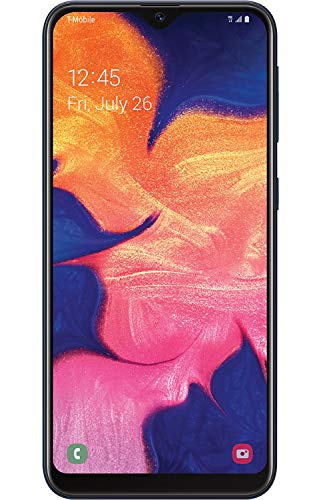 Samsung Galaxy A10e 32GB A102U GSM Unlocked Phone32 GB5.8 x 2.74 x 0.33 inches1 poundsCheck on Amazon
 Samsung A16 4G International Unlocked 4+128GB LightGreen DualSIM3.07 x 0.31 x 6.47 inches0.6 poundsCheck on Amazon


What's inside
- What simple really means when choosing a handset
- Motorola Moto G Play 2025 for the least intimidating start
- Samsung Galaxy A16 5G brings easy mode and a vast support network
- Nokia G42 5G and the comfort of a recognisable name
- TCL 50 LE keeps expectations and operation refreshingly plain
- Motorola Moto G 2025 steps up without becoming complicated
- Google Pixel 9a as the simple phone for people who hate clutter
- HMD Fusion adds modular fun to an otherwise sensible base
- Setting up a phone for a parent without taking over
- A first phone for a child should be boring in the right places
- Using a basic handset to reclaim attention
- Accessibility settings worth configuring on day one
- Troubleshooting without tears: the five problems families meet first
- Monthly maintenance that keeps a simple phone simple
- Choosing between these seven personalities
- Travelling, holidays and keeping in touch away from home
- When simple needs change
- Questions relatives should ask before gifting any handset
- A word about patience, dignity and learning at any age
- Check prices on Amazon
- One last check before the box is recycled
As an Amazon Associate I earn from qualifying purchases. This post may contain affiliate links at no extra cost to you.
A short note from the editors on this selection: we judged every handset by asking whether a nervous first time owner could make a call, read a message, and find the camera within minutes of opening the box, without a patient relative hovering nearby to translate the screen.
A basic Android phone is not a lesser phone in any moral sense. It is a phone with priorities in the right order for someone who wants communication first and everything else second. Calls should be easy to place. Messages should be readable without squinting. The speaker should carry a voice across a kitchen where a kettle is boiling. Buttons, whether physical keys or on screen controls, should behave the same way today as they did yesterday, because familiarity is a feature that never appears in flashy launch presentations.
Three groups of buyers return to this category again and again. Older adults often want a handset that respects habits built over decades of landlines and simple mobiles. Children receiving a first device need boundaries, durability, and a screen that does not overwhelm them with accounts and adverts. Adults seeking a second phone, perhaps to step back from constant feeds or to carry something inexpensive while travelling, gardening, or working outdoors, want competence without ceremony. Different lives, same underlying request: please let the telephone be a telephone.
Simplicity, however, is not the same as stripping a device until it becomes frustrating. A good basic model still needs a responsive touch screen, dependable battery life, a camera good enough for family photographs and document snapshots, and security updates that keep banking and messaging applications safe. It should support modern networks, store contacts reliably, and offer accessibility settings that genuinely help rather than hiding them inside menus written in technical shorthand.
Large text is the first test most families should perform. Android allows display size and font scaling, yet implementations vary in how gracefully menus, diallers, and messaging threads adapt. Words should not collide, buttons should not shrink into slivers, and important labels should remain visible without endless sideways scrolling. Try the largest comfortable setting in a shop or during the return window, then place a call, read a long message, and open settings to confirm nothing essential has spilled off the edge.
Clear audio matters just as much as readable type. A loud earpiece helps during calls in busy streets, while a strong loudspeaker supports hands free conversations, video chats with grandchildren, radio, podcasts, and spoken directions. People with hearing aids should check compatibility information for the exact model and, where possible, test with their own equipment. Volume alone is not clarity; voices should remain intelligible without turning harsh, and vibration should be noticeable when the phone sits inside a bag or coat pocket.
Familiar controls reduce the quiet anxiety that technology can cause. A predictable home button gesture, a back action that always behaves consistently, a recent applications view that does not confuse, and a power key placed where fingers naturally land all build confidence. Some launchers offer an easy mode with oversized tiles and simplified choices. Used well, easy mode is not patronising; it is good design acknowledging that a person may value reaching their daughter quickly over customising an icon pack.
What simple really means when choosing a handset
Start with the home screen, because that is where confidence is won or lost. A basic layout holds a small row of essentials: phone, messages, camera, photographs, contacts, and perhaps WhatsApp or a local equivalent used by the family. Everything else can live in the drawer until needed. Widgets should answer one clear question, such as the time, the weather today, or the next appointment, rather than stacking news, shopping, and entertainment into a noisy column.
Setup quality separates thoughtful models from merely cheap ones. The best first hour involves transferring contacts, connecting Wi-Fi, setting text size, choosing a ringtone that can actually be heard, and adding an emergency contact. It should not involve dismissing a parade of trials or creating accounts for services nobody requested. If you are configuring a phone for a parent, resist installing twenty helpful applications on their behalf; each extra icon is another thing they must remember, update, and distinguish from the tools they truly use.
Battery behaviour deserves calm attention rather than obsession with headline capacity. A basic phone should comfortably survive a full day of calls, messages, photographs, and occasional navigation, then recharge without fuss through a common cable. Battery saver modes should be easy to find and explain. Fast charging can help during a rushed morning, but a clear percentage indicator, a reliable overnight routine, and a charger kept in one familiar place matter more to most owners.
Build and handling shape daily ease in ways specifications rarely capture. A handset that is too large slips, strains thumbs, and hides its top corners beyond reach. A very small device may cramp text and typing. Look for a size the owner can grip securely, a case that adds protection without bulk, and buttons with distinct travel. Weight matters during long calls. A headphone socket, present on several models in this category, can be a genuine blessing for people who own trusted wired earphones.
Software support is the invisible part of simple. Updates should install without drama, ideally overnight while charging, and support pages should explain changes in plain language. A phone abandoned quickly becomes complicated later, when applications stop working or security warnings appear. When comparing candidates, check how long the maker promises platform and security support for that exact line, and remember that a slightly plainer handset with longer care can be the easier companion over several years.
Finally, consider repairability and help nearby. Can a local shop replace the battery or screen? Does the manufacturer sell cases and chargers in your region? Can a family member with the same brand guide settings over the telephone because menus match? Simplicity lives partly inside the device and partly in the support network surrounding it, which is why the best choice for one household may differ from the best choice for another street, town, or country.
Motorola Moto G Play 2025 for the least intimidating start
Motorola Moto G Play 2025 understands its assignment. Motorola long running G family built its reputation on sensible hardware, comprehensible software, and prices of conversation rather than spectacle, and the Play branch leans furthest toward essentials. The interface stays close to familiar Android, gestures are optional rather than mandatory, and the home screen can be arranged into a calm row of big, recognisable actions within minutes of setup.
For an older owner, the combination of a large display area and Android display scaling makes messages and contact names comfortable once configured properly. Take time to set contact photographs for close family, because faces are faster to recognise than small text during an incoming call. Add favourites inside the dialler, place a direct call shortcut on the home screen for the most important person, and test the speakerphone at kitchen distance before deciding the phone is ready.
Performance expectations should be honest. This tier of hardware handles calls, messages, browsing, maps, music, and casual photographs perfectly well, but it will not juggle heavy games or dozens of demanding applications with flagship grace. That is acceptable when the owner values steadiness over speed records. Keeping the installed list short, storage tidy, and updates current will help the handset feel consistent. A basic phone rewards light use with a long, uneventful life.
Motorola software additions tend to be practical rather than theatrical. Optional gestures can summon the torch or camera quickly, though families should enable only those a new owner can remember confidently. A gesture nobody recalls becomes a party trick, not an accessibility aid. Similarly, turn off promotional notifications early, set a clear wallpaper without busy patterns behind icons, and choose a ringtone distinct from television sounds or other household phones.
As a first phone for a child, the Play works when paired with family controls, a protective case, and agreed charging habits. Its straightforward layout makes it easier to discuss what each application does and why some services wait until later. As a spare for an adult, it covers messaging, navigation, hotspot duties in supported plans, and emergency backup without demanding the attention a flagship expects. Few phones feel this content to be useful rather than impressive.
Samsung Galaxy A16 5G brings easy mode and a vast support network
Samsung Galaxy A16 5G suits buyers who want basic today with room to grow tomorrow. Samsung scale brings advantages that matter to cautious households: cases in every local shop, chargers and cables everywhere, repair options in most towns, and relatives who may already know Galaxy menus. When something confuses a new owner, the odds that a neighbour, colleague, or grandchild can help are simply higher with a Samsung in hand.
The headline helper is Easy Mode, which enlarges icons and text, simplifies the home screen, and reduces visual competition. Enable it during setup rather than after weeks of struggle, because learning one calm layout from the beginning beats unlearning a busy one. Favourites can sit prominently, the dialler becomes more forgiving for imprecise taps, and the whole device feels less like a puzzle. Owners can leave Easy Mode later if confidence grows, which makes it a ramp rather than a cage.
Samsung does include its own versions of some services alongside Google equivalents, so a careful setup session should choose defaults once. Decide which gallery, browser, and store the owner will use, then arrange the home screen accordingly and ignore the rest. This small act prevents the classic confusion where photographs seem to vanish because they were opened in a different application. Write the chosen defaults on a card kept near the charger if memory support would help.
The A16 line also appeals because modern network support and a comparatively generous update outlook for its class protect the purchase from ageing too quickly. A grandparent who masters this phone should not be forced to relearn everything next year because support ended abruptly. Security updates arriving quietly in the background preserve that hard won familiarity, letting routines around calls, messages, and video chats remain stable across seasons.
Audio and display size favour shared viewing. Photographs of family events are easy to pass around a table, video calls give faces room, and captions can be enabled for streaming or supported calls. The handset size may still be large for smaller hands, so test grip and consider a case with texture. One handed mode exists in software, but a secure hold prevents the drop that software cannot undo.
Households curious about genuinely compact alternatives from earlier eras sometimes ask about best 4 inch screen android phones, a reminder that pocket friendly dimensions once ruled before displays stretched toward entertainment.
Nokia G42 5G and the comfort of a recognisable name
Nokia G42 5G, sold under the HMD stewardship of the Nokia phone brand, speaks directly to buyers who remember when a mobile simply worked and its battery seemed to last forever. Nostalgia alone would not earn a recommendation, but the G42 pairs that familiar name with a relatively clean Android presentation, modern connectivity, and a design that has considered repair more thoughtfully than many sealed rivals at its level.
Repairability deserves emphasis for basic phones because their owners often keep them longer and value fixing over replacing. The G42 was designed with certain parts, such as the battery and screen, intended to be more approachable for replacement using official guides and components where the programme operates. Availability varies by market, so confirm local parts before relying on this advantage. Even the idea matters: a cracked screen becoming a repair appointment rather than a whole new learning curve preserves confidence.
Software stays comparatively uncluttered, which helps the Nokia feel calm beside busier budget rivals. Setup can be kept short, the launcher does not demand a new personality, and Google core applications handle the main jobs in familiar ways. For a senior moving from an older Nokia or a simple feature phone, that restraint shortens the distance between pressing numbers on a keypad and tapping contacts on glass.
The camera and performance sit in the sensible middle. Family snapshots, garden photographs, menus, receipts, and video calls are the natural workload, and the phone handles that world without pretending to be a cinema studio. Keep expectations aligned and satisfaction follows. Owners who store many photographs should set backup early, label albums simply, and review storage together every few months so warnings never arrive as a surprise during a holiday.
As a detox friendly second device, the G42 has a certain honesty. It will keep you reachable, navigate a new town, play music, and then happily go back into a drawer. It does not beg for attention with endless proprietary services. For adults trying to reserve evenings for books, walks, and conversation, a phone content to be boring after doing its job is not a compromise at all.
TCL 50 LE keeps expectations and operation refreshingly plain
TCL 50 LE occupies the straightforward end of the American budget market, where carrier shelves and prepaid plans introduce many first time smartphone owners to Android. Its virtue is directness. The screen gives text and video adequate room, the software covers the fundamentals, and the whole package avoids asking buyers to care about exotic features they never requested. For a backup handset or a child first device, that plainness can be exactly right.
Because TCL distribution often runs through carriers, the exact software load and update behaviour can differ by operator, so inspect the specific unit you are offered. Remove or disable unwanted additions during setup, set the default messaging and browser deliberately, and confirm how long that carrier variant will receive security attention. A ten minute conversation in the shop prevents months of low level irritation at home.
The 50 LE suits light, predictable routines. Morning messages, school coordination, delivery updates, weather checks, music on a walk, and photographs of everyday moments form its natural territory. It is not the handset for someone planning heavy multitasking or large game libraries, and saying so protects it from unfair disappointment. Basic phones fail when sold as secret flagships; they succeed when matched honestly to modest, real needs.
Families should budget attention for a good case and a simple charging station. Inexpensive phones often serve younger owners, outdoor workers, and travellers who face higher drop risk than office bound flagship users. A raised edge around the screen, a cable that lives beside the bed, and a labelled charger reduce the small disasters that make any phone feel unreliable. Teach the owner where backups live before the first photograph matters.
Readers comparing physical footprints across generations may also enjoy best 5 inch android phones for context on how yesterday standard size became today compact curiosity.
Motorola Moto G 2025 steps up without becoming complicated
Motorola Moto G 2025 is the natural recommendation when the Play feels almost right but a little more headroom would help. It remains recognisably a G series phone, with approachable software and sensible hardware, while offering a more comfortable cushion for multitasking, photography, and several years of application growth. For many households this is the sweet spot: simple on the surface, less likely to feel strained as needs evolve.
That extra confidence matters for specific users. A grandparent who begins with calls may discover video chats, photo sharing, telehealth appointments, and navigation within a year. A teenager first phone can become a school tool carrying dictionaries, transit schedules, and classroom platforms. A second phone for an adult might absorb travel photography and music duties during trips. Buying one step above the bare minimum can postpone replacement without importing flagship complexity.
Motorola near stock approach again pays dividends in support conversations. Menus resemble reference Android, settings searches use understandable words, and there are fewer proprietary panels to explain over the telephone. Set up the same careful foundations as any basic model: large comfortable text, favourites with photographs, a tidy home screen, restrained notifications, and automatic updates while charging. Capability hidden under calm presentation is the ideal combination for this category.
Camera use should be taught as a simple ritual. Open, point, tap the subject if focus seems uncertain, hold still for a breath, and review the result in the gallery you chose as default. Avoid overwhelming a new photographer with modes and filters during the first week. Later, portrait or night features can be introduced one at a time during a family visit, practised on a plant or a pet, and written into a small notebook if that helps.
Between the two Motorola options, choose by temperament and horizon. If the owner wants the absolute minimum and help is nearby, Play simplicity charms. If the owner lives alone, travels, video calls often, or hopes to keep the handset for a long stretch, the standard Moto G extra breathing room is the kinder investment in future patience.
Google Pixel 9a as the simple phone for people who hate clutter
Google Pixel 9a may seem like an overqualified guest in a basic phones guide, yet its simplicity credentials are genuine. Pixel software presents one clear way to perform core tasks, avoids duplicate stores and galleries, and receives updates directly on a dependable rhythm. For a senior who is comfortable with touch screens but exhausted by clutter, or a parent who wants a first phone that will remain supported for years, the 9a calm interface can be worth choosing over cheaper confusion.
Its camera also simplifies life in an underrated way. A new photographer does not need to master settings to capture a grandchild birthday, a whiteboard, a prescription label, or a sunset from a train window. Point, shoot, and let the phone handle exposure decisions. Good results build confidence, and confidence encourages use, which is the entire point of carrying a camera. Photographs back up through a familiar Google flow once that choice is made deliberately during setup.
Helpful calling features, where available by region and language, can reduce nuisance calls and make waiting on hold less miserable. Accessibility options are extensive, from display adjustments and captions to sound and interaction controls. Families should explore these together rather than assuming the owner will discover them alone. Turn on what solves a real problem, leave the rest untouched, and revisit after a month when routines have revealed where friction still lives.
The trade off is that Pixel ownership sits firmly inside Google services, and some advanced features may tempt families to enable more than a basic user needs. Curate firmly. The home screen can remain five icons wide and utterly peaceful even though the hardware could run circles around simpler rivals. Also confirm Pixel availability, repair routes, and calling feature support in your country, because distribution is narrower than Samsung or Motorola in some regions.
For screen size traditionalists, best 5 5 inch android phones recalls a middle ground many owners still describe as the largest display they could use comfortably with one hand.
HMD Fusion adds modular fun to an otherwise sensible base
HMD Fusion brings the most playful idea in this guide: a phone designed to work with attachable outfits that can add functions or change its character. Beneath that novelty sits a comparatively straightforward Android device aimed at buyers who appreciate repairable thinking and a brand trying to make hardware last longer. The modular concept should be treated as a bonus, never as a reason to complicate a basic user daily routine.
For a teenager, Fusion can grow in small steps. A protective outfit for school terms, a ring light style accessory for creative projects where available, or a fresh look without replacing the whole handset may stretch interest and reduce upgrade pressure. For an older owner, skip accessories entirely unless one solves a named problem, such as grip, visibility, or charging convenience. Simplicity means the phone must work beautifully in its plainest form, and Fusion largely respects that test.
HMD software presentation tends toward the calmer side of Android, which suits this guide. The setup path can stay short, core Google services handle familiar jobs, and the device does not need a thicket of proprietary accounts to become useful. As with Nokia branded relatives, verify regional support, parts availability, accessory stock, and update commitments before buying, because smaller brands reward informed purchasers and punish assumptions.
Durability planning matters here too. A modular phone still contains glass, batteries age, and ports wear. Buy the case or outfit that protects rather than merely decorates if the owner works outdoors or hands the phone to children. Keep the original packaging and any small tools or instructions together in one drawer. Future you, facing a battery replacement or a move to a new accessory, will be grateful for that tiny act of organisation.
Camera focused shoppers sometimes approach basic phones from the opposite direction, starting with a sensor number and working backward, which is why best 10mp camera phones can serve as a historical detour rather than a shopping rule for this category.
Setting up a phone for a parent without taking over
The most successful family setup begins with consent and a cup of tea, not with a relative seizing the handset and configuring it in silence. Ask what the owner wants to do during the first week: call three people, receive family photographs, check the weather, perhaps join a video chat on Sunday. Build only toward those goals. Every extra account, application, and clever shortcut added without a request becomes homework disguised as generosity.
Write passwords and recovery details into the owner chosen system, whether that is a password manager they understand or a sealed paper record stored safely at home. Never leave a parent dependent on credentials held only in your memory or your own accounts. Add your number as a recovery contact only with permission, enable device finding together, and practise locating the phone from a computer so the feature is familiar before panic makes learning difficult.
Teach three gestures and stop. Unlocking, returning home, and going back cover most of life. Then teach answering and ending calls, adjusting volume during a call, and charging. Practise each action twice with the owner hands doing the work, because watching someone else tap quickly creates recognition without muscle memory. Leave a short handwritten card with those steps in large print beside the charger, using the exact words shown on their screen.
Notifications should be rationed from the start. Family messages, calls, calendar reminders, medication applications if used, banking security alerts, and delivery notices for expected parcels deserve sound. News, shopping, games, and social platforms can wait silently or disappear entirely. A phone that buzzes constantly trains its owner to ignore it, which defeats the purpose of carrying one for urgent family contact. Review the notification list together after the first week and prune again.
Emergency preparation is part of basic setup, not an afterthought. Add emergency contacts, medical information the owner wishes to share with responders, allergies or conditions they choose to record, and a lock screen message if appropriate. Practise opening emergency dialling without unlocking fully. Confirm the phone number is known, written down, and shared with the right relatives, because a surprising number of adults cannot recite their own mobile number during the first month.
End the session by making a test call from another room, sending a photograph both directions, and letting the owner put the phone on its charger unaided. Small successful repetitions matter more than a long lecture. Arrange a check in after two days for questions, then another after a fortnight. Confidence grows in that rhythm: try, succeed, ask, adjust, and gradually stop thinking of the device as fragile foreign territory.
A first phone for a child should be boring in the right places
Parents often shop for durability and price, then discover that social pressure, application stores, and browsers are the real design challenges. Choose the handset together, explain that it is a tool with household rules, and set up family controls before the device spends its first night in a bedroom. Screen time schedules, application approvals, content filters, location sharing where your family agrees it helps, and a charging place outside sleeping areas create structure no hardware can provide alone.
Any model in this guide can serve when configured carefully, though the calmer interfaces make rule setting easier. Create the child account honestly with the correct age, because controls and content systems depend on it. Install only the applications needed for school, family messaging, music approved by parents, and perhaps a camera. Postpone open social platforms until the child demonstrates judgement with smaller circles, and revisit that decision as maturity changes rather than treating one birthday as a magic threshold.
Teach practical safety alongside tapping skills. Photographs carry location information in some settings, group chats can exclude as painfully as playgrounds, and a cracked screen protector is cheaper than a cracked display. Practise what to do when a stranger messages, a friend shares something upsetting, or the phone is lost at school. A basic handset with trusted adults and clear habits protects a child far better than an expensive handset handed over without conversation.
Repair and replacement planning reduces drama. Back up photographs and schoolwork, keep the box and receipt, know the school policy on phones, and label the case discreetly. Agree in advance what happens after loss or careless damage, focusing on responsibility rather than shame. Children learn stewardship when consequences are predictable and proportionate, and a modest phone makes those lessons possible without financial catastrophe hanging over every playground run.
Using a basic handset to reclaim attention
Adults buying a second phone to escape constant scrolling should design the experiment honestly. The basic device becomes the daily carrier for calls, messages, maps, music, banking essentials, and a camera. The powerful phone stays home in a drawer, powered off or reserved for specific work. If every feed and inbox migrates to the smaller handset within a week, hardware was never the problem; the boundary needs redesigning.
Choose a model comfortable enough that the experiment survives contact with real life. You still need transit applications, two factor authentication, parking payments in many cities, and messaging groups that coordinate family logistics. The Moto G, Galaxy A16, Nokia G42, and Pixel 9a all handle that modern minimum with different personalities. The cheapest option that frustrates you daily will end up abandoned beside the very flagship it was meant to replace.
Set the home screen to communicate intent. A clock, calendar, calls, messages, maps, camera, and notes suggest a day organised around people and places. Remove browsers from the first screen if search detours swallow your evenings, while keeping them available in the drawer for genuine need. Silence group chats outside agreed hours, disable badges that advertise unread counts like scores, and let boredom return in small, healthy doses during queues and train rides.
Measure success by lived changes rather than screen time trophies. Are evenings quieter? Do you finish walks without photographing every corner for an audience? Does the phone stay in a pocket during meals? After a month, some people sell the flagship, others return to it with stricter rules, and both outcomes count as learning. The basic handset served as a mirror as much as a tool.
Accessibility settings worth configuring on day one
Begin with vision. Increase text and display size separately if the model allows, because icons may need less enlargement than words. Turn on bold text where offered, choose high contrast options if menus wash out in sunlight, and test dark theme at night rather than assuming it suits every eye. Magnification gestures help with tiny labels on packaging or timetables, but teach them slowly; an accidental triple tap that zooms unexpectedly can frighten a new owner unless they have practised returning to normal view.
Hearing settings deserve equal care. Mono audio can help when one ear hears better, caption preferences make videos and supported calls easier to follow, and sound balance adjustments personalise earbuds. Flash alerts may assist in noisy workshops or for owners who miss vibration, though they should be tested so a camera light notification does not startle the household at midnight. Pair hearing devices properly, name them clearly, and practise reconnecting after they have charged.
Touch and interaction controls solve problems many families misdiagnose as clumsiness. Longer touch delay can prevent accidental activations for trembling hands, while removing animations may make screens feel steadier for some users. Switch navigation styles if gestures confuse; three button navigation remains a legitimate, dignified choice. The correct interface is the one its owner can operate at midnight, half asleep, when a family member calls with urgent news.
Voice assistance can be a gift when introduced for specific jobs. Set a reminder, call a favourite contact, hear the weather, dictate a short message while cooking: these are concrete victories. Avoid enabling every listening feature without discussion, and review privacy controls together. A voice tool should feel like a helpful servant summoned deliberately, not a mysterious presence whose activation light prompts worry.
Troubleshooting without tears: the five problems families meet first
Problem one is silence. The owner insists nobody called, yet relatives heard ringing. Work through volume during an actual test call, check Do Not Disturb schedules, confirm the ringtone file still exists after an update, and look for a moon icon or muted contact setting. Bluetooth can also steal audio by connecting to a car or hearing device in another room. Solve one variable at a time and write down which setting caused it, because silence tends to return at the least convenient moment.
Problem two is the vanished application. Usually it has been moved, hidden inside a folder, disabled accidentally, or replaced on the home screen while the programme itself remains in the drawer. Search by name first. If search finds it, long press and restore a shortcut. If the drawer lacks it, check disabled applications in settings. Resist reinstalling duplicates of galleries, browsers, or messaging tools during panic, because two versions competing for photographs and messages create a second problem while solving the first.
Problem three is storage full, announced inevitably during a birthday video. Review photographs and videos first, then downloads, then messaging media saved automatically from group chats. Back up precious material before deleting anything, empty recycle bins inside the gallery if present, and clear cached data only from applications whose settings you understand. Teach the owner that deleting a photograph from one synced service may remove it elsewhere, so family archivists should confirm backup behaviour before any enthusiastic cleanup.
Problem four is battery that suddenly drains. A new application, weak signal searching, a stuck update, or a video left playing in a pocket is usually responsible. Check battery usage in settings, restart the phone, install pending updates, and observe for a day before replacing hardware. Old batteries do decline, especially after years of nightly charging in warm rooms, but sudden change suggests software or signal rather than chemistry. A steady decline over months points toward a battery service conversation.
Problem five is the forgotten PIN, the modern locked door. Prevention beats rescue: record credentials safely, set up fingerprint or face unlock as a convenience while remembering they supplement rather than replace the PIN, and keep account recovery information current. If lockout happens, follow the manufacturer account recovery route calmly and expect identity checks. Never hand passwords to a stranger offering instant unlocking through social media, and never let embarrassment rush a senior into paying for help that official support provides.
Monthly maintenance that keeps a simple phone simple
Choose a regular moment, perhaps the first Sunday breakfast of each month, for a gentle maintenance ritual lasting ten minutes. Restart the handset while coffee brews. Install any waiting updates. Look at storage and battery screens together. Review which applications arrived recently and whether each still earns its place. Delete the novelty scanner, the duplicate weather tool, and the game installed for a grandchild visit that nobody opens anymore.
Check backups with evidence rather than optimism. Open the backup service and confirm the date of the last successful run, then find a recent photograph and an old contact inside the backed up account from another device if possible. Test that the owner still knows the account password or where its record lives. A backup nobody can restore is a story, not a safeguard, and discovering that during a calm Sunday is far kinder than discovering it beside a lost phone at an airport.
Inspect the physical phone too. Clean the charging port gently with a wooden toothpick only if fluff is visible and you are confident, otherwise ask a shop. Replace a cracked screen protector, wash or replace a grubby case, and confirm cables still charge reliably without wiggling. Check that the SIM and any memory card sit properly if intermittent errors have appeared. Small physical neglect explains many mysteries blamed on software.
Review safety settings seasonally. Emergency contacts change, relatives move, medications evolve, and travel plans alter which numbers matter. Update lock screen information the owner wants responders to see, confirm device finding still works, and check that banking and health applications open with their security prompts intact. This ritual also gives families a natural, non intrusive moment to ask whether the phone still fits the owner life, rather than waiting for frustration to make that conversation urgent.
Choosing between these seven personalities
Pick Moto G Play 2025 when the brief is pure and help lives nearby: calls, messages, photographs, and a calm screen at the gentlest commitment level in this guide. Pick Moto G 2025 when the same household wants more stamina for growing habits, video calls, travel, and several years of use without relearning a new brand. The step between them is not prestige; it is patience insurance for routines that have not revealed themselves yet.
Pick Galaxy A16 5G when Easy Mode, local repair abundance, Samsung familiarity among relatives, and a long support outlook outweigh the need to tidy duplicate services during setup. Pick Pixel 9a when clutter is the enemy, camera confidence matters, updates should arrive predictably, and the owner is happy living inside Google services with a carefully curated home screen. These two are the most capable here, yet both can be made peaceful with an hour of deliberate configuration.
Pick Nokia G42 5G when repairability, a trusted old name, and a comparatively uncluttered system appeal, especially in markets where its parts programme genuinely operates. Pick TCL 50 LE when a carrier offer places a straightforward handset in your hands for backup, a child, or light prepaid use, after verifying that exact variant support terms. Pick HMD Fusion when a younger owner would enjoy changing outfits or adding an accessory over time, while everyone agrees the phone must remain calm in its everyday form.
Ignore small specification differences until the human questions are answered. Whose hands will hold it during a long call? Whose eyes must read it in garden sunlight? Who will explain it over the telephone at nine in the evening? Which shop in town can fix it? A basic phone succeeds inside a life, not inside a comparison table, and those answers point to the right badge more reliably than any single processor name.
Travelling, holidays and keeping in touch away from home
A basic phone travels well when preparation happens before departure. Download boarding documents or save screenshots where airline rules allow, store hotel addresses inside contacts, and keep a paper copy of essential numbers in a wallet. Roaming settings, carrier travel passes, and data limits should be explained in plain words at home, because airport stress is a poor classroom. For older travellers, practise aeroplane mode and Wi-Fi reconnection at the kitchen table first.
Photographs multiply on holiday, so storage and backup deserve a pre trip check. Confirm cloud backup works on hotel Wi-Fi or decide deliberately to wait until home, especially where connections are metered or insecure. Carry a charging cable in hand luggage, keep a small power bank charged where regulations permit, and agree which family member receives a daily check in message. Simple routines let the phone support the holiday quietly instead of becoming its most demanding participant.
Translation, maps, and currency tools can be added temporarily, then removed when suitcases are unpacked. That temporary mindset is healthy for every basic handset: applications are guests invited for a purpose, not permanent residents entitled to notifications forever. After each trip, review what earned a permanent place and evict the rest kindly. The home screen returns to its familiar five or six anchors, and the owner recognises their phone again.
When simple needs change
Needs rarely stay frozen. A parent who swore they would only call may fall in love with photographing roses and video chatting from the greenhouse. A child grows from supervised messaging into school platforms and independent travel. A detox phone can become the main phone, or the main phone can return once habits settle. Revisit this guide choices without treating change as failure; a handset that served one season well has done its job.
Before replacing hardware, try configuration first. Enlarge text again as eyes change, move to Easy Mode if menus have grown confusing, replace a worn battery, clear storage, or add one application at a time for a new hobby. Many phones are retired for problems a patient afternoon could solve. Conversely, when security support ends, the screen cracks beyond economical repair, or network changes leave the device behind, replacement becomes the responsible simplicity rather than clinging to familiarity at any cost.
Pass retired basic phones along thoughtfully. Reset them fully, remove accounts and memory cards, include a working charger, and tell the next owner honestly how the battery behaves. A grandchild first handset, a community group spare, or a backup in a kitchen drawer all honour a device that stayed useful. Technology ages best when each chapter is intentional rather than accidental.
So choose the handset your favourite person can operate on an ordinary, slightly tired evening without asking permission from the screen, because that unremarkable confidence, repeated across calls home and photographs shared, is precisely what a basic phone was always meant to give.
Questions relatives should ask before gifting any handset
Gift givers mean well, yet a surprise phone can land like a surprise exam. Ask the recipient which mobile they liked most in the past and what annoyed them about it. Ask whether they prefer holding a smaller body or reading a larger screen, whether they listen through hearing aids or earbuds, and which applications their friends and family actually use to stay in touch. A phone chosen from those answers feels like a present; a phone chosen from an advertisement feels like homework wrapped in ribbon.
Ask about the home environment too. Where will the charger live? Is Wi-Fi strong in the room where video calls happen? Does the household use a shared tablet or computer that should match accounts? Is there a local shop the recipient already trusts for repairs? These ordinary details decide whether a technically suitable model becomes dependable in practice, and they cost nothing to discover before a birthday, holiday, or family visit is built around the reveal.
Discuss money expectations without embarrassment, even though this guide avoids listing figures. Someone must know whether a contract, prepaid plan, insurance, case, charger, and possible repair sit comfortably within the household budget over the whole life of the device, not merely on purchase day. A modest handset with a plan the owner understands beats a generous gift attached to bills that cause quiet worry every month.
Finally, agree how help will work after the wrapping paper is gone. Name one primary helper rather than five relatives offering conflicting instructions. Schedule the setup session, the two day check in, and the first monthly maintenance moment before everyone disperses. Put those dates on a paper calendar if that is where the owner actually looks. Support promised vaguely tends to evaporate; support written down becomes part of the gift.
A word about patience, dignity and learning at any age
Every recommendation above rests on a belief worth stating plainly: needing a simpler phone says nothing about intelligence. Surgeons choose uncluttered dashboards, pilots demand predictable controls, and chefs keep favourite knives within reach because good tools reduce unnecessary decisions. An older adult who ran a business, raised a family, or repaired machinery for decades is not diminished by disliking a gesture hidden behind a long press. The interface failed to communicate; the person did not fail a test.
Patience from helpers should therefore sound like respect, not volume. Speak at a normal pace, explain one action, wait, and let the owner repeat it. Avoid taking the device out of their hands unless invited, because every rescue performed by someone else steals a repetition their fingers needed. Celebrate small competence without surprise, as if learning were remarkable at their age. It is remarkable at every age, and it deserves the same tone you would use with a colleague mastering new software at work.
Confidence compounds quietly. The first successful video call leads to photographs sent without assistance. Photographs lead to a group chat, the group chat leads to a shared album, and one morning the supposed beginner is teaching a spouse how captions work. Basic phones are not about lowering horizons. They are about removing rubble from the path so people can walk toward the parts of modern communication they actually want, at a pace that belongs to them.
That is why the finest outcome of this entire comparison would be a handset that stops being discussed altogether, sitting beside the house keys as an ordinary trusted object, ready for the next call from someone whose voice makes an otherwise unremarkable afternoon feel completely complete.
Check prices on Amazon
Live listings for the shortlist in this guide are pulled from Amazon below, so prices and availability are always current at the moment you look.


One last check before the box is recycled
Before packaging disappears into recycling, photograph the box labels, save the receipt somewhere searchable, and confirm the return window date on a calendar. Keep the charging cable that arrived with the phone together with any paperwork until the first update has installed successfully and a full week of calls has passed without surprises. Test one photograph printed or shared, one contact restored from backup, and one journey using navigation, because those three ordinary victories prove the setup is real rather than merely neat. If something small still irritates the owner, fix it now while shops, relatives, and patience are all close at hand, then let the handset graduate from new purchase to familiar companion and get on with the unglamorous, valuable work of keeping people close.


