What's inside
- Key Takeaways
- Quick Picks
- How Did We Choose These Picks?
- What Does Throw Distance Actually Mean Inside a Golf Bay?
- The Six Projectors, Pick by Pick
- How Do You Set Up a Simulator Projector Without Ruining the Image?
- Why Has the Simulator Market Settled So Firmly on Short Throw?
- How Does the Impact Screen Change What the Projector Must Do?
- Laser Light Sources: What Changes Over Years of Bay Use?
- Reading the Three Optomas Against the Two BenQs
- Side-by-Side Comparison
- What Are the Most Common Mistakes When Choosing a Simulator Projector?
- How Do Ceiling Height and Swing Clearance Narrow the Choice?
- How Should You Measure Your Room Before Ordering Anything?
- What About the Rest of the Bay — Sound, Data and Comfort?
- Final Recommendation
- Frequently Asked Questions
- Related Guides
As an Amazon Associate I earn from qualifying purchases. This post may contain affiliate links at no extra cost to you.
gizmoverdict.com is reader-supported. When you buy through links on our site, we may earn an affiliate commission.
Where to buy: every projector reviewed below is sold through Amazon, and the product names in this guide link to the matching listings so you can read the full title wording, the mounting notes and the warranty language yourself before committing. Simulator hardware is rarely a casual purchase, so treat the listings as the final word and this page as the map that gets you to the right one.
Anyone hunting for the best medium throw golf simulator projectors runs into an awkward truth within the first hour of research: the simulator market barely sells medium-throw machines at all. Nearly every projector built for a golf bay is a short-throw model, because bays are usually shallow, the player stands between the projector and the screen, and a short lens lets the unit sit close to the impact screen without the golfer’s shadow swallowing the fairway. Five of the six picks below are short-throw designs for exactly that reason, and pretending otherwise would mislead you. The sixth, the ViewSonic LS740HD, carries an optical zoom that lets it sit farther back than the short-throw crowd, which makes it the medium-leaning option for deeper rooms.
That honesty shapes how this guide ranks things. Throw geometry comes first: where the projector can physically sit in your bay, and how large an image it can throw from there. Brightness comes second, because garage and basement bays leak light from door gaps, windows and work lamps. Resolution and input lag matter after that, since a simulator image is read at a glance between shots rather than studied like a film frame. Every figure quoted below comes from the manufacturer’s own listing title, and where a title stays silent — on throw ratio numbers, for instance — the spec box says so instead of filling the gap with a guess.
One more framing note before the shortlist. A simulator bay is a system: launch monitor, impact screen, turf, enclosure and projector all have to agree with each other. The projector is the piece that turns launch data into a visible course, and its placement decides whether the rest of the system feels effortless or cramped. Read the picks below with your tape measure in hand, because the right answer for a twelve-foot bay and the right answer for a twenty-foot room are genuinely different machines.
Key Takeaways
- Five of the six picks are short-throw models, reflecting what simulator bays actually install; only the ViewSonic LS740HD, with its optical zoom, leans toward medium-throw placement in deeper rooms.
- All six picks use laser light sources as titled, so lamp changes are off the maintenance list for the practical life of a home bay.
- Brightness spans 3,600 to 5,500 lumens across the shortlist as titled, and the brighter end suits garages where ambient light cannot be fully controlled.
- The Optoma GT3900UHD is the only true 4K UHD entry here; the other five are Full HD 1080p machines as titled.
- The BenQ AH700ST bundles a universal ceiling mount and a three-year warranty in its title, the most installation-complete package on the list.
- Input lag is called out in the titles of all three Optoma models, which matters when the same bay doubles as a gaming room.
Quick Picks
| Pick | Badge | Why it made the list |
|---|---|---|
| Optoma GT2400HDR | Brightest short-throw Optoma | Its title pairs 4,200 lumens with short throw and low input lag, the combination shallow, bright bays ask for first. |
| Optoma GT2300HDR | Simpler laser alternative | A 3,600-lumen laser short-throw with the same golf-ready billing, aimed at darker rooms that cannot use the extra output. |
| Optoma GT3900UHD | True 4K flagship | The only true 4K UHD title in the group, backed by a DuraCore laser rated at 30,000 hours in the listing. |
| BenQ AH700ST | Most complete install kit | Auto Screen Fit, a dedicated Golf Mode and a bundled ceiling mount make setup the least fussy here. |
| BenQ AH500ST | Lean BenQ entry | A Full HD HDR laser DLP built for golf simulation, with the shortest title on the list and the fewest extras. |
| ViewSonic LS740HD | Medium-leaning zoom pick | Optical zoom plus 5,500 lumens lets this one sit farther from the screen than any short-throw rival here. |
How Did We Choose These Picks?
The entry ticket was explicit golf intent in the listing title. Each of the six names golf simulation, golf simulation readiness, or golf simulator use in its own title wording; general home-theater projectors that merely could be pointed at an impact screen were left out, because simulator buyers inherit specific problems — shadow control, screen fit, ceiling mounting over a hitting zone — that cinema-first machines are not designed around.
After that filter, the ranking weighed placement flexibility, because that is where simulator builds succeed or fail. Short-throw models dominate, so among them the differentiators became brightness headroom for imperfectly darkened rooms, any automation that helps the image land square on the screen, and whether the title mentions lag performance for players who also game in the bay. The ViewSonic earned its place on a different axis entirely: it is the one machine here whose zoom range supports a genuinely longer mounting distance, which is the closest this market honestly gets to a medium-throw simulator projector.
Everything was judged on title evidence alone. When a title prints a number — lumens, hours, zoom — that number appears in the spec box. When a title does not print one, the spec box carries a labelled gap rather than an estimate borrowed from a sibling model. That discipline costs a little convenience and buys a lot of trust, which is the correct trade for hardware that will hang over a hitting bay for years.
What Does Throw Distance Actually Mean Inside a Golf Bay?
Throw describes the relationship between how far the projector sits from the screen and how wide an image it produces from that distance. A short-throw lens makes a large picture from a few feet away; a longer-throw lens needs the length of the room to reach the same size. In a golf bay the distinction is not academic. The player stands roughly in the middle of the space, swings a club with real speed, and casts a shadow the size of a person. If the projector sits behind the player, that shadow lands on the screen exactly where the ball flight needs to be read.
Short-throw placement solves the shadow problem by moving the projector in front of the hitting position, usually ceiling-mounted just beyond the tee area or set low in a protective housing. The image then travels a short distance and arrives wide, and the golfer never crosses the beam. This is why the category converged on short throw so completely: it is the geometry that keeps the player out of the picture. Medium-throw placement, by contrast, asks for a deep room where the projector can hang well behind the player and still be far enough from the screen to fill it — workable in a converted garage with real depth, awkward in a spare bedroom.
The practical consequence is that “medium throw” in simulator shopping usually means “the longest-throw option that still behaves in a bay,” which is precisely the LS740HD’s optical-zoom pitch. Before falling for any model, pace out three distances in your own space: screen to hitting position, hitting position to the back wall, and ceiling height above the swing path. Those three numbers narrow this shortlist faster than any brightness figure, because a projector that cannot be placed cannot be used, no matter how strong its laser is.
The Six Projectors, Pick by Pick
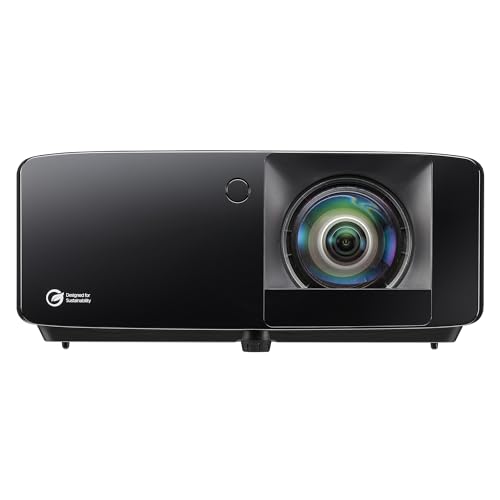
Optoma GT2400HDR — Brightest short-throw Optoma
The GT2400HDR leads the Optoma trio on raw output: its title claims 4,200 lumens from a laser light source, in a Full HD 1080p short-throw body that names golf simulation readiness outright. In a bay, that brightness figure is the one that decides whether the image survives a garage door left cracked open or a work light burning in the corner. Short throw keeps the unit ahead of the hitting position, laser power keeps the picture punchy, and the combination is the most straightforward answer here for a bright, shallow room.
The title also calls out low input lag gaming, which sounds like a side feature until the bay hosts its second life as a games room after the practice session ends. Players who split the space between simulator rounds and console sessions get both jobs from one ceiling mount. What the title does not give you is a numeric throw ratio or a zoom range, so the exact mounting distance for your screen width has to come from Optoma’s own documentation rather than from anything printed in the listing headline.
- Resolution as titled: Full HD 1080p
- Brightness as titled: 4,200 lumens
- Throw class as titled: short throw
- Light source as titled: laser
- Throw ratio: Not stated in the listing title — verify with the maker’s documentation
Strengths
- Highest lumen figure among the three Optoma picks, useful in bays that cannot be fully darkened.
- Golf simulation readiness is stated in the title rather than implied by the spec sheet.
- Low input lag is named in the title, covering the bay’s second job as a gaming space.
Trade-offs
- Resolution stops at 1080p while a sibling model in this guide offers true 4K UHD.
- No zoom figure appears in the title, so placement tolerance is narrower to plan around.
- The title lists no bundled mount, so ceiling hardware is a separate purchase.
Best for: shallow bays in bright garages, where 4,200 lumens and a short lens solve the two problems at once. Check the current listing on Amazon for the full specification before ordering.
Not suited for: rooms deep enough to mount the projector well behind the hitting position — this short-throw lens is built to sit close to the screen, and forcing it backward shrinks the image below screen size.
Optoma GT2300HDR — Simpler laser alternative
Think of the GT2300HDR as the same argument with the volume turned down. The title repeats the formula — Full HD 1080p, short throw, laser, low input lag gaming, golf simulation ready — but quotes 3,600 lumens instead of 4,200. In a basement bay with blackout curtains and no windows, that difference may never show itself; in a sunlit garage it will. Choosing between the two Optomas is therefore mostly a question about your room’s light discipline, not about features.
There is a quieter virtue in the lower-output model: a dedicated, light-controlled simulator room is exactly where a 3,600-lumen laser looks rich rather than merely adequate, because contrast survives when ambient light is excluded. If your bay lives in a windowless space and the door seals shut, the GT2300HDR covers the brief with lumens to spare, and the money saved against brighter hardware can go toward the impact screen or the launch monitor, where it will be felt more.
- Resolution as titled: Full HD 1080p
- Brightness as titled: 3,600 lumens
- Throw class as titled: short throw
- Light source as titled: laser
- Zoom range: Not stated in the listing title — verify with the maker’s documentation
Strengths
- Same golf-ready, low-lag billing as its brighter sibling in a simpler package.
- Laser light source means no lamp swaps interrupt a season of practice.
- Output level matches genuinely dark rooms without paying for unused headroom.
Trade-offs
- 600 fewer lumens than the GT2400HDR as titled, which bright garages will expose.
- Still 1080p, so fine detail on dense simulator readouts is capped by the panel.
- No mount or screen-fit automation is mentioned in the title.
Best for: windowless basement bays with disciplined lighting, where 3,600 lumens is headroom rather than a compromise. The Amazon listing carries the complete title wording if you want to compare it line by line with the brighter model.
Not suited for: bays with uncovered windows or a garage door that leaks daylight — 3,600 lumens is the lowest figure in this shortlist, and ambient light will wash the fairways out first on this machine.
Optoma GT3900UHD — True 4K flagship
The GT3900UHD is the resolution outlier: its title says True 4K UHD, a claim none of the other five make, paired with 4,000 lumens and the same short-throw laser layout as its stablemates. On a simulator screen, extra resolution shows up in the texture of the fairway, the readability of distant yardage markers and the cleanliness of the data overlays a launch monitor draws. Players who sit close to a large impact screen — which is to say, most simulator players — are the ones positioned to notice.
The title also names its laser system: DuraCore, rated at 30,000 hours. Run a bay for three hours a day and that figure stretches past any realistic ownership horizon, which quietly removes light-source anxiety from the build. HDR compatibility and low input lag gaming round out a title that reads like Optoma’s fullest simulator statement. The discipline note stands, though: throw ratio numbers are absent from the title, so mounting geometry still needs confirmation in the maker’s documentation before holes are drilled.
- Resolution as titled: True 4K UHD
- Brightness as titled: 4,000 lumens
- Laser rating as titled: DuraCore 30,000-hour laser
- Throw class as titled: short throw
- Ceiling mount inclusion: Not stated in the listing title — verify with the maker’s documentation
Strengths
- Only true 4K UHD title in the group, for sharper course detail on big screens.
- A 30,000-hour laser rating is printed in the title, not buried in a manual.
- HDR compatibility is stated, helping shaded and sunlit holes read distinctly.
Trade-offs
- Its 4,000 lumens sit below the GT2400HDR’s figure despite the flagship billing.
- No auto screen-fit feature is named, so alignment is a manual job at install.
- The title mentions no bundled mount or extended warranty.
Best for: players building around a large impact screen who read fine detail — pin positions, break lines, overlay data — from a few feet away. See the full listing on Amazon to confirm the input list against your launch monitor.
Not suited for: tight bays where the screen is small and viewed from the hitting mat at close range in dim light — there the 4K advantage compresses, and the brighter 1080p Optoma serves the same geometry with more punch.
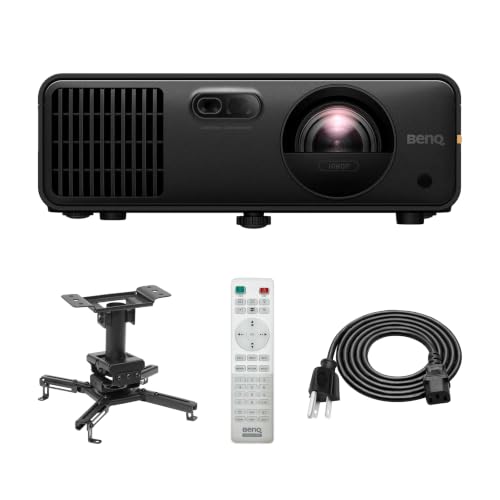
BenQ AH700ST — Most complete install kit
BenQ’s AH700ST attacks the simulator problem from the installation side. Its title lists Auto Screen Fit, a dedicated Golf Mode and HDR10 alongside 4,000 ANSI lumens, and then adds two things no other pick here bundles: a universal ceiling mount in the box and a three-year warranty. For a first-time bay builder, that combination removes the two most annoying errands — sourcing a mount that fits, and wondering what happens if the unit misbehaves in year two.
Auto Screen Fit deserves its paragraph. Simulator screens sit inside enclosures with padded borders, and landing the image exactly inside the frame, square and full, is the fiddliest part of setup. A projector that automates that fit, and carries a picture mode tuned for golf, is speaking directly to the category’s real frustrations. The ANSI qualifier on the lumen figure also matters: it is a standardized measurement, so the 4,000 ANSI lumens here can be compared against other ANSI-rated machines with more confidence than unqualified lumen claims allow.
- Resolution as titled: Full HD 1080p
- Brightness as titled: 4,000 ANSI lumens
- Setup aids as titled: Auto Screen Fit, Golf Mode, HDR10
- In the box as titled: universal ceiling mount
- Warranty as titled: 3 years
Strengths
- Bundled universal ceiling mount removes a separate hardware hunt.
- Auto Screen Fit targets the exact alignment chore simulator screens impose.
- A three-year warranty is printed in the title, the longest commitment stated here.
Trade-offs
- Resolution is 1080p, so it concedes the detail crown to the 4K Optoma.
- The title names no input-lag figure for players who also game in the bay.
- Brightness, while ANSI-rated, trails the ViewSonic’s 5,500-lumen claim.
Best for: first-time bay builders, with the mount, the warranty and the screen fitting handled by the manufacturer rather than by trial and error. Amazon’s listing reproduces the full title, worth reading before you price mounts separately elsewhere.
Not suited for: ultra-bright rooms where every lumen is contested — the ViewSonic’s higher titled output and zoom make it the stronger answer when daylight floods the space.

BenQ AH500ST — Lean BenQ entry
The AH500ST carries the shortest title in this guide, and that brevity is itself information. What BenQ prints is: Full HD, HDR, short-throw, laser, DLP, golf simulation. What it does not print is any lumen figure, any screen-fit automation, any mount or any warranty term. Read honestly, this is the lean entry in BenQ’s simulator line — the core optical job, golf intent stated plainly, and the extras left to its bigger sibling.
That leanness can be a legitimate choice. A builder who already owns a ceiling mount, already knows the alignment routine, and plays in a controlled room may prefer the simpler machine and put the difference toward turf or a better launch monitor. But the missing brightness figure is a real planning problem: without a titled lumen number, you cannot sanity-check this projector against your room’s ambient light from the listing headline, so the maker’s documentation becomes mandatory reading rather than a cross-check. Treat the spec box below as the honest summary of what the title does and does not tell you.
- Resolution as titled: Full HD
- Format support as titled: HDR
- Throw class as titled: short throw
- Light source as titled: laser (DLP)
- Brightness: Not stated in the listing title — verify with the maker’s documentation
Strengths
- Golf simulation is the stated purpose, not an afterthought in a cinema title.
- Laser DLP design keeps the maintenance story as simple as the title.
- HDR support is claimed, helping contrast between lit fairways and shaded rough.
Trade-offs
- No lumen figure in the title, so brightness planning requires the full documentation.
- No screen-fit automation is named, unlike the AH700ST above it in the range.
- No mount or warranty term appears in the title.
Best for: experienced builders replacing an existing simulator projector on an existing mount, who read documentation before buying and value a stripped-down spec. Pull up the Amazon listing and the linked documents there before deciding.
Not suited for: bright rooms where the purchase hinges on a verified brightness figure — the title offers none, and guessing wrong leaves an image that fades every afternoon.

ViewSonic LS740HD — Medium-leaning zoom pick
Here is the machine this keyword actually asks about. The LS740HD’s title lists an optical zoom, and optical zoom is the mechanism that loosens placement: the lens can resize the image without moving the projector, which means the unit can hang farther from the screen and still fill it. In a deep garage or a long basement, that translates into a mounting position behind the hitting area that no fixed short-throw lens in this guide can serve. It is not a true long-throw cinema lens, and this guide will not call it one — but it is the medium-leaning option, honestly labelled.
The supporting figures are the strongest on paper here: 5,500 lumens, the highest titled output in the shortlist, plus keystone and corner adjustment for squaring the image, ceiling-mount and 360-degree projection language, and golf simulation named among its uses alongside classroom and auditorium duty. That generalist heritage cuts both ways — it was not designed exclusively for bays — yet the combination of zoom, output and adjustment tools is precisely what a deep room demands, and none of the dedicated short-throw models can imitate it.
- Resolution as titled: 1080p Full HD
- Brightness as titled: 5,500 lumens
- Zoom as titled: optical zoom
- Adjustments as titled: keystone, corner adjustment
- Mounting as titled: ceiling mount, 360-degree projection
Strengths
- Optical zoom enables the longest mounting distances available in this shortlist.
- Highest titled brightness at 5,500 lumens, for rooms with stubborn ambient light.
- Corner adjustment helps square the image inside padded enclosure frames.
Trade-offs
- Resolution stays at 1080p despite the flagship-level brightness.
- Its generalist title spans classrooms and auditoriums; golf is one use among several.
- No golf-specific picture mode or screen-fit automation is named in the title.
Best for: deep rooms — long garages, converted halls — where the projector must hang well back from the screen and still fill it. The listing on Amazon is where to verify the zoom range against your measured throw distance.
Not suited for: compact bays under roughly twelve feet of depth, where a zoom lens built for distance cannot shrink its image enough and a true short-throw model is the correct geometry.
How Do You Set Up a Simulator Projector Without Ruining the Image?
Start with the screen, not the projector. Hang the impact screen, measure its usable width inside the enclosure padding, and only then work out where each candidate projector must sit to fill that width. Every placement error in simulator building traces back to buying the projector first and discovering the geometry later. With the screen fixed, mark the hitting position, then check the swing path: stand at the mat, take slow practice swings with your longest club, and note the highest and widest points of the arc. The projector and its mount must live outside that arc, with margin, because a clipped mount is not a warranty conversation anyone enjoys.
Ceiling mounting is the default for a reason — it keeps the unit out of the follow-through and out of the path of a topped shot — but it demands respect for the structure above. Lag into joists, never into drywall alone, and use a mount rated well beyond the projector’s weight. Run the power and signal cables before final alignment, because a cable swapped after alignment usually means the projector gets nudged and the alignment starts over. Then align in the right order: physical position first, lens adjustments second, digital keystone last and least, since heavy keystone correction softens the image and eats resolution you paid for.
Finish with the launch monitor’s own calibration routine and a honest light audit. Close the doors, switch on every light that will realistically burn during a session, and look at the screen from the mat. If the image reads washed at that moment, it will read worse in July. That is the point where brightness headroom — the GT2400HDR’s 4,200 lumens, the LS740HD’s 5,500 — stops being a spec-sheet number and becomes the difference between a bay that gets used daily and one that gathers dust. Readers still sketching their room layout may also find our wider survey of best golf projectors useful for how these six sit inside the broader category.
Why Has the Simulator Market Settled So Firmly on Short Throw?
It helps to understand the history, because it explains why your search results look the way they do. Early home simulator builds borrowed presentation and cinema projectors, and owners fought the same battles repeatedly: shadows across the screen, projectors struck by follow-throughs, images too small for the enclosure because the room ran out of depth. Manufacturers responded by designing for the bay as it actually exists — shallow, tall enough for a swing, wider than it is deep — and the short-throw lens is the optical answer to that floor plan. Once launch-monitor bundles began specifying short-throw models, the category’s centre of gravity moved for good.
There is also an economic logic. A short-throw projector serves a small room completely, and small rooms are what most homes can spare. A medium-throw design serves a subset of a subset — homes with a genuinely deep spare room — so fewer models chase it, development money concentrates on short-throw optics, and the gap widens each product cycle. The result is the shortlist you see here: five bay-native short-throw machines and one zoom-equipped generalist covering the deep-room minority. That is not a failure of the market; it is the market describing its customers accurately.
Knowing this also protects you from a seductive mistake: importing a long-throw cinema projector into a bay because its picture quality impressed you in a showroom. In the bay it will either sit inside the swing, paint your shadow across the sixteenth fairway, or shrink to a postage stamp at the distance available. Category fit beats showroom sparkle every time, which is why this guide filtered for explicit golf intent in the titles before it compared anything else.
How Does the Impact Screen Change What the Projector Must Do?
An impact screen is not a cinema screen. It has to absorb a golf ball travelling at full swing speed, thousands of times, without tearing, and that duty shapes its surface: woven, slightly textured, and less optically perfect than a home-theater screen. Fine weave texture can soften the last degree of sharpness, which is one reason the jump to the GT3900UHD’s true 4K pays off less on a coarse impact screen than the spec sheet implies, and pays off more on the finer weaves sold for dual-purpose rooms. Match the resolution ambition to the screen you actually own.
Screen size interacts with brightness in a way buyers routinely underestimate. The same projector lighting a nine-foot-wide image concentrates its lumens on far fewer square feet than it does at thirteen feet wide, so perceived brightness falls as the picture grows. A bay planned around a wide screen should therefore shop toward the top of this list’s brightness range, while a compact bay can let a 3,600-lumen machine look genuinely vivid. Aspect ratio matters too: many simulator setups fill a near-square or 4:3-ish area to use the full height of the enclosure, and a projector’s image has to be positioned to exploit that height rather than letterboxed inside it. None of the six titles here print aspect or image-offset figures, so that conversation belongs to the documentation of whichever model you shortlist.
Gain — how reflectively the screen surface returns light — is the third variable, and the one most often discovered by accident. A higher-gain surface can rescue a dim projector and punish a bright one with hotspotting; a matte, unity-gain surface is the forgiving default for mixed-brightness shortlists like this one. If your enclosure vendor recommends a specific screen material, treat that recommendation as part of the projector decision, because the two components meet at the image itself.
Laser Light Sources: What Changes Over Years of Bay Use?
Every pick in this guide is a laser machine as titled, and that uniformity is worth understanding rather than merely noting. Lamp-based projectors dim noticeably across a lamp’s life and then demand a replacement lamp; laser light sources dim far more slowly and, at ratings like the GT3900UHD’s titled 30,000 hours, effectively remove the light source from the maintenance calendar of a home bay. For a ceiling-mounted unit above a hitting zone — a place nobody wants to climb to quarterly — that difference is operational, not cosmetic.
Laser designs also reach full brightness quickly after switch-on, which suits the rhythm of practice: walk in, warm up, play nine holes, leave. A lamp projector’s slow warm-up and cool-down etiquette fits that rhythm poorly. The honest counterweight is repairability: when a laser engine eventually fades, the fix is a service event rather than a user-swappable lamp, so the warranty language in a title — the AH700ST’s three years being the clearest example here — deserves more weight in this category than it would for a lamp model on a shelf.
There is also a resale and hand-me-down angle that rarely gets mentioned. Simulator gear holds a community of upgraders, and a laser projector with most of its light life remaining is a far easier machine to pass on — to a friend building a first bay, or to your own second screen in a garden room — than a lamp unit whose remaining hours are a negotiation. Buying the light source with the longest titled horizon is therefore partly an investment in the bay’s future rearrangements, not only in tonight’s round.
Dust is the other long-term actor. Garages and basements circulate it, simulator bays add turf fibres and chalk-like debris from grips and shoes, and any projector’s filters or vents need periodic attention regardless of light source. A sealed-feeling install is not an excuse to skip the ladder work; plan the mount so the unit can be reached, cleaned and, if ever necessary, unmounted without dismantling the enclosure. The best bay designs treat the projector as serviceable equipment from day one.
Reading the Three Optomas Against the Two BenQs
Because five of these six machines share the short-throw laser formula, the real shopping happens in the deltas. Optoma splits its line by output and resolution: 3,600 lumens at 1080p, 4,200 lumens at 1080p, then 4,000 lumens at true 4K with the long-life DuraCore branding. That ladder makes the deciding question simple — is your room’s problem light, or detail? BenQ splits its line by installation help instead: the AH500ST states the core job and little else, while the AH700ST layers on screen-fit automation, a golf picture mode, the bundled mount and the warranty. The deciding question there is whether you are buying a projector or buying a finished install.
Cross-shopping between the brands, the AH700ST and GT2400HDR collide most directly: similar headline brightness, one ANSI-rated, one not, and the BenQ carrying the automation and hardware bundle while the Optoma carries the explicit low-lag gaming claim. A player whose bay is primarily a simulator and secondarily a cinema will feel the BenQ’s setup help every single session, in an image that lands square without coaxing. A player whose bay hosts competitive gaming at night will feel the Optoma’s lag claim instead. Neither answer is wrong; they are answers to different evenings.
The ViewSonic stands outside this matrix deliberately. It is the pick for the room the other five cannot serve, and including it in a lumens-per-feature comparison misses its point. Judge it on whether its zoom reaches your mounting position with the image size you need — a yes-or-no geometry test — and only then on its chart-topping brightness.
Side-by-Side Comparison
| Projector | Resolution as titled | Brightness as titled | Defining trait |
|---|---|---|---|
| Optoma GT2400HDR | Full HD 1080p | 4,200 lumens | Brightest of the short-throw Optomas |
| Optoma GT2300HDR | Full HD 1080p | 3,600 lumens | Same formula tuned for dark rooms |
| Optoma GT3900UHD | True 4K UHD | 4,000 lumens | 30,000-hour DuraCore laser, HDR compatible |
| BenQ AH700ST | Full HD 1080p | 4,000 ANSI lumens | Auto Screen Fit, mount and warranty bundled |
| BenQ AH500ST | Full HD | Not stated in the title | Leanest golf-sim title in the group |
| ViewSonic LS740HD | 1080p Full HD | 5,500 lumens | Optical zoom for longer mounting distances |
Read the table as a geometry chart first and a brightness chart second. The five short-throw rows solve the shadow problem the same way, so among them the choice turns on light, resolution and bundled hardware. The ViewSonic row is the structural exception: it trades the short-throw default for placement reach, and it belongs on your shortlist only when your room’s depth makes that trade necessary. If your bay is being planned around a fixed ceiling position, comparing this table against the mounts surveyed in best ceiling mounted projectors will save a second round of measuring.
What Are the Most Common Mistakes When Choosing a Simulator Projector?
The first mistake is shopping for medium throw as though it were the category’s centre of gravity. It is not — the simulator market is built on short throw — and buyers who insist on a textbook medium-throw lens either compromise with a generalist machine or delay the whole build hunting for a product class that barely exists. Start from your room’s dimensions and let the geometry pick the lens class.
The second mistake is trusting a lumen figure without asking which standard produced it. This shortlist alone mixes plain lumens and ANSI lumens. ANSI figures come from a defined measurement method; unqualified figures do not promise the same discipline. Comparing the AH700ST’s 4,000 ANSI lumens directly against an unqualified 4,200 from another brand is closer than the raw numbers suggest, and treating any unqualified number as exact is how bright-on-paper projectors disappoint in real garages.
The third mistake is mounting before measuring the swing. A projector placed by screen geometry alone can still sit inside the arc of a tall player’s driver swing. Map the swing first, mount second. The fourth mistake is forgetting the second job: many bays double as cinema or gaming rooms, and a projector chosen purely for simulation may lack the lag performance or HDR handling the evening shift demands — one reason the Optoma titles’ gaming language matters. Finally, buyers routinely skip the documentation step for the one figure their build depends on — the throw ratio — and discover at install time that “short throw” spans a range wide enough to miss a screen by a foot.
How Do Ceiling Height and Swing Clearance Narrow the Choice?
Ceiling height is the silent constraint in simulator planning. A tall player with a driver needs generous clearance, and the projector — whether short-throw near the screen or zoom-equipped farther back — hangs from the same ceiling the club is swinging under. In rooms with nine feet or less overhead, the mounting position has to be chosen almost entirely by swing safety, which usually means tight against the screen wall for a short-throw unit, well away from the mat. In rooms with ten feet or more, placement freedom returns, and with it the LS740HD’s case strengthens, because its mount can sit back where the geometry wants it rather than where the swing permits it.
There is a second, subtler interaction: image position. A projector mounted high throws its image downward at an angle, and correcting that angle digitally costs sharpness. Models with generous lens adjustment tolerate high mounts gracefully; models without it ask for the mount to drop on a pole, which puts hardware lower into the room and back into the swing conversation. None of the six titles in this guide print lens-shift figures, so treat mount height as a documentation question for your finalist — and prefer the projector whose adjustments let the mount live highest and safest.
Floor-standing alternatives exist — low housings in front of the mat — and short-throw models serve them well, but they trade ceiling risk for floor risk: a skied shot or a stray practice swing finds a floor unit eventually. For most home bays the ceiling remains the right home for the projector, provided the joists, the swing arc and the image geometry are all mapped before the drill comes out, as the setup section above describes.
How Should You Measure Your Room Before Ordering Anything?
Work through the room in a fixed sequence and write the numbers down. First, the screen: its width and height inside the enclosure, because every later figure derives from the image you intend to fill. Second, the ceiling: height at the screen, height above the hitting mat, and any beams, ducts or light fittings that steal mounting positions. Third, the depth: screen to mat, mat to back wall, and the total run available for a longer-throw mount. Fourth, the light: which windows, door gaps and lamps affect the screen at the hours you actually play. Fifth, the power and signal route: where the launch monitor and computer live, and how a cable run reaches the ceiling without crossing the swing.
With those five sets of numbers, the shortlist sorts itself. Depth under roughly twelve feet with the screen at typical bay widths points at the short-throw five and eliminates the zoom argument. Depth well beyond that, especially with a high ceiling, reopens the LS740HD’s case. A bright light audit pushes toward the GT2400HDR or the ViewSonic; a sealed dark room legitimises the GT2300HDR. A big screen plus a fine-weave surface argues for the GT3900UHD’s resolution; a first build with no mount on hand argues for the AH700ST’s bundle. The AH500ST remains the deliberate minimalist’s choice once the documentation confirms the figures its title omits.
Do the measuring on a day when you can also stand in the space and swing. Numbers on paper miss the low beam you duck under, the door that opens into the bay, the step where the mat edge lifts. Simulator rooms are physical in a way living-room cinema is not, and the projector is the component most sensitive to that physicality. An hour with a tape measure and a seven-iron is worth more than a weekend of forum threads.
What About the Rest of the Bay — Sound, Data and Comfort?
The projector does not work alone, and a few neighbouring decisions feed back into which model suits you. Launch monitors and simulator software live on a computer that must sit somewhere: if that machine is at the back of the room while the projector hangs at the front, cable length and signal format become real constraints, and the input list on your chosen model — checkable in its listing and documentation — matters more than another few hundred lumens. Wireless casting is a tempting shortcut, but added latency and compression make it a poor primary feed for a system whose whole purpose is faithful ball-flight rendering.
Sound is easy to forget until the first session. Impact screens are loud; the thwack of a well-struck drive dominates the room, and commentary or course audio from small projector speakers competes badly. None of the six titles here make audio a headline claim, which is realistic: plan on external speakers positioned for the mat, and treat any built-in speaker as a convenience for setup menus. Ventilation and projector fan noise belong to the same audit — a unit mounted almost overhead should be checked for its noise behaviour in the maker’s documentation, particularly in small, quiet basement rooms.
Finally, comfort details decide whether the bay becomes a habit: a mat that saves your joints, lighting that lets you find a teed ball without wrecking the image, and a projector that simply turns on and shows a square, bright picture every time. That last quality — boring reliability — is the thread connecting the strongest picks in this guide, from the AH700ST’s fit automation to the GT3900UHD’s long-life laser.
Final Recommendation
One last discipline before the verdict: re-read the title of your chosen finalist on the listing itself, slowly, and check that every figure your build depends on is actually printed there. Titles in this category are unusually informative, but they are also easy to skim past on the way to the buy button, and a bay built on a misremembered lumen figure or an assumed zoom range is a bay rebuilt in a month.
Match the machine to the room in this order. For a typical shallow bay with imperfect light control, the Optoma GT2400HDR is the safest first look: short throw, the strongest output among the dedicated models, and gaming credentials for the evening shift. For a dark, dedicated room, the GT2300HDR covers the same brief with less excess. Builders who prize detail on a big screen should step to the GT3900UHD, while first-time builders are best served by the AH700ST’s mount, warranty and screen-fit automation. The AH500ST suits experienced hands replacing an existing unit. And the LS740HD is the answer when depth is the whole problem — the one pick here that lets the projector live farther back. When the tape measure says your bay is deep and the light says it is bright, the zoom-equipped ViewSonic earns the ceiling space that the short-throw five cannot reach.
Frequently Asked Questions
Is a medium-throw projector actually better for a golf simulator?
Only in rooms deep enough to use it. Medium-throw placement puts the projector behind the player, which reintroduces the shadow problem unless the room is long and the screen modest. Most bays are better served by short throw, which is why five of these six picks use it; the LS740HD’s optical zoom serves the minority of genuinely deep rooms.
How many lumens does a garage simulator bay need?
There is no single figure, because the answer depends on how much ambient light you can exclude. This shortlist spans 3,600 to 5,500 lumens as titled. A sealed, windowless room can thrive at the lower end; a garage with daylight leaks should shop at the upper end and treat unqualified lumen claims cautiously beside ANSI-rated ones.
Does 4K matter on an impact screen?
It matters most on large screens viewed from close range, which describes many bays: the GT3900UHD’s true 4K UHD title promises finer course texture and cleaner data overlays than the 1080p picks. On smaller screens in dim rooms, the difference narrows and brightness usually contributes more to a satisfying image.
Can these projectors double as gaming displays?
The three Optoma titles explicitly claim low input lag gaming, so they are the natural dual-purpose picks. The BenQ and ViewSonic titles do not print a lag claim, which does not prove they are slow — it means the title gives you nothing to rely on, and the maker’s documentation should be checked before the bay becomes a games room.
What should I verify before drilling the ceiling mount?
Three things: the exact throw distance for your screen width from the maker’s documentation, the joist positions above the mounting point, and clearance from the widest point of your swing arc. Confirm all three on paper and in the room before any hole is drilled, because moving a mounted projector is the most avoidable chore in the whole build.
Should the projector live in front of the player or behind?
In front, in almost every home bay — which is what short-throw placement means in practice. A unit mounted just beyond the hitting position, or housed low in front of the mat with suitable protection, keeps the beam clear of the swing and the player’s shadow off the screen. Behind-the-player mounting is the medium and long-throw pattern, and it only behaves in rooms deep enough that the image can grow to full screen size from that distance.
Do I need a special screen for these projectors?
You need an impact-rated screen, yes — a surface built to absorb full-speed ball strikes repeatedly. Ordinary home-theater screens are not built for that punishment. Pair the screen’s width and weave to the projector as discussed above: wider screens argue for the brighter picks, finer weaves let the 4K pick show its advantage, and the enclosure’s padding defines the usable image area your alignment has to fill.
Related Guides
Placement questions rarely stop at the simulator bay. If the same projector might serve a living-room ceiling role, our roundup of best ceiling projectors judges models on mounting traits, while readers curious how resolution scales at distance can compare the best 4k short throw projectors before finalising a screen size.


