What's inside
- Key Takeaways
- Quick Picks
- How Did We Choose the Best Flight Sim Graphics Cards?
- How Do the Six Cards Compare Side by Side?
- Which Specifications Actually Matter for Flight Simulation?
- How Should You Set Up a New Card for Simulator Flying?
- How Do These Cards Handle VR and Multi-Monitor Flying?
- What Should You Tune First in Each Simulator?
- How Long Will Each Tier Stay Comfortable?
- What Mistakes Do Flight-Sim Buyers Most Often Make?
- What Should You Check About Power and Cooling Before Ordering?
- Final Recommendation
- Frequently Asked Questions
- Related Guides
As an Amazon Associate I earn from qualifying purchases. This post may contain affiliate links at no extra cost to you.
gizmoverdict.com is reader-supported. When you buy through links on our site, we may earn an affiliate commission.
Where to buy: each of the six cards below links to its Amazon listing from the Quick Picks table and again from its detailed section, so you can check the exact board-partner model before ordering. Flight-sim hardware sells in waves around simulator updates, so if a specific card shows a long delivery estimate, the neighbouring pick in the same memory class is usually the sensible substitute rather than a different tier altogether.
The best flight sim graphics cards are not simply the fastest gaming cards wearing a different badge. A flight simulator loads an entire world at once: photogrammetry cities streamed tile by tile, hand-modelled airports with hundreds of parked objects, weather systems that repaint the sky every few seconds, and a cockpit full of glass instruments that must stay legible while all of that moves. The load is wide rather than spiky, it punishes cards that run out of video memory at high resolutions, and it rewards memory bandwidth and capacity in a way that a corridor shooter never will. That is why this roundup is organised around VRAM first and architecture second, with raw gaming reputation deliberately pushed down the list.
Two simulators dominate the conversation and they stress hardware differently. Microsoft Flight Simulator streams scenery from the cloud and leans hard on texture memory at 1440p and 4K, especially over dense cities with traffic and live weather switched on. X-Plane and Prepar3D draw their scenery from local drives and reward steady frame pacing over long sectors. DCS World adds dense military airfields and fast low-level terrain. All three share one trait: a two-hour flight is a sustained load, not a benchmark sprint, so cooling that stays quiet and composed at hour two matters as much as the headline specification.
The six cards here span three honest tiers. At the top sit two 16GB cards — an RTX 4070 Ti Super and a Radeon RX 7800 XT — for pilots flying 4K panels or VR headsets. The middle is held by a pair of 12GB RTX 4070 Super boards, one reference-styled and one a triple-fan partner design. Below them, an 8GB RTX 4060 Ti serves 1080p and 1440p cockpits, and a 12GB RTX 3060 closes the list as the capacity-first budget route. None of the listings state simulator frame rates, and this article invents none; the judgements below rest on memory, bus width, cooling and outputs — the things a title can honestly tell you.
Key Takeaways
- Video memory is the flight-sim specification that ages slowest: 16GB cards hold dense 4K scenery and VR with the most headroom, 12GB is the comfortable mainstream, and 8GB asks for settings discipline.
- The MSI RTX 4070 Ti Super Ventus 2X OC pairs 16GB of GDDR6X on a 256-bit bus with a stated 2655 MHz extreme clock — the widest memory path in this roundup.
- GIGABYTE’s RX 7800 XT Gaming OC matches that 16GB capacity on a 256-bit bus with GDDR6, DisplayPort 2.1 and HDMI 2.1, and its RDNA 3 design carries no frame-generation branding in its title.
- The two RTX 4070 Super cards share 12GB of GDDR6X; they differ in cooling hardware and presentation, not in memory class.
- The RTX 3060’s 12GB on a 192-bit bus makes it the capacity-per-tier outlier for pilots upgrading older rigs.
- No listing here publishes a wattage or a simulator frame rate, so power supply sizing must be confirmed against the board partner’s own documentation.
Quick Picks
| Pick | Badge | Why it made the list |
|---|---|---|
| MSI Gaming RTX 4070 Ti Super 16G Ventus 2X OC | Widest memory path | Sixteen gigabytes of GDDR6X across a 256-bit bus with a stated extreme clock, built for 4K panels and VR cockpits. |
| GIGABYTE Radeon RX 7800 XT Gaming OC 16GB | Team-red 16GB route | The same 16GB capacity class on RDNA 3, with DisplayPort 2.1 outputs and a metal back plate. |
| GIGABYTE GeForce RTX 4070 Super WINDFORCE OC 12G | Triple-fan 12GB workhorse | Three WINDFORCE fans over a 12GB GDDR6X configuration for long sectors at 1440p and entry 4K. |
| NVIDIA GeForce RTX 4070 Super 12GB GDDR6X | Reference-styled 4070 Super | The titanium-and-black 12GB GDDR6X card in its cleanest form, suited to cases where partner boards run long. |
| ASUS Dual GeForce RTX 4060 Ti EVO OC Edition 8GB | Compact dual-fan step | A shorter two-fan board with DLSS 3 in its title, aimed at 1080p and 1440p simulator desks. |
| GIGABYTE GeForce RTX 3060 Gaming OC 12G (REV2.0) | Capacity-first value | Twelve gigabytes on a 192-bit bus from the previous generation, for texture-heavy flying on a restrained budget. |
How Did We Choose the Best Flight Sim Graphics Cards?
We started from the simulator outward rather than from the graphics card inward. The first filter was memory capacity, because scenery streaming is the load that ends flights: a card that exhausts its frame buffer over a photogrammetry city does not slow down gracefully, it stutters in waves as tiles swap. Cards were therefore grouped by capacity and bus width before anything else was compared, and a narrower bus at the same capacity was read as a real limitation for texture streaming rather than a footnote.
We also weighted how a card’s specification reads two years from now. Simulator scenery only grows: streamed cities gain detail, add-on airports gain clutter, weather engines gain layers. A card bought at the exact edge of today’s settings has no reserve for that growth, and flight-sim pilots — who keep hardware longer than most — feel the squeeze sooner than they expect. That reasoning pushed capacity up the ranking even where a narrower, faster-feeling card might win a short benchmark, and it is why a previous-generation 12GB card earns its place here on merit rather than nostalgia.
The second filter was sustained behaviour. A simulator session runs for hours at a near-constant load, so cooler design — fan count, back plates, shroud size — was weighed as a performance feature, not a cosmetic one. The third filter was outputs: multi-monitor cockpits and VR headsets make specific demands, and where a listing names its ports we recorded them exactly, and where it stays silent we say so in the spec box instead of guessing. Finally, we kept one previous-generation card in the list deliberately, because flight-sim pilots upgrade on longer cycles than most gamers and a capacity-rich older board can be the rational purchase.

MSI Gaming RTX 4070 Ti Super 16G Ventus 2X OC — Widest memory path
The Ventus 2X OC is the card in this roundup that asks the fewest compromises of a serious simulator desk. Its listing states the full memory recipe plainly: 16GB of GDDR6X running at 21 Gbps across a 256-bit bus, with an extreme clock of 2655 MHz and HDMI plus DisplayPort outputs on the Ada Lovelace architecture. For flight simulation, that memory system is the story. Sixteen gigabytes is the capacity at which 4K flying over streamed cities stops being a negotiation with the settings menu, and the 256-bit bus feeds those textures at a width none of the 12GB cards here can match. A pilot running a 4K main panel with two side monitors, or a VR headset whose render resolution quietly exceeds 4K, is exactly the load this configuration was built to absorb.
The Ventus cooler is MSI’s plainer two-fan design, and in a simulator context that plainness has a logic of its own. Simulator cases are often crowded with yokes, throttle quadrants and button boxes rather than display glass, and a card that spends its budget on the memory system instead of lighting tends to suit the audience. Two fans working across a long session will be audible in a quiet room during climb-out loads, but the sound is a steady wash rather than a cycling whine, and steady noise disappears under a headset within minutes. What this card does not promise is anything about frame rates in a named simulator — no listing here does — so judge it on the hardware stated above, which is considerable.
Consider how this card behaves on the routes that expose weak hardware. A winter evening arrival into a large hub, live weather painting the approach, traffic populating the ramps, the city below streamed in at full texture — that is a memory and bandwidth exam sat simultaneously, and it is the exam the 256-bit GDDR6X configuration was built to pass. Pilots who fly airliners on networks with live traffic controllers will feel the benefit not as a number but as an absence: no wave of stutter on short final, no texture pop-in as the airport resolves. Absences are hard to benchmark and easy to appreciate at the end of a three-hour sector.
- Memory: 16GB GDDR6X, 21 Gbps (as stated in the listing title)
- Memory bus: 256-bit (as stated in the listing title)
- Extreme clock: 2655 MHz (as stated in the listing title)
- Outputs: HDMI and DisplayPort (counts not stated in the listing title)
- Architecture: Ada Lovelace (as stated in the listing title)
- Power draw: Not stated in the listing title — verify with MSI documentation
Strengths
- The 16GB frame buffer is the largest here alongside the RX 7800 XT, and it sits on the joint-widest bus, which is the combination scenery streaming rewards most.
- GDDR6X at a stated 21 Gbps gives texture tiles a fast path into memory during fast low-level flight.
- The stated 2655 MHz extreme clock is the only hard clock figure in this roundup, which makes comparisons unusually honest.
Trade-offs
- Two fans move the same sustained heat as three-fan rivals with less margin, so case airflow does more of the work.
- The listing does not state an output count, which matters to a buyer planning a three-panel cockpit from the title alone.
- It is the flagship spend of this list, and a 1080p single-screen pilot will never touch the headroom being paid for.
Best for: a buyer requiring 16GB of memory on a 256-bit bus for 4K or VR flight simulation with several displays attached. Not suited for: a buyer seeking a modest 1080p upgrade, where the capacity and bus width sit unused.

GIGABYTE Radeon RX 7800 XT Gaming OC 16GB — Team-red 16GB route
GIGABYTE’s RX 7800 XT Gaming OC reaches the same 16GB capacity as the MSI card above by a different road: GDDR6 rather than GDDR6X, still across a 256-bit bus, inside AMD’s RDNA 3 architecture with a Windforce cooling system and a metal back plate. For a flight-sim pilot the practical meaning is a large, well-fed frame buffer from the other silicon camp. Sixteen gigabytes holds the same streamed cities and the same dense third-party airports, and the 256-bit path keeps texture traffic moving at altitude changes and fast pans, which is where narrow-bus cards first begin to hesitate.
The outputs deserve attention because the title names them precisely: DisplayPort 2.1 and HDMI 2.1. DisplayPort 2.1 is the forward-looking connection in this roundup, relevant to pilots eyeing high-refresh 4K panels or next-generation headsets, and its presence in the title — rather than in a footnote — makes this the easiest card here to plan a cockpit around. The metal back plate is more than decoration on a card that will run hot for three-hour sectors; it stiffens a long board and helps shed heat along its length. AMD’s ecosystem handles simulator upscaling differently from NVIDIA’s, and pilots with strong feelings formed in other games should note the title makes no frame-generation claim at all — what is sold here is capacity, bandwidth and cooling, honestly labelled.
There is a temperament question with this card worth airing. AMD’s driver releases for simulators follow their own cadence, and pilots embedded in communities built around NVIDIA tooling — certain capture setups, certain VR runtimes — should confirm their software chain before switching camps. For everyone else, the RX 7800 XT’s proposition is refreshingly physical: capacity, bus width, cooling and modern ports, with no dependency on a proprietary feature to justify the purchase. In a hobby where a card may serve through two simulator generations, hardware virtues age more gracefully than software ones, and this card’s virtues are almost entirely hardware.
- Memory: 16GB GDDR6 (as stated in the listing title)
- Memory bus: 256-bit (as stated in the listing title)
- Outputs: DisplayPort 2.1, HDMI 2.1 (counts not stated in the listing title)
- Cooling: Windforce cooling system, metal back plate (as stated in the listing title)
- Architecture: AMD RDNA 3 (as stated in the listing title)
- Clock speed: Not stated in the listing title — verify with GIGABYTE documentation
Strengths
- Sixteen gigabytes on a 256-bit bus matches the roundup’s best memory recipe, from the AMD side of the fence.
- DisplayPort 2.1 is named in the title, giving multi-panel and future headset planning a firm footing.
- The metal back plate suits long sustained sessions, adding rigidity and a measure of passive heat spreading.
Trade-offs
- GDDR6 rather than GDDR6X means a slower memory technology at the same capacity and bus width.
- The title states no clock figure, so its factory overclock cannot be compared on paper with the MSI card’s stated number.
- Pilots committed to NVIDIA-specific simulator features will find none of that ecosystem here.
Best for: a buyer seeking a 16GB card with DisplayPort 2.1 outputs and a preference for AMD’s RDNA 3 platform. Not suited for: a buyer requiring NVIDIA’s DLSS feature set, which this card does not offer.

GIGABYTE GeForce RTX 4070 Super WINDFORCE OC 12G — Triple-fan 12GB workhorse
This is the card the middle of the market will actually buy, and its title tells a tidy story: an RTX 4070 Super with 12GB of GDDR6X on a 192-bit bus, cooled by three WINDFORCE fans. Twelve gigabytes is the capacity at which 1440p flight simulation becomes genuinely comfortable — dense scenery, live traffic and real weather all fit with room to spare — and at 4K it remains workable with sensible texture settings. The GDDR6X memory technology matches the flagship cards above; only the bus narrows, which shows itself mainly when the simulator streams fresh terrain at speed.
The three-fan cooler is the reason to choose this board over the reference-styled card that follows it. Simulator flying holds a card at a steady, high load for the length of a sector, and a third fan spreads that work across a longer heatsink at lower individual speeds. In a quiet study at midnight, on final approach with the room silent, that difference is the one specification you can actually hear. GIGABYTE’s OC designation signals a factory overclock, though the title gives no clock number, so treat the uplift as modest by definition. For a pilot stepping up from a card with 8GB or less, this is the single most balanced step in the roundup: modern architecture, fast memory technology, generous capacity, and cooling built for endurance rather than for a benchmark screenshot.
One more practical note belongs to this board: length. Triple-fan cards of this class stretch well beyond the compact boards further down the list, and simulator PCs are often older towers repurposed over years, with drive cages exactly where a long card wants to live. Measure before ordering, and if the fit is marginal, its reference-styled sibling below exists precisely for that problem. If the fit is fine, this is the card whose purchase you are least likely to revisit in the group chat — it simply covers the brief, quietly, flight after flight.
- Memory: 12GB GDDR6X (as stated in the listing title)
- Memory bus: 192-bit (as stated in the listing title)
- Cooling: 3X WINDFORCE fans (as stated in the listing title)
- Model code: GV-N407SWF3OC-12GD (as stated in the listing title)
- Outputs: Not stated in the listing title — verify with GIGABYTE documentation
- Power draw: Not stated in the listing title — verify with GIGABYTE documentation
Strengths
- Three fans suit the sustained, hours-long load profile of simulator flying better than compact two-fan designs.
- GDDR6X memory keeps the fast memory technology of the flagship tier at a mid-tier capacity.
- Twelve gigabytes clears the texture demands of 1440p scenery streaming without settings anxiety.
Trade-offs
- The 192-bit bus is narrower than the 256-bit path on the 16GB cards, and fast terrain streaming is where that shows.
- No outputs are named in the title, so cockpit builders must confirm the port layout before ordering.
- A triple-fan board is a long board; compact simulator cases need a tape measure before a purchase.
Best for: a buyer seeking a 12GB GDDR6X card with triple-fan cooling for long 1440p sectors and occasional 4K flying. Not suited for: a buyer requiring a short card for a small-form-factor case, where this board’s length works against the build.

NVIDIA GeForce RTX 4070 Super 12GB GDDR6X — Reference-styled 4070 Super
NVIDIA’s own presentation of the RTX 4070 Super is the minimalist entry in this list: a titanium-and-black card carrying 12GB of GDDR6X, sold under the plainest title here. There is no fan count in the listing, no bus width, no clock figure — the name and the memory are the whole statement. That restraint cuts both ways. What you are buying is the architecture and the memory configuration in their reference form, free of partner embellishment, and for some simulator desks that is precisely the appeal: a card whose dimensions and behaviour follow the reference template that case makers and waterblock makers design around.
In the air, this card and the GIGABYTE WINDFORCE board above it are the same proposition — 12GB of GDDR6X feeding an RTX 4070 Super — and the choice between them is about the physical object, not the silicon. Reference-styled cards typically exhaust air toward the case’s airflow path in a predictable way and keep a disciplined footprint, which helps in the crowded mid-towers that flight-sim hardware accumulates around. The trade is that the title’s silence extends to cooling detail, so a buyer sensitive to noise should read the listing’s full text rather than assume. As a flight-sim purchase it sits exactly where its sibling sits: strong at 1440p, credible at 4K with texture discipline, and carrying the full modern NVIDIA feature set that the architecture implies, including the DLSS generation of its class.
Who actually chooses the reference presentation? Often it is the builder whose case has strict depth limits behind a front radiator, or the pilot planning a future small-form-factor transplant who wants dimensions that follow the template every enclosure maker respects. There is also a resale consideration: reference cards are the easiest to describe, verify and move on when the next upgrade beckons, because the model is the model, without a suffix alphabet to decode. None of that changes performance in the air — it changes everything around the performance, which for a long-lived simulator build is a legitimate way to choose.
- Memory: 12GB GDDR6X (as stated in the listing title)
- Finish: Titanium/Black (as stated in the listing title)
- Memory bus: Not stated in the listing title — verify with NVIDIA documentation
- Cooling design: Not stated in the listing title — verify with NVIDIA documentation
- Outputs: Not stated in the listing title — verify with NVIDIA documentation
- Power draw: Not stated in the listing title — verify with NVIDIA documentation
Strengths
- The reference form factor is the most predictable fit in cases designed around standard card dimensions.
- Twelve gigabytes of GDDR6X matches the memory recipe of the partner 4070 Super cards in this roundup.
- The unadorned titanium-and-black finish suits simulator desks that favour function over display lighting.
Trade-offs
- The title is the sparsest here, leaving bus width, cooling and outputs to be confirmed elsewhere.
- No factory overclock is claimed, so it cedes the small headline-clock advantage to OC-branded rivals.
- Buyers who enjoy partner software suites and extended board features will not find them in a reference presentation.
Best for: a buyer seeking the RTX 4070 Super’s 12GB GDDR6X configuration in reference form for a case built around standard dimensions. Not suited for: a buyer requiring detailed cooling and output specifications confirmed in the listing title itself.

ASUS Dual GeForce RTX 4060 Ti EVO OC Edition 8GB — Compact dual-fan step
The ASUS Dual EVO is the honest middleweight of the list: an RTX 4060 Ti with 8GB of GDDR6 on PCIe 4.0, carrying DLSS 3 in its title along with HDMI 2.1a and DisplayPort 1.4a outputs and ASUS’s Axial-tech fan design. Eight gigabytes is where flight simulation starts asking questions. At 1080p the answer is comfortable; at 1440p the card copes well over moderate scenery and asks for texture restraint over the densest streamed cities; at 4K it is the wrong tool. A pilot honest about their panel resolution will find this card entirely adequate, and a pilot planning a 4K upgrade next year should read this section as a reason to buy one tier up instead.
What the Dual EVO offers in exchange for capacity is size and civility. The Dual line is built shorter than the triple-fan boards above, which opens the door to smaller cases and to older simulator PCs whose drive cages crowd the graphics slot. The title’s mention of Auto-Extreme Technology refers to ASUS’s automated manufacturing process — a reliability talking point rather than a performance one, and a reasonable thing to value in a card that will run for long sessions. DLSS 3, named outright in the title, is the card’s simulator party trick: frame generation can smooth the perceived motion of a heavy scene, and pilots who fly with it enabled in supported simulators often accept its artefacts as a fair trade. This is the pick for the single-screen 1440p desk that wants modern features without flagship money.
The study-desk scenario flatters this card. A single 1440p monitor, a yoke clamped to the desk edge, evening flights in general-aviation aircraft over add-on scenery of moderate density — the Dual EVO handles that brief without drama and leaves budget for the controls and scenery that make a simulator feel finished. Where it earns criticism is only when the brief quietly grows: a 4K television pressed into service, a headset added at Christmas. Buy it for the desk you have, with eyes open about the desk you might build, and it will not disappoint either way.
- Memory: 8GB GDDR6 (as stated in the listing title)
- Interface: PCIe 4.0 (as stated in the listing title)
- Features named in title: DLSS 3, Axial-tech fan design, Auto-Extreme Technology
- Outputs: HDMI 2.1a, DisplayPort 1.4a (counts not stated in the listing title)
- Memory bus: Not stated in the listing title — verify with ASUS documentation
- Power draw: Not stated in the listing title — verify with ASUS documentation
Strengths
- DLSS 3 is named in the title, giving supported simulators a frame-generation route to smoother motion.
- The dual-fan Dual format fits cases that the longer triple-fan cards in this list cannot.
- HDMI 2.1a and DisplayPort 1.4a are stated outright, which simplifies panel planning.
Trade-offs
- Eight gigabytes is the tightest frame buffer here and the first thing dense 1440p scenery will test.
- GDDR6, not GDDR6X, marks its memory tier honestly below the 4070-class cards.
- It is not a 4K flight-sim card, and no settings discipline fully disguises that.
Best for: a buyer seeking a compact card with DLSS 3 for a 1080p or 1440p single-screen simulator desk. Not suited for: a buyer requiring 4K scenery headroom, where the 8GB frame buffer becomes the limiting factor.
GIGABYTE GeForce RTX 3060 Gaming OC 12G (REV2.0) — Capacity-first value
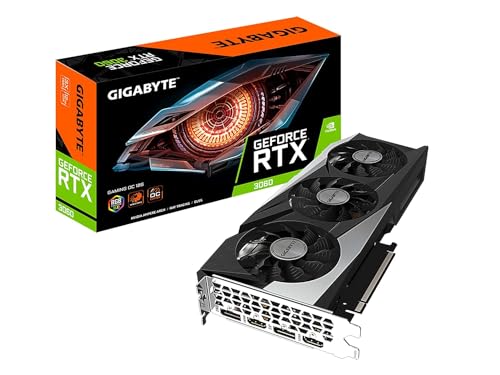
Every roundup needs its contrarian, and here it is a previous-generation card whose single great virtue refuses to go out of date: 12GB of GDDR6 on a 192-bit bus, cooled by three WINDFORCE fans. Newer architectures outrun the RTX 3060 in every synthetic contest, yet flight simulation keeps asking the one question this card answers well — how much scenery can you hold? Twelve gigabytes at this tier remains unusual, and for a pilot flying at 1080p or 1440p with high texture settings, capacity quietly beats cleverness. The REV2.0 designation marks the revised board revision, and the Gaming OC trim brings the triple-fan cooler that suits long sessions.
The compromises are architectural and should be named plainly. This card belongs to the generation before DLSS 3, so frame generation of that kind is not part of its offering; its upscaling is the earlier DLSS generation of its era. Its raw shading power trails every other card in this list, which shows in complex weather and dense third-party airports at higher resolutions. But consider the actual buyer: a pilot with a five-year-old simulator PC, a 1080p or 1440p panel, and a texture slider that their current 6GB or 8GB card cannot feed. For that desk, this card’s capacity is not a consolation — it is the upgrade. It also sips comparatively modest power by the standards of this list, though the title states no figure, so confirm the requirement against GIGABYTE’s documentation before assuming an old power supply qualifies.
There is a secondhand-wisdom angle here too: because this board sold in enormous numbers, every simulator forum carries years of settings threads written specifically for it. A new owner inherits that library — known-good configurations for each major simulator, documented quirks, cooling advice — which shortens the tuning weekend considerably. Newer cards eventually accumulate the same folklore, but the RTX 3060’s is already written. For a pilot who would rather fly than tinker, that accumulated knowledge is a feature no specification table captures.
- Memory: 12GB GDDR6 (as stated in the listing title)
- Memory bus: 192-bit (as stated in the listing title)
- Cooling: 3X WINDFORCE fans (as stated in the listing title)
- Revision: REV2.0 (as stated in the listing title)
- Outputs: Not stated in the listing title — verify with GIGABYTE documentation
- Power draw: Not stated in the listing title — verify with GIGABYTE documentation
Strengths
- Twelve gigabytes at this tier is the roundup’s capacity bargain, ideal for texture-heavy scenery at 1080p and 1440p.
- The triple-fan Gaming OC cooler is oversized for the silicon, which translates into composed long-session behaviour.
- A mature, widely documented board that older simulator PCs accommodate without drama.
Trade-offs
- Previous-generation architecture means no DLSS 3 frame generation of the kind the ASUS card above names in its title.
- Raw performance trails the rest of the list in heavy weather and dense airports at high resolution.
- The title names no outputs, so multi-monitor pilots must verify the port layout before committing.
Best for: a buyer seeking maximum memory capacity at the value end for a 1080p or 1440p simulator upgrade. Not suited for: a buyer requiring current-generation frame generation or 4K performance.
How Do the Six Cards Compare Side by Side?
| Card | Memory | Bus | Cooling / Outputs named in title |
|---|---|---|---|
| MSI RTX 4070 Ti Super Ventus 2X OC | 16GB GDDR6X | 256-bit | Two-fan Ventus design; HDMI/DP named, counts not stated |
| GIGABYTE RX 7800 XT Gaming OC | 16GB GDDR6 | 256-bit | Windforce cooling, metal back plate; DP 2.1, HDMI 2.1 |
| GIGABYTE RTX 4070 Super WINDFORCE OC | 12GB GDDR6X | 192-bit | 3X WINDFORCE fans; outputs not stated in title |
| NVIDIA RTX 4070 Super | 12GB GDDR6X | Not stated in title | Titanium/Black reference styling; details not stated in title |
| ASUS Dual RTX 4060 Ti EVO OC | 8GB GDDR6 | Not stated in title | Axial-tech dual-fan design; HDMI 2.1a, DP 1.4a |
| GIGABYTE RTX 3060 Gaming OC 12G | 12GB GDDR6 | 192-bit | 3X WINDFORCE fans; outputs not stated in title |
One pattern in the table deserves a second look: capacity and generation do not march together. The oldest architecture here carries more memory than the newest mid-tier card, and the two flagship-class boards match each other across rival camps. That is the shape of the current market rather than an accident of selection, and it is precisely why simulator buyers should shop by specification instead of by launch date. A card’s birthday tells you its feature set; its memory system tells you its future in a streaming world. The wisest purchases in this list are the ones where the two happen to agree — and where they disagree, this article has tried to show its working rather than hide the tension.
Read the table by columns rather than rows. The memory column predicts how a card ages in a streaming simulator; the bus column predicts how gracefully it feeds that memory during fast flight; the final column is a reminder that listings vary wildly in what they disclose, and that a quiet title is not a weak card — it is homework. The two 16GB cards are interchangeable in capacity and divided by ecosystem and memory technology. The 12GB trio divides by generation and cooling. The 8GB card stands alone as the compact option, and its honesty about that role is a virtue.
Which Specifications Actually Matter for Flight Simulation?
Start with the frame buffer, because scenery streaming is a memory workload wearing a graphics costume. A simulator at 4K with high texture settings and streamed photogrammetry can press hard against an 8GB buffer, and the symptom — rhythmic stutter as the world reloads — ruins immersion more thoroughly than a modest average frame rate ever will. Sixteen gigabytes buys silence on that front; twelve buys comfort at 1440p and managed 4K; eight buys a settings conversation you will have every time a new city releases.
Next, memory bandwidth, which the bus width and memory technology set together. A 256-bit bus with GDDR6X is the widest, fastest path here; a 192-bit bus with GDDR6 is the narrowest pairing in the list, and it belongs to the card with the most capacity per coin — a deliberate trade, not an accident. Then consider the display chain: VR headsets and multi-panel cockpits care about output standards, which is why the RX 7800 XT’s stated DisplayPort 2.1 and the ASUS card’s stated HDMI 2.1a and DisplayPort 1.4a earn their mentions. Finally, treat every unstated figure — wattage above all — as a documentation errand, not a detail to wave through, because a simulator PC that browns out on climb-out has failed at the only test that matters.
How Should You Set Up a New Card for Simulator Flying?
Begin before the card arrives: photograph your current cable runs, confirm your power supply’s wattage and spare connectors against the board partner’s documentation, and measure the clearance from slot to drive cage with the side panel’s thickness in mind. Install the card with the machine fully powered down and drained, seat it until the slot latch closes, and support a long triple-fan board if your case provides a bracket — three-hour sessions at full temperature are when unsupported boards begin their slow sag.
While the case is open, take the opportunity a simulator PC rarely gets: blow the dust from the radiator fins and filters, reseat the memory modules if the machine has travelled, and route the new card’s power cables with slack rather than tension, because a cable pulled tight against a connector through years of thermal cycles is a fault being scheduled. Label the old card and keep it on the shelf for a fortnight — if the new board misbehaves, a known-good card turns a crisis into a diagnosis.
On first boot, remove the old driver cleanly before installing the new one; simulator PCs accumulate driver layers across years of cards, and a clean base prevents the strange stutters that get blamed on hardware. Inside the simulator, raise settings in a deliberate order: texture resolution first, because that is what your new memory bought; then scenery density; then traffic; and test each change on the same saved flight over the same city at the same time of day, so the comparison means something. Lock a frame-rate target your system can hold on the ground at a busy airport, not one it touches in clear sky at altitude — the ground is where simulators are won and lost. Save the working configuration under a named profile before experimenting further, because the best settings file is the one you can return to.
How Do These Cards Handle VR and Multi-Monitor Flying?
Virtual reality is the harshest workload a flight simulator can present, because the headset renders the scene twice, at a high native resolution, and demands a locked frame cadence — a missed beat in VR is not a stutter on a screen, it is a lurch in your stomach. Memory capacity matters doubly here, since the doubled render still draws from the same texture pool. That is why the two 16GB cards sit at the top of this list for headset pilots: the MSI Ventus 2X OC with its 256-bit GDDR6X path, and the RX 7800 XT with the same capacity and bus width on RDNA 3. The 12GB cards can run current headsets with resolution scaling applied thoughtfully, and the 8GB ASUS card asks a VR pilot to accept visibly reduced render resolution — acceptable in a lightweight headset, frustrating in a high-resolution one.
Multi-monitor cockpits make a different demand: not doubled rendering of one view, but several views or one very wide one, plus a hard dependency on physical outputs. A three-panel wrap at 1440p per screen pushes more pixels than a single 4K display, and the memory guidance follows the pixels — 16GB for comfort, 12GB with texture discipline. The practical trap is the port layout. Listings in this roundup vary from explicit (the RX 7800 XT names DisplayPort 2.1 and HDMI 2.1; the ASUS Dual names HDMI 2.1a and DisplayPort 1.4a) to silent, and a cockpit is hardware you bolt together, so the silent titles must be resolved in the board partner’s documentation before the monitors are ordered. Adapters can rescue a mismatch, but every adapter in a cockpit chain is a future troubleshooting session scheduled in advance.
Ultrawide single panels sit between those worlds. A 3440 by 1440 display asks roughly the load of a heavy 1440p setup with extra scenery at the edges — exactly where texture streaming shows — and the 12GB GDDR6X cards handle it as their home territory. Pilots flying a single ultrawide with a head tracker often report the most satisfying cost-to-immersion ratio in the hobby, and for that desk the GIGABYTE WINDFORCE OC’s triple-fan endurance matters more than the last increment of resolution headroom.
What Should You Tune First in Each Simulator?
In Microsoft Flight Simulator, the settings that spend your new card’s memory are texture resolution and the terrain level-of-detail sliders, while the settings that spend its shading power are volumetric clouds and ambient occlusion. Raise textures first — that is the purchase you just made — then clouds, and keep the terrain detail slider honest about your CPU, because that slider bills the processor as much as the card. Photogrammetry cities are the stress test: if a flight over your favourite streamed city holds steady, your settings are right, and if it stutters in waves, the frame buffer is the suspect and texture resolution is the dial to ease.
X-Plane rewards a different order. Its rendering settings expose object density and texture quality separately, and its scenery loads from local storage, so the card’s work is steadier and less stream-driven. Pilots moving from the streaming simulator often find the same card feels calmer here, and the tuning priority becomes anti-aliasing and shadow quality, which shape the cockpit’s legibility. DCS World, with its dense airfields and fast terrain, rewards the wide-bus cards most: low-level flight at speed is a texture-streaming sprint, and the 256-bit cards in this list were picked with exactly that profile in mind. Prepar3D sits closest to X-Plane in character — local scenery, steady load, a premium on consistent frame pacing over peak numbers.
Across all four, one discipline transfers: change one setting per test flight, fly the same route, and write down the result. Simulator tuning folklore is full of settings copied from machines nothing like yours. Your logbook of changes is worth more than any forum post, because it describes your card, your scenery library and your panel — the only combination you actually fly.
How Long Will Each Tier Stay Comfortable?
Flight simulators evolve by accretion: new streamed cities, denser third-party airports, richer weather. A card’s comfortable life is set by how much headroom it holds against that slow tide. The 16GB cards hold the deepest reserve — their buffers are unlikely to be the binding constraint within this simulator generation, and their owners will more likely upgrade for a new headset than for memory. The 12GB cards hold a solid middle reserve: entirely comfortable now at 1440p, and at 4K they will ask for texture discipline sooner as scenery grows richer, a graceful slope rather than a cliff. The 8GB card’s reserve is the thinnest, and its owner’s upgrade trigger will be a resolution change — a new panel or headset — rather than the simulator itself.
There is also a quieter longevity factor: driver support. Current-generation cards receive the simulator-specific fixes that follow major simulator updates, and those fixes matter in a hobby where a single patch can rearrange performance overnight. The RTX 3060, as the previous generation’s representative, still sits inside the supported window, but its window is the shortest of the six. Weigh that alongside capacity when the value card tempts you: the saving is real, and so is the shorter runway.
What Mistakes Do Flight-Sim Buyers Most Often Make?
There is one more quiet mistake worth naming: upgrading the card and leaving the monitor’s refresh configuration at its default, then concluding the new hardware feels no smoother. Panels and headsets alike need their rates set deliberately in the operating system and the simulator after a hardware change. A five-minute settings audit — resolution, refresh, scaling — is the cheapest performance this article can offer, and it is skipped with remarkable consistency.
The classic error is buying shading power and starving memory: choosing a faster card with a small frame buffer, then discovering that the simulator’s texture slider — the setting that makes the world look like the world — is the one that must stay low. The second error is ignoring the rest of the machine. Flight simulators are famously hungry for single-core CPU performance and system RAM, and a flagship card paired with an elderly processor produces expensive disappointment; balance the upgrade across the system. The third error is trusting a title’s silence: ordering a card whose outputs were never stated, then finding the cockpit’s third monitor has nothing to plug into. The fourth is neglecting power and space — a card that does not fit, or that a tired power supply cannot feed, is not a bargain at any tier. The last is chasing a frame-rate number seen in a video recorded on different scenery, in a different simulator version, with different traffic; your saved test flight is the only benchmark that describes your flying.
What Should You Check About Power and Cooling Before Ordering?
Every card in this roundup arrives with the same gap in its title: no wattage. That silence is normal for marketplace listings and dangerous to improvise around, because simulator PCs are frequently upgraded in place, and a power supply chosen for a modest card five years ago may be asked to feed a flagship today. The board partner’s product page for the exact model code — several titles here print one, such as GV-N407SWF3OC-12GD and GV-R78XTGAMING OC-16GD — carries the recommended supply figure, and that page, not a forum estimate, is the authority. Check also the physical connectors your supply offers, since adapter chains on a card that will run at full load for hours are a compromise to avoid rather than a saving to celebrate.
Cooling deserves the same forward planning. A simulator case lives a harder life than a gaming case: the load is not bursty but continuous, and the machine often sits in a warm room corner surrounded by control hardware that blocks vents. Before the new card arrives, clear the intake filters, confirm the front fans actually spin up under load, and plan the exhaust path so the card’s heat leaves the case instead of washing over the processor — which, in a simulator, is already working hard on its own account. Triple-fan cards move more air and need somewhere for it to go; compact dual-fan cards concentrate their heat in a shorter zone. Neither is a problem with a planned airflow path, and both become one without it. Treat the installation as a small systems project — power verified, airflow planned, drivers cleaned, settings logged — and the card’s first flight will be the uneventful one you were hoping for.
Final Recommendation
For most simulator desks, the GIGABYTE RTX 4070 Super WINDFORCE OC is the centre of gravity: 12GB of GDDR6X, triple-fan cooling for long sectors, and headroom that covers 1440p entirely and 4K respectably. Pilots flying 4K panels or VR should step to a 16GB card — the MSI Ventus 2X OC for its stated clock and GDDR6X bandwidth, the GIGABYTE RX 7800 XT for its DisplayPort 2.1 outputs and AMD platform. The ASUS Dual EVO serves compact 1440p desks with DLSS 3, the reference-styled NVIDIA card serves builders who value the standard form, and the RTX 3060 remains the capacity-first answer for older rigs. Choose by the resolution you actually fly and the memory it demands, and the card will still be serving your logbook faithfully when the next simulator update redraws the world again.
Frequently Asked Questions
How much VRAM does flight simulation really need?
It scales with resolution and texture settings — and with the kind of flying you do. Airliner pilots descending into streamed hub cities place the heaviest demand on the buffer; bush pilots over local scenery place the lightest. Let your routes, not a generic chart, set the figure you buy toward. At 1080p, 8GB is workable; at 1440p, 12GB is the comfortable figure; at 4K or in VR, 16GB removes the memory ceiling from the conversation. Streamed photogrammetry cities are the heaviest load, so pilots who fly them should buy toward the top of their resolution’s range.
Does DLSS 3 help in flight simulators?
Where a simulator supports it, frame generation can smooth perceived motion in heavy scenery, at the cost of some image artefacts that pilots judge differently. In this roundup the ASUS RTX 4060 Ti names DLSS 3 in its title; the RTX 40-series cards share that architecture generation, while the RX 7800 XT and the RTX 3060 belong to other feature families.
Can one of these cards drive a three-monitor cockpit?
Multi-monitor flying depends on the physical outputs fitted, and listings vary in what they disclose. The RX 7800 XT names DisplayPort 2.1 and HDMI 2.1 in its title; the ASUS card names HDMI 2.1a and DisplayPort 1.4a. For the remaining cards, confirm the exact port count and types in the board partner’s documentation before building a cockpit around them.
Should I upgrade my power supply at the same time?
Possibly — and it is better to decide that at the desk than at the checkout. None of these listings state a wattage in the title, so check the board partner’s recommended supply for the exact model, compare it with your unit’s rating and age, and replace a marginal supply rather than discovering its limits mid-flight.
Is the older RTX 3060 still a sensible flight-sim purchase?
For a 1080p or 1440p desk, yes — its 12GB frame buffer is the reason. It lacks the current generation’s frame generation and trails on raw power, but texture capacity is the specification flight simulation punishes first, and there it outranks newer 8GB cards.
How do I know if my current card is actually the bottleneck?
Fly your most demanding saved scenario and watch the simulator’s own frame-rate readout or a monitoring overlay: if the graphics card sits below full utilisation while frame times swing, the processor is likely the limit; if the card is fully loaded and its memory usage hugs the capacity ceiling, the card is the limit. That ten-minute test, run before ordering, prevents the most expensive mistake in simulator upgrading — replacing the component that was never holding you back.
What else should I upgrade alongside the graphics card?
System RAM and the CPU are the usual partners: simulators lean on both heavily. If your machine carries an older processor, a mid-tier card from this list plus a platform plan will serve you better than a flagship card waiting on a bottleneck.
Related Guides
Keep building the cockpit around your new card with our companion reading: our roundup of flight-sim yokes and throttles covers the controls that complete the desk, the multi-monitor setup guide walks through panel layouts for three-screen cockpits, and our VR headset buying guide matches headsets to the cards that can drive them.
Related guides
- Best 3rd Party MacBook Chargers: 96W-Class Alternatives, the 100W Cable Rule, and the Apple Benchmark
- Best Graphics Cards with HDMI Out for TV Only: Six Picks for a PC Whose Only Screen Is a Television
- Best TLC SSDs: Six Drives With TLC NAND Confirmed in Their Own Listings
- Best Powerline Range Extenders: Wi-Fi Kits That Travel Through Your Wiring