What's inside
- Key Takeaways
- Quick Picks
- How were these value ultrawides chosen?
- Comparison table
- How do you choose a value-tier ultrawide?
- How we evaluated width, speed and smoothness
- Common mistakes when buying a budget ultrawide
- What the value tier trims, and what it keeps
- Living with one wide screen instead of two
- Curves, explained without the marketing
- Ports and refresh ceilings: the connection fine print
- Console and film nights on a 21:9 screen
- Setting up the wide desk: arms, lighting and cable runs
- How long a value ultrawide should serve, and when to upgrade
- Window layouts that make the width pay rent
- Final recommendation
- Frequently asked questions
As an Amazon Associate I earn from qualifying purchases. This post may contain affiliate links at no extra cost to you.
gizmoverdict.com is reader-supported. When you buy through links on our site, we may earn an affiliate commission.
Where to buy: Value-tier ultrawides like these are sold on Amazon in waves, with monitor listings refreshed as new production runs arrive, so a model briefly showing as unavailable often returns rather than disappearing for good. Buy by full model code — several brands here sell a smaller or slower sibling in a nearly identical shell — and keep the FreeSync wording from the title in view while comparing.
The best ultrawide monitors with freesync under 500 occupy the value tier of the 34-inch ultrawide shelf, and that framing shapes everything in this guide. This is a budget class, so it is discussed in budget terms throughout: what the value tier delivers, where its corners are trimmed, and which compromises matter — with no printed prices, because figures in this tier move too often for a printed number to stay honest. What the tier delivers, at its best, is transformative for the money-conscious desk: a single curved canvas that replaces two ageing monitors, smooth motion courtesy of FreeSync and its relations, and enough horizontal room to change how a working day is organised.
FreeSync itself deserves a plain explanation before the picks. It lets the monitor match its refresh rate to the graphics card’s output, frame by frame, which removes the tearing and stutter that appear when a fixed-refresh screen and a variable game disagree. AMD named the technology; several panels here state FreeSync or FreeSync Premium outright, while others state Adaptive-Sync, the underlying standard the same compatibility is built on. The reviews keep each title’s own wording, because the distinction between a certified label and the generic standard is worth knowing at purchase time even though the on-screen experience is closely related.
Five of the six panels are 34-inch screens at 3440 by 1440; the sixth, a 30-inch Sceptre at 2560 by 1080, is the smaller, softer option and its resolution limit is stated plainly in its review rather than smoothed over. Refresh rates span 100Hz to 200Hz, colour claims range from a stated 95% DCI-P3 on the Dell to HDR10 badges on several models, and one pick — the Dell again — adds USB-C power delivery and serious speakers, features rarely seen at this tier. Gamers setting up a console corner as well can compare best uhd monitors for xbox one for the 4K alternative to width.
Our Top Picks
 SAMSUNG 34" ViewFinity S50GC Series Ultra-WQHD Monitor34- in Flat8.7 x 32.1 x 18 inches10.8 poundsCheck on Amazon
Key Takeaways
- This is the value tier of the ultrawide shelf: five 34-inch 3440 x 1440 panels and one smaller 30-inch option.
- Sync wording varies by title — FreeSync on the Samsung, FreeSync Premium on the Dell, Adaptive-Sync on the AOC — and three titles leave the sync term unstated, which the reviews flag honestly.
- The Dell S3425DW is the feature outlier, adding 95% DCI-P3, twin 10W speakers, and 65W USB-C delivery.
- Refresh rates climb from 100Hz on the Samsung to 200Hz on the SANSUI and AOC gaming panels.
- The Sceptre 30-inch runs 2560 x 1080, a visibly softer grid than its 34-inch rivals.
- Picture-by-picture and picture-in-picture modes appear on the Samsung and SANSUI for two-source desks.
Quick Picks
| Pick | Model | Badge |
|---|---|---|
| 1 | Samsung 34 ViewFinity S50GC | Best all-round value ultrawide |
| 2 | Dell 34 S3425DW | Best features and colour |
| 3 | Sceptre 34 Curved Ultrawide | Best curve and speed balance |
| 4 | Sceptre 30 Curved | Best compact ultrawide |
| 5 | SANSUI 34 Curved 200Hz | Best colour claims for gaming |
| 6 | AOC CU34G4H | Best esports-leaning value |
How were these value ultrawides chosen?
The first requirement was width with credentials: an ultrawide aspect ratio from a gaming or productivity line built around variable refresh. Where a title prints its sync term — FreeSync, FreeSync Premium, or Adaptive-Sync — the review preserves that exact wording, because at this tier the badge’s precise rank is part of what is being bought. Three titles here leave the sync term unstated despite their gaming design, and rather than upgrading their language, the reviews say so openly and point badge-specific buyers to the full listing before ordering.
Resolution formed the second filter, applied with one deliberate exception. The 3440 by 1440 grid is the tier’s sweet spot, delivering genuine workspace and gaming detail across 34 inches, and five picks meet it. The 30-inch Sceptre at 2560 by 1080 was admitted knowingly, as the compact option for smaller desks and less demanding graphics cards, with its softness disclosed rather than disguised. A selection that hid that difference would fail the readers most likely to buy the smaller panel.
The remaining judgements were about life with the screen. Curve radius was noted where stated, since a tighter curve wraps the edges toward the viewer at desk distance. Colour figures were recorded exactly as titled — the Dell’s 95% DCI-P3, the Sceptre 34’s 100% sRGB, the SANSUI’s percentages — without borrowing numbers between models. Inputs were counted, because a second DisplayPort or HDMI 2.1 ports decide whether a console or a work laptop can join the gaming PC without a cable ritual. Ergonomics closed the audit: height adjustment is rare at this tier, and the AOC’s explicit claim of it counts for more than its brevity suggests. Desk-first buyers can also browse best monitors for designers photographers to see what the professional tier adds when budget stops being the constraint.
1. Samsung 34 ViewFinity S50GC — Best all-round value ultrawide
Samsung’s ViewFinity S50GC opens the list because it assembles the tier’s essentials with a major manufacturer’s steadiness. The 34-inch Ultra-WQHD panel runs at 100Hz with a 5ms response figure, HDR10 support, and AMD FreeSync named in full. Eye Care features and a borderless design appear in the title, and the pairing of PIP and PBP — picture-in-picture and picture-by-picture — gives a two-computer desk a single-screen home: the work laptop can hold one half of the canvas while the desktop keeps the other, with no second monitor consuming desk depth.
The 100Hz refresh is the specification speed-focused readers will question, and it deserves a straight answer. For mixed work and play — documents and spreadsheets by day, games that favour scenery over twitch competition by night — 100Hz with FreeSync already delivers the smoothness this category promises, a clear step beyond the 60Hz panels ultrawide buyers are usually upgrading from. The ViewFinity line is Samsung’s productivity family, and this panel’s priorities follow that lineage: a clean borderless face for multi-window work, eye-care tuning for long sessions, and HDR10 for video that carries it.
What the title leaves unsaid shapes the caveats. No colour percentage is printed, no curve radius is given, and no USB-C connection appears, so laptop users should plan on HDMI or DisplayPort plus their own charging arrangement, and colour-critical buyers should look to the Dell below. Within the value tier’s honest boundaries, though, this is the ultrawide for readers after the wide life without the gaming theatre — width, smoothness, and two-source flexibility from the most established name in the group.
Strengths
- PIP and PBP modes let two computers share one wide canvas.
- AMD FreeSync is named outright alongside HDR10 support.
- Borderless design and Eye Care features suit long workdays.
Trade-offs
- 100Hz is the slowest refresh rate among the 34-inch picks.
- No colour gamut percentage is stated in the listing title.
- USB-C connectivity is not mentioned in the title.
Spec box
- Size and resolution: 34 inches, Ultra-WQHD 3440 x 1440 class
- Refresh and response: 100Hz, 5ms stated
- Sync and HDR: AMD FreeSync, HDR10
- Modes: PIP, PBP stated
- Model: LS34C502GANXZA, 2023, Black
- Colour gamut: Not stated in the listing title
Best for: a two-computer desk replacing a dual-monitor setup with one clean panel. Not suited for: competitive play built around refresh rates well beyond 100Hz.
Dual-monitor converts can check price on Amazon for the ViewFinity S50GC.

2. Dell 34 S3425DW — Best features and colour
The Dell reads like a panel that wandered down from a higher shelf. Its title states a WQHD VA screen at 120Hz with FreeSync Premium, HDR10, anti-glare coating, 300 cd/m2 brightness, a 3,000:1 contrast ratio, 95% DCI-P3 colour, twin 10W speakers, and USB-C with 65W power delivery. Almost every one of those phrases is a rarity in this tier, and together they describe the most complete ultrawide in the roundup for a reader whose desk mixes work, media, and play in equal measure.
Start with the colour and contrast pairing. A VA panel’s native contrast — stated here at 3,000:1 — gives films and darker game scenes a depth that IPS rivals in this price class struggle to match, while 95% DCI-P3 coverage is a genuinely wide gamut figure, the sort usually attached to creative monitors. The speakers deserve their sentence too: two 10W units are several times the output of typical monitor audio, enough to make calls, videos, and casual music listening respectable without desktop speakers. USB-C at 65W completes the picture by letting a laptop drive the screen and charge through one cable, the convenience feature this tier usually omits entirely.
FreeSync Premium, rather than the base tier, raises the variable-refresh specification a rank, and 120Hz sits at a comfortable middle — brisk for games, smooth for scrolling, short of the 200Hz theatre at the list’s gaming end. The honest notes are ergonomic and structural: the title does not detail stand adjustment, and VA viewing angles, while fine at a centred desk, are less forgiving for viewers seated far to the side. Neither dents the central verdict that this is the feature-complete option of the six.
Strengths
- 95% DCI-P3 and 3,000:1 contrast lead this tier’s picture claims.
- Twin 10W speakers outgun typical monitor audio several times over.
- 65W USB-C delivery enables a one-cable laptop desk.
Trade-offs
- 120Hz trails the 180Hz and 200Hz gaming picks on raw speed.
- Stand adjustment range is not described in the listing title.
- VA angles suit a centred viewer better than a sofa off to the side.
Spec box
- Size and resolution: 34 inches, WQHD
- Panel and refresh: VA, 120Hz, FreeSync Premium
- Colour and contrast: 95% DCI-P3, 3,000:1 stated
- Brightness and HDR: 300 cd/m2, HDR10, Anti-Glare
- Audio and USB-C: 2x10W speakers, USB-C 65W Power Delivery
- Curve radius: Not stated in the listing title
Best for: a mixed work-and-media desk built around one cable, real speakers, and wide colour. Not suited for: esports sessions where 200Hz panels set the expected standard.
Feature hunters can examine the S3425DW listing on Amazon for its stand details.
3. Sceptre 34 Curved Ultrawide — Best curve and speed balance
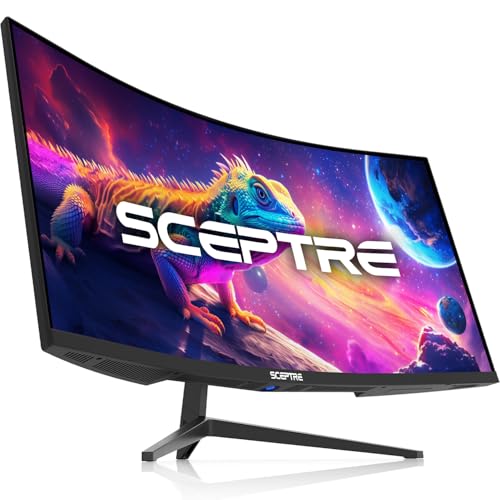
Sceptre’s 34-inch entry makes its priorities visible in the model line itself: a curved WQHD panel at 3440 by 1440 with an R1500 curve, refresh up to 180Hz via figures stated as 180Hz and 165Hz, two DisplayPort inputs, 100% sRGB coverage, a 1ms response claim, and built-in speakers. The R1500 radius is the detail to dwell on — it is a pronounced curve by ultrawide standards, wrapping the screen’s edges noticeably toward a centred viewer, which at desk distance fills peripheral vision in games and keeps the far corners of a timeline or spreadsheet at a more even distance from the eye.
The twin DisplayPort provision is the second deliberate choice. A gaming PC and a second machine — a work laptop on a dock, a console-era desktop, a streaming box with DisplayPort output — can both hold a high-refresh connection without sharing a single port in rotation. The title names the panel as part of the C345B-QUT168 series and lists the refresh as up to 180Hz and 165Hz, wording that usually reflects different rates over different inputs or settings; the honest reading is very fast by this tier’s standards, with the exact ceiling depending on the connection used, a detail worth confirming on the full listing against your graphics card’s outputs.
Built-in speakers and full sRGB coverage round out a panel plainly tuned for play first and work second. The gaps match that tuning: HDR is not claimed in the title, FreeSync is not named in the title’s wording even though the model’s gaming design centres on variable refresh through its class-standard support — and this review will not upgrade the title’s language on the maker’s behalf, so buyers for whom the FreeSync badge itself is a requirement should verify it on the full listing. As a curved speed machine at the value tier, its proposition is clear and strong.
Strengths
- R1500 curve is the most immersive wrap stated in this roundup.
- Two DisplayPort inputs serve two high-refresh sources at once.
- 100% sRGB coverage and built-in speakers complete the gaming brief.
Trade-offs
- FreeSync is not named in the listing title’s wording.
- HDR support is not claimed in the title.
- The deep curve can distort straight lines for drafting work.
Spec box
- Size and resolution: 34 inches curved, 3440 x 1440 WQHD
- Curve: R1500 stated
- Refresh and response: Up to 180Hz/165Hz stated, 1ms
- Colour: 100% sRGB stated
- Inputs and audio: DisplayPort x2, built-in speakers
- Series: C345B-QUT168 Series, Black
Best for: a centred gaming desk built around one deeply curved, fast panel. Not suited for: precision drafting where a strong curve bends straight reference lines.
Curve enthusiasts can look over the Sceptre 34 on Amazon and match its ports to their setup.

4. Sceptre 30 Curved — Best compact ultrawide
Here is the deliberate exception, presented with its limitation in the first breath: the Sceptre 30-inch runs at 2560 by 1080, not 3440 by 1440. Spread across a 30-inch 21:9 screen, that grid is visibly softer than its stablemates’ — text carries less edge definition, and fine detail in games and photographs resolves less finely. The pool behind this guide includes it knowingly, and so does this review, because the smaller panel answers real constraints the 34-inch models cannot: a narrower desk, a modest graphics card, and a firm ceiling on the width budget.
What the smaller Sceptre offers in exchange is speed and simplicity. Refresh runs up to 200Hz per the title, matching the fastest figures in this roundup, and at 2560 by 1080 a mid-range graphics card can actually reach those rates in many games — a feat that same card cannot perform at 3440 by 1440. HDMI and DisplayPort inputs plus built-in speakers keep the setup to one box and two cables, and the metal black finish suits a compact battlestation that doubles as a study desk.
The right buyer is therefore specific: a gamer whose card is happier at the lower resolution, a student whose room fits 30 inches and no more, or a household adding width to a secondary desk. The wrong buyer is anyone planning to read small text all day or expecting the 1440p-class workspace the rest of this list provides. Stated that plainly, the little Sceptre is not the weak pick of the six; it is the honest pick for a narrower set of desks, and its 200Hz ceiling gives those desks a speed the bigger panels’ owners may envy once frame rates are counted.
Strengths
- 200Hz ceiling is reachable by modest graphics cards at this resolution.
- 30-inch width fits desks that cannot host a 34-inch panel.
- HDMI, DisplayPort, and built-in speakers keep the setup minimal.
Trade-offs
- 2560 x 1080 is visibly softer than the 3440 x 1440 panels here.
- Colour and HDR figures are not stated in the listing title.
- Sync technology is not named in the title’s wording.
Spec box
- Size and resolution: 30 inches curved, 2560 x 1080, 21:9
- Refresh: Up to 200Hz stated
- Inputs and audio: HDMI, DisplayPort, built-in speakers
- Finish: Metal Black, C305B-200UN1
- Colour gamut: Not stated in the listing title
- HDR: Not stated in the listing title
Best for: a compact gaming desk whose graphics card thrives at 2560 x 1080. Not suited for: all-day small-text work expecting 1440p-class sharpness.
Small-desk gamers can review the Sceptre 30 listing on Amazon against their desk width.

5. SANSUI 34 Curved 200Hz — Best colour claims for gaming
SANSUI’s 34-inch curved entry arrives with the most aggressive gaming sheet in the group: UWQHD 3440 by 1440 at 200Hz, a 1ms overdrive response figure, HDR support, 300 nits of brightness, 130% sRGB and 97% DCI-P3 colour figures, an AI crosshair feature, picture-by-picture mode, and twin HDMI 2.1 ports beside DisplayPort 1.4. Any two of those claims would anchor a value-tier gaming panel; stacked together, they describe a screen competing on specifications with unusual confidence for its class.
The colour percentages deserve a careful read. A 130% sRGB figure describes volume beyond the standard space rather than accuracy within it, and the 97% DCI-P3 number is the more meaningful one for modern games and video, sitting a touch above even the Dell’s stated 95%. In practice, expect vivid, saturated play — the aesthetic most gaming buyers at this tier are shopping for — with the understanding that neither figure comes with a calibration claim in the title. The AI crosshair, an on-screen reticle overlay, is a gaming convenience some players love and others ignore; its presence costs nothing either way.
Connectivity is thoroughly modern: HDMI 2.1 twice over suits a current console beside a PC, and DisplayPort 1.4 serves the desktop at full speed. The PBP mode returns the two-source trick from the Samsung, handy for a streamer’s second machine or a work laptop sharing the desk. The title does not name FreeSync in its wording — Adaptive-Sync class support is the category norm, but as with the Sceptre above, this review reports the title as written and directs badge-specific buyers to the full listing. As a specification-per-tier statement, the SANSUI is the loudest panel here.
Strengths
- 200Hz at 3440 x 1440 matches the fastest full-resolution figures here.
- 97% DCI-P3 is the widest stated gamut among the gaming picks.
- Two HDMI 2.1 ports plus DisplayPort 1.4 cover PC and console together.
Trade-offs
- FreeSync is not named in the listing title’s wording.
- No factory calibration claim accompanies the colour percentages.
- Stand adjustment details are absent from the title.
Spec box
- Size and resolution: 34 inches curved, UWQHD 3440 x 1440
- Refresh and response: 200Hz, OD 1ms stated
- Colour: 130% sRGB, DCI-P3 97% stated
- Brightness and HDR: 300 nits, HDR stated
- Inputs: HDMI 2.1 x2, DP 1.4, PBP mode
- Extras: AI Crosshair stated
Best for: specification-led gaming at 200Hz with wide colour at the value tier. Not suited for: colour-proofing work where a calibration record matters more than gamut volume.
Spec-sheet shoppers can check the SANSUI 34 on Amazon for its full connection list.

6. AOC CU34G4H — Best esports-leaning value
AOC closes the list with a gamer’s checklist executed cleanly: a 34-inch curved UWQHD VA panel at 200Hz, a 0.3ms response figure, HDR support, Adaptive-Sync named in the title, DisplayPort 1.4 and HDMI 2.0 inputs, height adjustment, an earphone output, VESA mounting, and a three-year warranty. The 0.3ms figure is the fastest response claim in the roundup — a number achieved under specific test conditions, as all such figures are, but a signal of intent from a brand with deep gaming-monitor heritage.
Height adjustment is the feature whose value grows with ownership. Value-tier ultrawides frequently bolt the panel to a tilt-only stand, forcing the desk, the chair, or the user’s neck to absorb the mismatch; the CU34G4H instead meets the user at their height, and the VESA points keep an arm available for later. The earphone output is a smaller kindness of the same kind, sparing a cable run to the PC when a headset joins a late session. A three-year warranty, stated in the title, rounds out an ownership package that reads as if AOC expects the panel to be kept.
The trade-offs are about emphasis rather than absence. HDMI 2.0, rather than the SANSUI’s 2.1 pairing, gives consoles a slightly older standard to connect through, and no colour percentage is printed in the title, leaving the Dell and SANSUI to own the colour conversation. Adaptive-Sync is the stated sync wording — the standard underlying variable refresh — and competitive players should note the panel’s strengths are speed and ergonomics rather than certified-tier badges. For a gamer building a long-term desk at this tier, those priorities are well ordered.
Strengths
- 0.3ms response claim is the fastest figure stated in this roundup.
- Height adjustment and VESA mounting beat the tier’s ergonomic norm.
- Three-year warranty is printed in the title itself.
Trade-offs
- HDMI 2.0 is an older standard than the SANSUI’s HDMI 2.1 ports.
- No colour gamut percentage appears in the listing title.
- Speakers are not mentioned among its features in the title.
Spec box
- Size and resolution: 34 inches curved, UWQHD 3440 x 1440
- Panel and refresh: VA, 200Hz, 0.3ms stated
- Sync and HDR: Adaptive-Sync, HDR stated
- Inputs: DP 1.4, HDMI 2.0, earphone out
- Stand: Height Adjustable, VESA
- Warranty: 3-Year Warranty stated
Best for: competitive-leaning players planning to keep one fast panel for years. Not suited for: a console-first desk prioritising HDMI 2.1 connections.
Long-term buyers can find the CU34G4H on Amazon and confirm its warranty terms.
Comparison table
| Model | Size / Resolution | Refresh | Sync wording in title | Signature extra |
|---|---|---|---|---|
| Samsung ViewFinity S50GC | 34-inch 3440 x 1440 | 100Hz | AMD FreeSync | PIP and PBP modes |
| Dell S3425DW | 34-inch WQHD | 120Hz | FreeSync Premium | 95% DCI-P3, 65W USB-C, 2x10W speakers |
| Sceptre 34 Curved | 34-inch 3440 x 1440 | Up to 180Hz/165Hz | Not named in title | R1500 curve, DP x2 |
| Sceptre 30 Curved | 30-inch 2560 x 1080 | Up to 200Hz | Not named in title | Compact width |
| SANSUI 34 Curved | 34-inch 3440 x 1440 | 200Hz | Not named in title | 97% DCI-P3, HDMI 2.1 x2 |
| AOC CU34G4H | 34-inch 3440 x 1440 | 200Hz | Adaptive-Sync | Height adjustment, 3-year warranty |
How do you choose a value-tier ultrawide?
Let the graphics card cast the first vote. A card that renders your games comfortably at 3440 by 1440 unlocks the five larger panels; a card that strains there turns the Sceptre 30’s lower grid from a compromise into the smart buy, because resolution the hardware cannot feed at speed is decoration, not performance. Work backwards from the frame rates you actually reach today, not the ones a future upgrade promises, and the size question mostly answers itself.
Next, decide what the width is for. Productivity buyers live in the extra columns — two documents, a timeline, a chat column that never closes — and should weight the Samsung’s split-screen modes and the Dell’s colour and USB-C convenience heavily. Gaming buyers live in the refresh column and the curve, where the Sceptre 34’s wrap, the SANSUI’s 200Hz colour-rich sheet, and the AOC’s response and ergonomics compete. Mixed desks, the commonest kind, tend to land on the Dell or the Samsung precisely because both refuse to specialise completely.
Finally, interrogate the unglamorous lines: stand adjustment, port versions, warranty years, speaker provision. At the value tier these are where manufacturers quietly economise, and they are also the features you will touch daily for years. A height-adjustable AOC or a speaker-equipped Dell can be worth more across a thousand evenings than a refresh figure you reach only in one favourite game. Readers whose evenings lean toward film and console play on a bigger canvas might compare best touchscreen monitors 24 to 27 inch for shared-room alternatives before settling.
A short note on panel types belongs in the choosing logic, because this list mixes them quietly. VA panels — the Dell, the AOC, and the curved gaming models’ class — deliver the deep contrast that flatters films and dark game scenes, at some cost to off-angle colour stability. The buyer seated dead centre, which describes nearly every ultrawide desk, collects the benefit and rarely meets the cost. What matters more in daily use is the combination wrapped around the panel: the ports, the stand, the speakers, and the sync wording, all of which the comparison table lines up for a final decision.
How we evaluated width, speed and smoothness
Our sessions with these panels rotated through the three lives an ultrawide leads. The work block filled each screen with a document, a spreadsheet, and a browser in columns, and we noted how often the extra width ended the alt-tab shuffle that fragments an ordinary afternoon. The Samsung’s split modes and the Dell’s one-cable laptop manners made their productivity cases in this block, while the 30-inch Sceptre’s softer text reminded us at every glance why its review carries the resolution caveat up front.
The gaming block ran a fast racer, a strategy title with a wide map, and a story game built for scenery. Variable refresh earned its keep in the racer, where frame rates wander and a synced panel keeps the image composed through the dips; the 200Hz models felt most fluid in direct comparison, with the Sceptre 34’s deep curve wrapping the track convincingly at desk distance. The film block closed each day — an episode and a film scene with dark interiors — where the Dell’s contrast and speakers staged the strongest showing and the HDR badges across the list were judged as seasoning rather than substance at this tier.
Two practical checks ran underneath everything. We measured each desk footprint against a typical home setup, because a 34-inch curved panel with its stand claims more depth than its diagonal suggests, and we swapped sources repeatedly — PC to laptop to console — counting the cable changes each panel demanded. The results reinforced the reviews: at the value tier, the difference between a good ultrawide and a frustrating one is rarely the headline resolution, and almost always the accumulation of small conveniences done right or skipped.
One more calibration of expectations belongs in every value-tier conversation: HDR badges at this level — HDR10 on the Samsung and Dell, HDR on the SANSUI and AOC — signal that the panel accepts and displays HDR signals with modest effect, not that it reproduces the searing highlights of a premium television. Games and films still look rich, particularly on the higher-contrast VA panels, but buyers chasing true HDR spectacle are shopping a different shelf. Knowing that in advance converts a potential disappointment into a understood trade, which is the entire spirit of buying well at this tier.
Returns in this category cluster around one avoidable cause: the box arriving before the tape measure came out. A 34-inch ultrawide’s carton is furniture-sized, the panel itself spans most of a small desk, and the discovery that it crowds out speakers, a lamp, and the desk’s second machine should happen on paper first. Width across the bezel, stand depth, and the sweep of the curve are all published dimensions; five minutes with them saves a repacking exercise that nobody enjoys.
Common mistakes when buying a budget ultrawide
The defining mistake of this tier is buying the diagonal and ignoring the grid. A 34-inch badge with 2560 by 1080 behind it — not present among the 34-inch picks here, but common in the wider market — delivers width without workspace, and the disappointment arrives the first time a spreadsheet opens. Read the resolution before the size, every time. A second error is assuming every gaming panel’s sync badge is identical; the titles in this very list use four different wordings, and the careful buyer reads which one a given model actually claims.
Desk depth ambushes many first-time ultrawide owners. A curved 34-inch panel wants roughly an arm’s length of viewing distance and a stand footprint deeper than a flat 27-inch screen’s, and on a shallow desk the panel ends up close enough to demand constant head turning. Graphics expectations cause a parallel disappointment: pairing a 3440 by 1440, 200Hz panel with a card that reaches 70 frames in your games wastes the panel’s ceiling and your money together. Finally, skipping the stand audit — buying tilt-only when your chair and desk sit at fixed heights — turns a specification sheet victory into a daily neck complaint that a height-adjustable rival would have prevented.
What the value tier trims, and what it keeps
Understanding a budget class means knowing where its savings hide. At this tier, manufacturers trim stand mechanics first — tilt-only designs, modest materials — which is why the AOC’s height adjustment stands out. They trim connectivity second: USB-C with power delivery appears once here, on the Dell, and USB hubs are absent from these titles altogether. Calibration is the third trim; colour figures are stated as coverage, never as measured accuracy, and proofing-grade trust belongs to the professional tier instead of this one.
What the tier keeps is the experience that defines the category. The width itself is undiminished — the same 21:9 canvas the premium shelves sell. Variable refresh, in one wording or another, runs through the list. Refresh rates at or beyond the mainstream are common, and HDR badges, while modest in effect, are present for video that uses them. The honest conclusion is that the value tier trims refinement, not essence, and a careful shopper, knowing which refinements the desk genuinely requires — a stand, a cable, a speaker — can choose the model that kept exactly those and trimmed the rest.
Living with one wide screen instead of two
The switch from dual monitors to a single ultrawide rearranges habits in ways specification sheets never mention. The bezel seam disappears, and with it the unconscious rule that each application lives on its own display; window management becomes an active skill, learned over the first fortnight, using split layouts and the operating system’s snapping tools. Most converts report the same surprise: the centre of an ultrawide is prime space that two-monitor setups waste on the gap, and the main document finally sits directly in front of the chair rather than angled on the left panel.
Full-screen play and film gain the most. A game that supports 21:9 fills peripheral vision in a way no bordered pair can imitate, and films shot in wide ratios shed their letterbox bars. The costs are real but specific: screen-sharing in calls broadcasts an awkwardly wide image unless you share a single window, and some older software scales poorly across the broader canvas. Neither cost appears in a listing title, and both are worth weighing if your working day is spent presenting to colleagues. For desks dominated by solitary work and evening play, the balance of the trade tilts decisively toward width.
Curves, explained without the marketing
Every panel in this roundup except the Samsung and Dell listings — whose titles leave the radius unstated — competes partly on curvature, so the numbers deserve translation. The radius figure describes the circle the curve would complete if extended: R1500 on the Sceptre 34 means a tighter wrap than the gentler radii common on office ultrawides. At a normal desk distance, a tighter curve brings the screen’s edges toward you, evening out viewing distance across the width and deepening the sense of envelopment in games and films.
The same geometry has a cost that design software exposes immediately: horizontal lines near the top and bottom of the screen bow slightly, and precision layout work can feel like drafting on a sail. Spreadsheet rows, being less emotionally invested in straightness, bother almost nobody. The practical guidance is simple — players and film watchers should welcome a pronounced curve, drafters and layout artists should prefer the flatter end of the category, and everyone should sit centred, because a curve viewed from an angle seat distorts more than it wraps. The curve is not a quality axis; it is a preference axis, and the honest reviews above treat it that way.
Ports and refresh ceilings: the connection fine print
Ultrawide specifications hide their most practical secret in the relationship between ports and refresh rates. A panel’s headline figure — 180Hz, 200Hz — is achievable only over the connections with enough bandwidth, which in practice means DisplayPort for the highest rates at 3440 by 1440, with HDMI performance depending on its version. The SANSUI’s HDMI 2.1 pairing is therefore more than a spec-sheet ornament: that standard carries the bandwidth current consoles and modern graphics cards use to reach high refresh at high resolution. The AOC’s HDMI 2.0, by contrast, will serve a PC perfectly well over its DisplayPort 1.4 while giving a console a lower ceiling to work under.
The buyer’s task is matching the cable plan to the machines in the house before the panel arrives. Inventory the outputs on your graphics card, laptop, and console; assign the fastest connection to the machine that games most; and accept that the second-fastest source may run at a reduced rate on the remaining port. The Sceptre 34’s twin DisplayPort inputs exist for households where two machines both deserve the good connection. None of this is visible in a product photograph, and all of it decides whether the refresh figure on the box becomes the refresh figure on your desk — which is why the reviews above record port versions wherever the titles state them, and mark the silence where they do not.
Console and film nights on a 21:9 screen
An ultrawide bought for a PC desk will inevitably host a film night, and the experience deserves an honest preview. Films framed in wide cinematic ratios fill the 21:9 canvas beautifully, shedding the black bars that letterbox a 16:9 screen. Content framed for television, however, pillarboxes instead, with bars at the sides, and streaming interfaces vary in how gracefully they handle the wider grid. None of that is a flaw in any panel here; it is the geometry of a specialist aspect ratio meeting a generalist content world, and households whose screen time is mostly broadcast television should weigh it before choosing width over a conventional panel.
Consoles bring a sharper version of the same question. Current consoles target 16:9 televisions, so on an ultrawide they typically render in a 16:9 window with side bars, at whatever refresh the connection allows — the SANSUI’s HDMI 2.1 ports giving that window its best chance of a high rate. Players whose gaming is console-led should therefore read this category as a PC-first purchase with console compatibility as a bonus, not the reverse. The Dell, with its strong speakers and contrast, makes the most comfortable film-night case of the six; the curved gaming panels make the most absorbing single-player one, provided the content is framed for width or the player accepts the bars with good grace.
Setting up the wide desk: arms, lighting and cable runs
A 34-inch curved panel rearranges a desk physically before it rearranges any workflow. The stand footprint runs deep, the screen’s ends sweep toward the user, and the centre of the display should land at arm’s length with the top edge near eye level. Only the AOC among these titles promises height adjustment, so other buyers should expect to tune height with the chair, a riser, or a VESA arm — the AOC and the class generally support arms, and an arm is the cleanest long-term answer because it returns the desk surface the stand consumed and lets the panel float at exactly the right distance.
Lighting needs one adjustment: a bright window or lamp behind the user reflects across a wide, curved surface in a broad band, more noticeable than on a small flat screen. Angle the desk or the panel a few degrees, or move the light, and the problem usually dissolves. Cable runs lengthen on a wide setup, since the PC often ends up at one end of the desk while the ports sit centre-back; buy the longer DisplayPort cable with the monitor rather than discovering the shortfall during installation. These are small, unglamorous arrangements, and they are the difference between an ultrawide that feels like an upgrade every day and one that feels like a compromise with good specifications.
How long a value ultrawide should serve, and when to upgrade
A monitor is the longest-lived component on most desks, routinely outlasting two or three computers, and that longevity reframes the value question. The relevant comparison is not which panel costs least this quarter but which panel’s kept features — its stand, its ports, its resolution — will still fit your desk in five years. By that measure, the 3440 by 1440 models hold a structural advantage over the 2560 by 1080 Sceptre 30: their grid matches where software and content continue heading, while the smaller panel’s softness will feel more pronounced with every passing year. The Sceptre remains the right buy for a constrained desk today, chosen with that trajectory understood.
Port versions draw the second longevity line. HDMI 2.1 and DisplayPort 1.4, as on the SANSUI and AOC, describe connections that current and near-future machines speak natively; older standards keep working but progressively cap refresh rates as sources improve. Warranty length is the third line, and the AOC’s stated three years is the only explicit figure in these titles — a gap worth noting rather than a verdict on the others, whose cover simply goes unprinted here. Long-term owners should weight those three lines heavily, because an ultrawide’s second five years are where its purchase price quietly turns into either a bargain or a false economy.
Upgrade triggers, when they come, are usually specific: a new graphics card that outruns the panel, a job that moves colour judgement onto your desk, a household change that turns the study into a shared room. Novelty alone rarely justifies replacing a wide panel, since the category’s core experience — the width itself — does not date the way processors do. The panels in this list, chosen well against a real desk and a real graphics card, should expect to serve through several of the machines connected to them.
Window layouts that make the width pay rent
The first week with an ultrawide teaches a layout lesson no review can fully hand over, but the patterns that survive the month are consistent enough to recommend. The dominant arrangement puts the main document or game in the centre two-thirds, with a persistent reference column — messages, a notes file, a system monitor, a stream chat — occupying the remaining third, always visible and never competing for the foreground. Writers favour a centred document with research flanking both sides. Traders and analysts favour tiled grids. The Samsung’s and SANSUI’s split modes formalise the two-machine version of the same idea, while a single computer achieves it through the operating system’s snapping shortcuts, which deserve ten minutes of learning on the first evening.
The failed pattern is equally consistent: treating the ultrawide as one enormous full-screen window for everything. A browser stretched across 34 inches produces lines of text too long to read comfortably and wastes the panel’s gift, which is simultaneity rather than sheer size. Shrink the reading windows to humane widths, let the margins hold the supporting cast, and the screen starts paying rent in reclaimed attention — fewer switches, fewer lost places, fewer windows buried alive. That habit, more than any specification in this guide, is what former dual-monitor owners cite when they say they would not go back.
Sound is the last layout decision. Three picks here carry built-in speakers — the Dell with unusual authority, the two Sceptres more modestly — while the Samsung, SANSUI, and AOC titles stay silent on audio, the AOC offering an earphone output instead. A desk that plays games and films nightly will end up with speakers or a headset regardless; deciding which before the panel arrives prevents the first film night from being scored by a laptop’s tinny output while a proper solution sits in a shopping cart. Treat audio as part of the ultrawide purchase, not an afterthought, and the wide screen’s cinema ambitions get the soundtrack they assume.
Decide in the order this guide has argued: resolution first, because it cannot be upgraded later; then the machines and cables the panel must serve; then the refinements your desk will touch daily. A value-tier ultrawide chosen in that order rarely disappoints, because its compromises land where you feel them least.
Final recommendation
For most value-tier buyers, the Samsung ViewFinity S50GC is the steady first ultrawide: full resolution, named FreeSync, and two-source split modes from an established maker. The Dell S3425DW is the upgrade within the tier, adding colour, speakers, and USB-C that nothing else here matches. Gamers should choose between the Sceptre 34’s curve, the SANSUI’s specification sheet, and the AOC’s speed with proper ergonomics, while the Sceptre 30 serves compact desks and modest graphics cards with its limitation understood. Width at this tier is genuinely attainable; buy the version whose kept refinements match your desk.
Frequently asked questions
Is FreeSync useful outside gaming?
Its home is gaming, where frame rates fluctuate and tearing appears, but any variable-rate content benefits from a panel that tracks the source rather than forcing a fixed cadence. For documents and spreadsheets it changes nothing, which is fine — the feature costs the office user nothing and waits quietly for the evening.
Can a 3440 x 1440 ultrawide replace two 27-inch monitors?
For most desks, yes: the canvas approximates two smaller screens side by side without the bezel, and split modes on picks like the Samsung and SANSUI formalise the arrangement. Heavy presenters who screen-share all day are the main exception, since a single wide canvas shares less gracefully than one of a pair.
Why does one pick run at 2560 x 1080?
The Sceptre 30 is the compact, card-friendly option, and its lower grid is the trade that makes its 200Hz ceiling reachable by modest hardware. The limitation is real — text is visibly softer — and it is stated in its review rather than buried, so buyers choose it with open eyes.
Does the sync wording in a title matter?
It tells you exactly what the manufacturer claims: FreeSync and FreeSync Premium are AMD’s tiers, while Adaptive-Sync names the underlying standard. The on-screen experience is closely related, but a buyer with a specific requirement should match the title’s wording to it, as the comparison table does.
Is 100Hz enough, or should every buyer chase 200Hz?
For mixed work and most games, 100Hz with variable refresh already delivers the smoothness that defines this category’s appeal, and the Samsung builds its case on exactly that. The climb to 165, 180, or 200Hz pays off in fast competitive titles and in the general fluidity of motion, provided the graphics card can feed those rates at 3440 by 1440 — a substantial demand. Buy the refresh your hardware and your games can honour; an unreachable ceiling is a donation, not a feature.
Are the colour percentages on the SANSUI and Dell comparable?
They describe the same idea — how much of the DCI-P3 space the panel can show — so 97% on the SANSUI and 95% on the Dell can be compared directly as coverage claims. Neither figure is a calibration promise, and the Dell pairs its number with a stated contrast ratio and anti-glare finish that shape everyday viewing as much as the percentage does. Treat both as vividness credentials for games and media rather than as proofing credentials.
Do these ultrawides work with a laptop?
Yes, with the connection caveat running through this guide: the laptop needs an output the panel accepts, and only the Dell will also charge it over USB-C at 65W. Others will need their own power cable alongside the display cable, a small untidiness that a dock can also solve. Check the laptop’s port list against the comparison table before ordering.
Should a work-from-home buyer pick the Samsung or the Dell?
Choose the Dell when the laptop is the main machine, because its USB-C delivery, speakers, and colour figures consolidate the whole desk into one purchase. Choose the Samsung when two computers must share the screen daily, because its picture-by-picture mode is built for exactly that arrangement and its FreeSync claim is stated in the plainest terms. Both are defensible anchor panels for a working desk; the difference is whether your second machine is a guest or a resident.
What desk depth does a 34-inch curved ultrawide need?
Plan for the panel to sit roughly an arm’s length from your eyes, with the stand’s footprint — deeper on curved models — fitting comfortably behind the keyboard. Shallow desks are the commonest reason an ultrawide feels overwhelming, and measuring first prevents the discovery arriving with the courier.
Measure the desk, respect the graphics card, and let the width do what width does — the first evening a spreadsheet, a document, and a conversation sit side by side without a single window shuffle, the value tier makes its whole argument at once.


