What's inside
- Key Takeaways
- Quick Picks
- How Did We Choose Phones for Emulation Rather Than for Gaming Generally?
- What Decides Emulation Performance — Silicon, Cooling, Memory and the Emulator Itself?
- How Do the Six Emulation Picks Compare?
- How Do Front-Ends, Big Screens and Cloud Saves Complete the Setup?
- How Should You Treat the Battery of a Phone That Games Daily?
- How Do You Set Up an Android Phone for Emulation?
- What Mistakes Do Emulation Buyers Keep Making?
- Final Recommendation
- Frequently Asked Questions
- Related Guides
As an Amazon Associate I earn from qualifying purchases. This post may contain affiliate links at no extra cost to you.
gizmoverdict.com is reader-supported. When you buy through links on our site, we may earn an affiliate commission.
Where to buy: Every handset reviewed here is tied to a checked listing for the precise variant under discussion — read the variant line in each review, because emulation performance lives and dies by the exact chipset and memory configuration, and two phones sharing a name do not always share a processor, a cooling system or a storage tier, however identical they look in a shop window photograph.
The best android phones for emulation gaming are not simply the best Android phones. Emulation is a peculiar workload: a modern processor impersonating older hardware, translating instructions in real time, holding a steady frame rate against a thermal ceiling that a ten-minute benchmark never meets. A phone can top every chart in the shop and still stumble in the third hour of a GameCube session, cooked by its own heat. Conversely, a phone built for gaming — with a cooling system designed for sustained load, a battery that treats a long session as a normal evening, and storage deep enough for a library — will hold its performance in the hour that separates a demo from a playthrough. This guide is written for the playthrough.
Let us set the tiers honestly, because the keyword covers several different hobbies wearing one name. The classic 8-bit and 16-bit consoles, the handheld generations up to and including the Nintendo DS and PSP era, and most PlayStation 1 games run well on almost any modern phone — if that is your library, save your money and buy storage and comfort instead of silicon. The demanding tiers are the 3D generations: Nintendo 64 and Dreamcast ask for competence, GameCube and PlayStation 2 ask for real flagship power and good emulator optimisation, Wii asks for more, and the Switch-class frontier asks for everything a phone has plus mature drivers. The six phones here are chosen for readers aiming at those upper tiers, and the reviews will say plainly which tier each phone’s ceiling suits.
Two ground rules govern everything below. First, emulation itself is software doing legal, ordinary work, but the games are not this guide’s to give away: readers should build their libraries from games they own, dumped from their own media where the law in their place allows, and this guide discusses hardware and performance only. Second, controllers are accessories here, never picks. A clip-on or telescopic controller — the GameSir-style attachments players will know — transforms phone emulation more than any single specification, and the guide discusses that accessory class in prose where it belongs: as an addition to a phone, not as a substitute for choosing the right one.
There is a budget truth to state before the reviews, because this roundup’s prices — unspoken individually, per this guide’s rules — span a wide field. Emulation value does not scale linearly with money. The jump from a mid-range phone to a value flagship like the Poco buys whole console generations; the jump from a value flagship to a gaming flagship buys sustained performance, deeper storage and the frontier tier’s best behaviour. Readers should locate their library on the tier ladder first and spend to that rung, because the most common waste in this category is a frontier-class phone bought for a 16-bit library — and the second most common is a classics-class phone bought for a GameCube ambition.
Finally, a note on evidence. Listing titles in this category are a mixed bag: the ROG Phone 9’s title reads like a spec sheet, the REDMAGIC 12 Pro’s title reads like a riddle, and several in between print cameras where an emulator player wants thermals. Where a title is silent, the spec boxes record the silence, and the reviews reason from the phone’s known class and printed facts rather than inventing numbers. Emulation readers are technically literate; they will forgive a guide for saying “not stated”, and they should never forgive one for making things up.
Key Takeaways
- Emulation is a sustained-load hobby: cooling and battery decide the third hour, while peak benchmarks only decide the first ten minutes.
- Match the phone to the tier — classics run anywhere; GameCube, PS2 and Wii want flagship silicon; the Switch frontier wants everything.
- The ROG Phone 9 prints the most emulator-relevant title here: Snapdragon 8 Elite, a 185Hz AMOLED and a 5,800mAh battery.
- Storage is a library feature: the 1TB REDMAGIC and S25 Ultra configurations swallow whole collections without card juggling.
- Controllers are accessories, discussed in prose — a telescopic pad improves every phone here more than a small spec bump would.
- Only emulate games you own, from your own media where your local law allows; this guide covers hardware, not game files.
- Spend to your tier: the step to a value flagship buys whole console generations, while the step to a gaming flagship buys sustained performance and the frontier.
- Back up saves and memory-card files from day one — the library takes years to build and twenty minutes to insure.
Quick Picks
| Pick | Badge | Why it is here |
|---|---|---|
| REDMAGIC 12 Pro | Best Gaming-Brand Flagship | A gaming-first handset in a 16GB-plus-1TB configuration built for long, hot sessions. |
| ASUS ROG Phone 9 | Best Printed Spec Sheet | Snapdragon 8 Elite, a 6.78-inch 185Hz AMOLED and 5,800mAh, all stated in the title. |
| Samsung Galaxy S25 Ultra 1TB | Best Library-and-Everything Phone | A terabyte of storage in Samsung’s flagship for the player whose phone is also their life. |
| OnePlus 13 | Best Fast-Charging All-Rounder | Snapdragon 8 Elite with 16GB of RAM, 512GB of storage and very fast wired and wireless charging. |
| Xiaomi Poco F7 Pro | Best Value Performance | A gamers’-phone positioning with 512GB and a 2K AMOLED for T-Mobile-family and global networks. |
| Nothing Phone (3) | Best Distinctive All-Rounder | A Snapdragon 8s Gen4 handset with four 50MP cameras for the player who emulates below the top tier. |
How Did We Choose Phones for Emulation Rather Than for Gaming Generally?
The distinction matters. A phone chosen for native Android gaming needs burst performance and a fast screen; a phone chosen for emulation needs sustained performance, generous memory, deep storage and an emulator ecosystem that favours its silicon. We weighted the picks accordingly. Sustained performance came first, which is why two gaming-brand phones — REDMAGIC and ROG — lead the list: their makers design cooling and power behaviour around sessions measured in hours, because their customers measure them that way, and an emulator at full stretch is exactly that workload wearing a retro costume.
Memory and storage came second, and they are not the same virtue. Memory — RAM — is where the emulated machine and its translated code live moment to moment, and the generous configurations in this roundup, sixteen gigabytes in the REDMAGIC and OnePlus listings as printed, give demanding emulators and their shader caches room to breathe. Storage is the library: game images are large, a serious multi-system collection runs to hundreds of gigabytes, and the two 1TB-class and 512GB configurations here exist because the emulation reader’s real question is often not “will it run” but “will it all fit”. A phone that forces library triage every month fails its owner in a way no benchmark prints.
Third, we considered the emulator ecosystem’s centre of gravity. Android emulation development concentrates on the flagship Qualcomm platforms, whose graphics drivers receive the attention that translates into compatibility and speed in the demanding emulators. Every pick here whose title names its silicon names a Qualcomm part — Snapdragon 8 Elite in the ROG and OnePlus, 8s Gen4 in the Nothing — and that is not an accident of the pool; it is the shape of the hobby. Where a title does not name the chipset, as with the REDMAGIC and the Samsung, the spec box records the silence and the review reasons from the product line’s known class.
We also ran a thought experiment for each pick, the same one: it is month fourteen, the phone is the reader’s only handset, and their favourite demanding game has just received an emulator update that raises its requirements. Which of these phones absorbs that month gracefully? The answers sorted the guide more honestly than any launch-day enthusiasm — the generous RAM configurations, the deep storage and the cooling-led brands all earned their chairs in that imagined month, and the reader should run the same experiment before ordering, because emulation phones are bought for the library’s future as much as for its present.
Finally, we kept the phones honest as phones. Most readers will carry their emulation handset as their only handset, so camera decency, network fit and battery life outside games all counted. The Poco’s network line — aimed at T-Mobile-family and global use per its title — is therefore treated as a first-class fact in its review, not a footnote, because a brilliant emulation phone that cannot join your network is a handheld console with a SIM tray.
What Decides Emulation Performance — Silicon, Cooling, Memory and the Emulator Itself?
Silicon first, with a nuance the benchmark charts hide. Emulation leans heavily on single-threaded CPU performance — the emulated console’s processor must be impersonated in real time — and on graphics drivers that translate the old machine’s drawing commands into the phone GPU’s language. Flagship Snapdragon platforms lead this hobby not merely because they are fast, but because emulator developers own them, test on them and write drivers workarounds for them. A theoretically equal chip from a less common line can lose in practice, in specific games, for reasons that live in driver maturity rather than in any specification a shopper can compare. Buy where the developers live.
Cooling is the second decider, and the one that separates the third hour from the first. Every phone slows its processor when it gets hot; the only question is when. Gaming-brand phones attack this with larger vapour chambers, more generous thermal mass and, in the category generally, fan and accessory ecosystems — the listing titles here rarely detail the cooling hardware, so this guide credits the design philosophy of the gaming lines without inventing component lists. The practical test for a buyer is behavioural: an emulation phone should be judged on the frame rate it holds at minute ninety, and the return window is where you find out.
Memory and storage behave as the reviews described: RAM for the running impersonation and its caches, storage for the library and the save states and the per-game shader files that accumulate like sediment. One under-discussed point deserves its sentence — write endurance and speed matter when a library is copied, moved and patched, and the flagship storage tiers in these phones handle a hundred-gigabyte library transfer with less drama than budget storage does. Your future self, migrating the collection to the next phone, will have opinions about this.
Displays and input deserve their paragraph, because retro games were built for televisions with effectively instant response and controllers wired to the machine. A phone interposes a touchscreen, a compositor and a refresh cycle between the player’s thumb and the game’s judgement, and the better gaming phones fight that latency with high refresh rates and fast touch sampling — the ROG’s printed 185Hz is the extreme statement of that fight. In practice, the telescopic controller removes most of the problem at a stroke, which is why this guide treats it as essential kit; but a fast, responsive screen still flatters every tier, and players sensitive to timing — rhythm games, fighting games, precision platformers — should weight display response as a first-class specification rather than a gaming garnish.
And the emulator itself is a variable no phone purchase controls. The same handset can run one system beautifully and another poorly because the second emulator is younger, or optimised for different silicon, or simply unfinished. Wise emulation buyers choose their target systems first, read those emulators’ own compatibility notes, and let the phone follow the software’s advice. This guide’s tier framing — classics anywhere, 3D generations on flagships, the frontier on the best silicon with patience — is the honest summary of where the software stands as a whole.

REDMAGIC 12 Pro — Best Gaming-Brand Flagship
The REDMAGIC listing is the shortest title in this roundup — the phone’s name, a 16G+1T configuration, the Nightfreeze finish and a North America designation — and the review must therefore begin with the discipline this guide promised: nearly everything a shopper might want to know is not stated in that title, and the spec box below records the silences faithfully. What the title does state is itself eloquent. Sixteen gigabytes of memory and a terabyte of storage is the configuration of a phone bought to hold an entire emulation library and run its heaviest members, and REDMAGIC is a gaming-first brand whose whole design language — cooling-led, session-led, unembarrassed about being a machine for play — exists for exactly the sustained workload emulation imposes.
Reasoning from the product line’s class, then, with the reasoning labelled as such: REDMAGIC’s Pro handsets are built around flagship gaming silicon and active-minded thermal design, sold to players who run native games at high settings for hours and who notice, loudly, when a phone throttles. That customer discipline is precisely what an emulator player wants standing behind their purchase, because a GameCube session at minute ninety is the same thermal exam. The terabyte also deserves its due in a category where libraries are measured in hundreds of gigabytes: this is the phone in the roundup that never asks which console generation to delete.
One more consideration belongs to this pick alone: the accessory and cooling ecosystem that surrounds a gaming brand. Phones designed for players tend to attract the clip-on coolers, cases with vents, and controller fits that the hobby actually uses, and a REDMAGIC owner shops for those extras in a market that assumed their existence. The telescopic controller remains an accessory in this guide’s accounting — never a pick — but the probability that a well-fitting one exists for this handset, today, without compromise, is part of what a gaming brand’s premium buys. Mainstream phones catch up eventually; gaming phones start there.
The debits are the brand’s known character rather than surprises. A gaming-first phone spends its budget on performance and cooling rather than on the camera system or the software polish a mainstream flagship lavishes on you, and its design announces its hobby in every room it enters. Buyers should also verify the exact chipset and network bands in the maker’s documentation before purchase, since the listing title declines to print them — homework this guide assigns without apology, because at this configuration’s level the details are the purchase.
- Model: REDMAGIC 12 Pro, Nightfreeze (NA)
- Memory and storage: Printed as 16G+1T in the listing title
- Chipset: Not stated in the listing title — verify with the maker’s documentation
- Display: Not stated in the listing title — verify with the maker’s documentation
- Battery: Not stated in the listing title — verify with the maker’s documentation
- Network bands: Not stated in the listing title — verify with your carrier before buying
Strengths
- A gaming-first design philosophy aimed at sustained performance, emulation’s exact workload.
- The 16GB-plus-1TB configuration ends library triage for good.
- A North America variant, rather than a grey import, for this market’s buyers.
Trade-offs
- The title states almost nothing — chipset, screen and battery all require the maker’s documentation.
- Camera and software polish play second fiddle to performance in this brand’s budget.
- Its gaming design language is unmissable in a boardroom.
Best for: a dedicated emulation player whose library spans every 3D generation and whose sessions run for hours. Not suited for: a photography-first buyer who games occasionally — the S25 Ultra below spends its money in their order, not this one’s.

ASUS ROG Phone 9 — Best Printed Spec Sheet
If the REDMAGIC’s title is a riddle, the ROG Phone 9’s is a confession of everything: a US-version unlocked phone with a 6.78-inch 185Hz AMOLED display, 256GB of storage, 12GB of RAM, a 5,800mAh battery, a 50MP gimbal camera and a 32MP front camera, a Snapdragon 8 Elite, dual-SIM, in Phantom Black. For an emulation shopper, three of those lines do the heavy lifting. The named Snapdragon 8 Elite places the phone on the platform the demanding emulators are developed against. The 5,800mAh battery respects the session length emulation actually involves. And the display’s 185Hz ceiling, while far beyond what retro systems output, speaks to ASUS’s gaming priorities — a screen specified for play first and everything else second.
ASUS’s ROG line is the other gaming-first philosophy in this roundup, and its difference from REDMAGIC is temperament: ROG wraps the gaming hardware in a slightly more complete flagship, cameras with gimbal stabilisation included, for the player whose phone must also be their camera on holiday. For emulation specifically, the printed chipset is the comfort: there is no documentation homework required to know which silicon you are buying, and in a hobby where a specific game can hinge on a specific driver, that certainty is worth money. Twelve gigabytes of RAM is a step below the two 16GB configurations here, and heavy multitaskers who emulate alongside a dozen open apps should note it; for the emulator itself, it remains a flagship-class allotment.
The honest caveats are few. Storage at 256GB is the roundup’s smallest among the flagships, which a terabyte-class library will feel within the year — the emulation completist should count their collection before choosing this configuration. And like every phone here, its real examination is thermal and happens at minute ninety in your own hands. But as a printed, verifiable, US-version proposition for the demanding tiers, this is the listing that asks the least faith of its buyer.
- Model: ASUS ROG Phone 9, US version, unlocked
- Chipset: Snapdragon 8 Elite, per the listing title
- Display: 6.78-inch AMOLED, 185Hz, per the listing title
- Memory and storage: 12GB RAM, 256GB storage
- Battery: 5,800mAh
- Cameras: 50MP gimbal main, 32MP front; dual-SIM
Strengths
- The chipset is named in the title — the exact certainty emulation buyers shop for.
- A gaming-first line with a complete flagship wrapped around it, cameras included.
- A US-version unlocked listing, with dual-SIM for carrier flexibility.
Trade-offs
- 256GB is the tightest flagship storage here; completist libraries will outgrow it.
- 12GB of RAM trails the 16GB configurations in this roundup.
- Its gaming styling, while subtler than some, still reads as a gaming phone.
Best for: an emulation player who wants the demanding tiers on a US-version phone whose key specification is printed, not promised. Not suited for: a terabyte-library completist — the REDMAGIC’s configuration was specced for that reader’s shelves.
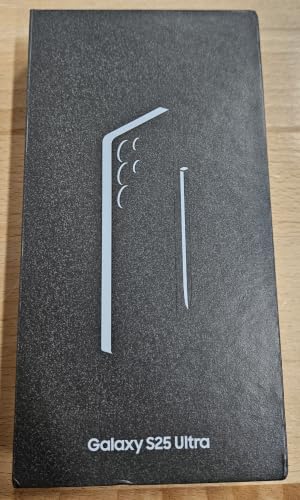
Samsung Galaxy S25 Ultra 1TB — Best Library-and-Everything Phone
The S25 Ultra in this listing is the 1TB configuration — an unlocked 2025 phone in Titanium Whitesilver whose title leans on Samsung’s vocabulary of AI camera, fast processor and long battery life. Translate that into emulation terms and the case writes itself: this is the flagship for the reader who refuses to choose between a great phone and a great emulation machine. The terabyte swallows the library whole. Samsung’s Ultra platform sits in the flagship silicon class the emulators favour. And when the session ends, the phone that remains in your hand is the most complete mainstream handset in this roundup — the camera, the screen, the software support, the accessory world, all at flagship depth.
That dual citizenship is the argument and also the caveat. A mainstream flagship is cooled and tuned for the whole of life, not for a three-hour thermal siege; in sustained emulation it will manage its heat like a flagship, which is to say respectably rather than fanatically, and the gaming-brand phones above exist precisely for readers who want the fanatic version. The title also declines to name the chipset or the RAM figure, so the spec box records the silence and the buyer who cares — in this hobby, most do — should read Samsung’s documentation for the exact configuration before ordering.
Where the Ultra pulls ahead of the gaming pair is everything around the emulation: the S Pen in its silo for the strategy and adventure titles that love a pointer, the desktop-style modes Samsung offers when the phone meets a big screen and a controller, and the simple fact that its owner will never explain their phone to anyone. For the player whose emulation library shares a handset with their work, their camera and their life, that completeness is not a compromise. It is the point.
- Model: Samsung Galaxy S25 Ultra, unlocked Android (2025)
- Storage: 1TB, per the listing title
- Colour: Titanium Whitesilver
- Chipset: Not stated in the listing title — described there as a fast processor; verify the exact part in Samsung’s documentation
- RAM: Not stated in the listing title — verify with the maker’s documentation
- Battery: Described as long battery life in the listing title; capacity not stated there
Strengths
- A terabyte of storage in the most complete mainstream flagship here.
- Flagship-class silicon in the platform family emulator developers prioritise.
- The phone remains a superb everyday handset when the session ends.
Trade-offs
- Mainstream thermal tuning: sustained emulation is managed, not fanatically cooled.
- The title names neither chipset nor RAM — documentation homework for the technical buyer.
- Its price class, unspoken here, is the flagship ceiling of this roundup.
Best for: a professional whose single phone must be office, camera and emulation library at once. Not suited for: a pure-session player who wants cooling designed for three-hour sieges above all else — that reader’s chair is the REDMAGIC’s.

OnePlus 13 — Best Fast-Charging All-Rounder
This OnePlus 13 listing — a different, higher configuration from the one in this batch’s signal guide, and the reviews should not be confused — prints 16GB of RAM with 512GB of storage, dual-SIM, an unlocked handset on the Snapdragon 8 Elite, 80W wired SUPERVOOC charging with 50W AIRVOOC wireless, an advanced Hasselblad camera, in Arctic Dawn. For emulation, the configuration is close to ideal: the flagship silicon the developers target, the joint-largest memory in this roundup for the emulator and its caches, half a terabyte for the library, and charging fast enough that the interval between sessions shrinks to a coffee rather than an evening.
That charging deserves its emphasis, because emulation sessions are battery events. A demanding emulator at full stretch is among the hardest sustained loads a phone can be given, and the player who runs two sessions a day lives on their charger. A phone that refills at 80W wired turns the hobby’s logistics inside out: the battery stops being the session’s boundary and becomes a pit stop. OnePlus’s all-round polish matters here too — this is a flagship first and a gaming tool second, with the camera system to prove it, for the player who wants emulation excellence without a gaming phone’s visual accent.
The debits are the familiar OnePlus ones, plus one specific to the hobby. Its cooling is flagship-grade rather than gaming-brand-grade, so the longest sieges will show more thermal management than the REDMAGIC or ROG impose; and its US carrier relationships are narrower than Samsung’s, so the unlocked buyer should confirm their network’s arrangements as the signal guide in this batch also advises. Neither touches the core case: as a balance of silicon, memory, storage and recharge speed, this listing is the roundup’s most efficient sentence.
- Model: OnePlus 13, unlocked Android smartphone (2025)
- Chipset: Snapdragon 8 Elite, per the listing title
- Memory and storage: 16GB RAM + 512GB storage
- Charging: 80W SUPERVOOC wired, 50W AIRVOOC wireless, per the listing title
- SIM: Dual-SIM
- Colour: Arctic Dawn
- Battery capacity: Not stated in the listing title — verify with the maker’s documentation
Strengths
- Flagship silicon with 16GB of RAM and 512GB of storage — the balanced configuration.
- 80W wired charging turns battery logistics into a pit stop between sessions.
- A complete flagship around the performance, Hasselblad camera included.
Trade-offs
- Flagship cooling rather than gaming-brand cooling for the longest sessions.
- The title omits battery capacity; the maker’s documentation holds it.
- Carrier arrangements for unlocked OnePlus handsets need a check on some US networks.
Best for: a two-sessions-a-day player who wants flagship silicon and the fastest route back to full charge. Not suited for: a marathon-session purist who measures phones by hour-three thermals — the gaming-brand pair above were built for that examination.

Xiaomi Poco F7 Pro — Best Value Performance
The Poco F7 Pro’s title is a network statement wrapped around a gamers’ phone: a 5G-plus-4G LTE handset for T-Mobile, Mint, Tello and global use, with 512GB and 12GB of memory, a 2K 6.67-inch AMOLED, a 50MP camera, NFC and dual SIM, model 24117RK2CG, in black. Poco’s entire brand is performance-per-money, and for emulation that formula has a specific sweetness: the demanding tiers care about silicon class and screen quality, and a value flagship directs its budget exactly there while economising on the ceremony around it. The 2K AMOLED is a genuine emulation luxury — the older games were drawn for televisions, and a sharp, contrast-rich screen is where upscaled classics look their best.
The network line must be read as the review’s first fact rather than its last. This variant is aimed at the T-Mobile family of networks and global GSM use; a reader on another US carrier should not buy it on the strength of the screen and discover the radio afterwards. Within its intended networks, the proposition is the roundup’s efficiency champion: half a terabyte of storage for the library, a flagship-class positioning for the performance, and a price class — unspoken in this guide, as always — that leaves budget over for the telescopic controller that will improve the experience more than any further specification.
What the title does not print is the exact chipset, and in this hobby that omission matters more than most: emulator compatibility is chipset-specific in ways that have decided real purchases. The review therefore assigns the homework plainly — confirm the exact silicon in Xiaomi’s documentation, then check it against your target emulators’ compatibility notes — rather than letting the words “gamers phone” stand in for a specification. Do that homework and this may be the smartest money in the guide; skip it and you are gambling in a hobby that rewards the opposite habit.
- Model: Xiaomi Poco F7 Pro (24117RK2CG), unlocked
- Networks: 5G + 4G LTE for T-Mobile, Mint, Tello and global use, per the listing title
- Display: 2K 6.67-inch AMOLED, per the listing title
- Memory and storage: 512GB + 12GB, as printed in the listing title
- Camera: 50MP; NFC; dual SIM
- Chipset: Not stated in the listing title — verify the exact part with the maker’s documentation before buying
Strengths
- Value-flagship budgeting aimed at performance and screen, emulation’s priorities.
- 512GB of storage for a serious library without flagship money.
- A 2K AMOLED that flatters upscaled classics.
Trade-offs
- Network fit is specific: T-Mobile-family and global GSM readers only.
- The chipset is unnamed in the title — mandatory homework for emulator compatibility.
- Xiaomi’s software flavour divides opinion more than the near-plain interfaces do.
Best for: a T-Mobile-family player who wants flagship-class emulation and a big library on a value budget. Not suited for: a Verizon or AT&T household — the title’s network line closes that door before the spec sheet opens it.

Nothing Phone (3) — Best Distinctive All-Rounder
The Nothing Phone (3) is the roundup’s character actor: a 5G unlocked phone with 256GB, Android 15, a Snapdragon 8s Gen4, four 50MP cameras, an AMOLED display, a 5,150mAh battery and the brand’s Glyph interface, in black. The chipset line defines its emulation chair honestly. The 8s Gen4 is a strong upper-tier platform — comfortably master of the classic generations, the Nintendo 64 and Dreamcast tier, and a capable performer in the GameCube and PS2 classes with the right emulator settings — but it is a step below the full 8 Elite phones above, and the Switch-frontier reader should take their ambitions to those reviews instead. This guide’s tiers exist so that a phone can be praised accurately: within its tier, the Nothing is a delight.
Its other virtues are the daily ones. Four 50MP cameras make it the photography enthusiast’s emulation phone, the Glyph interface — Nothing’s light-based notification system on the phone’s back — is a genuinely distinctive piece of design in a category of black slabs, and the 5,150mAh battery is honestly sized for mixed life. Nothing’s software is also among the cleanest skins in Android, which matters to emulation players more than they expect: a lean system leaves its resources to the emulator, and its library apps stay findable.
There is a social point in its favour, too. The Nothing is the phone in this roundup most likely to be complimented by people who have never heard of emulation, and for the player whose handset must pass in ordinary life — at work, at family dinners — that camouflage has real value. The gaming brands wear their hobby proudly, which is its own kind of honesty; the Nothing keeps its counsel and keeps its owner’s options open.
Buy it as the connoisseur’s mid-tier: the phone for the player whose library is classics-heavy, whose camera matters daily, and whose taste runs to objects with a point of view. The completist chasing the frontier tiers has three Elites above to choose from; the player replaying the 16-bit and early-3D canon on a beautiful phone has found the most interesting answer in the guide.
- Model: Nothing Phone (3), 5G unlocked
- Chipset: Snapdragon 8s Gen4, per the listing title
- Display: AMOLED, per the listing title; size not stated there
- Storage: 256GB
- Cameras: Four 50MP cameras, per the listing title
- Battery: 5,150mAh; Android 15; Glyph interface
Strengths
- An upper-tier platform that masters the classic and early-3D generations.
- Four 50MP cameras make it the photographer’s emulation phone.
- Clean software and a design with an actual point of view.
Trade-offs
- The 8s Gen4 sits a tier below the 8 Elite picks for the heaviest emulation.
- 256GB is modest for a multi-generation library.
- The Glyph aesthetic delights or baffles, with little middle ground.
Best for: a classics-and-early-3D player who photographs daily and wants a phone with character. Not suited for: a frontier-tier chaser whose target list starts at the heaviest systems — the 8 Elite reviews above are that reader’s shortlist.
How Do the Six Emulation Picks Compare?
| Phone | Chipset (per title) | Memory / storage | Display (per title) | Battery (per title) | Emulation chair |
|---|---|---|---|---|---|
| REDMAGIC 12 Pro | Not stated | 16GB / 1TB | Not stated | Not stated | Sustained-session flagship |
| ASUS ROG Phone 9 | Snapdragon 8 Elite | 12GB / 256GB | 6.78″ AMOLED 185Hz | 5,800mAh | Demanding tiers, printed proof |
| Galaxy S25 Ultra 1TB | Not stated | Not stated / 1TB | Not stated | “Long battery life” | Library plus everyday flagship |
| OnePlus 13 | Snapdragon 8 Elite | 16GB / 512GB | Not stated | Not stated (80W charging) | Balanced flagship, fast refills |
| Poco F7 Pro | Not stated | 12GB / 512GB | 6.67″ 2K AMOLED | Not stated | Value performance, T-Mobile family |
| Nothing Phone (3) | Snapdragon 8s Gen4 | Not stated / 256GB | AMOLED | 5,150mAh | Classics to early-3D, with style |
Notice, too, what the table cannot show: the hour-three column that exists only in owners’ hands. Two phones with identical printed silicon can part company in a long session because one was designed around sustained load and the other around a benchmark. That invisible column is why the gaming brands hold the first two chairs in this guide despite titles that say less, and why the return-window session test — ninety minutes, your hardest game, a note of the frame rate at the end — is the most valuable paragraph in this entire article for a reader about to spend flagship money.
The pattern in that table is the category’s open secret: the phones most forthcoming about their chipsets are the ones whose buyers ask, and the emulation reader should reward the forthcoming and interrogate the silent. Every “not stated” cell is a five-minute documentation check standing between a shopper and a several-hundred-unit decision.
How Do Front-Ends, Big Screens and Cloud Saves Complete the Setup?
A library of hundreds of games across nine systems is a filing problem before it is a pleasure, and the front-end layer solves it: launcher-style apps that present the whole collection as one browsable shelf, with box art, per-system organisation and a single door into every emulator. For the terabyte and 512GB configurations in this guide, a front-end is not decoration — it is the difference between a library that gets played and a folder tree that gets admired. Set it up once, scrape the artwork on Wi-Fi, and the phone becomes the console the collection always wanted to live on.
The big screen is the other half of the hobby’s modern shape. Every flagship here can drive an external display by cable or cast, and a phone plus a telescopic pad at home becomes, on the television, a retro console with the same saves and the same library. Players who split their time between the train and the sofa should weight this in the purchase: the mainstream flagships — the Samsung and the OnePlus — offer the most developed big-screen manners in this roundup as a class, while the gaming brands concentrate their genius on the phone itself. Neither is wrong; they are answers to different evenings.
And the saves deserve a system, not a hope. Save states live inside emulators, memory-card files live beside them, and both are small enough to sync to cloud storage automatically or near enough. Configure the sync on day one, verify it by opening a save on the second device or after a reinstallation drill, and the collection becomes survivable — across phone upgrades, accidents and the occasional over-enthusiastic storage cleanup. The emulation library takes years to build. Its insurance policy takes twenty minutes.
How Should You Treat the Battery of a Phone That Games Daily?
Emulation is hard on batteries twice over: the sessions are long and hot, and the charging is frequent. The habits that extend a gaming phone’s battery life are unglamorous and effective. Avoid playing while fast-charging where you can — heat from the session and heat from the charger stack — and prefer charging between sessions, which the OnePlus’s 80W wired speed makes genuinely practical. Keep the phone out of the deepest discharge cycles when the day allows; a session that ends at a quarter charge is kinder than one that ends at the shutdown warning. And use the battery-protection settings modern flagships offer, which cap or pace charging for owners who live on a charger — the gaming brands build for exactly this customer.
There is a longer view worth taking. A phone bought for emulation will likely serve three or four years of daily sessions, and its battery at year three is a consumable approaching its honest end. The picks with the largest cells — the ROG’s printed 5,800mAh, the Nothing’s 5,150mAh — carry more margin into that old age, because a big battery at eighty percent health still outlasts a small one at ninety. Readers choosing between two finalists can let that arithmetic break the tie: in this hobby, capacity is not just session length, it is the phone’s whole lifespan measured in evenings.
How Do You Set Up an Android Phone for Emulation?
Begin with the library, legally and tidily. Build your collection from games you own, dumped from your own media where the law where you live allows, and organise it by system in folders with consistent names — the front-end app you will inevitably adopt thanks you in advance, and so does your future self at migration time. Keep the library on the phone’s internal storage where the configuration allows it: the flagships here carry 256GB to 1TB, and internal storage is the fastest and least fiddly home for large game files and shader caches.
Next, the software stack. Choose one reputable emulator per system you actually play rather than a suite of twelve you do not, set each one’s video driver and resolution scale conservatively at first — native or modest upscaling — and raise settings per game as the phone proves itself. Enable per-game profiles where the emulator offers them, because the title that needs a frameskip is never the title you are playing when you remember where the setting lives. Back up your save states and memory-card files to cloud storage on a schedule; a lost hundred-hour save is this hobby’s one true tragedy, and it is entirely preventable.
Then the controls, which decide whether the library gets played. Touch controls are adequate for turn-based and slow games and miserable for everything with a jump button, so budget for the accessory layer: a telescopic controller that clamps around the phone — the class of accessory players associate with brands like GameSir — converts any pick in this guide into a proper handheld, and a Bluetooth pad plus a small stand serves the desk and the train table. This guide deliberately makes no controller a pick; they are accessories, bought to fit the phone you chose, and the phone choice above should never be distorted by which pad happens to be on offer this week.
Finally, the thermals. Set the phone’s performance mode deliberately for sessions, remove the thick case for long play if the phone runs warm — the case is a blanket — and give the device air: a small desk fan or a cool room does more for hour-three frame rates than any setting in the emulator. Watch where your hands cover; a grip that blankets the phone’s back is a cooling decision made by accident. The players who hold frame rates in hour three are not the ones with secret settings. They are the ones who treated heat as the opponent it is.
What Mistakes Do Emulation Buyers Keep Making?
The first is buying peak performance for a sustained hobby. A phone that wins a five-minute benchmark and throttles by minute twenty is a sprinter entered in a marathon, and emulation is all marathon. This is the gaming brands’ entire reason for existing in this guide, and the return-window session test — one long play, timed — is the buyer’s version of the same wisdom.
The second is ignoring the chipset line. Emulator compatibility is written against specific silicon and drivers; a phone whose title will not name its processor is asking you to gamble, and the Poco review above assigns the documentation homework for exactly this reason. In this hobby, the spec sheet is not pedantry — it is the compatibility list wearing a disguise.
The third is starving the library. A 256GB phone fills faster than its owner expects once two 3D generations and their shader caches move in, and the resulting monthly deletion ritual quietly kills the hobby’s spontaneity — the game you want is always the one you removed. Count your collection honestly before choosing the configuration; storage regret is the most common regret in this entire category.
The fourth is treating the controller as an afterthought to be solved with touch controls and optimism. It cannot be, for most of the canon. The accessory budget is part of the phone budget; plan both purchases together, and let the phone be chosen for silicon, cooling and storage while the pad is chosen for fit and feel.
Final Recommendation
Choose by tier and by temperament. The player whose sessions are long and whose library is everything should take the REDMAGIC 12 Pro’s configuration and gaming-first cooling philosophy, verifying its chipset in the maker’s documentation before ordering. The player who wants the demanding tiers with the paperwork printed on the box should take the ROG Phone 9. The player whose phone is also their office and camera should take the terabyte S25 Ultra, and the player who wants the balanced flagship with pit-stop charging should take the OnePlus 13. T-Mobile-family value hunters have the Poco F7 Pro, homework attached; classics connoisseurs have the Nothing Phone (3) and its charm. Whichever you carry home, buy the telescopic controller in the same week, back up your saves like they matter — they do — and judge the phone at minute ninety of your favourite game, because emulation was never about how a phone starts a session, it is about the hour when the boss fight arrives and the frame rate, like the player, is still standing.
Frequently Asked Questions
Is emulation legal?
Emulator software itself is a long-established, lawful category of program. The games are the sensitive part: the defensible practice, and the only one this guide endorses, is playing games you own, dumped from your own media where the law in your place permits. Downloading game files for titles you do not own is where readers get into trouble, and no phone choice makes that part respectable.
Which systems can these phones actually run?
In general tiers: the classic 8-bit and 16-bit consoles, the classic handhelds and the PlayStation 1 era run well on any pick here. The Nintendo 64, Dreamcast, GameCube and PlayStation 2 classes want the flagship silicon — the 8 Elite phones above — with per-game settings. Wii and the Switch-class frontier are the demanding edge, where the best phones and the most mature emulators still negotiate game by game. Always check your target emulator’s own compatibility notes for the titles you care about.
Do I need a controller, or are touch controls enough?
For slow and turn-based games, touch controls serve. For anything with real-time jumping, aiming or fighting, a physical controller is the difference between playing the game and refereeing your own thumbs. Telescopic controllers that clamp to the phone are accessories — this guide makes none of them a pick — and one bought to fit your chosen phone improves it more than a small specification upgrade would.
Why does my phone slow down in long sessions?
Heat. Sustained emulation is among the heaviest loads a phone can carry, and every handset protects itself by reducing processor speed as temperatures climb. Gaming-brand phones postpone that moment with cooling designed for sessions; all phones benefit from airflow, a removed case and sensible resolution settings. Judge any emulation phone at minute ninety, not minute nine.
How much storage does an emulation library need?
More than intuition suggests. Classic cartridges are tiny, but the 3D generations’ disc images run to gigabytes each, and shader caches and save files accumulate on top. A focused library fits in 256GB; a multi-generation collection breathes in 512GB; the terabyte configurations in this guide exist for the completist who never wants the deletion conversation again.
Can I play on my TV with these phones?
Generally yes — the flagship class supports wired or wireless external display, and a phone that emulates on its own screen can usually present the same session on a television with a Bluetooth pad in hand. The mainstream flagships in this guide offer the most developed big-screen behaviour as a class; the gaming brands focus on the handset itself. Check the exact model’s output options in the maker’s documentation if the television is half your hobby.
What is a shader cache, and why does the first run stutter?
Modern emulators translate a game’s graphics work into the phone’s language and keep the translations — the shader cache — for next time. The first run of a game pays the translation cost live, which can stutter; later runs reuse the cache and smooth out. This is normal behaviour, not a defective phone, and it is one reason demanding games should be judged on the second session, and why storage for caches belongs in the library budget.
Does RAM matter as much as the chipset?
The chipset decides what is possible; RAM decides how comfortably it happens, especially with demanding emulators, large texture packs and other apps alive in the background. The 16GB configurations in this roundup are generous headroom rather than necessity for most systems, while 12GB remains a flagship-class allotment. Buy the chipset first, the storage second, and let RAM break ties.
Related Guides
Players building out the rest of their setup may also want our guide to the best android phones for security updates for handsets that stay supported for years, the best smartphones for signal strength for gaming and streaming beyond the city’s coverage, and the best smartphones for those that destroy them for phones that survive being carried everywhere the games go.
Related guides
- Best 3D Art Tablets
- Best Balancing Stabilizers for Mirrorless Cameras: Payload, Balancing and Native Vertical Shooting
- Best Canon Point and Shoot Digital Cameras: PowerShot Picks From Pocket Compacts to Travel Zooms
- Best Basic Phones Camera Buyers Can Trust: Flip Phones and Simple Handsets That Still Take a Photograph


