What's inside
- Key Takeaways
- Quick Picks: Six Panels to Buy in Twos
- What Makes Two Monitors a Pair Rather Than a Crowd?
- How Much Desk Does a Dual 4K Setup Really Take?
- How Do You Read a Monitor Title When You Are Buying Two?
- The Six Pair Candidates, Panel by Panel
- How Do You Cable and Align Two Panels Without Losing a Weekend?
- What Job Does the Second Panel Actually Do All Day?
- Power, Heat and the Two-of-Everything Problem
- Comparison Table: The Pairs at a Glance
- Which Pair-Building Mistakes Cost the Most?
- Final Recommendation
- Frequently Asked Questions
- Related Guides
As an Amazon Associate I earn from qualifying purchases. This post may contain affiliate links at no extra cost to you.
gizmoverdict.com is reader-supported. When you buy through links on our site, we may earn an affiliate commission.
Where to buy: every panel in this guide is listed on Amazon, and each name links to its listing, where you can check price on Amazon — twice, if the pair is the plan — and confirm the specification in the manufacturer’s own words. Dual-screen shopping has one rule that single-screen shopping does not: you are not buying a monitor, you are buying a monitor squared, and every virtue and every flaw in the title will be sitting on the desk in duplicate.
The best 4k monitors for dual screen setups are therefore judged by a standard the solo reviews never apply: pair behaviour. Two panels flank a worker for eight hours a day, and what matters is how they agree with each other — matching resolution and size so windows cross the seam without changing scale, matching stands and VESA patterns so the pair can be aligned to the millimetre, matching brightness and colour character so a document dragged from left to right does not change its mind about what white is. The six picks below were chosen as pairs first and as individual screens second, and the reviews keep returning to that order of priorities.
Five of the six are 32-inch-class panels, and one — the LG 27UP600-W — is a 27-inch alternative for desks where the pair must fit a narrower span. All six are 4K UHD at 3840 x 2160, which at these sizes delivers the text density that makes a dual setup feel like one instrument rather than two appliances. The refresh figures as titled spread widely, from 60Hz on the value-oriented HGFRTEE to a startling 320Hz on the MSI gaming panel, and two of the picks — the LG OLED and the MSI — are gaming monitors in their solo lives. Here they are judged, as the assignment demands, on pair-uniformity: matched panels from the same production line are in fact the most consistent pairs a buyer can assemble, whatever shelf the panels came from.
One feature deserves an early, explicit caution, because dual-screen buyers hunt for it by name: daisy-chaining. Chaining two monitors from one computer output is a genuine convenience, and it is claimed in this guide only where a title states it. None of the six titles below states it. Every pair in this list should therefore be planned as two cables to the computer or to a dock, and any reader for whom chaining is a hard requirement should treat that as a documentation investigation before purchase, not an assumption after it. The best daisy chainable monitors guide exists for exactly that reader, and it tracks the models that make the claim in print.
A word on method for the pair-minded: consistency is a property of buying two of the same model, ideally in the same order. Panels from different makers can be calibrated toward each other, and this guide’s comparison table will help mixers and matchers, but the shortest path to a seamless pair is a matched pair — same panel, same stand, same firmware, same ageing curve. Every pick below is therefore presented as a double purchase, with its per-panel facts stated once and its pair consequences drawn out in the open.
Our Top Picks
Key Takeaways
- Five picks are 32-inch-class 4K panels and one is 27-inch; all six share 3840 x 2160, so a matched pair keeps windows the same scale across the seam.
- No title in the six claims daisy-chaining — plan on two cables per pair, or verify chaining in the maker’s documentation before relying on it.
- The Dell S3225QS is the pair-buyer’s anchor: a titled 120Hz VA panel with 99% sRGB, anti-glare finish and both HDMI and DisplayPort for symmetrical cabling.
- The LG 32GX850A-B is the only OLED pair candidate, with DisplayHDR TrueBlack400 titled — matched OLEDs are the most uniform pairs of all, at a flagship commitment.
- The HGFRTEE is the value pair: IPS, 100% sRGB and a titled VESA 100×100 pattern for arm-mounting two panels in alignment.
- The LG 27UP600-W is the narrower-desk pair, in white, with DisplayHDR 400 and Reader Mode titled for long document days.
Quick Picks: Six Panels to Buy in Twos
| Pick | Badge | Why it made the cut |
|---|---|---|
| Dell 32 S3225QS 4K | The default pair | 120Hz, 99% sRGB, anti-glare and both major inputs — the specification a matched working pair is built from. |
| Samsung 32″ ViewFinity S7 (S71H) | The office-line pair | 4K IPS with HDR10 and Eye Saver Mode from Samsung’s work range, for desks that live in documents. |
| HGFRTEE 32″ 4K UHD | The value pair | IPS with 100% sRGB and a stated VESA 100×100 pattern — two panels and an arm, aligned. |
| LG 32GX850A-B UltraGear OLED | The flagship pair | Matched 4K OLEDs at 165Hz with TrueBlack400 — pair uniformity at the highest level this guide reaches. |
| MSI MAG 321UPD E14 | The fast pair | 320Hz as titled, with VESA, height adjustment and speakers — a gaming pair that works weekdays. |
| LG 27UP600-W 27″ UltraFine 4K | The compact pair | 27-inch 4K in white with DisplayHDR 400 for desks whose span is measured in centimetres to spare. |
What Makes Two Monitors a Pair Rather Than a Crowd?
Alignment, first of all — physical, optical and digital. Physical alignment means the two panels can be brought to the same height, the same tilt and the same distance, which is a stand and VESA question: pairs on matched dual arms achieve it most completely, and the picks that title their VESA patterns — the HGFRTEE at 100×100, the MSI with VESA named — hand the arm-buyer certainty in print. Optical alignment means the two images agree about brightness and white; matched models agree by construction, while mixed pairs agree only after a calibration session and a measure of tolerance. Digital alignment means identical resolution and scaling, so a window crossing the centre line keeps its size and its text weight — guaranteed here by the shared 3840 x 2160 across all six picks.
The seam itself is the second consideration. Every dual setup has one, and its visibility is governed by bezel width and by how honestly the pair is angled. This guide does not invent bezel figures the titles omit; instead it notes the working technique that governs every pair: angle the panels inward slightly, like an open book laid flat, so the seam sits at the joint of the two planes rather than in the middle of a flat wall of glass. Workers who sit centred between two 32-inch panels angled this way report the seam receding from attention within days; workers who mount both panels flat on one plane stare at the join for years.
The third consideration is the one solo reviews never mention: symmetry of everything else. Two power bricks, two cables of each kind, two stands occupying the desk in mirror image, two panels ageing at the same rate because they were bought on the same day. A dual desk is a small exercise in choreography, and matched pairs choreograph themselves. That is the deep reason this guide insists on same-model pairs — not brand loyalty, but the elimination of a hundred small asymmetries that no single specification can name.
How Much Desk Does a Dual 4K Setup Really Take?
More than the tape measure suggests, and the arithmetic is worth doing before the order rather than during the unboxing. Two 32-inch panels side by side span roughly a metre and a half of width before any angling, and angling — which the seam discussion recommends — trades some of that width for depth at the corners. The desk must also hold the stands or the arm’s clamp, the keyboard’s travel, and the worker’s forearms, all inside the distance at which 4K text at these sizes is comfortable: roughly an arm’s length to the glass, a little more for the 32-inch class than for the 27-inch LG pair.
Rooms impose the real verdict. A metre-and-a-half desk against a wall accommodates the 32-inch pairs with discipline; a desk floating in a room, or one shared with a printer and the household’s paperwork, argues for the 27-inch pair or for one 32-inch panel now and its sibling when the room allows. There is no shame in the staged purchase — the matched-pair doctrine actually encourages it, since the second panel is predetermined — provided the model is still in production when the stage arrives, a consideration the established Dell and Samsung lines answer more comfortably than the value tier. The best dual screen monitors survey covers the wider landscape of pair-first products for readers still choosing their span.
Height belongs in the same arithmetic. Two 32-inch panels on their stands occupy the eye’s whole horizon, and their top edges will sit well above the sightline that a single 24-inch monitor taught the household to expect. That is not a defect — the vertical room is precisely what a document pair spends — but it argues for chairs and stands that can place the panels’ centres at or slightly below eye level, which on stands of unknown adjustment range is another reason the documentation checks in the reviews matter. A dual desk should be sat in, mentally, before it is bought: chair, forearms, sightline, span. The rooms that pass that rehearsal are the rooms where pairs thrive; the rooms that fail it are telling their owners to buy the 27-inch pair or the single wide screen, and the owners should listen.
How Do You Read a Monitor Title When You Are Buying Two?
With a multiplier in hand. Every figure in a title arrives doubled on the desk, and some figures change meaning in the doubling. Brightness, stated by the Dell at 300 cd/m2, becomes the pair’s total luminous presence in the room — two panels at full brightness in a small office is a lighting decision, not just a display one. Power draw doubles silently. Desk footprint doubles exactly. Even the stand’s footprint, a triviality on a solo desk, becomes a choreography problem when two bases must share the surface with a keyboard. The pair buyer reads a title the way an engineer reads a per-unit cost: nothing is final until it has been multiplied.
Other figures divide instead. The price of a dual arm, spread across two panels, halves per screen. The effort of one calibration session covers both panels when they match. The risk calculus divides too, in the buyer’s favour: a matched pair bought together shares a production era, so the sample variation that plagues pairs assembled years apart — slightly different panel revisions, slightly different firmware — is designed out of the purchase. This is the arithmetic behind the guide’s insistence on one order for both panels. It is not superstition about matching; it is variance control, bought at the only moment it is free.
And a few figures simply stop mattering in pairs. A solo buyer might prize a monitor’s built-in speakers or its USB hub; on a dual desk, one panel’s speakers serve both, and the hub question migrates to the dock. Conversely, bezel character and stand geometry — afterthoughts in solo reviews — become headline pair facts. Reading titles with the multiplier and the divider both in mind is the skill this category teaches, and the reviews above were written to model it: every specification is stated once, as the maker prints it, and then weighed at the weight the pair will actually feel.
The Six Pair Candidates, Panel by Panel

Dell 32 S3225QS 4K — The default pair
Dell’s S3225QS states the working pair’s specification with unusual completeness: a 32-inch — 31.5 inches as titled, and the pair buyer should note the exact figure — 4K UHD VA panel at 3840 x 2160, refreshing at 120Hz with FreeSync Premium, a 3000:1 contrast ratio, 300 cd/m2 brightness, a 4ms response, 99% sRGB coverage, an anti-glare finish, Eye Comfort features, and HDMI and DisplayPort both named. Read as a pair, nearly every line does double duty. The matched brightness and gamut figures promise two panels that agree about colour; the anti-glare finish promises a pair that agrees about the room’s lighting too, which on a two-panel span is half the battle for visual calm.
The 120Hz rate deserves its pair-specific reading. On a single screen it smooths games and scrolling; across two screens it synchronises the feel of the whole desk, so a window dragged across the seam moves at one consistent tempo rather than changing character at the border. FreeSync Premium covers the variable rates of real work — video, animation, the occasional game — with the same evenness on both panels, because both panels are the same panel. VA’s titled 3000:1 contrast gives the pair deep blacks for evening work, and the technology’s known viewing-angle character is the one trait a pair buyer should weigh: angled inward as this guide recommends, both panels present their best face to the centred worker.
What the title leaves open is the furniture: stand adjustments and VESA pattern go unstated, and since pair alignment is a furniture achievement, the documentation check matters here more than anywhere else in the list. Dell’s line documentation is thorough, and the check is a formality — but it is a formality this guide insists on recording, because a pair that cannot be aligned to the same height is a pair in name only. Subject to that check, the S3225QS is the recommendation this article is built around: the complete, current, work-first panel to buy twice.
- Panel: 32-inch (31.5in as titled) 4K UHD VA
- Resolution: 3840 x 2160
- Refresh rate: 120Hz; 4ms response as titled
- Contrast and brightness: 3000:1; 300 cd/m2 as titled
- Colour: 99% sRGB; anti-glare finish
- Sync and comfort: FreeSync Premium; Eye Comfort as titled
- Inputs: HDMI, DisplayPort
- Stand adjustments: Not stated in the listing title — verify with the maker’s documentation
- VESA pattern: Not stated in the listing title — verify with the maker’s documentation
Strengths
- The fullest working specification in the list — brightness, contrast, gamut and finish all titled, so a pair’s agreement is predictable.
- 120Hz across both panels keeps cross-seam window movement at one consistent tempo.
- Anti-glare on a two-panel span halves the reflection management a dual desk usually demands.
Trade-offs
- Stand and VESA details are absent from the title, and pair alignment depends on exactly those facts.
- VA viewing character rewards the centred, angled-in arrangement and punishes off-axis second viewers.
- No daisy-chain is claimed, so the pair runs on two cables as this guide’s introduction prescribes.
Best for: The default dual-desk build — two matched panels for mixed document, media and light gaming work.
Not suited for: Wall-to-wall flat mounting against a shared viewing sofa — the VA pair is a centred worker’s arrangement, angled inward.

Samsung 32″ ViewFinity S7 (S71H) — The office-line pair
Samsung’s ViewFinity S7 arrives with the tersest title among the 32-inch picks: a 32-inch 4K UHD IPS high-resolution monitor with HDR10 and Eye Saver Mode, model LS32H710EANXZA. The brevity is itself information — the ViewFinity line is Samsung’s work range, and this title spends its words on the panel’s identity rather than its furniture. What it guarantees the pair buyer is considerable: IPS technology, whose viewing behaviour is the most forgiving in this list for a two-panel span, since both screens hold their colour and contrast even where the worker’s gaze crosses them at an angle.
IPS in a pair has a specific virtue that VA and OLED answer differently: consistency of the off-axis image. A dual desk is a wide object, and its far corners are always viewed obliquely; the panel technology that shrugs at oblique angles keeps the pair looking like one instrument across its whole span. HDR10 gives the pair a shared language for video content, and Eye Saver Mode — Samsung’s low-blue-light arrangement, reported here as a titled feature and nothing stronger — covers the long document evenings that are a ViewFinity desk’s natural habitat.
The documentation burden is the honest cost. Refresh rate, inputs, stand and VESA all go unstated in the title, so the pair buyer must assemble the S71H’s full specification from Samsung’s materials before committing to two. That is a heavier homework load than the Dell imposes, and the spec box records it without apology. Buyers who complete it get the office line’s characteristic composure: a pair of IPS 4K panels from a range designed for eight-hour occupancy, with none of the gaming shelf’s theatre. Desks standardising on this pair join a large population of similar desks, which is its own form of reassurance.
- Panel: 32-inch ViewFinity S7 4K UHD IPS
- Resolution: 4K UHD (3840 x 2160 class, as titled)
- Colour and HDR: HDR10
- Eye features: Eye Saver Mode as titled
- Model: LS32H710EANXZA (S71H)
- Refresh rate: Not stated in the listing title — verify with the maker’s documentation
- Input list: Not stated in the listing title — verify with the maker’s documentation
- Stand adjustments: Not stated in the listing title — verify with the maker’s documentation
- VESA pattern: Not stated in the listing title — verify with the maker’s documentation
Strengths
- IPS pair behaviour: the most angle-tolerant image in the list across a wide two-panel span.
- ViewFinity office pedigree — a range tuned for occupancy, not spectacle.
- HDR10 and Eye Saver Mode are titled, covering video evenings and document evenings alike.
Trade-offs
- The title withholds refresh, inputs, stand and mount — the longest documentation list among the 32-inch picks.
- No speakers or sync technology are mentioned for buyers assembling the full desk from titles.
- Pair alignment planning must wait on the documentation the title declines to provide.
Best for: Document-first offices standardising on an IPS pair from a business range, with a procurement step to complete the spec.
Not suited for: Buyers deciding tonight from the listing alone — this title simply does not carry enough of the pair’s furniture facts.

HGFRTEE 32″ 4K UHD — The value pair
The HGFRTEE entry makes the value case for the dual desk in a compact title: a 32-inch 4K UHD monitor with a 4000:1 contrast display, 3840 x 2160 resolution, an IPS panel, 100% sRGB, AMD FreeSync, 60Hz, HDMI 2.0 and DisplayPort 1.4 with their versions printed, and a VESA 100x100mm pattern stated outright. That last item is the pair buyer’s treasure. A stated mount pattern turns the dual-arm plan from a hope into an order: two of these panels on a twin arm, aligned by the arm’s geometry, their stands retired to the cupboard and the desk surface reclaimed entire.
The panel facts support the plan respectably. IPS gives the pair the angle tolerance a wide span needs; 100% sRGB is the fullest gamut figure among the non-OLED picks, promising two panels that agree about colour at the level documents and web work can perceive; and the titled contrast figure, unusually high company for an IPS claim, suggests evening blacks deeper than the technology’s reputation. The 60Hz refresh is the specification’s honest ceiling — this is a work pair, and its motion ambitions end at smooth scrolling and video.
Value-tier caveats apply in their standard form and are recorded plainly: the brand’s support network and documentation depth are thinner than Dell’s or Samsung’s, the stand’s own adjustments go unstated because the arm is the intended furniture, and a pair purchase doubles the stake on a lesser-known maker. Against those stand the arithmetic of the dual desk, where every per-panel saving arrives twice. For a buyer whose budget must cover two panels, an arm and a chair, the HGFRTEE pair is how the whole desk gets built this year rather than next. Trading desks built on this pattern appear in our best banking dual monitors survey, where the pair discipline is professionalised.
- Panel: 32-inch 4K UHD IPS
- Resolution: 3840 x 2160
- Refresh rate: 60Hz
- Contrast: 4000:1 as titled
- Colour: 100% sRGB
- Sync: AMD FreeSync
- Inputs: HDMI 2.0, DisplayPort 1.4 — versions stated
- Mounting: VESA 100x100mm, stated in the title
- Stand adjustments: Not stated in the listing title — verify with the maker’s documentation
Strengths
- A stated VESA 100×100 pattern — the only explicit mount figure among the 32-inch picks — makes the dual-arm pair a certainty.
- 100% sRGB is the fullest titled gamut outside the OLED, so the pair agrees about colour.
- Input versions are printed, removing the cable-bandwidth guessing from the pair’s setup.
Trade-offs
- 60Hz caps the pair’s motion at office tempo; gaming across the seam is not its brief.
- A value brand’s documentation and support depth trail the established names in this list.
- The included stand’s adjustments are unstated, so the arm plan is close to obligatory.
Best for: Budget-built dual desks on a twin arm, where the pair plus mounting must fit one firm total.
Not suited for: High-refresh gaming across two screens — 60Hz is the titled ceiling, honestly printed.

LG 32GX850A-B UltraGear OLED — The flagship pair
Judged solo, this LG is a gaming flagship: a 32-inch glossy OLED at 4K UHD and 165Hz, a dual mode trading down to FHD at 330Hz, 0.03ms response as titled, FreeSync Premium Pro and NVIDIA G-SYNC, DisplayHDR TrueBlack400, HDMI 2.1 and DisplayPort. Judged as this guide must judge it — as a pair — a different virtue takes the lead: uniformity. Two OLED panels of the same model share the technology’s defining consistency, pixel-level light control with no backlight to vary between units, so a matched pair of these is the closest a dual desk comes to a single continuous instrument. Black is the same black on both panels, at every brightness, in every corner.
The glossy finish is the pair trait to weigh deliberately. Gloss deepens OLED’s contrast in a controlled room and turns the pair into mirrors in a bright one; a dual span doubles the reflective acreage, so this pick belongs in rooms whose lighting the owner commands — blinds, lamps placed with intent, no window behind the chair. In such a room, the pair’s evenings are spectacular: TrueBlack400 HDR across two panels, motion at 165Hz with both sync ecosystems titled, and a seam that disappears against genuine black backgrounds in a way no backlit pair can imitate.
The commitment is flagship-scale and doubled, and the static-desktop consideration that follows OLED everywhere applies to a pair in stereo: taskbars and toolbars parked identically on two panels deserve the usual habits of auto-hiding and variation. None of that diminishes the pick’s position. For the buyer whose dual desk is also the gaming rig and the film screen, and whose room can be darkened, two of these panels are the ceiling of what this category currently offers — purchased, as pairs should be, in the same order.
- Panel: 32-inch UltraGear glossy OLED
- Resolution: 4K UHD (3840 x 2160 class, as titled)
- Refresh rate: 165Hz; dual-mode FHD at 330Hz
- Response: 0.03ms as titled
- Sync: AMD FreeSync Premium Pro; NVIDIA G-SYNC
- Colour and HDR: DisplayHDR TrueBlack400
- Inputs: HDMI 2.1, DisplayPort
- Stand adjustments: Not stated in the listing title — verify with the maker’s documentation
- VESA pattern: Not stated in the listing title — verify with the maker’s documentation
Strengths
- Matched OLEDs are the most uniform pair technology available — identical blacks and colour behaviour across the seam.
- 165Hz with both sync ecosystems titled covers gaming rigs of either graphics allegiance.
- TrueBlack400 across two panels makes evening and film work a different class of experience.
Trade-offs
- The glossy pair doubles reflection management; bright rooms are its tax.
- Flagship pricing arrives twice, as every figure in this guide does.
- Stand and VESA facts are unstated in the title, so the alignment plan needs LG’s documentation.
Best for: Darkenable rooms where the dual desk is also the gaming and film centrepiece, bought as a matched pair in one order.
Not suited for: Sunlit open-plan rooms — two glossy OLEDs will return the windows to the viewer all day.
MSI MAG 321UPD E14 — The fast pair
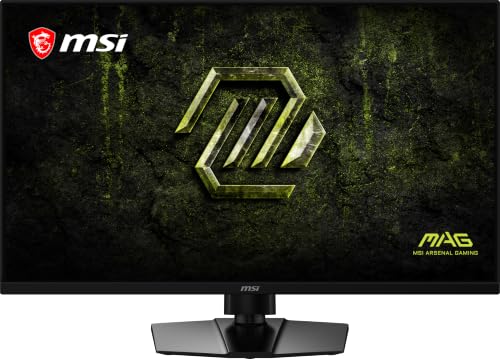
MSI’s MAG 321UPD E14 carries the most arresting figure in this guide: 320Hz, titled, at 3840 x 2160 across a 32-inch gaming panel, with a dual mode, FreeSync Premium, a 0.05ms response claim, HDMI and DisplayPort, VESA named, tilt and height adjustment, and a speaker. As with the LG above, the pair reading differs from the solo reading. A matched pair at this rate turns the entire dual desk into high-refresh territory — cross-seam dragging, scrolling and gaming all share the same extreme tempo — and the titled height adjustment and VESA provision mean the pair’s alignment can be achieved on stands or on an arm, a flexibility only the HGFRTEE matches in this list.
The honest question for a dual buyer is what the rate is for. Across two panels, 320Hz serves the gamer who plays on one screen at full stretch while the second holds the stream, the chat or the map — a common competitive arrangement — and it serves the future-proofing instinct of buyers who keep panels for many years. For document pairs, the figure is inert headroom: pleasant, invisible, and paid for. This guide’s discipline is to say so plainly rather than to dress a gaming specification as a productivity one, while noting that the rest of the title — the mount, the stand, the speaker, the dual inputs — is genuinely pair-literate.
Two cautions complete the picture. The panel technology behind the rate is not named in the title, so the pair’s viewing-angle and colour behaviour must come from MSI’s documentation; and feeding two 4K panels at anything near this tempo is a graphics undertaking that belongs in the budget conversation alongside the panels themselves. Buyers whose rigs and rooms match the ambition get the fastest pair in this article; buyers whose work is text should let the Dell’s completeness or the HGFRTEE’s arithmetic speak instead. Competitive pairs of this kind are the home turf of our best 144hz dual monitors guide, where the rate conversation continues at the tier below.
- Panel: 32-inch gaming monitor (panel type not named in the title)
- Resolution: 3840 x 2160 UHD
- Refresh rate: 320Hz; dual mode as titled
- Response: 0.05ms as titled
- Sync: AMD FreeSync Premium
- Inputs: HDMI, DisplayPort
- Mounting and stand: VESA named; tilt and height adjustable; speaker titled
- Colour coverage: Not stated in the listing title — verify with the maker’s documentation
- Panel technology: Not stated in the listing title — verify with the maker’s documentation
Strengths
- 320Hz titled — the fastest pair in the guide, with dual mode for lower-resolution competition.
- VESA, height adjustment and a speaker are all in the title, so the pair’s furniture is unusually well documented.
- FreeSync Premium and both major inputs keep the pair’s cabling symmetrical.
Trade-offs
- Panel type and colour coverage are unstated, leaving the pair’s image character to the documentation.
- Driving two 4K panels at extreme rates demands a graphics budget beyond the panels themselves.
- For text-only pairs the headline rate is expensive headroom that never gets used.
Best for: Competitive players running a play screen and a support screen as one matched high-refresh pair.
Not suited for: Document-only desks — the rate that defines this panel will sit idle through every working day.

LG 27UP600-W 27″ UltraFine 4K — The compact pair
The 27UP600-W shrinks the dual formula to the span smaller rooms can hold: a 27-inch UltraFine 4K UHD IPS monitor in white, with AMD FreeSync, VESA DisplayHDR 400, Reader Mode and Flicker Safe features, and HDMI and DisplayPort named. A pair of these spans roughly twenty centimetres less than the 32-inch pairs, and at 27 inches the shared 3840 x 2160 resolution renders text at the highest density in this guide — the pair for the worker whose eyes live in documents and whose desk lives in a bedroom corner.
The white finish is a pair consideration in its own right. Two white panels on a light desk in a bright room compose a workspace that reads as furniture rather than equipment, and in multi-use rooms — the desk that is also the household’s — that social quality is a legitimate specification. Reader Mode and Flicker Safe, reported here as LG’s titled features, address the long reading sessions that a high-density text pair invites, and DisplayHDR 400 gives the pair a shared, modest HDR language for video breaks.
What the title withholds follows the guide’s pattern: refresh rate, stand adjustment and VESA pattern are all unstated, so the alignment plan for this pair — stands or arm — must be settled from LG’s documentation. The omission matters more at 27 inches than anywhere, because compact pairs are so often arm-mounted to reclaim the small desk they were bought for. Verified, the 27UP600-W pair is the connoisseur’s small desk: the sharpest text, the calmest finish, and a span that leaves room on the surface for the rest of a life.
- Panel: 27-inch UltraFine 4K UHD IPS
- Resolution: 3840 x 2160
- Colour and HDR: VESA DisplayHDR 400
- Sync: AMD FreeSync
- Eye features: Reader Mode, Flicker Safe as titled
- Inputs: HDMI, DisplayPort
- Finish: white
- Refresh rate: Not stated in the listing title — verify with the maker’s documentation
- VESA pattern: Not stated in the listing title — verify with the maker’s documentation
Strengths
- The sharpest text of any pair here — 4K at 27 inches is the guide’s density summit.
- A white pair composes a bright, furniture-like desk in multi-use rooms.
- Reader Mode and Flicker Safe are titled for the long-document days this pair invites.
Trade-offs
- The narrower span holds less simultaneous work than any 32-inch pair.
- Refresh, stand and mount facts are all unstated — the alignment plan waits on documentation.
- No speakers are mentioned, so the compact desk adds audio separately.
Best for: Small, bright desks and text-dense work, where the pair must fit a measured span without surrendering density.
Not suited for: Wide-spanning multitaskers — two 27-inch panels will feel like a compromise to a worker leaving a 32-inch pair.
How Do You Cable and Align Two Panels Without Losing a Weekend?
Work in the order the failures occur. First, the outputs: confirm the computer or dock offers two display paths of the required class before the panels arrive, because a dual desk’s most common day-one disaster is a second panel lit by a fallback connection at a reduced rate or resolution. Remember this guide’s standing caution — no title here claims daisy-chaining — so the plan is two full cables, matched in type where the panels allow, run in mirror image so neither side of the desk becomes the untidy side.
Second, the alignment ritual. Set both panels to the same height with their tops level, angle them inward like a shallow open book, and place the seam at the desk’s true centre — which is the centre of the chair, not the centre of the desk, when the two disagree. Then open the same full-screen image on both and adjust brightness before colour, because the eye forgives a slight colour difference between matched panels more readily than a brightness step at the seam. Matched pairs usually need minutes of this; mixed pairs can consume the whole evening the ritual’s name promises to save.
Third, the software peace treaty. Set both panels to native 3840 x 2160, confirm the operating system’s arrangement diagram matches the physical layout, and decide the scaling once for both. Choose which panel is primary — the one that hosts the main task and the login screen — and let it be the panel the chair faces most directly. Readers graduating from a single large screen can compare philosophies in the best ultrawide monitors for productivity guide, where one wide canvas argues against this article’s two-panel arrangement in good faith.
Give the finished desk a week before judging it, and spend the first evening on the unglamorous inventory: a spare display cable in the drawer, the panels’ settings matched and written down, the arm’s joints tightened after the panels have settled under their own weight for a day. Dual desks fail socially before they fail technically — a wobbling right panel, a seam that drifts, a cable that reaches only at full stretch — and every one of those failures is a setup matter with a setup remedy. The pair that survives its first week aligned will ordinarily stay aligned for years, which is the entire return on the ritual’s modest investment.
What Job Does the Second Panel Actually Do All Day?
Ask a room of dual-screen workers and the answers sort into three durable patterns. In the first, the pair is a single wide desk: the document lives left, its sources live right, and the seam is simply where the desk’s middle happens to be. This pattern rewards the matched, mid-priced pairs — the Dell above all — because its whole demand is agreement between the panels. In the second pattern, the screens have separate careers: the left panel is the workshop, the right panel is the window — the call grid, the dashboard, the inbox that must never be more than a glance away. This pattern tolerates asymmetry better, and it is where a household might pair a strong main panel with a humbler second, though this guide’s matched doctrine still argues the long-term case.
The third pattern is temporal rather than spatial: the pair changes jobs across the day. Both panels work in the morning; by evening the left plays a film or a game while the right keeps the day’s last documents; on weekends one panel serves a second household member at the same desk. Temporal pairs reward versatility in a single panel — the LG OLED’s film credentials, the MSI’s gaming rate — because each screen must be good at everything in rotation. Naming your pattern before purchase is the cheapest specification work in this entire guide, because it tells you which of the six reviews to weight and which to skim: agreement for the wide desk, independence for the two-career desk, versatility for the rotating one.
One more observation from the same room of workers: almost nobody returns to one screen willingly. The second panel, whatever its job description, becomes load-bearing within a month, and its absence — a failure, a loan to a family member — is felt as an amputation rather than an inconvenience. That dependence is the strongest argument for buying the pair properly the first time: matched models, verified mounts, spare cables in the drawer. A dual desk is not two purchases. It is one purchase with a longer shadow, and it should be budgeted, aligned and maintained as a single instrument.
Power, Heat and the Two-of-Everything Problem
A dual desk consumes like a small appliance row, and the practicalities deserve print. Two 32-inch panels draw two monitors’ worth of power and shed two monitors’ worth of heat into the room’s stillest corner, behind the desk, where cables also multiply: two power leads, two display cables, two of whatever the peripherals require. None of this is prohibitive, but all of it rewards planning — a power strip with room and surge protection sized for the whole desk, cable runs dressed once and labelled, ventilation left open behind the panels rather than sealed by a modesty board.
Heat has a subtler consequence for pairs: panels that warm unevenly drift unevenly. Matched models side by side in the same airflow age as twins; a panel parked above a radiator or in a sunbeam leads a different life from its sibling and will eventually show it at the seam. The remedy is the same symmetry this guide preaches everywhere — same model, same placement logic, same hours — extended to the room itself. Treat the pair as one instrument with two faces, give it one power strip, one airflow and one cleaning cloth schedule, and the room becomes part of the instrument’s case rather than a slow argument between its two halves.
Comparison Table: The Pairs at a Glance
| Pick | Size and panel | Resolution as titled | Refresh | Detail that decides it |
|---|---|---|---|---|
| Dell S3225QS | 32-inch VA | 3840 x 2160 | 120Hz | Fullest work spec: 99% sRGB, anti-glare, titled brightness |
| Samsung ViewFinity S7 | 32-inch IPS | 4K UHD | Not stated in title | Office-line IPS pair with HDR10 and Eye Saver Mode |
| HGFRTEE 32″ | 32-inch IPS | 3840 x 2160 | 60Hz | Stated VESA 100×100 and 100% sRGB at the value tier |
| LG 32GX850A-B | 32-inch OLED | 4K UHD | 165Hz | Matched OLED uniformity; TrueBlack400; glossy finish |
| MSI MAG 321UPD E14 | 32-inch gaming | 3840 x 2160 | 320Hz | Fastest pair; VESA and height adjustment titled |
| LG 27UP600-W | 27-inch IPS | 3840 x 2160 | Not stated in title | Compact white pair with the sharpest text |
Which Pair-Building Mistakes Cost the Most?
The expensive one is buying two different models to save a little on the second panel. The saving is real and the cost is permanent: two stands at different heights, two colour characters negotiated daily, two firmware behaviours, and a seam that never quite disappears because the panels flanking it were never the same instrument. The matched-pair doctrine runs through this guide because the dual desk amplifies small differences the way it amplifies small virtues — in duplicate, at eye level, for years.
The second mistake is assuming daisy-chaining from a port list. USB-C or DisplayPort on a title does not imply chain-out, none of these six titles claims the feature, and the buyer who discovers the absence with two panels on the desk faces a dock purchase at the worst moment. The third is alignment by eye alone: panels set by guesswork drift a degree at a time until the seam becomes a cliff edge for the cursor and a headache for the reader. The fourth is lighting one panel well and the pair badly — a window reflected in the left screen and not the right will pull the eye sideways all day, and the anti-glare Dell pair or a repositioned desk solves what settings cannot. Finally, the fifth: forgetting that two panels want two of everything in the spares drawer too, cables included, because a dual desk with one dead cable is a single desk with an expensive ornament. A sixth, quieter mistake is buying the pair across two different promotions months apart to chase a marginal saving, and receiving two production revisions whose whites differ by a shade no settings menu can fully reconcile — the same-order rule exists because that shade, once seen at the seam, cannot be unseen.
Final Recommendation
Build the default pair from the Dell S3225QS: its title carries the complete working specification, its 120Hz keeps the whole desk at one tempo, and its anti-glare finish forgives real rooms. Choose the Samsung pair for IPS composure in a document office, the HGFRTEE pair when the budget must also cover the arm that aligns them, and the LG 27-inch pair when the room, not the work, sets the span. The OLED and MSI pairs are the enthusiast builds — matched uniformity in a dark room, and matched speed for the play-and-support arrangement — each excellent, each honest about its price of admission. Whatever the panel, buy it twice in one order, align it once with patience, keep the spare cable in the drawer and the settings written down — and let the seam become the least interesting thing on the desk, which is the highest compliment a dual screen can earn: two panels, bought as one instrument, quietly holding twice the work at half the friction, year after aligned year.
Frequently Asked Questions
Should both monitors in a pair be the same model?
Yes, wherever the budget allows, and ideally from the same order. Identical panels share colour character, brightness behaviour, stand geometry and ageing, so the pair aligns once and stays aligned. Mixed pairs can be calibrated toward each other, but the seam remains a negotiation. Every pick in this guide is presented as a same-model double purchase for that reason.
Can I daisy-chain these monitors from one cable?
Not on the evidence of their titles: none of the six claims daisy-chaining, so plan on two display cables to the computer or a dock. If chaining is a hard requirement, it must be verified in the maker’s documentation for the specific model — or shopped for by name in a guide dedicated to panels that claim the feature in print.
Is 32 inches twice too much for a home desk?
It is the upper end of reasonable, and the room decides. Two 32-inch panels span about a metre and a half and want a deep, dedicated desk; the 27-inch LG pair exists in this list precisely for spans that cannot offer that. Measure the surface and the viewing distance before choosing the size class, because a dual desk that crowds its owner fails at geometry no specification can rescue.
Do the gaming panels here make sense as work pairs?
As matched pairs, yes — the guide judges them on uniformity rather than on their gaming features. Two identical OLEDs are the most consistent pair available, and the MSI’s titled mount and stand make its pair easy to align. The discipline is to pay for those virtues knowingly: if the desk never games, the Dell and Samsung pairs deliver the working virtues without the gaming premium.
Can I buy one panel now and its twin next year?
You can, and the staged purchase is respectable — with one discipline: confirm the model is a continuing line rather than a seasonal one, and accept that a later production revision may differ almost imperceptibly from the first panel. The established Dell and Samsung lines are the safer staged bets in this list. If the twin must match perfectly, the same-order pair remains the only guarantee, which is why this guide recommends it where the budget allows.
Do two 4K panels need a powerful graphics card?
For desktop work, less than buyers fear: two 3840 x 2160 desktops are a memory and output question before they are a performance one, and most current computers drive them comfortably. The demand climbs with the refresh ambitions — the MSI pair at high rates, the OLED pair in games — and with video editing timelines rendered across both screens. Match the graphics budget to the pair’s fastest intended job, not to its spec sheet’s ceiling.
Which panel should be the primary screen?
On a matched pair the question answers itself by position rather than by specification: the primary is the panel the chair faces most squarely, and it should host the main task, the login screen and the full-screen applications. On the angled open-book arrangement this guide recommends, that is usually the panel on the side of the dominant hand’s workflow — the document side for writers, the canvas side for designers. Set it once in the operating system and the desk’s geography settles around the decision.
Is a dual-arm mount worth it for two 32-inch panels?
For most dual desks, yes. An arm returns the entire desk surface the two stands would occupy, sets both panels at one geometry, and makes the alignment ritual a matter of tightening rather than shimming. The picks that state their VESA patterns — the HGFRTEE in print, the MSI by name — make the arm order straightforward; for the others, the pattern is one more documentation check before the arm and panels are ordered together.
How do I stop the two panels from looking different?
Start with matched models, then set both to the same picture mode, the same brightness and the same colour temperature before touching any finer control. Open one full-screen image across both and adjust against the seam, brightness first. If a difference persists on a matched pair, swap the cables before blaming the panels — a marginal cable announces itself as a colour or sharpness difference more often than a faulty screen does.
Related Guides
The single-canvas alternative argues its case in the best ultrawide monitors for productivity guide mentioned earlier, and readers outfitting a full-size battlestation can survey the broader field in the best 32 inch 4k monitors roundup, where these panels also appear in their solo careers.