What's inside
- Where to buy
- Key Takeaways
- Quick Picks
- How Did We Sort Monitors That Share a Label but Not a Job?
- The Best 4K Broadcast Monitors in Detail: Which One Fits Your Production?
- Native UHD, 4K-Signal, and Full HD: How the Six Divide
- Why Does the SDI Generation Matter More Than the Logo on the Box?
- How Do You Judge Focus and Exposure on a Broadcast Monitor?
- What Should a Small Production Buy First: Panel, Inputs, or Features?
- What Do LUTs, Quad View, and Multi-View Actually Do for a Crew?
- How Do You Assemble a Complete Monitoring Setup Around One of These Screens?
- How Should a First-Time Buyer Read a Broadcast Monitor Listing?
- Which Screen Belongs at the Camera, and Which at the Director’s Chair?
- What Mistakes Do Buyers Make With 4K Broadcast Monitors?
- Final Recommendation
- Frequently Asked Questions
- Related Guides
As an Amazon Associate I earn from qualifying purchases. This post may contain affiliate links at no extra cost to you.
gizmoverdict.com is reader-supported. When you buy through links on our site, we may earn an affiliate commission.
Where to buy
Production monitors are sold through Amazon’s US store by a mixture of manufacturer stores and specialist video retailers, and the listings reward careful reading: the same model family often appears in versions with different battery plates, cases, or input boards bundled, so check exactly which variant a listing describes before comparing it with a rival. Nowhere is that careful reading more necessary than among the best 4k broadcast monitors. Every pick below links to the specific listing whose title we verified, and where a title names a mount plate or a feature, that detail belongs to that listing rather than to the model line in general.
The phrase best 4k broadcast monitors hides a three-way split that this guide will keep honest from the first pick to the last. Some of these screens are native-UHD panels: their glass genuinely holds 3840×2160 pixels, and what you see is a pixel-for-pixel rendering of a 4K signal. Some are production monitors built around 4K and even 8K signal handling — 12G-SDI inputs, quad-view engines, recording decks — whose panels serve a different purpose than raw pixel count. And one respected pick, the SEETEC, has a Full HD panel that accepts a 4K HDMI signal and downscales it, which is a legitimate tool for focus and framing checks and a dishonest one only if somebody calls it a UHD display. We will not. Each pick below is labelled with which of those three things it actually is.
That distinction is the whole ballgame in broadcast monitoring, because the monitor’s job is not entertainment. A broadcast monitor is a measuring instrument that happens to show pictures: it exists so a director, a focus puller, or an engineer can trust what the camera is capturing — exposure, focus, colour, framing across several sources at once. Pixel count is one input into that trust. Signal compatibility is another: whether the screen speaks 12G-SDI or only 3G-SDI decides which cameras and switchers it can even join. Brightness decides whether it works on a sunlit location or only in a darkened gallery. This guide sorts the six verified listings by those working questions, not by the size of the number in the product name.
Key Takeaways
- Only two picks are native-UHD panels — the Lilliput 31.5-inch and the FEELWORLD 15.6-inch, both at a true 3840×2160 — while the SEETEC’s panel is Full HD with a 4K-capable HDMI input, and we describe it that way throughout.
- The Atomos Shogun AV-19 is a different species: a 19-inch rackmount monitor-recorder-switcher with 12G-SDI, NDI HX3, and ISO recording, bought for what it does to a production, not for pixel count.
- SDI generation is the compatibility gate — 12G-SDI carries 4K over one cable where 3G-SDI tops out at 1080p signals, so match the monitor to your cameras before anything else.
- The osee Mega 22S4 is the multi-view specialist: three 4K HDMI and three 3G-SDI inputs, PIP and PBP layouts, and a 1500-nit panel for bright rooms.
- Quad-view and split-screen features, named in the Lilliput Q18-8K and FEELWORLD titles, let one screen replace a small monitor wall for multi-camera work.
Quick Picks
| Pick | Badge | Why it earns its place |
|---|---|---|
| Atomos Shogun AV-19 | Best production hub | A rackmount 19-inch 4K HDR touchscreen that monitors, records ISO feeds, and switches, with 12G-SDI and NDI HX3 in one chassis. |
| Lilliput Q18-8K | Best 12G-SDI field monitor | A 17.3-inch production monitor with 12G-SDI, 12G-SFP, HDMI 2.0, quad view, and 3D-LUT support for serious location work. |
| Lilliput 31.5-inch 12G-SDI Broadcast Monitor | Best native-UHD studio screen | A genuine 3840×2160 panel at 31.5 inches with DCI 4K and HDR support — the client-and-director screen of this guide. |
| FEELWORLD 15.6-inch UHD Broadcast Monitor | Best native-UHD value | True 3840×2160 IPS in a portable 15.6-inch frame, with four 4K HDMI inputs in quad split and 3G-SDI alongside. |
| osee Mega 22S4 | Best multi-view director’s monitor | Six inputs across HDMI and SDI, PIP/PBP layouts, 10-bit IPS, and 1500 nits for rooms where the lights stay up. |
| SEETEC P173-9HSD | Best budget field monitor | A 17.3-inch Full HD panel — not UHD — that accepts 4K over HDMI and 3G-SDI, for framing and focus duty at a working price. |
How Did We Sort Monitors That Share a Label but Not a Job?
The pool behind this guide was assembled by verifying each listing against Amazon’s catalogue data before drafting began, and only exact title matches earned their links. That verification step matters unusually much in this category, because broadcast-monitor listings are where marketing vocabulary goes to stretch: “4K” in a product name can describe the panel, the input ceiling, the recording format, or merely an aspiration. Our rule while writing was simple — a specification appears in this guide only where the verified title states it, and panel resolution is always described as panel resolution, never borrowed from the signal path.
One more filter shaped the final six: every pick had to make sense as a purchase a working production could defend to whoever signs its budgets. That excluded curiosities — screens whose only distinction was a headline number — and kept the list anchored to jobs that recur: gallery infrastructure, location monitoring, group reference viewing, multi-view direction, and honest field confidence. A guide for professionals should read like a crewing decision, not a catalogue.
With honesty enforced, the sorting criteria were the ones working crews use. First, what is the panel, in pixels and in brightness. Second, what signals can it accept, with the 3G-versus-12G SDI divide treated as the hard compatibility line it is. Third, what does it do beyond displaying — recording, switching, multi-view, LUT support — because in this category the extras are often the actual purchase reason. Fourth, where does it live: rack, studio desk, or location case. Readers comparing these against consumer screens should keep the categories separate; our roundup of the best 4k hdr monitors covers living-room and desktop displays, which are judged by entirely different virtues.
The Best 4K Broadcast Monitors in Detail: Which One Fits Your Production?
Atomos Shogun AV-19 — Best production hub
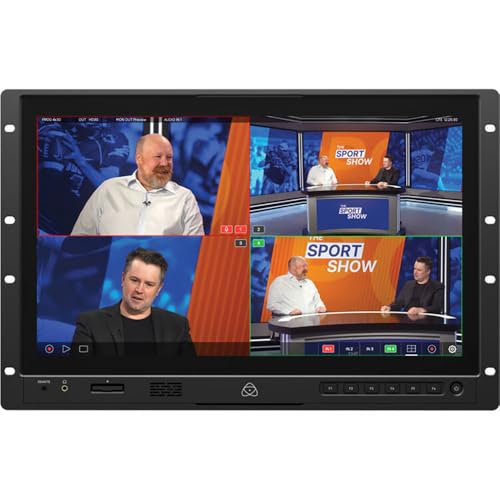
The Shogun AV-19 barely belongs to the same product category as the other five, and that is its appeal. Atomos describes it as a rackmount 4K HDR monitor-recorder-switcher, and each of those three nouns is a separate device in a traditional gallery. As a monitor it is a 19-inch touchscreen with a 4K HDR display path. As a recorder it captures ISO feeds — isolated recordings of individual cameras — which is the feature editors ask for after a live event when the switched programme cut missed the reaction shot. As a switcher it sits inside a live workflow rather than observing one. The connectivity named in the title, 12G-SDI and NDI HX3, tells you it is built to join both the cabled broadcast world and the networked IP world in the same production.
There is a workflow dividend to the all-in-one design that spec comparisons miss. When the monitor, recorder, and switcher share one chassis, they also share one power supply, one menu logic, and one firmware conversation — the three devices cannot disagree about formats because they are one device. In live production, where the failure mode is a black screen in front of an audience, that integration is a reliability argument as much as a convenience one. The counterweight is equally structural: a fault in a combined unit can take three functions down together, which is why professional galleries still keep a humble spare screen in the rack.
Rackmount is the detail that decides who should buy it. This unit is designed to live in a rack in a gallery, an OB truck, or a fixed studio installation, screwed in and cabled permanently — not to ride in a camera case. For a small production company building a permanent multi-camera room, that permanence is the point: one chassis replaces a monitor, a recorder bank, and a chunk of switching infrastructure, and the touchscreen keeps the operation tactile rather than mouse-driven. The honest caveats follow from the same facts. It is overkill — expensive, specialised overkill — for anyone who only needs to see one camera’s output clearly, and its talents are wasted in a single-camera field kit. Buy it when you are building a room, not when you are packing a bag.
- Form: 19-inch rackmount monitor-recorder-switcher, as stated in the listing title
- Display path: 4K HDR touchscreen, as stated in the listing title
- Connectivity named in the title: 12G-SDI, NDI HX3
- Recording: ISO recording for live production, as stated in the listing title
- Intended setting, per the title: live production, broadcast, and studio monitoring
- Panel resolution: the title describes the unit as a 4K HDR monitor; treat signal handling and recording as its headline roles
Strengths
- Consolidates monitoring, ISO recording, and switching into one rack unit, shrinking a gallery build considerably.
- 12G-SDI plus NDI HX3 covers both traditional cabled cameras and network-based sources in one input plan.
- ISO recording rescues live edits afterwards, because every camera’s clean feed exists independently of the live cut.
Trade-offs
- Rackmount permanence is the opposite of portable; field crews should look at the Lilliput Q18-8K instead.
- You pay for recording and switching machinery that a pure monitoring job never uses.
- A touchscreen-centric workflow in a rack assumes an operator stationed at it, not a monitor glanced at from across a set.
Best for: studios, houses of worship, and production companies building a fixed multi-camera gallery. Not suited for: single-camera location shoots or anyone shopping for a simple confidence monitor.

Lilliput Q18-8K — Best 12G-SDI field monitor
The Q18-8K is the engineer’s pick of this guide: a 17.3-inch production monitor whose title leads with its signal handling — 8K-capable 12G-SDI, 12G-SFP fibre input, and HDMI 2.0 — because for the crews who buy Lilliput’s Q series, the input list is the product. A 12G-SDI input carries a full 4K signal down a single standard coax run, which on a real location means no quad-link spaghetti and no conversion boxes between the camera and your eyes. The SFP slot extends that logic to fibre for long runs. Quad View, named in the title, lets the screen divide among sources, and the 3D-LUT support means the image you judge can carry the production’s intended look rather than a flat log image you must mentally translate all day.
The title also names HDR and gamma options, remote control, and audio-vector tooling, and the listing variant includes a V-mount plate — the field-power detail that separates a monitor designed for location work from one merely small enough to carry. Where does it sit on this guide’s honesty ledger? Its identity is a 4K-and-beyond signal monitor: the “8K” in its name describes the input class it handles. Judge it as infrastructure, not as a pixel showcase — the native-UHD pixel showcase in this guide is its 31.5-inch sibling below. Against the Shogun it does not record or switch; against the SEETEC it operates two SDI generations higher. For a camera department that needs one trustworthy screen at the end of a 12G chain, it is the centre of this list.
- Size: 17.3-inch production monitor
- Inputs named in the title: 12G-SDI, 12G-SFP, HDMI 2.0
- Signal class: 8K input handling, as stated in the model name and title
- Features named in the title: Quad View, 3D-LUT, HDR, gammas, remote control, audio vector
- Power: listing variant includes a V-mount plate, as stated in the title
- Role: signal-critical field and studio monitoring
Strengths
- Single-cable 4K over 12G-SDI, with fibre via SFP for long runs, matches how modern camera chains are actually built.
- 3D-LUT support lets the crew judge the intended grade on set instead of imagining it from a log image.
- Quad View covers multi-camera checks without a separate multi-view processor.
Trade-offs
- It neither records nor switches; if the Atomos feature set is the requirement, this is the wrong box.
- Its value is invisible to buyers whose cameras only output HDMI or 3G-SDI — they would pay for headroom they cannot use.
- Professional toolsets mean a denser menu system than casual users will enjoy learning.
Best for: camera departments and DITs working with 12G-SDI camera chains on location or in studio. Not suited for: HDMI-only mirrorless kits, where its input headroom goes entirely unused.

Lilliput 31.5-inch 12G-SDI Broadcast Monitor — Best native-UHD studio screen
Here is the guide’s unambiguous big screen: a 31.5-inch panel at a true 3840×2160, with the title stating DCI 4K and HDR support and a 12G-SDI/HDMI input set. At this size and pixel count, a UHD image is rendered one-to-one — every pixel of the camera’s 4K frame lands on a pixel of glass — which is why screens like this anchor the director’s and client’s position in a studio. Focus judgements that are guesswork on a small field monitor become plain sight here, and colour decisions can be argued about by three people standing in front of the same image at once, which is a real production activity and not a metaphor.
The Gold Mount plate named in the title is a studio-practical touch: battery power for a screen this size means it can live on a rolling stand and move between sets without a cable hunt, though in a fixed gallery it will spend its life on mains power. HDR support matters for productions delivering HDR masters, where the gallery screen is the first place highlight handling gets judged. The limitations are the limitations of size itself. At 31.5 inches this is furniture, not luggage; it wants a studio, a control room, or a permanent edit-suite wall position. Its 12G input keeps it current with modern chains, but it offers no recording, no switching, and no multi-view tricks beyond what a big honest panel does. Within this guide it is the reference display — the screen against which the word “4K” in everyone else’s marketing can be measured.
- Panel: 31.5-inch, native 3840×2160 UHD resolution, as stated in the listing title
- Standards named in the title: DCI 4K, HDR support
- Inputs named in the title: 12G-SDI, HDMI
- Power: Gold Mount plate, as stated in the listing title (by VIVITEQ INC listing)
- Role: studio and gallery reference viewing
- Extras: no recording or switching functions are claimed in the title — it is a display, deliberately
Strengths
- Genuine pixel-for-pixel UHD at a size where focus and fine detail can be judged by a group.
- 12G-SDI input keeps single-cable 4K compatibility with current broadcast camera chains.
- HDR support suits productions that must judge HDR masters before delivery.
Trade-offs
- Its size makes it a fixed installation; location crews get nothing from it.
- No multi-view, recording, or switching — the budget buys panel and inputs only.
- A screen this large exposes every flaw in a weak feed, which is the point, but can alarm clients unfamiliar with ungraded images.
Best for: studios and edit suites needing a shared native-UHD reference screen on a 12G chain. Not suited for: field kits, small desks, or buyers who need recording built in.
FEELWORLD 15.6-inch UHD Broadcast Monitor — Best native-UHD value
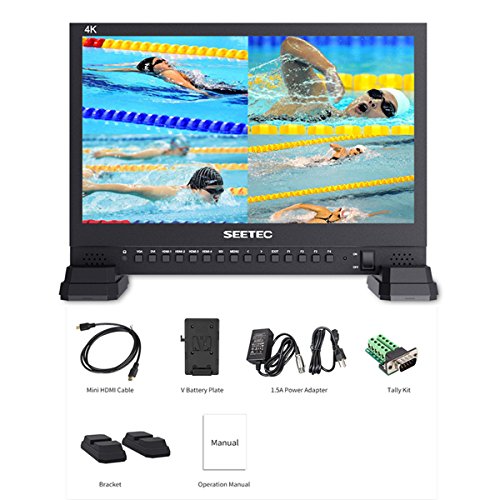
The FEELWORLD is the pick for buyers who want a native-UHD panel they can carry. Its title states the essential fact plainly: an IPS panel at a genuine 3840×2160 in a 15.6-inch frame. That pixel density is remarkable — 4K resolved on a screen this small produces an image of almost print-like fineness, which is precisely what a focus puller wants when judging critical sharpness at 4K, where a slightly soft shot hides easily on a 1080p display and announces itself brutally on a UHD one. This is the affordable end of honest 4K monitoring, from the brand that built its reputation putting usable screens in working kits rather than in showrooms.
Portability at this resolution deserves a sentence of respect. A 15.6-inch UHD panel slips into the same class of case as a laptop, runs the director’s position for a small crew, and then goes home in a backpack — a working pattern the two big screens in this guide cannot imitate at any price. Productions that travel light, shoot in real locations rather than studios, and judge their footage where they stand will feel that difference on every call sheet.
The input list is the second half of the argument: four 4K HDMI inputs with a quad split display, plus 3G-SDI, VGA, and DVI, per the title. Four HDMI sources on one screen covers the multi-mirrorless reality of modern small productions — several HDMI cameras, one operator, no separate multi-viewer. The SDI input is 3G, which caps SDI signals at 1080p class; the 4K path here is HDMI, and buyers with 12G camera chains should look up this page to the Q18-8K instead. The title’s own framing — director monitor for live events, post production, and field work — is accurate to the product. It is not the brightest class of screen for harsh sunlight and it carries a value brand’s fit and finish, but pixel-for-pixel honesty at this size and price is a combination nothing else in this guide offers.
- Panel: 15.6-inch IPS, native UHD 3840×2160, as stated in the listing title
- Inputs named in the title: 4x 4K HDMI with quad split display, 3G-SDI, VGA, DVI
- 4K path: over HDMI; the SDI input is 3G generation
- Role per the title: director monitor for live events, post production, and field work
- Form: portable field-monitor size
- Model reference in title: 4K156-9HSD
Strengths
- True 3840×2160 in a portable frame makes focus judgement at 4K honest instead of hopeful.
- Four HDMI inputs with quad split covers multi-camera mirrorless productions without extra hardware.
- The legacy VGA and DVI inputs keep older sources and laptops connectable on mixed-equipment jobs.
Trade-offs
- SDI tops out at 3G, so SDI-fed 4K is not possible — 4K arrives by HDMI only.
- Value-brand build and menu polish trail the Lilliput and Atomos entries.
- Small size means multi-view quad splits are for confidence checks, not detailed focus work.
Best for: directors and focus pullers on HDMI-based 4K productions who need a carryable native-UHD screen. Not suited for: 12G-SDI camera departments or outdoor work in hard sunlight.
osee Mega 22S4 — Best multi-view director’s monitor
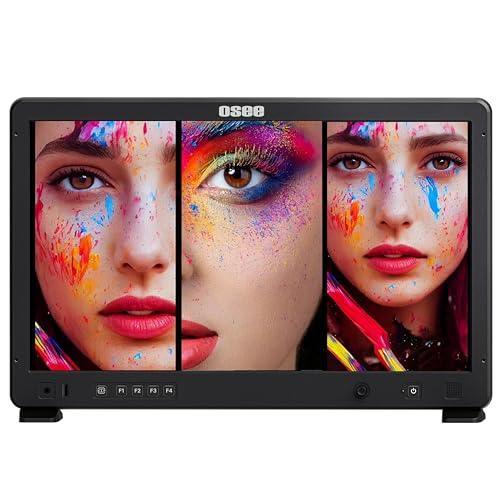
The osee Mega 22S4 answers a specific production headache: the director needs to watch everything at once, in a room where the lights are on. Its title specifies three 4K HDMI inputs and three 3G-SDI inputs — six sources — with PIP and PBP split-screen layouts on a 21.5-inch 10-bit IPS panel, and a brightness figure of 1500 nits that the title calls daylight viewable. That brightness is the headline in practice. Ordinary studio monitors wash out the moment a venue’s house lights come up or a location’s windows face the sun; 1500 nits keeps the image assertive in exactly the conditions where directors actually work during live events.
The horizontal/vertical rotation named in the title adds a flexibility multi-view users quietly love: rotate the screen and a tall layout suits vertical-video productions or a stack of sources arranged in a column. Ten-bit IPS colour gives the multi-view a better class of image than the washed panels of budget multi-view boxes, so the big preview window remains judgeable rather than merely visible. On the honesty ledger, the Mega is a 4K-input multi-view monitor — its SDI inputs are 3G generation, so SDI sources arrive at 1080p class while HDMI carries the 4K feeds. It does not record, and it is not a reference colour instrument; it is the best seat in the house for watching a whole production breathe. Crews graduating from a laptop-and-capture-card tangle will feel the upgrade immediately. If your work also involves touch-driven control surfaces, note that touchscreen panels built for counters and kiosks serve a different trade entirely, with different priorities from anything in a gallery.
- Panel: 21.5-inch 10-bit IPS, as stated in the listing title
- Brightness: 1500 nits, described in the title as daylight viewable
- Inputs named in the title: 3x 4K HDMI, 3x 3G-SDI
- Layouts named in the title: PIP and PBP split screen, horizontal/vertical rotation
- Role per the title: multi-view production and broadcast director monitor
- SDI note: inputs are 3G generation — 4K sources route via HDMI
Strengths
- Six inputs with real split-screen layouts replace a monitor wall and a multi-view processor in one unit.
- 1500-nit brightness keeps the picture legible in lit venues where ordinary monitors surrender.
- Rotation to vertical suits modern vertical-format productions and stacked source layouts.
Trade-offs
- 3G-SDI inputs cap SDI sources below 4K; a 12G chain needs the Lilliput or Atomos instead.
- No recording — the switched and ISO capture jobs belong to other hardware.
- Multi-view excellence is wasted on a single-camera shoot, where most of its inputs sit empty.
Best for: live-event and multi-camera directors who need every source visible in bright rooms. Not suited for: colour-reference work or single-camera field production.
SEETEC P173-9HSD — Best budget field monitor
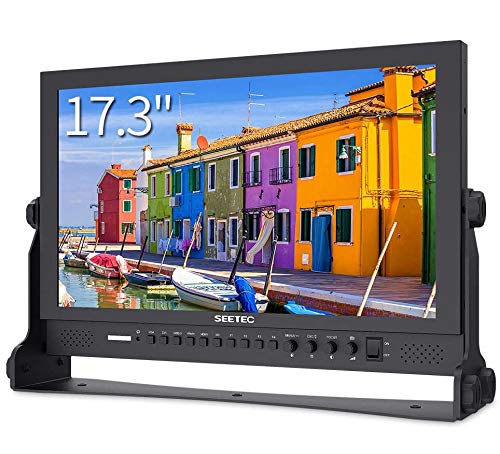
Now the pick this guide has promised to describe with total precision. The SEETEC P173-9HSD has a 17.3-inch IPS panel at 1920×1080 — Full HD, 8-bit, exactly as its title states. It is not a UHD panel, and nothing in this guide will call it one. What it does have, also exactly as its title states, is a 4K-capable HDMI input alongside 3G-SDI: it accepts a 4K signal from a modern camera and downscales it onto its Full HD panel. That combination is genuinely useful and widely misunderstood. A camera outputting 4K can feed this monitor without a downconverter in between, and the operator gets a sharp, downscaled image for framing, exposure judgement, and general focus confidence — the daily work of a field monitor.
What it cannot do is certify critical 4K focus pixel-for-pixel, because the pixels are not there; a slightly soft 4K shot can look perfectly crisp after downscaling, which is the one failure mode a buyer must understand before choosing it. Within its honest role, the P173 is a lot of screen for the money: 17.3 inches is a comfortable director’s size, the IPS panel keeps off-angle viewing civilised for a small group around the tripod, and the 3G-SDI input joins the professional chain that pure-HDMI budget monitors cannot. SEETEC’s title aims it at live events, post production, and field directing, and for productions shooting 1080p delivery — still the majority of live work — its panel is not a compromise at all but a native match. Buy it as an excellent Full HD field monitor that speaks 4K at the door, and it will never disappoint you.
- Panel: 17.3-inch IPS, Full HD 1920×1080, 8-bit — NOT a UHD panel, as its title states
- Inputs named in the title: 3G-SDI, 4K-capable HDMI
- Signal behaviour: accepts 4K over HDMI and downscales to the Full HD panel
- Role per the title: broadcast studio and field monitor for live events and post production
- SDI generation: 3G
- Model: P173-9HSD
Strengths
- Accepts a camera’s 4K HDMI output directly, sparing a downconverter in the field kit.
- 17.3-inch IPS at native Full HD is a true pixel match for the 1080p delivery most live work still uses.
- 3G-SDI input joins professional chains at a price HDMI-only rivals cannot follow.
Trade-offs
- It cannot verify critical 4K focus, because downscaling hides softness — the FEELWORLD above exists for that job.
- 3G-SDI caps its SDI world at 1080p-class signals, with no 12G upgrade path.
- Buyers who skim the “4K” in listings and expect a UHD panel will misread this product entirely; read the panel line, not the headline.
Best for: 1080p-delivery productions and field directors who need a large, honest monitor that accepts modern camera outputs. Not suited for: anyone whose core need is verifying 4K focus or viewing a UHD image pixel-for-pixel.
Native UHD, 4K-Signal, and Full HD: How the Six Divide
| Monitor | Panel truth | Top input class | Beyond displaying | Where it lives |
|---|---|---|---|---|
| Atomos Shogun AV-19 | 19-inch 4K HDR touchscreen unit | 12G-SDI and NDI HX3 | ISO recording and live switching built in | Rack in a gallery or truck |
| Lilliput Q18-8K | 17.3-inch production panel | 12G-SDI and 12G-SFP, 8K signal class | Quad View and 3D-LUT support | Location case and studio cart |
| Lilliput 31.5-inch | Native UHD 3840×2160 | 12G-SDI and HDMI | HDR support for master judgement | Studio director’s position |
| FEELWORLD 15.6-inch | Native UHD 3840×2160 IPS | 4x 4K HDMI; SDI is 3G | Quad split across four HDMI sources | Focus puller’s kit bag |
| osee Mega 22S4 | 21.5-inch 10-bit IPS, 1500 nits | 3x 4K HDMI; 3x 3G-SDI | PIP/PBP multi-view with rotation | Director’s table at live events |
| SEETEC P173-9HSD | Full HD 1920×1080 IPS — not UHD | 4K-capable HDMI; 3G-SDI | Downscales 4K input for framing and confidence | Field director’s monitor |
The table’s middle column is the one to shop by. A production built on 12G-SDI cameras can only use the top three rows at full signal quality. A production built on HDMI mirrorless cameras can use every row, and should choose by panel truth and job instead. And a production delivering in 1080p — still the honest majority of live work — can treat the SEETEC’s Full HD panel as a native display rather than a compromise, provided nobody in the chain mistakes it for a focus-verification tool at 4K.
Why Does the SDI Generation Matter More Than the Logo on the Box?
SDI is the broadcast world’s coax lifeline, and its generations define what a single cable can carry. In the terms that matter for this guide: 3G-SDI carries 1080p-class signals, while 12G-SDI carries full 4K over one cable. That fourfold jump decides whether a monitor can join a modern 4K camera chain natively or only through converters and compromises. The Q18-8K and the Lilliput 31.5-inch speak 12G; the FEELWORLD, osee, and SEETEC speak 3G on their SDI inputs and take their 4K by HDMI instead. Neither design is wrong. They are answers to different installed bases — the broadcast truck built on SDI discipline versus the modern small production built on HDMI cameras.
There is a historical reason the two ecosystems coexist, and knowing it helps buyers stop treating one as a mistake. Broadcast grew up on SDI because television plants needed signals that survive long cable runs, lock reliably, and carry over infrastructure installed decades deep — coax in walls is an argument no new connector easily wins. The HDMI ecosystem grew up around consumer and prosumer cameras, where short runs and low cost ruled, and modern mirrorless cameras now output 4K over HDMI as a matter of course. A small production in 2026 typically lives in both worlds at once: an SDI camera body beside an HDMI one, a switcher that speaks one and a recorder that speaks the other. The monitors in this guide are best read as citizens of that mixed reality, each declaring its allegiances in its input list.
The practical test is an inventory, not an opinion. List every source you own or rent regularly, note its best output, and count how many speak 12G-SDI, how many speak HDMI only, and how many are 3G-era. The monitor that matches the majority of that list with the fewest converters wins, because every converter in a chain is a power draw, a failure point, and a frame of delay. Buyers building fresh should lean 12G where budgets allow, since camera chains are drifting that way; buyers with a healthy 3G and HDMI fleet should not pay the 12G premium to monitor signals they do not generate. For an edit-bay rather than a gallery, the desktop world of the best 27 4k monitors follows different rules entirely and costs a fraction as much.
How Do You Judge Focus and Exposure on a Broadcast Monitor?
Focus first, because 4K is unforgiving. On a native-UHD screen like the FEELWORLD or the big Lilliput, zoom the image or use the monitor’s magnification if offered and inspect the subject’s eyes or the finest texture in frame; at pixel-for-pixel display, soft is soft and you can call it while reshooting is still cheap. On the SEETEC, accept the division of labour: it confirms framing and general sharpness, while critical focus at 4K belongs to the camera’s own magnification tools or a UHD screen. Pretending a downscaled image certifies focus is how productions discover soft footage in the edit, where the discovery costs the whole day.
There is a social layer to monitoring that manuals never mention: the monitor is where the crew’s confidence in the day’s footage comes from. A screen the director trusts ends arguments before they start; a screen nobody trusts sends the operator back to the camera’s tiny display and the client home worried. When you choose among these six, you are partly choosing the emotional centre of your set — which is one more reason the honest panel, correctly labelled and correctly matched to its chain, outperforms a flashier screen that overpromises. Trust is a specification too, even if it never appears in a title or a comparison table anywhere.
Exposure judgement is a discipline of environment as much as equipment. Judge in the light you will deliver in: a monitor that looks perfect in a dark tent will be read differently under venue lighting, which is why the osee’s 1500-nit panel exists. Keep the screen’s brightness consistent once set, resist the urge to brighten it because a scene “looks dark” — the scene may be dark, and your job is to report that, not to fix it with the monitor. Where a pick supports LUTs, as the Q18-8K does, load the production’s show LUT so the whole crew judges the intended image rather than a log picture that frightens clients. And calibrate your expectations about colour-critical sign-off: these are production monitors, and final colour approval still belongs in a controlled grading environment of the kind our best color calibrated monitors guide addresses for post-production desks.
What Should a Small Production Buy First: Panel, Inputs, or Features?
Inputs, and it is not close. A monitor that cannot connect to your cameras is furniture, so the first purchase in any monitoring chain is compatibility: SDI generation and HDMI count matched to your actual sources. Panel truth comes second — decide whether your delivery format demands native-UHD focus verification or whether a Full HD panel honestly covers your work, and refuse to pay for pixels your workflow cannot use or to skip pixels it cannot live without. Features come third, and here the discipline is to buy for the production you run monthly, not the one you ran once: ISO recording transforms a live-events business and is dead weight on a talking-head shoot.
There is also a growth argument for sequencing. Monitoring is infrastructure, and infrastructure bought in the right order compounds: the osee’s multi-view becomes more valuable with every camera a production adds, and the Shogun’s ISO recording pays out on every live job, while a prettier panel bought first just sits there being prettier. If the budget forces one purchase this quarter, the one that removes a converter, a recorder rental, or a second operator’s monitor is the one that earns. The screens in this guide will still be listed next quarter; the jobs you under-equip this quarter will not wait.
What Do LUTs, Quad View, and Multi-View Actually Do for a Crew?
Modern cameras often record a flat, low-contrast log image that preserves maximum grading flexibility for post — and looks, to anyone standing on set, like the scene was shot through fog. A monitor with 3D-LUT support, as the Q18-8K’s title states, applies the production’s chosen look to the displayed image only, leaving the recorded file untouched. The director sees the film they think they are making; the editor still receives the flexible original. This single feature changes the emotional weather on a set, because clients stop panicking at grey images, and it changes the technical quality too, because exposure is judged against the intended contrast curve rather than a misleadingly flat one. When a listing names LUT support, it is naming one of the few features that earns its keep on every shooting day.
Quad view and multi-view solve a different problem: the arithmetic of attention. A four-camera live production has four stories unfolding at once, and a director cutting live must know which camera is framed, which is hunting, and which has the reaction. One screen divided into quadrants — the FEELWORLD’s quad split across its four HDMI inputs, the Q18-8K’s Quad View, the osee’s PIP and PBP layouts — turns four glances into one. The layouts differ in emphasis: equal quadrants treat all sources as equals, while picture-in-picture arrangements keep one hero image large and the rest as awareness thumbnails. Neither replaces a dedicated screen for the programme feed in serious work, but both collapse the cost and clutter of a small production’s monitoring from a wall of panels to a single position. When you read “multi-view” in a title, translate it as “one fewer rack of equipment and one noticeably calmer director”.
A note on scope discipline, because this is where guides often overclaim: monitoring tools such as waveform displays, vectorscopes, and focus aids are features we attribute to a pick only where its verified title states them. The Q18-8K’s title names audio-vector tooling; other picks’ titles do not enumerate scopes, so this guide does not promise them. Many of these monitors do carry assist features in their menus — but a purchase decision deserves the discipline of believing the title, and checking the manufacturer’s manual for the specific model before relying on any tool your workflow cannot live without.
How Do You Assemble a Complete Monitoring Setup Around One of These Screens?
A monitor is the visible tip of a chain, and the chain deserves a plan before the screen is unboxed. Start at the camera: confirm its output — SDI generation or HDMI — and cable accordingly, with cable lengths measured along the route they will actually run, not in a straight line across the floor plan. SDI over coax is forgiving of distance in a way HDMI is not, which is one reason professional chains prefer it; an HDMI run that works on a desk test can fail at venue length. Put the monitor at the position where decisions happen. On a drama set that is the director’s chair with a shade or tent if daylight intrudes; at a live event it is the production table with the multi-view in the director’s eyeline and a smaller programme screen beside it.
Power is the second half of the plan, and the listings quietly encode it: the Q18-8K variant in this guide ships with a V-mount plate and the big Lilliput with a Gold Mount, and those two standards are not interchangeable. A location kit standardises on one battery family across camera, lights, and monitor, so the plate in the listing must match the batteries in your cases or you have bought yourself an adapter problem on the first morning of the shoot. In fixed installations, mains power and a rack position — the Shogun’s natural home — remove the battery question entirely, which is one more reason the rack unit suits permanent rooms. Finish the setup with the unglamorous layer: a sun hood for any screen that works outdoors, a stand or arm rated for the panel’s weight, spare cables in both formats your chain uses, and ten minutes spent labelling every input with the source it carries. Multi-view screens like the osee reward that labelling discipline every single show.
Finally, rehearse the failure you can afford. A monitor chain fails at connectors and cables far more often than at panels, so the setup is not finished until you know your fallback: the camera’s own screen, a laptop input, a second feed path. Directors who have decided in advance which screen they will trust when the main one goes dark lose mere seconds to a fault; directors who have not prepared lose the take.
How Should a First-Time Buyer Read a Broadcast Monitor Listing?
Broadcast listings compress a great deal into their titles, and a disciplined reading order prevents the classic disappointments. Read the panel line first: size, resolution, panel type. That is the physical truth of the product, and everything else is signal handling around it. The SEETEC’s title is the model citizen here — it states Full HD 1920×1080 in plain figures — while vaguer listings that shout a resolution class without panel figures deserve suspicion until the specification table confirms them. Read the input list second, with generations attached: not “SDI” but which SDI, not “HDMI” but how many and at what signal class. The difference between 3G and 12G is the difference between joining a 4K chain and watching it through a converter.
Read the feature nouns third — recorder, switcher, quad view, LUT — and ask of each one the only question that matters: will this run on my next five shoots, or did it run on one shoot I keep describing? Read the variant details last and most carefully of all, because they are where listings diverge: battery plate family, included case or hood, mount options. Two listings for the same monitor can differ by a plate that decides whether your existing batteries work, and the cheaper listing is occasionally cheaper precisely because it omits the accessory your kit requires. Ten minutes of this reading, in this order, will tell you more than an hour of review videos — and it is the same reading discipline this guide applied when building its pool of verified listings.
Which Screen Belongs at the Camera, and Which at the Director’s Chair?
The two positions want different virtues, and conflating them is a quiet source of overspending. At the camera, the operator and focus puller need truth at small scale: a screen that renders the sensor’s output honestly, at a size that mounts or stands within arm’s reach of the tripod. That is the FEELWORLD’s native-UHD fineness for the puller, or the Q18-8K’s signal integrity and LUT support for a department that wants to see the intended grade while it shoots. Brightness matters here in proportion to how much of your work is exterior; so does the battery plate, because the camera position is the one that moves.
At the director’s chair the virtues invert. Size beats fineness, because the director reads performance and framing rather than pixels, and often reads them with a producer and a client looking over the same shoulder. Multi-source awareness beats single-image purity at a live event, which is the osee’s entire argument. And in a fixed gallery the position absorbs infrastructure: the Shogun’s recording and switching belong where the decisions and the edit will happen. A two-screen production — one truthful screen at the camera, one commanding screen at the chair — is not extravagance; it is the standard architecture of professional sets, and this guide’s six picks divide naturally along exactly that line. Budget for the position that is currently lying to you first.
What Mistakes Do Buyers Make With 4K Broadcast Monitors?
- Reading “4K” as a panel promise. In this category the word can describe the panel, the input, or the recording path. The SEETEC is an excellent monitor whose panel is Full HD; buyers who skim will feel cheated by their own skimming.
- Mixing SDI generations. A 12G camera into a 3G-only SDI input means converters or a downgraded signal. Count generations before counting pixels.
- Judging exposure under the wrong light. A dim gallery makes every screen look rich; a lit venue exposes a low-brightness panel instantly. Match the monitor’s brightness class to your working rooms.
- Buying recording they never use. ISO recording is transformative for live multi-camera work and pure overhead for single-camera interviews. Features must follow the job diary, not the brochure.
- Skipping the battery plan. Field monitors live on plates — V-mount, Gold Mount — and the plate a listing includes decides which of your existing batteries fit. Check the variant before the price comparison.
- Expecting one screen to do every job. Reference viewing, multi-view, and field focus are three jobs. This guide’s six picks divide them; a buyer who demands all three from one box will be disappointed by any box.
Final Recommendation
One last discipline before the verdict, because it protects every buyer in this category regardless of budget: write down, before ordering, the three sentences that describe your monitoring job — the sources and their outputs, the room and its light, the decision the screen must support. Hold the listing you are about to buy against those sentences. Every pick in this guide passes that test for somebody and fails it for somebody else, and the failures are never the monitor’s fault; they are mismatches between a truthful product and an unexamined job. The productions that monitor well are not the ones with the most expensive screens — they are the ones where nobody on the crew is guessing what the camera saw.
Choose by the room you are equipping. A fixed multi-camera gallery should be built around the Atomos Shogun AV-19, whose recording and switching turn a monitor purchase into infrastructure. A 12G-SDI location department belongs with the Lilliput Q18-8K, and a studio that needs a shared, honest UHD image should take the 31.5-inch Lilliput and stop apologising for its size. HDMI-based 4K productions get their focus truth from the FEELWORLD, live-event directors get their all-sources view from the osee Mega 22S4, and 1080p field work gets remarkable value from the SEETEC — bought, we repeat one final time, as the Full HD monitor it proudly is. A monitor’s first virtue is that it never lies to you about your footage, so pick the one whose panel, inputs, and job description all tell the same truth.
Frequently Asked Questions
Is the SEETEC P173 a 4K monitor?
Its panel is Full HD 1920×1080, and its HDMI input accepts a 4K signal, which it downscales. That makes it a 4K-compatible field monitor, not a UHD display. It is an excellent tool for framing, exposure, and 1080p work, and the wrong tool for verifying critical 4K focus.
What is the difference between 3G-SDI and 12G-SDI?
Bandwidth class. 3G-SDI carries 1080p-class signals over one coax cable; 12G-SDI carries full 4K over one cable. A monitor’s SDI generation decides which camera chains it can join at full quality without converters, which is why the input list matters more than most headline features.
Do I need a monitor that records?
Only if your workflow uses the recordings. ISO recording, as on the Shogun AV-19, is invaluable for live multi-camera productions because every camera’s clean feed survives for the edit. For interviews, corporate shoots, and single-camera work, a recorder-monitor is money parked in a feature that never gets switched on.
Why would anyone buy a 31.5-inch monitor for a studio?
Because group judgement needs size. At 31.5 inches and native UHD, a director, a client, and a colourist can evaluate the same frame together, and focus that is questionable on a small screen becomes obvious. It is furniture for a room where decisions are made, not a portable tool. Studios also find the big screen earns a second living between shoots: edit reviews, client playbacks, and casting sessions all gravitate to the largest honest display in the building.
Can these monitors work with mirrorless cameras?
Yes — every pick here has HDMI input, and the FEELWORLD’s four 4K HDMI inputs with quad split are aimed squarely at multi-mirrorless productions. Just remember the 4K path on the FEELWORLD, osee, and SEETEC is HDMI; their SDI inputs are 3G generation. Also check your camera’s output settings: many mirrorless bodies downsample or restrict their HDMI output depending on the recording mode, so the monitor can only show what the camera agrees to send.
Should a small studio buy the recorder-monitor or a plain reference screen first?
Buy compatibility and truth first: a plain screen that matches your camera chain and shows an honest image — the Q18-8K or the big Lilliput in this guide — improves every shoot you already do. The Shogun’s recording and switching pay off when live multi-camera work becomes a regular line of business rather than an occasional favour. Studios that reverse the order often own an impressive recorder feeding it nothing interesting.
What does “daylight viewable” actually require?
Brightness well beyond office-monitor norms. The osee’s stated 1500 nits is the class of figure that keeps an image legible under venue lighting or location sun. Ordinary screens in the few-hundred-nit range will look washed out in the same conditions no matter how good their panels are in the dark.
Related Guides
For the desktop side of 4K, see the best 32 inch 4k monitors and the best 4k hdr monitors; for multi-screen desk setups rather than galleries, our best dual screen monitors guide covers the portable pairs.
Editors who finish on these panels often grade on a wide desktop screen as well, and our roundup of the best 29in ultrawide gsync monitors covers that shape honestly.
Related guides
- Best 3rd Party MacBook Chargers: 96W-Class Alternatives, the 100W Cable Rule, and the Apple Benchmark
- Best Built PC: Six Prebuilt Gaming PCs Judged on Parts, Power and Upgrades
- Best Hard Drives for Mac Backups: Time Machine Drives From a Slim 2TB to an 8TB Household Vault
- Best Affordable Wireless Printers


