What's inside
- Where to buy
- Key Takeaways
- Quick Picks
- How did we sort the best 27 gaming monitors around 300?
- The six, taken one at a time
- How do the six divide the tier?
- QHD or FHD at 27 inches — how do you actually decide?
- How do you set up a 27-inch gaming screen properly?
- What do buyers in this tier most often regret?
- What about warranties, dead pixels and support at this level?
- Final Recommendation
- What has changed in this tier to make it so competitive?
- VA smearing or IPS glow — which flaw would you rather live with?
- How does a screen from this tier fit a PC-plus-console desk?
- What does ownership cost beyond the panel itself?
- Which pick serves which game library?
- What should the first week with a new 27-inch panel include?
- When should you step outside this tier altogether?
- How should your settings differ between the QHD and FHD picks?
- How does room lighting change which of these you should buy?
- Frequently Asked Questions
- Related Guides
As an Amazon Associate I earn from qualifying purchases. This post may contain affiliate links at no extra cost to you.
gizmoverdict.com is reader-supported. When you buy through links on our site, we may earn an affiliate commission.
Where to buy
The six screens below are current Amazon US listings, each verified against its manufacturer’s model code during research. Prices in this tier drift with promotions week to week, so this guide discusses the around-300 class as a tier and never hangs a recommendation on a specific figure — check the live listing for the number on the day you buy, and match the model code carefully, because Gigabyte and LG both sell near-identical names at different resolutions.
The best 27 gaming monitors around 300 all answer the same budget with two opposite philosophies, and choosing between those philosophies matters more than choosing between brands. Down one path sits resolution: QHD panels at 180Hz, rendering 2560 by 1440 with the sharpness and workspace that 27 inches deserves. Down the other sits speed: Full HD panels at up to 240Hz, conceding pixels to buy frames. Around this tier you cannot maximise both, and the honest guides are the ones that make you pick a side knowingly. This one lays out three QHD-leaning entries, three FHD-leaning entries, and one curved crossover that complicates the tidy story in an instructive way.
Panel construction draws the second map. Two picks curve — both VA panels, wrapping at 1000R and 1500R respectively — while the rest are flat IPS screens with the family’s steadier viewing angles and colour. Curved VA buys immersion and the deepest blacks in the comparison; flat IPS buys consistency, easier multi-monitor geometry and, in the BenQ’s case, a colour gamut aimed at players who also create. Neither map is a ranking. They are coordinates, and your games, your room lighting and your second hobbies supply the destination.
What this tier no longer asks you to accept is the old budget humiliation: every pick here runs at 144Hz or far beyond, every pick supports adaptive sync in some form, and several carry height-adjustable stands and HDR badges that meant real money not long ago. The compromises have moved to the margins — HDR implementations that are compatibility rather than cinema, stands that vary in generosity, warranties and menus of differing polish. The reviews below spend their words exactly there, on the margins where these six actually differ.
Key Takeaways
- The tier’s great fork: QHD at 180Hz for sharpness and workspace, or Full HD at up to 240Hz for frame rate — around this money, you fund one and rent the other.
- Curved VA versus flat IPS is the second decision: LG’s 1000R and Gigabyte’s 1500R curved VA panels immerse and darken; the flat IPS picks hold colour and angles.
- Gigabyte’s GS27FC is the crossover to read carefully — a curved VA screen, but at Full HD and 180Hz, not QHD as its shelf neighbours suggest.
- Samsung’s Odyssey G5 and LG’s curved UltraGear carry the QHD flag, with the Samsung adding a height-adjustable stand the LG lacks.
- BenQ’s EX271 is the creator-gamer hybrid: FHD at 180Hz with 95% DCI-P3 colour, a USB hub and real speakers.
- No specific prices are quoted anywhere in this guide, deliberately — the tier is the claim, and street prices move too fast to print honestly.
Quick Picks
| Pick | Badge | Why it earns its place |
|---|---|---|
| LG UltraGear 27GS60QC-B | Curved QHD immersion pick | A 27-inch QHD VA panel curved at 1000R, running 180Hz with HDR10 — the enveloping option. |
| GIGABYTE GS27FC | Curved FHD crossover | A 1500R curved VA screen at Full HD and 180Hz with FreeSync Premium — curve and speed, fewer pixels. |
| Samsung Odyssey G5 (G51F) | QHD with a proper stand | QHD at 180Hz with HDR10 and a height-adjustable stand, plus Samsung’s gaming feature suite. |
| LG UltraGear 27 (FHD, 144Hz) | Flat IPS all-rounder | A flat FHD IPS panel at 144Hz with 99% sRGB, built-in speakers and height adjustment. |
| BenQ MOBIUZ EX271 | Creator-gamer hybrid | FHD at 180Hz with 95% P3 colour, a USB hub and BenQ’s game colour database behind it. |
| GIGABYTE GS27F2 | Flat-out speed pick | A flat SuperSpeed IPS panel at 240Hz — the highest refresh in this tier, bought with pixels. |
How did we sort the best 27 gaming monitors around 300?
The tier came first, applied as a class rather than a price tag: 27-inch gaming monitors that live around the three-hundred mark in normal trading, verified as current models through the site’s product data. Screens from higher leagues discounted into the neighbourhood for a weekend were not chased, because a guide built on a flash sale expires with it; the six below are residents of this tier, not tourists.
Within the tier, the sort followed the fork. Each pick was classified by its resolution-and-refresh bargain and by its panel construction, and the final six were kept deliberately balanced across those axes — QHD and FHD, curved VA and flat IPS — so that the comparison teaches the decision instead of pre-empting it. Feature claims were read with the guide’s usual translations: HDR badges at this level mean signal compatibility with entry-tier rendering, response figures were sorted by measurement method before being compared, and sync support was confirmed per model rather than assumed from the brand.
Ownership factors closed the assessment: stand adjustment, because a 27-inch screen at the wrong height is a daily tax; connectivity for the PC-plus-console desk this tier usually serves; speakers and hubs, which at this level separate the complete packages from the panels-only; and the maker’s support reputation, because a monitor is a five-to-ten-year appliance bought at a two-year-appliance price.
The six, taken one at a time

LG UltraGear 27GS60QC-B — Curved QHD immersion pick
LG’s 27GS60QC-B is the resolution path with atmosphere. Its VA panel curves at 1000R — a pronounced wrap that matches the eye’s own geometry at desk distance — rendering QHD at 180Hz with a 1ms response figure, HDR10 support, AMD FreeSync and VESA-certified AdaptiveSync, plus LG’s Dynamic Action Sync among its gaming features. VA construction gives the curve its purpose: deep native blacks behind the wrap make night scenes, space titles and cinematic games feel genuinely enveloping in a dim room, in a way no flat IPS at this tier reproduces.
The compromises are the curved VA classics, stated plainly. The stand tilts only, so height comes from a riser or an arm. Viewing angles narrow compared with IPS, and the curve makes this a one-seat screen — a second viewer at the side sees geometry bend. Fast dark transitions can smear on VA panels, the known tax on those blacks. None of this dents the pick for its intended owner: a solo player, centred, in a room that dims, whose library leans cinematic and whose GPU can drive QHD at competitive rates. For that owner this is not the budget option. It is the right one.
- Panel: 27-inch VA, curved 1000R
- Picture: 2560 by 1440 at 180Hz, 1ms response, HDR10
- Sync: AMD FreeSync, VESA AdaptiveSync certified
- Connections and stand: HDMI, DisplayPort, tilt stand
- Character: solo immersion at QHD
Strengths
- Curve plus VA blacks deliver the most atmospheric picture in the tier.
- QHD sharpness at 180Hz is the resolution path fully realised.
- LG’s gaming feature set and sync certifications are complete.
Trade-offs
- Tilt-only stand under-serves a screen of this size and price class.
- Curved VA is a centred, solo experience — poor for shared viewing.
- Dark-transition smearing remains VA’s standing caveat in fast scenes.
Best for: solo players in dim rooms with cinematic libraries and QHD-capable systems. Not suited for: shared screens, colour-critical side work, or buyers needing stand adjustment included.
GIGABYTE GS27FC — Curved FHD crossover
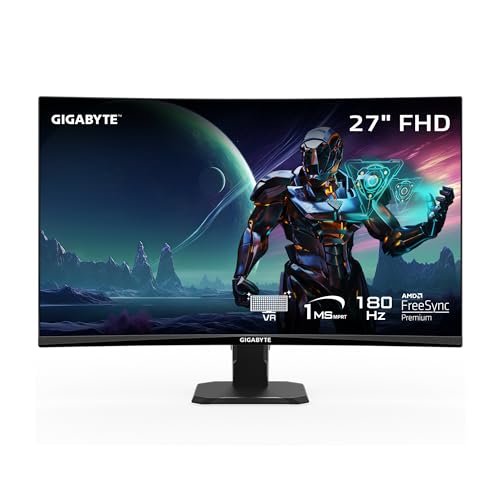
Read this pick’s specification twice, because it breaks the pattern its neighbours set: the GS27FC is a curved VA monitor — 1500R, gentler than the LG’s wrap — but it renders Full HD, not QHD, at 180Hz, with a 1ms MPRT response figure, HDR readiness and FreeSync Premium across one DisplayPort 1.4 and two HDMI 2.0 inputs. Shoppers skimming a shelf of curved 27-inch screens routinely assume this one is QHD like the LG beside it. It is not, and the difference is the pick’s whole identity: Gigabyte spent the budget on curve, contrast and refresh, and saved it on pixels.
That is a legitimate bargain for a defined player. Full HD at 27 inches is coarse — around 82 pixels per inch — so text and fine detail soften, and this screen should never be bought for desktop work. But frames are cheap at 1080p, which means modest graphics cards genuinely saturate 180Hz, and the curved VA picture wraps fast, fluid, dark gaming around the player at a tier-friendly cost. Sim racers on a budget, horror devotees, console players whose output tops out at 1080p in performance modes — these are the GS27FC’s people, and for them the pixels it surrendered were the right currency to spend.
- Panel: 27-inch VA, curved 1500R
- Picture: 1920 by 1080 at 180Hz, 1ms MPRT, HDR ready
- Sync: FreeSync Premium
- Connections: DisplayPort 1.4, two HDMI 2.0
- Character: immersion and speed at FHD — not a QHD panel
Strengths
- Curved VA atmosphere at refresh rates modest GPUs can truly feed.
- Dual HDMI plus DisplayPort covers PC and two consoles gracefully.
- FreeSync Premium tier sync, a step above basic adaptive sync.
Trade-offs
- Full HD at 27 inches is visibly coarse for text and desktop work.
- MPRT response figures flatter; compare within the method only.
- Curved, VA and FHD together narrow its audience to committed gamers.
Best for: immersion-first gamers on mid-range systems, sim and horror players especially. Not suited for: anyone who works on the same screen, or expects QHD sharpness.

Samsung Odyssey G5 (G51F) — QHD with a proper stand
Samsung’s Odyssey G5 in its G51F form takes the QHD path and fixes the complaint the LG leaves open: the stand adjusts for height. The specification otherwise runs parallel — 27 inches of QHD at 180Hz with a 1ms response figure, HDR10 and AMD FreeSync — wrapped in Samsung’s Odyssey gaming identity with features like Black Equalizer for shadow visibility, a Virtual Aim Point overlay and Auto Source Switch+ for desks where a PC and console take turns. It is the QHD pick for buyers who want the resolution without the ergonomic asterisk.
The Odyssey line’s gaming-first tuning defines the ownership feel: shadow detail is deliberately lifted for competitive visibility, colours run vivid, and the feature set assumes play is the primary activity and work the guest. Buyers should therefore weigh it as a gaming instrument that can work, against the BenQ below, which is closer to the reverse. Against the LG, the decision reduces to taste and furniture: Samsung’s ergonomics and gaming utilities versus LG’s deeper curve and dim-room theatre. Both are honest QHD answers; the G5 is the one that arrives ready to sit at the right height on day one.
- Panel: 27-inch, QHD gaming class
- Picture: 2560 by 1440 at 180Hz, 1ms response, HDR10
- Sync: AMD FreeSync
- Stand: height adjustable — the QHD contingent’s ergonomic answer
- Features: Black Equalizer, Virtual Aim Point, Auto Source Switch+
Strengths
- Height adjustment included, where the curved LG makes you improvise.
- Gaming utilities aimed at competitive visibility, not decoration.
- Auto source switching suits the PC-plus-console desk perfectly.
Trade-offs
- Gaming-first tuning is vivid rather than colour-neutral for creative work.
- Feature overlays like aim points are taste, not universal benefit.
- Flat-out immersion seekers may prefer the LG’s pronounced curve.
Best for: QHD players who want ergonomics and gaming utilities in one purchase. Not suited for: colour-critical creators, or curve devotees.

LG UltraGear 27 (FHD, 144Hz) — Flat IPS all-rounder
LG’s second entry in this guide walks the speed path at its most accessible step. The panel is flat IPS at Full HD, refreshing at 144Hz with a 1ms MBR figure, HDR10 support, both NVIDIA G-Sync compatibility and AMD FreeSync, 99% sRGB coverage, built-in speakers, and a stand that adjusts for height and tilt. No single figure leads the class; the completeness does. This is the pick for the household where the screen must game at night, work in the morning, show a film to two people on Friday and never once be the subject of a support conversation.
Its honesty requirements are the FHD ones. At 27 inches, 1080p is coarse for close text work — the same arithmetic as the Gigabyte, softened by IPS clarity but not repealed — and 144Hz, while a revelation to anyone arriving from 60Hz, is the floor of this comparison rather than its ceiling. What the buyer gets in exchange is the tier’s most balanced instrument: sync for both GPU camps, real speakers, real ergonomics, colour coverage that covers the web and most hobbies, and LG’s UltraGear maturity underneath. In a guide of specialists, this is the generalist, and generalists win more households than specialists do.
- Panel: 27-inch IPS, flat
- Picture: 1920 by 1080 at 144Hz, 1ms MBR, HDR10
- Sync: G-Sync compatible and AMD FreeSync
- Colour and audio: 99% sRGB, built-in speakers
- Stand: height and tilt adjustable
Strengths
- Most complete everyday package in the tier — speakers, stand, sync, colour.
- IPS angles serve the second viewer every other pick compromises.
- Dual-ecosystem sync support keeps it agnostic to your next GPU.
Trade-offs
- Lowest refresh ceiling among these six for competitive specialists.
- FHD coarseness at 27 inches taxes text-heavy workdays.
- Jack-of-all-trades positioning means each specialist pick beats it somewhere.
Best for: mixed households wanting one flat, friendly, fully equipped screen. Not suited for: competitive players chasing maximum refresh, or QHD-first buyers.

BenQ MOBIUZ EX271 — Creator-gamer hybrid
BenQ’s EX271 argues that a gaming monitor can be a colour instrument too. The flat panel runs Full HD at 180Hz with a 1ms GTG response — the measurement method this guide trusts most — AMD FreeSync, and a colour specification that leaves the tier behind: 95% DCI-P3 coverage, the cinema gamut that video work is graded in. Around the panel, BenQ builds the most complete desk package here: a USB hub, 2.5-watt built-in speakers with actual design attention, and MOBIUZ’s game colour database and AI game colour mode, which tune per-genre colour from accumulated profiles rather than a single vivid preset.
The trade is resolution, consciously made. A creator who games gets FHD’s frame rates and this colour breadth in one screen, accepting that 27-inch FHD softness for timeline work and that QHD rivals show more workspace. For streamers, video editors who play, and photographers whose second life is ranked queues, that exchange can be exactly right — the EX271 is the only pick whose second job is a profession rather than a chore. Everyone else should read its colour specification as a luxury: delightful if your hobbies touch it, wasted if they never will.
- Panel: 27-inch, flat, gaming line
- Picture: 1920 by 1080 at 180Hz, 1ms GTG
- Colour: 95% DCI-P3 coverage — the tier’s widest
- Sync and ports: AMD FreeSync, DisplayPort 1.2, HDMI 2.0, USB hub
- Audio: 2.5W built-in speakers
Strengths
- Colour gamut that serves real creative work, unique in this comparison.
- USB hub and designed speakers complete the desk without extra boxes.
- GtG response quoting and BenQ’s per-genre colour tuning show craft.
Trade-offs
- FHD at 27 inches limits both text fineness and creative workspace.
- Colour breadth is wasted spend for pure gamers.
- DisplayPort 1.2 is a generation behind the newest standard.
Best for: creators who game seriously — streamers, editors, photographers. Not suited for: buyers who want QHD workspace, or pure players indifferent to colour.
GIGABYTE GS27F2 — Flat-out speed pick
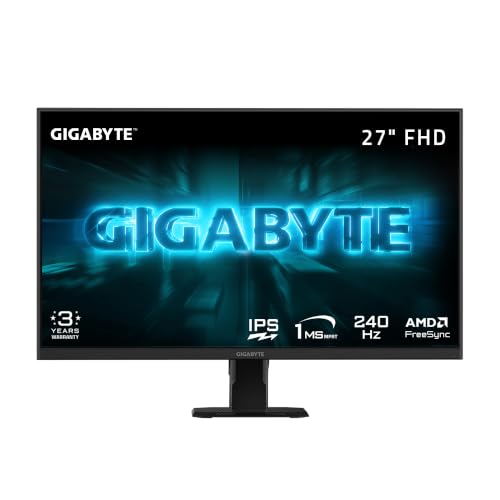
The GS27F2 is the speed path with the throttle open: a flat SuperSpeed IPS panel at Full HD running 240Hz, with a 1ms MPRT figure, FreeSync Premium, and a colour gamut quoted at 115% sRGB — coverage beyond the standard space, giving games a saturated punch. SuperSpeed IPS exists to give IPS the motion behaviour competitive play demands, and at 240Hz this is simply the fastest panel in the tier, full stop. For the player whose library is shooters and whose metric is frames, the comparison ends here.
The price of that speed is paid in the usual currency, and this guide will not let it pass uncounted: 1080p at 27 inches is the coarsest picture in the comparison, the stand tilts rather than adjusts, and every dollar spent on refresh was a dollar not spent on the resolution that makes 27 inches sing for work. None of that matters in a firefight, which is the point. The GS27F2 is a specialist instrument bought by players who know their genre, their GPU and their priorities — and for them, the QHD picks’ extra pixels are not a benefit they declined but a tax they refused.
- Panel: 27-inch SuperSpeed IPS, flat
- Picture: 1920 by 1080 at 240Hz — the tier’s highest refresh
- Response: 1ms MPRT as listed
- Colour: 115% sRGB gamut volume
- Sync and stand: FreeSync Premium, tilt adjustable
Strengths
- Fastest motion in the tier, on an IPS panel that keeps colour lively.
- FreeSync Premium smooths the dips mid-range GPUs produce at speed.
- Wide gamut gives games a vividness the office-grade panels lack.
Trade-offs
- Coarsest text in the set — a gaming instrument, not a work screen.
- Tilt-only ergonomics on the pick competitive players sit at longest.
- Wide-gamut saturation needs taming for any colour-accurate task.
Best for: competitive players whose genre and GPU are built for 240Hz. Not suited for: mixed work-and-play desks, or resolution-first buyers.
How do the six divide the tier?
| Monitor | Panel | Resolution | Refresh | The bargain it makes |
|---|---|---|---|---|
| LG 27GS60QC-B | VA curved 1000R | QHD | 180Hz | Immersion and sharpness |
| GIGABYTE GS27FC | VA curved 1500R | FHD | 180Hz | Curve and speed, fewer pixels |
| Samsung Odyssey G5 G51F | 27-inch gaming | QHD | 180Hz | Sharpness plus stand ergonomics |
| LG UltraGear FHD | IPS flat | FHD | 144Hz | Completeness over extremes |
| BenQ EX271 | Flat gaming | FHD | 180Hz | Colour breadth for creators |
| GIGABYTE GS27F2 | SuperSpeed IPS flat | FHD | 240Hz | Maximum frames, minimum pixels |
Every row is a different answer to the same budget, which is why this tier rewards self-knowledge more than research stamina. Identify your row by the bargain you would make happily, then verify its details in the full review above.
QHD or FHD at 27 inches — how do you actually decide?
Run the frame-rate audit first, because it is the only input that cannot be argued with. Load your most-played title at 1440p — or reason from its 1080p rate with a realistic discount — and note where the counter lives in busy scenes. If it holds the neighbourhood of your candidate’s refresh, QHD’s sharpness is free and the resolution path wins. If it sags far below, you would be buying pixels your system cannot animate, and the FHD speed path converts that same hardware into fluidity you will feel in every session. Feel beats fineness at equal money, every time the two genuinely conflict.
Then audit the desk’s other life. A screen that hosts documents eight hours a day should be QHD at this size almost regardless of gaming taste, because 1080p at 27 inches taxes reading in a way no refresh rate repays. A screen that is purely a gaming instrument can spend everything on frames. The BenQ exists for the overlap case — work that is creative rather than textual — and the LG FHD for the household case, where several people’s mixed needs outrank any individual’s ideal. There is no universal answer in this tier; there is an audit, and it takes one honest evening to run.
How do you set up a 27-inch gaming screen properly?
Geometry first, because 27 inches is where bad placement starts to cost. Centre the panel slightly below eye level — the height-adjustable picks make this a minute’s work, the tilt-only picks make it a riser’s — at a distance where the corners stay in comfortable peripheral view, roughly a metre for most desks. Curved owners should sit at the centre of the curve’s radius for the geometry to work as designed; flat owners should angle the panel squarely at their seat and resist the shared-desk temptation to leave it rotated for a second chair.
Then the signal discipline this guide repeats because it keeps mattering: set the full refresh rate in the operating system, enable sync in the driver, choose the middle overdrive step, cap frames just under the panel maximum when sync is active, and disable eco dimming for play sessions. FHD owners should also set their expectations in the desktop — larger interface scaling is a legitimate comfort choice at this density — while QHD owners should resist scaling that surrenders the workspace they paid for. Finish by saving your tuned settings as the monitor’s custom profile if it offers one, because a firmware reset or a curious guest should not cost you an evening of calibration.
What do buyers in this tier most often regret?
Buying the other fork. The QHD owner whose GPU cannot feed it, watching frame rates sag through beautiful pixels; the 240Hz owner who discovers their workday is text and their screen is a sieve — both bought a fine monitor for a life they do not lead. Second comes the stand surprise: discovering tilt-only after the neck ache, on a screen too large to prop on books gracefully. Third, expecting cinema from an HDR badge that certifies compatibility. Fourth, ignoring the curve’s solo nature in a shared room. And fifth, chasing a promotional price on last year’s model code when this year’s, verified, sits in the same tier — the model-code check in this guide’s opening exists because that regret is so common.
What about warranties, dead pixels and support at this level?
Read the pixel policy before the panel arrives, because it is the document you will meet on your worst day. Manufacturers in this tier typically tolerate a small number of dark sub-pixels while treating bright stuck pixels more strictly, and the exact thresholds live in the warranty text rather than the product page. Your practical protection is the retailer’s return window, which is why this guide’s first-week checks matter: a panel inspected on day two can be exchanged as a purchase decision, while the same flaw reported in month three becomes a policy negotiation. Photograph anything you find, in a dark room, with the screen showing the plain colours that reveal it.
Support quality otherwise tracks the maker more than the model. LG, Samsung and BenQ operate the deepest service organisations in this comparison; Gigabyte and AOC are respectable and occasionally slower depending on region. None of that should override the panel decision — but between two picks your audit scores level, the organisation standing behind the screen for the next half-decade is a legitimate tiebreaker, and registering the product in the first week is what turns that organisation from a rumour into a resource.
Final Recommendation
A closing observation from this tier’s recent history: the distance between the best and the rest here has narrowed to the width of a preference. Every panel in this guide refreshes fast, syncs properly and renders a picture its owner can be proud of; what remains different is character — curve against flat, depth against consistency, pixels against frames. Purchases fail in this tier not when a buyer chooses the second-best panel, but when they choose the best panel for a different person’s desk, a different room’s light, a different library’s demands. The audits in this guide exist to keep the desk, the room and the library yours throughout the decision.
Take the fork by the handle that fits your hand. Resolution players: the LG curved for theatre, the Samsung G5 for ergonomics and utilities. Speed players: the GS27F2 at the ceiling, with the GS27FC as the curved, contrast-rich alternative for systems that feed 1080p happily. Households and hybrids: LG’s flat all-rounder for everyone, BenQ’s EX271 for the creator whose games share a desk with a portfolio. Around this tier, the market has finally arranged itself so that every philosophy has a worthy instrument — the only losing move left is refusing to choose a philosophy at all, and buying someone else’s. So run the frame-rate audit on your own machine tonight, look once at your room’s light at the hour you actually play, count the machines that will plug into the screen, and then order with the calm of a buyer whose decision was made by evidence rather than by a countdown timer — the panel that arrives will be the one your desk would have chosen for itself, and it will go on being that panel long after the tier’s prices have wandered wherever prices wander. Keep its invoice filed, its firmware current and its screen clean, sit down at the height the setup section describes, and the busiest specification in your whole gaming setup will quietly become the one you think about least — which, for a screen bought to be looked at rather than looked after, is the entire ambition of this tier fulfilled. Choose once, choose by evidence, set the refresh rate before your first match, invite the second viewer to judge the angles, and let the games — at whichever resolution and speed your own honest audit selected — begin.
What has changed in this tier to make it so competitive?
Not long ago, this money bought a 144Hz Full HD panel with a fixed stand and a menu from another decade, and QHD at speed lived a full price class higher. Panel manufacturing economics moved first: QHD glass at 27 inches became a commodity, high-refresh controllers became standard parts, and the gaming brands discovered that the fiercest volume in the market sits exactly here, where a first serious monitor is bought. The result is visible across these six — 180Hz as a mid-tier norm, 240Hz available without heroics, sync ecosystems supported rather than licensed as luxuries, and colour gamuts on the BenQ that creator monitors used to guard jealously.
The buyer’s position improved with the hardware. Because the tier is contested by LG, Samsung, BenQ, Gigabyte and AOC simultaneously, no pick here can coast on a badge; each had to bring a genuine argument — a curve, a stand, a gamut, a refresh ceiling — to earn its shelf space. That is why this guide can afford its honesty about compromises: in a tier this competitive, the flaws worth naming are ergonomic and philosophical, not fundamental. A buyer a decade ago needed luck to land a good screen at this money. A buyer now needs only self-knowledge, which is a much better problem to have.
VA smearing or IPS glow — which flaw would you rather live with?
Every panel family in this tier carries one characteristic flaw, and choosing between the picks is partly choosing your flaw. VA’s is motion in the dark: the pixels that produce those magnificent blacks are slowest exactly when leaving black, so fast dark scenes can trail faint smears behind bright objects. You will notice it in night-time shooters and fast pans across shadowed scenery, and you will never notice it in bright games, films or desktop use. The curved LG and Gigabyte concentrate this trade — maximum atmosphere, with the smear as its toll.
IPS’s flaw is the opposite lighting condition. Its blacks are rendered by a backlight shining through a shutter that never fully closes, so dark scenes in a dark room carry a greyish glow, most visible at the corners. You will notice it in the same night scenes VA renders perfectly, and never in the bright, shared, well-lit use where IPS otherwise shines. Neither flaw is a defect; both are physics wearing a name tag. The practical question is embarrassingly simple — do you play dark games in a dark room, alone and centred? Take VA and its toll. Do you play bright games, share the screen, work and watch with company? Take IPS and its glow. The tier’s six picks divide almost exactly along that line, which is why the reviews keep returning you to your room rather than to a ranking.
How does a screen from this tier fit a PC-plus-console desk?
This tier is where the two-machine desk became normal, and the picks divide by how gracefully they host it. Dual HDMI inputs — the GS27FC’s arrangement — let a PC and console, or two consoles, stay connected without a switch; Auto Source Switch+ on the Samsung removes even the button press; single-input economy models collect a small daily toll in cable swaps that compounds into genuine irritation by month two. Count your machines before you count anything else, because input count is the specification you will touch most often and admire least when it is missing.
Resolution interacts with consoles in a way worth knowing. Current consoles target 1440p and 4K output in quality modes and 1080p in many performance modes; a QHD panel is therefore the natural console partner of this tier, accepting the signal at its native fineness, while an FHD panel suits the performance-mode player who values the frame rate the console is actually delivering. Audio completes the picture: the LG FHD and BenQ carry speakers that cover console convenience, while the speakerless picks assume headphones — a fair assumption at a gaming desk, and a rude surprise at a living-room one.
What does ownership cost beyond the panel itself?
Less than it used to, and the picks differ in how much less. A height-adjustable stand — Samsung, the flat LG — retires the riser line item entirely; tilt-only picks may add an arm, which at 27 inches must be a properly rated one. A USB hub, on the BenQ, retires a separate dock for keyboard, mouse and headset dongles. Speakers, where fitted and adequate, retire a desktop pair for casual use. Add the cables the box includes against the cables your setup needs, and the tier’s true prices reorder themselves slightly — one more reason this guide discusses money as a tier and a total, never as a sticker.
The longer ledger favours the same completeness. A monitor is the longest-lived component in a gaming setup, outlasting graphics cards and consoles alike, and the picks here will mostly be retired for ambition rather than failure. Buy the one whose compromises you can live with for five years, register it, keep its box if storage allows, and let the tier’s fierce competition do what it did for this guide — make every manufacturer earn your desk with a real argument instead of a familiar logo.
Which pick serves which game library?
Start with the competitive shooters, because they are the least forgiving. Frame rate is their currency and the GS27F2 is minted in it — 240Hz on a fast IPS panel, with FreeSync Premium smoothing the dips, is the tier’s purest competitive instrument. Players whose aim lives at 180Hz rather than 240 will find the BenQ and the QHD pair playable, but the ranking within the genre is not close, and pretending otherwise would waste the specialist’s money on pixels their genre cannot spend.
Cinematic and atmospheric libraries reverse the podium. Open-world epics, horror, space and story games are authored in shadow and scale, and they reward the LG curved VA’s blacks and wrap first, the Samsung QHD’s sharpness and shadow utilities second, with the BenQ’s colour breadth as the connoisseur’s alternative for games graded like films. Racing and simulation split by setup: a single screen on a desk favours the curved picks’ wrap, while a triple-screen ambition — a real pattern in sim racing — demands flat panels and thin bezels, which quietly promotes the IPS contingent.
Strategy, indie and retro libraries are the tier’s free spirits: undemanding of refresh, delighted by colour and workspace. QHD serves their interfaces best, the BenQ serves their art, and even the FHD all-rounder loses nothing that matters. The pattern across all four libraries is the guide in miniature — the genre chooses the monitor more honestly than the brand ever will, and a buyer who inventories their last hundred hours of play before shopping will find this tier has already made most of the decision for them.
What should the first week with a new 27-inch panel include?
The same verification discipline as any tier, tuned to this one’s specific traps. Confirm the resolution is the one you paid for — the GS27FC’s FHD surprises only buyers who skipped its review, but operating systems occasionally default a QHD panel to 1080p as well, and the check takes a minute. Confirm the refresh rate beside it. Run the dark-scene test in your real room: VA owners, look for smearing in a fast pan and decide whether it is the toll you agreed to pay; IPS owners, look at the corners on a black screen and make the same judgement about glow. Both checks belong inside the return window, where a mismatch between panel character and personal tolerance is still a solvable problem.
Then live the desk’s ordinary week before judging further. Work a day on it if it will ever host work. Let the second viewer sit where they actually sit. Play the console through it. By day seven, the screen’s virtues should have become invisible and its compromises should be the ones you chose knowingly from these pages — and if a compromise you did not choose has appeared instead, the window is still open and the tier is deep enough to hold your second choice too.
When should you step outside this tier altogether?
Upward, when the audit says so. If your graphics hardware sustains QHD at rates beyond 240Hz, or your work demands colour and resolution this tier treats as garnish, the flagship class — OLED panels, 320Hz instruments, true HDR hardware — is a legitimate destination, and this guide’s related reading points at it. The signal to step up is never a review’s enthusiasm; it is your own frame counter and your own project files telling you the current tier is the bottleneck. Until they say that, money spent above this tier buys specifications your week cannot cash.
Downward, when the screen’s job shrinks. A second display for chat and guides, a child’s first gaming screen, a spare for the guest room — these roles are served honestly by the smaller classes this site also covers, and overspending on them starves the main desk. The discipline runs both ways because the budget is one budget: the around-300 tier is the sweet spot for a primary gaming screen precisely because it is surrounded by tiers that serve other jobs better. Buy the tier that matches the job in front of the chair, and the whole setup — not just the monitor — ends up faster, sharper and better lit than any single extravagant purchase could make it.
How should your settings differ between the QHD and FHD picks?
The QHD pair ask for resolution honesty in game settings: render at native 1440p wherever the frame rate survives, and where it does not, prefer the game’s own upscaling quality modes over dropping the output resolution, because the panel’s scaler is the weakest artist in that chain. Shadow and volumetric settings are the frame-rate currency at 1440p — spend them first. On the desktop, run native resolution at 100% scaling and enjoy the workspace that justified the purchase; enlarging text at QHD is a comfort choice, not a necessity, at typical desk distances.
The FHD picks invert the advice. Their frames are plentiful, so quality settings can climb — textures, effects and draw distance buy visible beauty that costs the QHD owner frames they cannot spare. On the desktop, accept scaling as a tool: at 27-inch FHD, a step of interface enlargement restores text comfort and the workspace surrendered was never this panel’s selling point. Competitive owners of the GS27F2 should additionally standardise the latency chain — sync on, cap just under the maximum, overdrive at its clean middle — because at 240Hz the configuration is the performance, and the panel merely permits it.
Both camps share the closing ritual: save the tuned profile, note the settings somewhere outside the monitor’s memory, and re-verify refresh and resolution after any driver or firmware change. Tier-wide, more performance is lost to silent setting resets than to any difference between these six panels, which is the least glamorous and most reliable sentence in this entire guide.
How does room lighting change which of these you should buy?
More than any specification in this guide, and it is measurable in one evening. Play your darkest game at your usual hour with your usual lights. If the room is dim and the session is solo, VA’s blacks are being purchased at full value and IPS’s glow would tax you nightly — the curved picks were designed for your exact conditions. If the room stays bright, or the screen faces a window, the calculation inverts: ambient light lifts every panel’s blacks toward the same grey, VA’s advantage evaporates, and IPS’s angle stability and matte composure become the working virtues. Buyers who game in both worlds should weight the darker one, because brightness can be added to a room more easily than darkness can.
Lighting also governs the brightness arms race you can safely ignore. None of these panels needs showroom output in a home room; running any of them at comfortable, room-matched brightness extends backlight life, reduces eye strain and — on the VA picks — keeps blacks at their deepest, since excess brightness is grey’s best friend. A bias light behind the screen, even an inexpensive one, improves perceived contrast on every pick in this guide and costs less than the difference between any two of them. It is the highest-value accessory in the entire comparison, and it fits in a stocking.
Frequently Asked Questions
Why does this guide never quote an exact price?
Because prices in this tier move with promotions faster than any article can responsibly track, and a recommendation built on a specific figure becomes misinformation on a schedule. The tier itself — the around-300 class — is the stable fact; the live listing is the only honest source for today’s number, and every pick here was verified as a resident of the tier rather than a visitor on sale.
Is QHD worth it if my GPU is mid-range?
For mixed work and play, often yes — QHD transforms the workday, and modern upscaling features let mid-range cards game at 1440p output with dignity. For pure competitive play where native frame rate is the metric, the FHD speed path serves the same card better. The audit in this guide’s buying section, run on your own most-played title, settles it with your hardware rather than with generalities.
Curved or flat — does it matter for competitive play?
At 27 inches, less than refresh and response do. Curves serve immersion and single-seat geometry; flat panels serve shared viewing, multi-monitor alignment and colour work. Professional competitive setups overwhelmingly use flat screens, but that reflects standardisation as much as superiority. Choose by your room and your second viewer, not by folklore.
What does HDR10 mean on monitors at this level?
That the panel accepts HDR10 signals and renders them within its physical limits — which at this tier means modest brightness and no high-end local dimming. Expect a livelier picture in supported games and video, not the transformative HDR of a good television. It is a compatibility virtue, honestly worth having, and dishonestly marketed almost everywhere; this guide counts it as a minor plus and nothing more.
Can these monitors run a console at 120Hz?
Current consoles support 120Hz output in compatible titles over HDMI, and the picks here with HDMI and high-refresh panels can accept those modes where the game offers them — remembering that FHD panels will show those modes at 1080p and QHD panels can accept higher-resolution signals at standard rates. Check your favourite titles’ performance modes; the monitor’s ceiling is only half of that particular contract.
Can I use one of these as the main screen of a dual-monitor setup?
Yes, and the flat picks pair most gracefully: identical heights, straight geometry and bezels that align without the angled negotiation a curved main screen imposes on its flat partner. Players often run the gaming panel as the main display with an older screen demoted to chat, guides and stream monitoring — a division of labour that lets the new panel’s refresh serve the game while the old panel’s existence serves everything else. Match brightness between the two at your working level, level their upper edges in the operating system’s layout page, and the pairing will feel designed rather than accumulated.
How do I dispose of the monitor this one replaces?
Prefer promotion to disposal: a retired gaming screen makes an excellent second display, a household’s spare, or a hand-me-down with years of service left, and the tier below this one is full of desks that would welcome it. If it truly must leave, use the manufacturer’s or retailer’s electronics recycling route rather than general waste — panels contain materials that should not meet a landfill — and factory-reset any smart features and remove saved accounts first if the old screen had them. The monitor you are buying today will one day deserve the same considered exit.
What if I split my time exactly evenly between work and play?
Then the desk’s work half should arbitrate, because work is where a wrong screen taxes you in posture and eye strain rather than in frame rates you might not miss. Text-heavy work points to the QHD pair, with the Samsung’s stand making it the safer all-day chair companion; creative work points to the BenQ; and only genuinely undemanding work — calls, browsing, documents you mostly read rather than write — leaves the field open to the FHD speed picks. Players routinely discover that the screen they chose for their games is the screen their job inherited, so let the job speak first in an even split and let the games, which are forgiving guests on any of these six, take the second vote.
Is it worth waiting for a sale on one of these models?
This tier lives in near-permanent promotion, so the honest answer is that patience is usually rewarded — but the saving should never change the model. Decide the pick by the audits in this guide, then let price timing be a matter of days or weeks rather than of identity; the buyer who switches from the QHD pick their system needed to an FHD pick because a countdown timer flattered it has not saved money, they have spent it on the wrong screen at a discount. Settle the philosophy first, and let the market’s weather merely choose your week.
Do I need a monitor arm for a 27-inch screen?
For the tilt-only picks, it is the single most valuable accessory you can add — 27 inches is large enough that wrong height punishes the neck daily, and an arm also reclaims the desk the stand’s foot occupies. Buy an arm rated comfortably above the panel’s weight, confirm the VESA pattern on your model’s specification first, and keep the original stand in storage: a future buyer or a different desk may want it, and completeness is resale value.
How long should a monitor in this tier last?
Plan on five to ten years of service. The panels and backlights in this class age slowly, the connections are settled standards, and the refresh rates here will read as respectable long after purchase. The realistic limits are your own ambitions — a GPU upgrade that unlocks a higher tier, a job that demands more workspace — rather than the hardware’s health, which is why this guide keeps steering the decision toward the life you will actually live in front of the screen.
Which pick should a streamer choose?
The BenQ EX271, for reasons beyond its panel: the wide P3 gamut serves the content being made, the USB hub tidies the peripheral sprawl streaming creates, the speakers handle monitoring duties, and 180Hz keeps the gameplay footage smooth. If the stream’s game is a competitive shooter and frames outrank everything, the GS27F2 is the alternative — but the BenQ is the only pick designed for the whole job.
Related Guides
Players whose budget stretches beyond this tier should see what the flagship end offers in best 25 35 inch monitors with lowest display lag, and those working with smaller desks can step down a size with best 22 inch gaming monitors without giving up the gaming-first design brief. Desks that split their budget between screen and sound should also weigh the best 100 watt studio monitors before ordering speakers.
Related guides
- Best 3rd Party MacBook Chargers: 96W-Class Alternatives, the 100W Cable Rule, and the Apple Benchmark
- Best Built PC: Six Prebuilt Gaming PCs Judged on Parts, Power and Upgrades
- Best Affordable Wireless Printers
- Best Hard Drives for Mac Backups: Time Machine Drives From a Slim 2TB to an 8TB Household Vault


