What's inside
- Where to buy
- Key Takeaways
- Quick Picks
- How did we choose these gaming bundles?
- Which 24-inch dual bundles should you build?
- How do the bundles compare as complete purchases?
- Why does buying in one order matter so much?
- How should you arrange a gaming pair: seam in the middle or main screen centred?
- What mistakes do bundle buyers make?
- How do you power and cable a bundle without creating a nest?
- When should a bundle buyer choose one ultrawide instead?
- What does a bundle do to a small room?
- How do you split games and support apps across the pair?
- What should you budget beyond the two panels?
- How long does a matched pair stay matched?
- Should one panel of the bundle ever go portrait?
- What is the first-week test for a new bundle?
- How does a bundle change the way you buy your next monitor?
- What about gaming laptops and handhelds in a bundle?
- Is a bundle a good gift or household purchase?
- Final Recommendation
- Frequently Asked Questions
- Related Guides
As an Amazon Associate I earn from qualifying purchases. This post may contain affiliate links at no extra cost to you.
gizmoverdict.com is reader-supported. When you buy through links on our site, we may earn an affiliate commission.
Where to buy
There are two ways to end up with two gaming monitors, and they lead to visibly different desks. The first way is accidental: buy one screen now, buy another in a year, and spend the life of the setup looking at a seam between two strangers — different heights, different whites, different bezels, one panel ageing faster than the other. The second way is the subject of this guide to the best 24 inch dual monitors for gaming bundle buying: choose one 24-inch gaming model, order two of it in a single purchase, and mount them as a matched set whose colour, brightness, height, and warranty all start life identical. A bundle is not a discount gimmick here; it is a quality strategy. Two panels from the same production run are the closest thing to identical twins the monitor industry sells, and identical twins are what make a dual setup disappear into a single wide workspace instead of announcing its seam forever.
Our six picks are therefore specified as bundles, not as monitors. Five are complete two-panel bundles built around a single verified 24-inch-class gaming model — you order a quantity of two, from the same listing, at the same time — and the sixth is the mounting foundation that turns two boxes into one instrument: a verified dual desk mount sized for this class. For each bundle we judge the things that only matter in pairs: how consistent the model line is, whether its bezel and stand design suit side-by-side life, how its inputs divide between your machines, and what owning two of it feels like at hour four of a session. A monitor that is merely good alone can be a poor twin; every model below was chosen because it twins well.
Key Takeaways
- Buy both panels in one order from one listing: same production run is the strongest guarantee of matched colour and brightness.
- A bundle’s real product is the seam — matched bezels, matched height, and matched whites are what make two screens read as one.
- Every bundle here is built on a 24-inch-class gaming panel between 120Hz and 180Hz, fast enough that neither screen feels like the slow one.
- Budget the dual mount with the panels, not after them; two stock stands consume the desk the bundle was meant to organise.
- Matched warranties and a single receipt make the inevitable support conversation twice as simple.
- Set the pair up side by side within the return window and compare them on solid colours — that is when a mismatched twin can still be exchanged.
Quick Picks
| Bundle | Badge | Why it earns its place |
|---|---|---|
| Two × LG UltraGear 24G414B | The reference bundle | Two native-144Hz IPS panels with height-adjustable stands and both sync families — the matched pair with no asterisks. |
| Two × Samsung Odyssey G3 24-inch | The contrast bundle | Two 180Hz panels whose deep blacks and gaming tools make a moody, immersive wall for varied libraries. |
| Two × AOC 24G4 | The paperwork bundle | Two Fast IPS 180Hz panels with modern ports and a stated three-year warranty covering both halves of your desk. |
| Two × Acer Nitro KG241Y | The many-machines bundle | Four HDMI ports across the pair, so a PC, console, and laptop can all live on the bundle without a switch box. |
| Two × ASUS VA249QG | The calm bundle | Two 120Hz eye-care panels for the gaming desk that also hosts a full workday of reading and writing. |
| VIVO Dual Monitor Desk Mount | The foundation | The verified dual mount, sized 13–30 inches, that turns any bundle above into a single aligned instrument. |
How did we choose these gaming bundles?
A bundle candidate had to pass the single-monitor tests first — a genuine gaming refresh rate, a claimed fast response, adaptive sync, and a listing verified in our pool — because a pair of mediocre panels is just a wider disappointment. Then we applied the twin tests that single-monitor reviews never run. Consistency: the model had to come from a high-volume line with stable production, because panels from small or churning lines drift between batches and defeat the entire bundle idea. Symmetry: the bezel design and casing had to look intentional in duplicate, since you will stare at two of them. Ergonomics in pairs: either the stock stands had to adjust enough to align two screens precisely, or the model had to carry a standard VESA pattern so the foundation mount could take over — ideally both.
We also thought about failure, because bundles double it. Two panels means two chances of a dead pixel, a backlight flaw, or a shipping injury, and the bundle strategy only works if you test both screens immediately and exchange the flawed twin while the return window is open. Models with clear warranty terms and sellers with painless exchanges therefore earned preference. Finally, we kept the refresh spread honest: the bundles range from 120Hz to 180Hz, every rate is native, and the guide says plainly which is which, because a bundle buyer is committing twice and deserves paperwork that respects the commitment.
Which 24-inch dual bundles should you build?

Two × LG UltraGear 24G414B — The reference bundle
Start with the pair against which the others are measured. The 24G414B is a 24-inch IPS panel at a native 144Hz with a 1ms claim, G-Sync Compatible and FreeSync support, and HDR10 — and as a bundle it adds the virtues that only appear in duplicate. LG’s production consistency in this high-volume UltraGear line is the foundation of the whole proposition: two units ordered together arrive with whites that match closely enough that a dragged window does not change colour as it crosses the seam, which is the moment every dual owner either relaxes or starts a returns process. The height-adjustable stands matter doubly here, because aligning two screens to the same horizon is the difference between one landscape and two portraits of it.
Playing across the pair clarifies what a bundle is for. Most players will game on one panel and live on the other — stream chat, a map, a build guide, voice controls — and 144Hz on both sides means the supporting screen never feels like a downgrade when a video or a second game client lands there. The speakers built into each unit give you a sensible default for the secondary screen’s audio, LG Switch lets you tame both panels’ settings from the desktop, and the matched warranties expire on the same day, which your future self will appreciate. If you want the dual-monitor idea executed the way its advocates describe it, this is the bundle that behaves like the brochure.
Its limits are the honest ones of its class: no USB hub in either panel, so a dock still anchors the setup, and HDR10 at this tier is tone-mapping politeness rather than spectacle. Neither flaw is doubled by buying two; both were priced into the model once, and the pair simply inherits them. As a reference bundle it earns the title by having the fewest stories attached — two boxes, one afternoon, a desk that works as drawn.
A word about sound in this bundle, since two sets of built-in speakers invite a small decision. Run audio from one panel only — the main one — and mute the second in its menu, because twin speakers playing the same signal from two positions smear dialogue and game audio alike. Keep the second panel’s speakers as the designated voice for a connected console or a laptop instead, and the pair’s audio stops competing and starts specialising. It is a tiny configuration choice that owners of doubled speakers rarely make and immediately appreciate, and it costs nothing but two minutes in a menu on setup day.
- Bundle contents: 2 × 24-inch IPS panels, 1920×1080 each
- Refresh: 144Hz native on both panels
- Response claim: 1ms
- Sync: G-Sync Compatible and FreeSync
- Pair virtues: height-adjustable stands, matched production line, built-in speakers
Strengths
- The most predictable colour match of any bundle here, thanks to the line’s volume and consistency.
- Both stands adjust for height, so a stand-only setup can still align perfectly.
- 144Hz on the secondary screen keeps video and second clients feeling first-class.
Trade-offs
- No USB hub in the pair; a dock remains part of the shopping list.
- Two stock stands still eat more desk than the mount in our foundation pick.
- HDR performance is modest on both halves, as expected in this tier.
Best for: gamers who want the canonical matched pair and may never add a mount. Not suited for: desks that need a hub built into the screens themselves.

Two × Samsung Odyssey G3 24-inch (G30D) — The contrast bundle
A pair of Odyssey G3s builds a different kind of wall. Each panel runs 180Hz natively with a 1ms claim and FreeSync, and the Odyssey line’s contrast-rich character — deep blacks that IPS pairs cannot reproduce — turns the combined screen into something closer to a cinema that games than a desk that glows. Dark titles spread across the main panel look expensive, and the second panel’s blacks match because both panels share the same technology and tuning, which is the bundle principle working in your favour: whatever a model’s character is, twins express it identically, and this model’s character is mood.
Samsung’s gaming tools also scale gracefully to two. Black Equalizer lifts the shadows where opponents hide on the game screen, Virtual Aim Point supplies a panel-level crosshair for hardcore modes, and Eye Saver Mode with flicker-free behaviour guards the long sessions that a two-screen setup encourages — a second monitor reliably extends desk time, which makes eye comfort a bundle feature rather than a footnote. The adjustable stands align the pair without a mount, and the matching Odyssey styling means the desk looks designed rather than accumulated, a consideration that matters more with two of everything.
The bundle’s caveat is the family trait: this panel class’s darkest transitions are its slowest, and two panels express that identically too. Players whose entire library is top-tier competitive shooters may prefer the Fast IPS discipline of the AOC bundle; players whose library includes horror, space, stealth, and film will feel the G3 pair’s advantage every single night. A bundle amplifies a model’s personality — choose the personality you actually live with.
Consider also what the pair does to a room after dark, because two contrast-rich panels change the lighting design of a gaming corner whether you plan it or not. The deep blacks keep the screens from washing the wall behind them in grey glow, so the setup feels calmer and more deliberate than an IPS pair at the same brightness — closer to a home cinema’s manners. Players who share the room with a partner reading or sleeping nearby consistently underrate this virtue when shopping and overrate everything else. If your gaming happens in a multipurpose room at night, the G3 bundle’s discretion is a feature with a constituency of two.
- Bundle contents: 2 × 24-inch class panels, 1920×1080 each
- Refresh: 180Hz native on both panels
- Response claim: 1ms
- Sync: AMD FreeSync
- Pair virtues: matched contrast character, gaming overlays, adjustable stands
Strengths
- The most atmospheric pair in the guide, with blacks no IPS bundle matches.
- 180Hz on both screens future-proofs the secondary panel completely.
- Eye-comfort features suit the longer sessions dual setups create.
Trade-offs
- Dark-transition response is the trait competitive purists should test first.
- Gaming styling, doubled, commits the room to the look.
- Sync support headlines one GPU family across both panels.
Best for: varied-library players who game in dim rooms and want the pair to feel cinematic. Not suited for: single-title esports specialists optimising for transitions alone.

Two × AOC 24G4 — The paperwork bundle
Buying two of anything doubles your exposure to the boring failures — the flawed panel, the dead port, the support ticket — and the AOC bundle is built to make the boring parts boring. Each 24G4 is a 24-inch Fast IPS panel at 180Hz with a 1ms claim, Adaptive-Sync, DisplayPort 1.4 and HDMI 2.0, and a three-year warranty stated in the listing itself. Two of them give you four modern inputs, two identical Fast IPS pictures, and warranty coverage that treats both halves of your desk as first-class citizens for three years. In bundle terms, that warranty is not a footnote; it is half the product.
The Fast IPS panels themselves twin beautifully. Their colour and viewing angles mean the far panel of the pair — the one you always see slightly off-axis — does not wash out the way lesser technologies do, which is a specifically dual-monitor virtue: in a pair, one screen is always the angled one. The matched pair also shares the model’s clean, low-drama styling, so the combined desk reads as a workstation that games rather than a gaming shrine that tolerates work. VESA patterns on both panels welcome the foundation mount whenever you are ready, and the earphone outputs handle wired audio without a splitter debate.
Where the bundle economises, it does so where pairs feel it least: no USB hubs, stands that cover alignment basics without luxury. A dual setup usually grows a dock and a mount anyway, at which point the AOC pair’s savings have quietly funded both. For the buyer who thinks in total cost of ownership — panels, warranty, mount, dock, three years, no drama — this is the bundle whose spreadsheet wins, and whose picture, two matched Fast IPS screens at 180Hz, never makes you explain the spreadsheet to your eyes.
The bundle also ages unusually gracefully, for a reason buried in its port list. DisplayPort 1.4 and HDMI 2.0 on both panels mean the pair will accept full-rate signals from the next several generations of graphics cards and consoles without adapters or compromises, so the screens will not be the reason a future upgrade feels capped. Monitors usually retire because their inputs age out before their panels do; the 24G4 pair has bought itself years of extra relevance for the price of including current standards — which, to AOC’s credit, it simply did. Permanence is this bundle’s whole personality, expressed in warranty, ports, and panels alike.
- Bundle contents: 2 × 24-inch Fast IPS panels, 1920×1080 each
- Refresh: 180Hz native on both panels
- Response claim: 1ms
- Sync: Adaptive-Sync
- Pair virtues: 3-year warranty per listing, DP 1.4 and HDMI 2.0 on each, VESA ready
Strengths
- Warranty confidence that covers the pair as a pair, in writing.
- IPS viewing angles flatter the angled second screen every pair has.
- Current-standard ports on both panels keep every input at full rate.
Trade-offs
- No hubs; the dock is a separate, if predictable, purchase.
- Stand refinement is basic until the mount arrives.
- Brand software for managing two panels is thinner than LG’s.
Best for: planners who buy the whole setup on paper first and want coverage to match the ambition. Not suited for: buyers who want premium stands to be the final answer.
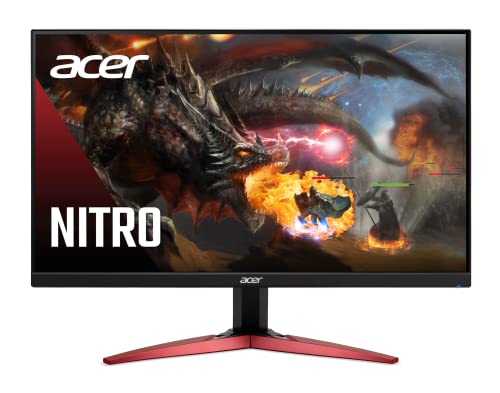
Two × Acer Nitro KG241Y — The many-machines bundle
Count the inputs, because this bundle is an argument about arithmetic. Each KG241Y carries two HDMI ports and a DisplayPort; a pair therefore offers six inputs, four of them HDMI. A gaming PC takes a DisplayPort on the main panel, a console takes an HDMI on either screen and never moves, a work laptop docks to the second panel, and there are still ports left for the handheld dock or the media box that visits at weekends. Most dual bundles solve the two-screen problem and immediately create a cable problem; this one was specified by people who counted the machines in a real room and refused to make the owner choose which device gets to stay plugged in.
The panels behind the arithmetic are proper gaming screens: 23.8 inches at 180Hz with a 1ms claim and FreeSync Premium, whose low-framerate compensation keeps the picture graceful when a game dips under the sync range — a feature that matters on the main screen daily and on the second screen whenever it hosts a second client or a console performing below its best. As twins, the Nitros are consistent, VESA-ready, and styled alike down to the bezel, so the six-input flexibility never costs you the matched look that justified bundling in the first place.
The trade is the familiar Nitro one: hubs and stand luxury are absent, and the design language is gamer-forward on a desk that will now have two of it. Households where the dual setup is a shared resource — one person’s gaming rig, another’s work-from-home days, a console with visiting rights — will extract more from this bundle than from any other here. It is the pair for a room with more machines than desks, which describes most rooms that want two monitors at all.
There is a household diplomacy dividend here too. A dual setup with enough inputs for everyone’s machine ends the negotiation over whose device gets the good screen, because the good screen is now two screens and every device has a home port. The student whose laptop lives on the left panel, the console that owns an HDMI on the right, the gaming PC enthroned on DisplayPort — each constituency can point at its cable and call the arrangement fair. Bundles are usually discussed as a player’s purchase, but in shared housing the KG241Y pair functions more like a treaty, and treaties that remove a daily friction are worth more than their specification suggests.
- Bundle contents: 2 × 23.8-inch panels, 1920×1080 each
- Refresh: 180Hz native on both panels
- Response claim: 1ms
- Sync: AMD FreeSync Premium
- Pair virtues: 4× HDMI plus 2× DisplayPort across the pair, VESA ready
Strengths
- Input abundance ends cable-swapping for every machine in the room.
- FreeSync Premium smooths low-frame-rate moments on whichever screen hosts them.
- 180Hz twins keep the second screen fully modern for years.
Trade-offs
- No USB hub on either panel; a dock handles the laptop’s other needs.
- Stands are functional rather than luxurious until a mount is added.
- Two gamer-styled bezels are a strong visual commitment.
Best for: shared rooms where a PC, console, and laptop all need a permanent home. Not suited for: minimalist single-machine desks that prize looks over inputs.

Two × ASUS VA249QG — The calm bundle
Not every dual gaming desk is a cockpit. Some are studies that game in the evening, and for those the correct bundle is a pair of screens tuned for the whole day. The VA249QG is a 24-inch IPS panel at 120Hz with a 1ms claim, Adaptive-Sync, and ASUS’s eye-care stack — low blue light, flicker-free operation — wearing a frameless design that makes two of them read as one continuous sheet of glass. At 120Hz the pair still doubles the smoothness of an ordinary office screen in games, while the working hours get the panel’s real speciality: a picture you can read from for eight hours without the end-of-day eye ache that faster, harsher screens can bring.
The frameless design deserves emphasis in bundle context. Bezels are the seam made physical, and ASUS’s minimal borders shrink the interruption between panels to the smallest line in this guide, which benefits the workday — spreadsheets and documents that span both screens — even more than the evening’s games. Built-in speakers in each panel cover calls and casual video, the VESA pattern accepts the foundation mount, and the VGA port, a period piece on a gaming screen, quietly serves the older work laptop that many households still run. This is the bundle with the broadest definition of “use.”
Its ceiling is the honest one: 120Hz is the pair’s top rate, and players chasing competitive smoothness should take the 144Hz or 180Hz bundles above. But notice what the calm bundle understands — for the desk that works forty hours and games ten, optimising the forty is not a compromise, it is arithmetic. Two eye-care panels that game well beat two esports panels that fatigue, whenever the workday is the main event and the match is the reward at the end of it.
The calm bundle has one more audience worth naming: the player returning to gaming after years away, whose eyes and patience are calibrated to office screens and who finds esports panels visually exhausting. A matched pair of eye-care screens at 120Hz offers that reader a genuine upgrade in smoothness with none of the harshness, and the frameless seam makes the combined display feel like furniture rather than equipment — a distinction that decides whether a setup is welcomed into a shared living space. Not every gaming purchase needs to announce itself, and this bundle’s discretion is a deliberate, defensible design goal rather than a lack of ambition.
- Bundle contents: 2 × 24-inch IPS panels, 1920×1080 each
- Refresh: 120Hz native on both panels
- Response claim: 1ms
- Sync: Adaptive-Sync
- Pair virtues: frameless seam, eye-care tuning, speakers, VGA legacy input
Strengths
- The slimmest seam in the guide, thanks to the frameless design.
- Eye-care engineering suits the work-first desk’s long reading hours.
- 120Hz still transforms evening gaming over any ordinary office pair.
Trade-offs
- The lowest ceiling here; competitive players should bundle faster panels.
- No height ceremony in the stands without the mount.
- Speakers are for calls and convenience, not for cinema night.
Best for: work-first desks that game nightly and read all day. Not suited for: ranked-first players who measure a screen by its ceiling alone.

VIVO Dual Monitor Desk Mount — The foundation
Every bundle above can stand on its own feet, and every one of them becomes a better instrument on this mount. The VIVO dual desk mount is verified in our pool for screens from 13 to 30 inches, which covers the entire 24-inch class with room to spare, and it replaces two space-hungry stands with a single central post and two adjustable arms. The desk space that returns is not cosmetic: it is where your keyboard, your notebook, and your elbows were supposed to go. More importantly, the arms align the pair with a precision stock stands rarely match — same height, same tilt, bezels touching — and hold that alignment against the bumps and desk-wobbles that slowly separate stand-mounted twins.
Treat the mount as part of the bundle purchase, not an accessory for later, for one practical reason: it is far easier to build the pair on arms from the first afternoon than to live with stands for a month and rebuild. Cable routing along the arms also solves the bundle’s hidden mess — two power leads and two signal cables perforce — turning four dangling cords into two managed runs. The mount’s capacity headroom means it survives your next panel size too, within its stated range, which makes it the only item in this guide you may never replace.
One caution, offered plainly: a dual mount concentrates the pair’s weight at one desk point, so a solid desktop matters, and the clamp deserves a firm, honest tightening and a re-check after the first week. Do that, and the foundation pick converts any bundle in this guide from two monitors that agree with each other into one wide instrument that happens to have a seam — which was the entire point of buying a bundle.
Budget honestly for the foundation’s supporting cast while you are at it: two good signal cables of the right length, a power strip that reaches the desk’s centre, and an hour of unhurried assembly. None of it is expensive, and all of it is the difference between a mount that feels like infrastructure and one that feels like a project. Owners consistently report that the mounted pair changes how the whole desk is used — the surface in front of the screens becomes working space again, notebooks and controllers live under the panels’ horizon, and the setup stops shedding items off its edges. That reclaimed territory, more than the alignment, is what people show visitors.
- Fit: dual screens 13–30 inches per listing
- Role: replaces both stock stands with one aligned mounting point
- Pair virtues: precise height and tilt matching, reclaimed desk surface, cable routing
- Compatibility: standard VESA patterns used across this guide’s panels
- Longevity: sized to survive a future panel upgrade within its range
Strengths
- Alignment precision that makes the seam effectively disappear.
- Returns the desk surface two stock stands would have consumed.
- One purchase serves every bundle in this guide and the next size up.
Trade-offs
- Needs a solid desktop and a properly tightened clamp.
- Adds an assembly hour to setup day.
- Portrait experiments on one side depend on your chosen panels’ clearance.
Best for: every bundle buyer who owns the desk for the long term. Not suited for: glass or fragile desktops that should not carry a clamped load.
How do the bundles compare as complete purchases?
| Bundle | Rate per panel | Panel character | Signature pair virtue | Best room |
|---|---|---|---|---|
| Two × LG 24G414B | 144Hz native | IPS | Matched consistency, adjustable stands | The canonical gaming desk |
| Two × Samsung G3 24in | 180Hz native | Contrast-rich gaming | Matched blacks and mood | Dim rooms, varied libraries |
| Two × AOC 24G4 | 180Hz native | Fast IPS | Warranty and modern ports | The planned, long-term setup |
| Two × Acer KG241Y | 180Hz native | IPS-class | Six inputs across the pair | Shared, many-machine rooms |
| Two × ASUS VA249QG | 120Hz native | IPS eye-care | Frameless seam | Work-first desks |
| VIVO dual mount | — | Foundation | Alignment and reclaimed desk | Every desk above |
Why does buying in one order matter so much?
Because panels are manufactured in runs, and runs drift. The white point, brightness ceiling, and backlight tint of a model leaving the factory in spring can differ subtly from the same model leaving in autumn — differences invisible on a lone screen and unmistakable on two screens sharing a desktop background. Ordering both units in a single purchase from a single listing maximises the chance they come from the same run, the same warehouse shelf, and the same calibration batch. It also synchronises everything administrative: one receipt, one delivery day, one warranty start date, one return window in which to compare them side by side and exchange a mismatched twin. The bundle is a logistics strategy as much as a shopping choice.
Test the pair like you mean it during that window. Display the same solid colours and the same grey screen on both, at the same brightness setting, in a dim room. Drag one window slowly across the seam and watch whether its colour or brightness steps as it crosses. Run each panel at full rate in a game. Ten minutes of this on day one protects you for years, because the exchange of a mismatched twin is painless in week one and impossible in month seven. Bundle buyers who skip the test are not unlucky when they notice a mismatch later; they are simply late.
How should you arrange a gaming pair: seam in the middle or main screen centred?
Two schools compete, and your games decide between them. Centring the seam suits strategy, simulation, and any title you genuinely play across both screens, plus symmetrical desk aesthetics; it asks you to live with a bezel line in the middle of your forward view for everything else. Centring the main panel — one screen straight ahead, its companion tilted in beside it — suits shooters and most single-screen gaming, keeps your neck neutral for the primary picture, and treats the second screen as the support instrument it usually is. Most gaming bundles end up in the second arrangement, and the mount in our foundation pick makes switching between the two a five-minute experiment rather than a rebuild.
Whichever you choose, obey two ergonomic rules. The top edges of both panels should form one unbroken line, because a stepped horizon is the mismatch your eyes will find ten thousand times a day. And the pair’s combined width at 24 inches per side is wide enough that the far edges belong to glanceable content — chat, maps, monitoring — not to anything you must read carefully. Arrange for glances at the edges and focus in the middle, and the geometry of the bundle starts working for your neck instead of against it.
What mistakes do bundle buyers make?
The founding mistake is the staggered purchase this guide exists to prevent: one panel now, its “twin” a year later, and a seam that never forgives. Its close relative is mixing models on purpose for a false economy — a fast panel plus a cheap panel — which guarantees the second screen feels like a punishment and quietly goes unused. A third mistake is forgetting the mount until the stands have eaten the desk, then resenting the rebuild. A fourth is cabling optimism: assuming the ports will sort themselves out, when a bundle doubles every cable and rewards the buyer who planned DisplayPort for the main screen, HDMI homes for the consoles, and one dock for the laptop before the boxes arrived.
The final mistake is calibration procrastination — leaving the pair at whatever brightness and colour temperature each happened to ship with, then concluding that bundles “never really match.” Matched models at matched settings match well; the ten minutes of setup in our testing advice above is the entire difference between the bundle dream and the bundle disappointment. Buy together, mount together, set together, test together: the bundle rewards are all in the adverbs.
How do you power and cable a bundle without creating a nest?
Two panels mean two power bricks, two signal cables, and — with a dock or console — a small nation’s worth of additional wire, and the difference between a tidy bundle and a nest is decided before the first box opens. Route power from a single strip mounted under the desk, so both bricks live off the floor and one switch governs the pair. Run the main panel’s DisplayPort and the second panel’s cable along the mount’s arms or a simple cable tray, leaving a service loop at each screen so the arms can still move. Label the console and laptop HDMI leads at both ends; in a six-input bundle, an unlabelled cable is a future argument.
Resist the temptation to daisy-chain or split signals to save a cable. Each panel deserves its own full-bandwidth connection from the machine that drives it, because shared or adapted paths are where refresh rates go to be quietly capped. The bundle’s tidiness comes from routing, not from reduction — four honest cables, managed, beat two clever ones that compromise the picture you bought two of.
When should a bundle buyer choose one ultrawide instead?
Honestly, in two situations. If your primary game is a simulator you always play across the full width, a single curved ultrawide removes the seam from the one place you cannot ignore it, and no bundle can argue with geometry. And if your desk is shallow and your work is one document at a time, a single screen’s simplicity beats a pair’s logistics. Everywhere else the bundle’s advantages compound: two independent screens organise windows better than one wide one, the second panel keeps its own refresh and inputs, a failure costs you half a setup rather than all of it, and the total cost of two excellent 24-inch panels is routinely kinder than one excellent ultrawide. The seam is real; so is everything else.
What does a bundle do to a small room?
Less damage than feared, provided the mount is in the plan. Two 24-inch panels side by side span roughly the width of a modest desk, and on arms they float above the surface instead of colonising it, so the room reads the setup as a window rather than as furniture. The pair also replaces other objects: the television a console wanted, the second laptop screen a student propped on books, the tablet stand for recipes and calls. Small rooms reward objects that do several jobs, and a matched gaming pair is several objects wearing one footprint. Choose the calmer-styled bundles if the room is also a bedroom or a studio flat, and let the setup’s tidiness make its argument.
How do you split games and support apps across the pair?
The arrangement that survives contact with real life is boring in the best way: game on the main panel, everything that serves the game on the second. Voice chat and stream controls live within a glance but outside your aim. A map, a wiki, or a build calculator sits open without an alt-tab tax, which quietly changes how you play — information you used to fetch between matches becomes information you use during them. Music and video belong on the second screen too, where a cutscene or a loading screen no longer holds them hostage. The discipline is to keep the second screen glanceable rather than fascinating; the moment it hosts something that competes with the game, the bundle has created the distraction it was bought to organise.
For work hours the split inverts gracefully: documents and communication divide the pair between them, and the frameless or matched bezels decide how civilised that feels. Keep one panel as your “stage” — the screen anything important opens on — and the other as the “wings” for reference, mail, and monitoring. Habits like these are why a bundle outperforms a single wide screen for most mixed lives: two stages force a tidiness that one canvas never does, and the tidiness, more than the width, is what owners end up praising.
What should you budget beyond the two panels?
Plan the bundle as a system and price the system. The mount in our foundation pick is the first line item. A dock or hub follows for most laptop households, because two screens consume the ports a single screen left spare. Cables of the correct length — measured, not guessed — are a third, and a power strip with room for two bricks a fourth. None of these rival a panel’s price, but together they are the difference between a setup that is finished on Sunday and one that is “basically done” for a season. The bundles above were chosen partly for how they treat this budget: the AOC pair’s savings fund the mount, the Acer pair’s inputs defer the switch box, the ASUS pair’s speakers defer the audio purchase. Read each bundle as a total, and the comparison table becomes a budget table as well.
How long does a matched pair stay matched?
Panels age individually even when they are twins, because hours are never perfectly equal — the main screen works harder than its partner in almost every real setup. The drift this causes is slow and, crucially, correctable: a brightness nudge here, a colour-temperature touch there, during the same ten-minute ritual you performed in the first week. Twins bought together drift from the same starting point along similar curves, which keeps corrections small for years; strangers bought apart start apart and drift apart, which no ritual fully repairs. This is the long-game argument for the bundle, and it is the one owners cite in year three when visitors ask why their five-year-old dual setup still looks like one screen. It looks like one screen because it was bought as one.
Should one panel of the bundle ever go portrait?
It is the bundle’s party trick and, for the right owner, a genuine workflow. A portrait second screen devours documents, code, chat columns, and vertical video in a way no landscape panel can, and every model here with a VESA pattern can be rotated on the foundation mount in minutes. The honest cautions are two: the panel you rotate should have viewing angles that survive the turn — IPS pairs shrug this off — and the rotated screen stops being a gaming screen, so the experiment suits the work-first bundles better than the esports ones. Try it on a Sunday with the mount’s tools still out. Portrait converts about half the people who try it, permanently, and the other half learn something true about how they read. Either outcome is worth an afternoon.
What is the first-week test for a new bundle?
Day one is for the twins audit described earlier: solid colours, one dragged window, both panels at full rate. Day two is for geometry — sit in your real chair, at your real distance, and check that the horizon line is unbroken and the main screen is where your neck expects it. The rest of the week is for honesty about habits: notice which screen your eyes actually use, whether the second panel hosts tools or distractions, and whether the cable plan survived the console’s first visit. Adjust once, decisively, at the week’s end — mount height, angles, default inputs, audio routing — and then leave the setup alone. A bundle tuned in its first week tends to stay tuned for years, which is the entire return on the small ceremony.
How does a bundle change the way you buy your next monitor?
It raises your standards in a specific direction: from specifications to systems. A bundle owner has learned that alignment, matching, inputs, and desk geometry decide daily happiness more than any single panel figure, and that lesson survives into every later purchase — the next screen is judged as a citizen of a setup, not as a soloist. Practically, it also changes the replacement maths: when one twin eventually fails or fades, you own a known-good panel, a mount that fits its successor, and a clear picture of what “matched” meant, so the recovery is a purchase rather than a project. Many bundle owners report the strangest consequence last: they stop browsing monitor deals entirely. A setup that was bought as a finished system does not itch the way an accumulated one does, and the absence of that itch, across years of sales and launches, may be the bundle’s largest single saving.
What about gaming laptops and handhelds in a bundle?
A modern gaming laptop is a natural bundle citizen: one cable to the main panel for full-rate play, a second to the support screen, and the laptop’s own display retired or demoted to a third, glanceable surface. Handheld PCs join through a dock on an HDMI input — which is where the Acer bundle’s input wealth stops sounding like a spec-sheet boast and starts sounding like foresight. The rule for all visiting machines is the same: give each a permanent port and a labelled cable, and the bundle becomes the room’s display infrastructure rather than one computer’s accessory. That permanence is what separates a setup from a pile of compatible devices, and it is available to every bundle in this guide for the price of a cable or two.
Is a bundle a good gift or household purchase?
Unusually, yes — because it arrives as a finished project rather than a component. A single monitor given to a student or a young player starts a list of things still needed; a bundle with its mount ends the list in one delivery, and the matched pair photographs, installs, and explains itself like a designed object. For a household buying its first serious setup, the same logic applies with the payer’s hat on: one decision, one receipt, one warranty conversation, and a desk that serves games, homework, and work-from-home days without a second round of shopping. The bundles in this guide were chosen with that completeness in mind, which is why the calm ASUS pair and the many-input Acer pair sit comfortably beside the esports entries — different households are buying different finished desks, and each of these finishes one.
Final Recommendation
Build the LG 24G414B pair if you want the reference execution — matched, native 144Hz, adjustable, unremarkable in every way that lets you forget it. Build the Samsung G3 pair for mood and contrast, the AOC 24G4 pair for warranty-backed permanence, the Acer KG241Y pair when the room is full of machines, and the ASUS VA249QG pair when the workday outranks the match. Add the VIVO mount to whichever you choose, order both panels in a single purchase, and test them side by side the day they arrive. A dual setup bought this way stops being two monitors and becomes the desk you meant to have — one wide, calm, matched field of play that a staggered purchase can imitate but never quite become.
Frequently Asked Questions
Do the two monitors in a gaming bundle have to be the same model?
For the result this guide is selling, yes. Same model, same order, ideally same production run — that is what buys you matched colour, matched brightness, identical bezels, and stands or mounts that align without shims. Mixed pairs work electrically and disappoint optically, every day, at the seam. The bundle premium is not in the panels; it is in the sameness.
Can I game across both screens at once?
You can, and some genres — simulation, racing, strategy — reward the wide canvas, with the seam placed where the game is least sensitive to it. Most players settle into gaming on one panel and supporting on the other, because the seam crosses the centre of most action. The bundle serves both styles; the mount makes experimenting cheap, so try the wide mode before deciding it is not for you.
What graphics card output do I need for two gaming monitors?
Two display outputs that can each carry the panel’s rate — in practice, a modern card with multiple DisplayPort and HDMI connections handles a pair of 1080p panels easily when only one hosts the game. Running a game across both at full rate doubles the rendering load, which is a GPU question rather than a monitor one. Consoles and laptops join the pair through the spare HDMI ports several bundles provide.
Is a dual mount necessary, or are two stands fine?
Two stands are workable, especially with the height-adjustable LG pair, but they consume desk depth, drift out of alignment, and double the cable mess. The mount costs less than any panel in this guide and improves alignment, space, and tidiness simultaneously. We class it as part of the bundle rather than an accessory, while acknowledging that renters and glass-desk owners may reasonably stay with stands.
How do I colour-match the pair without instruments?
Set both panels to the same preset, the same brightness value, and the same colour temperature, then compare them on a full-screen white and a mid-grey in a dim room. Nudge the warmer panel’s blue gain down or the cooler panel’s up in the user colour menu until a window dragged across the seam stops changing character. Matched models need only this light touch; if a pair needs heroics, exchange a twin while the window is open.
What if one panel of the bundle arrives flawed?
Exchange that unit immediately, while the return window and the model’s current production run are both available — this is the practical reason the guide insists on testing both screens on day one. A replacement ordered promptly is likely to match its sibling; a replacement ordered next season starts the drift problem over. Bundles reward decisive first weeks.
One last bundle habit worth adopting on day one: photograph your cable routing and settings screens once the pair is tuned. If a move, a cleaning, or a helpful relative ever disturbs the setup, that photograph is the difference between a ten-minute restoration and a fresh afternoon of alignment.
Related Guides
Round out the two-screen project with our guides to the best 24-inch 1ms 144Hz monitors as single screens, the best 24-inch monitors for mixed work and play, and the best 144Hz dual monitors chosen as a self-picked pairing.


