Our Top Picks


What's inside
- What counts as an eight-card motherboard
- The lane budget problem, worked through properly
- ASUS B250 Mining Expert: nineteen slots and three power inputs
- ASUS H370 Mining Master: twenty cards over USB-style riser ports
- ASRock H110 Pro BTC+: thirteen slots, built for open frames
- Biostar TB250-BTC Pro and TB360-BTC Expert: the twelve-slot workhorses
- Why gaming boards with bifurcation rarely reach eight cards
- Riser engineering: the component that decides reliability
- Power delivery math for eight cards
- Stability methodology: building up and fault-finding
- Platform age: the honest cost of LGA1151 in 2026
- Compute beyond mining: inference, rendering, and mixed rigs
- Choosing between the boards: a decision framework
- Frame, grounding, and physical build quality
- Frequently asked questions
- Check prices on Amazon
- Final judgement
As an Amazon Associate I earn from qualifying purchases. This post may contain affiliate links at no extra cost to you.
Most motherboards stop being useful for a multi-card build at four graphics cards. The slots run out, the lane budget runs out, or the firmware refuses to enumerate another display adapter and the machine hangs on a black screen before the operating system ever loads. Boards that can run eight or more graphics cards solve a different problem from gaming boards, and they solve it with a different set of trade-offs: many narrow slots instead of a few wide ones, chipset lanes shared through switches and a slow interconnect, firmware tuned to enumerate card after card without complaint, and extra power inputs that exist because a board feeding eight risers is part of the power distribution system, not just a logic board.
This guide covers the small, ageing, and genuinely unusual class of motherboards built for eight or more graphics cards: the ASUS B250 Mining Expert with nineteen PCIe slots, the ASUS H370 Mining Master with twenty graphics card connections, the ASRock H110 Pro BTC+ with thirteen slots, and the Biostar TB250-BTC Pro and TB360-BTC Expert class of twelve-slot boards. It also explains, with lane arithmetic rather than marketing language, why an ordinary gaming board with bifurcation support rarely reaches eight cards even when its spec sheet looks close. The intended reader is building a mining rig, a rendering node, a local inference server, or a mixed compute frame, and needs to know which limits are electrical, which are firmware, and which are simply physical.
Some links in this guide are affiliate links, and if you buy through one of them the site may receive a commission while the price you pay stays exactly the same.
Nothing in this class should be bought on slot count alone. A twenty-card board still depends on a processor with a modest lane count, on risers that are the weakest component in the whole build, and on power supplies that must deliver well over a kilowatt without pause. Read the lane budget section first, because it explains every later section: why risers run at x1, why that is acceptable for compute and poor for gaming, why one BIOS setting matters more than any slot, and why the board with the highest headline number is not automatically the board that will run the most cards reliably in your frame, your operating system, and your driver stack.
What counts as an eight-card motherboard
An eight-card motherboard is defined here by enumeration, not by marketing. It must be able to initialise eight or more separate graphics processors at boot, assign each one address space and at least one PCIe lane, and hand all of them to the operating system and driver in a state where each card can accept work. A board with eight physical x16 slots that can only light four cards because of lane sharing does not qualify. A board with thirteen x1 slots that lights all thirteen does, even though every slot looks flimsy next to a gaming board.
That definition produces three practical tests. First, slot or connector count: there must be at least eight places to attach a card, counting the USB-style riser ports on the H370 Mining Master as connectors because that is what they are. Second, firmware support: the BIOS must offer Above 4G decoding, must tolerate many display adapters during power-on self-test, and ideally must let you disable onboard devices to free resources. Third, power and mechanical support: the board needs extra power inputs or a layout built for risers, and enough spacing or header placement that eight cards can be cabled without forcing connectors against each other.
- Slot count is the headline, but lane count decides how wide each connection can be.
- Firmware decides whether the machine boots at all with eight display adapters attached.
- Riser quality decides whether the machine still runs eight cards a month later.
- Power delivery decides whether it runs them safely, hour after hour.
Builders coming from smaller rigs often find the step from four cards to eight harder than the step from one card to four, and the comparison in best 4 gpu motherboards is a useful baseline for seeing exactly where the ordinary desktop platform starts to run out of resources. At four cards, a mainstream board can sometimes improvise. At eight, improvisation ends: every part of the platform, from the DMI link between processor and chipset to the current rating of a single SATA power connector, becomes part of the design problem.
The lane budget problem, worked through properly
Where the lanes actually come from
On the LGA1151 platforms that nearly every board in this guide uses, the processor provides sixteen PCIe lanes. Those sixteen lanes were designed for one graphics card at x16, or two at x8 and x8, and nothing in the original desktop design imagined nineteen cards. The rest of the connectivity comes from the chipset: a B250, H110, H370, or B360 platform controller hub offers its own set of PCIe lanes, up to twelve on B250 and H110 class parts in the configurations these boards use, and more on H370, but those chipset lanes do not connect to the processor directly. They travel over DMI, the link between chipset and processor, which on these platforms offers roughly the bandwidth of a PCIe x4 connection in each direction.
That single fact shapes the entire category. Every card hanging off a chipset lane shares, at the top of the tree, a pipe about as wide as one x4 slot. Eight cards cannot each have x16 bandwidth because the platform does not possess that much bandwidth in total, by a wide margin. What the mining boards do instead is spread the available lanes thin: one lane per card, with the chipset acting as a distributor, and with some boards adding switch chips or careful lane routing so that more slots exist than the chipset could feed at full width simultaneously. For workloads that load data onto a card once and then let the card crunch for a long time, that trade is rational. For workloads that move data constantly, it is the central compromise you accept.
Why x1 risers work for compute
A PCIe x1 link at generation 3 speed moves a little under one gigabyte per second in each direction. That sounds trivial beside an x16 link, until you look at what a compute job actually transfers. A mining workload sends small work units and receives small results; the heavy arithmetic happens inside the card, on memory soldered to the card. A rendering job uploads scene data and textures, then spends minutes or hours producing frames. An inference job loads model weights onto the card, which can take a while at x1, and then answers queries from data already resident in card memory. In each case the ratio of compute time to transfer time is high, and x1 is a tolerable bottleneck rather than a fatal one.
The same logic fails for gaming, where the processor feeds the card constantly, where texture streaming and draw calls cross the bus every frame, and where latency matters as much as throughput. It also fails for training jobs that synchronise gradients between cards many times per second, because then the interconnect is the workload. So the honest summary is narrow: x1 risers work when each card works largely alone on data it already holds. Most mining, much rendering, and single-model-per-card inference fit that description. Tightly coupled multi-card training does not, and no board in this guide changes that.
Above 4G decoding is not optional
Every graphics card needs memory-mapped address space so the processor can talk to its onboard memory and registers. Modern cards ask for large regions, and the legacy address map below the 4 GB boundary cannot hold eight of them. Above 4G decoding moves those assignments into 64-bit address space, and without it a multi-card machine typically fails in a recognisable way: it boots with three or four cards, then hangs, beeps, or drops a card as you add more. The setting lives in the BIOS under PCIe or advanced settings, sometimes labelled Above 4G Decoding, sometimes 4G Decode, and on mining boards it is often enabled by default or paired with a mining mode that sets it for you.
Treat this setting as the first checkpoint in any build. Enable it before the first card goes in, not after the fifth card fails to appear. Pair it with the correct boot mode, disable devices you do not use, such as onboard audio, serial ports, and unused SATA controllers, and set the PCIe link speed deliberately, often to generation 2 or generation 1 for long riser cables, rather than leaving every slot on auto. A slower, stable link beats a fast link that retrains and drops under load.
CSM, UEFI, and eight display adapters at boot
With eight display adapters present, the boot process itself becomes a test. In legacy CSM mode, each card may try to initialise its own video BIOS, consuming option ROM space and time, and the system can stall or initialise only some cards. Pure UEFI mode with CSM disabled is usually the cleaner path for a headless compute rig, provided your operating system and cards support it, because initialisation is handled in a more orderly way and address assignment scales better. The trade-off is that older cards and older installers sometimes expect CSM, so the choice should be made deliberately and recorded, not toggled at random during troubleshooting.
ASUS B250 Mining Expert: nineteen slots and three power inputs
The B250 Mining Expert is the board most people picture when this category is mentioned, and its spec sheet still reads like a provocation: nineteen PCIe slots, arranged as eighteen x1 slots plus one x16 slot, on an ATX board built around the Intel B250 chipset and an LGA1151 socket for sixth and seventh generation Core processors. The point of nineteen slots was headroom for very large single-board rigs, and the board was sold with support for up to nineteen graphics cards, a figure that in practice depended heavily on driver limits of the era and on using card types the driver would enumerate in large numbers.
Power inputs and voltage stabilisation
Three 24-pin ATX power inputs are the board signature feature besides the slot count. They let the builder connect up to three power supplies directly to the board, so the board and its risers draw from a planned supply arrangement instead of a tangle of adapters, and so different groups of slots can be fed by different supplies in an organised way. ASUS added voltage-stabilising capacitors for the slot power path, aimed at smoothing the supply to cards whose draw fluctuates with workload, and a set of diagnostic features including slot-state detection at boot, which reports which slots are populated and working during power-on self-test.
Mining mode and BIOS defaults
The board BIOS includes a mining mode that applies the settings multi-card builds need, including Above 4G decoding and suitable PCIe defaults, so the builder starts from a known-good configuration rather than hunting through menus. That matters because B250-era BIOS menus vary in layout, and a missed setting produces symptoms that look like hardware failure. Start in mining mode, change one variable at a time from there, and write down what you changed. The board supports DDR4 memory in two slots, which is ample: a compute rig needs enough system memory to hold its operating system, driver, and job queues, not the memory capacity of a workstation, though inference rigs that stage models in system RAM before loading them onto cards should size memory with that staging role in mind.
Limits and honest expectations
Nineteen slots do not mean nineteen lanes of full bandwidth, and they do not repeal driver limits. Operating system and driver combinations of the board era often capped the number of cards from one vendor that could run together, and mixed-vendor rigs were a common workaround. Today the board is best understood as a high-slot-count platform for cards whose drivers still support them, bought used, checked carefully for slot damage and capacitor condition, and valued for its power inputs and diagnostics as much as for the raw count. For an eight-card target it offers generous spare slots, which is a real operational advantage: a suspect slot can be abandoned and the card moved, without rebuilding the rig.
ASUS H370 Mining Master: twenty cards over USB-style riser ports
The H370 Mining Master took the next step and changed the connection itself. Instead of nineteen conventional slots that each need a separate riser assembly plugged into a slot, this board provides twenty PCIe x1 connections presented as USB 3.0 style ports on the board edge, into which the riser cables plug directly. The graphics signal still travels as PCIe; the USB connector is used as a convenient, latching, widely available physical connector for the riser cable, a convention powered risers had already adopted. Removing one plug-and-socket interface from each card chain removes one common failure point twenty times over.
Why the connector change matters
Anyone who has maintained a large rig knows the failure statistics by feel: cards rarely die, boards occasionally die, and risers and their connections fail constantly. A conventional chain runs board slot to riser board, riser board to cable, cable to the small board at the card, and each interface can loosen, oxidise, or be seated a fraction off. The Mining Master shortens that chain at the board end. The cable plugs into a port designed for repeated insertion, with a positive fit, and the board can report the state of each connection at boot, colour-coding which of the twenty ports are live and which are not during its diagnostic display.
The H370 chipset and LGA1151 socket for eighth and ninth generation processors give the board a slightly newer processor pool than the B250 board, though by current standards both are old platforms, a point the platform-age section returns to. The board supports up to twenty graphics cards by its manufacturer specification, and like its predecessor it was designed around the driver realities of its launch window, so a present-day builder should verify that the exact cards and driver versions planned will enumerate to the target count under the chosen operating system before buying twenty of anything.
Layout, power, and frame planning
Twenty ports along the board edge make cable routing the design problem. In an open frame, the board sits at one end and cables fan out to two rows of cards; orderly builders label both ends of every cable with the port number, because tracing an unlabelled cable in a twenty-card fan is miserable. The board takes a conventional ATX supply arrangement rather than the triple-input design of the B250 board, so multi-supply planning happens at the riser and card level, with synchronisation adapters, as the power section describes. For an eight-card build the Mining Master is, in a sense, the most relaxed option here: you use well under half its connectors, every card gets a clean port, and spares are available for testing a suspect cable by moving one card to a fresh port in minutes.
ASRock H110 Pro BTC+: thirteen slots, built for open frames
The ASRock H110 Pro BTC+ is the pragmatic veteran of the group: thirteen PCIe slots, twelve of them x1 plus one x16, on an H110 chipset board for sixth and seventh generation LGA1151 processors. ASRock had been making BTC-branded mining boards through several earlier generations, and the Pro BTC+ shows that experience in small decisions: onboard power and reset buttons, so the board can be run on a bench or frame without a front-panel harness, and extra power connectors on the board itself to support the slot power load of a fully populated rig.
Extra board power and what it is for
The board provides additional 4-pin Molex and SATA-style power inputs intended to supplement power to the PCIe slots when many cards are installed. The reasoning is straightforward: each card may draw a meaningful share of its power through the slot or riser path, and the standard 24-pin input alone was not designed with thirteen populated slots in mind. Feeding the board from the same supply that feeds the corresponding risers, and following the manual guidance on which extra inputs to populate for a given card count, keeps current paths short and predictable. Mixing supplies across a single card power path, board input from one supply and riser input from another without a synchronised start, is the kind of improvisation that produces intermittent faults.
Onboard buttons sound trivial until a rig lives on an open frame in a workshop, at which point they become the controls you use every day. The board also includes features aimed at unattended running, such as recovery behaviour after power loss, which belongs to the stability discussion later. Its slot spacing follows the usual mining-board pattern of tightly packed x1 slots meant for risers, not for cards plugged in directly, so plan on risers for every card beyond the one x16 slot, and plan the frame around riser cable lengths from the start.
Where it fits against the ASUS boards
Against the B250 Mining Expert, the Pro BTC+ offers fewer slots and a single conventional supply arrangement, but a long production history, wide availability on the used market, and a large body of accumulated builder knowledge for specific card and driver combinations. For a strict eight-card build, thirteen slots is enough headroom to matter: five spare slots for troubleshooting and for one failed slot to be retired in place. Against the H370 Mining Master it uses the older, conventional riser chain, so its per-card connection count is higher, but its slots accept standard risers that are cheap and universally stocked. There is no universal winner here, only a choice between connector innovation, maximum count, and the deepest pool of second-hand boards and spare parts.
Biostar TB250-BTC Pro and TB360-BTC Expert: the twelve-slot workhorses
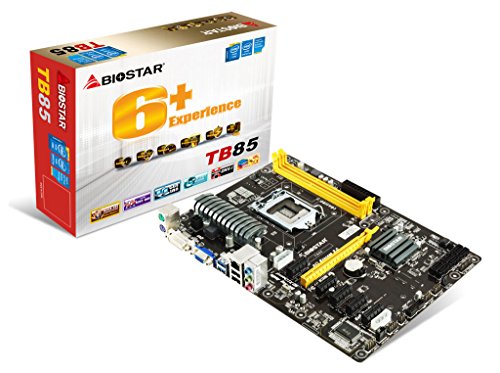
Biostar served the value end of this market with persistence, and its TB250-BTC Pro brought twelve PCIe slots, eleven x1 and one x16, to the B250 platform at prices that undercut the headline boards when new. The TB360-BTC Expert carried the same idea forward to the B360 chipset and eighth and ninth generation processors, again with a layout built around risers and a slot count in the low teens depending on configuration. These boards rarely won attention, but they populated a great many working rigs, and for an eight-card target their arithmetic is comfortable: twelve slots, eight cards, four spares.
What to check on the Biostar boards is the detail layer. BIOS support for Above 4G decoding is present, but menu organisation and default values differ from the ASUS boards, so the first boot should be a careful setup session with the manual open, not an assumption that mining defaults are already applied. Power input arrangements are conventional, so the multi-supply design falls on the builder. Component quality discussions around these boards were always really discussions about variance: a board that runs eight cards at moderate draw is not stressed by that work in the way a board at the edge of its slot-power design would be, and most reported trouble traces back to risers, supplies, or settings rather than the board itself.
The Biostar boards also make a useful point about the whole category: once a board enumerates reliably and feeds its slots properly, the remaining differences are support, documentation, and availability. A well-documented board with an active archive of BIOS versions can be worth more to a builder in 2026 than a nominally superior board whose support pages have thinned out. Check, before buying any of these ageing boards, that BIOS files, manuals, and chipset drivers for your operating system are still downloadable, and archive copies of everything you download on the day the rig is built, not the day something breaks.
Memory and storage choices on all four board families follow the same pattern, and builders planning larger system memory for model staging should also weigh the trade-offs covered in best 6 memory slot motherboards, though for most eight-card rigs two DIMM slots with a sensible single or paired module arrangement is enough, and money saved on system memory is better spent on risers and power supplies.
Why gaming boards with bifurcation rarely reach eight cards
PCIe bifurcation lets a motherboard split one x16 slot into x8 and x8, or into four x4 connections, when the processor and BIOS support it. On paper, a board with three x16 slots, each split four ways, sounds like a twelve-card platform. In practice, gaming and workstation boards defeat this idea at several points at once. Bifurcation options are usually offered on one or two slots only, often the slots wired to the processor, and the split modes are x8/x8 or x4/x4/x4/x4 on a single slot, giving a realistic ceiling of four cards from that slot with a suitable adapter card. Adapter or host cards that present four M.2 or four slot connections from one bifurcated x16 slot exist and work, but each one consumes the only slot that supports the deepest split.
Then the other limits arrive. The board firmware must enumerate every downstream card, and gaming BIOS development never treated eight display adapters as a test case. Physical layout fights back too: x16 slots on gaming boards are spaced for two or three double-height cards with coolers, not for a forest of adapter cards and cables. Chipset lanes on gaming boards are typically committed to M.2 storage, networking, and USB controllers rather than exposed as x1 slots. Add the address-space and boot problems from earlier sections, and the typical outcome is a gaming board that runs four cards well, six cards with effort and luck, and eight cards almost never, despite a spec sheet that can be read optimistically. The mining boards exist precisely because this gap was real and repeatable.
Processor generation matters to this comparison as well. The mainstream platforms that followed LGA1151 kept the same sixteen-lane processor budget for years, so a newer gaming board does not automatically bring a larger lane pool; the detailed generational differences are mapped in best 10th gen motherboards, and the lesson transfers directly: lane count, not launch date, decides multi-card ceilings on desktop platforms. Platforms that genuinely change the arithmetic are the high-end desktop and workstation lines discussed in the platform-age section, with several times the lanes, at several times the price.
Riser engineering: the component that decides reliability
How a powered riser works
A powered riser separates a graphics card from the motherboard slot mechanically and electrically. A small board plugs into the motherboard x1 slot, a cable carries the PCIe signals, and a larger board holds the card in its own x16 slot, with its own power input and voltage conversion to supply the card slot power locally. The card therefore does not draw its slot power through the motherboard, and the motherboard does not carry the mechanical load of the card. Modern riser generations, of which the VER009S class is a widely sold example, added better voltage regulation, indicator LEDs, and multiple power input options on the riser board, and are visibly more substantial than the earliest ribbon-and-Molex designs.
The SATA power limit, stated plainly
The most repeated safety point in this entire field concerns the SATA power connector used to feed many risers. That connector was designed for drives, and its practical continuous rating is around 54 watts. A graphics card can ask for up to 75 watts through its slot. Feed a riser from a SATA connector and the arithmetic can go wrong under exactly the conditions, sustained full load, that define a compute rig. The safer choices are a 6-pin PCIe power connector or a Molex connector feeding the riser, wired from a supply lead rated for the job, with one riser per lead where possible and no chains of adapters converting one connector type to another. Adapter chains are where heat, voltage drop, and regret accumulate.
Ribbon cables versus USB-style cables
Early risers used flat ribbon cables, which are electrically short-tempered: they pick up interference, they dislike tight bends, and their reliable length is short. The USB 3.0 style cable that became standard for risers is not carrying USB signals; it is a well-shielded, mass-produced cable with enough conductors for the PCIe pairs, available in consistent lengths and quality, and it tolerates the routing an open frame requires. Signal integrity still degrades with length and with poor cables, which is why forcing PCIe generation 1 or 2 link speeds is a standard stability lever: the workload barely notices the slower link, while the error rate on a marginal cable can fall dramatically.
Why dead slots are usually dead risers
Field experience across large rigs converges on one diagnostic rule: when a card vanishes, suspect the riser chain before the slot, and the cable before the riser boards. The chain has the most connectors, the cheapest components, and the most mechanical disturbance. A disciplined builder keeps two known-good spare risers, complete and assembled, and swaps the whole chain for a suspect card as the first test. If the fault moves with the chain, the board is innocent. If the fault stays with the slot across two known-good chains and two cards, then the slot, its lane routing, or its BIOS settings earn suspicion. This single habit prevents the classic error of condemning a good motherboard, and it is why spare slots and spare risers are operational necessities rather than luxuries in an eight-card build.
Power delivery math for eight cards
Power planning for an eight-card rig is arithmetic first and shopping second. Take a moderate card drawing 150 watts under sustained compute load. Eight of them draw 1,200 watts before the rest of the system is counted. Add the processor, board, storage, fans, and riser conversion losses, and the rig needs roughly 1,350 to 1,450 watts delivered continuously, which means the supply capacity must be higher still, because a power supply should not live at its limit around the clock. Move to cards drawing 220 watts each and the same arithmetic lands near 1,900 watts for the full system. These are continuous loads, not peaks, and every choice downstream, from supply size to wall circuit, must be made on the continuous figure.
One large supply or two synchronised supplies
A single high-capacity supply keeps start-up simple: everything powers together, grounds are common, and there is one fan curve and one efficiency curve to consider. Supplies in the class needed for eight hungry cards are, however, expensive and less widely stocked, and a single supply is a single point of failure. The dual-supply arrangement is the traditional mining answer. A synchronisation adapter of the Add2PSU class watches the primary supply and switches the secondary supply on and off with it, using a Molex sensing lead and a 24-pin connection to the second supply, so both supplies start together when the board starts. The load is then divided deliberately: for example, the primary supply feeds the board, processor, storage, and four cards with their risers, while the secondary feeds the other four cards and their risers.
Two rules govern dual-supply builds. First, each individual card and its riser should draw all of their power from the same supply, so no single card straddles two supplies with different start timing. Second, the division should be written down and labelled on the cables, because six months later nobody remembers which lead belongs to which supply, and troubleshooting under time pressure is when mistakes happen. The triple 24-pin inputs on the B250 Mining Expert are the board-level version of the same idea, letting supplies connect to the board in an organised way rather than through a separate synchronisation adapter alone.
Circuit loading and the room itself
A rig drawing 1,400 watts continuously is a space heater that also computes. On a 230-volt circuit it pulls a little over six amps, comfortable for typical circuits in much of the world. On a 120-volt, 15-amp circuit, the same rig pulls close to twelve amps, which is at the common continuous-load guidance limit of eighty percent of circuit rating, leaving no room for a second rig, a monitor, and a hot day. Two eight-card rigs on one such circuit is a tripped breaker or worse. Plan the circuit per rig, keep plugs and power strips rated for continuous duty, avoid consumer power strips entirely for rig loads, and treat heat removal as part of the power budget: every watt drawn becomes a watt of heat in the room, and cards throttle or fail early in rooms where that heat has nowhere to go.
Stability methodology: building up and fault-finding
Add cards one at a time
The single most valuable procedure in this guide is also the least glamorous: install one card, boot, confirm the operating system and driver see it, run a short load, shut down, and add the next card. Eight cards installed at once turns any fault into an eight-way mystery. Cards added singly turn the same fault into a clear event attached to a specific card, riser, cable, slot, and supply lead, all of which you wrote down as you went. Keep a build log with columns for slot, card serial or distinguishing mark, riser identifier, cable, and supply. The log feels excessive on day one and priceless on day ninety.
At each step, confirm three separate things, because they fail separately. The BIOS should complete its self-test without delay or error. The operating system device list should show the new card with no error state. A short compute load should run on that card specifically, not just on the rig in general, because a card can enumerate perfectly and still fail the moment it draws real power through a marginal riser feed. Only when all three pass does the next card go in.
Error 43 and its relatives
Windows builders know the device manager error 43 as the generic sign that a driver has stopped a card. Its causes in multi-card rigs are mundane more often than dramatic: a driver that does not support the number or mix of cards installed, a card with modified firmware meeting a driver that checks signatures, a marginal riser corrupting communication until the driver gives up, or address-space trouble when Above 4G decoding is off. The methodical response is to change the cheapest variable first: reseat or swap the riser chain, confirm the BIOS settings, then address the driver, and only then suspect the card. Linux rigs present the same faults differently, as cards missing from the device listing or as driver messages in the kernel log at boot, and the same order of suspicion applies.
Watchdogs and unattended recovery
A rig expected to run unattended needs layers of recovery. At board level, set the BIOS to restore power after a power loss, so the machine restarts when the supply returns. At operating system level, use the mining or compute software watchdog, which monitors card activity and restarts the workload or the machine when a card stops responding. At hardware level, timer-based watchdog devices exist that power-cycle a hung machine automatically. None of these replace finding the underlying fault, and a rig that reboots daily is telling you something specific, usually about a riser, a supply lead, or heat. Use recovery features to keep the rig productive while you gather evidence, and read the logs they produce, because the pattern of which card drops, at what load, after how long, is the diagnosis in embryo.
Platform age: the honest cost of LGA1151 in 2026
Every board in the main group is built for Intel processors that are now several generations old. Sixth and seventh generation chips serve the B250 and H110 boards; eighth and ninth generation chips serve the H370 and B360 boards. The good news is that these processors are cheap on the used market, and a compute rig needs very little processor power: a low-end dual-core or quad-core chip can feed eight cards whose work is largely self-contained, provided system memory is adequate and the operating system is lean. The bad news is everything around that: used boards carry unknown histories, capacitors age, slot contacts wear, and a board that spent three years in a hot mining warehouse has lived a harder life than its listing photographs suggest.
DDR4 memory for these boards remains widely available, and its cost is a minor line in the build. More significant is the support horizon. Chipset drivers for current operating systems are mature but static, BIOS updates have ended, and each new driver generation for current graphics cards pays less attention to old platforms. A builder should therefore freeze a working combination of operating system, driver, and software versions once the rig is stable, archive the installers, and treat updates as deliberate projects with a rollback plan, not as background habits.
Why no current-generation equivalent exists
Mainstream platforms never widened the lane budget that caused this category to exist. Successive desktop sockets kept a similar processor lane count, directed more of it toward fast storage, and left the multi-card problem unsolved, while the mining demand that justified specialist boards fell away from its peak and board makers returned to mainstream products. The result is a genuine gap: there is no current, warrantied, widely stocked motherboard whose purpose is eight or more graphics cards at x1 each. Builders who need new hardware with a warranty are pushed toward workstation platforms, which solve a different problem at a different price.
Workstation alternatives and their lane math
High-end desktop and workstation platforms based on Threadripper-class processors offer lane counts in a different league, with figures such as 64 or more usable PCIe lanes depending on generation and board. A workstation board with seven x16 slots can run seven cards at meaningful widths, commonly x8 or x16 depending on population, and bifurcation on such a platform can push card counts higher with adapter cards. The lane math is honest in a way the desktop boards cannot match: seven cards at x8 is 56 lanes of real bandwidth, fed directly by the processor, with no DMI bottleneck behind a chipset.
The costs are equally real. The processor, board, and registered or high-capacity memory a workstation wants can together cost more than an entire used eight-card rig built on an H110 board, and the power and cooling design is a workstation problem, not an open-frame hobby problem. For tightly coupled work, model parallelism, and jobs where cards exchange data constantly, that money buys the thing the mining boards cannot provide. For independent-card work, it buys bandwidth the workload will never use. Knowing which side of that line your workload sits on is the most valuable judgement in this entire guide, and it should be made from the workload data pattern, not from aspiration.
Small-form-factor thinking sits at the opposite pole, and readers weighing a compact single-card build against a frame full of risers may find the contrast in best mini itx motherboards clarifying: the two categories optimise for opposite things, and parts chosen for one philosophy rarely transfer to the other.
Compute beyond mining: inference, rendering, and mixed rigs
The same boards now find second lives in local compute. A rig with eight mid-range cards holds a large combined pool of graphics memory, and for inference work that splits neatly by model or by request, each card can serve its own model replica or its own shard, with the x1 link carrying prompts and answers that are tiny beside the model already resident in memory. Loading a large model onto a card over x1 is slow, measured in minutes rather than seconds for the largest weights, so these rigs suit steady service, where models load once and serve for days, rather than rapid experimentation with constant reloading. Error-correcting graphics memory is not a board-level choice here, and a mixed rig should be planned around one driver branch that still supports every card in the frame.
Rendering follows a similar pattern. Most render engines scale by assigning frames or tiles to cards independently, which is nearly ideal for this hardware: scene data goes out once per frame, finished frames come back, and eight modest cards can outproduce one flagship card on throughput per unit of money, while losing badly on single-frame latency and on the largest scenes that need one card with a very large memory pool. The deciding question is always whether the work divides cleanly. If it divides, card count wins. If it does not, memory per card and interconnect speed win, and this category is the wrong tool.
Choosing between the boards: a decision framework
Start with card count honesty. If the true target is eight cards with no plan to grow, the twelve and thirteen slot boards are sufficient and usually cheapest, and spare slots still cover troubleshooting needs. If growth to twelve or more is plausible, or if the rig will be reconfigured often, the nineteen and twenty connection boards earn their premium in flexibility alone. Next, weigh connector philosophy: conventional slots accept universal risers and suit builders who already own spares, while the USB-port design of the Mining Master suits builders starting fresh who value the shorter connection chain and per-port diagnostics.
Then weigh the processor pool. Boards for sixth and seventh generation chips draw on the cheapest processors, while eighth and ninth generation boards accept slightly stronger chips that may serve double duty if the rig later becomes a general server. None of these processors will bottleneck independent-card compute, so this is a cost and availability decision, not a performance one. Finally, weigh condition and support over headline specification on the used market: a clean mid-range board with a downloadable manual and BIOS archive beats a flagship board with corroded slots and missing accessories. Inspect photographs for slot damage, bent pins in the socket area where visible, capacitor tops that should be flat, and signs of heat around power connectors, and prefer sellers who show the board booting with several cards installed.
A worked lane-budget example
Consider a concrete build on the H110 Pro BTC+ with eight cards. The processor offers sixteen lanes. The x16 slot, if used with a riser like every other slot, takes one lane in practice for a compute card, and the chipset provides the lanes for the remaining x1 slots from its own pool, with all chipset traffic crossing to the processor over the DMI link at roughly x4 generation 3 bandwidth. Total simultaneous upstream bandwidth is therefore far below the sum of the slot labels, and that is fine, because the workload pattern is eight independent streams of small transfers. Now contrast a hypothetical job that must copy a 20 GB dataset to every card each hour: at a little under 1 GB per second per x1 link, each card needs a minimum of about twenty seconds of pure transfer, and the shared chipset uplink means cards fed through the chipset contend with each other, stretching real times further. The example shows why the same rig can be excellent for one workload and mediocre for another without anything being wrong with it.
Frame, grounding, and physical build quality
Most eight-card rigs live on open frames rather than in cases, for airflow and access. A frame is also an electrical structure, and it should be treated as one. Metal frames should be grounded through the power supply mounting, cards should be secured so their weight does not lever against riser connectors, and riser boards should be mounted on standoffs or insulation so their undersides cannot touch the frame. Wooden and printed frames avoid some short-circuit risks but offer no grounding path and can sag under the combined weight of eight cards and two supplies, stressing every cable. Whatever the material, the test is mechanical stability: a rig that flexes when a cable is touched will produce intermittent faults that imitate electronic failure.
Frequently asked questions
Do eight consumer cards need eight x16 slots?
No. Slot count and lane width are separate things. Eight cards need eight connections and at least one lane each for independent compute work, plus the firmware and address space to enumerate them. An x16 slot describes a connector size and a maximum lane width, not a requirement. Every board in this guide runs most of its cards at x1 by design, and for mining, tile-based rendering, and per-card inference serving, that design matches the workload. Jobs that genuinely need wide links per card belong on workstation platforms with the lanes to feed them.
What breaks first under continuous load?
In order of observed frequency in large rigs: riser cables and riser boards, power connectors that were marginal from the start, fans on cards and supplies, and only then the major components. This ordering is why spares spending should follow the same sequence. A builder with spare risers, spare leads, and a spare supply can return a rig to service in minutes for most real faults, while a builder who spent the whole budget on the board and cards waits days for a minor part.
Is a frame or an enclosed case safer for eight cards?
An open frame with disciplined grounding, secured cards, and directed airflow is the established answer for this card count, because no consumer case moves enough air for eight cards at continuous full load or gives access for riser maintenance. The frame must be treated as electrical equipment: grounded, stable, kept clear of conductive debris, and placed where its heat and noise are acceptable for a device that runs all day, every day.
Check prices on Amazon
Live listings for the shortlist in this guide are pulled from Amazon below, so prices and availability are always current at the moment you look.


Final judgement
The eight-card motherboard is a specialist tool built around a hard constraint: desktop platforms never had the lanes for the job, so these boards spread a thin lane budget across many slots, leaned on firmware that welcomes a crowd of display adapters, and treated risers and power distribution as part of the product rather than accessories. The ASUS B250 Mining Expert remains the maximum-flexibility choice with its nineteen slots and triple supply inputs. The ASUS H370 Mining Master offers the most thoughtful connection design and the highest card count. The ASRock H110 Pro BTC+ is the proven, widely available thirteen-slot option with practical onboard controls. The Biostar boards deliver the same core capability for less money when new and remain serviceable used buys. None of them is current, none of them suits gaming or tightly coupled training, and all of them reward methodical builders who add cards one at a time, respect the SATA power limit, keep spare risers on the shelf, and write everything down.
Choose the board whose slot count gives you spares beyond your target, whose processor generation matches the cheapest reliable chips you can source, and whose documentation you can still download today, then build slowly and keep the log. A rig assembled that way, on any of these boards, will still be quietly filling its log with finished work on the morning the impatient builds are being taken apart for the third time.