What's inside
- Key Takeaways
- Quick Picks
- How We Chose These Picks
- What Does the S9+ Actually Do With a Card All Day?
- Why Paying for Speed the Phone Cannot Use Is the One Real Trap?
- What Does Each Card Offer an S9+ Owner, One Card at a Time?
- How Do the Six Cards Stack Up Inside a UHS-I Ceiling?
- How Should a Card Be Moved Into an S9+ Without Losing Anything?
- Which S9+ Card Mistakes Do Owners Keep Making?
- How Long Should an S9+ Card Last, and What Shortens Its Life?
- What Changes When the Same Card Travels Between Devices?
- Which of the Alphabet of Classes Actually Applies to This Phone?
- How Does Emptying the Card Into a Computer Actually Go?
- Final Recommendation
- Frequently Asked Questions
- Related Guides
As an Amazon Associate I earn from qualifying purchases. This post may contain affiliate links at no extra cost to you.
gizmoverdict.com is reader-supported. When you buy through links on our site, we may earn an affiliate commission.
Where to buy: Links sit in two places for every pick here — in the Quick Picks table and beside the name opening each detailed review. All six picks are microSD cards in the UHS-I family, which is not a limitation of this list but a property of the phone itself, as the next three paragraphs explain.
The best galaxy s9 plus sd cards begin with an honest premise that this guide will not dress up: the Galaxy S9+ is a UHS-I phone. Samsung built its microSD slot to the UHS-I standard and announced support for cards up to 400GB, and those two facts quietly decide everything about a sensible purchase. A newer UHS-II card, or one of the recent Express cards, will physically fit the S9+ tray and will work — at UHS-I behaviour, because the phone’s slot speaks only that language. The premium printed on such a card buys speed the phone cannot accept, which makes it the one genuinely poor purchase in this category: not a bad card, but a card paying for a road the phone does not have.
That premise is liberating once accepted. Inside the UHS-I family, the S9+ is an undemanding host. It records 4K video at bitrates a U3-class card handles with room to spare, it moves apps and media to the card at UHS-I pace, and it asks mainly for honesty: real capacity, a stated class, and a maker with documentation that can be checked. The six picks below were chosen inside that frame. Two state U3 outright, two state read figures of 80MB/s or 100MB/s, one is built and named specifically for this phone, and all six sit at capacities the S9+ fully supports.
Capacity deserves one sentence of its own before the table. The phone’s announced ceiling is 400GB, and the largest pick here is 256GB, so every card in this guide operates comfortably inside the phone’s published envelope with room for a future step up. Owners carrying a card over from an older Galaxy will also find the tray familiar: the S9+ pairs its microSD slot with the SIM tray, and the card from a previous phone can move across, carrying its photos with it, provided it is healthy — a point the how-to section returns to.
Key Takeaways
- The Galaxy S9+ slot is UHS-I only, with announced support up to 400GB; UHS-II and Express cards fall back to UHS-I behaviour in this phone and return nothing for their premium.
- All six picks are UHS-I microSD cards at 16GB, 128GB or 256GB — every one inside the phone’s published envelope.
- The two Samsung 256GB picks state U3 in their titles, the class that covers the phone’s 4K recording with margin.
- The BigBuild 16GB card is the only pick named for the Galaxy S9/S9+ itself, and the smallest — a light-duty card for light-duty loads.
- Two SanDisk Ultra listings state 80MB/s-class read figures; the Lexar E-Series title states its format and interface but no speed.
- A card’s class matters for recording; its read ceiling matters for emptying it into a computer. The S9+ caps both conversations at UHS-I.
Quick Picks
| Pick | Badge | Why it earns its place |
|---|---|---|
| BigBuild Technology 16GB Ultra Fast 80MB/s microSDHC for Samsung Galaxy S9/S9+ | Named for this phone | A small card built and titled for the S9 family, stating an 80MB/s figure, for light media loads. |
| SanDisk 128GB Ultra MicroSDXC UHS-I Memory Card with Adapter | The default Ultra | The widely carried 128GB Ultra with adapter — the general-purpose expansion most S9+ trays have met. |
| Samsung 256GB EVO Plus Class 10 UHS-I microSDXC U3 with Adapter (MB-MC256GA) | Phone-maker’s U3 | Samsung’s own 256GB card, stating Class 10, UHS-I and U3 in full, adapter included. |
| SAMSUNG EVO Select 256GB MicroSDXC UHS-I U3 100MB/s Full HD & 4K UHD Memory Card | Fully stated flagship | The most completely specified title in the set: 256GB, UHS-I, U3 and a 100MB/s figure. |
| SanDisk Ultra SDSQUNS-128G-GN6MN 128GB 80MB/s UHS-I Class 10 microSDXC Card | Model-numbered Ultra | A 128GB Ultra identified by its full model string, stating 80MB/s and Class 10 in the title. |
| Lexar E-Series 128GB Micro SD Card microSDXC UHS-I Flash Memory Card | The quiet alternative | Lexar’s E-Series at 128GB, stating format and UHS-I interface and leaving speed to documentation. |
How We Chose These Picks
The first filter was the phone’s own ceiling, applied as a rule of honesty rather than of exclusion. Any card family whose headline advantage the S9+ cannot use — UHS-II with its second row of contacts, Express with its different signalling — was set aside before capacity was discussed, because recommending one here would mean charging a reader for performance the handset physically cannot deliver. What remained was the UHS-I shelf, which is deep, mature and competitively priced precisely because the standard is settled.
The second filter was stated evidence. Within UHS-I, titles were credited with exactly what they print: U3 where U3 appears, a read figure where a number appears, Class 10 where the class is named. The Lexar E-Series prints none of those figures, and its review says so without treating the omission as a disqualification — Lexar publishes the card’s documentation, and the check takes minutes — but the guide’s ordering of confidence follows the printed evidence, and readers can watch it doing so.
The third filter was the shape of an S9+ owner’s actual storage problem in this phone’s mature years. The handset is old enough that its internal storage feels small against modern app sizes and camera rolls, yet its camera and screen remain good enough that owners keep it as a main phone, a spare, or a dedicated media and travel device. Capacities were therefore weighted toward the sizes that transform the phone — 128GB and 256GB — with one small phone-specific card retained for the light-duty roles where transformation is not the errand.
What Does the S9+ Actually Do With a Card All Day?
The camera writes first claim on the card. The S9+ records 4K video and high-resolution stills, and while its bitrates are gentler than a modern flagship’s, a long 4K clip is still a sustained write that a U3 card — the class guaranteeing a thirty-megabyte-per-second floor — covers with genuine margin. A Class 10 card without the U3 mark guarantees a third of that floor, which the phone’s recording may approach on its highest settings; that gap between the two guarantees is the entire technical argument of this guide, and it is why the two U3 Samsung cards anchor the list.
The second job is residence. Photos, downloaded video, music libraries and offline maps live on the card permanently, read in bursts all day. Read behaviour governs how a gallery scrolls and how a large video starts, and here the stated figures — 100MB/s on the EVO Select, 80MB/s on the BigBuild and the model-numbered SanDisk Ultra — describe the ceiling of that experience inside the phone’s UHS-I limit. In practice all six cards read fast enough that the gallery feels instant; the differences emerge when a full card is emptied into a computer through a reader.
There is a fourth job, easily overlooked: the card is the phone’s memory of itself. Backups of messages, exported documents, the offline library assembled over years — these accumulate on the card quietly, and their combined weight is often what finally fills a smaller card. Owners auditing a full card are frequently surprised to find the camera innocent and the accumulated exports guilty, which is another argument for the larger tiers in this list: 256GB forgives years of quiet accumulation that 128GB eventually presents as a bill.
The third job is the one owners discover late: adoptable-style app storage never arrived on this handset in the form some rivals offered, so the card’s role is media and files rather than a true extension of internal app space. Setting expectations there prevents the classic disappointment of a large card installed and an app-storage warning unchanged. The card relieves the camera roll, the downloads folder and the streaming caches that can be pointed at it — which, for most owners, is precisely the pressure that sent them shopping.
Why Paying for Speed the Phone Cannot Use Is the One Real Trap?
Card marketing runs ahead of phone hardware by design, and the S9+ now sits far enough behind the frontier that the gap is wide and expensive. A UHS-II card carries a second row of contacts the S9+ tray does not touch; inserted, it negotiates UHS-I and performs as a UHS-I card, which is to say it performs exactly like the cards in this guide while having cost considerably more. An Express card behaves likewise within its fallback mode. Neither purchase is foolish in the abstract — a card can be bought for a future device — but bought for this phone, the extra money purchases nothing that will ever arrive.
The subtler version of the same trap is the extreme read figure inside the UHS-I family itself. Read ceilings are measured under ideal conditions with fast readers, and the phone’s own slot sets a practical ceiling well below the numbers modern packaging advertises. A card stating 100MB/s, like the EVO Select here, sits near what the phone can actually exploit; a card advertising a far higher figure through proprietary reader technology will show that figure only in its maker’s reader, on a computer, and never in the handset. Judged for the S9+, the honest contest is class, capacity and maker — in that order.
None of this makes the S9+ a poor host. It makes it a settled one. The UHS-I ecosystem is the most thoroughly debugged in the card world, prices for honest capacities are low, and every behaviour of every pick in this list inside this phone is predictable in a way that frontier hardware never is. Owners who accept the premise get to spend their attention on capacity and class, which are the decisions that actually change daily life with the phone.
What Does Each Card Offer an S9+ Owner, One Card at a Time?

BigBuild Technology 16GB Ultra Fast 80MB/s microSDHC for Samsung Galaxy S9/S9+ — The card that names the phone
Most cards in this guide are generalists that happen to fit the S9+. This one is a specialist that names it: BigBuild titles the card for the Samsung Galaxy S9 and S9+ outright, states an 80MB/s figure, and ships it at 16GB in the older microSDHC format. That combination defines a particular, legitimate errand — a card for a phone in light duty. An S9+ serving as a spare handset, a child’s first phone, a dedicated car or travel device, or a music and podcasts machine does not need a quarter-terabyte of anything; it needs a modest, phone-matched card that holds a library and a camera roll of ordinary size.
The 80MB/s figure deserves its plain reading: it is a read-side number in the same territory as the SanDisk Ultra listings here, entirely adequate for media playback and gallery work in a UHS-I phone. What the title does not state is a U-class, so the card’s guarantee for sustained 4K recording is a documentation question rather than a printed fact — and at 16GB, sustained 4K recording is a short conversation anyway, since the capacity fills in well under an hour at the phone’s top video settings. This card’s honest role is stills, music, documents and light video, and judged in that role its specification is coherent.
Its inclusion also marks the floor of the list deliberately. A guide that only sold transformation would miss owners running an S9+ retired into a simpler life, and for those owners a small card matched to the phone by name, from a maker that builds device-specific media, is a more sensible purchase than a vast generalist card bought out of habit.
- Capacity: 16GB
- Format: microSDHC
- Read speed: 80MB/s, as stated in the listing title
- Stated fit: Samsung Galaxy S9/S9+, named in the listing title
- Speed class: Not stated in the listing title — verify with BigBuild Technology documentation
Strengths
- The only pick titled for this exact phone family, which removes all fit guesswork.
- An 80MB/s stated figure matches the read territory of the SanDisk Ultra cards here.
- Small capacity suits the spare-phone and single-purpose roles the S9+ increasingly fills.
Trade-offs
- 16GB fills quickly under 4K recording; it is a stills-and-media card by design.
- No U-class is printed, so the sustained-write guarantee needs a documentation check.
- Owners transforming a main phone’s storage should look at the 128GB and 256GB picks instead.
Best for: an owner seeking a small, phone-named card for an S9+ in light or single-purpose duty. Not suited for: an owner seeking storage for a camera roll that has outgrown the phone’s internal space.

SanDisk 128GB Ultra MicroSDXC UHS-I Memory Card with Adapter — The default expansion
If a single card could be called the standard answer to this phone’s storage question, it is this one. The 128GB SanDisk Ultra is the card that has been slid into more Galaxy trays than any other in this list, and its title is a model of plain statement: capacity, line, format, interface, and an adapter in the packet. No speed figure is printed — the Ultra line’s numbers live in SanDisk’s documentation — and no U-class is claimed in the title, so the spec box below records both as documentation items rather than borrowing figures from neighbouring Ultra listings, which differ among themselves.
In daily S9+ service, the card’s character is unremarkable in the best sense. The camera writes to it, the gallery reads from it, and 128GB is the size at which the phone’s storage anxiety genuinely ends for most owners: years of photos, a serious music library and a healthy downloads folder coexist without housekeeping. The included adapter earns its mention for the computer side of life, seating the card in full-size readers when a cable is not at hand.
The reservation is the standing one for the Ultra tier. Without a U3 mark in the title, the card’s guaranteed write floor is a question for SanDisk’s documentation for this exact model, and an owner recording long 4K sessions as a primary use should confirm that figure or step to one of the U3 Samsung picks. For the mixed media life most S9+ handsets actually lead, the Ultra’s record in this phone family is long, public and calm.
- Capacity: 128GB
- Format: microSDXC, UHS-I, with adapter included
- Read speed: Not stated in the listing title — verify with SanDisk documentation
- Speed class: Not stated in the listing title — verify with SanDisk documentation
- Line: SanDisk Ultra
Strengths
- 128GB is the transformation size for this phone, ending routine storage housekeeping.
- The Ultra line’s history inside Galaxy handsets is long and thoroughly documented by owners.
- The bundled adapter covers computer transfers without extra purchases.
Trade-offs
- Neither a speed figure nor a U-class is printed in the title; both are documentation checks.
- Heavy 4K recordists are better served by the stated-U3 picks in this guide.
- Its very popularity makes it a counterfeiter’s favourite; buy from established storefronts.
Best for: an owner seeking the standard 128GB expansion with a long record in Galaxy phones. Not suited for: a heavy 4K recorder seeking the write class printed on the listing itself.

Samsung 256GB EVO Plus Class 10 UHS-I microSDXC U3 with Adapter (MB-MC256GA) — The phone-maker’s own U3 card
There is an argument for buying a phone’s memory from the phone’s maker, and this card is that argument at its strongest. Samsung titles the EVO Plus with unusual completeness for this list: 256GB, Class 10, UHS-I and U3 all printed, with the model code MB-MC256GA stated and an adapter included. The U3 mark is the headline — it is the guaranteed write floor that covers the S9+’s 4K recording with margin — and it is printed here rather than left to inference, which is exactly how a specification should behave.
At 256GB, the card doubles the transformation the 128GB picks perform. An S9+ carrying this card stops being a phone with a storage problem and becomes a small archive: the full camera history, offline video for long journeys, a lossless music collection and room still unclaimed. It remains comfortably inside the phone’s announced 400GB ceiling, so the capacity is ambition without adventure — the phone was explicitly built to host cards of this size.
No read figure is printed in the title, and the review notes that without treating it as a blemish: the EVO Plus’s case rests on its class and its maker, and its read behaviour in a UHS-I phone sits in the same territory as every honest card here. An owner seeking a number on the box as well as a class should look at its EVO Select sibling below, which states both; an owner valuing the maker’s own card with the class in print has a pick in this one.
- Capacity: 256GB
- Format: microSDXC, UHS-I, with adapter included
- Speed class: Class 10, U3, as stated in the listing title
- Model: MB-MC256GA, as stated in the listing title
- Read speed: Not stated in the listing title — verify with Samsung documentation
Strengths
- U3 printed in the title — the write guarantee for 4K recording, stated rather than implied.
- 256GB transforms the phone into an archive while staying inside its 400GB announced ceiling.
- Made by the phone’s own manufacturer, with the model code printed for exact documentation checks.
Trade-offs
- No read figure is printed, so transfer-speed comparisons rest on documentation.
- The largest capacity here is wasted on a phone in light duty; the small BigBuild exists for that.
- Premium positioning within the UHS-I shelf reflects the maker’s name as much as the silicon.
Best for: an owner seeking the phone-maker’s own 256GB card with its U3 class in print. Not suited for: an owner equipping a lightly used spare handset that will never fill a sixth of it.
SAMSUNG EVO Select 256GB MicroSDXC UHS-I U3 100MB/s Full HD & 4K UHD Memory Card — The fully stated flagship
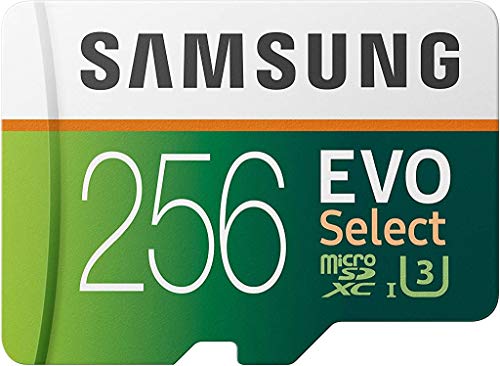
This is the most completely specified title in the entire set, and the review can therefore be the most straightforward. Samsung’s EVO Select states its capacity at 256GB, its interface as UHS-I, its class as U3, and a 100MB/s figure, then says what the card is for in the same breath: Full HD and 4K UHD recording. Every claim an S9+ owner needs to check is printed on the listing itself, which makes this the pick that asks the least homework of its buyer.
The 100MB/s figure sits at an honest altitude for this phone. It is a read-side ceiling in the territory the S9+’s UHS-I slot can meaningfully use, neither the inflated frontier number of a card built for newer hardware nor a figure so modest it would bottleneck a computer offload through a good reader. Paired with the U3 guarantee on the write side, the card presents the complete profile this guide keeps asking for: a stated floor for recording, a stated ceiling for reading, a capacity inside the phone’s announced support.
Its rivalry with the EVO Plus above is a family matter. Both are Samsung 256GB U3 cards; this one prints its read figure and carries the Select name, that one prints its model code and includes an adapter in the title. An owner choosing between them is choosing which printed evidence matters more, and either choice lands on a card whose qualifications for this phone are not in doubt. For a first purchase with no existing preference, the completeness of this title makes it the guide’s easiest recommendation to defend.
- Capacity: 256GB
- Format: microSDXC, UHS-I
- Speed class: U3, as stated in the listing title
- Read speed: 100MB/s, as stated in the listing title
- Stated purpose: Full HD & 4K UHD recording, as stated in the listing title
Strengths
- Every relevant figure is printed: capacity, interface, U3 class and a 100MB/s read figure.
- The stated read ceiling matches what the phone’s UHS-I slot can genuinely exploit.
- 256GB sits well inside the phone’s announced 400GB support ceiling.
Trade-offs
- The title does not mention an included adapter, unlike its EVO Plus sibling.
- Its completeness commands the shelf’s premium tier among these six picks.
- Light-duty handsets will never use its capacity or its class.
Best for: an owner seeking the most fully documented 256GB U3 card for this phone. Not suited for: an owner running an S9+ through a light media life that a 128GB card would cover for years.

SanDisk Ultra SDSQUNS-128G-GN6MN 128GB 80MB/s UHS-I Class 10 microSDXC Card — The Ultra identified by its model string
This listing does something the other SanDisk Ultra in the guide does not: it names itself completely. The full model string SDSQUNS-128G-GN6MN is printed in the title alongside an 80MB/s figure, a Class 10 rating and the UHS-I interface. That model string is a gift to a careful buyer, because it makes the documentation check exact — SanDisk’s pages can be consulted for this precise card rather than for the Ultra line in general, whose members vary more than their shared name suggests.
The stated figures describe a card honestly positioned for this phone. Eighty megabytes per second as a read ceiling is the same territory the BigBuild card claims and entirely sufficient for the S9+’s gallery, playback and offload life. Class 10 guarantees a ten-megabyte-per-second write floor, which covers stills and HD video comfortably and the phone’s 4K at its gentler settings, while leaving the highest sustained 4K work better guaranteed by the U3 picks. The title’s candour about that class lets an owner self-sort accurately, which is more valuable than a vaguer listing with grander implications.
At 128GB it performs the same transformation as its Ultra sibling: the camera roll moves, the downloads breathe, the housekeeping ends. Between the two SanDisk 128GB cards, this is the one for a model-number reader — the card whose exact identity can be verified, matched and, if ever needed, replaced like-for-like without ambiguity.
- Capacity: 128GB
- Format: microSDXC, UHS-I
- Read speed: 80MB/s, as stated in the listing title
- Speed class: Class 10, as stated in the listing title
- Model: SDSQUNS-128G-GN6MN, as stated in the listing title
Strengths
- The full model string is printed, making documentation checks and like-for-like replacement exact.
- Both a read figure and a class are stated in the title — rarer candour than most listings offer.
- 128GB delivers the standard transformation of this phone’s storage life.
Trade-offs
- Class 10’s write floor sits below the U3 guarantee the Samsung picks print.
- Its stated read figure trails the EVO Select’s 100MB/s.
- No adapter is mentioned in the title.
Best for: an owner seeking a 128GB card whose exact model can be verified before purchase. Not suited for: a committed 4K recordist seeking the U3 floor printed on the box.
Lexar E-Series 128GB Micro SD Card microSDXC UHS-I Flash Memory Card — The quiet alternative
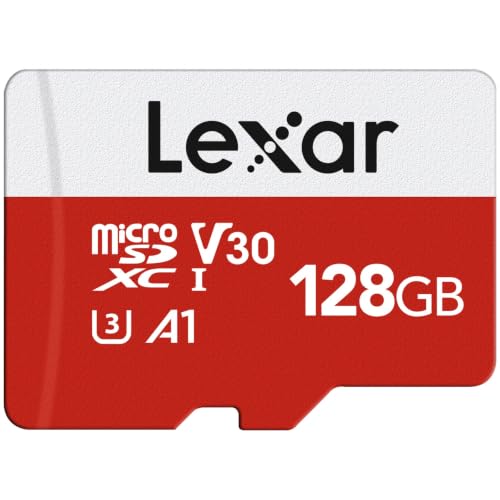
Lexar’s E-Series closes the list as the alternative for owners who buy by maker rather than by headline. The title is the most economical in the set: brand, series, capacity, format and the UHS-I interface, with no speed figure and no class printed. Read strictly — as this guide reads every title — the card promises a 128GB UHS-I microSD from a long-established memory maker, and everything beyond that is a documentation errand on Lexar’s site, where the E-Series’ figures are published for checking.
That quietness cuts in two directions. It makes the listing the least informative here, and a buyer comparing purely from titles will rank it last on evidence. It also reflects a series positioned as straightforward working media rather than as a spec-sheet contestant, and Lexar’s long history in flash memory is the kind of context that matters once the documentation check is actually run. The review’s position is the standing one: run the check, learn the class and the read figure for this exact card, and then judge it on what the maker publishes rather than on what the listing omits.
In capacity terms it stands with the two SanDisk 128GB cards, performing the same transformation of the phone’s storage life. Its natural buyer is an owner already running Lexar media in cameras or readers, standardising on one maker across devices, or simply preferring the road less marketed. For that buyer, the E-Series’ silence in the title is a five-minute errand, not an obstacle.
- Capacity: 128GB
- Format: microSDXC, UHS-I
- Read speed: Not stated in the listing title — verify with Lexar documentation
- Speed class: Not stated in the listing title — verify with Lexar documentation
- Series: Lexar E-Series, as stated in the listing title
Strengths
- A 128GB UHS-I card from a long-established flash memory maker.
- Capacity matches the transformation tier of the SanDisk picks.
- Suits owners standardising on Lexar media across their devices.
Trade-offs
- The title states neither a speed figure nor a class; all performance facts need documentation.
- It offers the least printed evidence of any pick in this guide.
- No adapter is mentioned in the title.
Best for: an owner seeking a 128GB card from Lexar, with the class confirmed in Lexar documentation first. Not suited for: a buyer seeking to compare stated figures across listings without leaving the page.
How Do the Six Cards Stack Up Inside a UHS-I Ceiling?
The comparison that matters for this phone is not the one card marketing wants, which is a ladder of ever-larger speed numbers. It is a table of guarantees and capacities read under a ceiling the phone itself imposes. Two cards print the U3 guarantee and the largest capacity. Two print read figures in the 80MB/s territory at 128GB or 16GB. One prints nothing but its identity and interface. Every row is a UHS-I card the S9+ can fully use, which is precisely the point the introduction made: inside the honest frame, the differences are about documentation and size, not about inaccessible performance.
| Pick | Capacity | Class in title | Read figure in title | Defining trait |
|---|---|---|---|---|
| BigBuild for Galaxy S9/S9+ | 16GB | Not stated | 80MB/s | Named for this phone |
| SanDisk Ultra (adapter listing) | 128GB | Not stated | Not stated | The default expansion |
| Samsung EVO Plus | 256GB | Class 10, U3 | Not stated | Phone-maker’s card, model printed |
| Samsung EVO Select | 256GB | U3 | 100MB/s | Most completely stated title |
| SanDisk Ultra SDSQUNS-128G-GN6MN | 128GB | Class 10 | 80MB/s | Full model string printed |
| Lexar E-Series | 128GB | Not stated | Not stated | The quiet alternative |
Read down the class column and the guide’s advice organises itself. Recording-heavy owners live in the U3 rows. Mixed-media owners live comfortably anywhere in the 128GB rows. The 16GB row serves a different phone life altogether. No row wastes money on an interface the handset cannot speak, and that absence — the trap avoided — is the comparison’s real headline.
How Should a Card Be Moved Into an S9+ Without Losing Anything?
Begin with the existing data. If the phone already carries a card, connect the handset to a computer and copy the card’s contents across in full, or remove the old card and read it directly in a reader. Verify the copy by opening a handful of files from different folders before touching anything else; a backup that has never been opened is a hope, not a backup.
Power the phone down before opening the tray. The S9+ pairs its SIM and microSD in one tray, and ejecting it live invites both a disturbed SIM and a card removed mid-write. With the phone off, swap the cards, seat the tray fully, and power back on. The phone will announce the new card and offer its storage settings.
Decide the card’s role in settings before the camera claims it by default. Point the camera’s storage location at the card, move the downloads and streaming caches that offer the choice, and leave a margin of internal space free — the phone runs best when its internal storage is relieved rather than merely mirrored. Then restore the copied library onto the new card in its original folder structure so apps and galleries find their files where they expect them.
Finish with a field test. Record a minute of 4K video at the phone’s highest setting, take a burst of stills, and play everything back from the card. A card that handles its first day gracefully, in the phone it will live in, has passed the only audition that counts. Keep the old card, unformatted, for a week as the final safety net before it is wiped for other duties.
Which S9+ Card Mistakes Do Owners Keep Making?
The frontier-card mistake leads the list: paying UHS-II or Express prices for a UHS-I phone. The card works, which makes the mistake painless enough to repeat, but the premium buys performance the slot cannot accept, and the same money would have bought double the honest capacity.
The class-assumption mistake follows. A card is bought on capacity and price alone, the camera is pointed at long 4K clips, and the write floor nobody checked becomes the ceiling nobody wanted. The two U3 picks exist in this guide precisely so that recording-heavy owners never have to guess, and the documentation check exists for every other pick.
The tray mistake is physical. Ejecting the combined SIM and card tray with the phone running, or forcing a tray that is not seated, risks the card, the SIM and the seal in one gesture. Power down, swap calmly, and the whole category of accident disappears.
The full-card mistake is the slow one. Months of comfortable shooting end at a family event where the card reaches its limit mid-video, and the phone’s warning arrives at the exact moment nobody can act on it. The cure is the monthly emptying rhythm described in the offload section, plus the standing tenth of free space — together they make the full card a scheduled non-event instead of a surprise.
The counterfeit mistake thrives on this phone’s popularity. Ultra and EVO cards are faked at scale, and a fake announces itself only when its true, smaller capacity fills and begins overwriting. Established storefronts and a full-capacity write-and-read test on arrival are the whole defence, and they are enough.
How Long Should an S9+ Card Last, and What Shortens Its Life?
A phone card lives a different life from a camera card. It is written in small pieces all day — a photo here, a cache update there, a downloaded episode at midnight — and it stays powered for months between reboots, in a device that warms in a pocket and cools on a desk. That pattern is gentler per hour than a drone’s full-card writes and harsher per year, because it never really stops. Honest cards from established makers absorb years of it; the failures that do occur tend to arrive as behaviour rather than drama: a gallery that hesitates, a file that will not open, a card the phone occasionally claims not to see.
Three habits shorten a card’s life measurably. The first is living permanently at the brim: flash memory needs free space to organise itself, and a card kept at ninety-nine percent full works its controller harder on every write while leaving the owner no room for the update that arrives at midnight. Keeping a tenth of the card empty is cheap insurance. The second is abrupt removal — pulling the tray with the phone awake, or letting the battery die mid-recording week after week. The third is heat without relief: a phone left daily on a sunny dashboard is ageing its card along with its battery.
Retirement signs should be acted on early precisely because a phone card holds a life archive rather than a day’s footage. The first unexplained file error is the moment to copy everything off, verify the copy, and replace the card — not the moment to reformat and hope. Cards are the cheapest component in the phone ecosystem and the only one whose failure is measured in memories, which is why this guide treats a five-minute documentation check and a prompt replacement as the same discipline viewed from opposite ends.
What Changes When the Same Card Travels Between Devices?
An S9+ card rarely stays in one device forever. It visits a computer through a reader, it may spend a holiday in a tablet — cards built for Samsung’s tablets share this phone’s microSD standard and fit its tray, and the reverse is equally true — and it may end its career in a newer handset. Each move is safe for the files and mildly demanding of the owner’s habits, because every host writes its own folder structure onto the card and some hosts are tidier guests than others.
The practical rules are few. Eject properly from every computer, every time, rather than pulling the reader on a hunch that writing had finished. Let the phone format a card only when its contents are safely copied elsewhere, since the phone’s idea of a fresh start is total. And when a card moves permanently to a new device, give it that fresh start deliberately: a card carrying three devices’ leftover folders will work, but a card formatted by its new host and repopulated with its library works cleaner, and the library copy is the backup discipline already described.
There is one asymmetry worth knowing. Media written by the S9+ — its photos, its videos — reads happily almost anywhere. Settings, app data and device-specific structures do not travel with the same grace, and an owner expecting a card swap to transplant a phone’s whole personality will be disappointed. The card is a library, not a soul. Treating it as a library — curated, copied, occasionally rehoused — is exactly the relationship that keeps it useful across every device it will ever serve.
Which of the Alphabet of Classes Actually Applies to This Phone?
Card packaging carries more rating systems than any buyer should have to decode, and an S9+ owner can safely ignore most of them once the logic is clear. The Speed Class — the number inside the C, printed here as Class 10 on two titles — guarantees a minimum sustained write in megabytes per second equal to its number. The UHS Speed Class refines the same idea for UHS cards: U1 matches the Class 10 floor, while U3 triples it to thirty, which is why U3 is the mark this guide keeps pointing at for 4K recording. The Video Speed Class, written with a V, expresses the same floors for video workloads; V30 and U3 certify the identical thirty-megabyte floor.
The Application Performance Class — A1 and A2 — measures something else entirely: random small reads and writes, the pattern of launching apps and handling their data. On a handset that ran apps from its card, that class would matter a great deal. The S9+ keeps its apps on internal storage, so the A-class is the one rating in the alphabet that an owner of this phone can strike from the decision completely, and none of the six titles here leads with it. Knowing which ratings to ignore is worth as much as knowing which to chase, because packaging real estate given to an irrelevant class is real estate taken from a relevant one.
What remains, after the alphabet is pruned, is a short and manageable list for this handset: UHS-I as the interface, U3 as the recording guarantee where recording matters, a stated read figure as a comfort rather than a qualification, and a capacity chosen for the phone’s actual life. Every pick in this guide can be described completely in those four terms, and an owner who learns to read listings through them will never again be sold a rating the phone cannot use.
One last decoding note concerns the letters after the capacity. microSDHC covers cards up to 32GB — the BigBuild’s 16GB wears it — while microSDXC covers the larger sizes, and the S9+ reads both families without distinction. The distinction matters only when an ancient reader or a very old device enters the chain; inside this phone, HC and XC are the same tray, the same contacts and the same behaviour, and no owner should pay a premium or accept a discount over the difference.
How Does Emptying the Card Into a Computer Actually Go?
There are three roads from the card to the computer, and they are not equal. The cable road — phone connected by USB, files dragged across — is the slowest and the most temperamental, because the phone mediates every byte and the transfer inherits every interruption the handset feels. It is acceptable for a dozen photos and miserable for a holiday’s worth of 4K video. The adapter road uses the full-size adapters bundled with two of these picks: card out of the phone, into the adapter, into the computer’s SD slot or a reader. The dedicated-reader road — a USB microSD reader kept in the desk drawer — is the fastest and the most reliable, and it is the road the stated read figures in these titles are measured on.
Whichever road is taken, the discipline is the same as in every other guide in this family: copy, verify by opening files from several folders and several dates, and only then consider the card’s contents dealt with. Deleting from the card should happen in the phone, as ordinary gallery housekeeping, never as part of the transfer itself. Owners who empty cards by moving files — the cut-and-paste habit — are one interrupted cable away from holding neither the original nor the copy, and the S9+’s years of accumulated photos are too valuable to ride on a cable’s good behaviour.
Frequency beats volume. A card emptied monthly in calm sittings never becomes the four-hour archival emergency that a card emptied yearly turns into, and the phone runs better for it as well, since the gallery’s index stays proportionate to a library the owner actually looks at. The card, in other words, should be treated as the phone’s working shelf rather than its attic — a distinction that costs nothing and prevents the two failures this category is known for: the full card at the birthday, and the lost archive at the failure.
Final Recommendation
Choose by the phone’s real ceiling and by the life the handset now leads. A recording-heavy main phone should take one of the Samsung 256GB U3 cards — the EVO Select where a stated read figure completes the evidence, the EVO Plus where the maker’s model-coded card with adapter appeals more. A mixed-media main phone is served completely by the 128GB tier, choosing among the two SanDisk Ultras and the Lexar by whether an adapter, a printed model string or a maker’s documentation matters most. A spare or single-purpose S9+ should take the little BigBuild card that names it, and spend the savings elsewhere.
A word on buying two. Owners who have watched a card fail once rarely buy singles again, and for this phone the economics cooperate: a second card at 128GB, kept formatted and empty in a drawer, converts any future card emergency into a two-minute tray swap. The pair need not match — a Samsung U3 as the working card and an Ultra as the understudy is a sensible fleet — but both should pass the same first-day field test on arrival, because an untested spare is only a rumour of safety.
Above every individual choice sits the premise this guide opened with, and it deserves the last word among the recommendations: the S9+ is a UHS-I phone with a 400GB ceiling, and a card bought honestly inside those facts will serve for the rest of the handset’s life. Money spent reaching past them buys numbers on a box, not performance in a tray.
Fit the card to the phone Samsung actually built, verify the one figure its title may leave open, keep a tenth of its space in reserve and a tested spare in the drawer, and the S9+ will quietly hold everything its owner asks of it, year after year, in rain, in pockets, on journeys — which is all a memory card has ever been for.
Frequently Asked Questions
Will a UHS-II or Express card work in a Galaxy S9+?
It will fit and it will function, but only at UHS-I behaviour, because the phone’s slot implements the UHS-I standard. The extra contacts and signalling of newer standards have nothing to connect to in this handset, so the premium those cards command returns no performance here.
What is the largest card the S9+ supports?
Samsung announced microSD support up to 400GB for the Galaxy S9+. Every pick in this guide — 16GB, 128GB and 256GB — sits comfortably inside that ceiling.
Which class matters for recording 4K video on this phone?
U3, which guarantees a sustained write floor of thirty megabytes per second and covers the phone’s 4K recording with margin. Two picks print U3 in their titles, both from Samsung at 256GB; Class 10 cards guarantee a lower floor and suit stills, HD video and media residence.
Can a card from an older Galaxy move straight into the S9+?
Yes, provided the card is healthy and its contents are backed up first. The phone will read an existing card’s media directly. A card showing errors in the old phone should be replaced rather than migrated, since moving a failing card moves the failure with it.
Does the card speed up apps on the S9+?
Not in the way internal storage does. On this handset the card’s role is media and file storage — photos, video, music, downloads — rather than a true extension of app space. Its speed shows in gallery browsing, playback starts and computer offloads, all within the phone’s UHS-I ceiling.
Is a second card worth buying as a spare?
For most owners, yes. A formatted spare in a drawer turns a card failure from a data emergency into a two-minute tray swap, and at UHS-I prices the insurance is cheap. Test the spare on the day it arrives — record, play back, offload — because a spare whose first use is the emergency itself has never actually been verified.
How full should the card be allowed to get?
Keep roughly a tenth of it free. Flash memory organises its writes using empty space, and a card run permanently at the brim works harder, writes slower and leaves no room for the large update or the long video that arrives without warning. The 128GB and 256GB tiers make that margin painless to keep.
Can this phone’s card also serve a Samsung tablet?
Yes. Samsung’s tablets of the same era use the same microSD standard and the same UHS-I behaviour, so a card from this guide fits and performs identically in that tray. Media files travel freely; give the card a deliberate format in its new host only after its library is copied to safety.
Why do two SanDisk Ultra listings appear with different information?
Because the Ultra name covers many distinct models. One listing here prints its full model string, an 80MB/s figure and Class 10; the other prints capacity and an included adapter and leaves figures to documentation. The model string is the reliable identity — check documentation against it, not against the line name alone.
Related Guides
Phone storage connects to a few neighbouring topics on this site. Owners comparing card standards across devices should read our explainer on UHS-I, UHS-II and Express cards, those equipping a newer handset can jump to the best microSD cards for current Galaxy phones, and anyone sorting a whole drawer of media will find a system in our guide to organising memory cards across devices.


