Our Top Picks
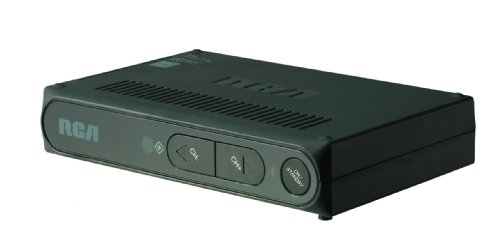 RCA DTA-800B1 Digital To Analog Pass-through TV Convertersamsung2.8 x 6.5 x 10.2 inches0.04 poundsCheck on Amazon
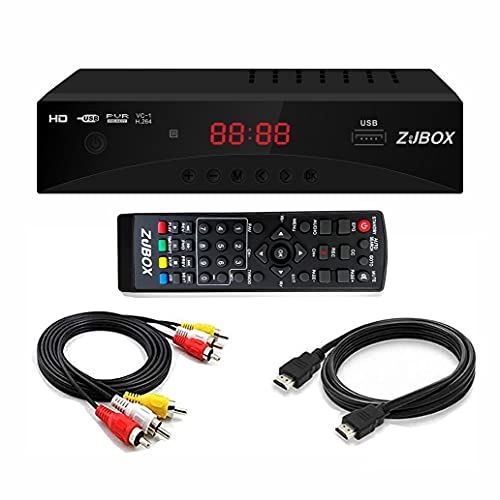


What's inside
- Why a newer television might still need an external tuner
- How ATSC decoding actually works, in plain terms
- Outputs: HDMI first, legacy connections second
- Recording to USB: the feature everyone misunderstands
- The electronic programme guide and its limits
- Tuner sensitivity, antennas and the geography of reception
- Remotes, menus and designing for older viewers
- Firmware, heat and the quiet details of ownership
- What a converter box will not do
- Choosing by need rather than by headline
- Antenna types and how they pair with a small tuner
- Living with the box: habits that separate contented owners from frustrated ones
- Special situations: dorms, workshops and second homes
- Check prices on Amazon
- A short word on cost, value and when to walk away
As an Amazon Associate I earn from qualifying purchases. This post may contain affiliate links at no extra cost to you.
Buying a converter box for a television bought last year sounds like a contradiction. Modern sets arrive with smart platforms, voice remotes and panels that resolve detail older broadcast cameras never captured, so an external tuner feels like a leftover from the digital transition. Yet a steady group of households keeps discovering a gap between what a new screen displays beautifully and what it can actually receive on its own. Some screens are monitors in everything but marketing language, built without any broadcast tuner at all. Others carry a tuner that loses marginal stations a separate box holds cleanly. A third group simply wants to record free over-the-air programmes onto a USB drive, a job many televisions cannot do even when their channel guides look polished. A converter box addresses those narrow, practical problems for modest money, provided expectations stay anchored to what the hardware really is: a single-tuner ATSC 1.0 receiver with recording features, not a streaming player and not a glimpse of the next broadcast standard.
This guide works through the subject in the order most buyers encounter it. First comes the honest question of whether a box is needed at all, because plenty of owners already own a perfectly serviceable internal tuner. After that, the focus shifts to how these devices decode a signal, which outputs matter for newer displays, and why two boxes with near-identical cases can behave very differently on a weak channel at the edge of reception. Recording receives extended attention, since misunderstood USB features cause more disappointment than any other part of the category. Interface design, captioning, firmware and antenna pairing follow, because daily satisfaction depends less on headline specifications than on whether an elderly parent can change channel confidently or whether a scheduled recording survives a clock error. Published specifications and broadcaster documentation form the basis of our research, so figures quoted here describe how the technology behaves generally rather than promising that one retail unit will transform a difficult location.
One clarification prevents a great deal of wasted spending. Converter boxes sold for the North American market decode ATSC 1.0, the standard that has carried digital broadcasting since the transition from analogue. They do not decode ATSC 3.0, marketed as NextGen TV, and no firmware download will add that capability later, because the newer standard demands different demodulation hardware. A handful of stations in some cities transmit both formats during the transition period, and a 1.0 box continues to receive the established signal in those places. Anyone buying specifically for NextGen features such as broadcast applications or enhanced audio objects needs a television or tuner built for that standard from the outset. Treating a humble 1.0 box as future-proofing is the single most expensive misunderstanding in this market, and it is entirely avoidable by reading the tuner line of a specification sheet before anything else.
Why a newer television might still need an external tuner
The clearest case involves displays sold without tuners. Several manufacturers offer large monitors aimed at gamers, presenters and streaming households, and those products omit broadcast reception to simplify design or meet a price point. Product pages sometimes bury that omission beneath panel specifications, leaving buyers surprised when a coaxial socket is nowhere to be found on the rear panel. Readers weighing that style of screen alongside conventional sets will find useful context in best 10 non smart tvs, where the distinction between a display and a fully equipped television becomes easier to spot. For a tunerless screen, an external box is not an accessory but the missing half of the product: it supplies channel tuning, a programme guide and a remote-controlled interface that the panel alone cannot provide.
A subtler case concerns tuner quality inside otherwise complete televisions. Manufacturers allocate cost across panel, processing, speakers and software, and the broadcast tuner rarely wins that internal contest. Sensitivity figures are seldom published for integrated tuners, so owners only learn about weakness when a football game dissolves into blocks on a rainy evening while a neighbour’s older setup holds steady. An external box with a well-regarded demodulator chip can occasionally pull a watchable picture from a signal hovering near the digital cliff, the threshold below which ATSC reception collapses rather than fading gracefully as analogue once did. That advantage is neither guaranteed nor universal, and antenna improvements usually deliver larger gains, yet for households already satisfied with their antenna, swapping the receiving electronics is a rational experiment before replacing a television that pleases them in every other respect.
Recording supplies the third major motive. Many televisions sold in North America disable USB recording entirely, even when the same model line enables it in other regions, because of differing broadcaster arrangements and patent considerations. Owners who assumed a USB port implied recordability discover the port serves only media playback or service diagnostics. A converter box restores the missing function cheaply: attach a drive, schedule a programme from the guide, and the box writes the broadcast transport stream to storage for later viewing. Households cutting a cable subscription often find this arrangement covers their real habits surprisingly well, since local news, network dramas and weekend sport dominate their recording lists, and all of those arrive free through an antenna once the box is configured correctly.
Secondary rooms create a fourth scenario that rarely appears in marketing copy. A spare panel in a kitchen, workshop or guest bedroom may spend its life showing streaming sticks, leaving its owner reluctant to buy another full television just for morning news from an antenna feed. A compact box revives that screen for broadcast duty at a fraction of replacement cost, and its small footprint suits shelves where a cable receiver would crowd out everything else. Recreational vehicles, boats and cabins follow the same logic with an added wrinkle: those spaces often rely on small low-voltage setups and intermittent signals, so a lightweight tuner that rescans quickly when the vehicle moves to a new town earns its place. None of these situations requires cutting-edge performance, which explains why the category persists long after pundits predicted streaming would erase it.
How ATSC decoding actually works, in plain terms
An antenna collects radio waves across VHF and UHF bands, and the converter box must select one six-megahertz channel from that crowded spectrum, correct errors introduced during transmission, then unpack compressed video and audio into something a screen understands. The demodulator performs the first stage, locking onto the 8VSB modulation that ATSC 1.0 uses and applying forward error correction to repair data damaged by reflections, weather and distance. A decoder chip then handles MPEG-2 video, still the backbone of most 1.0 broadcasts, along with Dolby Digital audio carried alongside the picture. When any stage struggles, symptoms appear in a predictable order: brief pixel blocks, frozen frames, audio dropouts, then a blank screen with a no-signal message. Understanding that chain matters because it tells owners where to intervene. Blocks on one channel only suggest a marginal signal on that frequency, while identical break-up everywhere points toward a failing cable, a loose connector or a box running uncomfortably hot.
Channel numbering confuses newcomers more than any technical term. Stations keep familiar branding numbers, called virtual channels, while actually transmitting on different physical frequencies, known as RF channels. A station identifying itself as 5.1 might broadcast on RF channel 33, and the box maps the two together during its initial scan using data embedded in the broadcast stream. Subchannels multiply the picture further: one physical frequency can carry a main high-definition feed plus several standard-definition companions offering classic films, weather loops or shopping content. When a station repacks or moves frequency, as happens periodically when spectrum is reorganised, stored mappings go stale and channels vanish overnight. A fresh scan rebuilds the map, which is why rescanning belongs at the top of every troubleshooting list rather than being treated as a last resort.
Picture quality from a converter box often surprises sceptics. Because the box passes the decoded broadcast through without the heavy processing some televisions apply, a strong local signal can look remarkably clean, particularly on news and live sport transmitted in 1080i or 720p. The box itself does not upscale in any sophisticated sense on most models, so the television still handles scaling to its native panel resolution. Owners of compact sets, including those browsing best 32 inch tvs roku for a bedroom, will notice broadcast softness far less than viewers of very large panels, where every compression artefact in the original transmission becomes plainly visible. Judging a box by how it renders a weak shopping subchannel is unfair to both the hardware and the broadcaster; judge it on the strongest network feed in your area, since that represents the ceiling the technology can deliver.
Outputs: HDMI first, legacy connections second
HDMI is the connection that matters for newer televisions, and nearly every current box provides it. A single cable carries high-definition video and multichannel audio, lets the television detect the source automatically, and avoids the softness that analogue connections introduce. Resolution settings deserve a moment of attention during setup: most boxes offer output choices matching common panel formats, and selecting the option that matches your screen’s native resolution prevents double scaling, where both box and television resize the picture in succession and soften fine detail. If the image looks slightly blurred despite a strong signal meter reading, mismatched output resolution is a likelier culprit than tuner weakness. Some boxes also pass the original broadcast resolution untouched, an approach that suits televisions with strong internal scalers and avoids the box making decisions it handles poorly.
Composite video, the familiar yellow plug often accompanied by red and white audio connectors, survives on many boxes for compatibility with older secondary screens. Its ceiling is standard definition, and fine text such as guide listings looks fuzzy through it, but for a garage television showing weather and headlines it remains serviceable. A few models add component connections or a coaxial RF output that mimics an old analogue channel, useful when a vintage set lacks any line-level input. These legacy paths should be treated as bridges rather than goals: they exist so a box can serve an ageing screen today, while the HDMI port serves its replacement tomorrow. Buyers whose only screen lacks HDMI should confirm which analogue outputs a given model actually includes, because manufacturers have quietly dropped composite sockets from some recent designs.
Audio routing raises questions that product photographs never answer. Broadcasts carry Dolby Digital sound, and a box can either decode that stream to stereo for direct playback or pass it through unchanged to a soundbar or receiver that decodes it instead. Passthrough preserves surround information for films and sport, while direct decoding guarantees intelligible dialogue on television speakers that cannot handle the format. Optical outputs appear on a minority of boxes and help owners of older soundbars lacking HDMI audio return. Volume behaviour also varies: some remotes control the box’s own output level, others send commands to the television, and mismatched expectations here cause the classic complaint that one remote shouts while another whispers. Checking how a model handles audio before purchase saves genuine frustration, because no menu update can add a physical socket the factory omitted.
Antenna pass-through is a small feature with outsized practical value. Certain boxes include an RF loop output that forwards the incoming signal to another tuner, letting a television use its internal receiver while the box records, or feeding a second box in a daisy chain. Whether that loop stays active while the box sleeps matters enormously: passive loops work regardless of power state, while amplified loops may cut the downstream signal when the unit switches off, silently disabling the second device. Specification sheets phrase this inconsistently, so owners planning a split arrangement should verify behaviour from the manual rather than assuming. Where no loop exists, a quality splitter achieves the same result at the cost of a small signal reduction on each leg, a trade-off that strong-signal households will never notice and fringe households should weigh carefully.
Recording to USB: the feature everyone misunderstands
Personal video recording on these boxes works because broadcast television arrives already compressed. The box does not re-encode anything; it simply writes the incoming transport stream to an attached drive, which is why a modest processor can record high-definition programmes without strain and why recordings occupy predictable space. As a rough guide drawn from typical broadcast bitrates, an hour of high-definition content commonly consumes several gigabytes, with fast-moving sport at the hungry end and talk programmes at the lean end. Standard-definition subchannels use far less. That arithmetic should drive drive selection: a small flash stick fills within a handful of films, while a portable hard drive of a terabyte or more holds a season of evening dramas with room to spare. Owners who underestimate storage end up deleting favourites under time pressure, an entirely avoidable ritual.
Drive compatibility trips up more buyers than any specification on the box itself. Most models accept drives formatted as FAT32 or NTFS, and each format brings baggage. FAT32 limits individual files to four gigabytes, so longer recordings may be split into segments that play back with brief seams or appear as separate entries in the media list. NTFS avoids that ceiling but can behave inconsistently on boxes whose firmware handles the format carelessly. Power delivery is the other hidden constraint: the USB port on a compact tuner supplies limited current, and spinning hard drives that draw heavily during start-up may click, disconnect or corrupt a recording mid-programme. Self-powered desktop drives sidestep that risk, as do modern solid-state drives with modest draw. A short trial recording of a full hour, checked for dropouts before trusting the setup with an unmissable final, is the cheapest insurance in this entire category.
The single-tuner rule and what it really means
Nearly every converter box contains exactly one tuner, and that single fact governs recording behaviour more than any menu setting. While a recording runs, the tuner is committed to that channel. Some interfaces allow watching another subchannel carried on the same physical frequency, because the demodulator already receives that whole stream, but hopping to an unrelated station is impossible until recording stops. Households accustomed to cable recorders that capture several programmes simultaneously find this restriction startling the first time a scheduled film blocks an attempt to watch live news elsewhere. The workaround is structural rather than technical: let the television’s own tuner handle live viewing through a split feed while the box records, or accept the box as a single-purpose recorder for programmes nobody needs to watch as they air. Dual-tuner standalone recorders exist at several times the price, and comparing them against a converter box is really a comparison of two different product classes.
Timeshift, the ability to pause live television and resume behind real time, uses the same drive as a rolling buffer. Pressing pause starts writing the stream; pressing play resumes from the buffer while recording continues ahead of the viewing position. It is a genuinely civilising feature during doorbells, phone calls and kettle breaks, yet it depends entirely on an attached, healthy drive, and buffer space competes with stored recordings on smaller media. Chase playback follows naturally: a programme still recording can be watched from its beginning, letting latecomers start a match twenty minutes in and skip through intervals. These behaviours feel modern, which makes their absence on boxes sold without recording firmware all the more disappointing, so confirming that PVR functions appear in the specification, rather than assuming the USB port implies them, remains essential homework.
Scheduling, timers and the humble clock
Recordings can be set two ways. Choosing a programme directly from the electronic guide is simplest and carries the title into the recording list automatically. Manual timers, defined by channel, date, start and finish, offer control when guide data is thin or when padding is needed around live events that habitually overrun. Experienced owners pad sport recordings generously at the end, because a box obeys its timer literally and will stop mid-celebration if a match runs long. The box’s clock underpins everything, and most models derive time from broadcast data itself. That arrangement is convenient until a local station transmits incorrect time information, at which point every timer on the box shifts in sympathy. If recordings consistently start early or late by the same margin, investigate the time source before blaming the drive or the scheduler.
Repeat timers deserve respect and caution in equal measure. A weekday setting captures a daily bulletin neatly, but it also captures holiday replacements, schedule shuffles and the occasional extended news special, gradually consuming storage nobody reviewed. Periodic housekeeping, deleting watched episodes and checking remaining capacity before a big weekend of sport, keeps the system trustworthy. File naming varies by brand: some boxes label recordings with channel, date and programme title, others produce cryptic strings that become meaningless within a fortnight. Renaming on a computer is usually possible, since recordings are standard transport stream files playable by common media software, though a minority of models wrap files in ways that complicate transfer. Buyers building a long-term archive should investigate file handling early; buyers who watch once and delete will never care.
The electronic programme guide and its limits
Guide data on a converter box comes from the broadcasters themselves, embedded in a data structure called PSIP that each station transmits alongside its programmes. There is no internet connection feeding a polished central database, which explains both the charm and the frustration of the experience. Listings typically extend hours ahead rather than the fortnight offered by subscription services, depth varies wildly between networks and independents, and a station that neglects its data leaves an apologetic blank where descriptions should be. This is not the box manufacturer’s fault, though interface quality determines how gracefully those gaps are presented. A well-designed guide loads quickly when called, moves between channels without losing its place, and shows synopsis text in a readable size rather than truncating every description at the point where it becomes interesting.
Navigation speed matters because guides are consulted in short, impatient bursts. Sluggish boxes that repopulate listings from scratch at every button press train their owners to stop browsing, which quietly kills one of free television’s pleasures: stumbling across a documentary or an old film that no algorithm would have suggested. Channel lists and favourites offer partial relief. Most boxes allow trimming scanned stations into a personal line-up, hiding shopping channels and duplicates from other cities, so the up and down buttons cycle only through viewing that someone in the house actually wants. Setting that list up once, on a quiet afternoon, transforms daily use more than any picture setting. Owners comparing sets with built-in guides, such as those covered in best 1080p smart tvs, will notice those televisions often blend broadcast and streaming listings together, while a converter box keeps its guide purely broadcast, a simplicity some households actively prefer.
Closed captions and parental controls travel with the guide as part of the broadcast ecosystem. Caption decoding is mandated and generally reliable, with adjustable text size, colour and background on better models, features that matter greatly to viewers who follow dialogue by eye. The V-chip rating system lets parents block programmes by age rating and content flags carried in the stream, unlocked by a PIN. Implementation quality varies: some boxes apply ratings clumsily to live news or sport, prompting households to disable the system entirely. Audio description tracks, where broadcasters provide them, appear as secondary audio options and can be life-changing for blind viewers, yet they hide in menus labelled inconsistently across brands. Anyone buying for a relative who depends on accessibility features should prioritise demonstrated menu clarity in those specific areas over any marginal difference in tuner specifications.
Tuner sensitivity, antennas and the geography of reception
Reception is local in a way few consumer technologies remain. Two houses on the same street can face different outcomes because one sits behind a ridge, a water tower or a stand of wet trees, while the other enjoys a clear line toward the transmitter farm. Converter boxes publish sensitivity claims inconsistently, and headline numbers measured under laboratory conditions translate loosely to rooftops. What owners can control is everything between transmitter and tuner. Antenna placement dominates: height helps more than almost any amplifier, indoor models perform best near windows facing the transmitters, and rotating a flat antenna by a modest angle sometimes rescues a channel that seemed hopeless. Multipath, where signals bounce off buildings and arrive at slightly different times, plagued analogue pictures with ghosts and now pushes digital signals toward that abrupt failure threshold, so small positional experiments are worthwhile before money is spent.
Amplification deserves a careful, sceptical discussion. A masthead or distribution amplifier compensates for losses in long cable runs and splitters, and in genuinely weak-signal areas it can lift a channel from unwatchable to stable. Near strong transmitters, however, an amplifier can overload a tuner, degrading every channel at once in a pattern owners misread as general weakness. The diagnostic clue is counterintuitive: if removing an amplifier improves matters, overload was the problem. LTE interference adds a modern complication, since mobile signals near the top of the television band can swamp nearby broadcast frequencies; inexpensive in-line filters exist for exactly this situation and help some suburban households dramatically. None of this is the converter box’s doing, yet the box gets blamed, which is why methodical testing, changing one variable at a time and rescanning after each change, beats swapping hardware in frustration.
Cabling between antenna and box is the dullest and most neglected link. Ageing coaxial cable with corroded outdoor connectors introduces losses that no tuner can recover, and the thin leads bundled with some indoor antennas are adequate only over short distances. Quad-shielded RG6 is the sensible default for permanent runs, connectors should be snug without being wrenched, and outdoor joints benefit from weather protection. Signal meters built into most boxes report strength, quality or both, and the distinction matters: strength describes how much signal arrives, quality describes how cleanly it can be decoded. A strong but low-quality reading suggests interference or multipath, while weak strength with high quality hints that modest amplification or repositioning could succeed. Learning to read those two numbers turns antenna adjustment from superstition into measurement, and a helper calling readings aloud while another person moves the antenna makes short work of alignment.
Seasonal variation surprises owners who install in one season and judge performance permanently. Foliage absorbs UHF signals, so a channel that was rock solid in winter may wobble when trees leaf out, while temperature inversions occasionally carry distant stations over local ones on summer evenings, causing mysterious interference that vanishes by morning. Rain itself rarely blocks modern digital signals directly, but wet foliage and wind moving an attic antenna can. None of this argues against a converter box; it argues for installing with margin, aiming for signal quality comfortably above the failure point rather than celebrating the first watchable picture. Households at the fringe sometimes do better with a modest outdoor antenna than with any indoor model, regardless of tuner brand, and accepting that geography early saves a cycle of returns. For viewers pairing a box with a larger modern set, the considerations in best 2 1 hdmi tvs about audio and inputs apply equally once the broadcast side is stable.
Remotes, menus and designing for older viewers
A converter box lives or dies by its remote control, because that small wand mediates every interaction. Buttons on the cheapest remotes are tiny, legends wear quickly, and layouts scatter related functions with cheerful disregard for memory. For older viewers, or anyone with limited dexterity or vision, remote design is not a cosmetic concern but the difference between independence and needing help to watch the news. Generous number keys, a clearly separated volume and channel rocker, and a guide button reachable by touch matter more than backlit novelty. Some households solve the problem with a simple universal remote programmed for both television and box, restoring one-handed control of power, volume and channels. Learning remotes that clone functions from originals offer another route, though they require patience during setup and occasional re-teaching after batteries fail.
Menu design follows the same logic. First-time setup wizards that scan channels automatically and set the clock without intervention suit almost everyone, while buried settings for aspect ratio, output resolution and audio format reward a single careful pass by a confident family member. Aspect ratio deserves special mention because standard-definition subchannels and older programmes arrive in shapes that modern widescreen panels must accommodate somehow. The wrong setting either stretches faces or boxes the picture inside black borders on all sides; the correct one preserves geometry and lets viewers choose their own compromise. A front-panel channel display, absent from the very cheapest boxes, helps users confirm what the box thinks it is doing without turning on the television, and a physical power button matters when a remote inevitably slides between cushions during a live broadcast.
Start-up behaviour shapes daily rhythm in quieter ways. Boxes that wake quickly and return to the last channel suit kitchen viewing, where sessions are brief and purposeful. Slower models that boot through logos and guide refreshes feel ponderous by the third morning. Standby power draw is small on most units but not zero, and a box feeding a rarely used guest room can reasonably live on a switched outlet, provided its clock and timers are not needed there. Channel change speed, governed by how fast the demodulator locks and the decoder assembles a picture, varies noticeably between designs; rapid surfers notice a sluggish zap immediately. None of these qualities appears in headline marketing, yet together they decide whether a box feels like an appliance or an obstacle, which is why our research weights published interface details and owner documentation heavily alongside electrical specifications.
Setting up a box well, step by step
Begin with the antenna disconnected from everything and the television showing a free HDMI input, so each stage can be verified as it is added. Connect the antenna lead to the box, the box to the television by HDMI, and power last, then run the automatic channel scan in full rather than accepting a partial quick scan. Note which expected stations appear and which are missing before moving anything, because that first list is your baseline for judging later adjustments. Set the time zone and daylight-saving behaviour immediately, since recording timers inherit those choices, and check the clock against a known source. Choose the output resolution matching the panel, confirm captions display legibly, and only then attach a USB drive, formatting it through the box if offered, so its file system matches what the firmware expects. Finish by making one short test recording and playing it back fully; a setup verified end to end on day one rarely surprises anyone later.
Firmware, heat and the quiet details of ownership
Firmware updates on converter boxes arrive irregularly and install manually, usually by loading a file onto a USB stick and invoking an update option buried in system menus. Updates fix channel-mapping quirks, recording bugs and occasionally guide behaviour, but they can also reset channel lists and timers, so noting your settings beforehand is prudent. The cardinal rule is restraint: never interrupt power mid-update, and never install firmware intended for a sibling model that shares a case but not a board revision. Manufacturers of the cheapest units sometimes publish nothing at all after launch, which does not make a working box useless, though it does cap expectations for bug fixes. A box that performs its core duties reliably on arrival will likely serve for years without attention, because broadcast parameters in established markets change slowly and predictably.
Heat is the silent lifespan factor for all compact electronics, and converter boxes are often buried in media cabinets behind glass doors, stacked under recorders or draped with the very manuals nobody read. Ventilation slots exist for a reason. A box that runs noticeably hot to the touch deserves repositioning onto an open shelf, standing clear of other warm equipment, with its vents unobstructed. Intermittent freezing, random reboots and recordings that fail at random intervals frequently trace back to thermal stress or a tired power adapter rather than broadcast problems. The small external adapters bundled with these products are commodity items; a replacement with matching voltage, polarity and adequate current rating revives many apparently dead units, and trying one before discarding a box is simple economics. Surge protection for the whole entertainment stack remains sensible in storm-prone regions, since antennas and mains wiring both offer paths for transients.
Longevity also depends on the humble drive used for recording. Spinning drives dislike the constant start-stop cycles of timeshift buffers, and flash sticks wear under continuous writing, so heavy timeshift users should expect to replace media eventually and keep nothing irreplaceable stored solely on the recording drive. Broadcast recordings are, by nature, re-obtainable entertainment rather than family archives, and treating them that way prevents heartbreak. Dust is the other slow enemy: a soft brush across vents twice a year and a check that cabinet doors have not crept shut against airflow costs minutes. These habits sound fussy until compared with the price of diagnosing an intermittent fault, which always seems to manifest during the one programme a household genuinely cares about.
What a converter box will not do
Honesty about limits protects buyers better than enthusiasm. A converter box will not stream anything, because most have no network connection at all, and those with media-playback USB functions only play files already stored locally. It will not deliver channels in 4K, because ATSC 1.0 broadcasts top out at high definition, regardless of how capable the attached panel is. It will not replace a multi-room recorder, feed a phone in another city, or skip advertisements automatically with the polish of a subscription service. Encrypted cable channels are entirely outside its world; plugging a cable feed into an antenna tuner yields nothing, a misunderstanding that still generates returns every year. Nor can it improve a broadcast that a station itself transmits poorly, since subchannels squeezed into shared bandwidth will look soft on every receiver ever built.
Those boundaries, properly understood, become virtues. A device without accounts, advertisements in its menus or recommendation engines cannot profile viewing habits, demand a subscription after a trial, or lose half its features when a service shuts down. For households whose viewing centres on local broadcasting, that simplicity is the entire appeal, and it explains the loyalty these unglamorous boxes inspire in community forums and antenna enthusiast groups. The category also serves as inexpensive insurance: during broadband outages, an antenna and box keep news and emergency information flowing, a resilience argument that public broadcasters themselves emphasise after storms knock out cable and internet while transmitters stay on air with generator backup.
Choosing by need rather than by headline
Start any shortlist by naming the primary job in a single sentence. If the sentence is about giving a tunerless monitor a broadcast life, prioritise HDMI output quality, a readable guide and a remote a household can tolerate, and treat recording as a bonus. If recording is the sentence, scrutinise drive support, timer flexibility and file handling, and accept that the single-tuner limit shapes the household routine around it. When weak-signal hope drives the purchase, temper expectations, budget first for antenna improvements, and value a detailed signal meter in the interface, because measurement will guide every later adjustment. Buying for an older relative shifts the ranking again: remote size, menu clarity, caption controls and fast, predictable start-up outrank every other consideration, and a slightly older proven model may serve better than a newer design with a cleverer but fiddlier interface.
Price differences within the category buy specific things, not general excellence. Moving up from the cheapest tier usually gains a front display, a better remote, pass-through that behaves properly, more thoughtful firmware and a power supply that does not hum. It does not buy a second tuner, a different broadcast standard or immunity from geography. Warranty and return terms matter more than usual here because reception is untestable in a shop; buying from a seller whose returns policy allows a home trial acknowledges the reality that only your rooftop, your trees and your transmitters can deliver the final verdict. Keep packaging until a week of evenings, including at least one recording and one marginal channel in bad weather, has passed without surprises.
- Confirm the screen truly lacks a tuner, or that recording is genuinely missing, before spending anything.
- Match output resolution to the panel and verify audio passthrough if a soundbar or receiver is involved.
- Choose storage by bitrate arithmetic, prefer self-powered or low-draw drives, and test a full hour early.
- Plan around one tuner: split the antenna feed if live viewing must continue during recordings.
- Rank remote comfort and caption controls first when buying for older viewers.
- Budget for antenna placement and decent coaxial cable before blaming receiving electronics.
Troubleshooting follows a dependable order that resolves most complaints without new purchases. Rescan after any station change or antenna move. Check connectors by hand, since a quarter-turn of looseness at the wall plate mimics deep signal problems. Read strength and quality separately and adjust the antenna in small increments, waiting several seconds between moves for readings to settle. Remove amplifiers temporarily to rule out overload, try the box on another television to isolate the screen, and test a different drive before condemning recording features. Freezing confined to one channel implicates that station’s signal or data; freezing everywhere implicates heat, power or the box itself. Working from the antenna inward, one change at a time, turns a maddening intermittent fault into a short sequence of answerable questions.
Antenna types and how they pair with a small tuner
Flat indoor antennas dominate shop shelves because they mount with adhesive pads and vanish behind a picture frame, but their convenience conceals real physics. Their receiving elements are small, their orientation is fixed by whichever wall suits the room, and the wall material itself may contain foil-backed insulation that blocks signals outright. In strong-signal districts near transmitters, none of that matters and a flat panel performs beautifully. Further out, a traditional loop-and-dipole design on a shelf often does better, because its elements can be extended, angled and moved in three dimensions while hunting for a reflection-free path. Attic installations occupy the sensible middle ground for many houses: the antenna sits higher than any living-room position, weather cannot reach it, and no landlord or neighbour ever sees it, though roofing materials and the extra cable length each take a small toll that a careful installer can measure with the box’s own signal screens.
Outdoor antennas remain the reference standard against which everything else is judged. A directional yagi pointed at the transmitter cluster rejects interference arriving from other bearings and gathers far more signal than any indoor design, which is why fringe households who switch rarely go back. Directionality brings its own discipline: stations transmitted from two different towns may need a rotor, a second antenna combined carefully, or a compromise bearing that serves both imperfectly. Converter boxes help here more than owners expect, because their per-channel signal readouts let an installer peak each station in turn and record the results, rather than relying on whether a picture happens to appear. Combining antennas is a specialist topic where phase differences can cancel the very signals being chased, so households facing genuinely split transmitter geography do better consulting a local installer than stacking hopeful purchases.
Motorhome and cabin owners meet a different version of the same problem, since their antenna moves with them and every new site restarts the alignment puzzle. Omnidirectional roof antennas trade peak performance for indifference to direction, a bargain that suits travellers who stay a night or two and value a five-minute setup over squeezing out a distant city station. The converter box earns praise in this setting when its scan is fast and its channel memory can be rebuilt without wading through menus designed for fixed homes. A notebook listing which networks each regular stop receives sounds quaint until the third trip, when it saves twenty minutes of rescanning guesswork. Power discipline matters on battery systems too: switching the box fully off overnight, rather than leaving it in standby with a drive attached and spinning, preserves charge for lights and refrigeration that matter more than a programme guide.
Living with the box: habits that separate contented owners from frustrated ones
Experienced owners develop small rituals that keep a simple system feeling dependable. They rescan after local stations announce changes, instead of waiting for a favourite channel to disappear during a storm report. They label the box’s input on the television with a name a guest can understand, because half of all household confusion is really input confusion, with the screen showing a streaming stick’s home page while the box plays unseen on another port. They keep the spare batteries for the remote in the same drawer as the remote’s manual, and they write the parental PIN inside that manual rather than trusting memory. None of this is technical, yet it is precisely this layer of domestic organisation that determines whether a modest tuner feels like a trusted appliance or a recurring puzzle for visiting relatives.
Picture settings reward one careful session and then benign neglect. Broadcast material varies from razor-sharp network sport to soft archive repeats, and adjusting settings programme by programme leads only to a television whose baseline nobody remembers. Set brightness and contrast with a well-produced evening news broadcast, confirm that faces look natural rather than waxy, and leave motion processing at whatever level the household already prefers for films. Sound deserves the same restraint: dialogue clarity improves more from choosing the correct audio output mode and, where available, a compression or night setting that tames loud advertisements, than from any equaliser experimentation. Viewers who listen through the television alone sometimes find the box’s stereo decode clearer than passthrough converted clumsily by an ageing set, so trying both paths with the same programme segment is a legitimate comparison anyone can perform at home.
Finally, keep expectations for support realistic and plan accordingly. Budget converter boxes are sold in enormous numbers by brands whose support consists of a web form and a downloadable manual, so the owner’s own documentation becomes the safety net. Photograph the channel list after a successful scan, save the firmware version screen, and keep receipts with the manual in one folder. If a unit fails in its second year, replacement is usually cheaper than repair, and the household’s real asset is the knowledge accumulated about antenna position, drive choice and timer habits, all of which transfers to the next box in an evening. That transferability is the quiet strength of building viewing around open broadcast standards rather than around any single company’s service: the antenna, the drive full of recordings and the habits all survive the hardware.
Special situations: dorms, workshops and second homes
Student housing presents a peculiar mixture of restrictions and opportunity. Many dormitories forbid rooftop work and drilling, yet their height often delivers strong signals to an indoor antenna placed sensibly, and a compact box paired with a computer monitor that a student already owns creates a broadcast setup without buying a television at all. Headphone listening through the monitor or a small speaker keeps late-night viewing sociable in shared rooms, and the recording function lets lectures-adjacent viewing, such as evening news analysis assigned for a course, shift to whatever hour a timetable allows. Before buying, students should confirm whether the building supplies a cable feed intended for a different kind of tuner, because the two systems look similar at the wall socket and are wholly incompatible in practice.
Workshops, garages and garden studios value different virtues again. Dust, temperature swings and intermittent use punish delicate equipment, so a simple box with few moving parts and a drive that can be removed to safety indoors suits those spaces better than an elaborate recorder. Background listening dominates there: many owners follow commentary, weather and talk programming while their eyes stay on a project, which elevates clear audio and a remote with positive, glove-tolerant buttons above guide sophistication. A wall-mounted small screen plus a box on a high shelf keeps leads away from tools and spills, and a quick rescan each spring, after winter storms have nudged any outdoor antenna, restores the line-up before the season of weekend projects begins in earnest.
Second homes invert the usual priorities once more. A box left unpowered for months should wake without complaint, hold its channel map reasonably well, and never depend on an internet service that may have been suspended between visits. Owners who record during absences need timers that survive brief power cuts, a detail buried in specifications but decisive in rural areas where outages are routine; models that restore their clock from broadcast data after power returns handle this gracefully, while those relying on a manually set clock may record hours of the wrong programming with complete confidence. Leaving a printed card beside the remote, listing the input name, the scan procedure and the two or three channels guests actually watch, turns arrival evenings from troubleshooting sessions into holidays, which is, after all, the entire point of the place.
Check prices on Amazon
Live listings for the shortlist in this guide are pulled from Amazon below, so prices and availability are always current at the moment you look.


A short word on cost, value and when to walk away
Value in this category is measured in problems removed per pound or dollar spent, and the arithmetic is usually favourable because the alternative is often a new television. A box that restores recording to a beloved set, or gives a tunerless monitor a second career in a guest room, pays for itself the first time it prevents a replacement purchase made in irritation. Walk away, however, when a seller’s listing promises decoding of the newer broadcast standard from hardware that plainly predates it, when recording is described in the vaguest possible terms without any mention of supported drive formats, or when the brand offers no manual, no support page and no returns route. Those signals predict a ownership experience of workarounds. The mature end of this market is not exciting, and that is its recommendation: established designs, honest specifications and documentation that treats the buyer as an adult will outlast novelty every time broadcasting settles into another quiet decade of service.
Disclosure, in the interest of plain dealing: portions of this guide’s upkeep are funded through affiliate links, meaning a purchase made after following a link here may earn a commission that supports our research at no added cost to the buyer, and that funding never purchases a favourable conclusion about any tuner, drive or antenna mentioned above.
Choose the box that fits the job you actually named, set it up methodically on a quiet afternoon, and free broadcast television will repay that small care with years of uncomplicated viewing.