What's inside
- Key Takeaways
- Quick Picks
- How Did We Choose These Picks?
- What Does a Trail Camera Actually Ask of Its Card?
- What Happens to a Card Across a Season on a Tree?
- How Should You Run Several Cameras Across One Property?
- How Do the Six Options Compare Side by Side?
- How Does the Card Swap System Actually Work Across a Season?
- How Should You Deploy and Maintain Cards in the Field?
- How Do You Review a Retrieved Card Without Losing the Story?
- What Mistakes Do Trail Camera Owners Make with Memory Cards?
- Final Recommendation
- Frequently Asked Questions
- Related Guides
As an Amazon Associate I earn from qualifying purchases. This post may contain affiliate links at no extra cost to you.
gizmoverdict.com is reader-supported. When you buy through links on our site, we may earn an affiliate commission.
Where to buy: all six options below are full-size SD cards sold through their Amazon listings, linked from the Quick Picks table and from each detailed review. Several are multi-packs, and the pack count is part of the product — check the listing’s pack size against the one named here before ordering, because the same card is often sold singly and in bundles under one name.
The best sd card cards for cuddeback capture — and yes, the keyword doubles the word, but the intent is plain: memory cards for Cuddeback’s Capture trail camera — obey a logic that modern camera buyers find upside-down. The Capture is an older trail camera, from the era when a trail camera’s card was a modest full-size SDHC card measured in single or low double digits of gigabytes, and it lives a life no other camera in your house lives: screwed to a tree for weeks at a time, in frost and heat and sideways rain, waking for seconds to write a burst of images of whatever wandered past, then sleeping again on battery power that must last the season. For that life, the winning card is not the biggest or the fastest. It is a small, honestly rated, full-size SDHC card from a real maker — bought, ideally, in a multi-pack, because trail cameras are checked by swapping cards, and the swap is the whole workflow.
Every pick in this roundup is therefore a 32GB-class full-size SDHC card or, in one case, a trail-camera-specific card whose listing title does not print its capacity — a ceiling that suits this camera’s generation rather than despite it. Modern giant SDXC cards are absent on purpose: older trail cameras were built and tested around SDHC media, their file systems and firmware expect it, and capacity beyond what a season of triggered images can fill buys nothing except a longer interval between checks — which is precisely what a trail camera owner should not want, because the card swap is also the battery check, the aim check and the moment you learn what the camera has been seeing. The six options below divide into sensible roles: pairs and five-packs for rotations, a single premium-branded card, and a card sold by a trail-camera maker itself.
Key Takeaways
- The Capture is an older trail camera built around full-size SDHC media — modest capacities are the correct specification here, not a compromise.
- Every pick is full-size SD; trail cameras of this generation do not take microSD, and adapters have no place in a camera hanging on a tree.
- Multi-packs are the working format: one card in the camera, one in your pocket for the swap, the rest staging the next rotation.
- Speed demands are tiny — bursts of stills and short clips — so Class 10 / U1-class media covers the camera completely; reliability across weather and weeks matters more.
- Format cards in the camera when you deploy them, and treat every retrieved card as the only copy of its weeks of images until it is safely on a computer.
Quick Picks
| Pick | Badge | Why it earns its place |
|---|---|---|
| INLAND 32GB SDHC (2 Pack) | Best starter pair | Two standard full-size 32GB SDHC cards — one for the camera, one for the swap — at a no-drama price. |
| GIGASTONE 32GB SD (5-Pack) | Best rotation pack | Five UHS-I U1 Class 10 cards with speeds up to 80MB/s in the title — a whole fleet’s rotation in one box. |
| SanDisk 32GB Ultra SDHC | Best single branded card | SanDisk’s Ultra line at 32GB with a 100MB/s designation in the title, for owners who buy one trusted card at a time. |
| PNY 32GB Elite Trail Camera (3-Pack) | Purpose-labelled for trail cameras | Three UHS-I cards with U1 and V10 markings, sold explicitly as trail camera media. |
| STEALTH CAM SD Card | Trail-camera maker’s own card | An SD card sold under a trail camera brand’s own name, for owners who prefer the camera industry’s own media. |
| PNY 32GB Elite (5-Pack) | Best bulk value | Five PNY Elite cards with C10, U1 and V10 markings — the deepest rotation at the keenest per-card price. |
How Did We Choose These Picks?
We chose for the tree, not the desk. A trail camera’s card must write reliably after six weeks of cold nights, accept thousands of short writes without its file system fraying, and do it all on the camera’s modest power budget — a profile that rewards simple, proven, honestly rated media and punishes nothing so much as exoticism. So the field here is deliberately narrow: full-size SDHC cards at 32GB, from makers or labels with reputations, in the pack sizes that match how these cameras are actually serviced. Every figure quoted comes from the pool listing titles; where a title is silent — the Stealth Cam card prints almost nothing — the review says so and treats the listing itself as the place to confirm details.
The multi-pack emphasis is a considered position, not a bulk-buying reflex. Trail camera craft runs on the swap: you walk to the camera, exchange the full card for a fresh one, and review the images at home. A rotation of cards — in the camera, in the truck, on the desk awaiting review, freshly formatted and ready — is what makes a multi-camera property manageable across a season, and it is why four of the six picks are bundles. A single exquisite card, by contrast, forces the worst workflow in the hobby: reviewing images in the field on a tiny screen, or pulling the camera’s only card and leaving it blind while you drive home.
We also respected the camera’s age in the interface column. These are UHS-I or earlier-generation cards whose demands and behaviour sit comfortably inside what an older trail camera’s slot and firmware were built around. Nothing here requires the camera to understand a modern high-capacity standard, because the honest truth of trail cameras from this era is that their media ceiling is a feature of their design, and working within it — small cards, frequent swaps, fresh batteries — is how they were always meant to be run.
What Does a Trail Camera Actually Ask of Its Card?
Endurance in miniature. The Capture wakes on its sensor’s command, writes a burst of stills or a short video, and sleeps again — hundreds or thousands of small writes scattered across weeks, at temperatures that swing from frost before dawn to a sun-baked afternoon on the same tree. No single write is demanding; a Class 10 or U1 card’s floor towers over a photo burst’s needs. The cumulative profile is what matters: a file system that stays healthy across a season of fragments, flash that tolerates being written in cold and read in a warm house, and contacts that survive being swapped with gloved hands in the rain. This is a reliability contest measured in months, and it is why the boring virtues — real makers, honest ratings, sensible capacities — sweep this roundup.
Power is the second silent specification. A trail camera sips its batteries across a season, and its card writes are part of that budget; media of this camera’s own generation was designed alongside that economy. There is no benefit to a power-hungry performance card in a device that sleeps ninety-nine percent of its life, and a real, if unglamorous, benefit to cards whose whole design brief was to be adequate, durable and cheap enough to own in rotations. The third specification is time itself: the card is the camera’s memory of weeks you were not there, and until the swap, it is the only copy. Everything in the handling advice later in this guide flows from that single fact.
Capacity, in this world, is a scheduling decision disguised as a number. Thirty-two gigabytes holds an enormous count of triggered stills — a busy game trail’s whole season, typically — and a healthy amount of video besides. What it should not hold is an excuse to leave the camera unchecked for months: cards get swapped so batteries get checked, aim gets corrected after a branch grows into the frame, and the owner learns what the property holds while there is still season left to act on it. The 32GB ceiling of this roundup is therefore not the camera’s limitation being excused; it is the hobby’s rhythm being respected — a rhythm measured in visits and batteries, not in gigabytes alone.
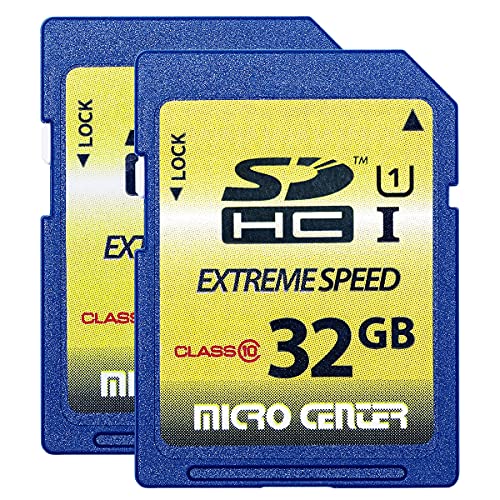
INLAND 32GB SDHC (2 Pack) — Best starter pair
Picture the first season run on this pair and its adequacy stops looking like a limitation. The camera goes up in early spring over a mineral site; card one collects the first tentative visits, gets swapped in April for card two, and comes home to reveal which deer survived the winter. Card two rides through the green-up; card one, copied and reformatted in the camera at the April visit, is already waiting in the truck for May. Nothing in that season asked for a third card, a faster card or a larger card — it asked for presence, rhythm and two pieces of media that never once made themselves the story. That is the standard trail camera media should be judged by, and this pair meets it at the lowest price in the roundup.
The smallest sensible purchase in this roundup is also the one that teaches the workflow: two standard full-size 32GB SDHC cards, one destined for the camera and one for your pocket. Inland is a house label familiar to anyone who has shopped a computer store’s own-brand shelves, and its proposition here is adequacy without ceremony — standard cards, standard capacity, a pair priced so that the swap system can begin today. For a single Capture on a single property, this pair is genuinely the whole system: deploy one, carry the other, review at home, format the reviewed card in the camera at the next visit, and the wheel turns all season.
The title prints no speed class or pace figures for these cards, and the spec box records that silence; for this camera’s bursts of stills, the honest position is that standard SDHC media of reputable retail provenance is the class of card the Capture was built around, and the pair’s job is presence and rotation rather than performance. Owners running several cameras, or a camera on a heavily trafficked trail that fills cards with video, will outgrow a two-card rotation and should look at the five-packs below. Owners starting out — or adding one camera to a property — will find this pair the correct size of commitment: enough to run the system properly, cheap enough that losing one to a swamp is an annoyance rather than an event.
- Capacity: 32GB SDHC, full-size SD
- Pack size: 2 cards
- Speed class: Not stated in the listing title — verify with Inland documentation
- Stated read speed: Not stated in the listing title — verify with Inland documentation
- Interface: Not stated in the listing title — verify with Inland documentation
Strengths
- The pair format is the trail camera workflow in miniature — one deployed, one for the swap.
- Standard 32GB SDHC media sits squarely in the generation this camera was designed for.
- Priced as a consumable, which is the correct way to think about trail camera media.
Trade-offs
- No speed class is printed in the title, so its credentials rest on standard-media adequacy rather than documentation.
- Two cards is a rotation of the minimum size; a busy multi-camera property will want the bigger packs.
- As a retail house label, its field record is thinner than the flash manufacturers’ own lines.
Best for: a first Capture, a single camera on a single property, run on the classic swap system. Not suited for: a fleet of cameras across a large property, where a two-card rotation runs out before the rounds do.

GIGASTONE 32GB SD (5-Pack) — Best rotation pack
Five cards change the hobby’s arithmetic. GIGASTONE’s pack puts five 32GB full-size cards in the box, with UHS-I, U1 and Class 10 markings and speeds up to 80MB/s stated in the title — the fullest documentation among the bundle picks — at a per-card cost that makes a deep rotation painless. With five cards, the system gains slack: two cameras can be serviced on one walk with a spare still in the truck, a card can sit on the desk awaiting a careful review without starving the rotation, and a card that misbehaves can be retired mid-season without the wheel wobbling. Slack, in field equipment, is not waste; it is what separates a routine from a scramble.
GIGASTONE appeared earlier in this batch as the value option for a cinema camera, and its trail-camera case is similar in shape: honest ratings printed where buyers can see them, a brand a step below the giants in field history, and a price that buys the system rather than the single card. For trail cameras specifically, that trade leans favourable — the camera’s demands are so modest that a documented U1/Class 10 floor is complete coverage, and the marginal reliability of a flagship line buys less here than the fourth and fifth cards in the rotation do. If your property runs two or three Captures, this pack is the roundup’s centre of gravity.
- Capacity: 32GB SDHC, full-size SD
- Pack size: 5 cards
- Interface: UHS-I, per the listing title
- Ratings in title: U1, Class 10
- Stated speed: up to 80MB/s, per the listing title
Strengths
- Five cards build a rotation with genuine slack for multi-camera properties.
- The title documents its class and speed — the best paperwork among the bundles.
- Per-card pricing makes retiring a suspect card a shrug rather than a decision.
Trade-offs
- GIGASTONE’s long field record trails the biggest flash houses, fairly or not.
- Five identical cards demand labelling discipline, or the rotation becomes a guessing game.
- Its stated 80MB/s is a ceiling for transfers, not a figure the camera will ever request.
Best for: two-to-three-camera properties that live on the swap system all season. Not suited for: a single-camera owner who will never rotate more than two cards — the Inland pair covers that life for less.

SanDisk 32GB Ultra SDHC — Best single branded card
Some owners do not want a system; they want one card they trust, from the name they have always bought, and this is that card. SanDisk’s Ultra is the company’s mainstream line — the card family that has probably spent more hours in more cameras than any other on earth — offered here at 32GB in full-size SDHC with a 100MB/s designation in the title. In a trail camera, the Ultra’s virtues are the unglamorous ones: a maker that manufactures its own flash, a line whose behaviour across temperature and time is a matter of long public record, and a stated pace that makes the home review copy brisk through any reader.
There is a generational comfort to this card that should not be underestimated. The Ultra line and the Capture camera are near-contemporaries — products of the same era of the SDHC standard, designed against each other’s assumptions. When an older device and a current card disagree, the argument is usually about standards drift; a mainstream card whose design lineage runs unbroken back to the camera’s own period is the closest thing to a guaranteed conversation. Owners who have watched a newer, cleverer card confuse an older camera will recognise the value of boring compatibility, and it is a large part of why this single card, rather than a faster modern one, holds the branded slot in a roundup for a camera of this vintage.
Its role in a kit deserves one clarification. Bought singly, it is the best card in this roundup to put in the camera — and the swap system still needs a second card from somewhere, even if that somewhere is the budget Inland pair. Many owners will run exactly that hybrid: the SanDisk as the primary card on the most important camera or the most promising trail, bundle cards handling the rest of the property. That is a rational allocation of trust, and the Ultra’s price at this capacity makes it painless. What it should not be is the only card you own, alone in the camera for a season, because no card — however good its name — should be a workflow of one.
- Capacity: 32GB SDHC, full-size SD
- Stated speed: 100MB/s designation in the listing title
- Product line: SanDisk Ultra
- Speed class: Not stated in the listing title — verify with SanDisk documentation
- Pack size: single card
Strengths
- The flash industry’s most proven mainstream line, from the maker of its own NAND.
- A stated 100MB/s figure keeps the post-swap copy at home moving briskly.
- The natural primary card for the most important camera in a mixed kit.
Trade-offs
- Sold singly, so the swap system’s second card must come from another pick.
- Its class rating is not printed in the title, though the camera’s needs sit far below the line’s class.
- Per-card it costs more than the bundle picks, as single branded cards do.
Best for: the primary slot in a kit, and owners who buy one trusted card at a time. Not suited for: building a whole rotation on its own — the bundles exist precisely to spare you that bill.

PNY 32GB Elite Trail Camera (3-Pack) — Purpose-labelled for trail cameras
PNY does something with this pack that the rest of the roundup does not: it says “trail camera” on the tin. The Elite cards inside are 32GB SDHC, UHS-I, with U1 and V10 markings in the title, sold as a three-pack expressly for this category of device. The V10 marking is worth a beat of attention — it certifies a sustained-write floor in the class used for video, which is more than a stills burst will ever ask and exactly what an owner running the Capture’s video mode on a busy trail wants documented. Three cards is the thoughtful middle of the pack sizes: camera, pocket, and one resting — a complete rotation for one camera with a spare’s margin, without the five-pack’s commitment.
PNY’s Elite line is its mainstream performance shelf, and the brand carries decades of memory-market history. What the trail-camera labelling really sells is curation: someone at PNY has already done the “will this suit a trail camera” reasoning that this entire guide exists to do, and specced capacity, class and pack size to the hobby’s actual shape. For a buyer who finds the SD standards alphabet genuinely confusing — and there is no shame in that; the alphabet is genuinely confusing — a pack that names the use case removes the one decision that mattered. Pair it with the camera, label the three cards A, B and C, and the season runs itself.
- Capacity: 32GB SDHC, full-size SD
- Pack size: 3 cards
- Interface: UHS-I, per the listing title
- Ratings in title: U1, V10
- Positioning: trail camera flash memory card, per the listing title
Strengths
- Sold explicitly for trail cameras, with capacity and class already matched to the job.
- A V10 rating documents the sustained floor for owners who run video mode heavily.
- Three cards complete a one-camera rotation with a spare to spare.
Trade-offs
- No headline speed is stated in the title, so transfer pace at home is undocumented by the listing.
- Three is the right number for one camera and the wrong number for three cameras.
- Its per-card price sits between the deep bundles and the singles, as mid-packs do.
Best for: a one-camera owner who wants the rotation complete and the choosing done. Not suited for: a large fleet, where the five-packs’ per-card economics take over.

STEALTH CAM SD Card — Trail-camera maker’s own card
This pick requires the most honest framing in the roundup: the listing title in our pool says only “STEALTH CAM SD Card” — no capacity, no class, no speed — and we will not invent the missing figures. What can be said is what the product is: an SD card sold under the name of Stealth Cam, a maker of trail cameras, as media for trail cameras. There is a real, if modest, logic to buying a camera industry brand’s own card: the company’s entire business is devices that live on trees, its media is specced by people who know exactly what a trail camera asks, and its support channel speaks the hobby’s language if anything misbehaves. Owners who already run Stealth Cam cameras elsewhere on the property may simply prefer one brand across the kit.
The discipline this pick demands is verification before deployment. Confirm the capacity and format on the listing itself, and confirm they sit in the SDHC world this older Cuddeback expects; then give the card the standard new-card trial — format it in the Capture, run it through a short deployment or a desk test of triggered images, and review the results before trusting it with a season. That is good practice with any card and doubly sensible with one whose paperwork is this terse. Judged that way, the Stealth Cam card is a legitimate member of the roundup: not the documented choice, not the bundle choice, but the industry’s own shelf offering, bought with eyes open.
- Format: SD card (full-size), per the listing title
- Brand: Stealth Cam (trail camera maker)
- Capacity: Not stated in the listing title — verify on the listing before ordering
- Speed class: Not stated in the listing title — verify on the listing
- Stated speed: Not stated in the listing title — verify on the listing
Strengths
- Sold by a trail camera maker as media for trail cameras — the use case is its whole identity.
- A single-brand option for properties already running that maker’s cameras.
- Keeps the purchase inside the hobby’s own supply shelf rather than the general electronics bin.
Trade-offs
- The title states neither capacity nor class, so every essential fact must be confirmed on the listing.
- Sold as a card rather than a rotation, so the swap system’s other members come from elsewhere.
- Its documentation is the thinnest here, which spec-first buyers will feel keenly.
Best for: owners loyal to the trail-camera industry’s own brands, who verify specifications as a habit. Not suited for: a documentation-first buying policy that requires every figure in print before purchase — the GIGASTONE pack publishes its credentials in full.

PNY 32GB Elite (5-Pack) — Best bulk value
The second five-pack in the roundup comes from PNY’s Elite line, and its title carries the full class paperwork: C10, U1 and V10 markings on 32GB SDHC UHS-I cards, five to the box. Between this and the GIGASTONE five-pack, the documented differences are small — PNY prints no headline speed where GIGASTONE states 80MB/s, and GIGASTONE’s brand is the younger of the two — while the shared virtues are the ones that matter: five honestly rated cards, a rotation with slack for days, and a per-card price that reframes a lost or retired card as a rounding error. For a property running several Captures, this is the pack that equips the whole fleet in one order and leaves spares in the truck box.
There is a systems point to make about owning five identical cards from one line: they behave identically. Every card in the rotation formats the same, fills at the same pace, and presents the same manners to the camera and the reader, which removes a whole category of small mysteries from the season — no card that the camera likes less, no odd one out. Uniformity is a genuine feature in field kit, and it is only available to buyers who commit to a bundle from a single line, as here. Label them by number, log which number is in which camera, and the property’s media becomes a managed fleet instead of a drawer of anecdotes.
- Capacity: 32GB SDHC, full-size SD
- Pack size: 5 cards
- Interface: UHS-I, per the listing title
- Ratings in title: C10, U1, V10
- Stated speed: Not stated in the listing title — verify with PNY documentation
Strengths
- Five fully class-marked cards equip a whole multi-camera property in one purchase.
- Identical cards across the rotation behave identically — a real operational virtue.
- The deepest per-card value among the documented picks.
Trade-offs
- No headline transfer speed is printed in the title, unlike the rival five-pack’s 80MB/s.
- Five cards is over-provisioning for a single camera on a quiet property.
- Uniform cards make labelling and logging non-optional — the system is the discipline.
Best for: multi-camera properties that want one uniform fleet of cards. Not suited for: the single-camera beginner, for whom the three-pack or the starter pair is the proportionate buy.
What Happens to a Card Across a Season on a Tree?
It helps to picture the card’s actual year. It is formatted on a kitchen table, carried out in a pocket, and slid into a camera in the cold blue hour before dawn. Then the door closes and the season begins: frost feathers the camera’s housing night after night; a week of rain finds every seal; a summer afternoon bakes the tree line while the card sits inside a dark box in dappled sun. Through all of it the card’s work arrives in seconds-long episodes — a doe at midnight, a tom at dawn, a raccoon’s nightly commute — each one a small write committed to flash that must still be legible months later when the card finally comes home. Flash memory is solid-state and indifferent to being shaken or frozen in ways spinning disks never were, which is why it suits this life; its genuine enemies are moisture at the contacts, corruption of the file system by a write interrupted at the wrong instant, and the slow statistical wear of thousands of small writes — the three enemies that honest media, in-camera formatting and the rotation system are respectively built to defeat.
The battery relationship deserves its own sentence, because card and batteries age together in the owner’s mind and should be managed together. A camera whose batteries die in week three holds a card with three good weeks and five empty ones; a camera checked on rhythm never wastes either. This is why the swap visit bundles its tasks — card, batteries, aim, a wipe of the sensor window — into one disturbance of the site rather than several, and why the log entry for each visit records all of them. The card you retrieve tells you what the camera saw; the visit tells you what the camera needs. Owners who treat those as one errand get seasons; owners who treat them as separate errands get gaps. Build the visit around the quietest approach you can manage, too — the card swap that takes three calm minutes disturbs the site less than the review session that takes twenty at the tree, and the camera’s next fortnight of images is partly a record of how considerately its last visit was conducted.
There is also the matter of the card at the season’s end, which is where trail camera media quietly becomes an archive. The retrieved cards hold the year’s record of the property — the herd’s composition, the predator pressure, the trespasser in October — and that record has value beyond the season it describes. Copy the year’s cards into a dated folder structure before any of them is formatted back into rotation, and let the rotation start the new season with a clean conscience. A card is a consumable; the images are the asset, and the whole system described in this guide exists to move value from the first category into the second without loss.
How Should You Run Several Cameras Across One Property?
A fleet changes the media question from “which card” to “which system”, and the answers scale from the single-camera habits rather than replacing them. Uniformity becomes the first principle: one card model, one capacity, bought in the five-pack bundles, so that any card can serve any camera and no visit requires remembering which tree takes which media. The log becomes the second principle — a simple record, camera by camera, of which numbered card went in and when — because with four cameras the human memory stops being a database somewhere around the second month. The third principle is the circuit: a fixed route that services every camera in one walk, with the rotation case stocked for the whole route plus one spare, so the day never hinges on a single card behaving.
Budget the fleet as a fleet, because the economics reward it. Five-pack cards at these capacities cost, per camera per season, less than the batteries they share the visit with — media is the cheapest line in the trail camera ledger, and the only line whose failure erases the others’ work. That asymmetry should settle every argument about whether to own the spare card or retire the suspect one: when in doubt, spend the small money. The owners who lose seasons are rarely the ones who bought too many honest cards; they are the ones who stretched one card, one set of batteries and one visit across more time than any of the three could honestly cover.
The fleet also changes what the images are for, and therefore how carefully the media deserves to be handled. One camera is a scout; four cameras are a census, and a census with a missing month from one corner of the property is a story with a hole in it. That is the practical argument for the deeper rotations and the retire-on-first-error discipline: in a fleet, a card’s failure is not an inconvenience to one camera but a gap in a dataset the owner is building across a season. The five-pack picks in this roundup exist for exactly this reader — the per-card price is low because the system needs depth, and the depth is what turns four cameras on trees into an instrument rather than a hobby scattered across a woodlot.
How Do the Six Options Compare Side by Side?
| Card | Capacity | Pack | Markings in title | Stated speed |
|---|---|---|---|---|
| INLAND SDHC | 32GB | 2 | Not stated in title | Not stated in title |
| GIGASTONE SD | 32GB | 5 | UHS-I, U1, Class 10 | Up to 80MB/s |
| SanDisk Ultra | 32GB | 1 | Ultra line | 100MB/s designation |
| PNY Elite Trail Camera | 32GB | 3 | UHS-I, U1, V10 | Not stated in title |
| STEALTH CAM SD | See listing | 1 | Trail camera brand | Not stated in title |
| PNY Elite | 32GB | 5 | UHS-I, C10, U1, V10 | Not stated in title |
The table’s lesson is that this purchase is mostly about pack size and paperwork: the camera’s demands are met by every row, so choose the rotation depth your property needs and the documentation style your temperament prefers.
How Does the Card Swap System Actually Work Across a Season?
It begins at deployment. A fresh card, formatted in the Capture itself, goes in with fresh or verified batteries; the camera’s location, aim and card number go into whatever log you keep — a notebook in the truck is the traditional database, and it has outlasted many apps. Weeks later, the check visit is a small ceremony: approach quietly, swap the deployed card for the next in rotation, glance at battery indicators, clear any vegetation that has grown into the frame, and leave the camera working within minutes. The retrieved card rides home in a pocket or case as what it is — the only copy of weeks of the property’s life — and gets copied to a computer before it is formatted for its next turn, ideally the same evening, with the images reviewed while the map of where the camera sits is fresh in your mind.
The rotation’s size should match the property’s ambition. One camera thrives on two or three cards; a card per camera plus two in circulation is the comfortable formula for a fleet, which is the arithmetic the five-packs serve. What the system must never become is a pile: unlabelled cards in a console tray, some full, some formatted, one holding the best buck of the year. Number every card, keep the log, and treat a card of unknown status as full and precious until a computer proves otherwise. That single rule — unknown means precious — has saved more trail camera seasons than any product in this roundup. Write the rule on the inside lid of the card case if you have to; the moment it matters is always the moment when memory is busiest failing at exactly this task, with gloves on, in fading light, three cameras into a four-camera round.
How Should You Deploy and Maintain Cards in the Field?
Format in the camera at deployment, every time a card begins a new turn. The Capture prepares its media in its own dialect, and an in-camera format also wipes the previous turn completely, giving the season’s writes a clean file system rather than the remains of the last one. Never delete images selectively in the field to make room; a card that fills is a card to swap, not to edit. Carry the rotation in a hard case that lives in the same pocket of the pack on every visit, because a system you have to search for is a system that gets improvised, and improvisation around unique images is how they are lost.
Weather discipline is the rest of the craft. Swap cards under shelter when it rains — a jacket, the truck’s door, your own back to the weather — and keep the camera’s card door open for the shortest possible time, because the slot that admits the card admits the drizzle too. Carry the retrieved card against your body on a winter walk out, not in an outer pocket where it takes the full force of the cold and the knocks. In cold weather, cards and cameras alike prefer gradual transitions; a retrieved card sealed in a pocket until it reaches room temperature avoids the condensation that a direct move from frosty tree to warm house can paint across its contacts. At home, copy first, verify the copy opens, and only then return the card to the ready end of the rotation. Retire any card that produces a corrupt image or an error — mark it across the label so it can never drift back into service — because a card’s second failure is always scheduled for the week the big buck finally walks past. Keep a small pencil and a waterproof notebook in the same case as the cards, and the log will survive the dead phone battery and the rainstorm that paper, sensibly chosen, shrugs off.
How Do You Review a Retrieved Card Without Losing the Story?
The review is where the season’s value is either banked or frittered, and it begins with a copy, not a viewing. Move the card’s entire contents to a dated folder on the computer — named for the camera and the retrieval date — and verify the folder’s file count against the card’s before anything is deleted or formatted. Only then browse, and browse with the log open: the images make a different kind of sense when you know the card spent its first week watching a trail that a storm rerouted in week two. Cull ruthlessly but archive generously; the empty frames of a windy day can be deleted, while anything with an animal in it, however blurred, belongs to the record until the season’s story is fully understood, because the frame that looks like nothing in June is sometimes the first evidence of the thing you were watching for in September.
Keep the year’s folders together and back the archive up once a season at minimum — the same two-copies principle that governs every other camera in this batch of guides applies to the tree’s harvest too. A trail camera archive is small by modern standards; a whole property’s year of stills fits comfortably on any drive, which removes every excuse for the archive to live on a single laptop. Owners who do this for several seasons build something genuinely rare: a dated, placed, continuous record of a piece of land, against which every management decision — feeding, planting, hunting, fencing — can be checked. The humble 32GB cards in this roundup are the intake valves of that record, which is a larger destiny than their price suggests. Keep one printed photograph from each season somewhere in the house, as generations of hunters and naturalists did with their best frames — a reminder that the archive’s purpose is not storage but attention, and that every discipline in this guide is ultimately in service of noticing what the land is doing while nobody watches.
What Mistakes Do Trail Camera Owners Make with Memory Cards?
The modern mistake is capacity greed: fitting the largest, newest card the internet recommends for cameras in general, into an older trail camera that was built for SDHC media — and meeting a camera that ignores the card, formats it strangely, or fills it with errors. The Capture’s generation expects the class of media in this roundup; respect the era and the camera rewards you with seasons of indifference to your card choice. The second mistake is the adapter: slipping a microSD card into a full-size adapter to use in the camera, adding a fragile mechanical joint and a set of contacts to a device that will hang unattended in the weather for a month. Every pick here is a native full-size card, and that is deliberate — a full-size card can also be handled with cold fingers and gloves in a way no fingernail-sized microSD ever forgives.
The human mistakes are older than the technology. Pulling the camera’s only card to review at home and leaving the tree blind for a week. Formatting the card that held the season before copying it, because two cards looked identical. Leaving a camera unchecked for a whole season on a giant card and finding, in autumn, three months of photographs of a fallen branch. Each is prevented by the same unglamorous system this guide keeps describing — small honest cards, in labelled rotation, swapped on a rhythm — and that system, more than any single product above, is the actual recommendation.
Final Recommendation
Start where your property’s size says to start. A single Capture runs beautifully on the PNY trail camera three-pack — the rotation complete, the class documented, the choosing already done — or on the Inland pair if the budget is firm. A multi-camera property should buy a five-pack once, GIGASTONE’s if you want a stated speed on the box or PNY’s Elite pack for its full class paperwork, and run the fleet on identical cards all season. Put the SanDisk Ultra in the camera watching the trail you care about most, and consider the Stealth Cam card if your kit already speaks that brand and you verify its listing details before it deploys. The Capture was never a demanding camera — it asks for small, honest, full-size cards, swapped with discipline — and an owner who supplies exactly that will spend the season looking at pictures of deer instead of error messages, which is the entire point of hanging a camera on a tree. Buy the rotation before the season opens, label it on a quiet evening at home, and the woods will do the rest — they have been keeping their side of that bargain all along, in all weathers, at all hours, in every season, whether anyone was watching or not.
Frequently Asked Questions
What size SD card does the Cuddeback Capture take?
Full-size SD cards of the SDHC generation — the class every pick in this roundup belongs to, at 32GB. Older trail cameras were built around SDHC media and modest capacities, and the working advice is to stay in that world rather than fitting the largest modern SDXC card available. Confirm the card’s format on its listing if anything about it is unclear, as with the Stealth Cam pick.
Can I use a microSD card with an adapter in the camera?
It may physically fit, but we advise against it for a camera that lives outdoors unattended: the adapter adds contacts and a mechanical weak point that weather, cold and weeks of vibration can exploit. Native full-size cards — all six picks here — remove that variable entirely for very little money.
How many cards should I own per camera?
Two is the working minimum — one deployed, one for the swap — and three is comfortable, giving the rotation a resting card that has been copied and verified. Multi-camera properties should scale with the five-packs and keep a uniform fleet, with every card numbered and logged.
How often should I check and swap the card?
On the rhythm your property and season dictate — commonly every few weeks — rather than when the card fills. The swap visit is also the battery check, the aim check and your first look at what the camera has seen, and 32GB holds far more than a few weeks of triggered images, so capacity should never be the reason a camera sits unvisited.
Why not buy one very large card and leave the camera all season?
Because the card is not the only thing that needs the visit: batteries fade, vegetation grows into the frame, and a fault discovered in week two costs a fortnight, while the same fault discovered in autumn costs the season. Large modern cards also sit outside the media generation this camera was designed around. Small cards and regular swaps are the system the hobby was built on.
Should I format the card in the camera or on my computer?
In the camera, at the start of each deployment. The Capture formats its media to its own expectations, and a fresh in-camera format clears the previous turn completely. Copy and verify the retrieved card’s images on the computer first — formatting is the last step of a card’s turn, never the first.
A card came back with corrupt images. What should I do?
Copy everything that can be copied before doing anything else — recovery attempts and further writes alike belong after the salvage, never before it. Then retire that card permanently: mark it, remove it from the rotation, and replace it from the bundle stock. Investigate the boring causes once — batteries that died mid-write are the classic culprit on trail cameras — but do not return the card to service to test a theory; the next failure is scheduled, by long tradition, for the best week of the season.
Can I review images in the field instead of swapping cards?
You can, with a viewer or a phone adapter, and for a quick check of aim and activity it is genuinely useful — but it should supplement the swap, not replace it. Reviewing in the field leaves the card in the camera accumulating weeks beyond its check, drains your time at the tree, and forfeits the fresh-card, fresh-start discipline. Swap the card, glance at a few frames on the spot if you must, and do the real review at home where the archive lives.
Related Guides
Continue with our guides to the best SD cards for trail cameras, how to run a multi-camera trail camera setup and the best memory cards for outdoor and wildlife cameras.


