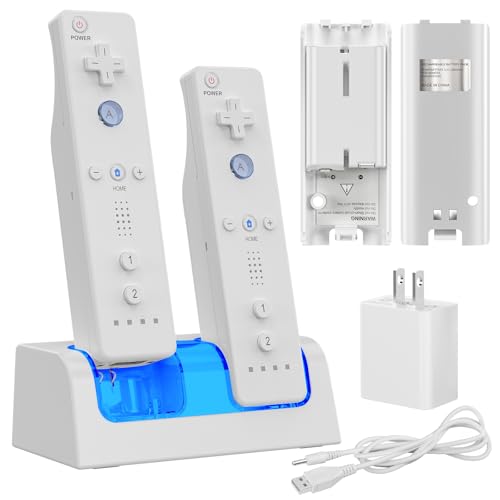
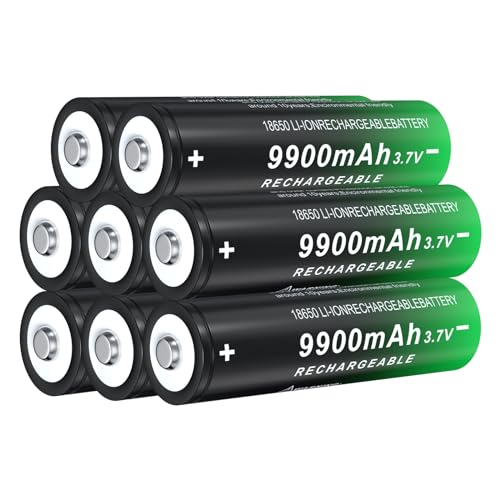
Our Top Picks
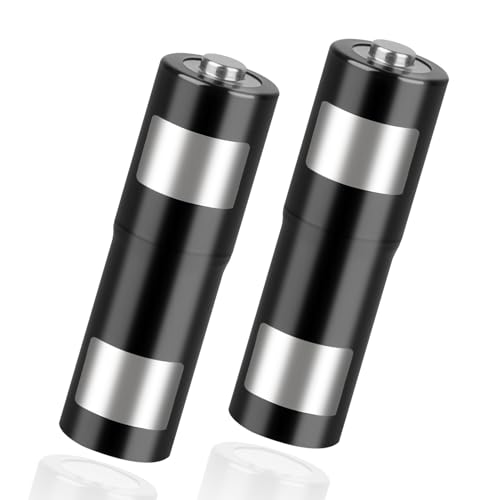 REACELL Rechargeable AA Battery Replace for Meta Quest2.36 x 1.57 x 0.59 inches0.1 poundsCheck on Amazon
 imuto Meta Quest 2/3/3S Controller Accessories Rechargeable AA4AA+4 slot charger2.8 x 1.4 x 2.8 inches0.35 poundsCheck on Amazon


What's inside
- Why Quest 2 controllers deserve their own battery conversation
- How quickly Quest 2 controllers actually drain a cell
- The voltage story: why regulated 1.5-volt lithium AA cells suit tracking
- Capacity in watt-hours: comparing Quest 2 cells fairly
- Battery covers with charging contacts: the elegant middle path
- Charging docks: turning storage into refuelling
- Loose regulated cells and their chargers: the flexible alternative
- Session length, headsets and the rhythm of a play evening
- Hot swapping versus waiting for a charge
- Reading the headset’s battery reporting honestly
- Tracking, lighting and other symptoms that trace back to power
- Taking Quest 2 on the road: cars, cases and spare discipline
- The home network’s quiet role in controller satisfaction
- Choosing between the three rechargeable routes
- Care, storage and safety for regulated controller cells
- What published owner feedback patterns reveal
- Fitness play, rhythm titles and other heavy haptic workloads
- Multiplayer gatherings and the social session problem
- Troubleshooting sequence when a controller misbehaves
- How long rechargeable Quest 2 cells last before replacement
- Buying checklist for a Quest 2 controller power kit
- Questions Quest 2 owners ask most, answered directly
- Building the routine that makes all of this invisible
- Edge cases: left-handed play, guardian demos and shared work headsets
- Check prices on Amazon
- A final word on expectations
As an Amazon Associate I earn from qualifying purchases. This post may contain affiliate links at no extra cost to you.
One transparency note before anything else: this guide is supported by readers, and when a purchase follows one of the outbound referral links here, the publisher may earn a commission from the retailer without the price changing for the buyer. That relationship is disclosed up front because the recommendations below rest on manufacturer documentation, official support material and published owner feedback, not on any arrangement with the companies whose cells, covers or docks are discussed.
Why Quest 2 controllers deserve their own battery conversation
Each Meta Quest 2 controller runs on a single AA cell tucked under a sliding cover on its handle, and that modest arrangement creates a surprisingly distinctive power problem. The controller is not merely a gamepad with buttons. It is a tracked object in three-dimensional space, watched constantly by the headset’s cameras through a ring of infrared lights, while it also listens for thumbstick movement, trigger pulls, capacitive touches and button presses, and talks to the headset over a wireless link the entire time.
That workload explains why controller batteries fade in a pattern unlike a television remote. A remote sleeps almost permanently and wakes for a blink of transmission. A Quest 2 controller, once a session begins, stays awake and communicative for hours, and its tracking lights keep pulsing whether the game is frantic or the player is standing in a menu deciding what to launch next. Power draw is modest in any single moment, yet it is relentless, and relentless modest draws empty cells with quiet efficiency.
The headset itself tends to dominate attention because its internal battery drains far faster, so players often assume the controllers are an afterthought. Then a controller warning appears mid-session, or tracking starts misbehaving during a delicate moment, and the AA inside that handle suddenly becomes the most important battery in the room. Planning controller power properly, rather than treating it as an afterthought, is what separates a smooth VR routine from a drawer full of half-dead disposable cells.
How quickly Quest 2 controllers actually drain a cell
Official support material and accumulated owner reports agree on the broad shape of controller endurance: a fresh quality AA can power a Quest 2 controller through many long sessions spread across days or even weeks of typical play, because the controller sips rather than gulps. Players who use the headset daily for fitness sessions will cycle controller cells far faster than a weekend player, and games that keep both hands constantly active, with frequent haptic feedback, draw more than calm puzzle or media viewing sessions.
Haptics deserve special blame in the drain story. The vibration motors inside each controller convert electrical energy into physical movement, and titles that rumble on every hit, strum or recoil ask the cell to fund that theatre continuously. Rhythm games, boxing titles and shooters with generous feedback effects therefore shorten controller battery life in ways that a menu-heavy strategy title never will. Two players comparing endurance without comparing libraries are often arguing about their games, not their batteries.
Standby behaviour adds a slower leak to the picture. Controllers wake and sleep in response to movement and proximity to the headset, and a controller stored where it gets nudged regularly, or kept within range of a headset that wakes often, may spend surprising time awake without any human playing. Storing controllers still, in their usual place, and understanding that a headset left charging nearby can keep the ecosystem semi-alert helps explain endurance figures that otherwise look inconsistent between households.
Disposable alkaline cells handle this duty adequately at first, which is why the problem sneaks up on people. The expense and waste accumulate gradually: a pair here, a pair there, a multipack bought in a hurry before a family gathering. Rechargeable systems replace that slow bleed of purchases with a fixed kit and a routine, and for a device used weekly, the routine pays for itself in convenience long before the arithmetic of individual cells is settled.
The voltage story: why regulated 1.5-volt lithium AA cells suit tracking
The most consequential specification for Quest 2 controller cells is not capacity but voltage behaviour. A controller expects the supply profile of an AA cell, and its electronics, battery gauge and low-power warnings were designed around what a fresh disposable delivers. Cells that sit noticeably below that expected level from the start can trigger early warnings or unpredictable behaviour in some devices, even when plenty of energy remains inside them.
Regulated lithium AA cells built for this role contain a small internal circuit that converts the lithium cell’s higher native voltage down to a steady 1.5-volt output. The controller therefore sees a supply that stays near the top of the familiar range for almost the entire usable life of the cell, then falls away quickly at the very end. That flat, high plateau is the central reason these cells feel so well matched to tracked controllers: tracking electronics receive consistent power, the infrared ring stays bright and the wireless link stays confident, session after session.
Consistency matters for tracking quality in a way that is easy to underestimate. The headset locates each controller by watching its pattern of infrared lights, and it expects those lights to behave predictably. A supply that sags under the combined load of lights, radios and haptics can contribute to jitter, momentary loss of position or a controller that drifts at the worst possible moment. Owners sometimes blame room lighting or play-space boundaries for symptoms that improve immediately once a tired cell is replaced, which is why support guidance treats battery condition as an early troubleshooting step.
The trade-off of the regulated design is the abrupt ending. Because output stays flat until the cell is nearly exhausted, the comfortable long decline that warns disposable users is compressed. A controller may report healthy levels and then move to urgent warnings comparatively quickly. Players who understand this shape adapt easily, keeping a charged spare pair ready and treating the first low warning as a genuine instruction rather than a suggestion that can be negotiated with for another evening.
Capacity in watt-hours: comparing Quest 2 cells fairly
Comparing a regulated lithium AA with other AA formats by milliamp-hours alone misleads, because the figure only makes sense alongside the voltage at which those milliamps are delivered. A cell delivering its charge at a steady 1.5 volts provides more energy per milliamp-hour than a cell averaging a lower voltage across its discharge. Watt-hours, the product of capacity and voltage, give the fairer comparison, and reputable makers of regulated lithium AA cells publish or imply figures that let buyers judge endurance on that basis.
In practical terms, a good regulated lithium AA offers Quest 2 players long controller life per charge, commonly stretching across many sessions before the swap moment arrives. Exact endurance depends on haptics intensity, session length and standby habits, so any single number quoted without those conditions deserves suspicion. What players reliably report is the character of the endurance: strong and steady performance that does not gradually weaken, followed by a short, clear endgame in which warnings should be obeyed promptly.
Weight adds a subtler comparison point that VR players feel in their wrists. Lithium-based AA cells are noticeably lighter than nickel-based rechargeables of the same size, and in a controller that is swung, raised and held at arm’s length for hours, grams matter. A lighter cell slightly changes the controller’s balance and reduces the fatigue cost of long sessions, an advantage that never appears on a specification sheet yet shows up in how fresh a player’s arms feel during the final song of a fitness playlist.
Battery covers with charging contacts: the elegant middle path
The Quest 2 controller’s sliding battery cover was designed for disposable swaps, and it works perfectly well for that job, but owners who recharge frequently began asking a fair question: why open the compartment at all? Replacement covers with built-in charging contacts answer it. These covers carry a rechargeable cell arrangement behind them and expose metal contact points on the outside, so the controller can be set down on a compatible dock and begin charging without the cover ever being removed.
The appeal is partly mechanical preservation. The original cover’s sliding action and small retaining features endure occasional disposable changes easily, yet a household swapping cells several times a week multiplies that wear. A contact cover converts battery service from a repeated opening-and-closing ritual into a simple docking gesture. The compartment stays shut, the cell inside stays seated and the friction of the whole routine drops to nearly zero, which matters because routines with friction are the ones people abandon.
Fit deserves scrutiny before buying any replacement cover. The cover must match the controller’s contours precisely, sit flush without rocking and keep its contacts aligned with the dock’s pins through months of casual placement. Covers are handed, with left and right controllers shaped as mirror images, so sets are sold as pairs and mixing them up is impossible once you notice the asymmetry. A well-made cover also preserves access to the wrist strap anchor and does not foul the tracking ring or any button travel.
Owners should understand what these covers change electrically. The cell behind a contact cover is typically a dedicated rechargeable pack shaped for the compartment rather than a standard AA, which means the household’s spare AA strategy no longer applies directly. In exchange for that specialisation, the player gains dock charging and a controller that is always either in use or replenishing itself. Whether that exchange suits you depends on how many headsets and controllers share your home and how disciplined your docking habits already are.
Charging docks: turning storage into refuelling
A dock designed for Quest 2 controllers, especially one that also cradles the headset, changes the psychology of charging. Instead of cables appearing when something dies, the equipment returns to a home position after every session and quietly restores itself. Contact-cover controllers settle onto their pins, the headset connects through its own charging arrangement, and indicator lights communicate progress without demanding attention. The next session begins from full almost by default.
Placement of the dock shapes whether the system succeeds. A dock beside the television or on the shelf where controllers already live will be used; a dock exiled to a spare room will be visited only in emergencies. Consider the play space layout as well, because a dock at the edge of the boundary area lets a player end a session, dock everything in two motions and leave the floor clear. Households comparing dock layouts alongside their wider charging setup can borrow ideas from our guide to best aa and aaa battery chargers for the loose-cell side of the station, since many homes end up running both systems in parallel.
Charging speed on docks is deliberately modest in most designs, and that modesty is appropriate. Controller cells are small, the overnight window is long and gentle charging treats the cells kindly while generating little heat in a cradle that may sit on furniture. Players who need a faster turnaround usually solve it with spare cells rather than faster dock electronics, which keeps the dock’s job simple: receive, charge, indicate and wait.
Indicator behaviour is worth learning for your specific dock. Most use a breathing or coloured light while charging and a steady light at completion, but the meanings vary between makers and a misread indicator can leave a player starting a session on a half-charged controller. A quick read of the maker’s documentation when the dock first arrives, dull as that sounds, prevents the one misunderstanding that owners most often report in the first week of ownership.
Loose regulated cells and their chargers: the flexible alternative
Not every Quest 2 household wants covers and docks. Loose regulated lithium AA cells, charged in their maker-supplied charger, keep the original covers in place and preserve the ability to swap instantly. This route suits players who already own the headset’s own charging solution, who travel with the Quest 2 to other homes, or who simply prefer handling standard-looking AA cells that can be counted, labelled and stored in a small case.
These cells must only be charged in the charger designed for them. The internal regulation circuit expects a specific charging arrangement provided through the maker’s own unit, and placing a regulated lithium AA into a charger built for other chemistries can damage the cell or the charger. This is the single most important safety rule in the entire Quest 2 rechargeable ecosystem, and it is the reason loose-cell kits are sold as matched systems of cells plus charger rather than as bare cells alone.
Charging time for a set of these cells is typically a matter of a few hours, easily fitted between sessions or overnight. Because the cells hold their charge well in storage, a charged spare pair can wait in the case for weeks without meaningful loss, ready for the moment a controller finally calls for help. Players who also keep wireless charging pads around the home for phones will find the routines complementary; our coverage of best fast charge qi wireless chargers deals with that neighbouring desk infrastructure, though controller cells themselves always use their dedicated wired charger.
Labelling matters even in this small fleet. Two pairs in rotation should be distinguishable, perhaps by a tiny marker dot, so both pairs age evenly instead of one pair doing every session while the other slowly ages unused in a drawer. Even use also means both pairs reach the end of their service lives at a predictable time, letting you replace the kit as a set rather than nursing one heroic pair and one neglected pair.
Session length, headsets and the rhythm of a play evening
Quest 2 play sessions are usually bounded by the headset’s internal battery long before a healthy controller cell complains, and that relationship shapes sensible planning. A player might complete several full headset charges, across several days, on one set of controller cells. The practical consequence is that controller charging can run on a slower, calmer schedule than headset charging, and the panic that surrounds a dying headset battery rarely needs to extend to the controllers at all.
Marathon occasions rewrite that calm arithmetic. A family gathering where the headset passes from person to person, a holiday tournament or a fitness enthusiast stacking workouts can keep controllers working through the equivalent of a week of ordinary evenings in a single day. For those events, the winning preparation is a charged spare pair staged near the play space, plus a willingness to swap during a natural break rather than mid-match. Spectators rotating through a headset forgive a thirty-second battery swap between turns far more readily than a tracking failure during their one attempt at a high score.
Multi-headset households, including families with a headset per teenager, should resist sharing controller cells informally between rooms. Each headset deserves its own labelled controller power kit, because borrowed cells have a way of migrating permanently and leaving another player stranded. The kits are small and the discipline is cheap, and it prevents the peculiar domestic argument that begins with somebody’s controller dying during a boss encounter and ends with a full inventory of every battery in the house.
Hot swapping versus waiting for a charge
Every Quest 2 owner eventually faces the fork in the road: a controller announces a low battery at an inconvenient moment, and the choice is between swapping in a charged cell immediately or parking the controller on a charger and waiting. Hot swapping wins for live situations almost by definition. The cover slides open, the spent cell comes out, the fresh cell goes in, and play resumes within a minute, with the headset usually none the wiser once the controller reconnects and its tracking settles.
The swap has a few refinements worth practising before the moment arrives. Pause the game or step to a safe point in the virtual space first, because a controller removed mid-motion can leave an avatar hand frozen in an odd pose. Keep the spent cell physically separate from charged spares, ideally in a different pocket of the case, since a regulated lithium cell gives few external clues about its state. When the session ends, the spent cell goes straight onto its charger rather than into a drawer to be forgotten, closing the loop while the memory is fresh.
Waiting for a charge makes sense in narrower circumstances: when no spare exists, when the low warning arrives at the natural end of a session, or when a dock-based system makes waiting effortless because the headset itself also needs replenishing. In dock households the distinction nearly disappears, since controllers charge whenever they are home. In loose-cell households, waiting is the penalty for an empty spare case, which is why experienced players treat the spare pair as sacred and never borrow it for a torch, a toy or any other device in the building.
There is also a hybrid rhythm that suits most homes. Swap immediately when a session is underway, charge the spent cells the same evening, and let dock or charger indicators confirm readiness before the next session. Over weeks this produces a fleet that is effectively always ready, with the charger working in the background of domestic life rather than interrupting play. The system succeeds precisely because each step takes seconds and none of them requires willpower at the moment of maximum inconvenience.
Reading the headset’s battery reporting honestly
The Quest interface reports controller battery levels in the headset’s menus and quick settings, and those reports behave differently depending on the cell inside. With a regulated lithium AA holding its output flat, the displayed level can appear reassuringly high for a long stretch and then descend more rapidly near the end, mirroring the cell’s voltage behaviour rather than any fault in the reporting. Players transitioning from disposables, whose decline is gradual and legible, should recalibrate their instincts during the first few cycles with regulated cells.
Low-battery prompts deserve prompt obedience with this cell type. The interval between the first warning and a controller becoming unreliable can be shorter than disposable users expect, particularly during haptic-heavy play that draws the remaining energy quickly. Treating the first prompt as the swap signal, rather than as the start of a negotiation, keeps sessions intact. Nothing about the warning system is broken when it feels sudden; it is reporting a discharge curve with a cliff at the end.
Occasional reporting oddities have mundane causes. A controller that shows a strange level immediately after a swap may simply need a moment, a reconnection or a brief rest to report cleanly. Contacts that are dusty or a cell seated slightly askew can also distort behaviour. Official support guidance for controller problems consistently includes checking the battery, reseating it and trying a fresh cell early in the process, because power issues masquerade as tracking issues often enough to make the battery the first suspect rather than the last.
Tracking, lighting and other symptoms that trace back to power
Because the headset finds the controllers optically, anything that weakens the infrared ring degrades the whole illusion. A fading cell can present as a controller that floats away, snaps back, trembles at rest or vanishes when it moves quickly, and each symptom tempts the player to recalibrate boundaries or blame the room. Before rebuilding the play space, swap the cell. Experienced owners treat unexplained tracking weirdness in one controller only as a battery symptom until proven otherwise, since a room problem usually afflicts both controllers together.
Room conditions still matter and should not be dismissed. Very bright sunlight, mirrors, strings of small decorative lights and reflective surfaces can confuse the tracking cameras regardless of battery health, and official support material lists such environmental factors alongside power checks. The diagnostic skill is sequencing: fresh power first, because it is cheap and instant, then environment, then the deeper steps such as unpairing and re-pairing the controller through the companion application if the problem persists.
Haptic strength can also whisper about battery state. A controller whose vibration feels thinner than its partner’s during the same game moment may be working with a weaker supply or simply an older cell reaching the end of its useful life. Comparing the two controllers is a legitimate diagnostic habit, since they live parallel lives and divergences between them are informative. When one controller consistently misbehaves on a known fresh cell while the other behaves on any cell, the fault has moved beyond batteries and into service territory.
Taking Quest 2 on the road: cars, cases and spare discipline
A Quest 2 that travels to friends, family homes or holiday rentals carries its battery ecosystem with it, and the journey exposes weak routines quickly. The headset case should hold the controllers with their current cells fitted, one charged spare pair in a closed case and, for longer stays, the dedicated charger for those cells. Arriving with controllers ready matters because the first session at a new location usually happens within the hour, long before anyone wants to supervise a charging cycle.
Car journeys add their own charging temptations and distractions. Players sometimes charge phones and accessories from the dashboard while the headset rides in the boot, and a well-organised travel kit keeps those worlds separate: vehicle charging gear for the phone, covered in our look at best car wireless chargers, and the controller cells’ own dedicated charger packed for arrival at the destination. Regulated controller cells should never be improvised into a vehicle accessory charger or any other unit that was not built for them, however convenient the socket looks.
At the destination, recreate the home routine in miniature. Designate one surface as the charging spot, dock or plug in spent cells on the first evening rather than the last, and keep spares inside the case rather than loose in a rucksack where contacts and confusion multiply. Holiday play patterns are bursty, with long idle days and sudden group sessions, and a small staged kit absorbs those bursts without a shopping trip for disposables in an unfamiliar town.
The home network’s quiet role in controller satisfaction
It surprises some owners that a networking upgrade can improve how controllers feel, yet the connection is real. Quest 2 experiences that stream content, download large titles or cast to a television all lean on the home router, and a headset busy struggling with a weak network connection consumes its own battery faster and delivers a choppier session that players sometimes misattribute to controller problems. A stable router placement and a healthy local network therefore support the whole session, controllers included, even though the controllers themselves communicate directly with the headset.
Players building a dedicated VR corner often end up reviewing their router at the same time as their charging station, which is why our guide to best asus gaming routers sits naturally alongside this one for households planning the room as a whole. The battery lesson inside that bigger project is simple: the better the infrastructure around the play space, the easier it becomes to notice genuine battery symptoms, because network stutter and download delays stop muddying the diagnosis.
Choosing between the three rechargeable routes
Quest 2 owners effectively choose among three systems, and the right answer depends on habits more than specifications. The first route is loose regulated lithium AA cells with their dedicated charger: flexible, travel-friendly and built around the instant swap. The second is contact covers with a dock: the lowest-effort daily routine, ideal for a headset that lives in one room and returns to one shelf. The third is continuing with quality disposable cells, which remains rational for a headset used a few times a year, where any rechargeable kit would spend its life waiting.
Frequency of play is the honest deciding question. A headset used weekly or more will cycle controller cells often enough that rechargeable convenience compounds quickly, and the waste reduction arrives as a bonus rather than a burden. A headset that emerges only for occasional demonstrations will not punish its owner for disposables, though even there a single set of regulated cells removes the risk of finding the drawer empty on the one evening guests actually ask to play.
Household composition refines the choice further. Shared family headsets benefit from dock systems because the routine is visible and identical for everyone: finish playing, place everything on the dock, walk away. Solo players who travel with the headset often prefer loose cells because the entire power kit fits in a palm-sized case. Competitive players who cannot tolerate any interruption lean toward loose spares staged at the play-space edge, where a swap is a rehearsed pit stop rather than a session-ending event.
Care, storage and safety for regulated controller cells
Regulated lithium AA cells ask for a short list of courtesies. Charge them only in their maker’s charger, keep them dry, avoid crushing or puncturing the can, and retire any cell that swells, leaks, overheats during a normal charge or behaves erratically after a drop. Store spares in a case that keeps terminals apart, at ordinary room temperature, away from radiators and sunny windowsills. None of this is exotic, yet the discipline matters because these cells contain electronics as well as chemistry, and both halves dislike abuse.
Long gaps between sessions call for a simple storage decision. Cells left inside controllers for months will slowly drain through the controller’s standby appetite and the cell’s own losses, arriving at the next session weaker than expected. For a headset entering a long rest, removing the cells and storing them charged in their case preserves readiness and lets you inspect the compartment for dust or contact corrosion when play resumes. A headset used at least monthly needs no such ceremony; normal rotation keeps everything exercised.
Children sharing a family Quest 2 should learn the battery routine as part of learning the headset itself. The rules translate easily: covers open only when a swap is needed, spent cells go to the charger rather than the floor, and any cell that looks damaged goes to an adult rather than back into a controller. Framed that way, battery care becomes part of the household’s VR etiquette, alongside respecting the guardian boundary and giving the player physical space.
What published owner feedback patterns reveal
Reading across published owner feedback for Quest 2 power accessories, certain themes recur with telling consistency. Players praise regulated cells most often for ending the slow fade they associated with disposables, describing controllers that feel equally responsive in the final session before a swap as in the first. Dock owners praise forgetfulness-proof routines, while the commonest complaints across both camps involve the abrupt end of regulated cells catching a new owner once, after which the spare-pair habit forms permanently.
Complaints about replacement covers usually concern fit or contact alignment rather than the concept, which reinforces the buying advice to favour makers whose covers are shaped precisely for the Quest 2 controller and whose docks hold the controller at a repeatable angle. Complaints about loose cells most often trace back to charging mistakes, especially attempts to use an incompatible charger borrowed from another battery system in the house. Both patterns point the same way: the technology works when the matched components are kept together and treated as a system.
Feedback also highlights an underappreciated benefit for players with limited hand strength or dexterity. Sliding the original cover and extracting a snug AA is a small task that is not equally easy for every hand, and dock systems with contact covers remove that manipulation almost entirely. Accessibility rarely headlines accessory marketing, yet for the players affected, a controller that charges by being set down is the difference between independence and asking for help before every session.
Fitness play, rhythm titles and other heavy haptic workloads
Exercise games have become one of the Quest 2’s defining uses, and they stress controller batteries in a specific combination: constant large movements that keep tracking lights busy, continuous wireless reporting and haptic pulses marking every target, block or beat. A player working through a daily boxing or rhythm routine may not play the longest sessions in the household, yet the intensity of each minute makes those sessions disproportionately expensive in energy terms. Planning controller power around a fitness habit means expecting swaps more often than raw session counts suggest.
Sweat introduces a practical care dimension that seated players rarely consider. Moisture around the battery cover seam after a hard workout is worth wiping away when the session ends, and controllers should dry fully before being docked or closed up in a case. The cells themselves are sealed, but the compartment contacts appreciate a dry home, and a quick wipe becomes part of the same cool-down routine as stowing the headset with its lenses protected.
Two-player fitness households, where partners alternate workouts on one headset, effectively double controller duty while halving rest time. This is the scenario where a second charged pair stops being a luxury. While one player trains, the spare pair waits; when the controllers finally warn, the swap takes seconds and the spent pair charges during the other partner’s session. The rotation mirrors the workout intervals themselves, and households that adopt it report that battery management simply disappears from their routine.
Multiplayer gatherings and the social session problem
Passing a Quest 2 around a room of curious guests creates the harshest controller duty of all: continuous use, frequent hand changes, demonstrations running back to back and no natural pause for charging. The host’s preparation decides whether the evening flows. Controllers should start the event freshly charged or freshly fitted with charged cells, a spare pair should wait within reach of the play space, and the host should know the swap procedure cold, because performing it calmly in front of an audience is part of the hospitality.
Guests also handle controllers differently from owners. Straps get ignored, controllers get set down on sofas rather than docks and low-battery warnings get cheerfully dismissed by players who assume the experience runs on magic. A host who checks controller levels between guests, the way a good host checks drinks, prevents the one failure that ends a demonstration abruptly. None of this requires ceremony; it requires the same staging discipline described for marathon family days, applied with a smile.
After the gathering, the recovery routine matters as much as the preparation. Spent cells go on charge that night, controllers return to their dock or shelf, and any cell that behaved oddly gets marked for attention rather than silently returned to the fleet. Social sessions are where weak cells reveal themselves, because the duty is heavy and continuous, so the post-event reset is effectively a free health check for the whole power system.
Troubleshooting sequence when a controller misbehaves
Official support guidance for Quest 2 controller problems follows a sensible order, and battery checks sit near the top of it for good reason. When a controller will not wake, disconnects repeatedly or tracks erratically, the first moves are to inspect the cell, reseat it firmly, confirm the contacts are clean and try a different cell whose state you know. A surprising share of apparently serious faults end at this step, because the original cell was exhausted, poorly seated or simply at the end of its service life.
If fresh power does not cure the symptom, the next steps move outward: check that nothing obstructs the tracking ring, review the room for new reflective surfaces or lighting changes, and confirm the headset’s cameras are clean. Only after power and environment are cleared does re-pairing the controller through the companion app make sense, since re-pairing a controller whose real problem is a dying cell merely adds setup work to an unchanged fault. Keeping the sequence disciplined saves time and prevents superstition from entering your troubleshooting.
Documentation helps households that share a headset. A small note in the case recording which cells are fitted, when spares were last charged and any odd behaviour observed turns the next troubleshooting session from archaeology into reading. Over months, that note reveals patterns, such as one controller consistently draining faster than its partner, which can indicate heavier haptic use in a dominant hand or an ageing cell in that specific slot.
How long rechargeable Quest 2 cells last before replacement
Regulated lithium AA cells are consumables with long but finite lives, typically rated by their makers for hundreds of charge cycles before capacity declines noticeably. For a Quest 2 controller, where a single charge already spans many sessions, hundreds of cycles translate into years of ordinary play. The end, when it comes, announces itself through shorter intervals between swaps, cells that finish charging suspiciously quickly and warnings that arrive earlier in a familiar game than they used to.
Replacement strategy is simplest at the fleet level. Because pairs age together in a two-controller system, replacing both cells of a pair at once preserves balanced behaviour between the hands. A fresh cell in the left controller beside a tired one in the right creates asymmetric endurance that players feel as one hand repeatedly dying first, an annoyance entirely avoidable by treating the pair as the unit of purchase, charging and retirement.
Retired cells should leave the house through battery collection routes rather than general waste, and they should leave promptly. Keeping exhausted cells in the same case as live spares invites the classic error of fitting a dead cell during a hurried swap. A small marked container for retired cells, emptied on the next shopping trip, keeps the fleet honest and the swap ritual foolproof.
Buying checklist for a Quest 2 controller power kit
Begin by deciding the route, dock or loose cells, using the honest frequency test from earlier: how many evenings per month does this headset actually get used, and by how many different people? A dock system rewards a fixed home and shared users, while loose cells reward travel and solo play. Buying the route that matches the household’s real geography prevents the common outcome of a beautiful dock sitting in the wrong room while controllers charge from a cable in the right one.
For loose regulated cells, buy the complete matched kit from a single maker, cells and charger together, and buy two pairs if the headset sees heavy use. Confirm the cells are the regulated 1.5-volt type intended for devices like controllers, with published energy figures in watt-hours that let you compare endurance sensibly. Check that the charger is the unit designed for those exact cells, and treat any listing selling bare cells without their proper charger as a listing to walk past rather than a bargain to celebrate.
For contact covers and docks, confirm the set is shaped specifically for Quest 2 controllers, that left and right covers are both included, and that the dock’s contacts meet the covers without forcing the controllers into an unnatural angle. Look for clear charge indicators, a stable base that survives being knocked by an elbow and a design that leaves the tracking rings unobstructed when the controllers rest in place. If the dock also charges the headset, confirm how the headset connection works and whether it plays nicely with any strap you have fitted.
Whichever route you choose, plan the storage geometry on day one. Spare cells need a case, spent cells need a defined destination and the charger needs a permanent home near the play space. The kits themselves are small; the system around them is what owners actually live with, and a system sketched in advance survives contact with family life far better than one improvised around a tangle of cables behind the television.
Questions Quest 2 owners ask most, answered directly
Why does one controller always die before the other? Because hands live different lives: the dominant controller usually handles more movement, more haptics and more input, so its cell works harder across every session. Swapping the cells between controllers occasionally evens the wear, and replacing cells as pairs keeps the imbalance from becoming permanent. Why did the low warning arrive so suddenly? Because regulated cells hold their output steady until late in the discharge, compressing the warning window; treat the first prompt as the real deadline and the behaviour becomes predictable rather than alarming.
Can the controllers charge while the headset is off or charging itself? In a dock system, yes, the cradle handles the controllers independently of the headset’s state, which is exactly the convenience the design exists to provide. With loose cells, charging happens in the separate dedicated unit and owes nothing to the headset at all. Can a controller be used while its battery cover is off for a swap? No, and it should not be; complete the swap, close the cover and let the controller reconnect before resuming, a pause measured in seconds.
Is it sensible to keep disposables as an emergency reserve beside a rechargeable kit? A small reserve is harmless insurance for guests, gatherings or a charger failure, provided the reserve is stored cool, checked occasionally and not allowed to become the default through laziness. Do the cells affect controller weight noticeably? Regulated lithium cells are lighter than the nickel-based alternatives many players used previously, and in long sessions that lightness is a genuine comfort, particularly for younger players and anyone whose wrists tire during extended rhythm or fitness titles.
Building the routine that makes all of this invisible
The destination of every good battery system is invisibility. When the routine works, a Quest 2 player thinks about levels, opponents and high scores, never about cells, because the dock light was steady this morning, the spare pair sits charged in its case and the warning, when it eventually appears, is a thirty-second errand rather than an emergency. Reaching that state requires no technical brilliance, only the small decisions gathered in this guide made once and then repeated without drama.
Choose regulated cells or a contact-cover dock for the steady voltage that tracking loves, respect the dedicated charger rule without exception, keep spares staged where play actually happens, and replace cells in pairs when their stamina fades. Read the headset’s battery reporting with its cliff-shaped curve in mind, and let fresh power be your first troubleshooting step whenever a controller acts strangely. Those habits, layered over weeks, convert controller power from a recurring irritation into a solved problem.
So charge the spares tonight, dock the controllers where your hands already expect them, and let the next low-battery warning find you so prepared that it barely interrupts the story unfolding inside the headset.
Edge cases: left-handed play, guardian demos and shared work headsets
Left-handed players sometimes discover that their controller wear pattern inverts the household norm, with the left unit draining faster because it carries the dominant workload in their grip and control scheme. The lesson generalises: whichever hand leads in your favourite titles will usually lead in battery consumption too, and rotating cells between controllers monthly keeps that asymmetry from hardening into one chronically tired cell and one pampered partner.
Demonstration scenarios, where a Quest 2 owner introduces newcomers to virtual reality in short guided turns, create a distinctive drain signature. The controllers rarely rest, the headset wakes constantly and the boundary setup process itself, with its repeated controller pointing and confirming, consumes power before any actual content begins. Hosts who demonstrate often should treat demo days like gathering days, starting fully charged with spares staged, because a controller fading during somebody’s first ever virtual experience leaves a disproportionately poor impression of the whole technology.
Some Quest 2 headsets split their lives between home entertainment and work duties such as training walkthroughs, design reviews or remote collaboration. In those households the controller power kit earns a place in the work bag as well as the living room, and the discipline of a labelled case becomes professional rather than domestic. A training session interrupted by a dead controller costs more than a game session does, which argues for the same spare-pair insurance carried to a higher standard of readiness.
Check prices on Amazon
Live listings for the shortlist in this guide are pulled from Amazon below, so prices and availability are always current at the moment you look.


A final word on expectations
No rechargeable system makes controller batteries infinite, and none should be judged by that fantasy standard. What the right system does is move battery management from the middle of your sessions to the edges of your day, where it takes seconds and asks for no attention. The Quest 2’s controllers, with their constant tracking conversation and their taste for haptic theatre, reward exactly that kind of quiet infrastructure, because the technology disappears and the virtual world gets the player’s whole mind.
Judge any kit you buy by the month, not by the first evening. In the first week, everything feels novel and every indicator light gets studied. By the second month, the truth reveals itself in whether the routine survived busy days, visiting relatives and the natural human tendency to set things down wherever is nearest. Kits that fit the room, the household and the shape of your play will still be working silently then, long after the specification sheets that sold them have been forgotten.
There is one more scenario worth planning for before it arrives: the headset that gets handed down, lent for a school holiday or sold on when a newer model takes its place. A controller power kit travels best as a complete, explained package, with the charger, the spare cells in their case and a sentence or two of guidance for the next owner about the dedicated charger rule and the cliff-shaped warning behaviour. Handing over that knowledge prevents the new owner from repeating the beginner mistakes this guide exists to retire, and it keeps good cells in service rather than in a confused drawer.
Likewise, when a household adds a second headset, resist the urge to merge the two power fleets into one communal pool. Keep each headset’s cells, covers and charger associations intact and labelled, because the minutes saved by pooling are repaid many times over in mismatched pairs and missing spares. Separation is the friend of readiness in every battery system ever described, and the Quest 2, for all its futuristic optics, obeys that old rule as faithfully as a torch does.
In the end, the best Quest 2 battery setup is the one your future self, mid-game and grinning inside a virtual arena, never has to think about at all.
Keep one small promise to the system and the system will keep a larger one to you: whenever a session ends, the controllers go home to their dock or their cells go onto the charger before the room lights go out. That single closing gesture, repeated without exception, is what guarantees that tomorrow’s first session starts at full strength, that spares are genuinely spare and that the headset’s next adventure begins with play rather than with preparation.
That closing gesture also teaches everyone else in the household how the system works without a single lecture, because routines that are visible become routines that are copied. A partner, a teenager or a visiting friend who watches controllers return to their home each night absorbs the pattern in days, and soon the whole house maintains the fleet without thinking of it as maintenance at all, which is the surest sign that a small technology ritual has truly settled into everyday life.