What's inside
- Key Takeaways
- Quick Picks
- How Did We Choose Picks When the Listings Won’t Discuss the Keyword?
- Why Wire a Television That Has Wi-Fi?
- How Do the Six Compare Side by Side?
- How Should You Set Up the Wired Connection and Browser?
- What Mistakes Do Buyers of This Keyword Make?
- What Does Browsing on a Television Feel Like, Task by Task?
- How Does the Wire Change Streaming Quality in Practice?
- Final Recommendation
- Frequently Asked Questions
- Related Guides
As an Amazon Associate I earn from qualifying purchases. This post may contain affiliate links at no extra cost to you.
gizmoverdict.com is reader-supported. When you buy through links on our site, we may earn an affiliate commission.
A candid opening for a candid keyword: when you find a set you like below, open its full specification tab before ordering and confirm the wired network port with your own eyes. Retail titles almost never mention it, and in this category the port is the purchase — everything else is a television you could buy anywhere.
The best smart TVs with ethernet and web browser serve a buyer with a specific, slightly unfashionable conviction: that a wire beats a wave for the screen that matters, and that a television should be able to open a web page without asking a phone for help. The conviction is better founded than fashion suggests. A wired connection does not compete with the household’s phones for airtime, does not fade when the microwave runs or the neighbour’s network shouts, and delivers the streaming services their steadiest possible feed. A built-in browser, meanwhile, turns the biggest screen in the house into the house’s public terminal — the recipe page, the timetable, the holiday listing, the manual for the boiler — readable by everyone in the room at once.
Honesty governs this guide’s method, because the two features in the keyword are precisely the two features listing titles refuse to discuss. Not one title in this pool states an ethernet port, and only one — the Sansui, which names its Web OS platform — even gestures at the browsing side. So the reviews below work at the level the evidence supports: the platform each set runs, since the platform is what ships a browser and manages the network stack, with every spec box recording the silence plainly and pointing to the maker’s documentation. Platform knowledge is genuinely useful here — webOS, Tizen, Google TV and Fire TV each have known browser arrangements — but this guide will describe those arrangements as platform behaviour to verify on the exact model, never as a listing’s promise.
The six picks therefore divide by platform as much as by panel: a Samsung Mini LED flagship-lite and an LG QNED carrying their makers’ own systems, a TCL on Google TV, a Sony on Google TV, the Sansui flying the webOS flag in its very name, and an Insignia on Fire TV as the value door into the wired-and-browsing idea. Panels range from Mini LED to plain LED, sizes from 43 to 55 inches, and the picture virtues are real — but read the guide in the order it is written: platform first, port verification always, picture as the reward for getting the unglamorous parts right.
Key Takeaways
- No listing title in this pool states an ethernet port, so every spec box says so — verify the port on the maker’s specification page for the exact model before ordering.
- The platform is the browser: webOS and Tizen ship their makers’ browsers, Google TV and Fire TV approach browsing through their own arrangements, so choose the ecosystem as much as the screen.
- A wired connection’s gift is not top speed but steadiness — no contention, no dropouts, no evening collapse when the household comes home.
- The Sansui is the only pick whose listing names its platform outright — Web OS is in its title — making it the most transparent browser bet here.
- For pure picture, the TCL QM6K and Samsung M70H bring Mini LED panels to a keyword that usually settles for less.
- A television browser is a public terminal, not a private one: wonderful for shared pages, wrong for banking and personal accounts.
Quick Picks
| Pick | Badge | Why it is here |
|---|---|---|
| Samsung M70H Mini-LED 55-Inch | Best picture of the six | Mini LED brightness and motion processing on Samsung’s Tizen-based platform. |
| LG QNED73B 43-Inch | Best compact choice | LG’s QNED Mini LED panel and webOS lineage in a 43-inch, desk-and-den friendly size. |
| TCL QM6K 55-Inch | Best for gamers who stream wired | A 144Hz Mini LED Google TV with a premium gaming brief. |
| Insignia F50 43-Inch Fire TV | Best value entry | Fire TV’s simplicity at the gentlest position in the pool, for a second room or a first wired setup. |
| Sansui 55-Inch WebOS TV | Best browser-forward pick | Web OS is stated in its title — the platform with a built-in browser tradition, at 55 inches. |
| Sony BRAVIA 2 II 43-Inch | Best processing at 43 inches | Sony’s X1 processing and Google TV in the size that suits dens, kitchens and desks. |
How Did We Choose Picks When the Listings Won’t Discuss the Keyword?
By working from what listings do state and refusing to go further. Each title names or clearly implies a platform — Samsung’s smart system, LG’s, Google TV twice, Fire TV, and Web OS by name — and platform is the honest proxy available, because a television’s browser provision and network behaviour are properties of its software as much as its sockets. We selected for platform diversity deliberately: a buyer whose real question is which ecosystem browses and networks the way they want is served by a pool that contains the ecosystems, argued on their known characters, with verification instructions attached to each.
Picture quality formed the second filter, because a wired connection deserves a screen worth feeding. Two Mini LED sets and a Mini LED QNED raise the pool’s ceiling well above the keyword’s usual bargain-basement gravity, and Sony’s processing gives the 43-inch class a serious representative. The Insignia anchors the value end without apology: for a spare room, a rental or a first experiment in wired streaming, its Fire TV simplicity is a legitimate answer, provided the port check passes on the exact unit.
The third filter was candour about what cannot be known from here. Port counts, port speeds and browser versions live in specification documents and support pages, and they can vary within a model range by size or region. This guide’s repeated instruction — verify on the maker’s page for the exact model code — is not legal boilerplate; it is the actual buying method for this keyword, and the FAQ turns it into a two-minute procedure. A guide that pretended the titles had answered these questions would be more comfortable to read and less safe to buy from.
Why Wire a Television That Has Wi-Fi?
Because streaming video is a sustained, unforgiving load and Wi-Fi is a shared, contested medium. The wire’s advantage is rarely its ceiling — modern wireless is fast in an empty room at noon — but its floor: at eight in the evening, with phones home, a game downloading in another room and the microwave cycling, the wired set simply continues, because its path to the router is a private road. Buffering circles, quality drops mid-film and the slow first seconds of every stream are disproportionately wireless phenomena, and they are the phenomena this keyword’s buyers have usually already suffered enough to go shopping against.
There are secondary dividends. A wired set does not need the Wi-Fi password re-entered after router changes, does not drop off the network when the wireless stack sulks, and can be woken, discovered and cast to with a reliability that makes whole-house systems behave. In rental and shared houses, the wire also settles an etiquette question: the television’s heavy traffic leaves the airwaves to everyone else’s laptops. And for the growing number of households whose internet arrives through a router in the same cabinet as the television, the wire costs one short cable and thirty seconds — the cheapest performance upgrade in all of home entertainment.
The browser half of the keyword pairs naturally with the wire. Browsing on a television is an act of shared, casual reading — a page thrown up for the room — and it is at its best when pages arrive completely and quickly, without the half-loaded stalls that make a room lose interest. Neither feature is glamorous. Together they describe a television that behaves like infrastructure: always connected, always ready, open to the whole web rather than only to the apps a platform curator selected. That is a coherent product philosophy, and it is why this keyword, odd as it looks, keeps being searched.

Samsung M70H Mini-LED 55-Inch — Best picture of the six
The M70H leads the pool on picture credentials: its listing describes a 55-inch Mini LED 4K panel with a Mini LED Processor 4K, Pure Spectrum Color, Motion Xcelerator with DLG 120Hz and Samsung Vision AI Companion, in the maker’s 2026 line. If the wired-and-browsing brief is your constraint but picture quality is your love, this is the set where the constraint costs you nothing — a genuinely bright, motion-capable modern panel that will make the streams your wire delivers look like the upgrade you intended.
Samsung’s platform, built on Tizen, carries the browsing side of the brief in the way Samsung’s system traditionally has: with the maker’s own internet browser as part of the smart suite, an arrangement buyers should confirm on the exact model’s specification, as this guide keeps insisting. The platform’s character is polished and self-contained, with Samsung’s content services woven through it; households that live inside the major apps and want the television’s own browser for the open web will find the philosophy congenial. Motion Xcelerator’s presence, meanwhile, gives the set a second life with sport and games, where its panel can spend the smoothness the listing advertises.
Against the TCL QM6K, its closest rival here, the M70H trades Google TV’s app breadth and Chromecast habits for Samsung’s processing and platform finish — a genuinely personal fork that the comparison section revisits. For a main living room where the wire is already run or easily run, the M70H is the pool’s most complete television, and its browser-and-network story, verified at the specification tab, completes a brief that starts from strength.
- Panel: Mini LED, 55-inch class, 4K, 2026 model
- Ethernet port: Not stated in the listing title — verify with the maker’s documentation
- Web browser: Not stated in the listing title — platform-level provision; verify with the maker’s documentation
- Processing: Mini LED Processor 4K with Motion Xcelerator + DLG 120Hz, per the listing title
- Platform: Samsung Smart TV with Samsung Vision AI Companion
Strengths
- The strongest combination of brightness and motion processing in this pool.
- A polished, self-contained platform whose browser tradition suits the keyword’s intent.
- Current-generation software with the support life that implies.
Trade-offs
- Samsung’s platform promotes its own services more than Google TV does.
- The port and browser must be confirmed in specifications, as with every pick here.
- Casting habits from Android phones are less native than on the Google TV picks.
Best for: a main living room with a cable run available, wanting the pool’s best picture with its browsing brief. Not suited for: a household deep in Google’s ecosystem that casts everything from Android phones and would fight the platform daily.

LG QNED73B 43-Inch — Best compact choice
LG’s entry shrinks the keyword into 43 inches without shrinking its ambition: the listing describes a QNED Mini LED 4K set with Dynamic QNED Color, the a7 AI Processor, AI Sound Pro, HDR10, 4K Super Upscaling, Filmmaker Mode and WOW Orchestra, sold as an Amazon exclusive in LG’s 2026 line. The QNED badge means quantum dot colour over a Mini LED backlight — the brightness-and-colour recipe — in the size that suits a den, a large bedroom, a kitchen-diner or a serious desk, which is where wired connections are often easiest of all, the router frequently living in the same room as the work.
The platform argument is LG’s webOS lineage, the system whose built-in browser has been a fixture of the maker’s televisions for generations of models. As everywhere in this guide, the instruction stands — confirm the browser and the port on the exact model’s documentation — but a buyer prioritising the browsing half of the keyword will reasonably note which platform built its reputation partly on an integrated browser, and webOS’s card-based calm suits the public-terminal role: a page up on screen, the room reading together, no phone passed hand to hand.
Filmmaker Mode at this size is a pleasant seriousness, and AI Sound Pro addresses the small-room reality that the set’s own speakers do the work. Choose the QNED73B when the wired-and-browsing television must fit a human-sized room rather than a media wall, and when LG’s ecosystem is the household’s preference. It is the pool’s most concentrated pick: flagship panel ideas, a browser-heritage platform, and a footprint that asks nothing of the room but a wall or a stand and a cable.
- Panel: QNED Mini LED, 43-inch class, 4K, 2026 model
- Ethernet port: Not stated in the listing title — verify with the maker’s documentation
- Web browser: Not stated in the listing title — platform-level provision; verify with the maker’s documentation
- Processor: a7 AI Processor with AI Sound Pro, per the listing title
- Modes: Filmmaker Mode and WOW Orchestra named in the listing title
Strengths
- Mini LED brightness and QNED colour in the most room-friendly size here.
- webOS lineage is the browsing-heritage platform in this pool.
- Filmmaker Mode gives small-room film nights an accurate preset.
Trade-offs
- Forty-three inches will feel small as a main family room’s only screen.
- Amazon-exclusive distribution narrows where the set can be seen in person.
- Port and browser confirmation remains the buyer’s two-minute homework.
Best for: a den, bedroom or desk room where the router is near and the viewing is close. Not suited for: a large open-plan lounge needing a 55-inch-plus canvas for a crowd of seats.

TCL QM6K 55-Inch — Best for gamers who stream wired
The QM6K is the pool’s enthusiast set wearing a network keyword’s clothes. Its listing describes a 55-inch QLED Mini LED 4K HDR Google TV at 144Hz, with high brightness, IMAX Enhanced, HDR10, Dolby Vision and Dolby Atmos, a voice remote and a premium gaming brief. A wired connection and this panel are natural allies: the same household that cares about a 144Hz gaming specification is the household that already knows why its console and its television deserve cables instead of airtime, and the QM6K rewards the philosophy with the most game-forward picture in the guide.
Google TV handles the platform side with the broadest app catalogue in the pool and the casting habits Android households live by. Its browsing arrangement is the platform’s own — approached through the ecosystem’s apps and services rather than a storied built-in browser — and this review flags that as the pick’s honest caveat for keyword purists: verify how browsing works on the exact model, and weigh whether your web use is the occasional shared page, which any route serves, or a daily terminal habit, which may argue for the webOS or Samsung platforms instead.
Picture-first buyers will not care about the caveat at all, and they may be the QM6K’s truest audience: Mini LED brightness with a high-refresh panel, Dolby Vision for film, and a price logic that TCL has made its signature — flagship ingredients at a figure the flagship brands decline to match. As a wired streaming screen for a games-and-film room, it is arguably the pool’s best value in picture per commitment, and the network brief, once the port is verified, simply completes it.
- Panel: QLED Mini LED, 55-inch class, 4K HDR
- Ethernet port: Not stated in the listing title — verify with the maker’s documentation
- Web browser: Not stated in the listing title — platform-level provision; verify with the maker’s documentation
- Refresh: 144Hz, per the listing title
- Platform: Google TV with voice remote; IMAX Enhanced and Dolby Vision named
Strengths
- A 144Hz Mini LED panel is the gaming and sport ceiling of this pool.
- Google TV’s app breadth and casting suit Android households completely.
- TCL’s value logic delivers flagship ingredients without flagship ceremony.
Trade-offs
- Browsing is the platform’s app-mediated route rather than a heritage built-in browser.
- Its gaming firepower is wasted on a household that only watches broadcast and films.
- The specification homework — port, browser arrangement — still applies in full.
Best for: a games-and-film room where the consoles are already wired and the TV joins the cable discipline. Not suited for: a browser-first buyer who wants the television itself to be the household’s main web terminal every day.

Insignia F50 43-Inch Fire TV — Best value entry
The Insignia F50 is the experiment-friendly door into this keyword: a 43-inch LED 4K UHD Fire TV with an Alexa voice remote, whose listing promises streaming live TV without cable among its virtues. Its panel is the plainest here and its ambitions the most modest, and both facts are compatible with its role. A second room, a rental property, a teenager’s den or a first wired-streaming trial does not need Mini LED; it needs a competent 4K screen on a platform a child can drive, at a commitment low enough that the experiment can fail cheaply if the household’s habits say so.
Fire TV is the platform argument and the caveat in one. Its virtues are simplicity and the Alexa ecosystem — the remote’s voice button is genuinely the fastest route to a programme for many households — and its browsing arrangement is the most indirect in the pool, living within Amazon’s app world rather than presenting a general-purpose browser as a headline. Buyers for whom the browser is the point should read that sentence twice and look at the Sansui or the LG. Buyers for whom the wire is the point, with browsing an occasional extra, will find the F50’s arrangement entirely sufficient, subject to the same port verification as every pick.
Value picks earn a specific warning in this guide’s method: verify the exact unit’s specifications with extra care, because value lines vary their hardware across sizes and production runs more freely than flagship lines do. The two-minute check described in the FAQ is, for this pick, the whole purchase decision. Pass it, and the F50 is the pool’s easiest recommendation to a cautious buyer; fail it, and the honest move is up the list rather than into disappointment.
- Panel: LED, 43-inch class, 4K UHD
- Ethernet port: Not stated in the listing title — verify with the maker’s documentation
- Web browser: Not stated in the listing title — platform-level provision; verify with the maker’s documentation
- Platform: Fire TV with Alexa voice remote, per the listing title
- Position: The value entry of the pool, for second rooms and trials
Strengths
- The gentlest commitment in the guide for testing a wired-streaming lifestyle.
- Fire TV and the Alexa remote are the easiest interface here for mixed households.
- A sensible 43-inch 4K screen for rooms that do not need flagship panels.
Trade-offs
- Browsing is the most indirect arrangement in the pool — browser-first buyers, look elsewhere.
- The LED panel’s contrast and brightness sit well below the Mini LED picks.
- Value-line hardware varies; the specification check matters most on this pick.
Best for: a second room or a first wired setup where the experiment should cost little to run. Not suited for: a main living room expecting one television to serve a decade of film nights at reference quality.
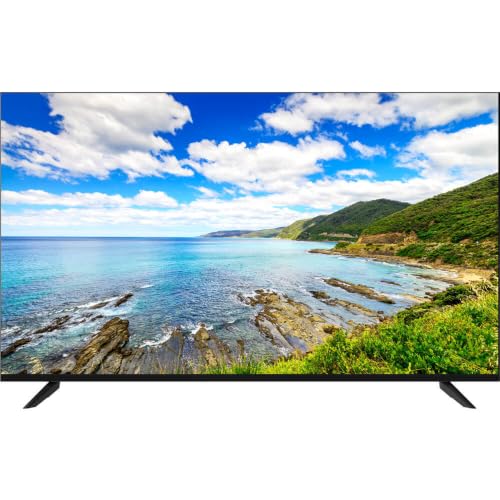
Sansui 55-Inch WebOS TV — Best browser-forward pick
The Sansui is the only listing in this pool that puts its platform in its name: a 55-inch class 4K UHD smart TV running Web OS, stated as plainly as a title can state anything. For this keyword, that plainness is a feature in itself. The buyer is shopping for a browsing arrangement and a network stack; Sansui answers with the operating system in the headline, and the operating system in question is LG’s webOS lineage — the platform family whose built-in browser has been a standard fixture — licensed here into a value-positioned 55-inch set. The exact browser and port details still require the standard verification, but no pick in the guide starts its conversation closer to the keyword.
WebOS’s character suits the public-terminal role this guide keeps describing. Its interface is unhurried and legible from across a room, its app shelf covers the mainstream services households actually open, and a browser that lives on the home screen rather than in an app store’s basement changes how often a television genuinely gets used for the open web. At 55 inches, pages are room-readable — the recipe readable from the stove, the departure board readable from the sofa — which is the entire practical case for browsing on a television rather than a tablet passed around.
The trade is picture pedigree: Sansui’s panel makes no Mini LED or flagship claims in its listing, and this review makes none for it. Buyers choose this set when the keyword’s two features lead and the picture needs to be good rather than great — a kitchen-diner, a family room with mixed content, an office or rental where the browser and the wire will work daily and cinema is an occasional guest. Within that honest brief, it is the pool’s most direct answer to the question the keyword actually asks.
- Panel: 55-inch class, 4K UHD
- Ethernet port: Not stated in the listing title — verify with the maker’s documentation
- Web browser: Platform named in the listing title — Web OS; exact browser details to verify with the maker’s documentation
- Platform: Web OS, per the listing title
- Position: The browser-forward value pick at the mainstream size
Strengths
- The only pick whose platform is stated in its title — the keyword’s most transparent starting point.
- webOS’s calm interface suits the shared, public-terminal browsing role.
- A full 55-inch canvas makes shared pages genuinely room-readable.
Trade-offs
- Panel claims are modest; picture-first buyers should climb to the Mini LED picks.
- A licensed platform’s update cadence may differ from the platform owner’s own sets.
- The port check remains necessary despite the platform’s transparency.
Best for: a family room or kitchen-diner where the television genuinely serves as the household’s shared web screen. Not suited for: a film enthusiast’s main room where panel quality must lead and browsing is a twice-a-year curiosity.

Sony BRAVIA 2 II 43-Inch — Best processing at 43 inches
Sony’s BRAVIA 2 II closes the pool with processing pedigree at the compact size. Its listing names the 4K Processor X1 with 4K X-Reality PRO, Triluminos Pro colour, Motionflow XR and PlayStation 5 features, on Google TV. X-Reality PRO is the relevant name for a streaming household: it is Sony’s upscaling and cleanup system, and a wired feed of mixed-quality streams — pristine films beside battered old uploads — is exactly the diet on which good upscaling earns its keep nightly. The best wire in the world cannot improve a poor source; this processor is the pool’s best answer to the sources the wire will actually carry.
Google TV repeats its platform story from the TCL section — the broadest apps, the casting habits — in a smaller, processing-led package, and the browsing caveat repeats with it: the arrangement is the ecosystem’s own, to be verified on the model, and browser-led buyers have clearer first choices in the LG and Sansui. What the Sony offers instead is the most trustworthy picture processing at 43 inches in this pool, from the maker whose restraint this guide has praised in larger classes, in the size that suits the rooms where a wired television most often lives alone: the study, the snug, the kitchen’s end wall.
Motionflow XR and the PlayStation features give it a second competence for the desk-adjacent rooms where a console also lives, and Triluminos Pro keeps streamed colour honest at the modest brightness of a standard LED panel. Choose it when the room is small, the sources are mixed, and the buyer’s loyalty is to processing over panel fireworks — the connoisseur’s version of this keyword, at the size where connoisseurship is affordable.
- Panel: LED, 43-inch class, 4K HDR
- Ethernet port: Not stated in the listing title — verify with the maker’s documentation
- Web browser: Not stated in the listing title — platform-level provision; verify with the maker’s documentation
- Processor: 4K Processor X1 with 4K X-Reality PRO, per the listing title
- Platform: Google TV; Motionflow XR and PS5 features named in the listing
Strengths
- The strongest upscaling pedigree here, which flatters the mixed sources a wire delivers.
- Google TV breadth in a compact, processing-led package.
- Triluminos Pro colour keeps a standard LED panel looking honest.
Trade-offs
- Browsing follows Google TV’s arrangement rather than a heritage built-in browser.
- Standard LED brightness trails the Mini LED picks in bright rooms.
- Sony polish at this size costs more than the value picks’ simplicity.
Best for: a study or snug where mixed-quality streams deserve the best cleanup available at 43 inches. Not suited for: a browser-led household that would trade picture processing for a front-and-centre web terminal without a thought.
How Do the Six Compare Side by Side?
| Pick | Platform | Panel | Lead virtue |
|---|---|---|---|
| Samsung M70H 55-Inch | Samsung (Tizen-based) | Mini LED | Picture and motion, polished platform |
| LG QNED73B 43-Inch | webOS | QNED Mini LED | Compact size, browser heritage |
| TCL QM6K 55-Inch | Google TV | QLED Mini LED | 144Hz gaming and streaming value |
| Insignia F50 43-Inch | Fire TV | LED | Value and simplicity |
| Sansui 55-Inch | Web OS (stated) | LED | Browser-forward transparency |
| Sony BRAVIA 2 II 43-Inch | Google TV | LED | Upscaling and processing |
Read the platform column as the decision and the rest as refinement. Every row requires the same port verification; what differs is the browsing philosophy, the app world and the picture you are rewarded with once the wire is in. Households should choose the ecosystem they want to live inside for the set’s decade, then let panel and size choose among the rows that carry it.
How Should You Set Up the Wired Connection and Browser?
The physical half takes minutes and repays neatness. Run a cable of adequate category from the router to the set’s location — along skirting, through the cabinet’s cable path, anywhere it will not be walked on or pinched by a door — and leave a little slack at both ends for the day the furniture moves. Plug in, then open the television’s network settings and confirm the connection reports as wired; most platforms switch automatically, but the confirmation screen is where you also learn the set’s assigned address, a detail worth noting if the household uses router reservations or parental network rules.
Then run the three tests that prove the wire earns its place. Stream the highest-quality film your services offer and watch the opening minutes, where wireless setups most often stumble. Open the browser — wherever the platform keeps it — and load a heavy public page: a news front page, a timetable, a map. Finally, test at the household’s busiest hour rather than at a quiet noon, because the wire’s whole argument is about the busy hour. If all three pass then, the setup has demonstrated the only claim it ever made.
Browser hygiene deserves its own paragraph. Treat the television browser as a public terminal in a library: wonderful for pages the whole room may see, wrong for banking, email accounts and anything with a password worth stealing. Do not save credentials in it, clear its history as you would a shared computer’s, and prefer the phone or a personal device for private tasks, casting the result to the big screen only when the content itself is meant for the room. Used that way, the television browser is one of the most civilised features in the modern house; used carelessly, it is a billboard with your accounts on it.
What Mistakes Do Buyers of This Keyword Make?
The defining mistake is assuming the keyword’s features from the keyword itself — ordering on the strength of a search phrase without opening the specification tab, then discovering the chosen size or variant lacks the port or carries a different arrangement than expected. This guide has repeated the verification instruction until it risks rudeness, because in this category it is the difference between a satisfied buyer and a return label. The second mistake is subtler: wiring the television and then judging the wire by a quiet afternoon’s performance, concluding it changed nothing, when its entire value lives in the contested evening hours.
Third, buyers under-run the cable. A wire draped across a doorway or pinched under a rug is a wire scheduled to fail, and its intermittent faults will be blamed on the television, the router and the streaming service before anyone inspects the flattened section by the door. Route it properly once. Fourth, households set up the browser, sign into personal accounts on the big screen for convenience, and leave them signed in on a device guests and children also use — the public-terminal discipline in the setup section exists because that convenience has a price list nobody reads in advance.
Finally, some buyers treat the wire as a verdict on Wi-Fi itself and start cabling everything in sight. The television earns its wire because it is fixed, hungry and central. The tablet, the phone and the laptop earn their freedom because they move. A household network is a mixed economy, and this keyword, properly understood, is simply the argument that the biggest screen in the house belongs on the wired side of it.
What Does Browsing on a Television Feel Like, Task by Task?
Calibrate by task and the television browser stops being a disappointment or a miracle and becomes a tool with a shape. Reading is its home ground: a long article, a council document, a product manual, a school newsletter — pages that are mostly text, opened once and scrolled slowly, are genuinely better on the big screen, where the type is large, the room can follow together, and nobody is squinting at a phone held at arm’s length. Households discover this use first and keep it longest, because it asks nothing of the input system but patience.
Reference tasks form the second shape: the timetable checked while coats are going on, the recipe consulted from across the kitchen, the weather radar before a journey, the listing photographs for a house the family is considering. These are glance-and-go pages, heavy with the household’s shared life, and the television serves them beautifully precisely because they are public — the one category of web use where a bigger, shared screen beats a private one outright. A set like the Sansui or the LG, with the browser near the surface of the interface, turns these moments into a household habit within a week.
The third shape is where honesty returns: anything involving forms, accounts, purchases or composition. Typing with a remote is a punishment the platforms have softened with voice and phone-keyboard helpers but never abolished, and a television across the room is the wrong place for private credentials regardless of typing speed. Buyers who expect the browser to absorb laptop duties will be disappointed by every pick in this guide equally; buyers who expect a public reading terminal will be pleased by most of them and delighted by the browser-forward two. The keyword rewards the second expectation and punishes the first, and no panel technology changes that arithmetic.
How Does the Wire Change Streaming Quality in Practice?
The difference announces itself in the small humiliations of wireless life rather than in any single dramatic moment. Films start at their best quality instead of climbing to it over the first minute, because the player trusts the connection sooner. Live sport stops shedding resolution whenever the household’s other screens wake up. The evening’s third episode loads with the same indifference as the first. None of these moments makes a story worth telling at work; together, across a year, they are the difference between a television that feels like infrastructure and one that feels like a negotiation.
There is a diagnostic dividend too. When a wired set stutters, the fault narrows quickly — the service, the stream, or the broadband line itself — because the most variable link in the chain has been replaced with a fixed one. Households that have spent evenings rebooting routers and moving furniture in search of a wireless ghost will recognise the value of a connection that can be eliminated from suspicion in one glance at a cable. Support calls shorten. Blame lands where it belongs. The set goes back to being furniture that shows programmes.
Finally, the wire future-proofs the unglamorous layer of the purchase. Platforms will update, apps will churn, and the panel’s virtues will age at their own pace, but a cabled connection to the home network is as correct in a decade as it is tonight. Buyers choosing among the six picks should remember that the picture differences will be argued about for a month and the network behaviour will be lived with for the set’s whole life — which is, in the end, the entire argument of this keyword, and the reason its unglamorous two features deserve a guide of their own.
Final Recommendation
Let the platform decide first. Browser-led households should start with the Sansui for its stated Web OS at a friendly position, or the LG QNED73B where the room is smaller and the panel matters more. Picture-led households should take the Samsung M70H, gamers the TCL QM6K, processing devotees the Sony, and cautious experimenters the Insignia — in every case after the two-minute specification check confirms the port and the browser arrangement on the exact model, because in this category that check is not diligence theatre but the purchase itself.
Do that homework, run the cable neatly, and keep the browser public — and the unfashionable conviction behind this keyword will quietly prove itself every evening, in streams that never stutter and pages the whole room can read, long after faster fashions have been forgotten.
A word for renters and the cable-reluctant, because this keyword can sound like it demands drilling holes and a landlord’s blessing. It does not. Flat cables run under rugs designed for the purpose and along skirting with adhesive clips that leave no biography behind; powerline adapters turn the mains wiring into the run; a mesh satellite placed at the television cabinet offers the set its short wired hop. The principle survives every one of these compromises, because the principle was never about cable purity — it is about giving the one fixed, hungry screen in the house a connection that does not vary with the evening’s weather of devices. Renters who grasp that distinction get the keyword’s entire benefit with a bag of clips and twenty unhurried minutes.
Parents, too, tend to find this category grows on them for a reason no specification lists: a wired television on a known network address is a governable television. Router-level schedules, content rules and simple visibility into what the household’s biggest screen is doing all become easier when the set is a fixed citizen of the network rather than a roaming one. None of the six picks markets itself on that basis, and this guide does not rank them on it, but households that manage a family network deliberately will notice the difference the first time they open the router’s client list and find the television exactly where they left it, named, numbered and accounted for.
Frequently Asked Questions
How do I verify the ethernet port before buying?
Open the maker’s official page for the exact model code — including the size, since hardware can vary across a range — and read the connectivity or specification section for a wired LAN entry. Retailer specification tabs usually mirror it. If the documents are ambiguous, the maker’s support channel will confirm for the model code in one exchange. Two minutes of this, before ordering, is the entire secret of buying this keyword well.
Is wired actually faster than modern Wi-Fi?
In an empty room, modern Wi-Fi can post impressive numbers. The wire’s advantage is consistency under load: it does not share its path with every phone and laptop in the house, does not fade through walls, and does not collapse at the evening peak. Streaming cares about the floor of performance far more than the ceiling, and the floor is where the wire wins its argument, evening after evening.
What can a TV browser realistically do?
It is a reading and reference tool: news, timetables, recipes, manuals, listings, public documents and pages the room wants to share. It is not a replacement for a computer’s browser — input via remote is slow, some complex sites render imperfectly, and private accounts do not belong on it. Judged as the household’s public terminal rather than as a failed laptop, it is genuinely useful and, on the webOS and Samsung platforms, pleasantly mature.
Which platform has the best browser tradition?
LG’s webOS and Samsung’s Tizen-based system have the longest built-in browser heritage among these platforms, which is why the LG and the webOS-licensed Sansui read as the browser-forward picks, with the Samsung close behind. Google TV and Fire TV serve the app world superbly and approach general browsing more indirectly. Confirm the current arrangement on the exact model either way — platforms evolve, and the specification page is the authority.
Can I use powerline or a mesh node instead of a long cable?
Yes, and for many rooms it is the pragmatic route: a powerline adapter or a mesh satellite with a wired port near the television gives the set a cabled final hop without a long run across the house. Purists will note the last metres still travel by wire or mains rather than open air, which is precisely the point — the television’s own connection becomes the stable one, whatever the backhaul behind it.
Does a wired TV still need Wi-Fi for anything?
Some conveniences — certain casting routes, voice assistants in some ecosystems, a phone remote app — may use the local network in ways that involve the wireless side of the house, but they travel through the router, which the wired set reaches by its cable. In practice, a wired television loses nothing it was using and gains the steadiness this guide describes; the Wi-Fi radio simply stops being the hardest-working component in the set.
It is worth pausing on how unusual this keyword’s honesty problem is, because it teaches a shopping skill that outlives the purchase. Most television keywords describe things listings love to state — size, resolution, formats, refresh — and the buyer’s skill there is comparison. This keyword describes things listings omit, and the buyer’s skill here is verification: finding the maker’s document, matching the model code character by character, and treating a retail title as an advertisement rather than a specification. That skill transfers to every future appliance with a software soul, from the washing machine with an app to the car with a browser, and a household that learns it on a television will make better decisions about all of them. The six picks above are good televisions; the method that surrounds them is the more durable purchase.
And the method has a gentle corollary worth stating before the links: when the documents genuinely cannot settle a question — when a maker’s page is silent about a browser detail that matters to you — the correct conclusion is not suspicion but sequence. Buy where the return terms are clear, test the exact behaviour in your own room during the window, and let the set answer in person. That is how this guide’s own uncertainties are designed to resolve, and a buyer who follows the sequence will end up, one way or another, with a television whose wired and browsing life has been demonstrated rather than merely described — which is the only ending this keyword has ever honestly offered anyone.
One practical coda belongs to the evening the cable first goes in, because first impressions of this category are often strangely quiet. Nothing dramatic happens. The film simply starts properly, the page simply loads, the set simply appears on the network and stays there — and owners sometimes feel a flicker of anticlimax, as if the upgrade owed them a spectacle. It owed them the opposite. Infrastructure proves itself by the absence of incidents, accumulated over months, until the day a visitor’s wireless stream stutters in the same room and the household realises, with some surprise, that theirs has not done that in living memory. That realisation, arriving unannounced some ordinary evening, is the review this entire category is written to earn, and it is available from every pick on this page to any household willing to run one honest cable.
For the household still undecided between ecosystems, a tiebreaker borrowed from how these sets actually age may help. Panels date by their picture, which evolves slowly; platforms date by their software support, which evolves at the maker’s chosen pace; but the two features in this keyword date hardly at all — a wired port is a wired port in any year, and a browser’s job description has been stable for a decade. Buyers who choose the platform with the support reputation they trust, on the panel that suits the room, and who then verify the unglamorous pair of features this guide is named for, have stacked every layer of the purchase in the right order. The result is a television that will not be the newest thing in the house for long — nothing is — but may well be the most quietly dependable, and dependability, in the appliance that anchors a household’s evenings, compounds in value the way novelty never does.
So the final advice compresses to a sentence a buyer can carry into the shop or the specification tab: choose the ecosystem you want to live in, choose the panel your room deserves, and then — before money moves — make the exact model confess its port and its browser in the maker’s own writing. Every pick above survives that discipline with its virtues intact, and the discipline itself, once practised, tends to spread from televisions to everything else with a plug and a promise. Houses run better when their infrastructure is verified rather than assumed, and the big screen, wired and browsing, is as good a place as any for that habit to begin. And on the far side of the habit lies the modest pleasure this whole category exists to deliver: a television that opens the web like it means it, drinks from the network through a wire like it was built to, and otherwise stays out of the household’s way — no rituals, no mysteries, no evening ever spent troubleshooting the thing that was supposed to be the entertainment. Six different manufacturers’ answers to that brief stand above, differing in panel, platform and price, united by the only promise this guide will make on their behalf: that a buyer who verifies first and cables neatly will not be writing to complain about either feature the keyword names. That is a deliberately unglamorous promise for a deliberately unglamorous keyword, and households that have lived on the wrong side of a stuttering stream or a browser that was promised and never materialised will recognise it as the only kind worth making: narrow, checkable, and kept by the buyer’s own two minutes of homework as much as by anything a manufacturer prints on a box or a reviewer writes in a guide like this one. Keep the cable, keep the discipline, and the television will keep its side of the bargain for years — quietly connected, openly browsing, and asking for nothing but the occasional software update and a household willing to read a specification page before it reads a price tag, in that order, every time, without exception, forever. The wire will not trend, the browser will not headline a keynote, and nobody will compliment the arrangement at a dinner party — but the streams will start, the pages will load, and the biggest screen in the house will behave like the dependable public terminal this keyword always wanted it to be. Verify the port, verify the browser, run the cable once and run it neatly — then forget the whole subject, which is precisely the reward this category offers and flashier features never can.
Related Guides
Readers wiring up a serious screen may also want our best 4k tvs that double as a monitor roundup if the same set will serve a desk, the best ac dc rv tvs guide if the wired life extends to a rig with its own router, and the best 48inch tvs coverage if a compact OLED is competing for the same wall.


