What's inside
- Key Takeaways
- Quick Picks
- How Did We Choose These Picks?
- What Does a Recipe Screen Actually Need?
- How Do You Protect a Tablet in a Working Kitchen?
- Which Recipe Apps and Sources Work Best on a Tablet?
- How Does a Kitchen Tablet Change Meal Planning and Shopping?
- How Do the Six Recipe Tablets Compare Side by Side?
- Kitchen Tablet or Smart Display — Which Belongs on the Counter?
- How Do You Clean and Maintain a Kitchen Tablet?
- Where Should a Kitchen Tablet Live?
- How Do You Cook Hands-Free From Start to Finish?
- Which Mistakes Ruin Kitchen Tablet Setups?
- How Should You Organise a Digital Recipe Collection?
- What About Cooks Who Need Bigger Type and Simpler Screens?
- Final Recommendation
- Frequently Asked Questions
- Related Guides
As an Amazon Associate I earn from qualifying purchases. This post may contain affiliate links at no extra cost to you.
gizmoverdict.com is reader-supported. When you buy through links on our site, we may earn an affiliate commission.
Where to buy: Each pick below links to its Amazon listing. Buy the stand, case or cookbook holder separately and deliberately — those are accessories discussed in the guide sections, never picks, and the right stand matters almost as much as the tablet.
The best tablets for recipes are not the best tablets. That sentence will save you money, so let it land before the list begins. A kitchen tablet lives a harder, stranger life than any other screen in the house: it is read at arm’s length through steam, operated with floury knuckles and wet fingertips, splashed with stock, propped at odd angles under cupboards, and asked to stay awake and legible for the four hours a braise takes. The traits that decide success in that environment are not processor benchmarks. They are screen brightness that cuts through kitchen lighting, a stand or dock that holds the angle without a wobble, hands-free voice control for timers and scrolling, loud-enough speakers for instructions over an extractor fan, and — the trait nobody lists — a price low enough that a splash of oil does not feel like a bereavement. Cheap-enough-to-risk is a specification in a kitchen.
Six tablets earn their counter space below, spanning a genuinely wide set of answers: a tiny budget Fire that shrugs off risk, a metal-bodied TCL all-rounder, a Samsung with a pen for annotating family recipes, a featherweight Lenovo for small counters, an Android tablet that lives in its own charging dock, and a big 12-inch screen for cooks who read across the room. Around them, this guide covers the unglamorous arts that make any of them work — where the tablet should live, how to protect it, how to run a recipe hands-free, and how to organise a digital recipe collection that you will actually cook from. The tablet is the screen; the system around it is the tool.
Key Takeaways
- Brightness, viewing angle and a stable stand decide kitchen usefulness more than processor speed ever will.
- Hands-free voice control is the killer feature: timers, conversions and page turns without touching the screen with messy hands.
- Cheap-enough-to-risk is a real specification — the kitchen destroys tablets, so price the replacement risk into the choice.
- Stands, docks and cookbook holders are accessories, not picks; one pick below builds the dock into the product, which is a different thing entirely.
- Two picks are unbranded generic listings — the dock tablet and the 12-inch 2K model — and their sections and sources say so plainly.
- Keep the tablet away from the hob’s heat plume and the sink’s splash zone; the middle of the counter, angled up, is the sweet spot.
Quick Picks
| Pick | Badge | Why it earns its place |
|---|---|---|
| Amazon Fire HD 8 (32GB) | Risk-free budget pick | So inexpensive that flour, steam and splashes become non-events, with Alexa hands-free built in. |
| TCL TAB 10 Gen 4 | Best all-rounder | A 10.1-inch FHD metal body, dual speakers and Android 15 — the balanced kitchen screen. |
| Samsung Galaxy Tab S10 Lite | Annotator’s pick | The included S Pen turns recipes into living documents you can mark, adjust and hand down. |
| Lenovo Tab One | Small-counter pick | An 8.7-inch lightweight that fits the counters and shelves bigger tablets crowd out. |
| Android 16 Tablet with Charging Dock | Docked hub pick | Lives in its charging dock at a readable angle, always powered, always awake — a generic listing with a genuinely clever idea. |
| 12-Inch Android 16 Tablet 2K | Big-screen pick | A 12-inch 2K canvas readable from across the kitchen — another generic listing, bought for its screen. |
How Did We Choose These Picks?
A note on what did not make the cut and why: several premium tablets with beautiful screens were passed over because their prices fail the risk test — a kitchen is where tablets go to be splashed, and a guide that recommends a flagship for flour duty is not being honest about replacement maths. Equally, the very cheapest no-name 7-inch slates were passed over for dim panels that fail the legibility test under kitchen lights. The six below are the models that cleared both bars at once.
We judged every candidate against the kitchen’s actual spec sheet rather than the tablet market’s. Could it be read from a metre away under bright lights? Could it stay put at a readable angle without a hand? Could it take a voice command over a boiling kettle? Could its owner replace it without grief if the worst happened on a Sunday roast? Six models answered those questions in six different ways, and we kept the spread deliberate: two small screens for small kitchens, two mid-size all-rounders, one docked design that solves power and angle together, and one big canvas for distance reading.
We also enforced a house rule: stands, cookbook holders and cases are accessories. They appear in this guide’s advice sections, where they belong, and never in the pick list — a stand has no screen and cannot be a tablet recommendation. The single exception that proves the rule is the dock tablet, where the dock is part of the product itself, charging and propping the very tablet being judged. Two picks come from unbranded generic listings; we flag them in their sections, keep their claims at arm’s length, and recommend them for the physical ideas they embody rather than any maker’s promise.
What Does a Recipe Screen Actually Need?
Start with the reading geometry. A recipe is consulted in glances — three seconds while your hands are in the dough — so the screen must deliver the next step in one look: large type, high contrast, brightness that survives under-cabinet LEDs and window glare. A dim, glossy panel that was fine on a sofa becomes a mirror in a kitchen. Viewing angles matter because you read from wherever the chopping board is, not from a chair aligned with the screen. Then the keeping-awake problem: a tablet that sleeps mid-recipe forces a touch with wet hands, so screen-timeout settings and, better, a docked always-on arrangement earn real points in this guide.
Heat and light conspire in one more way worth naming: kitchens are bright in patches and shadowed in others, and a screen that auto-adjusts its brightness gracefully saves a dozen manual corrections per cook. Every pick here has an ambient light sensor, but the larger panels give the adjustment more to work with, and cooks stationed under dim under-cabinet strips should test their chosen tablet at the actual station on the first evening, in the actual light, before the return window starts closing.
Sound is the forgotten spec. Recipe videos, video calls with the relative who actually knows the recipe, and voice-assistant answers all compete with extractor fans and boiling pans; dual speakers and honest volume beat a second camera every time in this room. Finally, storage and apps: a recipe library lives in browser bookmarks, a notes app, PDFs and a couple of cooking apps, none of which need power — they need room and a screen that stays where you put it. Judge any kitchen tablet on those five axes — legibility, stability, wakefulness, loudness, cheapness-to-risk — and the market’s spec-sheet theatre falls away.
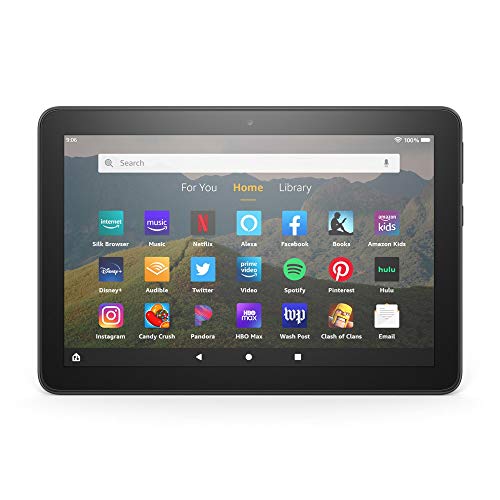
Amazon Fire HD 8 (32GB) — Risk-free budget pick
The Fire HD 8’s kitchen case begins and ends with its price: this is a tablet so inexpensive that the kitchen’s hazards stop being hazards. Tomato sauce on the screen? Wipe it. A drop from counter to tile? Regrettable, not ruinous. That freedom changes how you cook — the tablet lives on the counter where the work is, not exiled to a safe shelf across the room. The 8-inch HD screen is large enough for recipe text at reading distance with the font a notch up, and the compact body fits the slivers of counter that big tablets cannot use: beside the hob, on the window sill, propped against the flour jar.
Alexa is the second half of the argument. Hands-free timers — plural, named, running simultaneously for the pasta, the garlic bread and the resting meat — are the single most used kitchen-assistant feature in existence, and this little tablet runs them natively, along with unit conversions, substitutions and “show me the recipe” requests that keep floury hands off the glass. The caveats are the Fire family’s usual ones: the Amazon Appstore rather than Google Play, so check your recipe apps exist there, and 32GB of storage that suits a recipe library and some downloads without room for a film archive. As a dedicated kitchen terminal — bought for the counter, living on the counter — the HD 8’s ratio of usefulness to risk remains unbeaten.
- Display: 8-inch HD
- Storage: 32GB
- System: Fire OS with Amazon Appstore; Alexa hands-free built in
- Release: 2020 model
- Variant: Without lockscreen ads
- Role: Dedicated counter tablet
Strengths
- Cheap enough that splashes and drops are annoyances, not accidents with paperwork.
- Alexa timers and conversions cover the hands-free core of kitchen assistance.
- Compact footprint fits counters that reject larger tablets.
Trade-offs
- Fire OS app selection — verify your recipe and grocery apps before buying.
- 32GB is a recipe library’s worth, not a media archive’s.
- HD screen needs font sizes raised for across-the-counter reading.
Its afterlife in the household is worth a thought too: when a newer screen eventually takes the counter, the little Fire migrates — to the workshop for manuals, the garage for the same, the guest room for visitors — because a tablet this cheap is never worthless, only reassigned. Cooks who buy it as the kitchen’s terminal usually discover they have bought the house’s utility screen for the next half-decade, and the recipe duty was merely its first posting.
Best for: cooks who want a dedicated kitchen screen they never have to baby. Not suited for: anyone whose recipe life lives in Google Play-only apps.

TCL TAB 10 Gen 4 — Best all-rounder
The TCL TAB 10 Gen 4 is the balanced answer: a 10.1-inch FHD display in a metal body, an octa-core processor, 4GB of RAM with 128GB of storage, a 6000mAh battery, Android 15 and dual speakers. Every element of that list maps onto a kitchen need. The FHD panel renders recipe text and, just as importantly, recipe photography with the clarity that decides whether “golden brown” is a guess or a judgement. The metal body feels — and is — sturdier than plastic rivals when the tablet is grabbed with one wet hand. Dual speakers put instruction audio on both sides of the stereo image, which reads as loudness and clarity when a fan is roaring. Android 15 with the full Google Play store removes the app question entirely: every recipe app, grocery app and video service your household uses is simply there.
TCL’s presence as an actual brand matters in this tier: a named maker with a support path, updates for its current generation, and accessories that fit. The 128GB storage holds a serious offline library — downloaded cookbooks, saved video recipes, the family photo archive of finished dishes — and the battery carries a day of intermittent kitchen duty without the charger living on the counter. It is not waterproof and it is not the cheapest pick here, so the case-and-stand advice in this guide applies to it fully. As the one-tablet answer for a cook who wants no asterisks — proper Android, proper screen, proper brand — the TAB 10 Gen 4 is the guide’s centre of gravity.
- Display: 10.1-inch FHD
- System: Android 15 with Google Play
- Processor: Octa-core
- Memory/Storage: 4GB + 128GB
- Battery: 6000mAh
- Build: Metal body, dual speakers
Strengths
- Full Android with Google Play ends the app-availability question.
- FHD screen and dual speakers serve both reading and recipe video properly.
- Metal body and a named brand’s support suit a hard-working room.
Trade-offs
- No water-resistance rating — the case and placement advice applies in full.
- 4GB of RAM is adequate, not generous, for heavy multitasking.
- Mid-tablet pricing means a cracked screen would actually sting.
Its beyond-the-kitchen life strengthens the case: this is the one pick here that a household can also hand to a teenager for homework or take on a train for films without the spec sheet apologising. Kitchens that share their tablet with the rest of the house — most of them, in the end — should weight that versatility heavily, because a dedicated-only screen and a generalist screen age differently, and the TCL is the generalist that happens to be excellent at the counter.
Best for: cooks wanting one no-asterisk Android tablet for the kitchen and beyond. Not suited for: buyers who want the absolute cheapest screen to risk.
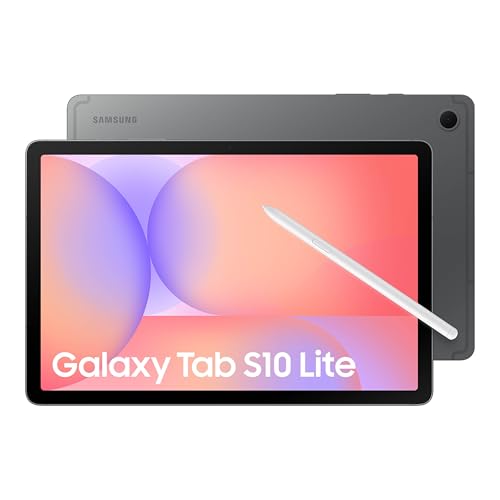
Samsung Galaxy Tab S10 Lite — Annotator’s pick
Every family has recipes that live as negotiations: the grandmother’s card that says “flour, enough” and “bake until done”, the printed favourite annotated across a decade of substitutions. The Galaxy Tab S10 Lite is the pick for cooks who work that way, because its included S Pen turns the tablet into the recipe’s margin. A 10.9-inch LCD, 6GB of RAM, 128GB of storage expandable up to 2TB, an Exynos 1380 and Samsung’s mature Notes app make a digital recipe book you can write in — halving quantities in the margin, striking through the step that never works, circling the version the children approved. Circle to Search helps identify the ingredient in a photo or find a substitution mid-shop.
The kitchen fit is thoughtful rather than rugged: there is no IP rating here, so this tablet wants a case and a stand and a station away from the sink’s splash arc — the guide’s placement section was written with exactly this pick in mind. What it returns for that care is longevity and depth: Samsung’s software support, a pen that needs no charging ritual for writing, and a screen big enough for a full recipe page at arm’s length. Cooks building a permanent, evolving family cookbook — the kind handed down rather than bookmarked — will find this the most meaningful pick in the guide, the one that treats recipes as documents with a history instead of pages to be scrolled.
- Display: 10.9-inch LCD
- Processor: Exynos 1380
- Memory/Storage: 6GB RAM, 128GB, microSD up to 2TB
- Pen: S Pen included
- Extras: Circle to Search, Samsung Notes
- Rating: No IP rating — case and careful placement advised
Strengths
- The S Pen makes recipes annotatable living documents, unique in this guide.
- Big page-like screen and Samsung software support suit a permanent cookbook.
- Huge expansion ceiling swallows a lifetime recipe and photo archive.
Trade-offs
- No water resistance — it must be stationed with more care than the budget picks.
- Priciest route here; a splash accident costs real money.
- Pen features are wasted on cooks who only follow recipes, never adapt them.
There is an intergenerational angle no other pick can claim: a cookbook annotated in a parent’s handwriting, on a device the children also use, becomes a family archive rather than a file. Scanning the old handwritten cards into Samsung Notes and annotating the scans — preserving the original hand, adding the corrections — is the kind of afternoon project this tablet exists for, and the microSD expansion means the archive can grow for decades without negotiating with a full drive.
Best for: cooks who annotate, adapt and keep recipes as family documents. Not suited for: splash-zone counters or buyers who never write on their recipes.

Lenovo Tab One — Small-counter pick
The Lenovo Tab One answers the small kitchen’s geometry problem. An 8.7-inch HD display in a lightweight body, 4GB of memory, 64GB of storage and a MediaTek Helio G85, with battery life the listing frames around long streaming sessions — this is a tablet that fits where recipes actually get cooked in compact homes: on the narrow counter between the sink and the stove, on a shelf at eye height, on the window ledge above the prep area. Where a 10-inch tablet crowds a small kitchen into resentment, the Tab One simply tucks in, and its light weight makes it the pick most likely to be carried room to room — recipe in the kitchen, video call in the dining room, reading in bed.
Lenovo’s hand in this tier brings a cleaner Android experience than the no-name shelf, with the Play Store present and the interface uncluttered. The HD resolution at 8.7 inches is honest for its size — recipe text at sensible font sizes reads cleanly, though across-the-room reading is not its party trick and never pretends to be. For the cook in a studio flat, a narrowboat galley, a student house or any kitchen measured in centimetres, the Tab One’s virtue is that it respects the room. Add the stand advice from this guide — a small footprint stand, angled up — and it becomes the little screen that could, permanently stationed where bigger tablets would be in the way of the cooking itself.
- Display: 8.7-inch HD
- Processor: MediaTek Helio G85
- Memory/Storage: 4GB + 64GB
- System: Android with Google Play
- Form: Lightweight, compact
- Battery: Framed for long streaming sessions
Strengths
- Fits the small counters and shelves that define compact kitchens.
- Clean Android with Play Store from a named brand at a modest tier.
- Light enough to live a multi-room life beyond the kitchen.
Trade-offs
- Small screen means reading distance is arm’s length, not across the room.
- HD panel and modest speakers serve recipes, not cinema.
- 64GB asks for light download discipline.
Couples in first flats describe the Tab One pattern often: it is the screen that mediates learning to cook together — recipe between them at the counter, music underneath, a video call to a parent for the one step the recipe phrases mysteriously. A tablet’s job in a small home is rarely one job, and the Lenovo’s size and price let it be all of them without ever being the expensive object two people worry about breaking.
Best for: small kitchens, flats and anyone whose counter space is precious. Not suited for: cooks who read recipes from across a large kitchen.

Android 16 Tablet with Charging Dock — Docked hub pick
Honesty first: this is an unbranded generic listing, and this guide recommends the idea it embodies with eyes open about the maker. The idea is genuinely the cleverest in this roundup — a 10.1-inch Android 16 tablet that lives in a charging dock, propped at a reading angle, charging while docked, always awake and always at full battery. That single design decision dissolves the kitchen tablet’s three chronic annoyances at once: the dead battery discovered mid-recipe, the screen that sleeps during a long braise, and the wobbly improvised prop of cookbooks and spice jars. The dock is a station; the tablet becomes a fixture, like the radio it replaces.
The listing’s supporting cast — an 8-core processor, a large memory figure blending physical and virtual RAM, 64GB of storage with big expansion claims, Wi-Fi 6, Bluetooth 5.4 and a Gemini AI assistant — should be read as generic-listing claims: directionally plausible, individually unverifiable, and not the reason to buy. The reason to buy is the dock, plus the voice assistant for timers and conversions, plus the always-on recipe display that greets you when you walk in with the shopping. Set expectations for generic-tier fit and finish, test everything in the return window, and the concept delivers something no premium tablet in this guide offers out of the box: a kitchen screen that is simply always there, awake, angled and charged.
- Display: 10.1-inch
- System: Android 16 (per listing)
- Dock: Charging dock included — charges while docked
- Storage: 64GB + expansion (per listing)
- Extras: Wi-Fi 6, Bluetooth 5.4, voice assistant (per listing)
- Brand: Unbranded generic listing
Strengths
- The dock solves angle, wakefulness and charging in one permanent station.
- An always-on counter display is the kitchen form factor perfected.
- Current Android version as listed, with voice control for hands-free duty.
Trade-offs
- No brand stands behind it — aftercare and update prospects are unknown, so buy the concept and put the unit through its paces immediately.
- Headline memory figures blend virtual RAM; judge performance modestly.
- Docked life ties it to one station; it is a fixture, not a traveller.
The dock also changes the tablet’s social role in the house: a stationed screen becomes shared infrastructure — the weather at breakfast, the calendar on the fridge’s behalf, the photo frame cycling family pictures between cooks. Premium tablets get borrowed away from such duty; a docked generic stays, because leaving means undocking, and the household’s habits form around its permanence within a fortnight. Buyers should simply decide whether their kitchen wants a fixture or a device, because this pick is unambiguously the former wearing the latter’s clothes.
Best for: cooks who want a permanent, always-awake recipe station on the counter. Not suited for: buyers who need a named brand’s support behind a kitchen fixture.
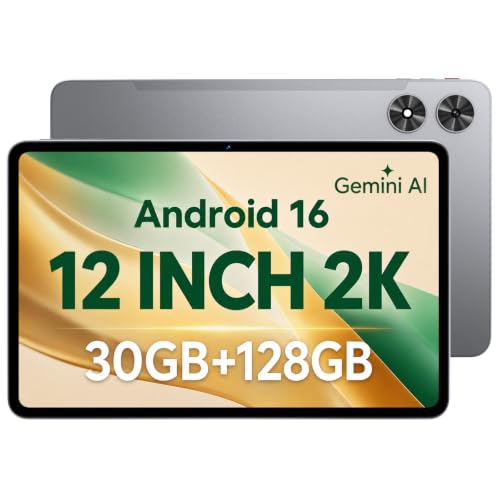
12-Inch Android 16 Tablet 2K — Big-screen pick
The second generic listing in this guide earns its place the opposite way: not with a clever station, but with sheer canvas. A 12-inch 2K display changes the reading geometry of a kitchen — recipe text at a size visible from the stove to the sink, a full cookbook spread without scrolling, two columns of a magazine recipe side by side. For cooks with larger kitchens, longer sight-lines or eyes that appreciate big type, that canvas is not indulgence; it is accessibility. The listing adds an 8000mAh battery, 128GB of storage with expansion, a large blended memory figure, USB-C, GPS, face unlock and Widevine L1 — the last of which matters quietly, since it is the certification that lets streaming services play in full quality rather than a soft low-resolution fallback.
The generic-listing cautions apply in full: the brand is a description, not a company you can call; the memory headline blends virtual RAM; support and updates are unknowns to be priced into the decision. What you are buying is a big, sharp panel with current Android as listed, at the tier where such panels usually carry famous badges and famous prices. Station it on a proper stand — at this size, stand quality stops being an accessory detail and becomes structural — keep it out of the splash arc, and it serves as the kitchen’s window onto every recipe ever photographed. For the cook who reads across the room, nothing else in this guide does the one job as well.
- Display: 12-inch 2K
- System: Android 16 (per listing)
- Storage: 128GB + expansion
- Battery: 8000mAh (per listing)
- Extras: USB-C, GPS, face unlock, Widevine L1 (per listing)
- Brand: Unbranded generic listing
Strengths
- The largest, sharpest canvas here — readable from anywhere in the kitchen.
- Widevine L1 as listed means streaming services play at proper quality.
- Generous storage and battery suit an always-loaded recipe and media library.
Trade-offs
- Unbranded maker — verify everything in the return window; support is a hope.
- Its size demands a serious stand and a permanent station.
- Too big for small counters; it owns the space it sits in.
One more honest use case: the cooking class and the shared kitchen. Community cooks, church-hall caterers and families who cook in rotating houses benefit from a big cheap screen that travels without ceremony and shows a recipe to three people at once. The 12-inch generic’s price makes it the class tablet nobody insures and everybody uses — a role the premium picks are simply too valuable to audition for.
Best for: large kitchens, distance readers and anyone who wants cookbook spreads at full size. Not suited for: compact counters or brand-support loyalists.
How Do You Protect a Tablet in a Working Kitchen?
Protection in a kitchen is a system, not a case. The case itself should be the grippy, wipeable kind — silicone or textured polymer that survives a wet hand’s grip and a soapy cloth afterwards — rather than a folio whose fabric absorbs stock. A screen protector earns its place twice over here: it takes the knife-adjacent scratches and the scouring-pad mistakes, and it can be replaced for pennies when the grease film finally wins. Some cooks add the oldest trick in the professional kitchen: a clear zip bag or a sheet of cling film over the tablet for the messiest jobs — flour clouds, marinade mixing — trading a little touch sensitivity for total immunity during the danger quarter-hour.
Ports and speakers are the quiet casualties, so the station habits matter: tablet stored upright or docked rather than flat in the crumb zone, charging cable routed from behind rather than trailing across the prep surface, and a weekly wipe-down that includes the speaker grilles and the charging port, where flour compacts into a surprisingly durable cement. None of the picks in this guide except the Samsung’s pricier siblings elsewhere carries a water rating, so respect the splash arc as law. A tablet protected by routine outlives a rugged tablet protected by optimism, and the routine costs less than the rugged premium ever did.
Which Recipe Apps and Sources Work Best on a Tablet?
The tablet’s size unlocks recipe sources that phones handle badly. Full cookbook PDFs and magazine scans read at near-native size on the 10 and 12-inch picks, which matters for the layout-heavy books where a recipe spans a spread with its photograph. Browser-based recipe sites benefit from the larger canvas too, and the good ones offer a cook mode that enlarges steps and keeps the screen awake — look for it before installing anything. Dedicated recipe managers earn their storage by importing from websites, scaling quantities and generating shopping lists, and the Android picks here run the Play Store’s full selection, while the Fire pick’s owners should confirm their chosen manager exists in the Amazon Appstore before building a library inside it.
Video deserves its own sentence: for technique — folding, shaping, knife work — a paused video frame at counter height teaches more than a paragraph ever has, and every pick here streams the major platforms. The household pattern that emerges in real kitchens is a triangle: a manager app for the trusted collection, the browser for discovery, and video for technique, with the tablet moving between them across a single cook. Set that triangle up on day one, signed in and bookmarked, and the tablet stops being a screen you search and becomes the kitchen’s reference shelf — which is the entire point of putting it there.
How Does a Kitchen Tablet Change Meal Planning and Shopping?
The recipe screen’s second career is planning. A tablet that lives in the kitchen sees the week’s cooking at the point where decisions happen: the fridge door opens, the cook glances at the plan, the shopping list writes itself. Households that keep the week’s menu on the kitchen tablet — a notes widget, a shared calendar, a whiteboard app — report the small miracle of fewer duplicate purchases and fewer 6 p.m. improvisations, because the plan lives where the food lives rather than on a phone in someone’s pocket. Shared lists that sync to the shopper’s phone close the loop: add the missing ingredient by voice while your hands are in the washing-up, and it is on the list before the bowl is dry.
The tablet also becomes the pantry’s memory. A simple running note — what is frozen, what needs using, whose leftovers are whose — kept on the counter screen saves the archaeological dig through the freezer that precedes most shopping trips. None of this requires a special app or a subscription; it requires the screen’s permanence, which is why the docked and stationed picks punch above their spec sheets in this guide’s estimation. A kitchen tablet is a household noticeboard that also plays films, and the noticeboard half may be the half your family would replace first if it vanished.
How Do the Six Recipe Tablets Compare Side by Side?
| Pick | Screen | Standout trait | Storage | Character |
|---|---|---|---|---|
| Amazon Fire HD 8 (32GB) | 8-inch HD | Alexa hands-free | 32GB | Cheapest to risk |
| TCL TAB 10 Gen 4 | 10.1-inch FHD | Full Google Play | 128GB | Balanced all-rounder |
| Samsung Galaxy Tab S10 Lite | 10.9-inch LCD | S Pen annotation | 128GB + card | Living cookbook |
| Lenovo Tab One | 8.7-inch HD | Compact footprint | 64GB | Small-kitchen fit |
| Android 16 Tablet with Dock | 10.1-inch | Charging dock station | 64GB + card | Always-awake fixture (generic) |
| 12-Inch Android 16 Tablet 2K | 12-inch 2K | Distance-readable canvas | 128GB + card | Big-screen reader (generic) |
Brightness deserves the table’s missing footnote: kitchen light is the harshest in the house, and every pick here was chosen partly for a panel that holds its own against it. If you shop beyond this list, treat any tablet you cannot read under your own kitchen lights during the return window as the wrong tablet, whatever its other virtues — legibility is the one spec that cannot be upgraded later with an accessory.
The table’s lesson is that “kitchen tablet” is four different products wearing one name: the risk-free appliance, the all-rounder, the annotator’s notebook, and the fixed station in two sizes. Decide which of those your cooking actually is, and the row chooses itself — the wrong fork is buying the annotator’s notebook for a splash-zone counter, or the tiny budget screen for a cook who reads from the doorway.
Kitchen Tablet or Smart Display — Which Belongs on the Counter?
The obvious rival is not another tablet; it is the smart display, the fixed smart-home screen sold for exactly this room. The comparison is fair and the tablet wins on the axis that matters to cooks: the library. A tablet carries your recipe manager, your PDFs, your browser bookmarks, your notes and your video apps in one portable object that also leaves the kitchen — for the shopping-list check at the market, the video call from the dining table, the film in the bath. A smart display stays charmingly put, answers questions and shows its own curated recipe cards, but your collection does not live in it, and its screen never comes with you.
Where the smart display fights back is permanence and price of attention: it is always awake, always listening, never needs charging and never gets borrowed by a child an hour before dinner. The docked pick in this guide is best understood as the tablet’s answer to that — a tablet with a smart display’s station habits and a tablet’s library. Households choosing today should ask where their recipes actually live. If the answer is a collection built over years, the tablet is the only honest candidate; if the answer is “we ask the assistant and improvise”, a smart display tempts — and even then, most of those households end up wanting the screen to come shopping with them.
How Do You Clean and Maintain a Kitchen Tablet?
Kitchens coat everything in a fine film of grease, and screens are not exempt — the good news is that the maintenance is measured in minutes per month. Wipe the screen weekly with a barely damp microfibre cloth; stubborn grease yields to the faintest trace of washing-up liquid on the cloth, never sprayed on the device. Clean the case separately in the sink if it is the silicone kind, and let it dry fully before refitting. Once a month, clear the charging port and speaker grilles with a dry soft brush — flour and crumb dust compact there, and a port that will not seat a cable properly is usually a dirty port, not a broken one.
Software maintenance is lighter still: let updates install, evict the recipe apps you trialled and abandoned, and keep a fifth of the storage free so the tablet never wheezes. Batteries in station-kept tablets live plugged in for long stretches; where the device offers a charge-limiting or battery-protection setting, enable it, since a cell held at full charge in a warm room ages fastest of all. That is the whole liturgy — cloth, brush, updates, headroom — and a tablet maintained on it will outlast the kitchen’s next two kettles.
Where Should a Kitchen Tablet Live?
Placement is a safety and usability decision disguised as tidiness. The tablet’s station should sit outside two invisible zones: the heat plume above and beside the hob, where sustained heat ages batteries and warps cases, and the sink’s splash arc, where water finds every port eventually. The sweet spot in most kitchens is the stretch of counter between those zones, angled up toward standing eye height, near enough to the prep area for glances and far enough from the chopping board that a knife never shares its square foot. Under-cabinet mounts suit cooks who prep in one fixed place; a counter stand suits kitchens where the work migrates.
Power belongs in the placement plan from day one. A station with a charger that lives there — the dock pick builds this in — beats a tablet ferried to a socket nightly, because a kitchen tablet’s usefulness is its permanence. Cable runs should not cross walkways or the sink. And the station should be established before the first big cook, not improvised during it: the cook who decides mid-recipe where the tablet goes is the cook whose tablet ends up leaning on the olive oil, sliding slowly toward the hob. Ten minutes with a tape measure and a stand saves the tablet’s life expectancy more surely than any case.
How Do You Cook Hands-Free From Start to Finish?
Set the system up before the ingredients come out. Open the recipe, raise the screen timeout or dock the tablet so it stays awake, and set the font size for your actual reading distance — test it by standing where you will stand, not by holding the tablet. Start your assistant’s timers as you begin each timed element, naming them as you go (“rice timer”, “oven timer”) so the answers later are unambiguous. Voice commands cover the recurring needs: conversions when the recipe is in cups and your scale speaks grams, substitutions when an ingredient is missing, and “next step” style navigation in the apps that support it.
Music and radio deserve their line in the choreography, because a kitchen tablet that only works is a missed opportunity: the same speakers that carry instructions carry the cooking playlist, and cooks consistently rate the tablet that entertains them through a long prep as the one they would replace first. Set the music app up at the station too — morale is a kitchen spec.
For the touches that voice cannot do, keep the knuckle rule: the back of one knuckle scrolls and taps with surprising precision and keeps fingertips — the messy part — off the glass. A cheap stylus living at the station works even better and washes in the sink afterwards. Photograph finished dishes straight into the recipe’s note or album if you keep one; future you, deciding whether the recipe earns a repeat, will thank present you for the evidence. The goal of the whole choreography is a tablet that is consulted constantly and touched rarely, which is also, not coincidentally, how it survives the year.
Which Mistakes Ruin Kitchen Tablet Setups?
The fatal classic is stationing the tablet in the splash zone because that is where the recipe is needed most, then acting surprised by the port damage in month three — move the station a foot and read at a slightly larger font instead. Second is buying a premium tablet for kitchen duty and then being afraid to use it there; anxiety is a failed spec, and the budget picks exist precisely to remove it. Third, cooks skip the stand and improvise props, and a tablet that slides off a cookbook onto a hot hob writes its own review.
Fourth, households never organise the recipe collection, so the tablet becomes a browser with four hundred forgotten bookmarks — the next section exists because of this mistake. Fifth, buyers forget the app-store check on the Fire pick and discover their recipe manager is absent after the counter is already set up. Sixth, nobody sets the screen timeout, so the tablet sleeps at the exact moment both hands are in the dough, every time, forever. Every mistake on this list is a five-minute decision made once, which is the kindest thing a buying guide can say about a category’s pitfalls.
How Should You Organise a Digital Recipe Collection?
A collection you cannot search is a pile. Choose one home — a notes app, a recipe manager, or a disciplined folder of PDFs — and let everything live there, with the browser demoted to a discovery tool whose finds get saved into the home or forgotten. Name recipes the way you think of them (“Tuesday lentil soup — the good one”) rather than the way websites title them, because future you searches by memory, not by headline. Tag by the axes you actually decide by: weeknight-fast, feeds-a-crowd, vegetarian, freezable, the children’s approved list. The S Pen pick earns its keep here, since annotations — halved the chilli, needs twenty minutes more, works in the slow cooker — attach directly to the recipe instead of evaporating.
Then cook from it on a rhythm that keeps it alive: a weekly glance through the “make again” shelf while planning shopping, a ruthless annual eviction of recipes that scored one attempt and no enthusiasm, and a standing rule that a new recipe enters the collection only after it has been cooked, not merely admired. Photographs of your own results beat the website’s styling for honesty. Within a season, the collection becomes the household’s real cookbook — smaller than the internet, larger than memory, and entirely yours — and the tablet on the counter becomes its natural home rather than a screen you also own.
Back the collection up, because it becomes irreplaceable faster than anyone expects. The annotated family recipes, the children’s approved list, the decade of margin notes — that is not data a cloud shrug can recreate. Every ecosystem in this guide offers an export or sync route; set it once, verify it once, and the cookbook survives the tablet, which is the correct order of permanence. The screen is replaceable hardware. The collection is the heirloom, and treating it that way from the first saved recipe is the mark of a household that has understood what it actually bought.
What About Cooks Who Need Bigger Type and Simpler Screens?
A significant share of kitchen tablets are bought for, or inherited by, older cooks and cooks with low vision, and this guide’s advice bends toward them deliberately. For these readers the ranking reshuffles: the 12-inch 2K generic leads on raw legibility, the docked tablet follows for its fixed position and always-on readiness — no hunting for a sleeping screen with reading glasses in another room — and the Fire HD 8’s simplicity earns it an honourable place despite its small panel, because its owner’s confidence matters more than its resolution. Every pick here supports system-wide text enlargement, high-contrast settings and voice control, and the setup hour should include configuring them for the actual cook rather than the purchaser.
Families setting up a tablet for a parent should apply the less-is-more rule ruthlessly: one home screen, the recipe app, the video-call app, the photos, nothing else; font at the size tested from the prep position; a stand that never needs adjusting; and the shopping-list sync tested once together. A kitchen tablet that an older cook trusts becomes a lifeline to family recipes and family faces. The same tablet, cluttered and fiddly, becomes a drawer object within a month — and the difference is entirely in the setup, which is the cheapest variable in this entire guide.
Final Recommendation
One last scenario to test your choice against: the biggest cook of your year — the holiday meal, the birthday feast, twelve servings and four simultaneous dishes. Picture your pick on that day, timers stacked, steam everywhere, a relative reading steps aloud from across the room. The tablet that still works in that picture is the tablet to buy; the one that only works on a quiet Tuesday is a compromise you will meet again in December.
Most cooks should buy the TCL TAB 10 Gen 4: a proper FHD screen, full Android, a metal body and a named brand, at a tier the kitchen’s hazards cannot turn into a tragedy. Cooks on a strict budget — or with a genuinely dangerous counter — should take the Fire HD 8 and its glorious disposability, after checking their apps live in its store. Cooks who write in margins take the Samsung and its pen; cooks in small kitchens take the Lenovo; cooks who want the screen to simply always be there take the docked generic with open eyes, or the 12-inch generic if their kitchen reads at a distance. Whichever you choose, spend the setup hour this guide describes — station, stand, timeout, timers — because in this category the difference between a gadget and a kitchen institution is never the tablet. It is the ten decisions around it, and the cook who makes them once, deliberately, cooks with a clear screen and dry hands for years — through weeknight lentils, Sunday roasts and the one ambitious holiday menu that tests every timer the assistant can possibly hold at once.
Frequently Asked Questions
Can I use a tablet with wet or floury hands?
Mostly, with technique: voice commands for timers and conversions, the back of a knuckle for scrolling, and a washable stylus kept at the station. Capacitive screens struggle with dripping-wet touches, which is why this guide treats hands-free control as a core feature rather than a luxury.
Are stands and cookbook holders included with these tablets?
No — with one exception. Stands and holders are accessories you buy separately for the other picks, and the guide sections treat them that way. The dock tablet is the exception: its charging dock is part of the product, propping and powering the tablet as one designed station.
Is it safe to keep a tablet near the stove?
Keep it out of the heat plume and the splash arc: sustained heat ages batteries, and grease mist coats screens and ports. The counter stretch between hob and sink, angled up, is the safe and readable station in most kitchens.
Which pick is best for following video recipes?
The TCL TAB 10 Gen 4 for its FHD screen and dual speakers, or the 12-inch 2K generic for maximum size. Both carry Widevine-class streaming support as listed; the TCL adds a named brand’s reliability behind the experience.
Can a kitchen tablet help with grocery shopping?
It is arguably the best seat in the house for it: the list lives where the cooking happens, gets updated by voice mid-recipe, and syncs to the shopper’s phone. Add a shared household account and the counter tablet quietly becomes the family’s single source of truth for what needs buying.
What size tablet is best for a kitchen?
Ten inches is the all-round answer — big enough for a full recipe page at arm’s length, small enough for most counters. Drop to 8 inches for small kitchens and tight budgets, and rise to 12 inches when the cook reads from across the room or prefers large type. The station and stand matter as much as the diagonal.
Do I need Wi-Fi in the kitchen for any of this to work?
For streaming, voice assistants and syncing lists, yes — the tablet is only as smart as its connection. Downloaded recipes, PDFs and videos work fully offline, so a weak-signal kitchen should lean on downloads and keep the router’s reach in mind when choosing the tablet’s station.
Why are two picks unbranded?
Because the docked-station design and the big cheap 2K canvas currently reach this market through generic listings. The guide flags them honestly, discounts their unverifiable claims, and recommends them for the physical ideas they embody — with a return-window test as part of the purchase.
Related Guides
For the rest of the tablet shelf, see the best samsung tablets, the best lte tablets, the best fire tablets, the best android tablets for boating and the best android tablets with hdmi.
Related guides
- Best Basic Phones Camera Buyers Can Trust: Flip Phones and Simple Handsets That Still Take a Photograph
- Best Sony Full Frame Cameras for Astrophotography: Sensitivity vs Resolution
- Best Affordable Android Tablets: Five True Android Slates and One Fire OS Specialist, Clearly Labelled
- Best 400 FPS High Speed Cameras: The Honest Truth About Burst Slow Motion


