What's inside
- Where sales teams buy: ordering through Amazon, with an IT check
- Key Takeaways
- Quick Picks
- How did we choose the best laptops for sales workers?
- What does a day of client visits actually ask of a laptop?
- How important is the webcam, really, for selling?
- Which ports save a presentation, and which are just reassuring?
- How should a sales worker set up a new laptop before the first trip?
- What should a seller know about battery claims and the borrowed socket?
- How do docks and hotel desks turn one laptop into two workplaces?
- What does the second year of a sales laptop look like, and how is it kept presentable?
- How do the six compare side by side?
- What mistakes do sales workers make when buying a laptop?
- Final Recommendation
- Frequently Asked Questions
- Related Guides
As an Amazon Associate I earn from qualifying purchases. This post may contain affiliate links at no extra cost to you.
gizmoverdict.com is reader-supported. When you buy through links on our site, we may earn an affiliate commission.
Where sales teams buy: ordering through Amazon, with an IT check
Anyone shortlisting the best laptops for sales workers can order all six laptops below through Amazon’s US store, and each was verified against this round’s listing pool before a link was attached. Check the exact configuration on the listing page before ordering — business model families are sold with different memory and storage under similar names — and if your company’s IT department has a say, run the shortlist past them in the same week, because a sales laptop that fights the firm’s systems helps nobody’s quarter.
A sales worker’s laptop has the strangest job description in business computing, and the best laptops for sales workers are the ones chosen against that description rather than against a spec sheet. The machine is a presentation stage in a client’s conference room at ten, a video-call studio from a hotel desk at two, a spreadsheet and CRM terminal in an airport at five, and a quote-drafting office in the passenger seat between visits — often on the same battery charge, always in front of an audience whose impression of the laptop becomes, fairly or not, part of their impression of the company. It must wake instantly, connect to whatever screen the room offers, show its owner polished on camera, and never — in front of a prospect — hesitate, whirr or ask for a socket.
That reality orders this guide’s priorities in a way a general business guide would not. Battery endurance for a full day of visits comes first, because the charger hunt in a client’s building is a small humiliation with a long memory. Fast wake and painless sign-in come with it, because the thirty seconds before a demo are not the moment for a password typed wrongly twice. The webcam and microphone layer matters commercially now: a growing share of selling happens on video calls, and the camera named in a listing — ten-eighty-p or five-megapixel, infrared or plain — decides how a salesperson looks in the medium where first impressions now form.
Ports are the road warrior’s insurance policy. Conference rooms offer HDMI if you are lucky and a mystery if you are not; hotel televisions become second screens for the evening’s proposal work; older client buildings still wire their desks with Ethernet. The picks here — Latitudes, ThinkPads and EliteBooks from Dell, Lenovo and HP — carry the Thunderbolt, HDMI-adjacent and RJ45 answers in various combinations, and the guide names which is which so the insurance can be bought deliberately. Weight finishes the list: the bag already holds samples, literature and a change of shirt, and the fourteen-inch majority here respects that arithmetic, with two larger machines included for the sellers whose territory is a desk and a car boot rather than an airport.
Every pick runs Windows 11 Pro, carries at least sixteen gigabytes of memory, and comes from a business line built to be serviced — because a sales laptop that dies in the field does not just stop work, it cancels meetings other people travelled to attend. Reliability, in this profession, is a revenue feature.
Key Takeaways
- Road work sets the spec: battery for a full day of visits, fast wake, instant sign-in and a weight the sample bag can absorb — the fourteen-inch business machines here are built to exactly that pattern.
- Video selling makes the webcam a commercial feature: this guide’s picks name 1080p IR and 5MP cameras in their listings, and the difference shows in every client call.
- Ports are insurance — Thunderbolt 4 appears across the guide, Ethernet survives on most picks, and conference-room screens stop being a gamble.
- Two picks carry thirty-two gigabytes and terabyte drives for sellers whose CRM, pricing models and demo environments run locally and heavily.
- Business lines dominate because field reliability is revenue: a cancelled meeting costs more than any specification saves.
Quick Picks
| Pick | Badge | Why it earns its place |
|---|---|---|
| Dell Latitude 5450 (Ultra 7) | Road standard | 1080p IR webcam, dual Thunderbolt 4, Ethernet and fast charge in the classic field-sales chassis. |
| Dell Pro 14 (Core 5 120U) | New-generation Dell | The Latitude’s successor line with FHD+ screen, IR webcam and the full port set. |
| Lenovo ThinkPad T16 Gen 4 (Ryzen 7 AI Pro) | Big-screen closer | A 16-inch ThinkPad with 32GB, a terabyte and a 5MP camera for presentation-heavy territories. |
| HP EliteBook 840 (Ultra 7-165H) | Touchscreen presenter | A touch WUXGA panel and Ultra 7 power in HP’s polished 14-inch sales-floor favourite. |
| Dell Latitude 5550 | Desktop-territory Dell | A 15.6-inch machine with 32GB, a terabyte and a numeric keypad for quote-heavy desk-and-car work. |
| HP EliteBook 6 G1a 16″ (32GB) | Largest HP canvas | Sixteen inches, 32GB, Wi-Fi 7 and fast charge for sellers who present from the laptop itself. |
How did we choose the best laptops for sales workers?
Selection started with the field day and worked inward. A pick had to be a business-line machine with the endurance posture, fast charging or efficiency platform that a day of visits demands, the sign-in hardware that makes waking it in front of a client a one-touch act, and a webcam specified well enough to sell through. We then weighed the port set against the rooms salespeople actually meet — Thunderbolt for docks and modern screens, Ethernet for wired buildings, the keypad question for quote-heavy roles — and memory and storage against the two working styles in the profession: the cloud-CRM seller who travels light on local data, and the demo-and-modelling seller whose laptop carries the whole show.
Listings were read the way a sales operations manager reads them: for what is stated and what is bundled into the machine’s working life. Camera resolutions, port counts and charge claims in the spec boxes below come from the listing titles in this round’s pool. Where a title is silent — on weight, on battery capacity, on a microphone detail — the box says so plainly, because a salesperson of all readers knows the difference between a claim and a specification, and respects being told which is which.
What does a day of client visits actually ask of a laptop?
Reconstruct the day honestly and the specification writes itself. The machine wakes in a hotel room for the morning’s emails and the day’s route; it presents in a prospect’s conference room whose screen, cable and Wi-Fi are all unknown quantities; it takes notes in a café while the visit is fresh; it joins a video call from the car park because the internal review could not move; it prices a quote on a train table; and it lands home with the CRM updated and tomorrow’s deck half-built. Every transition is a lid-open, a sign-in, a connection — dozens of small reliability tests a day, each with an audience or a deadline attached.
Two virtues carry that day. The first is the absence of friction at the seams: fast wake, fingerprint or face sign-in, a battery that removes the socket question from the client’s building entirely, and ports that end the conference-room cable negotiation before it starts. The second is presentational polish — a screen the deck looks expensive on, a camera the seller looks credible through, a chassis that reads as the firm’s quality rather than its compromise. Salespeople understand instinctively that the tool is part of the pitch; this guide simply prices that understanding into the shortlist.
How important is the webcam, really, for selling?
Important enough that this guide treats camera specifications as commercial information rather than trivia. A substantial share of first meetings, follow-ups and internal reviews now happen on video, and the person on the small screen is judged on the evidence of that screen: exposure, sharpness, the face lit like a professional or squinting like a hostage photograph. The listings here name their cameras — a ten-eighty-p infrared unit on the Latitude 5450, five-megapixel units on the ThinkPad T16 and, elsewhere in our wider coverage, the EliteBook line — and the step from a basic webcam to those is visible in the first call.
Infrared deserves its own explanation, because it is doing two jobs. It enables face sign-in that works in a dim hotel room at dawn — the fast-wake promise kept — and it generally arrives in the better camera modules, so its presence in a title is a rough proxy for the whole video layer’s quality. Pair a good camera with the discipline of raising the laptop to eye level on whatever the hotel provides, and a salesperson’s video presence stops being an apology and becomes an asset. None of the laptops here can fix a backlight window behind you; all of them can avoid being the problem themselves.
Which ports save a presentation, and which are just reassuring?
The saving port, most often, is the humble wired one. Conference-room screens connect by HDMI in the wild, and while none of these business machines should be assumed to carry it without checking the exact listing, the Thunderbolt 4 ports named across this guide drive modern docks and USB-C screens with one cable — the arrangement increasingly standard in refurbished offices. The professional habit that actually saves presentations is carrying the small adapter kit matched to your machine’s ports, tested at home, in the bag’s front pocket. The laptop choice determines the kit; the kit determines whether the room’s mystery screen is a thirty-second setup or a fifteen-minute prologue.
Ethernet is the reassuring port that occasionally becomes the saving one. Client buildings with guest Wi-Fi that requires a portal, a sponsor and a blood sample are a genre of their own, and the wired desks in older offices — RJ45 appears in the titles of the Latitude 5450, the Dell Pro 14, the ThinkPad T16 and the Latitude 5550 — bypass the genre entirely. Hotel work runs the same way: the television as a second screen via cable, the room’s wired point if the Wi-Fi is congested at conference hour. A salesperson does not need these ports weekly. They need them on the specific week when the quarter’s biggest meeting is in the building that has nothing else.
How should a sales worker set up a new laptop before the first trip?
Rehearse the performances before the audience exists. Connect the machine to a television at home with the exact cable kit you will carry, present the deck, and time how long the room takes to become yours; then do the same for a video call, checking the camera at eye level and the microphone in a room with the television still on. Install the CRM, the presentation tools and the VPN, and sign into each once on home Wi-Fi, because a client’s guest network is the wrong place to meet a password policy. Set the fingerprint or face sign-in, shorten the screen lock, and turn on the device-finding service before the machine has a travel history to lose.
Then pack the system, not just the laptop. Charger in its permanent pocket, adapter kit beside it, a presentation clicker if your style uses one, and the printed one-pager that saves the day the technology declines to — every veteran seller has one story about that page, and the story always ends with the meeting saved. Charge the machine the night before a travel day the way you would fuel the car. The laptop is the vehicle of the modern territory; treat its readiness with the same unthinking discipline, and it will repay you in meetings that start on time, on screen and on message.

Dell Latitude 5450 (Ultra 7) — Road standard
The Latitude 5450 is the field-sales laptop in its most recognisable form, and its listing assembles the road specification with unusual completeness: a fourteen-inch full-HD IPS display, an Intel Ultra 7 processor, sixteen gigabytes of DDR5 memory, a five-hundred-twelve-gigabyte SSD, a ten-eighty-p infrared webcam, two Thunderbolt 4 ports, Ethernet, fast charge and a backlit keyboard, on Windows 11 Pro, with the line’s AI PC positioning in the title. If a sales organisation issued one machine to a hundred reps, it would look like this — and the reasons are in every line of that specification.
Start with the camera and the sign-in, because the selling day does. Ten-eighty-p with infrared means face sign-in in the dawn hotel room and a video presence that flatters its owner in the follow-up call — the two moments where this laptop touches revenue most directly. Fast charge converts the day’s fragments — the hour at headquarters, the coffee stop with a socket — into range, and Ethernet plus dual Thunderbolt end the two connection arguments a rep can have with a building: the wired desk works, and the modern dock or screen works.
Sixteen gigabytes and half a terabyte describe the cloud-CRM seller’s machine exactly: the data lives in the firm’s systems, the laptop is the window and the stage, and the specification spends nothing on local bulk it will never use. The Ultra 7’s efficiency keeps the machine responsive through the day’s dozens of wakes without the fan becoming part of the presentation — a detail anyone who has heard a laptop join a quiet negotiation will appreciate.
Choose the 5450 as the default against which the rest of the guide argues. Its newer Dell sibling below refreshes the formula; the larger machines trade its carry for canvas and local power; the EliteBooks answer with HP’s polish. But a rep who simply took the 5450, rehearsed the cable kit and got on the road would have made the decision this guide would defend in any sales meeting.
At a glance:
- Display: 14-inch FHD IPS
- Processor: Intel Ultra 7
- Memory: 16GB DDR5
- Storage: 512GB SSD
- Camera: 1080p IR webcam
- Ports named in the title: 2x Thunderbolt 4, Ethernet
- Charging: fast charge, as stated in the listing title
- Keyboard: backlit
- Operating system: Windows 11 Pro
Strengths
- The complete road specification: camera, sign-in, ports and fast charge in one chassis
- Infrared face sign-in keeps the pre-demo seconds to a glance
- Ethernet and dual Thunderbolt cover old buildings and new docks alike
Trade-offs
- Local storage and memory suit the cloud-CRM style; demo-heavy sellers should look at the 32GB picks
- Fourteen inches is the presenter’s compromise — big decks breathe easier on the larger picks
- Previous-generation positioning is stated in the title; the Pro 14 below is the successor line
If the road standard fits the territory, settle it at the listing: check the Latitude 5450’s price on Amazon and confirm the Ultra 7 configuration.
Best for: Field reps running a cloud CRM across a multi-visit day, presenting in unknown rooms.
Not suited for: A demo-environment seller carrying the whole show locally — the 32GB machines below exist for that load.

Dell Pro 14 (Core 5 120U) — New-generation Dell
Dell’s naming has moved on — the Latitude’s successor sells as the Dell Pro 14 — and this listing shows the formula refreshed rather than reinvented: a fourteen-inch FHD+ anti-glare display, an Intel Core 5 120U the title rates above an Ultra 5 125U, sixteen gigabytes of memory, a five-hundred-twelve-gigabyte SSD, Thunderbolt 4, an infrared webcam, a backlit keyboard and Ethernet, on Windows 11 Pro. For a salesperson buying personally or for a small firm standardising now, this is the current-generation Dell route into the same road virtues its predecessor codified.
The FHD+ panel is the upgrade to notice. The extra vertical pixels over plain full-HD sound like a spec-sheet nicety until the working day fills them: a pricing spreadsheet shows more rows before the scroll, a CRM record and the call notes share the screen without either becoming a strip, and the deck being presented gains a crispness clients register without naming. Anti-glare keeps that screen honest in the bright rooms — the glass-walled meeting space at noon — where glossy panels turn into mirrors with slides behind them.
The Core 5 badge invites the same honest sizing this guide applied elsewhere. Selling’s software stack — browser CRM, office suite, video calls, the deck — is not a benchmark workload, and a modern efficient processor runs it with the responsiveness the audience actually sees: instant wake, instant search, no spinning cursor during the demo. What the Pro 14 spends on is the layer around the processor: the camera, the ports, the keyboard, the screen. That is the correct order of spending for this profession, and Dell’s listing has it right.
Choose the Pro 14 over the 5450 if buying the current line matters — for support horizons, for a small firm’s standardisation, for the better screen — and choose the 5450 if its Ultra 7 specification or its established fleet pricing argues louder. Between siblings this close, either decision is defensible; the guide’s preference for the newer line is about the years, not the week.
At a glance:
- Display: 14-inch FHD+ anti-glare
- Processor: Intel Core 5 120U
- Memory: 16GB
- Storage: 512GB SSD
- Ports named in the title: Thunderbolt 4, Ethernet
- Camera: IR webcam
- Keyboard: backlit
- Operating system: Windows 11 Pro
- Lineage stated in the title: next generation of the Latitude 5450
Strengths
- FHD+ anti-glare screen shows more of the spreadsheet and survives bright meeting rooms
- Current-generation line — the support horizon runs longest from here
- Full road port set retained: Thunderbolt and Ethernet together
Trade-offs
- Core 5 is the sensible rather than swift end of the range — ample for selling’s stack, not a demo farm
- Sixteen gigabytes and half a terabyte again assume the cloud-first working style
- Successor naming can confuse fleet paperwork — confirm the exact model in orders
Small firms standardising now can start from the current line: see the Dell Pro 14’s current price on Amazon and match the configuration to the quote.
Best for: Reps and small sales teams buying the current Dell line for a full replacement cycle.
Not suited for: A local-demo heavyweight — memory and storage argue for the larger picks further down.
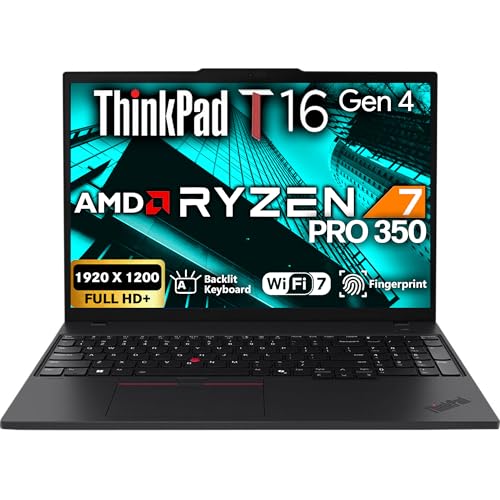
Lenovo ThinkPad T16 Gen 4 (Ryzen 7 AI Pro) — Big-screen closer
The T16 Gen 4 is the presenter’s ThinkPad: a sixteen-inch FHD+ display carrying the deck, an AMD Ryzen 7 AI Pro 350 processor, thirty-two gigabytes of DDR5 memory, a one-terabyte SSD, a five-megapixel webcam, a fingerprint reader, a backlit keyboard, Wi-Fi 7 and Bluetooth, and an RJ45 Ethernet port, on Windows 11 Pro in black. Every element of that listing serves the seller whose laptop is the show — the one presenting from the machine itself at a boardroom table, running the configurator live, keeping the pricing model and the CRM open beside the slides.
Thirty-two gigabytes and a terabyte change the category of work the laptop can host. Demo environments, local copies of the catalogue, the heavy spreadsheet that prices the deal while the client watches — the T16 holds them simultaneously without the presenter developing a closing-down-things habit between meetings. The five-megapixel camera is the other revenue-facing specification: on video calls, this seller arrives in visibly higher fidelity than the room’s other participants, and in a profession where presence is product, that difference compounds across a quarter of calls.
Wi-Fi 7, the newest wireless in this guide, future-proofs the machine for the client buildings and hotels already upgrading — and the RJ45 covers the ones that never will. ThinkPad’s keyboard earns its mention for the follow-up work: the proposal drafted in the hotel that evening is typed on the best laptop keyboard in the business, and the chassis’s serviceability means the machine can be kept across several sales cycles, growing more familiar rather than more fragile.
Size signs the trade. Sixteen inches in the bag is a decision, and the rep whose territory is airports and taxis should test the carry honestly against the fourteen-inch picks. But for the car-based territory, the desk-and-client rhythm, the presentation that happens on the laptop’s own screen — the T16 is the guide’s big-canvas answer, and it does not apologise for the shoulder it asks for.
At a glance:
- Display: 16-inch FHD+
- Processor: AMD Ryzen 7 AI Pro 350
- Memory: 32GB DDR5 RAM
- Storage: 1TB SSD
- Camera: 5MP webcam
- Sign-in: fingerprint reader
- Keyboard: backlit
- Wireless: Wi-Fi 7 and Bluetooth
- Connections named in the title: RJ45 Ethernet
- Operating system: Windows 11 Pro
Strengths
- Thirty-two gigabytes and a terabyte host demos, models and the catalogue locally
- 5MP camera gives video selling a visibly professional edge
- Wi-Fi 7 and RJ45 together cover the newest and oldest buildings on the territory
Trade-offs
- Sixteen-inch chassis is the heaviest carry in this guide — test it against an airport territory
- FHD+ resolution spreads across sixteen inches less densely than on the fourteen-inch picks
- ThinkPad styling is sober; sellers who present to design-led clients may prefer the EliteBook’s polish
Presenters can judge the canvas at the listing: check the T16 Gen 4’s price on Amazon and confirm the 32GB configuration before it joins the territory.
Best for: Presentation-heavy sellers on car-based territories who run demos and pricing models locally.
Not suited for: An airport-hopping rep — the fourteen-inch machines carry that life with less argument.

HP EliteBook 840 (Ultra 7-165H) — Touchscreen presenter
The EliteBook 840 brings HP’s polish to the presenter’s problem, and adds the one input method the rest of the guide lacks. Its listing: a fourteen-inch touchscreen IPS WUXGA display, an Intel Ultra 7-165H processor, sixteen gigabytes of DDR5 memory, five hundred twelve gigabytes of SSD storage, Intel graphics, a backlit keyboard, two Thunderbolt 4 ports, Wi-Fi 6E and a webcam, on Windows 11 Pro. The EliteBook line is the machine enterprises hand to people who represent them, and the 840’s specification reads as representation equipment: bright, touchable, credible on camera and calm under a deck.
Touch changes presenting in the rooms where presenting actually happens. Standing at the client’s own table, the seller who taps the configurator, pinches into the detail photograph and swipes to the pricing slide is performing a fluency that a trackpad, however skilful, performs less visibly. In the one-to-one meeting — two chairs, one laptop between them — touch turns the screen into a shared document rather than a guarded one. For consultative sellers whose meetings are conversations, that quality is worth a specification line of its own, and the 840 is the only pick here offering it.
The Ultra 7-165H is the strongest processor badge among the fourteen-inch picks, giving the machine headroom for the local demo or the heavy model when the territory demands it, while two Thunderbolt 4 ports build the hotel-desk and office-dock arrangements in one cable each. Wi-Fi 6E keeps the wireless modern. Sixteen gigabytes suits the cloud-first stack; the demo-heavy seller should again weigh the thirty-two-gigabyte machines, because touch does not substitute for memory when the show runs locally.
Choose the 840 for the meeting style it enables: tactile, polished, two-chairs-and-a-screen selling, backed by the enterprise line’s service story. It is the presenter’s pick in the most literal sense — the one whose interface is designed to be touched in front of an audience.
At a glance:
- Display: 14-inch touchscreen IPS WUXGA
- Processor: Intel Ultra 7-165H
- Graphics: Intel graphics, as stated in the listing title
- Memory: 16GB DDR5
- Storage: 512GB SSD
- Ports named in the title: 2x Thunderbolt 4
- Wireless: Wi-Fi 6E
- Camera: webcam, as stated in the listing title
- Operating system: Windows 11 Pro
Strengths
- Touchscreen turns one-to-one presenting into a shared, tactile performance
- Strongest fourteen-inch processor here for territories that occasionally demo locally
- EliteBook polish presents the firm as well as the product
Trade-offs
- Sixteen gigabytes caps the local-demo ambition the processor invites
- Touchscreens collect fingerprints — the presenter’s cloth becomes kit
- No Ethernet named in this title; wired buildings mean a dock or adapter
Consultative sellers can start with the touchscreen in person if a showroom allows; meanwhile view the EliteBook 840’s current Amazon price and confirm the WUXGA touch configuration.
Best for: Sellers whose meetings are conversations across a shared screen, in HP-polished hardware.
Not suited for: A wired-building specialist who wants Ethernet in the chassis — the Dells and the T16 carry it natively.

Dell Latitude 5550 — Desktop-territory Dell
The Latitude 5550 serves the seller whose territory is a desk, a car and a circuit of familiar client sites — the regional account manager rather than the flying rep. A fifteen-point-six-inch full-HD IPS anti-glare display, an Intel Ultra 5 125U, thirty-two gigabytes of DDR5 memory, a one-terabyte SSD, Thunderbolt 4, RJ45 Ethernet and a numeric keypad, on Windows 11 Pro. The specification spends on the desk virtues: memory for the pricing models and account histories, storage for the local archive of proposals and contracts, and the keypad that quote-building quietly depends on.
Numeric keypads are the unsung specification of sales work. Quotes, forecasts, discount matrices, the expense spreadsheet at month end — the number-heavy half of selling flows through those right-hand keys, and sellers who have had a keypad feel its absence in every hotel-desk session on a lesser machine. Fifteen point six inches gives the keypad its room and the spreadsheet its columns in the same gesture, which is why this size persists in business lines long after consumer fashion moved on.
Thirty-two gigabytes and a terabyte, again, serve the local working style: the account’s whole history on the machine, the demo environment installed rather than streamed, the proposal archive searchable in a client’s car park with no signal. Thunderbolt and RJ45 cover the dock at base and the wired desks along the circuit. The 5550’s positioning as the previous generation of Dell’s larger Pro line is stated in its title, and the value logic follows the familiar pattern — proven design, full specification, the newer badge’s premium declined.
Carrying is the honest cost: this is a machine that travels by car boot and lives on desks, and the rep whose bag goes through airports weekly should take the fourteen-inch picks’ side of the argument. For the desk-and-circuit seller, the 5550 is the guide’s most complete workhorse — the one that treats selling’s paperwork half with the same respect as its presentation half.
At a glance:
- Display: 15.6-inch FHD IPS anti-glare
- Processor: Intel Ultra 5 125U
- Memory: 32GB DDR5
- Storage: 1TB SSD
- Ports named in the title: Thunderbolt 4, RJ45 Ethernet
- Keyboard detail named in the title: numeric keypad
- Operating system: Windows 11 Pro
- Camera specification: Not stated in the listing title — verify with the maker’s documentation
Strengths
- Numeric keypad and big screen serve the quote-and-forecast half of selling
- Thirty-two gigabytes and a terabyte suit the local-archive working style
- RJ45 and Thunderbolt cover the circuit’s wired desks and the home dock
Trade-offs
- Size and weight assign it to car-based territories and desks
- Camera is not specified in the title — video-heavy sellers should confirm it on the listing
- Previous-generation line positioning, as its title states
Regional account managers can spec it from the listing: check the Latitude 5550’s price on Amazon and confirm the 32GB, terabyte configuration.
Best for: Desk-and-car sellers whose quotes, forecasts and archives live on the machine itself.
Not suited for: A flying rep — the fourteen-inch Latitudes carry the same brand virtues in a kinder size.

HP EliteBook 6 G1a 16″ (32GB) — Largest HP canvas
The guide closes with HP’s largest answer: the EliteBook 6 G1a in a sixteen-inch FHD+ anti-glare body, with an AMD Ryzen 7 250 processor the title rates above an Ultra 7 165U, thirty-two gigabytes of DDR5 memory, a one-terabyte SSD, two Thunderbolt 4 ports, fast charge, a numeric keypad, Wi-Fi 7, a backlit keyboard and Windows 11 Pro, in an AI PC positioning. It is the EliteBook polish of the 840 scaled up to the canvas of the T16, with the memory and storage of the local-working style — the machine for the seller who presents from the laptop’s own screen to a table of people and then prices the deal on the same device.
Sixteen inches changes a presentation’s social geometry. Two or three people across a table can read the deck without crowding; the configurator’s detail survives at arm’s length; the pricing page does not need to be passed hand to hand. Fast charge suits the rhythm of a day built from other people’s offices — the machine refuels during the working lunch — and Wi-Fi 7 with dual Thunderbolt covers the connectivity future and present in one specification. The keypad rides in the wide chassis for the quote work that follows the applause.
Thirty-two gigabytes behind a Ryzen 7 of this positioning gives the local-demo seller their headroom in HP’s design language — the alternative to the T16 for the same working style, decided by brand ecosystem, keyboard taste and which chassis a seller would rather be seen with. EliteBook’s enterprise support story stands behind it, which matters for a machine carrying a territory’s whole pipeline.
As with the T16, the carry is the consideration to sign knowingly: sixteen-inch machines are car-and-desk citizens. Within that citizenship, the G1a is as complete as this guide’s specifications get — canvas, memory, storage, ports, charging and wireless all at their current marks — and a seller whose presentations happen on the laptop itself will find it the most self-sufficient stage here.
At a glance:
- Display: 16-inch FHD+ anti-glare
- Processor: AMD Ryzen 7 250
- Memory: 32GB DDR5
- Storage: 1TB SSD
- Ports named in the title: 2x Thunderbolt 4
- Charging: fast charge, as stated in the listing title
- Keyboard detail named in the title: numeric keypad, backlit
- Wireless: Wi-Fi 7
- Operating system: Windows 11 Pro
Strengths
- Largest HP canvas with the full local-working specification — 32GB and a terabyte
- Fast charge fits the borrowed-socket rhythm of client-site days
- Wi-Fi 7 and dual Thunderbolt settle connectivity for the machine’s whole service life
Trade-offs
- Sixteen-inch carry is a car-and-desk commitment, not an airport one
- Camera specification is not stated in the title — confirm it for video-heavy selling
- EliteBook completeness carries enterprise-line pricing
Table presenters can judge the whole specification at the listing: view the EliteBook 6 G1a’s current Amazon price and confirm the 32GB configuration.
Best for: Sellers who present to small groups from the laptop itself and price the deal on the same machine.
Not suited for: A high-mileage flying rep — HP’s own 840 carries the brand’s virtues in the travel size.
What should a seller know about battery claims and the borrowed socket?
Battery figures in laptop marketing are measured in conditions no sales day has ever reproduced — dim screens, gentle tasks, no video calls — so the professional reads them as comparisons between machines rather than promises about Tuesdays. The useful questions are the practical ones this guide has threaded through its picks: does the machine charge fast when a fragment of socket time appears, does its processor platform sip rather than gulp during the browser-and-calls workload that fills a field day, and does it wake from sleep with its charge intact after a night in the bag? A laptop that answers those three well will feel like an all-day machine even if its laboratory number matched a rival’s exactly.
The borrowed socket deserves its own etiquette and strategy. Strategy: charge opportunistically — at headquarters, in the café, during the working lunch — rather than heroically at the day’s end, because small top-ups across the day keep the machine out of the anxiety zone entirely. Etiquette: the rep who asks a client’s facilities for power mid-meeting spends a little of the meeting’s authority, which is why the fast-charge picks in this guide matter commercially and not just technically. The goal is a laptop whose battery is simply never a topic in front of a customer.
Finally, batteries age, and a sales laptop’s second year is where the ageing shows. Business lines earn part of their premium here: replacement batteries stay available, and the swap — by a technician or a confident owner — restores the machine’s first-year manners instead of ending its career. A rep standardising on any pick in this guide should note the battery’s part number in the same document as the adapter kit list, because the quarter when the battery fades is never the quarter with time to research it.
How do docks and hotel desks turn one laptop into two workplaces?
The modern sales laptop lives two lives — the road life described throughout this guide, and a desk life at home or headquarters where it becomes the centre of a proper workstation. Thunderbolt, named across these listings, is the hinge between the lives: one cable at the desk wakes the big monitor, the full keyboard, the wired network and the backup drive, and one cable’s removal returns the machine to the bag. Sellers who set that desk up deliberately — dock placed once, cables settled, the spare charger living at the desk so the bag’s charger never unpacks — remove a daily friction whose cumulative cost is measured in late starts and forgotten adapters.
The hotel desk is the desk life’s travelling version, and it rewards the same deliberateness in miniature. The television becomes the second screen for the evening’s proposal work with the cable from the tested kit; the laptop rises to eye level on whatever the room provides for the morning’s video call; the charger claims the socket nearest the desk rather than the one behind the bed. None of this is technology. All of it is the difference between a road evening that produces tomorrow’s deck and one that produces only fatigue, and the laptops here — with their ports, cameras and charging manners — were chosen to make the productive version easy.
There is a security footnote to the two-lives pattern that sales organisations should state out loud: the machine that docks everywhere also connects everywhere, to client networks, hotel Wi-Fi and conference-room systems of unknown hygiene. The business platforms in this guide carry the professional security layer — encryption, managed updates, sign-in hardware — and the rep’s part is to keep it switched on and let the VPN do its work. A sales laptop holds a pipeline’s worth of other companies’ confidences; its manners on foreign networks are part of the firm’s reputation, exactly like its camera.
What does the second year of a sales laptop look like, and how is it kept presentable?
A sales laptop is a public object for its whole life, so its second year deserves planning at purchase time. The screen that faces clients should stay bright and unscratched — a sleeve in the bag, a cloth for the presenter’s fingerprints, no pens stored against the lid. The keyboard that a prospect watches its owner type on should stay clean; the chassis corners take the knocks that a sleeve prevents. None of this is vanity. A seller’s equipment is read as evidence about the firm’s standards by exactly the people trained to read evidence, and a shabby laptop argues against its owner in a voice too quiet to rebut.
Performance in the second year is a housekeeping story rather than a hardware one. The CRM grows, the deck library accretes versions, the downloads folder becomes an archaeological site — and the thirty-two-gigabyte, terabyte picks in this guide postpone the reckoning longest, while every pick benefits from a quarterly tidy: archives to the firm’s storage, installers deleted, the desktop returned to the state it had when the machine impressed its first room. Sellers rehearse their pitches; the machine that delivers the pitch deserves the same quarterly rehearsal.
The last second-year topic is the exit. When the laptop is replaced — by cycle, by promotion, by the firm’s refresh — its drive holds client contacts, pricing and correspondence that belong to the company. Business machines make the handover clean: the data migrates, the drive is wiped under policy, the machine re-enters service or disposal with nothing of the territory left on it. Planning that exit at purchase, by choosing lines with proper management tooling, is the final unglamorous virtue this guide will praise — and the one that protects every client who ever trusted the person carrying the bag.
One more road habit separates the veterans from the hopeful: the evening download. Before sleep in the hotel, tomorrow’s decks, price lists and client files are pulled down to the machine itself, because the morning’s building may have Wi-Fi that is slow, captive or simply down, and a seller who can present entirely from local storage is immune to all three. The terabyte picks here make that habit effortless; the half-terabyte travellers can practise it too, with a folder discipline that keeps the current week’s work local and the archive in the cloud. It is a small ritual, repeated nightly, and like most rituals that survive in sales it exists because it once saved a meeting that mattered.
How do the six compare side by side?
| Pick | Display | Memory | Storage | Signature feature from the title |
|---|---|---|---|---|
| Latitude 5450 | 14″ FHD IPS | 16GB DDR5 | 512GB SSD | 1080p IR webcam, 2x Thunderbolt 4, fast charge |
| Dell Pro 14 | 14″ FHD+ anti-glare | 16GB | 512GB SSD | IR webcam, Thunderbolt 4, Ethernet |
| ThinkPad T16 Gen 4 | 16″ FHD+ | 32GB DDR5 | 1TB SSD | 5MP webcam, Wi-Fi 7, RJ45 |
| EliteBook 840 | 14″ touch IPS WUXGA | 16GB DDR5 | 512GB SSD | Touchscreen, 2x Thunderbolt 4 |
| Latitude 5550 | 15.6″ FHD IPS anti-glare | 32GB DDR5 | 1TB SSD | Numeric keypad, RJ45 |
| EliteBook 6 G1a | 16″ FHD+ anti-glare | 32GB DDR5 | 1TB SSD | Fast charge, numeric keypad, Wi-Fi 7 |
The table divides the profession in two, as the guide has throughout: the fourteen-inch cloud-first travellers, light on local bulk and rich in road manners, and the larger local-working machines that carry the demo, the archive and the keypad. A seller who knows which half of the profession they practise can choose from this table in one pass — and defend the choice in the language of meetings held rather than megahertz.
What mistakes do sales workers make when buying a laptop?
The expensive mistake is buying the desk specification for a road life — the big, heavy, locally powerful machine that spends its days in a bag, draining its battery on a train and presenting through a webcam nobody checked. Selling happens at the seams: the wake, the sign-in, the connection, the call. A laptop chosen for those moments, like the fourteen-inch picks here, outperforms a benchmark champion in the only arena the profession scores.
A second mistake is ignoring the camera until the first important video call. Sellers rehearse pitches, dress for meetings and print on good paper, then appear to the quarter’s biggest prospect through a bargain webcam in a dim frame. The camera specifications in these listings — ten-eighty-p infrared, five-megapixel — are commercial equipment, and a video-era seller should budget for them as deliberately as for the suit.
Third, there is the port gamble: arriving at the year’s important room with a laptop whose connection story was never rehearsed. The fix is embarrassingly cheap — the tested adapter kit, matched to the machine, in the bag — but it has to be bought and tested before the room, not improvised in it. Every pick here offers a workable port story; the mistake is failing to learn which story your own machine tells.
Fourth, salespeople underbuy for their actual working style in the name of travelling light. The cloud-CRM rep genuinely needs no more than the sixteen-gigabyte travellers here; the demo-and-modelling seller who buys the same machine to save weight will spend the year apologising to it. The guide’s split between the two styles is its most important structural decision — locate yourself honestly in it before locating your credit card.
Finally, there is the presentability blind spot: forgetting that the laptop is seen. A machine that looks battered, sounds strained or arrives with a screen full of fingerprints argues against its owner before a word is spoken. Business lines hold their appearance and their manners across years of this scrutiny, which is a final, sufficient reason they own this guide from first pick to last.
Final Recommendation
For the classic field territory the Latitude 5450 remains the recommendation to beat — camera, sign-in, ports and fast charge in the size a bag forgives — with the Dell Pro 14 as its current-generation alternative for buyers standardising on the new line. Sellers whose meetings are conversations should take the EliteBook 840’s touchscreen seriously; sellers who carry the show locally should choose between the T16’s ThinkPad completeness and the EliteBook 6 G1a’s HP canvas, both with the memory and storage the style demands; and the desk-and-circuit account manager will find the 5550’s keypad and archive room quietly perfect.
Buy the laptop for the thirty seconds before the demo and the eight hours after it — the wake, the camera, the ports, the battery that never becomes a topic — and it will sell alongside you for years, which is the only performance review this profession ultimately reads.
Frequently Asked Questions
How much memory does a sales laptop really need?
It depends on where the work lives. A cloud-CRM seller — browser, office suite, video calls, decks — runs comfortably on the sixteen gigabytes carried by the fourteen-inch picks here. A seller who hosts demo environments, local catalogues and heavy pricing models should take the thirty-two-gigabyte machines: the T16, the Latitude 5550 or the EliteBook 6 G1a. The honest test is your busiest current day, not the average one.
Is a fourteen-inch screen big enough for presenting?
For one-to-one and small-table meetings, yes — especially the touch-enabled EliteBook 840, where the screen is a shared document. For presenting to a table of people from the laptop itself, the sixteen-inch picks earn their carry. And in the many rooms with their own screens, the laptop’s display matters less than its ports and your tested cable kit, which is why this guide weighs those so heavily.
Why do these listings emphasise infrared and five-megapixel cameras?
Because video is now a primary sales channel and the camera is the salesperson’s face in it. Infrared units enable face sign-in that works in dim rooms — part of the fast-wake promise — and generally mark the better camera modules; five-megapixel units, like the ThinkPad T16’s, render their owner in visibly higher fidelity. In a profession built on first impressions, those are revenue specifications, not vanity ones.
Should a sales worker buy a consumer laptop instead and save the difference?
The saving is real and so is what it costs: business lines bring the serviceability, the port sets, the sign-in hardware, the battery availability and the multi-year support that field work consumes. A sales laptop’s failure mode is a cancelled meeting in front of witnesses, which reprices the consumer saving quickly. For a machine that presents for a living, the business tier is the professional choice this guide stands behind.
How long should a sales laptop serve before replacement?
Plan on a full replacement cycle of three to four years, which is why this guide favours current platforms, fast charging that masks battery ageing, and lines whose batteries and parts stay available. The machine’s public life — screens, keyboards, chassis — also argues for business build quality: it must still look like the firm’s standard in year three, in the room where the renewal is decided.
What should a sales worker do when the venue’s network or screen will not cooperate?
Plan as if it will not, because eventually it will not. Before leaving, download the deck, the pricing sheets and any demonstration material onto the laptop itself rather than trusting a venue connection or a cloud link, and keep a copy on the phone as a second route to the same story. On arrival, connect to the room’s screen during setup rather than in front of the audience, and be ready to present from the laptop’s own display at the table if the shared screen defeats the cable kit. Where the meeting genuinely needs live systems, a phone hotspot arranged in advance beats negotiating with an unfamiliar guest network while clients watch the clock, and any credentials or customer figures should already be on the machine under its normal sign-in rather than fetched mid-meeting. Finally, carry the analogue fallback without embarrassment: a printed one-page summary and a clear verbal walk-through have rescued more presentations than any adapter. The sellers who look unflappable in broken rooms are rarely improvising; they rehearsed the failure at their desks, decided each workaround in advance, and packed accordingly — which is why this guide treats preparation, not specifications alone, as part of what a road laptop is for.
Related Guides
Behind every good quarter sits a CRM database somebody has to keep fed, and our guide to the best laptops for database admistrators covers the high-memory machines that hold it.
The road does not care whether the presentation is a pitch deck or a portfolio; our guide to the best laptops for travel photographers starts from the same airports and hotel desks.
Best 17 Inch Windows Business Laptops
Best Laptops with Ethernet Port


