What's inside
- Key Takeaways
- Quick Picks
- How were these picks chosen for photo editing?
- What memory actually does inside a photo editor — and why the floor is only a floor
- Comparison table: editing priorities at a glance
- How should a photographer choose among these six?
- Screen size as a working decision: 13, 14, or 16 inches
- From card to delivery: how we put these machines through a shoot week
- The hybrid shooter: stills by day, video by deadline
- Tethered shooting and the calibrated desk: the workflow around the panel
- Common mistakes photographers make buying an editing laptop
- Backup architecture: the unglamorous half of every pick
- Final recommendation
- The two-screen darkroom: pairing the laptop with an external monitor
- Longevity: sensors grow, libraries grow faster
- Frequently asked questions
As an Amazon Associate I earn from qualifying purchases. This post may contain affiliate links at no extra cost to you.
gizmoverdict.com is reader-supported. When you buy through links on our site, we may earn an affiliate commission.
Where to buy: Creator laptops on Amazon include both manufacturer listings and configurator builds assembled by specialist sellers, and the distinction matters for warranty and specification alike, so read each title fully — one pick below is explicitly a HIDevolution configured build and is described that way in its review. Confirm memory and storage figures in the title of the exact unit, because creator model names repeat across configurations.
The search for the best laptops for photo editing 16gb ram starts from a number that is really a promise: sixteen gigabytes is the floor beneath which modern photo work starts to stutter, and every pick in this list carries at least that much in its listing title, with most carrying considerably more. A contemporary editing session is heavier than its reputation — a raw library in one application, a pixel editor holding several layered files, a browser of client galleries, and an export queue rendering in the background — and memory is the resource that decides whether those layers coexist gracefully or take turns evicting each other. Above the floor, the questions become about screens, because a photo laptop is judged by its panel the way a lens is judged by its glass: resolution for detail work, OLED contrast for shadow judgement, and stated brightness for real rooms.
Six machines made the cut, spanning a 13.3-inch convertible creator tool to 16-inch desk-dominating flagships, unified by three commitments. Every one states 16GB or more in its title, honouring the keyword’s promise pick by pick rather than on average. Every one pairs that memory with a display worth editing on — OLED panels dominate this list to a degree that would have been implausible five years ago. And every one carries the processing and graphics credentials for raw conversion and layered work, from Ryzen AI Max silicon to RTX discrete cards to Apple’s M5 Pro. Gamut and brightness claims appear only where a title states them; the rest of the time, this guide uses the spec-silence label and recommends a calibration habit instead of a fantasy figure.
Key Takeaways
- Every pick states at least 16GB in its title; four of the six actually carry 24GB to 64GB.
- The ASUS ProArt PX13 and the HIDevolution-built ProArt P16 both carry 64GB, the memory ceiling of this group.
- OLED displays appear on five of the six picks, including a 3.2K tandem OLED on the Yoga Pro 9i.
- The Yoga Pro 9i states a 1000-nits display figure, the only explicit brightness claim in the set.
- The MacBook Pro 14 with M5 Pro brings 24GB of unified memory and Apple’s Liquid Retina XDR panel.
- Discrete RTX 5060 and 5070 graphics appear on the Yoga Pro 9i, XPS 16, and ProArt P16 for GPU-accelerated work.
Quick Picks
| Pick | Model | Badge |
|---|---|---|
| 1 | ASUS ProArt PX13 | Best compact creator convertible |
| 2 | ASUS ProArt P16 (HIDevolution build) | Best maximum-specification workstation |
| 3 | Lenovo Yoga Pro 9i | Best display brightness and tandem OLED |
| 4 | Dell XPS 16 | Best premium big-screen editor |
| 5 | Apple MacBook Pro 14 M5 Pro | Best for Apple-ecosystem photographers |
| 6 | ASUS Vivobook S16 | Best value OLED route |
How were these picks chosen for photo editing?
Memory was the gate, applied without exceptions: a listing title had to state 16GB or more, and the shortlist then sorted itself by how far above the floor each machine climbs. The reasoning is practical. Raw files from modern sensors are large, layered edits multiply them, and the editing applications cache aggressively into whatever memory they find; the difference between 16GB and 32GB is felt as the difference between an export queue that runs during lunch and one that runs instead of lunch. Storage followed, because a photo library is the heaviest luggage most laptops ever carry, and the 1TB and larger drives earned their places accordingly.
Displays were assessed on stated facts alone — panel technology, resolution class, refresh, and the single stated brightness figure — with gamut claims deliberately withheld wherever a title withholds them. A photographer should read that silence correctly: it is an instruction to calibrate and to keep a known reference display in the workflow for final judgement, not a suggestion that these panels are poor. Graphics and processor credentials were weighed for the GPU-accelerated reality of current editing software, where denoise, masking, and export increasingly run on the graphics hardware. Photographers whose wider desk includes client and marketing work will find the companion logic in best laptops for digital marketing and pr, where several of these platforms reappear wearing business clothes.

1. ASUS ProArt PX13 — Best compact creator convertible
The ProArt PX13 is the argument that a creator laptop does not need to be a slab. Its 13.3-inch 3K OLED touchscreen folds through a 2-in-1 hinge, while the specification underneath reads like a workstation’s: a Ryzen AI Max+ 395 with a 16-core AMD AI CPU, a stated 126 TOPS of AI performance, 64GB of memory, and a 2TB drive. Sixty-four gigabytes in a 13-inch convertible rewrites what the small machine can hold — entire shoots cached, layered files stacked, denoise queues chewing through a wedding’s worth of raws — and the MicroSD reader stated in the title acknowledges the photographer’s actual media, sparing the adapter ritual at the exact moment cards come out of cameras.
The convertible form serves photography in specific ways. Folded flat, the PX13 becomes a tethered-review surface a client can hold; in tent posture it is the on-location proofing screen that stands on a cluttered studio table. Wi-Fi 7 and Bluetooth 5.4 keep the wireless current, and Windows 11 Pro underpins the package for photographers who are also businesses. The 126 TOPS figure matters increasingly as editing software moves masking, selection, and noise work onto local AI acceleration — tasks that once meant a coffee break now complete between sips, and they complete on the laptop rather than in a cloud queue.
Small size extracts its usual taxes. A 13.3-inch canvas crowds the interface of a serious editor, so the PX13’s natural habitat pairs it with an external monitor at the desk and exploits its portability everywhere else. Thermal density is the second tax: this much silicon in this little chassis will make its fans known during long exports, a fact of physics rather than a defect. Judged as the machine a working photographer carries to the shoot, tethers at the studio, and docks at night, the PX13 is the most complete compact creator tool in this list.
Strengths
- 64GB memory and 2TB storage in a 13.3-inch convertible format.
- MicroSD reader matches camera media without adapters.
- 126 TOPS of stated AI performance accelerates modern editing features.
Trade-offs
- 13.3-inch screen crowds detailed retouching without an external monitor.
- Colour gamut figures are not stated in the listing title.
- Compact chassis concentrates heat during long export queues.
Specification snapshot
- Processor: Ryzen AI Max+ 395, 16-core
- Display: 13.3-inch 3K OLED touch, convertible
- Memory / storage: 64GB / 2TB
- Card reader: MicroSD, per the listing title
- Colour gamut: Not stated in the listing title
Best for: location photographers tethering, proofing, and editing on the move. Not suited for: all-day pixel-level retouching performed solely on the 13.3-inch internal panel.
Portable without pretending to be modest — check price on Amazon and confirm the 64GB configuration in the title.
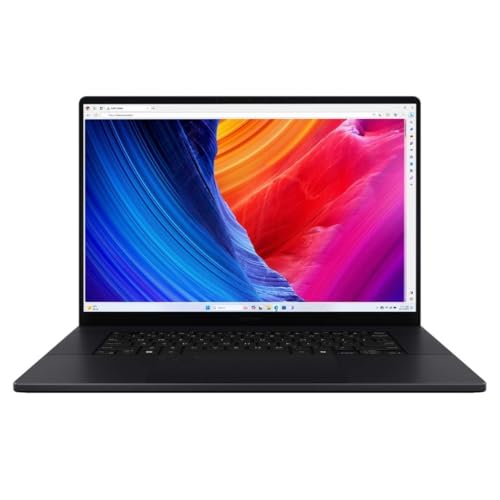
2. ASUS ProArt P16 (HIDevolution build) — Best maximum-specification workstation
This pick needs its provenance stated before its specifications: the ProArt P16 listed here is a HIDevolution configured build of ASUS’s 2025 ProArt P16 H7606WP, meaning a specialist configurator assembled this specification — a 16-inch 4K OLED touchscreen, a Ryzen AI 9 HX 370, an RTX 5070, 64GB of LPDDR5X memory, and a 4TB PCIe SSD — rather than it being a single factory configuration. That provenance is a feature when understood: configurators exist to offer the maximum specification a platform can carry, and 4TB of internal storage with 64GB of memory is exactly that ceiling, aimed at photographers whose libraries and layered archives have outgrown ordinary drives. Buyers should simply know whose warranty and support conversation they are entering, and read the listing’s terms with that in mind.
As a photo workstation, the numbers compose a clear argument. The 4K OLED touchscreen gives retouching the pixel density that makes sharpening and noise judgement honest at 100 percent view. The RTX 5070 accelerates the GPU-resident features of current editors. Sixty-four gigabytes of memory holds a panoramic stitch, a focus stack, and the library simultaneously without the swap-file shuffle. Four terabytes swallows years of raws internally, postponing the external-drive choreography that fragments a library across boxes. Windows 11 Pro completes the business footing.
The counterweights are scale and provenance discipline. A 16-inch maximum-spec machine is a desk instrument that travels occasionally, not a daily carry; and a configured build demands the buyer verify every figure in the title against the delivered unit, because the configuration is the product. Photographers who want factory-standard simplicity have the XPS 16 and MacBook Pro below. Photographers who want the largest canvas and the deepest storage this list offers, and who read listings the way they read histograms, will find the HIDevolution ProArt P16 the most capable photo workstation here by a clear margin.
Strengths
- 4TB PCIe SSD is the largest internal photo library capacity in this group.
- 16-inch 4K OLED touchscreen suits 100-percent retouching judgement.
- 64GB LPDDR5X with RTX 5070 covers layered and GPU-accelerated work.
Trade-offs
- HIDevolution configured build — warranty and support run through the configurator’s terms.
- 16-inch maximum specification is a desk-first, travel-second machine.
- Colour gamut figures are not stated in the listing title.
Specification snapshot
- Build: HIDevolution configured ASUS ProArt P16 H7606WP (2025)
- Processor: Ryzen AI 9 HX 370
- Graphics: NVIDIA RTX 5070
- Display: 16-inch 4K OLED touch
- Memory / storage: 64GB LPDDR5X / 4TB PCIe SSD
Best for: high-volume photographers whose internal library has outgrown 1TB and 2TB drives. Not suited for: daily carry between locations where a 16-inch workstation becomes luggage.
Maximum specification, configurator provenance and all — see the HIDevolution ProArt P16 listing and read its build terms carefully.

3. Lenovo Yoga Pro 9i — Best display brightness and tandem OLED
The Yoga Pro 9i makes its case through the panel, and the panel’s stated facts are exceptional: a 16-inch 3.2K tandem OLED display at 120Hz with a stated 1000-nits brightness, the only explicit brightness figure in this entire round-up. Tandem OLED stacks two emissive layers, a technology associated with sustained brightness and panel longevity, and for photo work the combination translates into shadow detail that survives bright studio lighting and highlights that hold their gradation during judgement. Behind the screen, an Intel Ultra 9 285H with sixteen cores, an RTX 5060, 32GB of memory, and a 1TB SSD form a specification with no weak link for editing duty.
Thirty-two gigabytes is the configuration this guide informally treats as the professional comfort tier — the layered file, the library, the export queue, and the client call coexisting — and the Yoga Pro delivers it alongside the group’s best display. The RTX 5060 covers GPU-accelerated denoise and masking with headroom, and the Aura Edition positioning signals Lenovo’s creator-flagship intent. Windows 11 Pro keeps the machine inside business workflows for photographers invoicing commercial clients.
The judgements a photographer must still make personally are the familiar ones. The title states brightness and resolution but no gamut figure, so colour-critical sign-off should still pass through the photographer’s calibration routine; 1000 nits is a visibility claim, not an accuracy certificate. The 1TB drive, generous by laptop standards, is half the PX13’s capacity and a quarter of the P16 build’s, so library strategy matters sooner here. As a balanced flagship — best screen, strong silicon, professional memory tier — the Yoga Pro 9i is the pick that asks the fewest questions of its owner after purchase.
Strengths
- 3.2K tandem OLED with stated 1000-nits brightness leads this group’s displays.
- Ultra 9 285H and RTX 5060 pair strong processing with GPU acceleration.
- 32GB memory sits at the professional multitasking comfort tier.
Trade-offs
- Colour gamut figures are not stated in the listing title.
- 1TB storage fills faster than the 2TB and 4TB picks for library-heavy work.
- 16-inch format is a studio anchor rather than an everyday carry.
Specification snapshot
- Processor: Intel Ultra 9 285H, 16-core
- Graphics: NVIDIA GeForce RTX 5060
- Display: 16-inch 3.2K tandem OLED, 120Hz, 1000 nits (as titled)
- Memory / storage: 32GB / 1TB SSD
- Colour gamut: Not stated in the listing title
Best for: photographers editing in bright studios who prize display visibility. Not suited for: an internal-library strategy exceeding 1TB without external or cloud tiers.
The screen is the argument, so check the Yoga Pro 9i on Amazon while the tandem OLED configuration is listed.

4. Dell XPS 16 — Best premium big-screen editor
Dell’s XPS 16 is the establishment choice: a 16.3-inch OLED touchscreen at 120Hz in a premium chassis, driven by an Intel Ultra 9 285H with an RTX 5060, 32GB of memory, and a 1TB SSD, with three Thunderbolt 4 ports, a 1080p IR webcam, a fingerprint reader, backlit keys, and Wi-Fi 7. The specification reads like a checklist completed by a committee that understood the assignment — every daily friction a photographer meets, from docking to sign-in to wireless currency, has a stated answer. Dell titles it a Premium 4K Touchscreen Laptop and a Business AI PC simultaneously, and that dual identity suits the commercial photographer whose laptop is both darkroom and office.
The three Thunderbolt 4 ports deserve emphasis because photo desks are peripheral ecosystems: card readers, calibrated external monitors, fast backup drives, and tethering cables compete for connections, and the XPS 16’s trio plus docking keeps that ecosystem orderly. The IR webcam and fingerprint reader provide two biometric routes into an encrypted working day. Thirty-two gigabytes of memory and the RTX 5060 place it squarely in the professional tier alongside the Yoga Pro 9i, against which the honest comparison is brand ecosystem and panel details — Dell states a 4K-class touchscreen against Lenovo’s stated 3.2K tandem panel with its explicit brightness figure.
Premium positioning is the cost of admission, and the XPS line’s minimalist port philosophy means the dongle drawer remains part of the photographer’s kit despite the Thunderbolt abundance. The 1TB drive repeats the library-strategy caveat of its peers. What the XPS 16 returns is the most complete out-of-box professional package in this list from a single manufacturer listing — no configurator provenance to parse, no specification gap to apologise for — and for studios standardising on one vendor’s support, that administrative calm is a genuine feature.
Strengths
- Three Thunderbolt 4 ports organise a peripheral-heavy photo desk.
- 16.3-inch OLED 120Hz touchscreen anchors a premium editing canvas.
- IR webcam plus fingerprint reader give two secure sign-in routes.
Trade-offs
- Colour gamut figures are not stated in the listing title.
- 1TB storage requires a library strategy for high-volume shooters.
- Premium single-manufacturer positioning carries the group’s establishment price.
Specification snapshot
- Processor: Intel Ultra 9 285H
- Graphics: NVIDIA RTX 5060
- Display: 16.3-inch OLED touchscreen, 120Hz
- Memory / storage: 32GB / 1TB
- Ports: 3x Thunderbolt 4; Wi-Fi 7
Best for: commercial studios standardising on one manufacturer’s premium platform. Not suited for: a card-reader-and-drive desk that refuses docks and adapters on principle.
Establishment polish with creator muscle — view the XPS 16 on Amazon to confirm the Ultra 9 configuration.

5. Apple MacBook Pro 14 M5 Pro — Best for Apple-ecosystem photographers
Apple’s professional laptop needs no introduction to photographers, many of whom learned their craft inside its ecosystem, and the 2026 M5 Pro configuration continues the lineage: a 15-core CPU and 16-core GPU M5 Pro chip, 24GB of unified memory, a 1TB SSD, Wi-Fi 7, and the 14.2-inch Liquid Retina XDR display in Space Black. The 24GB figure deserves a moment’s respect in a list organised around a 16GB promise — it clears the floor by half again, and Apple’s unified architecture spends memory with an efficiency that makes cross-platform number comparisons less direct than they appear. The XDR panel is the display photographers in this ecosystem already trust for HDR judgement and highlight detail.
The ecosystem argument is the real specification. A photographer’s iPhone captures scouting shots that appear in the library without a cable; the same colour pipeline thinking runs from capture to edit; the resale and support infrastructure around the platform is the deepest in the industry. For studios collaborating with other Apple-based creatives — retouchers, art directors, printers running Mac-based RIPs — the MacBook Pro is less a choice than a dialect everyone already speaks. Wi-Fi 7 keeps the networking current for the platform’s long service life.
The boundaries are platform boundaries, stated plainly. Windows-only studio tools and peripherals with Mac-hostile drivers are the known frictions; the memory figure, while generous, is fixed at purchase in a way that makes the 24GB decision a four-year commitment; and photographers whose tethering or specialised software lives on Windows should not let ecosystem romance override a compatibility list. Within its world, though, the M5 Pro MacBook Pro is the reference machine — the one against which the Windows creators in this list are implicitly arguing, and arguing well, which is exactly what a healthy market looks like.
Strengths
- 24GB unified memory clears the 16GB promise with headroom to spare.
- Liquid Retina XDR display serves HDR and highlight judgement.
- M5 Pro platform anchors the deepest creator ecosystem in the industry.
Trade-offs
- macOS excludes Windows-only studio software and some peripheral drivers.
- Memory is fixed at purchase across a long service life.
- 14.2-inch canvas pairs best with an external monitor for desk retouching.
Specification snapshot
- Processor: Apple M5 Pro, 15-core CPU and 16-core GPU
- Display: 14.2-inch Liquid Retina XDR
- Memory / storage: 24GB unified / 1TB SSD
- Wireless: Wi-Fi 7
- Colour gamut: Not stated in the listing title
Best for: photographers whose capture, edit, and delivery chain already speaks Apple. Not suited for: a studio standardised on Windows-only tethering and print pipelines.
Ecosystem photographers already know their answer; check the MacBook Pro on Amazon to verify the M5 Pro build and finish.
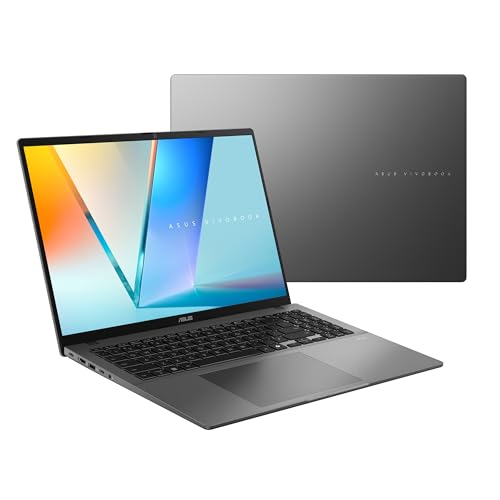
6. ASUS Vivobook S16 — Best value OLED route
The Vivobook S16 closes the list by making the OLED editing experience accessible: a 16-inch 16:10 WUXGA OLED display, an AMD Ryzen AI 9 465 processor with Radeon graphics, 32GB of memory, and a 1TB SSD in a Matte Gray chassis running Windows 11 Home. Read that specification against the flagships and the value logic sharpens — the memory tier is the professional 32GB, the storage is the full terabyte, the panel is OLED, and the savings arrive through the graphics class and the operating-system edition rather than through the specifications photographers feel hourly. For an enthusiast stepping up from a general laptop, or a working photographer equipping a second seat, that allocation is intelligently aimed.
Radeon integrated graphics set the honest ceiling. Current editing software leans on the GPU for denoise, masking, and acceleration, and integrated graphics perform those duties respectably at moderate file sizes while conceding speed to the RTX machines on the heaviest AI-driven tasks. The Copilot+ PC designation signals the platform’s AI acceleration tier for the features that use it. Windows 11 Home, rather than Pro, trims the business management layer that commercial studios may want — a sole practitioner will not miss it; a studio fleet manager will.
The S16’s role in a photographer’s life is often the beginning of the serious years: the machine on which a hobby becomes a portfolio and a portfolio becomes bookings. Its OLED panel teaches the eye what good shadow detail looks like, its memory prevents the beginner’s frustration of an editor that stalls mid-export, and its price leaves budget for the lens, the calibration tool, and the backup drives that matter as much as the computer. Flagship buyers have their machines above; the Vivobook S16 is the door into the same room.
Strengths
- 32GB memory and OLED panel at the group’s accessible end.
- 1TB SSD holds a growing library without immediate external tiers.
- 16-inch 16:10 format gives editing interfaces vertical room.
Trade-offs
- Integrated Radeon graphics concede AI-feature speed to the RTX picks.
- Windows 11 Home omits the Pro edition’s management tooling.
- Colour gamut figures are not stated in the listing title.
Specification snapshot
- Processor: AMD Ryzen AI 9 465
- Graphics: Radeon integrated graphics
- Display: 16-inch WUXGA OLED, 16:10
- Memory / storage: 32GB / 1TB SSD
- Operating system: Windows 11 Home
Best for: advancing enthusiasts and second-seat studio machines on a budget. Not suited for: the heaviest AI denoise queues where discrete RTX graphics set the pace.
The sensible first serious editing laptop — see the Vivobook S16 listing for its current configuration.
What memory actually does inside a photo editor — and why the floor is only a floor
Memory in photo editing is not an abstract specification; it is the difference between an application that thinks ahead and one that thinks again. When a raw file opens, the editor builds a full-resolution working copy and keeps the history of every adjustment available for instant reversal. Add a second file as a layered composite and the copies multiply; add a panorama and the editor assembles a temporary canvas larger than any single frame the camera has ever taken; start an export queue and each rendering job wants its own workspace while the photographer continues editing in front of it. Sixteen gigabytes accommodates that choreography for one file at a time with a well-behaved library. Thirty-two gigabytes lets the choreography overlap. Sixty-four gigabytes — the PX13 and the HIDevolution P16’s tier — removes the choreography from the photographer’s attention entirely, which is the real product being sold at that level: not speed, but the absence of interruption.
The storage side of the partnership deserves equal clarity, because memory and drive work as a team under pressure. When memory fills, the editor spills its working data to the drive, and the speed of that drive decides whether the spill is a shrug or a stall. Every pick here carries fast solid-state storage, and the larger drives hold a second advantage that has nothing to do with capacity: a drive kept below two-thirds full sustains its performance better than one gasping at the red line, which is a practical argument for the 2TB and 4TB configurations that pure capacity arithmetic understates. Photographers planning a complete mobile workstation can extend the same headroom logic to the field kit discussed in best 15.6 laptops with swappable battery, where serviceable hardware serves a different but related discipline — equipment chosen for the worst day, not the average one.
There is also a buying-sequence lesson inside the memory story. Of every specification in these six machines, memory is the one most firmly frozen at purchase, while storage can be supplemented externally and graphics needs can be renegotiated by changing software habits. A rational budget therefore protects memory first, exactly as this list’s ordering implies: the floor is honoured by all, the comfort tier is 32GB, and the professional ceiling in this group is 64GB. Photographers who understand which tier their layer counts and export habits truly occupy will find one of these six machines feels less like a purchase and more like a promotion for their future work.
Comparison table: editing priorities at a glance
| Model | Screen | Memory | Storage | Graphics |
|---|---|---|---|---|
| ASUS ProArt PX13 | 13.3-inch 3K OLED touch | 64GB | 2TB | Ryzen AI Max+ 395 platform |
| ASUS ProArt P16 (HIDevolution) | 16-inch 4K OLED touch | 64GB | 4TB PCIe SSD | RTX 5070 |
| Lenovo Yoga Pro 9i | 16-inch 3.2K tandem OLED, 1000 nits | 32GB | 1TB SSD | RTX 5060 |
| Dell XPS 16 | 16.3-inch OLED touch, 120Hz | 32GB | 1TB | RTX 5060 |
| Apple MacBook Pro 14 M5 Pro | 14.2-inch Liquid Retina XDR | 24GB | 1TB SSD | M5 Pro 16-core GPU |
| ASUS Vivobook S16 | 16-inch WUXGA OLED | 32GB | 1TB SSD | Radeon integrated |
How should a photographer choose among these six?
Start with the library, because it is the heaviest fact in the room. Estimate the honest size of the archive and its annual growth; the answer sorts the 1TB machines from the 2TB PX13 and the 4TB HIDevolution P16 faster than any other question, and it should be answered with the same pessimism photographers apply to backup planning. Next, decide where editing physically happens. A desk-anchored studio earns the 16-inch panels and docks; a location practice earns the PX13’s convertible portability or the MacBook Pro’s balanced carry; the Vivobook S16 serves the photographer whose studio is a kitchen table and whose ambition is larger than their current machine.
Memory follows workload shape. Sixteen gigabytes is this list’s promise and its floor, but no pick here actually stops at the floor — the working tiers are 24GB, 32GB, and 64GB, and the choice among them is about simultaneous appetite: layered files, stitching, focus stacking, and export queues all drinking at once. Photographers whose work is single-file editing with disciplined layer counts will live happily at 32GB; compositors and high-volume studios should read the 64GB pair as their shortlist. Graphics follow the software’s centre of gravity: AI denoise and masking devotees benefit from the RTX machines, while the MacBook Pro’s unified GPU and the PX13’s AI platform make their own acceleration cases.
Close with the colour discipline that no purchase can replace. Only the Yoga Pro 9i states a brightness figure; none of the six titles states a gamut, so the professional routine is calibration on arrival, a known reference for final sign-off, and soft-proofing for print destinations. Hardware buying done honestly admits which judgements remain the photographer’s — and equips them with panels worth making those judgements on. Wedding and event shooters assembling a complete mobile office may also appreciate the convertible logic in best 2 in 1 portable laptops for writers, since the proofing half of photography and the drafting half of writing reward the same fold-flat habits.
Screen size as a working decision: 13, 14, or 16 inches
The six picks divide into three size classes, and the classes correspond to three honest theories of photographic work. The 13.3-inch PX13 embodies the field theory: the laptop is a capture-and-proof instrument, present at the shoot, small enough to live in the camera bag’s ecosystem, and paired with a serious monitor wherever final judgement happens. Its 3K resolution keeps the small canvas information-dense, and its convertible hinge adapts the screen to the chaotic surfaces of real locations. Photographers who shoot on location weekly and edit at a fixed studio desk will recognise their own rhythm in that theory immediately.
The 14.2-inch MacBook Pro represents the balanced theory: one machine, credibly portable, credibly a desk editor, the size class the industry has converged on for professionals who refuse to specialise their hardware by location. Its XDR panel argues that a single screen can serve both the field glance and the studio judgement when the photographer’s calibration discipline travels with it. The 16-inch class — Yoga Pro 9i, XPS 16, the HIDevolution P16, and the Vivobook S16 — embodies the studio theory: the panel is the darkroom, sized for the interface’s panels and palettes to coexist with the image at a working scale, and portability is a property the machine has rather than a purpose it serves. Interface real estate is the under-discussed variable in this choice: editing software surrounds the photograph with tools, and on a 13-inch screen the photograph can shrink to a postage stamp unless the photographer masters the hide-everything shortcuts, while a 16-inch panel leaves the image sovereign with the tools in attendance.
Resolution interacts with size in ways the marketing numbers obscure. A 3.2K panel at 16 inches and a 3K panel at 13.3 inches deliver different pixel densities and therefore different 100-percent-view behaviours; photographers should think in terms of how much of a frame they can inspect at actual pixels without scrolling, and how the interface scales in their editor of choice. Refresh rate, 120Hz on the Yoga Pro and XPS, matters least for stills and most for the hybrid video work discussed earlier. The correct conclusion is not that one class wins, but that a photographer’s calendar — location days versus studio days, tethered versus untethered, stills versus hybrid — should pick the class before the badge is even considered. These six machines were arranged so that each class holds at least one genuinely excellent representative, and the buyer’s task is the autobiographical one of knowing which photographer they actually are.
From card to delivery: how we put these machines through a shoot week
Our evaluation follows a photographer’s actual week rather than a synthetic chart. Ingest day loads each machine with two cards from a weekend shoot, builds previews, and applies ratings at speed; the PX13’s MicroSD reader and the big-storage machines earn their first marks here, because ingest is where a photographer’s patience is thinnest. Cull-and-edit days stress memory honestly — a thousand-frame library, a dozen layered hero files, an export queue running behind the retouching — and the 64GB pair simply never make their owners think about resources, while the 32GB tier handles the same week with ordinary awareness.
Delivery day is the panel examination. Exports are judged, client galleries are proofed, and prints are soft-proofed, and the OLED machines’ shadow rendering plus the Yoga Pro’s stated brightness separate themselves from ordinary laptop screens in the only way that matters — a photographer’s confidence at the moment of sending. The MacBook Pro’s XDR earns its ecosystem’s loyalty in the same hour. By week’s end the pattern is stable: photographers forgive a heavy bag and a loud fan long before they forgive a dim panel, a stalling editor, or a library that outgrew its drive mid-season, and this list was ordered by exactly those forgiving priorities.
The hybrid shooter: stills by day, video by deadline
The modern photographer’s laptop rarely edits photographs alone. Client packages now bundle highlight films, behind-the-scenes reels, and vertical cuts for social channels, and the machine that culls the raws at noon is rendering the teaser by six. That hybrid reality quietly reshapes the specification argument in favour of the graphics-equipped picks here. The RTX 5070 in the HIDevolution P16 and the RTX 5060 pair in the Yoga Pro 9i and XPS 16 accelerate video timelines and exports with the same hardware that speeds AI photo features, while the MacBook Pro’s M5 Pro media engines handle its platform’s codecs with an efficiency photographers in that ecosystem rely on daily. The Vivobook S16’s integrated graphics remain the honest boundary of the group — stills-strong, video-capable at moderate scales, and priced accordingly.
Memory’s role doubles in the hybrid workflow, because a video timeline and a photo library open simultaneously is the normal state of a delivery day, not an extravagance. The 32GB tier absorbs that overlap; the 64GB pair absorb it and the export queue too. Storage feels the hybrid pressure even sooner, since video footage outweighs stills by an order of magnitude per hour of capture — the final argument for treating the 1TB machines as the floor of a serious hybrid practice and the PX13’s 2TB and P16’s 4TB as its comfort zone. Photographers should buy for the deliverables their clients are already requesting, not the stills-only menu of five years ago, because the laptop that cannot grow into the hybrid brief will be replaced by one that can, usually at the least convenient moment in the season.
Tethered shooting and the calibrated desk: the workflow around the panel
A photo laptop earns its living inside a workflow, and two stations of that workflow deserve design attention: the tethered shoot and the calibrated desk. Tethering — camera connected, images appearing on the laptop as they are captured — converts the laptop into the shoot’s truth-teller, the screen where focus, exposure, and the client’s reaction are all read in real time. The PX13’s convertible form and card reader were specified for that station, and the MacBook Pro’s ecosystem polish serves it in Apple-native studios. What tethering demands from any of these machines is unglamorous: a stable connection, enough memory that the hundredth frame arrives as fast as the first, and a screen the photographer trusts at a glance under studio lighting — the Yoga Pro 9i’s stated 1000 nits being the most explicit answer to that last demand in this list.
The calibrated desk is where judgement becomes final. Calibration is a routine, not an event: a sensor on the panel, a profile built, the room light controlled, the profile refreshed as the panel ages. None of the six listing titles claims factory calibration, so the honest workflow builds it locally, and keeps a reference path for print — soft-proofing with the destination profile, a test print before the run, a known paper’s behaviour learned over time. The OLED panels here reward that discipline with shadow detail that makes dodging and burning decisions feel surgical rather than speculative. Photographers sometimes resist calibration as fussiness; the first time a client’s album returns with skies a different blue from the screen’s promise, the resistance usually ends. These machines provide panels worth calibrating, which is the strongest statement a buying guide can honestly make on the subject.
Common mistakes photographers make buying an editing laptop
Buying exactly 16GB because the keyword said so is the first mistake — the floor is a minimum for the category, not a recommendation for a growing practice, and every pick here exceeds it for a reason. The second is judging colour from an uncalibrated screen in a bright showroom and discovering the truth in a client’s print run; a title silent on gamut is instructing the buyer to calibrate, not to relax. Third, photographers underbuy storage and fragment the library across drives, then lose the thread of their own archive; the 2TB and 4TB picks exist because this mistake is so common.
Fourth comes port blindness — a desk of card readers, tethering cables, and backup drives competing for two sockets, solved properly by the XPS 16’s Thunderbolt trio or a deliberate dock. Fifth, buyers ignore the provenance of configured builds, either dismissing the HIDevolution P16’s ceiling specification or buying it without reading the configurator’s terms; both reactions are failures of the same reading habit. Sixth, enthusiasts spend the entire budget on the laptop and nothing on calibration, backup, or the second drive, producing a magnificent machine whose judgements cannot be trusted and whose library exists in exactly one fragile copy. The laptop is the centre of the darkroom, not the whole darkroom.
Backup architecture: the unglamorous half of every pick
No laptop in this list, at any specification, is a backup strategy — and a photo library held in one copy is an accident negotiating its date. The architecture professionals use is boring and total: the working library on the laptop, a local copy on an external drive refreshed on a schedule the photographer actually keeps, and a third copy off the premises, whether cloud or a drive that lives at another address. The large internal drives in this group change the comfort of that architecture, not its necessity: the P16’s 4TB can hold the working library and its recent history locally, while the 1TB machines lean harder on the external tier. Card discipline belongs to the same system — cards are not formatted until two copies exist, a rule whose wisdom every experienced photographer learned from somebody’s catastrophe, ideally somebody else’s.
The laptop choice interacts with backup in subtler ways too. Fast ports — the XPS 16’s Thunderbolt trio, the wireless currency of the Wi-Fi 7 machines — shorten the copy windows that determine whether backups happen nightly or eventually. Memory and processor speed govern how painless verification and preview-building feel inside the library software that organises the archive. Even the renewed-versus-new and configurator questions elsewhere in this batch of guides reduce, in the photo context, to a single principle: the archive must be more durable than any machine that holds it. Buy the laptop for the editing years, architect the backup for the career, and the photographs will outlive every specification debated in this article — which is, when the invoices are forgotten, the entire point of the profession’s equipment.
Final recommendation
For most working photographers, the Yoga Pro 9i is the balanced flagship: the best stated display, 32GB of memory, RTX acceleration, and no specification that needs an apology. Location and tethering photographers should take the ProArt PX13’s remarkable compact specification, and library-heavy studios should take the HIDevolution ProArt P16’s 4TB ceiling with its configurator terms read carefully. The XPS 16 is the establishment alternative, the MacBook Pro 14 M5 Pro is the ecosystem answer, and the Vivobook S16 is the honest value door into OLED editing. Buy memory and storage for the practice you are growing into, calibrate whatever arrives, and the panel in front of you will start telling the truth.
The two-screen darkroom: pairing the laptop with an external monitor
Many photographers resolve the size dilemma by refusing it: the laptop travels and tethers, and a large external monitor at the desk carries the final judgement. That arrangement reframes every pick in this list favourably — the PX13’s small canvas stops mattering at the desk, the MacBook Pro’s single-machine elegance gains a second act, and even the 16-inch flagships benefit from a still-larger reference panel for client review sessions. The laptop’s job in the two-screen darkroom shifts toward engine and library: memory, storage, and graphics become the specifications that matter, and the internal panel becomes the travel instrument. Buyers planning that arrangement should weight the 64GB and high-storage configurations more heavily and the internal display’s last degree of refinement less, because the desk monitor will arbitrate colour while the laptop arbitrates everything else.
Connection discipline makes or breaks the pairing. A single-cable dock or a direct Thunderbolt connection, as the XPS 16’s port trio and the other Thunderbolt-equipped picks support, keeps the desk tidy enough that the photographer actually docks daily rather than working hunched over the laptop out of cable fatigue. The external monitor deserves the same calibration routine as the internal panel, and the two profiles should be refreshed together so the image does not change character as it crosses screens. Photographers who build that desk once, properly, often discover their laptop replacement cycle lengthens — the engine ages more gracefully than the eyes’ demands grow — which returns the conversation, as every section of this guide eventually does, to buying memory and storage generously at the start.
Longevity: sensors grow, libraries grow faster
A photo laptop should be bought against the photographer’s future archive, not the present one, because both forces acting on it point the same way. Camera sensors keep adding resolution, which enlarges every raw file the editor must hold; video has become a standard deliverable, adding a second, heavier media class to the same drives; and a library, unlike a wardrobe, is never culled to make room — it only grows, acquiring contractual and sentimental protection as it does. The machine that feels generous today is merely adequate in year three, which is why this list’s centre of gravity sits at 32GB of memory and a terabyte of storage, with the 64GB and multi-terabyte picks positioned for photographers whose growth is fastest or whose archives are already large.
Service life also argues for the professional platforms represented here — Windows 11 Pro on most, Apple’s long support runway on the MacBook Pro — because a photo business cannot rebuild its workflow around a machine the software vendors abandon. Ports age too: the Thunderbolt and Wi-Fi 7 specifications scattered through these titles are tomorrow’s compatibility insurance for faster drives, better docks, and cameras that have not been announced yet. The wisest framing is the one photographers already apply to lenses: bodies rotate, glass endures, and the library outlives everything. Buy the laptop as the current custodian of a permanent archive, with memory and storage sized for the custodian’s whole term, and the purchase will still look intelligent when the next camera body arrives to test it.
One final habit separates photographers who trust their laptops from those who merely own them: a monthly test frame. Keep one reference image — deep shadows, delicate highlights, a face, a saturated colour — and view it on the editing screen each month under the usual room light. Any drift in the panel or the profile announces itself against that familiar frame long before it can contaminate a client delivery, and the five minutes it costs are the cheapest insurance in the entire darkroom.
Frequently asked questions
Is 16GB really enough for photo editing in current software?
It is the workable floor for single-file editing, which is why this list’s promise is kept by every pick — and why most picks exceed it. Layered compositing, stitching, and heavy export queues are the workloads that reward 32GB and 64GB.
Are OLED panels suitable for colour-critical work?
OLED’s contrast and shadow rendering are excellent for editing, but none of these titles states a gamut figure, so colour-critical sign-off should follow a calibration routine and, for print, soft-proofing against the destination profile.
What does it mean that the ProArt P16 is a HIDevolution build?
HIDevolution is the configurator that assembled this specification of the ASUS ProArt P16 — 64GB of memory and 4TB of storage are its configuration choices. Warranty and support conversations run through the configurator’s stated terms.
Which pick suits a wedding photographer best?
The ProArt PX13 for location work — convertible proofing, a MicroSD reader, 64GB of memory, and 2TB for a season’s raws — with the Yoga Pro 9i as the desk flagship alternative for album and print judgement.
Should storage or memory get the extra budget first?
Memory, if the choice is forced: it cannot be added later and governs how the editor feels every day. Storage can be extended externally, though the PX13 and P16 show the comfort of solving it internally from the start.
How should a photographer set up a new editing laptop on day one?
Calibrate the panel before judging a single frame, set the editor’s cache and catalogue locations deliberately rather than accepting defaults, build the backup schedule, and import a small test shoot to verify tethering, colour profiles, and export presets end to end. A machine configured in that order starts its life as a trusted instrument instead of a promising stranger.
Keep the calibration sensor, the spare cables, and the backup drive in the same drawer as the card reader. Darkrooms run on rituals, and the rituals survive only when their tools live together within arm’s reach of the chair.
Budget a small, deliberate accessories line alongside whichever machine wins: a calibration sensor if the studio lacks one, a fast card reader matched to the camera’s media, a dock for the desk, and the first external backup drive. Those four objects convert a powerful laptop into a functioning darkroom, and omitting them to stretch the laptop budget is the classic false economy of photographic computing.
Treat the accessories drawer as part of the photographic kit list that gets packed for every location job, checked with the same discipline as batteries and cards. The shoot that fails for want of a reader or a cable teaches the lesson once; the checklist prevents the tuition from being charged twice.
And when the new machine’s first delivery goes out — judged, calibrated, backed up, and printed true — the specification debate that produced it will already feel distant, replaced by the only metric a working photographer ultimately keeps: images that look the way they were seen.
That first true delivery is also the moment to archive the machine’s own paperwork — the listing title, the configuration, the warranty terms — inside the same backup system that guards the photographs, so the darkroom’s memory of its tools is as durable as its memory of its images, and future troubleshooting starts from evidence rather than recollection or guesswork.
File the calibration profiles with that paperwork as well, dated and named by machine, so a profile can be restored after any system rebuild without repeating the whole measurement ritual from scratch.
A photograph is finished twice — once in the camera and once on the screen where its tones are finally judged — so choose the machine whose panel and memory you trust with that second finishing, and every image you deliver will carry the confidence of the judgement behind it.


