Our Top Picks


What's inside
- What computer glasses claim to do
- What the evidence actually supports
- Lens tints and filter percentages, read properly
- Anti-reflective coating, the quiet overachiever
- Frame fit for long wear, especially with headsets
- Prescription, reader, and magnification options
- Sizing, pupillary distance, and ordering without regret
- Glasses versus the monitor’s own low-blue-light modes
- Materials, durability, and the second pair question
- How to shop, in a sane order
- Ageing eyes, changing prescriptions, and the intermediate gap
- Myths that survive because they sound tidy
- Cleaning, storage, and habits that preserve a good pair
- Video calls, photographs, and how lenses behave on camera
- Check prices on Amazon
- Budgeting honestly across the whole purchase
As an Amazon Associate I earn from qualifying purchases. This post may contain affiliate links at no extra cost to you.
Anyone who earns a living in front of a monitor knows the particular tiredness that arrives around mid-afternoon. The text is still legible, the work is not especially hard, and yet the eyes feel dry, the forehead tightens, and every paragraph seems to demand a second reading. Computer glasses promise relief from that slump, and shop pages describe them in glowing terms. The honest picture is more interesting than the sales pitch, and more useful, because the things that genuinely help during a long screen day are a mixture of lens features, frame fit, room conditions, and habits that cost nothing at all.
This guide works through that mixture without medical promises. It is built from optical documentation, manufacturer lens specifications, workplace ergonomics guidance, and published reviews of the evidence, not from clinical examination of any reader. Eyewear can make a screen day more comfortable. It cannot diagnose an eye condition, replace a sight examination, or cancel out a badly placed monitor and a room lit like a departure lounge. Where symptoms persist, an eye care professional is the right destination, and no frame reviewed in general terms should delay that visit.
The short version runs like this. Anti-reflective coating earns its keep for nearly everyone. A mild tint may suit some people and irritate others, and the published evidence for blue-light filtering as a cure for tired eyes is modest at best. Fit decides whether any of it matters, because glasses that slide, pinch, or fight with a headset end up in a desk drawer by Thursday. Prescription accuracy and correct sizing outrank every fashionable lens claim. Readers who absorb only those four sentences will shop better than most.
What computer glasses claim to do
The category covers several different products wearing one convenient label. At its simplest, a pair of computer glasses is a frame fitted with lenses intended for the distance between a seated person and a desktop screen, roughly an arm’s length away, with coatings or tints meant to soften the visual environment. Some pairs carry no corrective power at all and are bought purely for their lens treatment. Others hold a full prescription, a reading addition tuned for intermediate distance, or a gentle magnification marketed to people who do not normally wear glasses.
Marketing tends to bundle three claims together. The first concerns blue light: short-wavelength visible light, emitted by LED-backlit screens among many other sources, is said to strain the eyes and disturb sleep, and a filtering lens is offered as the remedy. The second concerns glare: reflections and harsh contrast are said to tire the visual system, and coatings or tints are offered against them. The third concerns focus: a lens shaped or powered for screen distance is said to spare the eye muscles the effort of holding a nearer or farther correction all day.
Those claims deserve to be separated, because the support behind each differs. The focusing claim rests on ordinary optics. A correction designed for one distance really does behave differently at another, and anyone who has tilted their head to find the useful zone of a varifocal lens at a monitor already knows it. The glare claim rests on well-understood surface physics: reflections off a lens scramble contrast, and reducing them helps the wearer see through the lens rather than at it. The blue-light claim, examined in the next section, rests on thinner ground than its advertising suggests.
What the evidence actually supports
Large evidence reviews, including a widely discussed Cochrane review of blue-light filtering lenses, have found little convincing support for the idea that such lenses reduce the tiredness people feel after screen work, at least over the periods studied. That does not mean wearers who enjoy a tint are imagining their comfort. It means the filter itself has not been shown to be the active ingredient in the way shop pages imply. Comfort is real even when its cause is mislabelled, and a person may benefit from a break in visual harshness, a better-fitting frame, or simply the ritual of putting on work glasses and settling to the task.
Meanwhile, the factors with stronger support are unglamorous. Digital eye strain, the term eye care bodies use for the cluster of discomforts linked with screen use, is closely tied to how people use their eyes rather than to one villain wavelength. Blink rate drops markedly while reading a screen, in some observations to a fraction of its resting level, and the tear film suffers accordingly. Uncorrected or wrongly corrected vision forces extra effort. A monitor placed too high makes the eyes open wider and dry faster. Dry room air, a fan aimed at the face, contact lenses worn long past their comfortable hours, and long unbroken stretches of close work all feed the same afternoon slump.
Breaks carry real weight here. The familiar 20-20-20 suggestion, looking at something roughly twenty feet away for about twenty seconds every twenty minutes or so, persists in professional guidance because distance viewing relaxes the focusing effort and prompts blinking. No lens purchase is required. Standing, fetching water, and letting the gaze wander out of a window do similar work. A guide that sold glasses while hiding this would be doing readers a disservice, so the point belongs near the front: buy eyewear for the things eyewear can do, and fix posture, distance, lighting, and breaks with the tools that actually govern them.
Sleep is often dragged into the argument, and care is needed. Evening light exposure in general can influence the body clock, and screens are one source among many, including bright ceiling lights. Some people find a warmer screen and dimmer room in the evening helpful as part of a wind-down routine. That is a reasonable personal experiment. It is not the same as a promise that a particular tint will repair anyone’s nights, and this guide makes no such promise. Readers with ongoing sleep trouble deserve advice from a clinician who can ask about the whole pattern of their days, not a lens chart.
Why the modest verdict still leaves room for a tint
Preference is not a defect in the evidence; it is data about a person. Some wearers simply like the slightly warmer view through a gentle tint, the way others prefer a warmer lamp in a study. In a bright room with a cool-toned monitor, a mild filter can take an edge off the scene that the wearer experiences as calm. Others find any colour shift distracting within an hour. Both reports can be true, which is why return policies matter more in this category than in most eyewear, and why borrowing a colleague’s pair for an afternoon tells you more than a specification sheet ever will.
Lens tints and filter percentages, read properly
Manufacturers describe filtering lenses with percentages, and those numbers invite misunderstanding. A claim that a lens filters a stated share of blue light usually refers to a defined slice of the spectrum, often somewhere in the 400 to 450 nanometre region, or to an average across a wider band. Two lenses with the same headline figure may have been measured over different ranges and may look quite different on the face. Without the underlying transmission curve, a percentage is a rough guide to strength, not a precise comparison between brands.
Clear lenses sit at the gentle end. Many carry a nearly invisible treatment that trims a modest portion of short-wavelength light while leaving colour appearance almost untouched. They suit wearers who want whatever benefit a filter offers without a visible tint in meetings or on camera. Pale yellow lenses go a step further and begin to warm the view noticeably. Amber and deeper orange lenses filter far more aggressively and change colour perception in ways nobody could miss. Strength and side effects rise together along that scale, which is exactly how honest specifications should behave.
Transmission curves, when a maker publishes them, repay a minute of study. The horizontal axis shows wavelength, the vertical axis shows how much light passes. A lens that dips sharply only in a narrow violet notch behaves differently from one that slopes down across the whole blue region. Colour-critical workers should ask for that chart, or choose clear lenses and manage colour at the monitor instead. A percentage printed in large type, with no chart behind it, is marketing wearing a lab coat.
Ultraviolet protection sometimes joins the conversation and should not be confused with the screen question. Monitors emit negligible ultraviolet in normal use. Sunglasses territory begins outdoors, where UV ratings follow their own standards and matter a great deal. A computer lens boasting about UV blocking is answering a question the desk never asked, though the same pair worn outside on a bright lunch walk is another matter. Keep the categories separate and the claims sort themselves.
Clear versus amber for colour-critical work
Photographers, video editors, designers, and anyone grading colour for a living face a simple constraint: the lens sits between the calibrated screen and the eye that judges it. A tint shifts every hue on that screen by the same filter logic, and the brain only partly compensates. Skin tones drift, subtle blue distinctions flatten, and a correction that looked neutral through the lens can look wrong on a client’s untinted display or in print. For such work, clear lenses with good coating are the defensible choice, paired with a properly set monitor.
That is why readers whose work depends on colour accuracy should start from the display side, comparing panels such as those gathered in best 1440p monitors color and handling warmth through the screen’s own controls, which can be switched off for a proofing session in a way a tinted lens cannot without swapping glasses.
Amber lenses still have a legitimate home. Data entry, writing, coding against a dark editor theme, spreadsheet work, and long reading sessions involve little colour judgement, and a wearer who prefers the warmer view should not be talked out of it by colour arguments that do not apply to their day. Evening use is another fair case, where shifting colour perception matters less than comfort. The dividing line is the task, not fashion, and many wearers sensibly own the decision by keeping amber pairs for prose and clear pairs for pictures.
Anti-reflective coating, the quiet overachiever
An uncoated lens reflects a noticeable slice of light at each surface. Those reflections show up as ghost images of windows, ceiling panels, and the wearer’s own surroundings, floating over whatever lies beyond the lens. The eye works around them, but contrast suffers and bright rooms become tiring in a diffuse way that people struggle to name. Anti-reflective coating, built from thin layers that cancel reflected waves, cuts that interference down sharply and lets more light reach the eye cleanly.
For many screen workers this coating matters more than tint. A clear coated lens in a bright office often feels calmer than an amber uncoated lens in the same room, because the coated lens has removed the reflections that were actually troubling the wearer. Coating also helps other people: colleagues and video callers see your eyes instead of two bright rectangles. Anyone whose day includes presentations or client calls gets a social benefit from the same physics.
Quality varies. Better coatings resist smudging, repel water, and survive careful cleaning for years. Cheaper coatings can craze, peel at the edges, or smear so eagerly that the wearer spends the day polishing. Ask what the coating stack includes, whether both lens surfaces are treated, and what cleaning method the maker advises. Microfibre cloths, lukewarm water, and a little gentle soap suit most coated lenses. Paper tissues, shirt hems, and harsh sprays shorten a coating’s life, and a scratched coating cannot be polished back into youth; the lens must be replaced.
Blue-reflect coatings deserve a specific note. Some lenses marketed for screen use reflect a violet or blue sheen outward, which is visible to onlookers and in photographs. That sheen is a by-product of how the treatment handles short wavelengths. Wearers who dislike the look should ask whether a given model carries it, because product photographs often hide the effect under studio lighting. It harms nothing, yet surprise is a poor ingredient in something worn on the face all day.
Frame fit for long wear, especially with headsets
A frame is a piece of equipment worn against skin, bone, and cartilage for eight or more hours. Small fit faults compound cruelly over that span. A gram of extra pressure behind one ear is nothing in a shop mirror and a torment by a late meeting. Shoppers should therefore judge frames the way hikers judge boots, by what the fourth hour will feel like, not the fourth minute.
Weight is the first variable. Light frames in acetate, titanium, stainless steel, or modern polymers all exist, and total mass including lenses matters more than frame material alone. Large lenses in a high prescription add grams where they hang furthest from the ears. A wearer moving from a compact frame to a fashionable oversized one may gain style and lose comfort in the same transaction. When a listing states frame weight, remember that lenses will join it, and that high-index lens materials can trim that addition for stronger prescriptions.
Temple design decides the headset question. Over-ear headphones and headsets press the arms of the glasses against the head, and thick or rigid temples turn that pressure into a headache with a schedule. Slim, flat temples slide under ear cushions with far less protest. Call-centre staff, streamers, editors, and anyone in long calls should try the exact combination they will wear, headset over glasses, for a sustained stretch before committing. A frame that is charming without the headset and unbearable with it has failed its main examination.
Nose support carries the rest of the load. Adjustable pads on wire arms let a fitter fine-tune height and spread, which helps glasses sit where the prescription expects them to sit. Moulded bridges on acetate frames distribute weight across a wider area and suit wearers whose skin dislikes pads, but they offer little adjustment after the fact, so the initial match must be right. Slipping is not a minor cosmetic fault. A lens that rides low changes the effective viewing zone, and constant pushing at the bridge becomes one more small interruption in a day already full of them.
Fit checks anyone can do at home
Start with the mirror test that opticians use informally. The frame should sit level, the eyes should sit near the horizontal centre of each lens, and the top bar should follow the brow line without hiding the eyes or floating far above them. Shake the head gently. A well-fitted frame stays put through a nod and a turn. Bend forward as if picking up a dropped pen. If the glasses travel, the temples or bridge need attention before a working day depends on them.
Then wear the pair through one genuine work session before the return window closes. Read, type, join a call, and take the pair off at the end to inspect where they have marked the skin. Red pressure lines that fade in minutes are normal. Lingering soreness at one point is information, usually that a pad sits crookedly or a temple bends unevenly. Many such faults are five-minute adjustments for an optical shop, and a surprising number of returned frames needed only that kindness rather than replacement.
Readers who spend their breaks comparing display hardware, for instance the office-oriented models collected in best 10 benq monitors, will recognise the pattern: ergonomic details that look minor in a listing decide satisfaction months later, for screens and spectacles alike.
Prescription, reader, and magnification options
Single-vision prescription lenses made for screen distance are the purist’s answer. An eye examination yields a prescription for distance, and the optician can calculate an intermediate correction for the wearer’s actual monitor position. The whole lens then serves the screen, with no hunting for a sweet spot. The compromise appears when the wearer stands up: whiteboards, colleagues across a room, and the walk to a printer all sit outside the chosen distance and soften accordingly. People whose work is truly desk-bound accept that gladly. People who move around a classroom or a workshop floor may not.
Occupational progressive lenses take the other path. They devote a large zone to intermediate distance, a smaller zone to near work such as phones and paper, and sometimes a modest distance area at the top. Compared with general-purpose progressives, which reserve their widest area for distance vision, occupational designs match the geography of an office far better. The adaptation rules still apply: a first progressive wearer needs days to learn the head movements, and a badly measured pair punishes its owner with swim and blur that no perseverance fully cures.
Ready-made readers, the inexpensive pairs sold in pharmacies and bookshops, offer equal magnification in both eyes and no correction for astigmatism. They suit people whose eyes genuinely match that simple profile and whose screen sits at a reader-friendly distance. Many adults, though, have different needs in each eye, and a matched pair of lenses can leave one side working harder all day. A low price is not a saving if the product fits the eyes poorly. Anyone unsure of their status should treat an eye examination as the first purchase and the frame as the second.
Non-prescription magnification, sometimes called a slight addition or boost, appears in many computer glasses aimed at younger wearers. A gentle plus power in the lower lens can feel pleasant during long reading. It remains a lens power, with real optical effects, and wearers who notice headaches, print that seems to lean, or distance blur after removing the glasses should discuss the choice with an optician rather than simply ordering a stronger version. Comfort that depends on ever more magnification is a signal, not a shopping direction.
Sizing, pupillary distance, and ordering without regret
Frame dimensions are printed on the inside of a temple in a standard sequence, something like a three-number code separated by small squares or dashes. The first number is lens width in millimetres, the second is bridge width, and the third is temple length. A current comfortable pair gives you a personal reference set. Staying within a millimetre or two of those figures on the first two numbers usually preserves the feel you already trust, while a jump of several millimetres explains many mysterious disappointments with frames that looked identical on a screen.
Total frame width matters as much as the code suggests and is not always listed, so sellers who provide it deserve credit. A frame too narrow splays its temples outward and grips the head. Too wide, and it slides, looks adrift, and places the lenses so the eyes no longer sit near the optical centres the lab intended. Face width measured at the cheekbones, compared against the frame’s full span, gives a rough screen before ordering. Photographs of models wearing the frame help less than people hope, because heads in photographs come in every size and the camera conceals scale with ease.
Pupillary distance, shortened to PD, is the distance between the centres of the pupils, usually recorded in millimetres as either one combined figure or two separate ones for each eye. Labs use it to position each lens so its optical centre stands before the pupil. An error of a few millimetres can induce a prismatic effect the wearer experiences as strain, odd pulling sensations, or a vague wrongness they cannot describe. This is one measurement where guessing is false economy.
Many prescriptions include PD, and where they do not, optical shops can measure it, and some sellers offer guided tools using a phone camera and a card for scale. Follow such tools slowly, in good light, looking straight ahead, and repeat the process to see whether the result is stable. A figure that jumps between attempts is telling you the method wobbled. For progressive and occupational lenses, fitting height joins PD in importance: the vertical position of the zones depends on where the frame sits on your particular face, which is why experienced fitters mark lenses while the frame is worn rather than trusting a form.
What to send, what to check on arrival
Order with a complete, current prescription, including any prism notation and the prescriber’s date, and enter figures exactly as written, watching the plus and minus signs with a hawk’s attention. Sign errors are the classic online ordering disaster and they survive every automated checkout ever built. Keep a photograph of the original document beside the order form and compare the confirmation message against it before the lab starts work.
When the pair arrives, test it against the world in a fixed order. Distant objects through a distance correction should look crisp and equal in both eyes. The screen at your real working distance should hold steady for a full chapter or document without brow effort. Straight lines, door frames and bookshelves, should not bow as you turn your head within the zone you bought the lenses for. Mild new-prescription strangeness settles within days. Sharp headaches, nausea, one-eyed blur, or a floor that seems to tilt are not settling symptoms; they are reasons to contact the seller and, if needed, have the lenses verified against the prescription by an independent shop.
Glasses versus the monitor’s own low-blue-light modes
Nearly every current monitor offers some form of low-blue-light mode, sometimes a named eye-care setting, sometimes a colour temperature control that warms the image. These modes act at the source, shifting the whole picture before it reaches any lens. Their strengths are obvious: they cost nothing extra, they can be scheduled for evening hours, they affect nothing else in the room, and they can be switched off instantly when colour accuracy matters. Their weakness is the same colour shift a tinted lens produces, applied to everyone looking at the screen rather than only to the glasses wearer.
The comparison therefore depends on the room. A solo worker in a home office can warm the monitor and skip tinted lenses entirely, keeping clear coated glasses for reflections and focus. A worker in a shared office cannot retune a communal display to personal taste, and a wearer moving between several screens, laptop, desktop, phone, and meeting-room panel, may prefer one consistent lens over five inconsistent settings. Neither answer is more virtuous. They are different tools pointed at the same wavelength band.
Software controls on the computer itself occupy the middle ground. Operating systems ship with night modes that warm the display on a schedule, and they cover the built-in screen of a laptop that may lack hardware controls. Readers comparing fast panels for mixed work and play, such as the models in best 1080p monitors 120hz, should check how gracefully a given screen’s warm mode behaves, since some implementations crush shadow detail or disable other picture features the owner values.
Brightness matching may matter more than any of these settings. A screen far brighter than the room around it forces the eyes to adapt constantly between two worlds, and a screen far dimmer invites leaning and squinting. Set the monitor so a white page roughly matches a sheet of paper held beside it under the same light. That humble calibration, repeated when seasons change the daylight in the room, does more for comfort than another ten percent of filtering at any wavelength.
Room lighting and screen position, the unglamorous allies
Since this guide keeps returning to environment, the specifics deserve collecting in one place. Position the top of the screen at or slightly below eye level, at a distance where text can be read without leaning, commonly around an arm’s length for desktop displays. Keep bright windows to the side rather than behind the screen or behind the chair, where they either wash the image or reflect in it. Use blinds without apology. A small desk lamp aimed at paper, not at the display, balances a dim room better than a single fierce ceiling light.
Gaming and mixed-use readers weighing panels from best 1080 144 hz monitors face the same geometry, with the added note that a screen raised for a racing rig or lowered for a sofa setup changes the gaze angle, and glasses fitted for a desk may not be the pair that serves that second posture well.
Dry air responds to equally plain measures. A room humidifier in heating season, a deliberate blink during pauses, and a conscious break from contact lenses on the longest days all help the tear film do its work. Lubricating eye drops exist and many people use them, but choosing a product for your own eyes belongs in a conversation with a pharmacist or eye care professional, especially for contact lens wearers, rather than in a buying guide for frames.
Materials, durability, and the second pair question
Lens material shapes weight, clarity, and toughness. Standard plastic lenses offer good optics at modest cost and suit gentle prescriptions. Polycarbonate is lighter and far more impact resistant, which is why it dominates children’s eyewear and safety contexts, though its optical quality sits a step below premium materials and some wearers notice colour fringing at the lens edge in strong prescriptions. High-index plastics thin out powerful lenses, keeping a strong prescription wearable inside a slim frame, at a higher price that heavy prescriptions justify and mild ones may not.
Frame materials carry their own trade-offs. Acetate offers rich colour and a warm feel, can be adjusted with careful heat by a fitter, and grows brittle with age and cold. Titanium resists corrosion, weighs little, and springs back from insults that would bend lesser metals, which is why it anchors so many premium long-wear frames. Flexible hinges forgive the one-handed removal that everyone performs and nobody admits to. Screws loosen over months regardless of price, and a tiny optical screwdriver in the desk drawer ends the wobble that otherwise gets blamed on the frame’s character.
A second pair is not indulgence in this category; it is continuity planning. Glasses break at hinges, lose screws down sink drains, and get left in meeting rooms in other cities. A spare, even a plain clear pair in last year’s prescription kept for emergencies, turns a catastrophe into an inconvenience. Workers whose income depends on screen hours should weigh that arithmetic honestly. Keep the spare where the work happens, in a hard case, with a cloth, rather than in a car glovebox baking through summer.
How to shop, in a sane order
Begin with an up-to-date eye examination if the last one is more than a couple of years old, sooner if vision has changed or symptoms have appeared. No lens treatment compensates for a stale prescription, and the examination checks eye health in ways no retail purchase can imitate. Leave with the full written prescription and the PD figure, recorded where you can find them again.
Decide next whether colour accuracy rules your day. If it does, restrict the field to clear lenses and spend the budget on coating quality and fit. If it does not, choose a tint by preference, ideally after wearing a comparable shade through a real afternoon, and treat dramatic filter percentages as a description of strength rather than a score. Then select the lens design, single-vision intermediate, occupational progressive, reader, or plain non-prescription, according to how you actually move through your working hours.
Choose the frame after the lens decisions, because lens type constrains frame size: progressives need enough lens height for their zones, and strong prescriptions look and work better in smaller, rounder shapes that keep edges thin. Check temple slimness against your headset, confirm the dimensions against a pair you already like, and read the returns terms for prescription work specifically, since they differ from the terms for plain frames at many sellers. A generous remake policy for prescription errors is worth real money in this category.
Finally, set a calendar note for the end of the first week of wear. Judge the pair then, not on the first dazzled morning. Note whether the afternoon slump changed, whether marks or soreness appeared, and whether distance tasks suffered. Eyewear bought for all-day use should be judged across whole days, plural, in the rooms where the work truly happens.
Ageing eyes, changing prescriptions, and the intermediate gap
Somewhere in the forties, most adults meet presbyopia, the gradual loss of near focusing flexibility that arrives on a schedule indifferent to fitness or virtue. Its first symptom at a desk is often confusion rather than blur. The distance glasses that served for years suddenly feel wrong at the monitor. The reading glasses that rescue a menu strand the screen in fog. The intermediate distance, too far for readers and too near for distance correction, becomes the problem child of the visual range, and it happens to be exactly where modern work lives.
This is why so many people in that decade become computer glasses buyers, whether or not any tint is involved. A lens design that honours the intermediate zone solves a genuine geometric problem. Bifocals answer it with a visible line and two zones, which some wearers love for their predictability and others reject because the intermediate area may be absent entirely in a classic bifocal layout. Trifocals add that middle band at the cost of another line. Progressives remove the lines and ask for adaptation instead. None of these is the correct answer for everyone, and an optician who asks detailed questions about your desk, your second screen, and your paper habits is earning their fee in that conversation alone.
Second screens complicate the geometry further. A laptop raised beside a large monitor, a tablet propped below, a phone docked at the side: each sits at its own distance and height, and the eyes tour them all day. Wearers of zoned lenses should map that tour before ordering, because a design tuned for one screen at one distance may serve its neighbours poorly. Sometimes the honest solution is furniture rather than optics, aligning the screens at similar distances so one correction can govern the whole arc. A monitor arm is unglamorous beside a new pair of glasses, yet it can do more for an aching neck and tired eyes than any lens in a catalogue.
Prescriptions also drift. A pair that was perfect two years ago may now undercorrect enough to cause the very strain its owner blames on the screen. Small changes are easy to miss because the visual system compensates quietly and bills the effort to the afternoon. Regular examinations catch that drift, and they also watch for conditions whose early signs have nothing to do with glasses at all. Treating every discomfort as a shopping problem is the one error this guide most wants to prevent.
Myths that survive because they sound tidy
The first myth says more filtering is always better. Taken literally, it ends at lenses so dark and orange that the wearer can barely judge a chart, let alone a photograph. Filtering follows a curve of diminishing returns, and beyond a point the costs in colour distortion, dimness, and contrast arrive while the claimed gains stay speculative. A moderate treatment worn happily beats a maximal one abandoned in a drawer, in eyewear as in exercise equipment and musical instruments.
The second myth says glasses can substitute for breaks. They cannot, any more than good boots substitute for resting on a long hike. The visual system is living tissue with muscles, glands, and a surface that needs renewal. Eyewear changes the light and the focus demand at the margin. Time away from the task restores the system itself. Workers who buy excellent glasses and then chain themselves to six unbroken hours have decorated the problem rather than solving it, and their afternoons will file the usual complaint.
The third myth says one famous wearer’s recommendation settles the question. Faces, prescriptions, rooms, and jobs differ too much for borrowed certainty. A streamer under studio lights, a radiologist in a dark reading room, and a teacher moving between a bright classroom and a laptop inhabit different visual worlds. Their ideal eyewear differs accordingly, and each of them would suffer in the others’ pairs. Treat endorsements as hints about what to try, never as verdicts about what will suit your own desk.
The fourth myth concerns children. Young screen users certainly spend long hours at displays, and parents understandably look for protective purchases. The evidence for filtering lenses in children is no stronger than in adults, while the factors with support, outdoor time, sensible viewing distance, breaks, and regular eye checks, are the same ones schools already recommend. A child reporting headaches, squinting, or holding screens very close needs an eye examination first. Glasses may well follow from that visit, prescribed for a measured reason, which is a different and better story than a tint bought on worry alone.
Workplace assessments and employer schemes
Many employers in office-heavy industries offer display screen equipment assessments, sometimes because regulations encourage or require them, sometimes because retention does. Such assessments look at the whole workstation: chair, desk height, screen position, lighting, and the task pattern itself. Workers who feel persistent discomfort should ask for one before spending personal money on eyewear, because the assessment may identify a monitor arm, a footrest, or a lighting change as the true remedy, and some schemes contribute toward glasses needed specifically for screen work when an optician confirms the need.
Keep the paperwork from any such process. An assessor’s note about your screen distance is exactly the information a lens dispenser needs for an intermediate prescription, and an employer’s contribution voucher obviously changes the budget conversation. Remote workers should ask whether the scheme extends to home offices; policies written before hybrid work became ordinary sometimes say less than the company now intends, and a polite question has updated more than one of them.
Cleaning, storage, and habits that preserve a good pair
Coated lenses reward gentle handling and punish improvisation. Rinse dust away with lukewarm water before wiping, because dry rubbing drags grit across the surface in tiny arcs that accumulate into a permanent haze. Wash with a drop of mild soap when grease builds up, rinse, and dry with a clean microfibre cloth kept for that purpose alone. A cloth that has lived loose in a bag collects its own grit and becomes the problem it was hired to solve, so store it in the case and replace it when it grows tired.
Heat is the other quiet enemy. Coatings and lens materials expand at different rates, and repeated baking can craze a coating into a fine crackled pattern that no cleaning will remove. The dashboard of a parked car in summer, the top of a radiator, and a spot beside a steaming kettle all qualify as hazards. The hard case, kept in a drawer or bag away from heat, is the whole of the law here. Soft pouches protect against scratches from keys but not against the weight of a laptop dropped on top of them.
Handling technique sounds fussy until a hinge fails. Remove glasses with both hands, or at least by the bridge, rather than tearing them off by one temple a hundred times a month. Rest them folded, lenses upward, never face down on a desk. Tighten a loose screw promptly, before the temple folds at an angle the hinge was not designed for. These small courtesies extend a pair’s life by years, and they cost less effort than the shopping trip for a replacement.
Travellers should add one ritual: photograph the prescription and the frame measurements and keep the images with the trip documents. A replacement pair in a strange city becomes a transaction instead of a tragedy when those numbers are at hand. The spare pair discussed earlier belongs in hand luggage, not in a checked bag touring a different airport. Anyone who has squinted through a conference on a borrowed prescription understands why this paragraph exists.
When to stop adjusting and seek help
New eyewear deserves a fair trial, measured in days of ordinary use. It does not deserve endless endurance. Seek advice promptly if one eye stays blurred while the other clears, if straight edges bend in ways that do not settle, if headaches arrive with the glasses and leave without them, or if double vision appears in any form. Those patterns suggest a measurement, manufacturing, or health question that a professional should examine. Reputable sellers expect such returns and handle them without drama; a seller who treats every complaint as user error is telling you where to shop next time instead.
Eye symptoms beyond eyewear fit also deserve respect rather than self-diagnosis. Sudden changes in vision, flashes, a shower of new floaters, eye pain, or loss of part of the visual field are matters for urgent professional care, not for a different tint. This guide covers comfort during ordinary screen work for generally healthy readers. It does not grade symptoms, and no paragraph in it should be read as reassurance about a change that frightens you. Fright, in that setting, is useful information. Act on it.
Video calls, photographs, and how lenses behave on camera
Modern knowledge work puts the face on display for hours, and eyewear changes what colleagues see. Coatings with a coloured outward reflection can flare green, violet, or blue under ring lights and webcams, sometimes strongly enough to hide the eyes behind two glowing ovals. Wearers who present, teach, record, or interview for a living should choose a neutral anti-reflective treatment and try the pair under their actual call lighting before a big occasion. A thirty-second recording on the usual camera, watched back with a critic’s eye, reveals more than any showroom mirror.
Frame shape reads on camera too. Bold, dark frames give a face structure at webcam resolution and can look decisive on a small video tile. The same frames may dominate a portrait photograph or cast a shadow line under strong overhead light. Rimless and thin metal designs nearly vanish on calls, which suits some professions and undersells others. None of this is vanity trivia; for people whose work arrives through a camera, the face is part of the instrument, and eyewear is the one part of the setup worn rather than placed.
Glare from the wearer’s own screen can reflect off the inner lens surface and bounce into a call as pale patches, especially in dim rooms where the monitor is the brightest object present. Raising room light modestly, lowering screen brightness toward the balance described earlier, and choosing a well-coated lens all shrink the effect. Tilting the glasses very slightly, a trick photographers use, changes the reflection angle, though a fitter should make any lasting adjustment rather than the wearer bending temples by guesswork at midnight.
Check prices on Amazon
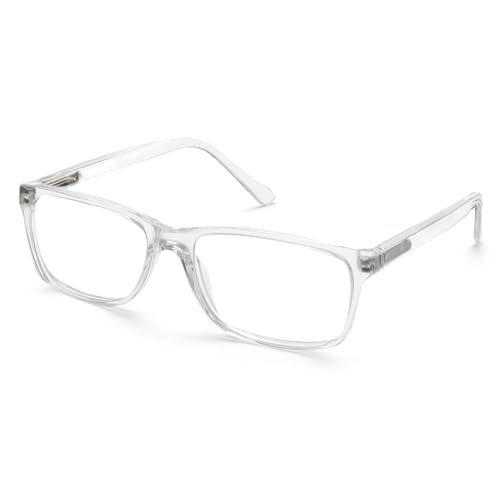
Live listings for the shortlist in this guide are pulled from Amazon below, so prices and availability are always current at the moment you look.



Budgeting honestly across the whole purchase
The price of screen glasses is really four prices wearing one coat: the frame, the lens design, the treatments applied to the lens, and the dispensing expertise that measures and checks the result. Comparing sellers on the frame figure alone produces the usual surprise at checkout. A sensible budget decides in advance which elements deserve the larger share. For most long-wear users, lens accuracy and coating quality outrank frame fashion, and a plain frame with excellent lenses serves better than a celebrated frame carrying whatever treatment was bundled by default.
Insurance and employer contributions can rearrange that arithmetic. Some vision plans renew on a calendar cycle and cover part of a pair; some workplace schemes add a contribution for screen-specific eyewear after an assessment. Spending a benefit before it expires is rational, spending it on a stronger tint than the work requires merely because the allowance exists is less so. Put the subsidy toward the unglamorous elements, the better coating, the occupational design, the professional fitting, and the purchase ages well after the allowance is forgotten.
Returns and remake terms belong in the budget as surely as any figure on a receipt. Prescription eyewear made for one face has limited resale value to a seller, which is why policies vary so widely. A slightly higher price from a seller who will remake lenses when the PD proves wrong, or exchange a frame that fights a headset, can be the cheaper purchase in the only week that matters. Read those terms before ordering, screenshot them beside the prescription photograph, and the rare dispute becomes a paperwork exercise instead of an argument about memory.
A final word on children, shared desks, and borrowed pairs
Households often share a desk the way they share a kitchen table, and eyewear drifts between users in a manner no optician would endorse. A parent’s readers migrate to a teenager’s homework session; a partner’s clear pair gets borrowed for a long drive home from a late shift. Resist the drift where prescriptions are concerned. Lenses are measured for one person’s eyes, spacing, and habits, and a borrowed pair that seems to help may simply be adding a new error on top of tiredness. Keep plain non-prescription pairs as the household commons if sharing is inevitable, labelled in their cases, and let prescribed eyewear stay personal, like toothbrushes and insoles.
Shared desks raise a gentler point about the glasses themselves: a dedicated home for the pair, a case on the same shelf each evening, ends the morning search that starts a workday in irritation. Comfort at a screen is partly optical and partly theatrical; the calm ritual of sitting down, opening the case, and settling the frame signals the start of focused work as surely as closing a door. Tools that live where they are needed get used. Tools that wander get replaced by squinting, and squinting was the problem all along.
Keep a small experimenter’s discipline when a day goes badly: alter a single variable, then live with the result for a while. Note the room, the hours, the screen setting, and whether the glasses were worn from the morning or rescued from a drawer at noon, and give each adjustment a few ordinary days before judging it. Eyes report slowly and honestly when the record is kept simply, and a short note on the desk calendar will tell you more about your own comfort than any stranger’s enthusiastic review of a frame you have never worn.
Full disclosure, stated plainly: this page contains affiliate links, and when a reader follows one and completes a purchase, a commission flows to this site from the retailer. Your bill stays exactly what it would have been without the link. That arrangement supports guides researched from published evidence and optical documentation, and it never buys a warmer verdict for a stronger tint or a kind word for a frame that pinches.
May your next long screen day end with eyes that simply feel finished, the way legs feel after a walk that was exactly long enough.
Related guides
- Best 25–35 Inch Monitors With Lowest Display Lag: An Honest Ranking Without Invented Numbers
- Best 1440p 165Hz Monitors: One Native 165Hz Pick, Three 180Hz Upgrades, an Overclock Headline and a 160Hz Ultrawide
- Best 24 Inch Monitors
- Best Monitors for Gaming and Programming: One Screen for the Workday and the Win


