Our Top Picks


What's inside
- What dual-stack actually means
- Two protocols, one network, no translation in the middle
- Why providers are pushing dual-stack on households
- How to verify a router truly runs dual-stack
- Prefix delegation sizes and the single /64 problem
- Firewall behaviour on IPv6, where there is no NAT blanket
- LAN addressing: SLAAC, DHCPv6 and privacy extensions
- The performance cost of dual-stack on consumer processors
- Wi-Fi 6, 6E and 7 models with full dual-stack firmware
- Troubleshooting: MTU, broken IPv6 DNS and happy eyeballs
- Buying checklist by household type
- Check prices on Amazon
- Frequently asked questions
As an Amazon Associate I earn from qualifying purchases. This post may contain affiliate links at no extra cost to you.
Reader support keeps this guide independent, because affiliate commissions fund the research time, the documentation checks and the revision work behind every recommendation that follows in these pages. That funding model only works if the order of influence runs the right way, so specifications, standards documents and firmware release notes decide which routers earn a place here, and commission rates never move a model up or down the list. Where a specification sheet is vague, this guide says so plainly and explains what to ask the manufacturer, rather than filling the gap with a confident guess. Product links, where present, use the retailer’s own product pages, and no link changes the technical verdict attached to the router beside it.
What dual-stack actually means
A dual-stack router runs two complete network protocols at the same time, giving every device on your network both an IPv4 address and an IPv6 address, and letting each connection choose the protocol that the destination supports best. That sounds like a small administrative detail until you watch what it changes in practice. A laptop opening a modern streaming service may travel entirely over IPv6, while an older printer, a games console from two generations ago and a work virtual private network still depend on IPv4 for every packet. The router maintains routing tables, firewall rules and name resolution for both families without asking you to notice, and when the implementation is complete the household simply stops caring which protocol a given service uses.
The opposite experience is familiar to anyone whose internet provider quietly changed the connection underneath them. Pages stall for several seconds before loading, a video call connects with audio but no picture, or a smart television insists the network is offline while a phone on the same Wi-Fi works perfectly. Very often the cause is a partial transition: the provider has moved customers toward IPv6, the router handles that traffic through a tunnel or a translation layer, and something in that chain breaks under load, after a firmware update or when a particular service changes its own configuration. A true dual-stack connection removes most of those fragile middle layers, which is why the routers in this guide are judged first on the completeness of their dual-stack firmware and only then on headline wireless speed.
This guide works through the whole subject in the order a buyer actually meets it. It explains what dual-stack means in precise terms, why providers are pushing households toward it, and how to tell from a specification sheet whether a router genuinely supports the features your provider uses. It then covers prefix sizes, IPv6 firewall behaviour, local addressing, the real performance cost on consumer processors, and the wireless generations you will find on current shelves. A troubleshooting section deals with the faults that most often masquerade as a broken router, and the closing checklist and questions section turn all of that into a short decision you can make with confidence for your own home.
Two protocols, one network, no translation in the middle
IPv4 and IPv6 are separate protocols with separate address formats, separate routing and separate configuration methods, and dual-stack simply means a device runs both of them natively at once. An IPv4 address is a 32-bit number written as four decimal groups, giving roughly four billion possible addresses worldwide. An IPv6 address is a 128-bit number written in hexadecimal groups separated by colons, giving an address space so large that every device, sensor and appliance in a home can hold a globally unique address with room to spare. A dual-stack router keeps a routing table for each family, forwards each packet according to the table that matches its destination, and offers both address types to every client that joins the local network.
The important word is native. In a native dual-stack service, the provider hands your router a public IPv4 address and an IPv6 prefix at the same time, over the same physical connection, with neither protocol wrapped inside the other. Traffic to an IPv6 destination leaves as IPv6 from the first hop, and traffic to an IPv4 destination leaves as IPv4. Nothing is encapsulated, translated or proxied at the boundary, so latency, maximum transmission unit behaviour and firewall policy all stay predictable. When you read product literature, look for that word native next to both protocol names, because several cheaper designs advertise IPv6 support while delivering it through a mechanism that behaves very differently under real household load.
Contrast that with the transition mechanisms you will meet in provider documentation. A tunnel carries IPv6 packets inside IPv4 packets to a relay somewhere in the provider network, which adds overhead, shrinks the usable packet size and makes your connection depend on a relay you do not control. DS-Lite, common on cable networks in parts of Europe, does the reverse for legacy traffic: your router gets only IPv6 from the provider and sends IPv4 packets through a tunnel to a carrier device that shares public IPv4 addresses among many customers. NAT64 translates between the two families so an IPv6-only client can reach an IPv4-only server, which is clever and useful on mobile networks, but it can break applications that embed addresses inside their own data or that expect a literal IPv4 address to work.
None of those mechanisms is a defect in itself, and a good router may support several of them for providers that require them. The buying mistake is paying for a router whose only IPv6 path is a tunnel when your provider offers native service, or choosing a model that cannot speak DS-Lite when your cable provider has already withdrawn public IPv4 addresses in your area. Dual-stack is therefore not a single tick-box feature. It is a small family of related capabilities, and the right router is the one whose list matches the hand-off your provider actually performs at your wall socket, which you can confirm from your current router’s status page before you spend anything.
There is also a local side to the definition that marketing pages rarely mention. A router can receive a perfect dual-stack service on its wide area network port and still run a single-stack home network if its firmware only offers IPv6 as a pass-through or bridge mode. In pass-through, the provider’s equipment does the real work and your router’s firewall, parental controls and guest network features may apply only to IPv4 traffic, leaving IPv6 devices effectively unmanaged. For most households the correct target is routed dual-stack on both sides: the router terminates the provider connection, receives a delegated prefix for the home, numbers its own local networks from that prefix and applies one coherent security policy to both protocol families at once.
Why providers are pushing dual-stack on households
The root cause is arithmetic. The global pool of unallocated IPv4 addresses ran out years ago, and regional registries have since operated waiting lists, transfer markets and strict rationing. A growing provider cannot number millions of new broadband lines, mobile phones and connected devices from a supply that no longer grows, so it builds new capacity on IPv6 and keeps IPv4 alive as a shared, translated legacy service. Dual-stack is the compromise that lets the provider move forward without cutting off the large part of the internet that still speaks only IPv4, and it is likely to remain the normal residential arrangement for many years rather than a brief stepping stone.
To stretch IPv4 further, many providers now place customers behind carrier-grade network address translation, usually shortened to CGNAT. Instead of a public address of your own, your router receives a private address from a reserved shared range, and the provider translates traffic for hundreds or thousands of households through a smaller pool of public addresses. Ordinary browsing and streaming survive CGNAT without complaint, which is why providers can deploy it quietly. The problems appear at the edges: hosting a game session, reaching your home network from outside, running a small server, using some peer-to-peer applications or getting a strict network address translation type on a console can all fail because the translation layer you need to configure sits in the provider’s building, not in your home.
That is the practical argument for taking the IPv6 half of a dual-stack service seriously instead of treating it as an optional extra. On IPv6 there is no carrier translation between your router and the destination, so a device that needs an inbound connection can, subject to your own firewall rules, be reached directly at its own global address. Households that work from home, run a network attached storage box, host game servers for friends or use remote access tools feel this difference first. Even households that never open a port benefit indirectly, because large content and cloud platforms more often prefer IPv6 paths that avoid the most congested translation equipment in the provider network.
Providers also gain operationally, and those gains shape the equipment they supply and approve. A dual-stack network lets them measure and manage the growing protocol separately, retire expensive translation capacity gradually and comply with procurement rules in several countries that now require IPv6 capability in network equipment. The consequence for buyers is that the free router in the provider’s box is improving on paper while remaining limited in the areas enthusiasts care about, such as prefix handling, firewall logging and local network segmentation. A third-party router earns its cost when its dual-stack implementation is more complete and more transparent than the supplied unit, not merely when its wireless radios are faster on a benchmark chart.
If your provider still offers a public IPv4 address and a native IPv6 prefix, you are in the best position of all and a dual-stack router preserves both advantages at once. If your provider has moved to DS-Lite or CGNAT, the router cannot restore a public IPv4 address that no longer exists, and honest product literature should not promise otherwise. What it can do is handle the transition mechanism cleanly, keep IPv6 fully native and give you firewall and addressing controls that the supplied equipment hides. Reading your current connection type before shopping is therefore the single most valuable step in this entire guide, and it takes five minutes on a status page you already own.
How to verify a router truly runs dual-stack
Start with the specification sheet, and read it with a sceptical eye for exact wording. Useful phrases include native IPv6 support, DHCPv6 prefix delegation, SLAAC, 6rd, DS-Lite and NAT64, each naming a concrete mechanism the firmware implements. Vague phrases such as IPv6 ready, IPv6 compatible or future proof tell you almost nothing, because they can describe anything from a complete routed implementation to a simple pass-through that forwards provider traffic untouched. Download the full user manual rather than the marketing sheet; the manual’s internet setup chapter lists the connection types the firmware actually offers, and the list there is the closest thing to a contract you will get before purchase.
Prefix delegation deserves its own check because it is the mechanism by which your home network receives IPv6 addresses to distribute. The relevant client feature is DHCPv6-PD, where PD stands for prefix delegation, and a router without it may still connect as a single IPv6 device while leaving every other device in the home without routed IPv6. Some early or budget firmware includes a DHCPv6 client for the wide area address but omits delegation entirely, a flaw that only appears after installation when phones and laptops report an IPv6 address that never routes anywhere. If the manual’s local network chapter lets you choose how the delegated prefix is divided among wired, wireless and guest networks, that is a strong sign the implementation was designed rather than bolted on.
Check the transition list against your provider’s published requirements, which are usually stated in a help article for customers using their own router. Fibre providers commonly use DHCPv6-PD over a VLAN-tagged connection, some older DSL networks use 6rd, and certain cable networks require DS-Lite with a specific address family transition router address obtained automatically. A router that supports the mechanism in principle but cannot accept the provider’s method of supplying its parameters will still fail at the wall. Community forums for your provider are unusually reliable here, because other customers record the exact settings that worked, and a model repeatedly reported as working with your provider is a safer choice than a theoretically superior model nobody has documented.
Firmware history is the second document worth reading before purchase. Look at the release notes for the last two years and note how often IPv6 behaviour is mentioned: fixes for prefix renewal after a reboot, corrections to firewall logging, or support for a new delegation size all indicate a living implementation that the vendor maintains. A model whose notes never mention IPv6 after launch may still work, but it is a poorer bet for a protocol your provider will keep changing underneath you. Also confirm the router renews its delegated prefix gracefully when the provider rotates it, because a router that requires a manual reboot after every prefix change turns a routine provider operation into a household outage.
Finally, plan a five-minute verification routine for the day the router arrives, so a weak implementation is discovered inside the return window. Connect a laptop, confirm it receives both an IPv4 address and a global IPv6 address, and confirm the IPv6 default gateway is the router’s local address rather than a provider address leaking through in bridge mode. Run a public IPv6 test page and check that connectivity, name resolution and large packet handling all pass. Then reboot the router and confirm the same results return without intervention, and check that your guest network and any custom firewall rule still behave as configured. A router that passes those checks on day one has demonstrated the core of dual-stack competence in a way no badge on a box can.
Prefix delegation sizes and the single /64 problem
Providers do not hand your home one IPv6 address; they delegate a prefix, a block of addresses identified by the number of fixed leading bits. A /64 prefix contains one standard subnet’s worth of addresses, which is an enormous number of individual addresses but exactly one network. A /60 gives sixteen such subnets and a /56 gives two hundred and fifty-six, and the difference matters not because any home needs that many addresses but because modern homes more often need more than one network. A main network, a guest network, an isolated network for cameras and smart plugs, and a separate segment for a home office are four subnets before you have done anything unusual, and each one requires its own /64 under standard IPv6 practice.
With only a single /64 delegated, the router can number exactly one local network properly. Everything else is a compromise: guest devices share the main network and lose isolation, or the router resorts to proxying and bridging tricks that break the clean routed model and confuse firewall rules. Some firmware responds by silently merging networks the owner believed were separate, which is a security outcome worse than an honest error message. If your household uses or plans to use a guest network, a separate internet-of-things segment or a work-from-home separation, treat delegation size as a headline specification. Ask your provider what size they delegate before choosing hardware, because no router can subdivide a prefix the provider never gave it.
Providers vary widely and sometimes vary by tariff or region within the same brand, so published national figures are only a starting point. Generous fibre providers commonly delegate a /56, many cable and DSL providers delegate a /60 or /64, and some change the size when a customer moves from supplied equipment to their own router. The authoritative answer sits in your current router’s status page, which usually displays the delegated prefix next to the wide area address. Record it before you disconnect anything. If the delegated size is smaller than your segmentation plans require, the realistic remedies are asking the provider for a larger delegation, reducing the number of separate IPv6 subnets, or accepting that some segments remain IPv4-only behind translation.
The router’s own firmware also decides how flexibly a prefix can be used. Better implementations let you assign subnet numbers explicitly, reserve a portion for future networks and renumber automatically when the provider changes the prefix, updating firewall rules and local name records at the same time. Weaker implementations hard-code assumptions, so a prefix change leaves stale rules pointing at networks that no longer exist. Dynamic prefixes are common on residential services, which makes this housekeeping more than a theoretical nicety. When you compare models, favour the one whose manual describes prefix change behaviour in plain language; that documentation detail correlates strongly with how the product behaves six months after installation, when the first provider-side change arrives unannounced.
One more subtlety is worth understanding before you blame a router for an addressing fault. The wide area address the router itself receives and the prefix it is delegated are two separate assignments, and a connection can succeed at one and fail at the other. Symptoms of a delegation failure are distinctive: the router reports an IPv6 connection, a speed test from the router’s own diagnostic page may even work, yet no device in the home can reach an IPv6 destination. That pattern points at DHCPv6-PD rather than at the physical line, and it is fixed by correcting the delegation request, the VLAN setting or the provider account option, not by changing wireless channels or replacing cables.
Firewall behaviour on IPv6, where there is no NAT blanket
Many households unconsciously treat network address translation as their firewall. On IPv4, translation means unsolicited packets from the internet usually have nowhere to go, because no internal device holds a public address and no mapping exists for the incoming traffic. That side effect feels like protection, but it was never a designed security policy, and it disappears on IPv6 where every device can hold a global address. The protection on a good dual-stack router comes from a stateful firewall that is present on both protocols: outbound connections and their replies are allowed, unsolicited inbound connections are denied by default, and the owner can add precise exceptions for a specific device and port when a service genuinely needs one.
When you evaluate a router, verify that the default-deny inbound policy applies to IPv6 with the same rigour as IPv4, because early implementations occasionally shipped with permissive IPv6 defaults or with an option to disable the IPv6 firewall presented as a troubleshooting shortcut. Read the firewall chapter of the manual and look for per-protocol rule control, logging of denied inbound attempts and the ability to write a rule for one device without opening a port to the whole network. Pinhole is the term many manuals use for a narrow inbound IPv6 exception, and a good interface makes the scope of a pinhole obvious before you save it, showing the destination device, the port range and the source restriction in one view.
Address visibility changes the household privacy conversation as well. Because IPv6 devices are globally addressable, the firewall is what stands between a camera or a games console and continuous probing from the internet, and internet-wide scanning of IPv6 space is a real, documented activity even if the address space is too large for exhaustive sweeps. Keep firmware updated, remove pinholes you no longer use, and treat any device that cannot receive security updates as a candidate for the isolated network segment rather than the main one. The router cannot make an abandoned smart device safe, but correct segmentation limits what such a device can reach if it is compromised, which is the realistic goal for home network hygiene.
There is a corresponding benefit to handle honestly. Without translation in the way, legitimate inbound services become simpler and more reliable on IPv6: a home server, a remote desktop gateway or a self-hosted game world can be reached at a stable address with a single firewall rule, and no port forwarding table or double translation through provider equipment complicates the path. That simplicity is one reason enthusiasts pushed for IPv6 long before address exhaustion forced the issue. It also means mistakes are simpler to make, so change one rule at a time, note what you changed and re-check the closed-by-default state of everything else after each change, using an external port check from outside your own network.
Parents and employers sometimes ask whether dual-stack weakens content controls, and the answer depends entirely on whether the router applies its policies to both families. A filtering or time-limit feature that inspects only IPv4 invites the oldest bypass in networking: the controlled device simply uses IPv6 instead. Before relying on any access control, device pause or filtering feature, confirm in the manual or by a quick experiment that it governs IPv6 traffic as well. This single check separates family features designed for a dual-stack world from features carried over from an earlier firmware generation, and it is far more informative than the size of the feature list printed on the retail packaging.
LAN addressing: SLAAC, DHCPv6 and privacy extensions
Inside the home, IPv6 devices learn their addresses by one of two main methods, and the router decides which are offered. Stateless address autoconfiguration, shortened to SLAAC, lets a device build its own address from the prefix the router advertises, with no central server recording the assignment. It is simple, robust and works on every modern operating system including phones, which is why most home networks rely on it. DHCPv6, the other method, assigns addresses from a server in a way administrators of IPv4 networks find familiar, and it can hand out additional information alongside the address, but support on client devices is uneven; notably, a major mobile platform has long declined to implement a DHCPv6 client, so a DHCPv6-only home network leaves those devices without IPv6 entirely.
Most good home routers therefore advertise SLAAC for address formation and use DHCPv6, where it is offered at all, in a stateless role supplying name server details. The router also broadcasts router advertisements that tell devices the prefix, the gateway and how to obtain the remaining configuration, and the flags inside those advertisements are the small print that decides whether a mixed household of laptops, phones and embedded devices all end up correctly configured. When a single device class misbehaves on an otherwise healthy network, mismatched expectations about these flags are a frequent cause, and firmware that exposes the advertisement settings in an advanced page gives you a way to fix it without replacing hardware.
Privacy extensions address a subtle exposure created by early address formation, in which part of the address was derived from the device’s hardware identifier and therefore stayed constant across networks, letting observers correlate the same laptop at home, at work and at a café. Modern operating systems instead generate temporary, rotating IPv6 addresses for outbound connections while keeping a stable address for local use. On a home network this behaviour is normal and desirable, and it explains a sight that alarms new owners: one laptop appearing to hold several IPv6 addresses at once. That is not an error or a duplicate assignment; it is the privacy mechanism working, and router device lists that show the stable address alongside temporary ones are reporting accurately.
Name resolution deserves a decision at setup time. On IPv4, the router usually learns device names through DHCP leases and presents a tidy list; on IPv6 with SLAAC there may be no lease to learn from, so device lists can look sparse or show addresses instead of names. Routers that combine advertisement data, neighbour tables and local DNS records give the clearest picture, and some let you assign a friendly name manually to a stable address. If you run a home server or storage device that others reach by name, give it a deliberately stable configuration, either a reserved DHCPv6 assignment on a network whose clients support it or a manually set address inside your delegated prefix, and record the choice where future you will find it.
None of this needs day-to-day attention once it is set up correctly, which is precisely the standard to judge a router by. A strong implementation makes the default path work for every mainstream client, exposes the advanced controls for the unusual ones and documents the behaviour in language a careful owner can follow. A weak implementation hides everything behind a single IPv6 on-off switch, which is fine until the first device misbehaves and there is nothing to adjust. In dual-stack networking, the quality of the defaults decides the experience for ninety percent of households, and the quality of the exposed controls decides it for the remaining ten percent who would otherwise be shopping for another router within the year.
The performance cost of dual-stack on consumer processors
Running two protocols is not free, but on modern hardware the cost is small and specific rather than large and general. The router must maintain two routing tables, two sets of firewall state and two address configuration services, which consumes memory and a little processor time on every packet decision. Where households actually feel the cost is in the features that cannot use hardware acceleration. Fast packet forwarding on consumer system-on-chip designs is heavily optimised, and some models accelerate IPv4 translation in silicon while handling IPv6 firewall inspection, quality of service or traffic monitoring in software. Turning on an advanced feature can therefore slow one protocol more than the other, a pattern that confuses owners who measure only one.
If you pay for a gigabit or faster line, verify that the router’s throughput figures were stated for the mode you will run. A headline wired speed measured with every inspection feature disabled tells you little about dual-stack throughput with the firewall, parental controls and traffic analysis enabled together. Independent measurements and detailed owner reports are more useful than the box copy here, and the pattern to look for is consistency: a router that holds near line rate on both protocols with your features enabled is a better buy than a nominally faster model whose speed collapses when the features you bought it for are switched on. For lines below a few hundred megabits, almost any current mid-range model has headroom to spare on both protocols.
Wi-Fi performance interacts with dual-stack only indirectly, but the interaction is real. A device that fails to obtain working IPv6 may fall back to IPv4 after a delay, and that delay is often blamed on wireless when the radio link was healthy throughout. Similarly, name resolution that prefers a broken path adds a pause before every connection, which feels like a slow network in exactly the way a weak signal does. Before concluding that a new router’s wireless is disappointing, check the protocol health of the complaining device; fixing an addressing fault has rescued many installations that were about to be returned as faulty hardware, and it costs nothing but ten minutes of methodical checking.
Processor headroom also decides how gracefully a router ages. Providers will keep adjusting their IPv6 configurations, firmware will add features and the number of connected devices in a typical home keeps climbing, with cameras, speakers, appliances and sensors each holding addresses in both families and generating neighbour and state table entries. A router bought with comfortable margin in memory and processing capacity absorbs those changes invisibly. A router bought at the exact edge of its capability tends to fail in the least convenient way, through slow degradation, dropped state under load and reboots that clear the symptom just long enough to hide the cause. Dual-stack is therefore one more argument for the unglamorous middle of the market, where the hardware is comfortably ahead of a typical household’s demands.
Mesh systems add one further consideration, because every node must handle both protocols consistently and the backhaul between nodes must carry IPv6 traffic without quietly bridging it around the main node’s firewall. Reputable mesh platforms handle this correctly, but mixed installations built from a main router and extenders of different generations deserve a check: confirm that a device connected to the furthest node receives a routed IPv6 address, inherits the same firewall policy and appears in the same device list as a device beside the router. Consistency across nodes is the mesh equivalent of dual-stack completeness, and it is worth verifying during the return window rather than discovering during a later fault.
Wi-Fi 6, 6E and 7 models with full dual-stack firmware
The wireless generation and the protocol implementation are separate axes of quality, and the market’s naming habits blur them deliberately. A Wi-Fi 7 badge certifies radio capabilities; it says nothing about prefix delegation, firewall logging or DS-Lite support, and the most expensive model in a range can share firmware limitations with the cheapest if the vendor’s software platform is the weak link. Shop in the opposite order to the advertisements: first confirm the dual-stack feature list against your provider, then choose the wireless generation that suits your home and devices, then compare models within the surviving shortlist on coverage, port count and price movement over time.
Wi-Fi 6 models are now the value centre of the market and their firmware is the most mature, which matters more for protocol work than for radio work. Years of updates have usually ironed out delegation and renewal faults, manuals are thorough and owner knowledge is deep. For a household on a line below gigabit speed, a well-supported Wi-Fi 6 router with a complete dual-stack implementation will feel indistinguishable from newer hardware in daily use, and the money saved can fund a wired access point for a dead spot, which improves real life more than a radio generation jump in a room that already had a strong signal.
Wi-Fi 6E adds the 6 gigahertz band, giving nearby devices a wide, clean channel that suits dense apartment buildings and heavy local traffic such as wireless virtual reality and large file transfers to a home server. Its dual-stack considerations are identical to Wi-Fi 6, since the difference is purely in the radios, but 6E models tend to sit on newer software platforms whose IPv6 features are actively developed. Wi-Fi 7 adds wider channels, multi-link operation and better handling of many simultaneous devices; again the protocol story is about the platform rather than the badge. On both generations, check that guest and isolated networks can each receive their own subnet from your delegated prefix, because that feature separates current platforms from older ones more reliably than any radio specification.
A shortlist approach works better than a single universal recommendation, because the right answer depends on your provider’s hand-off. For a fibre household with a /56 delegation, prioritise flexible subnet assignment, per-protocol firewall rules and strong logging. For a DS-Lite cable household, prioritise a proven DS-Lite implementation with automatic configuration and stable tunnel performance at your line rate. For a large or awkwardly shaped home, prioritise a mesh platform whose nodes demonstrably preserve routing and firewall behaviour, and accept a slightly plainer feature set in exchange. In each case the wireless generation is chosen last, to fit the building and the devices, which is the reverse of showroom logic and the reason this guide is organised the way it is.
Whatever generation you choose, treat the first firmware update as part of installation. Routers ship with the firmware that was current when the box was packed, and dual-stack fixes are among the most common early updates a platform receives. Update before you configure, not after, so your settings are built on the corrected behaviour and you do not have to disentangle a configuration problem from a firmware fault that an update would have removed. Then export or record your configuration once the network is stable. A documented, working dual-stack setup is an asset: it shortens every future troubleshooting session and makes a later hardware change a comparison exercise instead of a fresh investigation.
Troubleshooting: MTU, broken IPv6 DNS and happy eyeballs
Most dual-stack faults announce themselves as something else, so a short diagnostic order saves hours. First establish which protocol is failing by trying a destination over IPv6 only and over IPv4 only from the same device; a fault confined to one family immediately halves the search space. Then check whether the failing device has a global address, a default route and working name resolution for that family, in that order, because each depends on the one before it. Only after those three checks should you suspect the wider connection, and only after a wired test should you suspect the wireless. This order feels slow for the first five minutes and fast for every minute afterwards, because it replaces guessing with elimination.
Maximum transmission unit problems produce the most distinctive symptoms in all of home networking: small requests succeed and large transfers stall, so a page begins to load and never finishes, or a login works while the application behind it hangs. Tunnels and some provider hand-offs reduce the usable packet size, and if path discovery is blocked by an over-strict firewall, devices never learn the smaller limit. On a native dual-stack connection the risk is lower, but it has not vanished, particularly where a provider uses an encapsulation on the access network. If you meet the classic symptom pattern, look for an MSS clamping or MTU setting in the router’s advanced pages and follow the provider’s published value for your connection type rather than experimenting at random.
Broken IPv6 name resolution is the second classic. A device can hold a perfect IPv6 connection and still behave as though IPv6 does not exist if the name server it was given answers slowly, returns errors or is unreachable over the protocol the device prefers. Symptoms include long pauses before pages start, applications that work on one device and fail on another, and faults that move when you change the name server settings on a single machine. Test by setting a known public resolver manually on one device; if the fault vanishes, the router’s advertised resolver configuration is the problem, and the fix belongs in the router’s local network settings so every device inherits it, not in a growing collection of per-device workarounds.
Happy eyeballs is the name of the algorithm modern systems use to avoid exactly these delays: when a name returns both IPv4 and IPv6 addresses, the device races the connection attempts, slightly favouring IPv6, and uses whichever completes first. Done well, it makes a partial fault almost invisible, which is a blessing for users and a curse for diagnosis, because a network can be quietly broken on one protocol for months while the algorithm papers over it, until an IPv6-only or IPv4-only destination exposes the gap. Occasional deliberate checks of each protocol separately are therefore worthwhile even on a network that feels healthy, in the same spirit as testing a smoke alarm that has never yet needed to wake you.
Keep a short written record when you fix a dual-stack fault: the symptom, the protocol affected, the setting changed and the result. Provider changes, firmware updates and replacement hardware all become easier with that record, and patterns that were invisible across six months of memory become obvious on one page. If a fault survives methodical checking, present that record when you contact support; it moves the conversation past the scripted restart advice immediately. And if the record shows the same delegation or renewal fault returning after every provider change, you have built the honest case for replacing the router, grounded in observed behaviour rather than frustration, which is exactly the standard this guide has tried to apply to every recommendation in it.
Buying checklist by household type
For a small flat with a fibre connection and a dozen devices, the checklist is short: native dual-stack with DHCPv6 prefix delegation, a stateful firewall with default-deny inbound rules on both protocols, Wi-Fi 6 or better, and a vendor with a visible record of firmware maintenance. You do not need multiple subnets today, but prefer a model that can create a separate guest network with its own IPv6 subnet if the delegation allows it, because visitors’ devices are the first thing most households later wish they had isolated. At this scale, almost every reputable mid-range model passes, so let firmware reputation and documentation quality break the tie rather than pursuing the highest radio numbers on the shelf.
For a family house with children, remote work and a growing collection of smart devices, add segmentation and controls to the list. You want at least three usable subnets, per-device access controls that govern both protocols, and logging clear enough to answer the question of what a device was doing when the network felt slow. Choose the wireless system for the building first in practical terms, wired backhaul where you can manage it, and confirm every node preserves the routing and firewall model. This household feels dual-stack quality daily, because it has the device count and the variety to expose every shortcut a firmware team took, from sparse device lists to controls that quietly apply to IPv4 only.
For a household behind CGNAT or DS-Lite, the checklist is dominated by one line: proven support for your provider’s exact transition arrangement, documented by the vendor or by other customers of the same provider. After that, value the quality of the native IPv6 side, since that is now your only untranslated path to the internet and the one that will carry more of your traffic each year. Do not pay a premium for inbound IPv4 features you cannot use, and be wary of any product that promises to restore a public IPv4 address through its own cloud relay without explaining the ongoing cost and the extra party now sitting in your traffic path; sometimes that trade is worth making, but it should be made knowingly.
For enthusiasts running home servers, storage and self-hosted services, the decisive features are control and visibility: explicit subnet assignment, editable firewall rules per protocol with logging, stable local naming, support for a dynamic name service on both protocols and configuration backup that actually restores cleanly. You will also care about prefix change behaviour, because your services are the ones that break when a delegated prefix rotates and the rules and records do not follow. This group should read manuals in full before buying and should treat community documentation as a feature in itself, since a model with an active, knowledgeable owner community effectively ships with a second support department.
Every household shares the final three checks. Confirm the return window is long enough to test the router against your provider through at least one reboot and one overnight period, because renewal faults need time to appear. Confirm the vendor publishes release notes you can read without an account, because that transparency predicts your support experience for years. And confirm the total cost of the system you actually need, including any extra nodes, mounts or switches, rather than the price of the single box that caught your eye. A dual-stack router is infrastructure, not a gadget; bought carefully against your provider’s real hand-off, it should disappear from your attention for years, which is the highest compliment home networking equipment can earn.
Check prices on Amazon
Live listings for the shortlist in this guide are pulled from Amazon below, so prices and availability are always current at the moment you look.

Triton TRA001 3-1/4 HP Dual Mode Precision Plunge Router

Linksys E900-NP Wireless N300 Router
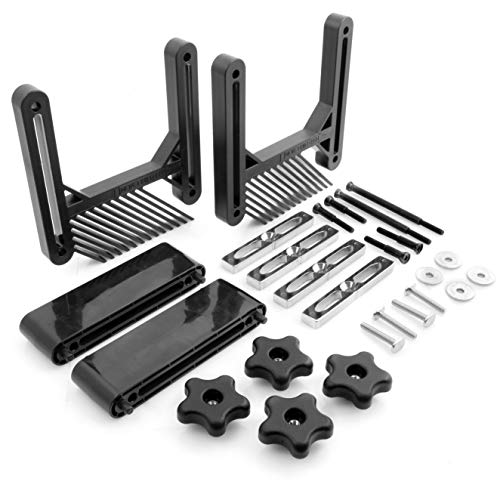
Dual Deluxe Stackable Featherboards for Table Saw Kit with Riser


Frequently asked questions
Do I need dual-stack if everything in my home works today? If everything works, you do not need to rush, but you should still confirm what your provider is delivering, because transition changes are usually applied account by account and the first symptom is often blamed on the wrong device. Knowing your connection type, your delegated prefix size and whether you sit behind carrier translation costs one short session with a status page, and it converts a future fault from a mystery into a checklist. When replacement time comes for other reasons, buy a router whose dual-stack implementation is complete, so the provider’s next change is an event you read about rather than one you troubleshoot.
Will dual-stack make my internet faster? It will not raise the speed of your line, and any product claiming a protocol change multiplies bandwidth should be read with suspicion. What it can do is remove specific delays and detours: connections that no longer wait for a failing path before falling back, services reached directly instead of through congested translation equipment, and large platforms that serve their most optimised infrastructure over IPv6. The honest description is that a good dual-stack setup makes a network feel more consistent, with fewer unexplained pauses, rather than faster on a speed test, and for most households consistency is the improvement they were actually hoping for when they went shopping.
Is IPv6 less secure because every device has a public address? A public address is not the same as an open door. On a correctly configured router, a stateful firewall denies unsolicited inbound traffic on IPv6 just as translation and firewalling together do on IPv4, and the device’s address being globally unique does not make it reachable. The genuine changes are that the firewall is now doing the work alone, so it must be present and enabled, and that privacy extensions matter because addresses are stable identifiers if left unrotated. Keep the firewall on, keep firmware current, segment devices that cannot update themselves, and the security position of a dual-stack home is comparable to, and in accountability terms better than, the translated arrangement it replaces.
My provider gave me a router already. Is replacing it worthwhile? Sometimes, and the test is specific rather than general. If the supplied unit gives you working native dual-stack, a guest network, controls that cover both protocols and firmware that updates itself, the case for replacement rests on wireless coverage or advanced features, not on protocol support. If it hides its connection settings, merges networks you wanted separate, applies controls to one protocol only or loses its delegated prefix until rebooted, a replacement earns its cost quickly. Borrow the checklist from this guide, score the supplied unit honestly against it, and let the gaps you actually have, rather than the ones in an advertisement, decide the purchase.
Can I turn IPv6 off and keep things simple? You can on most routers, and as a short diagnostic step it is a legitimate way to prove which protocol carries a fault. As a permanent arrangement it trades a small amount of present simplicity for a growing amount of future difficulty, because more services, games and platforms are optimised for, and a few are only reachable over, the newer protocol, while provider support scripts now assume it is enabled. The better route to simplicity is a router whose dual-stack defaults are sound enough that both protocols can be left on and forgotten. Simplicity that depends on disabling half the modern internet is borrowed, and the repayment date is chosen by other people.
In the end, choosing a dual-stack router is less about pursuing the newest badge and more about matching an honest implementation to the connection already arriving at your home, then letting both protocols do their work unnoticed for years.