Our Top Picks
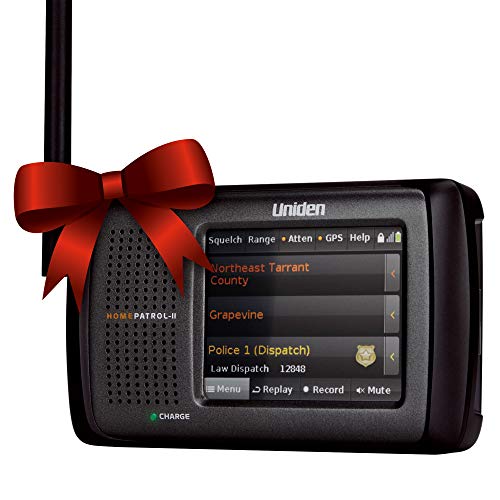 Uniden HomePatrol-2 Color Touchscreen Simple Programing Digital Scanner3.74in. x 4.25in. x 6.33in.1.5 x 5.9 x 3.3 inches1.36 poundsCheck on Amazon
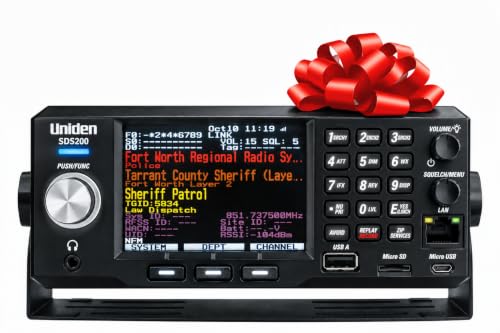 Uniden SDS200 True I/Q™ TrunkTracker X Base/Mobile Digital1 pack10.75 x 8.5 x 3.75 inches5 poundsCheck on Amazon
 Uniden BCD436HP HomePatrol Series Digital Handheld Scanner. TrunkTrackerapple3.8 x 2.4 x 9.02 inches1 poundsCheck on Amazon
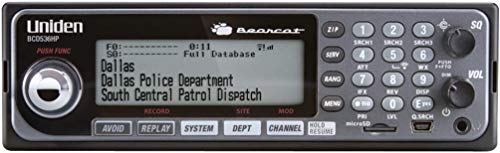
 Uniden BCD536HP HomePatrol Series Digital Phase 2 Base/Mobileapple12.8 x 3.23 x 8.5 inches5.35 poundsCheck on Amazon


What's inside
- What changed when agencies went digital
- Research before buying: identify the local systems first
- Simulcast distortion: the problem that decides many purchases
- The main model classes, compared by role
- Handheld versus base and mobile form factors
- Programming models: database, location, and favorites
- Paid protocol upgrades: DMR, NXDN, and ProVoice
- Encryption and hard limits, stated plainly
- Antennas: where reception is won or lost
- Power: packs, cells, and habits for long incidents
- Listening accessories: earpieces, headphones, and recording
- Conventional analog fire channels: the old layer that still works
- Check prices on Amazon
- Common buying mistakes
As an Amazon Associate I earn from qualifying purchases. This post may contain affiliate links at no extra cost to you.
A digital scanner that decodes APCO P25 Phase 2 is not a luxury upgrade over an older analog receiver. In many counties it is the minimum tool that can follow a modern public safety radio system at all. When a police department or fire service moves from a handful of analog channels to a trunked digital network, the change is not just clearer audio. The whole logic of how calls are assigned, grouped, and carried changes, and a receiver built for the older logic goes silent even though the airwaves around it are busier than ever. This guide explains that change in plain mechanical terms, walks through the research a buyer should do before spending anything, and then compares the main classes of Phase 2 capable receivers, from the Uniden SDS100 and SDS200 to the BCD436HP and BCD536HP and the Whistler TRX-1 and TRX-2, by the features that actually decide whether local dispatch traffic comes through cleanly.
Gizmo Verdict earns from qualifying purchases through the Amazon affiliate program when readers buy through links on this site, and that support helps keep guides like this one available without a paywall. Prices and stock change often, so this article discusses cost only in general terms and leaves current figures to the product pages themselves. No maker paid for placement here, and the order in which models are discussed follows the logic of the topic rather than any commercial arrangement.
What changed when agencies went digital
For decades, most police and fire communication used conventional analog channels. Each agency, or each function inside an agency, had one or more assigned frequencies. A dispatcher transmitted on a known channel, field units answered on the same channel or on a paired input frequency through a repeater, and anyone with a receiver tuned to that frequency heard both sides. A scanner worked by stepping through a bank of stored frequencies and stopping when it found a signal strong enough to open the squelch. The model was simple, transparent, and easy to follow with modest equipment.
Trunking broke that one to one link between a function and a frequency. In a trunked system, a pool of channels is shared by many user groups, and a control channel carries short data messages that assign each call to whichever voice channel is free at that moment. A conversation that starts on one frequency may continue on a different frequency seconds later after a pause, because the system, not the user, picks the channel. A conventional scanner that only dwells on fixed frequencies cannot follow that assignment process. A trunk tracking scanner can, because it monitors the control channel, reads the assignment messages, and retunes itself to the assigned voice channel for the duration of each call.
Inside that trunked world, the unit of organization is the talkgroup. A talkgroup is a logical group, such as a police patrol district, a fire dispatch channel, an emergency medical service, or a public works crew, identified by a numeric ID on the system. Talkgroups are not frequencies. Two talkgroups can use the same physical channel at different times, and one talkgroup can appear on many different channels over the course of an hour. When product listings and database entries talk about a system having hundreds of talkgroups, they mean hundreds of logical groups sharing a much smaller pool of physical channels, which is exactly the efficiency trunking was designed to create.
Digital voice added a second change on top of trunking. Instead of sending the voice as a continuously varying analog signal, a digital system converts speech into data with a vocoder, adds error correction, and transmits that data in structured frames. The receiver reverses the process. Digital audio tends to stay intelligible right up to the edge of coverage and then degrade quickly, a behavior often called the digital cliff. Analog audio fades gradually with hiss and static, while digital audio holds clarity longer and then drops syllables, sounds garbled for a moment, or mutes entirely when the error rate grows too high for correction to repair.
APCO Project 25, usually shortened to P25, is the North American public safety standard built for this environment. It was developed so that agencies could buy radios from more than one maker and still interoperate, and so that neighboring jurisdictions could coordinate on shared systems during large incidents. P25 covers both conventional digital channels, where a single frequency carries digital voice without trunking, and trunked networks with control channels and talkgroups. A scanner described as P25 capable may handle one or both of those modes, so a buyer should confirm trunked operation specifically rather than assume it follows from the P25 label alone.
Phase 1 and Phase 2, in practical terms
P25 Phase 1 uses frequency division multiple access, shortened to FDMA. Each voice call occupies one 12.5 kHz channel for its duration, and the digital signal carries one conversation at a time on that channel. Phase 1 equipment has been in service for many years, and a large share of installed P25 systems still run Phase 1 talkgroups, either across the whole system or on particular groups that have not migrated.
P25 Phase 2 uses time division multiple access, shortened to TDMA. It divides the same 12.5 kHz channel into two repeating time slots, and each slot can carry a separate voice call. In effect, one physical channel does the work of two, which doubles voice capacity without needing new spectrum. For agencies facing crowded bands and growing call volume, that capacity gain is the main reason to migrate. For a listener, the consequence is direct. A Phase 1 only receiver can decode the control channel of a Phase 2 system and may even show activity, but it cannot reproduce audio from talkgroups that operate in the two slot TDMA format, because the voice data is packed into alternating slots that its decoder was never built to separate.
Many real systems are mixed. A county network might carry most dispatch talkgroups in Phase 2 while keeping a mutual aid group, a legacy group, or a group shared with a neighboring Phase 1 only agency in Phase 1. A Phase 2 scanner handles both formats, moving between them as the control channel directs. That backward compatibility is a quiet but important reason to prefer a Phase 2 model even in a place that has not fully migrated yet. Migration plans change, grant cycles move, and a receiver bought today will often still be in use when a system finishes a transition that is currently only scheduled.
Spectrum bands add another layer. P25 systems operate in several bands, including VHF, UHF, 700 MHz, and 800 MHz, and some large systems span more than one. The 700 and 800 MHz bands carry a large share of statewide and metropolitan trunked networks, while VHF and UHF remain common for rural and conventional services. A suitable scanner needs coverage of the bands a local system actually uses, not just the band a buyer associates with police radio from older analog experience. Database listings show the frequencies for each site, and comparing those frequencies with a model specification sheet is a basic check that should never be skipped.
Research before buying: identify the local systems first
The most useful step in this entire purchase happens before any model is chosen. A buyer needs to learn which radio systems the police and fire agencies at home actually use, which talkgroups on those systems carry dispatch traffic, and whether those talkgroups are clear or encrypted. That research decides the purchase more than any front panel feature does. A top tier receiver aimed at the wrong system type will disappoint, while a mid tier receiver matched correctly to a local network can satisfy for years.
Public frequency databases are the usual starting point. The best known of these is RadioReference, whose database organizes systems by state and county and lists sites, frequencies, system types, and talkgroups with descriptive tags. Similar information appears in FCC license records, agency procurement documents, and regional planning council publications, though those sources require more interpretation. A database entry for a county system will typically name the system type, list each tower site with its control and voice frequencies, and then list talkgroups grouped by agency and function, often with notes on whether a group is digital, analog, or encrypted.
Reading a system entry takes a little practice. Start with the system type line. If it says Project 25 Phase II, the requirement is clear: a Phase 2 trunk tracking scanner is needed for its talkgroups. If it says Project 25 Phase I, a Phase 1 model will decode it today, though a Phase 2 model still offers insurance against migration. If the local services appear as individual conventional frequencies with tone codes rather than as a trunked system, they may be analog conventional channels that almost any modern scanner receives, and the buying question changes completely.
Other system types appear often enough that a buyer should recognize them by name. Motorola Type II was a widely installed analog and mixed mode trunking format, now aging but still present in some areas, sometimes in SmartZone configurations covering wide regions. EDACS was another trunking family, with its own following logic, and its ProVoice digital voice mode was never decodable by older scanners at all. DMR, also marketed in a trunked form, is common for business, schools, hospitals, and some public works and smaller public safety users. NXDN appears in railroad, utility, and some local government service. Each format needs explicit support in the receiver. A scanner that decodes P25 does not automatically decode DMR or NXDN, and support for those modes on some models is an optional paid upgrade rather than a built in feature.
Talkgroup listings deserve close attention because they show what a listener will actually hear. Look for dispatch groups for the city police, county sheriff, fire dispatch, and emergency medical dispatch, and note how they are tagged. Listings often mark a group with a mode indicator. On many databases a letter signals whether a talkgroup is digital, analog, or encrypted, and whether encryption is full time or partial. A group marked as encrypted full time will not produce intelligible audio on any consumer scanner, a limit covered in detail later in this guide. A group marked as partially encrypted may be clear for routine dispatch and encrypted only for sensitive operations, which is a very different listening experience.
Also note the sites. A trunked system is built from sites, each site being a tower location with its own set of frequencies. Countywide and statewide systems may have dozens of sites. A scanner at home mainly needs the site or sites whose coverage includes home, because talkgroups are not always carried on every site. Some systems carry a talkgroup only on sites inside that agency service area, a design called site affiliation, where a talkgroup appears on a site when a field radio affiliated with that group is present there. If the database shows a nearby simulcast site and a distant standalone site, the nearby site is normally the one to program, even if the distant site lists the same talkgroups on paper.
Finally, write the findings down in a short local profile before shopping. Note the system name, system type, the nearest site and its control frequencies, the key dispatch talkgroups and their modes, any conventional analog channels still in use, and any neighboring county systems worth monitoring. That one page profile turns vague product claims into testable questions. Does this model decode this system type? Does it handle simulcast if the nearest site is simulcast? Does it need a paid upgrade for any system on the list? A buyer with that profile in hand is far less likely to be sold the wrong radio by a generic best list.
Simulcast distortion: the problem that decides many purchases
Simulcast is the single most common reason a modern scanner sounds bad in a metropolitan area despite showing a strong signal. The word describes a site made of several transmitters at different locations, all sending the exact same signal on the exact same frequency at the exact same time. System designers use simulcast to cover a county evenly without needing separate frequencies for each tower. A field radio moving across the county hears one continuous signal rather than handing off between sites.
The difficulty is timing. Radio waves from two or three transmitters reach a home receiver at slightly different moments because the distances differ. In analog FM, the receiver tends to lock onto the strongest arrival and the result is often acceptable. In digital P25 reception, those offset arrivals interfere with the symbol timing the decoder relies on. The error rate climbs even though the signal strength meter looks healthy. Audio breaks into garbled fragments, syllables vanish, and some transmissions are missed entirely while others on the same talkgroup arrive clearly, depending on small changes in position and conditions. This is simulcast distortion, sometimes called linear simulcast modulation distortion after the LSM waveform many P25 simulcast systems use.
How the SDS design addresses simulcast
The Uniden SDS100 handheld and SDS200 base and mobile model were built specifically around this problem. Manufacturer documentation describes them as software defined radio designs that use an I/Q receiver approach, processing the signal in a way that can sort out the overlapping arrivals of a simulcast site far better than a conventional discriminator based design can. In functional terms, a conventional receiver extracts audio or data from a filtered FM signal in a relatively fixed hardware path, and distortion introduced before that extraction point is hard to undo. An SDR based design digitizes a wider view of the signal earlier and uses digital processing to recover the symbol stream, which gives it more information to work with when several versions of the same transmission arrive together.
That difference is why the SDS class is so often recommended for listeners inside simulcast coverage areas, and why its higher cost exists. The premium is not mainly for a color screen or a larger case. It pays for a receiver architecture aimed at the dominant failure mode of urban and suburban P25 listening. For a buyer whose nearest site is a standalone single transmitter site, that architecture brings much less advantage, and an older design may perform just as well on the same system. Simulcast is therefore a local question first and a product question second.
Telling whether a local system is simulcast starts with the database entry. Sites are often labeled as simulcast in the site name or notes, for example a county simulcast site as opposed to a named individual tower. If several transmitter locations share one site entry and one set of frequencies, that is simulcast. If each tower has its own site entry and its own frequencies, the system is more likely a network of standalone sites. County system descriptions and vendor documents also use the term directly. When in doubt, local listener forums for the specific system often discuss simulcast performance openly, and their experience in the same county is more relevant than general product reviews written elsewhere.
A practical symptom check is also possible with any borrowed or older digital scanner. Strong indicated signal combined with frequent garbling, missed starts of transmissions, and reception that changes sharply with small moves of the receiver points toward simulcast distortion rather than weak coverage. Weak coverage usually shows low signal strength and improves near a window or with a better antenna in a predictable way. Simulcast trouble often gets worse with a stronger omnidirectional antenna, because the antenna delivers more competing arrivals from more towers at once. That counterintuitive clue, where a bigger antenna makes digital audio worse, is one of the clearest home indicators of a simulcast problem.
The main model classes, compared by role
Uniden SDS100 and SDS200: the simulcast specialists
The SDS100 is a handheld receiver and the SDS200 is its base and mobile counterpart. They share the SDR based approach described above, support P25 Phase 1 and Phase 2 trunking as well as conventional channels, and use a location based database system stored on a memory card. Both offer color displays that can be customized to show system, site, department, and channel detail in a layered layout. The SDS200 adds the larger speaker, desktop form, and networking features suited to a fixed listening post, including a wired network connection documented for remote control and audio functions through supported software.
Uniden BCD436HP and BCD536HP: the database handheld and base pair
The BCD436HP handheld and BCD536HP base and mobile models form the earlier HomePatrol lineage pair. They decode P25 Phase 1 and Phase 2, carry the national database on a memory card, and popularized the model of entering a location and letting the scanner load nearby systems. The 436 is powered by AA cells, which many listeners value for simple swapping and for the wide availability of rechargeable AA cells during long events. The 536 offers a larger base format and, in its documented feature set, wireless connectivity options that were distinctive at its launch.
On non simulcast systems these models remain capable and often satisfying, with mature firmware and a large base of shared programming files and advice. Their known weakness is simulcast performance, where the conventional receiver design shows the distortion described earlier. That single fact should drive the choice between this pair and the SDS pair more than screen size, age, or small feature differences should. In a standalone site county, the BCD pair can be the sensible value. Inside strong simulcast coverage, the same purchase can become a source of daily frustration that no antenna trick fully resolves.
Whistler TRX-1 and TRX-2: the flexible alternative
The Whistler TRX-1 handheld and TRX-2 base and mobile models approach the problem from a different programming tradition. They also decode P25 Phase 1 and Phase 2, store their library data on a memory card, and are documented as able to record transmissions to that card, a feature many listeners use to review overnight activity or to confirm an address or unit number they missed live. The TRX-1 records to microSD, and the Whistler software model organizes programming into scan lists and objects rather than the favorites list structure Uniden uses.
Whistler historically included DMR reception without the separate paid key model that Uniden uses, and its handling of certain modes and its upgrade path for NXDN have been points of distinction in manufacturer materials over the life of these models. A buyer whose local profile includes DMR public works or a DMR ham and business mix alongside P25 public safety should compare the total cost of ownership carefully, because a mode that is included on one platform and paid on another changes the real price gap. As with the BCD pair, simulcast remains the caution area for the TRX designs, and a buyer in LSM territory should weigh that heavily.
Handheld versus base and mobile form factors
Form factor decides where and how listening actually happens, and it should follow habit rather than novelty. A handheld such as the SDS100, BCD436HP, or TRX-1 travels between rooms, goes to the porch, rides along on trips within legal limits for the state involved, and sits on a nightstand during overnight incidents. Its speaker is small, its antenna is a compromise forced by size, and its controls are designed for one hand. For many listeners the handheld is the only scanner they need, especially when paired with a better antenna at home and an earpiece for quiet hours.
A base or mobile model such as the SDS200, BCD536HP, or TRX-2 assumes a fixed post. In return for giving up portability it offers a larger and usually clearer speaker, a bigger display that can be read across a room, more substantial controls, and easier connection to an outdoor antenna, external speaker, and continuous mains power. In a home office or workshop where dispatch traffic runs as background awareness for hours, those qualities change the experience more than a small difference in receiver specifications does. A base unit also avoids the battery management that a handheld used all day inevitably requires.
Mobile use in a vehicle is a middle case with its own constraints. Some listeners mount a base and mobile model in a vehicle with an external antenna and use a handheld only outside the car, while others use a handheld with a magnetic mount antenna and a power lead. State rules on scanner use in vehicles vary, and a few states restrict mobile scanner use for the general public or for people without a specific qualification or permission, so a buyer planning vehicle use should check the current rule for each state of travel rather than assume the home rule travels with the vehicle. That check is general information gathering, not legal advice, and official state sources are the right place for it.
True I/Q and SDR designs versus conventional designs
The terms I/Q and SDR appear in scanner marketing with varying precision, so a functional explanation helps. In an I/Q receiver, the incoming radio signal is converted into two components, called in phase and quadrature, that together preserve both amplitude and phase information about the signal. Preserving phase is valuable because digital modulation carries information in phase relationships, and simulcast arrivals differ in phase and timing. Processing that preserves this information gives decoding software more to work with when it tries to recover a clean symbol stream from messy arrivals.
A software defined radio moves work that used to be fixed in hardware, such as filtering, demodulation, and parts of decoding, into software running on digital processors. That shift brings flexibility. Filters can be shaped more precisely, demodulation can be adapted, and behavior can be improved through firmware in ways a fixed hardware path cannot match. It also brings costs in processing power, electrical draw, heat, and complexity. The SDS class is the clearest consumer scanner example of this direction, while the older classes use more conventional superheterodyne and discriminator based paths that are proven, efficient, and adequate where signals arrive cleanly from one dominant transmitter.
Neither architecture changes the laws of coverage. An SDR design cannot invent a signal that never reaches the antenna, and a conventional design is not obsolete simply because it is conventional. On a strong standalone site, on conventional analog channels, and on many Phase 1 systems, conventional designs deliver clean audio day after day. Architecture should therefore be bought for a named problem, most often simulcast, rather than as a general badge of modernity. That framing keeps the extra spending honest and explains why two listeners in different counties can both be right while recommending different models.
Programming models: database, location, and favorites
Programming used to be the barrier that kept casual listeners away from trunking scanners. Entering control frequencies, talkgroup IDs, fleet maps, and system options by hand from a printed table was slow and error prone. Modern Phase 2 scanners changed that by shipping with a national database on a removable memory card. The database contains systems, sites, frequencies, and talkgroups for the United States and Canada in the Uniden implementation, organized by geography, and Whistler offers a comparable library approach. The card can be updated from a computer so that changes made by database contributors reach the scanner.
Location entry is the fastest way into that database. A user enters a ZIP code or connects a location source, sets a range, and enables service types, and the scanner loads systems near that location. For a new owner who wants to hear the local fire dispatch on the first evening, this is a genuine advance. It also explains why two owners can have opposite first impressions of the same model. Location loading is broad by design. It may load neighboring counties, statewide system sites that rarely carry local traffic, and service types the listener does not care about, all of which slow scanning and bury the wanted talkgroups in unwanted stops.
Favorites lists and scan lists are the answer to that breadth. On Uniden models, a favorites list is a curated collection built in the Sentinel software, copied from the database and then trimmed, renamed, reordered, and assigned quick keys so the listener controls exactly what is scanned. On Whistler models, scan lists and objects serve a similar curating role through the EZ Scan software. The curated approach takes an hour or two of computer work and repays it every day afterward. Scanning only the home site, only dispatch and working fire talkgroups, and only a handful of conventional channels produces faster lock on relevant calls and far fewer interruptions from distant or dull traffic.
Service types filtering deserves specific attention because it silently hides traffic when set wrong. Database talkgroups and channels are tagged with service types such as law dispatch, law talk, fire dispatch, fire talk, emergency medical dispatch, and multi agency categories. If a service type is turned off in the scanner profile, matching talkgroups will not be scanned even though they are present in the list. A new owner who cannot hear a group that the database clearly lists should check service types before assuming a system or hardware fault. The reverse also holds: turning on every service type in a busy metro loads transportation, utilities, schools, and business traffic that many public safety listeners never wanted.
Manual programming still has a place. A newly changed talkgroup, a special event group, a conventional frequency not yet in the database, or a federal or mutual aid channel used during a local incident may need to be added by hand before any database update catches up. Modern scanners allow manual addition through software and, with more effort, through the front panel. Knowing how to add one talkgroup ID to an existing system, and how to add one conventional frequency with the correct tone or network access code, covers most real manual needs. Full manual construction of a large trunked system is possible but rarely sensible when the database already holds the system skeleton.
Computer software is therefore part of the product, not an accessory. Sentinel for the Uniden HomePatrol lineage models, EZ Scan for the Whistler models, and the update tools for the SDS line each handle database updates, firmware updates, profile editing, and backup. A buyer should confirm computer compatibility before purchase, keep a backup copy of a working configuration file somewhere other than the scanner card, and keep a spare memory card prepared. Card corruption is uncommon but real, and a scanner that will not boot because its only card failed during a major storm is a preventable failure. Restoring a backed up card is a calm ten minute task when the backup exists and a miserable research project when it does not.
For listeners who keep a scanner running beside a computer, logging and control software adds another layer, and a tidy desk setup for long monitoring sessions often pairs well with the kind of reliable small gear covered in our guide to best aa and aaa battery chargers when AA powered accessories share the same shelf. That cross link matters less than the discipline behind it: label cables, keep the programming cable with the scanner, and record which software version wrote the current configuration, because returning to a setup after six quiet months is much easier with those notes.
Paid protocol upgrades: DMR, NXDN, and ProVoice
A scanner headline that lists many digital modes can mislead if the buyer does not check which modes are included and which are sold separately. On Uniden models, DMR, NXDN, and EDACS ProVoice support have been offered as paid upgrades activated by a key tied to the individual scanner serial number. The buyer purchases the key, enters it in the scanner, and the mode unlocks in firmware. On Whistler models, the historical inclusion and upgrade pattern differed, with DMR included and NXDN added through updates for the TRX line, so the current status for a specific unit should be confirmed in its documentation and firmware notes before assuming equivalence.
Judging whether an upgrade is needed returns to the local profile. If the home county police and fire are on P25 and nothing else on the listening list uses DMR, a DMR key adds cost and no audio. If public works, a hospital, a school district, a transit agency, or a neighboring county fire service uses DMR daily, the same key may become the most used feature after P25 itself. NXDN follows the same logic, with railroads and certain local government and utility systems being common reasons to want it. ProVoice is the narrowest case. It applies only to EDACS systems running that digital voice mode, a population that has been shrinking as those systems retire, so it should be bought only against a named, confirmed, still active local system.
One more distinction matters. A protocol upgrade unlocks a voice and trunking format; it does not unlock encryption within that format. A DMR system can run its own encryption, an NXDN group can be encrypted, and a P25 group can be encrypted, and in each case the upgrade changes nothing about that barrier. Marketing pages sometimes place mode lists and feature badges close together in ways that blur this point, so it is worth stating plainly in buying notes: format support answers whether the scanner speaks the language, encryption decides whether it is allowed to hear the conversation at all.
Encryption and hard limits, stated plainly
No consumer scanner can receive encrypted talkgroups. That sentence has no exceptions, no premium tier, and no future firmware promise behind it. When an agency encrypts a talkgroup, the voice data is protected with cryptographic keys held by authorized radios on the system. A scanner does not have those keys, cannot derive them, and will either skip the group, show it as encrypted, or produce unintelligible sounds depending on model and settings. There is no workaround, no add on, and no software that lawfully or practically changes this for a member of the public, and any product or service claiming otherwise should be treated as a warning sign rather than an opportunity.
The trend behind that limit matters for expectations. Some agencies encrypt only tactical, investigative, and records groups while leaving dispatch in the clear, a balance that preserves public and media awareness of routine activity while protecting sensitive operations. Other agencies have moved to full encryption of all law enforcement talkgroups, sometimes after a policy debate that local news covered in detail. Fire and emergency medical dispatch have remained clear in many places even where police traffic closed, partly because fire traffic contains less personal information and partly because volunteer and mutual aid coordination benefits from wide awareness. A buyer should check the current status group by group rather than rely on a county reputation that may be two policy changes out of date.
Partial encryption creates a mixed experience that database tags help predict. A dispatch group may be clear while its associated tactical and talk groups are encrypted, so a listener hears calls dispatched and then loses the follow up conversation when units switch groups. Scanners can be set to skip encrypted groups automatically where the model supports that behavior, which keeps scanning efficient. Leaving encrypted groups in a scan list on models that stop on them and play garbled audio wastes time and quickly trains a listener to lock the group out anyway.
On legality, the general picture in the United States is that listening to unencrypted public safety transmissions with a scanner at home is broadly lawful for the public, and scanners are sold openly for that purpose. Limits exist at the edges and they are worth knowing in general terms. Using a scanner in the furtherance of a crime is prohibited. Divulging or using certain intercepted communications for benefit can raise issues under communications law, and the rules differ by type of communication. A few states restrict scanner use in motor vehicles, and some restrict possession during the commission of an offense or by people with certain convictions. This guide offers general information only, not legal advice, and a reader with a specific situation, especially involving vehicle use or a workplace policy, should check current official sources or ask a qualified local source.
Antennas: where reception is won or lost
Every scanner ships with a compromise antenna. A handheld stock whip must be short enough to carry, broad enough to cover bands from VHF through 800 MHz, and cheap enough to include in the box. It does all bands adequately and none of them brilliantly. A base model telescopic whip or included antenna carries the same compromise in a larger form. Treating the included antenna as a starting point rather than a verdict on the scanner is one of the healthiest habits a new owner can form, because antenna changes are reversible, comparatively inexpensive in general terms, and often more effective than a model change.
Band fit is the first improvement. If the local profile is dominated by a 700 and 800 MHz trunked system, an antenna designed for that range will usually outperform a wideband whip of similar length, because its length and matching suit the wavelengths involved. Rubber duck style 700 and 800 MHz antennas are made for handhelds in exactly this role, including models with the connector types the major handhelds use. If the listening list also includes VHF fire channels or UHF links, a wideband antenna regains its appeal, and some listeners keep two handheld antennas and swap by purpose: the band specific antenna for daily trunked listening, the wideband antenna for travel or for storm nights when distant conventional channels matter.
At a fixed post, placement beats size in many homes. Moving a base antenna to a higher floor, near a window on the side of the house facing the tower, or into an attic can improve reception more than a longer whip in a basement room surrounded by wiring, ductwork, and appliances. An outdoor antenna mounted clear of the roofline, fed with good coaxial cable kept as short as the layout allows, is the strongest step a home listener can take. It also introduces responsibilities: proper grounding and lightning protection for any outdoor antenna system are safety matters, not optional refinements, and local electrical rules and published antenna guidance should be followed or a qualified installer consulted.
Attenuation is the least understood antenna related control. Most of these scanners offer a per channel or global attenuator that reduces the signal reaching the receiver. In a dense radio frequency environment, near strong broadcast transmitters, cellular sites, or a powerful nearby trunking site, the receiver front end can be overloaded, producing intermodulation, false stops, or a raised noise floor that hides wanted signals. Turning attenuation on in that setting can paradoxically make a wanted talkgroup clearer by restoring the receiver to a range it can handle linearly. In a weak rural setting the same setting will hurt, so attenuation should be treated as a diagnostic tool to try deliberately, note, and set per system rather than as a permanent default.
Power: packs, cells, and habits for long incidents
Power planning sounds dull until a tornado warning, a working structure fire, or a long search operation runs past midnight and the scanner fades at the moment it matters most. The handheld classes split cleanly here. The SDS100 uses a proprietary lithium battery pack with a larger capacity pack documented as an option, charged in the scanner through its power connection, with the practical consequence that a spare must be the specific pack for that model. The BCD436HP uses AA cells, so a listener can rotate rechargeable cells or fall back on widely available spares. The TRX-1 also uses AA format cells in its documented design. Each approach has a real argument behind it.
Proprietary lithium packs offer high capacity in a fitted form, a battery gauge tuned to the pack, and simple charging without removing cells. Their weakness is dependence. If the pack ages, swells, or is discontinued years later, the owner needs that exact part, and a spare bought and stored correctly is the only instant backup. AA based handhelds trade some of that integration for resilience and universality. Cells can be shared with flashlights, weather radios, and other emergency gear, replaced at almost any store, and rotated through a charger in sets so a fresh set is always ready. Listeners who maintain that rotation often pair it with the charging discipline described in our notes alongside best 18650 chargers for the other rechargeable gear in an emergency kit, keeping every format labeled and dated rather than loose in a drawer.
Charging habits matter more than chemistry debates. Keep the handheld topped up rather than deeply discharged before routine listening days, store spare lithium packs partly charged if they will sit for months according to the maker guidance, and test a backup power path before severe weather season rather than during it. Base models avoid most of this by running on mains power, but a small uninterruptible supply or a battery backup for the base post keeps a scanner alive through the brief outages that often accompany the storms listeners most want to follow. A scanner that reboots and rescans after every power flicker will miss exactly the fragmented updates that define the first minutes of a major incident.
Listening accessories: earpieces, headphones, and recording
Scanner audio is speech, compressed by a vocoder, often transmitted from noisy scenes, and it rewards accessories chosen for clarity rather than for music. A simple wired earpiece is the most useful accessory many listeners own. It keeps a household quiet at night, keeps fireground traffic private when guests are present, and places the voice directly at the ear so unit numbers and street names survive kitchen noise and conversation. Wired earpieces suit scanner audio because they avoid wireless pairing delays, codec choices aimed at music, and another battery to manage, and because a mono earpiece leaves the other ear open to the room, which many listeners prefer for safety and awareness at home.
Headphones are the step up for long sessions and for listeners who review recordings. Closed back models soften household noise, and a modest set chosen for spoken word clarity will serve better than a bass heavy set chosen for entertainment. When a desk setup includes a headset shared between a computer and a scanner, the comparison points in best cordless phone dual earpiece headsets and in best 100 dollar headsets illustrate how fit, ear coupling, and plain speech intelligibility matter more for this job than surround effects or gaming features. Volume discipline applies throughout: dispatch audio has sudden loud peaks, so start low, use any limiter or volume offset features the scanner offers per channel, and equalize loud and quiet talkgroups where the model supports per channel volume offsets.
Recording is built into this class of scanner more deeply than many buyers realize. The Whistler models record to the memory card as a documented core feature, and the Uniden models offer recording and replay functions, including a short replay buffer on recent transmissions in the HomePatrol lineage designs. Recording helps a listener confirm an address, learn unit numbering, and review an incident timeline after the fact. It also fills cards, complicates file management, and raises the sharing restraint discussed earlier. A sensible default is to record selectively during significant local incidents and to clear and archive files on a schedule, rather than record everything forever and never review any of it.
Conventional analog fire channels: the old layer that still works
Amid the digital migration, a durable analog layer remains, and fire service communication is where it survives most visibly. Many fire departments that operate daily on a trunked P25 system still simulcast their dispatch on an analog conventional channel or retain analog channels for paging, station alerting, and mutual aid. Volunteer departments in particular often rely on analog voice pagers that firefighters carry, and those pagers need an analog transmission to activate, so the dispatch that opens a call frequently exists in both worlds at once. Tone out sequences followed by a dispatcher voice announcement remain an analog ritual across much of the country.
A Phase 2 scanner handles that layer without strain. All of the model classes in this guide receive conventional analog channels alongside trunked digital systems in the same scan cycle, applying tone codes such as CTCSS and DCS where programmed so that only the wanted agency opens the audio on a shared frequency. A well built favorites list therefore mixes both layers deliberately: trunked fire talkgroups for working incident traffic, the analog dispatch channel for paging and initial announcements, analog mutual aid channels for multi agency responses, and perhaps a weather radio frequency or an aircraft band channel if the model and listener interests support it, though the core public safety classes here focus on land mobile bands.
Check prices on Amazon
Live listings for the shortlist in this guide are pulled from Amazon below, so prices and availability are always current at the moment you look.


Common buying mistakes
The first mistake is buying for a system the home county does not use, usually by copying a recommendation from a listener in another state or by assuming every modern agency is on the same format. The local profile prevents this, and skipping the profile invites it. Closely related is buying a Phase 1 only or analog only receiver at a discount without checking migration status, which converts a saving into a short lived purchase when the local system completes its upgrade.
The second mistake is ignoring simulcast. A buyer who confirms P25 Phase 2 support but never asks whether the home site is simulcast can end up with a capable scanner that garbles on the one system it was bought for. The third mistake is assuming encryption can be beaten, whether through a future update, a special mode, or a paid service. It cannot, and money spent in that hope is wasted while also exposing the buyer to dubious sellers. Checking the encrypted status of the key dispatch groups before purchase is as important as checking the system type.
The fourth mistake is neglecting updates after purchase. Systems change talkgroups, add sites, and retune frequencies, databases publish those changes, and firmware updates fix decoding issues and add refinements. A scanner updated once a year will slowly drift away from the real system, producing mysterious silence that owners often blame on hardware. A simple calendar habit of checking for database and firmware updates, backing up the configuration first, keeps the receiver aligned with the airwaves. The fifth mistake is judging the scanner on its first hour with a stock antenna in a poor location using the broad location loaded list. That test measures setup, not the receiver. A curated list, a fair antenna position, and a few evenings of listening across busy and quiet periods give a truer verdict.
When a scanner stays silent on the courthouse steps of your own county while strangers online praise the same model, the gap is rarely the box itself but the match between that box and one particular skyline of towers, talkgroups, and choices made by your local radio shop years before you arrived.
Related guides
- Best 25–35 Inch Monitors With Lowest Display Lag: An Honest Ranking Without Invented Numbers
- Best 1440p 165Hz Monitors: One Native 165Hz Pick, Three 180Hz Upgrades, an Overclock Headline and a 160Hz Ultrawide
- Best 24 Inch Monitors
- Best Senior Monitors: Bigger Text, Honest Eye-Care Claims and Six Comfortable Picks


