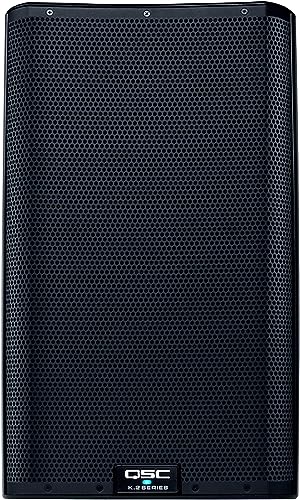
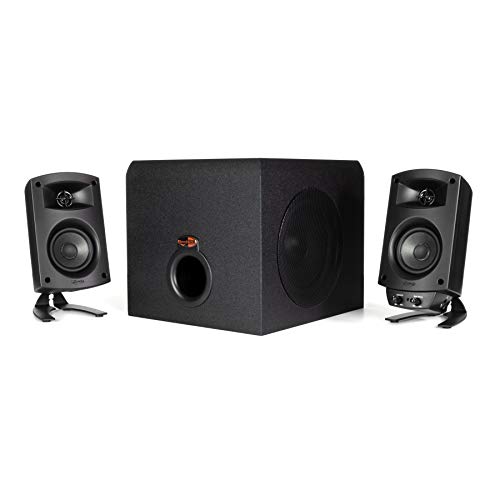
Our Top Picks
 JBL Professional PRX ONE Powered Column PA Speaker33.4"x18.9"x25.4"23 x 23 x 27.75 inches56.6 poundsCheck on Amazon
 Power Acoustik NB-1 200-Watt 2-Way Mount Tweeters1 inches7.5 x 5.25 x 1 inches0.01 poundsCheck on Amazon


What's inside
- What a loudspeaker management processor is
- Signal chain tour
- AutoEQ and the RTA measurement microphone
- Advanced Feedback Suppression: fixed and live filters
- Subharmonic synthesis and compression
- PA2 class versus Venu360 class
- A two-tops-plus-subwoofer setup workflow
- Used-market and firmware notes
- Buying checklist by venue and rig complexity
- Reading the specification sheet without being misled
- Common mistakes that make good processors sound bad
- Care, backup, and preset hygiene over years of service
- Check prices on Amazon
- Stereo, mono subwoofers, and other configuration choices
As an Amazon Associate I earn from qualifying purchases. This post may contain affiliate links at no extra cost to you.
A powered speaker already contains a remarkable amount of engineering. Inside the cabinet sit amplifiers matched to the drivers, a crossover that divides the signal between woofer and compression driver, protection limiters, and often a small digital processor offering preset voicings and a little equalisation. Given all of that, a fair question follows: why would anyone place a separate loudspeaker management processor, such as a dbx DriveRack PA2 or a unit from the Venu360 class, in front of speakers that appear to manage themselves?
The answer lies in the difference between managing a loudspeaker and managing a system. The processor inside a powered cabinet knows its own drivers intimately, but it knows nothing about the second cabinet across the stage, the subwoofer on the floor, the balcony that swallows high frequencies, or the gymnasium wall returning a slap echo to the choir microphones. A DriveRack works at that system level. It shapes the signal for the room, aligns arrivals in time, guards the whole rig against feedback and excess level, and stores the result as a repeatable preset for the next event in the same space.
This guide examines that role in detail, grounded in published manuals, specification sheets, and application notes from dbx by Harman, together with standard sound reinforcement references on gain structure, delay, and room measurement. It describes workflows as documented guidance rather than as a diary of any particular gig, and it keeps the scope fixed on powered, active PA speakers fed from a DriveRack-class processor, whether the rig is a pair of tops on stands, a tops-plus-subwoofer combination, or a small installed system in a house of worship or school hall.
Readers who follow a link from this page and later buy may support this site, because the site may earn a commission from qualifying purchases while readers pay nothing beyond the normal price.
What a loudspeaker management processor is
A loudspeaker management processor is a digital signal processing unit, usually one rack space tall, that sits between the mixer outputs and the loudspeaker inputs. In a single chassis it gathers functions that once filled half a rack: parametric and graphic equalisation, crossovers, delay, compression, limiting, feedback suppression, and routing. DriveRack models add measurement-driven setup tools built around a calibrated real-time analysis microphone, commonly the dbx RTA-M, which connects to a dedicated front-panel input.
In a traditional passive system, such a processor is close to mandatory, because the crossover and driver protection must live somewhere outside the speaker. In a powered system, those internal duties are already handled, so the external processor earns its place through coordination rather than necessity. It becomes the single point where the operator tunes the combined output of every cabinet, balances tops against subwoofers, applies one coherent limiter strategy, and recalls the whole configuration from a preset instead of walking to each cabinet and repeating dial changes by hand.
Why internal speaker DSP does not close the question
Onboard processing in powered speakers is deliberately conservative and cabinet-focused. A preset labelled for floor monitor use or for music playback adjusts that one box. It cannot delay the left stack by a few milliseconds to match a delayed fill speaker near the back of a hall. It cannot run a measurement microphone at the listening position and reshape the combined response of both stacks together. It cannot watch the entire programme for feedback frequencies and notch them centrally before the signal divides toward several cabinets. Those are system tasks, and they remain available work for an upstream processor even when every cabinet is individually sophisticated.
There is also a consistency argument. A rental or church rig may mix cabinet generations: newer tops with rich onboard options beside older powered subwoofers with little more than a level knob and a polarity switch. An upstream DriveRack gives the operator one interface, one preset file, and one place to document the setup. Volunteers and rotating engineers benefit most from that simplification, because the rig behaves the same way each week when the preset is recalled, rather than depending on whether someone remembered the position of a small switch on the back of a subwoofer.
What it is not
A management processor is not a cure for poor loudspeaker placement, inadequate rig size, or a room that needs acoustic treatment. Equalisation cannot remove a strong reflection, only reduce the level of frequencies that excite it most, and often at the cost of clarity elsewhere. Delay cannot create coverage where no loudspeaker points. Limiters cannot add clean output headroom that the amplifiers do not possess. The sections that follow return to those limits repeatedly, because honest expectations separate a processor used well from an expensive box blamed for physics.
Signal chain tour
Understanding a DriveRack means walking the signal path in order, because each stage assumes the previous stage was set sensibly. The PA2 class offers stereo inputs and six outputs in typical configurations described by the maker, while the Venu360 class expands input and output counts and routing flexibility. Exact counts should be confirmed against the manual for the specific model, but the logical chain is shared: input conditioning, equalisation, routing and crossover filtering, alignment delay, dynamics, and output limiting.
Inputs and gain staging
Gain staging is the unglamorous foundation. The mixer should deliver a healthy, undistorted signal, with its main outputs operating in a sensible part of their range rather than whispering or slamming. The DriveRack input level should mirror that health, and each powered speaker input should be set so the system reaches the required loudness with the mixer in a comfortable position and the processor neither starved nor overdriven. When any stage clips, no later stage can restore the lost waveform; distortion added early is amplified faithfully by everything downstream.
A practical method documented across sound reinforcement literature is to set the speaker level controls first, often at a repeatable reference position recommended by the speaker maker, then establish mixer output level with typical programme material, then confirm the processor input meters show strong signal with headroom remaining for peaks. Powered speakers vary in input sensitivity and in whether their input knob is a true gain control or an attenuator, so the speaker manual governs the starting position. The goal is a chain where the first clip point, if the operator pushes recklessly, is obvious and singular, not a mystery distributed across three devices.
Input equalisation
Input EQ shapes the whole system before the signal divides. It is the right place for broad tonal decisions: a gentle high-frequency shelf for a dull hall, a cut in a boomy low-mid region that every source excites, or a high-pass filter described below. DriveRack models provide graphic and parametric options at various stages, and the parametric form rewards precision, because a narrow cut at a measured problem frequency disturbs neighbouring content less than a wide graphic slider dragged down in hope. Broad strokes belong early; surgical work belongs as close to the measured problem as the architecture allows.
Crossover options with full-range powered speakers
Owners of full-range powered tops sometimes assume the crossover section has nothing to offer them, and that assumption wastes one of the most protective tools in the box. When a subwoofer joins the rig, a proper crossover division in the DriveRack, using filter slopes such as 24 dB per octave Linkwitz-Riley as a common documented choice, keeps deep bass out of the tops and keeps vocal range energy out of the subwoofer, with a defined overlap region instead of two cabinets reproducing the same band at competing levels. Crossover frequencies for tops-plus-sub rigs commonly sit between about 80 and 120 Hz, chosen with the manuals of both cabinets open, since the powered subwoofer may already contain a fixed internal filter that must be accounted for or bypassed where the design permits.
Even without a subwoofer, a high-pass filter protects powered tops. Content below the useful range of a 10 or 12 inch cabinet, such as stage rumble, microphone handling thumps, and wind noise on outdoor events, consumes amplifier power and woofer excursion while producing no useful output. A high-pass set near 40 to 50 Hz for full-range music use, higher for speech-focused work, returns that wasted energy as headroom and reduces the muddy intermodulation that accompanies an overworked woofer. The filter is cheap insurance, audible mainly as cleanliness at high level.
Driver alignment and fill delay: the arithmetic
Sound travels through air at roughly 1,130 feet per second near room temperature, which works out to a little under 0.9 milliseconds per foot, or, in the form most operators memorise, about 1 millisecond per foot as a field approximation. Delay in a DriveRack is specified in milliseconds and often also displayed in feet or metres, and the math is simple division. A fill speaker 34 feet closer to a listener than the main stack must be delayed by roughly 30 milliseconds so its output arrives with the main signal rather than ahead of it. A subwoofer whose acoustic centre sits 4 feet behind the tops may need about 3.5 milliseconds of delay applied to the tops, or an equivalent adjustment, so the wavefronts combine rather than cancel near the crossover frequency.
At the crossover point, delay errors show up as a notch. When subwoofer and tops reproduce 100 Hz content out of alignment, the combined response near that frequency dips, and no amount of level adjustment fills a cancellation caused by timing. Polarity inversion is the coarser cousin of delay: flipping polarity shifts the relationship by half a cycle at every frequency, which at 100 Hz equals about 5 milliseconds, and sometimes a polarity flip plus a smaller delay lands closer than delay alone. Manuals and measurement tools guide the fine work, but the arithmetic above lets any operator sanity-check a displayed figure before trusting it.
Output limiters
The final stage before the outputs is limiting, and in a powered-speaker rig it serves a different purpose than the limiters inside the cabinets. Internal limiters protect drivers and amplifiers from damage and are tuned by the maker to those components. DriveRack output limiters protect the system balance and the audience experience: they cap the level sent toward each cabinet group so a sudden mixer surge does not produce a painful blast, and they can be set conservatively so the internal limiters engage rarely and gracefully rather than as the routine volume ceiling. Heavy, constant limiting from any stage squashes dynamics and can raise average power delivery to drivers, so thresholds should be set from measured maximum levels, not guessed from a comfortable armchair.
AutoEQ and the RTA measurement microphone
AutoEQ is the feature most buyers picture: connect the measurement microphone, place it at a listening position, let the processor play pink noise, and watch a curve being drawn toward a target. The DriveRack wizard-driven workflow built around the RTA-M follows that broad pattern, and used with realistic expectations it is a useful starting point. Used as an oracle, it disappoints, because a single microphone position in a real room captures a mixture of direct sound and reflections that no equaliser can fully separate.
A documented measurement workflow
Manufacturer guidance and standard practice share a sequence. Place the measurement microphone on a stand at ear height at a representative listening position, away from walls and away from the direct blast of a single cabinet. Set the system to a realistic operating level, since some room behaviours and speaker responses change with level. Run the measurement, review the resulting filter suggestions rather than accepting them blindly, and then listen to familiar programme material before storing the preset. Moving the microphone to a second and third position and comparing results teaches more about the room than any single run, because filters that appear in every position usually reflect a genuine system trait, while filters that appear in only one spot usually reflect that spot.
What automatic equalisation can and cannot fix
AutoEQ handles broad tonal imbalance well. A system that measures consistently bright across several seats can be softened. A low-mid build-up caused by a rig exciting a room mode at moderate level can be trimmed, with the understanding that the mode still exists and will respond again at other positions. AutoEQ cannot repair a deep cancellation notch, because pouring energy into a frequency that the room cancels at that seat merely stresses the drivers and worsens other seats. Sensible workflows cap the amount of boost the automatic routine may apply, favour cuts over boosts, and treat narrow, deep automatic filters with suspicion.
Target curves deserve thought rather than default acceptance. A ruler-flat measured response at a distant seat in a reverberant hall often sounds thin and harsh, because human hearing expects some high-frequency roll-off with distance and because the measurement includes reflected energy the ear discounts. Many engineers aim for a gentle downward tilt toward the top octave for music in large rooms, while speech systems in lecture spaces may target a flatter midrange for intelligibility. The DriveRack target options and manual EQ stages allow those choices; the operator supplies the judgement about which target suits the programme.
Level matching before frequency judgements
One underappreciated part of the setup wizards is level and balance assistance: matching subwoofer level to tops, and left stack to right stack, before frequency decisions begin. Human listeners reliably mistake louder for better, so an unbalanced rig measured carelessly produces EQ curves that compensate for level errors with frequency surgery. Set levels first, at the listening position, with the same measurement microphone doing honest work as a sound level reference, and the subsequent equalisation becomes smaller, calmer, and more transferable between events.
Advanced Feedback Suppression: fixed and live filters
Feedback begins when a microphone hears its own amplified output loudly enough, at some frequency where the loop gain exceeds unity, for the system to sustain a tone. Every live engineer knows the ring that precedes the squeal. The Advanced Feedback Suppression system in DriveRack models, abbreviated AFS, listens for that narrow, sustained signature and inserts a very narrow notch filter at the offending frequency, removing a small slice of response to restore stability.
Fixed filters from a deliberate ring-out
Fixed AFS filters are set during setup by a controlled procedure documented in the manuals: raise system gain slowly toward the performance level with microphones in their working positions, let the processor catch the first feedback frequencies, and lock those notches as fixed. The procedure, often called ringing out, buys headroom before the audience arrives. Each fixed filter spends a little of the system response, so restraint matters. Catching the first several problem frequencies usually yields most of the benefit, while hunting every last ring consumes filters and dulls the sound for a margin that stage discipline would provide more cheaply.
Live filters during the event
Live filters remain available during performance, armed to catch new feedback when a vocalist wanders in front of a stack, cups a microphone, or points it at a monitor. They can be configured to release after a period, returning their notch to the pool, on the logic that a singer who moved away no longer needs the filter that the excursion required. Release behaviour is a judgement call. Fast release keeps the response clean across a long show with moving performers. Slower or held release suits a static podium in a difficult room, where the same geometry will provoke the same frequency again within minutes.
Filter width and depth are the quiet details. AFS notches are intentionally narrow, far narrower than a graphic EQ band, so they remove the feedback frequency while sparing neighbouring musical content. That precision is why processor-based suppression generally sounds less destructive than an operator frantically dragging down a wide graphic slider. It is also why AFS cannot rescue a system whose microphones are simply too close to loudspeakers at too high a gain: twelve narrow notches, or however many a given model provides across its filter pool, will exhaust themselves against a geometry problem, and the correct fix remains moving something.
Church and gym versus club behaviour
Venue character changes the feedback strategy. In a church or school gymnasium, microphones are often open in numbers, distances to speakers are awkward, reflective surfaces abound, and operators may be volunteers. AFS earns its keep there, with a generous allocation of fixed filters from a careful ring-out, live filters held rather than released quickly, and modest overall gain targets that respect the room. In a club with a seasoned engineer, close-miked loud sources, and speakers flown or stacked away from microphones, feedback pressure is lower, AFS can run with fewer fixed filters and faster live release, and the sonic cost of suppression nearly vanishes. Same processor, opposite temperaments, both correct.
Speech intelligibility work adds one more consideration. Feedback frequencies for spoken word systems frequently cluster where the system and room conspire in the midrange, the same region carrying consonant clarity. Narrow notches preserve that clarity far better than broad cuts, which is a concrete reason houses of worship favour processor suppression over the graphic-only approach of an earlier era.
Subharmonic synthesis and compression
Two DriveRack tools invite misuse precisely because their first impression is flattering: subharmonic synthesis, which generates content an octave below selected low frequencies, and programme compression across the system. Both have legitimate uses. Both punish carelessness, and with powered speakers the punishment arrives as wasted headroom and tired drivers.
When subharmonic synthesis helps and hurts
Synthesis can give a small rig a sense of weight on programme material that lacks genuine deep bass, such as older recordings or a thin electronic kick, by inventing a controlled amount of sub-octave energy for the subwoofer to reproduce. The operative words are controlled amount. Powered subwoofers have finite excursion and amplifier reserves, and synthesised content at high level consumes both while adding nothing the audience can locate melodically. On a rig already reproducing genuine 40 Hz content at full level, synthesis mostly converts headroom into heat and limiter activity. On speech, acoustic music, or any programme where naturalism matters, the correct setting is usually off. Manuals present the effect with adjustable intensity for a reason: a trace can flatter, a flood will blur.
System compression: glue versus squash
A gentle compressor on the main feed can glue a mix for a broadcast-style event or protect against modest level wander from an inexperienced mixer operator. Ratios kept low, thresholds set so only peaks are touched, and gain reduction of a few decibels at the loudest passages describe the sane end of the practice. The dangerous end is using system compression as an automatic volume rider all evening. Constant gain reduction raises the average signal sent to powered cabinets, lifts the noise floor in quiet moments, provokes feedback by quietly turning the system up during pauses, and fights the mixer operator, who pushes faders against a ceiling that keeps retreating. Channel compression belongs at the mixer, on the specific sources that need it. System compression should remain a light safety and polish tool.
Note the interaction with AFS and limiters. A compressor raising average level erodes the gain-before-feedback margin that AFS filters bought, and a limiter downstream then works harder against a denser signal. Tools in a shared chain are never independent, and a preset should be auditioned as a whole, at show level, with show material, before it is trusted.
PA2 class versus Venu360 class
The DriveRack family spans a clear ladder. The PA2 addresses the classic stereo rig: a pair of mains, with or without subwoofers, in portable or small installed settings. The Venu360 class addresses larger, more complex systems where routing, channel count, and networked control stop being luxuries. Choosing between them is mostly a matter of counting inputs, outputs, and control requirements honestly, rather than buying the larger badge.
Inputs, outputs, and routing
The PA2 is documented as a stereo-in, multi-output processor suited to configurations such as stereo tops with mono or stereo subwoofers, using its output bank to feed the cabinet groups of a typical small rig. The Venu360 class expands to three inputs and six outputs in its standard form, with flexible routing that can serve stereo rigs with fills, multi-zone installs, or more elaborate subwoofer arrangements. Zone work is the dividing line in practice. A restaurant or campus space needing separately delayed and equalised areas outgrows the smaller unit quickly, while a weekend band rig may never use the extra routing in a decade of service.
Network and application control
Both classes moved control beyond the front panel, but the depth differs. The PA2 offers control through its network connection with dedicated applications for common computer and tablet platforms, allowing an operator to walk the room with a tablet while adjusting EQ or levels, which transforms setup quality in reverberant spaces. The Venu360 class extends networked control further, fitting into larger Harman ecosystems and installed workflows where multiple devices are supervised from one position. In either case, the network is a control path, not an audio path, on the analogue models, and a lost connection should leave the audio running at the current settings, a behaviour worth confirming during a calm setup rather than discovering during an event.
Dante and the 360 variants
Certain Venu360 variants add Dante digital audio networking, identified by the model suffix in dbx documentation, allowing audio to arrive over the network cable from a Dante-equipped mixer instead of through analogue inputs. For installed systems and modern digital console workflows, that removes conversion stages, simplifies cabling, and lets the processor live in a rack far from the mixing position. For a portable rig built around an analogue mixer, Dante adds cost without benefit. The buying question is therefore about the mixer and the building, not about the processor in isolation.
Preset storage and recall discipline
Both classes store user presets capturing the full configuration, and both reward a naming discipline that portable operators often skip. A preset named for venue, rig, and date recalls the right starting point in seconds and documents what worked. Factory presets tuned for specific powered speaker families, a long-standing DriveRack feature built from manufacturer measurement data, provide a further starting point when the exact cabinet model appears in the library, though room EQ and delay still belong to the specific space. Preset libraries should be backed up off the unit, because a processor failure the morning of an event is survivable only if its brain exists somewhere else.
A two-tops-plus-subwoofer setup workflow
The following sequence synthesises the manuals and standard references into a prose workflow for the most common powered rig this guide concerns: two full-range powered tops on stands and one or two powered subwoofers, fed from a DriveRack. It is guidance to be adapted with the specific manuals in hand, and the order matters more than any single figure within it.
Begin with placement before electronics. Stands raise the tops so the high-frequency horns sit above audience head height, angled to cover the seating rather than the ceiling or the back wall. Subwoofers sit on the floor, centred together where possible, because separated subwoofers create power alleys and cancellation valleys across the floor, while a centred cluster sums more evenly. Keep microphones behind the plane of the tops whenever the layout allows, and note the distances between cabinets with a tape, since delay figures later will come from those numbers.
Connect the chain plainly: mixer main outputs to DriveRack inputs, DriveRack outputs to subwoofer and top inputs in the configuration the preset expects, measurement microphone to its dedicated input on a stand at the main listening position. Load or build a configuration matching the rig, choosing the crossover division in the region the cabinet manuals suggest, commonly near 100 Hz for 12 inch tops over a capable subwoofer, with 24 dB per octave Linkwitz-Riley slopes as a documented starting point, and engage a protective high-pass on the subwoofer output near its useful bottom, often around 30 to 35 Hz for typical powered subs.
Set levels in the order described earlier: cabinet controls to their reference positions, mixer output healthy, DriveRack inputs strong with headroom, then balance subwoofer against tops at the listening position using programme material and measurement together, because taste and data correct each other. Apply delay next. If the subwoofer cluster sits behind or ahead of the tops by a measured distance, convert feet to milliseconds at roughly 0.9 milliseconds per foot and delay the earlier-arriving group, then fine-check the crossover region by listening for fullness on bass notes that cross the division, or by the measurement tools the processor provides.
Run the AutoEQ sequence at realistic level, review its proposals with the scepticism this guide has argued for, favour cuts, cap boosts, and store a draft preset before touching AFS. Ring out the microphones in their true positions to set fixed AFS filters, stopping after the first several catches, then configure live filters with release behaviour matched to whether performers move. Set output limiter thresholds from the maximum level the event genuinely needs, measured at the seats, with margin below the point where the cabinets sound strained. Play familiar recordings, walk the coverage area, make small corrections from the worst seats rather than the best one, and store the final preset under a name that will mean something in six months.
Finally, document the analogue facts that no preset stores: stand heights, subwoofer placement marks on the floor, cabinet control positions, and cable runs. A photographed stage plot and a taped floor mark have saved more repeated events than any advanced feature, because next month’s setup begins from the physical rig, and the preset only describes a rig that someone must first rebuild accurately.
Used-market and firmware notes
DriveRack processors hold value and circulate widely on the used market, which makes them attainable for small venues and also makes careful inspection worthwhile. The hardware is generally durable, with few moving parts beyond encoders and buttons, but history matters: a unit from a clean install rack and a unit from a damp club floor may share a model badge and little else.
Inspection points for a used unit
Power the unit and watch the boot sequence complete without errors. Turn every encoder through its range feeling for jumps or dead spots, and press every button for a positive response. Check input and output sockets for looseness, check the measurement microphone input specifically, and inspect the display for dimming or missing segments that would frustrate setup in a dark venue. Ask about the RTA-M measurement microphone. A DriveRack sold without its measurement microphone has lost the centrepiece of its wizard workflow, and a replacement microphone is a real cost that belongs in the price negotiation rather than a surprise afterwards. Confirm any substitute microphone is the correct measurement type, because a vocal microphone cannot calibrate AutoEQ honestly.
Firmware, drivers, and control software
Manufacturers publish firmware updates and control application versions through their official support channels, and a used unit may arrive several versions behind. Updating firmware through the documented procedure, with stable power and no interruptions, can restore compatibility with current control applications and fix known faults. Equally, a working installed unit on an older, stable version does not demand an update on the eve of an event. Schedule updates in quiet periods, record the version in the system documentation, and keep the control application version matched to the firmware guidance in the release notes.
Password-locked units
DriveRack processors support security locking so an installed system cannot be casually altered, and that virtue becomes a hazard in a second-hand sale when the seller cannot provide the password or proof that the unit is unlocked. A locked unit may pass audio at its stored settings while refusing every edit, which is a poor bargain for a buyer planning new configurations. The documented recovery routes run through the manufacturer and may require proof of ownership, so a buyer should verify unlocked, editable operation during the transaction itself, cycling a harmless parameter and restoring it, rather than accepting an assurance at the door.
Accessories complete the valuation: rack ears, power supply or cable appropriate to the model and region, the measurement microphone with its clip, and any original documentation. None is glamorous, and together they separate a ready system from a project.
Buying checklist by venue and rig complexity
The right DriveRack is the one whose channel count, control style, and feature depth match the rig that actually exists, with modest room for the rig that is credibly planned. Overspending on unused routing is waste. Underspending into a channel shortage is worse, because the workaround, splitting duties across cabinet dials and processor menus, recreates exactly the inconsistency the processor was bought to remove.
- Count outputs first: stereo tops alone need two; tops plus a mono subwoofer feed need three; stereo subwoofers, fills, or a delay zone each add outputs that must exist before they can be tuned.
- Confirm the measurement microphone is included or budgeted, and that the control application supports the computer or tablet the operator genuinely carries.
- Decide whether Dante audio networking matches the mixer in use or firmly planned; without a Dante source, analogue inputs serve perfectly well.
- Match AFS depth and preset capacity to the venue: open-microphone speech spaces benefit most from generous feedback suppression and many stored venue presets.
- Check limiter, delay range, and crossover flexibility against the largest rig the unit must serve, using the manual figures rather than family reputation.
- For used units, verify unlocked editing, encoder health, firmware status, and microphone inclusion during the transaction.
Small rooms and simple rigs
A cafe, a small chapel, or a rehearsal room running two powered tops without subwoofers may need little beyond a high-pass filter, a few bands of EQ, and basic limiting. In that setting a PA2-class unit is already generous, and its AutoEQ and AFS tools will likely matter more than its crossover section. Some such venues will honestly be served by the speakers’ onboard processing plus a mixer’s main EQ, and the honest checklist says so: if nobody will ever measure the room, store a preset, or run open microphones near the speakers, the external processor risks becoming an expensive bypass switch.
Medium venues: the natural home of this category
School halls, mid-size houses of worship, community theatres, and working band rigs with tops and subwoofers form the centre of gravity for DriveRack ownership. Here every major tool finds work: crossover division and delay align the subwoofers, AutoEQ tames a known room, AFS protects volunteer-run speech, limiters guard against exuberant guest operators, and presets separate the Saturday dance configuration from the Sunday spoken-word configuration. The PA2 class covers most of these needs, and the Venu360 class enters the conversation when fills, extra zones, or networked audio appear on the plan.
Large and multi-zone systems
When a venue adds balcony delays, under-balcony fills, foyer zones, or multiple subwoofer locations, routing flexibility and output count dominate the decision, and delay ranges must cover the longest physical offsets in the building. A fill 60 feet from the mains needs on the order of 54 milliseconds of delay by the arithmetic given earlier, comfortably inside the ranges these processors publish, but every zone also needs its own EQ and limiter attention, which multiplies setup time and argues for networked control from a laptop at the seats. At that scale the Venu360 class, particularly in its networked-audio variants where the infrastructure supports them, is the proportionate choice.
When simpler tools are enough
Three honest alternatives deserve naming. First, the powered speakers’ own processing, which on modern cabinets includes competent crossovers for maker-matched subwoofers, voicing presets, and protection, suffices for a plug-and-play rig in a forgiving room with an experienced operator at a good mixer. Second, a simple analogue or digital crossover suffices when the only genuine need is dividing tops from subwoofers and nothing about the room or the microphones demands measurement or suppression. Third, a mixer’s built-in main-bus processing covers some of the same ground for a single stereo rig. The DriveRack case rests on integration and repeatability: many tools, one preset, measured setup, and identical recall. Where that combination solves a real recurring problem, it earns its rack space. Where it does not, simpler is not a compromise but the correct engineering answer.
Budget should also carry the unglamorous companions of good processing: a proper microphone stand for the measurement microphone, balanced cables of the lengths the venue actually requires, a small uninterruptible supply for the rack in buildings with flaky power, and an hour of quiet access to the room for measurement at realistic level. A processor tuned hastily at low level in a crowded room will underperform a lesser unit tuned calmly, because measurement quality, like microphone placement, quietly governs everything built on top of it.
Reading the specification sheet without being misled
Specification sheets for management processors reward a reader who knows which figures govern daily work and which merely decorate a brochure. Delay range is one governing figure: a unit intended for fill speakers must delay by at least the longest distance offset in the venue, converted at roughly 0.9 milliseconds per foot, plus a margin for fine alignment at the crossover. A hall with a fill 75 feet forward of the mains needs about 68 milliseconds for distance alone, so a published maximum delay comfortably beyond that figure is a requirement, not a luxury.
Equaliser detail is another governing area. Count the parametric bands available per input and per output, note whether frequency, bandwidth, and gain are all adjustable on each band, and check the available filter shapes, because a shelf and a bell solve different problems. Graphic equalisers on a specification sheet look reassuring in their familiarity, yet the parametric sections do the precise work in most real rooms. A processor with fewer, fully parametric bands often outperforms one boasting a long graphic strip with fixed bandwidths, provided the operator is willing to learn three controls per band.
Dynamic range and converter quality matter quietly. A system processor sits in front of every loudspeaker, so its noise floor becomes part of the system noise floor, audible in a quiet theatre between spoken passages. Published signal-to-noise and dynamic range figures in this class are generally strong, and the practical test is simpler than the numbers: with gain structure set correctly and no programme playing, the system should rest in near silence at the seats. Hiss at rest almost always traces back to gain staging, with some stage turned down far too low and a later stage turned up far too high to compensate, rather than to a defective processor.
Crossover slope options deserve a glance beyond the headline. The ability to choose between filter families and slopes, for example Butterworth and Linkwitz-Riley shapes at 12, 18, 24, or 48 dB per octave where offered, lets the operator match the division to the cabinets and to any internal filtering the powered speakers impose. Steeper slopes separate bands more decisively and can protect a top cabinet more firmly, while gentler slopes transition over a wider region and sometimes integrate more forgivingly with a subwoofer whose own internal filter cannot be bypassed. There is no universal winner, which is precisely why the option exists.
Common mistakes that make good processors sound bad
The first mistake is equalising a system at low volume in an empty room and expecting the result to survive a full audience at show level. Bodies absorb high frequencies, room temperature shifts with occupancy, and loudspeakers behave somewhat differently when driven hard. A preset built under calm conditions should be treated as a strong draft, then refined during a rehearsal or soundcheck that resembles the event in level, occupancy, and microphone count. Operators who skip that refinement often blame the processor for a thin or harsh show that was really a measurement taken under the wrong conditions.
The second mistake is stacking corrections. A mixer operator adds a smiley curve at the console, the processor preset carries its own broad shaping, and the powered cabinets are set to a boosted voicing preset, and the three decisions compound into a boomy, scooped system that nobody consciously chose. Discipline means deciding where tonal shaping lives, ideally in one documented place, and setting every other stage to its neutral or reference condition. When a guest operator needs a quick tonal change, a single obvious control should provide it, after which returning to neutral is equally obvious.
The third mistake is forgetting polarity and physical symmetry while refining numbers on a screen. A subwoofer wired or switched to the opposite polarity, a top cabinet angled differently from its twin, or a stack nudged a foot sideways during cleaning will defeat careful delay and EQ work. The screen shows the intended system. The room contains the actual system. A tape measure, a polarity check, and a walk around the cabinets belong in every serious setup session, before the measurement microphone comes out of its pouch.
The fourth mistake is treating the loudest seat as the reference seat. Front rows near the stacks receive direct, hot coverage, while rear seats live on a mixture of direct and reflected sound. Tuning exclusively from the front produces a system that is polite up close and muddy at distance, which is backwards for most events, because the distant listener has no alternative source. Experienced operators weight their decisions toward the middle and rear of the coverage area, accept a little extra energy up front, and use fills or delays where the geometry truly demands them.
Care, backup, and preset hygiene over years of service
A management processor often becomes the memory of a venue’s sound, holding presets that encode hard-won knowledge about a difficult room. That memory deserves the same backup discipline as any other important file. Export or document the preset library after every significant tuning session, store a copy away from the rack, and keep a printed summary of the key settings, crossover points, delays in both milliseconds and feet, limiter thresholds, and cabinet control positions, in a folder that a substitute operator can find without a password or a phone call.
Firmware and application versions belong in that same record. When a control tablet is replaced years later, the note explaining which application version pairs with the installed firmware saves an afternoon of trial and error. Cables deserve a line as well, particularly the measurement microphone cable, whose length and routing during the original tuning influenced where the microphone could be placed. Future measurements taken from comparable positions produce comparable curves, and comparability across years is how a venue learns whether its room or its rig is slowly changing.
Physical care is modest but real. Rack ventilation should remain unblocked, because a processor baking above a hot amplifier ages faster than its specification promises. Front-panel encoders benefit from occasional use through their full travel in quiet periods, which keeps their action positive. The measurement microphone, a precision instrument with a calibrated capsule, should live in its pouch or case rather than in a cable bin, and its calibration assumption, that it remains the same microphone the AutoEQ routines expect, holds only while the capsule survives undamaged.
Annual review closes the loop. Rooms change: seating is replaced, drapes appear or vanish, a partition wall moves, a new heating unit adds its hum to the background. Each change quietly invalidates a portion of the stored preset. A yearly measurement session, run at realistic level with the room in its event configuration, either confirms the stored work or produces a revised preset under a new name, with the older version retained rather than overwritten. That retained history is not clutter. It is the difference between a venue that understands its own sound and one that merely hopes the magic setting never gets lost.
Check prices on Amazon
Live listings for the shortlist in this guide are pulled from Amazon below, so prices and availability are always current at the moment you look.


Stereo, mono subwoofers, and other configuration choices
Configuration choices made in the processor setup wizard quietly shape everything downstream, and three of them recur in almost every powered rig. The first is whether the subwoofers receive a summed mono feed or a stereo feed. Summing to mono suits most live music, because deep bass in recordings and in live mixes is effectively centred, and a mono feed guarantees both subwoofers, or the single central subwoofer, reproduce the same low content at the same level, which supports the even summation described earlier. Stereo subwoofer feeds preserve a separation that few listeners can perceive at 80 Hz, while risking uneven levels when programme material leans to one side.
The second choice is where the crossover lives when both the processor and the powered subwoofer offer one. Running two full crossover filters in series steepens the effective slope and shifts the effective division point away from what either display claims, a recipe for a hole or a hump near the crossover that resists later equalisation. The cleaner arrangements are documented in the cabinet manuals: either let the DriveRack divide the signal and set the subwoofer to its widest or bypass condition where one exists, or let the subwoofer feed the tops through its own built-in division and use the processor mainly for EQ, delay, and limiting. Mixing philosophies by accident, rather than by decision, is the outcome to avoid.
The third choice concerns auxiliary-fed subwoofers, a technique where subwoofers receive their own mixer send so only selected channels, typically kick drum, bass, and keys, reach the deep low end. A DriveRack can still serve such a rig, with the auxiliary feed entering its own input on models whose routing allows it, which is one place where the extra input of the Venu360 class proves practical rather than decorative. The benefit is a cleaner low end, because vocal microphones and guitars stop exciting the subwoofers with rumble. The cost is complexity that a rotating volunteer team may not sustain, so the technique belongs in venues with consistent operators.
Underneath all three choices sits a simple principle worth stating once, plainly: the configuration diagram should be drawable on paper, from mixer to cabinets, with every filter and delay labelled, before the first preset is stored. If the diagram cannot be drawn from memory by the person who built the preset, the rig is too complicated for its team, and simplification will improve the sound more reliably than any additional processing stage.
One final habit separates careful operators from hopeful ones: after storing a preset, recall it from scratch, power the rig down and back up, and confirm that the system returns exactly as intended, with the correct configuration, the expected levels, and no surprise mute or offset hiding in a stage nobody inspected. That dull five-minute drill, performed while the room is empty and nobody is waiting, has prevented more ruined first impressions than any heroic adjustment attempted thirty seconds before a downbeat.
Long after the preset names and filter counts are forgotten, the rig that gets invited back is the one whose quietest spoken word reached the back row without strain, and that reputation is built from patient alignment far more than from any single feature printed on a carton.