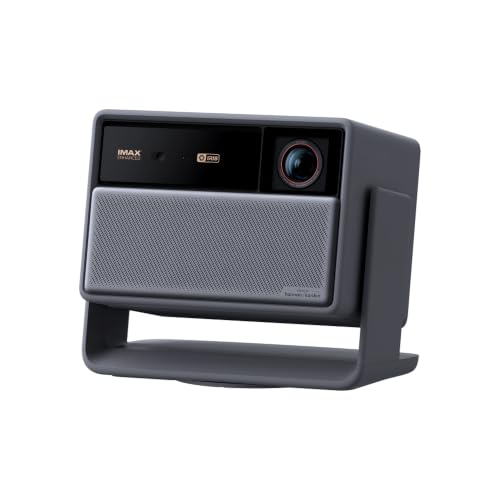
Our Top Picks
 Epson PowerLite L200W 3LCD WXGA Long-Throw Laser Projector11.7 x 12.8 x 4.1 inches9.1 poundsCheck on Amazon


What's inside
- What long throw actually means
- When a far-distance projector is the right choice
- How to choose a projector for far distances
- An honest note on the five models in this guide
- The five models, compared one by one
- Comparing the five as a group
- Installing a long-throw projector in a large venue
- A practical shortlisting routine for venue buyers
- Frequently asked questions
- Check prices on Amazon
- Conclusion
As an Amazon Associate I earn from qualifying purchases. This post may contain affiliate links at no extra cost to you.
Most projectors are bought for a room where the screen and the seats are only a few metres apart. A long-throw projector solves the opposite problem. It is built to sit far from the screen, often at the back of a large room, on a high ceiling mount, or in a projection position behind the audience, and still fill a big image with enough focus, geometry control, and brightness headroom to remain legible from the last row. If you run an auditorium, a lecture hall, a large classroom, a house of worship, a training centre, or a very large living space, that distance is not a preference. It is fixed by the building. The projector has to work around the architecture, not the other way round.
This guide covers five specific models, and it is honest about what they are from the first paragraph. All five are Epson PowerLite projectors from the L range, and all five use 3LCD technology. They are different models within the same family, not five unrelated designs from five competing brands. That concentration is not an editorial shortcut. When our research checked the verified Amazon listings in this class, the Epson PowerLite L line accounted for the majority of the long-throw options that could be confirmed as genuine, currently listed, large-room projectors. Rather than pad this guide with unverifiable names, it compares the models that could actually be checked, and it explains the differences that the product titles themselves support.
That honesty also shapes how specifications are handled here. Only the attributes named in each product title are attributed to a model. Where a title states a 16:10 format, ceiling mountability, a laser light source, wireless connectivity, or a WXGA resolution, that attribute is discussed for that model. Where a title does not state a brightness figure or a resolution, no figure is invented for it. Long-throw buying is full of expensive mistakes, and most of them begin with an assumed specification that was never actually confirmed. Throughout this guide, the recommendation is the same: use the comparison here to shortlist, then confirm the full manufacturer specification sheet for the exact model number before committing a venue budget.
What long throw actually means
Throw describes the relationship between the distance from the lens to the screen and the width of the image the projector produces. That relationship is expressed as a throw ratio. A throw ratio is calculated by dividing the projection distance by the image width. If a projector sits a long way back and produces a comparatively modest image width, the ratio is high, and the lens is a long-throw lens. If a projector sits very close to the screen and still produces a wide image, the ratio is low, and the lens is a short-throw or ultra-short-throw design. The projector body can look similar in each case. The lens, and the geometry it creates, is what differs.
The practical consequences are easy to picture. A short-throw projector belongs on a table or mount just in front of the screen, which keeps it close to the presenter and close to the audience at the front. An ultra-short-throw model sits almost against the wall, which suits small meeting rooms and home setups where floor space is tight. A long-throw projector belongs at the other end of the room. That placement keeps the projector away from the audience, away from presenters walking in front of the screen, and away from the shadows and glare that appear when equipment sits inside the viewing area. It also means the light beam travels over the heads of the audience rather than through the seating, which is why ceiling mounting at the rear is such a common pattern in halls and auditoriums.
Distance also changes what can go wrong. Over a long throw, small alignment errors become large image errors. A projector that is slightly off axis at a short distance may still look acceptable. The same error carried across a large hall can produce a visibly trapezoidal image, uneven focus, or a picture that overflows one edge of the screen. Long-throw installations therefore place more value on optical zoom range, lens shift, and careful mounting than a desktop setup ever needs. Those features are not luxuries in this class. They are the tools that let an installer place the projector where the building allows, and then bring the image onto the screen properly from that position.
When a far-distance projector is the right choice
The clearest case is a fixed venue with a fixed screen. An auditorium with tiered seating, a lecture theatre with a presentation wall, or a place of worship with a screen above a platform all share the same layout problem: the only sensible projector position is far from the screen, often above or behind the congregation or audience. Moving the projector closer would mean suspending it over the seating, running cables through occupied space, and placing a distracting, fan-cooled device directly in the audience’s field of view. A long-throw model accepts the rear position as given and is optically designed for it.
Large classrooms and training rooms are a second common case. A teacher or trainer needs the front of the room kept clear for movement, demonstration, and discussion. A rear ceiling position keeps the projector out of reach, out of the way of raised hands and standing presenters, and far less likely to be knocked out of alignment between sessions. In a room used by many different people each week, that physical separation is a genuine operational advantage. Equipment that cannot be reached casually tends to stay aligned, stay connected, and stay working.
best 1080p home theater projectors
How to choose a projector for far distances
Start with the throw calculation, not the product list
Before comparing any models, measure two things in the actual room: the distance from the proposed lens position to the screen surface, and the width of the image you need. Divide the first by the second and you have the throw ratio your lens must achieve. Check that ratio against the lens range in the manufacturer’s specification for any model you shortlist. A projector whose zoom range comfortably includes your ratio, rather than reaching it only at the extreme end of its travel, will be easier to install and easier to adjust. Leave margin where you can. Buildings are rarely measured perfectly, mounts rarely land exactly where a drawing suggested, and a lens working comfortably inside its range gives the installer room to correct the plan.
Screen size deserves the same discipline. In a large room, the screen should be sized for the farthest viewer, not for the projector. Text, diagrams, lyrics, and presentation slides all impose a minimum image height for legibility at the back row. Work backwards from that requirement: decide the image size the room needs, confirm the throw ratio that size implies from your mounting position, and only then judge whether a given model fits the geometry. Choosing a projector first and discovering the geometry afterwards is the most common and most avoidable error in this category.
Brightness for large, imperfectly dark rooms
Large venues are seldom fully dark. Auditoriums keep aisle and safety lighting, classrooms have windows and whiteboards that reflect light, and houses of worship often present in daylight or mixed lighting by design. In those conditions, the brightness class of the projector matters as much as its lens. As a general principle of the industry, larger screens and brighter rooms demand projectors from higher brightness classes, while a smaller screen in a controllable room can succeed with less. What matters for this guide is the principle, applied honestly: none of the five product titles compared here states a specific lumen figure, so no specific figure is claimed for any of them. Brightness is a specification to confirm directly from the manufacturer sheet for the exact model, matched against your screen size and your room’s real lighting, before purchase.
Resolution and the 16:10 format
Resolution determines how much fine detail the image can carry, and viewing distance determines how much of that detail the audience can actually use. In a large room, the back rows are far from the screen, which softens the visible difference between resolution steps for ordinary content, while the front rows sit close enough to notice softness in text. Three of the models in this guide, the PowerLite L735U, the PowerLite L520W, and the PowerLite L520U, are described in their titles with a 16:10 format. That widescreen-but-slightly-taller shape is a long-standing presentation format because it accommodates computer content, documents, and slides with more vertical room than a purely cinematic shape, while still handling widescreen video sensibly. One model, the PowerLite L200W, is explicitly described in its title as WXGA. No resolution is stated in the titles of the remaining models, and none is assumed for them here; again, the manufacturer sheet for the exact model number is the place to confirm it.
Aspect ratio also has to match the screen and the source. A 16:10 projector filling a 16:10 screen with native computer content is a clean combination. The same projector feeding a differently shaped screen, or being fed mainly by a source in another format, will involve scaling, letterboxing, or a compromise in how the image fills the available area. None of those outcomes is a failure, but they should be chosen deliberately rather than discovered on installation day. Check the screens you already own, or specify the screen and the projector together if the venue is being fitted from scratch.
Laser and lamp light sources
The light source shapes the ownership experience as much as the picture. Traditional lamp projectors use a replaceable lamp that gradually dims over its life and eventually needs changing, which in a high ceiling mount can mean access equipment, a scheduled visit, and a period of noticeably reduced brightness before the change. Laser light sources, as a general industry pattern, are associated with longer service intervals, more stable brightness over time, and quicker start-up, which is why laser has become so prominent in installed, hard-to-reach applications. In this guide, only one title states its light source directly: the PowerLite L200W is described as a laser projector. The titles of the other four models do not state a light source, so this guide does not assign one to them. If light source is a deciding factor for your venue, and it often should be where access is difficult, confirm it on the manufacturer specification for the specific model you are considering.
Ceiling mounting, lens shift, and zoom
Three of the five titles, covering the L735U, the L520W, and the L520U, state directly that the projector is ceiling mountable. That phrase matters in this class because the natural home for a long-throw projector is a fixed ceiling position at the rear of the room. Ceiling mounting keeps the unit secure, keeps cables out of walkways, and keeps the lens at a consistent height relative to the screen. It also raises practical questions that should be planned rather than improvised: the mount must suit the ceiling structure, power and signal cables must reach the position safely, and future access for cleaning filters or servicing must be possible without unreasonable effort.
Lens shift and optical zoom are the installer’s main correction tools. Optical zoom changes image size without moving the projector, which lets one mounting position serve a range of screen sizes. Lens shift moves the image up, down, or sideways without tilting the projector body, which preserves rectangular geometry far better than tilting and correcting digitally. Digital keystone correction can rescue a difficult position, but it works by discarding and rescaling part of the image, so it is best treated as a last resort rather than a plan. When you review the full specification of any shortlisted model, the zoom range and the amount and direction of lens shift deserve as much attention as the headline picture specifications, because they decide whether the installation will be straightforward or a compromise.
Connectivity and everyday operation
Installed projectors live or die by how easily ordinary people can use them. A venue projector may be fed by a lectern laptop, a fixed media player, a document camera, a streaming device, or a control system, and those sources change over the life of the installation. Generous, standard wired connectivity remains the dependable foundation for a fixed install, because a cable run to a known input behaves predictably week after week. Wireless presentation can add real convenience in teaching and meeting spaces, and in this guide it is a stated feature of exactly one model: the PowerLite L200W, whose title names built-in wireless and Miracast. That makes wireless a clear point of difference for that model rather than a feature to assume across the range.
An honest note on the five models in this guide
All five projectors compared below are Epson PowerLite L models with 3LCD technology. They are presented as what they are: different models within one manufacturer’s long-throw line, separated by the attributes their titles actually state, including format, mounting, light source, wireless features, and intended room type. One title emphasises large rooms and auditoriums. Three titles emphasise a 16:10 format and ceiling mounting. One title emphasises a laser light source, WXGA resolution, and built-in wireless with Miracast. Those are meaningful differences for different venues, but they are differences within a family, and a buyer who understands that will read the individual sections below in the right spirit: not as a contest between unrelated machines, but as a guide to which member of a closely related line best matches a particular room.
The five models, compared one by one
Epson PowerLite L530U Long Throw 3LCD Projector
The PowerLite L530U is the model in this set whose title speaks most directly about venue scale. It is described as a long throw 3LCD projector for large rooms and auditoriums, and that positioning is the right starting point for understanding it. Where the other titles in this guide lead with format or mounting details, this one leads with the room itself. If your problem is defined first by the size of the space and the distance between the back wall and the screen, the L530U is presented, in its own title, as the answer aimed at exactly that problem.
Consider the L530U most strongly when the venue itself is the headline requirement: a genuinely large room, an auditorium layout, and a fixed long-distance position. Consider the other models in this guide more strongly when a specific stated attribute matters more to you, such as the ceiling mountable 16:10 format named in three of the other titles, or the laser light source and built-in wireless named in the title of the L200W. Within a single family, that kind of attribute-led shortlisting is more useful than any attempt to declare one model universally superior to its siblings.
Epson PowerLite L735U Long Throw 3LCD Projector
The PowerLite L735U is described in its title as a long throw 3LCD projector in a 16:10 format that is ceiling mountable. Those two stated attributes, format and mounting, define its most obvious use case. A 16:10 image suits presentation-led venues where computer content, slides, documents, and mixed media need vertical room as well as width, and ceiling mountability suits the fixed rear position that long-throw projection in a large room normally requires. Put together, the title describes a projector aimed at an installed presentation space rather than a portable or tabletop role.
The L735U belongs on a shortlist when ceiling mounting and a 16:10 presentation format are both firm requirements and the room is large enough to need long throw. It is a particularly logical starting point for an education or corporate venue standardising on one installed model across several large rooms, because a consistent format and mounting approach simplifies screens, mounts, and spare planning across an estate. Even in that standardisation case, confirm the complete specification per model before ordering in quantity.
Epson PowerLite L520W Long Throw 3LCD Projector
The PowerLite L520W carries the same headline description as its closest siblings in this guide: a long throw 3LCD projector, in a 16:10 format, that is ceiling mountable. That combination places it squarely in the installed large-room presentation category. It is a model to consider for a big classroom, a seminar room, a hall used for talks and screenings, or any venue where the projector will live in a fixed ceiling position and serve a screen at a considerable distance, day after day, for a rotating cast of presenters.
Choose the L520W as a candidate when you want an installed, ceiling-mounted, 16:10 long-throw projector from this Epson line and your detailed specification comparison favours this model number. If wireless presentation without additional hardware is a firm requirement, note that this title does not state a wireless feature, while the L200W title does, and weigh that stated difference accordingly rather than assuming wireless capability across the range.
Epson PowerLite L520U Long Throw 3LCD Projector
The PowerLite L520U is the third model in this guide described as a long throw 3LCD projector in a 16:10 format that is ceiling mountable. Its presence alongside the L520W and the L735U underlines the central honest point of this comparison: the Epson PowerLite L range offers several closely related installed models, and the titles alone establish a shared role for them more clearly than they establish separation between them. The L520U should be understood, on the evidence of its title, as another member of that installed, presentation-format, long-distance group.
Shortlist the L520U when you are buying an installed 16:10 ceiling-mounted long-throw projector and comparing the closely related models in this line on their full specifications. If your venue’s defining need is instead the auditorium positioning stated for the L530U, or the laser and wireless combination stated for the L200W, let those stated attributes lead the decision. The right model in a family like this is the one whose verified specification matches your room, not the one with the most persuasive paragraph.
Epson PowerLite L200W 3LCD WXGA Long-Throw Laser Projector with Built-in Wireless and Miracast
The PowerLite L200W has the most distinctive title in this guide, and its stated attributes set it apart from the other four models in clear, checkable ways. It is described as a 3LCD WXGA long-throw laser projector with built-in wireless and Miracast. Three of those words do heavy lifting. WXGA states a resolution class, which no other title in this set does. Laser states the light source, which no other title in this set does. Built-in wireless with Miracast states a connectivity feature, which no other title in this set does. A buyer can therefore characterise the L200W more specifically than its siblings without inventing anything, and this section does exactly that.
The WXGA description deserves the same straightforward treatment. WXGA is a widescreen resolution class long associated with presentation and education use, well matched to showing computer content, video, and mixed material to a group. In a classroom or training room of moderate to large size, where content is a blend of slides, documents, and video rather than highly detailed technical material, that class of resolution is a familiar and workable choice. Combined with long throw, it makes the L200W the most education-flavoured model in this set on the evidence of its title: a laser, wireless, long-throw projector for a room where presenters change constantly and the projector needs to be ready for whoever walks in.
best 4000 lumen plus projectors
Comparing the five as a group
Read together, the five models divide by stated emphasis rather than by dramatic technical contrast. The L530U is positioned by its title for large rooms and auditoriums. The L735U, L520W, and L520U are positioned by their titles as ceiling mountable projectors in a 16:10 format. The L200W is positioned by its title as a WXGA laser projector with built-in wireless and Miracast. All five share the Epson PowerLite name, the L range identity, 3LCD technology, and a long-throw purpose. A shortlist built on those stated emphases, matched to the defining need of your room, will be more reliable than a ranking built on assumed specifications.
- Large rooms and auditoriums as the stated focus: Epson PowerLite L530U.
- Ceiling mountable and 16:10 as the stated focus: Epson PowerLite L735U, Epson PowerLite L520W, and Epson PowerLite L520U.
- WXGA, laser, and built-in wireless with Miracast as the stated focus: Epson PowerLite L200W.
- Shared across all five: Epson PowerLite L family, 3LCD technology, and long-throw design for far distances.
One further comparison point is worth stating plainly, because buyers often search for it and find false confidence elsewhere. This guide does not rank these five models by brightness or by detailed resolution, because four of the five titles do not state those figures and a ranking would require inventing them. Where a specification matters to your decision, and brightness and resolution usually do, obtain it from the manufacturer’s documentation for the exact model number and compare like with like. A comparison built on verified figures for five models is shorter than one built on invented figures, but it is the only kind worth basing a venue purchase on.
Installing a long-throw projector in a large venue
Installation is where long-throw projection succeeds or fails, and it deserves planning time equal to the product decision. Begin with a site survey of the actual room, not a floor plan alone. Measure the distance from the proposed mounting point to the screen wall, note the ceiling height and construction, identify where power already exists, and work out a cable route for the signal that does not cross walkways or create a trip hazard. Check sightlines from the back row and from the sides, because a projector position that works optically can still be wrong if a beam, a chandelier, a ceiling fan, or a lighting rig intrudes into the projection path.
The screen decision belongs in the same conversation. A large, flat, properly tensioned screen surface will reward a good installation, while a wrinkled or undersized surface will undermine one. Screen gain, which describes how the surface directs reflected light back toward the audience, interacts with room lighting and seating spread: a wide seating area needs an image that remains even for viewers at the sides, not only for the centre seats. In a multi-purpose hall, also consider whether the screen needs to retract, whether it will share a wall with windows, and how blackout or shading will be handled for daytime use. Those are building decisions, but they determine how well any of the projectors in this guide will appear to perform.
Mounting and alignment should be treated as skilled work. A ceiling mount must be fixed to structure, not merely to a ceiling tile or a light fitting, and the projector must be level and square to the screen before any correction is applied. Good installers use optical zoom and lens shift to place the image, reserve digital correction for final minor adjustment, and then focus carefully at the screen rather than from the projector position. In a large room, small focus and geometry errors are visible from the front rows even when they look acceptable from beside the projector, so the final check should always be made from audience positions, with the kind of content the venue actually shows.
A practical shortlisting routine for venue buyers
Committees, school administrators, and facilities teams often have to defend a projector purchase to people who were not in the room when the decision was made, so a clear routine helps. Start by writing down the room facts in one place: the measured distance from the intended lens position to the screen, the image width the back row requires, the ceiling height and construction, the location of power and signal points, and a plain description of the light in the room at the times the projector will actually be used. Add the three or four kinds of content the venue shows most often, and name the hardest of them, because that hardest case is the one the purchase has to satisfy. A decision recorded in those terms can be revisited later and understood, while a decision recorded only as a model name cannot.
Next, turn those room facts into a short specification checklist and apply it identically to every model under consideration. The checklist for a far-distance purchase should include the throw ratio the room requires, the documented lens range that must cover it, the format that must match the screen, the mounting method the building allows, the light source and service pattern the venue can support, and the connections the existing sources need. Where a title in this guide states an attribute directly, such as a 16:10 format, ceiling mountability, a WXGA resolution, a laser source, or built-in wireless with Miracast, that attribute can be entered on the checklist with confidence. Where a title is silent, leave the box blank until the manufacturer documentation fills it. Blank boxes are not a weakness in the process. They are the process working properly, showing exactly what still needs to be confirmed before money is committed.
Finally, keep the installation and the purchase in the same plan. Obtain the mount, the cable run, and any lectern or control work as part of the same project rather than as afterthoughts, and allow time after mounting for alignment and for a viewing check from the front, middle, and back of the room with real venue content. A projector that looked correct on a specification sheet can still disappoint if the screen is undersized, the mount lands in the wrong place, or light falls across the image, and each of those faults is far cheaper to correct on paper than after the ceiling work is finished. The five models in this guide give a venue a sound starting set for that routine, provided the routine itself, rather than a headline or an assumption, makes the final decision.
Frequently asked questions
How far away can a long-throw projector sit?
There is no single distance that defines long throw, because throw is a ratio between distance and image width rather than a fixed number of metres. A projector producing a modest image width from the back of a hall is working at long throw, while the same distance producing a very large image might not be. The correct check for any model is to calculate your room’s ratio from its measured distance and required image width, then confirm that the model’s documented lens range covers that ratio comfortably.
Is a long-throw projector better than a short-throw projector?
Neither is better in the abstract. They suit different rooms. Short throw suits small spaces, interactive teaching walls, and positions close to the screen where presenters must not cast shadows. Long throw suits large rooms where the projector belongs at the rear, away from the audience and the presenter. The room decides. Choosing a long-throw model for a small room, or a short-throw model for an auditorium, creates problems that no amount of adjustment fully removes.
Why are all five models in this guide from Epson?
Because the verified Amazon listings our research could confirm in this specific class were dominated by the Epson PowerLite L line. All five are different models within that line, with different stated attributes covering venue type, format, mounting, light source, and wireless connectivity. Presenting them honestly as members of one family is more useful than mixing in listings that could not be verified as genuine long-throw, large-room projectors.
Do these projectors need a ceiling mount?
Three of the titles, for the L735U, the L520W, and the L520U, state that the projector is ceiling mountable, and a rear ceiling position is the most common installation pattern for long throw in a large room. Ceiling mountable does not mean ceiling mounting is compulsory in every situation, but it does mean the model is designed with that fixed installation in mind. Whatever position you choose, it must be stable, level, aligned with the screen, and planned with safe power and cable routes.
What should be checked before ordering for a venue?
Check the measured throw ratio against the model’s documented lens range, confirm the brightness and resolution from the manufacturer’s specification for the exact model number, confirm the light source and service expectations, confirm the connection panel suits your sources, and confirm the mount suits your ceiling. For the models here, also confirm any attribute you are relying on, such as the 16:10 format, ceiling mountability, or, for the L200W, the WXGA resolution, laser source, and built-in wireless with Miracast, against the listing and manufacturer documentation at the time of purchase.
Can a long-throw projector work in a bright room?
It can, provided the brightness class of the chosen model, the screen, and the room’s light control are considered together. Bright rooms punish fine detail and subtle contrast first, so bold presentation content survives better than detailed material. Shading windows, choosing an appropriate screen surface, and avoiding light falling directly on the screen all help. Because the titles in this guide do not state brightness figures, that judgement must be made from the verified manufacturer specification matched to your room, not from a headline claim.
Check prices on Amazon
Live listings for the shortlist in this guide are pulled from Amazon below, so prices and availability are always current at the moment you look.


Conclusion
A projector for far distances is bought for a room first and a specification sheet second. Measure the room, calculate the throw ratio, size the screen for the farthest viewer, and be honest about the light in the space and the hardest content it will show. Then choose within the class that fits those facts. The five Epson PowerLite L models compared here all belong to that class: 3LCD long-throw projectors from one family, separated by the attributes their titles state. The L530U is positioned for large rooms and auditoriums. The L735U, L520W, and L520U are presented as ceiling mountable models in a 16:10 format, to be separated on their full verified specifications. The L200W stands apart on stated attributes as a WXGA laser model with built-in wireless and Miracast. Shortlist by your room’s hardest constraint, verify the complete manufacturer specification for the exact model number, and plan the installation with the same care as the purchase. Done that way, a long-throw projector becomes what it should be in a large venue: invisible in operation, and clear from every seat.
Disclosure: This page is published by an Amazon Associate, and qualifying purchases made through links on this page may earn a commission.