Our Top Picks
 FOXWELL NT301 OBD2 Scanner Live Data Professional MechanicNT301 Code Reader8.66 x 3.15 x 6.69 inches0.4 poundsCheck on Amazon
 MOTOPOWER MP69033 Car OBD2 Scanner Code Reader EnginePortable6.02 x 2.75 x 0.91 inches0.6 poundsCheck on Amazon



What's inside
- What OBD-II actually is, and why every modern car has it
- The three hardware families, compared honestly
- Core functions every buyer should understand
- Step-up capabilities beyond basic engine codes
- Buying axes that separate a good match from a regret
- Practical workflows that make a monitor pay for itself
- Reading your first scan without turning it into a parts list
- Pitfalls that catch first-time buyers
- Matching a monitor to the way you actually drive
- Check prices on Amazon
- Caring for the tool and your records
As an Amazon Associate I earn from qualifying purchases. This post may contain affiliate links at no extra cost to you.
A glowing amber lamp on the dashboard tells you almost nothing by itself. It could point to a loose fuel cap, a lazy oxygen sensor, a misfire under load, or a transmission fault that the engine controller has noticed first. An OBD engine monitor turns that vague warning into numbers, codes, and context you can act on before you book a workshop visit, agree to a repair quote, or drive across town hoping the fault stays quiet.
This guide explains how to choose among three broad families of tools: self-contained handheld scanners, small dongles that pair with a phone app, and permanently mounted gauge displays that stream live values while you drive. Each family reads the same diagnostic port, yet they suit different drivers, budgets of attention, and depths of curiosity. The right pick depends less on a headline feature list and more on how often you will plug in, which systems you need to reach, and whether you want a quick code check or a rolling view of temperatures and fuel trims.
Along the way you will find the protocol background that explains why a 2001 pickup and a 2023 hybrid speak differently, the live data channels worth learning first, and the traps set by counterfeit chips and subscription locks. No prior diagnostic experience is assumed, though experienced owners should find the sections on Mode 06 data, readiness monitors, and bidirectional controls useful when comparing higher-end tools.
What OBD-II actually is, and why every modern car has it
OBD-II is the second generation of on-board diagnostics, a standardized system that lets external equipment ask a vehicle about its own health. Regulators in the United States required it on every passenger car and light truck sold for the 1996 model year onward, driven originally by emissions concerns rather than owner convenience. California rules came first, federal rules followed, and Europe adopted a closely related system called EOBD for petrol cars in 2001 and diesel cars a few years later.
Standardization matters because it replaced a patchwork of maker-specific connectors and code lists. Before OBD-II, one brand used a blinking lamp sequence, another needed a proprietary box, and independent workshops kept shelves of adapters. The newer standard fixed the connector shape, the pin layout, a core set of diagnostic modes, and a shared vocabulary of generic fault codes. A monitor built to the standard can therefore plug into a compact hatchback, a family crossover, or a work van and hold a basic conversation with all three.
That shared conversation has limits. The standard guarantees access to emissions-related data from the engine and, on many vehicles, the transmission controller. It does not guarantee access to airbag modules, antilock brake controllers, body electronics, or maker-specific hybrid systems. Tools that reach those extra systems do so by adding proprietary knowledge model by model, which is why coverage lists, rather than the OBD-II label alone, decide what a given scanner can do on your exact car.
The 16-pin connector and where to find it
Every OBD-II vehicle carries a 16-pin data link connector, often shortened to DLC, arranged in two rows of eight inside a trapezoidal housing. Regulations placed it within reach of the driver, so on most cars it sits under the dashboard on the left side, near the steering column, the fuse panel, or the edge of the centre console. Some models hide it behind a small flap or an ashtray-style cover, and a few put it on the passenger side, yet it should be reachable without removing trim panels.
The pins carry more than diagnostic signals. Pin 16 supplies battery voltage, pins 4 and 5 provide chassis and signal grounds, and the remaining pins host the various communication lines described below. That always-available power explains why a dongle left plugged in can draw a small current around the clock, a point that matters for cars parked for weeks at a time. It also explains why a monitor can report system voltage the moment it connects, before the engine even starts.
If you cannot locate the port, check the manual under diagnostics or emissions, then look with a torch while kneeling outside the open driver door. The connector faces downward or toward the driver on many models, so it is easier felt than seen. Never force a plug: the trapezoidal shape only fits one way, and bent pins cause communication faults that look deceptively like electronic failures.
Five signaling protocols under one socket
Although the socket stayed constant, early OBD-II vehicles used five different signaling protocols to move data. The oldest is SAE J1850 PWM, a pulse-width method used mainly by Ford in the late 1990s and early 2000s. Its sibling, SAE J1850 VPW, used variable pulse width and appeared on many General Motors vehicles of the same era. Both ran at modest speeds and have vanished from new designs.
European and Asian makers favoured ISO 9141-2, a serial protocol running over a line called the K-line, with an optional L-line for waking modules up. ISO 14230, better known as KWP2000, built on similar wiring but allowed faster transfers and more flexible message structures. A monitor that claims full OBD-II support still needs to speak these older dialects, because plenty of year-2000 vehicles remain on the road and only answer on their original protocol.
The fifth protocol won. Controller Area Network, standardized for diagnostics as ISO 15765, became mandatory on US vehicles from the 2008 model year and now dominates worldwide. CAN moves data far faster than the older lines, supports multiple modules sharing one bus, and tolerates electrical noise well. Modern monitors detect the protocol automatically during the first seconds after connection, trying each option until a controller replies, which is why some tools show a brief connecting sequence before any data appears.
Diagnostic modes in plain language
The standard organizes information into numbered modes, sometimes called services. Mode 01 delivers live sensor values, Mode 02 stores a snapshot captured when a fault was set, Mode 03 lists confirmed trouble codes, and Mode 04 clears codes along with the stored snapshot. Mode 06 reports results from on-board self checks that do not run continuously, Mode 07 shows pending codes that have not yet matured, and Mode 09 reveals vehicle identity details such as the VIN and calibration identifiers.
Most owners only meet Modes 01 through 04, and that is fine for everyday work. The deeper modes reward patience, though. Mode 06 figures can reveal a catalyst or misfire monitor drifting toward its limit weeks before a lamp lights, while Mode 09 data helps confirm that a used car carries the identity its paperwork claims. When comparing tools, check which modes the maker actually exposes rather than assuming every mode appears on every model.
The three hardware families, compared honestly
Standalone handheld scanners with their own screens
A handheld scanner packs a screen, buttons, processor, and diagnostic software into one unit that connects by cable. Nothing else is required: no phone, no account, no pairing ritual in a cold car park. You plug in, turn the ignition on, and navigate menus with physical keys that still work while wearing thin gloves. Screen sizes range from small monochrome panels showing four lines of text to colour displays large enough for several live graphs at once.
The cable brings quiet advantages. It cannot drop a wireless link halfway through a code clear, it powers the tool from the car itself on most designs, and its length, commonly around a metre, lets you set the unit on the seat or the wing while working under the bonnet. Owners who help friends and relatives with unfamiliar cars often prefer this format because the whole kit lives in one pouch in the boot.
Weaknesses show up in software rather than hardware. A handheld unit only improves when its maker issues an update file, and support for brand-new models may lag behind app-based rivals. Text entry for VIN searches can be slow on button-only models, and the cheapest units restrict themselves to engine codes with no path to brake or airbag systems. Treat a handheld as an appliance: excellent when its menu matches your needs, frustrating when you outgrow a fixed feature set.
best aftermarket rearview mirror backup cameras
Bluetooth and Wi-Fi dongles paired with phone apps
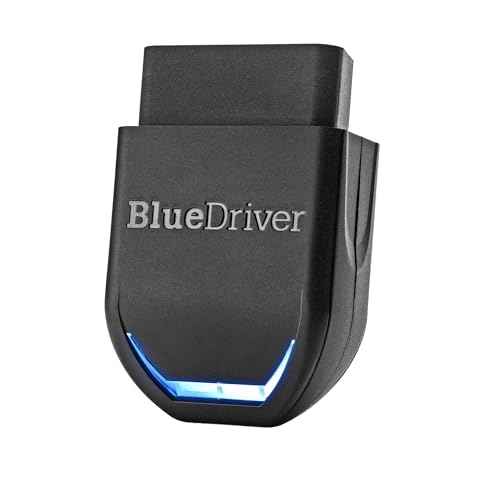
A dongle is a small plug that lives in the diagnostic socket and forwards data to a phone or tablet. Bluetooth versions dominate for Android, while Wi-Fi versions historically suited older iPhones that restricted Bluetooth data access; many current dongles use Bluetooth Low Energy, which modern phones on both platforms accept. The heavy lifting shifts to the app, which renders gauges, logs journeys, and stores code definitions.
This split design updates quickly. An app developer can add a dashboard layout, fix a code description, or support a new model year overnight through an app store release. Dongle owners also gain the phone screen they already know, with pinch zoom on graphs and easy sharing of a saved log by email or message. Some apps let you build custom dashboards mixing coolant temperature, intake pressure, and gearbox data on one page.
The split also creates friction. Pairing can fail when a previous phone still claims the connection, permissions for nearby devices can block a first setup, and a free app may reserve graphing or code clearing behind a paid tier. Leaving a dongle inserted permanently invites parasitic drain on some models and, on a few cars, interferes with alarm systems that watch the diagnostic port. Many owners therefore plug in only for a session, then store the dongle in the glovebox.
Permanently mounted gauge displays for live data while driving
The third family mounts on the dashboard or windscreen pillar and stays connected, waking with the ignition and sleeping when the engine stops. ScanGauge-style units and their rivals present a small set of live values continuously: coolant temperature, intake air temperature, battery voltage, engine load, or fuel consumption estimates. Drivers of cars fitted only with a temperature warning lamp, rather than a gauge, value this family most.
A fixed display changes the kind of insight you get. Instead of a snapshot during a fault, you watch patterns form over weeks: a thermostat opening later each month, voltage sagging on cold starts, or load figures climbing on a familiar hill after a roof box was fitted. Trip computers in this family often track distance, average speed, and fuel used per journey, drawn from injector and speed data the car already broadcasts.
Trade-offs include a cable to route neatly, a screen that must not distract, and a feature set aimed at live values rather than deep module diagnostics. Many gauge displays read and clear generic engine codes as a secondary function, yet few reach brake or restraint systems. They complement rather than replace a fuller scanner, and some households own both: the display for daily awareness, the handheld or dongle for the day a lamp appears.
Core functions every buyer should understand
Reading and clearing diagnostic trouble codes
A diagnostic trouble code, or DTC, is a short label a controller stores when a self check falls outside expected limits. Generic codes begin with P0 for powertrain faults shared across brands, joined by B for body, C for chassis, and U for network communication. The digits after the letter narrow the system and the specific failure: a code in the P0300 range concerns misfires, P0171 points toward a lean condition on one bank, and P0420 relates to catalyst efficiency below threshold.
Manufacturer-specific codes, usually starting with P1, carry meanings assigned by the vehicle maker rather than the shared standard. Two cars can store the same P1 code for entirely different faults, so a tool must know which brand it is talking to before offering a definition. Better monitors ask for or detect the VIN, then load the matching code library. Cheap tools sometimes display a confident but wrong description for a P1 code, sending owners toward parts their car never needed.
Clearing a code erases the stored fault, its freeze-frame snapshot, and the readiness status built up since the last clear. The lamp goes out, yet nothing has been repaired. If the underlying fault persists, the controller will detect it again, often within a few drive cycles, and relight the lamp. Clearing also resets emissions monitors to incomplete, which can cause an inspection failure if you visit a test station too soon afterwards. Use the clear function to confirm a repair or to see whether a fault returns, never as a repair in itself.
Pending codes deserve separate attention. A pending code means a check failed once but has not yet failed often enough, or under the right conditions, to light the lamp. Finding one during a routine scan gives you a head start: a single misfire event on a damp morning, for example, might prompt a look at ignition leads long before the fault becomes constant. Tools differ in whether they show pending codes on the main results page or bury them in a submenu, so check the manual layout before buying if early warnings matter to you.
Freeze-frame data: the snapshot that explains a code
When a controller confirms a fault serious enough to store, it also records a freeze frame: engine speed, coolant temperature, vehicle speed, calculated load, fuel trims, and several other values frozen at that moment. This snapshot answers questions a code alone cannot. A misfire recorded at idle on a cold engine suggests a different path than the same misfire logged at motorway speed under full load.
Read the freeze frame before clearing anything, and save or photograph it if your tool allows. Workshops appreciate receiving it, because reproducing the exact conditions later can take longer than the repair itself. If two codes share one snapshot, they likely stem from a single event; if a tool shows separate frames for separate codes, treat them as distinct incidents until evidence links them.
Live data streams and the PIDs worth learning first
Live data, delivered as parameter IDs or PIDs, is where a monitor earns its keep beyond simple code reading. Start with coolant temperature. A healthy engine warms steadily, settles near its thermostat rating, and holds there with small fluctuations. A temperature that climbs in traffic, drops on open roads, or never reaches the expected plateau points toward thermostat, fan, or coolant level trouble.
Fuel trims translate mixture corrections into percentages. Short-term fuel trim reacts within seconds to oxygen sensor feedback, flickering positive and negative around zero. Long-term fuel trim learns slower shifts caused by ageing sensors, small vacuum leaks, or fuel pressure drift. Combined trims near zero suggest a mixture under control; sustained positive figures mean the controller keeps adding fuel to compensate for a lean tendency, while persistent negative values show it pulling fuel away. A vacuum leak often shows large positive trims at idle that shrink as revs rise, whereas weak fuel delivery tends to do the opposite.
Oxygen sensor voltages complete the mixture picture. A conventional upstream sensor should sweep repeatedly between roughly 0.1 and 0.9 volts as the mixture oscillates around its target. A sensor stuck low, stuck high, or switching sluggishly hints at contamination, age, or a wiring fault, though a dead heater circuit inside the sensor can mimic those patterns on a cold engine. Downstream sensors change more slowly, and their behaviour helps the controller judge catalyst health.
Round out your first dashboard with mass airflow or manifold pressure, intake air temperature, throttle position, and calculated load. Mass airflow should rise smoothly with throttle opening; a jumpy or implausibly low reading at wide throttle can flag a contaminated sensing element. Calculated load ties several inputs together and gives context to almost every other value, because a fault that only appears above a certain load will hide during gentle driving. Battery voltage, though not an engine PID in the strict sense, belongs on the same screen: many phantom faults trace back to a tired battery dragging system voltage down during cranking.
Readiness monitors and drive cycles
Emissions systems supervise themselves through monitors, each watching one function: catalyst efficiency, oxygen sensor response, evaporative vapour control, exhaust gas recirculation, secondary air, and misfire detection, among others. Some monitors run continuously whenever the engine operates. Others, called non-continuous monitors, run once per drive cycle when conditions such as coolant temperature, fuel level, speed, and ambient temperature fall inside a defined window.
A scan tool reports each monitor as complete, incomplete, or not supported. Complete means the check ran and produced a verdict. Incomplete simply means the car has not yet met the conditions since codes were last cleared or the battery was disconnected. Inspection programmes in many regions allow one or two incomplete monitors on newer vehicles but reject a car whose catalyst or evaporative monitor remains unset after ample driving.
A drive cycle is the sequence of cold start, idling, steady cruising, gentle acceleration, and deceleration that lets every monitor run. Maker-published cycles differ in detail, yet a varied week of normal use usually completes them all. Short hops to a nearby shop may never satisfy a catalyst monitor that wants sustained moderate load, which explains why a car can feel perfectly healthy yet still report incomplete status. If you are preparing for an inspection, scan first, note which monitors lag, then drive a mixed route rather than clearing codes and hoping.
Mode 06 and the value of borderline results
Mode 06 stores numerical outcomes from those non-continuous self checks, each with a test identifier, a measured value, and the limits the maker set. A catalyst result comfortably inside its limits tells a different story from one passing by a whisker. Likewise, per-cylinder misfire counters can show one cylinder accumulating occasional events while its neighbours record none, guiding attention toward a plug, coil, or injector on that cylinder.
Presentation varies widely. Some tools translate Mode 06 into plain labels with pass margins, others dump raw identifiers that need a maker document to decode. If you plan to use this layer, favour tools that name each test clearly for your brand. Raw numbers without context invite misreading, and a result near a limit is a prompt to monitor, not proof that a part has failed.
Step-up capabilities beyond basic engine codes
ABS, airbag, and other module diagnostics
Antilock braking and supplemental restraint systems store their own codes, invisible to a basic engine-only reader. Access requires software that knows each module’s protocol and code list. For owners of cars out of warranty, reading an ABS code can separate a faulty wheel-speed sensor from a pump or valve problem, two repairs with very different parts and labour. Airbag codes demand extra care: a scanner can report a circuit fault, but work around pyrotechnic components belongs to people equipped and trained for it.
Coverage is model-specific in a way engine coverage is not. A tool might reach the brake module on one generation of a hatchback yet fail on the next, because the maker changed a gateway or an addressing scheme. Before buying for module access, search the maker’s coverage checker with your exact year, model, and engine, and keep a screenshot of the promised functions for your records.
Service functions: oil reset, EPB, battery registration, and TPMS
Modern service work often ends with an electronic reset rather than a spanner. An oil service reset tells the car that fresh oil is in, restarting its interval counter. Electronic parking brake service mode winds caliper motors back so pads can be changed without damage. Battery registration informs the charging system that a new battery with a given capacity is fitted, which matters on cars that vary charge strategy as a battery ages. Tyre pressure monitoring functions can read sensor identifiers, trigger relearn procedures, and on some systems programme replacement sensors.
Each function sounds simple, and each carries a failure mode if interrupted. A battery that sags mid-procedure or a wireless link that drops can leave a module waiting for a command that never arrives. For service resets, a cabled handheld with a charged vehicle battery, or a dongle used with the engine running where the maker permits, reduces risk. Read the on-screen prerequisites fully before confirming any service action.
Bidirectional control and active tests on prosumer tools
Bidirectional tools can command components as well as listen. An active test might cycle an evaporative purge valve, run a cooling fan, switch a fuel pump relay, or command an EGR valve through its travel while you watch live data respond. This turns guesswork into observation: if the fan spins when commanded but never starts on its own as temperature climbs, the fault sits in the control path rather than the fan motor.
These capabilities sit at the top of the consumer range and overlap with professional equipment. They demand respect, because commanding an actuator at the wrong moment can damage parts or create a hazard. Reputable tools gate risky tests behind warnings and conditions such as engine off, transmission in park, and parking brake applied. If a listing advertises bidirectional control at a fraction of the usual cost with no brand list attached, treat the claim as marketing until verified for your model.
Buying axes that separate a good match from a regret
Update policy and the true cost over several years
Diagnostic software ages quickly because car makers release new models, new calibrations, and occasionally new communication gateways every year. Some handheld scanners include free updates for the life of the product, delivered by download to a memory card or over a home computer connection. Others bundle one year of updates, then charge a subscription for continued access to new coverage, while the existing functions keep working. A third group locks even installed features behind an active plan, so a lapsed subscription shrinks the tool.
Read the update terms as carefully as the feature list. Ask whether updates cover only code libraries or also service functions, whether a missed year must be repaid to rejoin, and whether the maker has a record of supporting older hardware. A keenly priced tool with annual fees can cost more over five years than a dearer unit with lifetime updates, especially for an owner who changes cars rarely and mainly needs coverage for one model that will not change.
Screen size, daylight readability, and controls
Handheld screens earn their place in bright driveways and dim garages alike. A small display showing four lines forces constant scrolling through live data, while a larger colour panel can present six or eight values plus a graph without crowding. Matte finishes resist glare better than glossy ones, and backlight strength matters more than resolution for reading a code beside the road at noon. Touchscreens speed navigation but respond poorly to greasy fingers; physical keys feel slower yet stay predictable in a workshop setting.
Consider weight and grip as well. A scanner used for a five-minute code check can be almost any shape, but one held through a twenty-minute live data session should sit comfortably in one hand with the cable hanging clear of the controls. Rubber corner bumpers and a kickstand sound trivial until the day the unit slides off a wing onto concrete.
Bluetooth versions, Wi-Fi dongles, and connection stability
Dongles built on Bluetooth 4.0 Low Energy sip power and pair quickly with modern phones, while Bluetooth 5.0 hardware adds range and throughput that help when the phone sits on a seat rather than near the socket. Classic Bluetooth designs still appear in older stock and can draw more current in standby. Wi-Fi dongles create their own small network, which frees the Bluetooth channel for a car stereo link but blocks the phone from using mobile data through Wi-Fi routing quirks on some handsets, and their standby draw tends to run higher.
Stability beats headline speed for diagnostic work. Live data refresh rates depend on the vehicle bus and the number of channels requested as much as on the radio. Asking for twenty PIDs at once slows every channel, whatever the dongle claims. A well-designed app lets you trim the active list so the values you care about update briskly, and it reconnects gracefully after a brief signal loss instead of discarding a logging session.
App quality, in-app purchases, and data export
For dongle buyers, the app is the product. Look for clear code definitions written for your vehicle brand, a dashboard you can rearrange without a manual, and a log viewer that shows time on the horizontal axis with several channels overlaid. Check what the free tier actually includes: some apps read codes freely but charge to clear them, graph data, or unlock maker-specific channels. Others charge per vehicle brand pack, which suits a one-car household but adds up for families running three brands.
Export decides whether your records stay useful. A tool that saves logs as a common spreadsheet format lets you compare fuel trims month to month or send a file to a workshop before a visit. Cloud-only storage ties your history to an account and a company’s survival. Screenshots work in a pinch, yet a proper export preserves exact values and timestamps that an image crops away. Also confirm the app works offline once installed, because a diagnostic session in an underground car park should not depend on a signal.
Vehicle coverage: petrol, diesel, hybrid, and electric caveats
Generic OBD-II coverage spans nearly every petrol car built since the mandate years, and diesel coverage followed as electronic control spread through diesel engines. Diesels add systems a petrol-focused tool may only partially read, such as glow plug circuits, particulate filter load, and exhaust aftertreatment sensors. If you run a diesel, confirm that regeneration status and filter soot loading appear for your model rather than assuming engine codes tell the whole story.
Hybrids expose engine data through the same port but guard their high-voltage systems behind maker-specific access, and some route diagnostics through a gateway that limits generic tools to a subset of channels. Fully electric vehicles sit outside the original OBD-II framework altogether: many carry the familiar socket and answer some standard requests, yet their diagnostic depth lives in proprietary systems. A monitor bought for a petrol car may still serve an EV for tyre or body functions on certain models, but do not count on it as a battery health instrument unless the maker states that support plainly.
Age cuts the other way too. A tool tuned for CAN-era cars should still speak the older protocols listed earlier, but a few budget units quietly dropped J1850 support. Owners of late-1990s and early-2000s vehicles should verify protocol coverage by name, not by a blanket claim of full compliance.
Cable length, graphing, and logging depth
Cable length sounds mundane until you try to watch a screen from the driver seat while the socket sits low on the opposite side of a steering column. A metre suits most cars; longer leads help on vans and trucks with distant sockets. Detachable cables cost less to replace after damage than fixed ones, and a right-angle plug can clear knee room on cars where the socket points straight down.
Graphing turns numbers into shapes, and shapes reveal faults that flickering digits hide. An oxygen sensor graph shows switching rhythm at a glance, a throttle trace exposes dropouts as you press the pedal slowly, and a coolant curve documents warm-up behaviour after a thermostat change. Logging extends that idea across a whole journey, capturing the exact seconds when a hesitation occurred on a hill you can name. If you expect to chase intermittent faults, prioritise graphing and logging over a longer code library you may never open.
Practical workflows that make a monitor pay for itself
Investigating a check-engine light before calling a workshop
Start by noting how the car drives. A steady lamp with normal performance allows a calm scan at home; a flashing lamp signals an active misfire severe enough to threaten the catalyst, and the right response is to slow down, reduce load, and seek help promptly rather than experiment. Once parked safely with the engine off, connect the tool, switch the ignition on, and let it identify the vehicle and protocol before asking for codes.
Record every code, its pending or confirmed status, and the freeze frame, in that order, before clearing anything. Look up definitions with your exact model in mind, then inspect the simple physical causes first: a fuel cap seal for an evaporative code, a split vacuum hose or loose intake boot for lean codes, a corroded connector for a sensor circuit code. Only after that survey should you clear the code and drive through varied conditions to see whether it returns. Arriving at a workshop with codes, a freeze frame, and a note of when the lamp appeared turns a vague booking into a focused conversation, and it protects you against paying to diagnose a fault that a cap click caused.
Verifying a repair instead of trusting the lamp
A lamp staying off proves little on the day of a repair, because several monitors need specific conditions before they run again. After a sensor replacement or a hose repair, clear the codes once, then drive a mixed cycle of town streets and a steady faster road while watching the live values tied to the original fault. Fuel trims should settle toward their earlier healthy range after a lean repair, an oxygen sensor trace should resume its regular sweep after a sensor change, and coolant temperature should plateau where the new thermostat intends.
Finish by scanning again and checking readiness. All relevant monitors complete, no pending codes, and live values behaving as expected together form a solid verification. If a pending code reappears without a lamp, you have caught an incomplete repair early, while the invoice and the parts warranty are still fresh topics.
Inspecting a used car before money changes hands
A pre-purchase scan adds evidence that a test drive alone cannot supply. Ask the seller permission first, then connect before the drive and look for stored and pending codes, incomplete readiness monitors, and the VIN reported by the car itself. A cluster of incomplete monitors on a car presented as ready for inspection can mean codes were cleared recently to hide a lamp, though a recent battery change explains the same pattern innocently, so treat it as a question rather than an accusation.
During the drive, watch coolant temperature for overheating that a seller might mask on a short route, note misfire counters if your tool exposes them, and check that reported road speed and engine speed rise plausibly together. After the drive, scan again: a code that appears only when hot, such as a catalyst or evaporative fault, may stay silent during a cold start demonstration. Combine these findings with service records and a mechanical inspection; a clean scan supports a purchase but never replaces eyes on brakes, tyres, and structure.
Preparing for an emissions inspection without drama
Begin a week ahead rather than the night before. Scan for codes, fix the causes of any that appear, and confirm the fuel cap seals well, because evaporative faults rank among the most common reasons for a lamp near test time. Then drive normally across several days, mixing short errands with one longer steady run, and recheck readiness every couple of days.
Aim to arrive with all monitors complete or, where local rules allow, no more than the permitted number incomplete. Avoid disconnecting the battery or clearing codes in the final days unless a genuine repair demands it, since both actions reset readiness to zero progress. Keep the fuel level between roughly a quarter and three quarters full during the preparation period, because some evaporative checks only run inside that window. On the day, arrive with a warm engine and your earlier scan notes in case an inspector asks about a recent repair.
Watching coolant temperature in a car that only has a warning lamp
Many modern dashboards replaced the temperature gauge with a blue cold lamp and a red hot lamp, leaving a wide band of normal and abnormal behaviour invisible. A mounted gauge display or a dongle dashboard closes that gap. Learn your car baseline first: the temperature at which the thermostat opens, the plateau on an open road, and the point where the fan pulls the reading back down in traffic.
With a baseline memorised, deviations announce themselves early. A plateau creeping upward over months can precede an overheating event by a whole season, pointing to a clogged radiator, weak fan, or low coolant before a red lamp ever appears. During towing or long climbs, a live reading lets you ease off while there is still margin, rather than reacting after the warning. Set any audible alert a few degrees above your normal plateau so it stays silent in ordinary traffic yet speaks up while the situation is still manageable.
Reading your first scan without turning it into a parts list
A code names a system that reported an out-of-range result; it rarely names the part to replace. A code for an oxygen sensor circuit, for instance, can arise from the sensor itself, its heater fuse, a chafed wire near the exhaust, or an exhaust leak ahead of the sensor letting outside air corrupt the reading. Owners who order the part named in a code title, without checking the circuit and the live behaviour around it, sometimes fit two or three sound components before reaching the actual fault.
A calmer order of work starts with context. Note whether the fault is confirmed or pending, read its freeze frame, then watch the related live values while the engine idles and again while a helper holds a steady higher speed with the car stationary and the parking brake set. Compare banks on a V engine, compare cylinders where misfire counters are offered, and compare a suspect sensor against a neighbour doing the same job. Agreement between a code, a snapshot, and a live pattern justifies spending money; a lone code with healthy live data argues for observation across a few more journeys first.
Single-car knowledge compounds quickly. The second time you scan, last month baseline figures for trims, temperatures, and idle speed sit in your notes, so a fresh deviation stands out instead of blending into unfamiliar numbers. That growing familiarity, more than any premium feature, is what shortens the distance between a lamp appearing and a sensible decision about it.
Pitfalls that catch first-time buyers
Counterfeit ELM327 chips inside bargain dongles
Many inexpensive dongles claim an ELM327 heart, the chip family that translates vehicle protocols into commands a phone understands. Genuine parts come from one Canadian maker, yet the market overflows with clones that borrow the name while running copied, altered firmware. A common tell is a version number the original maker never released: listings boasting version 2.1 or similar often describe a clone with missing commands, while genuine firmware topped out at lower numbers. Some clones drop support for the J1850 protocols entirely, fail on certain CAN messages, or report an identity that changes between production runs.
Symptoms include refusing to connect to one car while working on another, freezing when many live channels run at once, and apps warning that the adapter replies with errors or unexpected data. A clone may still read a simple code on a common model, which is why reviews of bargain dongles split so sharply between delighted and stranded buyers. Buying from the app developer’s own recommended hardware list, or choosing a dongle whose maker publishes firmware details and a support address, sharply lowers the odds of receiving a counterfeit heart in a plausible shell.
Tools that read codes but cannot clear them, and other quiet limits
Some entry-level readers display codes yet lack a clear function, a limit buried in small print. Others clear engine codes but cannot reset a service lamp, show live data one value at a time, or cap the number of VINs they will serve, which matters if you maintain cars for an extended family. A few phone apps advertise broad module coverage, then reveal per-brand fees only after the first connection.
None of these limits makes a tool dishonest by itself; trouble starts when the listing blurs them. Before ordering, find the manual online and read the function list for your model year, confirm whether clearing is supported, and note any VIN cap or brand pack structure. A five-minute read of the actual documentation prevents the familiar disappointment of learning about a paywall while sitting in the car with the lamp lit.
Subscription locks and accounts that hold your tool hostage
Connected tools add account risk to ordinary ownership risk. If a scanner needs an account merely to open its main menu, a forgotten password or a discontinued server can strand hardware that still works electrically. Subscription designs vary: some keep every installed function running after a lapse and only pause new coverage, while others dim service resets or module access until payment resumes. Ask which behaviour applies, in writing, before the first year ends rather than discovering it during a breakdown.
Also check transfer rules. A tool tied to one account may be hard to sell or hand to a family member, and a VIN-locked licence may not follow you to a replacement car. For a device you expect to keep a decade, boring virtues win: offline operation, updates delivered as plain files, and functions that survive a lapsed plan untouched.
Protocol mismatches and gateway limits on newer cars
Older vehicles fail to connect for innocent reasons: corroded socket pins, a blown fuse feeding pin 16, or a monitor that never learned the car’s original protocol. Work through the basics first, ignition fully on, connector seated, correct protocol family selected if the tool offers a manual choice, before concluding that either side is faulty. Trying the same tool on a second car of similar age separates vehicle faults from tool faults quickly.
Newer vehicles present the opposite puzzle. Several brands now place a secure gateway between the socket and the internal networks, limiting generic access to emissions data while reserving deeper functions for authorised equipment or registered tools. A scanner that reached every module on your previous car may meet a polite wall on its replacement. Maker coverage pages usually note gateway handling per model, so fold that check into any purchase made alongside a recent car.
Leaving a dongle plugged in all year
The socket stays powered on most cars, so a forgotten dongle sips current while the vehicle sleeps. Healthy units draw very little, yet a clone with a bright LED and no sleep mode can flatten a small, ageing battery over a fortnight of airport parking. Some insurance telematics plugs and alarm systems also dislike sharing the port through a splitter, and a dangling adapter invites a knee strike that bends pins. Unless your dongle was designed and documented for permanent residence, unplug it after each session and store it somewhere dry.
Matching a monitor to the way you actually drive
A driver who only wants to know whether a lamp means stop now or book next week is well served by a simple handheld or a reputable basic dongle with clear definitions and a proper clear function. Depth beyond engine codes adds cost and menu clutter that such a driver will never repay. The buying test is honesty about curiosity: if freeze frames and fuel trims sound like homework, choose the tool that explains a code plainly and keeps its buttons few.
Home maintainers who change brakes, swap batteries, and chase the occasional warning across several systems should aim higher, at a unit with verified module coverage for their exact model, the service resets their car actually uses, and an update policy they can live with for years. For this group, graphing and export matter too, because a saved log from before a repair is the fairest judge of whether the repair worked.
Drivers covering long distances, towing, or running older cars with thin instrumentation gain the most from a mounted display. Continuous coolant and voltage figures suit their risks, and a secondary code function covers the lamp moments. Many in this group eventually pair the display with a dongle for logging trips that felt wrong, a combination that still costs less in money and glovebox space than one professional-grade unit.
Households with several cars spanning brands should weigh VIN limits, brand pack fees, and protocol breadth above any single advanced feature. A tool that serves every car in the drive at a competent level beats a specialist that excels on one and ignores the rest. Keep a short note in the glovebox of each car listing which functions the shared tool supports on that vehicle; memory blurs quickly when three dashboards are involved.
Check prices on Amazon
Live listings for the shortlist in this guide are pulled from Amazon below, so prices and availability are always current at the moment you look.


Caring for the tool and your records
Treat the connector gently, store cables loosely coiled rather than kinked, and keep firmware or app versions noted alongside your logs so a workshop can judge how a reading was produced. Update software at home on a calm afternoon, never in the middle of diagnosing a fault, because an update that changes menus or code definitions mid-investigation muddies comparisons with earlier readings. After any update, reconnect and confirm the tool still talks to your car before you need it urgently.
Storage conditions matter more than owners expect. A scanner left on a sun-baked dashboard through summer can suffer a swollen battery or a faded screen, while one kept in a damp boot may develop corrosion on its connector pins. A padded pouch in the glovebox or a drawer indoors suits most tools better. Dongles fare best in a small rigid case, because their exposed pins bend easily under loose clutter, and a bent pin can mimic a vehicle fault during the next session.
Your records deserve the same calm routine. Save each session with the date, mileage, codes, freeze frame, and a line about symptoms or recent work. Patterns across months, a trim drifting, a monitor slowing, a temperature plateau edging upward, are the real dividend of owning a monitor, and they only appear when readings survive beyond the day they were taken.
This guide rests entirely on published manufacturer documentation and specifications for the tools and vehicle systems discussed. No product described here was handled or operated by the writer, and every capability mentioned reflects what makers state in their manuals, coverage lists, and standard references rather than first-hand use. Purchases made through retailer links on this page may earn the site a commission, and that commission never adds anything to the amount a reader pays.
Choose the monitor that matches the questions you genuinely ask of your car, learn its first six live values well, and the next amber lamp becomes the start of a short, informed errand rather than a week of guessing.


