Our Top Picks


What's inside
- Why the cable in the box rarely survives daily life
- How stock Lightning and USB-C cables actually break
- Jacket and core materials, compared honestly
- Bend ratings, gauge, and other numbers worth trusting
- Certification that keeps a cable working after updates
- Wall chargers built to survive heat, travel, and daily plugging
- Car chargers that tolerate heat, vibration, and short trips
- Matching durable gear to each Apple device
- Travel kits that come home intact
- Daily handling habits that double cable life
- Counterfeits, inflated claims, and other traps
- Check prices on Amazon
- A simple buying sequence that avoids regret
As an Amazon Associate I earn from qualifying purchases. This post may contain affiliate links at no extra cost to you.
Why the cable in the box rarely survives daily life
Most Apple owners do not set out to destroy a cable. Damage arrives through ordinary habits: a phone lifted while it charges, a cord bent sharply behind a nightstand, a laptop bag zipped shut over a loop that was folded too tight. The thin cable packed with many devices is built for light weight, tidy retail packaging, and reliable electrical contact on day one. Long service under repeated bending is a different design problem, and that gap explains why so many stock cords look tired within a year even when the phone or tablet they serve still works perfectly.
The weak point is almost always the same short stretch where the flexible cord meets the rigid connector. Engineers call that junction the strain relief zone. When you pull a phone toward you, flex concentrates there because the connector housing cannot bend and the middle of the cable can. Each flex moves copper strands a tiny amount. Over hundreds of cycles the outer jacket splits, shielding frays, and individual conductors fatigue until charging becomes intermittent. A cable can look intact and still fail when held at one particular angle, which is the classic sign of broken strands hidden under the jacket.
Durability shopping therefore starts with a shift in attention. Speed claims and glossy photos matter less than boot geometry, jacket construction, connector housing material, and the bend rating a maker is willing to publish with a test method behind it. A charger brick deserves the same scrutiny. Heat, loose ports, and prongs that wobble after a few trips do more long term harm than a modest wattage figure on the box. This guide walks through each failure mode, the construction choices that resist it, and the matching decisions that keep an iPhone, iPad, MacBook, Apple Watch, and AirPods case powered without a drawer full of replacements.
How stock Lightning and USB-C cables actually break
Fraying at the connector boot
The short ribbed boot behind a Lightning or USB-C plug is meant to spread bending over a longer distance. On slim stock cables that boot is brief and soft, so the cord exits the hard shell and turns through a tight radius right away. The jacket material, often a smooth thermoplastic elastomer, feels pleasant and coils neatly, yet it offers limited resistance to abrasion where it rubs against desk edges, car seat rails, or the rim of a bag pocket. Once a nick forms, flexing opens it wider. Moisture and pocket grit then reach the shielding layer, and the split travels.
A better boot is longer, tapered, and molded as one piece with the connector overmold so there is no seam for flex to pry apart. Some makers extend reinforcement several centimeters down the cord and add a second, firmer inner sleeve beneath the visible outer boot. You cannot see that inner sleeve in product photos, which is why published section diagrams and warranty terms carry more weight than a close up of ribbing alone. Ribs by themselves do not guarantee strength; a tall ribbed collar that is hollow and thin can collapse and still allow a sharp bend.
Conductor fatigue from tight bends
Inside the jacket, power and data conductors are bundles of fine copper strands. Stranding helps flexibility, but every strand has a fatigue limit. Bend the bundle around a small radius often enough and strands on the outer side of the curve stretch while those on the inner side compress. Work hardening follows, the metal grows brittle, and strands snap one by one. Early on the cable still passes current through the survivors, though resistance climbs and voltage drop grows. Later the connection drops out when the cord moves.
Length of the bend matters as much as depth. A gentle curve held for hours in a car console is less harmful than a hard ninety degree fold repeated each night at a bedside outlet. Right angle connectors, longer boots, and furniture placement that lets the cord drape in a wide arc all reduce strand fatigue far more effectively than any jacket slogan. When a maker quotes a bend lifespan, the useful detail is the bend angle and fixture radius used to earn that number, not the number alone.
Pin corrosion and contact wear
Lightning contacts sit exposed on a flat tongue, so lint, skin oils, and humid air reach them directly. USB-C hides its contacts inside a small shell, which shields them from pockets but also traps debris that gets pushed deeper with each insertion. Corroded or dirty contacts raise resistance, generate heat at the plug, and can trigger slow charging or repeated connect and disconnect chimes. Gold plated contacts resist corrosion better than bare nickel finishes, and a connector shell with tight tolerances scrapes less plating away during insertion than a loose, wobbly plug.
Port wear on the device side belongs in this picture too. A heavy, stiff cable hanging from a phone port applies leverage with every movement. Over months that leverage can loosen the device receptacle, after which even a new cable feels sloppy. Lighter cords for bedside use, supported cable runs on a desk, and magnetic or short patch cords for power banks all reduce the mechanical load that a durable cable might otherwise transfer to an expensive port.
Jacket and core materials, compared honestly
TPE and silicone jackets
Thermoplastic elastomer, shortened to TPE, is the soft rubber like material on most first party cords. It resists cracking in cold weather, slides through a bag without snagging, and costs little to extrude in long runs. Its limits are abrasion and cut resistance. Drag TPE across a rough surface daily and it thins. Silicone jackets feel even softer and tolerate heat well, and they tangle less than many braided cords, yet they can pick up dust and still tear if nicked and then stretched. For a cable that lives on one desk and rarely travels, a quality TPE or silicone jacket with a strong boot can serve for years. For a cord that rides in a toolkit or a crowded backpack, an outer woven layer earns its keep.
Braided nylon exteriors
A tight nylon braid over an inner jacket changes the failure pattern. The braid takes the abrasion, spreads point loads, and makes the cord harder to kink into a sharp crease. Double braiding, where two woven layers cross at different densities, generally resists fraying at the boot edge better than a single loose weave. The braid is not the conductor protection by itself, though. Underneath there still needs to be a full inner jacket and proper shielding. Cheap braided cords sometimes pair a pretty exterior with thin power wires, so the outside survives while charging performance stays poor. Judge braid quality by weave tightness, how the braid terminates under the boot, and whether the maker publishes wire gauge.
Aramid fiber reinforcement
Aramid fiber, widely known through the Kevlar brand name, appears in premium cables as a central strength member or as strands woven around the conductor bundle. Aramid has very high tensile strength for its weight and does not stretch much under load, so a pull on the cord loads the fiber instead of the copper. That matters when a cable gets yanked from a wall outlet or caught on a chair wheel. Aramid does little against a sharp edge cutting sideways, and it does not fix a weak boot, so treat it as one layer in a system. The strongest designs combine an aramid core, foil and braid shielding, a solid inner jacket, a woven exterior, and a long molded boot that keeps the whole stack bending as a unit.
Ballistic nylon, thick PVC, and liquid silicone each get marketed with bold language. Strip away the adjectives and ask four plain questions. How thick is the jacket stack? What carries tensile load? How does the boot transfer flex? What gauge are the power conductors? A maker that answers all four with numbers and diagrams is offering evidence. A maker that answers with lifestyle photos and a giant bend count is offering mood.
Bend ratings, gauge, and other numbers worth trusting
Reading a bend lifespan claim
Serious cable makers publish bend endurance figures such as 30,000 bends, sometimes far higher. Those numbers come from a flex fixture that clamps the connector and swings the cord through a set angle, often ninety degrees, with a weight hanging from the free end. A rating earned at a wide radius with a light weight is not comparable to one earned under a heavier load. When two brands quote wildly different totals, look for the angle, the load, and whether the test ran to electrical failure or merely to visible jacket damage. A cable that still conducts after the fixture stops is the meaningful result.
For home use, even a modest verified rating beats an unverified huge one. A bedside cord might flex a few dozen times a day in real handling, so a rating in the tens of thousands maps to years of margin. The rating also tells you where the maker spent money. Reaching high bend counts requires better strand lay, softer inner compounds that move without cracking, and boot tooling that holds tight tolerances across a production run. Those are process costs, not cosmetic ones, and they tend to correlate with consistent connector fit as well.
Wire gauge and voltage drop over distance
Power conductors are sized by gauge, and lower gauge numbers mean thicker copper. Thickness sets resistance per meter. Resistance matters because a charging circuit must deliver a target voltage at the device, and every bit of resistance in the cord converts some energy to heat and drops voltage along the way. At one meter the effect is small for phone charging. At two meters, roughly six feet, and at three meters, roughly ten feet, thin conductors can pull voltage down enough that a phone negotiates a slower rate or a laptop complains under load.
Thicker power pairs, often described in product specifications as heavier gauge ground and VBUS lines, hold voltage steadier on long runs. That is why a long cable built for a couch or a conference table should be judged differently from a short travel cord. If a three meter cable lists no gauge and promises full laptop wattage, be skeptical. USB-C cables rated for higher current also carry an electronic marker chip, discussed below, that tells the charger what the cord can safely carry. Without that marker, a USB-C source limits current to a lower default even if the copper could handle more.
Data speed is a separate axis. Many sturdy charging cords use USB 2.0 wiring and move files at modest rates, which is fine for nightly backup and photo offload for most owners. A cord built for fast external drive transfers needs more internal pairs, tighter shielding, and often ends up stiffer. Stiffness fights durability in daily bending, so decide which job the cable must do. A dedicated charging cord optimized for flex life is a legitimate choice, not a compromise, when its data rate still covers your routine sync needs.
Warranty length as a durability signal
A warranty cannot make copper stronger, but it reveals how a maker prices failure risk. A brand that offers several years of coverage, or a lifetime replacement policy with clear terms, expects low return rates and has built margin for the few that fail. Read the exclusions before you value the promise. Some policies cover defects only and exclude wear, pet damage, and loss, which is reasonable. Others require registration within a short window or proof that many buyers never keep. A simple claim process with prepaid return handling signals confidence more than a long term paired with heavy friction.
Keep the order confirmation and buy from a channel the maker lists as authorized. Marketplaces with mixed third party stock are where counterfeit versions of popular durable cables most often enter the supply chain.
Certification that keeps a cable working after updates
MFi licensing for Lightning
Apple runs the MFi program, short for Made for iPhone, iPad, and iPod, through which accessory makers license approved connectors, authentication components, and branding. A licensed Lightning cable uses a connector assembly sourced through the program and passes electrical and mechanical checks defined by Apple. The practical benefit for a buyer is continuity. When iOS tightens power or accessory checks in an update, licensed hardware built to the published specification keeps working, while a cable built around a copied authentication response may stop charging or throw an unsupported accessory warning.
Packaging for licensed Lightning gear carries the MFi badge, and Apple maintains a public accessory search where buyers can verify a brand and model. Check there when a deal looks unusually cheap. The badge alone can be copied onto a box, so the database entry and a reputable seller matter more than ink. Licensed cables cost more in part because the connector itself is a controlled component with a real per unit cost. That cost is exactly what counterfeiters avoid, usually by substituting a fragile clone connector with thin contacts and poor strain relief hidden inside a familiar looking shell.
The C94 connector and fast charging on Lightning
Later Lightning cables built for USB-C to Lightning fast charging use the C94 connector specification. C94 assemblies support the higher current path that lets a USB-C power adapter drive an iPhone at fast charge rates, and their contact finish and housing tolerances improved over earlier C48 era parts. If you still own a Lightning iPhone and want one cable that will serve for the rest of that phone life, a licensed C94 cable from a maker with a strong boot design is the sensible end point. There is little reason to stockpile several cheap Lightning cords when one well built C94 cord plus a spare for the car covers the need.
Lightning is a mature, gradually retiring interface as newer iPhones move to USB-C. That transition changes buying math. Invest in one or two excellent Lightning cables for the devices you own today, and put the larger share of a travel kit budget into USB-C cables that will carry forward to your next phone, tablet, and laptop. Adapters that convert USB-C to Lightning add a joint, add resistance, and add a loss point in a bag, so a native cable remains the sturdier route for daily charging.
USB-IF certification for USB-C
USB-C is a connector shape defined by the USB Implementers Forum, and certified cables are listed after passing compliance checks for electrical safety, signal behavior, and connector construction. Certification is voluntary for many product categories, which means the USB-C plug shape alone tells you little. A certified logo on packaging, a listing in the USB-IF product search, and a maker that publishes the cable power rating and data rating in plain numbers all help separate engineered cords from generic ones.
Two USB-C cable power tiers dominate shopping. Standard cables carry up to 60 watts, built around a 3 amp limit at 20 volts. Extended power range cables carry up to 240 watts under the newer specification, built around a 5 amp limit at higher voltages used by larger laptops. Any cable rated above 60 watts, and any cable longer than two meters with higher current claims, should contain an e-marker chip inside the connector that reports its limits to the charger. The charger reads that report before it raises current. A missing or false report is not a small paperwork issue; it is how a source protects both itself and your device from a cord being asked to carry more than its conductors allow.
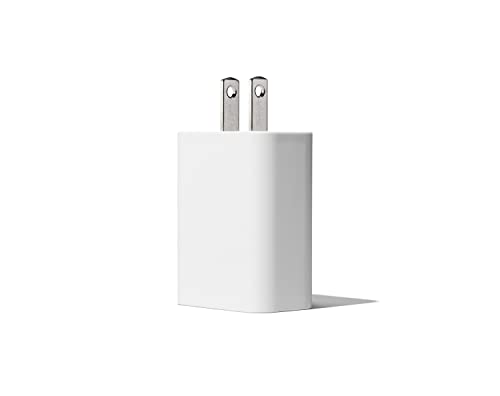
best 3rd party iphone chargers
That placement in your shortlist matters because third party gear varies more than first party gear. Certification narrows the field to products whose core electrical behavior has been checked by someone other than the seller. After that filter, durability features decide among the survivors.
Wall chargers built to survive heat, travel, and daily plugging
GaN versus silicon inside the brick
Gallium nitride, usually shortened to GaN, is a semiconductor material used for the switching transistors inside modern compact chargers. Compared with traditional silicon switches, GaN devices switch faster with lower losses, so a charger can deliver the same power from a smaller body while converting less input energy into waste heat. Heat is the slow enemy of a charger. Electrolytic capacitors age faster when hot, solder joints expand and contract with thermal cycles, and plastic housings yellow and embrittle near a persistently warm core.
Smaller is not automatically cooler, though. A tiny GaN brick run at its limit in a cramped power strip can still get hot to the touch because its surface area for shedding heat is small. Look for chargers that publish operating temperature guidance, use a housing with some internal air path or a metal heat spreader, and hold a safety certification from a recognized lab. A slightly larger body that runs warm rather than hot during a full laptop charge will usually outlast a pocket sized unit pushed to its ceiling every day. Give any brick clearance on a desk and avoid burying it under bedding or papers while it works.
Prongs, housings, and port reinforcement
Foldable prongs protect both the charger and the bag it travels in. Fixed prongs snap when a charger is dropped onto a hard floor or levered sideways in a crowded outlet, and they gouge neighboring gear in transit. A folding mechanism should feel damped rather than floppy, with a detent that holds the prongs open during insertion. Loose prongs that sag under the charger weight stress the outlet and the internal solder joints where prong blades meet the circuit board.
Port reinforcement is harder to see and just as important. Each insertion loads the USB-C receptacle, which is soldered to the board through small anchors. Better chargers add a metal shell around the receptacle, wider anchor tabs, and in some designs a brace that ties the port to the housing so a side load on the cable does not flex the board. You can feel the result as a port that grips the plug evenly without wobble. A port that already feels loose on a new charger will not improve, and intermittent contact at the brick end mimics a failing cable, sending owners to replace the wrong part.
Housing seams deserve a glance as well. Ultrasonically welded or tightly screwed shells resist the slow prying that starts when a charger is pulled from a stiff outlet by its body edge day after day. A soft touch coating that peels in a hot car is a warning sign about material choices elsewhere. Prefer plain, heat tolerant polycarbonate with clean seams and printed regulatory marks that include a certification file number you can look up.
Wattage classes matched to Apple hardware
USB-C Power Delivery negotiates voltage and current between charger and device, so a higher wattage brick does not force power into a phone. The device requests what it can use, and the charger supplies up to its rated ceiling. For recent iPhones with USB-C, a 20 watt or slightly higher adapter covers fast charging, where the battery takes a large share of its capacity in the first half hour before the phone tapers current to protect cell health. Buying far beyond 20 watts for a phone alone adds size without changing that taper curve.
iPads benefit from headroom in the 30 watt range and above, especially the larger Pro models that can draw more while driving a bright screen. MacBook Air models ship with adapters in the mid 30 to 70 watt range depending on configuration, and they charge happily from any healthy USB-C PD source at or above their usual draw, just more slowly from a small phone brick during heavy use. MacBook Pro models draw substantially more, with factory adapters reaching well past 90 watts on the larger machines. A durable travel brick for a Pro should sit in that higher class and pair with a cable rated for the same power tier, or the cable becomes the bottleneck no matter what the brick can do.
Programmable Power Supply, or PPS, lets a charger adjust voltage in fine steps within a range. Apple hardware relies mainly on fixed USB-C PD profiles, so PPS is a bonus for a mixed household rather than a requirement here.
Multi-port power splitting, explained before you buy
A two or three port charger has one total power budget, and the label wattage usually describes that total, not the output of each port. Plug a laptop into the first USB-C port alone and it may receive the headline figure. Add a phone to the second port and the controller redistributes, perhaps giving the laptop a smaller share and the phone its fast charge share. Add a third device and each share shrinks again, sometimes dropping a port to a slow trickle meant for earbuds or a watch.
Makers publish splitting tables in small print, and those tables predict real world satisfaction better than the box headline. Look for a split that preserves at least a solid laptop share with a phone attached if you plan to charge both overnight from one outlet in a hotel room. Also watch for renegotiation behavior. Some chargers briefly interrupt output on all ports when a new device connects, which can restart a laptop charge session or wake a phone screen repeatedly. Better controllers handle the change smoothly or limit the interruption to the port that changed. For a permanent desk setup, two separate mid sized bricks often outlast and outperform one large multi-port unit run near its limit for years, and they remove a single point of failure.
A charger in the 45 watt class sits at a useful crossroads for Apple owners. It fast charges any iPhone, handles every iPad comfortably, and keeps a MacBook Air topped up during ordinary work, all from a body that still travels well. Stepping up makes sense when a MacBook Pro enters the kit or when a multi-port split must preserve laptop speed.
Car chargers that tolerate heat, vibration, and short trips
The car is the harshest common environment for charging gear. Cabin temperatures soar when a vehicle sits in summer sun, then fall at night, cycling plastics and solder through wide swings. Vibration works on every contact. Short trips mean frequent plugging with little charge time, tempting owners to leave cables permanently bent around consoles and gear selectors where doors and lids pinch them.
Choose a car charger with a metal or heavily ribbed body that seats firmly in the accessory socket without rocking. A charger that rocks arcs microscopically at the contact points and wears both itself and the socket. Side contact springs should feel strong, and the positive tip should be shaped to hold contact over bumps. Dual port car units split power just like wall units, so read the per port output with both ports loaded. A headline figure shared across two ports may leave a phone crawling when a passenger plugs in as well.
Cable routing decides survival in a vehicle more than cable brand. Run the cord through a channel or clip so it drapes with slack, keep it clear of seat rails that travel back and forth, and never close a console lid on it. Heat inside a closed console during charging adds stress to the phone battery as well as the charger, so a vent mounted or dash level position with moving air is kinder to everything in the chain. In winter, let a cold soaked cable warm in your hands before coiling it; a jacket forced into a tight bend while cold is more likely to crack.
For vehicles parked for days, unplug the charger. Many sockets stay live with the engine off, and a small standby load over a week does the vehicle battery no favors. A dim, recessed indicator light is the better design for night driving.
Matching durable gear to each Apple device
iPhone across Lightning and USB-C generations
Households often span both iPhone connector eras at once. Older models through the iPhone 14 family use Lightning, while the iPhone 15 family and later moved to USB-C. A durable kit for a mixed household keeps one excellent cable of each type in each main location rather than a tangle of adapters. Label the Lightning cords discreetly near the boot, since in dim light they get forced toward USB-C ports and vice versa, and forced attempts bend contacts on both sides.
For Lightning phones, pair a licensed C94 USB-C to Lightning cable with a 20 watt class USB-C brick for the fastest wired charging that hardware supports. For USB-C phones, a certified 60 watt rated USB-C to USB-C cable is more than sufficient for the phone itself and future proofs the same cord for an iPad or Air. Wireless charging removes cable flex entirely at the phone end, and magnetic alignment pads reduce the nightly fumbling that bends plugs, but wireless runs warmer and slower, so keep a wired option for quick top ups before leaving home.
iPad charging without port strain
iPads sit in an awkward middle ground. They are heavy enough that a cable hanging from the port while the tablet rests on a lap applies real leverage, yet owners often charge them on couches and beds where no clean cable path exists. A two meter cable with a soft jacket lets the brick rest on the floor while the tablet stays supported, removing the dangling weight. When the iPad lives on a stand for kitchen or desk use, a right angle USB-C connector points the cord downward along the stand instead of straight out into the room where elbows catch it.
Current iPad models all charge over USB-C, with larger Pro models able to draw more power and to share that port with fast external storage. If you move files from a drive through the same cable you charge with, choose the cord rated for higher data throughput and accept a little extra stiffness. If the cable only ever carries power at a bedside, the softer high flex design is the better long term bet. Keep one of each rather than forcing a single cord to excel at two jobs that pull construction in opposite directions.
Six foot cords earn their place at couches, hospital beds, airport seating, and any outlet that sits far from where a person actually sits. The extra length only helps when gauge keeps voltage steady across the run, so for this category the conductor specification deserves even closer reading than the jacket description.
MacBook cables and the e-marker detail
MacBook charging looks simple because one USB-C cable handles Air and Pro alike, but power tiers split the category. A 60 watt rated cable serves an Air fully. A Pro under heavy load with a large screen at full brightness can want more than that cable is allowed to carry, and the system will charge slowly or hold level while drawing the rest from the battery during peak work. Use a cable rated at 100 watts or in the newer 240 watt extended range for a Pro, and keep it identifiable. A small colored band or a different jacket color for the high power cord prevents the slow cable from migrating to the Pro bag by mistake.
MagSafe 3 on recent MacBook models deserves mention for durability of a different kind. The magnetic end detaches when a cord gets tripped over, protecting the laptop from a fall and the port from a violent side load. The USB-C end of that cable still needs the same boot and jacket care as any other cord, and the magnetic contacts need an occasional wipe to clear desk grit. Where MagSafe is available, it is the kindest daily driver for a laptop that charges in walkways or shared spaces. Where it is not, route a USB-C cable so a trip pulls slack through a loose loop rather than loading the port directly.
Apple Watch pucks and AirPods cases
The Apple Watch charging puck fails in quieter ways. Its cable is thin, its puck housing can crack when stepped on in a hotel room, and the magnetic face collects metal filings near workshop or gym gear that then scratch the watch back. A braided puck cable with a reinforced entry at the puck end survives bag travel far better than the slim stock version. Licensed third party watch chargers must still meet Apple watch charging specifications, and the faster charge rates of recent watch models only arrive with the correct puck generation and a sufficient USB-C supply, so verify both before replacing a puck that seems slow.
Watch charging happens nightly, which means its cable flexes on the same nightstand arc thousands of times across the life of the watch. Give that small cord the widest, laziest curve in your whole kit and it will repay the courtesy.
AirPods cases charge by Lightning or USB-C depending on generation, and the newest cases also accept the watch puck and magnetic wireless pads. The case battery is small, so almost any healthy charger fills it quickly. Durability concerns here center on the short cable people keep in a pocket or a small pouch, coiled far tighter than any cord should be. A short cable built short, with factory molded ends at thirty centimeters or so, survives pocket duty far better than a long cable wound into a tight knot. Let the case charge from the same bedside brick as the phone through a multi-port unit, and keep the pocket cable as a spare rather than a daily workhorse.
Travel kits that come home intact
Travel destroys charging gear through compression and haste. Cables get wound tight to save space, chargers ride loose against keys and adapters, and hotel outlets hide behind furniture that forces hard bends. Build a kit that assumes rough handling. One multi-port GaN wall charger in the mid power class, one two meter USB-C cable with a woven jacket, one short USB-C cable for a power bank, one device specific cord for any Lightning or watch hardware still in service, and a power bank with its own short integrated cable covers nearly every Apple travel scenario without redundancy weight.
Coil each cable in a loose loop roughly the size of the coil it shipped in, secure it with a simple strap at one point, and lay loops flat in a pouch rather than stuffing them into a side pocket. The over under coiling method used by audio crews prevents twist from accumulating turn after turn; alternating the direction of each loop keeps the cord from developing a permanent spiral that later fights every straight run. A hard shell pouch sized for chargers keeps prongs, plugs, and puck faces from grinding against each other, and it makes the kit grabbable as one object during security screening and hotel checkout.
In flight, keep the charging kit in the seat pocket or under the seat rather than in an overhead bin where bags shift and crush. Seat power on aircraft often delivers limited wattage shared between seats, so a laptop may hold charge rather than gain it during a flight; that is a supply limit, not a cable fault. At the destination, inspect the kit once. A connector that took a step or a door slam in transit is cheaper to retire at home than to nurse through a work trip where it fails on the night you need an early alarm.
International travel adds plug adapters, which add leverage. A separate adapter block hanging from a wall outlet with a heavy charger below it strains both the outlet and the charger prongs. A short travel power strip or an adapter with a brief cord moves the weight to a surface and lets chargers sit flat. Choose adapters with firm socket grip, and avoid stacking an adapter, a charger, and a heavy cable in a tall wobbling tower over a hard floor.
Daily handling habits that double cable life
Pull the plug, never the cord
The single most damaging habit is also the most common: freeing a cable with a tug on the cord from half a meter away. That tug lands entirely on the boot and the crimp or solder joints inside it. Grip the connector housing itself, brace the device with the other hand when the fit is snug, and pull straight along the port axis. Sideways wiggling to loosen a tight plug bends contacts and wallows out the receptacle over time. If a plug needs real force every time, something is wrong with fit or debris, and forcing it nightly will end with a broken plug or a damaged port.
Teach the habit to everyone who shares a charging spot. A household cable rarely dies from one person careful handling; it dies at the shared kitchen counter where three people grab and go. Putting the good cables at personal spots and a sturdier, cheaper to replace cord at the communal counter is a pragmatic allocation, not a surrender. The communal cord should still be certified and well built, just chosen with replaceability in mind.
Coil diameter, storage, and pinch points
Every cable has a minimum bend radius below which internal damage accumulates quickly. As a working rule, keep stored coils at least as wide as your open hand, and never crease a cord flat and then press the crease in a drawer. Figure eight coiling for longer cords prevents twist buildup. Store cables away from the hinge side of doors, the underside of recliner mechanisms, office chair casters, and the gap where a car seat meets the console. Pinch damage often hides under an intact looking jacket until the cord is flexed and the crushed conductors separate.
Heat and sunlight shorten jacket life even when a cable sits unused. A spare cord baked on a dashboard or stored against a radiator turns stiff and micro cracked, so keep spares in a drawer or pouch at room temperature. Cold has the opposite temporary effect, making jackets rigid until they warm. Either extreme argues for a dedicated car cable that stays in the vehicle and household cables that stay indoors, rather than one cord shuttling between climates daily.
Desk and bedside setups that remove strain
Most charging damage at home comes from geometry, not carelessness. An outlet behind a heavy dresser forces a cable into a hard turn and hides the damage from view. A simple short extension or a charger with a corded base moves the connection point into the open where the cable can drape. Cable clips on the desk edge hold a plug within reach so the cord never slides to the floor and gets rolled over by a chair. A small weighted cable holder at a nightstand keeps the connector parked instead of dangling by its cord over the edge, which is a permanent half bend applied for eight hours every night.
Right angle connectors solve the tightest spots elegantly. Behind a bed, at a shallow desk against a wall, or on a tablet in a stand, a plug that exits sideways or downward lets the cord run parallel to the surface instead of jutting out and folding. Verify the angle direction before ordering multiples, since a connector angled the wrong way for your outlet orientation creates the very bend it was meant to remove. For phones used in hand while charging, an angled plug also clears the palm and reduces the lever action that worries ports loose.
Cleaning and inspection in two minutes a month
Once a month, unplug a cable and look at both ends under a bright light. Check for jacket splits at the boot, a boot pulling away from the housing, green or dark discoloration on contacts, and a plug that rocks in its port more than it did when new. Blow lint from ports with short bursts of dry air and lift stubborn pocket fluff from a Lightning port with a wooden or plastic pick, never a metal tool that can short contacts or scrape plating. Wipe contacts with a dry lint free cloth; skip liquids inside a device port entirely.
Retire a cable at the first sign of exposed shielding, a hot plug during ordinary charging, scorch odor, or a connector housing crack. A damaged cable kept in service risks the device port and, in the worst pattern, overheats at the fault point. Cutting a suspect cord before discarding it prevents someone else from fishing it out of a drawer months later and trusting it again. Chargers deserve the same rule: a brick with a cracked shell, a buzzing that grows louder, or a port that loses contact when the cable shifts should leave service even if it still produces power on a good day.
Counterfeits, inflated claims, and other traps
Braided outside, fragile inside
Counterfeit durable cables copy the visible signals and skip the costly internals. The braid looks right in photos, but the power conductors underneath are thin, the shield may be a token foil wrap, the Lightning connector is an unlicensed clone, and the boot is glued rather than molded. Weight is a rough tell: a genuinely reinforced two meter cable has a noticeable heft from copper and fiber that a fake lacks. Price far below every licensed competitor is another tell, because the licensed connector and heavier copper set a floor under honest production cost.
Buy durable cables from the maker own storefront or an authorized retailer, and verify an MFi model in the Apple accessory database or a USB-C model in the USB-IF listing when the purchase matters. Keep packaging until the cable has charged every device it was bought for at full expected speed. A fake often reveals itself through heat at the plug, a phone that cycles the charging chime, or a laptop that negotiates a lower power contract than the label promises.
Bend counts without a test basis
Marketing departments love a huge bend number, and without a stated method the number is decoration. A test swung through forty five degrees with no hanging weight can pile up counts that a ninety degree loaded test would never reach. Treat any bend claim that lacks angle, load, and failure definition as unproven, and weight warranty terms and boot construction more heavily in that comparison. Review photos that show the actual fixture or a cutaway of the boot interior count for more than a rendered graphic of a cable tied in a knot, which proves only that a jacket can bend once for a camera.
Similar caution applies to pull strength figures. A cable that survives a heavy static pull in a straight line may still fail quickly in repeated side flexing, which is the motion that actually kills household cords. Tensile strength protects against yanks and snags. Flex endurance protects against nightly bending. A complete durability specification addresses both, plus connector insertion cycles, which describe how many plug and unplug rounds the contacts are built to survive before plating wear raises resistance.
Wattage marketing versus sustained output
A charger that can touch its headline wattage for a few minutes may throttle when its internal temperature climbs, settling at a lower sustained output for the rest of the session. For a phone top up that hardly matters. For a laptop working through a long video call while charging, sustained output is the figure that decides whether the battery gains ground. Look for makers that publish output over time or at least state the rating as continuous. Independent regulatory filings and certification marks confirm safety limits, though they do not grade comfort or longevity, so combine them with build evidence rather than treating a logo as a quality award.
Heat concentrates where several compromises meet: a high wattage brick, inside a closed console or a bag pocket, feeding a long thin cable, charging a hot device. Each element alone might cope. Together they push every part toward its limit. The fix is rarely a more expensive single product. It is slack in the system: a brick with headroom, a cable with gauge to spare, airflow around both, and a device off a soft surface that traps warmth against its back.
Check prices on Amazon
Live listings for the shortlist in this guide are pulled from Amazon below, so prices and availability are always current at the moment you look.


A simple buying sequence that avoids regret
Start by listing the devices the purchase must serve for the next two years, not the next two months. A phone upgrade on the horizon can flip a household from Lightning to USB-C, and cables bought in bulk for the old port become drawer clutter. Next, fix the locations: bedside, desk, couch, car, and travel bag each punish gear differently, and a cord perfect for a desk may be wrong for a car. Then apply the certification filter for the connector type. Only after those three steps should jacket material, boot design, bend rating, gauge, and warranty decide among the finalists.
Buy one location at a time and live with the choice for a few weeks before duplicating it everywhere. Fit in a particular port, stiffness in a particular cable path, and plug clearance beside a furniture leg are facts you learn by use, and they differ between rooms in ways no specification sheet captures. When a cable proves itself in the hardest location you own, promote that model to the other spots. Keep one sealed spare of the winning cable so a sudden failure does not force an emergency purchase of whatever a convenience store stocks.
For charger bricks, consolidate deliberately. A strong multi-port unit at the main household charging spot, a single port brick in the travel pouch, and a car unit chosen for firm socket fit cover most Apple households with less clutter and fewer weak links than a brick in every room. Label each brick with its total wattage on a small sticker if several similar units circulate at home; the label prevents the slow phone brick from migrating to the laptop desk and creating a mystery that looks like a failing battery.
Finally, judge cost across service life rather than sticker alone. A reinforced, certified cable that serves four years through two phones costs less per year than a bargain cord replaced each season, and it spares you the diagnostic confusion that intermittent cables inject into every charging problem. Durability is not a luxury finish on charging gear. It is the difference between a kit you set up once and trust, and a recurring small failure that follows you from room to room and car to car.
This guide rests on published manufacturer documentation and specifications for connectors, power delivery, and materials, and no product was handled or operated by the writer while preparing it; purchases made through retailer links may earn this site a commission at no added cost to the reader.
Choose the cord you will forget about – the one that coils without a fight, plugs in with a firm click, and is still quietly charging beside the bed long after flashier gear has been replaced.
Related guides
- Best 3rd Party MacBook Chargers: 96W-Class Alternatives, the 100W Cable Rule, and the Apple Benchmark
- Best Chargers for Google Pixel 6 Pro: Six Bricks Judged on Output, Ports and Negotiation Language
- Best Fast Charge Qi Wireless Chargers: Qi2 at 15W and Qi2.2 at 25W
- Best 12 Volt Battery Chargers: Smart Picks From 1 Amp to 15 Amp