Our Top Picks



What's inside
- Start With the Machine, Not With a Search Result
- The Generation Map: Enclosures, Battery Codes and Capacities
- Reading Cycle Count and Condition in macOS
- Symptoms That Mean Replacement, and Symptoms That Do Not
- Screwed Packs, Glued Packs and Honest Difficulty Ratings
- Inside the Pack: Cells, Protection and the Gas Gauge Chip
- The Replacement Procedure, Described From Public Repair Documentation
- Calibration and the First Week With a New Pack
- Warranty Terms, Return Windows and the Real Cost Picture
- Storage, Travel and Disposal of the Old Pack
- A Buyer Checklist That Fits on One Card
- Common Questions From Air Owners
- When the Fault Is Not the Battery at All
- Voltage Families and Why Chargers Cannot Compensate
- Date Codes, Shelf Life and the Meaning of New
- Environmental and Ergonomic Details Worth Knowing
- Check prices on Amazon
- A Short Note on Parts Availability for Older Machines
As an Amazon Associate I earn from qualifying purchases. This post may contain affiliate links at no extra cost to you.
Start With the Machine, Not With a Search Result
A replacement battery for a MacBook Air is never a generic laptop part, even when two listings use nearly identical photographs. Apple changed cell count, pack shape, connector position, screw pattern and adhesive layout across generations that share the same screen size and a very similar aluminium shell. An 11-inch machine from 2013, a 13-inch Retina model from 2019 and an M1 laptop from 2020 can sit side by side on a desk and accept three completely different packs. Ordering by screen diagonal alone is therefore the fastest route to a return, a damaged connector or a pack that physically fits the cavity yet reports nonsense to the power management controller.
The reliable identification sequence uses three separate identifiers, because each one catches a different class of mistake. The model identifier, such as MacBookAir7,2, describes the logic board family and firmware. The A-number printed on the bottom case, such as A1466, narrows the enclosure generation. The battery part code printed on the original pack, such as A1495, confirms the exact electrical assembly that left the factory. A careful buyer records all three before opening any catalogue page, then treats a listing as plausible only when the seller states all three values and shows a connector photograph taken from the same angle as the original pack.
Finding the model identifier takes less than a minute on a machine that still boots. The About This Mac panel gives the marketing year, the System Information application lists the model identifier under Hardware Overview, and the serial lookup on the manufacturer support site resolves borderline cases where a mid-year revision kept the same enclosure. When the machine no longer starts, the A-number and EMC number on the bottom case still narrow the field, and the code silkscreened on the old battery settles the question once the cover is off. Guessing from the charger wattage is not a substitute, because several generations shipped with adapters of identical rating while using unrelated packs.
The Generation Map: Enclosures, Battery Codes and Capacities
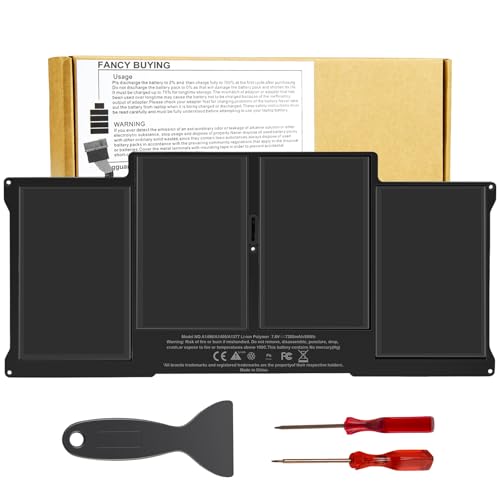
The long-lived non-Retina generation is where most replacement demand now sits, simply because those machines remain useful as writing, browsing and terminal laptops long after their original cells faded. The 11-inch A1465 and 13-inch A1466 enclosures, sold from 2012 through 2017 with only modest internal revisions, use the A1406 pack in the smaller chassis and the A1495 pack in the larger one. The A1406 assembly is rated near 35 watt-hours at about 7.6 volts, while the A1495 carries roughly 54 watt-hours at a similar nominal voltage, the difference coming from a larger cell area rather than a different chemistry. Both packs attach with screws rather than the heavy adhesive of later designs, which makes this generation the most forgiving starting point for a first battery swap.
The earlier 2010 and 2011 versions of those same enclosures used the A1375 and A1405 codes, and sellers occasionally blur those years into the later range because the shells look alike. Connector keying and the position of the screw posts differ enough that forcing the issue risks a torn flex cable. A listing that claims one universal pack for every 11-inch Air ever built should be read as a warning sign rather than a convenience. Genuine compatibility lists are boring and specific, naming model years in closed ranges, and that boredom is exactly what a buyer wants to see.
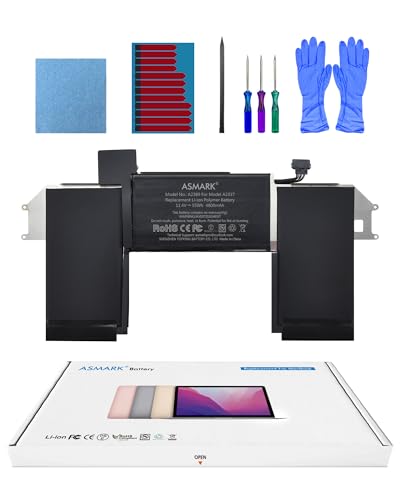
The Retina redesign of 2018 and 2019, enclosure A1932, moved to the A1965 pack, a roughly 49.9 watt-hour assembly at about 11.4 volts. Apple raised the pack voltage by adding a cell group in series, so the Retina pack is electrically unrelated to the older 7-volt family despite a similar footprint. The 2020 Intel revision, enclosure A2179, kept the Retina shape and adopted the A2389 pack at about 49.9 watt-hours, while the M1 machine of the same year, enclosure A2337, uses a closely related but distinct assembly also rated near 49.9 watt-hours at 11.4 volts. Photographs of A1965, A2389 and the M1 pack look interchangeable at thumbnail size; the connector pinout and the cell layout under the wrapper are not.
| Enclosure | Years | Battery code | Nominal energy | Nominal voltage | Attachment style |
| A1465, 11 inch | 2012 to 2015 | A1406 | About 35 Wh | About 7.6 V | Screws |
| A1466, 13 inch | 2013 to 2017 | A1495 | About 54 Wh | About 7.6 V | Screws |
| A1466, 13 inch, earlier revision | 2012 | A1525 family listings vary | About 54 Wh | About 7.6 V | Screws |
| A1932, Retina 13 inch | 2018 to 2019 | A1965 | About 49.9 Wh | About 11.4 V | Adhesive strips |
| A2179, Retina 13 inch | 2020, Intel | A2389 | About 49.9 Wh | About 11.4 V | Adhesive strips |
| A2337, 13 inch, M1 | 2020 onward | M1 pack code on label | About 49.9 Wh | About 11.4 V | Adhesive strips |
Treat the A1525 reference with particular care, because that code appears in some catalogues for a revised A1495-family pack and in others as a separate listing for specific 2012 and 2013 boards. The safe procedure is to photograph the label of the pack already inside the machine and match that code character for character, rather than trusting a year range printed in a marketplace title. Where the old label is illegible, the model identifier plus the EMC number gives a narrower answer than the marketing year alone, and a seller who asks for those two values before shipping is behaving exactly as a competent parts supplier should.
Watt-hour figures deserve a short explanation, because sellers sometimes advertise milliamp-hours in large type and bury the voltage that makes the number meaningful. Energy is capacity multiplied by voltage, so a 7.6-volt pack needs far more milliamp-hours than an 11.4-volt pack to store the same energy. Comparing a 7,200 milliamp-hour claim for an older Air against a 4,300 milliamp-hour figure for a Retina model tells a reader almost nothing until both numbers are converted to watt-hours. Once converted, healthy replacement packs cluster tightly around the factory ratings in the table above, and a claim far above the factory figure for the same enclosure usually means the seller multiplied by the wrong voltage or counted cells optimistically.
Reading Cycle Count and Condition in macOS
macOS keeps a running record of battery use that is far more informative than the percentage figure in the menu bar. Holding the Option key while opening the Apple menu reveals a System Information shortcut; inside that application, the Power section lists cycle count, condition, full charge capacity and design capacity side by side. A cycle is not one plug-in session. The counter accumulates discharge fractions, so five afternoons that each consume twenty percent of the pack add up to a single counted cycle. That definition explains why a lightly used five-year-old machine can show a surprisingly low count, and why a two-year-old machine used on trains daily can pass eight hundred cycles while still looking new outside.
Apple publishes a design expectation of roughly one thousand cycles before a pack is considered consumed, retaining up to about eighty percent of original capacity at that point under the stated conditions. The thousand-cycle figure is a planning threshold, not a cliff edge. Some packs cross it and still deliver a usable four hours of writing time, while others swell or develop a failing cell group at six hundred cycles and need attention immediately. The condition string in System Information translates the underlying diagnostics into plain categories: Normal means the controller sees behaviour inside expected bounds, while Service Recommended means capacity or another measured parameter has drifted far enough that the operating system wants a human to look at it.
Full charge capacity, reported in milliamp-hours, becomes most useful when tracked over a few weeks rather than read once. A single low reading after a cold night or a long storage period can recover after two ordinary charge cycles, because the gas gauge recalibrates its estimate as it observes real discharge. A steady downward staircase across a month, especially paired with sudden shutdowns at twenty or thirty percent indicated charge, points to a cell group whose voltage collapses under load long before the pack is truly empty. Recording the numbers with dates in a plain text note turns a vague feeling that the laptop dies early into evidence a seller or repair shop can act on.
Third-party utilities that graph charge history add convenience, yet the figures they display come from the same controller data that System Information already exposes. A reader does not need extra software to make a sound replacement decision. The four values that matter are cycle count, design capacity, current full charge capacity and the condition string, read together after a normal working day rather than immediately after unplugging a fully charged machine. Coconut-style snapshots and vendor dashboards can wait; the built-in panel answers the replacement question on its own.
Symptoms That Mean Replacement, and Symptoms That Do Not
Short runtime alone is the weakest reason to buy a battery, because software can manufacture the same symptom in an afternoon. A stuck indexing process, a browser tab running an animated advertisement in a background window, or a sync client retrying a failed upload can hold the processor awake and halve the apparent endurance of a healthy pack. Before ordering anything, the Activity Monitor energy view should be checked across a normal day, and the machine should be given one evening of light local work with radios on and cloud clients paused. If the full charge capacity figure is still respectable and the drain normalises, the original pack deserves to stay.
The symptoms that genuinely point at the cells are physical or electrical rather than behavioural. A bottom case that no longer sits flat on a table, a trackpad that has grown stiff or clicks unevenly, and a lid that resists closing near the front edge all suggest that something inside the chassis is thicker than it used to be. Sudden shutdowns at a healthy-looking percentage, a charge level that leaps by twenty points within a minute of plugging in, and a pack that reports wildly different full charge capacities on consecutive days suggest a failing cell group or a gas gauge that can no longer model its own cells. Either family of signs justifies replacement planning; the second family also justifies backing up the same day.
Heat needs interpretation rather than panic. A MacBook Air working through a video export will warm the rear of the chassis because the processor and the charging circuit share a small thermal envelope, and that warmth fades when the workload ends. Heat localised over the battery area during gentle use, especially with a faint sweet or solvent-like smell, belongs to a different category entirely. Published safety guidance for lithium cells is consistent on this point: a pack that is hot, odorous, hissing or visibly deformed leaves service immediately, the machine stays off, and the device moves away from soft furnishings until a repair facility or a hazardous waste collection can take it.
The Swollen Pack and the Trackpad Warning
Swelling happens when decomposition reactions inside ageing cells generate gas faster than the pouch material can vent or contain it, and the thin battery pouches in an Air sit directly beneath the trackpad and the palm rest structure. As a pouch expands, the first mechanical victim is usually trackpad travel, because the gap engineered for the click mechanism is measured in fractions of a millimetre. Owners often describe the progression as a trackpad that first loses its click at the corners, then feels spongy, then stops clicking altogether while tap-to-click still works in software. That sequence, paired with any visible case distortion, should be read as a battery message rather than a trackpad fault.
Continuing to use a swollen machine carries compounding risks that repair documentation states plainly. Pressure from an expanding pouch can crack the trackpad glass, stress solder joints on nearby boards and deform the bottom case enough that screws no longer align on reassembly. Closing the lid firmly against a raised keyboard deck adds screen damage to the list. None of this requires a dramatic failure to matter; the repair bill grows quietly while the machine still appears to work. A swollen pack also complicates its own removal, because adhesive strips that would release cleanly from a flat pack can tear against a domed one, so the job belongs with a technician who handles deformed lithium cells regularly.
Under no circumstances should a swollen pouch be punctured, compressed with clamps, frozen or charged in an attempt to flatten it. Those improvisations appear in comment threads and are uniformly contradicted by cell manufacturer safety sheets, which treat a deformed pouch as damaged goods requiring discharge, isolation and controlled disposal. The calm sequence is duller and safer: stop using the machine, leave it unplugged on a hard non-flammable surface, photograph the distortion for the repair shop, and arrange transport in a way that avoids squeezing the chassis.
Screwed Packs, Glued Packs and Honest Difficulty Ratings
The screw-retained packs of the A1465 and A1466 generation explain why older Airs enjoy such a strong repair reputation. After the pentalobe bottom screws come out, the battery itself is held by a small set of Torx screws, and the connector lifts away with a plastic spudger once the retaining arrangement is understood from a repair guide. The whole exchange, done slowly with screws organised on a magnetic mat, fits inside an unhurried hour for a careful first-timer following a model-specific guide. The main hazards are mundane: losing a screw of a unique length, forgetting the connector order, or prying against a cell pouch instead of the pack frame.
The Retina and M1 generations traded that simplicity for thinness. Their packs are segmented into several pouches joined on a frame, and the assembly is bonded to the top case with stretch-release adhesive strips in the better-documented revisions, or with stronger adhesive in areas that demand patience and controlled solvent use. Pulling a strip at the shallow angle described in repair documentation stretches the adhesive until it releases cleanly; pulling upward snaps the strip and leaves the technician working a thin card and a few drops of high-concentration isopropyl alcohol along the seam, waiting minutes between attempts. Rushing that wait is how pouches get bent, and a bent pouch is a retired pouch regardless of its electrical health.
Difficulty ratings in published repair guides reflect that split honestly. Screw-retained generations sit at the moderate end, gated mainly by the unusual screwdrivers and by static precautions. Adhesive generations sit higher, not because any single step is mysterious, but because six pouches must each release without flexing, the speaker and trackpad cables cross the work area, and the new pack must be aligned within a millimetre before its own adhesive grabs. A reader who has replaced a phone screen and enjoyed the process will likely manage; a reader who found phone adhesive stressful should price professional fitting before ordering parts, since a half-removed glued pack is the worst state to transport a laptop in.
Anyone planning the adhesive job should also budget for consumables that listings rarely mention. Fresh stretch-release strips or the specified adhesive for the new pack, spare bottom-case screws for the one that inevitably rolls away, a plastic card set that can be sacrificed to solvent, and nitrile gloves for handling adhesive residue all belong on the bench before the first screw turns. Repair guides also repeat a discharge step for good reason: bringing the old pack below roughly a quarter charge before removal reduces the stored energy available if a pouch is accidentally damaged, and it costs nothing but an evening of ordinary use.
Inside the Pack: Cells, Protection and the Gas Gauge Chip
A MacBook Air battery is a small power system rather than a bare bundle of cells. Alongside the lithium polymer pouches sits a protection board that watches voltage per cell group, current through the pack and temperature from at least one sensor, and a fuel gauge integrated circuit that estimates remaining charge by combining coulomb counting with voltage modelling. In many original packs that gauge belongs to the Texas Instruments family of battery management chips, and the laptop interrogates it over a serial bus to fill the System Information panel. When the gauge and the cells age together from new, its model of the pack stays accurate for years.
Third-party packs divide sharply on how seriously they reproduce that electronics layer. Better assemblies use a genuine or fully compatible gauge chip, fresh cells from a named manufacturer, and firmware values that match the design capacity printed on the label. The result is boring in the best way: the condition string reads normally, percentage falls evenly, and the machine sleeps and wakes without power complaints. Cheaper assemblies recycle a gauge board, spoof a low cycle count, or pair a compatible chip with cells whose real capacity sits well below the wrapper claim. Those packs often work for the first weeks, then reveal themselves through percentage jumps, a cycle count that never increments, or a condition warning that appears far too early for honest new cells.
Spotting the difference from a listing requires reading for specifics that a careless seller cannot easily fake. A trustworthy description states the gauge approach, the cell origin in general terms, the design capacity in watt-hours, and the exact model years covered, and it shows the connector and the board area in photographs of the actual product rather than renderings. Vague superlatives, compatibility lists spanning a decade, and capacity figures given only in milliamp-hours without voltage are the classic markers of the recycled-board end of the market. Readers comparing chargers for the same machines will find a similar pattern of honest versus vague specification in the guide to best 3rd party macbook chargers, where wattage delivery and cable ratings separate serious products from decorative ones.
OEM, Original-Equipment Style and Everything Below
Terminology in this market rewards slow reading. A genuine service part supplied through authorised channels carries the manufacturer supply chain behind it, including matched cells and gauge firmware, and it usually arrives with fitting included rather than as a loose retail box. Packs described as OEM often mean only that a factory claims to build to the original specification, a statement that ranges from accurate to aspirational depending on the seller. High-grade aftermarket packs from established battery brands sit in a defensible middle: they disclose their own branding, publish test standards they follow, and honour returns when the gauge data looks wrong.
The bottom tier is recognisable by price alone once a reader knows the cost of six quality lithium polymer pouches plus a gauge board and safe freight. A pack offered at a fraction of every other listing has saved money somewhere invisible, and the invisible places in a battery are cell grade, protection quality and quality control sampling. Saving on a case or a cable is a preference; saving inside a sealed energy store that lives under your wrists is a different kind of decision. Freight rules quietly reinforce the point, because reputable sellers ship laptop packs under lithium battery transport regulations with proper labelling, while the cheapest listings sometimes arrive in packaging that suggests those rules were treated as optional.
Cycle count on arrival offers one practical screening check. A new pack should report zero or a very small number of cycles attributable to factory calibration, and its full charge capacity should sit at or slightly above the design figure, since healthy new cells usually start a touch over nominal. A pack that arrives showing dozens of cycles, a full charge capacity already below design, or a manufacture date years in the past has some explaining to do. Photographing the System Information panel on first boot creates the baseline that makes a warranty conversation simple if the numbers deteriorate over the following month.
The Replacement Procedure, Described From Public Repair Documentation
Published repair guides for every Air generation follow the same broad choreography, and understanding the sequence helps a reader judge whether to attempt the job or hand it over. Preparation comes first: back up the machine, note the cycle count and capacity figures, discharge the old pack through normal use to roughly a quarter charge or less, shut down fully rather than sleeping, and lay out the exact drivers the guide names for that enclosure. Bottom case screws on these machines use the pentalobe pattern in two lengths, and mixing the lengths on reassembly can damage a screw post, so a mat with labelled positions earns its place.
With the bottom case lifted away, the battery connector is disconnected before any other internal work, isolating the logic board for the rest of the procedure. Guides emphasise plastic tools for that step because a metal pry tool that slips across a live connector can short pins that were never meant to meet. On screw-retained models the pack screws follow, working from the outside inward, and the pack lifts out as a single rigid unit. On adhesive models the strip tabs are located first, each strip is drawn out slowly at a low angle with steady tension, and only the pouches whose strips tear move on to the card-and-solvent stage.
Fitting reverses the sequence with two additions that beginners skip. The first is a dry alignment check: the new pack sits in the cavity without adhesive engaged, the connector is offered up to confirm cable reach and polarity keying, and screw holes are confirmed to line up without force. The second is connector verification before the case closes, powering the machine briefly on the new pack to read its reported capacity and cycle count in System Information. Discovering a mis-seated connector or a pack reporting absurd values is pleasant on an open bench and miserable after eleven bottom screws have gone back in.
Torque deserves a sentence of its own because aluminium threads forgive very little. Battery and case screws on these machines want firm fingertip pressure through a small driver, nothing approaching the force used on furniture hardware. A screw that spins without biting has stripped its post, and continuing to turn it only enlarges the damage. Working slowly, stopping at the first solid resistance, and keeping screws in order matters more to the outcome than any branded tool kit. The same patience-first attitude governs external displays for these laptops, a point developed in the overview of best monitors for macbook pro and pc, where cable and port specifications reward readers who check details before spending.
Calibration and the First Week With a New Pack
Manufacturer support documentation for replacement batteries describes a simple conditioning routine, and its purpose is gauge education rather than cell chemistry magic. The new pack is charged uninterrupted to a full reading, the machine is then used on battery through a normal working load until the low battery warning appears and the laptop sleeps, and a final uninterrupted charge restores the full state. Across that long discharge and recharge, the gauge chip observes voltage behaviour from top to bottom of its own new cells and rebuilds the estimate that drives the percentage display. Skipping the routine does not harm the cells; it merely leaves the displayed percentage approximate for longer.
Two or three ordinary cycles usually settle the readings. During the first week a reader should expect the full charge capacity figure to move slightly as the gauge refines its model, and small movements in either direction are unremarkable. What should not appear is theatre: percentage free-falling from forty to single digits in minutes, charging that stalls for hours below full, or a machine that refuses to run unplugged despite reporting a healthy charge. Those behaviours point back to connector seating, gauge compatibility or a defective pack, in roughly that order of checking, and they justify contacting the seller while the return window is wide open.
Charging habits after calibration can stay relaxed. Modern gauge-managed packs do not need ritual deep discharges, and repeatedly running to automatic shutdown adds wear without adding information the gauge lacks. Ordinary patterns serve best: use the machine unplugged when mobility matters, leave it plugged in at a desk without guilt, and give it an unplugged session every week or two so the gauge keeps seeing real discharge data. Heat management helps more than charge choreography, so a machine that spends its life on a bed or a sofa cushion will age any pack faster than one that breathes on a hard surface.
What the Numbers Should Look Like After a Month
A healthy replacement settles into a recognisable pattern by the end of its first month. Cycle count climbs in step with actual use, full charge capacity holds within a few percent of the first-week reading, and the condition string stays at its normal reading without flickering between states. Runtime returns to the range the machine delivered when new, adjusted honestly for the fact that current operating systems and browsers ask more of old processors than the software of the launch year did. An A1466 that once managed ten hours of light work in 2015 might deliver eight hours on the modern web with a perfect battery, and that gap belongs to software, not to the pack.
Keeping the baseline photographs and a dated note of the one-month figures turns any later dispute into arithmetic. Sellers of quality packs expect those numbers and respond to them; sellers of poor packs tend to argue from impressions. The same record also helps a repair shop distinguish a pack problem from a logic board charging fault if symptoms return, because a pack that held capacity for six months and then collapsed tells a different story from one that never reported sensible values at all.
Warranty Terms, Return Windows and the Real Cost Picture
Battery warranties in this category are written in months and conditions, and the conditions matter as much as the headline duration. Twelve months of cover is a common serious offer, sometimes extending to eighteen or twenty-four on premium lines, and it typically promises replacement when capacity falls below a stated fraction of design, often eighty percent, within the term. Reading the claim procedure before purchase reveals the practical value: some sellers ask for the System Information figures and ship a replacement promptly, while others require the faulty pack back first at the buyer expense, leaving the laptop unusable for weeks unless a spare exists.
Return windows operate differently from warranties and are the buyer main protection against a bad first impression. A pack that reports a high cycle count on arrival, shows a manufacture date from years earlier, or produces a service warning in its first week should travel back under the ordinary returns policy rather than becoming a warranty negotiation. That is why the first-boot checks described earlier deserve to happen on delivery day, not whenever the old pack finally fails completely. Buying the replacement slightly before it is urgently needed is a legitimate strategy for exactly this reason: it preserves the ability to reject a poor specimen calmly.
Fitting costs complete the picture for readers who prefer professional help. Independent repair shops commonly price the labour for a screw-retained Air as a short bench job, while adhesive generations command more time and therefore more money, and authorised service pricing bundles the part with fitting and a service warranty at a higher total. Comparing those totals against the value of the machine is a rational step for the oldest models. A 2013 Air in daily writing service can justify a quality pack and an hour of labour easily; the same spending on a machine with a failing screen and a worn keyboard deserves a pause. Readers weighing a full replacement machine instead will find the size-class context in the roundup of best 13 inch laptops useful for judging what the same money buys in a modern chassis.
Storage, Travel and Disposal of the Old Pack
The removed battery remains an energy store and should be handled like one from the moment it leaves the chassis. Its connector contacts get covered with ordinary electrical tape, the pack rests on a non-conductive surface away from loose screws and tools, and it goes into a rigid container rather than a soft bag for the trip to disposal. Cells removed because of swelling skip the storage step entirely and move promptly to the collection route, ideally after a call to the receiving facility so staff know a damaged pack is coming.
Disposal routes for lithium packs are well established in most regions. Municipal hazardous waste programmes accept laptop batteries at scheduled collections, electronics retailers in many jurisdictions run permanent take-back bins, and repair shops often accept the pack they replaced as part of the job. The prohibitions are equally consistent: no household rubbish, no kerbside recycling bin, and no posting a damaged or swollen pack through ordinary mail. A healthy removed pack may travel under lithium battery shipping rules with proper packaging and labelling, which is how legitimate warranty returns are arranged, and a seller return instructions should describe that packaging rather than suggesting a plain envelope.
Storage rules for a spare pack follow the chemistry preference for the middle of the charge range. Manufacturer guidance for lithium cells generally favours storing near half charge, in a cool dry place, with a check and a partial cycle every few months for packs kept long term. A spare stored fully charged in a hot drawer ages almost as fast as one in daily service, which quietly defeats the purpose of buying ahead beyond the return-window strategy described earlier. For most owners the sensible spare is the charger in the bag, not a second battery on the shelf, a point that smaller-machine owners echo in discussions around best 11 6 inch laptops and the portability trade-offs of compact hardware.
A Buyer Checklist That Fits on One Card
- Record the model identifier, the A-number on the bottom case and the code printed on the original pack before opening any listing.
- Convert every capacity claim to watt-hours using the stated voltage, and compare against the factory figure for that enclosure.
- Require photographs of the actual connector and label, not renderings, and a compatibility list naming closed year ranges.
- Check the stated gauge approach, cell information and warranty claim procedure, including who pays return freight.
- Plan the fitting honestly: screw-retained generations suit careful beginners, adhesive generations reward experience or a bench fee.
- On delivery day, photograph the label, fit the pack, and record cycle count, design capacity and full charge capacity at first boot.
- Run the full charge, long discharge and full recharge sequence once, then re-read the figures after a week and after a month.
- Tape the contacts of the old pack, store it in a rigid container, and route it to a battery collection point promptly.
Each item on that card exists because a real failure mode produced it, from the universal-fit listing that concealed three different connectors to the swollen pouch that announced itself through a stiff trackpad months before its owner connected the two facts. None of the steps requires specialist equipment beyond the drivers for the case screws and a phone camera for the labels. The discipline is documentary rather than technical: identify precisely, buy from specifics, verify at first boot, and keep the dated numbers that turn later questions into short conversations.
Common Questions From Air Owners
Can a higher-capacity pack damage the machine?
A correctly built pack for the exact enclosure cannot push extra energy into the laptop, because the charging circuit in the machine controls current and voltage, and the pack supplies only what the system requests. The genuine risks in an oversized claim are dishonesty rather than excess power: cells that do not meet the printed figure, or a physically thicker pouch stack that presses on the case. A claim modestly above the factory watt-hour figure from an established brand, achieved with newer cell chemistry in the same dimensions, is plausible; a claim dramatically above it, from an anonymous listing, is a reason to choose a different seller.
Why does the new pack show a service message?
The operating system raises that message when the gauge data falls outside expected bounds, and causes range from a connector that is one click short of seated, through a gauge board whose firmware does not match the model, to a genuinely defective cell group. Reseating the connector with the machine off resolves the first cause and costs ten minutes on screw-retained models. A message that survives reseating, on a pack from a seller with a real returns process, is exactly the scenario that process exists for. Clearing or ignoring the message without checking the reported capacity figures wastes the diagnostic the machine is offering for free.
Is a cheap pack ever a sensible purchase?
Context can justify a budget pack in narrow circumstances: a machine being prepared for a single defined task, a laptop whose remaining life is limited by other failing parts, or a temporary repair while a premium part is on back order. Even then the floor conditions apply, meaning exact model matching, a plausible watt-hour figure, a seller who accepts returns, and no sign of swelling or date codes from years past. What never makes sense is the cheapest listing fitted to a machine that travels daily in a bag against the owner back, because the downside of a failing sealed energy store is out of proportion to the saving.
How long should the whole job take?
Published guides put the screw-retained generations at well under an hour of careful work, including the verification boot before the case closes. Adhesive generations deserve an afternoon without appointments, because strip removal proceeds at the speed the adhesive chooses and the solvent stages include genuine waiting time. Professional benches quote shorter times because their technicians have released the same strips hundreds of times and stock the consumables within arm reach. A first attempt that runs long is not a failed attempt; the only true failure modes are a torn pouch, a stripped screw post and a connector forced the wrong way, and all three come from hurry rather than slowness.
When the Fault Is Not the Battery at All
A new pack cannot repair a charging system that has failed upstream, and a short differential diagnosis saves owners from buying cells to cure a board problem. The classic board-side pattern is a machine that runs perfectly from a charged battery yet never charges any pack fitted to it, accompanied by a charger light that stays dark or flickers when the connector is seated. Debris inside the magnetic charging socket causes a simpler version of the same picture, and a wooden toothpick and a bright lamp resolve that version without parts. A swollen or exhausted pack, by contrast, usually still accepts charge eagerly; it merely stores less of it each month.
The system management controller governs charging behaviour, fan response and sleep, and its occasional confusion can imitate battery failure after an update or a long storage period. Manufacturer support documents describe a reset procedure whose key combination and steps differ between Intel generations and the later silicon machines, which is why this guide deliberately avoids printing one universal sequence. Following the exact published procedure for the specific model is a zero-cost step that belongs before any purchase, alongside trying a known-good charger of the correct wattage borrowed for an afternoon. A machine that charges normally on the borrowed adapter has accused its own charger, not its cells.
Built-in diagnostics add a further free data point. Recent macOS versions include a battery health view that separates maximum capacity from the optimised charging settings, and the hardware diagnostic mode reachable at startup reports reference codes when it finds a power subsystem fault. Writing down any code verbatim and searching it in the manufacturer reference list distinguishes a pack code from a fan or board code in minutes. Repair shops appreciate arrivals who bring those codes, because the conversation starts at the second question instead of the first.
Voltage Families and Why Chargers Cannot Compensate
The two voltage families in the Air line explain several otherwise puzzling incompatibilities. The older packs deliver a nominal figure near seven and a half volts from two cell groups in series, while the Retina and silicon generations run near eleven and a half volts from three groups. The logic board power circuitry in each generation is designed around its family, including the charge controller settings and the low-voltage cutoff that protects the cells. No charger, adapter tip or software setting bridges that difference, because the charger negotiates with the board and the board negotiates with the pack; the wall adapter never speaks to the cells directly.
Within a family, small nominal differences printed on labels usually reflect rounding conventions between cell suppliers rather than a different design. A pack marked 7.6 volts and another marked 7.7 volts for the same enclosure are describing the same two-group architecture at slightly different points of its discharge curve. What should alarm a buyer is a cross-family figure, an 11-volt claim attached to an A1466 listing or a 7-volt claim attached to a Retina listing, because that mismatch signals a catalogue error serious enough to undermine every other claim on the page.
Cell balancing is the quiet process that keeps series groups ageing together. The gauge board monitors each group and, during charging, bleeds a small amount of energy from groups that reach full voltage early so that lagging groups can catch up. A pack whose groups drift apart loses usable capacity quickly, because discharge must stop when the weakest group empties even though the others still hold charge. Quality replacement packs use cells matched by capacity and internal resistance at assembly, which is one reason established brands talk about cell matching in their technical literature while anonymous listings talk only about headline capacity.
Date Codes, Shelf Life and the Meaning of New
Lithium polymer cells begin ageing at the factory, not at the first charge, so the calendar matters alongside the cycle counter. Pack labels carry a manufacture date in one of several formats, sometimes as a four-digit year and week, sometimes inside a longer serial string that the seller should be willing to decode. A pack assembled within the last year or so, stored by the distributor at partial charge in a cool warehouse, arrives with essentially its full design life available. A pack assembled four years ago and stored fully charged in a warm building may report zero cycles and still have surrendered a fifth of its capacity to calendar ageing before its box was opened.
This is why the first-boot full charge capacity figure carries so much weight in the delivery-day checks. It integrates every invisible variable, cell grade, storage history and gauge honesty, into one number the buyer can compare with the printed design capacity. A reading at or above design capacity is the signature of fresh, honestly rated cells. A reading a few percent below can reflect a conservative gauge that revises upward after calibration, which is why the one-week re-check exists. A reading far below design capacity that stays there after the calibration sequence is a return conversation, documented by the dated photographs described earlier.
Sellers who rotate stock properly treat date questions as routine, and some print the assembly month in the listing itself. Reluctance to state any date, paired with pressure to complete the purchase quickly, belongs to the same pattern as missing connector photographs and decade-wide compatibility claims. The market for these packs is mature enough that a buyer never needs to accept that pattern; another listing with complete information is always a short search away, and patience costs nothing beside the price of fitting a poor pack twice.
Environmental and Ergonomic Details Worth Knowing
Cold weather temporarily reduces the energy a lithium pack can deliver, because the chemical reactions inside the cells slow and internal resistance rises. An Air used outdoors on a winter morning may report a lower capacity and shut down earlier than its indoor figures suggest, then recover fully once warmed. That reversible behaviour should not be mistaken for permanent loss during a winter month of cycle tracking. The opposite extreme does lasting harm: a laptop routinely left in a hot parked car accumulates calendar ageing at several times the room-temperature rate, and no replacement brand can outrun that arithmetic for long.
Weight differences between replacement packs are small but not imaginary, because cell density and frame construction vary between manufacturers. On an 11-inch machine carried daily, a difference of a few dozen grams is genuinely noticeable by the end of a commute, and some owners reasonably prefer the pack whose construction most closely follows the original. Balance matters as much as mass, since the battery sits forward in the chassis; a pack with weight distributed differently can make a familiar laptop feel subtly nose-heavy on a lap. These are minor considerations beside safety and gauge honesty, yet they explain why two packs with identical electrical figures can leave different impressions in daily use.
Finally, the keyboard and trackpad often feel different after a battery change on an ageing machine, and the change is usually good news. A tired pack that had begun to swell by an amount too small to see can still lift the trackpad enough to dull its click and add friction to the front edge of the case. Owners sometimes credit a new pack with restoring the trackpad when the real story is simpler: removing the hidden pressure returned the mechanism to its designed geometry. Noting the trackpad feel before the swap gives one more baseline against which the finished job can be judged.
Check prices on Amazon
Live listings for the shortlist in this guide are pulled from Amazon below, so prices and availability are always current at the moment you look.


A Short Note on Parts Availability for Older Machines
Owners of the 2012 to 2015 machines occasionally worry that packs will vanish from sale entirely, yet the installed base of those laptops remains large enough that established battery brands continue production runs and distributors keep rotating stock. The practical risk is not disappearance but dilution, as discontinued premium lines leave shelf space that anonymous sellers fill with older inventory. Buying from a seller who states an assembly date, accepts returns and answers gauge questions becomes more valuable as a model ages, not less. For a machine that still earns its place on a desk, one carefully chosen pack typically restores several further years of portable service, which is a better outcome than either a rushed bargain or an unnecessary replacement laptop.
Transparency about money belongs at the end of any buying guide, so here it is plainly. Several outbound links in this guide are affiliate links. When a reader buys through one of those links, the editorial team may earn a commission from the seller, and the amount the reader pays stays exactly the same as it would without the link. That arrangement never changes which identifiers, capacities or safety steps this guide recommends, because a pack that fails the delivery-day checks earns a return, not a recommendation.
Match the three identifiers, trust the watt-hour arithmetic over headline numbers, and let the first-boot readings judge the pack; a MacBook Air that wakes unplugged and works a full day again is the quiet proof that every step was worth taking.