What's inside
- Ordering a reseller-configured DBA laptop: sellers, listings and checks
- Key Takeaways
- Quick Picks
- How did we choose the best laptops for database admistrators?
- Why does memory matter more than processor speed for a DBA laptop?
- How should a DBA organise local instances, virtual machines and containers?
- What does remote production work demand from the laptop?
- How should a DBA set up a new laptop before trusting it with the on-call week?
- What should a DBA know about support and warranty in a reseller-configured class?
- How do these laptops handle the security duties of the profession?
- What peripherals complete a DBA laptop setup?
- How do the six compare side by side?
- What mistakes do database administrators make when buying a laptop?
- Final Recommendation
- Frequently Asked Questions
- Related Guides
As an Amazon Associate I earn from qualifying purchases. This post may contain affiliate links at no extra cost to you.
gizmoverdict.com is reader-supported. When you buy through links on our site, we may earn an affiliate commission.
Ordering a reseller-configured DBA laptop: sellers, listings and checks
The best laptops for database administrators, for this guide’s purposes, are the six machines below: all are sold through Amazon’s US store and were verified against this round’s listing pool before a link was attached. Read the seller and the exact configuration on the listing page with unusual care in this category, for a reason this guide will state once here and mean throughout: these are largely reseller-configured machines, and the name of the configuring seller — printed in several of the listings themselves — is part of what you are buying. Check who configured it, what the configuration is, and what support path stands behind it before the order goes in.
Anyone searching for the best laptops for database admistrators deserves the category’s truth before its shortlist, so here it is. There is no shelf of laptops designed for database administrators. What Amazon actually offers this profession is a distinctive and quite specific thing: mainstream consumer and small-business laptops — HP and Dell fifteen-inchers, mostly — that specialist resellers have configured upward, above all in memory, to sixty-four gigabytes of RAM with two-terabyte solid-state drives. This guide says that plainly because judging these machines honestly requires it: they are not mobile workstations in disguise, they carry no workstation pretensions, and they should be weighed on exactly what a working DBA consumes — memory headroom, storage room, virtualisation capacity and the ability to keep several database environments alive at once.
Judged on those axes, the reseller pattern stops looking like a compromise and starts looking like a market answering a real need. A database administrator’s laptop is a small laboratory. It runs local instances for development and rehearsal — a SQL Server here, a PostgreSQL cluster there, perhaps an Oracle or MySQL environment in a virtual machine — beside the management studio, the query tools, the documentation browser and the remote sessions into production systems where the actual databases live. Every one of those guests eats memory. Sixty-four gigabytes is the difference between a laboratory and a juggling act.
Storage follows the same logic with higher stakes. Database files, backups, restores for rehearsal, snapshots of a problem instance someone senior needs to see — this is data that arrives in tens of gigabytes and stays until the incident is understood. A two-terabyte internal drive, fitted to five of the six picks here, is not indulgence in this profession; it is the difference between rehearsing a restore and merely hoping one would work. The sixth pick trades a terabyte of that room for a seventeen-inch screen, and its section explains who should take that trade.
So the guide’s method is set: no workstation mythology, no gaming glamour — just six big-memory machines compared on the laboratory virtues, with the reseller nature of the class stated wherever it affects a decision, including warranty and support, which this guide treats as part of the specification rather than as fine print.
Key Takeaways
- This class is reseller-configured mainstream laptops with memory raised to 64GB — judge them as laboratories, not as workstations, and this guide does.
- Every pick carries sixty-four gigabytes of RAM, which is the real headline: several local database instances and virtual machines can live side by side.
- Five of the six carry two-terabyte SSDs for database files, backups and restore rehearsals; the sixth trades a terabyte for a 17.3-inch screen.
- Processors here are efficient U-series parts from AMD and Intel — chosen for sustained multi-instance work and battery, not for benchmark drama.
- Because resellers configure these machines, the seller’s identity and support path are part of the purchase; the listings name several of them, and the guide flags where.
Quick Picks
| Pick | Badge | Why it earns its place |
|---|---|---|
| HP 15.6″ Touch (64GB, Ryzen 7 7730U) | Ryzen laboratory | Eight-core AMD power behind the joint-largest memory and storage in this guide. |
| HP 15.6″ Touch (64GB, Core i7-1355U) | Intel laboratory with dock bundle | The i7 configuration, sold with earphones and a docking station in the listing. |
| Dell Inspiron 15.6″ (64GB, Ryzen 7) | Dell alternative | The same laboratory recipe in Dell’s Inspiron chassis, with a recovery USB in the box. |
| HP 15.6″ Touch (64GB, Core i5-1334U) | Software-bundled variant | Sixty-four gigabytes with a lifetime Office suite named in the listing title. |
| EBRANE Customized HP 15.6″ (64GB DDR5) | Named-reseller DDR5 build | EBRANE’s own-branded configuration with DDR5 memory and a PCIe drive. |
| HP 17.3″ Touch (64GB, Ryzen 5) | Big-screen laboratory | The same memory on a 17.3-inch canvas, with a numeric keypad and fast charge. |
How did we choose the best laptops for database admistrators?
Selection began with the two numbers that define this class and refused to compromise on either: sixty-four gigabytes of memory and, in all but one case, two terabytes of storage. Machines below that memory line were set aside regardless of their other virtues, because a DBA laptop that cannot hold the laboratory is a laptop that fails at its one job. From the survivors we weighed processor core counts for parallel query work, screen size for the wide result grids and management consoles this profession stares at, and the honesty of each listing about who configured the machine and what rides along in the box.
We also read the listings as a procurement officer would. Several titles name their reseller outright — a customisation brand, a bundle of accessories, a recovery drive — and this guide treats that transparency as information, not embarrassment. Where a title states a figure, the spec boxes use it; where it is silent, on a port or a panel detail, the box says so. Database administrators, of all readers, will appreciate a guide that refuses to fabricate rows in its own table.
Why does memory matter more than processor speed for a DBA laptop?
Because databases are memory creatures. A database engine’s first optimisation is always the same: keep the working set in RAM and touch the disk as rarely as possible. Run that engine locally — for development, for rehearsing a migration, for reproducing the query that misbehaved in production at 3 a.m. — and it asks the laptop for the same courtesy at laptop scale. Sixty-four gigabytes lets a DBA keep a serious local instance, a second engine for the other platform the company also runs, and a virtual machine or two, all resident, all responsive, none evicting the others into swap.
The processor’s role is real but narrower. Query execution, index builds and data loads use cores gladly, and the eight-core AMD parts and Intel U-series chips in these listings are honest workers. But a database workload that runs out of memory does not slow down gracefully — it changes character, spilling to disk in ways that make local timings meaningless as rehearsals for production. A DBA choosing between a faster chip with half the memory and a steadier chip with the full sixty-four should take the memory every time, and this guide’s uniform memory line exists because the profession’s veterans already know it.
How should a DBA organise local instances, virtual machines and containers?
Decide the laboratory’s architecture before the first install, because reorganising a working DBA laptop mid-incident is nobody’s idea of a good night. A common pattern on a sixty-four-gigabyte machine: the primary engine runs natively for full-speed rehearsal work, secondary engines live in virtual machines that can be snapshotted before a risky migration test and rolled back after it, and containers carry the disposable environments — the throwaway instance for testing a script against a copy of production-shaped data, destroyed before dinner. Each layer earns its overhead in a different currency: native for speed, VMs for isolation and snapshots, containers for disposability.
Storage discipline is the other half. Keep the live database files and the current restore rehearsal on the internal drive where the two terabytes live; let aged backups migrate to external storage on a schedule, not in a panic. Name things like a DBA — instance, date, purpose — because the folder called ‘backup final v2’ will be opened at the worst possible moment by the most tired possible person, who is you. And rehearse the restore itself periodically on whichever pick you buy: a backup that has never been restored is a hypothesis, and this profession is paid to replace hypotheses with facts.
What does remote production work demand from the laptop?
Most of a DBA’s consequential work happens elsewhere — on production servers reached through remote sessions, jump hosts and VPNs — and that reality shapes the laptop differently from the laboratory sections above. The screen becomes a window into other machines: wide result sets, execution plans, monitoring dashboards and three remote desktops tiled across a call with the infrastructure team. The fifteen-point-six-inch full-HD panels across this guide, and the seventeen-inch canvas on the final pick, serve that window role well, and a touchscreen — fitted to every pick here — turns out to suit dashboard work and quick console taps more than sceptics expect.
Connectivity and endurance carry the rest of the remote story. Wi-Fi 6 appears across these listings because the DBA’s office is wherever the incident is — a desk, a meeting room, a home study during the on-call week. Battery claims should be read as the listings frame them; what matters practically is a machine that survives a long bridge call and a morning of remote sessions without a charger hunt, and U-series processors earn their place in this guide partly on that efficiency. The laptop is the console; consoles must simply always work.
How should a DBA set up a new laptop before trusting it with the on-call week?
Build the laboratory before the pager depends on it. Install the management tools for every platform you administer — not just the one you use daily — connect to each environment once while a colleague is awake to help, and store the connection details in the team’s approved vault rather than in a text file with ambitions. Set up the local instances, run one restore rehearsal end to end, and snapshot the virtual machines in their clean state, so the first incident meets a prepared machine instead of a promising one.
Then do the security pass this profession cannot skip. Full-disk encryption on, screen lock short, the VPN and jump-host paths tested from home and from a phone hotspot, because incidents do not respect office hours or office networks. Confirm the machine’s backup story for its own configuration — the scripts, the snippets library, the query collection that is half a DBA’s value — because a laptop holding an unreplicated snippet library is a single point of failure wearing a keyboard. An evening of this in week one is the cheapest insurance in the whole purchase.

HP 15.6″ Touch (64GB, Ryzen 7 7730U) — Ryzen laboratory
The first pick states the class recipe in its purest form. An HP fifteen-point-six-inch full-HD touchscreen laptop with sixty-four gigabytes of RAM, a two-terabyte SSD and an AMD Ryzen 7 7730U processor — eight cores, with the listing positioning it against Intel’s i7-1355U — running Windows 11 Pro, with Wi-Fi 6, a Copilot key and USB-C among the named details. Nothing in that specification is exotic, and that is precisely its strength: every resource a DBA’s laboratory consumes has been given room, and nothing has been spent on theatre.
The Ryzen’s eight cores suit the shape of database work better than a core count twice as large in a thinner-skinned machine would. Parallel query execution, an index rebuild on the local instance, a data load running while the management studio stays responsive — these are multi-threaded, sustained, unglamorous loads, and they are what this processor was built to do all day. Paired with the full memory line, the machine can hold the native instance, the VM guests and the tooling simultaneously, which is the state a DBA laptop should consider normal rather than aspirational.
The touchscreen earns a more serious mention than it usually gets. Management consoles, monitoring dashboards and diagram reviews are pointing work, and on a laptop that spends its life as a console, touch becomes the fastest way to acknowledge, expand and drill into the panel that just changed colour. Windows 11 Pro supplies the domain, remote desktop and policy layer that corporate DBA work assumes. Wi-Fi 6 keeps the remote sessions honest on modern networks.
Buy this configuration if the laboratory is the priority and the brand of the chassis matters less than the resources inside it. It is the guide’s reference build — the one the other five argue against — and a DBA who simply ordered it and got on with the rehearsal schedule would have made a defensible decision. The sections below exist for those whose work tilts toward Intel tooling, a Dell chassis, a bundled dock, DDR5 memory or a bigger screen.
At a glance:
- Display: 15.6-inch FHD touchscreen
- Processor: AMD Ryzen 7 7730U, 8-core
- Memory: 64GB RAM
- Storage: 2TB SSD
- Wireless: Wi-Fi 6
- Details named in the title: Copilot key, USB-C
- Operating system: Windows 11 Pro
- Panel type detail: Not stated in the listing title — verify with the maker’s documentation
Strengths
- The full laboratory recipe — 64GB and 2TB — behind an eight-core Ryzen suited to parallel query work
- Touchscreen serves console and dashboard work directly
- Windows 11 Pro matches corporate remote-access and policy expectations
Trade-offs
- Reseller-configured class: confirm the configuring seller and support path on the listing before ordering
- U-series efficiency processor prioritises sustained work and battery over peak burst speed
- No workstation graphics — irrelevant for this profession, but this is not a visualisation machine
If the reference build fits, the listing is the next step: check this HP configuration’s price on Amazon and confirm the seller details on the page.
Best for: DBAs building a local multi-instance laboratory who want the class recipe without extras to evaluate.
Not suited for: Anyone needing certified workstation graphics or vendor-direct support — this class is neither, by design.
HP 15.6″ Touch (64GB, Core i7-1355U) — Intel laboratory with dock bundle
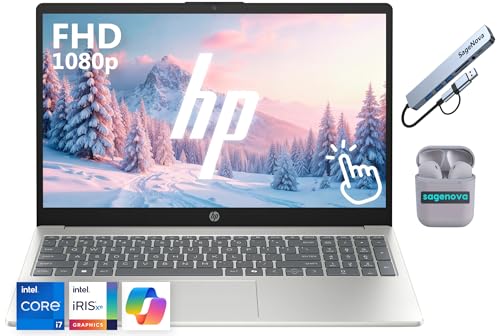
The second HP keeps the laboratory intact and changes the accent. Sixty-four gigabytes of RAM and a two-terabyte SSD again, this time behind an Intel Core i7-1355U processor, on a fifteen-point-six-inch full-HD IPS touchscreen — and the listing adds two objects that reveal its intended buyer: SageNova earphones and a docking station ride along in the title. Somebody configured this machine for a person who will dock it at a desk, join calls from it, and treat it as an office in a box, and for a DBA whose work splits between the desk and the on-call sofa, that completeness has genuine appeal.
The Intel processor matters where a DBA’s estate is Intel-shaped — which, in corporate database land, is often. Virtualisation behaviour, driver familiarity and the simple comfort of an IT department that speaks this platform all count in a working week, even when the AMD alternative matches it core for core. The IPS panel named in the title is the console screen to prefer for long dashboard sessions at odd angles — the desk chair leaned back during a bridge call is an angle too.
The dock deserves its paragraph because DBAs live multi-screen lives. Execution plans and monitoring dashboards want a second display the way queries want indexes, and a bundled docking station removes the accessory hunt from the purchase — plug the laptop into the desk, and the laboratory gains its monitors, its wired network and its peripherals in one motion. Earphones in the box are a smaller mercy aimed at the same reality: the bridge call is coming, and the person on it should sound clear.
Windows 11 Pro and the Copilot AI branding complete a listing aimed at the corporate generalist-DBA. Choose this pick over the Ryzen build if your estate, your IT department or your own habits run Intel, or if the dock-in-the-box settles the desk question in the same order. The laboratory underneath is the same sixty-four-gigabyte promise; the difference is the accent it speaks and the accessories it arrives with.
At a glance:
- Display: 15.6-inch FHD IPS touchscreen, 1920 x 1080 as stated in the listing title
- Processor: Intel Core i7-1355U
- Memory: 64GB RAM
- Storage: 2TB SSD
- Bundled items named in the title: SageNova earphones and docking station
- Operating system: Windows 11 Pro
- Colour: Silver, as stated in the listing title
- Dock model and port detail: Not stated in the listing title — verify with the maker’s documentation — confirm on the listing
Strengths
- Intel platform suits estates and IT departments standardised on it
- Bundled docking station answers the multi-monitor console desk in the same box
- IPS touchscreen panel serves long dashboard sessions at real-world angles
Trade-offs
- Bundle contents make the listing’s value depend on parts a spec sheet cannot grade — read the listing closely
- Same reseller-class support question as the rest of the guide: confirm who stands behind the configuration
- Earphones and dock are worth little to a DBA who already owns both
Desk-first DBAs should read the bundle details on the listing page itself, then see this configuration’s current price on Amazon with the dock in mind.
Best for: Intel-estate DBAs who want the laboratory and the docking desk settled in a single order.
Not suited for: A minimalist who prices only the laptop and discounts bundled accessories to zero — the Ryzen build argues cleaner.

Dell Inspiron 15.6″ (64GB, Ryzen 7) — Dell alternative
Dell’s entry in this class takes the same laboratory recipe — sixty-four gigabytes of RAM, a two-terabyte SSD, an eight-core AMD Ryzen 7 7730U the listing positions against Intel’s i7-1255U for multitasking — and puts it in an Inspiron fifteen-point-six-inch full-HD touchscreen chassis running Windows 11 Pro, with long battery life claimed in the title and a WOWPC recovery USB included in the box. For the DBA whose other machines are Dells, or whose household simply prefers the brand’s keyboards and hinges, this is the pick that keeps the fleet coherent.
The recovery USB is a small object that tells a large story. Reseller configurations live or die on what happens when something goes wrong, and a seller who ships a recovery path in the box is at least thinking about the day after the sale. It does not replace reading the support terms on the listing — nothing does — but alongside the class-standard resources it marks this configuration as one assembled by people who expect the machine to be serviced, restored and kept, rather than merely unboxed.
Battery life gets the title’s explicit mention here, and for the on-call DBA that is a working specification. Incidents unfold on sofas, in spare rooms and occasionally in airport seating during the journey home from a conference; a laboratory that can also survive an evening of remote sessions untethered is worth more than its benchmark twin that cannot. The Inspiron chassis is a mainstream one — no workstation mythology attaches to it — and this guide’s class framing applies in full: judge it on the laboratory, which is generous, and on the seller, whom the listing names.
Between this and the first pick, the honest differences are brand, bundle and battery emphasis rather than capability — the memory, storage and processor class are shared. That is not a criticism of either machine. It is the nature of a reseller-configured class, and it means the decision can be made on the legitimate grounds of fleet coherence and seller confidence instead of on an imaginary performance gap.
At a glance:
- Display: 15.6-inch FHD touchscreen
- Processor: AMD Ryzen 7 7730U, 8-core
- Memory: 64GB RAM
- Storage: 2TB SSD
- Included item named in the title: WOWPC recovery USB
- Battery positioning stated in the title: long battery life
- Operating system: Windows 11 Pro
- Wireless standard: Not stated in the listing title — verify with the maker’s documentation
Strengths
- Class-standard 64GB and 2TB laboratory in Dell’s mainstream chassis for fleet coherence
- Recovery USB in the box signals a seller thinking about restoration, not just sale
- Battery emphasis suits the on-call pattern of incidents away from desks
Trade-offs
- Inspiron is a consumer chassis — hinges and shell are mainstream, not business-grade
- Support path runs through the configuring seller; read its terms on the listing
- Wireless and port details are thinner in this title than in some rivals — verify before ordering
Dell households can settle it at the listing: check the Inspiron configuration’s price on Amazon and read the seller’s support terms in the same visit.
Best for: DBAs in Dell-standardised homes or small firms who want the laboratory without changing brands.
Not suited for: Anyone who needs business-chassis durability for daily travel — this class is desk-and-home equipment.

HP 15.6″ Touch (64GB, Core i5-1334U) — Software-bundled variant
The fourth pick varies the recipe in the two places a working DBA might actually feel: the processor steps to an Intel Core i5-1334U, and the listing title adds a Microsoft Office lifetime suite to the box, alongside SageNova earphones. The laboratory itself does not shrink — sixty-four gigabytes of RAM, a two-terabyte SSD, a fifteen-point-six-inch full-HD IPS touchscreen, Windows 11 Pro. Read that combination carefully, because it poses the class’s most interesting question: how much processor does a memory-defined workload really need, and what is the bundled software worth to the person who will live in it?
On the processor, this guide’s earlier argument answers directly. Database work on a laptop is memory-bound far more often than it is core-bound, and the i5-1334U is a modern, efficient part that runs instances, tools and remote sessions without drama. The DBA whose local work is rehearsal, development and troubleshooting — rather than crushing local benchmarks for sport — will find the laboratory’s behaviour governed by the sixty-four gigabytes they share with the i7 build, not by the badge difference they do not.
The Office suite is the differentiator with a real constituency. A DBA’s deliverables are documents as much as databases — migration plans, runbooks, incident reports, the spreadsheet where the capacity forecast lives — and a lifetime suite in the box removes a subscription line from a contractor’s or small-team’s accounts permanently. Earphones join it as the bridge-call accessory. Bundles should always be priced with a cool head, but a bundle aimed at the paperwork half of the job is at least aimed correctly.
Choose this pick if the software settles a real cost in your working life and your local loads are the rehearsal kind. Choose the i7 build above if your local instances work harder or the dock matters more. Either way the laboratory — the thing this class exists to provide — arrives intact, and the decision is about the working week around it.
At a glance:
- Display: 15.6-inch FHD IPS touchscreen
- Processor: Intel Core i5-1334U
- Memory: 64GB RAM
- Storage: 2TB SSD
- Bundled software named in the title: Microsoft Office lifetime suite
- Bundled item named in the title: SageNova earphones
- Operating system: Windows 11 Pro
- Colour: Natural Silver, as stated in the listing title
Strengths
- Full 64GB and 2TB laboratory behind a cooler-headed processor choice
- Lifetime Office suite removes a real recurring cost for document-heavy DBA work
- IPS touchscreen keeps console and dashboard work comfortable
Trade-offs
- Core i5 gives back some burst headroom for heavy local loads beside the i7 sibling
- Bundle value depends on whether the software matches your existing licences — double coverage is waste
- Reseller-class support checks apply as throughout this guide
Document-heavy DBAs should price the bundle as a whole: read the suite’s terms on the listing, then view this HP’s current price on Amazon with licence in hand.
Best for: Contractor and small-team DBAs whose deliverables are documents and runbooks as much as databases.
Not suited for: A local-benchmark enthusiast — the i7 configuration above is the honest address for that appetite.
EBRANE Customized HP 15.6″ (64GB DDR5) — Named-reseller DDR5 build
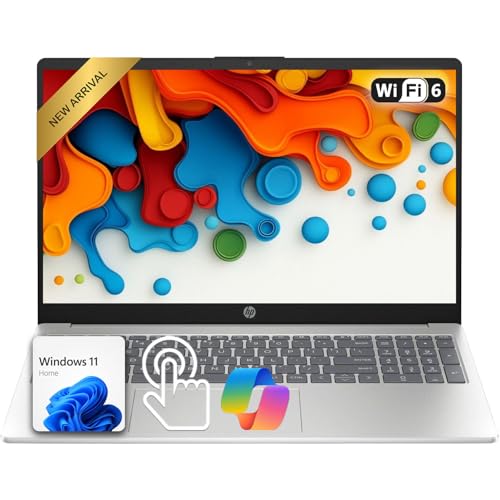
The fifth pick is the class’s most transparent listing, and its transparency is its identity: the title begins with the reseller’s own name. This is an EBRANE-customised HP fifteen-point-six-inch full-HD touchscreen business laptop with sixty-four gigabytes of DDR5 memory, a two-terabyte PCIe SSD, Windows 11, Wi-Fi 6 and Bluetooth 5.3, and HDMI among its named connections. Where other listings let a buyer discover the reseller at checkout, this one signs its work on the first line — and in a class defined by third-party configuration, that signature is worth discussing rather than overlooking.
DDR5 is the technical distinction to weigh. The other sixty-four-gigabyte builds in this guide do not state their memory generation in their titles; this one does, and DDR5 brings the newer platform’s bandwidth and efficiency characteristics to the laboratory. For memory-bound database work the generation matters less than the capacity — sixty-four gigabytes is sixty-four gigabytes — but a buyer choosing between otherwise equal configurations is entitled to count the newer memory standard as a point in this build’s favour, particularly for a machine expected to serve through several years of growing local data.
The PCIe designation on the drive and the business-laptop framing in the title complete a listing that reads like a specification written by its configurator rather than a marketing department. Wi-Fi 6 and Bluetooth 5.3 cover the modern desk’s wireless layer; HDMI covers the meeting-room screen without an adapter negotiation. What the title does not state — the exact processor — is recorded in the spec box below as this guide’s rules require, and a careful buyer will confirm it on the listing page, where the full configuration lives.
Buy this pick if the named-reseller honesty appeals and the DDR5 line tips an otherwise even comparison. Its presence in the guide makes the class’s central point better than any essay could: these machines are what their configurators made them, and the mature way to buy one is to read the configurator’s name, their terms and their configuration with the same attention you would give a schema migration — carefully, and before committing.
At a glance:
- Display: 15.6-inch FHD touchscreen
- Memory: 64GB DDR5 RAM
- Storage: 2TB PCIe SSD
- Wireless: Wi-Fi 6 and Bluetooth 5.3
- Connections named in the title: HDMI
- Operating system: Windows 11, as stated in the listing title
- Processor: Not stated in the listing title — verify with the maker’s documentation — confirm the exact chip on the listing page
- Positioning stated in the title: business laptop for work and study
Strengths
- The reseller signs the listing in its own name — the class’s most transparent configuration
- DDR5 memory is stated outright, the only title here to name its memory generation
- PCIe storage and HDMI cover the laboratory and the meeting room without extras
Trade-offs
- Processor is not named in the title; the listing page must be read before the configuration can be judged whole
- A configurator’s own brand means support research is the buyer’s explicit job
- No bundled dock or software story — the price should be judged on the machine alone
Start with the configurator’s own page: open the EBRANE configuration on Amazon, confirm the processor line, and then judge the build as a whole.
Best for: DBAs who value a named configurator and DDR5 memory, and who read listings the way they read schemas.
Not suited for: A buyer who wants every specification settled from this guide alone — this pick deliberately requires the listing visit.

HP 17.3″ Touch (64GB, Ryzen 5) — Big-screen laboratory
The final pick changes the one variable the other five hold constant: size. An HP seventeen-point-three-inch touchscreen laptop with sixty-four gigabytes of RAM, a one-terabyte SSD and an AMD Ryzen 5 7430U processor, running Windows 11 Pro, with AMD Radeon graphics, a Copilot key, a numeric keypad, fast charge and accessories in the box. The screen is an HD+ anti-glare touch panel — a detail this guide will handle honestly below — and the chassis that carries it gives a DBA something the fifteen-inch laboratory cannot: room. Room for the management console and the monitoring dashboard side by side, room for a result grid at readable size, room for the remote session and the runbook on one canvas.
Screen room is a DBA’s genuine productivity feature, and it is undersold by spec culture. Execution plans are wide. Result sets are wide. The incident call where three windows compete is wide. On seventeen point three inches, that width stops being a scroll and becomes a view, and the numeric keypad — a small thing until you are keying figures into a capacity spreadsheet — rides along in the space the big chassis provides. Fast charge suits the on-call rhythm: a machine grabbed for an evening incident that can meaningfully refuel during a coffee break.
The honest trade is resolution and storage. HD+ on a panel this size renders text less crisply than the full-HD fifteen-inchers — a DBA who reads code and query text all day will notice, and should weigh the space-versus-sharpness exchange with their own eyes if possible. One terabyte halves the laboratory’s archive room beside its siblings, which matters to the restore-rehearsal habit this guide preaches. Neither point disqualifies the machine; both define its buyer — the DBA whose work is console-and-dashboard centred, whose data lives on servers, and whose laptop is primarily the biggest, clearest window into other machines.
Accessories in the box and the Copilot key complete a listing aimed at the home-office DBA rather than the travelling one — this chassis is a desk citizen. Choose it when the desk is the job and the window is the tool, and let the fifteen-inch picks serve the DBAs whose laboratories travel with them.
At a glance:
- Display: 17.3-inch HD+ anti-glare touchscreen
- Processor: AMD Ryzen 5 7430U
- Graphics: AMD Radeon graphics
- Memory: 64GB RAM
- Storage: 1TB SSD
- Details named in the title: Copilot key, numeric keypad, fast charge, accessories included
- Operating system: Windows 11 Pro
- Accessory contents: confirm the exact items on the listing page
Strengths
- Seventeen-inch canvas ends window-shuffling for console, dashboard and runbook work
- Numeric keypad serves the spreadsheet half of database administration
- Fast charge fits the grab-and-go rhythm of on-call incidents
Trade-offs
- HD+ resolution on a large panel renders fine text less crisply than the FHD picks
- One terabyte halves the local archive room the laboratory sections recommend
- Big chassis is desk equipment; it will not travel willingly
Desk-bound DBAs can judge the size trade at the listing: check the 17.3-inch HP’s price on Amazon and look at the panel specification with your own work in mind.
Best for: Home-office DBAs whose laptop is a big window into production systems and whose data lives on servers.
Not suited for: A text-dense coder-DBA or a travelling consultant — sharpness and portability argue for the fifteen-inch builds.
What should a DBA know about support and warranty in a reseller-configured class?
Everything in this guide has been building toward this section, so it will be direct. When a reseller configures a mainstream laptop upward — opening the chassis, fitting the memory and drive that define these picks — the support story changes with the configuration. The chassis maker’s warranty, the reseller’s own terms and the marketplace’s protections overlap in ways that vary by listing, and the only authoritative version of that overlap is the one printed on the listing you buy from. A DBA, whose profession is literally the management of other people’s critical data, should extend the profession’s habits to the purchase: read the terms, note who answers for the memory and drive, and keep the paperwork with the machine’s records.
None of this makes the class a bad purchase — it makes it an adult one. The configurations here exist because the mainstream makers do not sell a sixty-four-gigabyte fifteen-inch laptop at these positions in their own catalogues, and the resellers who fill that gap range from careful specialists to anonymous assemblers. The listings in this guide were chosen partly for how legibly they present themselves: named configurators, stated bundles, recovery media in one box. Legibility is not a guarantee, but it is the evidence available at purchase time, and professionals buy on evidence.
Practical steps follow from that. Buy the configuration from the listing whose seller page you have actually read. Register whatever can be registered in the first week. Run the machine hard in its return window — memory tests, a full restore rehearsal, a day of the real laboratory — because faults in configured memory announce themselves early or not for years, and early is the outcome you can still choose. A DBA who treats a new laptop like a new production system, with a commissioning checklist and a soak test, will get the machine this class promises.
How do these laptops handle the security duties of the profession?
A DBA’s laptop holds keys to kingdoms: connection strings, administrative credentials’ pathways, copies of production-shaped data. The machines in this guide are mainstream Windows 11 Pro computers, which means the professional security layer is present in the platform — disk encryption, modern sign-in options, managed update channels — but its activation is the owner’s job, and this guide treats that activation as part of the purchase rather than an optional extra. Encryption on from day one. Screen lock measured in minutes. The local laboratory’s data treated with the same classification as the production data it imitates, because a rehearsal copy of a customer table is a copy of a customer table.
The reseller dimension adds one specific duty: verify the machine’s starting state. A configured laptop should arrive clean, and a professional buyer confirms it — accounts, installed software, update status — before the first credential touches it. That ten-minute inspection is not suspicion; it is the same instinct that makes a DBA check a restored database’s integrity before declaring the rehearsal a success. Trust, in this profession, is a verified state rather than a feeling, and laptops earn it the same way backups do.
Finally, plan the machine’s end as carefully as its beginning. When a DBA laptop retires, its drive has held the laboratory — instances, rehearsal data, snippet libraries full of connection details. The two-terabyte drives in these picks deserve a deliberate wipe or a retained-and-locked retirement, decided in advance. It is the last item on the commissioning checklist nobody writes, and this guide is writing it.
What peripherals complete a DBA laptop setup?
The console desk wants a second screen before it wants anything else, and the dock-bundled pick in this guide exists because its configurator knows it. Whether the second display comes from a dock, a direct cable or a hub, its job is to hold the monitoring dashboard in permanent view while the laptop’s own panel carries the active work — the arrangement that turns an incident from a window hunt into a glance. A DBA buying any pick here should budget the second screen into the same decision, because the laboratory’s value multiplies when its results are visible without alt-tabbing through them.
A full-size keyboard and a proper mouse follow, for the unglamorous reason that query text and execution plans are read and edited for hours, and the seventeen-inch pick’s built-in keypad hints at how much numeric work rides along. An external drive dedicated to aged backups — the tier below the internal two terabytes — completes the storage story this guide built: current rehearsals inside the machine, history outside it, and a rotation that keeps both honest.
None of these peripherals is exotic, and that is the point. The DBA workstation is a system for seeing databases clearly and rehearsing dangerous operations safely. The laptop is its centre, the screen its window, the storage its memory — and the picks in this guide were chosen to sit at that centre with the resources the role actually consumes.
One more consideration belongs in a DBA’s commissioning week, and it is the network the laboratory pretends to be. Local instances behave differently from production partly because local networks never drop a packet or impose a latency worth measuring, so a rehearsal that passes at home can still surprise in the real environment. A thoughtful DBA configures at least one test path that resembles the truth — the VPN route, the jump host, the throttled connection — and runs the migration rehearsal across it once, so the laboratory teaches the lesson about the network as well as the lesson about the data. The laptops here all carry the wireless and the operating system to build that path; the habit of building it is, as ever, the owner’s contribution.
How do the six compare side by side?
| Pick | Processor | Memory | Storage | Display |
|---|---|---|---|---|
| HP 15.6″ (Ryzen 7) | AMD Ryzen 7 7730U | 64GB | 2TB SSD | 15.6″ FHD touch |
| HP 15.6″ (Core i7) | Intel Core i7-1355U | 64GB | 2TB SSD | 15.6″ FHD IPS touch |
| Dell Inspiron 15.6″ | AMD Ryzen 7 7730U | 64GB | 2TB SSD | 15.6″ FHD touch |
| HP 15.6″ (Core i5) | Intel Core i5-1334U | 64GB | 2TB SSD | 15.6″ FHD IPS touch |
| EBRANE HP 15.6″ | Not stated in the listing title | 64GB DDR5 | 2TB PCIe SSD | 15.6″ FHD touch |
| HP 17.3″ (Ryzen 5) | AMD Ryzen 5 7430U | 64GB | 1TB SSD | 17.3″ HD+ touch |
Read the table as the class intends: memory is constant, because memory is the job. The differences that remain — processor flavour, the dock and software bundles, a named configurator’s DDR5, a much larger screen at lower resolution — are differences of working style, and a DBA who knows their own week can choose from this table in one honest pass.
What mistakes do database administrators make when buying a laptop?
The defining mistake is buying the badge instead of the laboratory — choosing a thinner, faster-bursting, more prestigious machine with half the memory, and then spending three years closing virtual machines to open other virtual machines. Database work punishes that trade daily and visibly. In this class, the specification order is memory, storage, screen, processor, and any shortlist that reverses it has been written by someone else’s profession.
A second mistake is ignoring the seller in a reseller-configured class. Two listings can describe near-identical configurations while standing on entirely different support realities, and the price gap between them is often exactly the price of that difference. Read who configured the machine, what they promise and what other buyers’ questions on the listing reveal — the same sceptical reading you would give a vendor’s migration plan.
Third, DBAs underplan storage because database files grow by incident rather than by schedule. The restore rehearsal, the snapshot before the upgrade, the copy of the problem instance — each arrives uninvited and stays until understood. The two-terabyte configurations dominate this guide because the profession’s data behaves this way; the one-terabyte pick is included for the console-centred DBA whose data genuinely lives elsewhere, and its section says so.
Fourth is neglecting the rehearsal habit after purchase. A laboratory that is never used to rehearse a restore is furniture with a power light. The machine’s value is realised in the drills — restore, migrate, fail over, roll back — run calmly before production demands them at speed. Buy the laptop, by all means; then schedule the first rehearsal in the same week, while the purchase’s intent is still fresh.
Finally, there is the security afterthought: the laboratory laptop loaded with production-shaped data and protected like a family photo album. Encryption, locking, verified starting state and a planned retirement for the drive are part of this purchase for this profession — not paranoia, but the same professional standard a DBA would apply to any system holding the data entrusted to them.
Final Recommendation
Start from the reference build: the Ryzen 7 HP with the full laboratory specification is the class in its cleanest form, and most DBAs can stop there with a clear conscience. Move to the i7 configuration for an Intel estate or the bundled dock, to the Inspiron for Dell coherence and its battery emphasis, to the i5 build if the lifetime Office suite retires a real subscription, to the EBRANE configuration for DDR5 and a configurator who signs their work, and to the seventeen-inch HP if your days are spent watching dashboards rather than carrying laboratories. Every route keeps the promise that defines the class: sixty-four gigabytes, room to rehearse, no pretence of being anything else.
A DBA’s laptop earns its keep on the worst night of the quarter, in the restore that works because it was rehearsed on a machine with room to rehearse it — buy for that night, and the ordinary days will take care of themselves.
Frequently Asked Questions
Are these laptops workstations?
No, and this guide has been careful not to call them that. They are mainstream consumer and small-business chassis that specialist resellers have configured upward — principally to sixty-four gigabytes of memory and two-terabyte drives. That makes them excellent database laboratories and poor substitutes for certified workstations in fields that need workstation graphics or vendor certification. Database administration, judged on what it actually consumes, needs the laboratory far more than the badge.
Why does every pick have exactly sixty-four gigabytes of RAM?
Because memory is the resource this profession’s local work consumes first: multiple database instances, virtual machines with snapshots, containers and the management tooling all live in RAM simultaneously. Below that line a DBA spends the day negotiating with the machine; at it, the negotiation ends. The uniformity is the guide’s central editorial decision, made deliberately and explained rather than hidden.
Should I worry about buying a reseller-configured laptop?
Approach it as a professional purchase rather than a worry. Read the seller’s identity and terms on the listing, note who stands behind the added memory and storage, register what can be registered, and stress the machine inside its return window with memory tests and a real restore rehearsal. The listings in this guide were chosen partly for how legibly they present their configurators and bundles — that legibility is the evidence a careful buyer acts on.
Is a U-series processor powerful enough for local database work?
For the laboratory pattern described here — development instances, migration rehearsals, troubleshooting reproductions — yes. These workloads are governed by memory capacity and storage speed far more than by peak processor bursts, and the eight-core AMD and modern Intel U-series parts in these listings sustain them comfortably while preserving the battery life on-call work needs. A DBA whose local hobby is benchmark-crushing enormous datasets knows who they are, and it is not this class’s buyer.
Why is the seventeen-inch pick’s resolution lower than the others?
Because its listing specifies an HD+ panel, and this guide reports listings as they are. The trade it offers is space for sharpness: a much larger canvas for consoles and dashboards, with text rendered less finely than the full-HD fifteen-inch machines. Console-centred DBAs may take that trade happily; text-dense workers should not, and the comparison table exists to make the exchange visible before money moves.
How should test data be handled on a DBA’s own laptop?
With more suspicion than the hardware usually gets. A laboratory earns its keep by behaving like production, but it should almost never hold production’s actual contents: build rehearsals on masked, subsetted or synthetic data that preserves the shapes, volumes and awkward edge cases without carrying real people’s records onto a portable machine. Where a genuine extract is unavoidable for a specific investigation, treat it as a temporary guest rather than a resident — keep it inside the encrypted volume the security section describes, work under a separate local account, record when it arrived and why, and delete it, verifiably, when the investigation closes. The same discipline applies to dumps and exports created during troubleshooting, which have a habit of outliving the incident in download folders. A DBA’s professional reputation rests on other people’s data staying where it belongs; the laptop that rehearses migrations should be the easiest machine in the building to audit for what it holds.
Related Guides
Best Laptops for Data Analysis and Statistics
Heavy local datasets are not only a database problem — a week of RAW files makes the same point, and our guide to the best laptops for travel photographers solves it for the road.
Clinical software is mostly records software, and the RAM-first logic behind it is spelled out in our guide to the best laptops for nursing school students.
Sixty-four gigabytes is not a rendering-only appetite; our guide to the best laptops for architecture rendering looks at the same memory class wearing a database hat.
Best 32GB RAM Laptops Non Gaming
Related guides
- Best Printers for Watercolor: Pigment and Fine-Art Machines for Reproducing Paintings
- Best Direct Thermal Printers: Shipping-Label Machines and Professional Label Systems
- Best 4K UHD HDR HDMI Extenders: 4K60, Long-Run and 4K120 Kits Compared
- Best 25–35 Inch Monitors With Lowest Display Lag: An Honest Ranking Without Invented Numbers


