What's inside
- Key Takeaways
- Quick Picks
- How Did We Choose the Best Biometric Laptops?
- Fingerprint or Face: Which Sign-In Suits Your Day?
- How Do You Enrol and Look After Windows Hello Properly?
- Six Business Machines and Their Stated Sign-In Stories
- What Mistakes Do Biometric Buyers Keep Making?
- Final Recommendation
- What Does a Sign-In Actually Protect?
- How Do Fleets and Families Differ in What They Need?
- What Happens When Biometrics Meet Real Life?
- How Should You Verify a Configuration Before It Ships?
- Why Does the Reader Belong in Buying Guides at All?
- What Does the Working Week Look Like With Each Sign-In Style?
- How Should a Small Business Roll These Out?
- Frequently Asked Questions
- What Should You Check Again in a Year?
- How Do You Choose Between Two Stated Readers?
- Related Guides
As an Amazon Associate I earn from qualifying purchases. This post may contain affiliate links at no extra cost to you.
gizmoverdict.com is reader-supported. When you buy through links on our site, we may earn an affiliate commission.
Where to buy: Each linked laptop below leads to its Amazon listing, and biometric buyers should perform one specific check there: confirm the fingerprint reader appears in that exact configuration’s description, because business laptop families are sold in variants that quietly omit the reader while keeping the same model name.
The best biometric laptops are defined by a small piece of hardware with an outsized effect on daily life: a fingerprint reader built into the machine, and on some models an infrared camera beside it, together feeding Windows Hello so that signing in becomes a touch or a glance instead of a typed password repeated a dozen times a day. That sounds like a convenience feature until it is reframed correctly. It is a security feature that people actually use, and security that people actually use is the only kind that exists in practice. A reader built into the laptop, matched to the machine’s own firmware and sign-in stack, is a fundamentally tidier proposition than the swarm of USB fingerprint keys that crowd the search results for this category, accessories that dangle, detach and disappear, and which this guide therefore treats as what they are: accessories, never picks.
One discipline governs every specification in this article. A biometric feature is claimed for a pick only where that pick’s listing title states it. Where a title is silent about an infrared camera or face sign-in, the specification box says so in plain words, Not stated in the listing title, rather than borrowing the feature from a sibling model or a manufacturer brochure. Business laptop families are ladders of near-identical machines, and the difference between a delightful purchase and a support ticket is usually one unstated line; this guide would rather show you the silence than paper over it.
Readers speccing a wider business setup should read this guide beside best 13 inch business laptops for the compact end of the market, and beside best laptops for remote work for the home-office context where fast, private sign-in earns its keep most often.
Key Takeaways
- Built-in beats plugged-in: a reader integrated with the laptop serves Windows Hello without a dongle to lose, lend or leave behind.
- Features are claimed here only where a listing title states them; silence in a title is reported as silence, not filled in by optimism.
- Fingerprint and infrared face sign-in are different tools, and the picks divide honestly between reader-only and reader-plus-camera machines.
- The two X1 Carbon and two EliteBook listings are distinct generations and configurations, labelled by their stated features rather than ranked by name.
- No biometric is unspoofable, and none is sold as such here; biometrics replace password friction, not security thinking.
Quick Picks
| Pick | Badge | Why it earns its place |
|---|---|---|
| Lenovo ThinkPad E16 Gen 3 | Big-screen value with a reader | A 16-inch business machine with a stated fingerprint reader, numeric keypad and Ethernet for desk-bound professionals. |
| Lenovo ThinkPad X1 Carbon Gen 13 Aura | Fingerprint plus infrared flagship | The flagship pairing: a stated fingerprint reader and a 1080p infrared webcam in Lenovo’s lightest serious chassis. |
| Lenovo ThinkPad X1 Carbon (Ultra 7 255U) | Touchscreen Carbon variant | A touchscreen Carbon with a stated FP reader for readers who want the nameplate with a touch panel. |
| HP EliteBook 8 14 (Ryzen 7 Pro) | Reader plus IR camera pairing | HP’s balanced EliteBook, stating both a fingerprint reader and a 5MP IR camera for full Windows Hello coverage. |
| HP EliteBook 8 G1a (Ryzen AI 5 Pro) | Newer-platform EliteBook rung | The newer AI-platform EliteBook rung, again stating reader and IR camera, with a larger drive in its listing. |
| Lenovo ThinkPad T16 Gen 4 (64GB) | Memory-rich 16-inch workhorse | A 16-inch, 64GB ThinkPad with a stated fingerprint reader for professionals whose work needs memory as much as sign-in speed. |
How Did We Choose the Best Biometric Laptops?
We started by drawing the category boundary with a ruler. To qualify, a laptop had to carry its biometric hardware inside the chassis, stated in its own listing, because the entire value of the category is integration: the reader is present at every sign-in, in every location, without a peripheral decision preceding it. USB fingerprint keys failed that test by design and were excluded as picks, however competent some of them are as accessories for older machines. Desktop-style external readers failed it too. What remained was a clean set of business laptops from the two manufacturers who dominate corporate fleets, which is itself information about where built-in biometrics actually live in the market.
Within the boundary, we graded the ordinary laptop virtues without apology, because a fingerprint reader on a mediocre machine is a party trick. Memory, storage, display and connectivity decide whether the laptop deserves the reader it carries, and the picks below range deliberately: a value-priced 16-inch machine, two generations of a flagship ultraportable, two rungs of HP’s EliteBook line, and a memory-rich 16-inch workhorse. The reader is the entry ticket to this guide, never the whole recommendation.
Finally, we read every title the way the pool recorded it and built the specification boxes from those titles alone. That is why some boxes celebrate an infrared camera and others record its absence from the title. A buyer who needs face sign-in should shop from the picks whose titles state an IR camera; a buyer content with a finger should not pay for a camera they will disable.
Fingerprint or Face: Which Sign-In Suits Your Day?
The two biometric routes feel different in use, and the difference is worth a paragraph before the picks. A fingerprint reader asks for one deliberate touch, works in the dark, works with gloves off and a coffee in the other hand, and fails gracefully when a finger is wet, bandaged or fresh from hand cream, at which point the PIN you should always keep configured takes over. Infrared face sign-in asks for nothing at all, which is its magic and its caveat: it signs you in as you sit down, provided the camera can see you, and it is the feature whose presence must be verified in the title rather than assumed from a webcam’s existence, because an ordinary webcam cannot perform infrared face recognition no matter how sharp its picture.
Professional context decides between them more than preference does. Shared-desk and hot-desking environments favour the finger’s deliberateness. Solo professionals who sit down and stand up forty times a day feel the camera’s nothing-at-all as a genuine gift. Security policies in managed organisations sometimes mandate one route or the other, and the wise buyer checks the policy before the purchase rather than discovering, in week one, that the fleet standard and the new laptop disagree.

Lenovo ThinkPad E16 Gen 3 — Big-screen value with a reader
The ThinkPad E16 Gen 3 is the guide’s value anchor, a 16-inch business laptop whose listing states the essentials without theatre: an Intel Core 5 210H processor, 16GB of memory, a 512GB drive, an FHD+ touchscreen, a fingerprint reader, a numeric keypad, Ethernet, Wi-Fi 6 and a privacy shutter, running Windows 11 Pro. For the professional whose biometric requirement is a dependable finger sign-in on a large, affordable screen, this is the configuration that respects the budget while refusing to treat the reader as a luxury trim.
Its specification box records one silence honestly: the listing title does not state an infrared camera, so face sign-in is recorded as not stated rather than presumed. That is the correct way to read the whole E-series proposition. You are buying the stated things, a big touch display for document work, a keypad for the spreadsheet hours, wired Ethernet for the desk, and the reader for the sign-ins, in a chassis from the ThinkPad line whose serviceability and keyboards are its long-standing argument. Buyers who need the camera should step to the picks whose titles state one; buyers who do not have found their machine.
- Processor: Intel Core 5 210H, from the listing title
- Fingerprint reader: stated in the listing title
- Infrared or face sign-in: Not stated in the listing title
- Memory and storage: 16GB and 512GB as configured
- Display: 16-inch FHD+ touchscreen with privacy shutter listed
- Connectivity: Ethernet and Wi-Fi 6 listed; numeric keypad; Windows 11 Pro
Strengths
- A stated fingerprint reader at the guide’s most accessible tier
- The 16-inch touchscreen and numeric keypad suit document and data days
- Ethernet keeps desk networking simple and reliable
Trade-offs
- Face sign-in is not stated in the title and should not be assumed
- 16GB and 512GB are workable rather than generous totals
- The value positioning shows in polish compared with the flagship picks
buyers who require infrared face sign-in, or who travel enough to feel a 16-inch value chassis daily.
Best for: The E16 rewards the buyer who reads it as a complete desk proposition rather than as a cut-down flagship. Its reader handles the sign-ins, its screen handles the documents, and its price leaves budget for the monitor, dock and chair that a desk-bound professional will use as many hours as the laptop itself. In a category prone to upselling, that completeness is a form of honesty.
Not suited for: desk-based professionals and small firms wanting stated fingerprint sign-in on a large screen at a sensible tier.
Lenovo ThinkPad X1 Carbon Gen 13 Aura — Fingerprint plus infrared flagship
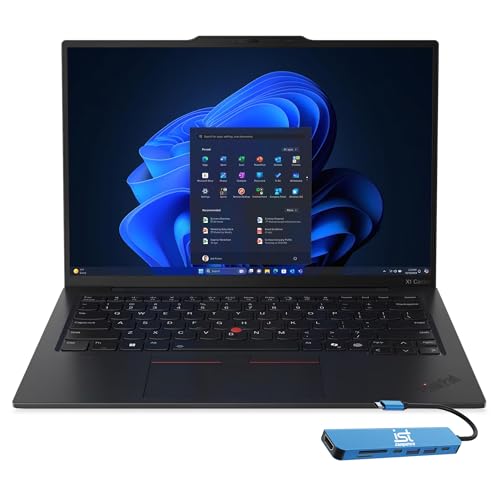
The X1 Carbon Gen 13 Aura Edition is the flagship expression of this category, and its listing states the full biometric pairing in so many words: a fingerprint reader and a 1080p infrared webcam, alongside an Intel Ultra 7 258V processor, 32GB of memory, a 1TB drive and a 14-inch 2.8K OLED screen. That combination, in the Carbon chassis that executives and consultants have carried for a generation, is the complete Windows Hello proposition: touch the reader or simply sit down, and the machine knows its owner with the least possible ceremony.
The rest of the specification supports the flagship claim without strain. Thirty-two gigabytes is the comfortable professional total, the OLED panel makes long document days genuinely pleasant, and Wi-Fi 7 with two Thunderbolt 4 ports, as the listing indicates, keeps the machine current for the desk setups it will dock into across its life. This is the pick against which the guide’s other machines are measured on biometric completeness, and it earns that position from its title alone, with no borrowing from brochures required.
- Processor: Intel Ultra 7 258V, from the listing title
- Fingerprint reader: stated in the listing title
- Infrared camera: 1080p IR webcam stated in the listing title
- Memory and storage: 32GB and 1TB as configured
- Display: 14-inch 2.8K OLED screen
- Connectivity: Wi-Fi 7 listed; Windows 11 Pro; Copilot+ PC
Strengths
- Both sign-in routes stated: fingerprint reader and infrared webcam
- The 2.8K OLED panel is the finest display in this guide
- 32GB of memory and a 1TB drive match the flagship positioning
Trade-offs
- Flagship pricing for what is, at heart, a sign-in and screen advantage
- The ultraportable chassis prioritises travel weight over ports and keypad
- OLED richness is wasted on buyers who live permanently on an external monitor
desk-bound buyers paying flagship money for travel virtues they will never use.
Best for: Choose the Aura when the laptop is a daily companion whose sign-in happens in corridors, client offices and airport lounges, and when its screen is the one you will actually read on. Its biometrics are the most complete here, stated rather than implied, and its chassis disappears into a working life in the way only this line of machines has ever quite managed.
Not suited for: travelling executives and consultants who want both biometric routes in the lightest serious package.

Lenovo ThinkPad X1 Carbon (Ultra 7 255U) — Touchscreen Carbon variant
The second X1 Carbon listing is a different configuration of the same famous name, and this guide labels it by what its title states: an Intel Ultra 7 255U processor, a 14-inch WUXGA touchscreen, an FP reader, 32GB of LPDDR5 memory, a 1TB drive, Wi-Fi 7, Bluetooth 5.4 and Thunderbolt 4, with the title also noting the absence of a SIM card. Its fingerprint reader is stated plainly. An infrared camera is not stated in this title, so the specification box records that silence, and buyers choosing between the two Carbons should let that single line, alongside the touchscreen, do the deciding.
Read that way, this configuration has a clear identity: it is the touch-forward Carbon for readers whose work involves annotation, presentation and direct manipulation of documents, and who are content with the finger as their biometric route. The WUXGA panel trades the Aura’s OLED drama for a touch surface in a slightly taller shape, and the memory and storage totals match the flagship’s, so the choice between the Carbons is genuinely about sign-in routes and screens rather than about capability tiers.
- Processor: Intel Ultra 7 255U, from the listing title
- Fingerprint reader: FP reader stated in the listing title
- Infrared or face sign-in: Not stated in the listing title
- Memory and storage: 32GB LPDDR5 and 1TB as configured
- Display: 14-inch WUXGA touchscreen
- Connectivity: Wi-Fi 7, Bluetooth 5.4 and Thunderbolt 4 listed; Windows 11 Pro class
Strengths
- A stated fingerprint reader in the Carbon chassis with a touchscreen
- Memory and storage totals match the flagship Carbon configuration
- Thunderbolt 4 and Wi-Fi 7 keep desk and network life current
Trade-offs
- Face sign-in is not stated in the title, unlike its Aura sibling
- The WUXGA panel is a workspace screen rather than an OLED showcase
- No SIM, per the title, so cellular plans belong to other machines
buyers who want infrared face sign-in; the Aura configuration states it and this one does not.
Best for: This Carbon suits the professional whose hands are on the screen as often as on the keys, and whose biometric life is happily served by one good finger. It is not the lesser Carbon; it is the differently purposed one, and the guide’s insistence on labelling by stated features exists precisely so that this distinction stays visible instead of dissolving into a model name.
Not suited for: touch-first professionals who want Carbon build and stated fingerprint sign-in without paying for a camera they will not use.

HP EliteBook 8 14 (Ryzen 7 Pro) — Reader plus IR camera pairing
HP’s EliteBook 8 in its Ryzen 7 Pro configuration is the most evenly balanced pick in the guide, and its listing states the biometric pairing in full: a fingerprint reader and a 5MP IR AI camera, beside 32GB of DDR5 memory, a 512GB drive, a 14-inch FHD+ display with full sRGB coverage stated, a backlit keyboard, Thunderbolt 4 and Wi-Fi 7, running Windows 11 Pro. An engineer of specifications could hardly ask for a tidier sentence, and the machine it describes is the one we would hand to a professional who said, simply, that they wanted Windows Hello done properly on a business laptop.
The AMD platform gives this EliteBook its own character within the list. Ryzen Pro silicon is a fleet staple with a manageability story IT departments respect, and the pick therefore suits organisations standardising on AMD as much as individuals choosing on merit. The 512GB drive is the configuration’s one modest figure, manageable for document-centred professionals and worth an external drive for anyone whose work accumulates large local files. Everything else about the listing reads as considered rather than compromised.
- Processor: AMD Ryzen 7 Pro 250, from the listing title
- Fingerprint reader: stated in the listing title
- Infrared camera: 5MP IR AI camera stated in the listing title
- Memory and storage: 32GB DDR5 and 512GB as configured
- Display: 14-inch FHD+ with 100 percent sRGB stated
- Connectivity: Thunderbolt 4 and Wi-Fi 7 listed; Windows 11 Pro
Strengths
- Both biometric routes stated, reader and IR camera together
- A balanced professional specification with no theatrical weak point
- Ryzen Pro platform suits AMD-standardised fleets and individuals alike
Trade-offs
- The 512GB drive is the modest figure in an otherwise complete listing
- The FHD+ panel prioritises workspace over the OLED picks’ drama
- Silver business styling will not excite, which for many buyers is the point
buyers who need a terabyte inside the machine, or who want a showcase display above all else.
Best for: The EliteBook 8 in this configuration is the guide’s quiet recommendation for the professional mainstream: complete biometrics, complete business specification, no single line that requires an apology or an asterisk. If your shortlist is long and your patience is short, this is the pick that ends the deliberation without ending it wrongly.
Not suited for: professionals and fleets wanting the full stated Windows Hello pairing in a balanced business machine.

HP EliteBook 8 G1a (Ryzen AI 5 Pro) — Newer-platform EliteBook rung
The EliteBook 8 G1a is the newer-platform rung of HP’s pair, built on the Ryzen AI 5 Pro 340, and its listing repeats the biometric completeness that makes the line easy to recommend: a fingerprint reader and a 5MP IR AI camera, both stated, with 32GB of DDR5 memory and a larger 1TB drive, a 14-inch FHD+ display with full sRGB stated, Thunderbolt 4 and Windows 11 Pro. Its wireless is listed as Wi-Fi 6 where its sibling states Wi-Fi 7, a small, honest difference that title-reading surfaces and that buyers with brand-new network infrastructure may weigh.
Positioned against its sibling, the G1a’s argument is storage and platform youth. The doubled drive removes the one apology the Ryzen 7 Pro configuration carries, and the AI-generation processor aligns the machine with the Copilot-era features organisations are beginning to standardise on. Neither EliteBook embarrasses the other; they are rungs, and the rung you choose should be decided by whether your life is constrained more by local storage or by network novelty, a refreshingly concrete choice in a category full of vibes.
- Processor: AMD Ryzen AI 5 Pro 340, from the listing title
- Fingerprint reader: stated in the listing title
- Infrared camera: 5MP IR AI camera stated in the listing title
- Memory and storage: 32GB DDR5 and 1TB as configured
- Display: 14-inch FHD+ with 100 percent sRGB stated
- Connectivity: Thunderbolt 4 listed; Wi-Fi 6 per the title; Windows 11 Pro
Strengths
- Reader and IR camera both stated, matching its sibling’s completeness
- The 1TB drive removes the storage caveat of the other EliteBook rung
- Newer AI-platform silicon aligns with current fleet directions
Trade-offs
- Wi-Fi 6 in the title where its sibling states Wi-Fi 7
- The AI 5 tier sits below the Ryzen 7 Pro in the range’s own ordering
- Panel and styling deliberately match the line rather than distinguish the rung
buyers on the newest Wi-Fi 7 infrastructure who would rather have the sibling’s wireless than this rung’s drive.
Best for: Choose the G1a if your files live on the machine and your network is the ordinary kind, and choose its sibling if the newest wireless matters more than the extra half-terabyte. Either way you receive the complete stated biometric pairing, which is the reason both machines are in this guide at all, wrapped in the EliteBook line’s professional restraint.
Not suited for: storage-hungry professionals who want complete stated biometrics on the newer HP platform.
Lenovo ThinkPad T16 Gen 4 (64GB) — Memory-rich 16-inch workhorse
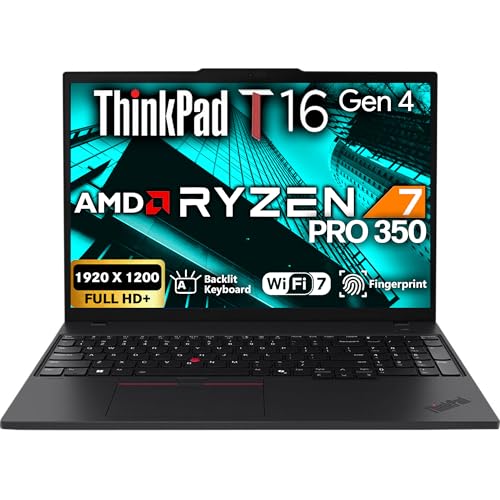
The ThinkPad T16 Gen 4 closes the guide as the heavy lifter, a 16-inch machine whose listing pairs a stated fingerprint reader with the largest memory total here: an AMD Ryzen 7 AI Pro 350 processor, 64GB of DDR5 memory, a 2TB drive, a 5MP webcam, a backlit keyboard, Wi-Fi 7 and wired Ethernet through an RJ-45 port, running Windows 11 Pro. Its title states the webcam without describing it as infrared, so face sign-in is recorded as not stated, and the machine’s biometric life is the finger’s, dependable and deliberate.
That combination, huge memory and storage with a stated reader on a big screen, maps onto a recognisable professional: the analyst, developer or finance specialist whose laptop is a workstation in all but name, whose datasets and virtual machines eat the memory the ultraportables cannot offer, and who still signs in thirty times a day and would like each one to take a second. The T-series’ reputation for durability and serviceability completes the argument for buyers who keep machines long and work them hard.
- Processor: AMD Ryzen 7 AI Pro 350, from the listing title
- Fingerprint reader: stated in the listing title
- Infrared or face sign-in: Not stated in the listing title
- Memory and storage: 64GB DDR5 and 2TB, the largest totals in this guide
- Display: 16-inch FHD+ panel; 5MP webcam listed without IR stated
- Connectivity: Wi-Fi 7, Bluetooth and RJ-45 Ethernet listed; Windows 11 Pro
Strengths
- 64GB of memory and 2TB of storage outmuscle every other pick here
- A stated fingerprint reader on a true workstation-class chassis
- Ethernet and T-series durability suit long, hard service
Trade-offs
- Face sign-in is not stated in the title and must not be assumed
- A 16-inch workhorse chassis is a desk commitment, not a travel companion
- Its power is wasted on purely documentary workloads
frequent travellers, and buyers who specifically want stated infrared face sign-in.
Best for: The T16 is the answer when the biometric requirement arrives attached to a computing requirement, when the machine must analyse, compile or model as well as sign its owner in. Buy the ultraportables for motion and the EliteBooks for balance; buy this when the work itself is heavy and the finger still deserves its reader.
Not suited for: analysts, developers and finance professionals whose workloads need 64GB and whose sign-ins deserve a reader.
How Do You Enrol and Look After Windows Hello Properly?
Enrolment takes five minutes and repays a deliberate hand. Register the finger you actually use, which for most people is the index finger of the dominant hand, then register a second finger from the other hand for the days when the first is bandaged, gloved by a plaster or holding a door. Set a strong PIN during the same sitting and treat it as a real credential rather than as a formality, because the PIN is the fallback that every biometric eventually leans on, and a weak fallback quietly undermines a strong front door.
Where a pick states an infrared camera, enrol your face in the lighting you actually work in, and repeat the improved-recognition pass with glasses on and off if you wear them. Then test the whole arrangement the way an adversary of convenience would: lock the machine, return to it as a stranger would, and confirm that sign-in demands you rather than merely a person. That small rehearsal, done once, converts a feature into a habit you understand.
Maintenance is mostly housekeeping. Keep the reader’s surface clean, re-enrol a finger if recognition grows reluctant over months, and revisit your sign-in settings after major updates or a change of role. Organisations should fold biometric enrolment into their standard setup checklist and their leavers’ process alike, because a reader enrolled to a departed employee is not a vulnerability in the way a shared password is, but tidiness in identity is a virtue that compounds.
Six Business Machines and Their Stated Sign-In Stories
| Pick | Fingerprint reader | Infrared or face sign-in | Memory and storage | Display | Natural owner |
|---|---|---|---|---|---|
| ThinkPad E16 Gen 3 | Stated in title | Not stated in the listing title | 16GB, 512GB | 16-inch FHD+ touch | Desk professional on a budget |
| X1 Carbon Gen 13 Aura | Stated in title | 1080p IR webcam stated | 32GB, 1TB | 14-inch 2.8K OLED | Travelling executive |
| X1 Carbon, 255U build | FP reader stated | Not stated in the listing title | 32GB, 1TB | 14-inch WUXGA touch | Touch-first Carbon buyer |
| EliteBook 8 14, Ryzen 7 Pro | Stated in title | 5MP IR camera stated | 32GB, 512GB | 14-inch FHD+ | Balanced professional mainstream |
| EliteBook 8 G1a | Stated in title | 5MP IR camera stated | 32GB, 1TB | 14-inch FHD+ | Storage-first EliteBook buyer |
| ThinkPad T16 Gen 4 | Stated in title | Not stated in the listing title | 64GB, 2TB | 16-inch FHD+ | Heavy-workload professional |
The table is this guide’s thesis in miniature. Every row earns its place with a stated fingerprint reader, the infrared column divides the list into two honest families, and the remaining columns remind the reader that a laptop is bought whole. Choose your family first, by whether face sign-in is a requirement, a pleasure or an irrelevance, and then choose within it by the ordinary virtues of screen, memory and weight.
What Mistakes Do Biometric Buyers Keep Making?
The commonest mistake is assuming a feature from a family name. A model line that offers an infrared camera somewhere in its range does not place one in every configuration, and the buyer who discovers the omission after delivery has been failed by their own reading rather than by the listing, which is why this guide repeats its stated-only discipline until it becomes the reader’s habit too. The second mistake is the mirror image: paying for a full camera-and-reader flagship when a reader-only machine, honestly labelled, would have served a desk-bound life identically.
The third mistake is treating a USB fingerprint key as an equivalent purchase. Such keys have a legitimate role in extending older desktops, but on a laptop they spend their lives dangling from a port, occupying it, catching on bags and being left in other rooms, and a biometric that is not present is not a biometric. The fourth mistake is forgetting the fallback: biometrics enrolled over a weak PIN and an unencrypted drive are a polished door on an open house, and the five minutes of setup described above are part of the product, not an optional extra.
Final Recommendation
For the professional mainstream, the EliteBook 8 in its Ryzen 7 Pro configuration is this guide’s balanced answer, with both sign-in routes stated and no specification that needs excusing, while its G1a sibling serves the storage-first buyer on the newer platform. Choose the X1 Carbon Aura for travel and the fullest stated pairing, its touchscreen sibling for touch-first work, the E16 for a big screen at a careful price, and the T16 when the workload is as serious as the sign-in. Whichever you choose, enrol two fingers, set a proper PIN, and enjoy the small daily silence where a password used to be.
What Does a Sign-In Actually Protect?
It is worth pausing on what the reader is guarding, because the answer justifies the category. A modern professional laptop holds the keys to a working life in a literal sense: browser sessions that open email, banking and client systems without further passwords, documents that embody months of work, and communication accounts whose impersonation would be a crisis. The lock screen is the border of that small country, and every professional crosses it dozens of times a day. A border crossed that often will be crossed carelessly if crossing it is tedious, and that human fact, not any laboratory measurement, is the strongest argument for biometrics: they make the secure crossing the fast crossing, and so the secure crossing actually happens.
This framing also explains the guide’s stubbornness about integration. A biometric that depends on a peripheral reintroduces friction at exactly the border where friction does its damage, because the day the key is in another bag is the day the password gets written somewhere it should not be. The built-in reader removes that failure mode structurally rather than by exhortation. Security professionals have a saying that the best control is the one that survives contact with a busy Tuesday, and a reader moulded into the palm rest survives Tuesdays better than any accessory yet made.
None of this inflates the reader into a vault. It guards the sign-in, and the sign-in guards the sessions, and the whole arrangement still depends on the unglamorous foundations: an encrypted drive, a real PIN, an operating system kept current, and an owner who locks the machine when leaving it. The picks in this guide all run Windows 11 Pro, whose management and encryption tooling suits that foundation, and the reader’s role is to make living on the foundation effortless rather than to replace it.
How Do Fleets and Families Differ in What They Need?
An IT department buying two hundred biometric laptops asks different questions from an individual buying one, and both readers are served in this list if they know which they are. Fleets care about consistency of enrolment, manageability of the sign-in policy, and the serviceability of the line across years, which is why the ThinkPad and EliteBook names dominate professional purchasing and why the rungs within each line matter: a fleet standardises on a configuration, stated features and all, and the guide’s title-literal labelling is precisely the document a purchasing team needs. Families and sole professionals care about the same reader through a different lens: one person’s habits, one set of fingers, and a machine that may be shared at a kitchen table, where Windows’ separate accounts and per-user enrolment turn one laptop into several private ones.
Shared machines deserve their specific reassurance. Each user enrols their own fingerprint under their own account, and the reader identifies the account as much as it unlocks it, which makes a shared family laptop more private in practice than a shared password ever allowed. The picks here, all Windows 11 Pro machines, handle that multi-user life as a matter of course. What they cannot do is adjudicate household politics, and the family that shares a laptop should still agree its rules like adults.
Longevity planning divides the two audiences least. Both should prefer the configuration whose memory and storage fit the third year, both should register warranties and keep invoices, and both should treat the biometric hardware as a fixed property of the machine for its whole life, since readers are not an upgrade path. Buy the stated features you need now, in the chassis that fits your pattern of days, and the sign-in will still be pleasing you when the rest of the specification has become ordinary.
What Happens When Biometrics Meet Real Life?
Fingers live eventful lives, and a guide that ignored that would be selling a laboratory feature for a kitchen-table world. Cooks nick them, climbers roughen them, gardeners stain them, and winter dries them into temporary strangers to their own reader. The system’s answer is layered by design: a second enrolled finger for the ordinary accidents, the PIN for the day both hands are occupied by bandages and hand cream, and re-enrolment for the slow drift of a print across seasons. Owners who set up all three layers in the first week experience biometrics as effortless; owners who enrol one finger and skip the PIN experience them as a lockout waiting for its moment, and the difference is setup, not hardware.
Faces live eventful lives too, on the picks whose titles state an infrared camera. New glasses, a changed hairstyle, a scarf in a cold office or a webcam at an unflattering angle can all make the camera hesitate, and the improved-recognition enrolment exists precisely to teach it your variations. The graceful truth is that the two routes cover each other’s awkward days, which is the practical core of the argument for the full-pairing picks: when the finger is bandaged, the face signs in; when the room is dark or the camera is covered, the finger does. Redundancy, in sign-in as in engineering, is not waste but kindness to your future self.
Privacy questions deserve a direct answer rather than a dismissive one. Windows Hello keeps biometric data on the device, matched locally rather than posted to a server, and the reader’s job is to release a key on the machine rather than to transmit your fingerprint anywhere. Readers who work under organisational policies will find their IT department has views on the subject that outrank any guide’s, and the Pro-class machines here are built to be governed by those views, which is itself a feature worth naming in a category that consumer coverage often treats as a gadget.
How Should You Verify a Configuration Before It Ships?
The verification ritual for this category is short enough to perform and expensive enough to skip that it deserves its own section. On the listing page, find the fingerprint reader named in the configuration you are actually buying, not in a review of a sibling and not in a photograph, since readers are small and photographs are shared across variants. If face sign-in matters to you, find the infrared camera named with the same rigour, remembering that a megapixel count alone describes an ordinary webcam until the letters IR appear beside it. Confirm memory and storage in the same pass, because the rungs in this guide differ there too, and a single careful minute on the listing is the whole cost of certainty.
On delivery, enrol before you migrate. Set up Windows Hello on the clean machine, test the lock screen with both routes the title promised, and only then move your files and accounts across. A missing reader discovered on a clean machine is a returns conversation; the same discovery made after a weekend of migration is a grievance. This sequencing costs nothing and converts the guide’s stated-only discipline into your own, which is where it was always meant to live.
Keep the listing’s specification summary with the invoice. Business laptop families evolve quietly, and the document that proves what your configuration stated protects warranty conversations, insurance claims and resale honesty years later. It also, not incidentally, makes you the kind of second owner whose machines other professionals trust, which in this category of durable, serviceable laptops is a real and bankable virtue.
Why Does the Reader Belong in Buying Guides at All?
A sceptical reader might ask whether a sign-in feature deserves a category, and the honest answer is that the category exists because buyers search for it, and buyers search for it because the daily experience of a laptop is disproportionately made of small repeated acts. Opening the lid is one. Signing in is another, performed more often than any other deliberate interaction with the machine, and a feature that improves the most frequent act on the device improves the device in a way that a faster processor, felt occasionally, cannot match. That is the arithmetic of lived experience, and it is why professionals who have worked with a reader resist returning to one without, a preference no benchmark will ever explain.
The category also performs a sorting service. Business lines build readers into their machines because their customers demand them, so the biometric shortlist and the professionally built shortlist overlap heavily, and a buyer led here by a fingerprint finds themselves, almost by accident, shopping among durable, serviceable, Pro-operating-system machines with real warranties and real keyboards. There are worse accidents in technology purchasing. The guide’s job is to make sure the accident is an informed one, with the stated features checked, the silences respected, and the ordinary virtues of screen and memory weighed rather than assumed.
What Does the Working Week Look Like With Each Sign-In Style?
Monday begins at a desk, and the reader-only machines shine in that ordinariness: sit, touch, work, with the Ethernet-equipped E16 and T16 waking into a wired network and a full day of documents. Nothing about the moment is dramatic, and that is the endorsement. The professional who performs it two hundred times a month has saved a small fortune in attention, paid out in a currency of uninterrupted thought that never appears in a specification table.
Wednesday is the corridor day, meetings in other people’s rooms, a laptop carried under one arm and opened on borrowed tables. Here the full-pairing machines, the Aura and the two EliteBooks, earn their completeness, because the camera signs its owner in as the lid settles, in lighting the owner does not control, with hands that may be holding coffee, papers or a door. The reader remains as the deliberate backup, and the pair together make the machine feel less like a checkpoint and more like a colleague who recognises you.
Friday belongs to the road, and to the small security theatre of public places: the train table, the cafe corner, the airport seat. A biometric sign-in in public has a privacy virtue that typed passwords lack, since there is nothing to shoulder-surf and nothing spoken aloud to a verification call in a quiet carriage. The professional who travels with any of these six machines carries that virtue with them, provided the foundations beneath it, encryption, updates and the lock habit, were laid in the calm of the first week’s setup.
How Should a Small Business Roll These Out?
A small firm buying its first fleet of biometric laptops should treat the rollout as a one-afternoon project with a checklist, not as an IT programme. Standardise on one configuration per role from this list, desk staff on the E16 or T16 pattern, travellers on a Carbon or an EliteBook, so that enrolment help, spare chargers and hard-won troubleshooting knowledge all transfer between machines. Enrol each employee’s two fingers and PIN at setup, with the setup performed by the employee, since a fingerprint enrolled by anyone else is a contradiction in terms. Record each machine’s stated configuration against its serial number in the same spreadsheet that holds the invoices, and the firm’s entire identity-hygiene story is suddenly better than that of companies ten times its size.
The leavers’ process is the half of the story small firms forget. A departing employee’s account should be removed and the machine reset through the operating system’s own tooling before reassignment, a ten-minute task that the Pro-class systems here are built to make routine. Biometrics simplify this rather than complicating it, since the enrolled prints live inside the departing account’s world and leave with it, unlike the shared passwords that haunt small offices for years after their owners have gone.
Frequently Asked Questions
Is a built-in fingerprint reader better than a USB fingerprint key?
For a laptop, yes, decisively. The built-in reader is present at every sign-in, integrated with the machine’s firmware and sign-in stack, and impossible to leave in another room. USB keys are accessories that can extend older hardware; they are not equivalents, and this guide never treats them as picks.
Can I assume a laptop has face sign-in if it has a good webcam?
No. Windows Hello face sign-in requires an infrared camera, and an ordinary webcam, however sharp, cannot substitute. That is why this guide claims face sign-in only where a listing title states an IR camera and otherwise records the feature as not stated in the listing title.
Are fingerprint readers secure enough for work?
They are a sound, widely deployed layer that replaces typed passwords with something you are, backed by a PIN fallback you should set carefully. No biometric is unspoofable and none is presented as such here; the honest claim is that biometrics make the secure behaviour the easy behaviour, which is how security actually improves.
Why do two listings share the X1 Carbon name?
Because the name covers a ladder of configurations. The Aura listing states an infrared webcam beside its reader, while the Ultra 7 255U listing states a touchscreen and an FP reader without stating an IR camera. They are labelled by those stated features so the difference stays visible.
What should I do if my finger is not recognised?
Clean the reader, try your second enrolled finger, and fall back to the PIN you configured at setup. If reluctance persists, re-enrol the finger in the settings; recognition that drifts over months usually returns with a fresh enrolment rather than a new machine.
Do all users of a shared laptop need their own account?
Yes, and that is a strength rather than a chore. Separate accounts let each person enrol their own fingerprint, keep their own files and sessions private, and sign in to their own desktop with one touch. A shared password on a shared account gives up every one of those virtues at once.
Will the fingerprint reader work with a screen protector or a bandaged finger?
Screen protectors are irrelevant to a reader set into the chassis, which is one of the built-in design’s quiet advantages. A bandaged finger will not enrol or match, which is exactly why this guide insists on enrolling a second finger from the other hand and keeping a proper PIN configured from the first day.
There is a temptation, after a month of one-touch sign-ins, to describe the experience to colleagues with an evangelist’s warmth, and the guide’s advice is to resist only the exaggeration, not the warmth. The reader has not made the machine invulnerable, and it has not made its owner a security professional. It has removed a daily friction so completely that the secure path became the path of least resistance, and in the long, ordinary war between convenience and safety, that is what a victory actually looks like: quiet, repeatable and slightly boring to describe.
What Should You Check Again in a Year?
Anniversaries suit this category. Once a year, revisit the sign-in settings with the same calm you brought to setup: confirm both enrolled fingers still match promptly, refresh the face enrolment if your appearance or your glasses have changed, and verify that the PIN in your memory is the PIN the machine expects, since a fallback you cannot remember is a decoration. Check, in the same sitting, that drive encryption remains on, that updates are current, and that the invoice-and-configuration record you kept still matches the machine in front of you.
That ten-minute ritual is the whole maintenance burden of the biometric life, and it is worth contrasting with the maintenance burden of the password life it replaced: the resets, the reused secrets, the notebook that should not exist. Readers deciding whether the category is worth its modest premium might simply compare those two burdens honestly, because the comparison, more than any reader specification, is the purchase.
Buy the reader that is built in, stated plainly and backed by a machine worth signing into, and the smallest interaction of your working day will quietly become the smoothest one.
How Do You Choose Between Two Stated Readers?
When two finalists both state the reader you need, the biometric question is settled and the laptop question takes over, which is as it should be. Compare the screens as screens, the memory as memory and the chassis as the object your hands will learn, and let the sign-in, identical in promise, retire gracefully from the decision. This is the deeper reason the guide labels generations and configurations so carefully: once the stated features are laid side by side, the remaining differences are the honest, ordinary ones, and ordinary differences make for decisions that age without regret.
It is also why no pick here is crowned the best biometric laptop in the abstract. The E16’s reader on a desk in a small firm, the Aura’s pairing in an airport, and the T16’s reader above a 64GB workspace are the same technology keeping three different promises, and the reader of this guide is the only person who knows which promise their own week is waiting for.
Trust the title, verify the configuration, enrol with care, and the machine will recognise you, in every sense that matters, for years.
Keep the listing summary, keep the invoice, and keep the habit of locking the lid whenever you stand up; the reader rewards the third of those habits most of all, because a machine that is always locked is a machine whose effortless sign-in is always being used exactly as its designers hoped.
That is the entire philosophy of this category compressed into one routine: a strong door, opened by its owner in a second, closed without a thought, a hundred times a month, for the whole working life of the machine.
Choose the configuration whose title states what you need, and no brochure, sibling model or optimistic assumption will ever have to be consulted again.
The reader will handle the rest, one touch at a time, exactly as it was built into the machine to do.
And on the mornings when the office is cold, the coffee is late and the inbox is already loud, that one silent, certain touch is a small mercy worth every line of this guide.
Stated, verified, enrolled: the three-word version of everything above, and a fair motto for the category itself.
Keep that motto beside the invoice, and both will serve you longer than most accessories ever do.
One touch, honestly specified, is the whole promise.
Keep it, and the sign-ins take care of themselves daily.
Related Guides
Readers continuing from here should try our cluster coverage of best arm64 laptops for the efficiency-first machines, and best laptops for data analysis and statistics where the T16’s memory-first logic finds its other home.
A lab host earns the same reader for a different reason, which our roundup of the best laptops for ethical hacking explains from the virtual-machine side.
The sign-in hardware in this roundup matters to studio machines too, since the best audio engineer laptops increasingly ship with the same fingerprint readers.


