Our Top Picks


What's inside
- What actually counts as a non-Android phone today
- Who should consider leaving Android, and who should stay
- The iPhone path: the smallest leap with the biggest safety net
- KaiOS: the middle path with real buttons and a few smart tricks
- Feature phones and flip phones: the basics done properly
- Minimalist phones: designed to be used less
- The app trade-off, examined honestly
- Calls and texts: the fundamentals, judged properly
- Battery life: where simple phones embarrass flagships
- Durability, repairability and the cost of accidents
- Privacy: fewer apps, fewer watchers, clearer answers
- The digital detox question: does a simpler phone actually change habits?
- Cameras: managing the one feature everyone overestimates and underestimates
- How to switch without chaos: a practical sequence
- Choosing by persona: five honest recommendations
- Costs, contracts and the second-hand question
- Frequently asked questions
- Music, podcasts, reading and the small pleasures
- The first month, week by week
- Longevity and the environmental angle
- Check prices on Amazon
- The verdict: pick the compromise you will enjoy living with
As an Amazon Associate I earn from qualifying purchases. This post may contain affiliate links at no extra cost to you.
Leaving Android does not mean leaving modern life behind. It means choosing a different set of compromises, and for a surprising number of people those compromises turn out to feel like upgrades. Maybe your handset nags you with notifications from dawn until midnight. Maybe the battery fades before dinner, the software updates stopped arriving long ago, or you simply resent how much of your attention a glowing rectangle manages to claim each day. Whatever pushed you here, the world beyond Android is wider than it first appears.
At one end sits the iPhone, a polished alternative that asks for almost no sacrifice in apps or camera quality. At the other end sit deliberately simple devices: flip phones that mostly make calls, minimalist handsets with paper-like screens, and quiet little slabs designed to be boring on purpose. Between those extremes, KaiOS feature phones occupy a middle ground, offering essential online services inside a familiar candy-bar or flip design with physical keys.
This guide walks through each family. You will find what these phones do brilliantly, where they frustrate, and which daily habits need rethinking before you switch. Banking, maps, messaging, two-factor codes, family group chats, work email: all of it gets examined, because a phone is not a gadget you admire on a shelf. It is the tool you reach for when a train is cancelled, a child is sick, or a payment needs confirming before a deadline.
What actually counts as a non-Android phone today
The definition sounds obvious until you look closely. A non-Android phone is any handset whose operating system is not built on Google’s platform, and that simple test produces a varied crowd. Apple’s iOS powers every iPhone and shares nothing with Android beyond ideas about touchscreens and app icons. KaiOS grew out of the Firefox OS project and runs on feature phones sold across Africa, Asia, Europe and the Americas. Then there are proprietary systems from makers of basic phones, firmware builds that handle calls, texts, an FM radio and little else.
Minimalist phones complicate the picture in a useful way. Some run heavily stripped-down custom software with only a few tools installed. Others hide a locked-down environment behind an e-ink display and a launcher that refuses to show you anything distracting. A few alternatives you may read about online, such as Linux-based experiments or de-Googled Android variants, are not truly separate platforms in spirit, even when their marketing suggests otherwise. This guide focuses on phones an ordinary buyer can purchase, activate on a normal carrier plan, and rely on without tinkering.
Availability also matters. A brilliant handset that your carrier will not activate, or that lacks the radio bands used in your country, is not a recommendation; it is a research project. Network compatibility, especially around modern voice calling standards, decides whether many basic phones even function now that older networks have shut down in numerous regions. Every category below is judged partly on that practical ground.
Who should consider leaving Android, and who should stay
Certain patterns show up again and again among happy switchers. The first group wants calm. They have measured their screen time, disliked the number, and realised that willpower loses against engineered feeds every evening. For them, a phone that cannot run the distracting services at all beats a phone where those services sit one tap away behind a timer they keep snoozing.
A second group cares most about privacy and data collection. They want fewer accounts, fewer identifiers, and a clearer answer when they ask what information leaves the device. No mainstream phone is invisible, and honesty requires saying so, yet the amount of routine telemetry differs meaningfully between platforms and between smart and simple hardware.
Others are motivated by longevity and simplicity for a relative. A parent or grandparent who only calls, texts and takes occasional photographs may be safer and happier with big buttons and a week of standby than with a dense grid of apps they never asked for. Workers in dusty, wet or punishing jobs form another group: they need hardware that shrugs off drops and keeps ringing after a long shift, not a fragile glass sandwich.
Finally, some people are simply bored. They have owned a sequence of nearly identical slabs and want their everyday carry to feel different, lighter, cheaper to replace, or easier to ignore. Boredom is a legitimate reason. The device you hold hundreds of times a day should not quietly irritate you.
Staying put deserves equal respect. If your job requires a specific Android-only application, if your banking, transit and workplace tools all assume that ecosystem, or if you genuinely love customising launchers and sideloading software, switching may cost more energy than it returns. Readers still comparing conventional options may want to start with our roundup of the best 5g phones before deciding that an exit is really what they want. A deliberate decision beats a dramatic one.
The iPhone path: the smallest leap with the biggest safety net
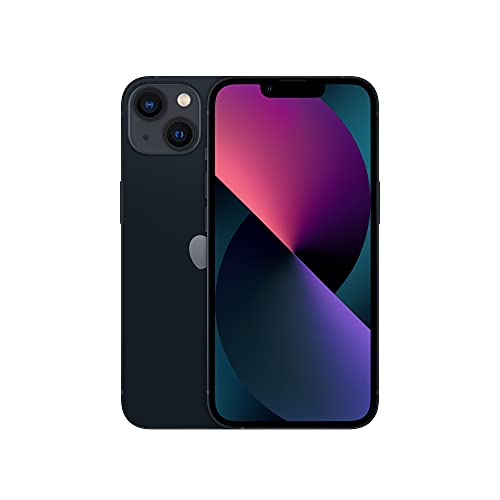
For most people, the iPhone is the obvious first consideration, and its obviousness is earned. iOS offers the same broad universe of banking apps, navigation tools, messaging services and streaming platforms that Android users expect, wrapped in an interface many find calmer and more consistent. Software support stretches for years, resale values hold up well, and accessories from cases to chargers fill shop walls.
The current iPhone range spans compact models, large-screen flagships and a more affordable entry point that keeps the core experience intact. Choosing among them comes down to camera ambitions, screen size and how long you plan to keep the device. Photographers who shoot in low light or record lots of video will gravitate upward. Everyone else can buy lower in the range with surprising confidence, because performance across the line is uniformly strong for everyday tasks.
What daily life on iOS feels like
The first week involves small frictions. File handling works differently, default apps have their own habits, and some Android gestures you loved simply do not exist. Most switchers report that the annoyance fades quickly, replaced by appreciation for details: consistent update timing, a mature permission system that asks before tracking, and tight integration if you already own a Mac, iPad or Apple Watch.
Messaging deserves special mention. iMessage keeps group chats smooth with other Apple users, while support for modern rich messaging standards has improved conversations with people still on Android. Photographs arrive without the compression misery that once plagued cross-platform threads, although results still vary by carrier and region.
Where the iPhone asks for compromise
Freedom is the price. You cannot reshape the system deeply, install apps from outside the official store in most regions, or treat the file system like an open folder. Repairs and out-of-warranty costs can sting, and the charging ecosystem, while finally aligned around a common connector on recent models, still rewards buying decent cables rather than drawer-found relics; our guide to the best 3rd party iphone chargers explains what separates a safe charger from a regrettable one.
Privacy on iOS is better described as reduced exposure than as invisibility. Apple collects data too, and its services business grows yearly. The honest summary is that an iPhone gives most people a strong camera, long support, full app access and a less advertising-driven default experience, at the cost of money and customisation. For anyone whose main complaint about Android is fragmentation or longevity rather than smartphones themselves, that trade is often exactly right.
KaiOS: the middle path with real buttons and a few smart tricks
KaiOS exists because billions of people wanted something between a basic handset and a full smartphone, and that in-between territory remains genuinely useful even in wealthy markets. The system runs on phones with small non-touch or lightly touch-enabled screens, physical keypads and prices that sit far below typical smartphones, though exact costs vary widely by market and carrier. Names you will encounter include rugged and flip models from established makers such as Nokia-branded HMD devices, Alcatel and TCL handsets sold through carriers, plus regional brands that rarely make headlines.
What surprises newcomers is the feature list. Many KaiOS phones offer a web browser, an app store with a catalogue, voice assistance, maps in a simplified form, email, a camera, and in some regions WhatsApp support, although availability of services shifts over time and differs by model. Treat any specific app promise as something to verify for the exact handset and country you are buying in, because the catalogue is not uniform worldwide.
Living with KaiOS day to day
Typing on a twelve-key pad using predictive text is slower than glass-keyboard typing, and everyone considering this route should accept that before spending anything. Short replies feel fine. Long messages become chores, which some owners count as a feature: conversations migrate back to actual phone calls, and group-chat noise shrinks because participating takes effort.
Performance asks for patience too. Menus open at walking pace, web pages render in simplified form, and photographs from the modest cameras suit documentation more than art. Yet the rewards are tangible. Many of these handsets run for several days between charges under light use, shrug off pocket abuse, and cost little enough that losing one hurts your schedule more than your savings.
KaiOS suits the person who needs occasional email, basic navigation help, a hotspot in a pinch on supported models, and access to a few services, while firmly rejecting the infinite feed. It also serves as a credible festival, travel or worksite phone: connected enough to coordinate, cheap enough to risk, and boring enough to leave in a tent while life happens elsewhere.
Feature phones and flip phones: the basics done properly
Below KaiOS sits the classic feature phone, running lean proprietary software with no app store ambitions at all. The menu offers calls, text messages, contacts, an alarm, a calendar, a calculator, a torch, an FM radio and perhaps a simple music player or snake game. That list, unchanged in spirit for two decades, still covers what many people need from a mobile phone.
Current examples include bar-style and flip models from HMD under the Nokia name, senior-focused handsets from makers like Doro and Emporia with enlarged text and emergency buttons, rugged outdoor models from brands such as CAT in some markets, and carrier-sold flips aimed at prepaid customers. Designs differ, but the philosophy is shared: legibility, loud speakers, tactile keys and batteries measured in days or weeks of standby rather than hours of screen time.
Why the flip form keeps coming back
Closing a flip phone ends a call with a physical finality that tapping a red icon never matches. The gesture also protects the keypad, keeps the main screen sheltered, and gives restless hands something satisfying to do. Several owners describe the clamshell as a ritual device: open to engage, close to return to the room. That sounds sentimental until you try it for a month and notice how rarely you drift from a finished call into twenty minutes of scrolling, because there is nothing to scroll.
Bar phones have their own virtues. Nothing folds, so nothing wears at a hinge, and the whole device can be smaller in a pocket. For users with limited dexterity, though, a flip that answers when opened and hangs up when closed removes fiddly on-screen targets from the two most common tasks a phone performs.
Senior-friendly and emergency-focused models
Doro and similar specialists deserve separate praise. Their handsets add hearing-aid compatibility, very loud and clear audio, high-contrast displays, and dedicated assistance buttons that can alert trusted contacts. Some families pair these with location sharing services where available. If the buyer is an older relative who finds smartphones bewildering, this category often succeeds where a simplified smartphone launcher failed, because the simplification is structural rather than cosmetic.
Durability is the other headline. Thick plastic shells, recessed screens and sealed keypads tolerate drops onto concrete, splashes at a sink and dust in a workshop. They are not indestructible, and water resistance claims vary, but the repair-or-replace economics are forgiving in a way flagship owners can only envy.
Minimalist phones: designed to be used less
The minimalist category starts from a question the rest of the industry avoids: what if the phone succeeded by being ignored? Its best-known names approach that question differently. The Light Phone, now in its third generation, offers calls, texts, directions in a limited form, music and podcasts, notes and a calendar on a restrained interface, with no browser and no third-party app store. Mudita’s Kompakt leans on an e-ink screen and offline-friendly tools, emphasising calm, privacy controls and long intervals between charges. Punkt’s MP02 takes minimalism furthest toward purity: calls, texts, an alarm, a calendar and tethering, presented through a monochrome interface and physical-feeling controls.
These are not cheap toys, and that surprises people. Low production volumes, displays and software teams push prices into territory where a capable conventional phone also lives; readers weighing that overlap sometimes cross-check our guide to the best 400 dollar smartphones to see exactly what capability the same budget buys elsewhere. With a minimalist handset you are paying for restraint, industrial design and a company small enough to answer support email like a human.
E-ink and the psychology of a slow screen
Paper-like displays refresh slowly and show limited or no colour, which makes them pleasant for reading and terrible for video, games and feeds. That terribleness is deliberate. Friction is the product. When checking a message requires a beat of patience, you check messages at chosen moments instead of reflexively, and the device’s silence between those moments starts to feel like a room with the television finally switched off.
Battery behaviour follows from the same technology. Screens that sip power, combined with tiny processors and no background circus of syncing apps, stretch runtime across several days for many owners. Results depend heavily on call time and signal strength, as with any phone, but the direction of travel is unmistakable.
Who minimalist phones fail
Honesty section, and it matters. If your work runs through chat apps, shared documents, app-based authentication and calendar invites you must accept from the pavement, a Light Phone or Punkt as your only device will fight you daily. If your family coordinates through a specific messaging platform, your absence from it carries social cost. If you rely on mobile tickets, parking apps or app-only building access, the gaps appear fast. Minimalist hardware rewards people whose digital obligations are genuinely light or who pair it with a computer or tablet that absorbs the rest.
The app trade-off, examined honestly
Every switch away from a full smartphone eventually collides with an app somebody insists is essential. The useful exercise is separating true essentials from habits wearing essential clothing. Make a list during one ordinary week and note each occasion you unlock your phone, what you opened, and whether a call, a text, a browser page or a computer could have handled it. Most people who complete that audit honestly find a short core list surrounded by a long tail of reflexes.
True essentials usually cluster around money, identity, travel and work. Habits cluster around feeds, news loops, shopping browsing and video queues. The middle territory, maps, music, podcasts, photography and messaging, is where each non-Android category answers differently, and the sections below take those answers one at a time.
Banking and payments without Android
On iPhone, banking is a non-issue in most markets: major banks publish full-featured iOS apps, card wallets handle tap-to-pay widely, and cheque deposit by camera is routine where banks offer it. Moving to iOS mainly means re-enrolling devices, re-approving security prompts and downloading the same institutions’ other app.
On KaiOS, feature phones and minimalist handsets, assume there is no banking app. That assumption forces a plan rather than a crisis. Browser-based online banking on a computer covers balances, transfers and statements for most customers. Some banks still support telephone banking and text alerts for balances or suspicious activity; ask yours directly, because offerings differ and change. Card payments in shops remain unaffected, since the card in your wallet never needed your phone. Contactless phone payments, however, disappear outside the iPhone, and people who pay by wrist or handset daily should count that loss properly.
Two-factor authentication needs the most forethought. Authenticator apps live happily on iOS. Elsewhere, prefer hardware keys, bank-issued code devices, or keeping an old smartphone at home on Wi-Fi purely as an authentication token. Codes delivered by text message still work on any phone that receives SMS, though security specialists consider them weaker than app or hardware methods; convenience and safety pull in opposite directions here, and your bank’s options set the boundaries.
Maps and getting around
Navigation divides the categories sharply. iPhone owners lose nothing: multiple excellent mapping apps, live traffic, transit directions, offline downloads and tight integration with car systems. KaiOS users get basic mapping and directions on many models, adequate for orientation and simple routes, sluggish for complex journeys. The Light Phone includes a deliberately limited directions tool that handles planned trips better than spontaneous exploration.
Everyone else relearns older skills, and many discover they enjoy them. Planning a route before leaving, writing down an address, asking a human, carrying a paper map on long trips: these sound like sacrifices until a dead battery or a signal blackspot strands a smartphone devotee beside you. Drivers can also buy a dedicated sat-nav unit once and stop asking their phone to be a dashboard. Cyclists and walkers often keep a printed cue sheet for planned routes and treat the basic phone as the emergency line it quietly excels at being.
Messaging: the social negotiation
Text messaging works everywhere in this guide. Group threads, however, behave differently depending on the standards your carrier and handset support, and photographs sent between a basic phone and a smartphone can arrive small or occasionally fail. Set expectations with your closest contacts early: tell them calls and plain texts reach you fastest, and that long threads may get shorter replies.
App-based messaging is the harder negotiation. iPhone covers the major platforms. KaiOS support for particular services varies by region and has changed over the years, so verify rather than assume. Minimalist and basic phones mostly say no. Families and workplaces that run on a chat app will need a side channel for you: a computer client checked at set hours, a tablet at home, or a shared understanding that you are a phone-call person now. Many switchers report an unexpected benefit here. Conversations that mattered moved to voice, where tone survives, while conversations that were mostly noise politely evaporated.
Email, calendars and documents
Email on iOS is full-strength. On KaiOS it is readable and reply-able for short messages. On minimalist devices it is usually absent or read-only by design, and on basic phones it effectively does not exist. The pattern generalises: the simpler the phone, the more your computer resumes its old job as the place where written work happens. People who make this switch deliberately often describe the separation fondly. The desk becomes for working, the pocket for communicating, and the sofa for neither.
Calendar access follows a similar gradient. If your schedule is complex and other people can move your meetings, carry a device that shows it, or accept checking a laptop before leaving and writing the day’s appointments on paper. Plenty of minimalist owners keep a small notebook again, and several productivity fashions of the last decade amount to rediscovering what a pocket diary did quietly for a century.
Calls and texts: the fundamentals, judged properly
Strip away the app debate and a phone must still be a phone. Call quality depends on network support for modern voice standards, microphone and speaker quality, and how the device handles weak signal. Basic and flip phones often shine here in unglamorous ways: strong loudspeakers, physical keys that work with gloves, and antennas in bodies not milled from signal-shy metal and glass. Senior-focused models add amplification and clarity tuning that mainstream flagships rarely prioritise.
Before buying any simple phone, confirm it supports voice calling over modern networks in your country and on your carrier. Older handsets built for retired networks may power on, show a familiar interface and yet be unable to place a call at all. Retailers’ listings are not always clear about this, so check the maker’s specification page and your carrier’s supported-device guidance.
Texting deserves a hands-on test where possible. Predictive text systems differ in dictionary quality and key feel. Some people adapt within days and type accurately without looking; others never forgive a mushy keypad. If you send more than a handful of messages daily, this single ergonomic detail may decide your satisfaction more than any feature list.
Contacts management is the quiet chore of switching. iPhones import from Google accounts smoothly. Basic phones may need contacts copied to the SIM, transferred by Bluetooth, or typed again for your closest circle, which some minimalists treat as a useful cull: if someone’s number is not worth entering by hand, perhaps the relationship lives elsewhere anyway. Back up whatever you create, because a lost basic phone often takes its address book with it unless numbers live on the SIM or in a written copy at home.
Battery life: where simple phones embarrass flagships
Ask owners of basic phones what they love most and battery tops the list with regularity. A device with a small screen, a modest processor and almost nothing running in the background simply sips where smartphones gulp. Standby measured in weeks remains possible for the lightest users of bar phones, and several days of ordinary use is unremarkable across KaiOS, flip and minimalist categories.
The practical consequences compound. You stop carrying a cable by default. Travel stops involving a hunt for the one working socket in a departure lounge. A phone left in a glovebox or emergency drawer remains a phone when you finally need it, provided you charge it every so often and the battery ages gracefully. Parents handing a first handset to a child gain a device that survives the school week without a nightly charging ritual becoming another point of failure.
iPhones sit at the other end of this comparison, competitive with Android flagships but playing the same daily-charging game, especially under camera, gaming or navigation load. Anyone whose primary frustration is battery anxiety should look down the simplicity scale, not across to another flagship. Even moving one step, from smartphone to KaiOS, typically transforms charging from a daily habit into a twice-weekly afterthought.
Removable batteries, still common among basic phones, add a long-term benefit modern sealed designs surrendered. A worn cell can be swapped in seconds for a fresh one, extending the useful life of the whole device and providing a cheap spare for long trips. If longevity matters to you, check whether the model you fancy keeps this tradition alive, and buy a genuine spare while they remain available.
Durability, repairability and the cost of accidents
There is a particular calm in owning a phone you are not frightened of dropping. Thick plastic flexes where glass shatters. Small screens present smaller targets. Hinges on well-made flips are rated for years of opening and closing, and the closed design shelters the display from keys and coins. Ruggedised models aimed at tradespeople and outdoor workers add reinforced corners, sealed ports and glove-friendly controls.
Accident economics reinforce the point. Replacing a basic handset entirely can cost less than repairing a flagship’s screen, and repairing a basic handset, where parts exist, is often a local, same-day affair. Cases and screen protectors become optional rather than mandatory, which changes how the device feels in the hand and in the mind. Several long-term owners describe this as the hidden luxury of the category: not marble-countertop premium, but the freedom of not caring.
The iPhone occupies a middle position. Build quality is excellent and water resistance on recent models is genuinely useful, yet the all-glass design and authorised-repair pricing mean a case remains wise. Buyers comparing older premium hardware as a value route can browse our guide to the best 2 year old smartphones for context on how previous generations hold up, keeping in mind those picks still run conventional platforms.
Privacy: fewer apps, fewer watchers, clearer answers
Privacy claims need deflating before they need praising. Any switched-on phone talks to a mobile network, and the carrier necessarily knows roughly where it is. A basic phone therefore does not make you untraceable, and anyone selling it as an invisibility cloak is selling fiction. What simplicity reduces is the crowd of other observers: the advertising networks embedded in dozens of apps, the analytics libraries reporting usage, the location brokers fed by background permissions you granted once and forgot.
On a feature phone, the data story is short enough to explain to a child. The carrier handles calls and texts. The maker may collect limited diagnostics. There is no app ecosystem phoning home, because there is no app ecosystem. For people whose threat model is commercial surveillance rather than state attention, that reduction is the meaningful prize.
Minimalist makers build on this foundation with varying depth. Mudita emphasises offline operation and user-controlled connectivity. Light keeps its tool set server-light and account-light. Punkt has long marketed security-minded simplicity. Read each company’s actual policy rather than its slogans, and remember that your behaviour, the services you still use on a computer, and the people who message you all shape your real exposure more than any single handset choice.
iOS sits between these poles. Apple’s permission prompts and tracking controls are the strongest among mainstream smartphones, and its business model leans less on advertising than Google’s does. Yet an iPhone running sixty apps recreates much of the data sprawl of any smartphone. The platform gives you better tools; using them remains your job. Whichever route you take, audit permissions, prune accounts, and treat a new phone as a rare chance to decide from zero what earns a place in your pocket.
The digital detox question: does a simpler phone actually change habits?
Evidence and experience agree on a nuanced answer. Removing the feed removes the binge; it does not automatically remove the restlessness that sent you reaching for the feed. Successful switchers treat the handset as one lever among several. They also change where the phone sleeps at night, how the morning begins, what fills the small gaps in a day, and which services they access from a computer, where sessions have natural beginnings and endings.
The first fortnight is the honest test. Expect phantom reaches for a pocket that holds a device unable to reward the gesture. Expect mild social friction while friends adjust to slower replies, and expect a few logistical surprises: a venue that only accepts app bookings, a car park that wants a phone payment, a menu behind a code on the table. Each surprise has a workaround, usually involving asking a person for help, which is itself a small reversal of the smartphone era’s design goal of never needing to ask anyone anything.
By the second month, owners who last tend to report a changed relationship with boredom. Queues become thinking time again. Walks regain their status as walks rather than podcast-delivery mechanisms, unless the owner deliberately chooses audio, as several minimalist phones allow. Attention, once reclaimed in small units, starts funding unfashionable activities: finishing books, noticing weather, remembering what a friend said without photographing the moment as proof.
Relapses deserve a plan rather than shame. Some people keep a smartphone in a drawer for specific duties, travel days, banking approvals, a child’s school app, and return it to the drawer afterwards. Purists call that cheating. Pragmatists call it a two-device system, and if the arrangement keeps your daily carry simple for the overwhelming majority of hours, it is working. The goal was never moral purity. The goal was a life where the phone serves at your request instead of interrupting at its own.
Cameras: managing the one feature everyone overestimates and underestimates
Photography is where the categories split most painfully. The iPhone needs no apology: its cameras rank among the finest fitted to any phone, with video quality that dedicated cameras envy. If documenting your children’s childhood or building a visual portfolio matters deeply, this single fact may settle the entire decision, and there is no shame in letting it.
Below that summit, expectations need resetting. KaiOS and basic-phone cameras capture a scene recognisably: a whiteboard after a meeting, a licence plate after a minor collision, a child’s grin in good light. They struggle after dark, smear motion and offer little control. Minimalist phones vary, with the newest Light model adding a simple camera intended for deliberate snapshots rather than a rolling visual diary, while e-ink models from Mudita treat photography as a utility. Punkt’s handset famously omits a camera altogether, a decision its owners either celebrate or cannot forgive.
Many switchers solve this by separating the jobs. A compact camera, bought once and carried on days when photographs matter, outperforms any phone camera of its era in handling and in results, while staying silent in your bag on ordinary days. Others keep an old smartphone, battery removed from daily duty, as the household camera and authentication device. Still others discover that taking fewer, worse photographs bothers them for a month and then not at all, because the photographs they truly revisit were always a small, deliberate subset.
Scanning is the hidden camera task people forget. Documents, menus, codes on packaging, forms at a clinic: modern life assumes a camera paired with apps. A basic phone breaks that assumption. Carry a habit instead: photograph nothing, write down the reference number, ask for a paper copy, or use a home scanner later. Offices and schools still accommodate paper more gracefully than their digital-first reputations suggest, especially when you ask politely and early.
How to switch without chaos: a practical sequence
Step one: audit before you buy
Spend one week listing every service your current phone touches. Banking, employer systems, school communications, health portals, transit cards, smart-home controls, loyalty schemes, cloud photo storage, password managers and authenticators all belong on the page. Beside each, write its non-phone route: website, card, paper, phone call, or none. Any item marked none becomes either a reason to choose iPhone, a reason to keep a secondary device, or a reason to pause the project.
Step two: secure your identity layer
Before the SIM moves, make sure you can still prove you are you. Confirm your password manager works on your computer. Move authenticator duties to a method that survives the switch, whether that is an iOS app, a hardware key, or a housebound spare handset. Tell your bank the device is changing if its app will vanish, and download statements or documents you might need while accounts are in transition. Photograph nothing sensitive onto the new basic phone; its camera and storage were never designed as a vault.
Step three: run both phones briefly
A short overlap prevents most disasters. Activate the new handset, give your number’s new home a few days of real life, and keep the old phone reachable on Wi-Fi for the stragglers: the delivery service that insists on an app notification, the relative who only uses one chat platform, the login that demands approval from the device you are retiring. Two weeks of overlap teaches you more than two months of speculation.
Step four: brief your people
Tell close contacts what changes. You answer calls gladly, texts happily, and long app threads rarely. Give them the best route for urgent matters and for photographs they want you to see. Most people adapt within days, and a few will confess envy. One or two may need the occasional nudge toward actually ringing you, after which they frequently remark that speaking was nicer anyway.
Step five: decide the fate of the old handset
Options include trading it in, keeping it as the home authentication and camera unit, passing it to a family member, or wiping and recycling it responsibly. If it stays in a drawer, charge it periodically, keep its software updated while support lasts, and store it somewhere you will remember during a login emergency at midnight. If it leaves your life, factory-reset it properly and remove it from your accounts first.
Choosing by persona: five honest recommendations
The overwhelmed professional
Your calendar is dense, your employer lives in apps, yet your evenings dissolve into feeds. Choose an iPhone if work tooling demands a smartphone, and be ruthless with its settings: notifications off by default, home screen reduced to tools, feeds never installed. If your job genuinely runs on calls and email handled at a desk, a Light Phone or Mudita as the daily carry, backed by a laptop, can return your evenings wholesale.
The parent buying a first phone for a child
A KaiOS or basic flip handset gives a child reachability without a browser-shaped hole in their homework, games beyond a simple classic or two, and a device whose loss is a lesson rather than a financial event. Agree the family rules early: who they may call, where the phone sleeps, and what happens at mealtimes. The hardware supports the policy; it cannot substitute for one.
The older relative who hates their smartphone
Look first at senior-focused models with loud audio, large text and an assistance button, then at simple flips that answer on opening. Program the contacts yourself, write the key numbers inside the box lid, and make the first week a supported experiment rather than a test they can fail. Battery life measured in days removes the charging anxiety that quietly causes many missed calls among older users.
The outdoor worker and the accident-prone
Rugged basic phones and tough KaiOS models were built for your pockets. Prioritise glove-friendly keys, a torch bright enough to matter, water and dust resistance appropriate to your site, and a battery that outlasts double shifts. Keep the expensive smartphone, if you own one, safe in the vehicle or at home, where its talents are wasted less and risked less.
The committed minimalist
You have read this far with recognition rather than curiosity. Punkt offers the purest reduction, Light offers the broadest tool set within the philosophy, and Mudita offers e-ink calm with privacy emphasis. Choose by deciding which absence you would feel least: camera, directions, or colour screen. Then commit for a season, not a weekend, because the benefits compound slowly and the annoyances front-load themselves into the first fortnight.
Costs, contracts and the second-hand question
Simple phones shine on running costs. Prepaid plans with data, or none, undercut flagship contracts in most markets, and insurance becomes an easy expense to decline. Carrier compatibility remains the trap: a bargain import lacking your network’s voice standard is not a bargain. Buy from sellers with painless returns, test calling on your actual SIM immediately, and keep the receipt until a full week of use has passed.
Second-hand iPhones deserve their usual caution. Check battery health in settings, confirm the device is not tied to a previous owner’s account, and prefer sellers offering some warranty. An older iPhone with fresh software support remaining often serves a switcher better than a newer but abandoned experiment from a forgotten platform. Whatever you buy, the total cost of switching should include the boring accessories: a charger that works, a case if the category calls for one, and perhaps a notebook, which several categories of owner end up treating as the killer app.
Frequently asked questions
Can I keep my number when moving to a basic or minimalist phone?
Almost always, yes. Your number belongs to your carrier account, not to Android. Move the SIM where sizes allow, request a replacement SIM in the right format if not, or ask your carrier to transfer service to the new device. eSIM-only situations need a carrier conversation, since many simple phones use physical cards.
Will WhatsApp or similar apps work on these phones?
On iPhone, yes, fully. On KaiOS, support has varied by model, region and period, so verify the exact handset before relying on it. On basic and most minimalist phones, plan as though the answer is no, and route those conversations to calls, texts or a computer.
What about emergency calls and location?
Emergency calling works on any compatible, activated handset, and carriers route those calls with the location information the device and network can provide. Basic phones lack the precise app-based location sharing families sometimes use, so households relying on that should arrange alternatives, from scheduled check-in calls to dedicated trackers for children or vulnerable relatives.
Can a simple phone be my only phone for work?
It depends entirely on what your work asks a phone to do. Roles coordinated by voice, text and a desk computer often thrive. Roles involving app-based dispatch, site photography, digital forms or platform messaging usually cannot manage without a smartphone somewhere in the system, even if that smartphone lives in a bag rather than a pocket.
How long do these phones receive support?
iPhones receive operating system updates for many years, the strongest record in this guide. Basic and KaiOS phones receive infrequent, modest updates and are better judged as finished products: buy them for what they do on day one. Minimalist makers update their small tool sets periodically, and their longevity promises rest on simplicity itself, since there is little to break and less to abandon.
Music, podcasts, reading and the small pleasures
Entertainment is where sceptics expect simple phones to collapse, yet the picture is more forgiving than the stereotype. Many basic and KaiOS handsets include an FM radio that works with wired headphones as the aerial, a feature travellers and sports fans quietly treasure because it consumes no data and barely touches the battery. A memory card loaded with music files revives the old discipline of owning an actual library, finite and chosen, instead of renting an infinite catalogue that follows you with recommendations.
Podcast listeners fare well on the Light Phone, which supports listening as a deliberate tool, and everyone else can shift the habit to a computer, a smart speaker at home, or a small dedicated player. That relocation changes the texture of listening. A programme becomes something you sit with, or walk with on purpose, rather than a filler sprayed over every silent interval of the day.
Reading follows a similar pattern. E-ink minimalist handsets render text kindly, and some owners load documents or articles onto them, although they will never rival a dedicated e-reader with its larger page and library ecosystem. The honest recommendation for committed readers is a separate e-reader, a device class that perfected single-purpose calm long before phone minimalism became fashionable, and which pairs with a basic handset like a sibling rather than a rival.
The first month, week by week
Week one runs on novelty. The new handset feels light in every sense, friends comment, and the absence of feeds registers as spaciousness. This is also when the logistical ambushes cluster: the appointment confirmed only inside an app, the photograph a relative sent through a platform you no longer carry, the login prompt demanding a device you have already packed away. Keep a notebook page titled with each ambush and its workaround; the list shrinks fast and becomes your personal manual.
Week two is when resolve gets tested. Novelty has faded, the old reflexes remain, and boredom arrives in its raw form during queues, lifts and kettle-boiling intervals. Owners who push through this stage usually credit replacement rituals: looking out of the window properly, carrying a paperback, letting a thought finish. It sounds austere in print and feels surprisingly rich in practice, rather like the first evenings after giving up any other engineered habit.
Week three brings social equilibrium. Friends have learned to call. Group arrangements migrate to whoever still enjoys coordinating them, or simplify into fixed plans made in advance, a style of socialising older readers will recognise as the only one that existed for most of their lives. You may notice you know less about acquaintances’ daily broadcasts and more about your close friends’ actual weeks, because the information now arrives through conversation.
By week four the experiment has data. Your charging cable lives in a drawer. Your screen-time statistics, where the device even keeps them, tell a story your body already knows from sleep and temper. This is the moment to decide deliberately: return to a smartphone with better boundaries, keep the simple handset permanently, or settle into the hybrid arrangement with a housebound smartphone handling rare duties. Any of the three counts as success if it is chosen from evidence rather than drift.
Longevity and the environmental angle
A phone kept for six years beats a phone replaced every two on almost every environmental measure that matters, and simple devices are unusually keepable. Their software does not swell with each update until the hardware chokes. Their batteries, often replaceable, remove the most common reason for retirement. Their modest ambitions never get embarrassed by next year’s services, because they were never invited to run those services in the first place.
There is also a quieter sustainability in wanting less from a product. A flagship must be all things: cinema, console, camera, office. A flip phone must ring, speak clearly and survive Tuesday. Engineering aimed at a short list ages gracefully, and owners who internalise that tend to apply the same lens elsewhere, buying fewer, better objects and repairing them longer. The iPhone participates in this story through its long update support, which is precisely why keeping one for many years is the greenest smartphone choice available.
Check prices on Amazon
Live listings for the shortlist in this guide are pulled from Amazon below, so prices and availability are always current at the moment you look.


The verdict: pick the compromise you will enjoy living with
No category in this guide wins outright, because the question was never really which phone is best. The question is which daily experience you want: the iPhone’s full-powered calm, the KaiOS handset’s buttoned-down usefulness, the flip phone’s cheerful refusal to entertain you, or the minimalist device that treats your attention as something worth guarding. Each path trades capability for something its owners value more, whether that is time, quiet, durability, money or peace of mind.
Start smaller than your ambitions if you are unsure. Borrow the experiment for a month, keep the old handset in its drawer, and judge by evidence: your sleep, your temper, the conversations you had, the photographs you missed. Technology opinions formed in shops and comment threads dissolve quickly; the testimony of thirty ordinary days does not.
Phones were once tools you picked up with intent and set down without regret, and the quiet secret of this entire category is that such a relationship with a handset is still available to anyone willing to choose it on purpose.


