What's inside
- Where to buy
- Key Takeaways
- Quick Picks
- How did we choose these picks?
- What does 10-bit colour actually change in a real edit?
- How do the six compare on the specs that decide a grade?
- Which sensor size serves 10-bit work best?
- What should you check before choosing a 10-bit camera?
- Which mistakes ruin more 10-bit footage than any camera choice?
- Final Recommendation
- Frequently Asked Questions
- When does an external recorder still make sense?
- How should you set up a 10-bit workflow in the first week?
- Related Guides
As an Amazon Associate I earn from qualifying purchases. This post may contain affiliate links at no extra cost to you.
gizmoverdict.com is reader-supported. When you buy through links on our site, we may earn an affiliate commission.
Where to buy
Every camera in this guide is sold through Amazon’s US store at the listings linked below, and two of them arrive as bundles — the Sony FX30 is paired with a Sigma zoom, and the a7S III listing includes a battery bundle — so read each review section for what is actually in the box before you compare listings side by side. Where a camera is body-only, we say so, because a body without a lens is a down payment, not a camera.
The best 10 bit color sampling 4k cameras solve a problem that resolution alone never touches. A 4K frame in 8-bit 4:2:0 carries roughly a quarter of the chroma information of the scene the sensor saw, and it stores each colour channel in 256 steps. That is fine for footage you intend to watch exactly as it left the camera. It falls apart the moment you push a sky gradient in the grade and bands of colour stair-step across the frame, or you try to rescue a log profile that was exposed a stop too dark and the shadows turn to soup. Ten-bit recording gives you 1,024 steps per channel — sixty-four times the tonal data — and 4:2:2 sampling doubles the horizontal colour resolution compared with 4:2:0. Together they are the difference between footage that tolerates a real grade and footage that merely survives playback.
That is why this category matters more than the megapixel race ever did. The six cameras below span Micro Four Thirds, APS-C and full-frame sensors, cinema bodies and hybrid stills cameras, launch-era classics and current flagships. What unites them is that each one records genuine 10-bit colour internally — none of them needs an external recorder to cross the threshold in the title — and each one makes a different trade about where the 10-bit recording stops: at 30p, at 60p, at a crop, or at a lower chroma sampling when the frame rate climbs. Those boundaries are the real buying decision, and they are what this guide keeps returning to.
Key Takeaways
- The Panasonic GH5 remains the cheapest honest route into internal 4:2:2 10-bit 4K, and its full-size HDMI port still feeds recorders better than most newer bodies do.
- Panasonic’s GH6 is the Micro Four Thirds ceiling: internal ProRes, an active cooling fan, and 4:2:2 10-bit at frame rates the GH5 could only dream about.
- Sony’s FX30 is the cinema-first pick — a Super 35 body with tally lamps, dual base ISO and a bundled Sigma zoom that makes it a working kit on day one.
- The a7S III is the low-light reference here: twelve megapixels spread across a full-frame sensor means enormous pixels and clean 10-bit footage long after sunset.
- The ZV-E1 packs that same full-frame sensor into the smallest body in this guide, trading a viewfinder and a second card slot for creator-focused automation.
- Sony’s a6700 is the value hybrid: oversampled 4K, 4:2:2 10-bit recording and class-leading subject recognition at an APS-C price and size.
Quick Picks
| Pick | Badge | Why it is here |
|---|---|---|
| Panasonic Lumix GH5 | Best budget route into 4:2:2 | The camera that proved internal 10-bit was possible, still cheap, still honest, with HDMI output that embarrasses newer rivals. |
| Panasonic Lumix GH6 | Best Micro Four Thirds flagship | Internal ProRes, a cooling fan for unlimited takes, and 4:2:2 10-bit up to 60p from a 25.2MP sensor. |
| Sony FX30 with Sigma 18-50mm f/2.8 | Best cinema-first kit | A Super 35 cinema body with dual base ISO and a fast constant-aperture zoom in the box, ready to shoot immediately. |
| Sony a7S III with battery bundle | Best for low light | Full-frame 12.1MP sensor, 4K 120p in 4:2:2 10-bit, and 16-bit RAW over HDMI for the most gradeable files here. |
| Sony ZV-E1 | Best compact full-frame creator body | The a7S III’s sensor in a vlogging body with an AI processing unit, at the cost of an EVF and a second slot. |
| Sony Alpha a6700 | Best value hybrid | Oversampled 4K 60p in 4:2:2 10-bit, deep subject recognition and a proper stills camera hiding inside the video spec. |
Check price on Amazon for each pick from the links above; listings and bundle contents shift over time, and the reviews below flag exactly what each listing includes, so compare like with like before deciding anything at all.
How did we choose these picks?
We started from the recording specification, not the marketing. A camera qualified for this guide only if it records 10-bit colour internally at 4K — a body that reaches 10-bit only through an external recorder is a different purchase, with a monitor-recorder, cables and batteries added to the bill, and it belongs in a different guide. Within that gate we checked the chroma sampling at each frame rate, because “10-bit 4K” on a box can mean 4:2:2 at 30p and a quiet drop to 4:2:0 the moment you ask for 60p, and buyers deserve to know where each body draws that line.
Next we weighed the things that decide whether the spec survives a real shoot. Heat management matters: a camera that stops at forty minutes is a studio ornament for anyone recording events, interviews or sermons, so unlimited or fan-assisted recording scored heavily. Media mattered too — dual slots, affordable card formats and sensible bitrates all change the cost of owning the camera after the body is paid for. Stabilisation, autofocus behaviour in video, and the quality of the log profile each body offers were scored from the perspective of a one-person crew, because that is who buys most of these cameras.
We also discounted specification theatre. A camera that advertises a spectacular maximum frame rate available only in a heavy crop, at reduced sampling, for ninety seconds before overheating, has a different real specification from the one on the box, and we scored the real one. Conversely, unglamorous strengths — a fan, a full-size port, a second slot, a codec your laptop enjoys — earned more credit here than headline numbers, because those are the strengths still working for you in year three.
Finally, we priced the system, not the body. A Micro Four Thirds shooter can build a three-lens kit for what one fast full-frame zoom costs, and that arithmetic belongs in any honest recommendation. The six survivors below are not the six most expensive 10-bit cameras money can buy; they are the six points where the specification, the handling and the total system cost line up for six different kinds of shooter. Where a listing is a bundle, we judged the bundle as sold, not the bare camera we might prefer in theory.

Panasonic Lumix GH5 — Best budget route into 4:2:2
The GH5 is the reason this category exists as a shopping list rather than a fantasy. When it launched, internal 4:2:2 10-bit recording lived in cinema cameras costing several times more; Panasonic put it in a weather-sealed mirrorless body, and the hybrid-shooting era started there. Years on, its specification still reads like a checklist written by working videographers rather than a marketing department: 4K up to 30p in 4:2:2 10-bit internally at up to 400Mbps in ALL-I compression, 4K 60p for slow motion, a full-size HDMI port that outputs 4:2:2 10-bit even at 60p, dual card slots, a headphone jack, and waveform and vectorscope displays built into the camera rather than borrowed from an external monitor.
Honesty about its limits matters more than nostalgia, though. The 4K 60p mode is 8-bit 4:2:0 internally — the 10-bit ceiling at full frame rate is 30p — and the contrast-based autofocus hunts and pulses in video in a way modern phase-detect systems simply do not. The 20.3MP Micro Four Thirds sensor gathers less light than the bigger sensors below, so high-ISO footage is clean enough for documentary work but visibly grainier than the a7S III’s output at the same sensitivity. V-Log L, the flattest profile, was a paid upgrade on this generation, so check what a given used or old-stock body includes. None of that changes the verdict for the buyer this camera suits: someone who shoots interviews, ceremonies and controlled scenes, focuses manually or with single-point AF, and wants files that grade properly without spending flagship money.
- Sensor: 20.3MP Micro Four Thirds, no low-pass filter
- Video ceiling: 4K 30p 4:2:2 10-bit internal; 4K 60p 8-bit internal, 4:2:2 10-bit over HDMI
- Stabilisation: 5-axis Dual I.S. 2.0 with compatible lenses
- Media: dual SD slots, UHS-II supported
- Ports: full-size HDMI, USB-C, mic and headphone jacks
Strengths
- Internal ALL-I 400Mbps recording gives editors intraframe files that scrub beautifully and hold up under aggressive colour work.
- The full-size HDMI connector survives real rigging — no fragile micro-HDMI cable working loose mid-interview.
- Dual I.S. 2.0 stabilisation with Panasonic lenses remains genuinely hand-holdable for walking shots at moderate focal lengths.
Trade-offs
- Contrast-detect autofocus pulses during video subject tracking, so continuous AF is a tool of last resort on this body.
- Ten-bit internal recording stops at 30p; 60p slow motion means grading 8-bit files with thinner margins.
- The smaller sensor concedes roughly two stops of low-light cleanliness to the full-frame picks in this guide.
Best for: budget-conscious hybrid shooters, interview and ceremony work, and anyone building a first rig around affordable Micro Four Thirds glass. Not suited for: sports and wildlife video that depends on continuous autofocus, or shooters who need 10-bit slow motion.
Check price on Amazon.

Panasonic Lumix GH6 — Best Micro Four Thirds flagship
If the GH5 wrote the specification, the GH6 is Panasonic refusing to let anyone else finish the sentence. Its 25.2MP sensor records Cinema 4K and 4K up to 60p in 4:2:2 10-bit internally, pushes to 4K 120p in 4:2:0 10-bit for serious slow motion, and adds internal ProRes 422 HQ recording — a codec editors usually meet on external recorders — at resolutions up to 5.7K. Underpinning all of it is the feature unglamorous enough to matter most: an internal cooling fan. The GH6 does not stop mid-take to cool down. For event shooters and documentary crews, unlimited recording is not a bullet point; it is the difference between a camera and a liability.
The rest of the body matches that intent. Stabilisation is rated up to 7.5 stops with compatible lenses, the media pairing is CFexpress Type B alongside SD for the high-bitrate modes, and the tilt-and-swivel screen design lets the display flip out for vlogging without colliding with cables on the side ports — a small, thoughtful answer to a complaint GH5 owners voiced for years. Autofocus remains contrast-based with depth-from-defocus assistance, improved and more confident than the GH5 but still not the tool you choose for tracking a sprinting subject toward the lens. High frame rate modes also step the chroma sampling down, so the 4:2:2 promise holds to 60p, not beyond.
- Sensor: 25.2MP Micro Four Thirds
- Video ceiling: C4K/4K 60p 4:2:2 10-bit; 4K 120p 4:2:0 10-bit; 5.7K ProRes 422 HQ
- Cooling: built-in fan, unlimited recording in its main modes
- Stabilisation: up to 7.5 stops with compatible lenses
- Media: CFexpress Type B plus SD UHS-II
Strengths
- Internal ProRes removes a transcoding step and gives post-production the friendliest files in this guide.
- The cooling fan makes long-form recording — conferences, theatre, worship — a non-event instead of a gamble.
- Four-channel audio recording options and full monitoring tools suit one-person documentary crews.
Trade-offs
- Autofocus, while improved, still trails Sony’s phase-detect tracking for unpredictable moving subjects.
- ProRes files are enormous; budget for CFexpress cards and fast offload drives as part of the purchase.
- It is the largest, heaviest Micro Four Thirds body here, which dulls the format’s size advantage.
Best for: documentary and event filmmakers who record long takes, Micro Four Thirds owners stepping up, and editors who want ProRes without an external recorder. Not suited for: autofocus-dependent run-and-gun work, or anyone counting grams in a travel kit.
Check price on Amazon.

Sony FX30 with Sigma 18-50mm f/2.8 — Best cinema-first kit
The FX30 is what happens when a cinema line stops apologising to stills photographers. There is no viewfinder and no mechanical shutter; instead you get a flat-topped cage-friendly body with quarter-inch mounting points across the shell, tally lamps front and rear so talent and operator both know when the camera rolls, and a sensor — a 26.1MP Super 35 chip — tuned for motion first. It records 4K up to 60p in 4:2:2 10-bit from an oversampled image, climbs to 4K 120p with an additional crop, and outputs 16-bit RAW over HDMI for crews whose recorders and workflows want it. Dual base ISO, at 800 and 2500 in S-Log3, is the feature working shooters praise most: the second gain stage keeps night exteriors and candlelit interiors clean instead of merely bright.
This particular listing pairs the body with Sigma’s 18-50mm f/2.8 DC DN Contemporary, and that pairing transforms the purchase. A constant f/2.8 standard zoom that stays compact is precisely the lens a one-person crew would buy first anyway; having it in the box means the kit shoots the day it arrives. Five-axis in-body stabilisation helps handheld work, Sony’s phase-detect autofocus with real-time eye tracking is the strongest in this guide for moving subjects, and S-Cinetone gives clients a finished look straight from the camera when the grade budget is zero. The honest debits: 120p carries a noticeable crop, there is no viewfinder for bright-daylight stills work, and the body asks you to build a rig — audio handle, monitor, handles — to become the cinema camera its shape promises.
- Sensor: 26.1MP Super 35 (APS-C) back-illuminated CMOS
- Video ceiling: 4K 60p 4:2:2 10-bit; 4K 120p with crop; 16-bit RAW over HDMI
- Dual base ISO: 800 / 2500 in S-Log3
- Included lens: Sigma 18-50mm f/2.8 DC DN Contemporary
- Media: dual slots accepting CFexpress Type A or SD UHS-II
Strengths
- Cinema ergonomics — tally lamps, mounting points, fan-assisted cooling — make it a natural A or B camera on small sets.
- Dual base ISO keeps low-light footage genuinely clean rather than noise-reduced into softness.
- The bundled Sigma zoom is a lens owners keep, not a kit lens they tolerate until upgrade day.
Trade-offs
- No viewfinder and no mechanical shutter underline that stills are a side job for this body.
- The 4K 120p crop narrows wide lenses considerably, which matters in small interiors.
- Full capability arrives only after rigging; the bare body is the start of the spend, not the end.
Best for: aspiring cinematographers, small production crews and wedding filmmakers who want a cinema body that is ready to shoot from the box. Not suited for: photographers who need a viewfinder, or minimalists who refuse to build a rig.
Check price on Amazon.

Sony a7S III with battery bundle — Best for low light
Twelve megapixels sounds like a misprint in an era of 60MP flagships, until you understand what those pixels buy. Spread across a full-frame sensor, each photosite is enormous, and enormous photosites drink light. The a7S III records 4K up to 120p in 4:2:2 10-bit internally, leans on a dual-gain sensor design that keeps footage clean at sensitivities that would shred other cameras, and sends 16-bit RAW out of a full-size HDMI port for maximum grading latitude. This is the camera low-light specialists — astro-timelapse shooters, night wedding videographers, documentary crews filming in available darkness — measure everything else against.
It is also a properly finished hybrid. The 759-point phase-detect autofocus with eye tracking for humans and animals is decisive in video, the five-axis stabilisation is rated to 5.5 stops, the dual slots take CFexpress Type A or SD cards, and the body carries the full-size HDMI and sealing that working professionals demand. This listing bundles spare battery capacity with the body, which is a genuinely useful addition on a camera whose owners shoot long nights. The trade-offs are the mirror image of its strengths: 12.1MP stills leave little room to crop, the price sits at the top of this guide, and the menu-era this body comes from lacks some of the AI subject tricks the newer a6700 and ZV-E1 enjoy. None of that dents its core claim — for 10-bit footage in the dark, nothing else here touches it.
- Sensor: 12.1MP full-frame back-illuminated CMOS
- Video ceiling: 4K 120p 4:2:2 10-bit internal; 16-bit RAW over HDMI
- Autofocus: 759 phase-detect points, real-time eye AF
- Stabilisation: 5-axis, up to 5.5 stops
- Media: dual CFexpress Type A / SD UHS-II slots; bundle adds spare battery power
Strengths
- Low-light footage stays clean at sensitivities where rivals smear detail into watercolour.
- Full 4:2:2 10-bit recording holds to 120p — the strongest slow-motion colour spec in this guide.
- Professional port selection and a full-size HDMI socket suit rigged production work.
Trade-offs
- Twelve-megapixel stills punish cropping and large exhibition prints.
- It is the most expensive route here, and fast CFexpress Type A media adds more.
- Newer Sony bodies offer smarter subject recognition for stills shooters.
Best for: night and event videographers, astro and low-light specialists, and hybrid shooters whose stills needs are modest. Not suited for: landscape or commercial stills photographers who crop heavily, or buyers on a system budget.
Check price on Amazon.
Sony ZV-E1 — Best compact full-frame creator body
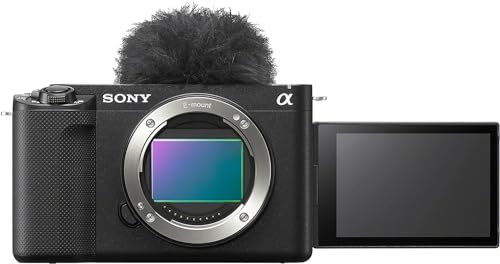
The ZV-E1 answers a question the a7S III never asked: what if that glorious low-light full-frame sensor lived in a body designed for one person filming themselves? It uses the same 12.1MP full-frame sensor and records 4K 60p in 4:2:2 10-bit, with 4K 120p arriving via firmware for slow-motion cutaways. Around that sensor Sony wrapped its creator toolkit — an AI processing unit that recognises subjects and drives features like automatic framing, product-showcase focus that snaps to an item held toward the lens, focus-breathing compensation with compatible lenses, and dynamic active stabilisation that crops in to steady walking shots far beyond what the sensor shift alone manages.
The sacrifices are structural, and you should walk in knowing them. There is no viewfinder, only the fully articulating touchscreen. There is a single card slot, which wedding and event shooters rightly treat as a risk decision rather than a footnote. And a small body recording full-frame 4K has physics to answer: in hot conditions or long continuous takes, thermal limits are a real planning factor in a way the fan-cooled GH6 and FX30 sidestep. For its intended owner, though — the solo creator whose studio is a desk, whose B-roll is shot in restaurants at night, whose stills are thumbnails rather than prints — the ZV-E1 concentrates more full-frame video quality per gram than anything else in this guide, and its colour files grade with the same headroom as its bigger sibling’s.
- Sensor: 12.1MP full-frame Exmor R CMOS with AI processing unit
- Video ceiling: 4K 60p 4:2:2 10-bit; 4K 120p via firmware update
- Creator tools: product showcase, auto framing, breathing compensation, dynamic active mode
- Screen: fully articulating touchscreen, no viewfinder
- Media: single SD UHS-II slot
Strengths
- Full-frame 10-bit files and low-light ability in the smallest, lightest body in this guide.
- AI-driven framing and focus features genuinely reduce a solo creator’s retakes.
- S-Cinetone and S-Log3 cover both publish-now and grade-later workflows.
Trade-offs
- Single card slot rules it out as a sole camera for unrepeatable paid events.
- Long takes in warm rooms need thermal planning that fan-cooled bodies do not.
- No viewfinder makes bright-sun composition a squinting exercise.
Best for: solo creators, vloggers stepping up to full frame, and travel filmmakers who value low-light reach over redundancy. Not suited for: event professionals who need dual slots, or stills-led shooters.
Check price on Amazon.
Sony Alpha a6700 — Best value hybrid
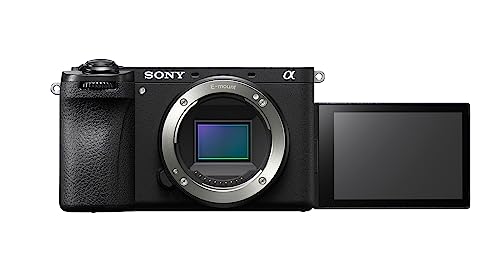
The a6700 is the camera buyers cross-shop against everything above and then struggle to argue against. Its 26MP APS-C sensor oversamples 4K from 6K, so 4K up to 60p in 4:2:2 10-bit arrives with the crispness oversampling always brings, and 4K 120p is available for slow motion with a step down in chroma sampling and an extra crop. The AI processing unit borrowed from Sony’s flagship line gives it the deepest subject recognition in this guide — people, animals, birds, vehicles, insects, even trains — and that intelligence serves stills as much as video, which is precisely the point: unlike the FX30, the a6700 is a complete photographer’s camera that happens to record superb 10-bit video.
Handling reinforces that dual identity. There is a proper viewfinder, a fully articulating screen, a front control dial this body class long lacked, and weather sealing across a magnesium shell. S-Log3 and S-Cinetone profiles, plus the ability to load and monitor with LUTs, slot it into graded workflows without fuss. The debits are honest ones: a single card slot, a micro-HDMI port that riggers will handle gently, and rolling shutter that shows itself on violent pans because the sensor readout, while good, is not stacked-sensor fast. For the hybrid shooter who publishes video weekly and still sells stills, those are footnotes. This is the most complete camera per dollar in the guide.
- Sensor: 26MP APS-C back-illuminated CMOS with AI processing unit
- Video ceiling: 4K 60p 4:2:2 10-bit oversampled from 6K; 4K 120p at reduced sampling
- Autofocus: AI subject recognition across people, animals, birds and vehicles
- Screen and finder: fully articulating touchscreen plus electronic viewfinder
- Media: single SD UHS-II slot
Strengths
- Oversampled 4K looks visibly crisper than pixel-binned rivals at the same settings.
- It is a first-rate stills camera too — no second body needed for photography work.
- Compact E-mount lens ecosystem keeps the total kit small and comparatively affordable.
Trade-offs
- Micro-HDMI is the fragile connector the GH5’s full-size port spoils you against.
- Fast pans reveal rolling shutter skew on vertical lines.
- One card slot means backup discipline is on you, not the camera.
Best for: hybrid shooters who publish video and stills from one body, travellers, and creators upgrading from a phone or entry camera. Not suited for: crews needing dual-slot redundancy or a full cinema rig’s connectivity.
Check price on Amazon.
What does 10-bit colour actually change in a real edit?
Open a sunset shot from an 8-bit camera in your editor and drag the exposure slider. The sky, which looked smooth on the camera screen, separates into visible steps — pale bands stacked like contour lines on a map. That is banding, and it happens because a smooth gradient needs more tonal steps than 8-bit recording stores. The sky in the real scene changed brightness continuously; the file approximated it with 256 levels, and your grade stretched those levels until the gaps showed. Ten-bit recording stores 1,024 levels per channel. The same grade stretches a staircase with four times the steps, and the steps fall below the threshold your eye can catch. This is the single most visible upgrade in this entire guide, and it appears in the most ordinary footage imaginable: skies, walls, fog, stage haze, underwater scenes.
Skin is the second place the difference stops being subtle. Faces live in a narrow band of mid-tones, and colourists push them constantly — warming a complexion, cooling a background away from the subject, matching two cameras on an interview. In 8-bit files those pushes tear the fine transitions across a cheek into patches. In 10-bit 4:2:2, the extra chroma resolution means the colour of skin is sampled densely enough to move without breaking. Anyone who has tried to match a GH5 interview angle to a Sony angle in post knows the practical version of this: the files that forgive are the files with depth to spare, and forgiveness is what a working edit actually consumes.
Log profiles are the third act of the same story. A log curve deliberately flattens the image, spreading the sensor’s dynamic range across the recorded signal so a grade can redistribute it. Flattening an 8-bit signal spreads too little data too thin — the codec spends its 256 steps describing a washed-out image, and reconstructing contrast later means amplifying quantisation error along with the picture. This is why experienced shooters call 8-bit log a trap: the profile promises flexibility the bit depth cannot fund. Every camera in this guide pairs its log profile with the 10-bit recording that makes the promise real, and that pairing, more than any resolution number, is what separates a cinema-leaning body from a consumer one wearing a flat profile as a costume.
There is a cost ledger, and honest buying means reading it. Ten-bit files at high bitrates consume cards and drives at several times the rate of the compressed 8-bit modes on cheaper cameras. Some editing machines that scrub long-GOP 8-bit footage happily will stutter on ALL-I or ProRes timelines without proxy workflows. The cameras answer differently — the GH6’s ProRes trades storage for editing smoothness, the Sonys’ long-GOP options trade editing effort for card economy — but none of them repeal the arithmetic. Budget the pipeline, not just the body, and the 10-bit upgrade is pure gain. Ignore the pipeline, and your first big project becomes an unplanned computer purchase.
It is also worth naming what 10-bit does not do. It does not add dynamic range by itself; the sensor and profile decide how many stops are captured, and bit depth decides how finely those stops are sliced. It does not fix bad lighting, missed focus or a shaky hand. And it does not survive careless exposure — a log file exposed two stops under is a detailed recording of noise. What it does is remove the codec from the list of things limiting your footage, so that when a shot fails, it fails for photographic reasons you can learn from, not arithmetic ones you cannot.
How do the six compare on the specs that decide a grade?
| Camera | Sensor | Internal 10-bit ceiling | HDMI output | Recording endurance |
|---|---|---|---|---|
| Panasonic GH5 | 20.3MP Micro Four Thirds | 4K 30p 4:2:2 | 4:2:2 10-bit to 60p | No fan; long takes depend on bitrate and ambient heat |
| Panasonic GH6 | 25.2MP Micro Four Thirds | 4K 60p 4:2:2, ProRes to 5.7K | 4:2:2 10-bit | Fan-cooled, unlimited in main modes |
| Sony FX30 | 26.1MP Super 35 | 4K 60p 4:2:2 | 16-bit RAW | Fan-assisted, built for long takes |
| Sony a7S III | 12.1MP full frame | 4K 120p 4:2:2 | 16-bit RAW | No fan; strong thermal design for its class |
| Sony ZV-E1 | 12.1MP full frame | 4K 60p 4:2:2 | 4:2:2 10-bit | Compact body; plan around heat on long takes |
| Sony a6700 | 26MP APS-C | 4K 60p 4:2:2 | 4:2:2 10-bit | No fan; generous limits for a hybrid body |
Read the table by your bottleneck. If your pain is banding in graded skies, every row solves it at 30p. If your pain is slow motion that still grades, the a7S III row is the only one holding 4:2:2 at 120p. If your pain is a camera stopping during a ceremony, the two fan-cooled rows are your shortlist, and everything else is a risk conversation.
Which sensor size serves 10-bit work best?
Sensor size is the argument underneath every other argument in this guide, so it deserves plain treatment. Micro Four Thirds, represented here by the two Panasonics, trades light-gathering for everything else: smaller and cheaper lenses, deeper depth of field that keeps a moving subject in focus more forgivingly, and stabilisation that benefits from a lighter sensor to shift. For documentary shooters working alone in unpredictable light at moderate sensitivities, that trade is often the smart one — the GH6 at ISO 1600 produces footage most clients cannot distinguish from full-frame, inside a kit that fits a backpack rather than a roller case.
Full frame, in the a7S III and ZV-E1, plays the opposite hand. The larger sensor’s advantage concentrates exactly where 10-bit grading hurts most: the shadows. Cleaner shadow data means the lower third of a log curve carries picture instead of noise, so night scenes and moody interiors grade further before they fall apart. The costs are equally real — lenses grow, focus gets shallower and less forgiving, and rolling-shutter behaviour on the non-stacked sensors demands steadier camera work. Nobody filming weddings in dark barns regrets full frame. Plenty of travel shooters carrying it up a mountain have second thoughts by the third day.
APS-C, the middle ground held by the FX30 and a6700, has quietly become the pragmatic professional’s format. Modern APS-C sensors oversample beautifully, the lens catalogue spans cheap primes to cinema glass, and depth of field sits in the working zone between phone-flat and full-frame-fragile. The FX30 exists precisely because Super 35 is the historical cinema standard — decades of lenses and focus habits assume it. If you cannot articulate a specific reason you need full frame’s shadows or Micro Four Thirds’ compactness, APS-C’s balance is not a compromise; it is the answer.
One more variable hides inside the size debate: readout speed. How fast a sensor can be scanned decides rolling shutter, and it varies independently of size — the a7S III’s low pixel count lets it read quickly, which is part of why its footage looks so composed during pans, while high-resolution sensors read slower and skew more. When two cameras tie on paper, the one whose footage stays calm during the whip-pans and vehicle shots your work actually contains is the one to buy, whatever its sensor dimensions say.
What should you check before choosing a 10-bit camera?
Start with the frame rate you actually deliver at, not the one you admire. A wedding filmmaker who shoots 24p or 30p for the timeline and reserves 60p for a few slow-motion moments can live happily inside the GH5’s ceiling, where 10-bit stops at 30p internally. A sports or music shooter living at 60p and above needs the ceiling to follow them there, which pushes the decision toward the GH6, FX30 or a7S III. Write down your three most-used frame rates before you shop; the right camera is the one whose 4:2:2 range covers all three.
Then interrogate the difference between internal recording and HDMI output, because listings blur it deliberately. Several bodies here output a richer signal over HDMI than they record to card — the GH5’s 60p story is the classic example. If your workflow already includes an external monitor-recorder, an HDMI-rich body may serve you better than its internal spec suggests. If you shoot to card and edit from card, internal numbers are the only ones that exist. Neither answer is wrong; buying for the other workflow is.
Codec and bitrate deserve the same scrutiny as bit depth. ALL-I and ProRes files are large and edit like butter; long-GOP files are small and make an ageing laptop sweat. Ten-bit colour in a heavily compressed codec still beats 8-bit, but compression artefacts in fine detail — foliage, hair, confetti — are a separate tax. Match the camera to your editing machine and your storage budget, and cost the media honestly: CFexpress cards, fast readers and archive drives are part of the camera’s price whether the listing mentions them or not.
Finally, think in systems. The lens mount decides your next five years of spending. Micro Four Thirds offers the cheapest, smallest fast glass and unmatched stabilisation pairings. Sony E-mount offers the deepest native catalogue and the strongest third-party support. A body is a season; a mount is a decade. Buyers who already own lenses in one of these systems should need a compelling reason to jump, because the 10-bit gap between the best bodies here is smaller than the cost of replacing a lens shelf.
Which mistakes ruin more 10-bit footage than any camera choice?
The first is shooting log without exposing for it. Log profiles in these cameras want deliberate exposure — typically a touch brighter than feels natural, monitored with the camera’s waveform or a viewing LUT — because their shadows are where the noise lives. Underexpose S-Log3 or V-Log by a stop and then lift it in post, and you will conclude 10-bit is a scam; the codec recorded everything, but everything it recorded was noise floor. The second mistake is grading on an uncalibrated screen in a bright room and shipping files that look nothing like what you approved.
The third is ignoring chroma sampling at your chosen frame rate and discovering the drop in the edit. Test your exact delivery settings — frame rate, codec, profile — in the first week, with a gradient-rich scene, and grade it hard. The fourth is starving the codec: choosing the lowest bitrate to save card space on the one shoot that matters. Cards are reusable; moments are not. And the fifth, quietest mistake is mixing colour profiles across a multi-camera shoot without a plan, then spending the edit matching cameras instead of telling the story. Pick a profile per production, expose it consistently, and let the 10-bit depth do the job you paid for.
A sixth mistake belongs to buyers rather than shooters: purchasing the body and postponing the glass. Ten-bit depth reveals lens character — soft corners, fringing on highlights, breathing during focus pulls — more honestly than the forgiving files of a lesser camera did. A modest body behind a good lens will outshoot a flagship behind a compromised zoom on most real projects, and the second-hand market for the mounts in this guide is deep enough that patient buyers rarely need to settle. If the budget forces a sequence, buy the camera that fits your hand and your frame rates, then feed it the best lens you can reach before you feed it any accessory.
Final Recommendation
One last filter before the shortlist: rent or borrow where you can. A weekend with a camera teaches you more about its menus, its fan noise on a quiet set, its screen in your sunlight and its files in your editor than a month of specification tables — including this one. Every body in this guide is good enough that the deciding factor is fit: the camera whose compromises land on the features you use least. Borrow with your real projects in mind, shoot the scenes you actually shoot, and grade the files the way you actually grade.
For most readers, the decision resolves by budget and by mount. The a6700 is the easiest camera in this guide to recommend without caveats about identity: a hybrid that shoots stills properly, records oversampled 4:2:2 10-bit video, and costs APS-C money. The FX30 bundle is the pick when video is the job and stills are the hobby, because the included Sigma zoom makes it a working cinema kit immediately. The GH6 owns long-form recording and ProRes; the GH5 owns the value end for controlled scenes; the a7S III owns the night; and the ZV-E1 owns the solo creator’s desk. If your grades keep breaking in the sky, the fix is not another stop of dynamic range — it is the ten-bit file, and every camera above will hand you one.
Frequently Asked Questions
Does 10-bit actually look different if I upload to YouTube?
Yes, though the difference shows in the grade rather than the upload. Streaming platforms recompress everything, but footage that started with smoother gradients and more chroma information survives that compression with less banding, and your colour corrections before upload are far more flexible. The viewer sees cleaner skies and skin tones; you feel the difference in the edit.
What is the practical difference between 4:2:2 and 4:2:0?
Both describe how much colour information is stored relative to brightness. 4:2:0 samples colour at quarter resolution; 4:2:2 doubles the horizontal colour resolution. Fine coloured detail — red text on dark backgrounds, green-screen edges, stage lighting — holds together visibly better in 4:2:2, and keys pull cleaner, which is why chroma work is where the gap stops being theoretical.
Can I get 10-bit from an 8-bit camera with an external recorder?
Only if the camera outputs a 10-bit signal over HDMI; a recorder cannot invent data the port never sends. Some bodies do exactly that, which is why this guide separates internal recording from HDMI output in every review. If a camera’s HDMI feed is 8-bit, recording it externally changes the container, not the colour.
Is V-Log or S-Log3 better for a beginner?
Neither is better in the abstract; both demand correct exposure and a grade. Beginners often do well starting with the manufacturers’ gentler profiles or a built-in LUT workflow, then moving to full log once exposure monitoring feels routine. The 10-bit recording underneath matters more than which log flavour sits on top.
How much storage does 10-bit 4K really use?
Plan on roughly 1.5 to 3 gigabytes per minute at the high-quality settings in this guide, and far more for ProRes on the GH6. A day of event shooting can pass a terabyte. Fast cards, a fast reader and a disciplined offload routine are part of the purchase, not accessories to it.
Are older 10-bit cameras like the GH5 still worth buying?
Yes, when the price reflects their age and your work fits their ceilings. The GH5’s internal 4:2:2 recording, monitoring tools and build quality remain professionally useful, and its used prices leave budget for the lenses and lighting that improve footage more than a newer body would. The conditions are the ones its review names: your frame rates live at 30p and below for graded work, and your focusing habits do not depend on modern tracking autofocus.
Does 10-bit matter for live streaming?
Barely, for the stream itself — platforms ingest and redistribute in 8-bit, and the live chain adds its own compression. It matters if you record the session for later editing, which most serious streamers do: the archived 10-bit file is the one you will cut highlights and course material from, and that is where the grading headroom earns its keep.
Do I need a special monitor to edit 10-bit footage?
You need an accurate one more than a special one. A colour-accurate display that covers the standard video colour space, used in controlled light, will serve you better than an expensive panel left at factory settings. True 10-bit display chains help with the finest gradient judgements, but calibration and room light decide most of what you see.
When does an external recorder still make sense?
Internal 10-bit recording won the argument this guide is built on, but external recorders did not become useless — they changed jobs. The first job is monitoring: a bright five or seven inch screen with proper scopes, focus peaking you can see in daylight and LUT previewing is a production tool regardless of where the file lands. The second job is unlocking what the HDMI port carries beyond the internal spec. The GH5’s 4K 60p story is the template — internally that frame rate is 8-bit, while the HDMI feed carries 4:2:2 10-bit, so a recorder genuinely upgrades the file, not just the container. The a7S III and FX30 push the same idea to its limit with 16-bit RAW output, which hands the debayering and much of the colour science to your editing software.
RAW deserves a sober paragraph of its own. Sixteen-bit RAW over HDMI sounds like an unarguable summit, and for controlled productions — commercials, narrative shorts, anything with a colourist and a schedule — it is. For everyone else it multiplies file sizes, demands the fastest media in this guide’s world, and adds conversion steps before an edit can start. Most working shooters find that internal 4:2:2 10-bit in a good codec already gives their grades everything they use, and that RAW’s extra latitude sits untouched in the file like a gym membership in January. Buy the recorder for the monitoring and the specific HDMI modes you will actually use; let RAW be a bonus, not the justification.
The third job is redundancy and speed on set. Recording simultaneously to card and recorder gives an instant backup and, with SSD-based recorders, media that drops straight into an edit bay at the end of the day. Crews shooting same-day edits treat that as the entire argument. Solo shooters should weigh the other side: every recorder adds a battery system, a mounting arm, a cable that can be snagged, and a second device to check before every take. The cameras in this guide were chosen partly because none of them needs that apparatus to deliver a professional file. Add a recorder when it solves a problem you can name — a frame rate, a screen, a deadline — and skip it when it merely makes the rig look serious.
Cables, unglamorously, decide more recorder days than codecs do. Full-size HDMI ports, as on the GH5 and a7S III, hold a connector firmly enough to trust during a moving shot. Micro and mini connectors on smaller bodies want cages, port protectors and right-angle cables before they earn the same trust. If your shooting style is mobile and your budget forces a choice between a recorder and the cage that makes its cable safe, buy the cage first and the recorder when the work demands it.
How should you set up a 10-bit workflow in the first week?
Day one is for decisions, not footage. Pick your primary profile — S-Log3, V-Log or a house standard if your production already has one — and shoot a deliberate test: a face beside a window, a saturated colour chart if you own one, a plain wall with a smooth light falloff. Grade that test harder than you would ever grade a deliverable. Push the sky, drag the shadows, warm the skin. You are not making art; you are learning where your files bend and where they break, in private, before a client’s project teaches you in public.
Set your exposure tools up during the same session. Turn on the waveform or histogram zebra combination you will actually use, learn what your chosen profile’s middle grey looks like on that display, and decide your exposure habit — most log shooters protect highlights and let the deep file depth carry the shadows, exposing a touch bright and pulling down in the grade. Write the habit down if you must. Consistency across a shoot matters more than the exact doctrine, because matching twenty clips shot one way is an afternoon, and matching twenty clips shot five ways is a week.
Then fix the unglamorous pipeline before the first real booking. Name files by date, camera and scene from the first card you offload. Keep the camera originals untouched in one folder, your working copies in another, and your exports in a third, with at least one copy of the originals on a separate drive before the cards are formatted. Ten-bit projects grow faster than 8-bit ones ever did, and the week you run out of space mid-project is the week sloppy folder habits turn into lost media. None of this is creative. All of it is the difference between a 10-bit camera making your work better and merely making your archive heavier.
Finally, calibrate how you judge. View your graded test on the screen your audience will use — a phone, a television, a client’s laptop — not only on your editing display. Gradients that survive your monitor can still band on a phone’s aggressive processing, and knowing that early changes how hard you push a sky. The cameras in this guide give you files with genuine headroom; the last step of the workflow is learning, with your own eyes on your own screens, exactly how much headroom your delivery chain keeps.
Can my existing cards and computer keep up with 10-bit 4K?
Cards first, because they are the cheapest place for a 10-bit upgrade to fail. The 400-megabit modes on the Panasonic picks and the high-bitrate All-Intra options on the Sony bodies want V90-rated SD cards or CFexpress Type A media in the case of the FX30 and a7S III; a V30 card that served 8-bit work perfectly will stop a 10-bit recording mid-take, usually at the least convenient moment. Budget for media as part of the camera, not after it. On the computer side, 10-bit 4:2:2 footage in H.264 or H.265 is the hardest common footage to decode, and older laptops without hardware decoding for these codecs will stutter through timelines that 8-bit files played smoothly. The working answers are unglamorous: edit with proxy files at a quarter resolution, or transcode the day’s shoot to an intermediate codec overnight. Neither costs image quality in the final export, because the colour information that makes 10-bit worth shooting survives both routes intact — it is only the live playback that needs the help.
Related Guides
Keep exploring the camera shelf: best 1080p cinema cameras for dedicated film bodies at friendlier prices, best 120fps cameras when slow motion is the whole point, and best 20 mp full frame cameras for stills-led full-frame options when photography, not grading headroom, leads your shortlist and your budget conversations at home.
Related guides
- Best Canon Point and Shoot Digital Cameras: PowerShot Picks From Pocket Compacts to Travel Zooms
- Best Balancing Stabilizers for Mirrorless Cameras: Payload, Balancing and Native Vertical Shooting
- Best 1080p IP Cameras: PoE Domes, Turrets, Bullets and a PTZ That Earn Their Cable
- Best Basic Phones Camera Buyers Can Trust: Flip Phones and Simple Handsets That Still Take a Photograph


